Share
Embed
Scratch Course for kids-part2
Artificial intelligence in Scratch course for kids
Machine learning in Scratch course for kids
programming & Graphics

Doaa Mohey Eldin
September 01, 2023
Transcript
58 slides
-
Artificial intelligence in Scratch Tutorial for kids Doaa Mohey Eldin
PhD researcher Faculty of computers & Artificial intelligence Cairo University 1 [email protected] Scratch Tutorial for kids by Doaa Mohey -
Agenda • Part1: Welcome to the World of Artificial Intelligence!
• What is Artificial Intelligence? • What is Scratch-based Artificial Intelligence? • How Does Scratch AI Work? • Example: Scratch AI • Scratch AI Coding • Scratch AI Types • Scratch AI Aspects • Scratch AI Projects • AI Projects for Kids • The Future of Scratch AI • Part2: Introduction to Machine Learning for kids. • what is Machine Learning? • What is Scratch-based machine learning? • How does Machine Learning work? • Example: Creating Scratch-based machine learning model. • Testing and improving your model. • conclusion 2 Scratch Tutorial for kids by Doaa Mohey http://scratch.mit.edu • Part3: Scratch Examples • Scratch Games Examples • ML project Example -
Part 1 • Welcome to the World of Artificial Intelligence!
• What is Artificial Intelligence? • What is Scratch-based Artificial Intelligence? • How Does Scratch AI Work? • Example: Scratch AI • Scratch AI Coding • Scratch AI Types • Scratch AI Projects • AI Projects for Kids • The Future of Scratch AI 3 Scratch Tutorial for kids by Doaa Mohey -
Welcome to the World of Artificial Intelligence! • Artificial intelligence
(AI) is a wide-ranging branch of computer science concerned with building smart machines capable of performing tasks that typically require human intelligence. • Scratch is a free programmable toolkit that enables kids to create their own games, interactive art, and animated stories. 4 Scratch Tutorial for kids by Doaa Mohey -
What is Artificial Intelligence? • Artificial Intelligence, or AI for
short, is a type of technology that allows machines to learn and make decisions like humans do. It's like having a robot brain that can think and solve problems on its own! • For example, is self-driving cars, which use AI to navigate and avoid obstacles. Pretty cool, right? 5 Scratch Tutorial for kids by Doaa Mohey -
What is Scratch-based Artificial Intelligence? • Scratch-based Artificial Intelligence: this
tool introduces machine learning by providing hands-on experiences for training machine learning systems and building with them. • Scratch-based Artificial Intelligence is considered a type of technology that allows machines to learn and make decisions like humans do. It's like having a robot brain that can think and solve problems on its own! 6 Scratch Tutorial for kids by Doaa Mohey -
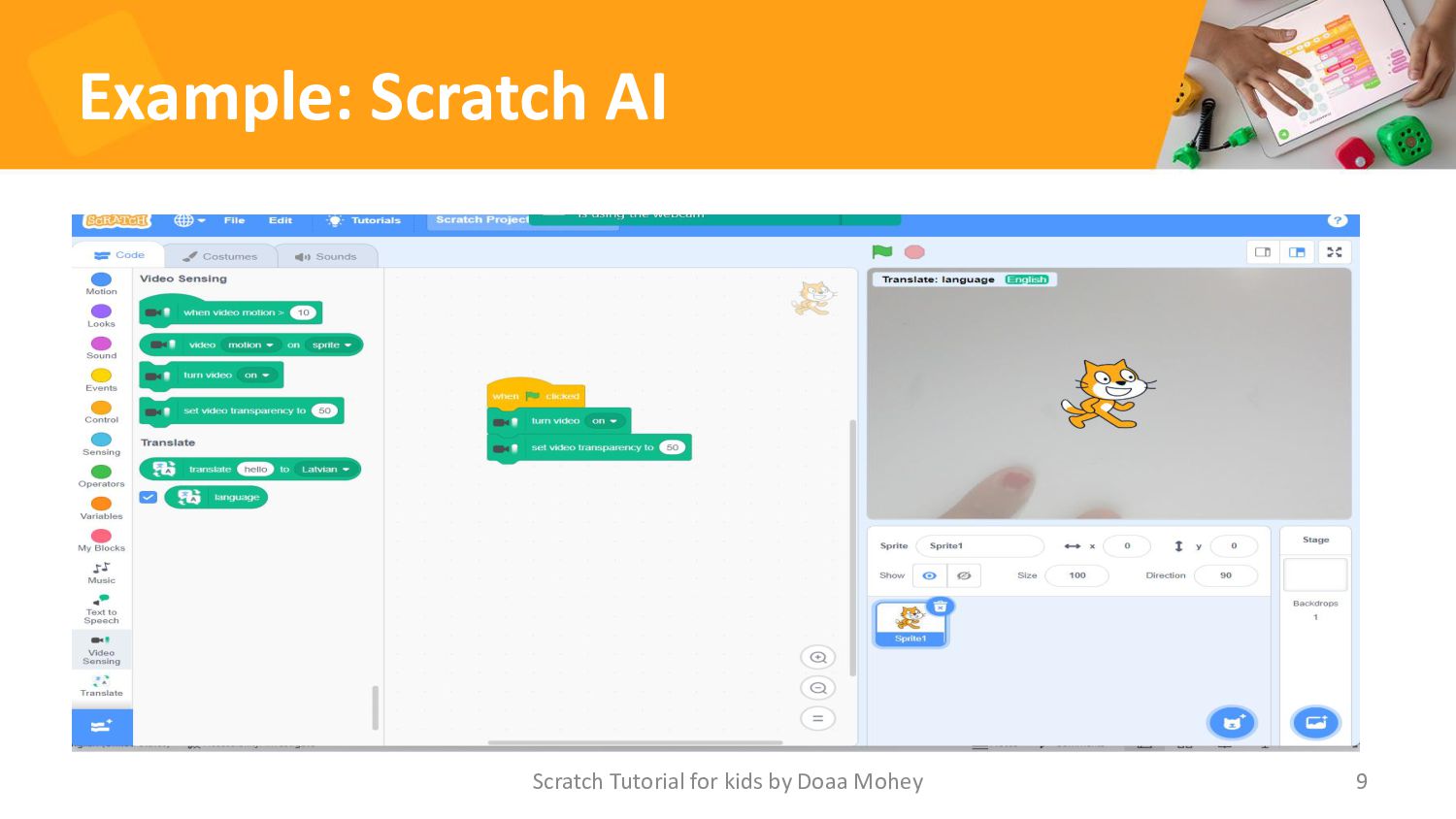
How Does Scratch AI Work? • Scratch Artificial intelligence (AI)
works by using algorithms to analyze data and make decisions based on that analysis. One way that AI can be used is through machine learning, where the system is trained on large amounts of data to recognize patterns and make predictions. • Scratch AI can be used is through natural language processing, which involves teaching computers to understand human language. This can be used for tasks such as a language translation or speech recognition. 7 Scratch Tutorial for kids by Doaa Mohey -
Scratch AI Coding • Scratch is a block-based programming language.
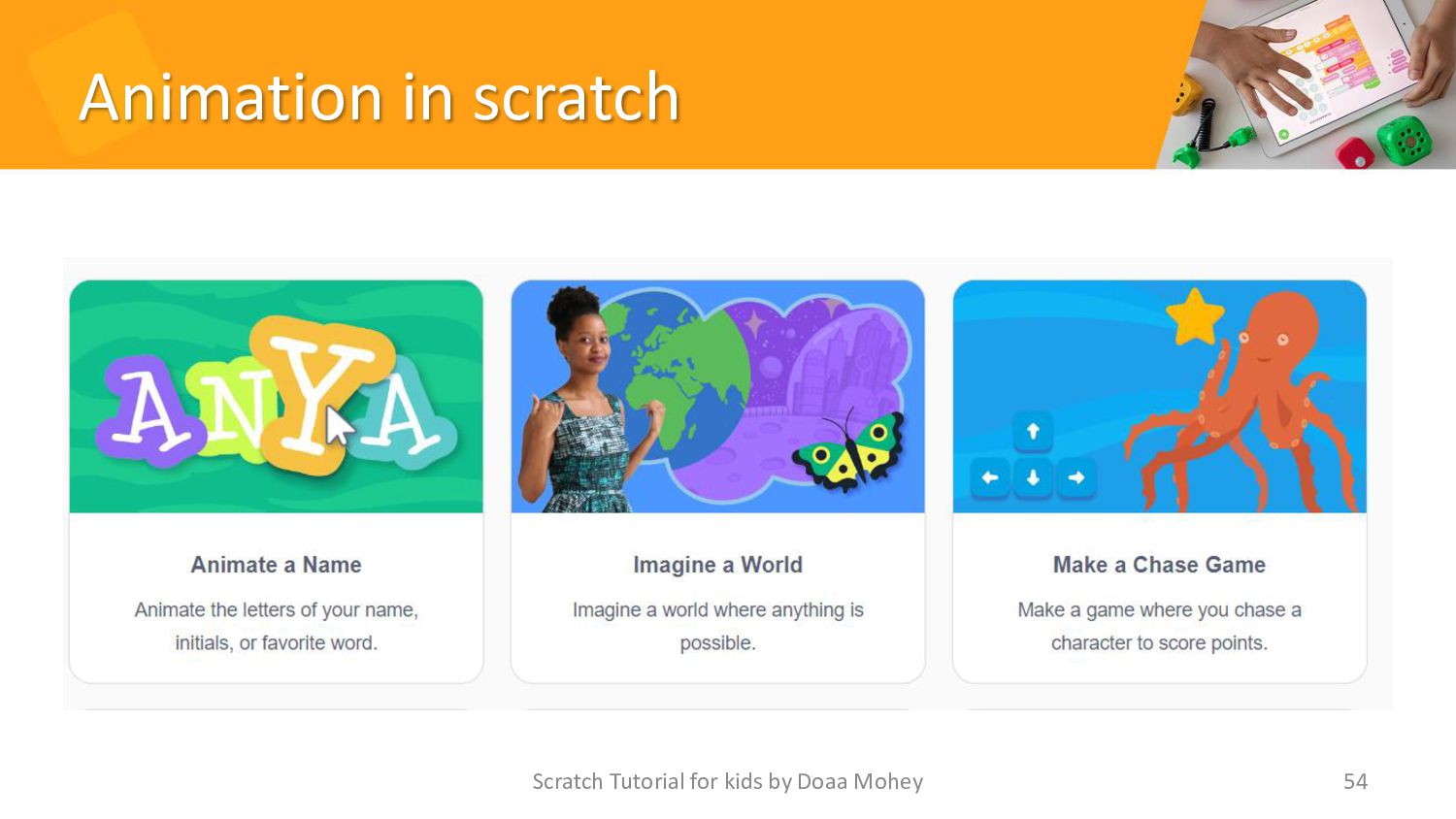
• Scratch coding is defined as the process of writing and running programs using Scratch, a free programming language and code editor that helps young learners understand coding logic using blocks and visual aids. This article defines the concept of Scratch coding and its uses in computer science and programming. • Scratch AI project for kids can create using Scratch is a virtual pet. Kids can use different blocks in Scratch to program their pet to perform certain actions, such as playing fetch or responding to their name. Scratch Tutorial for kids by Doaa Mohey 11 -
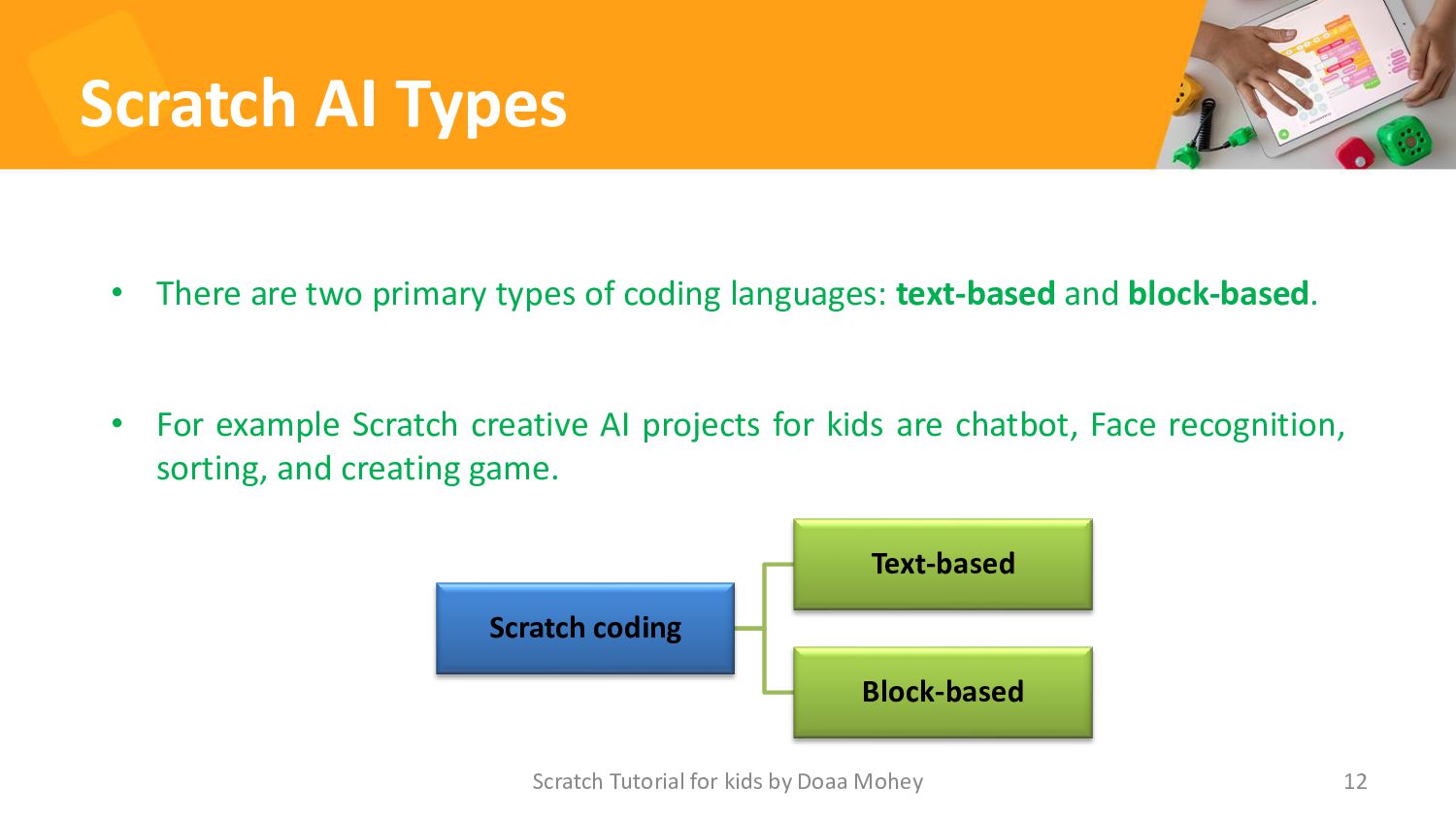
Scratch AI Types 12 • There are two primary types
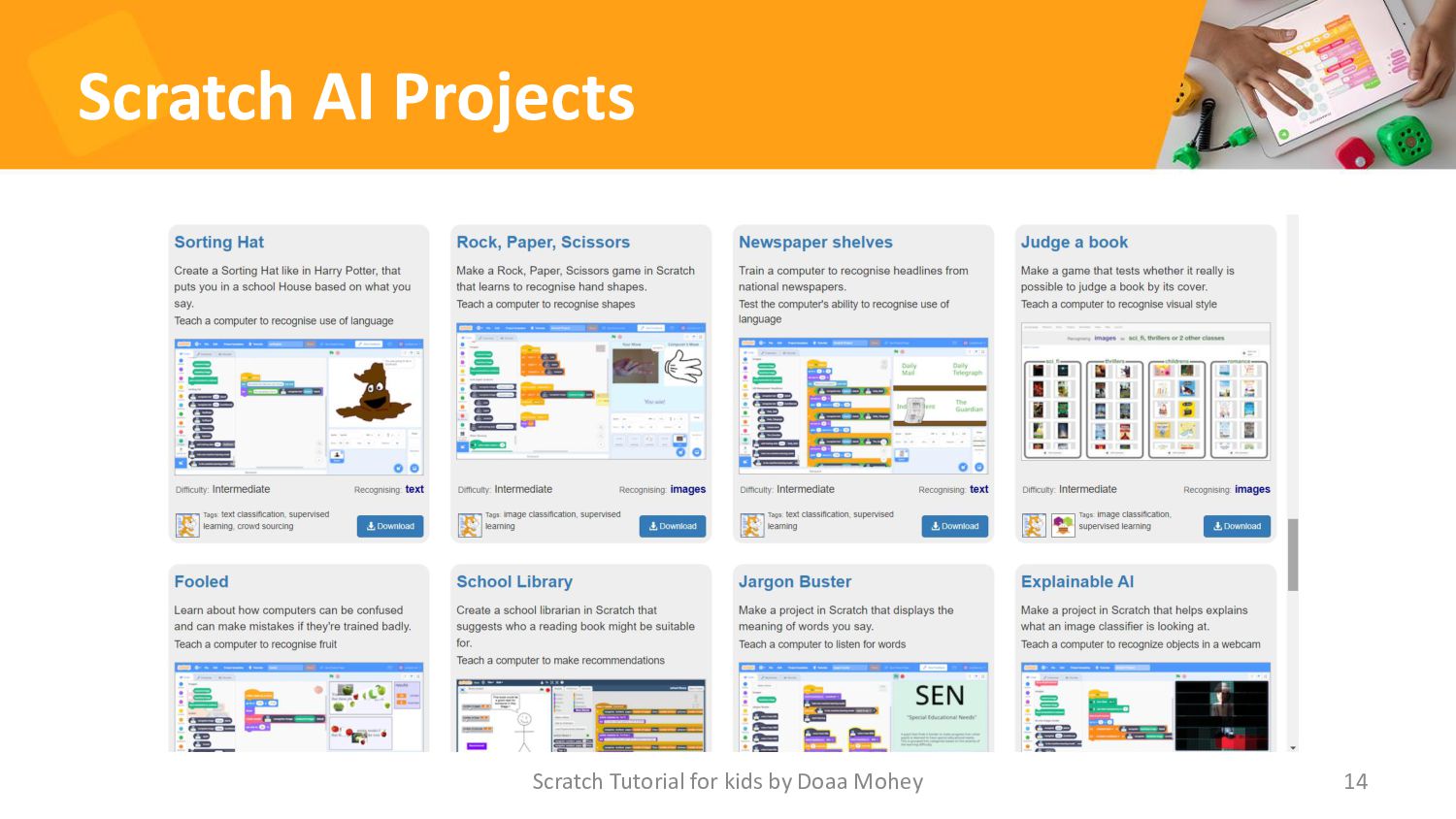
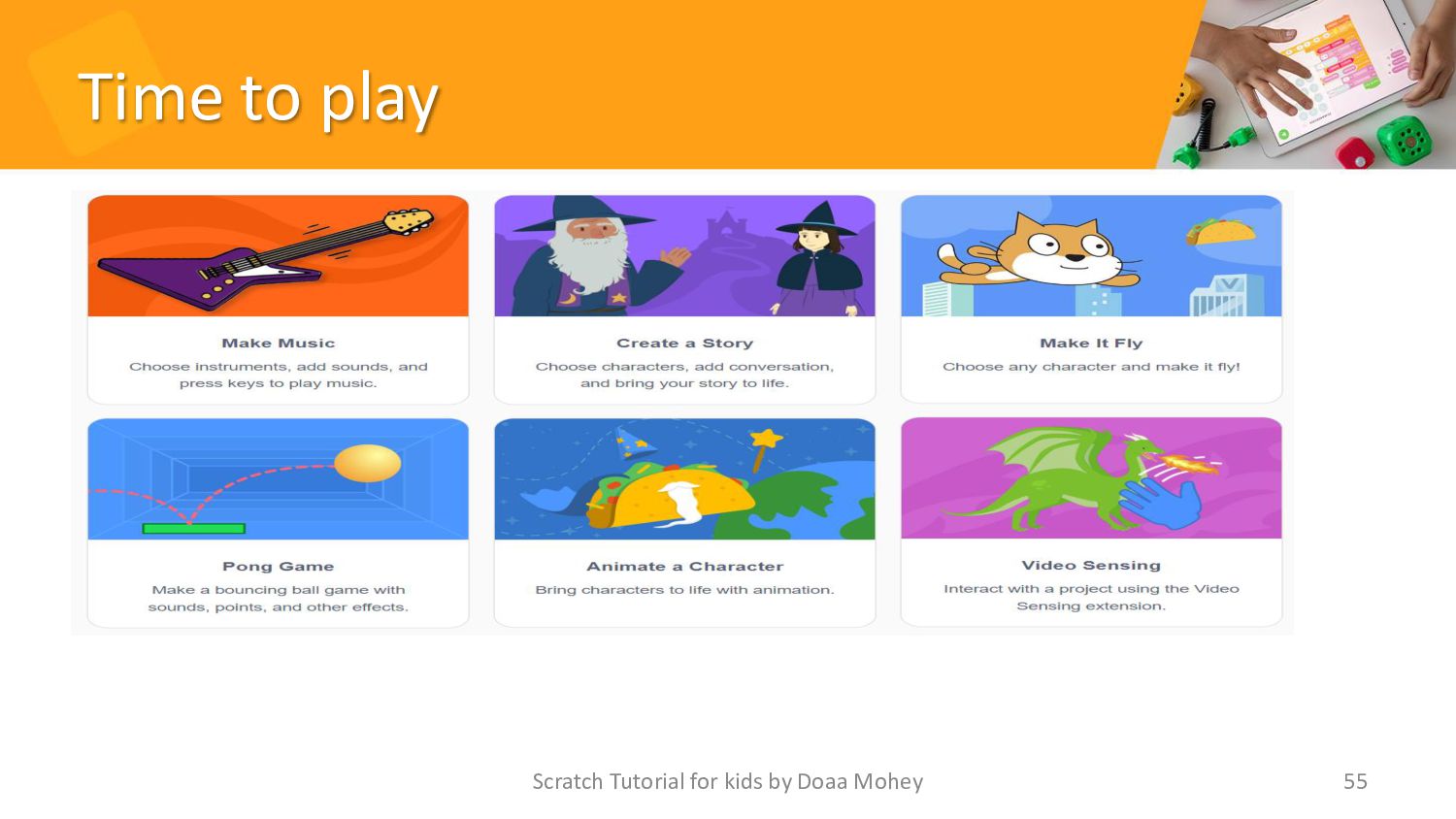
of coding languages: text-based and block-based. • For example Scratch creative AI projects for kids are chatbot, Face recognition, sorting, and creating game. Scratch Tutorial for kids by Doaa Mohey Scratch coding Text-based Block-based -
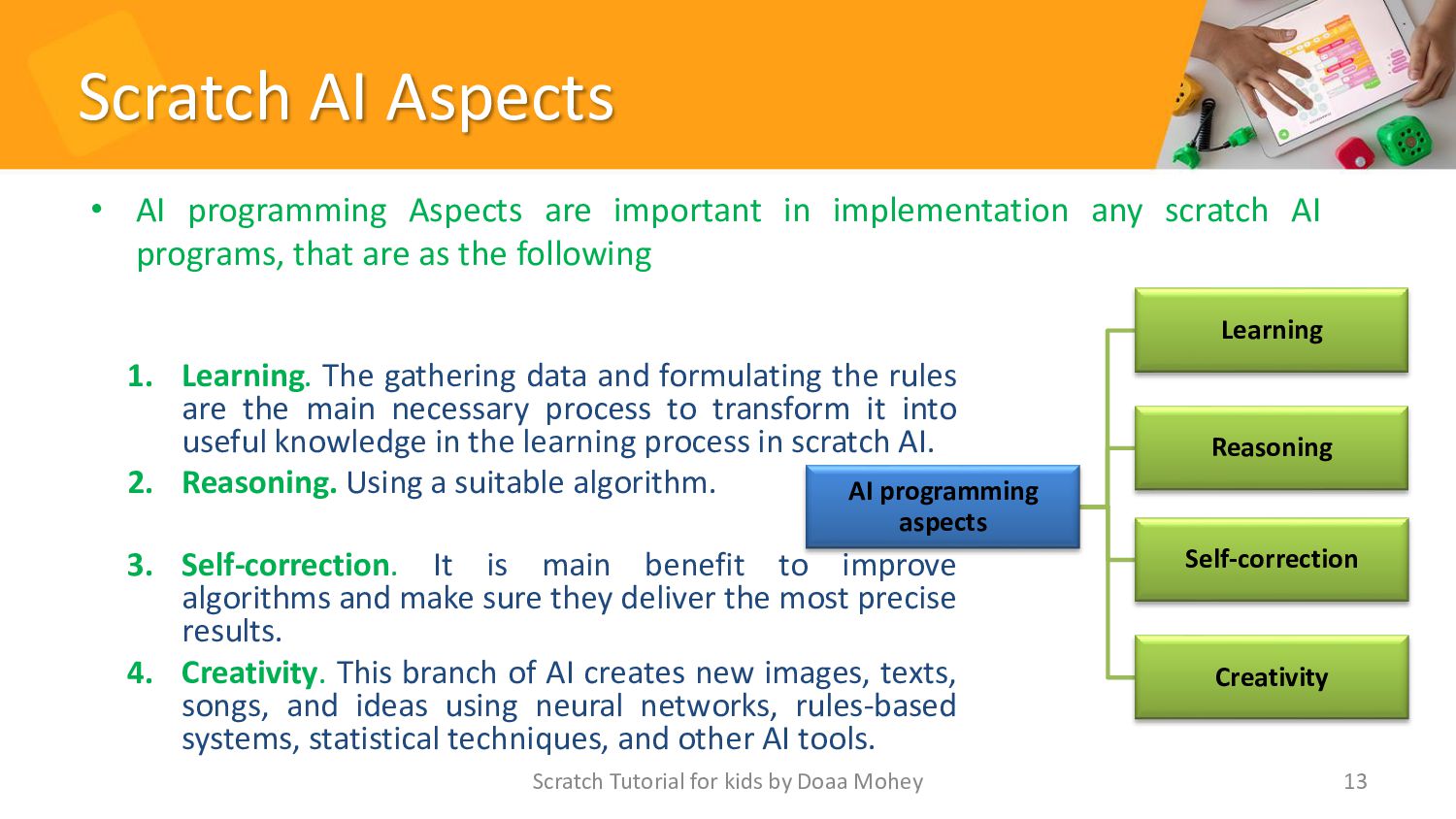
Scratch AI Aspects 1. Learning. The gathering data and formulating
the rules are the main necessary process to transform it into useful knowledge in the learning process in scratch AI. 2. Reasoning. Using a suitable algorithm. 3. Self-correction. It is main benefit to improve algorithms and make sure they deliver the most precise results. 4. Creativity. This branch of AI creates new images, texts, songs, and ideas using neural networks, rules-based systems, statistical techniques, and other AI tools. Scratch Tutorial for kids by Doaa Mohey 13 AI programming aspects Learning Reasoning Self-correction Creativity • AI programming Aspects are important in implementation any scratch AI programs, that are as the following -
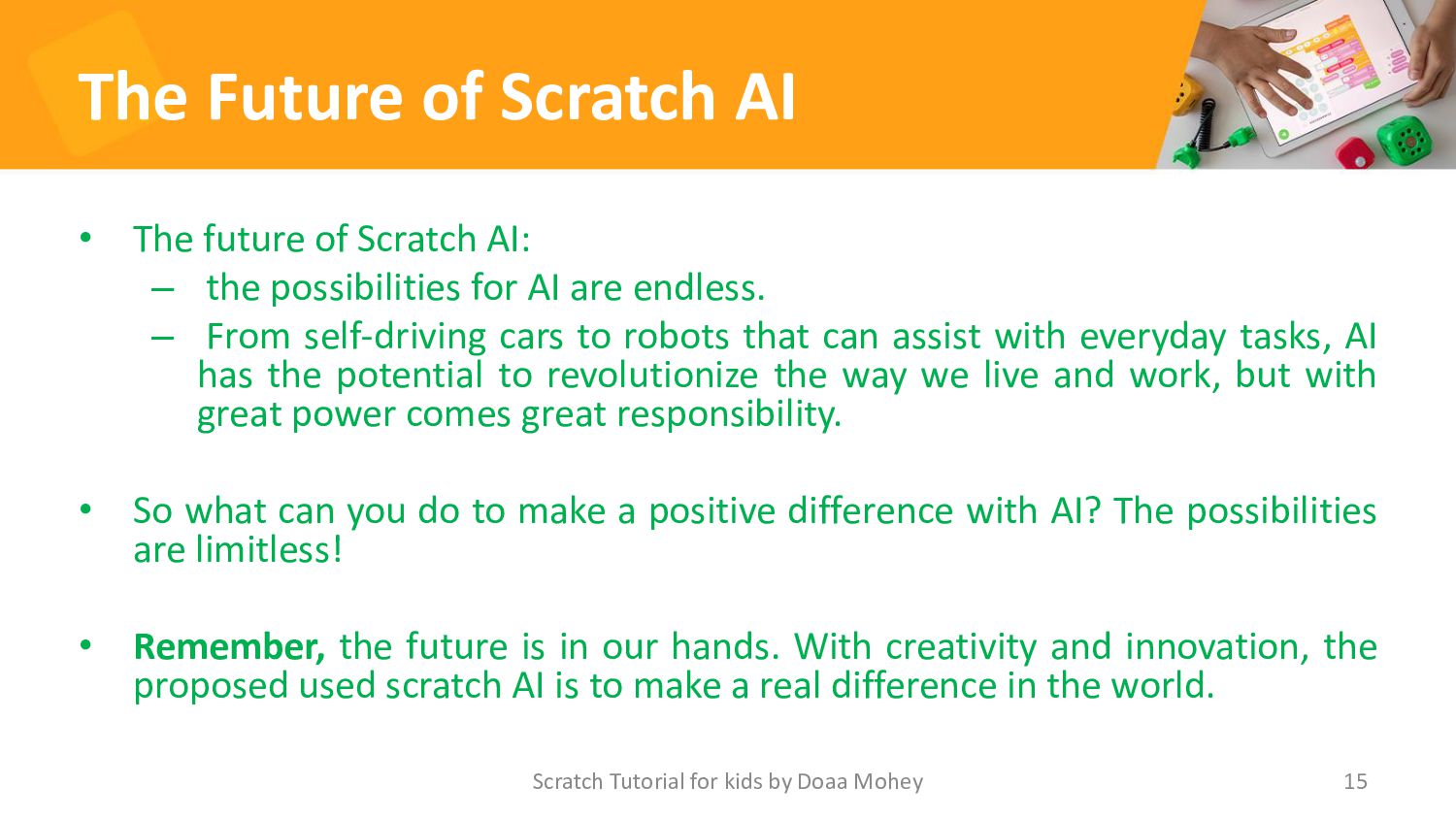
The Future of Scratch AI • The future of Scratch
AI: – the possibilities for AI are endless. – From self-driving cars to robots that can assist with everyday tasks, AI has the potential to revolutionize the way we live and work, but with great power comes great responsibility. • So what can you do to make a positive difference with AI? The possibilities are limitless! • Remember, the future is in our hands. With creativity and innovation, the proposed used scratch AI is to make a real difference in the world. Scratch Tutorial for kids by Doaa Mohey 15 -
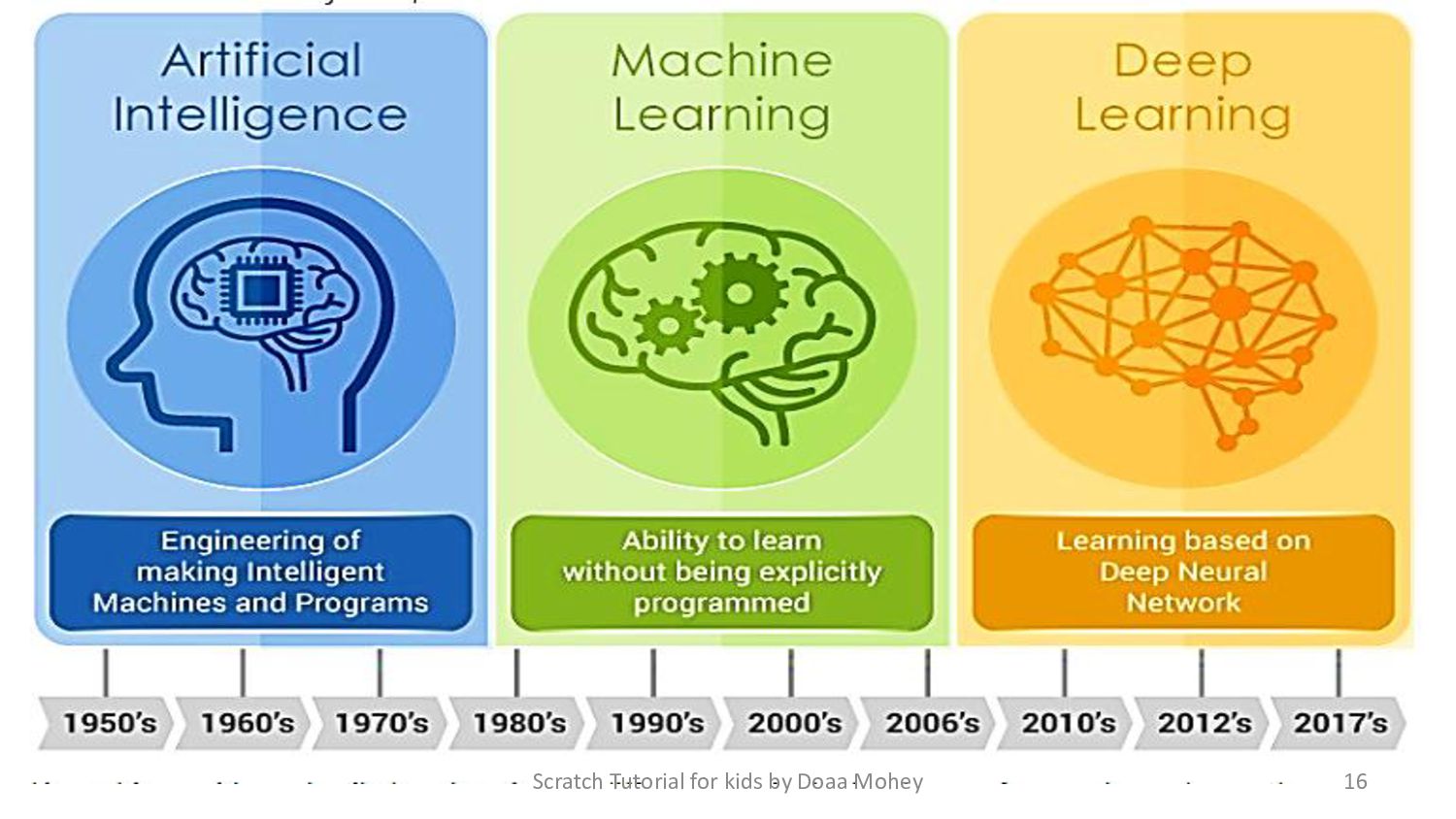
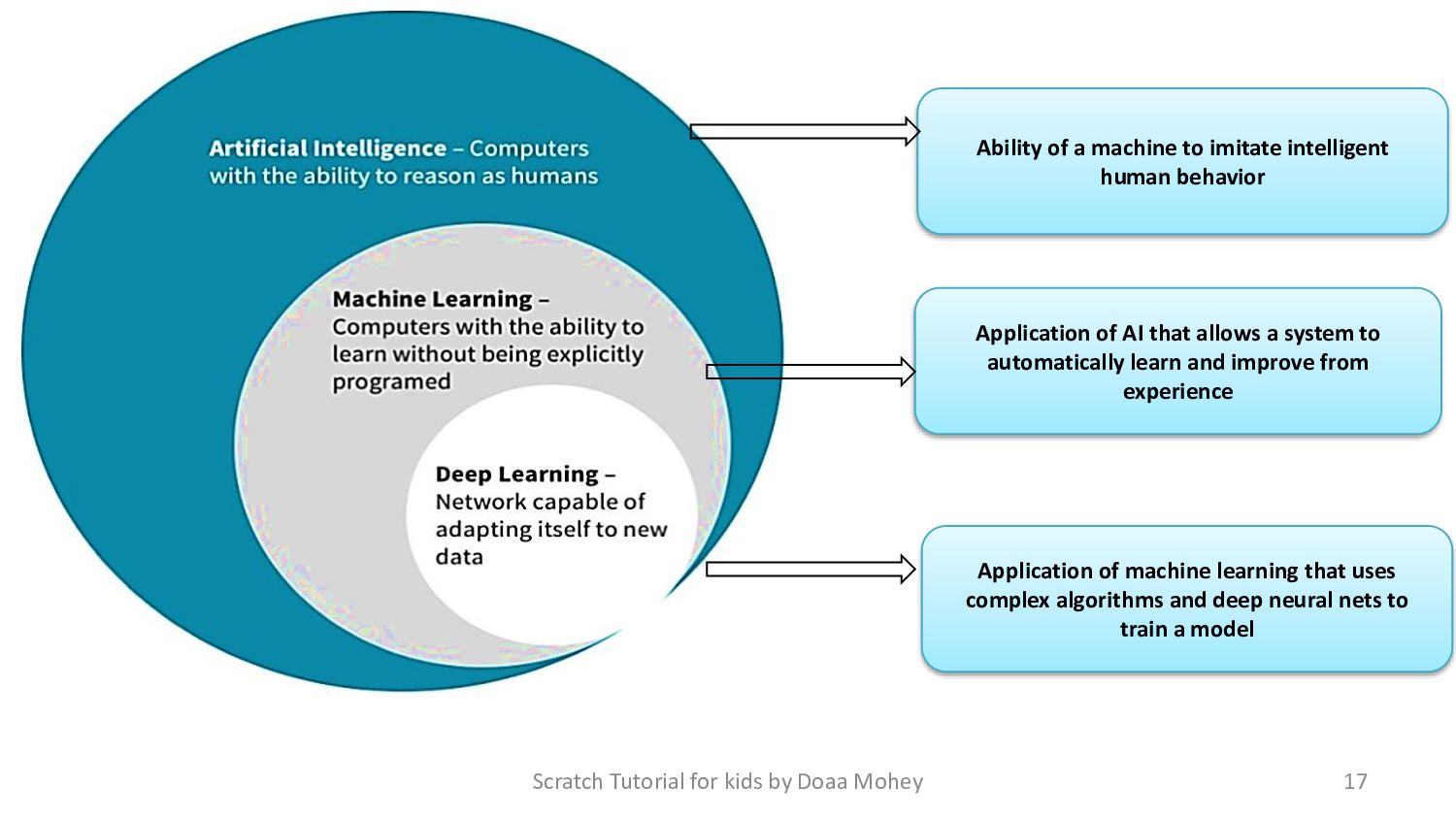
Scratch Tutorial for kids by Doaa Mohey 17 Ability of
a machine to imitate intelligent human behavior Application of AI that allows a system to automatically learn and improve from experience Application of machine learning that uses complex algorithms and deep neural nets to train a model -
Part 2 • Introduction to machine learning for kids. •
what is machine learning? • What is Scratch-based machine learning? • How does machine learning work? • Creating a machine learning model in scratch. • Testing and improving your model. • conclusion 18 Scratch Tutorial for kids by Doaa Mohey -
Introduction to Machine Learning (ML) for kids • Training machine
learning systems and creating things with them, this tool introduces machine learning. • It offers a simple-to-use guided environment for developing machine learning models for text, numeric, or image recognition. • By integrating these models into Scratch (a popular educational coding platform), this expands on current initiatives to introduce and teach coding to kids. • This will enable kids to construct projects and develop games using the machine learning models. Scratch Tutorial for kids by Doaa Mohey 19 -
What is Machine Learning (ML)? • Machine Learning (ML) is
a branch of artificial intelligence (AI) and computer science which focuses on the use of data and algorithms to imitate the way that humans learn, gradually improving its accuracy. • Machine learning is a type of computer program that helps computers learn from data, just like how you learn from your experiences. Imagine you're trying to teach a computer how to recognize different types of animals. 20 Scratch Tutorial for kids by Doaa Mohey -
What is Scratch-based Machine Learning? • Scratch-based Machine learning is
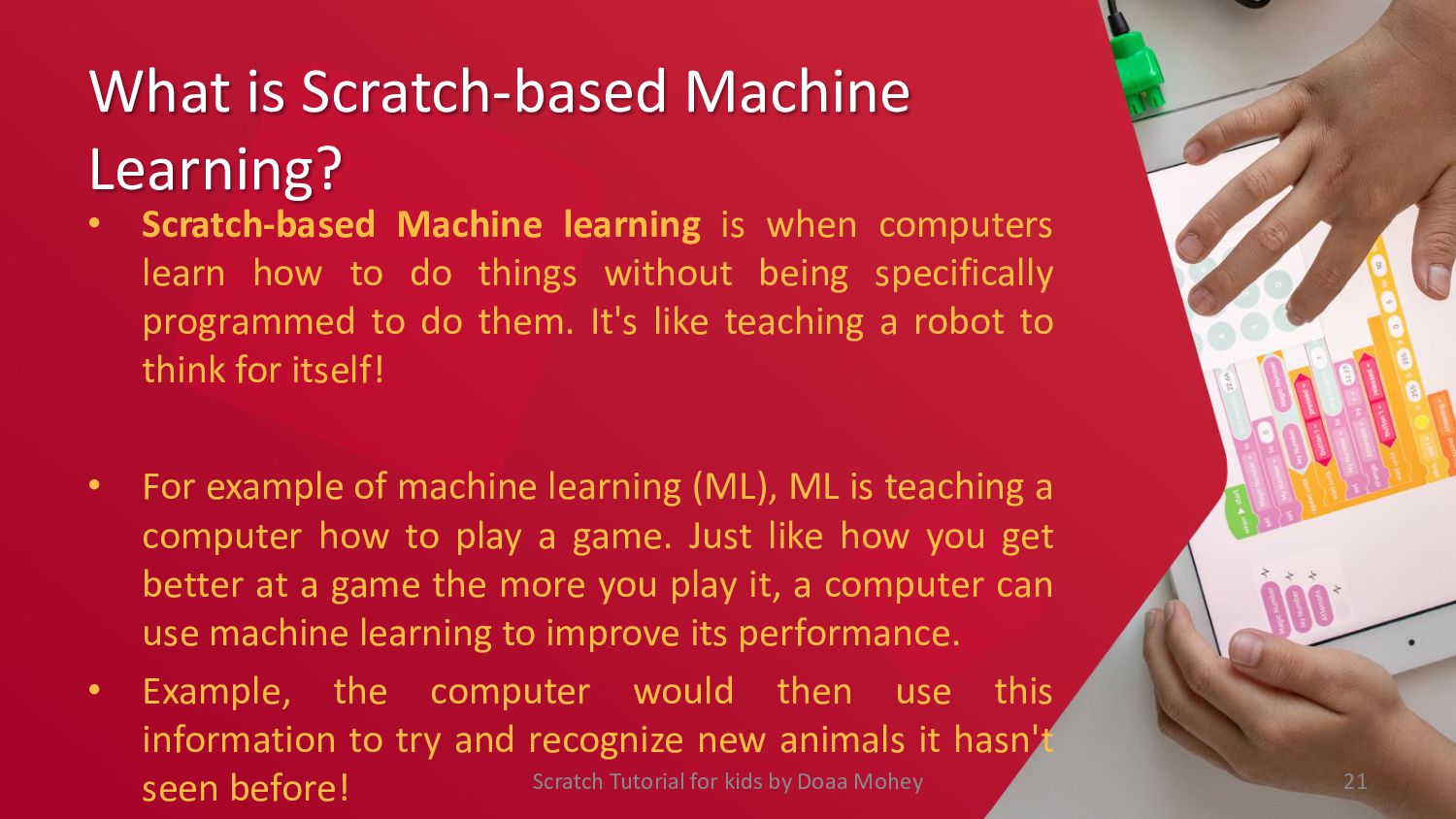
when computers learn how to do things without being specifically programmed to do them. It's like teaching a robot to think for itself! • For example of machine learning (ML), ML is teaching a computer how to play a game. Just like how you get better at a game the more you play it, a computer can use machine learning to improve its performance. • Example, the computer would then use this information to try and recognize new animals it hasn't seen before! 21 Scratch Tutorial for kids by Doaa Mohey -
How Does Scratch ML Work? • To create a machine
learning model in Scratch, we first need to gather data. This can be done by collecting information from sensors or by manually inputting data into the program. • Next, we need to train the model using algorithms that allow it to recognize patterns and make predictions based on the data we've collected. We can then test the model and make adjustments as needed to improve its accuracy. • For example, a machine learning algorithm cloud be trained on a dataset of cat images to recognize when a new image contains a cat. 22 Scratch Tutorial for kids by Doaa Mohey -
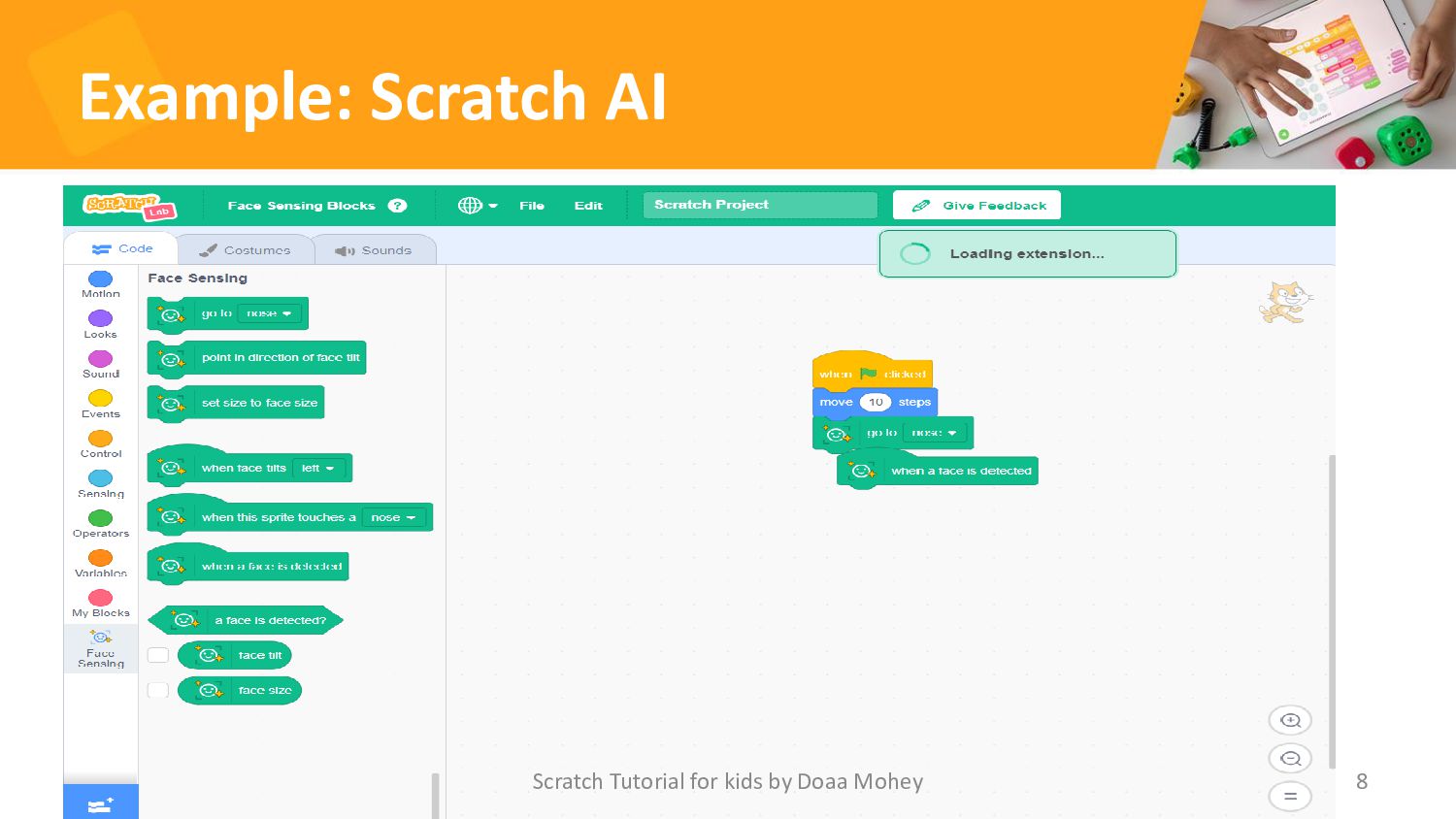
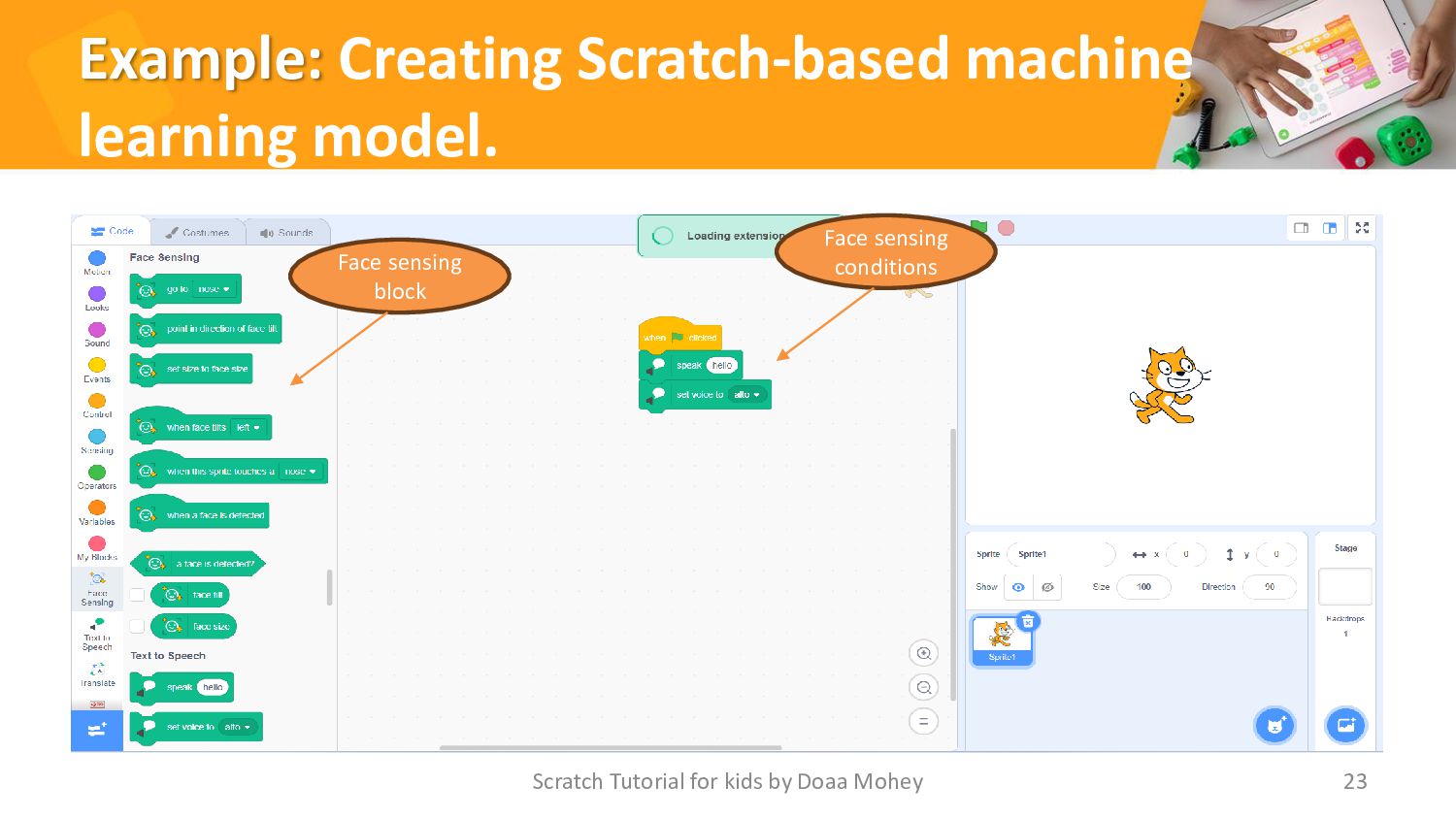
Example: Creating Scratch-based machine learning model. Scratch Tutorial for kids
by Doaa Mohey 23 Face sensing block Face sensing conditions -
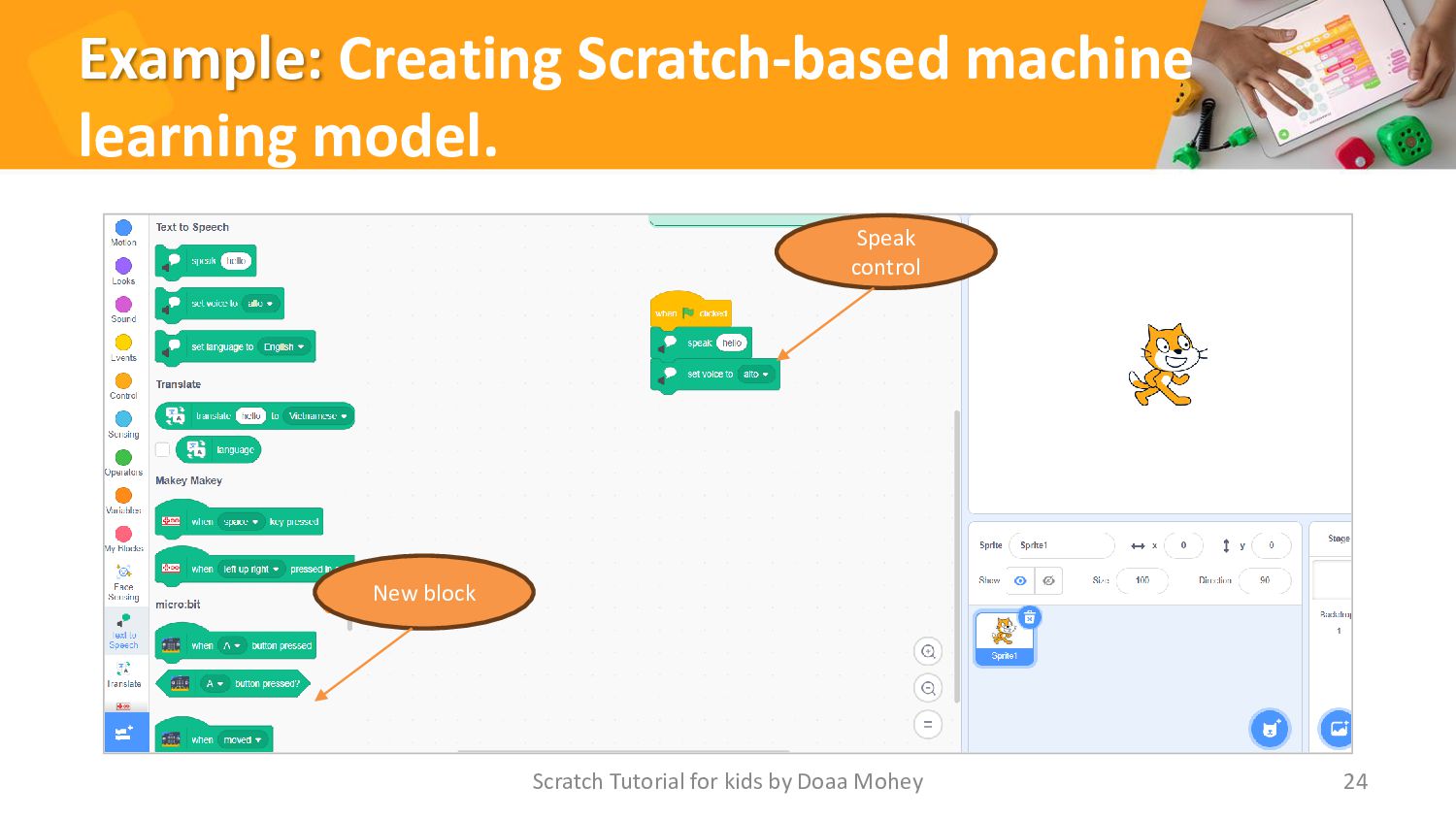
Example: Creating Scratch-based machine learning model. Scratch Tutorial for kids
by Doaa Mohey 24 New block Speak control -
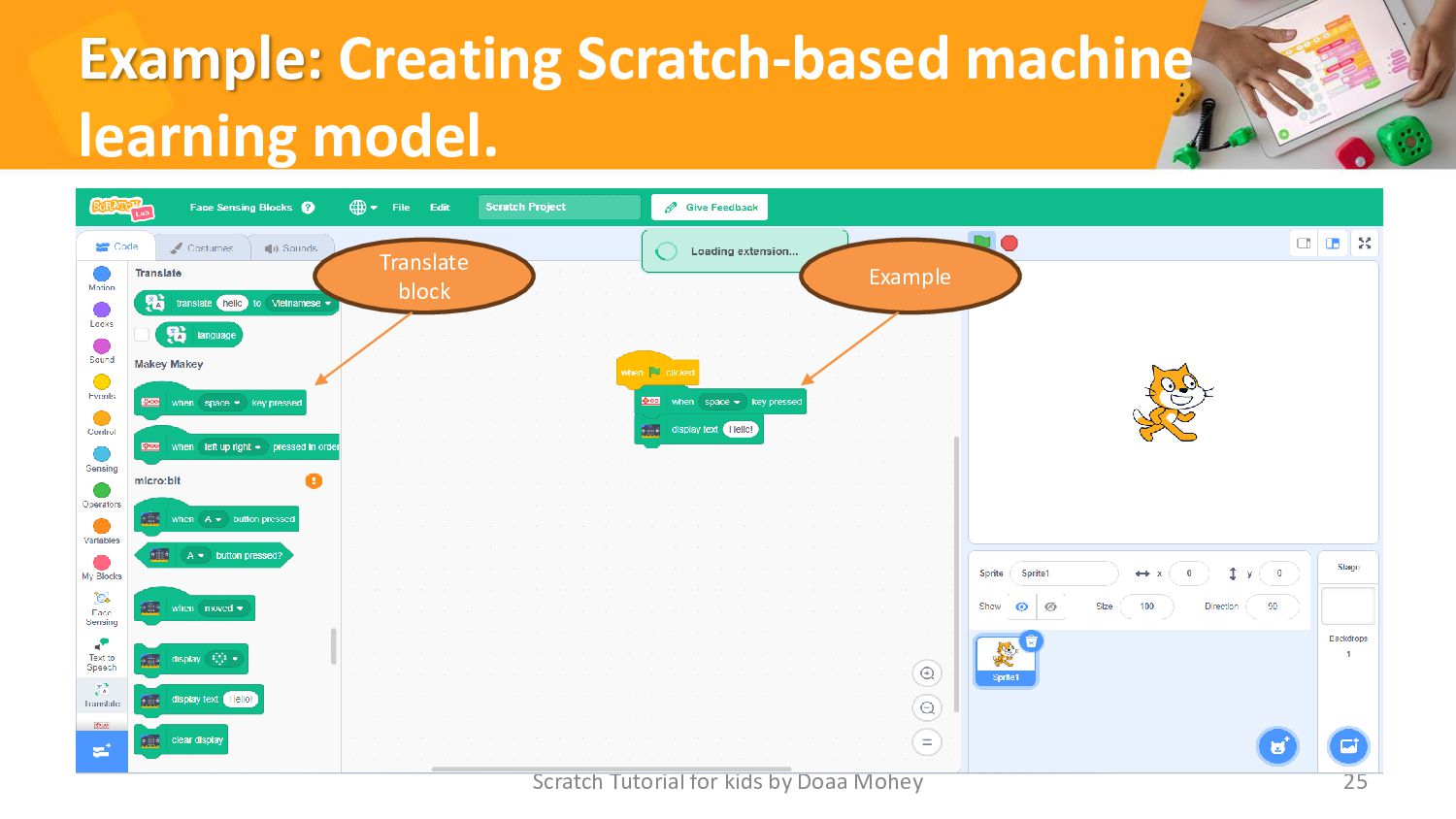
Example: Creating Scratch-based machine learning model. Scratch Tutorial for kids
by Doaa Mohey 25 Translate block Example -
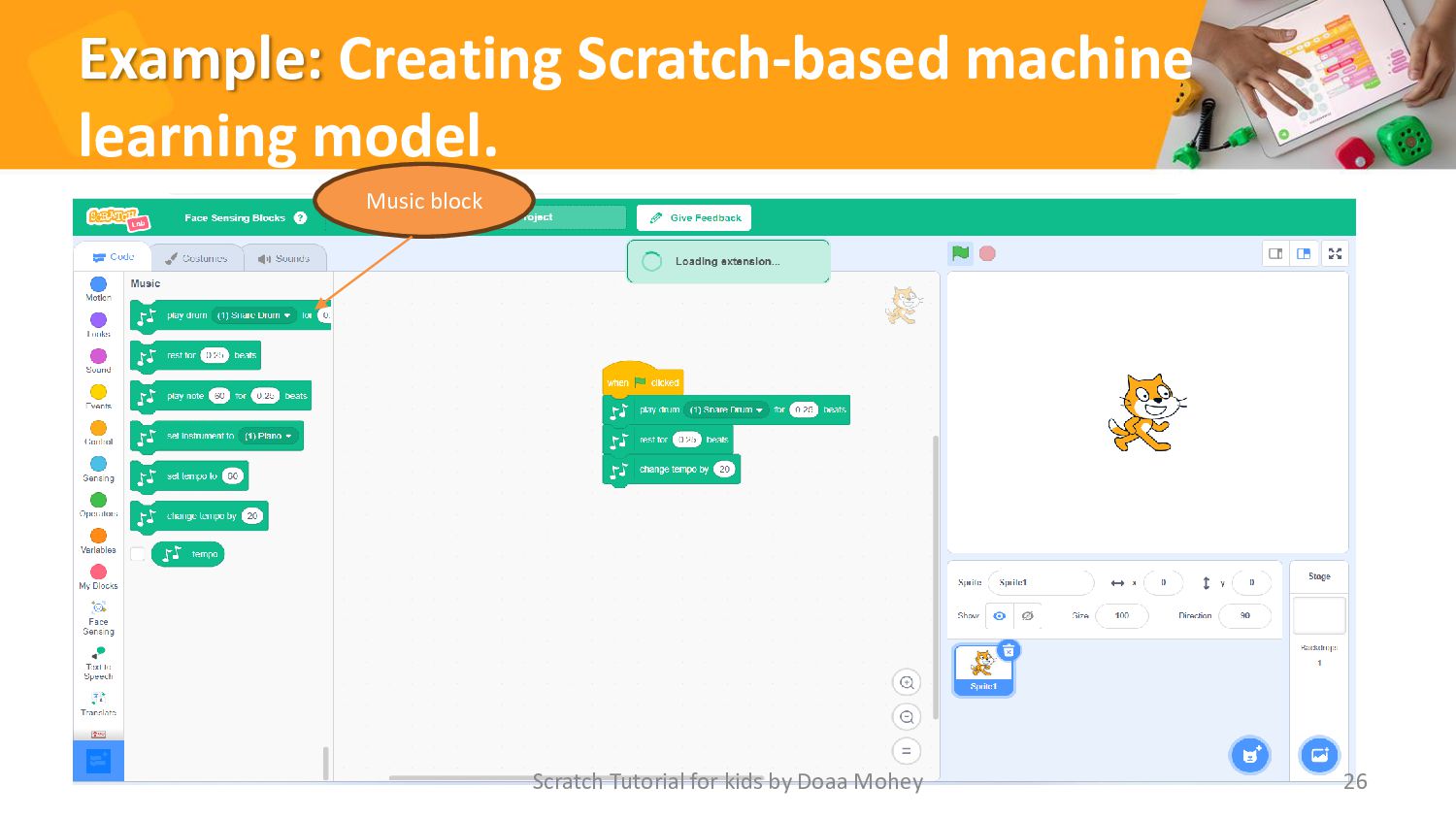
Example: Creating Scratch-based machine learning model. Scratch Tutorial for kids
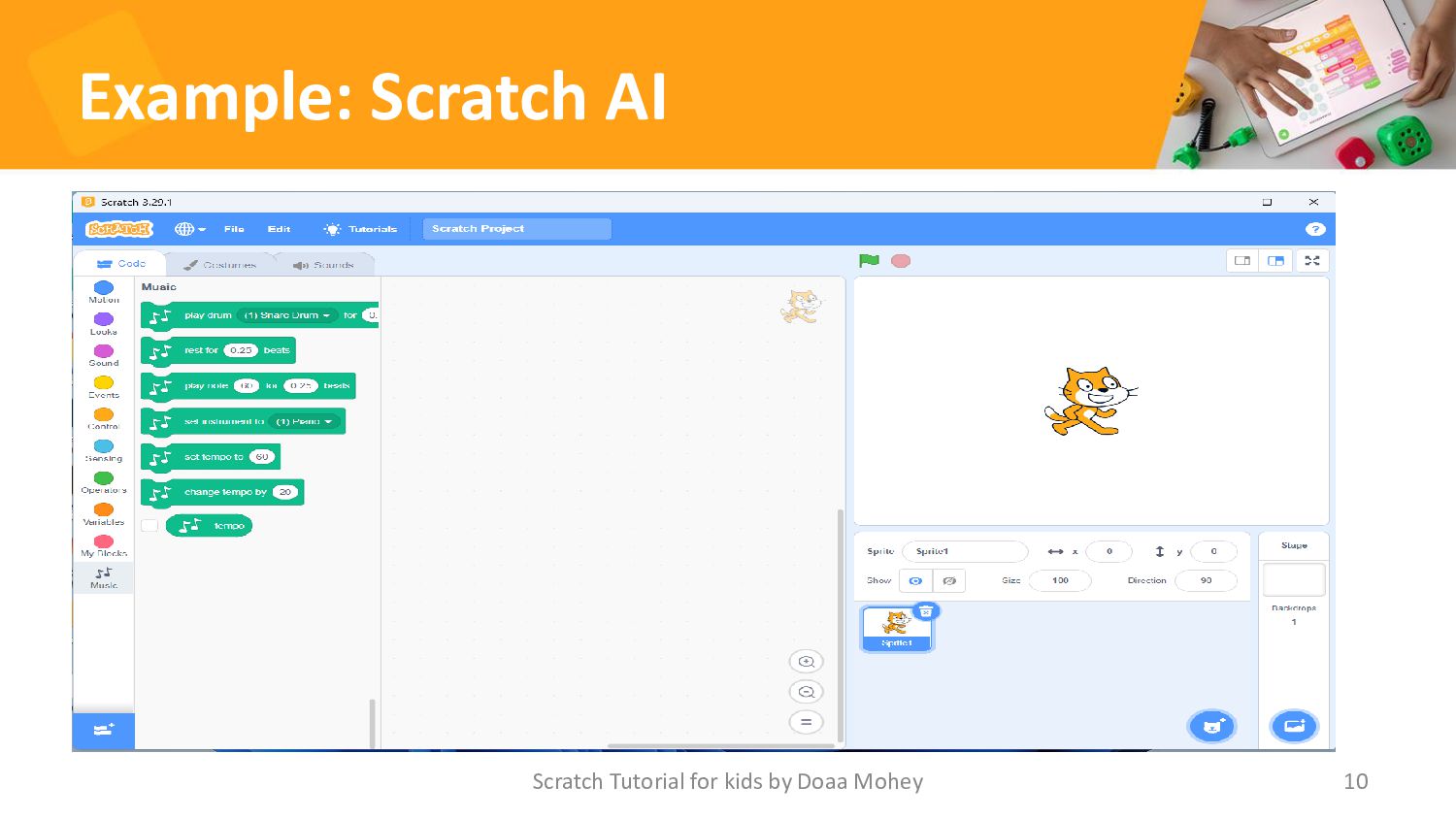
by Doaa Mohey 26 Music block -
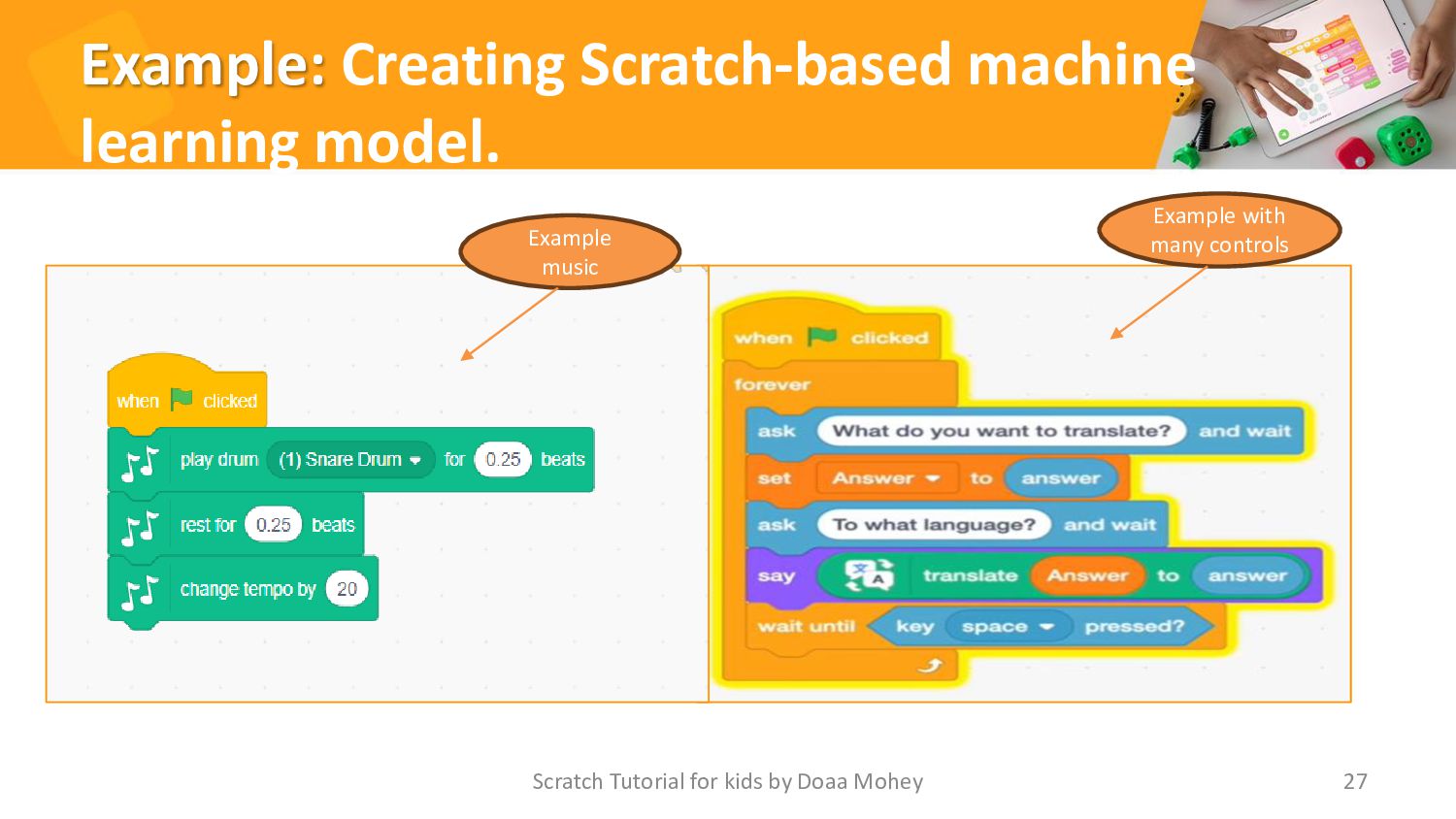
Example: Creating Scratch-based machine learning model. Scratch Tutorial for kids
by Doaa Mohey 27 Example music Example with many controls -
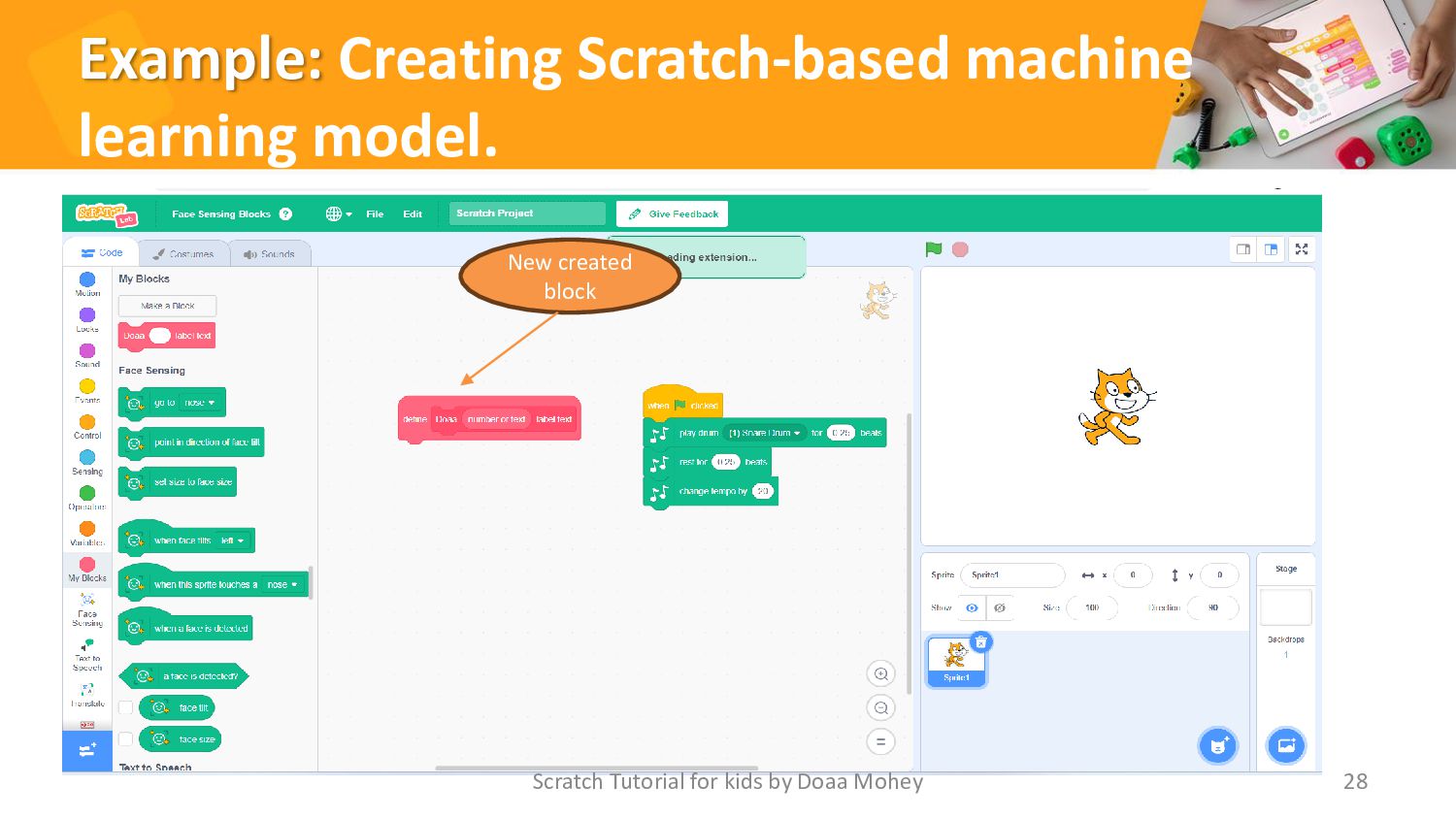
Example: Creating Scratch-based machine learning model. Scratch Tutorial for kids
by Doaa Mohey 28 New created block -
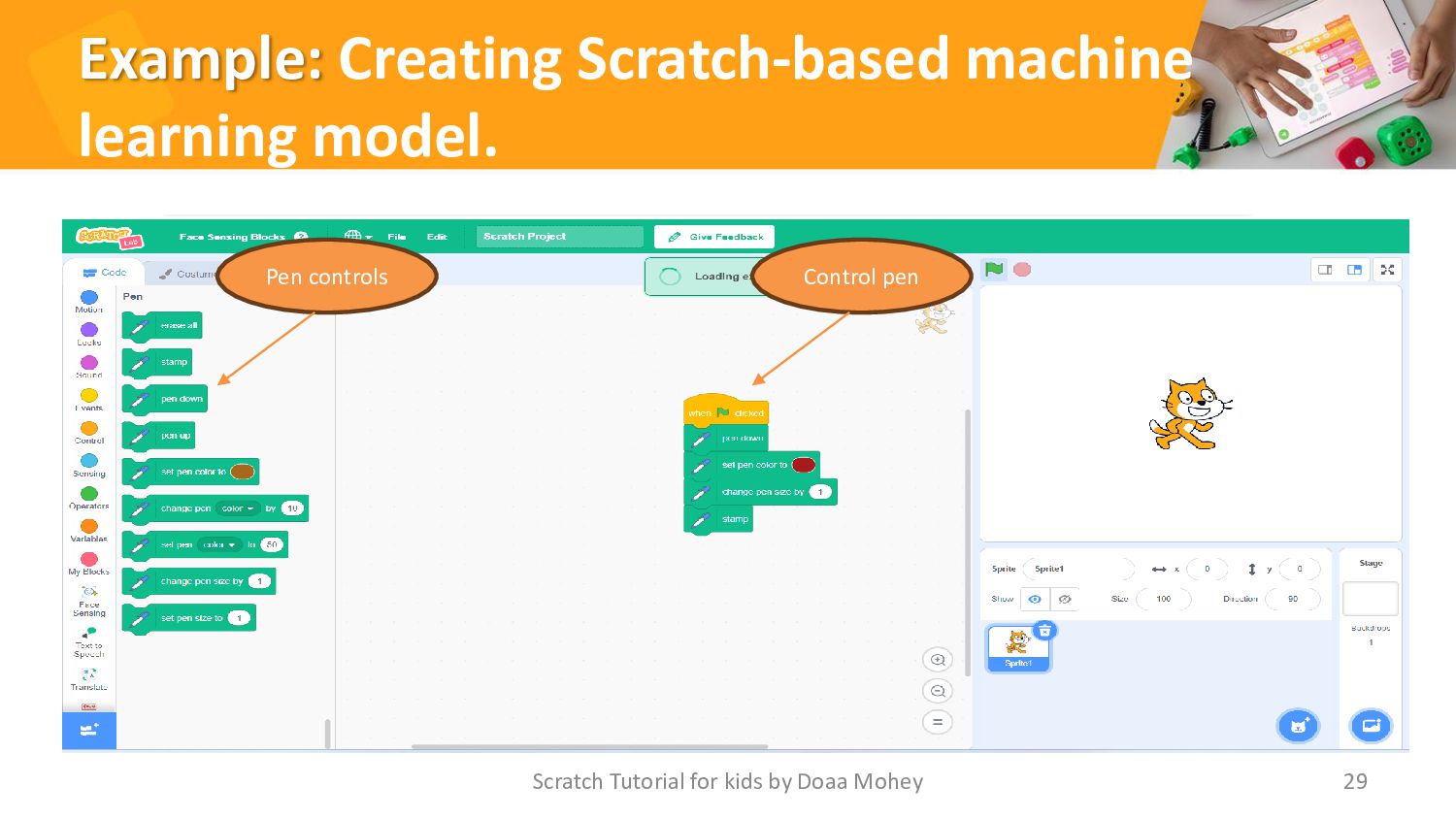
Example: Creating Scratch-based machine learning model. Scratch Tutorial for kids
by Doaa Mohey 29 Pen controls Control pen -
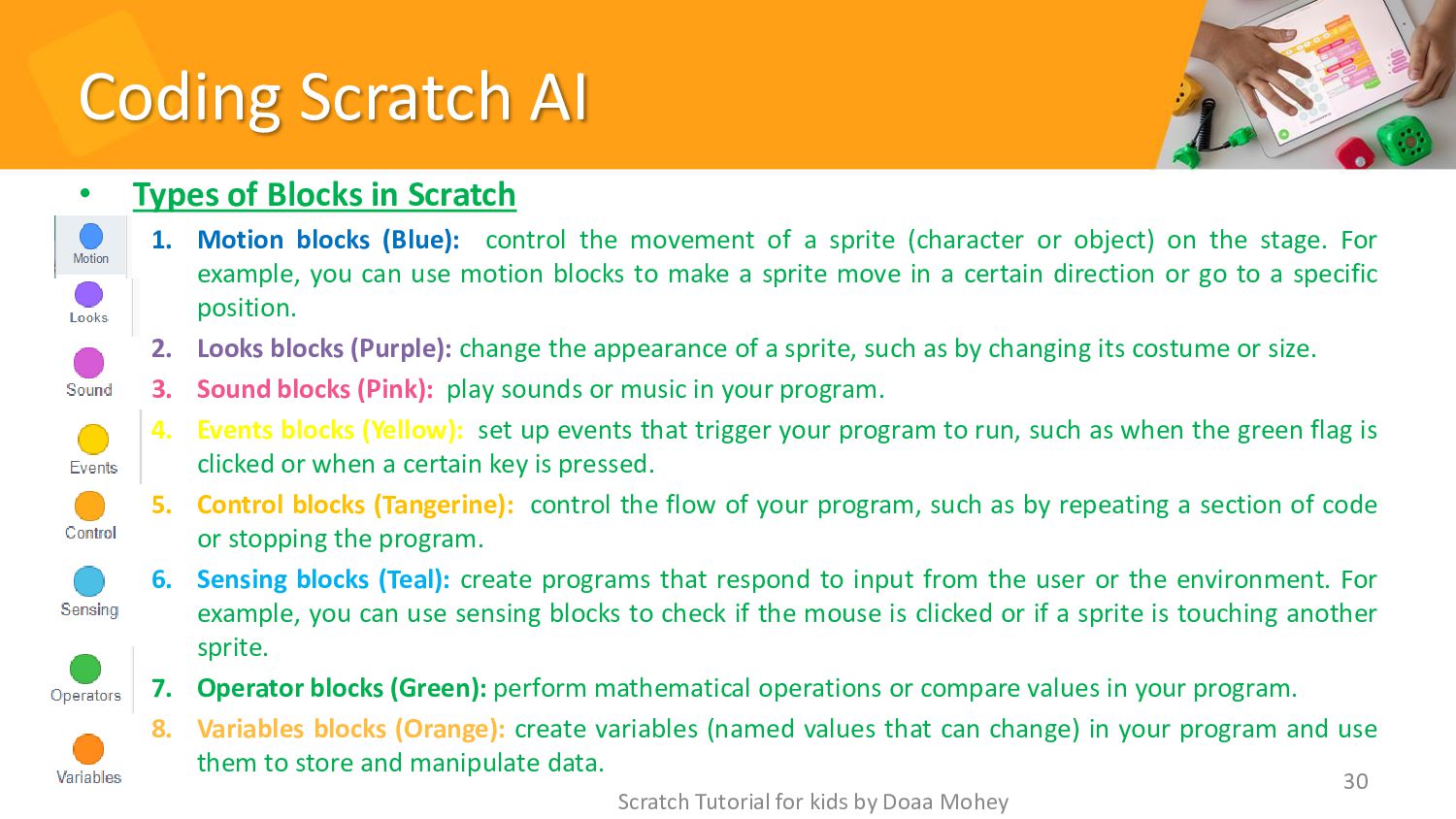
Coding Scratch AI • Types of Blocks in Scratch 1.
Motion blocks (Blue): control the movement of a sprite (character or object) on the stage. For example, you can use motion blocks to make a sprite move in a certain direction or go to a specific position. 2. Looks blocks (Purple): change the appearance of a sprite, such as by changing its costume or size. 3. Sound blocks (Pink): play sounds or music in your program. 4. Events blocks (Yellow): set up events that trigger your program to run, such as when the green flag is clicked or when a certain key is pressed. 5. Control blocks (Tangerine): control the flow of your program, such as by repeating a section of code or stopping the program. 6. Sensing blocks (Teal): create programs that respond to input from the user or the environment. For example, you can use sensing blocks to check if the mouse is clicked or if a sprite is touching another sprite. 7. Operator blocks (Green): perform mathematical operations or compare values in your program. 8. Variables blocks (Orange): create variables (named values that can change) in your program and use them to store and manipulate data. Scratch Tutorial for kids by Doaa Mohey 30 -
Coding Scratch AI • Types of Blocks in Scratch 9.
Add block: with our proposed name and condition. 10. Music: This extension enables users to play MIDI notes on various instruments. 11. Video sensing: Projects can communicate with a camera using this extension. 12. Translate: Using the Translate plugin, text may be translated into various languages. 13. Pen: The Pen add-on enables users to sketch on the stage using a pen. 14. Text to speech: This allows text to be read aloud. 15. The LEGO MINDSTORM EV3 extension: It permits Scratch projects to connect with LEGO MINDSTORM EV3 devices. 16. The Micro:bit extension: It enables Scratch projects to communicate with micro:bit projects. Scratch Tutorial for kids by Doaa Mohey 31 -
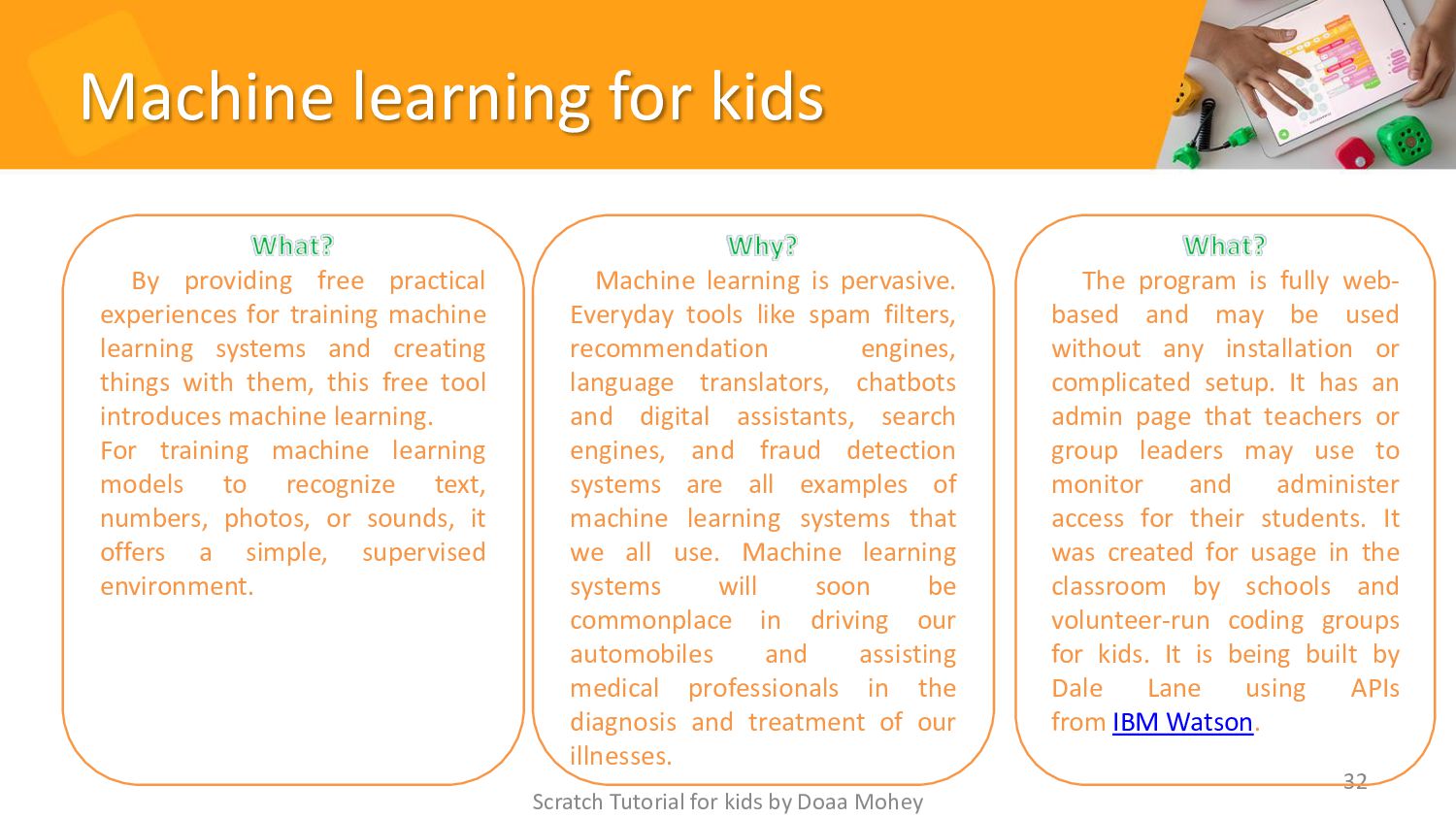
Machine learning for kids Scratch Tutorial for kids by Doaa
Mohey 32 By providing free practical experiences for training machine learning systems and creating things with them, this free tool introduces machine learning. For training machine learning models to recognize text, numbers, photos, or sounds, it offers a simple, supervised environment. Machine learning is pervasive. Everyday tools like spam filters, recommendation engines, language translators, chatbots and digital assistants, search engines, and fraud detection systems are all examples of machine learning systems that we all use. Machine learning systems will soon be commonplace in driving our automobiles and assisting medical professionals in the diagnosis and treatment of our illnesses. The program is fully web- based and may be used without any installation or complicated setup. It has an admin page that teachers or group leaders may use to monitor and administer access for their students. It was created for usage in the classroom by schools and volunteer-run coding groups for kids. It is being built by Dale Lane using APIs from IBM Watson. -
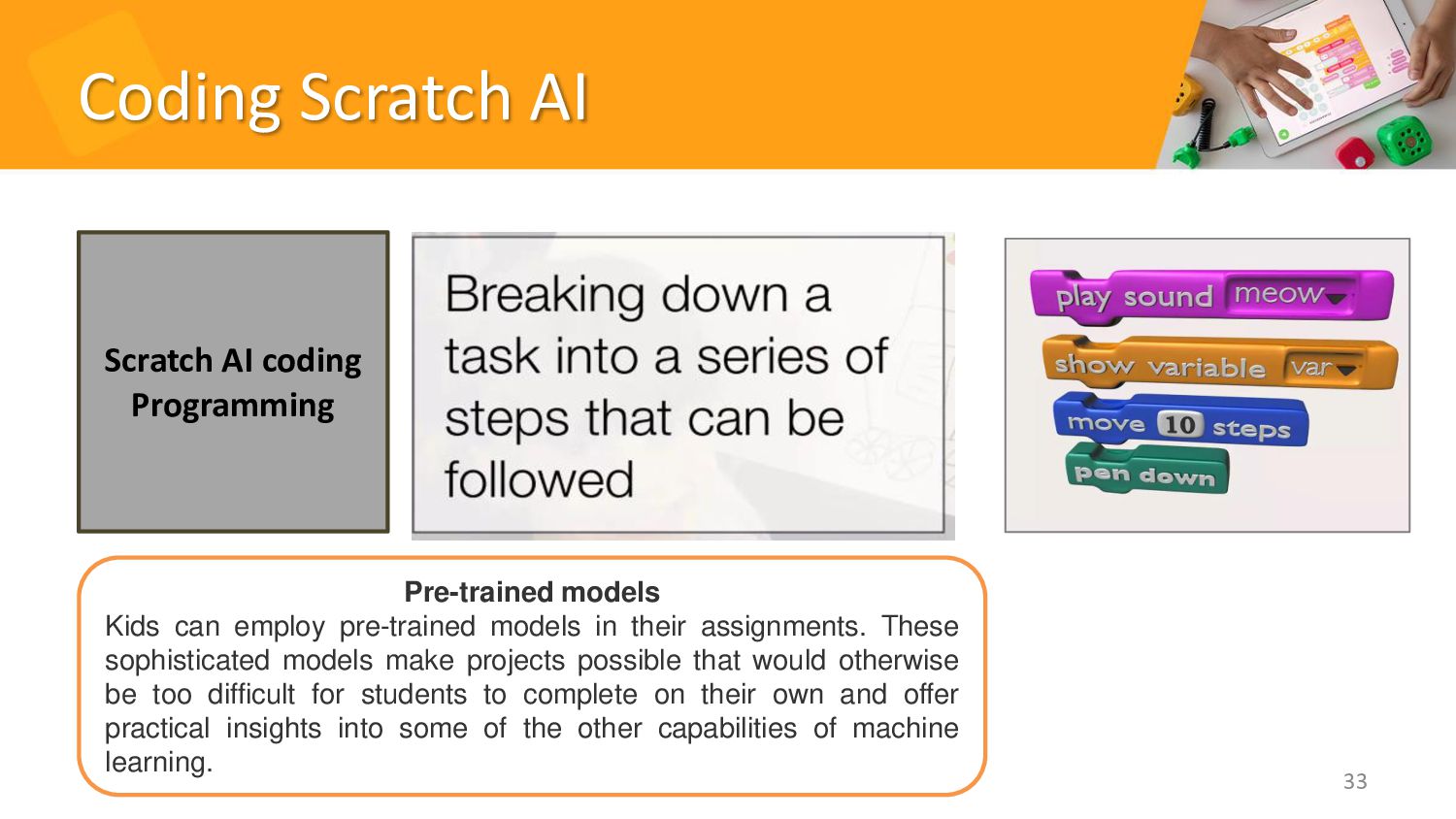
Coding Scratch AI Scratch Tutorial for kids by Doaa Mohey
33 Pre-trained models Kids can employ pre-trained models in their assignments. These sophisticated models make projects possible that would otherwise be too difficult for students to complete on their own and offer practical insights into some of the other capabilities of machine learning. Scratch AI coding Programming -
Testing and Improving Your Model • Once you have created
your machine learning model, it's time to test and improve it. Testing is essential for ensuring that your model is accurate and reliable. • One way to test your model is to use a validation set, which is a subset of your training data that is used to evaluate the performance of your model. You can also use metrics such as precision, recall, and F1 score to measure the accuracy of your model. • To improve your model, you can try adjusting various parameters, such as the learning rate, batch size, and number of epochs. • The experiment has different types of algorithms and architectures to see which ones work best for your particular problem. Additionally, you can try using techniques such as regularization and dropout to prevent overfitting and improve generalization. 34 Scratch Tutorial for kids by Doaa Mohey -
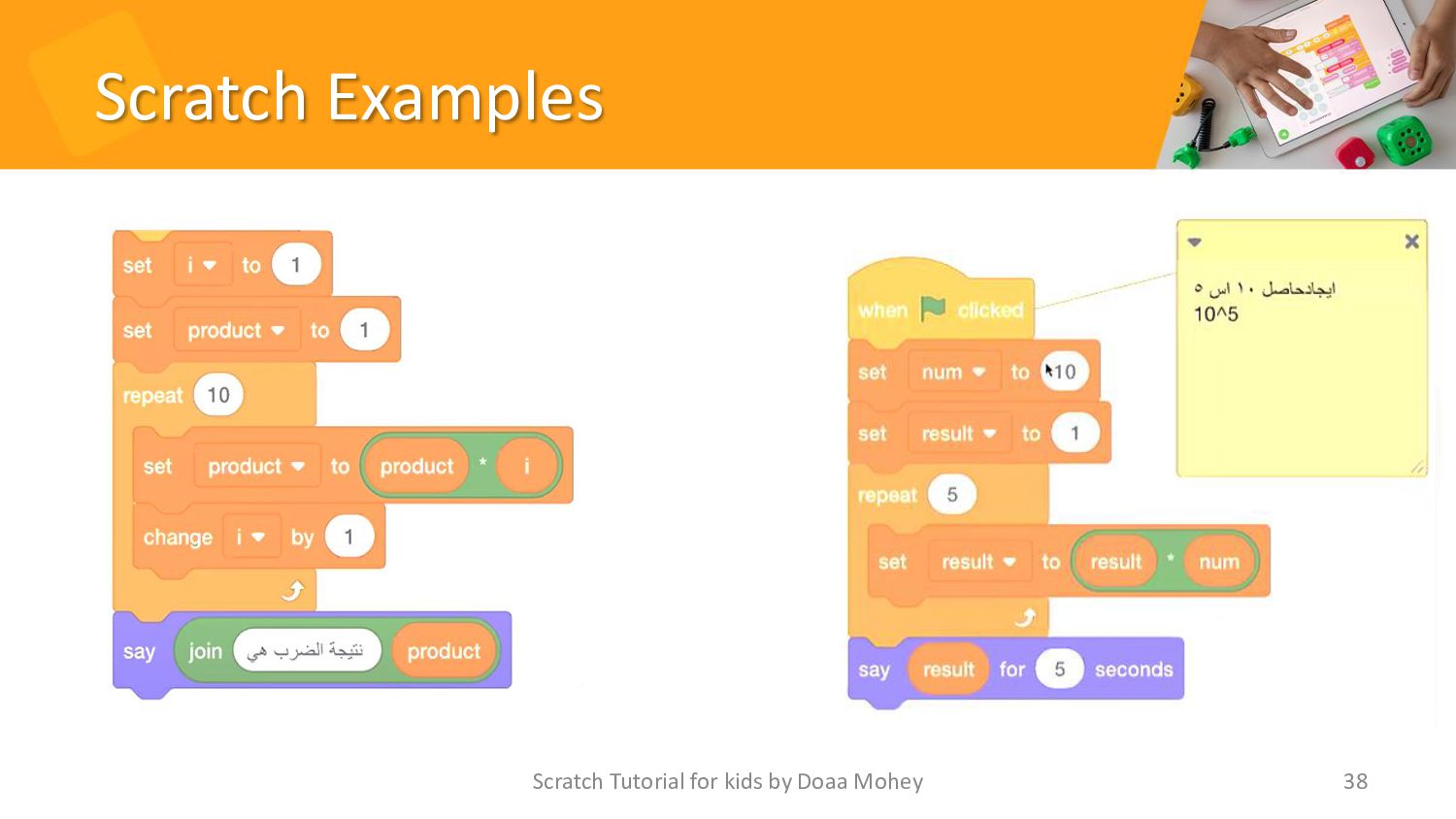
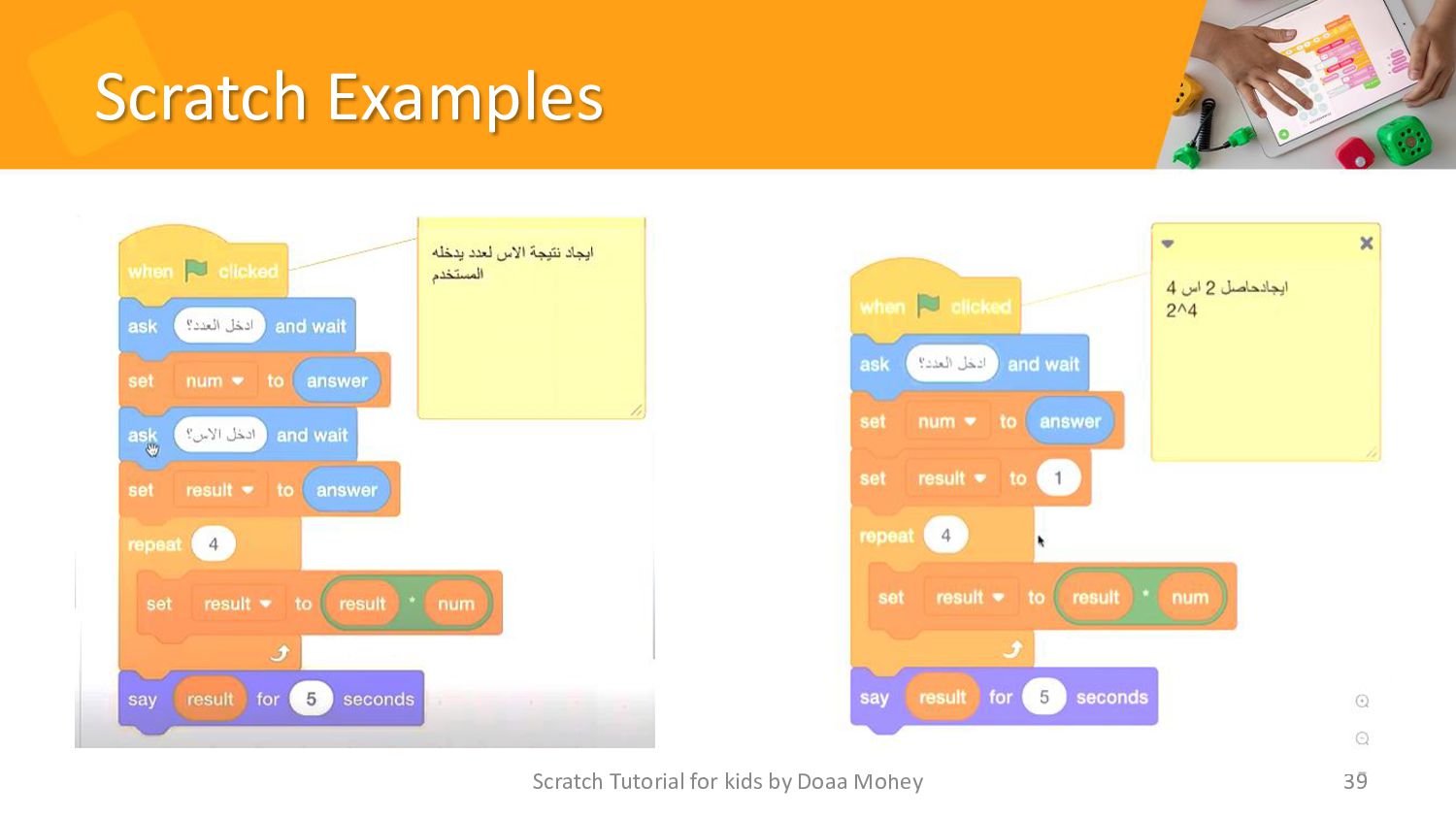
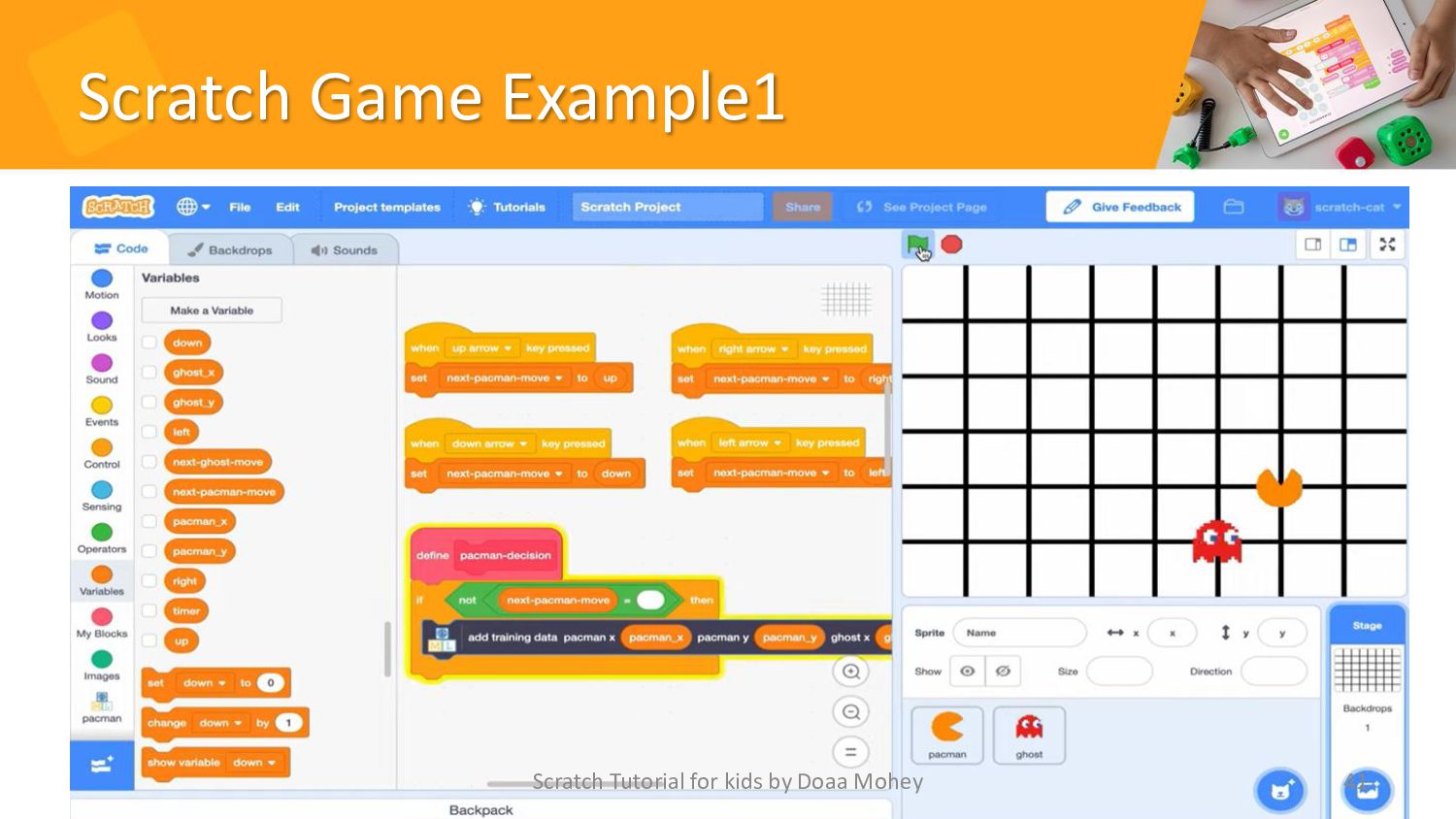
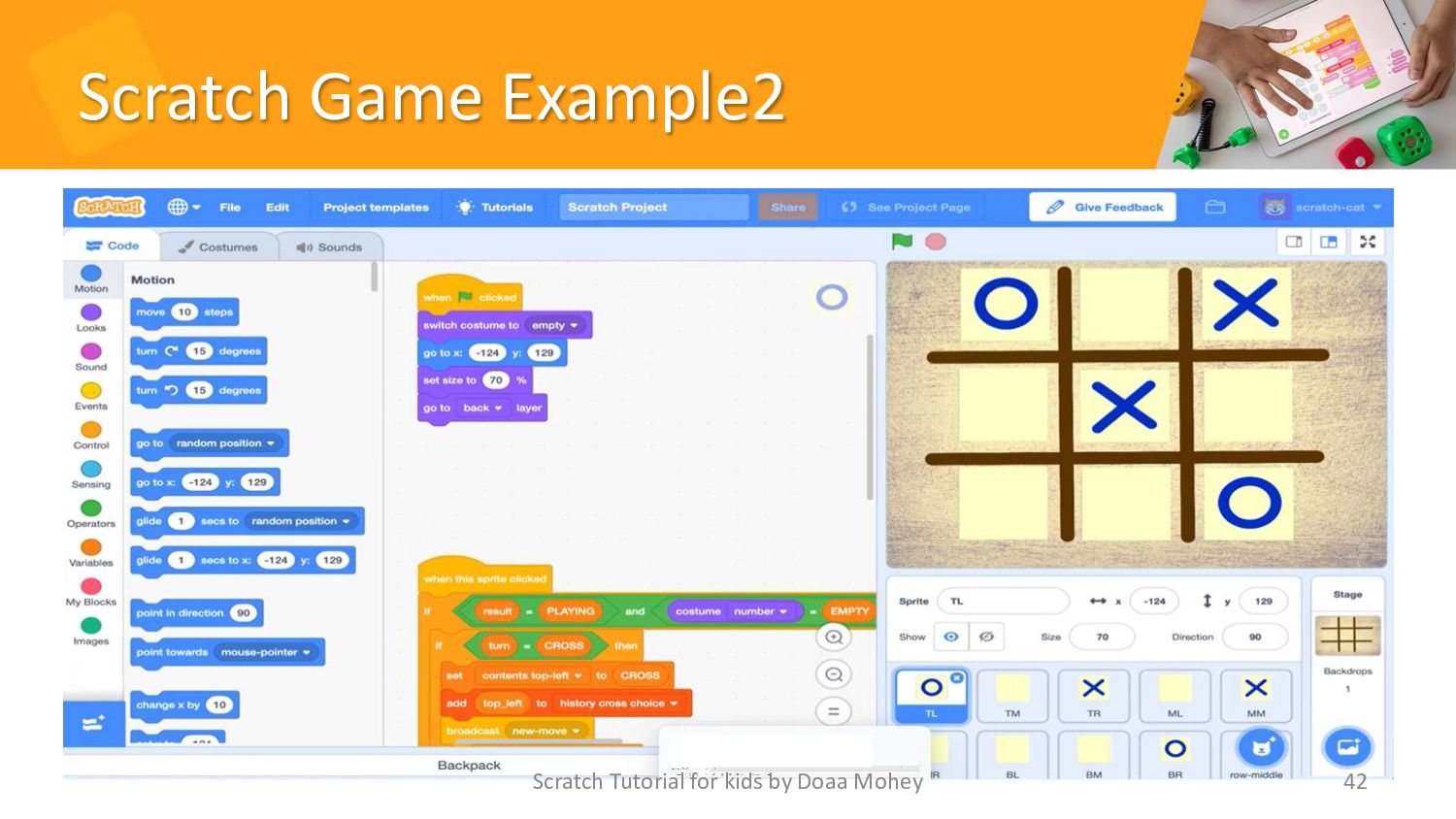
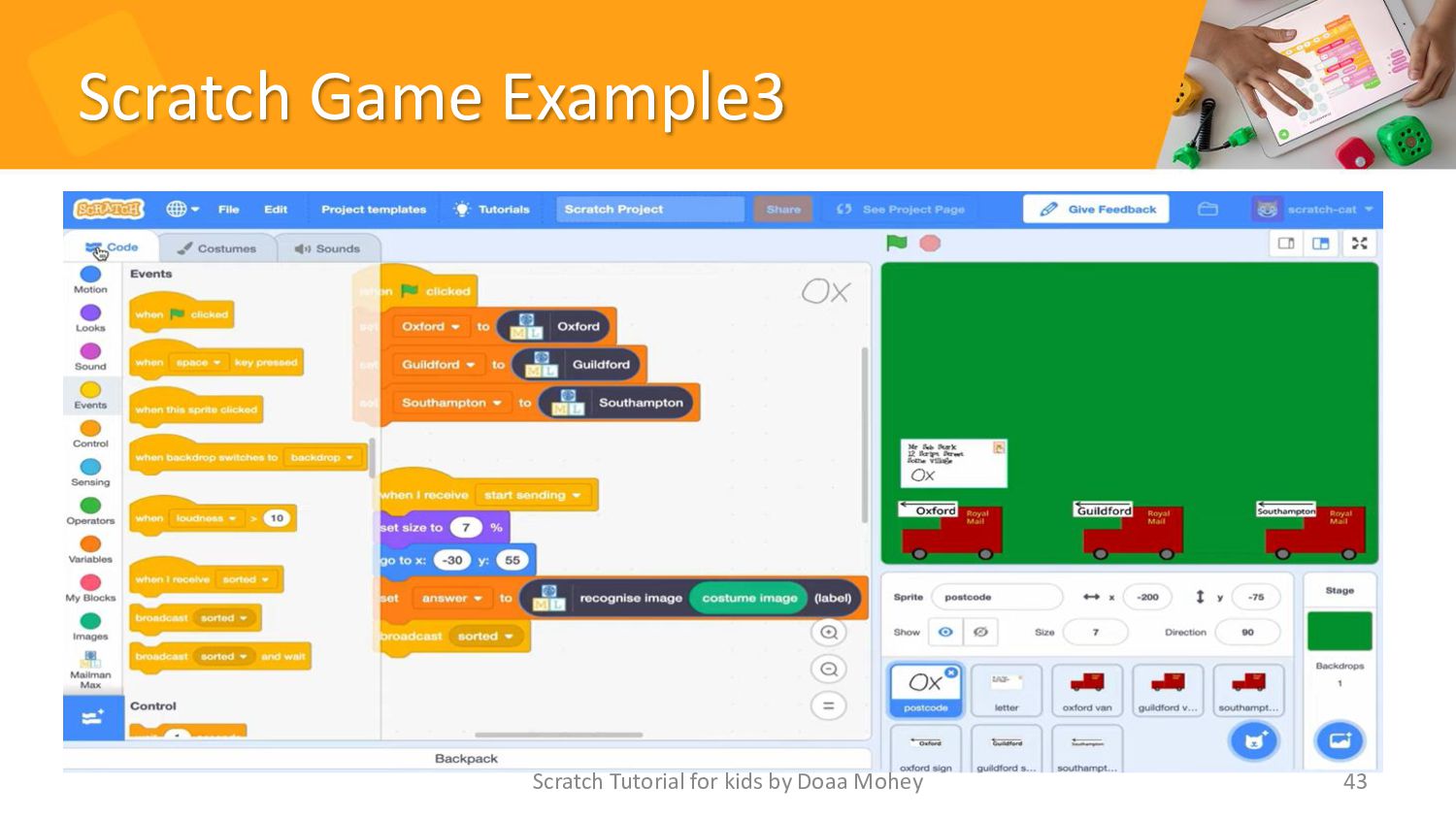
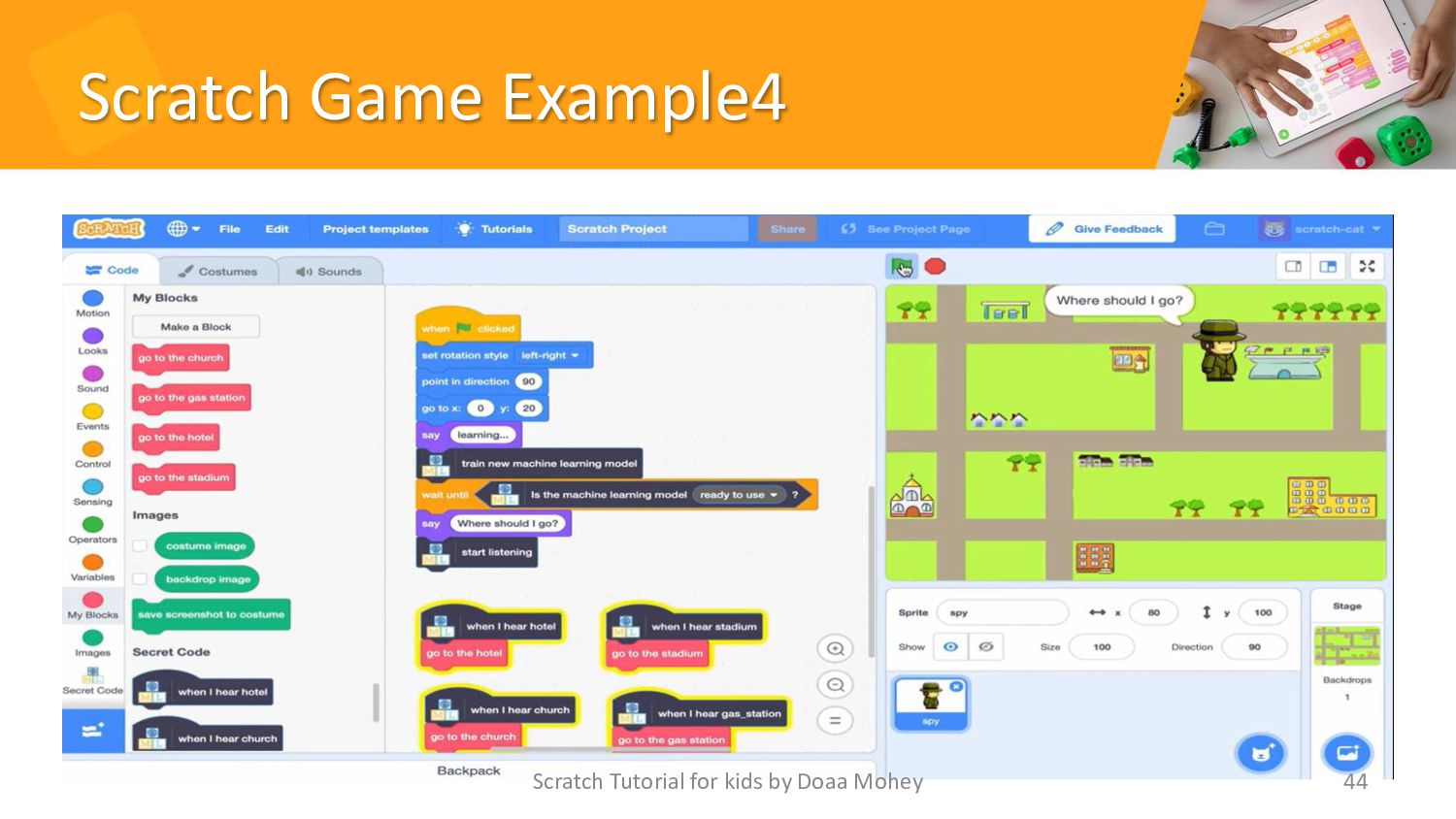
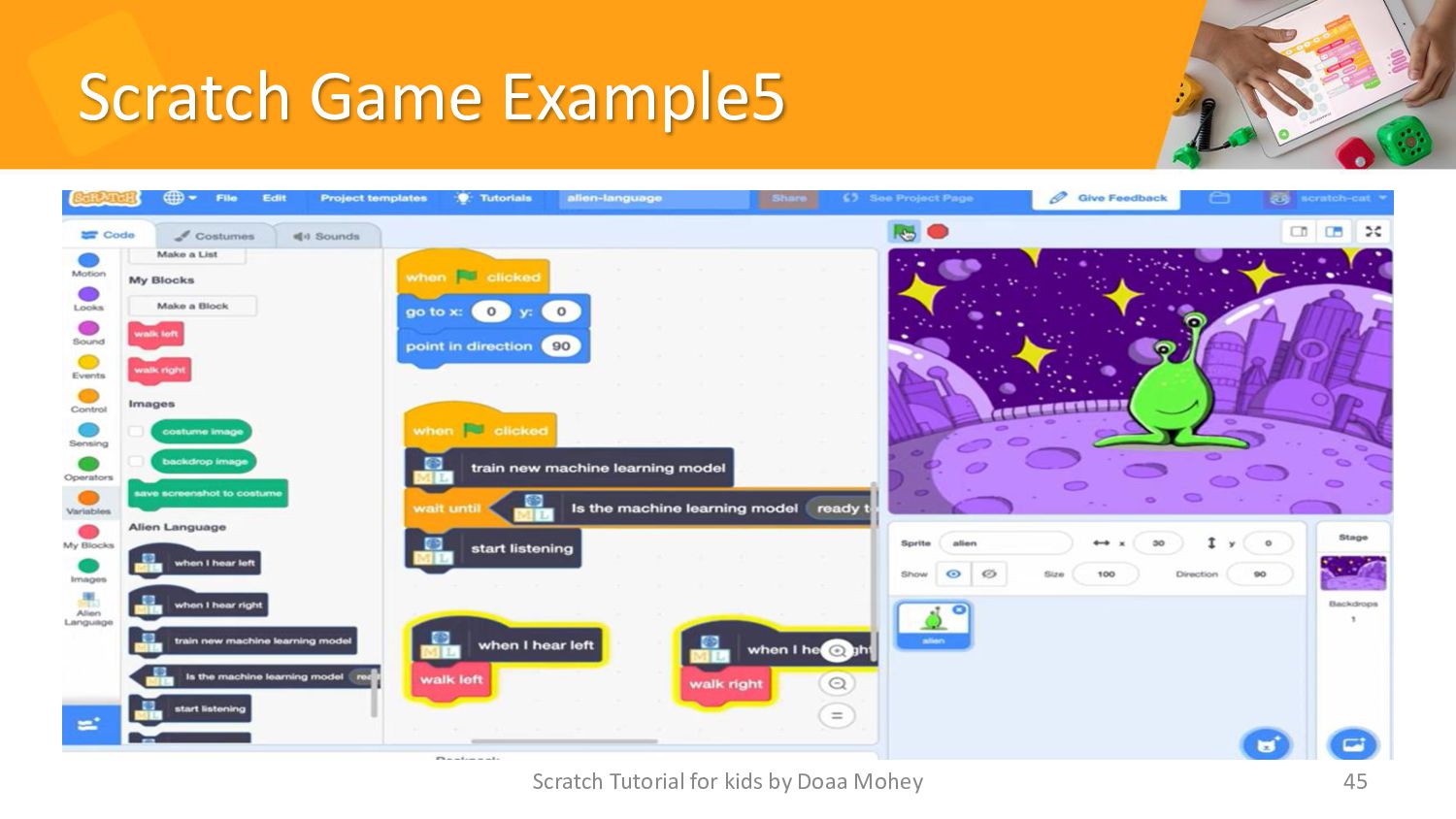
3. Part 3: • Scratch Examples • Scratch Game Examples
• Machine learning project Scratch Tutorial for kids by Doaa Mohey 35 -
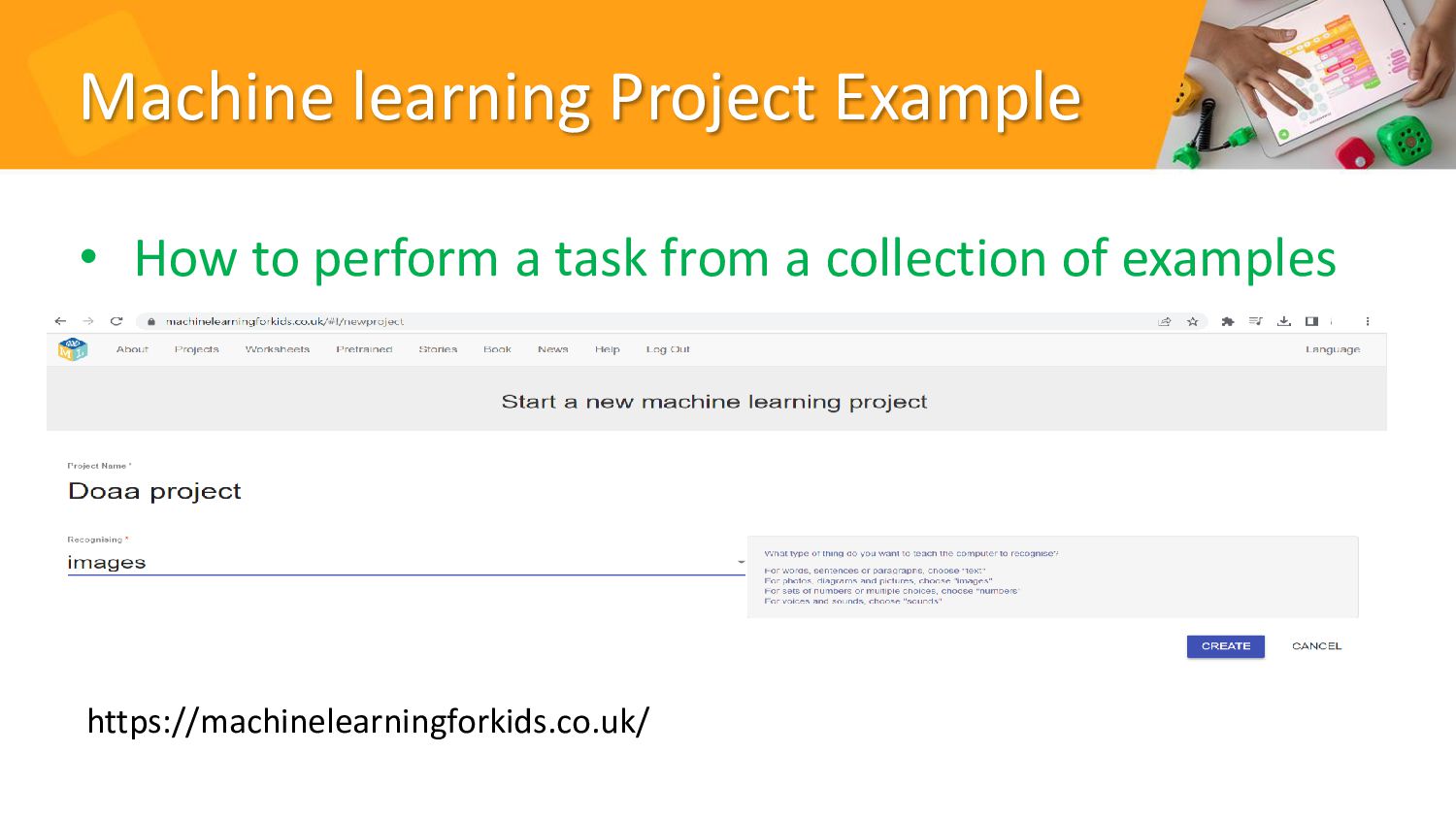
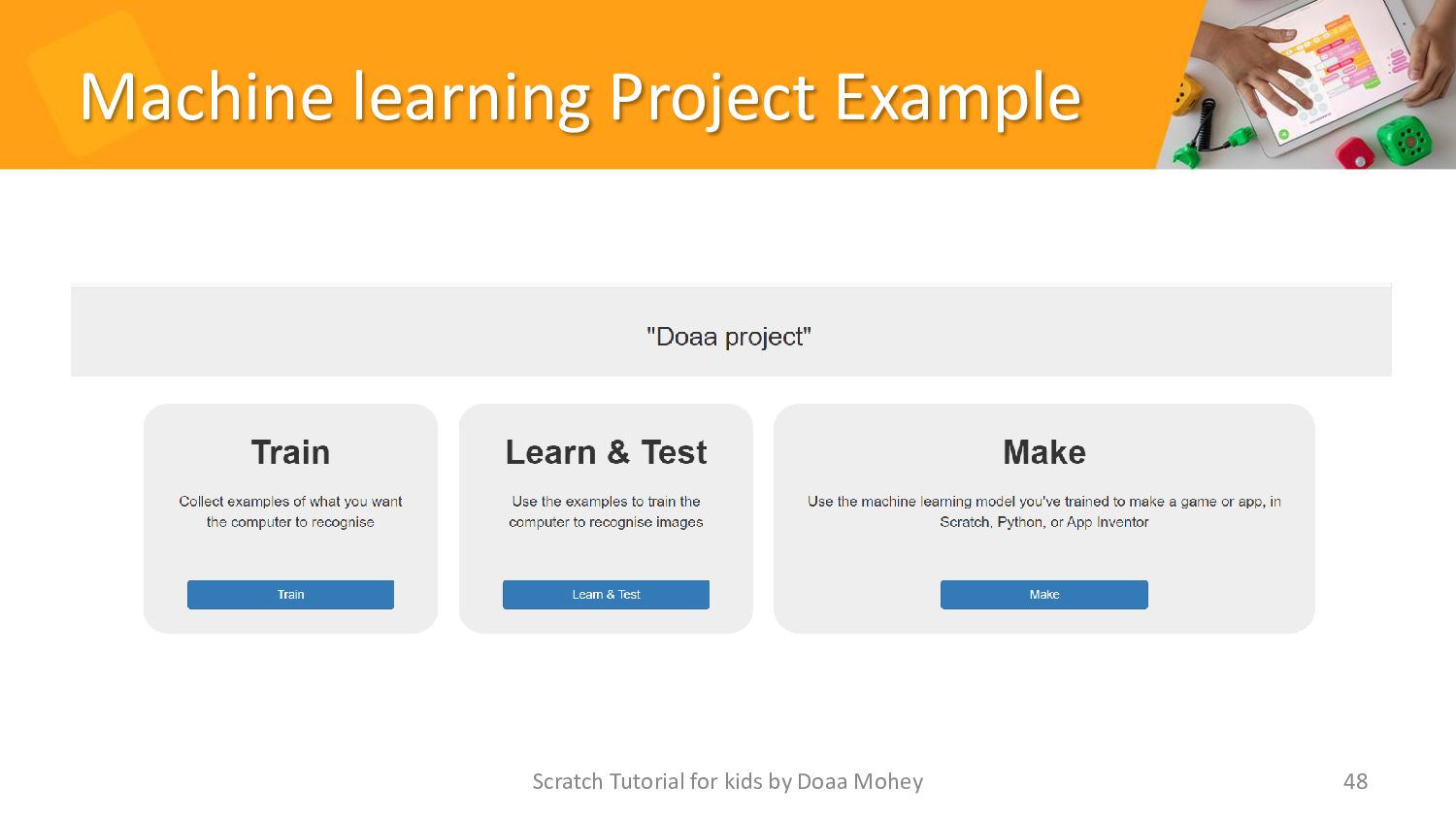
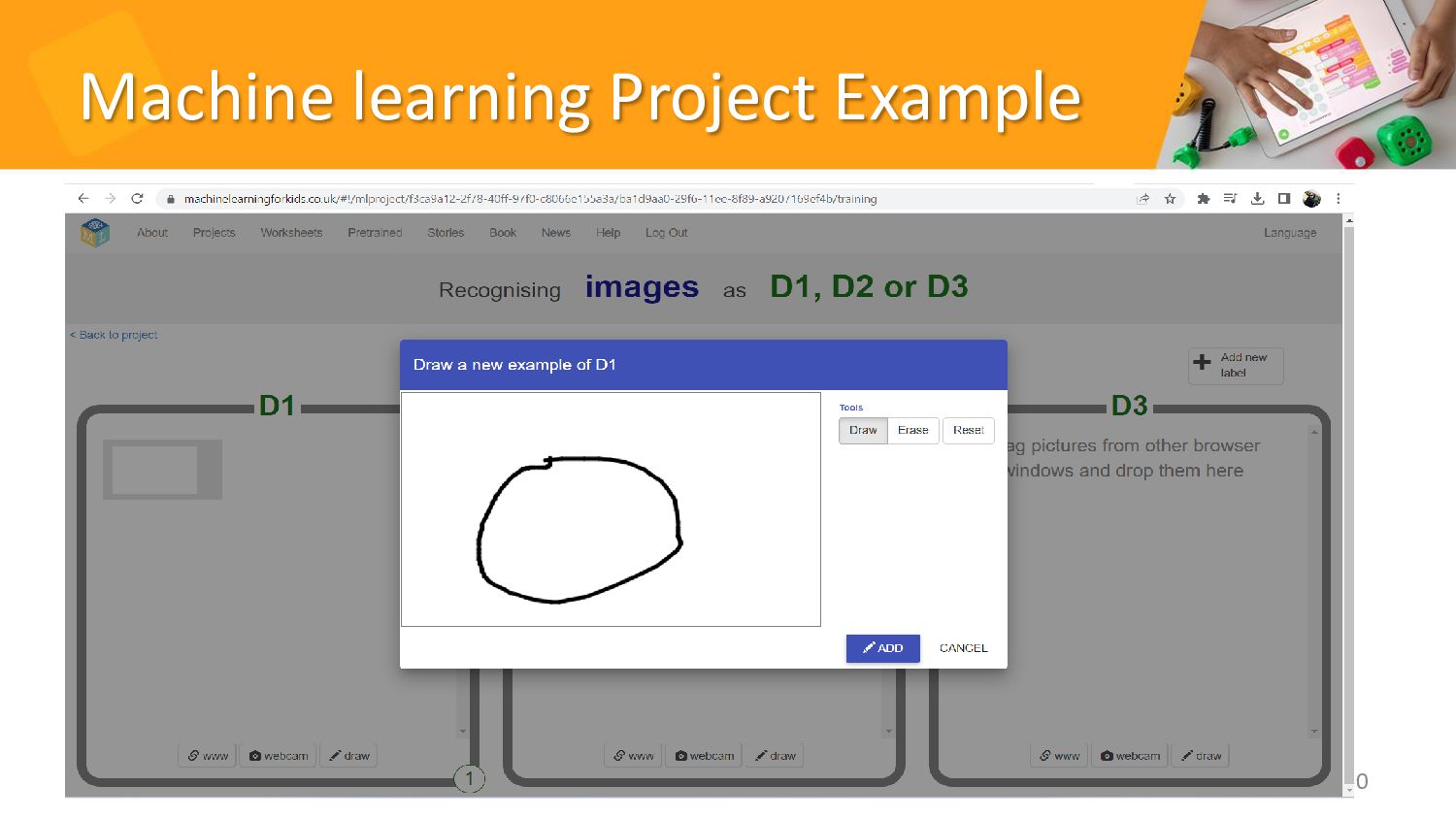
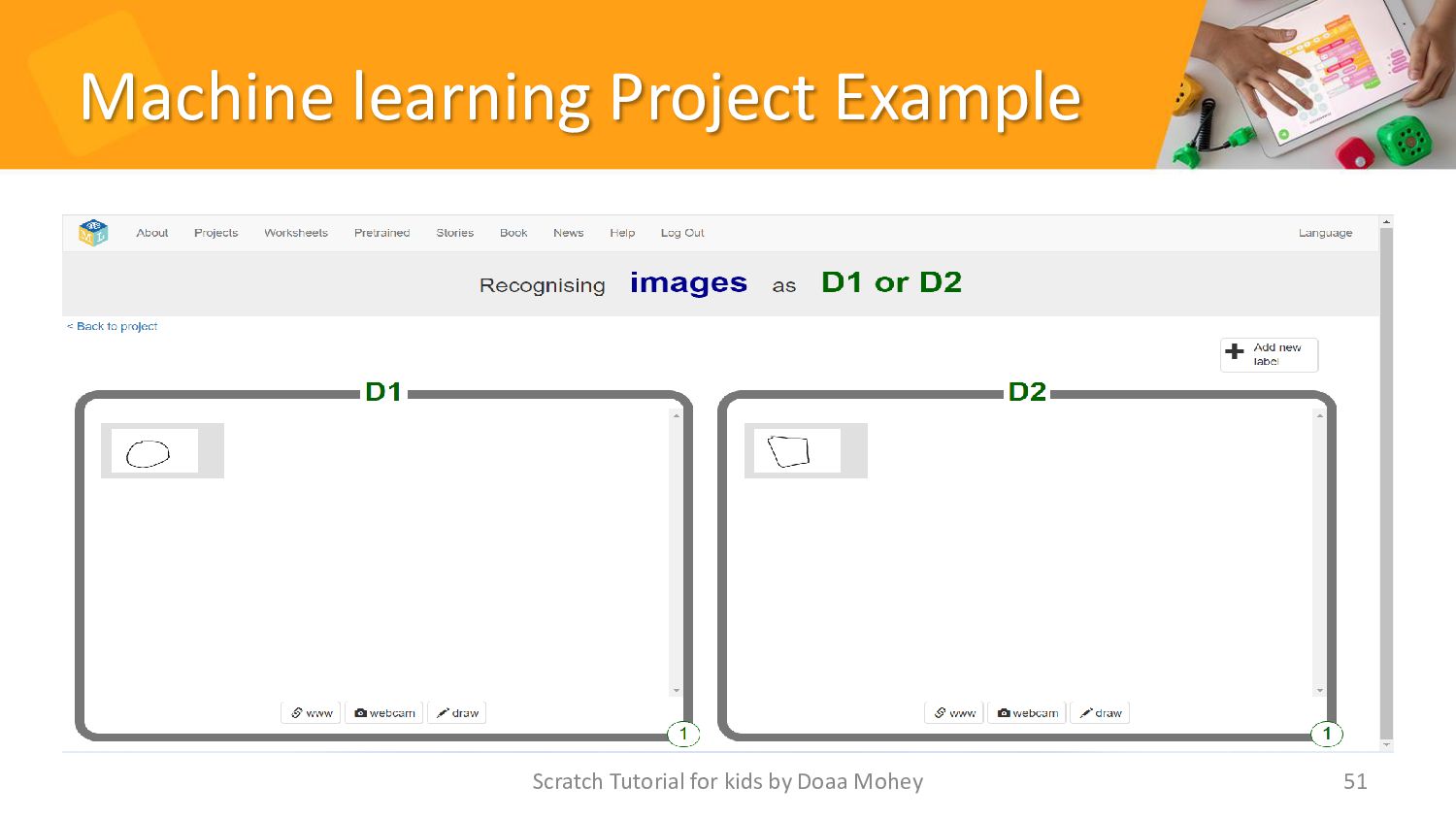
Machine learning Project Example • How to perform a task
from a collection of examples Scratch Tutorial for kids by Doaa Mohey 47 https://machinelearningforkids.co.uk/ -
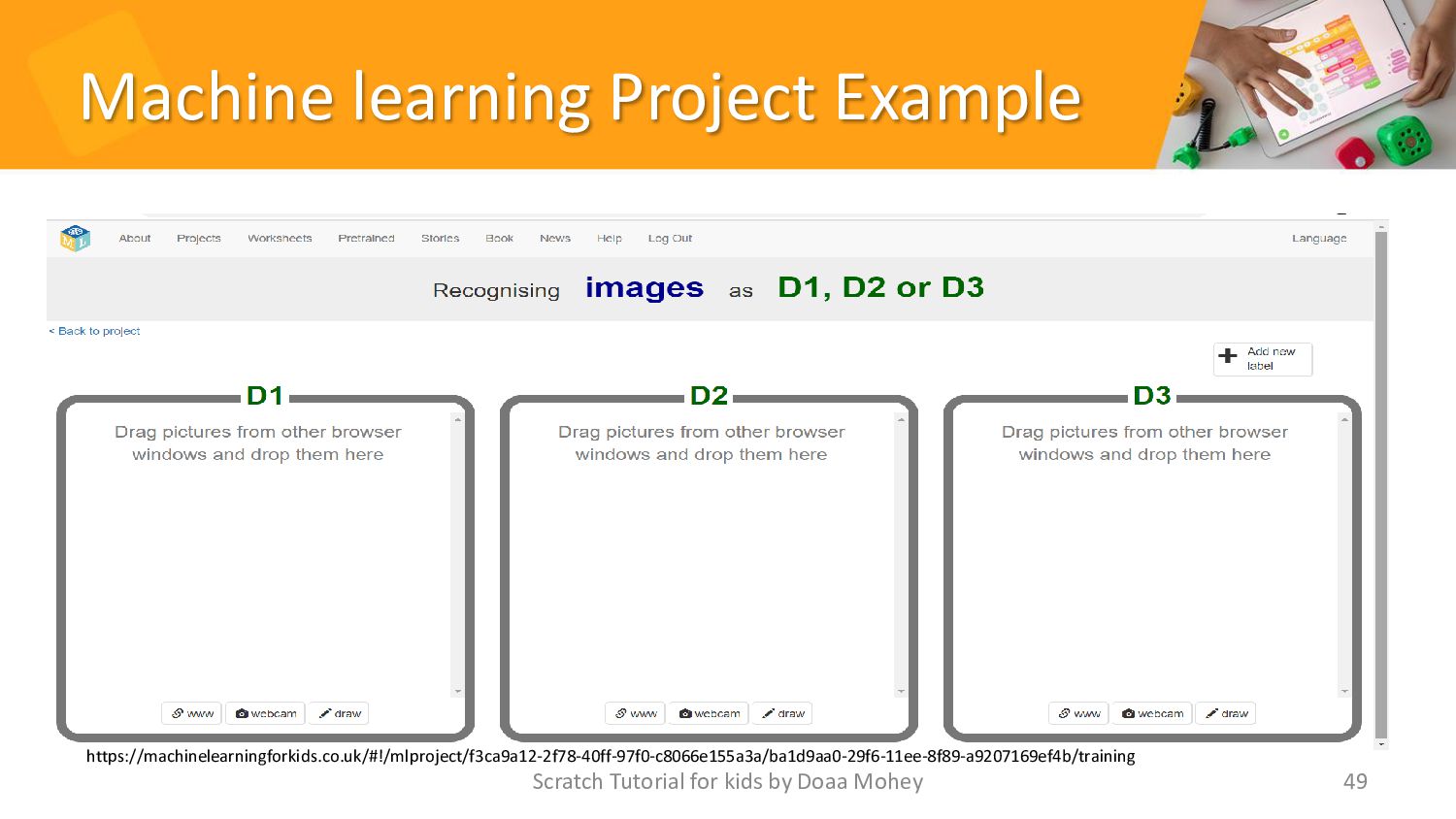
Machine learning Project Example Scratch Tutorial for kids by Doaa
Mohey 49 https://machinelearningforkids.co.uk/#!/mlproject/f3ca9a12-2f78-40ff-97f0-c8066e155a3a/ba1d9aa0-29f6-11ee-8f89-a9207169ef4b/training -
Conclusion • In conclusion, we've learned that machine learning is
a powerful tool that can help us make predictions and decisions based on data. We've seen how it works through the process of data collection, training, and prediction. And we've even created our own simple machine learning model using Scratch! • But this is just the beginning. Machine learning is a rapidly growing field with endless possibilities. By continuing to explore and learn about machine learning, you can become a part of shaping the future of technology. So keep asking questions, experimenting, and most importantly, having fun! Scratch Tutorial for kids by Doaa Mohey 52 -
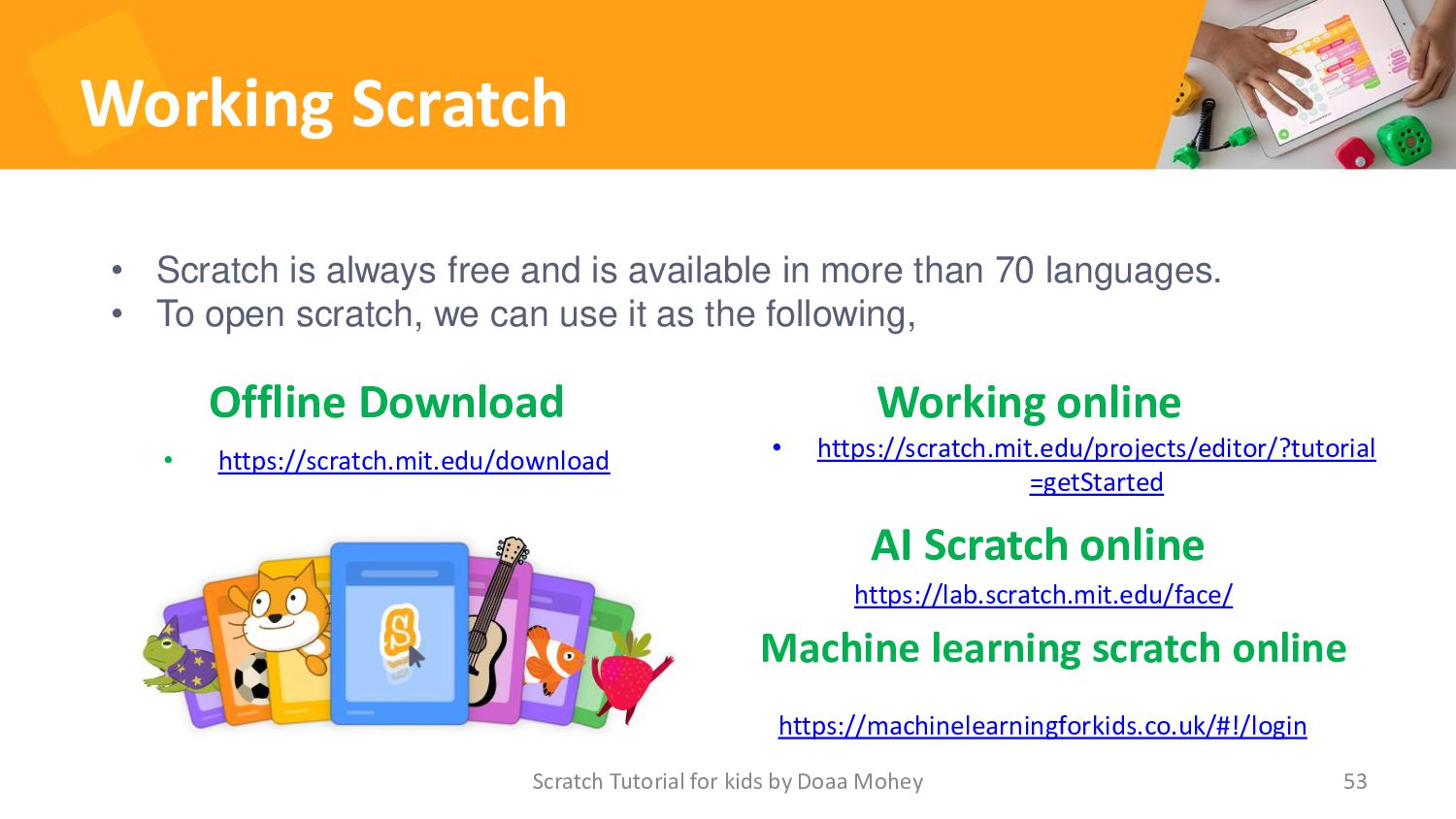
Working Scratch Offline Download • https://scratch.mit.edu/download Working online 53 •
Scratch is always free and is available in more than 70 languages. • To open scratch, we can use it as the following, Scratch Tutorial for kids by Doaa Mohey • https://scratch.mit.edu/projects/editor/?tutorial =getStarted https://machinelearningforkids.co.uk/#!/login Machine learning scratch online https://lab.scratch.mit.edu/face/ AI Scratch online -
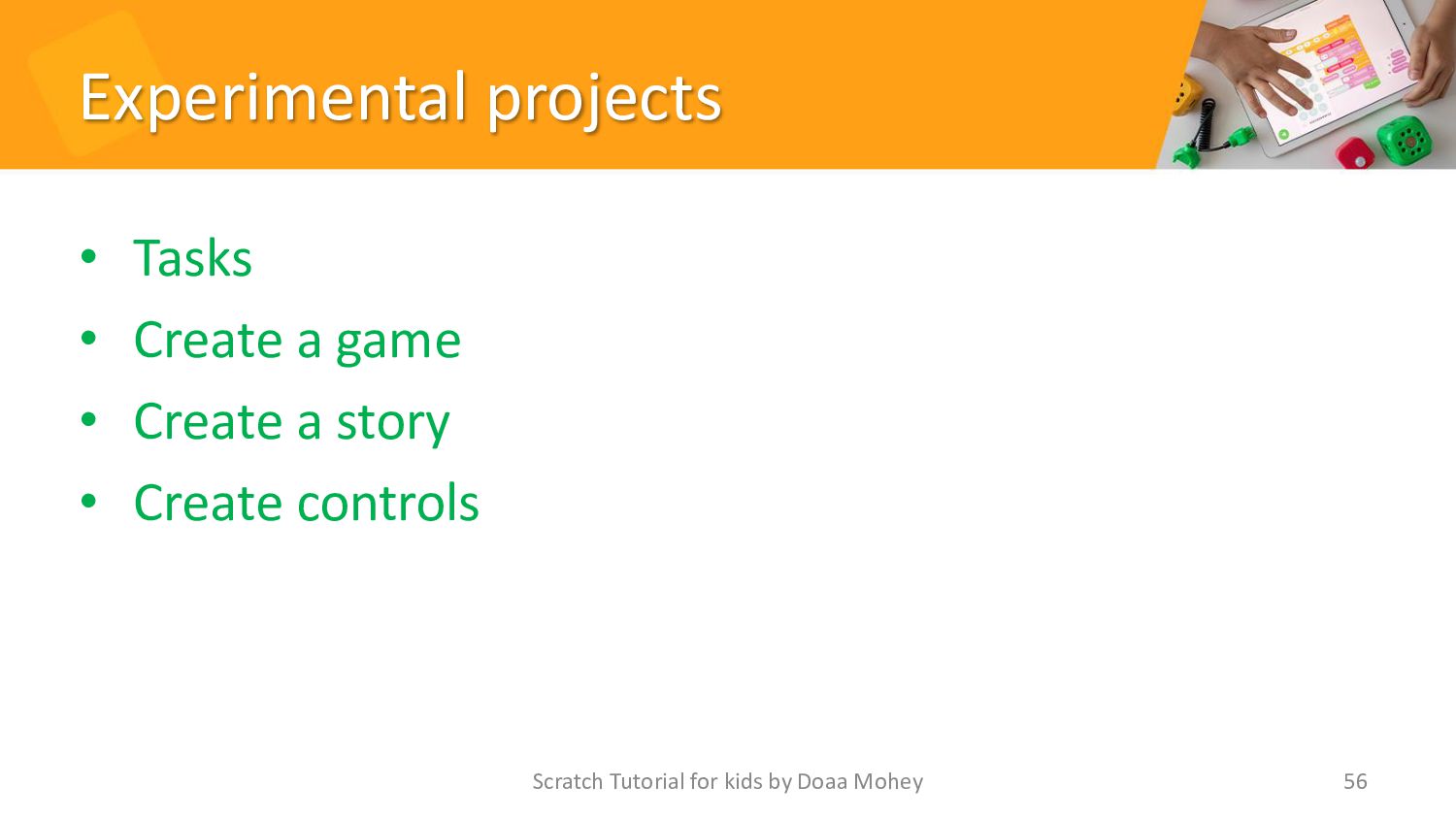
Experimental projects • Tasks • Create a game • Create
a story • Create controls 56 Scratch Tutorial for kids by Doaa Mohey
 doaamohey
 azukiazusa1
 takuyay0ne
 tsukuboshi
 sat
 amarelo_n24
 yosukeyoshida
 uhyo
 _awache
 munenick
 daitak
 110y
 koji_kawamura
 bermonpainter
 erikaheidi
 codingconduct
 eitanlees
 dugsong
 thirion
 marktimemedia
 addyosmani
 swwweet
 tamaranovitovic
 akosma