become massively popular for a variety of workloads. • Stream processing frameworks like Apache Flink have been widely adopted for performing computations on these streams. • But, there is no simple way to author, iterate, execute, and manage jobs against boundless streams of data without writing lots of Java or Scala code. Using SQL makes building stream processing jobs EASY and FAST.
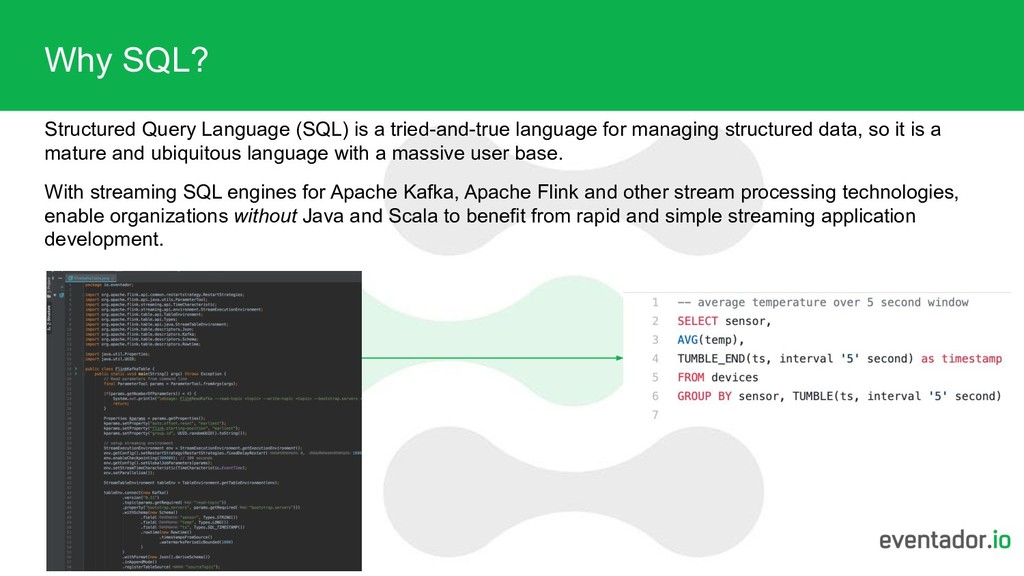
for managing structured data, so it is a mature and ubiquitous language with a massive user base. With streaming SQL engines for Apache Kafka, Apache Flink and other stream processing technologies, enable organizations without Java and Scala to benefit from rapid and simple streaming application development.
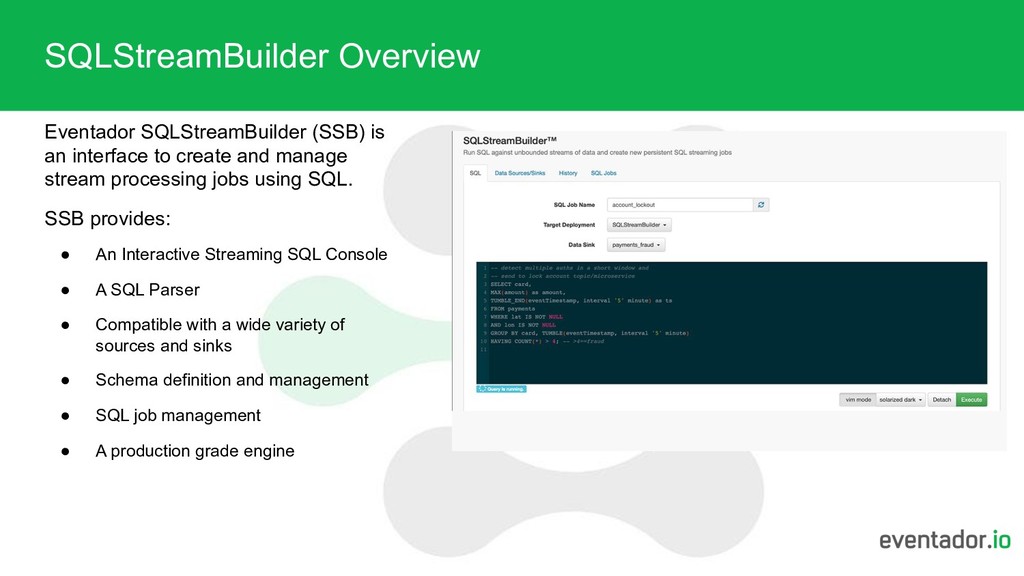
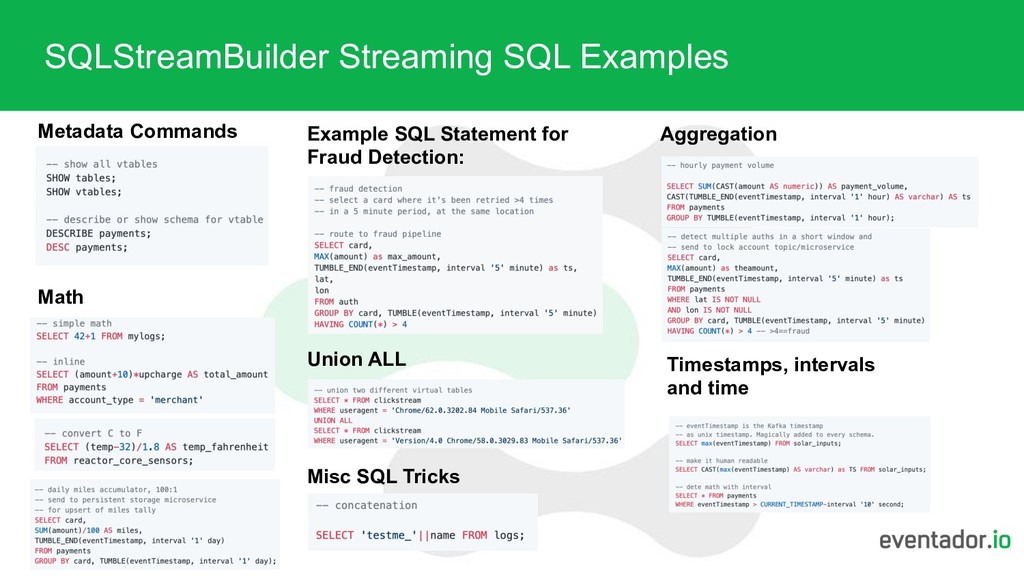
and manage stream processing jobs using SQL. SSB provides: • An Interactive Streaming SQL Console • A SQL Parser • Compatible with a wide variety of sources and sinks • Schema definition and management • SQL job management • A production grade engine
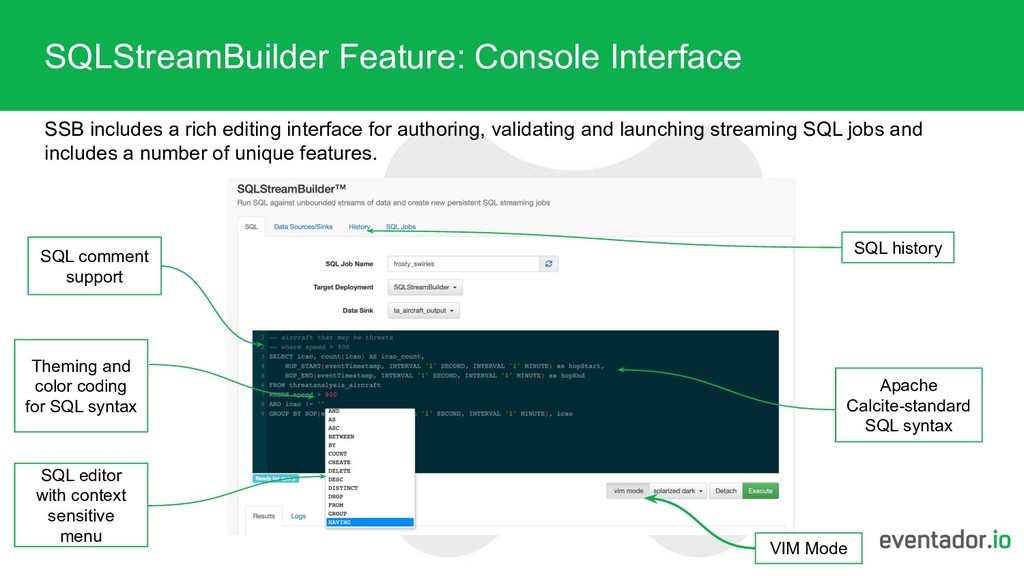
for authoring, validating and launching streaming SQL jobs and includes a number of unique features. Theming and color coding for SQL syntax SQL history VIM Mode SQL editor with context sensitive menu Apache Calcite-standard SQL syntax SQL comment support
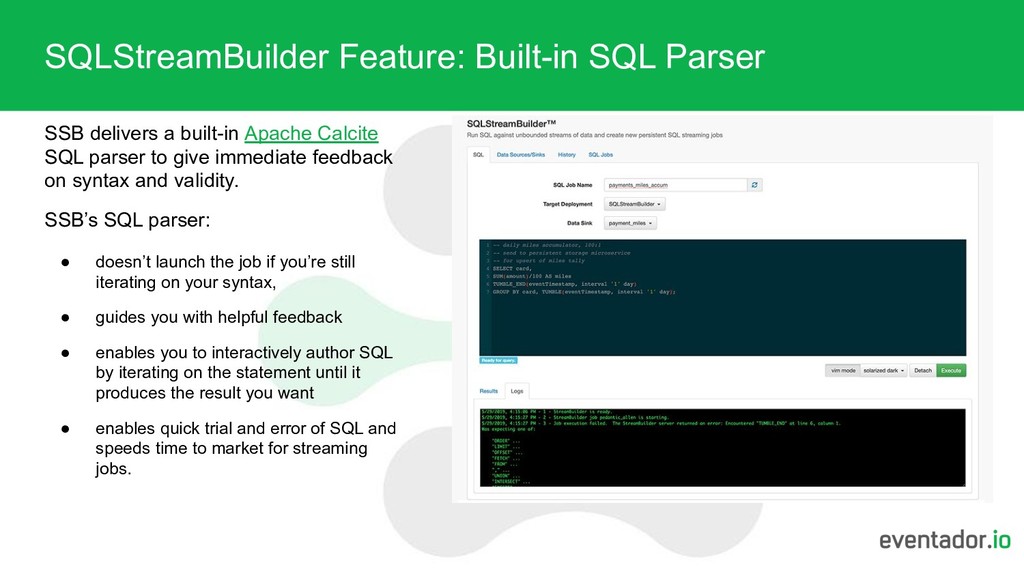
Calcite SQL parser to give immediate feedback on syntax and validity. SSB’s SQL parser: • doesn’t launch the job if you’re still iterating on your syntax, • guides you with helpful feedback • enables you to interactively author SQL by iterating on the statement until it produces the result you want • enables quick trial and error of SQL and speeds time to market for streaming jobs.
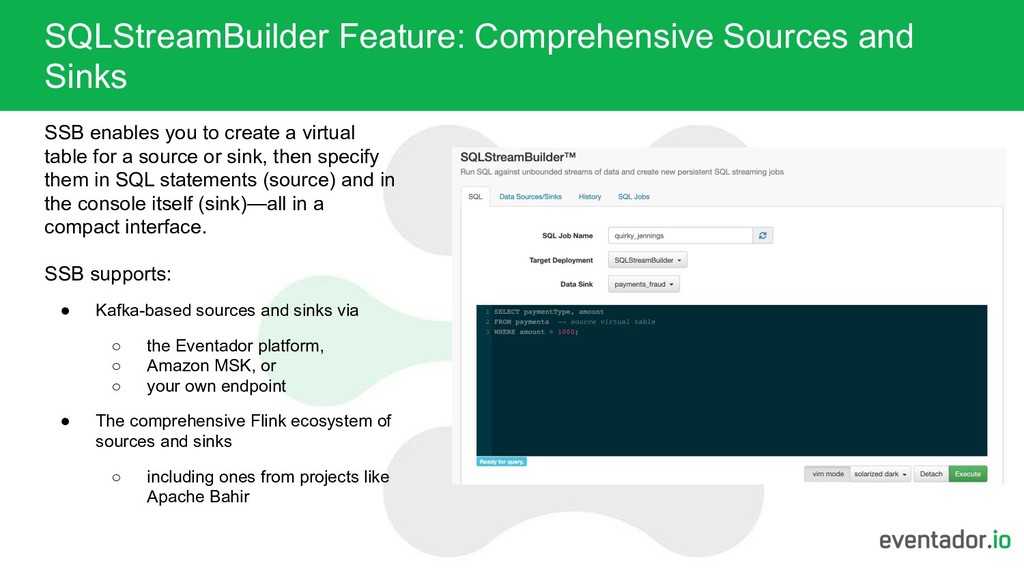
create a virtual table for a source or sink, then specify them in SQL statements (source) and in the console itself (sink)—all in a compact interface. SSB supports: • Kafka-based sources and sinks via ◦ the Eventador platform, ◦ Amazon MSK, or ◦ your own endpoint • The comprehensive Flink ecosystem of sources and sinks ◦ including ones from projects like Apache Bahir
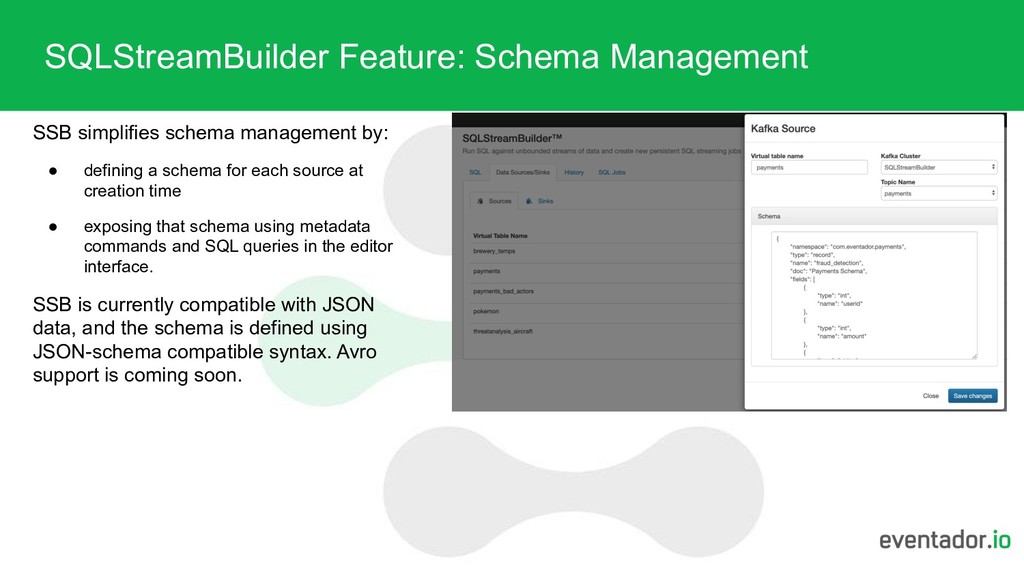
defining a schema for each source at creation time • exposing that schema using metadata commands and SQL queries in the editor interface. SSB is currently compatible with JSON data, and the schema is defined using JSON-schema compatible syntax. Avro support is coming soon.
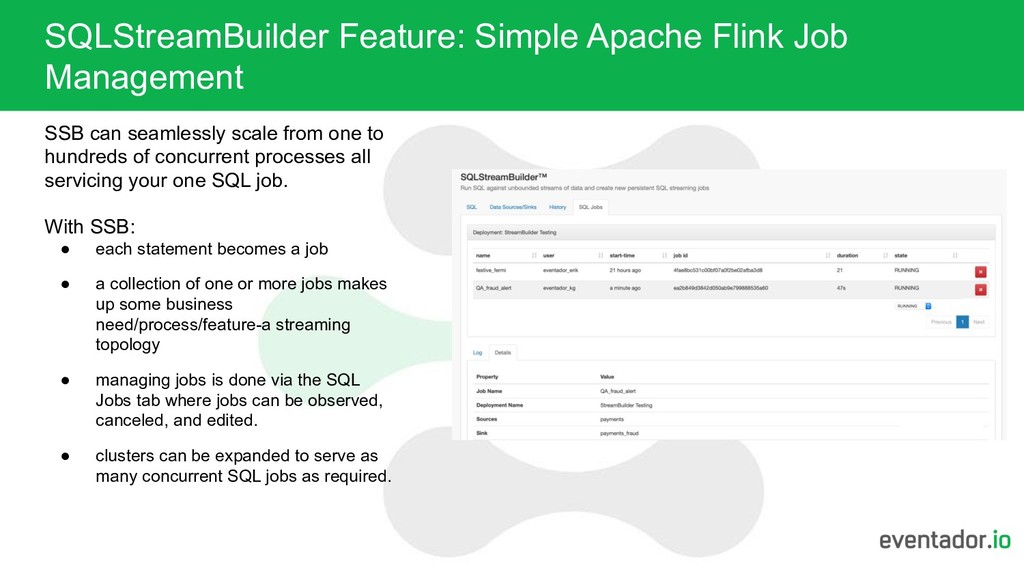
scale from one to hundreds of concurrent processes all servicing your one SQL job. With SSB: • each statement becomes a job • a collection of one or more jobs makes up some business need/process/feature-a streaming topology • managing jobs is done via the SQL Jobs tab where jobs can be observed, canceled, and edited. • clusters can be expanded to serve as many concurrent SQL jobs as required.
core design tenant. One unique capability of the SSB engine is that users can iterate and perfect SQL, then when ready, simply run against production data sources. Additionally, SSB is a robust platform that: • runs in a highly scalable and fault-tolerant manner by default • utilizes checkpoints to ensure job restart-ability, • is a rich streaming SQL UI fully integrated with Apache Kafka such that restarting picks up from the proper consumer offset, and the state store itself scales and is fault tolerant • runs redundant Flink management components and a best-in-breed stack for Flink SSB also comes with Eventador’s 24x7x365 hands-on support.
visit: https://eventador.io/sql-streambuilder/ 1. Create a SSB deployment: • Click on SQLStreamBuilder on the side menu • Set a unique name for the SQL Job Name. Each query is a job and requires a name. If you are iterating quickly on your SQL statement, just use the default name. • If you already have a deployment, you can select it and skip down to the next section. • If you will be creating a new deployment, select Add Deployment from the Target Deployment dropdown box. • In the Add Deployment box, choose a logical Name for this deployment. • Give it a good Description. • Select a Region/Zone. • Click Create. Over the next few moments, The deployment will provision a cluster for running SSB jobs. 2. Create virtual tables for sources and sinks 3. Run SQL It’s as simple as that. To see more detail on getting started, creating sources and sinks, etc. with SQLStreamBuilder, please visit: https://docs.eventador.io/streambuilder/


 eventador
 taketakekaho
 kairim0
 endonanana
 ykanoh
 ueponx
 koukihosaka
 masakiokuda
 makocchi
.png) yamad
yamad
 yahonda
 namiki64
 kentapapa
 frankvandijk
 palkan
 trishagee
 notwaldorf
 bkeepers
 aleyda
 katarinadahlin
 cassininazir
 honzajavorek
 axbom
axbom
 charlesmeaden
![Visit https://eventador.io For More Information [email protected]](https://files.speakerdeck.com/presentations/15684f9a4d0f49278dc30217167b8bf7/slide_13.jpg)