Upgrade to Pro
— share decks privately, control downloads, hide ads and more …
Speaker Deck
Sign up for free
Menu
Search
Features
All features
Private URLs
Password Protection
Custom URLS
Scheduled publishing
Remove Branding
Restrict embedding
Deck Collections
Notes
Features
All features
Private URLs
Password Protection
Custom URLS
Scheduled publishing
Remove Branding
Restrict embedding
Deck Collections
Notes
Explore
Featured decks
Featured speakers
Programming
Technology
Storyboards
Explore
Featured decks
Featured speakers
Programming
Technology
Storyboards
Pricing
Search
Sign in
Sign up for free
空間情報システム入門#2
Search
Gai seki
June 16, 2016
51
0
Share
Embed
Copy iframe code
Copy JS code
Copy link
Start on current slide
空間情報システム入門#2
Gai seki
June 16, 2016
More Decks by Gai seki
See All by Gai seki
Gai seki
gai0210
0
79
Featured
See All Featured
Designing Experiences People Love
moore
143
24k
The Spectacular Lies of Maps
axbom
PRO
1
1.1k
<Decoding/> the Language of Devs - We Love SEO 2024
nikkihalliwell
1
360
Save Time (by Creating Custom Rails Generators)
garrettdimon
PRO
33
5.3k
10 Git Anti Patterns You Should be Aware of
lemiorhan
PRO
659
62k
Visualizing Your Data: Incorporating Mongo into Loggly Infrastructure
mongodb
50
10k
Sharpening the Axe: The Primacy of Toolmaking
bcantrill
46
3k
Ecommerce SEO: The Keys for Success Now & Beyond - #SERPConf2024
aleyda
1
2.2k
Information Architects: The Missing Link in Design Systems
soysaucechin
1
1.2k
Paper Plane (Part 1)
katiecoart
PRO
2
12k
How to Talk to Developers About Accessibility
jct
2
580
Designing for Timeless Needs
cassininazir
1
530
Transcript
マニュアル
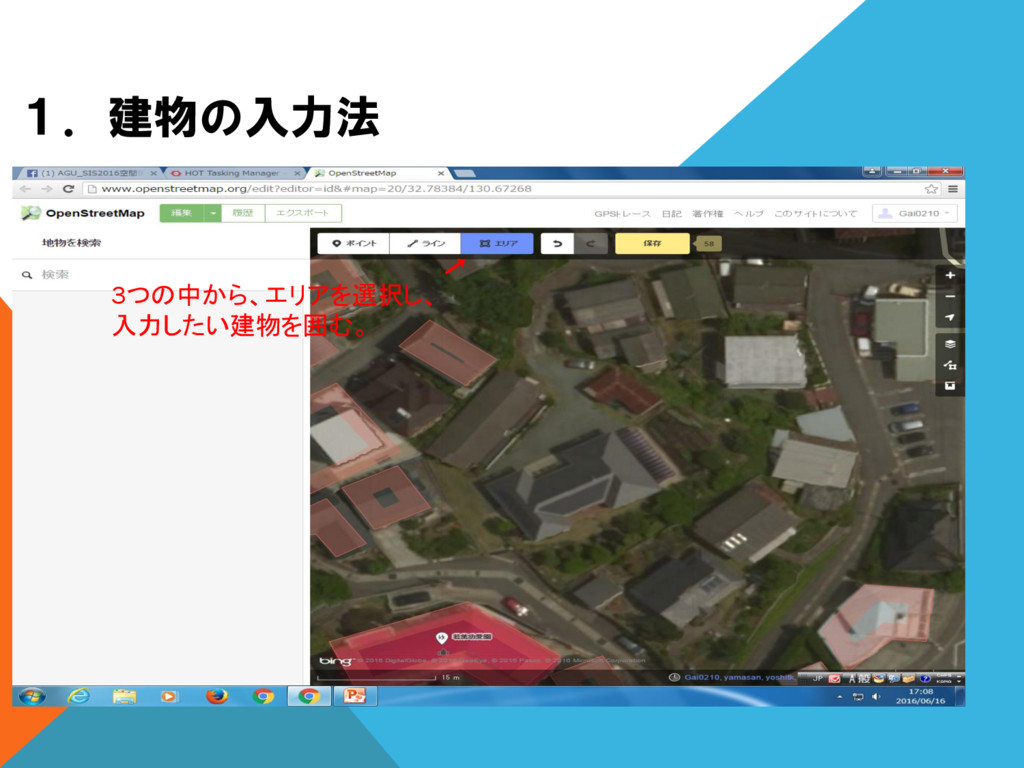
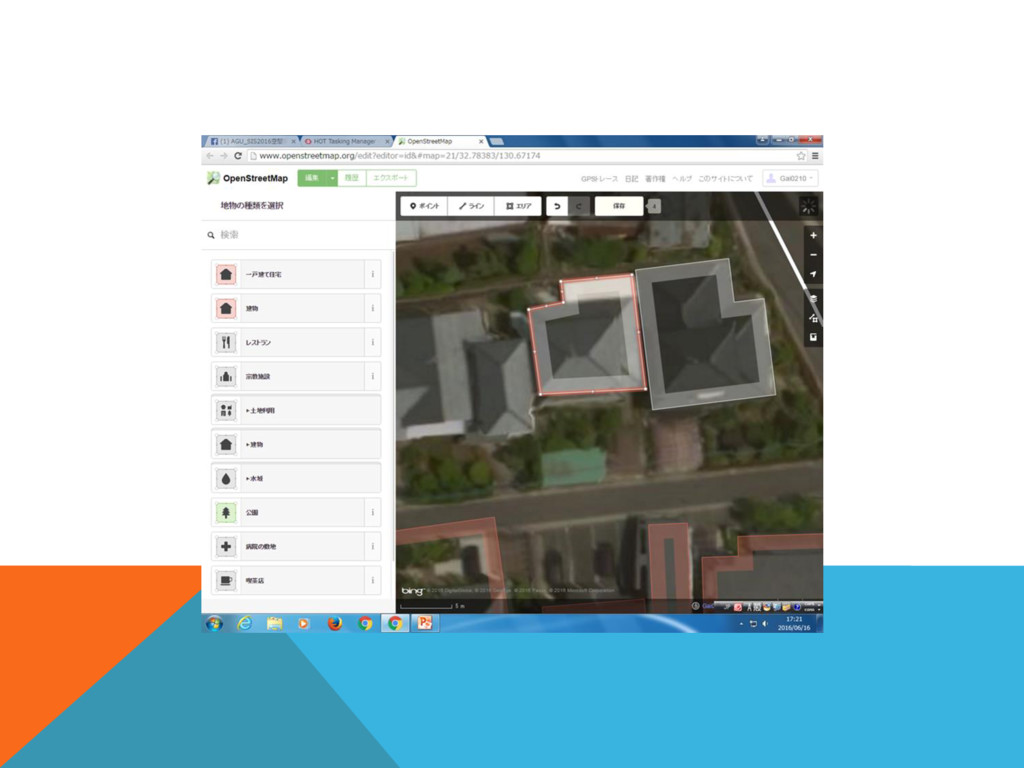
1.建物の入力法 3つの中から、エリアを選択し、 入力したい建物を囲む。
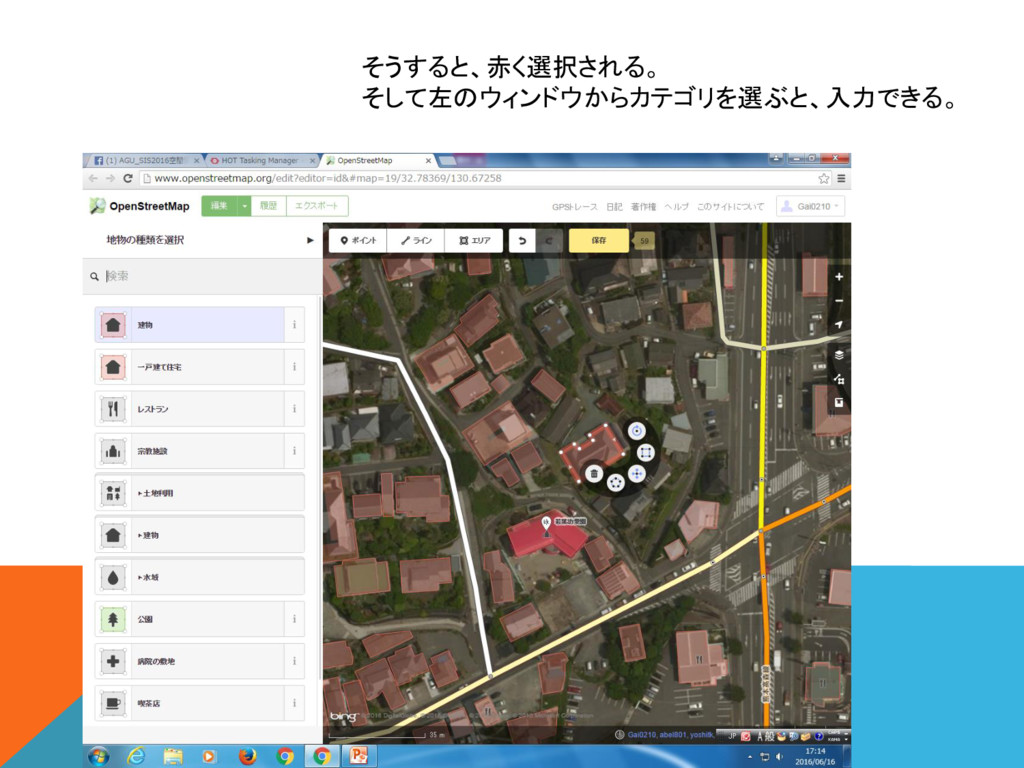
そうすると、赤く選択される。 そして左のウィンドウからカテゴリを選ぶと、入力できる。
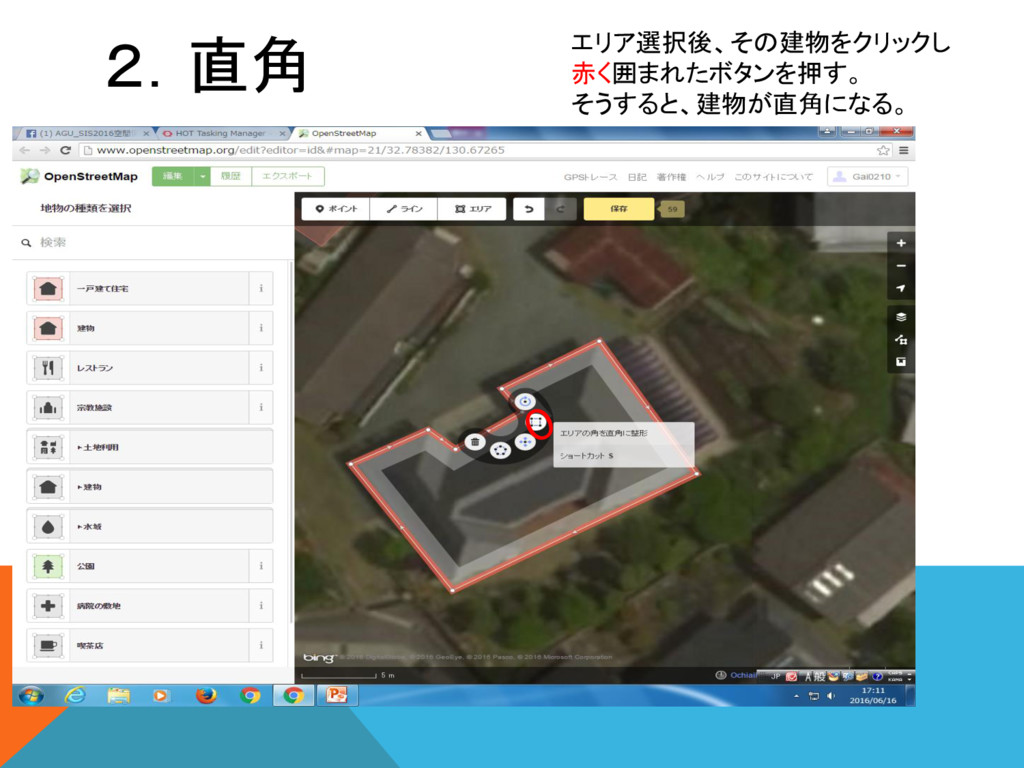
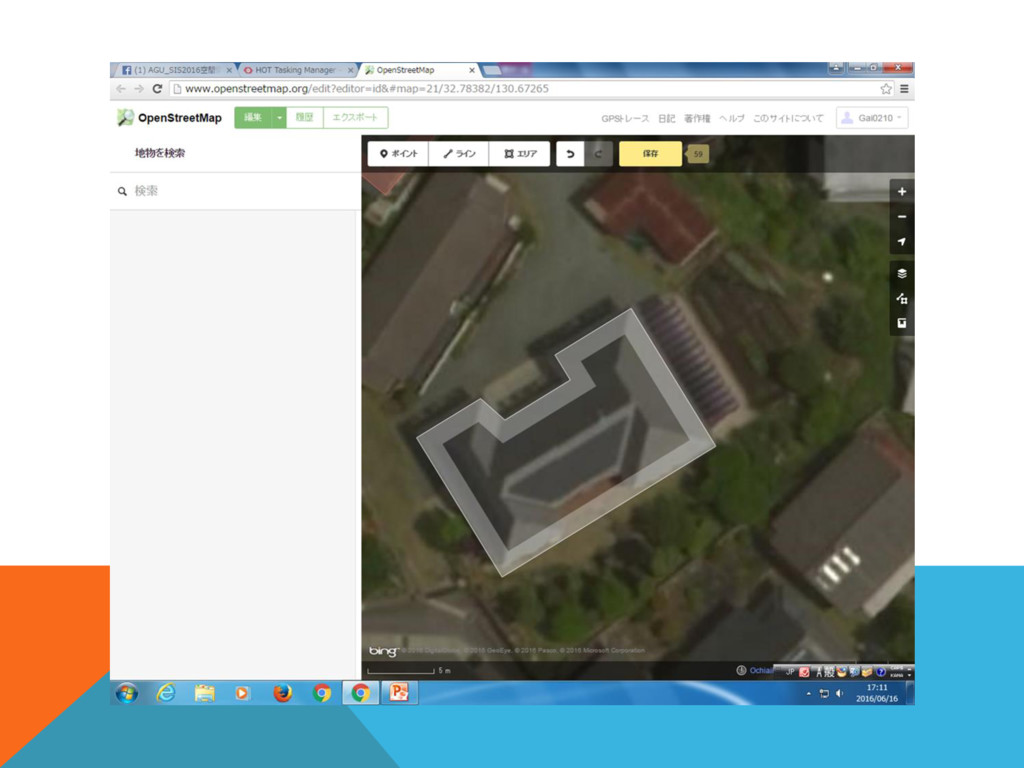
2.直角 エリア選択後、その建物をクリックし 赤く囲まれたボタンを押す。 そうすると、建物が直角になる。
None
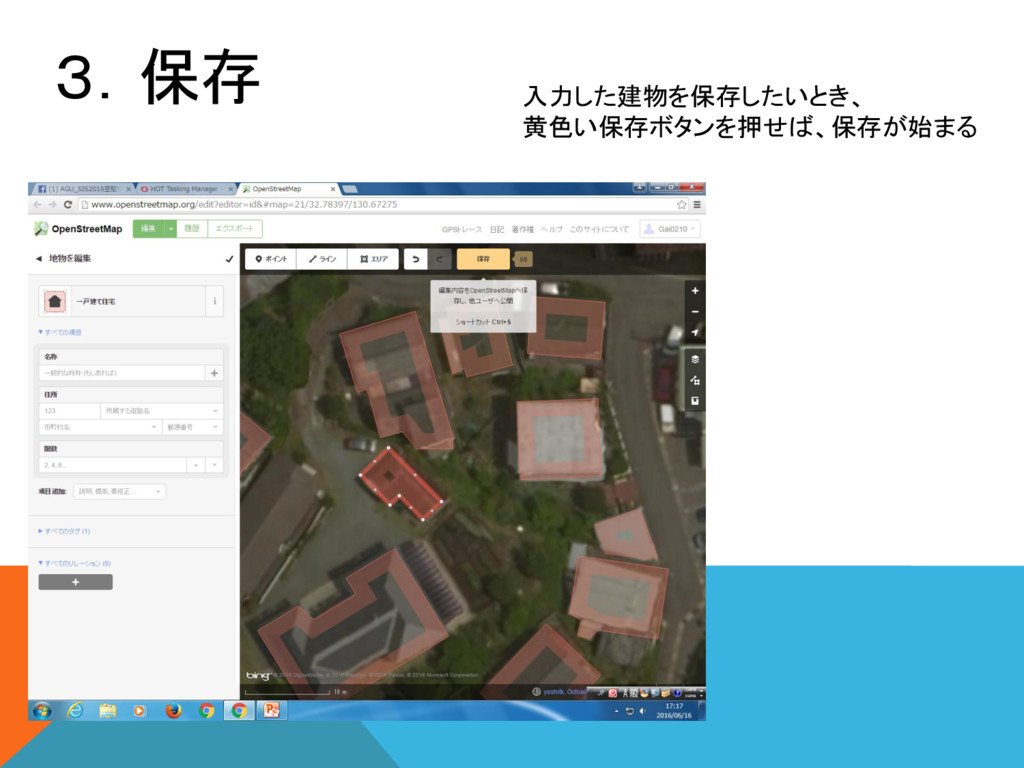
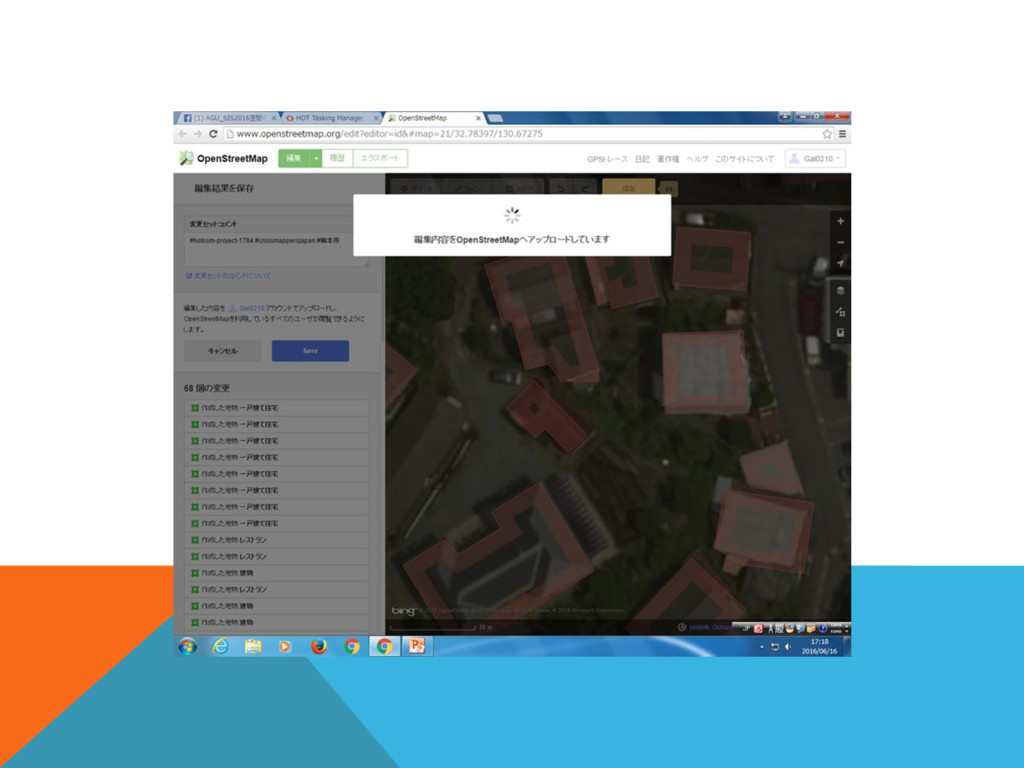
3.保存 入力した建物を保存したいとき、 黄色い保存ボタンを押せば、保存が始まる
None
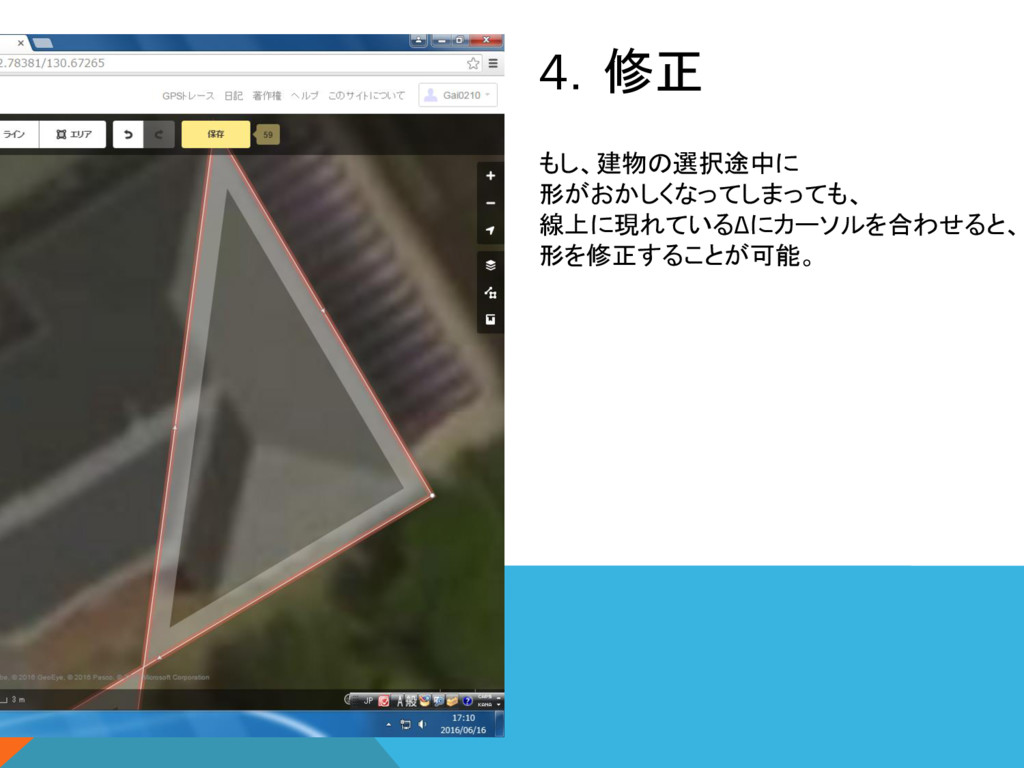
4.修正 もし、建物の選択途中に 形がおかしくなってしまっても、 線上に現れているΔにカーソルを合わせると、 形を修正することが可能。
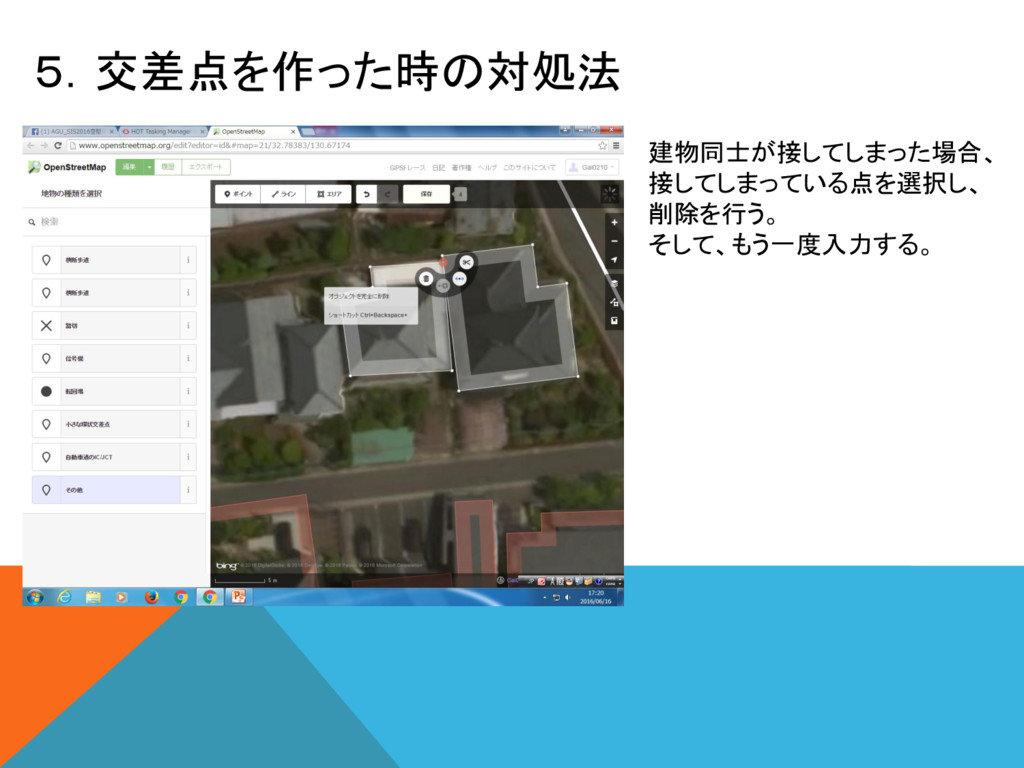
5.交差点を作った時の対処法 建物同士が接してしまった場合、 接してしまっている点を選択し、 削除を行う。 そして、もう一度入力する。
None
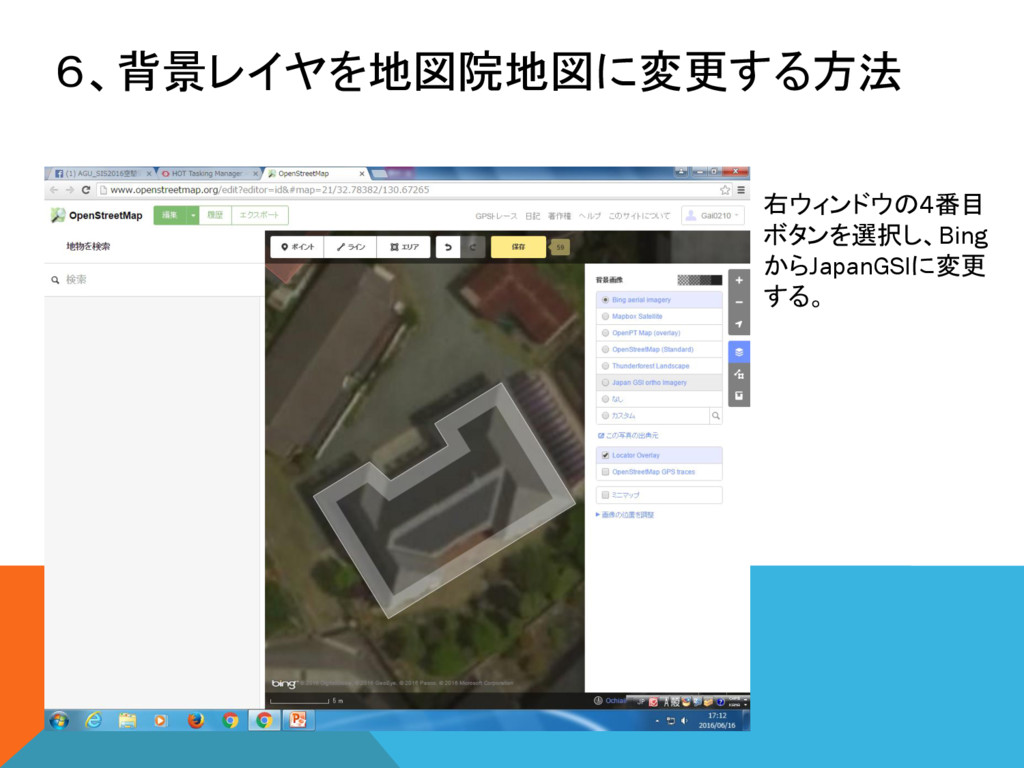
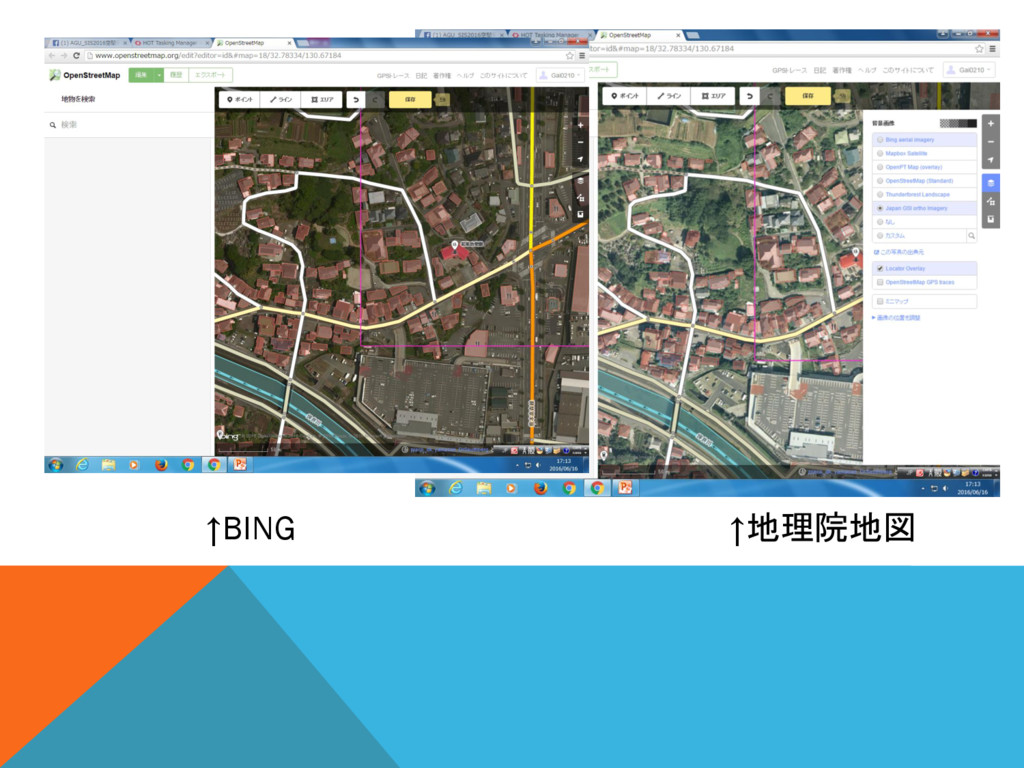
6、背景レイヤを地図院地図に変更する方法 右ウィンドウの4番目 ボタンを選択し、Bing からJapanGSIに変更 する。
↑BING ↑地理院地図
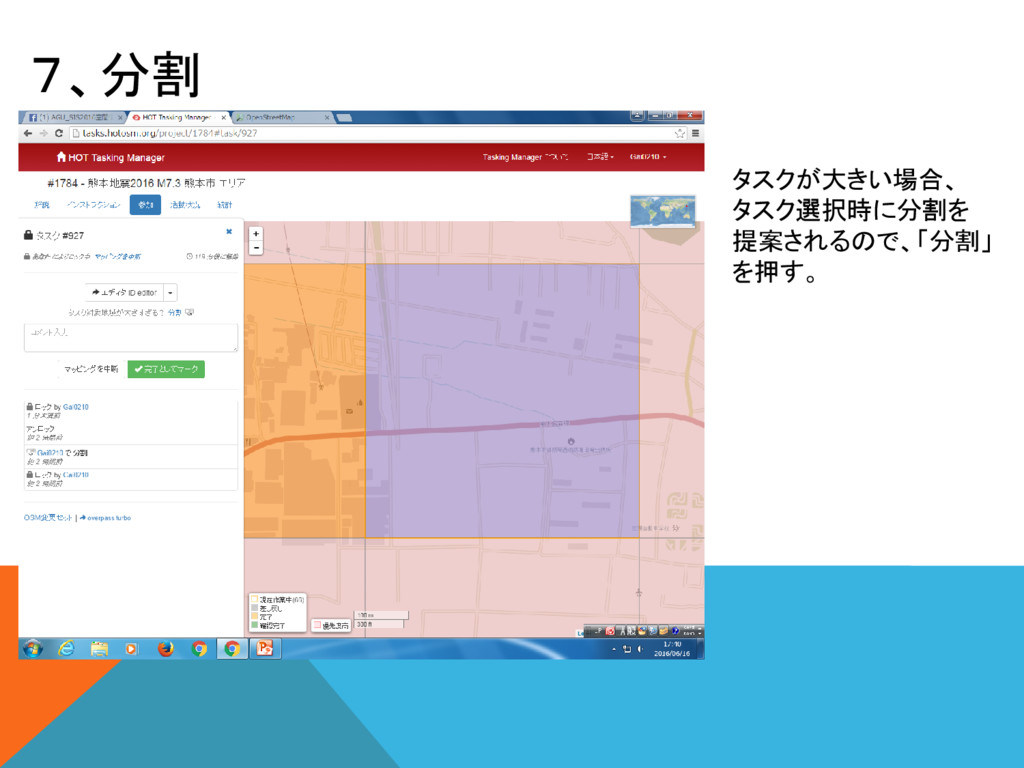
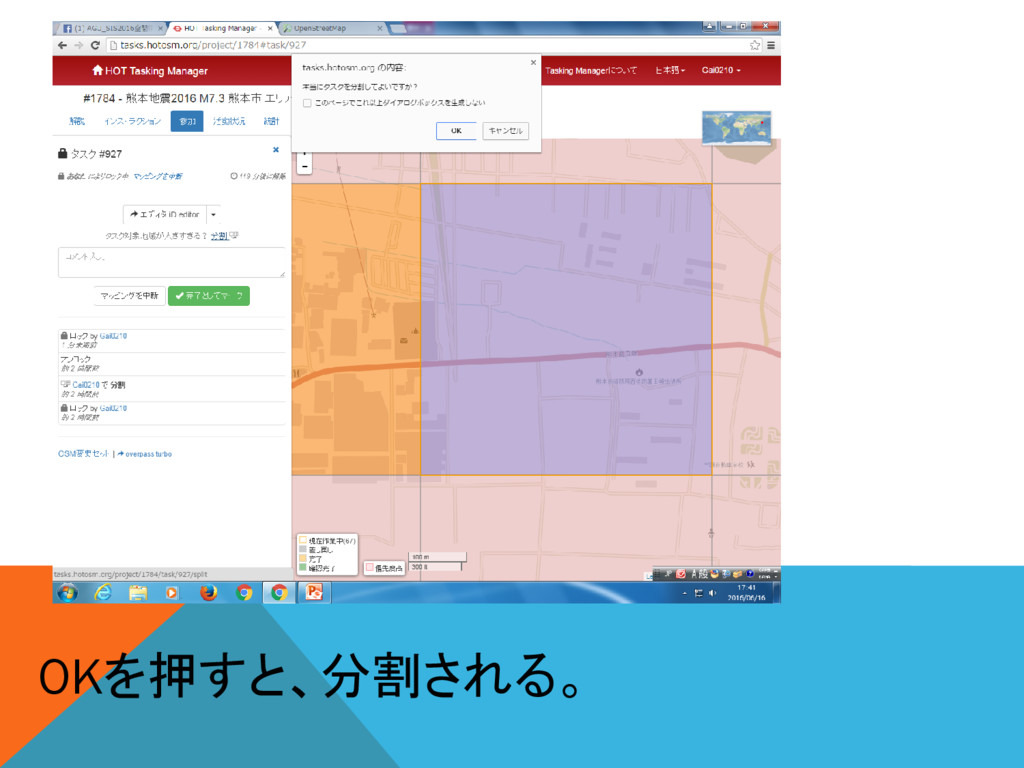
7、分割 タスクが大きい場合、 タスク選択時に分割を 提案されるので、「分割」 を押す。
OKを押すと、分割される。
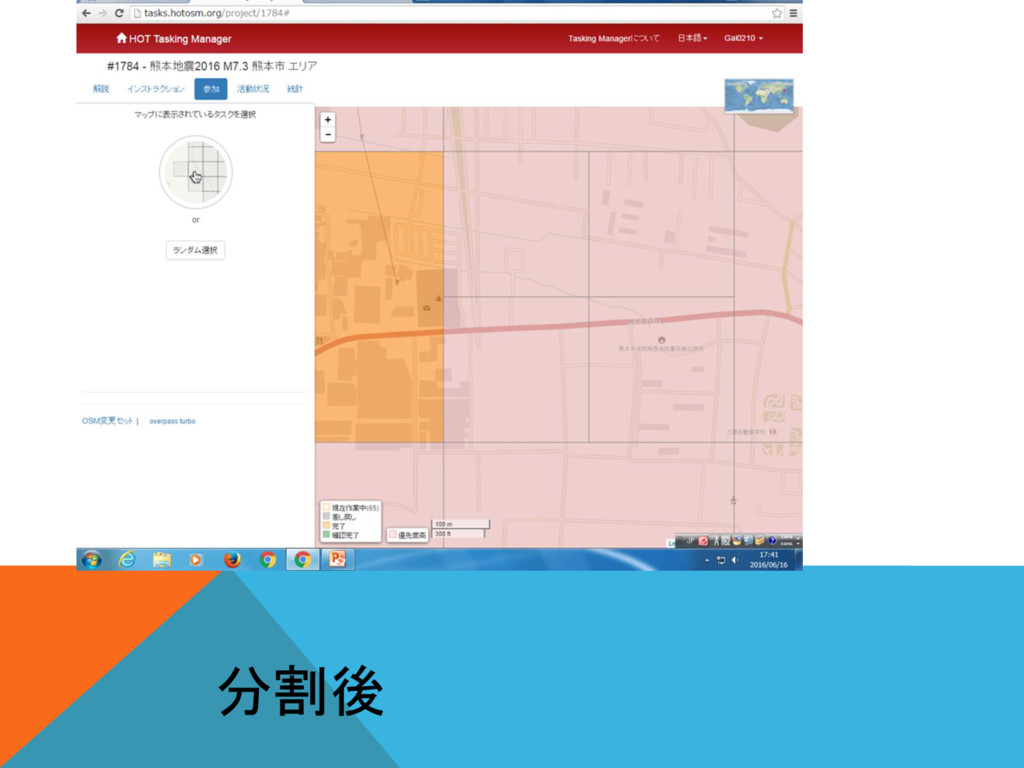
分割後
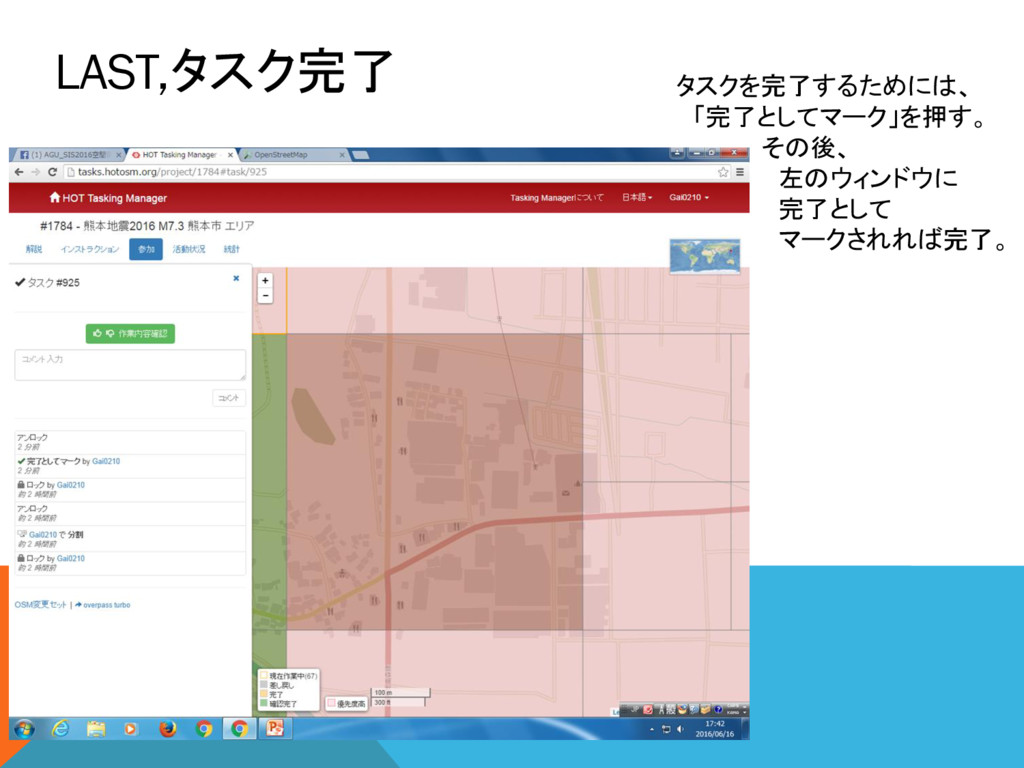
LAST,タスク完了 タスクを完了するためには、 「完了としてマーク」を押す。 その後、 左のウィンドウに 完了として マークされれば完了。


 gai0210
 moore
moore
 axbom
axbom
 nikkihalliwell
 garrettdimon
 lemiorhan
 mongodb
 bcantrill
 aleyda
 soysaucechin
 katiecoart
 jct
jct
 cassininazir