burden from your internal IT helps up their productivity allowing them to focus on your business needs • Co-management can allow your IT department to keep control of their environment while gaining access to powerful software and our experienced team of engineers • Reduce the total cost of ownership of your internal IT department by mitigating software costs, utilizing our team and purpose built SOC instead of hiring more network technicians, investing in more hardware and constantly fighting maintenance and security issues • Pay as you grow allows you to make you have support coverage for each device and keeps you from having to overbuy for shelfware
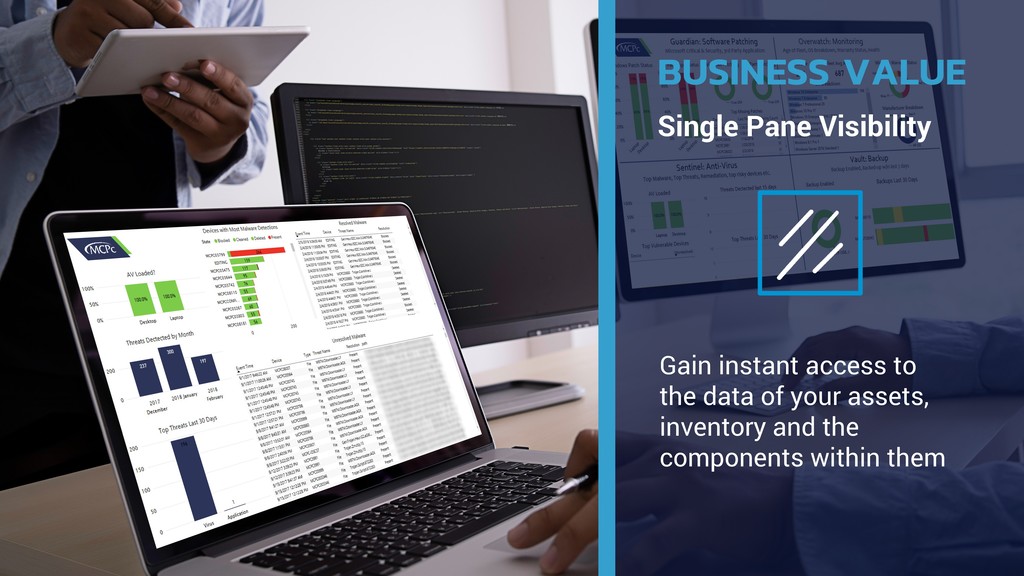
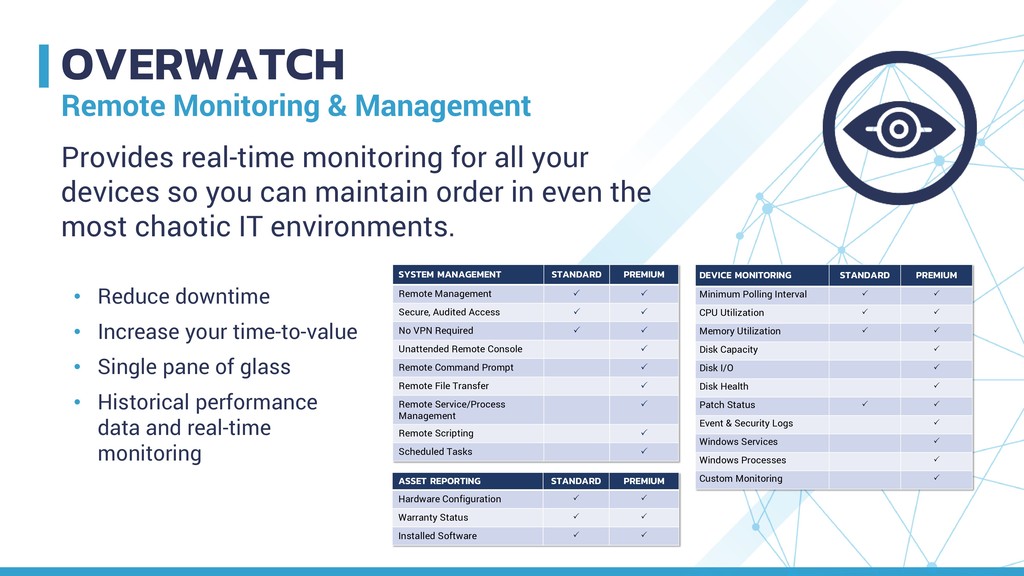
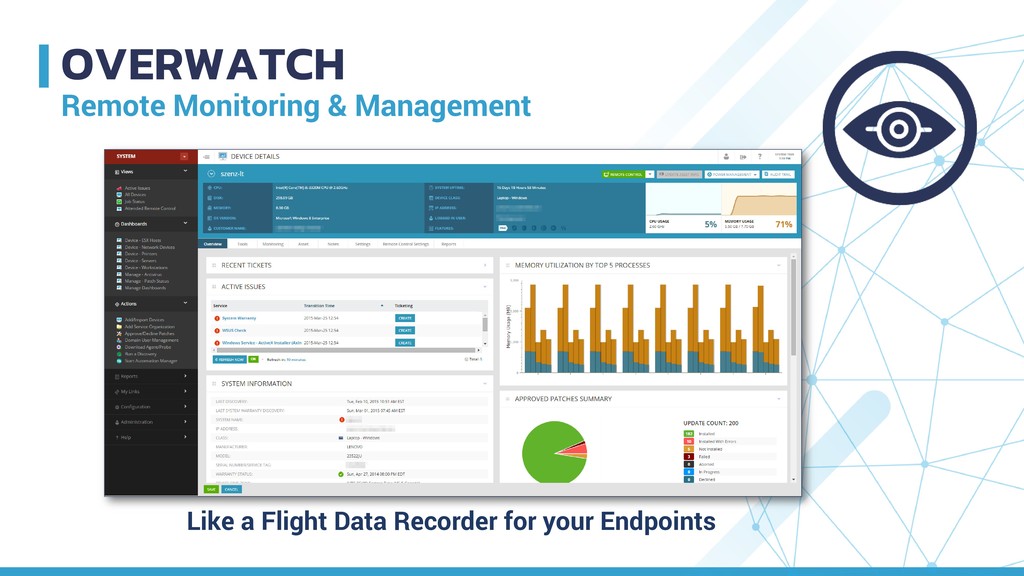
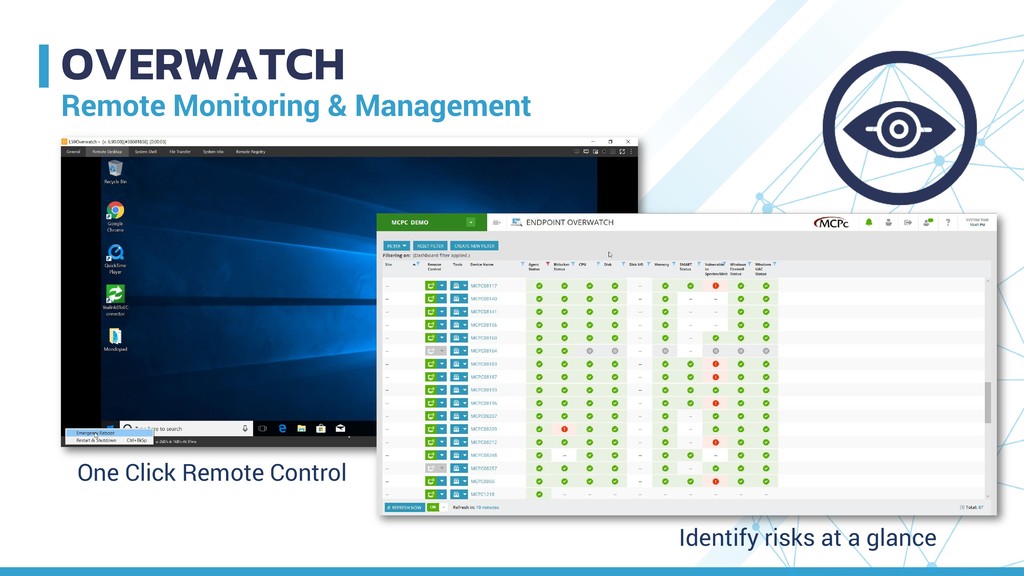
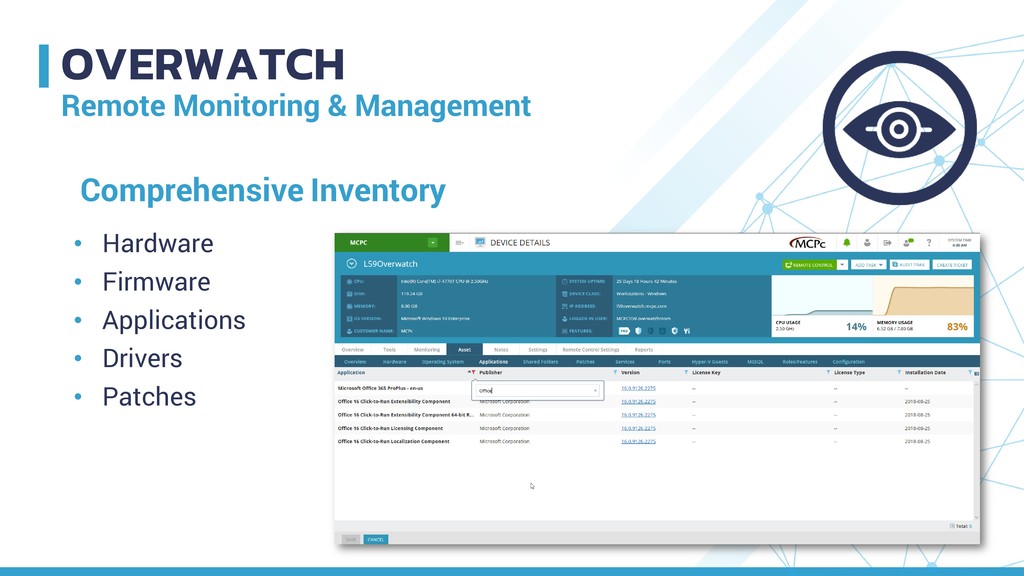
your time-to-value • Single pane of glass • Historical performance data and real-time monitoring Provides real-time monitoring for all your devices so you can maintain order in even the most chaotic IT environments. SYSTEM MANAGEMENT STANDARD PREMIUM Remote Management Secure, Audited Access No VPN Required Unattended Remote Console Remote Command Prompt Remote File Transfer Remote Service/Process Management Remote Scripting Scheduled Tasks ASSET REPORTING STANDARD PREMIUM Hardware Configuration Warranty Status Installed Software DEVICE MONITORING STANDARD PREMIUM Minimum Polling Interval CPU Utilization Memory Utilization Disk Capacity Disk I/O Disk Health Patch Status Event & Security Logs Windows Services Windows Processes Custom Monitoring
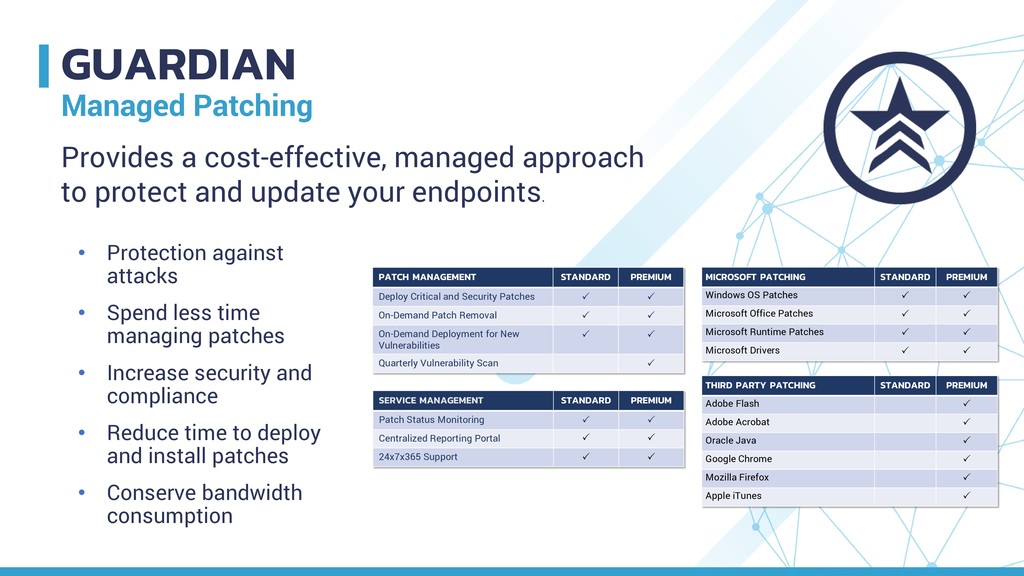
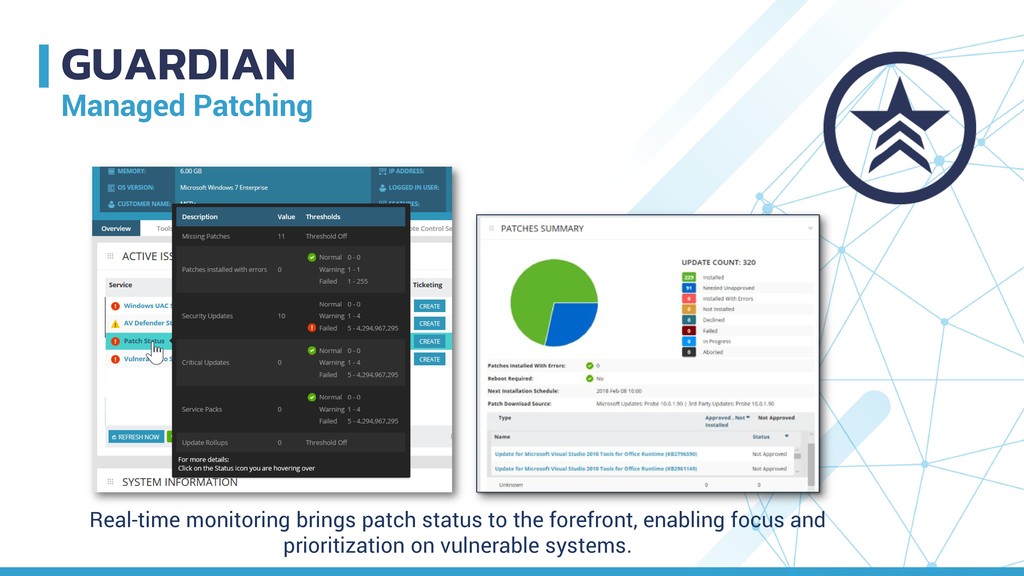
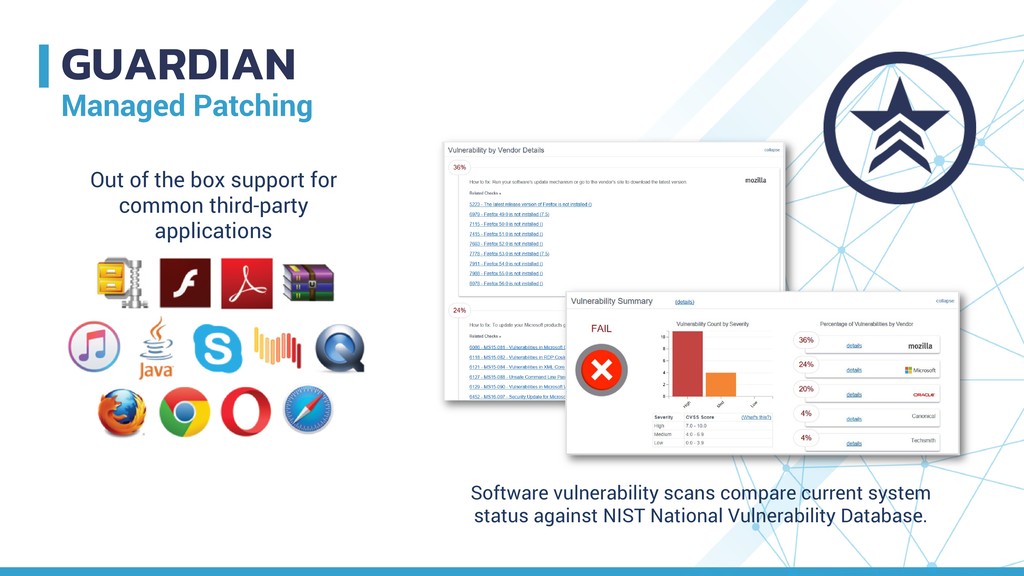
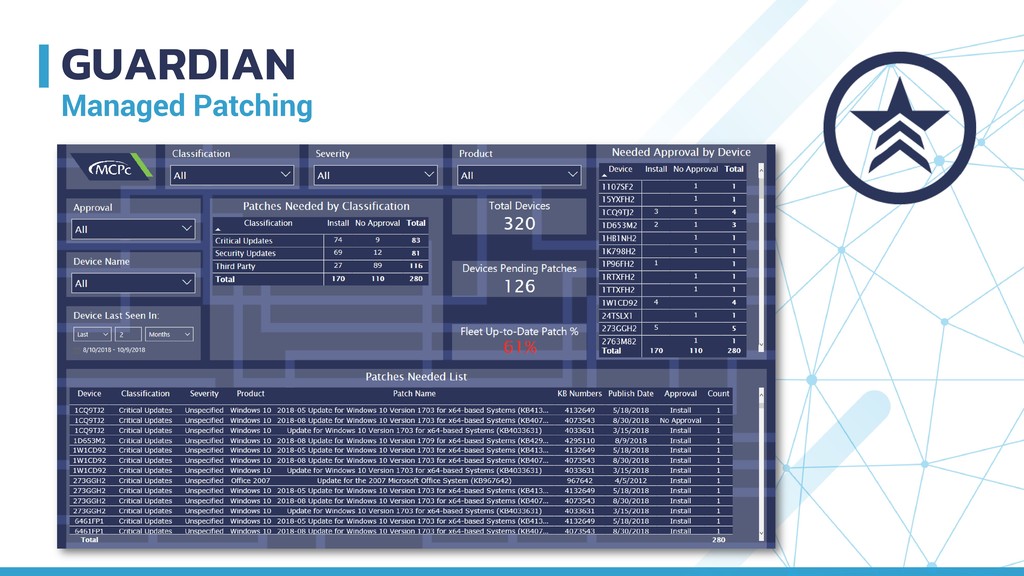
time managing patches • Increase security and compliance • Reduce time to deploy and install patches • Conserve bandwidth consumption Provides a cost-effective, managed approach to protect and update your endpoints. PATCH MANAGEMENT STANDARD PREMIUM Deploy Critical and Security Patches On-Demand Patch Removal On-Demand Deployment for New Vulnerabilities Quarterly Vulnerability Scan MICROSOFT PATCHING STANDARD PREMIUM Windows OS Patches Microsoft Office Patches Microsoft Runtime Patches Microsoft Drivers SERVICE MANAGEMENT STANDARD PREMIUM Patch Status Monitoring Centralized Reporting Portal 24x7x365 Support THIRD PARTY PATCHING STANDARD PREMIUM Adobe Flash Adobe Acrobat Oracle Java Google Chrome Mozilla Firefox Apple iTunes
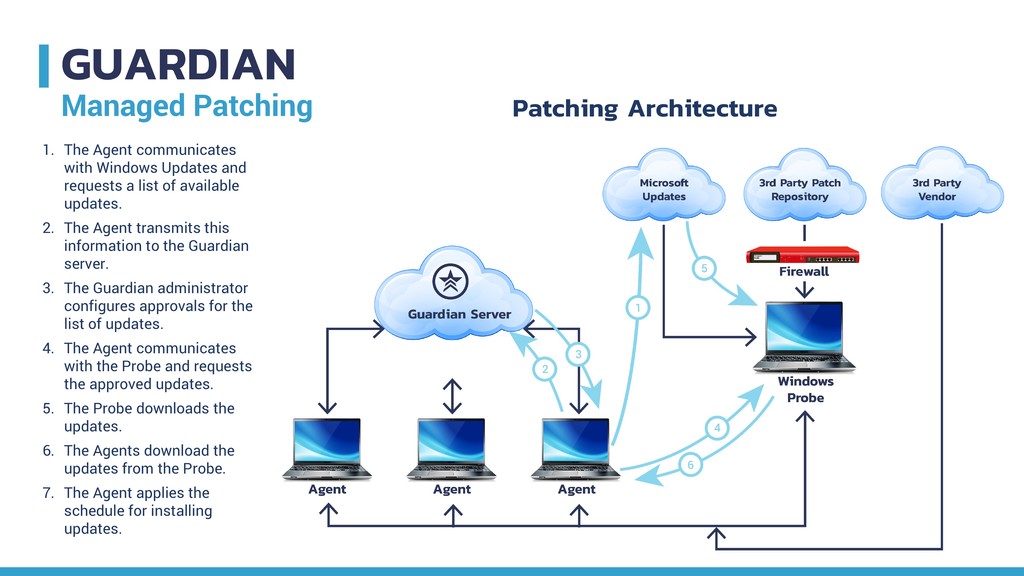
and requests a list of available updates. 2. The Agent transmits this information to the Guardian server. 3. The Guardian administrator configures approvals for the list of updates. 4. The Agent communicates with the Probe and requests the approved updates. 5. The Probe downloads the updates. 6. The Agents download the updates from the Probe. 7. The Agent applies the schedule for installing updates. Patching Architecture
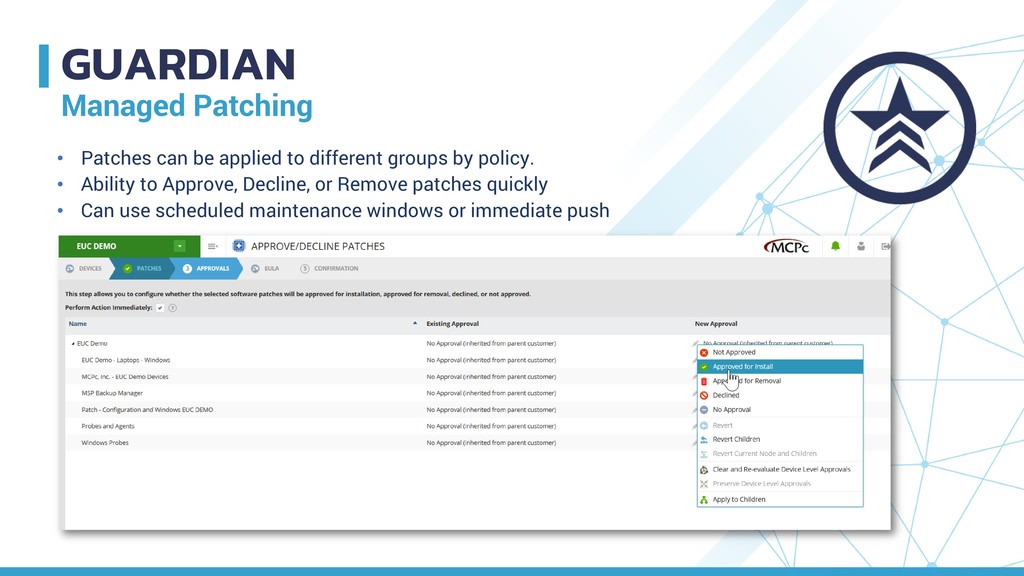
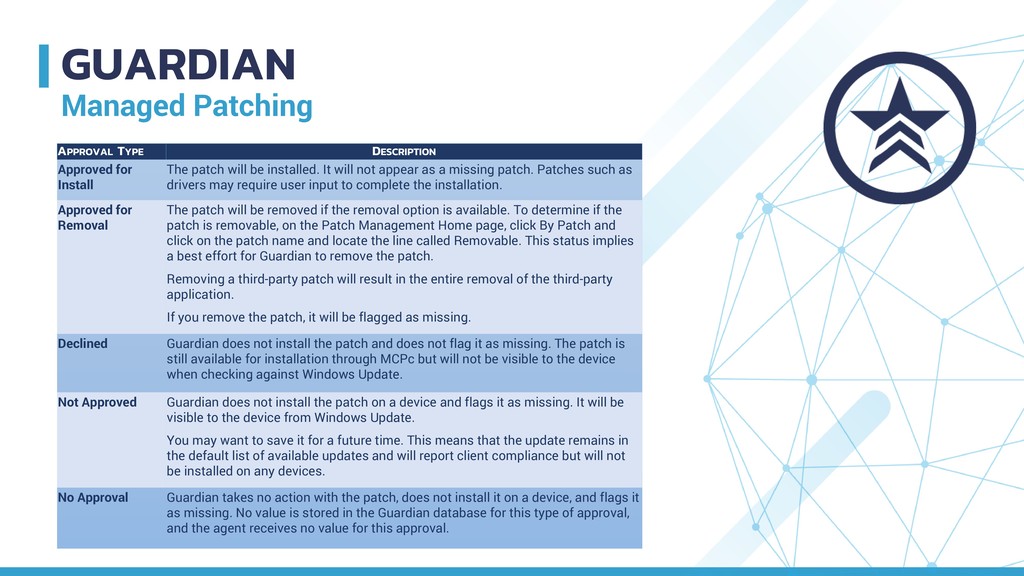
patch will be installed. It will not appear as a missing patch. Patches such as drivers may require user input to complete the installation. Approved for Removal The patch will be removed if the removal option is available. To determine if the patch is removable, on the Patch Management Home page, click By Patch and click on the patch name and locate the line called Removable. This status implies a best effort for Guardian to remove the patch. Removing a third-party patch will result in the entire removal of the third-party application. If you remove the patch, it will be flagged as missing. Declined Guardian does not install the patch and does not flag it as missing. The patch is still available for installation through MCPc but will not be visible to the device when checking against Windows Update. Not Approved Guardian does not install the patch on a device and flags it as missing. It will be visible to the device from Windows Update. You may want to save it for a future time. This means that the update remains in the default list of available updates and will report client compliance but will not be installed on any devices. No Approval Guardian takes no action with the patch, does not install it on a device, and flags it as missing. No value is stored in the Guardian database for this type of approval, and the agent receives no value for this approval.
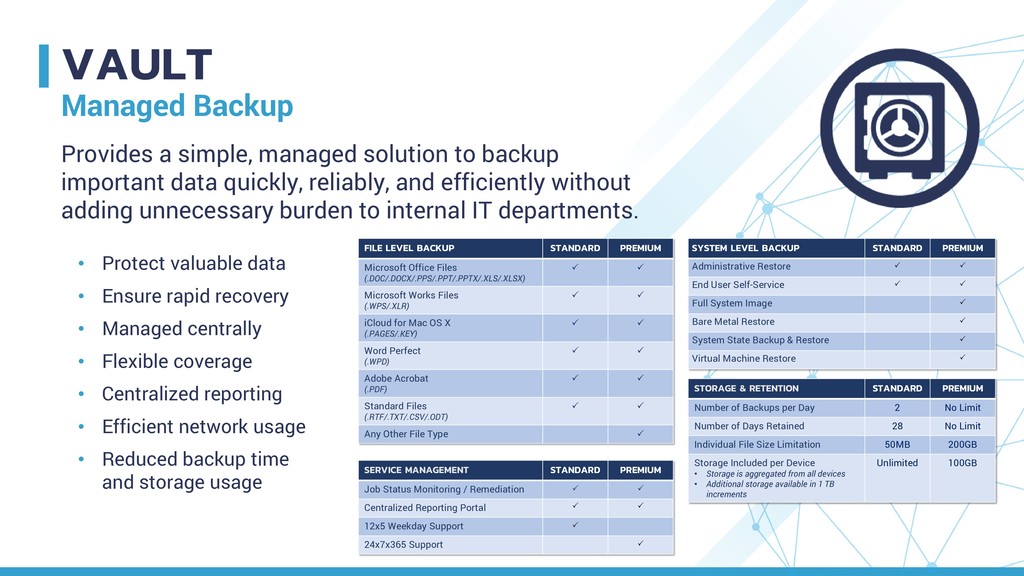
recovery • Managed centrally • Flexible coverage • Centralized reporting • Efficient network usage • Reduced backup time and storage usage Provides a simple, managed solution to backup important data quickly, reliably, and efficiently without adding unnecessary burden to internal IT departments. FILE LEVEL BACKUP STANDARD PREMIUM Microsoft Office Files (.DOC/.DOCX/.PPS/.PPT/.PPTX/.XLS/.XLSX) Microsoft Works Files (.WPS/.XLR) iCloud for Mac OS X (.PAGES/.KEY) Word Perfect (.WPD) Adobe Acrobat (.PDF) Standard Files (.RTF/.TXT/.CSV/.ODT) Any Other File Type SYSTEM LEVEL BACKUP STANDARD PREMIUM Administrative Restore End User Self-Service Full System Image Bare Metal Restore System State Backup & Restore Virtual Machine Restore STORAGE & RETENTION STANDARD PREMIUM Number of Backups per Day 2 No Limit Number of Days Retained 28 No Limit Individual File Size Limitation 50MB 200GB Storage Included per Device • Storage is aggregated from all devices • Additional storage available in 1 TB increments Unlimited 100GB SERVICE MANAGEMENT STANDARD PREMIUM Job Status Monitoring / Remediation Centralized Reporting Portal 12x5 Weekday Support 24x7x365 Support
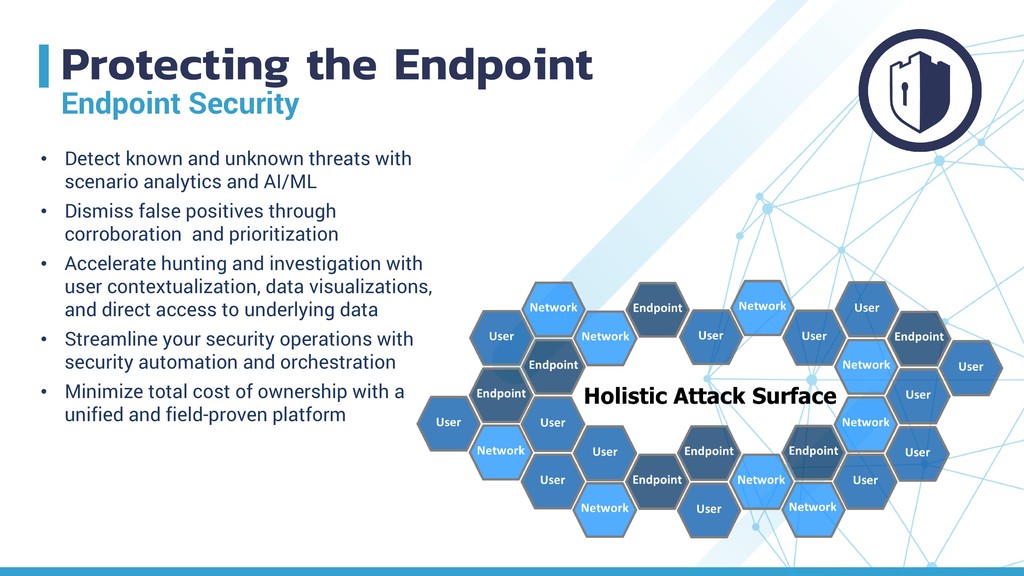
threats with scenario analytics and AI/ML • Dismiss false positives through corroboration and prioritization • Accelerate hunting and investigation with user contextualization, data visualizations, and direct access to underlying data • Streamline your security operations with security automation and orchestration • Minimize total cost of ownership with a unified and field-proven platform
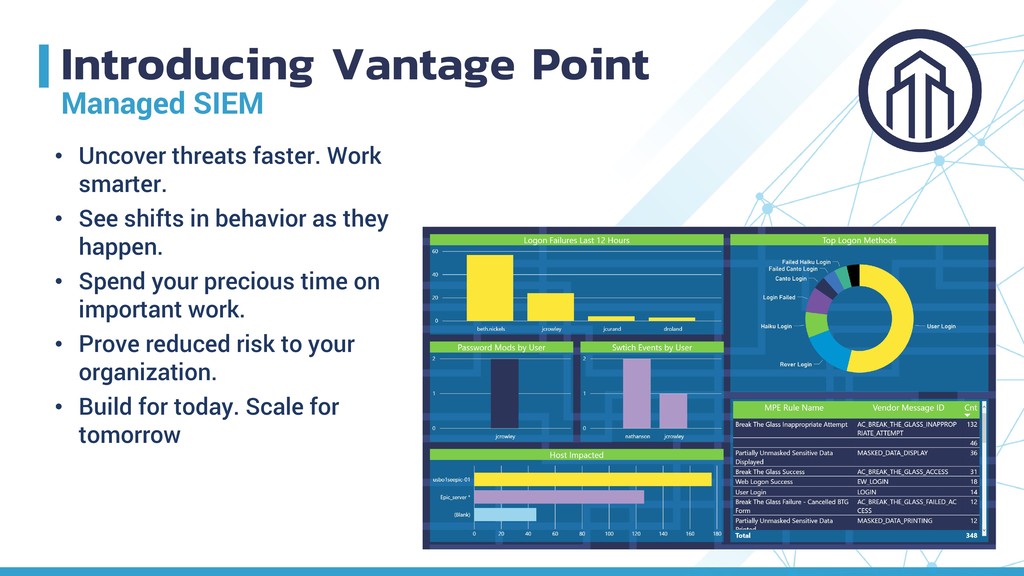
smarter. • See shifts in behavior as they happen. • Spend your precious time on important work. • Prove reduced risk to your organization. • Build for today. Scale for tomorrow
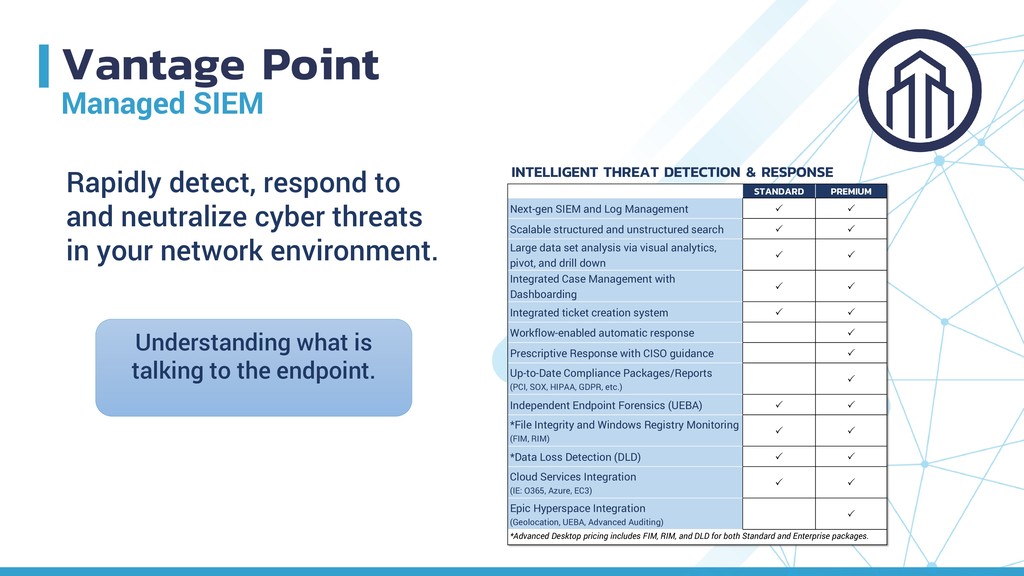
Management Scalable structured and unstructured search Large data set analysis via visual analytics, pivot, and drill down Integrated Case Management with Dashboarding Integrated ticket creation system Workflow-enabled automatic response Prescriptive Response with CISO guidance Up-to-Date Compliance Packages/Reports (PCI, SOX, HIPAA, GDPR, etc.) Independent Endpoint Forensics (UEBA) *File Integrity and Windows Registry Monitoring (FIM, RIM) *Data Loss Detection (DLD) Cloud Services Integration (IE: O365, Azure, EC3) Epic Hyperspace Integration (Geolocation, UEBA, Advanced Auditing) *Advanced Desktop pricing includes FIM, RIM, and DLD for both Standard and Enterprise packages. INTELLIGENT THREAT DETECTION & RESPONSE Rapidly detect, respond to and neutralize cyber threats in your network environment. Understanding what is talking to the endpoint.
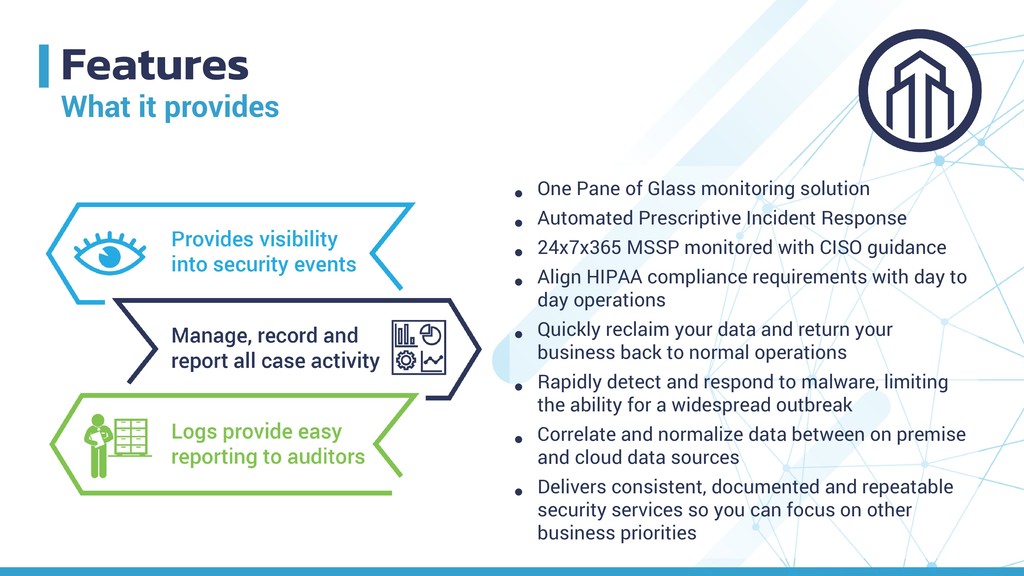
solution • Automated Prescriptive Incident Response • 24x7x365 MSSP monitored with CISO guidance • Align HIPAA compliance requirements with day to day operations • Quickly reclaim your data and return your business back to normal operations • Rapidly detect and respond to malware, limiting the ability for a widespread outbreak • Correlate and normalize data between on premise and cloud data sources • Delivers consistent, documented and repeatable security services so you can focus on other business priorities
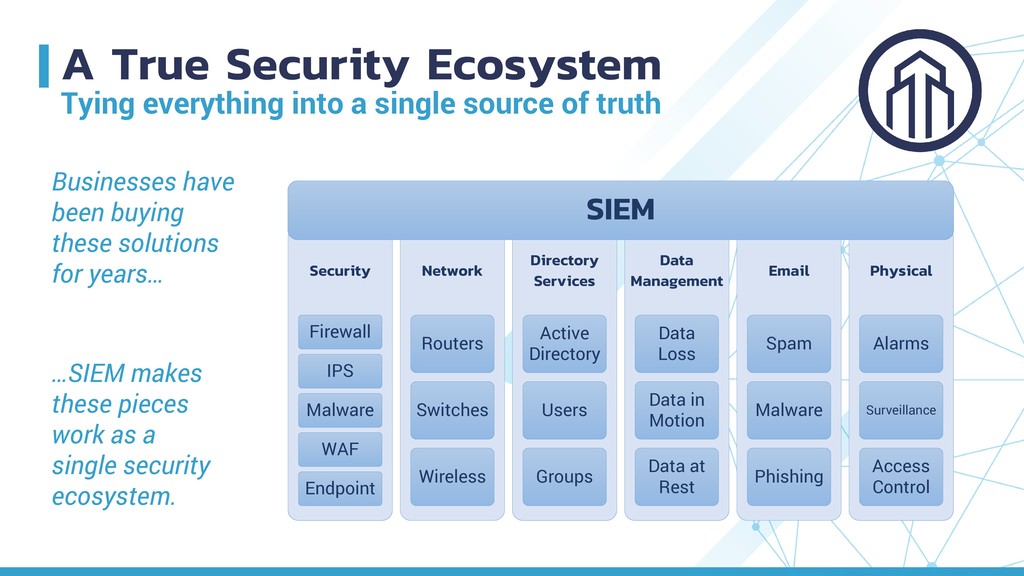
of truth Businesses have been buying these solutions for years… …SIEM makes these pieces work as a single security ecosystem. Security Firewall IPS Malware WAF Endpoint Network Routers Switches Wireless Directory Services Active Directory Users Groups Data Management Data Loss Data in Motion Data at Rest Email Spam Malware Phishing Physical Alarms Surveillance Access Control SIEM
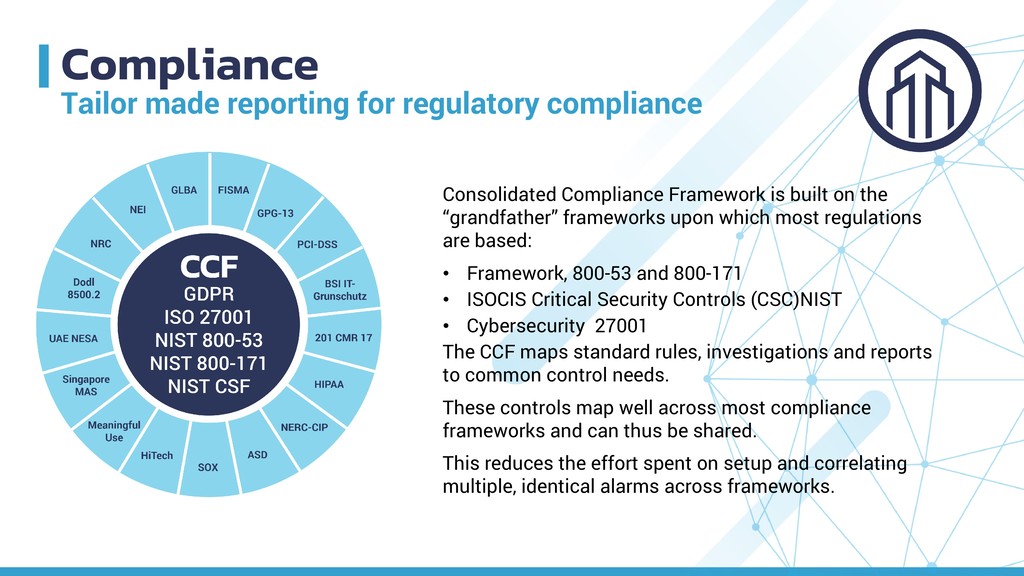
is built on the “grandfather” frameworks upon which most regulations are based: • Framework, 800-53 and 800-171 • ISOCIS Critical Security Controls (CSC)NIST • Cybersecurity 27001 The CCF maps standard rules, investigations and reports to common control needs. These controls map well across most compliance frameworks and can thus be shared. This reduces the effort spent on setup and correlating multiple, identical alarms across frameworks.
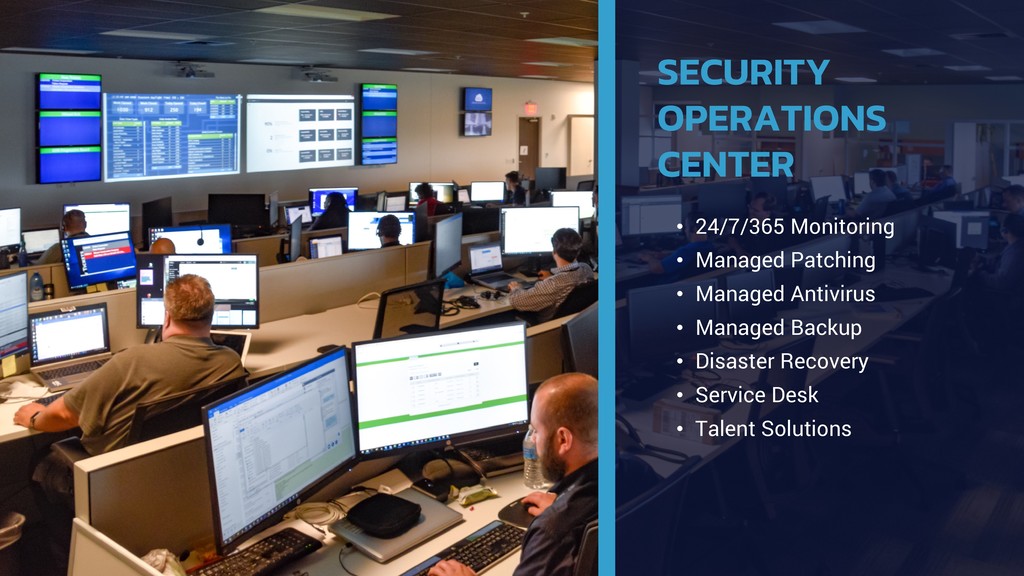
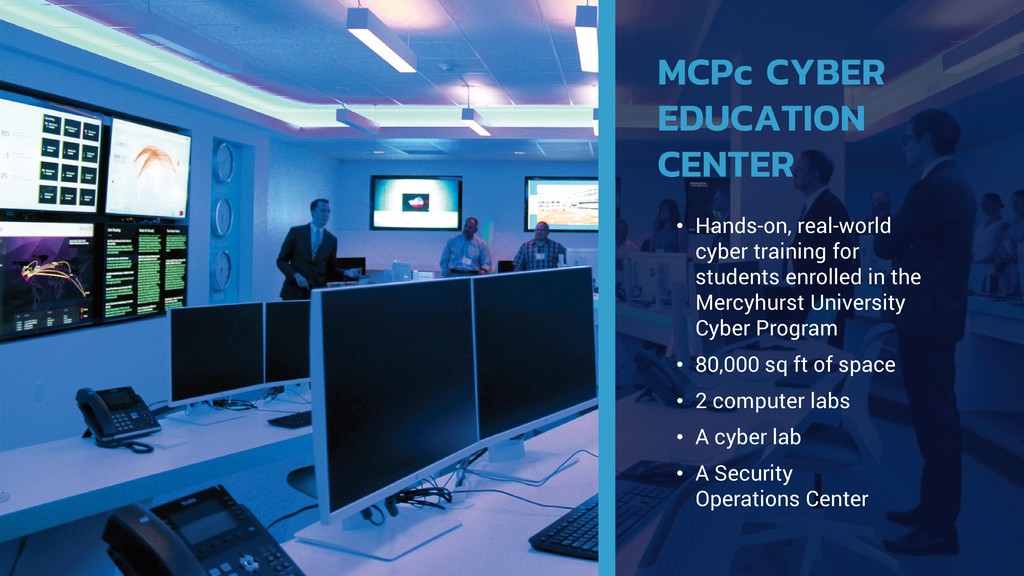
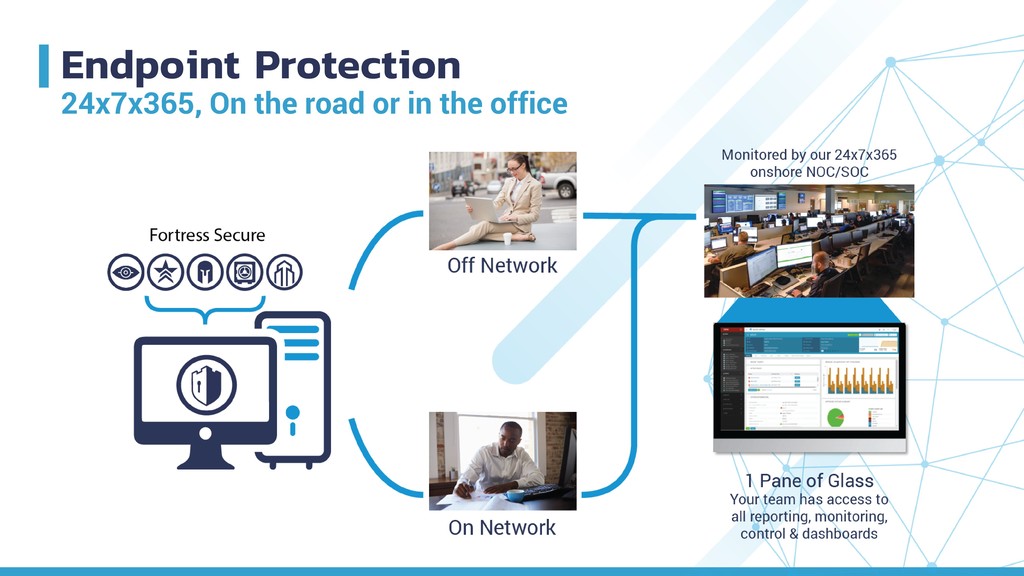
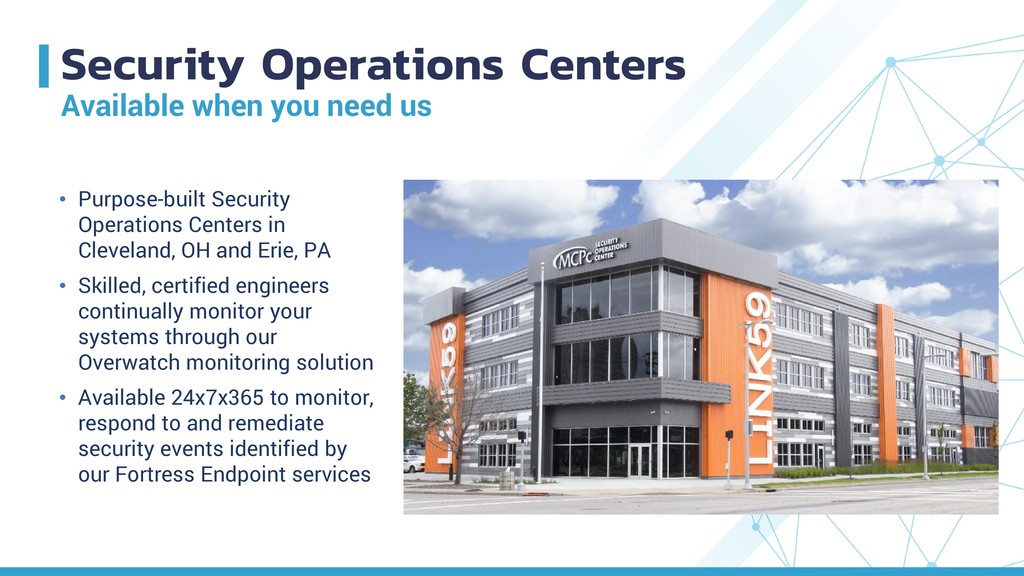
Security Operations Centers in Cleveland, OH and Erie, PA • Skilled, certified engineers continually monitor your systems through our Overwatch monitoring solution • Available 24x7x365 to monitor, respond to and remediate security events identified by our Fortress Endpoint services


 iktakahiro
 teamlab
 makocchi
 camiha
 gionn
gionn
 jyouryuusui
 jozono
 yazm
yazm
 4o1sobblue
 codmoninc
 kzkhykw1991
 odashi
 katarinadahlin
 speakerdeck
 mfonobong
 tmiket
 inesmontani
 lara
lara
 eitanlees
 bethany
 orderedlist
 katiecoart
 uxyall