Upgrade to Pro — share decks privately, control downloads, hide ads and more …

Base64 Encoding & JWT Tokens

Sponsored · SiteGround - Reliable hosting with speed, security, and support you can count on.
Avatar for Gurzu Gurzu
February 04, 2026

Base64 Encoding & JWT Tokens

Secure authentication is the backbone of modern applications. In this session, Diken explained how JWTs and Base64 enable stateless authentication and secure data transmission. The talk highlighted real-world use cases and key security practices every developer should know.

Avatar for Gurzu

Gurzu

February 04, 2026
Tweet

More Decks by Gurzu

Other Decks in Programming

Transcript

  1. A u t h e n t i c a

    t i o n D e e p D i v e Base64 Encoding & JWT Tokens Understanding Modern Authentication Technologies Secure Stateless authentication Compact URL-safe format Scalable No server storage
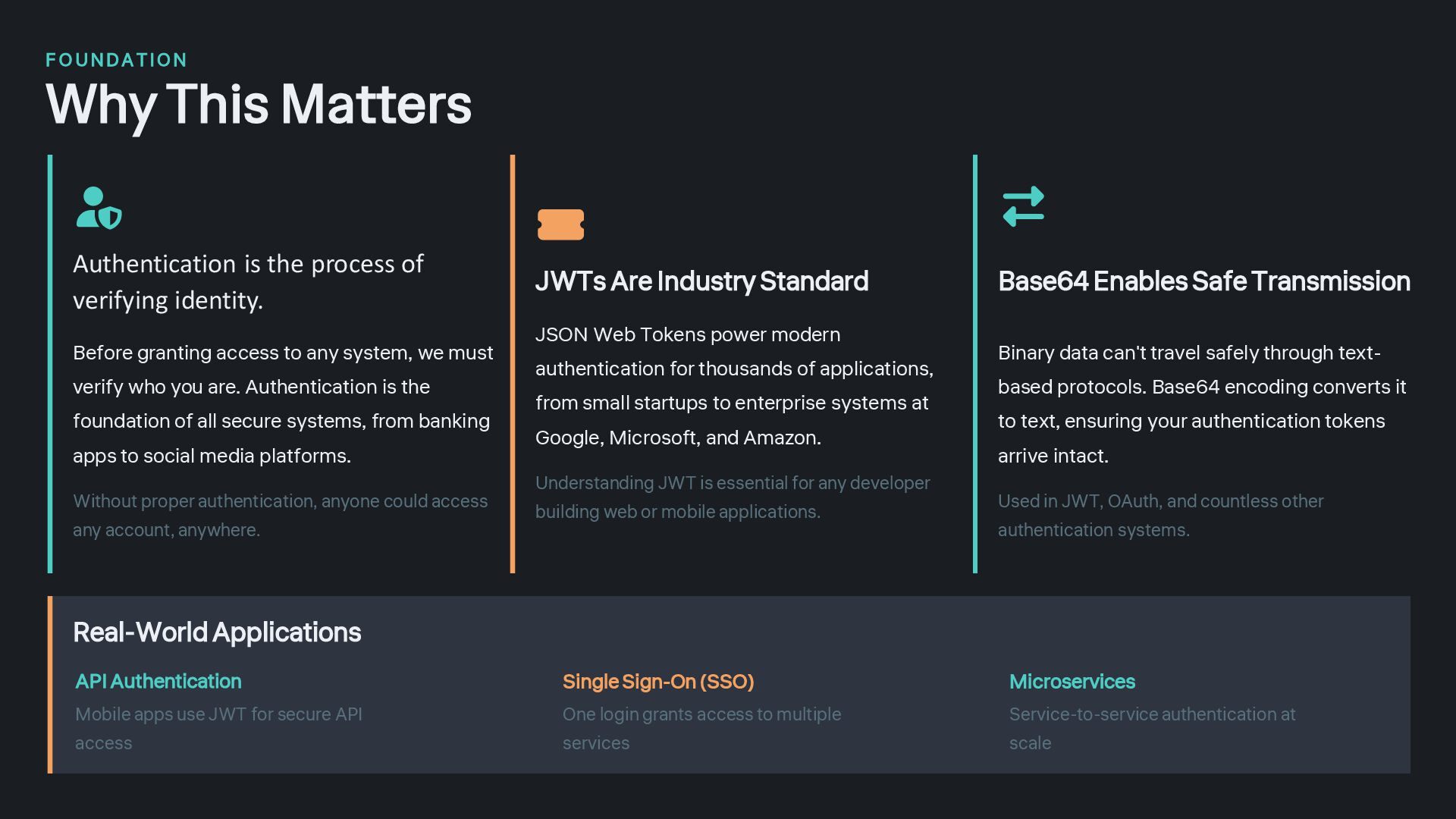
  2. F O UNDA TION Why This Matters Authentication is the

    process of verifying identity. Before granting access to any system, we must verify who you are. Authentication is the foundation of all secure systems, from banking apps to social media platforms. Without proper authentication, anyone could access any account, anywhere. JWTs Are Industry Standard JSON Web Tokens power modern authentication for thousands of applications, from small startups to enterprise systems at Google, Microsoft, and Amazon. Understanding JWT is essential for any developer building web or mobile applications. Base64 Enables Safe Transmission Binary data can't travel safely through text- based protocols. Base64 encoding converts it to text, ensuring your authentication tokens arrive intact. Used in JWT, OAuth, and countless other authentication systems. Real-World Applications API Authentication Mobile apps use JWT for secure API access Single Sign-On (SSO) One login grants access to multiple services Microservices Service-to-service authentication at scale
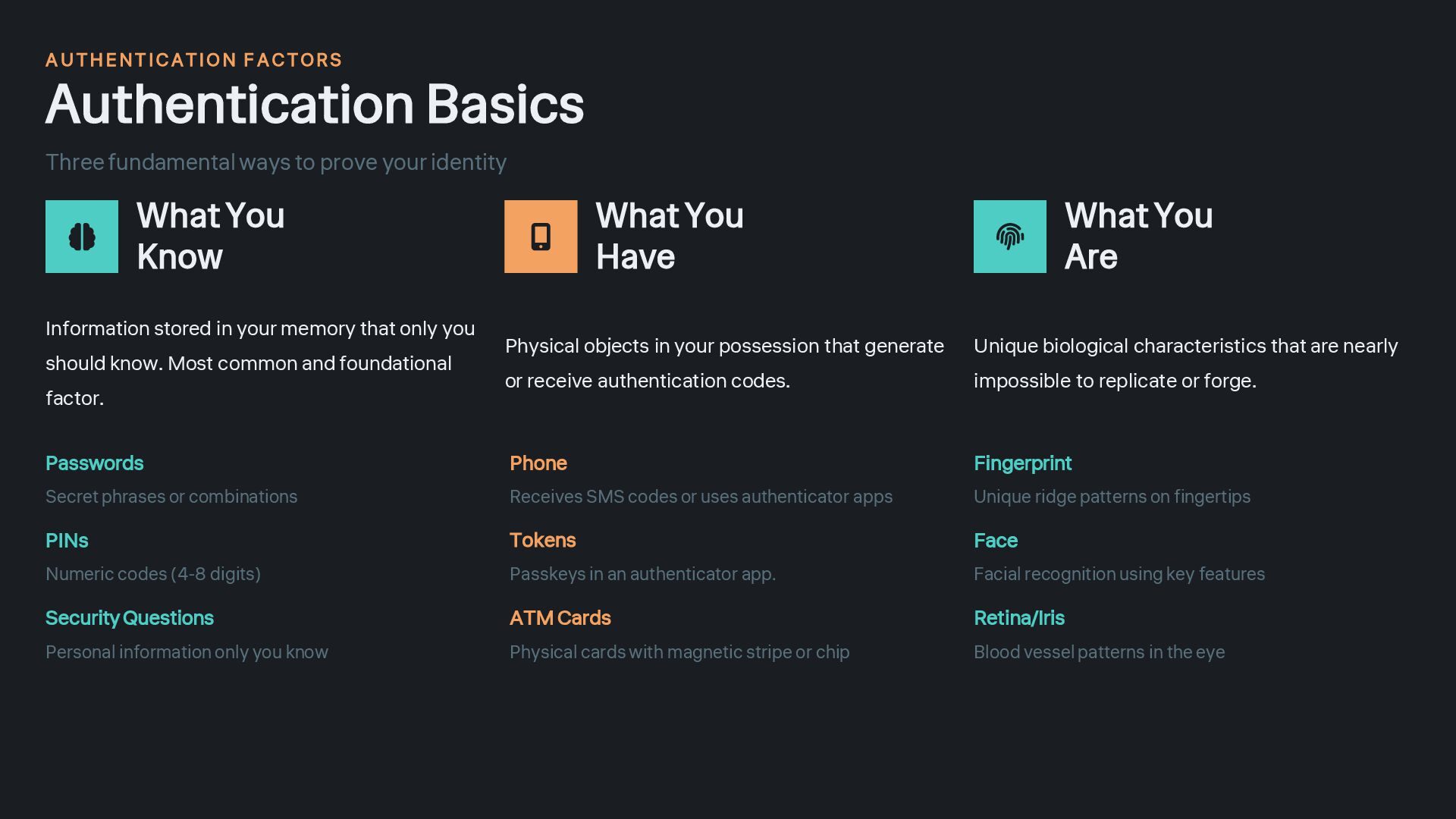
  3. A U THENT ICATION F A CTORS Authentication Basics Three

    fundamental ways to prove your identity What You Know Information stored in your memory that only you should know. Most common and foundational factor. Passwords Secret phrases or combinations PINs Numeric codes (4-8 digits) Security Questions Personal information only you know What You Have Physical objects in your possession that generate or receive authentication codes. Phone Receives SMS codes or uses authenticator apps Tokens Passkeys in an authenticator app. ATM Cards Physical cards with magnetic stripe or chip What You Are Unique biological characteristics that are nearly impossible to replicate or forge. Fingerprint Unique ridge patterns on fingertips Face Facial recognition using key features Retina/Iris Blood vessel patterns in the eye
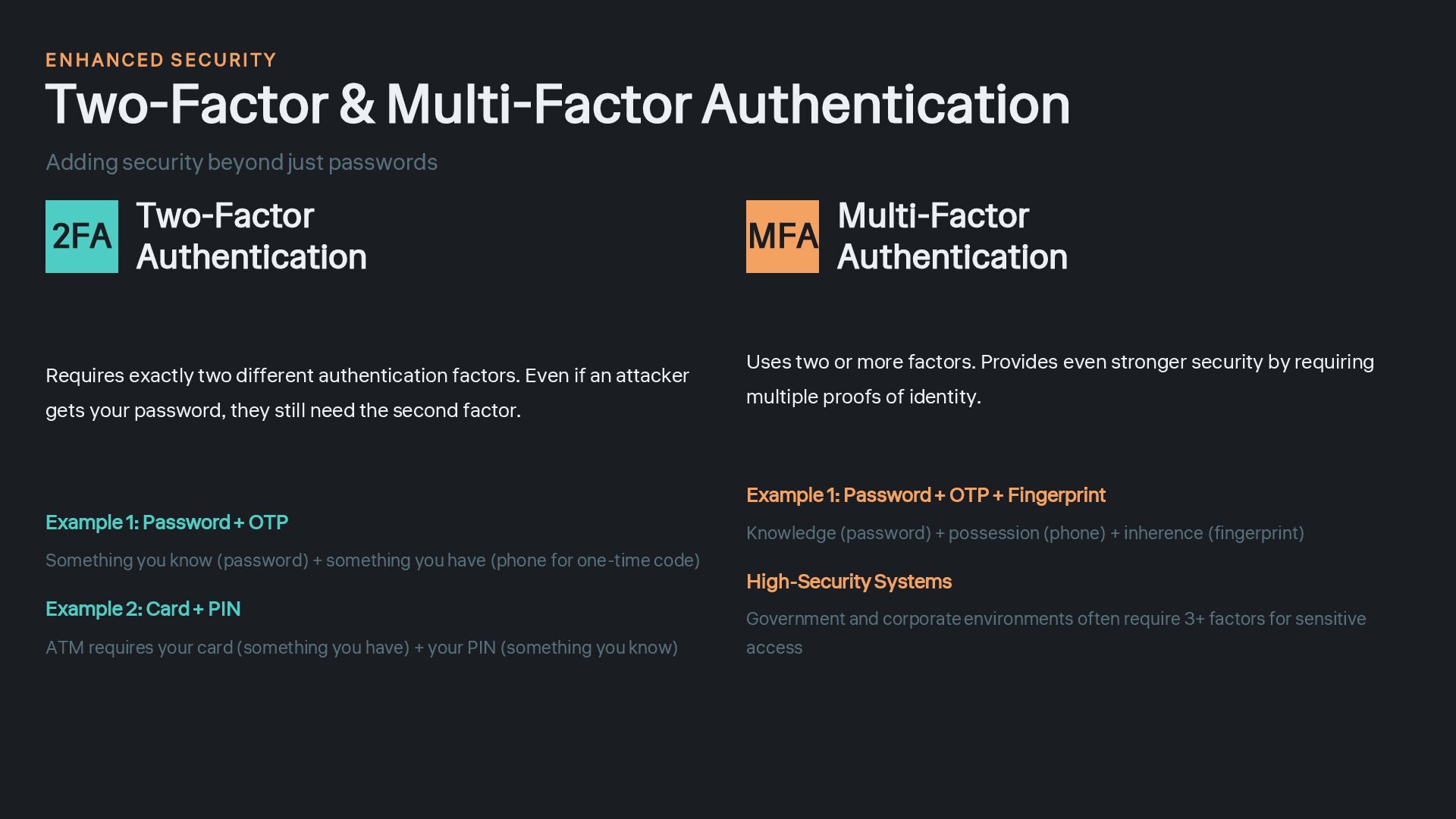
  4. E N HANCED S ECURI TY Two-Factor & Multi-Factor Authentication

    Adding security beyond just passwords 2FA Two-Factor Authentication Requires exactly two different authentication factors. Even if an attacker gets your password, they still need the second factor. Example 1: Password + OTP Something you know (password) + something you have (phone for one-time code) Example 2: Card + PIN ATM requires your card (something you have) + your PIN (something you know) MFA Multi-Factor Authentication Uses two or more factors. Provides even stronger security by requiring multiple proofs of identity. Example 1: Password + OTP + Fingerprint Knowledge (password) + possession (phone) + inherence (fingerprint) High-Security Systems Government and corporate environments often require 3+ factors for sensitive access
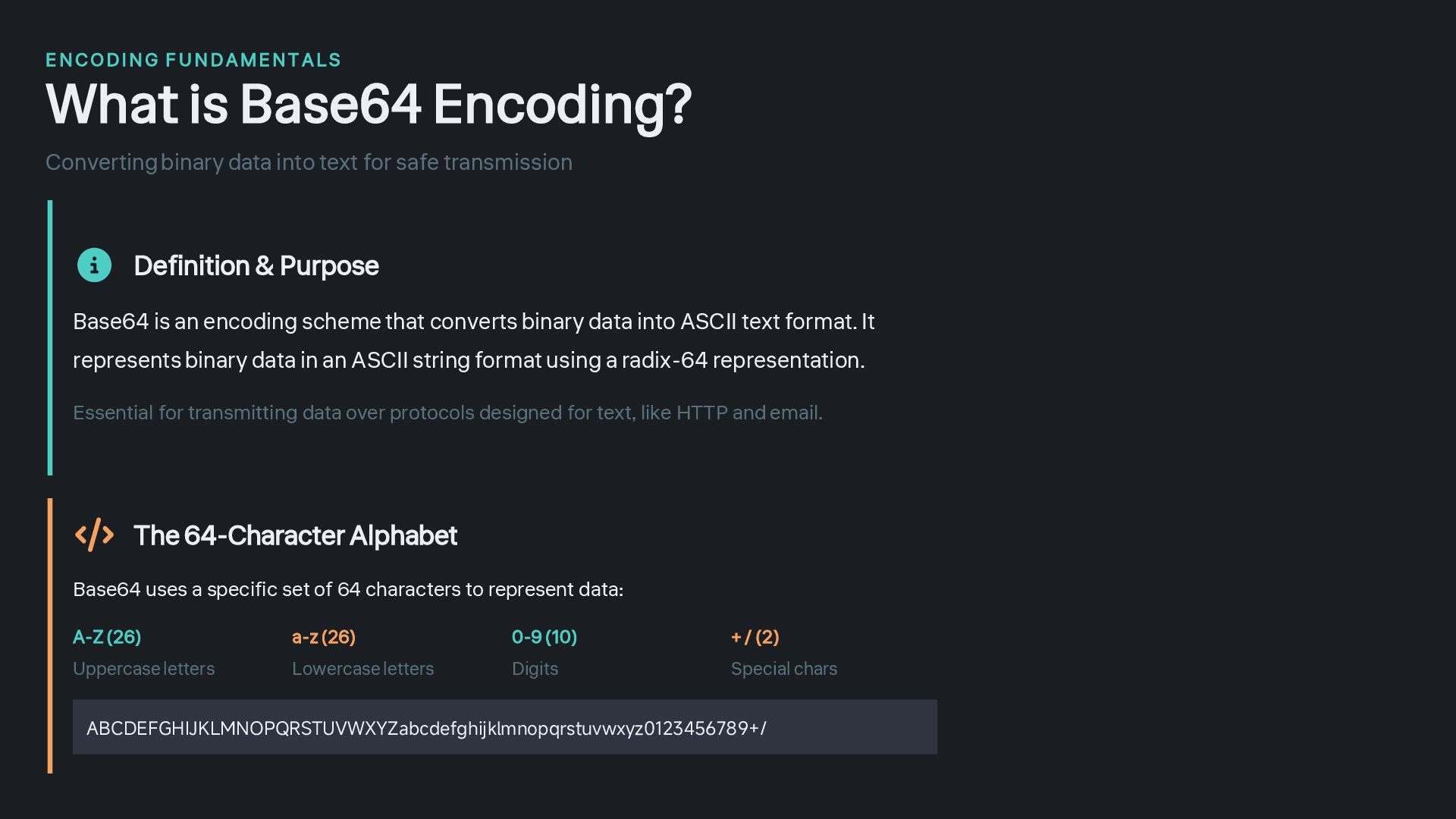
  5. E NCODING F U NDAMENT ALS What is Base64 Encoding?

    Converting binary data into text for safe transmission Definition & Purpose Base64 is an encoding scheme that converts binary data into ASCII text format. It represents binary data in an ASCII string format using a radix-64 representation. Essential for transmitting data over protocols designed for text, like HTTP and email. 0-9 (10) Digits + / (2) Special chars The 64-Character Alphabet Base64 uses a specific set of 64 characters to represent data: A-Z (26) Uppercase letters a-z (26) Lowercase letters ABCDEFGHIJKLMNOPQRSTUVWXYZabcdefghijklmnopqrstuvwxyz0123456789+/
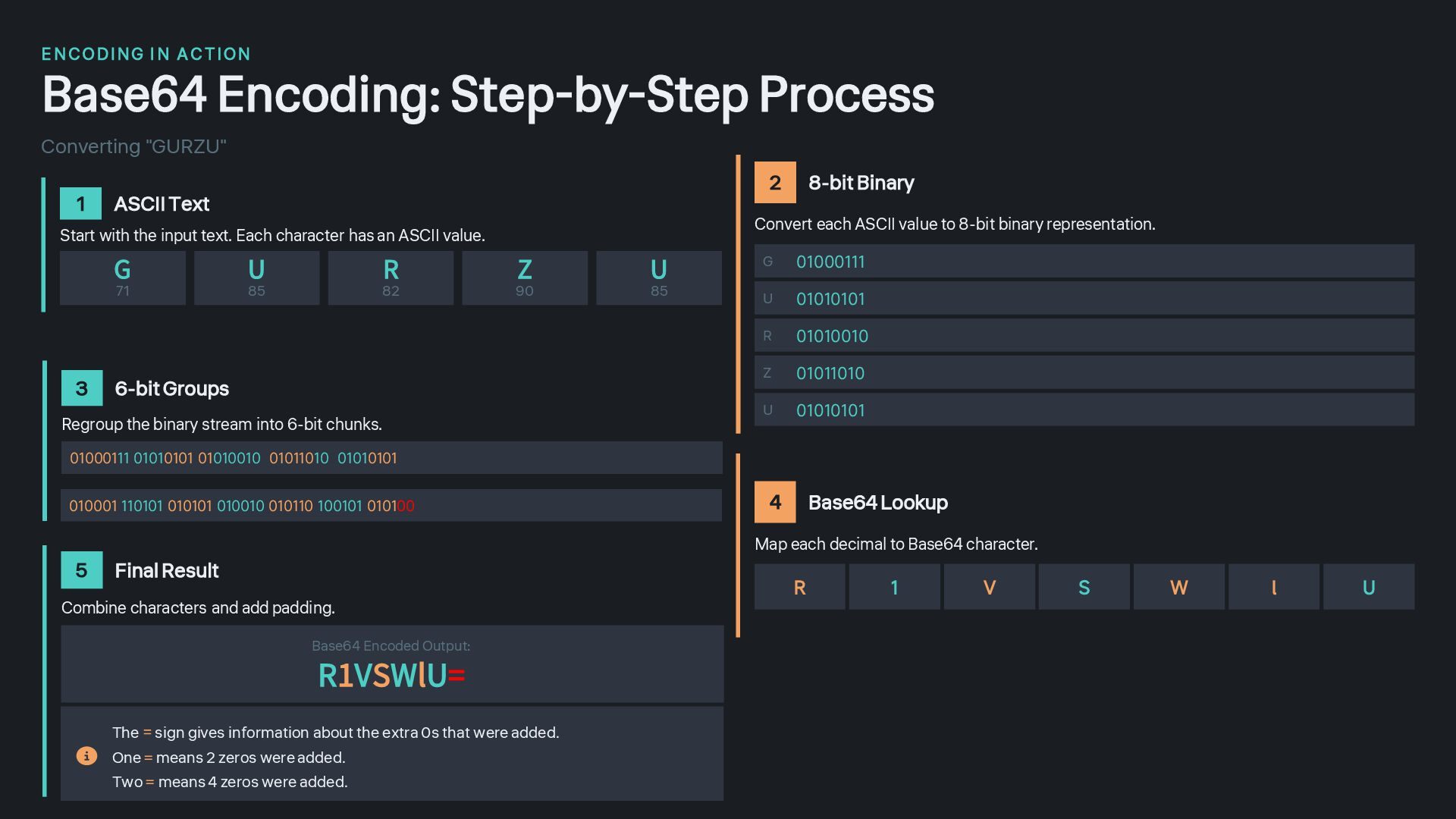
  6. E N CO DING I N A C T ION

    Base64 Encoding: Step-by-Step Process Converting "GURZU" 1 ASCII Text Start with the input text. Each character has an ASCII value. G 71 U 85 R 82 Z 90 U 85 2 8-bit Binary Convert each ASCII value to 8-bit binary representation. G 01000111 U 01010101 R 01010010 Z 01011010 U 01010101 4 Base64 Lookup Map each decimal to Base64 character. R 1 V S W l U 5 Final Result Combine characters and add padding. Base64 Encoded Output: R1VSWlU= The = sign gives information about the extra 0s that were added. One = means 2 zeros were added. Two = means 4 zeros were added. 3 6-bit Groups Regroup the binary stream into 6-bit chunks. 01000111 01010101 01010010 01011010 01010101 010001 110101 010101 010010 010110 100101 010100
  7. P R ACTICAL A P PLICATIONS Why Base64 is Used

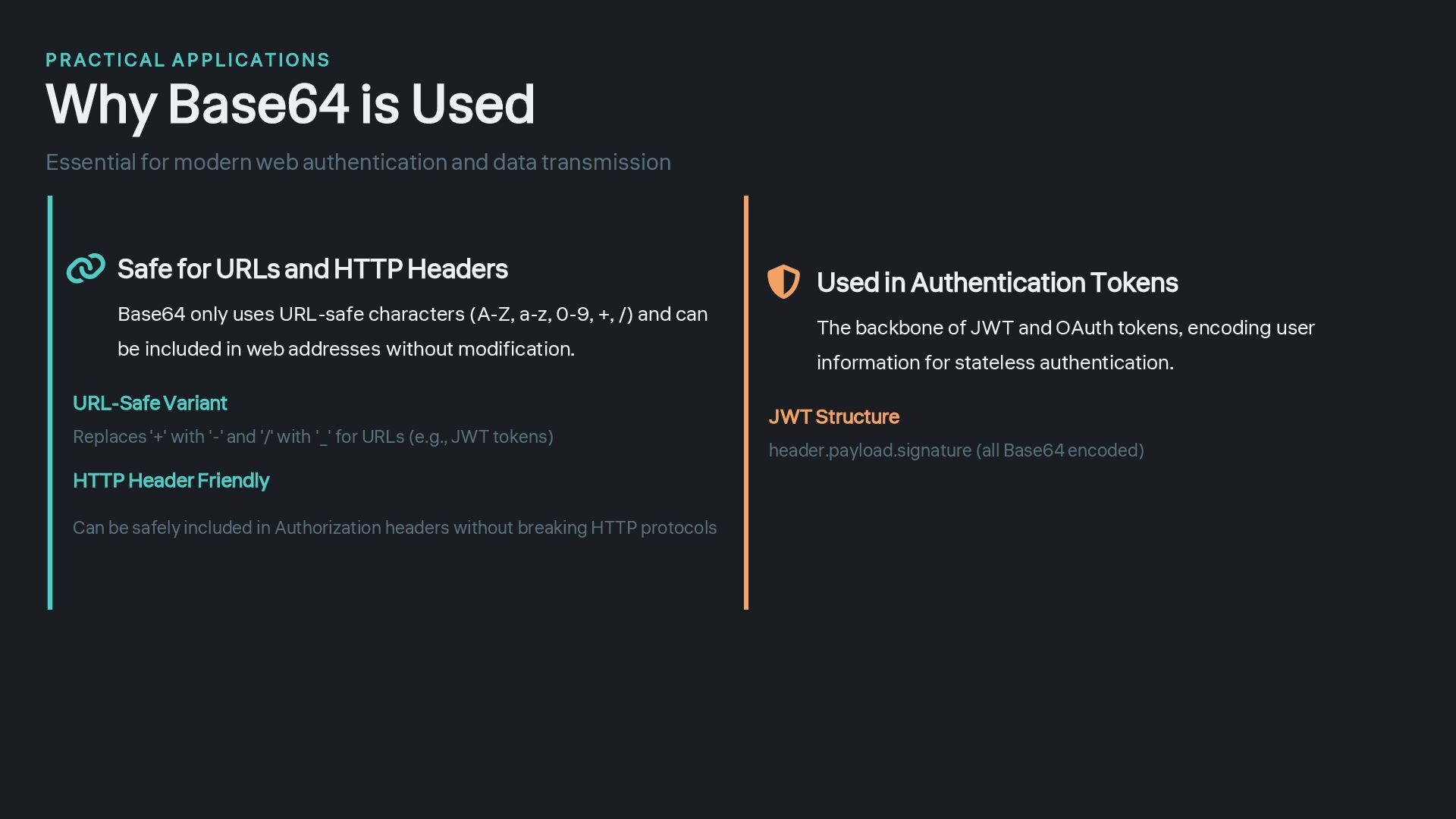
    Essential for modern web authentication and data transmission Safe for URLs and HTTP Headers Base64 only uses URL-safe characters (A-Z, a-z, 0-9, +, /) and can be included in web addresses without modification. URL-Safe Variant Replaces '+' with '-' and '/' with '_' for URLs (e.g., JWT tokens) HTTP Header Friendly Can be safely included in Authorization headers without breaking HTTP protocols The backbone of JWT and OAuth tokens, encoding user information for stateless authentication. JWT Structure header.payload.signature (all Base64 encoded) Used in Authentication Tokens
  8. J SON W E B T O KENS Introduction to

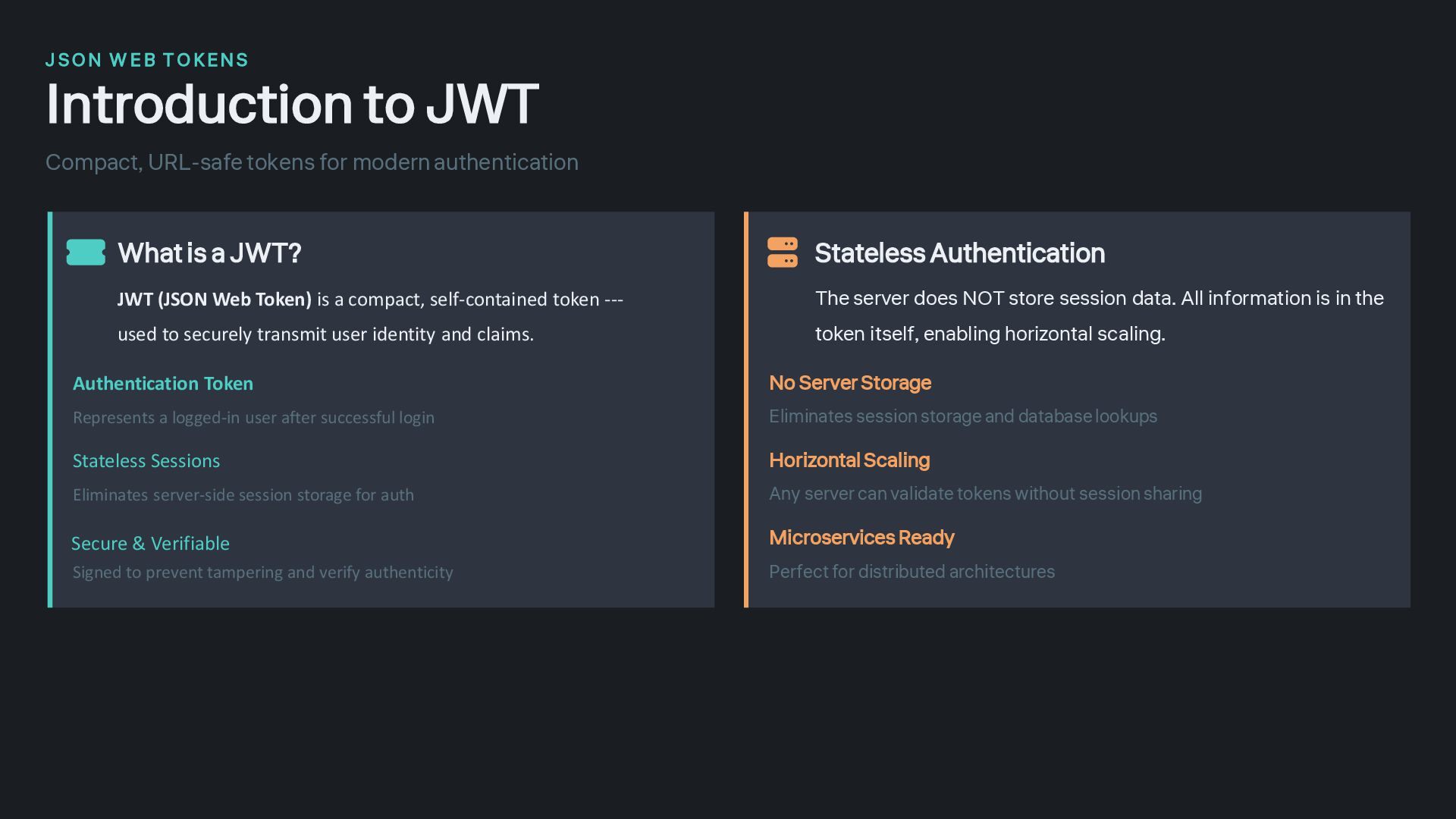
    JWT Compact, URL-safe tokens for modern authentication Stateless Authentication The server does NOT store session data. All information is in the token itself, enabling horizontal scaling. No Server Storage Eliminates session storage and database lookups Horizontal Scaling Any server can validate tokens without session sharing Microservices Ready Perfect for distributed architectures What is a JWT? JWT (JSON Web Token) is a compact, self-contained token --- used to securely transmit user identity and claims. Authentication Token Represents a logged-in user after successful login Stateless Sessions Eliminates server-side session storage for auth Signed to prevent tampering and verify authenticity Secure & Verifiable
  9. T OKEN A N ATOMY JWT Structure Three parts separated

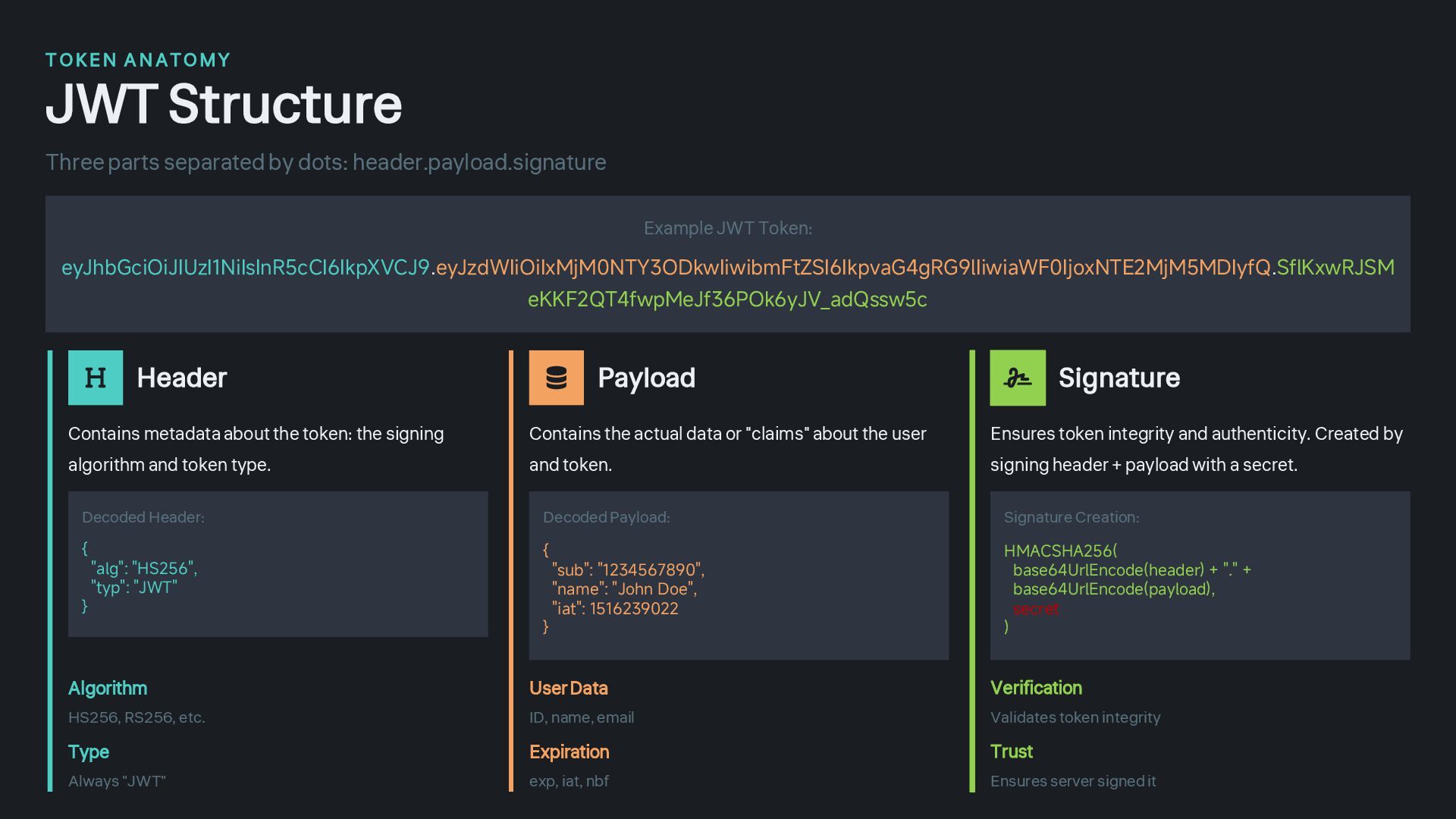
    by dots: header.payload.signature Example JWT Token: eyJhbGciOiJIUzI1NiIsInR5cCI6IkpXVCJ9.eyJzdWIiOiIxMjM0NTY3ODkwIiwibmFtZSI6IkpvaG4gRG9lIiwiaWF0IjoxNTE2MjM5MDIyfQ.SflKxwRJSM eKKF2QT4fwpMeJf36POk6yJV_adQssw5c Header Contains metadata about the token: the signing algorithm and token type. Decoded Header: { "alg": "HS256", "typ": "JWT" } Algorithm HS256, RS256, etc. Type Always "JWT" Payload Contains the actual data or "claims" about the user and token. Decoded Payload: { "sub": "1234567890", "name": "John Doe", "iat": 1516239022 } User Data ID, name, email Expiration exp, iat, nbf Signature Ensures token integrity and authenticity. Created by signing header + payload with a secret. Signature Creation: HMACSHA256( base64UrlEncode(header) + "." + base64UrlEncode(payload), secret ) Verification Validates token integrity Trust Ensures server signed it
  10. T OKEN A N ATOMY JWT Structure Real World Example

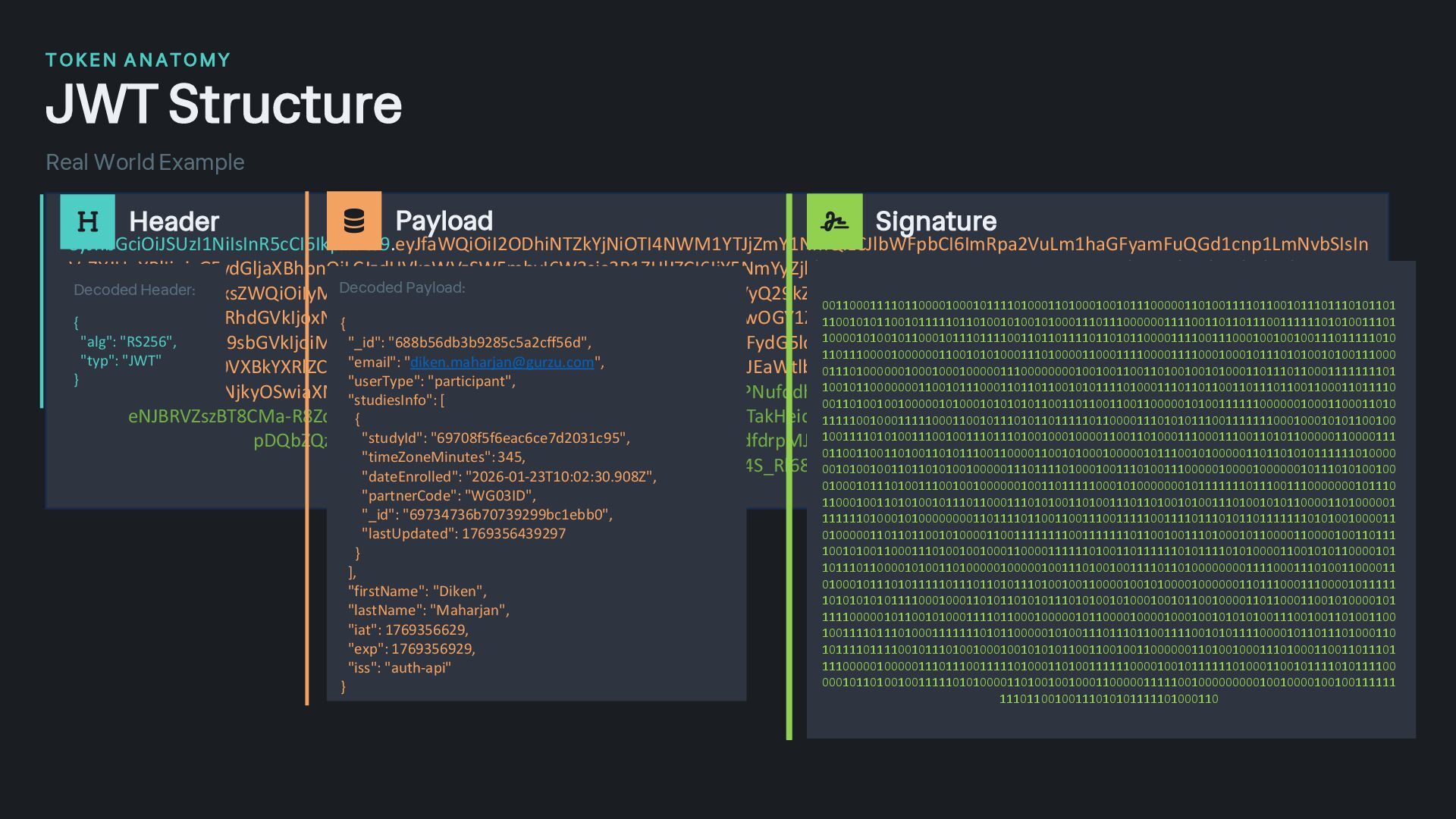
    eyJhbGciOiJSUzI1NiIsInR5cCI6IkpXVCJ9.eyJfaWQiOiI2ODhiNTZkYjNiOTI4NWM1YTJjZmY1NmQiLCJlbWFpbCI6ImRpa2VuLm1haGFyamFuQGd1cnp1LmNvbSIsIn VzZXJUeXBlIjoicGFydGljaXBhbnQiLCJzdHVkaWVzSW5mbyI6W3sic3R1ZHlJZCI6IjY5NmYyZjhkNjU4MmQ1ODgwNzEyYmFiOSIsInRpbWVab25lTWludXRlcyI6MzQ 1LCJkYXRlRW5yb2xsZWQiOiIyMDI2LTAxLTIwVDA3OjMzOjE0LjczMloiLCJwYXJ0bmVyQ29kZSI6IlNDOTJLUyIsIl9pZCI6IjY5NmYyZmJhNjU4MmQ1ODgwNzEyYmM 0MSIsImxhc3RVcGRhdGVkIjoxNzY5MzU2NDM5Mjk2fSx7InN0dWR5SWQiOiI2OTcwOGY1ZjZlYWM2Y2U3ZDIwMzFjOTUiLCJ0aW1lWm9uZU1pbnV0ZXMiOjM0 NSwiZGF0ZUVucm9sbGVkIjoiMjAyNi0wMS0yM1QxMDowMjozMC45MDhaIiwicGFydG5lckNvZGUiOiJXRzAzSUQiLCJfaWQiOiI2OTczNDczNmI3MDczOTI5OWJj MWViYjAiLCJsYXN0VXBkYXRlZCI6MTc2OTM1NjQzOTI5N31dLCJmaXJzdE5hbWUiOiJEaWtlbiIsImxhc3ROYW1lIjoiTWFoYXJqYW4iLCJpYXQiOjE3NjkzNTY2MjksIm V4cCI6MTc2OTM1NjkyOSwiaXNzIjoiYXV0aC1hcGkifQ.Mewi9GiXBp7LutysvtKUdwPNufqdhSxd5t7WHnEk763CBlR0MeHiLqU4dAiIOASZpKN2P9lgMuNsr0ds3Zj eNJBRVZszBT8CMa-R8Zdb7Dq5_EVknqcndIhmjjmsGHZmmuYZRBcoNq_QKTakHeidOCEC6kRdOSBN8UBf3OAuxNS7HU07SnSsNB_RQDezOfPdb- pDQbZQz_P7J0WGE3lMdJGH6b9eoZWFuwpoIJ0ntAPHTDRdfdrpMJQgbjhfqrxGtXUolkNjKF8FlHsQWEIlU5NMnuj- sFO7PK8LdGveXSJVmTA0jozd4IO59Gn4S_Rl68FpPqGkjB8gCQk_7J1fRg Header Decoded Header: { "alg": "RS256", "typ": "JWT" } Payload Decoded Payload: { "_id": "688b56db3b9285c5a2cff56d", "email": "[email protected]", "userType": "participant", "studiesInfo": [ { "studyId": "69708f5f6eac6ce7d2031c95", "timeZoneMinutes": 345, "dateEnrolled": "2026-01-23T10:02:30.908Z", "partnerCode": "WG03ID", "_id": "69734736b70739299bc1ebb0", "lastUpdated": 1769356439297 } ], "firstName": "Diken", "lastName": "Maharjan", "iat": 1769356629, "exp": 1769356929, "iss": "auth-api" } Signature 001100011110110000100010111101000110100010010111000001101001111011001011101110101101 110010101100101111101101001010010100011101110000001111001101101110011111101010011101 100001010010110001011101111001101101111011010110000111100111000100100100111011111010 110111000010000001100101010001110100001100011110000111100010001011101010010100111000 011101000000100010001000001110000000010010011001101001001010001101110110001111111101 100101100000001100101110001101101100101011110100011101101100110111011001100011011110 001101001001000001010001010101011001101100110011000001010011111100000010001100011010 111110010001111100011001011101011011111011000011101010111001111111000100010101100100 100111101010011100100111011101001000100001100110100011100011100110101100000110000111 011001100110100110101110011000011001010001000001011100101000001101101010111111010000 001010010011011010100100000111011110100010011101001110000010000100000010111010100100 010001011101001110010010000001001101111100010100000001011111110111001110000000101110 110001001101010010111011000111010100110100111011010010100111010010101100001101000001 111111010001010000000011011110110011001110011111001111011101011011111110101001000011 010000011011011001010000110011111111001111111011001001110100010110000110000100110111 100101001100011101001001000110000111111010011011111101011110101000011001010110000101 101110110000101001101000001000001001110100100111101101000000001111000111010011000011 010001011101011111011101101011101001001100001001010000100000011011100011100001011111 101010101011110001000110101101010111010100101000100101100100001101100011001010000101 111100000101100101000111101100010000010110000100001000100101010100111001001101001100 100111101110100011111110101100000101001110111011001111001010111100001011011101000110 101111011110010111010010001001010101100110010011000000110100100011101000110011011101 111000001000001110111001111101000110100111111000010010111111010001100101111010111100 000101101001001111101010000110100100100011000001111100100000000010010000100100111111 11101100100111010101111101000110
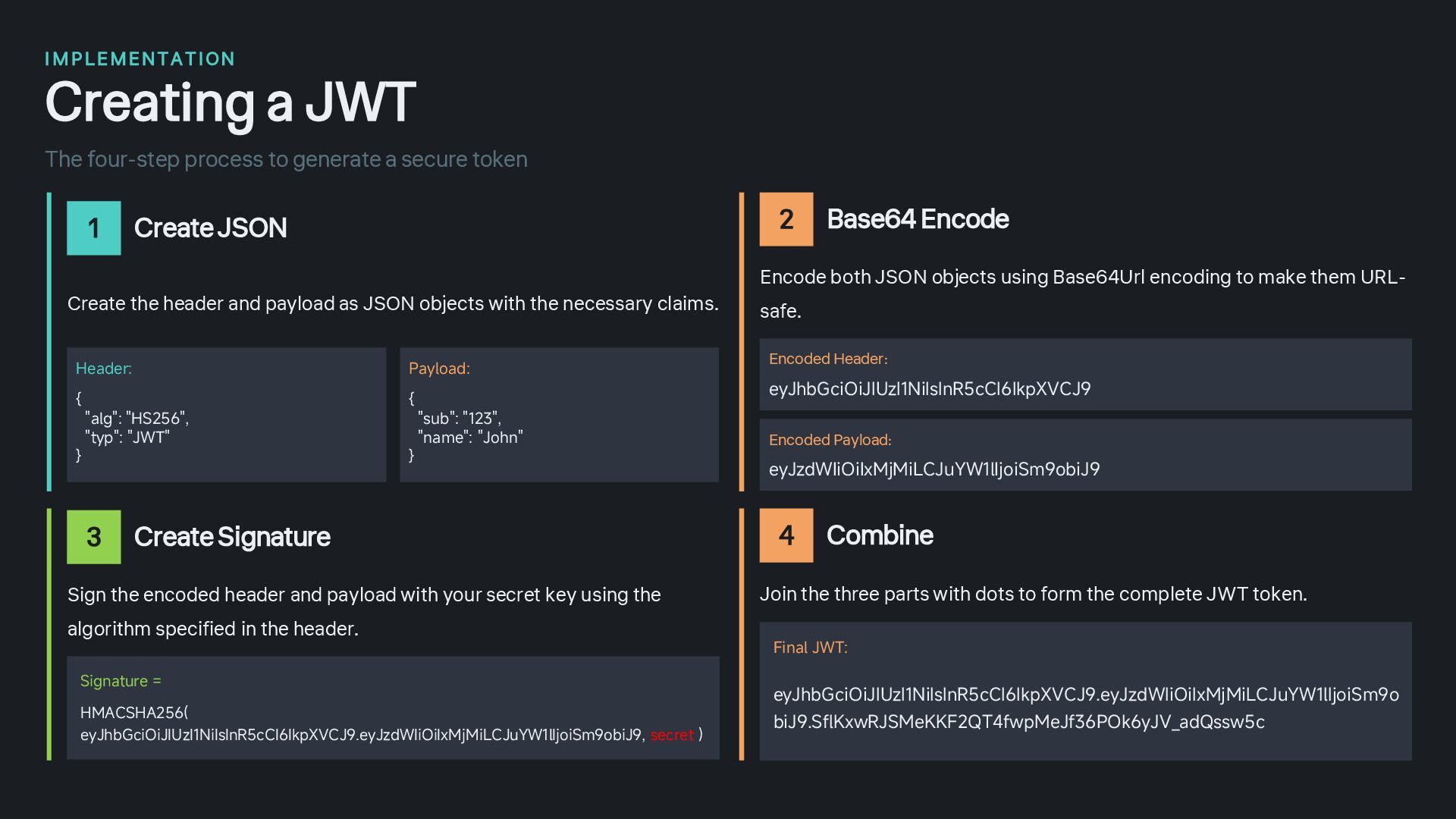
  11. I M PLEMENTAT ION Creating a JWT The four-step process

    to generate a secure token 1 Create JSON Create the header and payload as JSON objects with the necessary claims. Header: { "alg": "HS256", "typ": "JWT" } Payload: { "sub": "123", "name": "John" } 2 Base64 Encode Encode both JSON objects using Base64Url encoding to make them URL- safe. Encoded Header: eyJhbGciOiJIUzI1NiIsInR5cCI6IkpXVCJ9 Encoded Payload: eyJzdWIiOiIxMjMiLCJuYW1lIjoiSm9obiJ9 3 Create Signature Sign the encoded header and payload with your secret key using the algorithm specified in the header. Signature = HMACSHA256( eyJhbGciOiJIUzI1NiIsInR5cCI6IkpXVCJ9.eyJzdWIiOiIxMjMiLCJuYW1lIjoiSm9obiJ9, secret ) 4 Combine Join the three parts with dots to form the complete JWT token. Final JWT: eyJhbGciOiJIUzI1NiIsInR5cCI6IkpXVCJ9.eyJzdWIiOiIxMjMiLCJuYW1lIjoiSm9o biJ9.SflKxwRJSMeKKF2QT4fwpMeJf36POk6yJV_adQssw5c
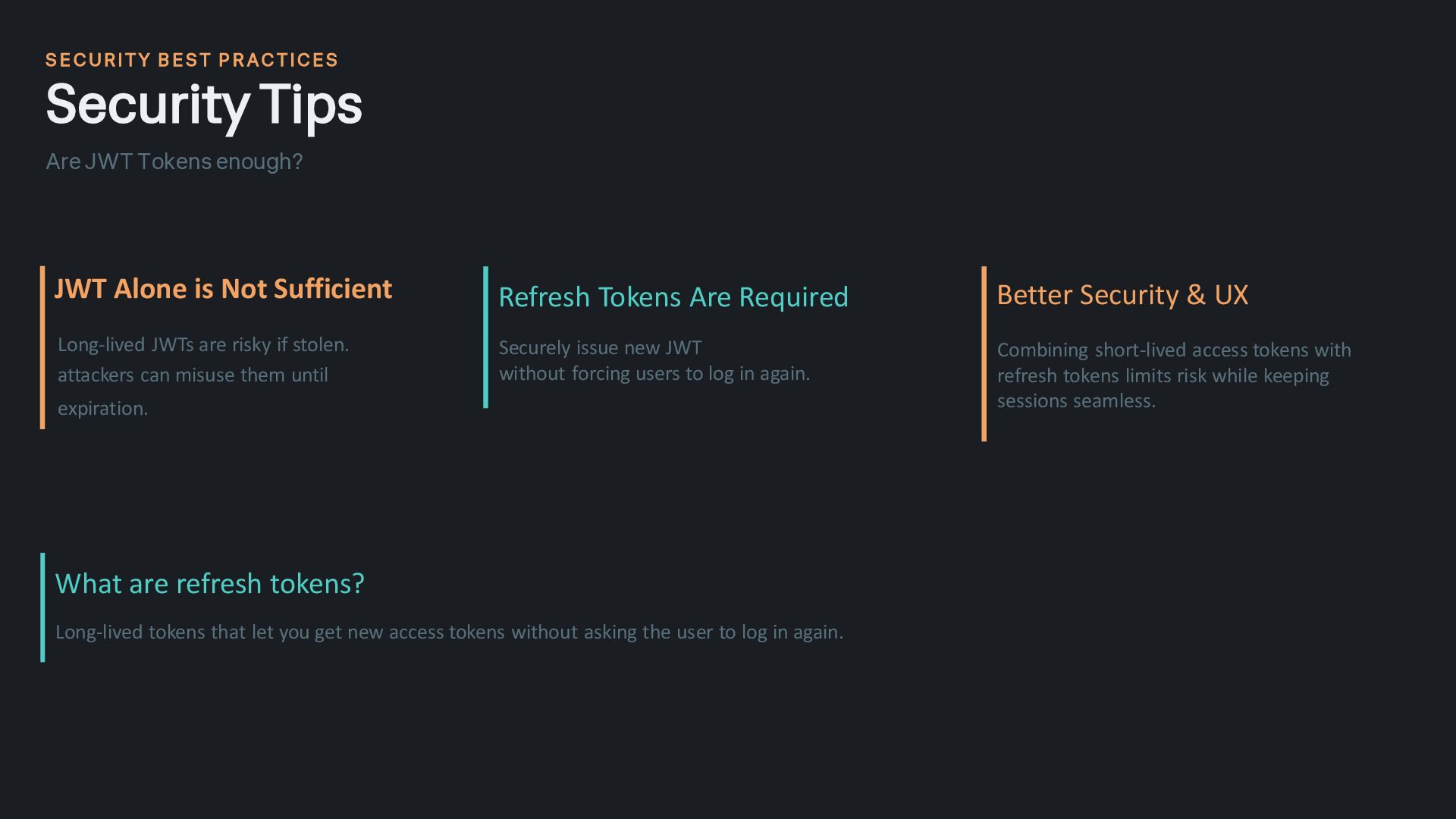
  12. S E CURITY B EST P R ACTICES Security Tips

    Are JWT Tokens enough? JWT Alone is Not Sufficient Long-lived JWTs are risky if stolen. attackers can misuse them until expiration. Refresh Tokens Are Required Securely issue new JWT without forcing users to log in again. Better Security & UX Combining short-lived access tokens with refresh tokens limits risk while keeping sessions seamless. What are refresh tokens? Long-lived tokens that let you get new access tokens without asking the user to log in again.
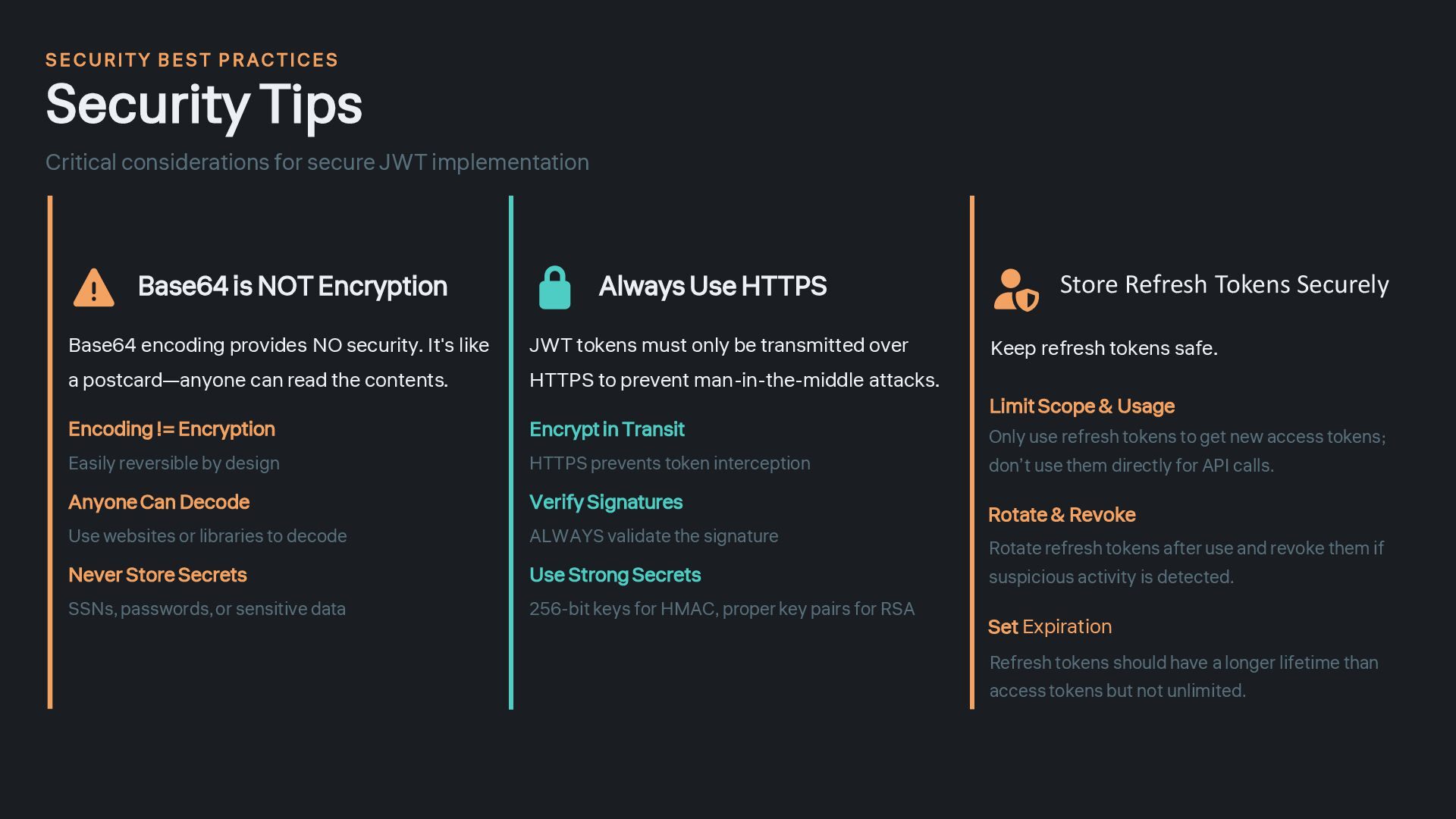
  13. S E CURITY B EST P R ACTICES Security Tips

    Critical considerations for secure JWT implementation Base64 is NOT Encryption Base64 encoding provides NO security. It's like a postcard—anyone can read the contents. Encoding != Encryption Easily reversible by design Anyone Can Decode Use websites or libraries to decode Never Store Secrets SSNs, passwords, or sensitive data Always Use HTTPS JWT tokens must only be transmitted over HTTPS to prevent man-in-the-middle attacks. Encrypt in Transit HTTPS prevents token interception Verify Signatures ALWAYS validate the signature Use Strong Secrets 256-bit keys for HMAC, proper key pairs for RSA Store Refresh Tokens Securely Keep refresh tokens safe. Limit Scope & Usage Only use refresh tokens to get new access tokens; don’t use them directly for API calls. Rotate & Revoke Set Expiration Refresh tokens should have a longer lifetime than access tokens but not unlimited. Rotate refresh tokens after use and revoke them if suspicious activity is detected.
  14. Thanks Any Questions?! You now understand the fundamentals of Base64

    encoding and JWT authentication— the building blocks of modern secure applications. Implement Use JWT in your next project Secure Apply security best practices Scale Build stateless, scalable apps Building the future of secure authentication