Upgrade to Pro
— share decks privately, control downloads, hide ads and more …
Speaker Deck
Sign up for free
Menu
Search
Features
All features
Private URLs
Password Protection
Custom URLS
Scheduled publishing
Remove Branding
Restrict embedding
Deck Collections
Notes
Features
All features
Private URLs
Password Protection
Custom URLS
Scheduled publishing
Remove Branding
Restrict embedding
Deck Collections
Notes
Explore
Featured decks
Featured speakers
Programming
Technology
Storyboards
Explore
Featured decks
Featured speakers
Programming
Technology
Storyboards
Pricing
Search
Sign in
Sign up for free
荻原花佳 空間情報システム入門Ⅰ 課題2
Search
Hanaka1030
June 13, 2018
160
0
Share
Embed
Copy iframe code
Copy JS code
Copy link
Start on current slide
荻原花佳 空間情報システム入門Ⅰ 課題2
Hanaka1030
June 13, 2018
More Decks by Hanaka1030
See All by Hanaka1030
Tasking Manager(validate)手順
hanaka1030
0
22
Featured
See All Featured
技術選定の審美眼(2025年版) / Understanding the Spiral of Technologies 2025 edition
twada
PRO
120
120k
Rails Girls Zürich Keynote
gr2m
96
14k
AI: The stuff that nobody shows you
jnunemaker
PRO
10
1.2k
<Decoding/> the Language of Devs - We Love SEO 2024
nikkihalliwell
1
360
Between Models and Reality
mayunak
4
500
Beyond borders and beyond the search box: How to win the global "messy middle" with AI-driven SEO
davidcarrasco
3
280
The SEO Collaboration Effect
kristinabergwall1
1
590
Marketing Yourself as an Engineer | Alaka | Gurzu
gurzu
0
330
How Fast Is Fast Enough? [PerfNow 2025]
tammyeverts
3
940
A Guide to Academic Writing Using Generative AI - A Workshop
ks91
PRO
1
520
The untapped power of vector embeddings
frankvandijk
2
1.9k
JAMstack: Web Apps at Ludicrous Speed - All Things Open 2022
reverentgeek
1
640
Transcript
Tasking manager 使い方 1A116056 地球社会共生学部地球社会共生学科3年 荻原花佳
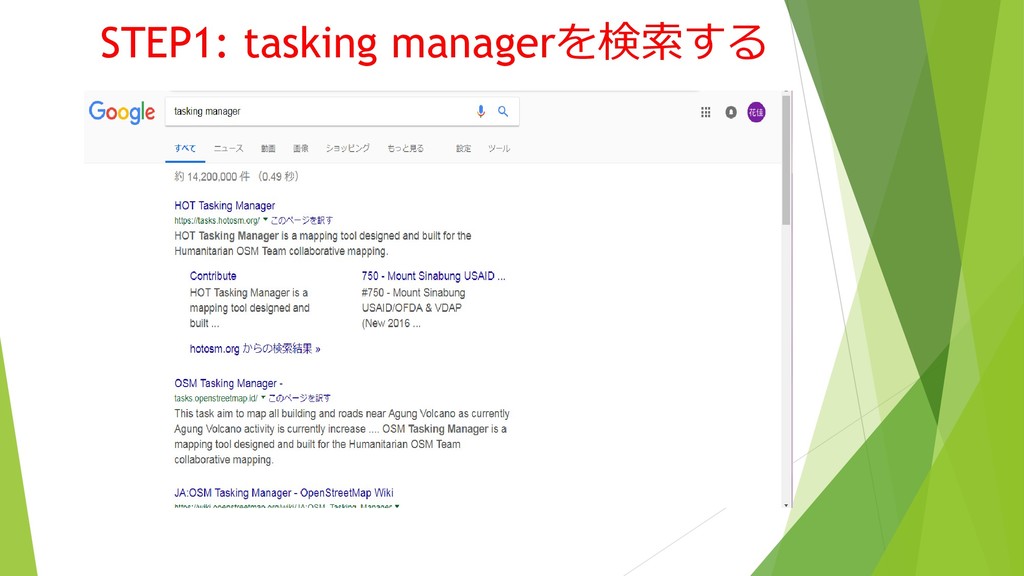
STEP1: tasking managerを検索する
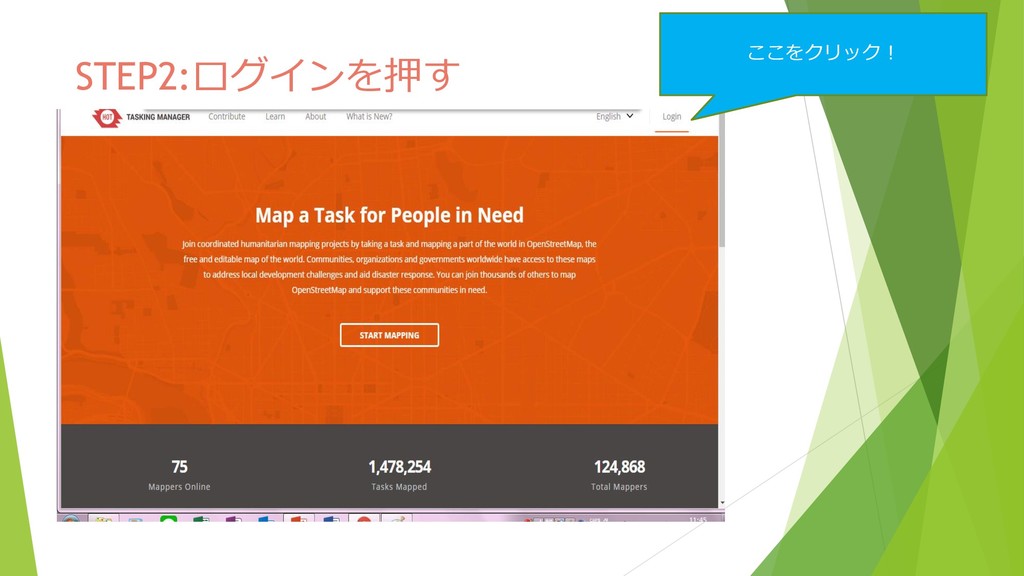
STEP2:ログインを押す ここをクリック!
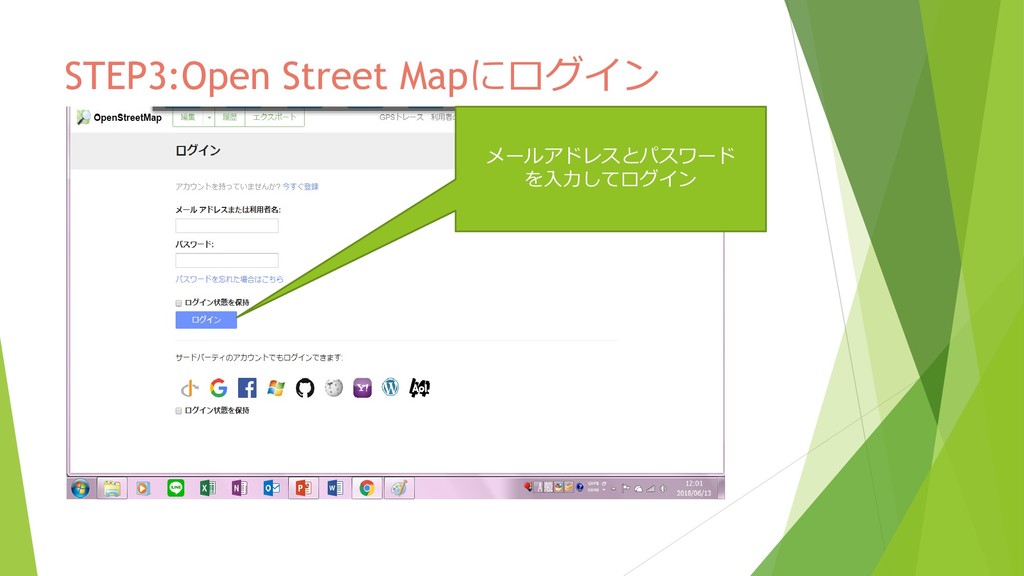
STEP3:Open Street Mapにログイン メールアドレスとパスワード を入力してログイン
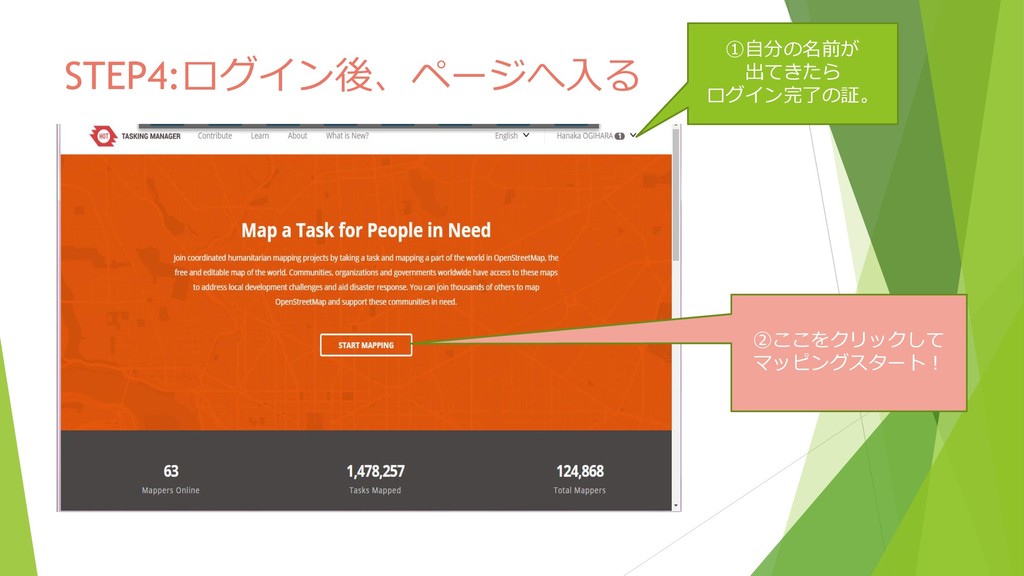
STEP4:ログイン後、ページへ入る ①自分の名前が 出てきたら ログイン完了の証。 ②ここをクリックして マッピングスタート!
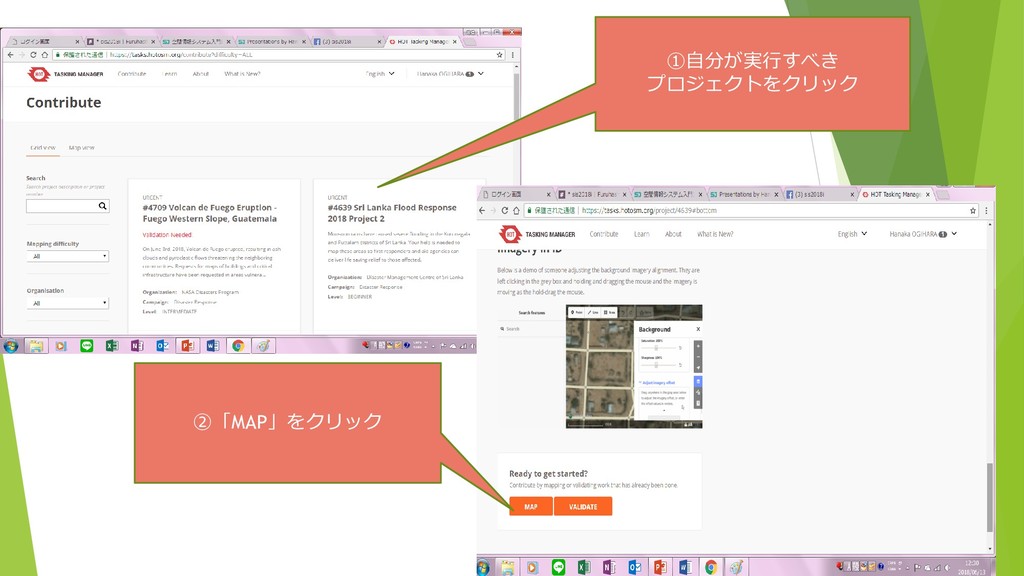
①自分が実行すべき プロジェクトをクリック ②「MAP」をクリック
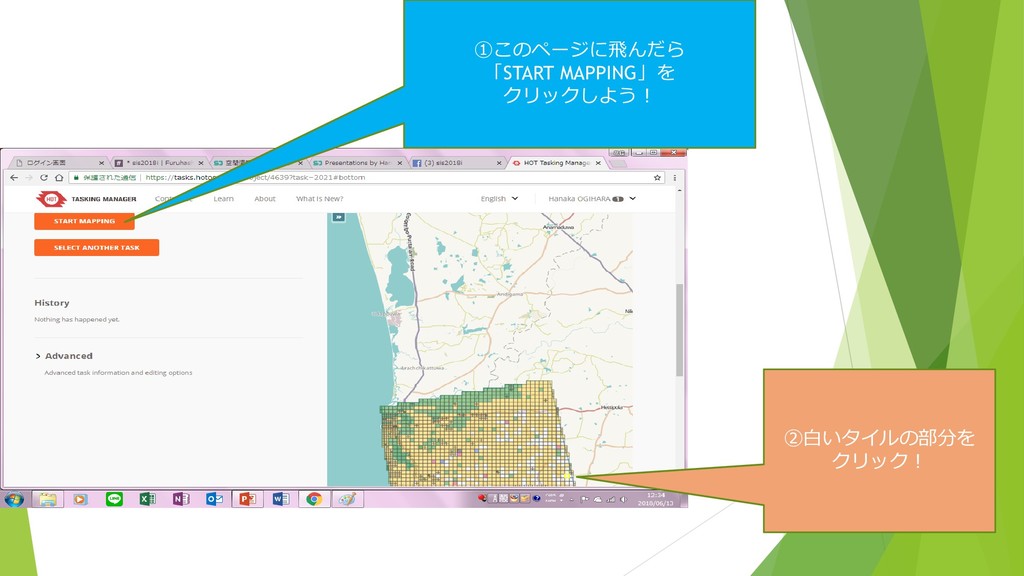
①このページに飛んだら 「START MAPPING」を クリックしよう! ②白いタイルの部分を クリック!
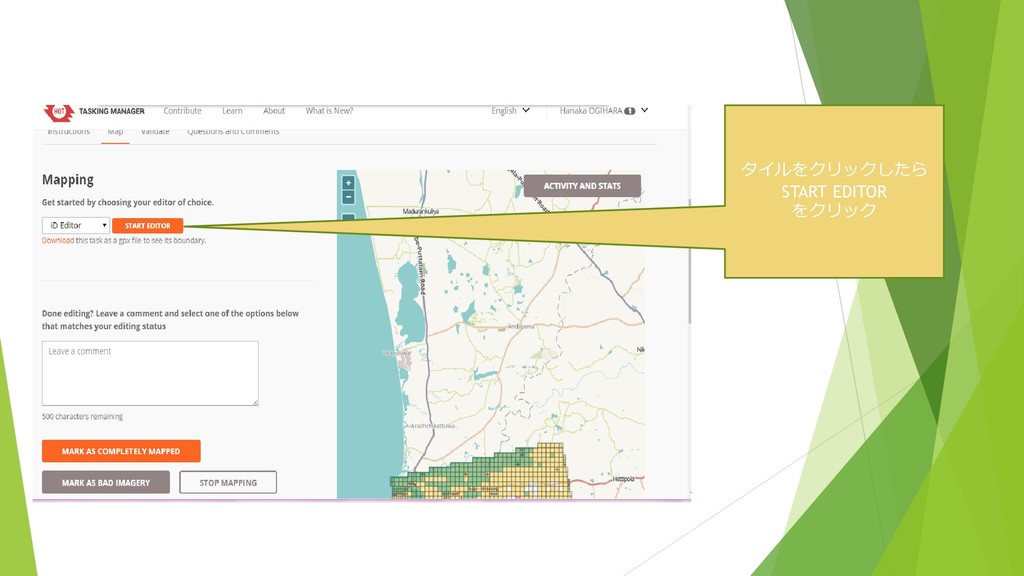
タイルをクリックしたら START EDITOR をクリック
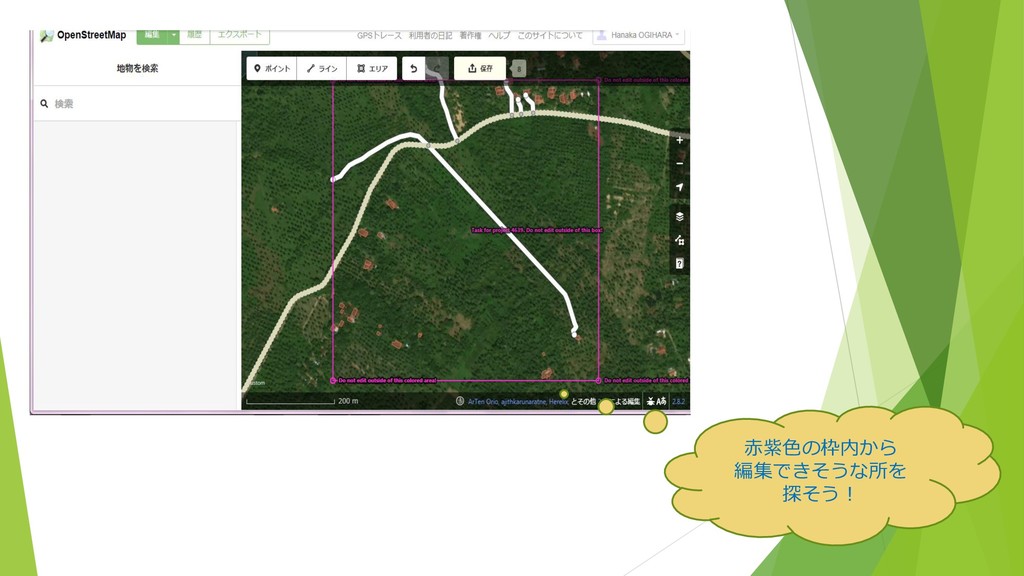
赤紫色の枠内から 編集できそうな所を 探そう!
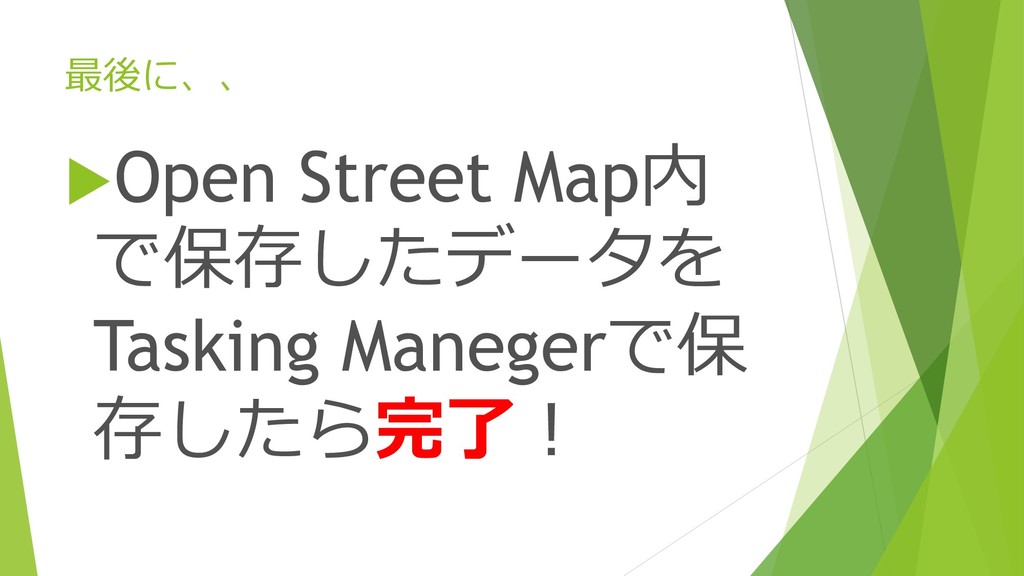
最後に、、 Open Street Map内 で保存したデータを Tasking Manegerで保 存したら完了!


 hanaka1030
 twada
twada
 gr2m
gr2m
 jnunemaker
 nikkihalliwell
 mayunak
 davidcarrasco
 kristinabergwall1
 gurzu
gurzu
 tammyeverts
 ks91
ks91
 frankvandijk
 reverentgeek