Upgrade to Pro — share decks privately, control downloads, hide ads and more …

How to Perform Vacuum Calculations with Leybold...

Avatar for Hannes Hannes
August 19, 2019

How to Perform Vacuum Calculations with Leybold Tools

Leybold is a global supplier of vacuum technology. One of it's core competences is the design of application specific solutions. Vacuum simulation capabilities are based on the experience of over 160 years of vacuum engineering. Leybold now offers free vacuum calculation tools that give you insights into the performance of vacuum pumps in your application. https://calc.leybold.com/en/lp

Avatar for Hannes

Hannes

August 19, 2019

Other Decks in Technology

Transcript

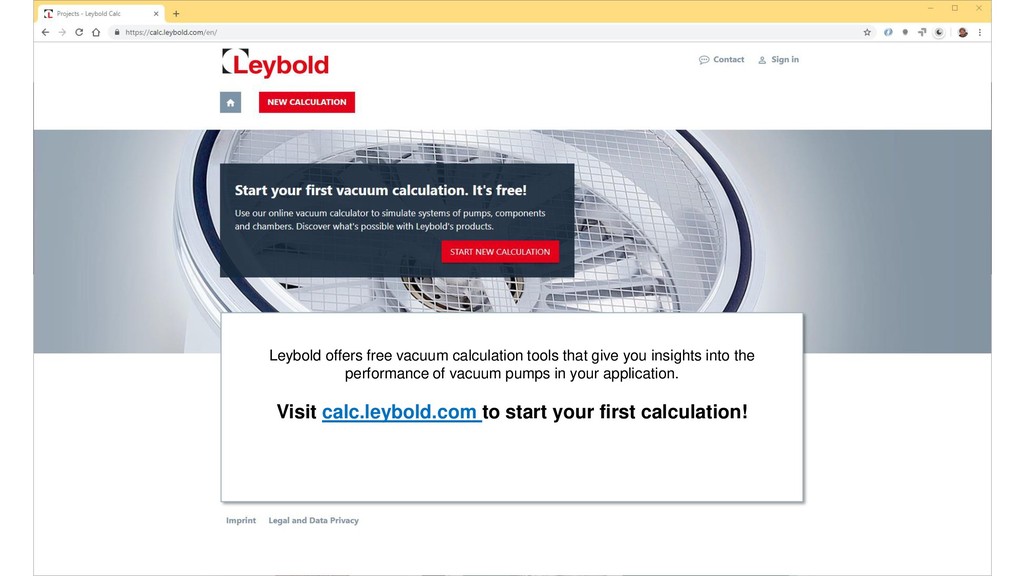
  1. 2019 Leybold Quick Starter Guide 1 Leybold offers free vacuum

    calculation tools that give you insights into the performance of vacuum pumps in your application. Visit calc.leybold.com to start your first calculation!
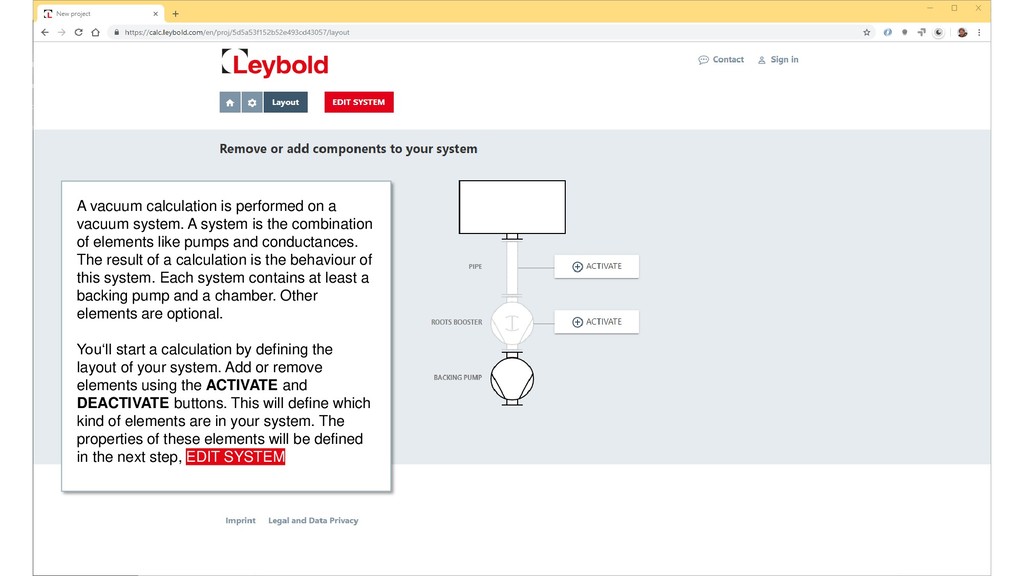
  2. 2019 Leybold Quick Starter Guide 2 A vacuum calculation is

    performed on a vacuum system. A system is the combination of elements like pumps and conductances. The result of a calculation is the behaviour of this system. Each system contains at least a backing pump and a chamber. Other elements are optional. You‘ll start a calculation by defining the layout of your system. Add or remove elements using the ACTIVATE and DEACTIVATE buttons. This will define which kind of elements are in your system. The properties of these elements will be defined in the next step, EDIT SYSTEM
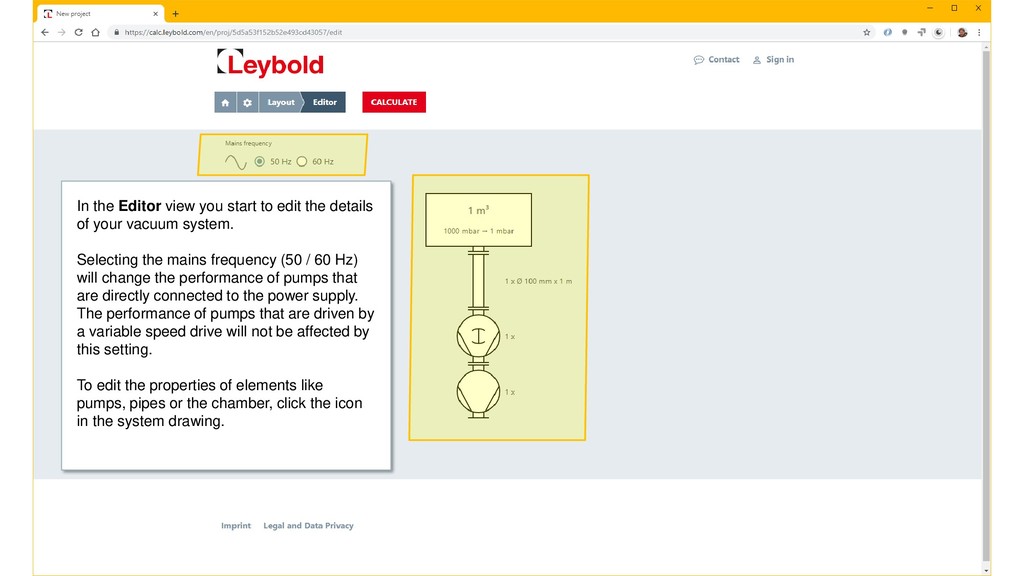
  3. 2019 Leybold Quick Starter Guide 3 In the Editor view

    you start to edit the details of your vacuum system. Selecting the mains frequency (50 / 60 Hz) will change the performance of pumps that are directly connected to the power supply. The performance of pumps that are driven by a variable speed drive will not be affected by this setting. To edit the properties of elements like pumps, pipes or the chamber, click the icon in the system drawing.
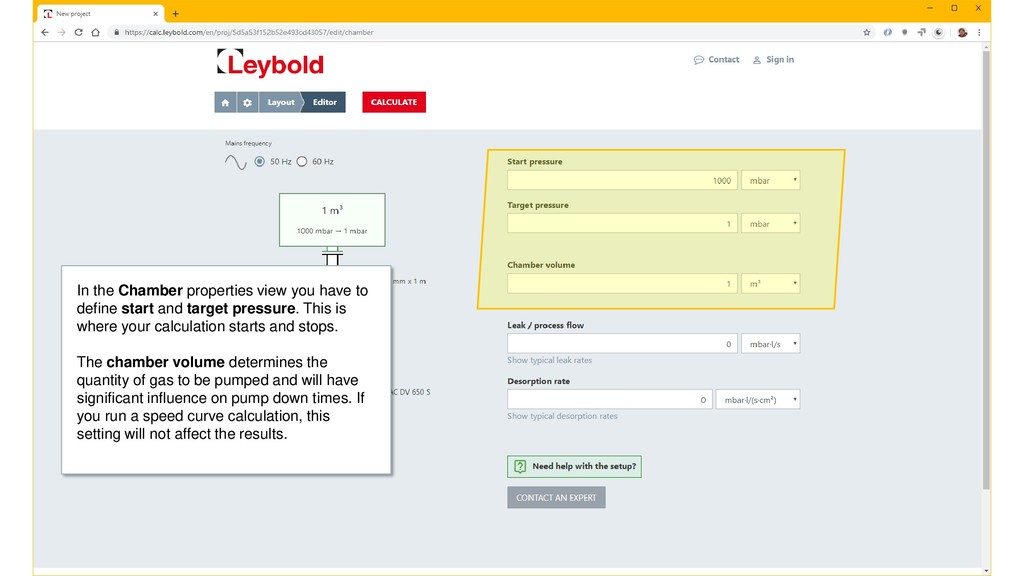
  4. 2019 Leybold Quick Starter Guide 4 In the Chamber properties

    view you have to define start and target pressure. This is where your calculation starts and stops. The chamber volume determines the quantity of gas to be pumped and will have significant influence on pump down times. If you run a speed curve calculation, this setting will not affect the results.
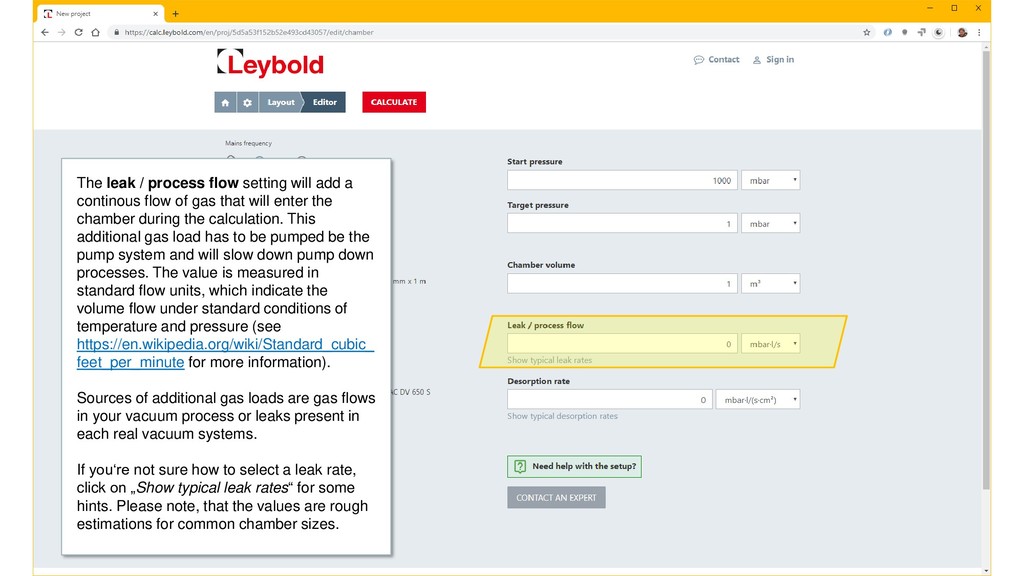
  5. 2019 Leybold Quick Starter Guide 5 The leak / process

    flow setting will add a continous flow of gas that will enter the chamber during the calculation. This additional gas load has to be pumped be the pump system and will slow down pump down processes. The value is measured in standard flow units, which indicate the volume flow under standard conditions of temperature and pressure (see https://en.wikipedia.org/wiki/Standard_cubic_ feet_per_minute for more information). Sources of additional gas loads are gas flows in your vacuum process or leaks present in each real vacuum systems. If you‘re not sure how to select a leak rate, click on „Show typical leak rates“ for some hints. Please note, that the values are rough estimations for common chamber sizes.
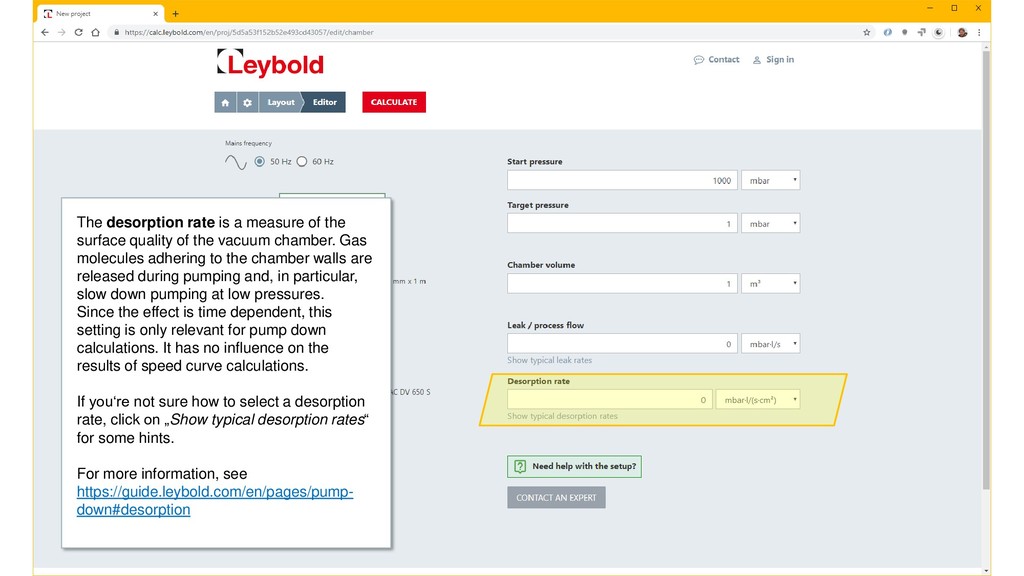
  6. 2019 Leybold Quick Starter Guide 6 The desorption rate is

    a measure of the surface quality of the vacuum chamber. Gas molecules adhering to the chamber walls are released during pumping and, in particular, slow down pumping at low pressures. Since the effect is time dependent, this setting is only relevant for pump down calculations. It has no influence on the results of speed curve calculations. If you‘re not sure how to select a desorption rate, click on „Show typical desorption rates“ for some hints. For more information, see https://guide.leybold.com/en/pages/pump- down#desorption
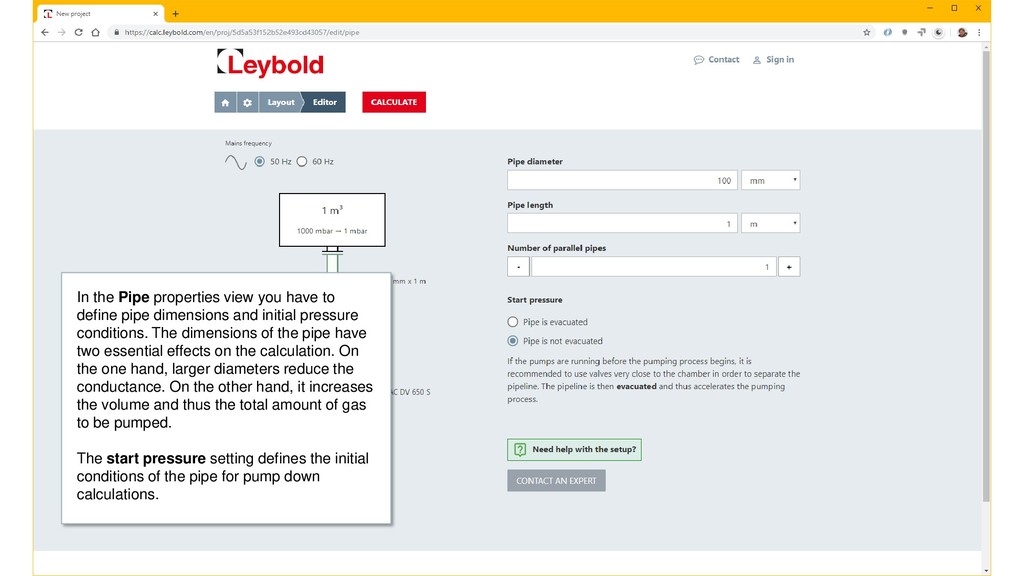
  7. 2019 Leybold Quick Starter Guide 7 In the Pipe properties

    view you have to define pipe dimensions and initial pressure conditions. The dimensions of the pipe have two essential effects on the calculation. On the one hand, larger diameters reduce the conductance. On the other hand, it increases the volume and thus the total amount of gas to be pumped. The start pressure setting defines the initial conditions of the pipe for pump down calculations.
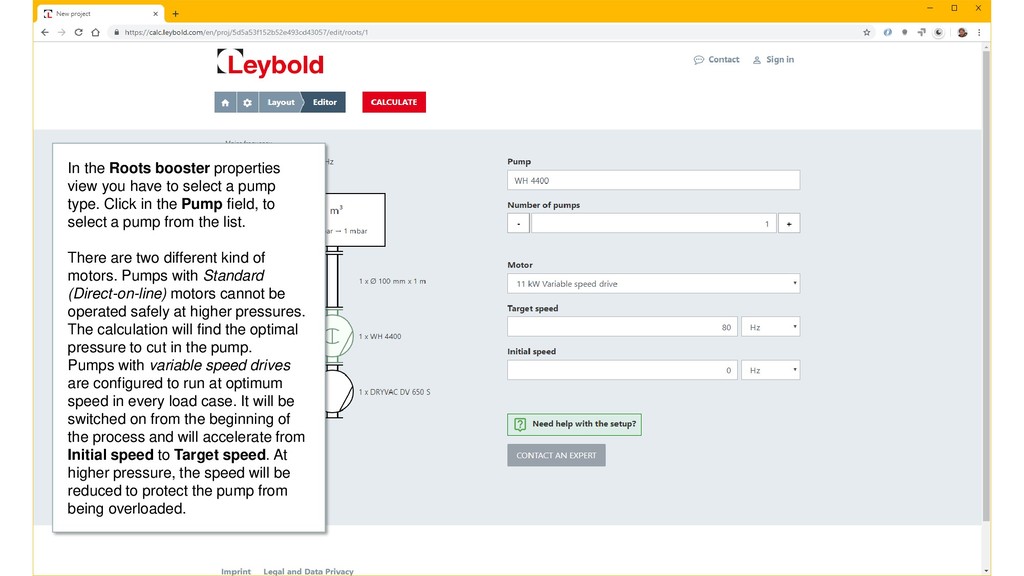
  8. 2019 Leybold Quick Starter Guide 8 In the Roots booster

    properties view you have to select a pump type. Click in the Pump field, to select a pump from the list. There are two different kind of motors. Pumps with Standard (Direct-on-line) motors cannot be operated safely at higher pressures. The calculation will find the optimal pressure to cut in the pump. Pumps with variable speed drives are configured to run at optimum speed in every load case. It will be switched on from the beginning of the process and will accelerate from Initial speed to Target speed. At higher pressure, the speed will be reduced to protect the pump from being overloaded.
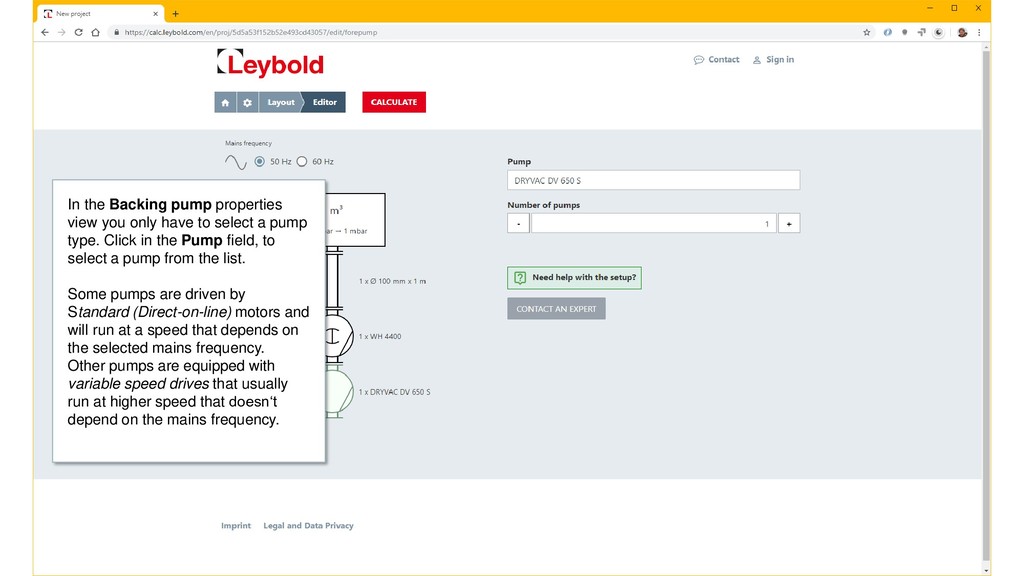
  9. 2019 Leybold Quick Starter Guide 9 In the Backing pump

    properties view you only have to select a pump type. Click in the Pump field, to select a pump from the list. Some pumps are driven by Standard (Direct-on-line) motors and will run at a speed that depends on the selected mains frequency. Other pumps are equipped with variable speed drives that usually run at higher speed that doesn‘t depend on the mains frequency.
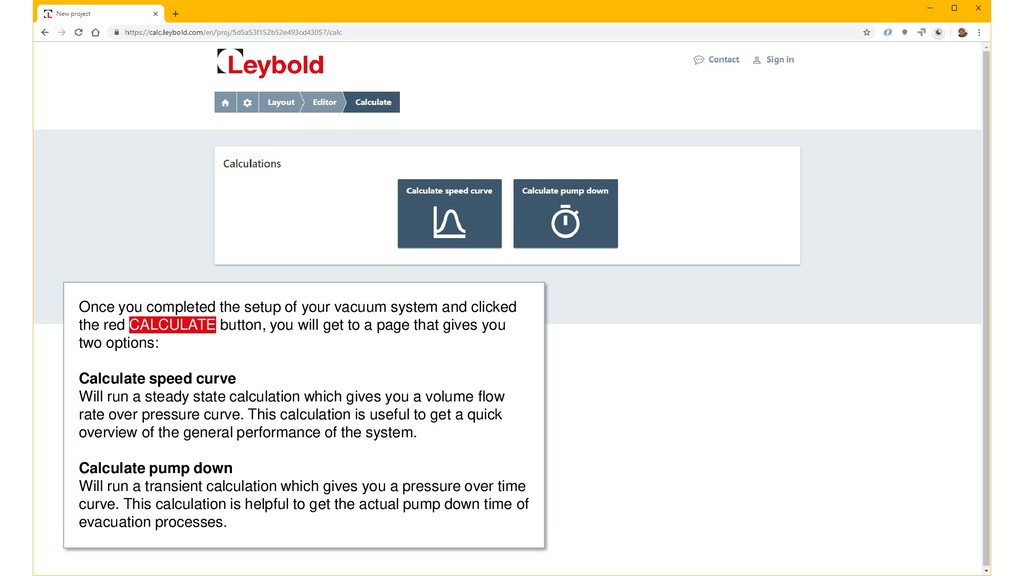
  10. 2019 Leybold Quick Starter Guide 10 Once you completed the

    setup of your vacuum system and clicked the red CALCULATE button, you will get to a page that gives you two options: Calculate speed curve Will run a steady state calculation which gives you a volume flow rate over pressure curve. This calculation is useful to get a quick overview of the general performance of the system. Calculate pump down Will run a transient calculation which gives you a pressure over time curve. This calculation is helpful to get the actual pump down time of evacuation processes.
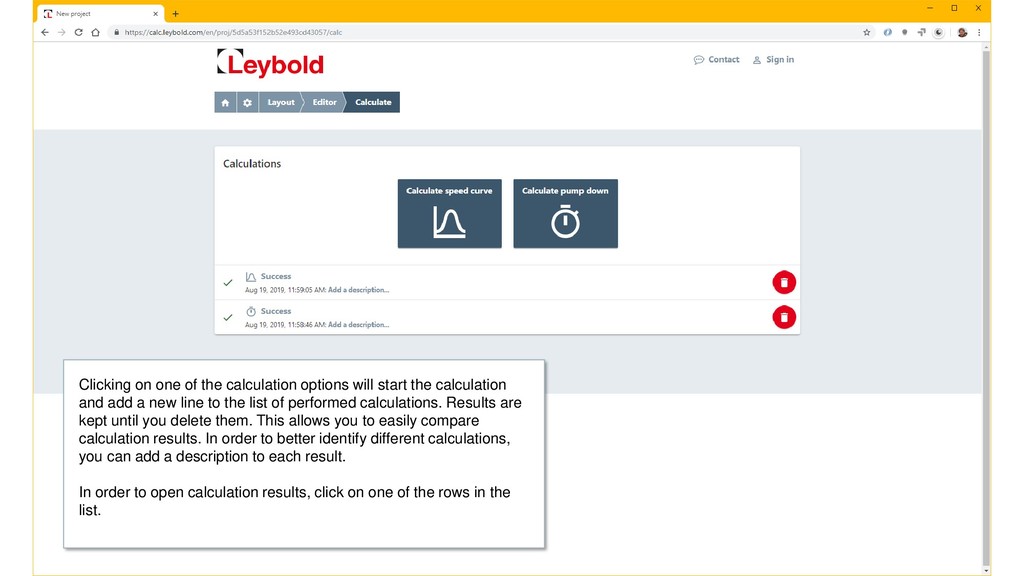
  11. 2019 Leybold Quick Starter Guide 11 Clicking on one of

    the calculation options will start the calculation and add a new line to the list of performed calculations. Results are kept until you delete them. This allows you to easily compare calculation results. In order to better identify different calculations, you can add a description to each result. In order to open calculation results, click on one of the rows in the list.
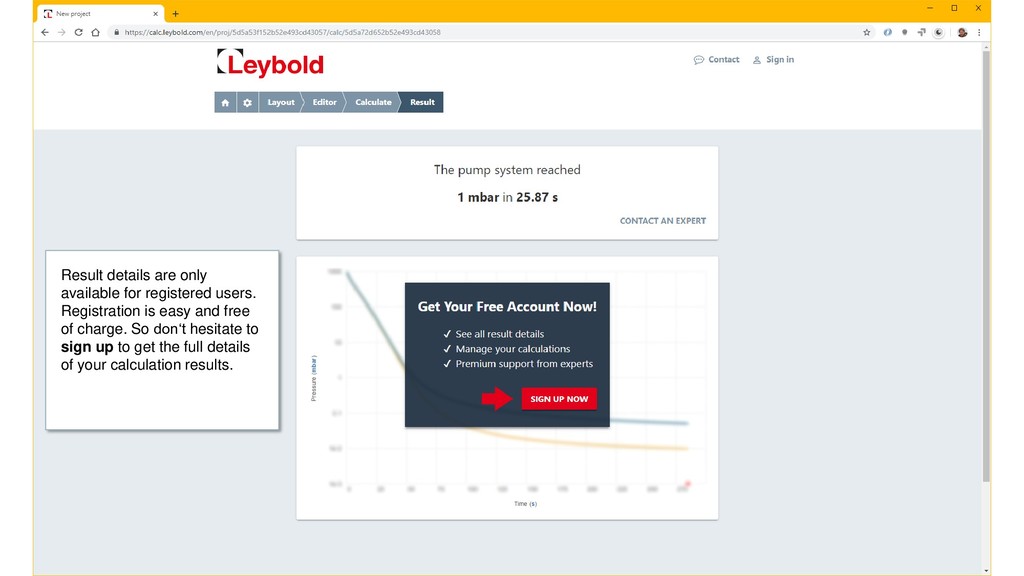
  12. 2019 Leybold Quick Starter Guide 12 Result details are only

    available for registered users. Registration is easy and free of charge. So don‘t hesitate to sign up to get the full details of your calculation results.
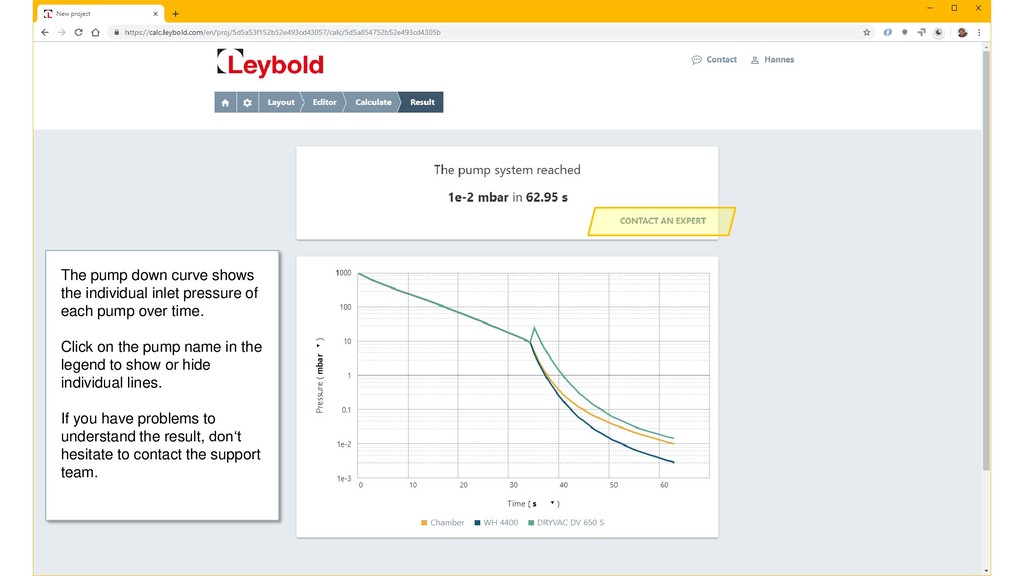
  13. 2019 Leybold Quick Starter Guide 13 The pump down curve

    shows the individual inlet pressure of each pump over time. Click on the pump name in the legend to show or hide individual lines. If you have problems to understand the result, don‘t hesitate to contact the support team.
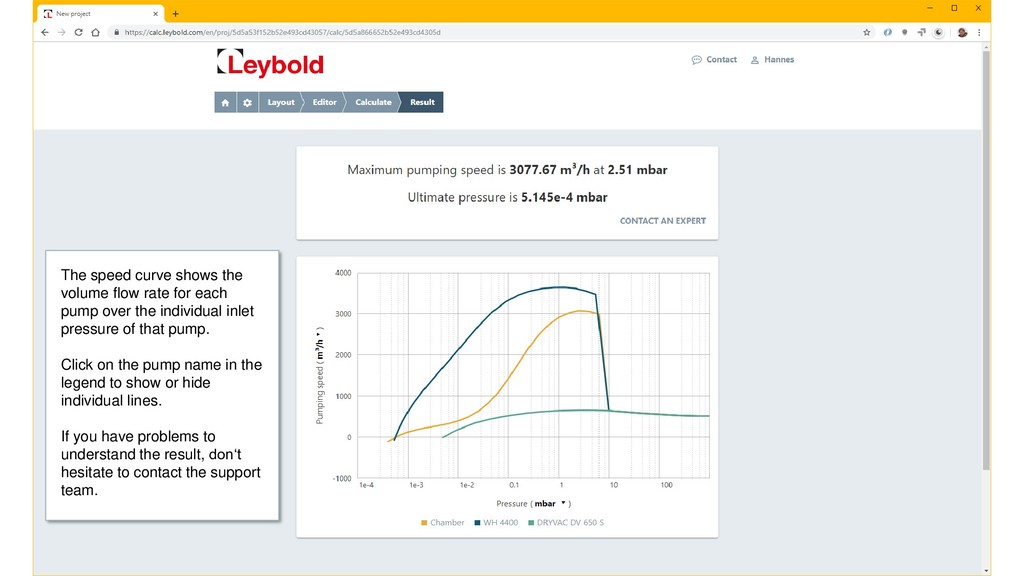
  14. 2019 Leybold Quick Starter Guide 14 The speed curve shows

    the volume flow rate for each pump over the individual inlet pressure of that pump. Click on the pump name in the legend to show or hide individual lines. If you have problems to understand the result, don‘t hesitate to contact the support team.