Upgrade to Pro
— share decks privately, control downloads, hide ads and more …
Speaker Deck
Sign up for free
Menu
Search
Features
All features
Private URLs
Password Protection
Custom URLS
Scheduled publishing
Remove Branding
Restrict embedding
Deck Collections
Notes
Features
All features
Private URLs
Password Protection
Custom URLS
Scheduled publishing
Remove Branding
Restrict embedding
Deck Collections
Notes
Explore
Featured decks
Featured speakers
Programming
Technology
Storyboards
Explore
Featured decks
Featured speakers
Programming
Technology
Storyboards
Pricing
Search
Sign in
Sign up for free
BDD in Backbone.js with Jasmine and RequireJS
Search
大澤木小鐵
October 27, 2012
Programming
2.1k
11
Share
Embed
Copy iframe code
Copy JS code
Copy link
Start on current slide
BDD in Backbone.js with Jasmine and RequireJS
大澤木小鐵
October 27, 2012
More Decks by 大澤木小鐵
See All by 大澤木小鐵
Effective Unit Testing
jaceju
3
680
JSConf Asia 2014 Sessions
jaceju
4
470
What happens in Laravel 4 bootstraping
jaceju
9
620
Deal with Laravel assets by Bower & Gulp
jaceju
30
2.1k
Leaning MVC By Example
jaceju
0
460
ng-conf_2014
jaceju
2
1.1k
The Power of JavaScript in JSConf.Asia 2013
jaceju
5
490
jQuery vs AngularJS, dochi?
jaceju
20
3.1k
Begining Composer
jaceju
24
5.6k
Other Decks in Programming
See All in Programming
クラウドゲーミングのパフォーマンス最適化に挑む / Cloud Gaming Performance Tuning
vivion
0
310
Compiling a real-world CLI tool to native with Static Hermes
tmikov2023
0
140
Performance Optimization With LLMs
xleitix
0
230
Augmenting AI with the Power of Jakarta EE
ivargrimstad
0
520
FactoryBotをやめればRSpecは速くなるのか?
yuta_onishi_97
0
1.2k
動画プレイヤーはなぜカクつくのか 〜Flutterのレンダリングとネイティブの境界を解剖する〜
naruogram
0
310
Spec-driven Development with AI
simas
PRO
0
2.2k
Vue.jsで作る空間解析アプリとCapacitorプラグインのData Bridge
hal_spidernight
1
140
AI Augmentation Techniques with Liberty
ivargrimstad
0
230
TS 7.0 で baseUrl が使えなくなった今、パスエイリアスをどうするか
bicstone
2
320
学びを記事・スライド・Xへ高速展開する― AI-assisted Learning Loopで回すコンテンツ生成術
ochtum
0
180
そのデザイントークン、Flutterでも同じ見た目になりますか?
nakamizu
0
140
Featured
See All Featured
The Illustrated Children's Guide to Kubernetes
chrisshort
51
53k
Why You Should Never Use an ORM
jnunemaker
PRO
61
10k
Building an army of robots
kneath
307
47k
Breaking role norms: Why Content Design is so much more than writing copy - Taylor Woolridge
uxyall
1
480
16th Malabo Montpellier Forum Presentation
akademiya2063
PRO
0
440
Designing for humans not robots
tammielis
254
26k
The untapped power of vector embeddings
frankvandijk
2
2k
Code Review Best Practice
trishagee
74
20k
Large-scale JavaScript Application Architecture
addyosmani
516
110k
Have SEOs Ruined the Internet? - User Awareness of SEO in 2025
akashhashmi
0
540
Imperfection Machines: The Place of Print at Facebook
scottboms
270
14k
The B2B funnel & how to create a winning content strategy
katarinadahlin
PRO
1
590
Transcript
@ 2012 JS 嘉年華會 with RequireJS / Jasmine BDD in
Backbone.js
Jace Ju 大澤木小鐵 http://plurk.com/jaceju http://twitter.com/jaceju http://www.jaceju.net
快速回顧
RequireJS 1
Require.config require.config({ paths: { 'jquery': 'path/to/jquery', 'alias_1': 'path', 'alias_2': 'path'
}, shim: { 'alias_2': { deps: ['jquery', 'alias_1'], exports: '$' }, 'alias_2': ['jquery', 'alias_1'] } });
define define([ 'alias', 'plugin_alias!path/to/file' ], function () { // Module
code });
Backbone.js 2
Model define(['backbone'], function () { return Backbone.Model.extend({ defaults: { attr_1:
'default_value', attr_2: 'default_value' }, method_name: function() { } }); });
Collection define(['model_alias', 'backbone'], function (Model) { return Backbone.Collection.extend({ model: Model
method_name: function () { } }); });
View define([ 'SubView', 'text!template/template.html', 'backbone' ], function (SubView, template_name) {
return Backbone.View.extend({ el: '#id', template: _.template(template_name), initialize: function () { }, events: { 'event selector': 'method_name' }, method_name: function(e) { var view = new SubView(); this.$el.append(view.render().el); }, render: function () { this.$el.html(this.template(this.model.toJSON())); return this; } }); });
Jasmine 3
describe define(['model_alias'], function (Model) { describe('Spec description', function () {
}); });
describe define(['model_alias'], function (Model) { describe('Spec description', function () {
var fixture; beforeEach(function () { fixture = new Model(); }); afterEach(function () { fixture = null; }); }); });
describe define(['model_alias'], function (Model) { describe('Spec description', function () {
var fixture; beforeEach(function () { fixture = new Model(); }); afterEach(function () { fixture = null; }); it('do something', function () { expect(fixture).toBe(expectation); }); }); });
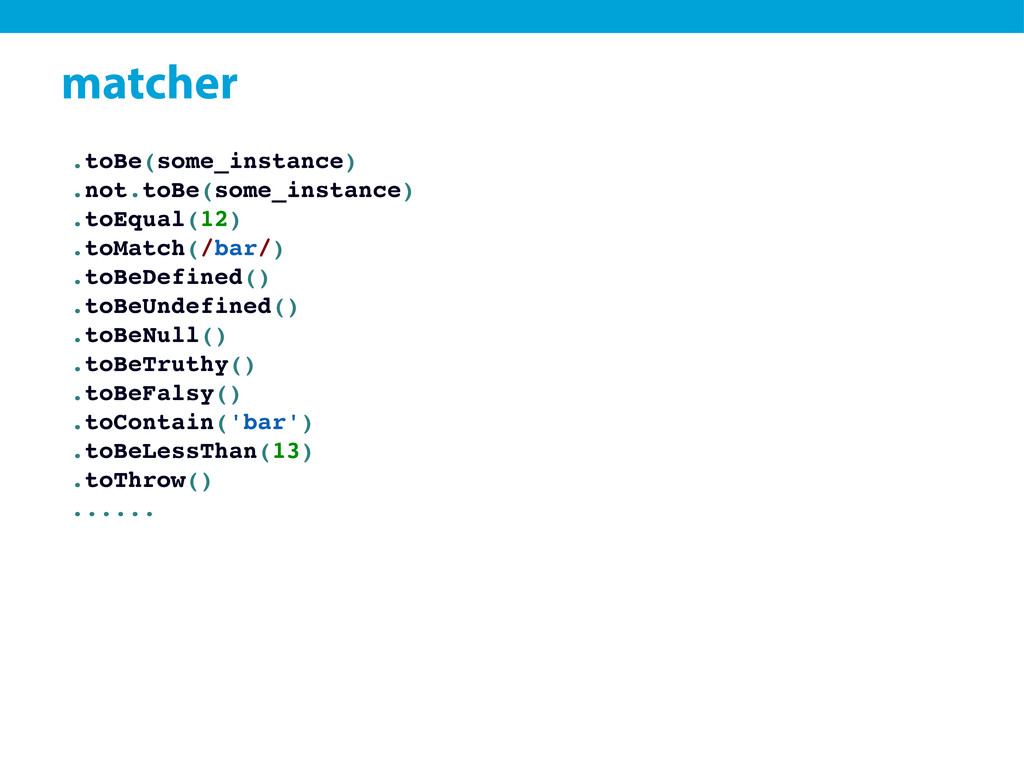
matcher .toBe(some_instance) .not.toBe(some_instance) .toEqual(12) .toMatch(/bar/) .toBeDefined() .toBeUndefined() .toBeNull() .toBeTruthy() .toBeFalsy()
.toContain('bar') .toBeLessThan(13) .toThrow() ......
什麼是 BDD
Behavior-Driven Development
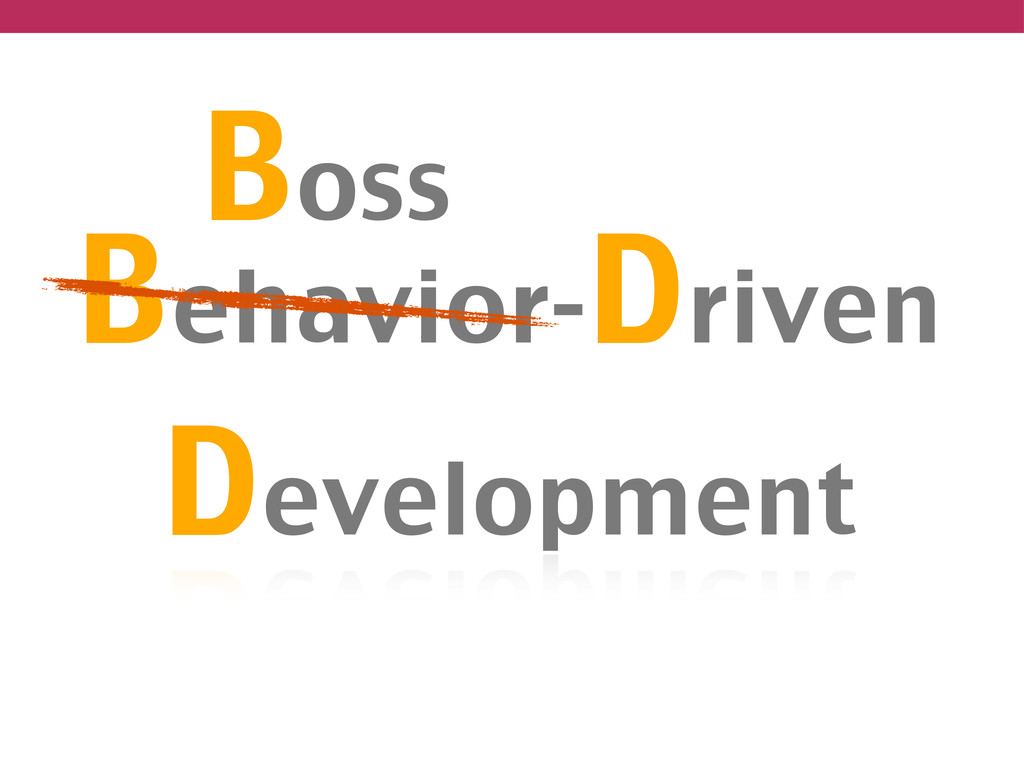
Behavior-Driven Development Boss
範例:Todo
戰略地圖 1
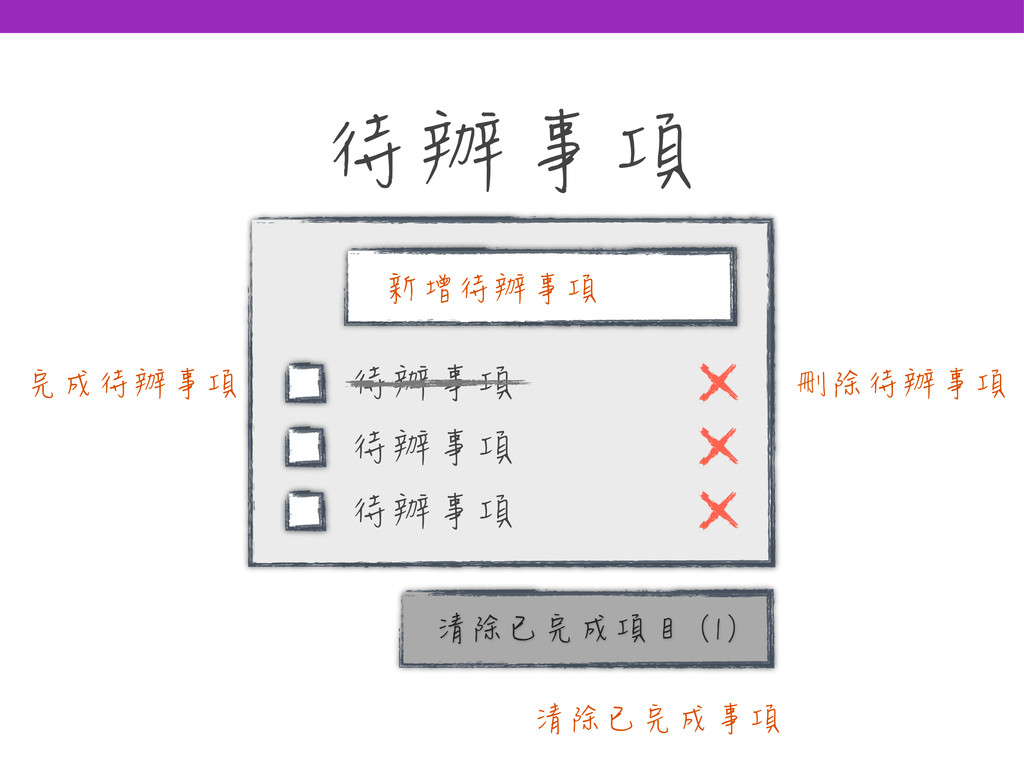
待辦事項 待辦事項 待辦事項 清除已完成項目 (1) 待辦事項 新增待辦事項 完成待辦事項 刪除待辦事項 清除已完成事項
作戰會議 2
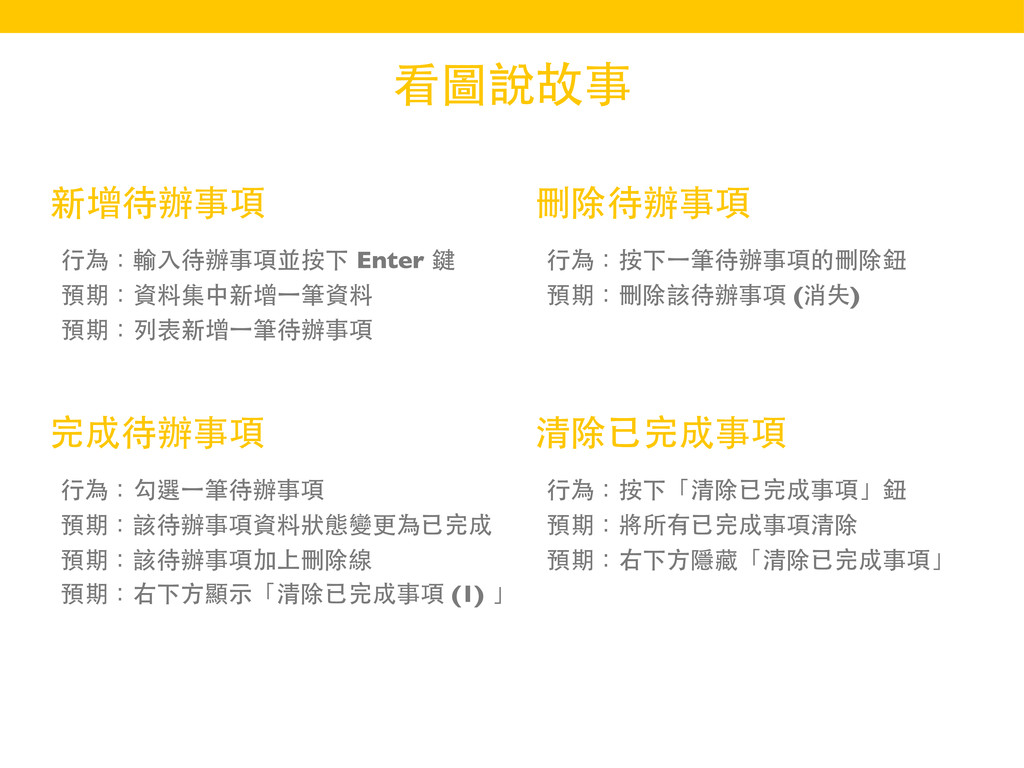
看圖說故事 新增待辦事項 ⾏行為:輸⼊入待辦事項並按下 Enter 鍵 預期:資料集中新增⼀一筆資料 預期:列表新增⼀一筆待辦事項 完成待辦事項 ⾏行為:勾選⼀一筆待辦事項 預期:該待辦事項資料狀態變更為已完成
預期:該待辦事項加上刪除線 預期:右下⽅方顯⽰示「清除已完成事項 (1) 」 刪除待辦事項 ⾏行為:按下⼀一筆待辦事項的刪除鈕 預期:刪除該待辦事項 (消失) 清除已完成事項 ⾏行為:按下「清除已完成事項」鈕 預期:將所有已完成事項清除 預期:右下⽅方隱藏「清除已完成事項」
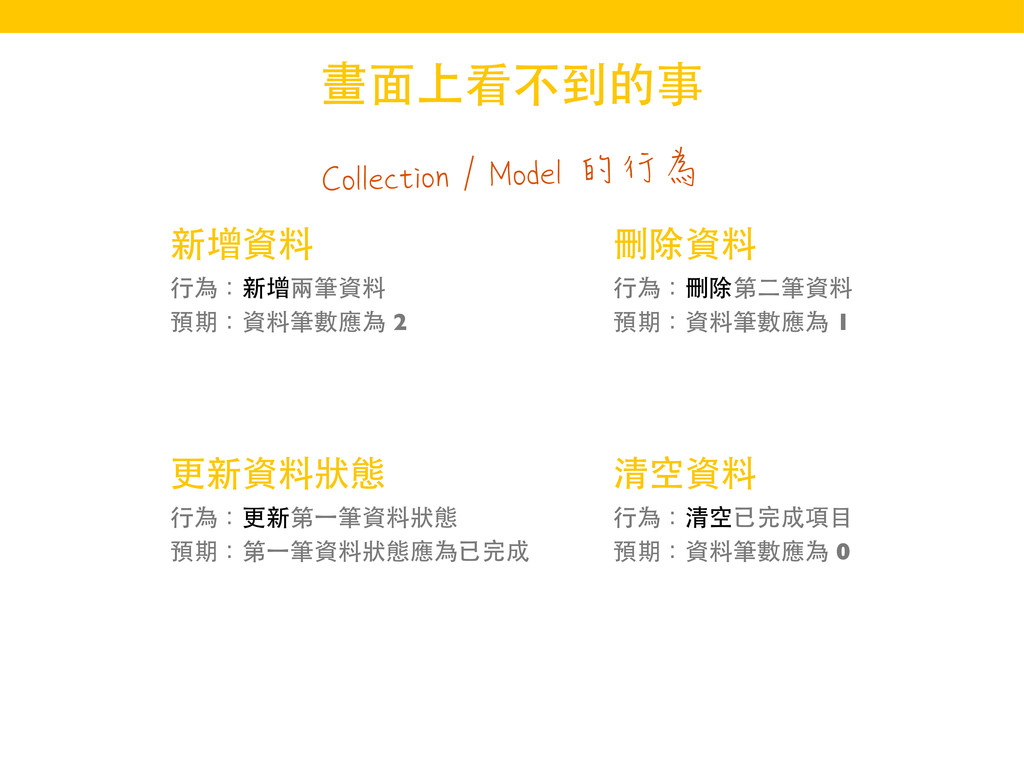
Collection / Model 的行為 畫⾯面上看不到的事 新增資料 ⾏行為:新增兩筆資料 預期:資料筆數應為 2 刪除資料
⾏行為:刪除第⼆二筆資料 預期:資料筆數應為 1 更新資料狀態 ⾏行為:更新第⼀一筆資料狀態 預期:第⼀一筆資料狀態應為已完成 清空資料 ⾏行為:清空已完成項⺫⽬目 預期:資料筆數應為 0
部隊集合 3
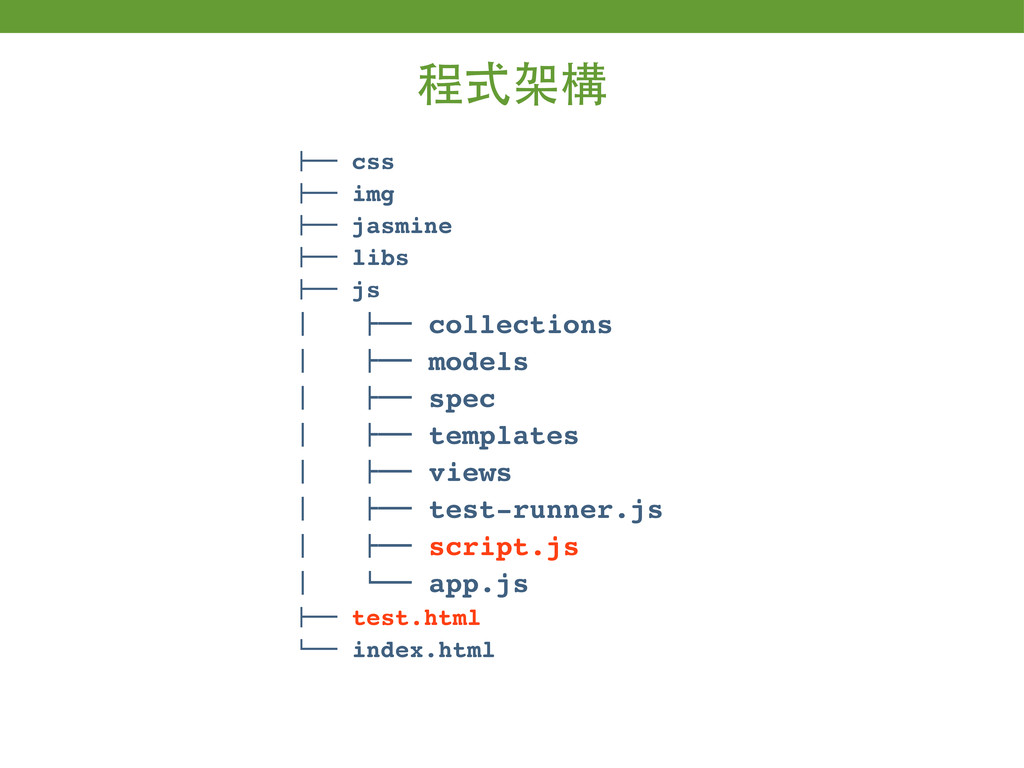
程式架構 !"" css !"" img !"" jasmine !"" libs !""
js # !"" collections # !"" models # !"" spec # !"" templates # !"" views # !"" test-runner.js # !"" script.js # $"" app.js !"" test.html $"" index.html
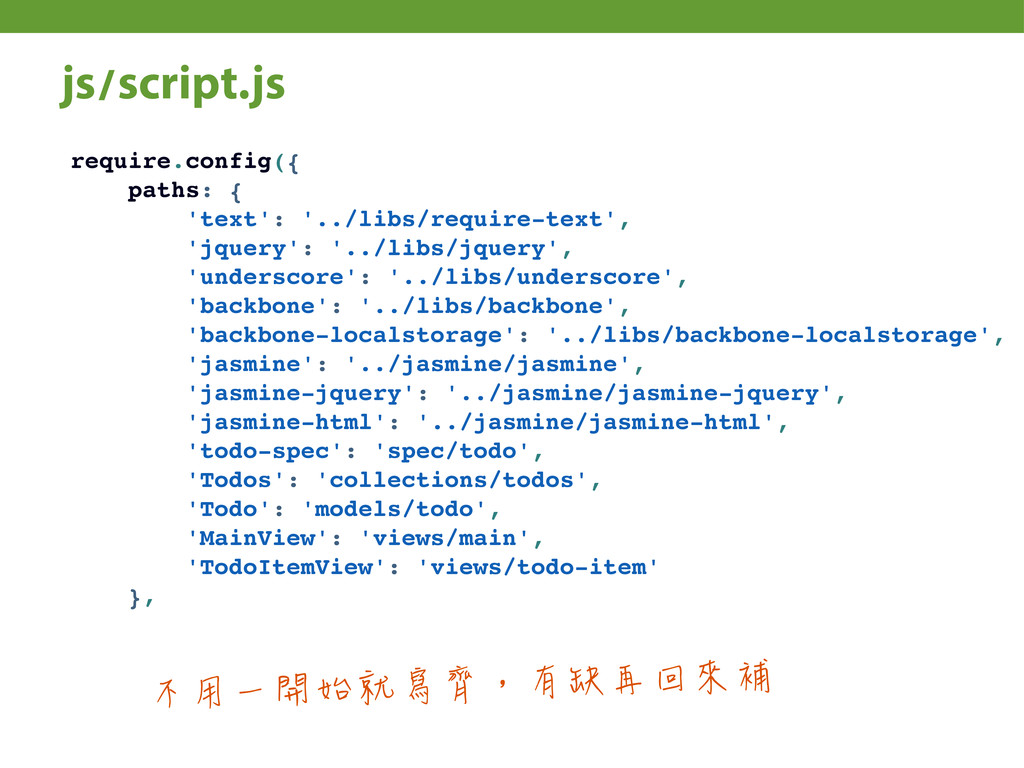
不用一開始就寫齊,有缺再回來補 js/script.js require.config({ paths: { 'text': '../libs/require-text', 'jquery': '../libs/jquery', 'underscore':
'../libs/underscore', 'backbone': '../libs/backbone', 'backbone-localstorage': '../libs/backbone-localstorage', 'jasmine': '../jasmine/jasmine', 'jasmine-jquery': '../jasmine/jasmine-jquery', 'jasmine-html': '../jasmine/jasmine-html', 'todo-spec': 'spec/todo', 'Todos': 'collections/todos', 'Todo': 'models/todo', 'MainView': 'views/main', 'TodoItemView': 'views/todo-item' },
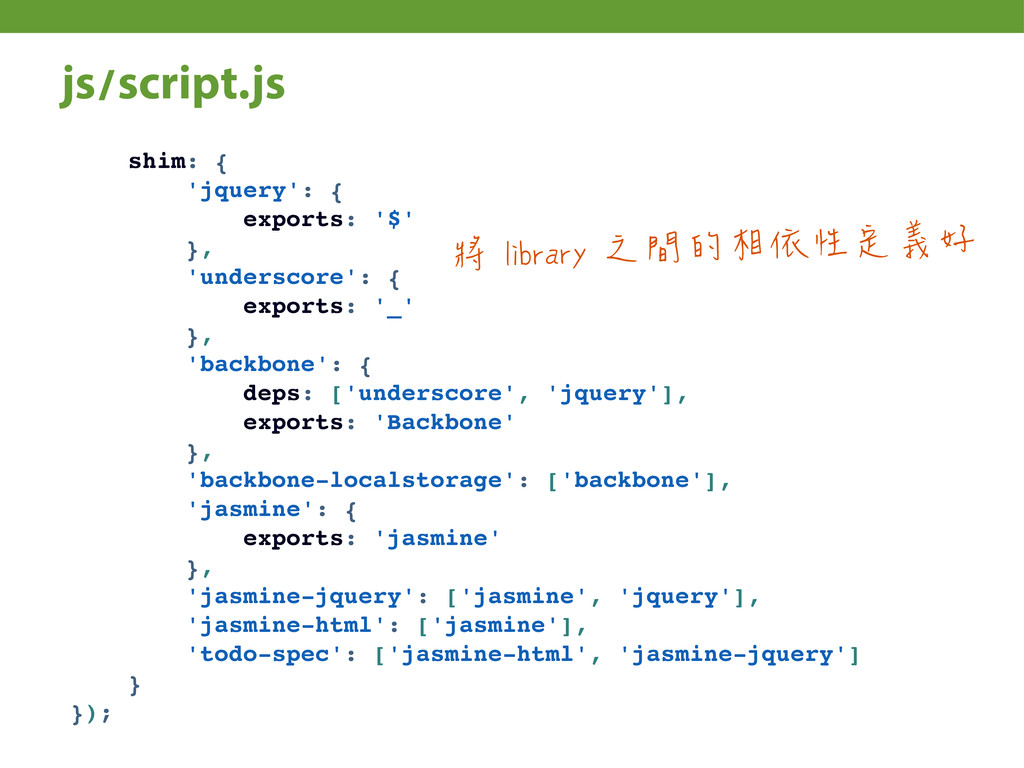
shim: { 'jquery': { exports: '$' }, 'underscore': { exports:
'_' }, 'backbone': { deps: ['underscore', 'jquery'], exports: 'Backbone' }, 'backbone-localstorage': ['backbone'], 'jasmine': { exports: 'jasmine' }, 'jasmine-jquery': ['jasmine', 'jquery'], 'jasmine-html': ['jasmine'], 'todo-spec': ['jasmine-html', 'jasmine-jquery'] } }); 將 library 之間的相依性定義好 js/script.js
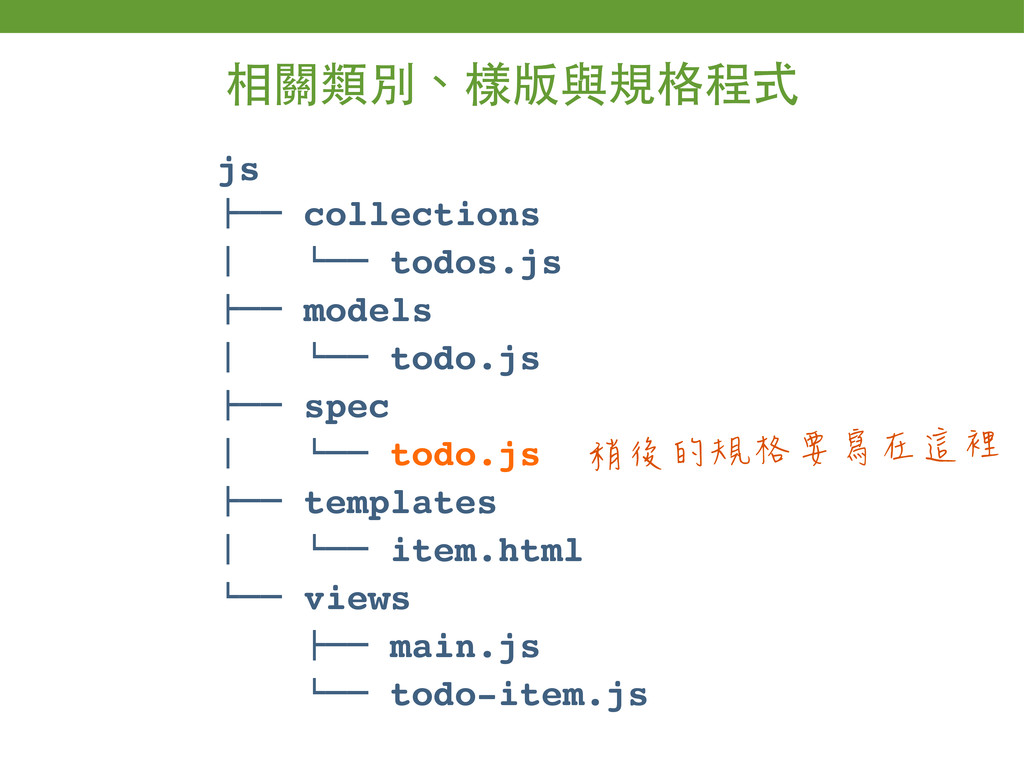
稍後的規格要寫在這裡 相關類別、樣版與規格程式 js !"" collections # $"" todos.js !"" models
# $"" todo.js !"" spec # $"" todo.js !"" templates # $"" item.html $"" views !"" main.js $"" todo-item.js
執⾏行計劃 4
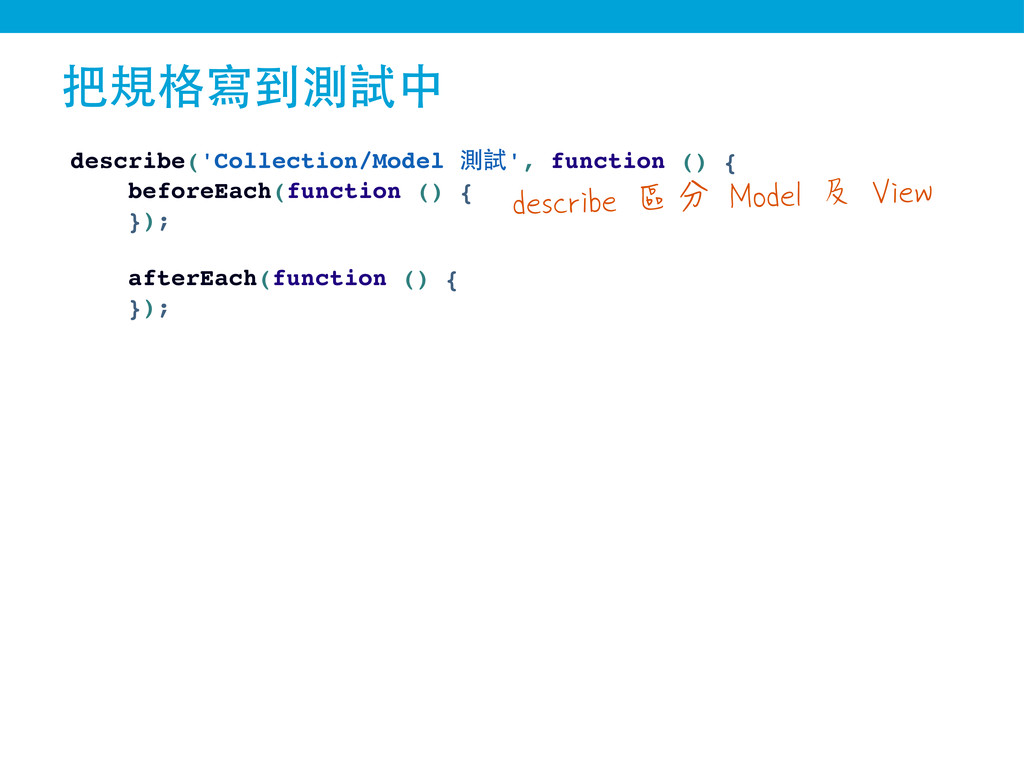
describe('Collection/Model 測試', function () { beforeEach(function () { }); afterEach(function
() { }); describe 區分 Model 及 View 把規格寫到測試中
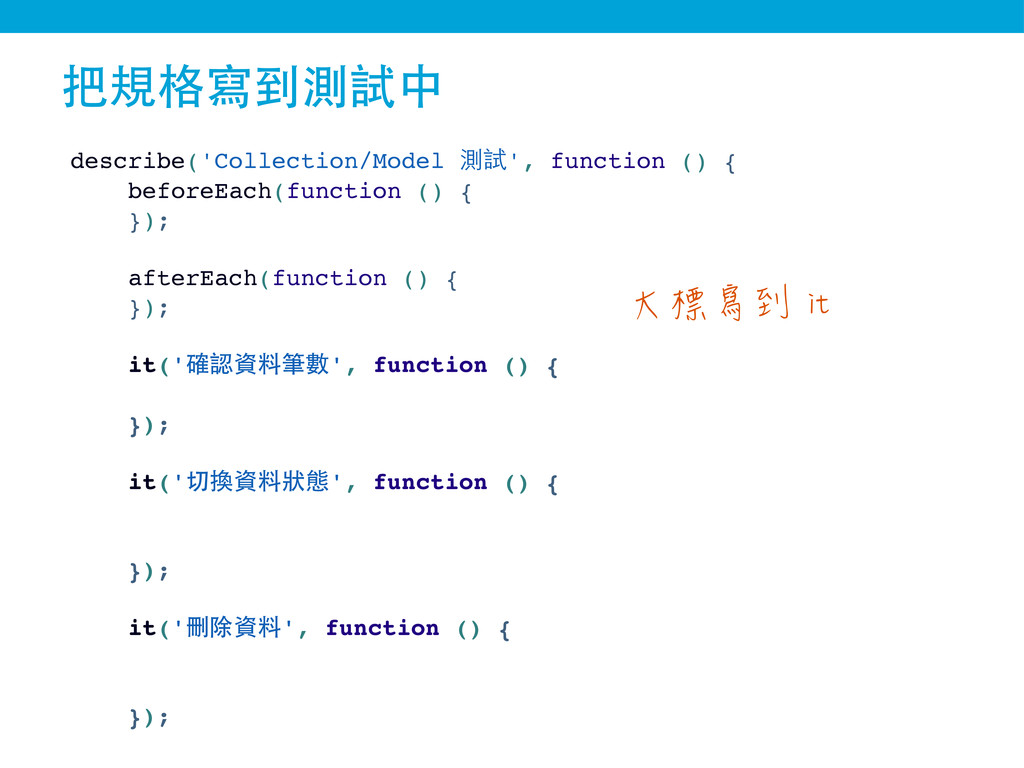
describe('Collection/Model 測試', function () { beforeEach(function () { }); afterEach(function
() { }); it('確認資料筆數', function () { }); it('切換資料狀態', function () { }); it('刪除資料', function () { }); 把規格寫到測試中 大標寫到 it
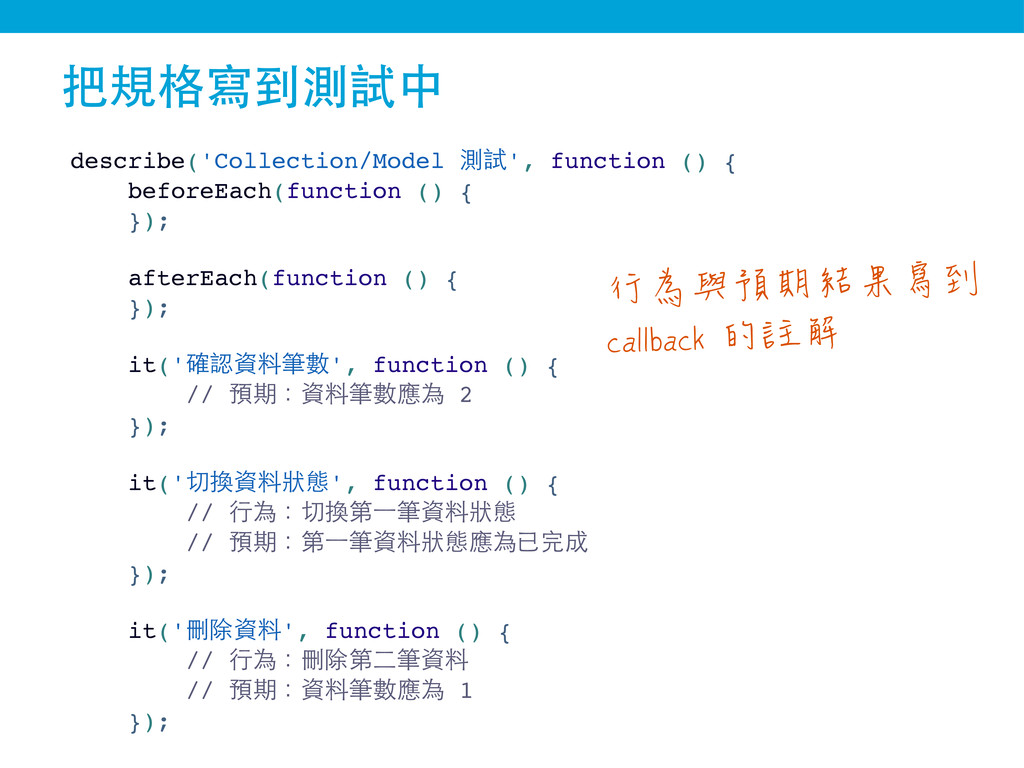
describe('Collection/Model 測試', function () { beforeEach(function () { }); afterEach(function
() { }); it('確認資料筆數', function () { // 預期:資料筆數應為 2 }); it('切換資料狀態', function () { // ⾏行為:切換第⼀一筆資料狀態 // 預期:第⼀一筆資料狀態應為已完成 }); it('刪除資料', function () { // ⾏行為:刪除第⼆二筆資料 // 預期:資料筆數應為 1 }); 行為與預期結果寫到 callback 的註解 把規格寫到測試中
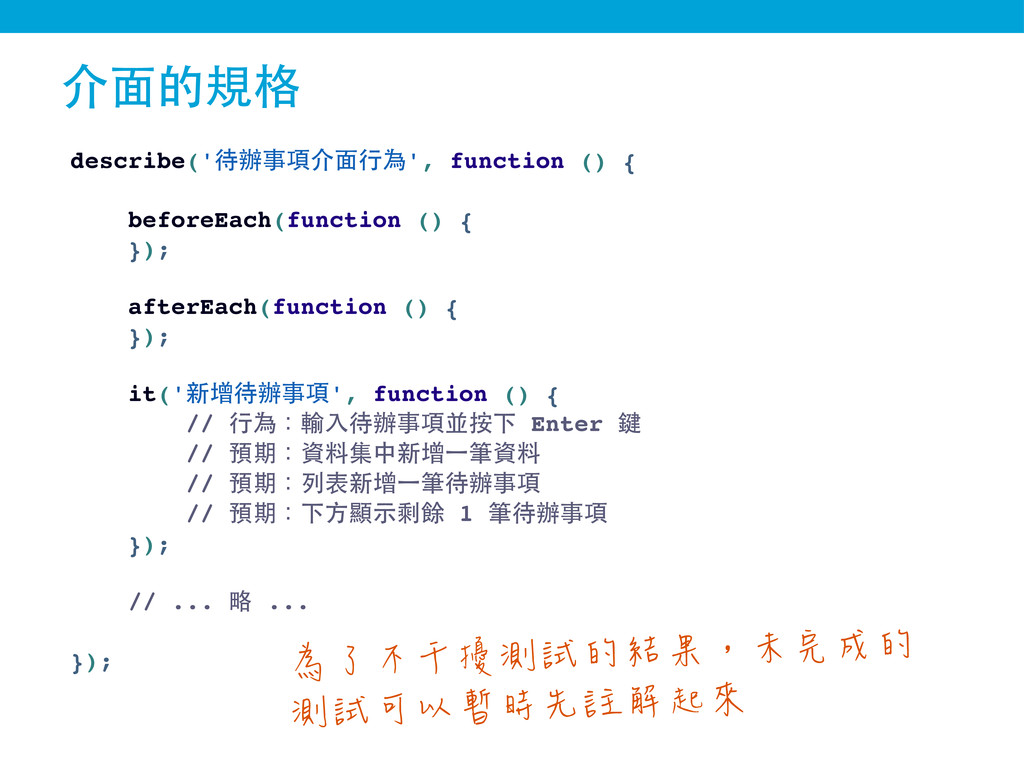
describe('待辦事項介⾯面⾏行為', function () { beforeEach(function () { }); afterEach(function ()
{ }); it('新增待辦事項', function () { // ⾏行為:輸⼊入待辦事項並按下 Enter 鍵 // 預期:資料集中新增⼀一筆資料 // 預期:列表新增⼀一筆待辦事項 // 預期:下⽅方顯⽰示剩餘 1 筆待辦事項 }); // ... 略 ... }); 介⾯面的規格 為了不干擾測試的結果,未完成的 測試可以暫時先註解起來
⽕火⼒力試射 5
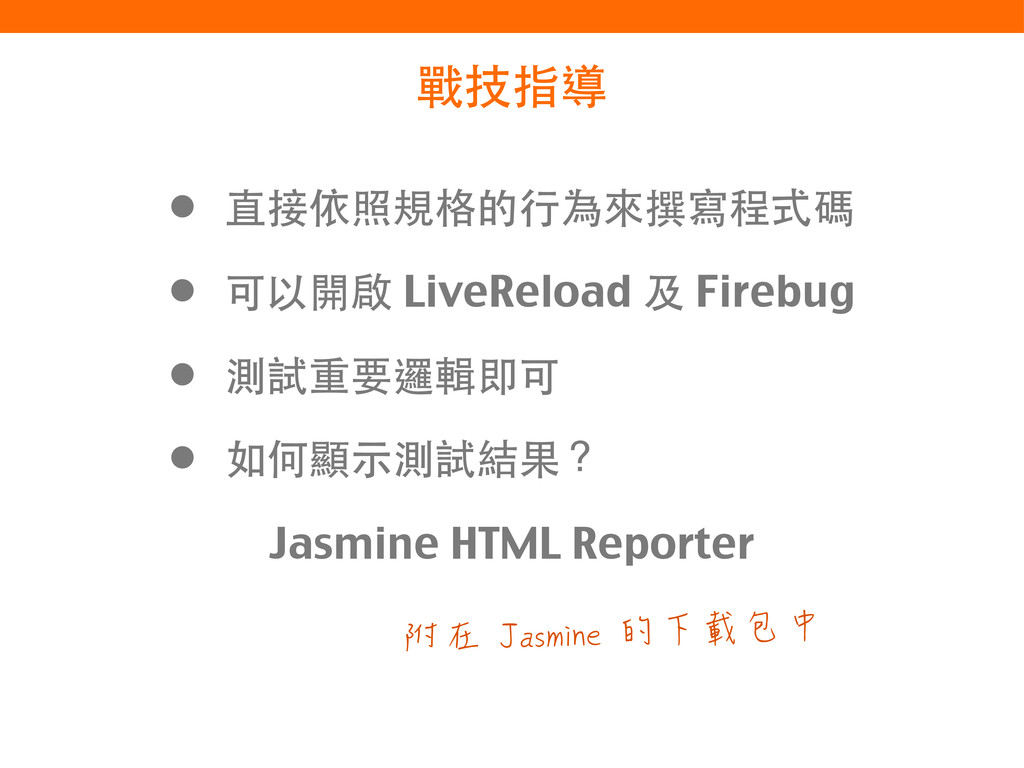
戰技指導 • 直接依照規格的⾏行為來撰寫程式碼 • 可以開啟 LiveReload 及 Firebug • 測試重要邏輯即可
• 如何顯⽰示測試結果? Jasmine HTML Reporter 附在 Jasmine 的下載包中
js/test-runner.js define([ 'todo-spec' ], function () { return { run:
function () { var jasmineEnv = jasmine.getEnv(); var htmlReporter = new jasmine.HtmlReporter(); jasmineEnv.updateInterval = 1000; jasmineEnv.addReporter(htmlReporter); jasmineEnv.specFilter = function (spec) { return htmlReporter.specFilter(spec); }; var currentWindowOnload = window.onload; window.onload = function () { if (currentWindowOnload) { currentWindowOnload(); } jasmineEnv.execute(); }; } }}); 將 spec 載入
test.html <script data-main="js/script" src="libs/require.js"></script> </head> js/script.js define(['test-runner'], function(Target) { Target.run();
});
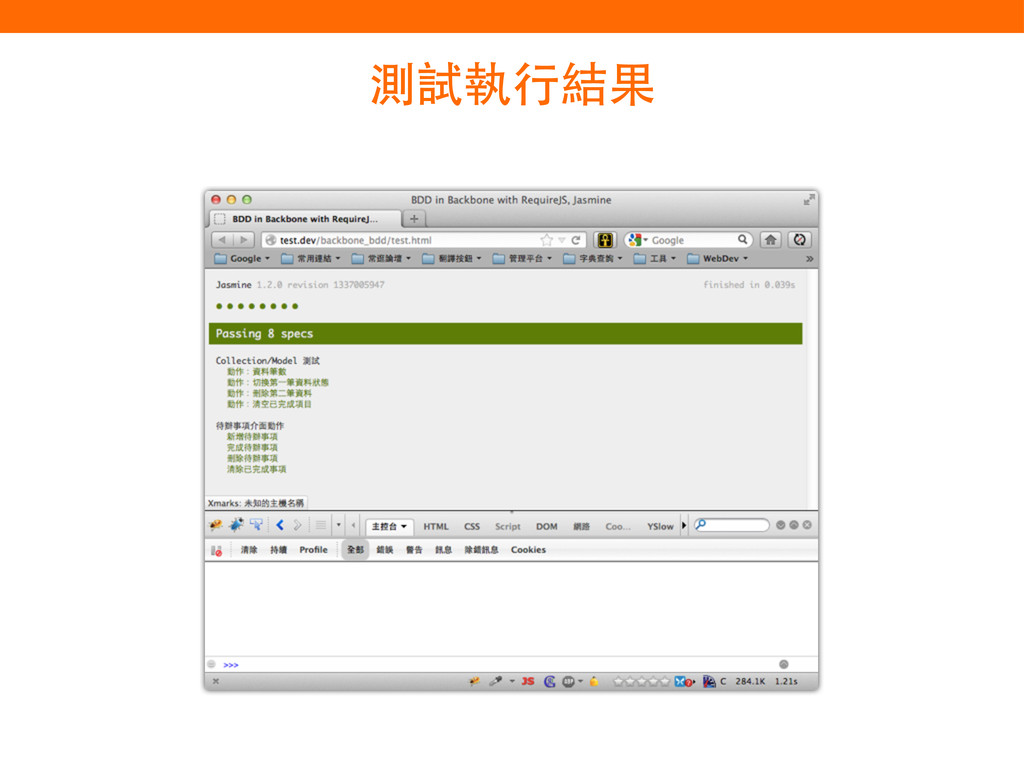
測試執⾏行結果
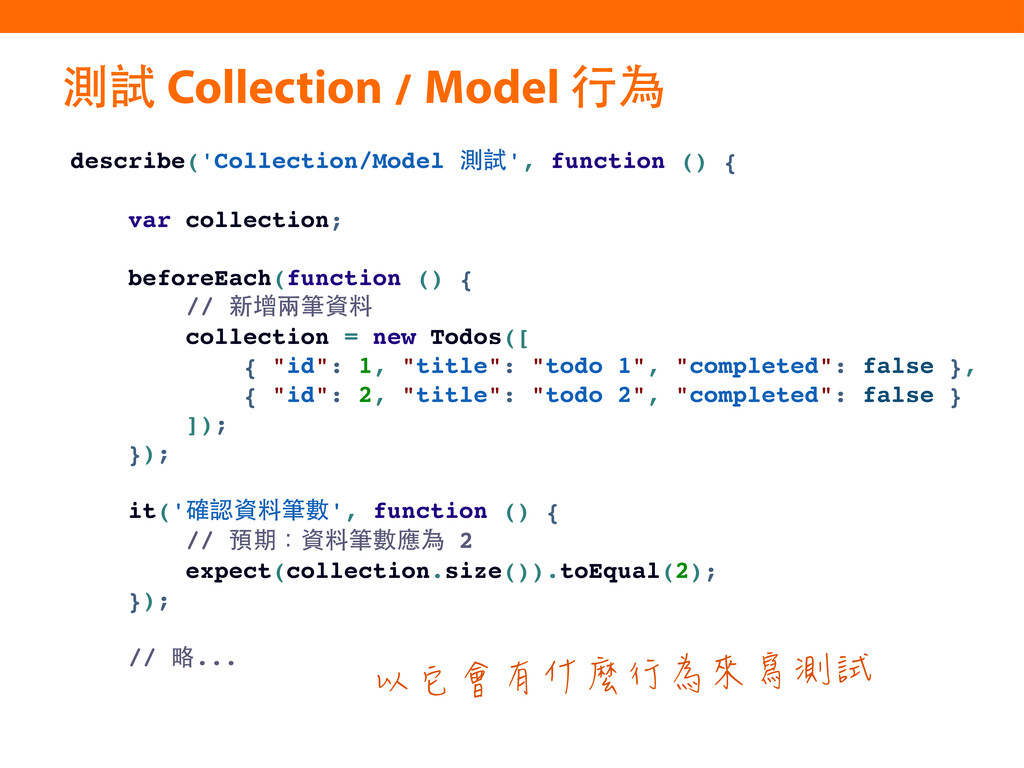
測試 Collection / Model ⾏行為 describe('Collection/Model 測試', function () {
var collection; beforeEach(function () { // 新增兩筆資料 collection = new Todos([ { "id": 1, "title": "todo 1", "completed": false }, { "id": 2, "title": "todo 2", "completed": false } ]); }); it('確認資料筆數', function () { // 預期:資料筆數應為 2 expect(collection.size()).toEqual(2); }); // 略... 以它會有什麼行為來寫測試
js/collections/todos.js define([ 'Todo', 'backbone' ], function (Todo) { return Backbone.Collection.extend({
model: Todo }); }); 有錯誤是正常的, BDD 就是 朝正確結果去修正程式碼
Model define([ 'backbone' ], function () { return Backbone.Model.extend({ defaults:
{ title: '', completed: false } }); });
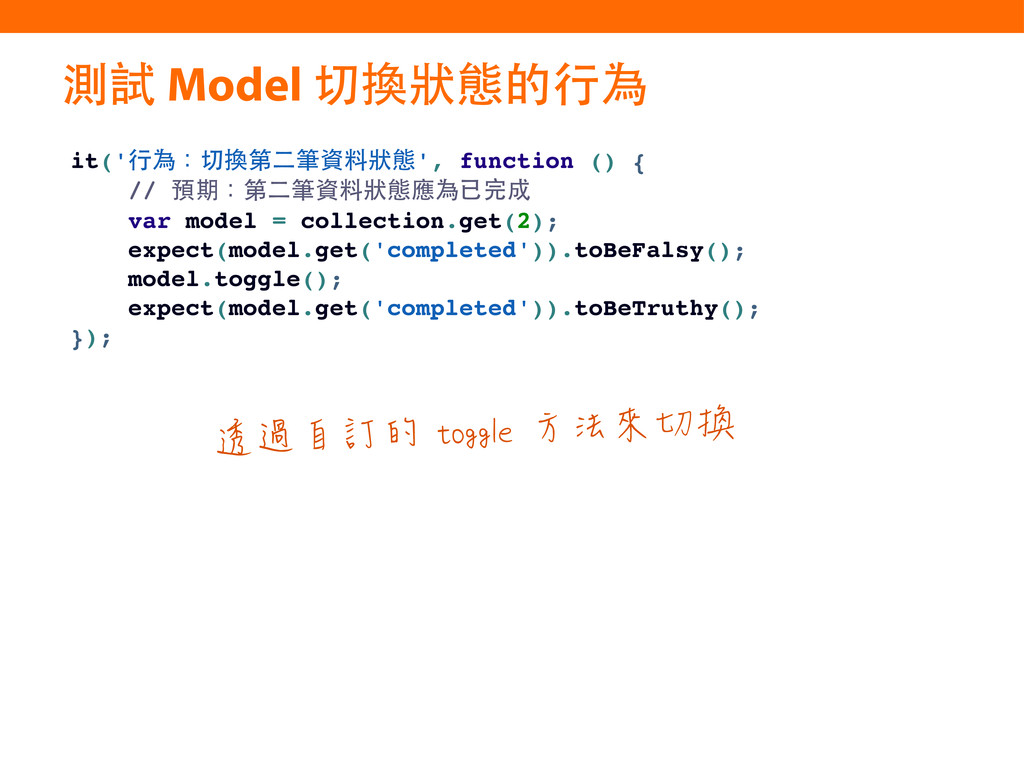
測試 Model 切換狀態的⾏行為 it('⾏行為:切換第⼆二筆資料狀態', function () { // 預期:第⼆二筆資料狀態應為已完成 var
model = collection.get(2); expect(model.get('completed')).toBeFalsy(); model.toggle(); expect(model.get('completed')).toBeTruthy(); }); 透過自訂的 toggle 方法來切換
js/models/todo.js define([ 'backbone' ], function () { return Backbone.Model.extend({ defaults:
{ title: '', completed: false }, toggle: function() { this.save({ completed: !this.get('completed') }); } }); }); 完成 toggle 方法, 但是 save 需要 AJAX 支援
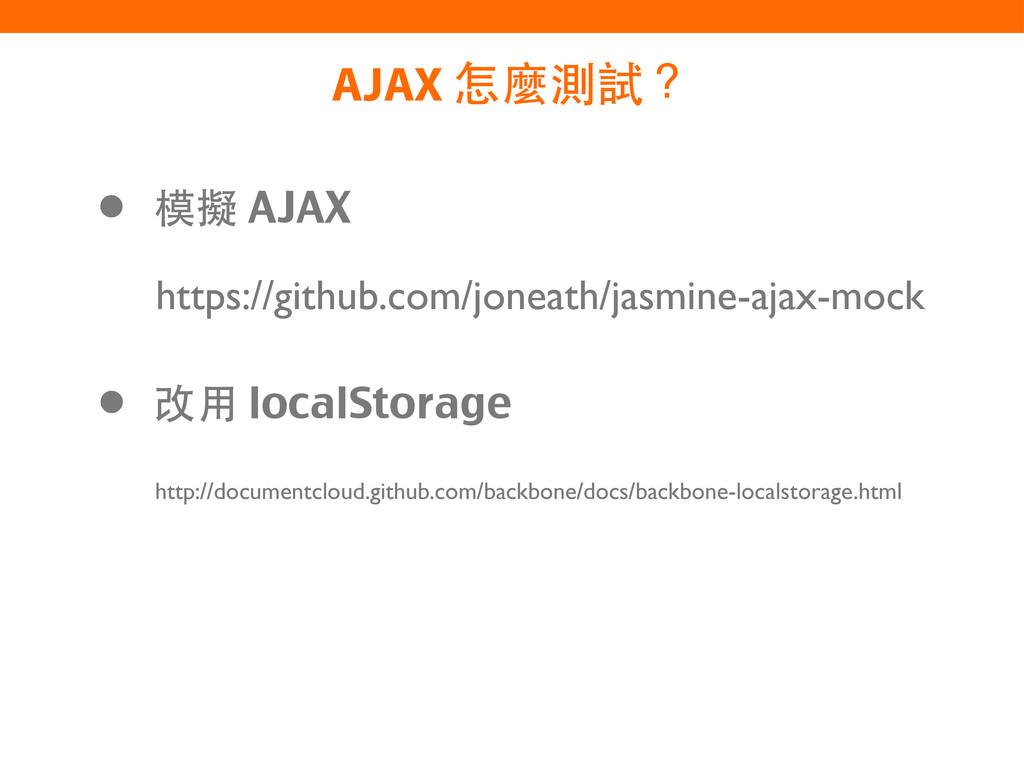
AJAX 怎麼測試? • 模擬 AJAX https://github.com/joneath/jasmine-ajax-mock • 改⽤用 localStorage http://documentcloud.github.com/backbone/docs/backbone-localstorage.html
js/collections/todos.js define([ 'Todo', 'backbone-localstorage' ], function (Todo) { return Backbone.Collection.extend({
model: Todo, localStorage: new Store('todos-backbone'), }); }); 因為相依性已經定義好了, 所以直接呼叫 backbone-localstorage 即可
地圖推演 6
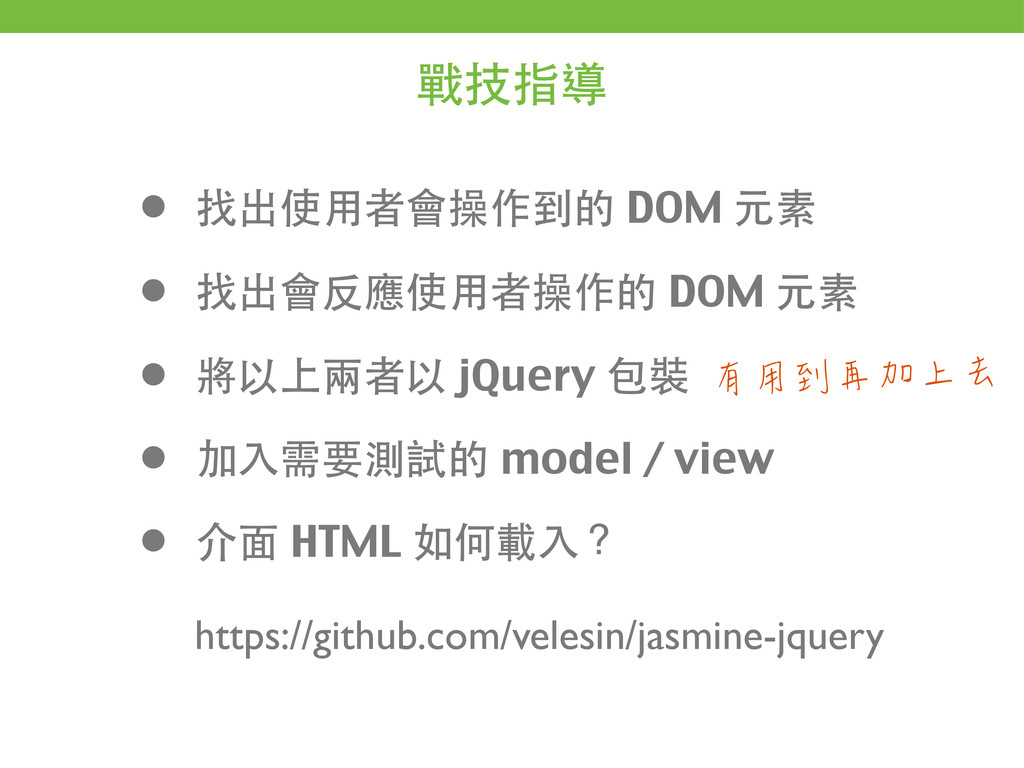
戰技指導 • 找出使⽤用者會操作到的 DOM 元素 • 找出會反應使⽤用者操作的 DOM 元素 •
將以上兩者以 jQuery 包裝 • 加⼊入需要測試的 model / view • 介⾯面 HTML 如何載⼊入? 有用到再加上去 https://github.com/velesin/jasmine-jquery
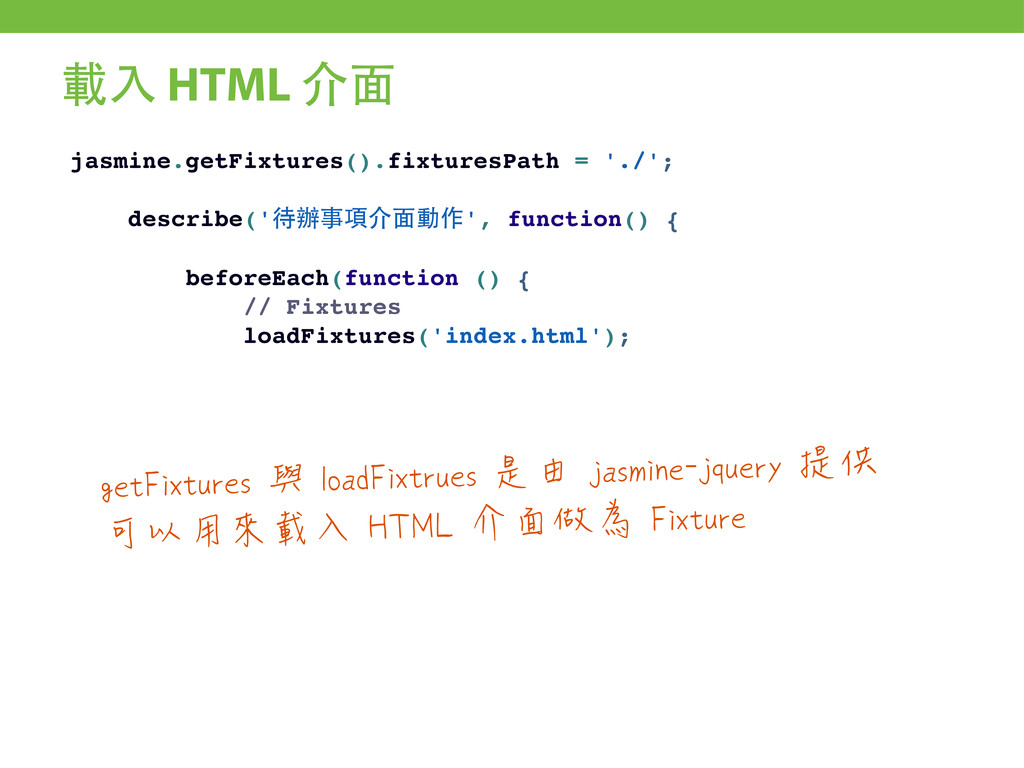
getFixtures 與 loadFixtrues 是由 jasmine-jquery 提供 可以用來載入 HTML 介面做為 Fixture
載⼊入 HTML 介⾯面 jasmine.getFixtures().fixturesPath = './'; describe('待辦事項介⾯面動作', function() { beforeEach(function () { // Fixtures loadFixtures('index.html');
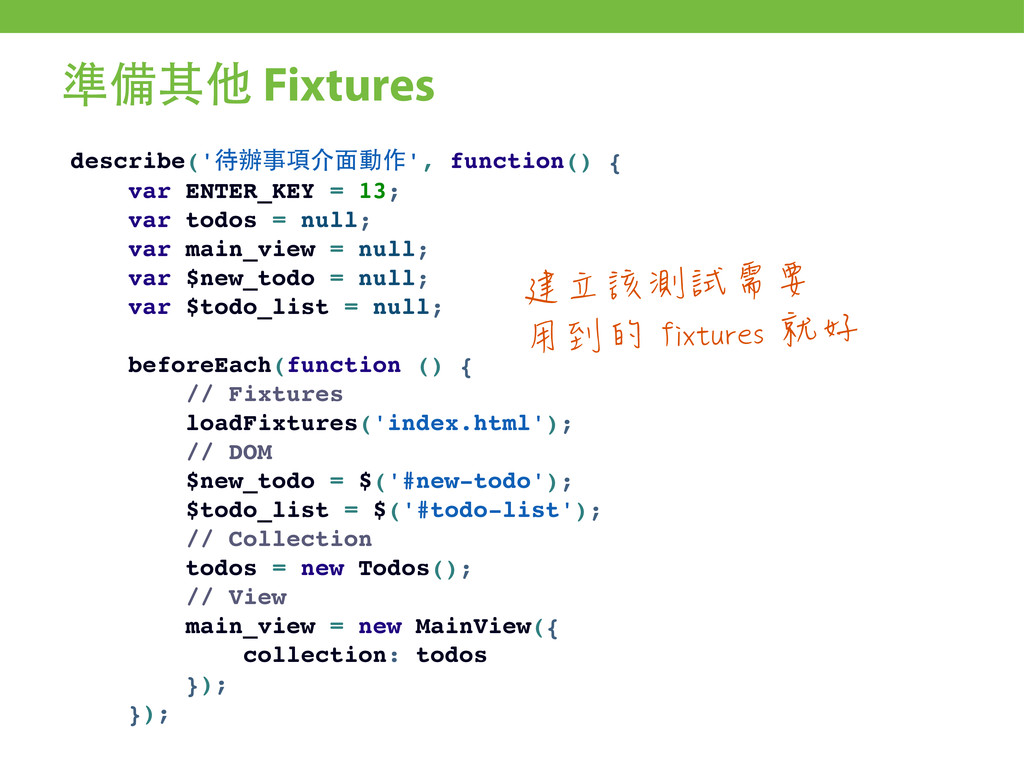
準備其他 Fixtures describe('待辦事項介⾯面動作', function() { var ENTER_KEY = 13; var
todos = null; var main_view = null; var $new_todo = null; var $todo_list = null; beforeEach(function () { // Fixtures loadFixtures('index.html'); // DOM $new_todo = $('#new-todo'); $todo_list = $('#todo-list'); // Collection todos = new Todos(); // View main_view = new MainView({ collection: todos }); }); 建立該測試需要 用到的 fixtures 就好
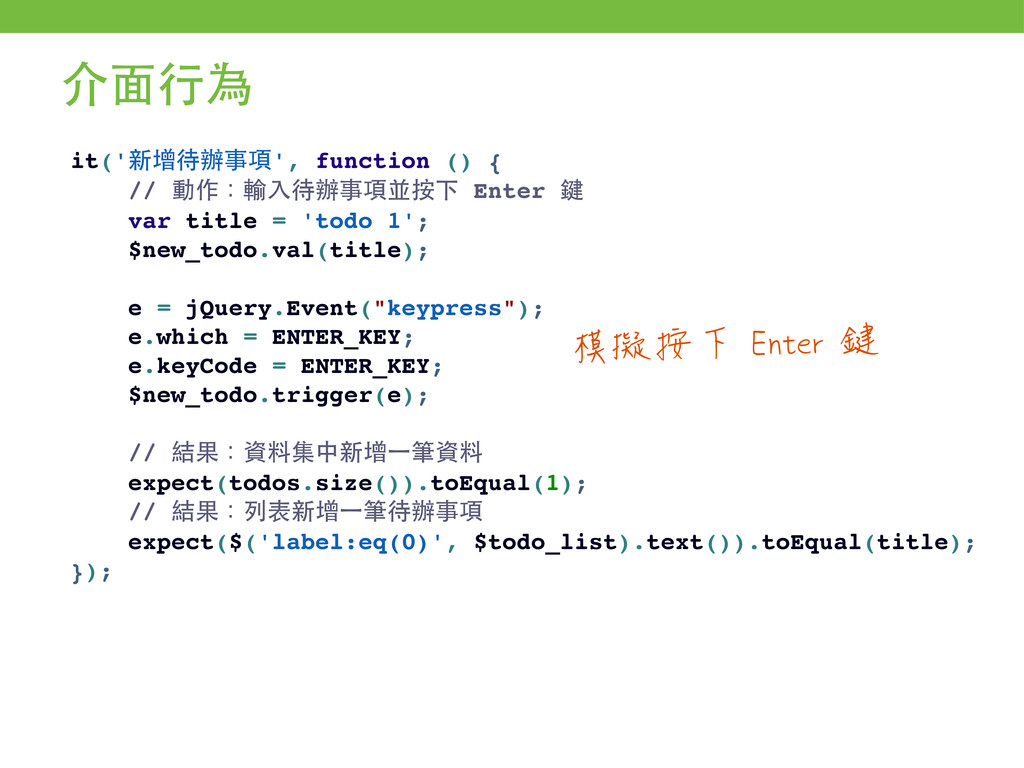
it('新增待辦事項', function () { // 動作:輸⼊入待辦事項並按下 Enter 鍵 var title
= 'todo 1'; $new_todo.val(title); e = jQuery.Event("keypress"); e.which = ENTER_KEY; e.keyCode = ENTER_KEY; $new_todo.trigger(e); // 結果:資料集中新增⼀一筆資料 expect(todos.size()).toEqual(1); // 結果:列表新增⼀一筆待辦事項 expect($('label:eq(0)', $todo_list).text()).toEqual(title); }); 模擬按下 Enter 鍵 介⾯面⾏行為
主要介⾯面 define([ 'backbone' ], function () { return Backbone.View.extend({ el:
'#todo-app', initialize: function () { }, events: { }
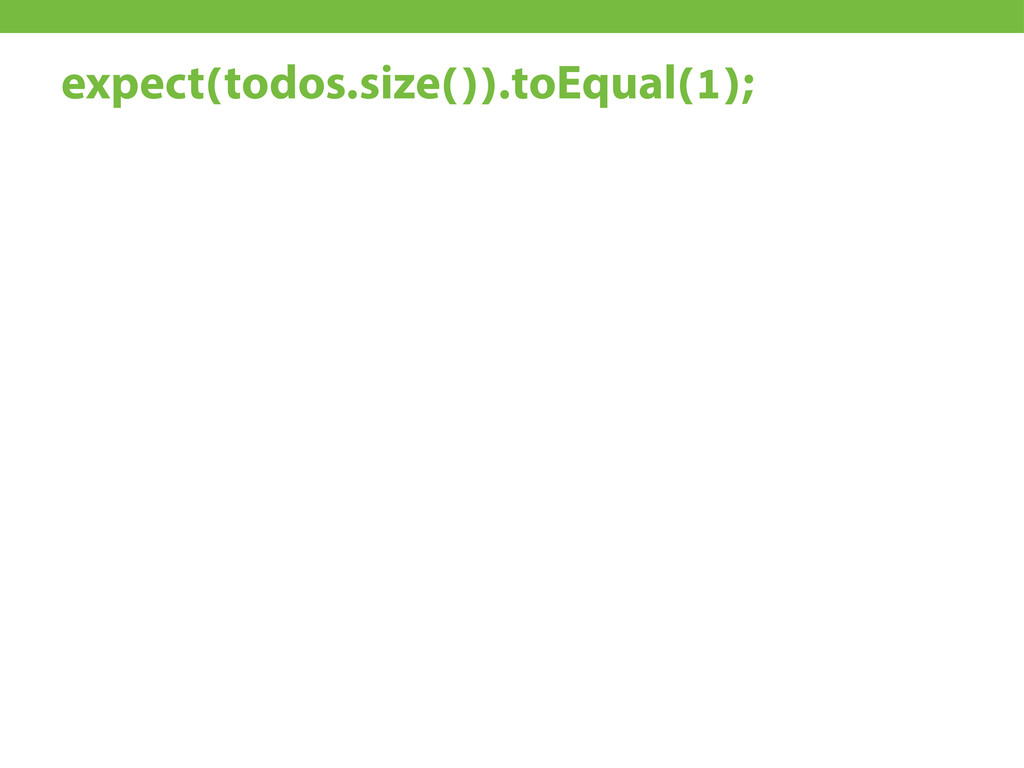
expect(todos.size()).toEqual(1);
expect(todos.size()).toEqual(1); define([ 'backbone' ], function () { return Backbone.View.extend({ el:
'#todo-app', initialize: function () { }, events: { }
expect(todos.size()).toEqual(1); define([ 'backbone' ], function () { return Backbone.View.extend({ el:
'#todo-app', initialize: function () { this.input = this.$('#new-todo'); }, events: { 'keypress #new-todo': 'createOnEnter' }
expect(todos.size()).toEqual(1); define([ 'backbone' ], function () { return Backbone.View.extend({ el:
'#todo-app', initialize: function () { this.input = this.$('#new-todo'); }, events: { 'keypress #new-todo': 'createOnEnter' }, createOnEnter: function(e) { if (e.which !== 13 || !this.input.val().trim()) { return; } this.collection.create({ title: this.input.val().trim(), completed: false }); this.input.val(''); }
expect($('label:eq(0)', $todo_list).text()).toEqual(title); define([ 'backbone' ], function ( ) { return
Backbone.View.extend({ el: '#todo-app', initialize: function () { this.input = this.$('#new-todo'); }, // ... }); });
define([ 'backbone' ], function ( ) { return Backbone.View.extend({ el:
'#todo-app', initialize: function () { this.input = this.$('#new-todo'); this.list = this.$('#todo-list'); this.collection.on('add', this.addOne, this); }, // ... }); }); 這裡我們需要列表 並在 collection 在新增完資料後 能夠透過 callback 更新列表 expect($('label:eq(0)', $todo_list).text()).toEqual(title);
define([ 'TodoItemView', 'backbone' ], function (TodoItemView) { return Backbone.View.extend({ el:
'#todo-app', initialize: function () { this.input = this.$('#new-todo'); this.list = this.$('#todo-list'); this.collection.on('add', this.addOne, this); }, // ... addOne: function(todo) { var view = new TodoItemView({ model: todo }); this.list.append(view.render().el); } }); }); 這裡需要一個動態建立的 sub view , 然後把新增的 model 交給它顯示 expect($('label:eq(0)', $todo_list).text()).toEqual(title);
define([ 'text!templates/item.html', 'backbone' ], function (item_template) { return Backbone.View.extend({ template:
_.template(item_template), render: function () { this.$el.html(this.template(this.model.toJSON())); return this; } }); }); 基本的 View 架構 js/views/todo-item.js
實際作戰 8
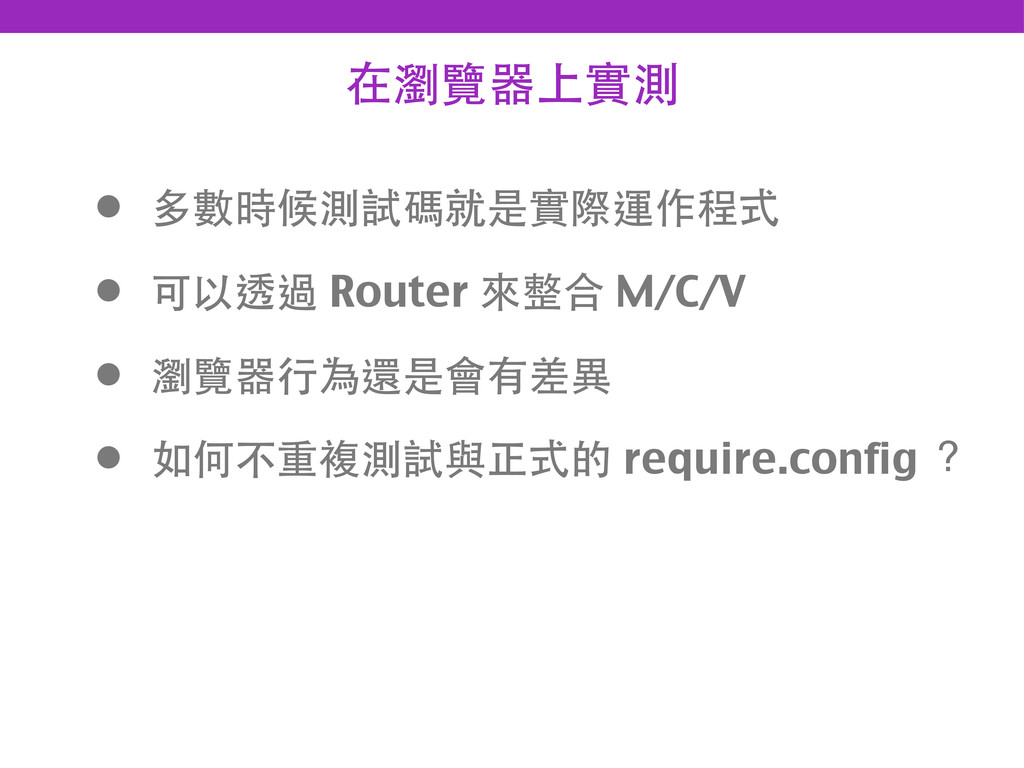
在瀏覽器上實測 • 多數時候測試碼就是實際運作程式 • 可以透過 Router 來整合 M/C/V • 瀏覽器⾏行為還是會有差異
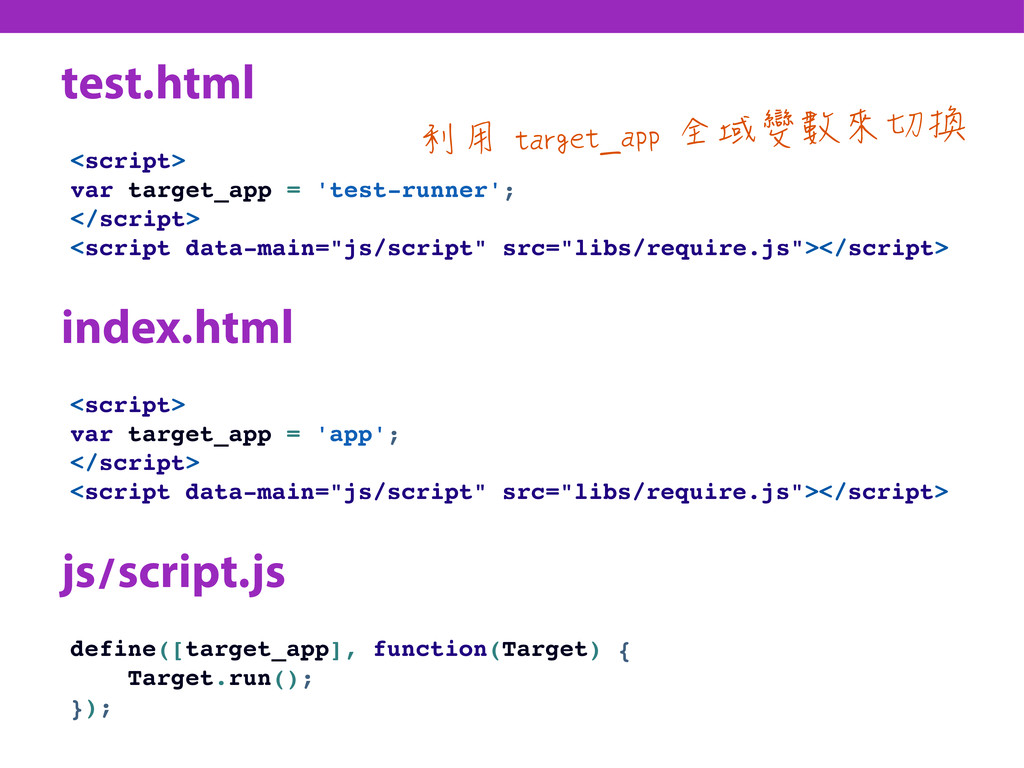
• 如何不重複測試與正式的 require.config ?
test.html <script> var target_app = 'test-runner'; </script> <script data-main="js/script" src="libs/require.js"></script>
利用 target_app 全域變數來切換 index.html <script> var target_app = 'app'; </script> <script data-main="js/script" src="libs/require.js"></script> js/script.js define([target_app], function(Target) { Target.run(); });
援軍到達 9
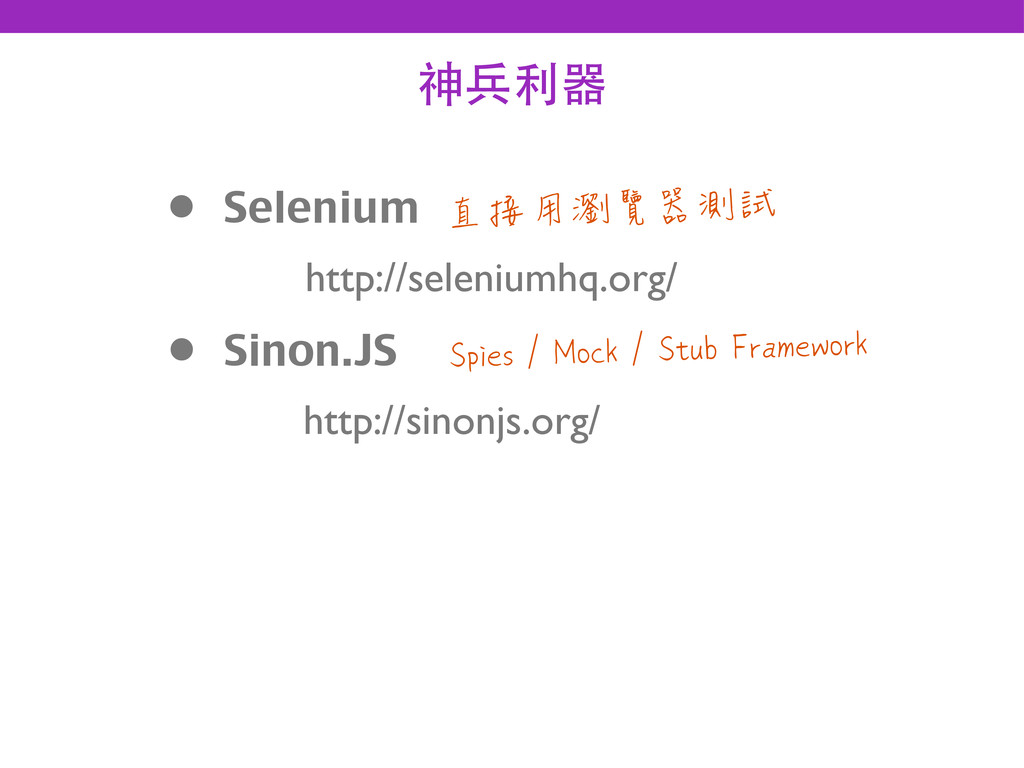
神兵利器 直接用瀏覽器測試 • Selenium http://seleniumhq.org/ http://sinonjs.org/ • Sinon.JS Spies /
Mock / Stub Framework
問題與討論


 jaceju
 vivion
 tmikov2023
 xleitix
 ivargrimstad
 yuta_onishi_97
 naruogram
 simas
simas
 hal_spidernight
 bicstone
 ochtum
 nakamizu
 chrisshort
 jnunemaker
 kneath
 uxyall
 akademiya2063
 tammielis
 frankvandijk
 trishagee
 addyosmani
 akashhashmi
 scottboms
 katarinadahlin





![define define([ 'alias', 'plugin_alias!path/to/file' ], function () { // Module](https://files.speakerdeck.com/presentations/508ba21661e478000201c55b/slide_5.jpg)
![Model define(['backbone'], function () { return Backbone.Model.extend({ defaults: { attr_1:](https://files.speakerdeck.com/presentations/508ba21661e478000201c55b/slide_7.jpg)
![Collection define(['model_alias', 'backbone'], function (Model) { return Backbone.Collection.extend({ model: Model](https://files.speakerdeck.com/presentations/508ba21661e478000201c55b/slide_8.jpg)
![View define([ 'SubView', 'text!template/template.html', 'backbone' ], function (SubView, template_name) {](https://files.speakerdeck.com/presentations/508ba21661e478000201c55b/slide_9.jpg)
![describe define(['model_alias'], function (Model) { describe('Spec description', function () {](https://files.speakerdeck.com/presentations/508ba21661e478000201c55b/slide_11.jpg)
![describe define(['model_alias'], function (Model) { describe('Spec description', function () {](https://files.speakerdeck.com/presentations/508ba21661e478000201c55b/slide_12.jpg)
![describe define(['model_alias'], function (Model) { describe('Spec description', function () {](https://files.speakerdeck.com/presentations/508ba21661e478000201c55b/slide_13.jpg)




![js/test-runner.js define([ 'todo-spec' ], function () { return { run:](https://files.speakerdeck.com/presentations/508ba21661e478000201c55b/slide_36.jpg)
![test.html <script data-main="js/script" src="libs/require.js"></script> </head> js/script.js define(['test-runner'], function(Target) { Target.run();](https://files.speakerdeck.com/presentations/508ba21661e478000201c55b/slide_37.jpg)
![js/collections/todos.js define([ 'Todo', 'backbone' ], function (Todo) { return Backbone.Collection.extend({](https://files.speakerdeck.com/presentations/508ba21661e478000201c55b/slide_40.jpg)
![Model define([ 'backbone' ], function () { return Backbone.Model.extend({ defaults:](https://files.speakerdeck.com/presentations/508ba21661e478000201c55b/slide_41.jpg)
![js/models/todo.js define([ 'backbone' ], function () { return Backbone.Model.extend({ defaults:](https://files.speakerdeck.com/presentations/508ba21661e478000201c55b/slide_43.jpg)
![js/collections/todos.js define([ 'Todo', 'backbone-localstorage' ], function (Todo) { return Backbone.Collection.extend({](https://files.speakerdeck.com/presentations/508ba21661e478000201c55b/slide_45.jpg)

![主要介⾯面 define([ 'backbone' ], function () { return Backbone.View.extend({ el:](https://files.speakerdeck.com/presentations/508ba21661e478000201c55b/slide_51.jpg)
![expect(todos.size()).toEqual(1); define([ 'backbone' ], function () { return Backbone.View.extend({ el:](https://files.speakerdeck.com/presentations/508ba21661e478000201c55b/slide_53.jpg)
![expect(todos.size()).toEqual(1); define([ 'backbone' ], function () { return Backbone.View.extend({ el:](https://files.speakerdeck.com/presentations/508ba21661e478000201c55b/slide_54.jpg)
![expect(todos.size()).toEqual(1); define([ 'backbone' ], function () { return Backbone.View.extend({ el:](https://files.speakerdeck.com/presentations/508ba21661e478000201c55b/slide_55.jpg)
![expect($('label:eq(0)', $todo_list).text()).toEqual(title); define([ 'backbone' ], function ( ) { return](https://files.speakerdeck.com/presentations/508ba21661e478000201c55b/slide_56.jpg)
![define([ 'backbone' ], function ( ) { return Backbone.View.extend({ el:](https://files.speakerdeck.com/presentations/508ba21661e478000201c55b/slide_57.jpg)
![define([ 'TodoItemView', 'backbone' ], function (TodoItemView) { return Backbone.View.extend({ el:](https://files.speakerdeck.com/presentations/508ba21661e478000201c55b/slide_58.jpg)
![define([ 'text!templates/item.html', 'backbone' ], function (item_template) { return Backbone.View.extend({ template:](https://files.speakerdeck.com/presentations/508ba21661e478000201c55b/slide_59.jpg)