Upgrade to Pro — share decks privately, control downloads, hide ads and more …

Beyond the prompt: Building Strict, High-Quali...

Beyond the prompt: Building Strict, High-Quality Agentic Workflows for Android Teams.

AI-generated code that compiles but violates your architecture is a quality problem, not a tooling limitation. This talk covers how to build a strict, team-wide agentic workflow for Android using the tools announced at Google I/O 2026 — Android CLI, Android Skills, Antigravity CLI's Planning Mode, and Mobile MCP verification.

Demoed live on Voyager: from a Planning Mode codebase review to applying /adaptive and /edge-to-edge skills with a single command, verifying changes on a real device, and reviewing agent output against Compose best practices — all without writing a 400-line diff you didn't expect.

Presented at Google I/O Extended Nairobi 2026.

Avatar for Jacquiline Gitau

Jacquiline Gitau

June 25, 2026

More Decks by Jacquiline Gitau

Other Decks in Programming

Transcript

  1. BEYOND THE PROMPT Building Strict, High-Quality Agentic Workflows for Android

    Teams Moving from unmonitored vibe coding to a reviewable, team-wide agentic workflow — using Skills, Rules, MCP verification, and Plan Mode. JG Jacquiline Gitau Android Engineer
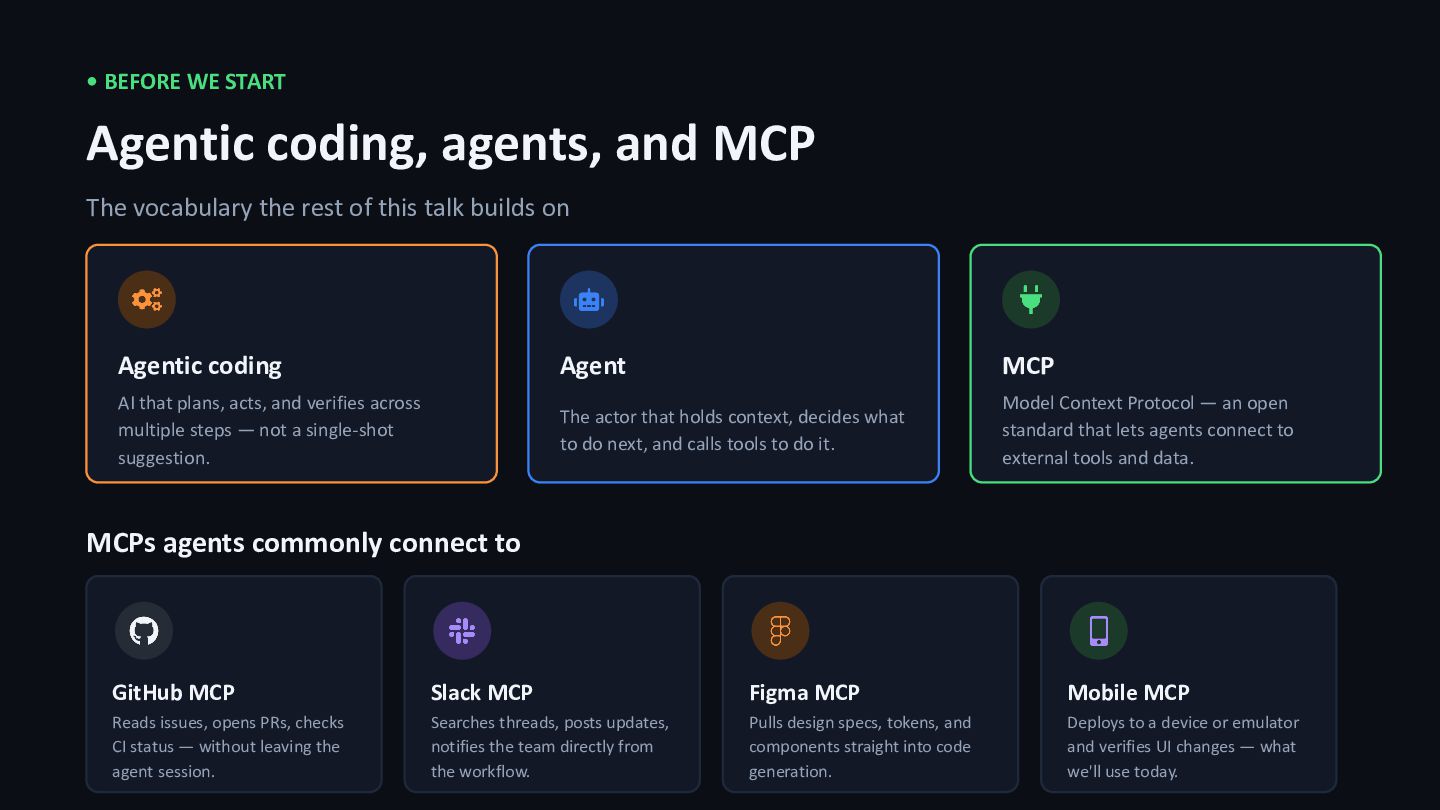
  2. • BEFORE WE START Agentic coding, agents, and MCP The

    vocabulary the rest of this talk builds on Agentic coding AI that plans, acts, and verifies across multiple steps — not a single-shot suggestion. Agent The actor that holds context, decides what to do next, and calls tools to do it. MCP Model Context Protocol — an open standard that lets agents connect to external tools and data. MCPs agents commonly connect to GitHub MCP Reads issues, opens PRs, checks CI status — without leaving the agent session. Slack MCP Searches threads, posts updates, notifies the team directly from the workflow. Figma MCP Pulls design specs, tokens, and components straight into code generation. Mobile MCP Deploys to a device or emulator and verifies UI changes — what we'll use today.
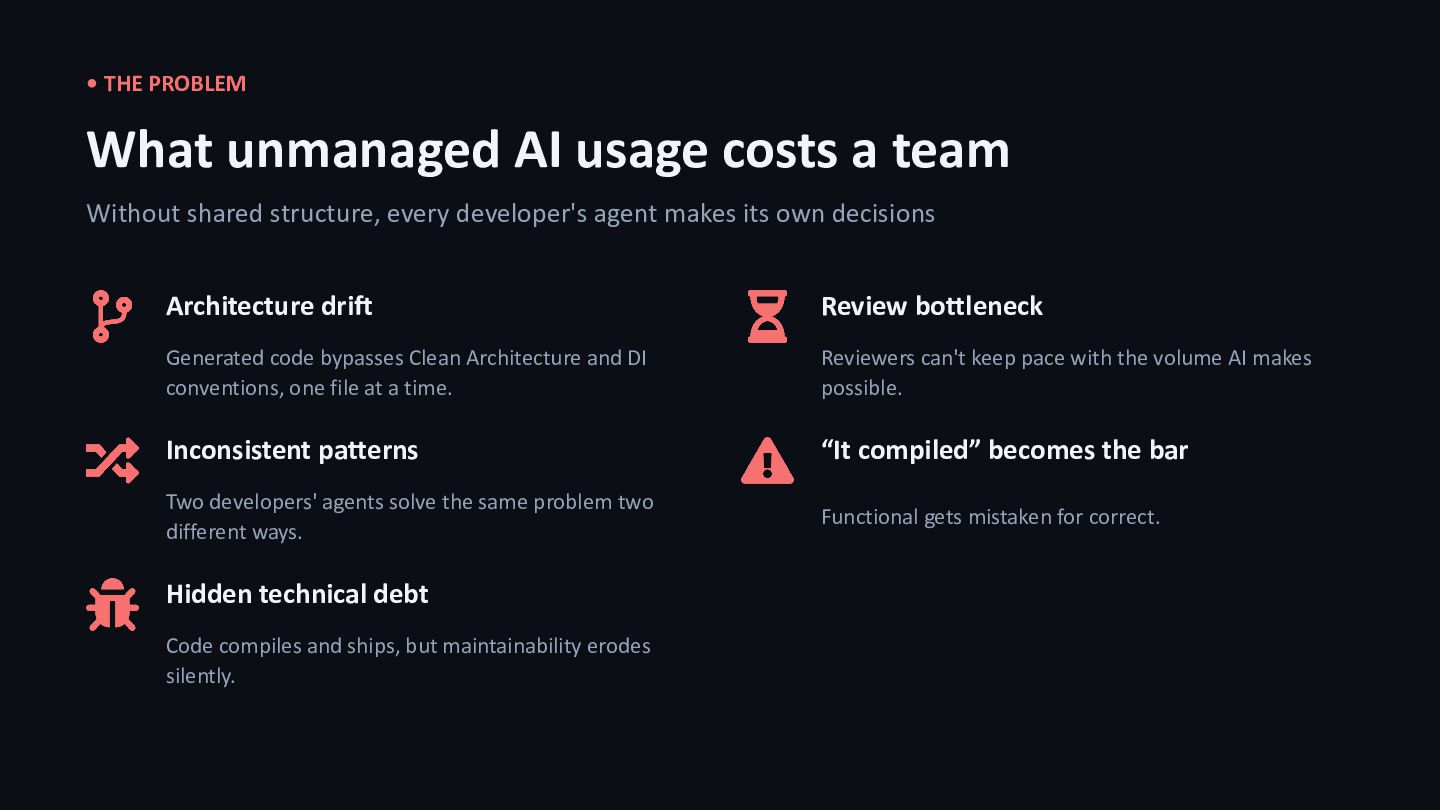
  3. • THE PROBLEM What unmanaged AI usage costs a team

    Without shared structure, every developer's agent makes its own decisions Architecture drift Generated code bypasses Clean Architecture and DI conventions, one file at a time. Inconsistent patterns Two developers' agents solve the same problem two different ways. Hidden technical debt Code compiles and ships, but maintainability erodes silently. Review bottleneck Reviewers can't keep pace with the volume AI makes possible. “It compiled” becomes the bar Functional gets mistaken for correct.
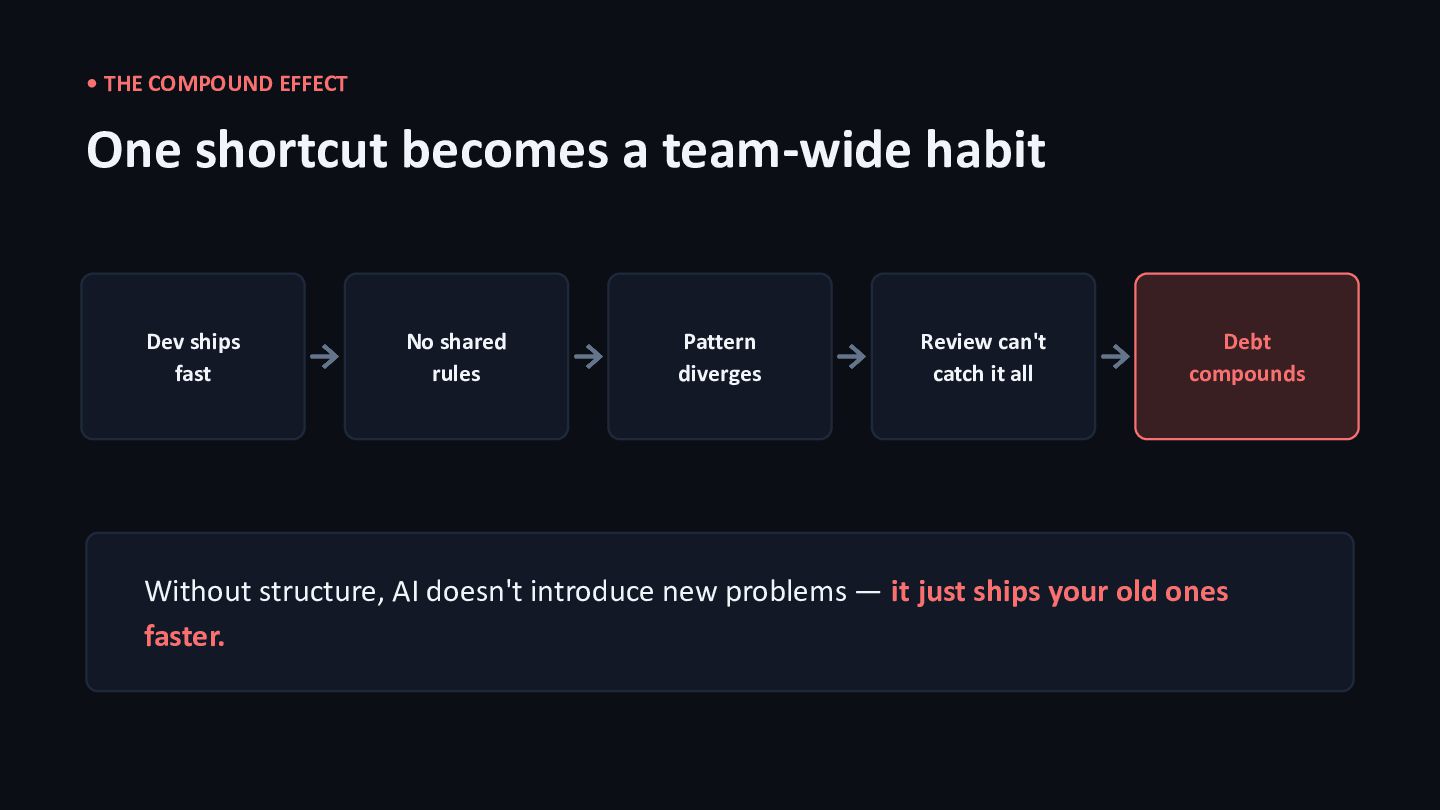
  4. • THE COMPOUND EFFECT One shortcut becomes a team-wide habit

    Dev ships fast No shared rules Pattern diverges Review can't catch it all Debt compounds Without structure, AI doesn't introduce new problems — it just ships your old ones faster.
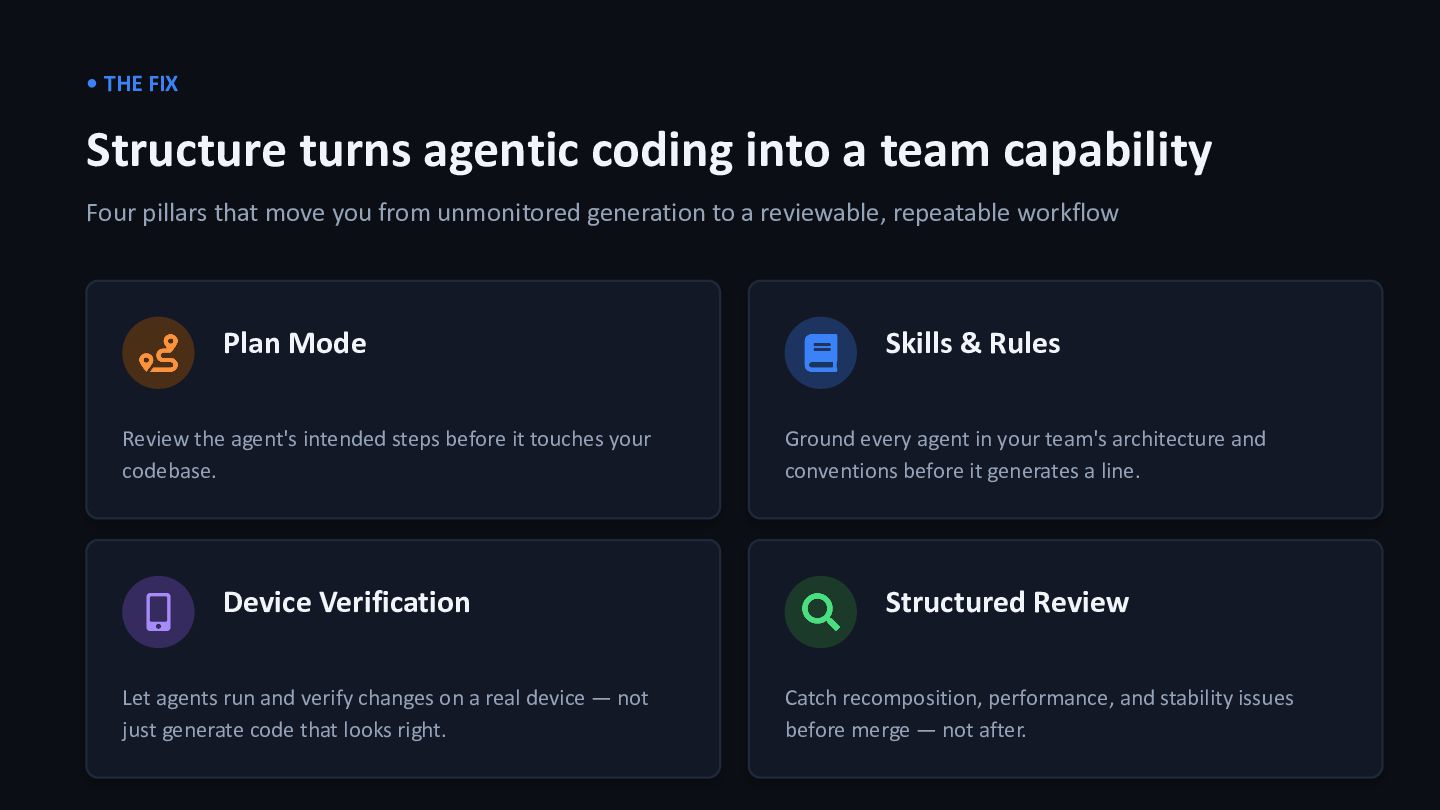
  5. • THE FIX Structure turns agentic coding into a team

    capability Four pillars that move you from unmonitored generation to a reviewable, repeatable workflow Plan Mode Review the agent's intended steps before it touches your codebase. Skills & Rules Ground every agent in your team's architecture and conventions before it generates a line. Device Verification Let agents run and verify changes on a real device — not just generate code that looks right. Structured Review Catch recomposition, performance, and stability issues before merge — not after.
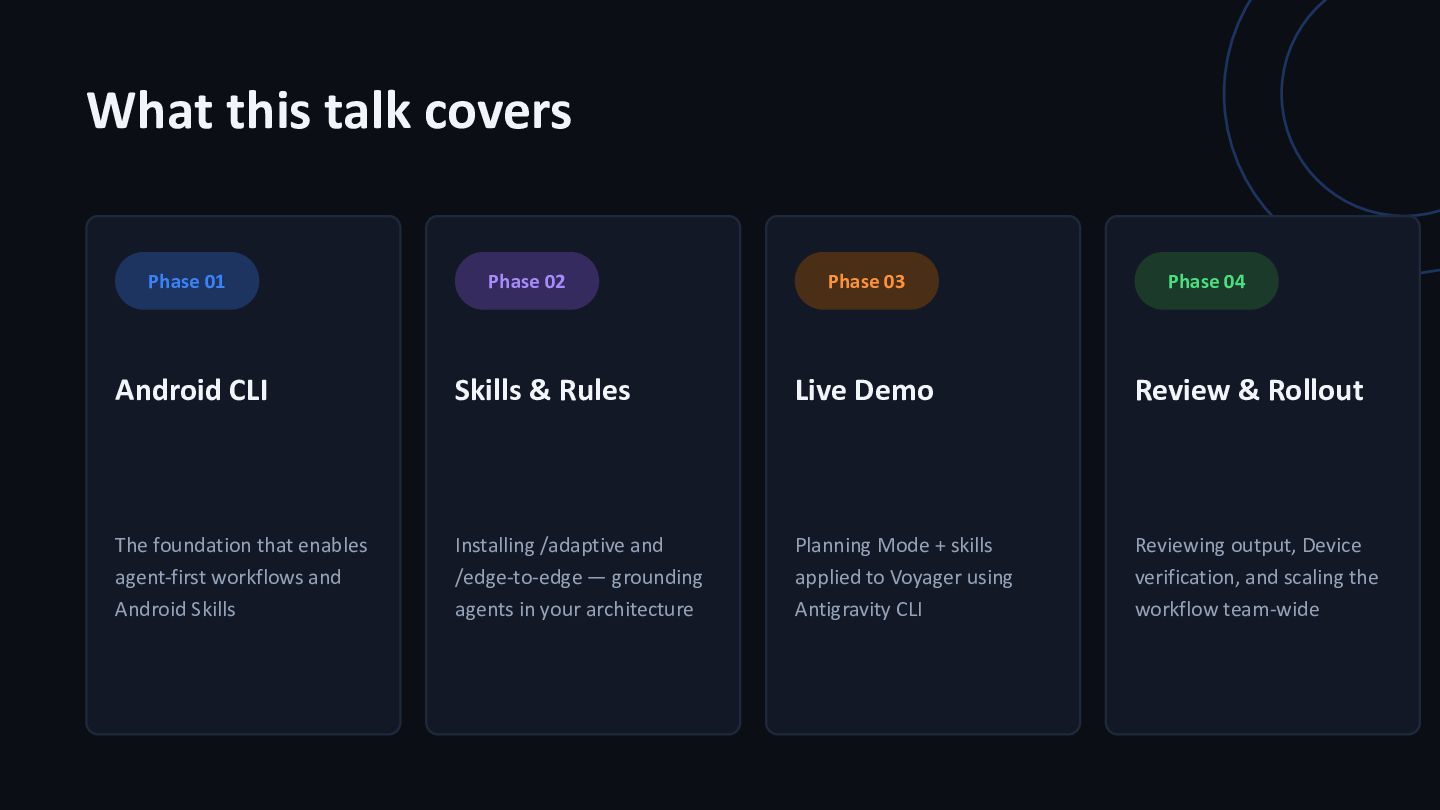
  6. What this talk covers Phase 01 Android CLI The foundation

    that enables agent-first workflows and Android Skills Phase 02 Skills & Rules Installing /adaptive and /edge-to-edge — grounding agents in your architecture Phase 03 Live Demo Planning Mode + skills applied to Voyager using Antigravity CLI Phase 04 Review & Rollout Reviewing output, Device verification, and scaling the workflow team-wide
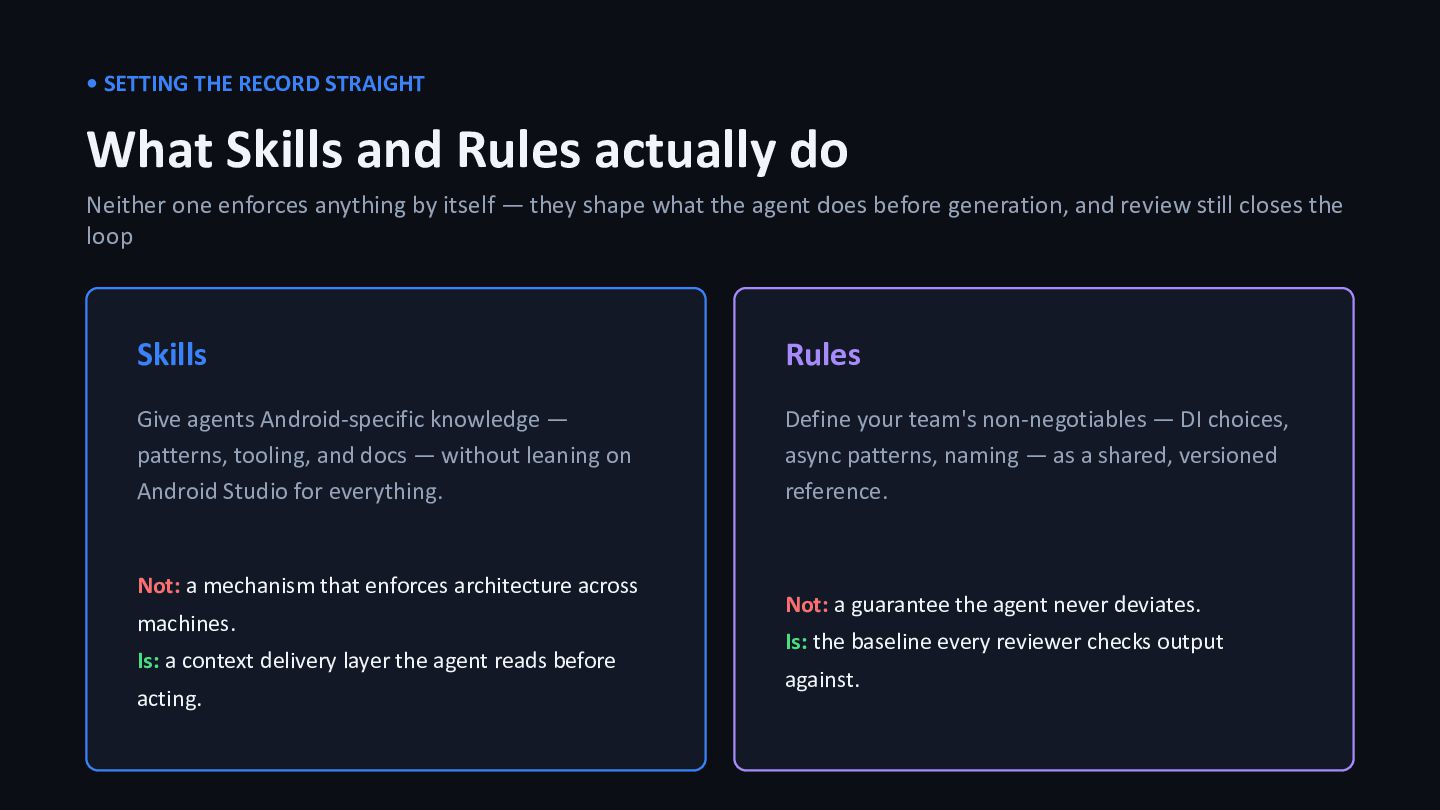
  7. • SETTING THE RECORD STRAIGHT What Skills and Rules actually

    do Neither one enforces anything by itself — they shape what the agent does before generation, and review still closes the loop Skills Give agents Android-specific knowledge — patterns, tooling, and docs — without leaning on Android Studio for everything. Not: a mechanism that enforces architecture across machines. Is: a context delivery layer the agent reads before acting. Rules Define your team's non-negotiables — DI choices, async patterns, naming — as a shared, versioned reference. Not: a guarantee the agent never deviates. Is: the baseline every reviewer checks output against.
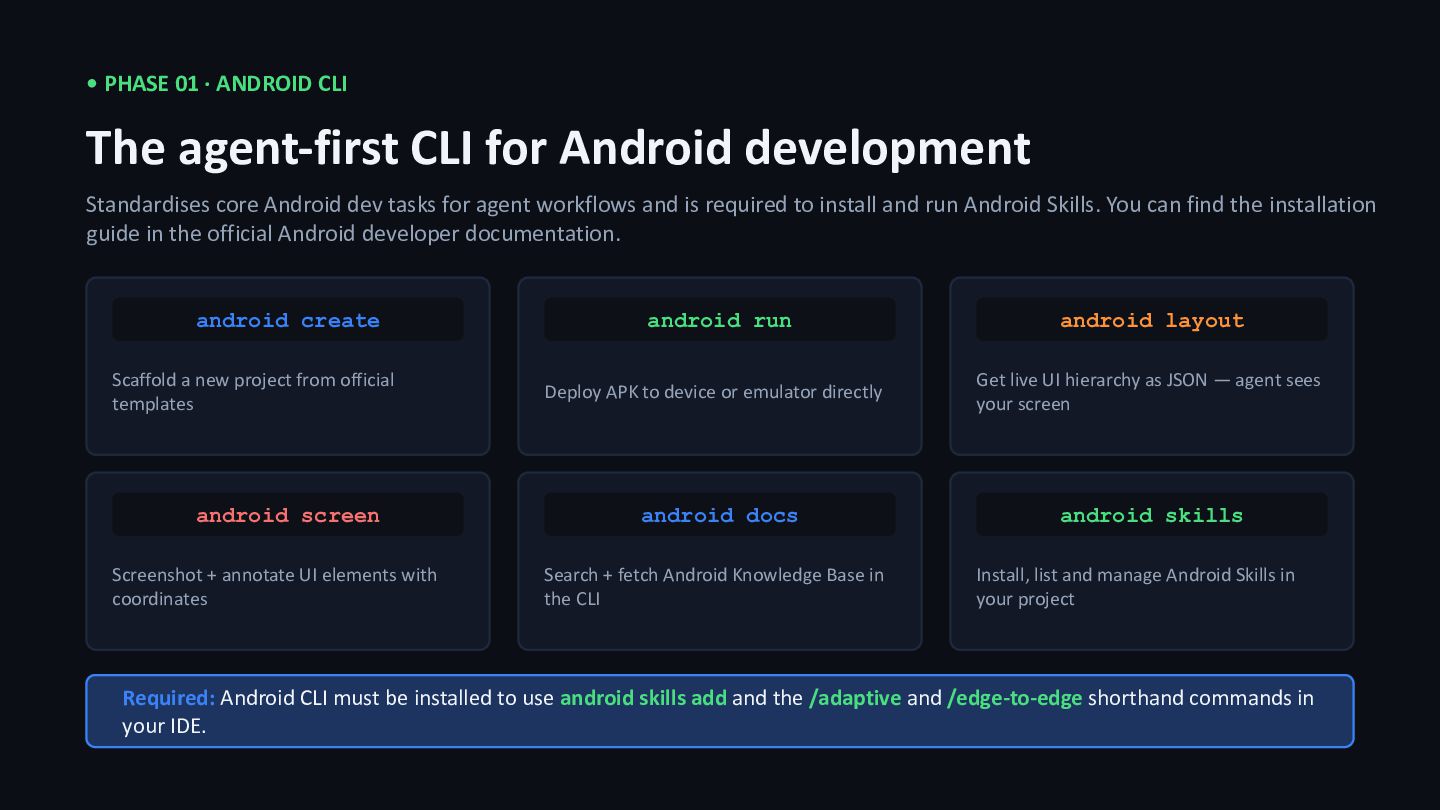
  8. • PHASE 01 · ANDROID CLI The agent-first CLI for

    Android development Standardises core Android dev tasks for agent workflows and is required to install and run Android Skills. You can find the installation guide in the official Android developer documentation. android create Scaffold a new project from official templates android run Deploy APK to device or emulator directly android layout Get live UI hierarchy as JSON — agent sees your screen android screen Screenshot + annotate UI elements with coordinates android docs Search + fetch Android Knowledge Base in the CLI android skills Install, list and manage Android Skills in your project Required: Android CLI must be installed to use android skills add and the /adaptive and /edge-to-edge shorthand commands in your IDE.
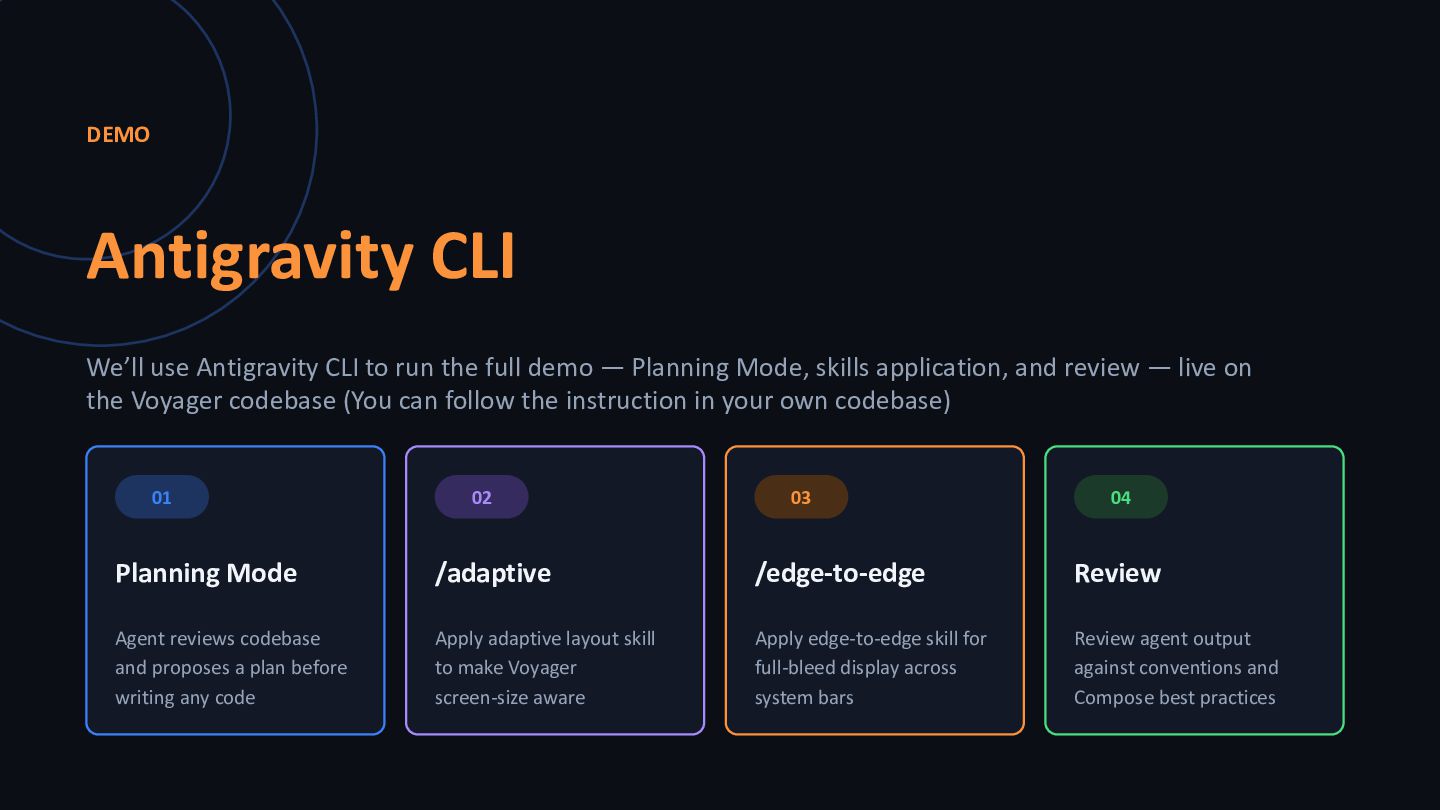
  9. DEMO Antigravity CLI We’ll use Antigravity CLI to run the

    full demo — Planning Mode, skills application, and review — live on the Voyager codebase (You can follow the instruction in your own codebase) 01 Planning Mode Agent reviews codebase and proposes a plan before writing any code 02 /adaptive Apply adaptive layout skill to make Voyager screen-size aware 03 /edge-to-edge Apply edge-to-edge skill for full-bleed display across system bars 04 Review Review agent output against conventions and Compose best practices
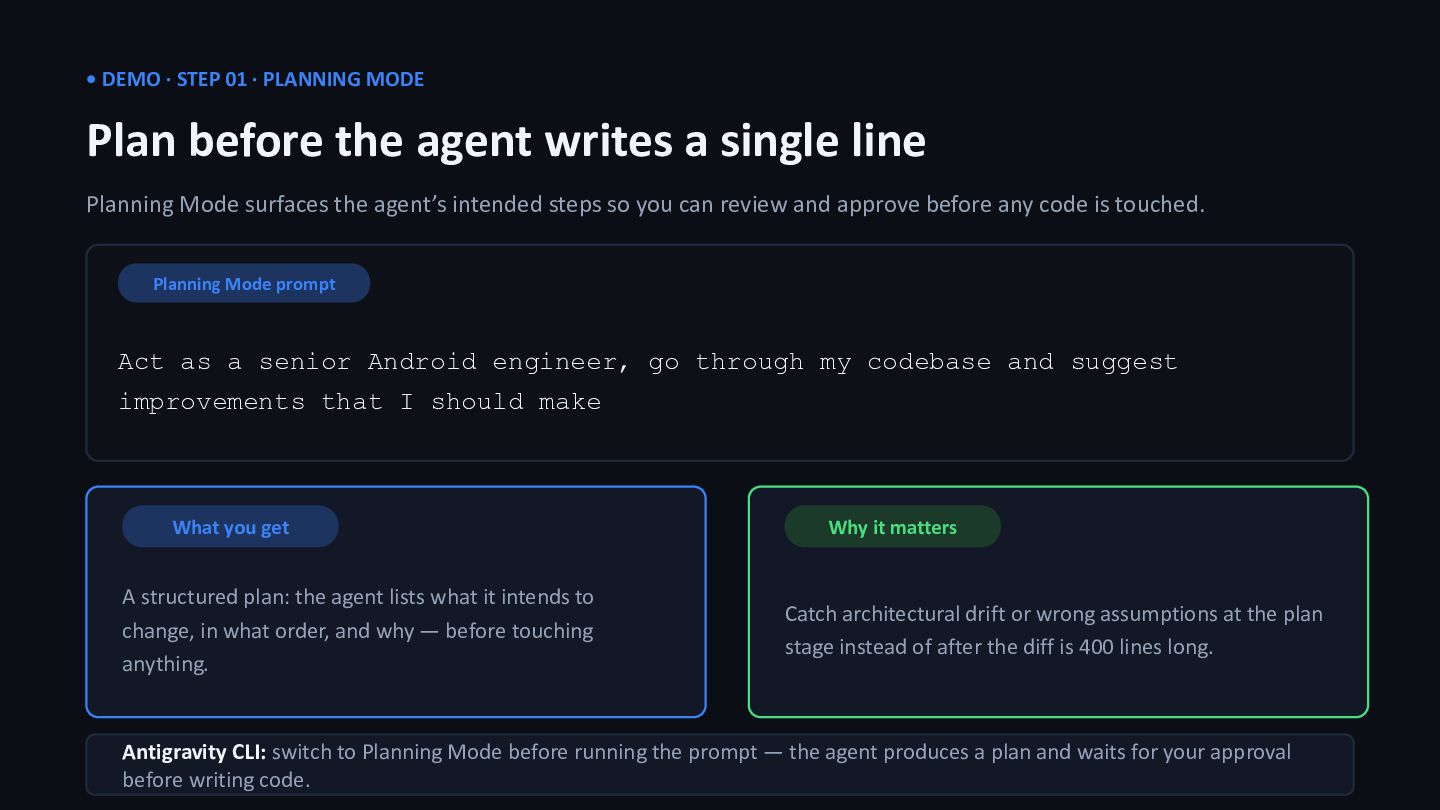
  10. • DEMO · STEP 01 · PLANNING MODE Plan before

    the agent writes a single line Planning Mode surfaces the agent’s intended steps so you can review and approve before any code is touched. Planning Mode prompt Act as a senior Android engineer, go through my codebase and suggest improvements that I should make What you get A structured plan: the agent lists what it intends to change, in what order, and why — before touching anything. Why it matters Catch architectural drift or wrong assumptions at the plan stage instead of after the diff is 400 lines long. Antigravity CLI: switch to Planning Mode before running the prompt — the agent produces a plan and waits for your approval before writing code.
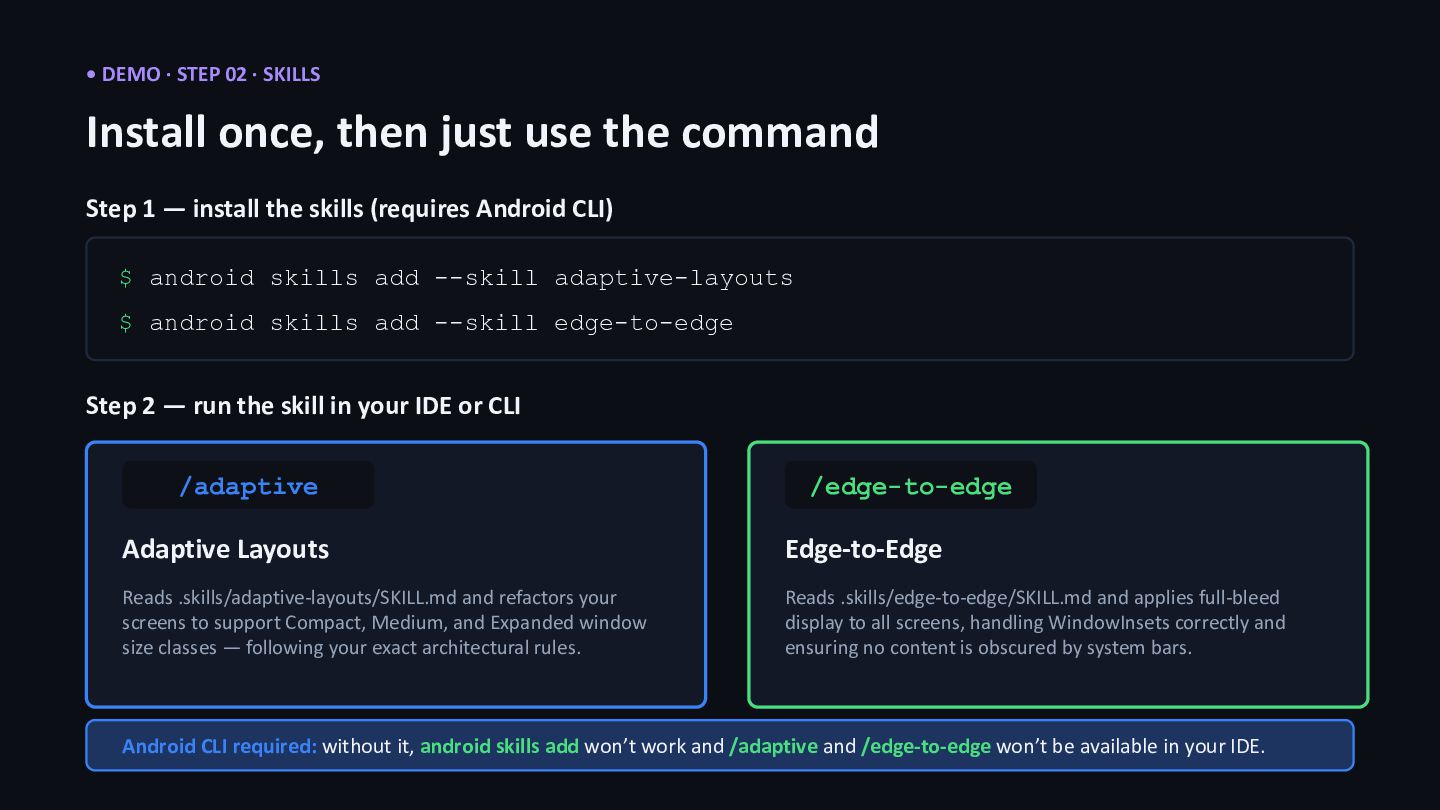
  11. • DEMO · STEP 02 · SKILLS Install once, then

    just use the command Step 1 — install the skills (requires Android CLI) $ android skills add --skill adaptive-layouts $ android skills add --skill edge-to-edge Step 2 — run the skill in your IDE or CLI /adaptive Adaptive Layouts Reads .skills/adaptive-layouts/SKILL.md and refactors your screens to support Compact, Medium, and Expanded window size classes — following your exact architectural rules. /edge-to-edge Edge-to-Edge Reads .skills/edge-to-edge/SKILL.md and applies full-bleed display to all screens, handling WindowInsets correctly and ensuring no content is obscured by system bars. Android CLI required: without it, android skills add won’t work and /adaptive and /edge-to-edge won’t be available in your IDE.
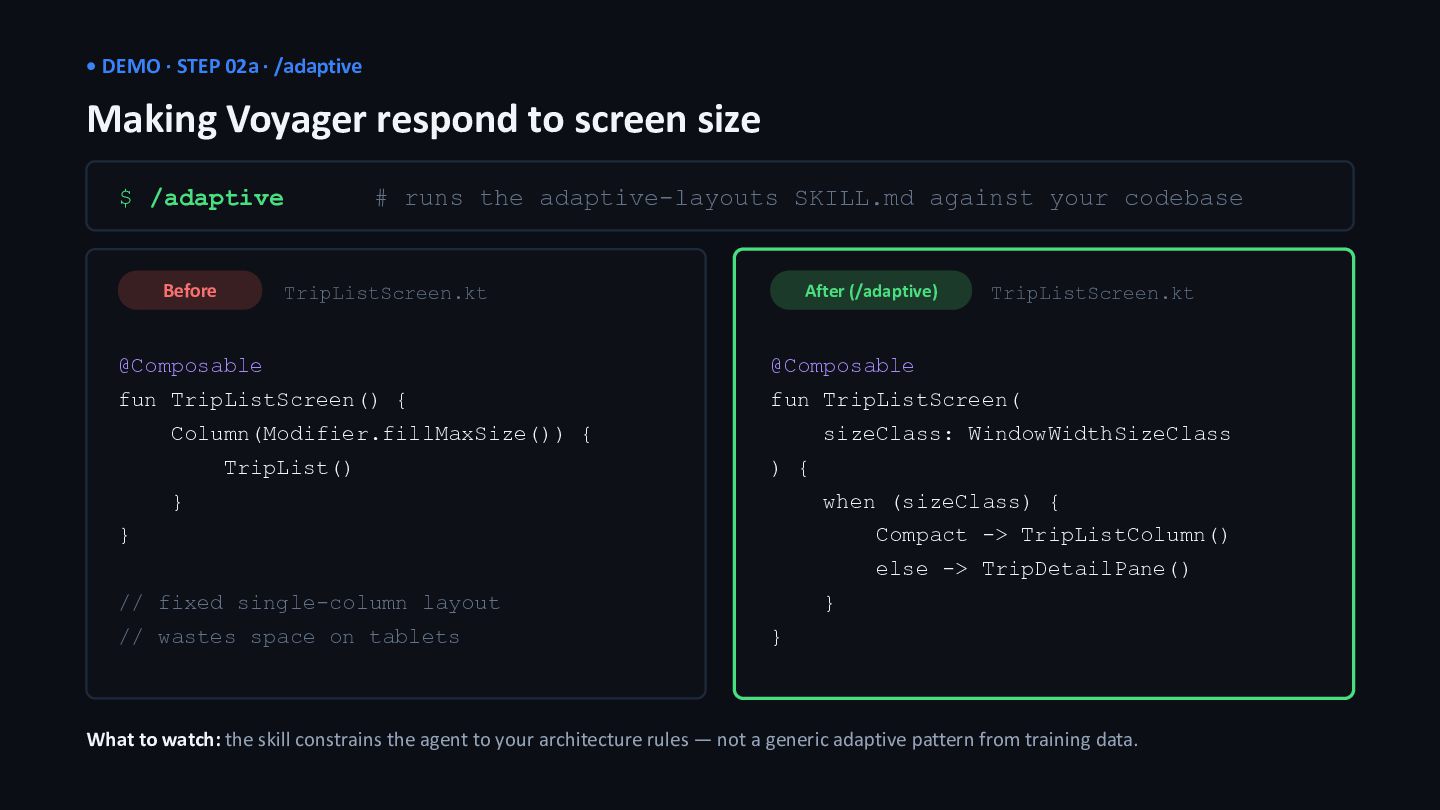
  12. • DEMO · STEP 02a · /adaptive Making Voyager respond

    to screen size $ /adaptive # runs the adaptive-layouts SKILL.md against your codebase Before TripListScreen.kt @Composable fun TripListScreen() { Column(Modifier.fillMaxSize()) { TripList() } } // fixed single-column layout // wastes space on tablets After (/adaptive) TripListScreen.kt @Composable fun TripListScreen( sizeClass: WindowWidthSizeClass ) { when (sizeClass) { Compact -> TripListColumn() else -> TripDetailPane() } } What to watch: the skill constrains the agent to your architecture rules — not a generic adaptive pattern from training data.
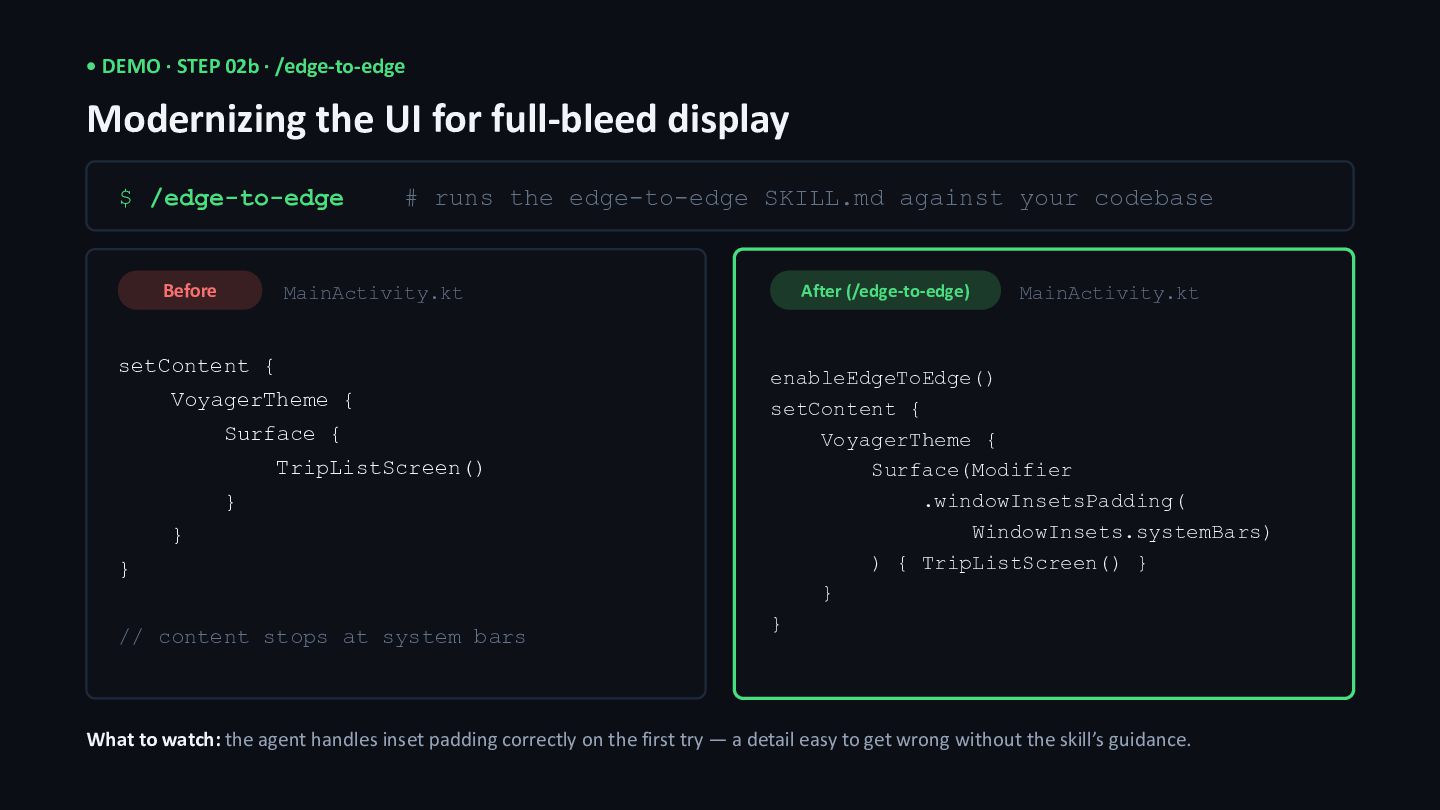
  13. • DEMO · STEP 02b · /edge-to-edge Modernizing the UI

    for full-bleed display $ /edge-to-edge # runs the edge-to-edge SKILL.md against your codebase Before MainActivity.kt setContent { VoyagerTheme { Surface { TripListScreen() } } } // content stops at system bars After (/edge-to-edge) MainActivity.kt enableEdgeToEdge() setContent { VoyagerTheme { Surface(Modifier .windowInsetsPadding( WindowInsets.systemBars) ) { TripListScreen() } } } What to watch: the agent handles inset padding correctly on the first try — a detail easy to get wrong without the skill’s guidance.
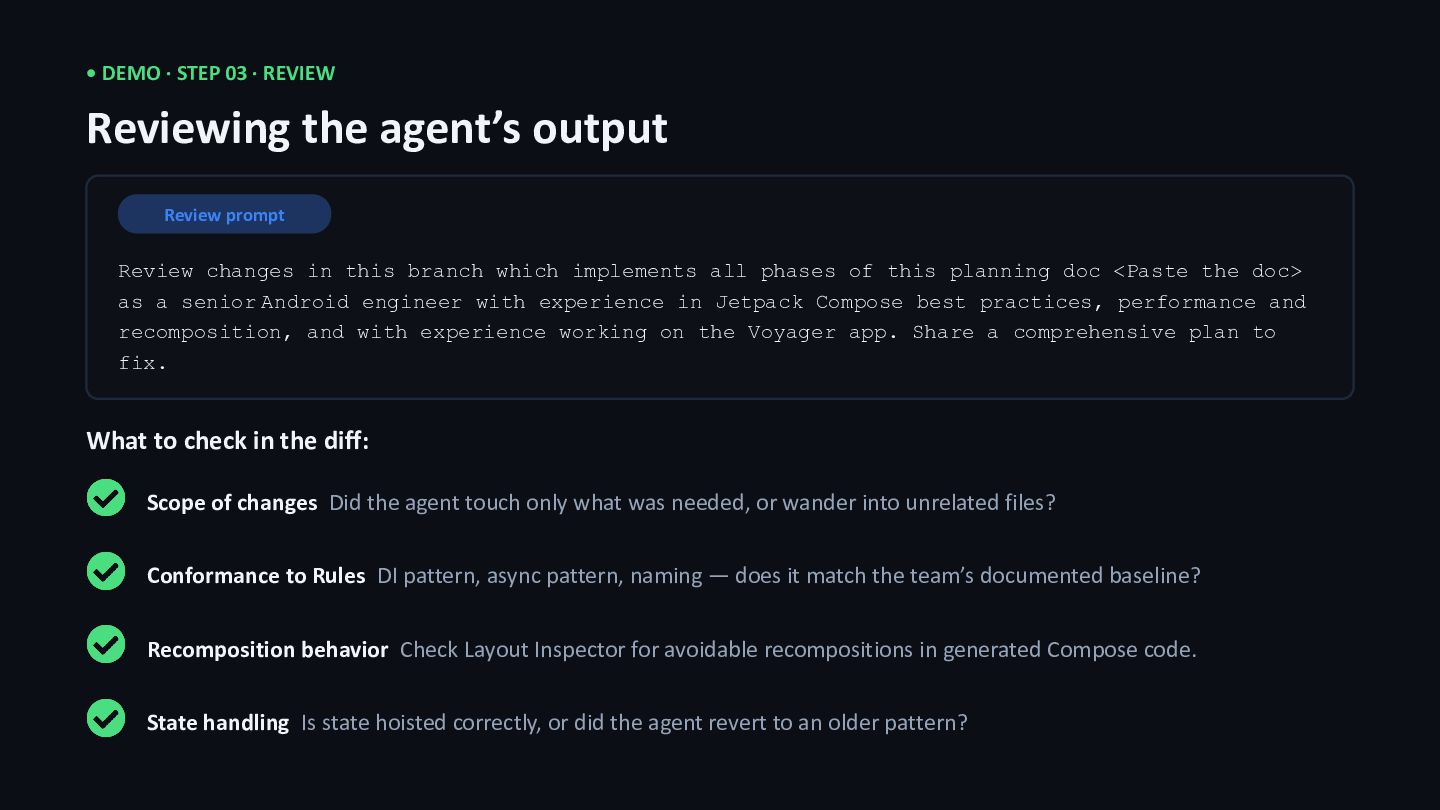
  14. • DEMO · STEP 03 · REVIEW Reviewing the agent’s

    output Review prompt Review changes in this branch which implements all phases of this planning doc <Paste the doc> as a senior Android engineer with experience in Jetpack Compose best practices, performance and recomposition, and with experience working on the Voyager app. Share a comprehensive plan to fix. What to check in the diff: Scope of changes Did the agent touch only what was needed, or wander into unrelated files? Conformance to Rules DI pattern, async pattern, naming — does it match the team’s documented baseline? Recomposition behavior Check Layout Inspector for avoidable recompositions in generated Compose code. State handling Is state hoisted correctly, or did the agent revert to an older pattern?
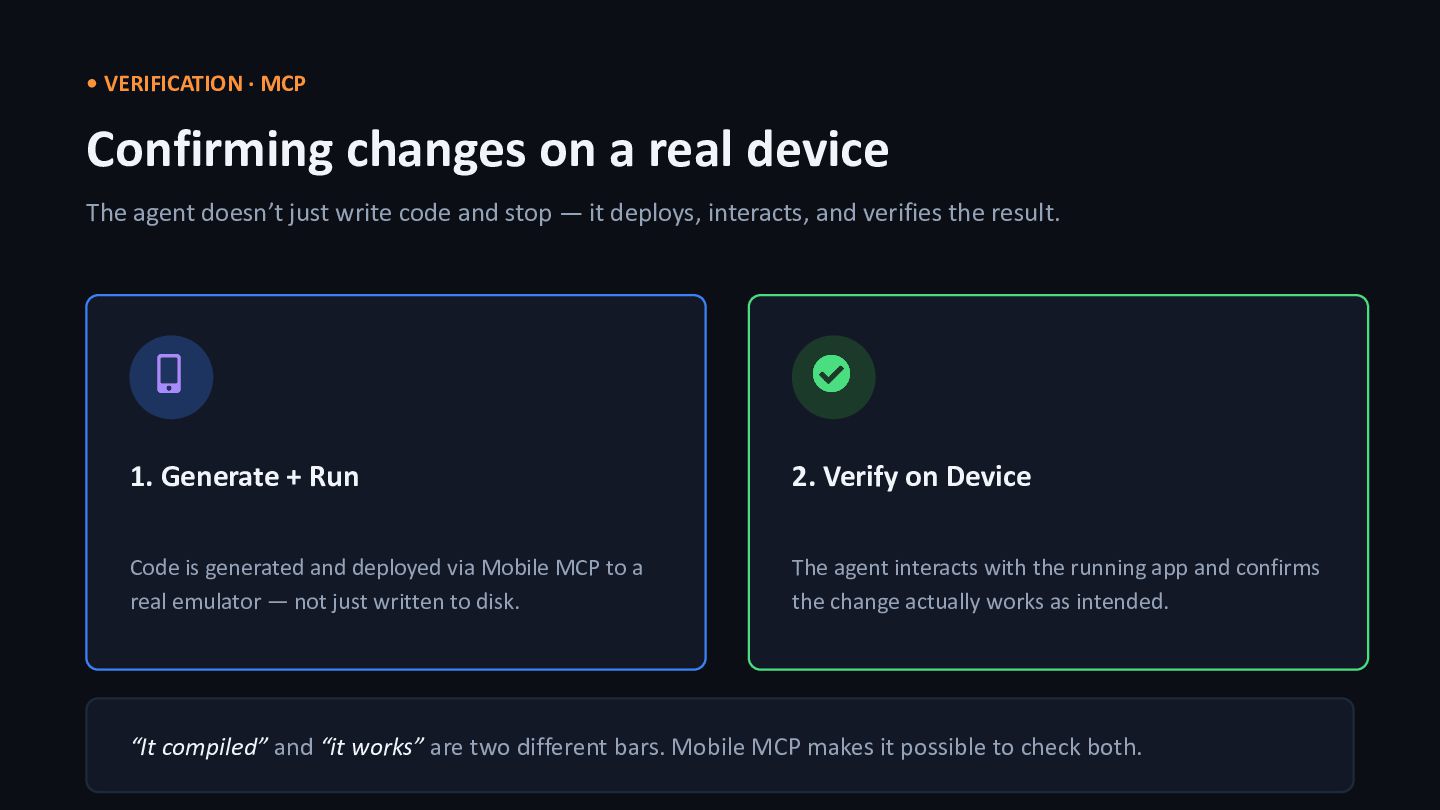
  15. • VERIFICATION · MCP Confirming changes on a real device

    The agent doesn’t just write code and stop — it deploys, interacts, and verifies the result. 1. Generate + Run Code is generated and deployed via Mobile MCP to a real emulator — not just written to disk. 2. Verify on Device The agent interacts with the running app and confirms the change actually works as intended. “It compiled” and “it works” are two different bars. Mobile MCP makes it possible to check both.
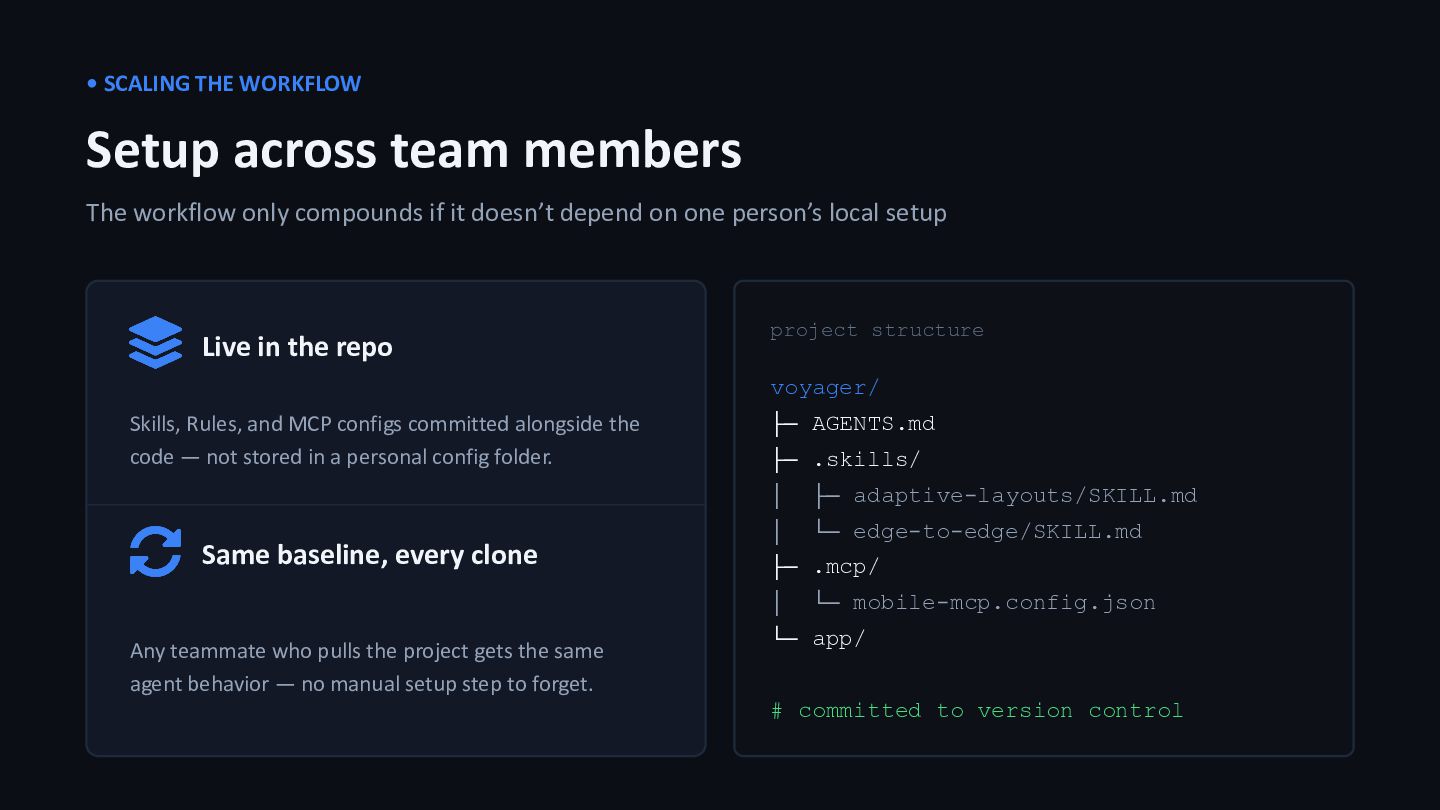
  16. • SCALING THE WORKFLOW Setup across team members The workflow

    only compounds if it doesn’t depend on one person’s local setup Live in the repo Skills, Rules, and MCP configs committed alongside the code — not stored in a personal config folder. Same baseline, every clone Any teammate who pulls the project gets the same agent behavior — no manual setup step to forget. project structure voyager/ ├─ AGENTS.md ├─ .skills/ │ ├─ adaptive-layouts/SKILL.md │ └─ edge-to-edge/SKILL.md ├─ .mcp/ │ └─ mobile-mcp.config.json └─ app/ # committed to version control
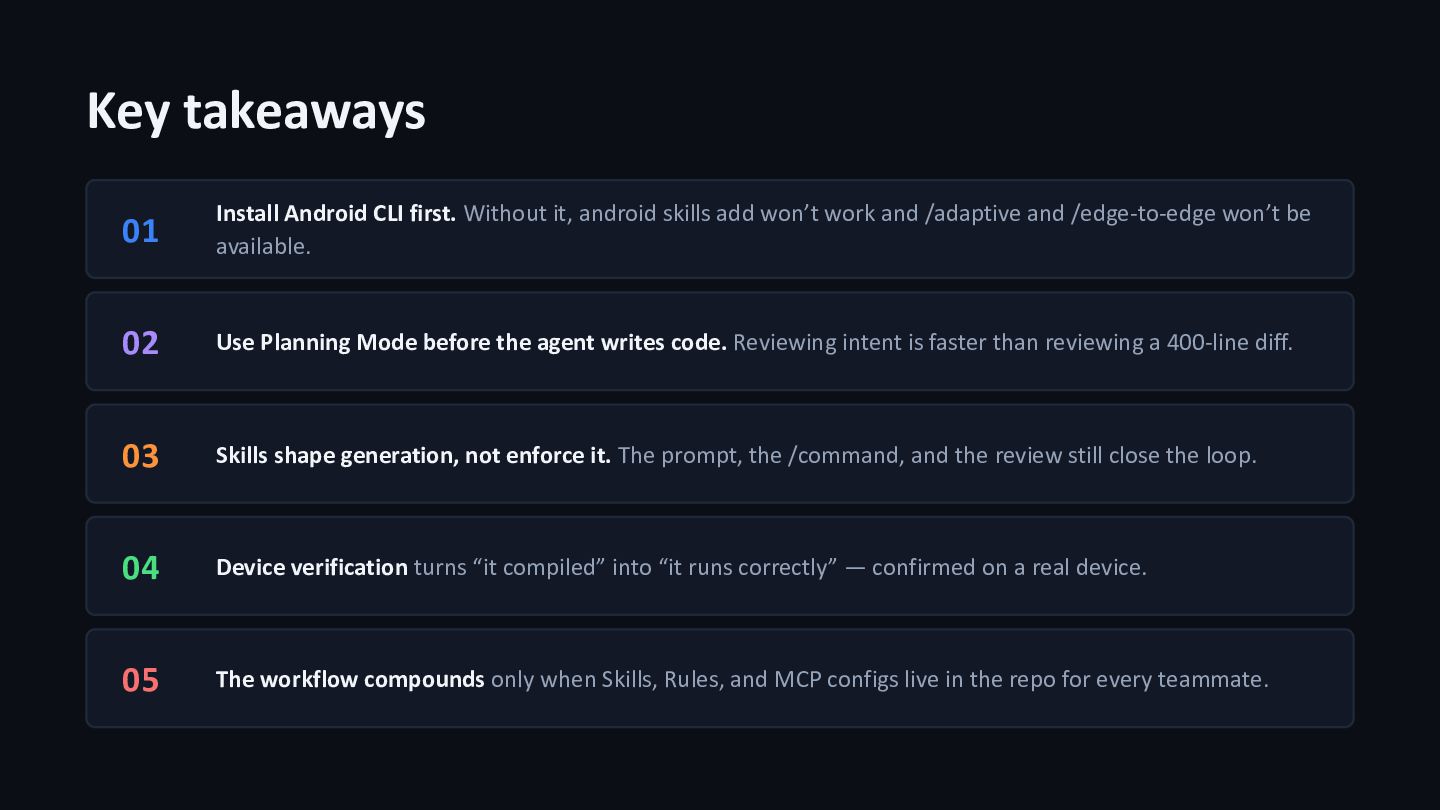
  17. Key takeaways 01 Install Android CLI first. Without it, android

    skills add won’t work and /adaptive and /edge-to-edge won’t be available. 02 Use Planning Mode before the agent writes code. Reviewing intent is faster than reviewing a 400-line diff. 03 Skills shape generation, not enforce it. The prompt, the /command, and the review still close the loop. 04 Device verification turns “it compiled” into “it runs correctly” — confirmed on a real device. 05 The workflow compounds only when Skills, Rules, and MCP configs live in the repo for every teammate.
  18. • QUESTIONS Thank you What questions do you have? JG

    Jacquiline Gitau Android Engineer @Jacqui_Gitau | Jacquiline Gitau (LinkedIn)