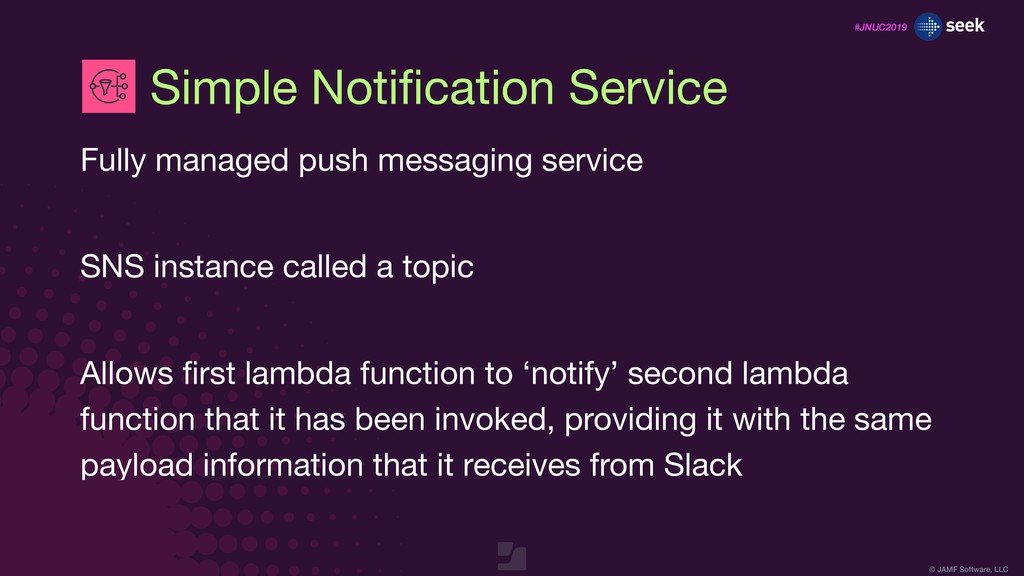
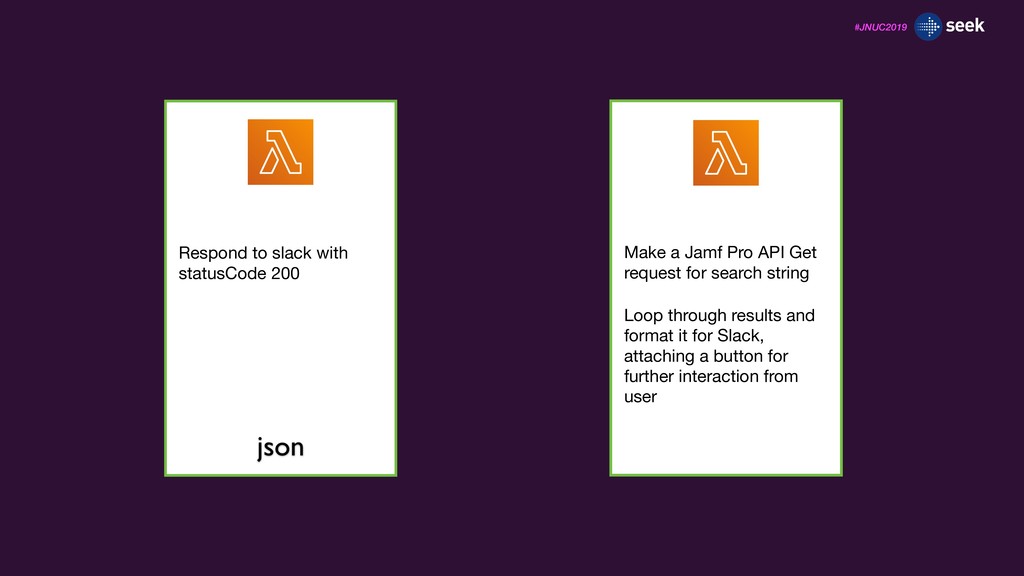
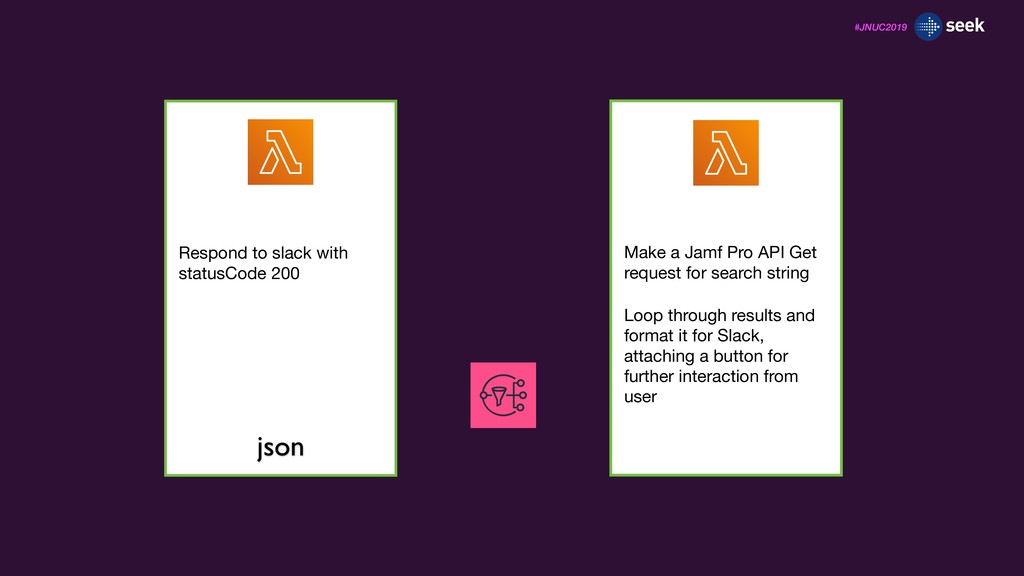
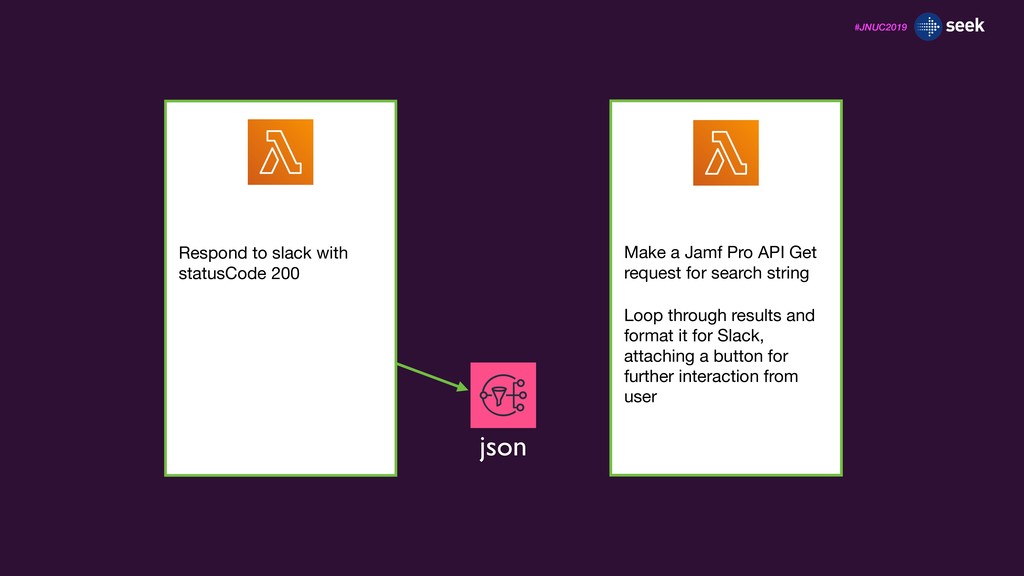
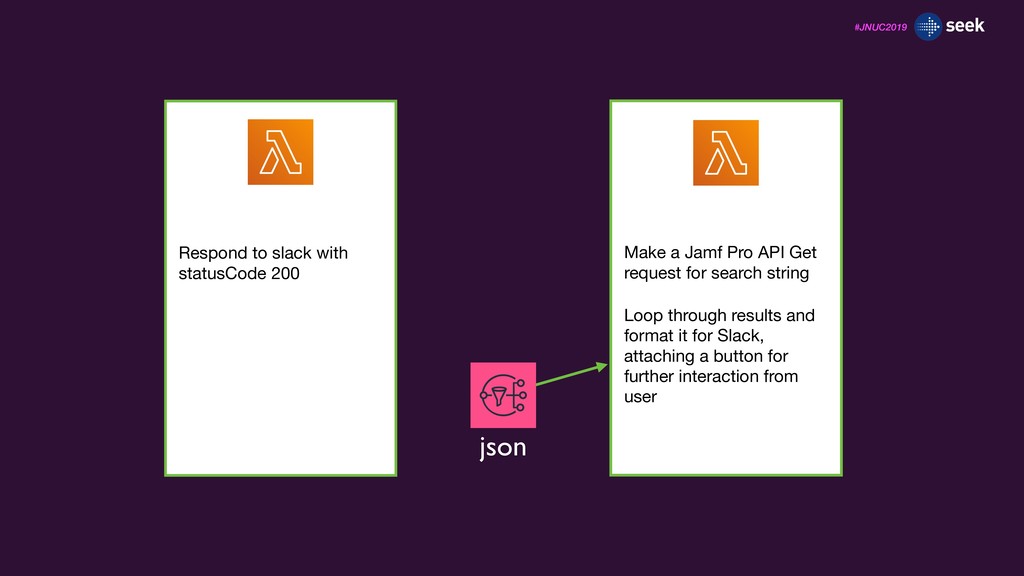
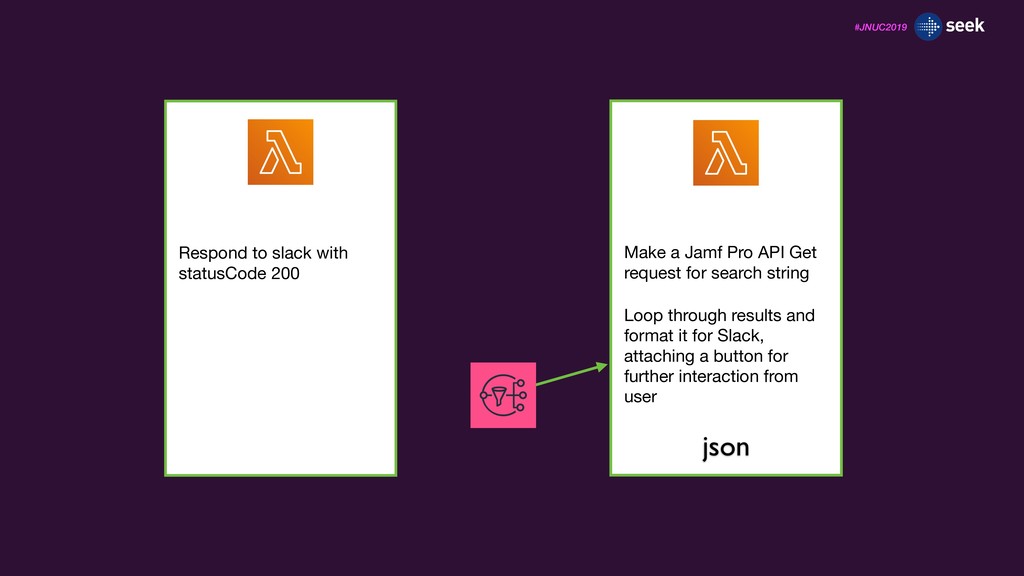
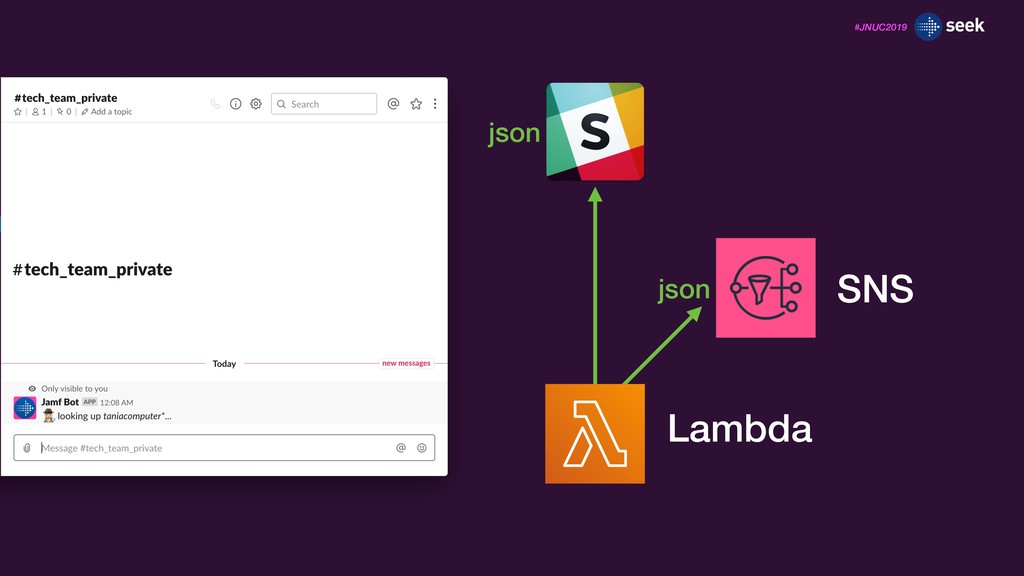
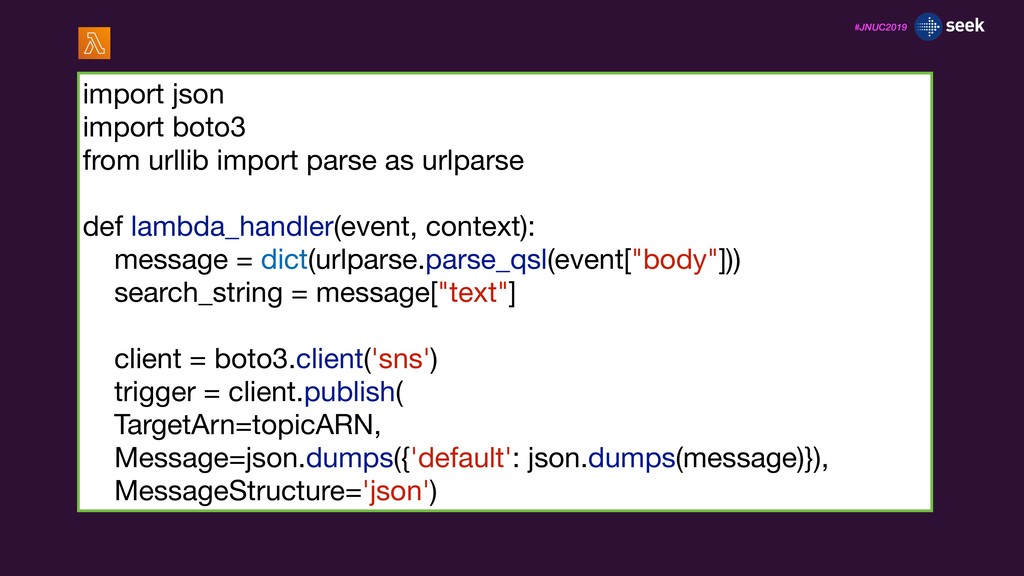
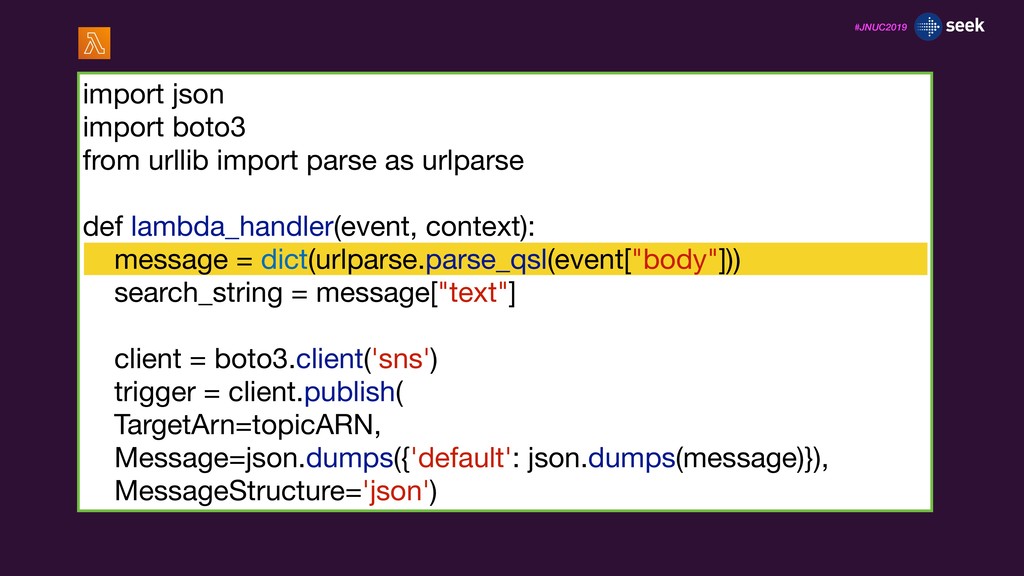
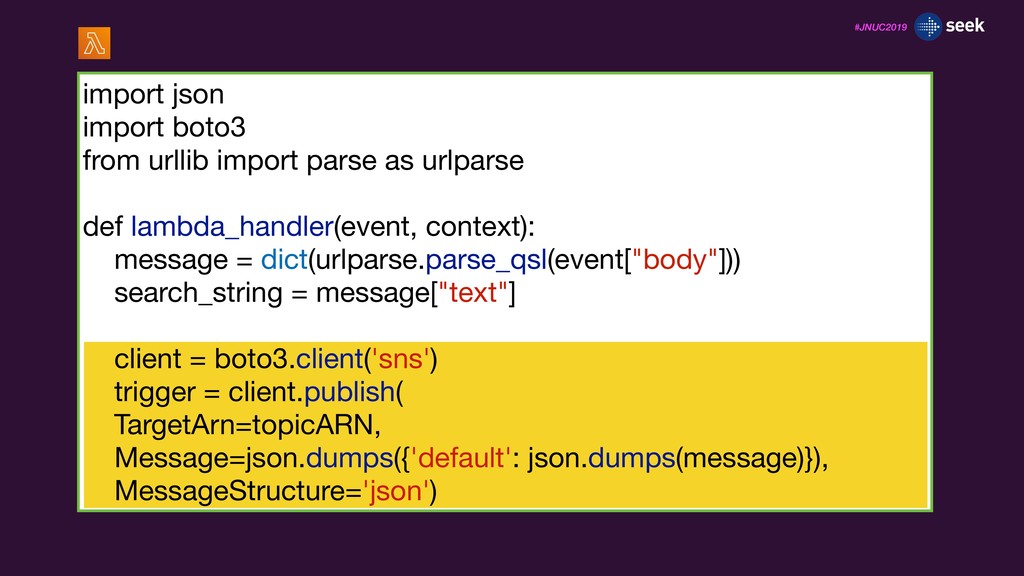
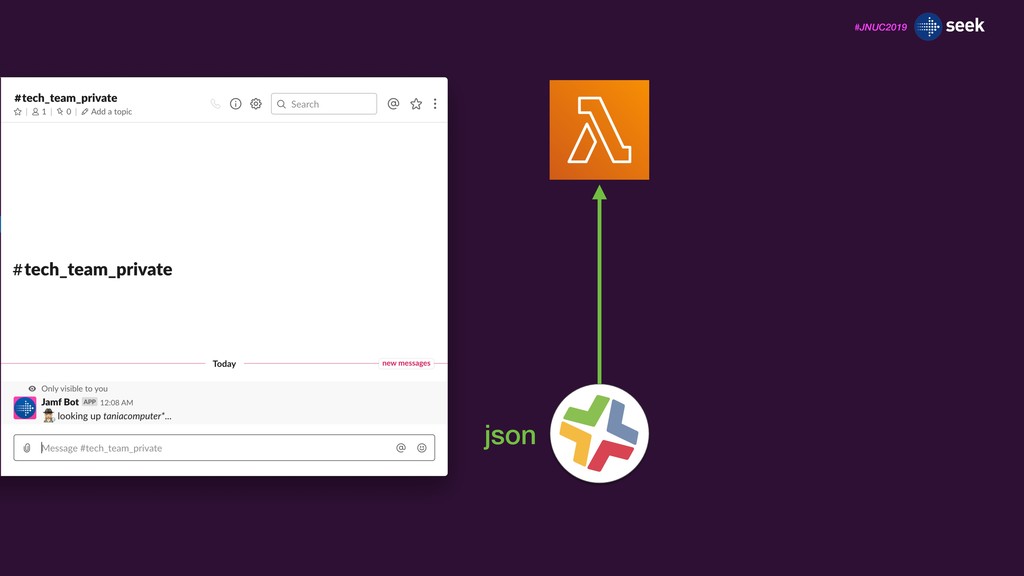
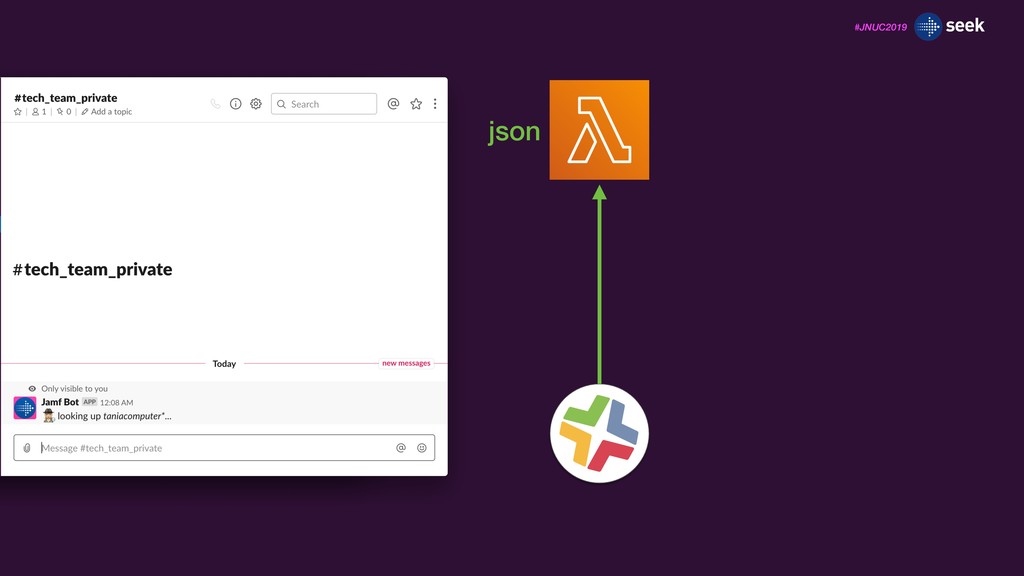
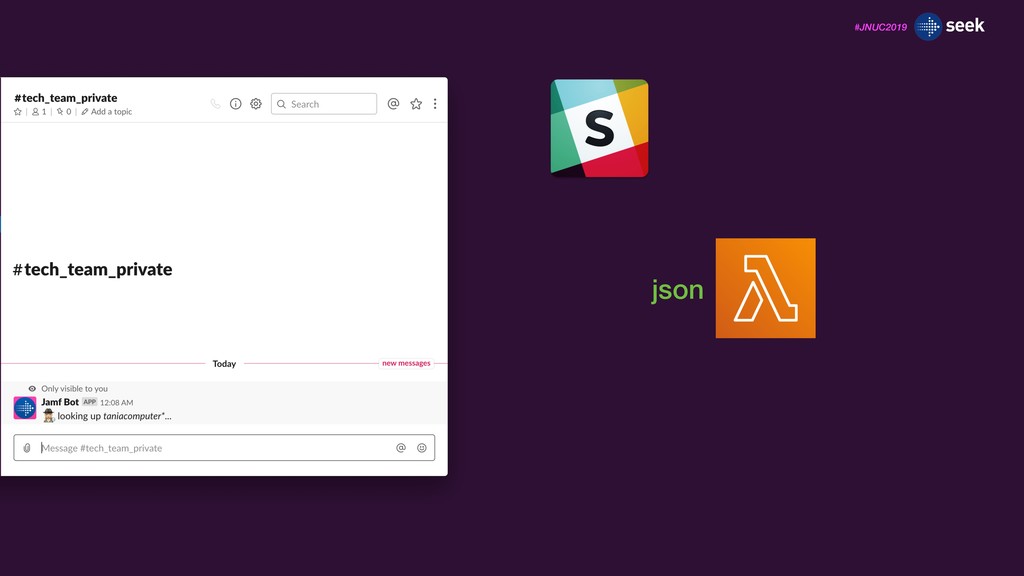
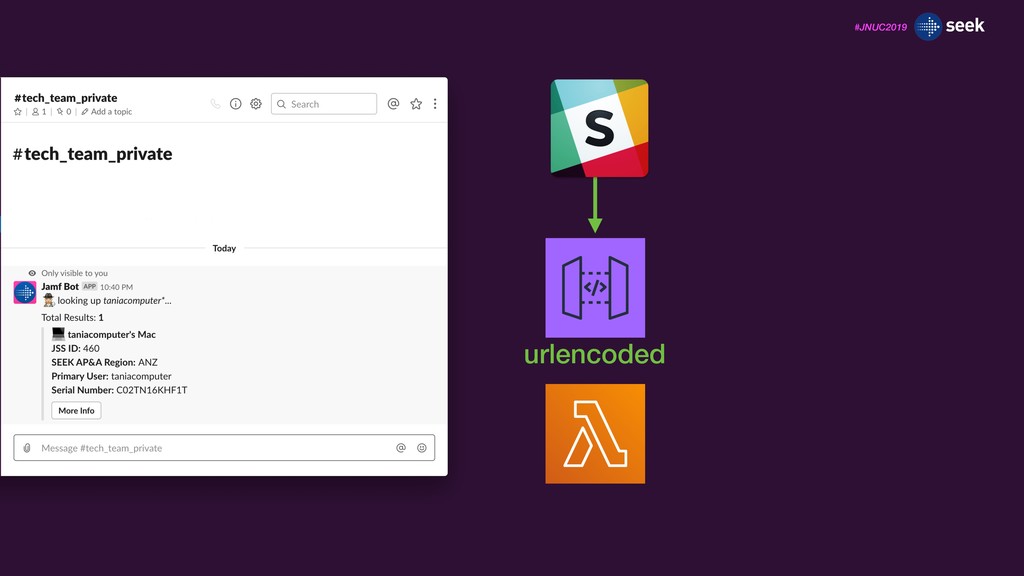
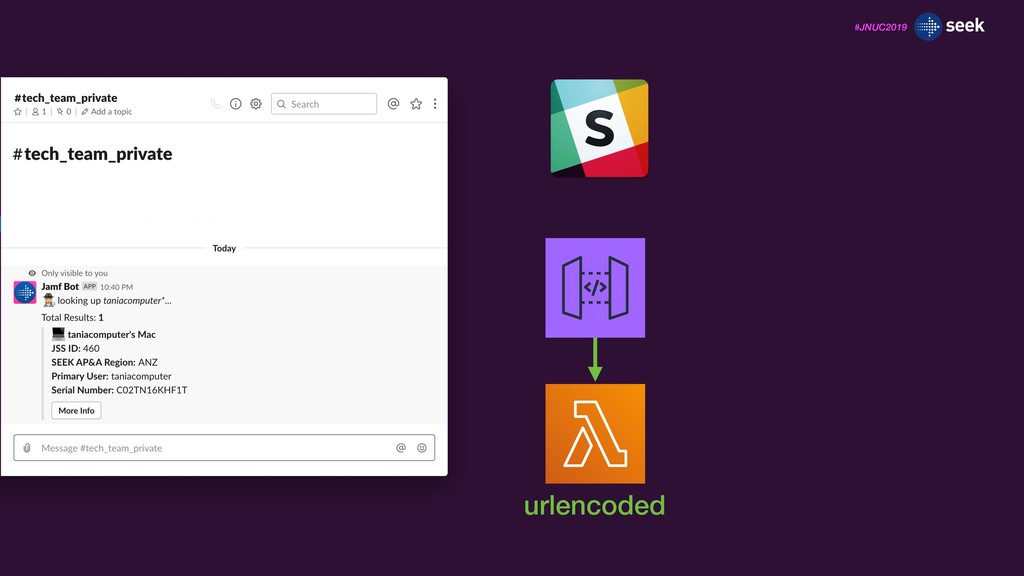
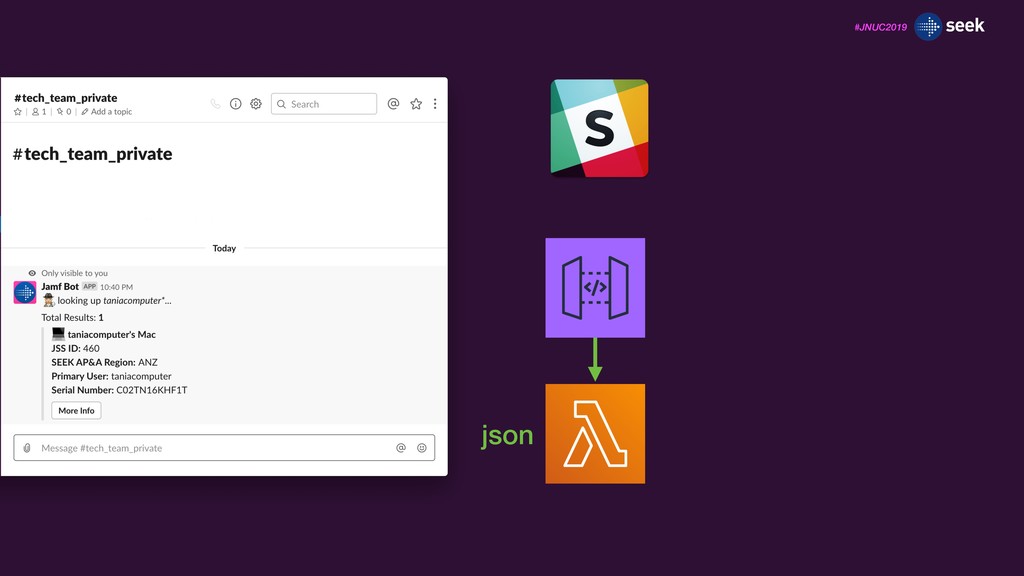
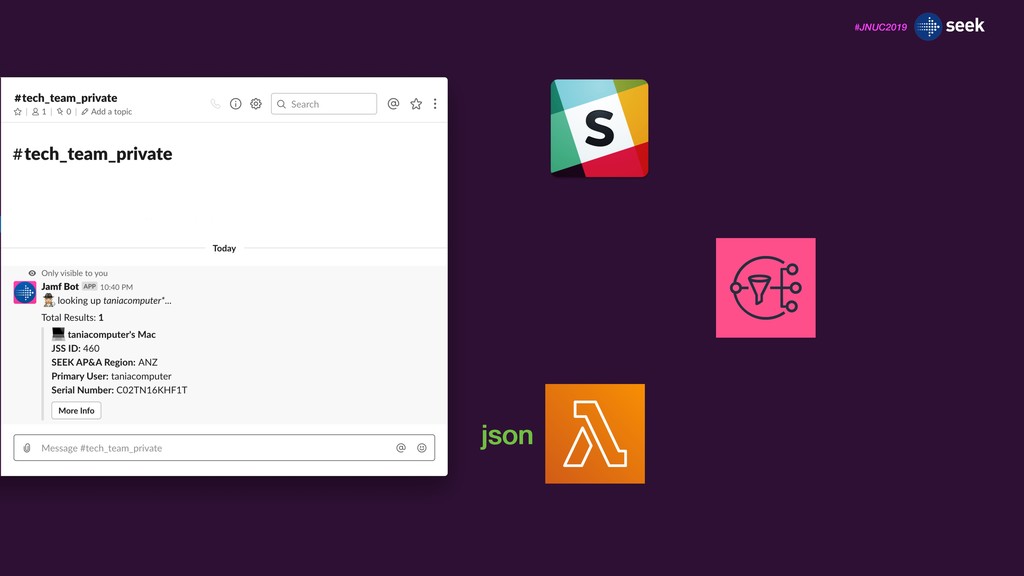
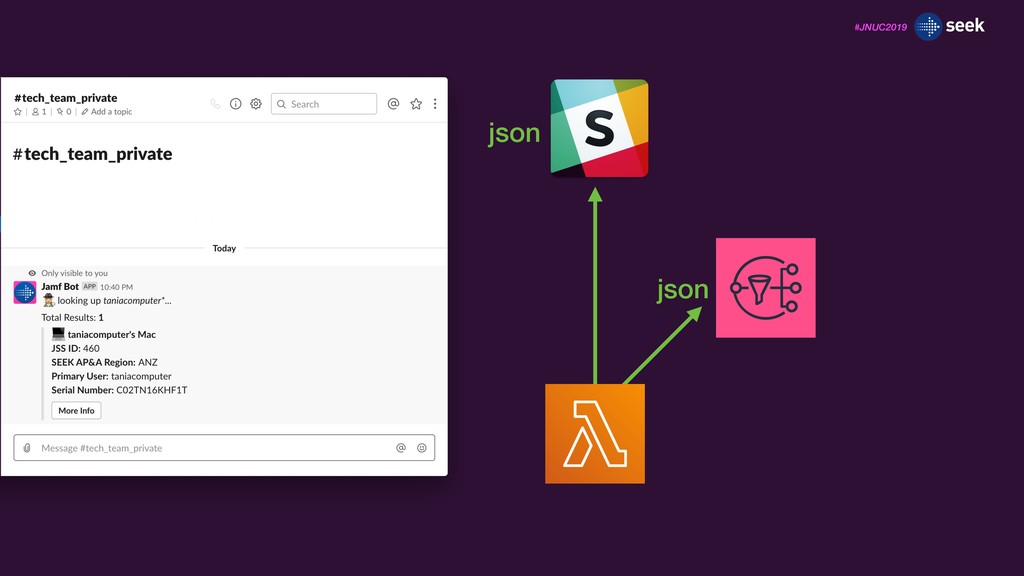
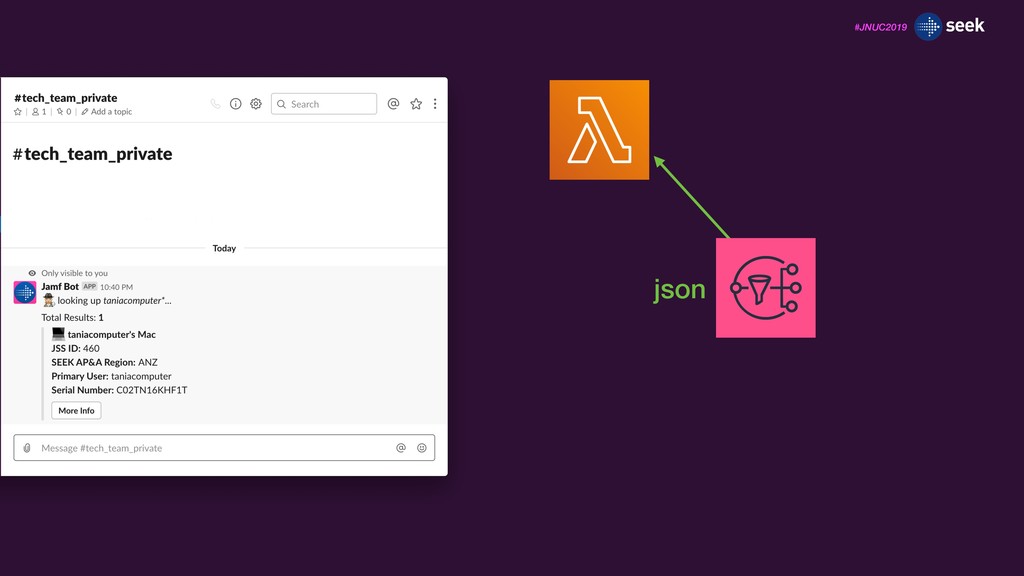
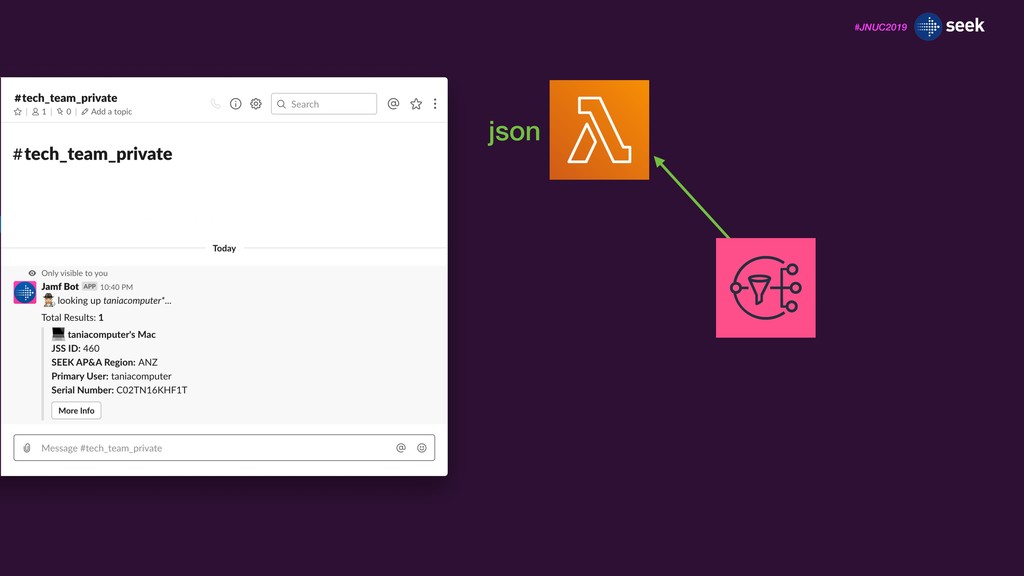
push messaging service SNS instance called a topic Allows first lambda function to ‘notify’ second lambda function that it has been invoked, providing it with the same payload information that it receives from Slack
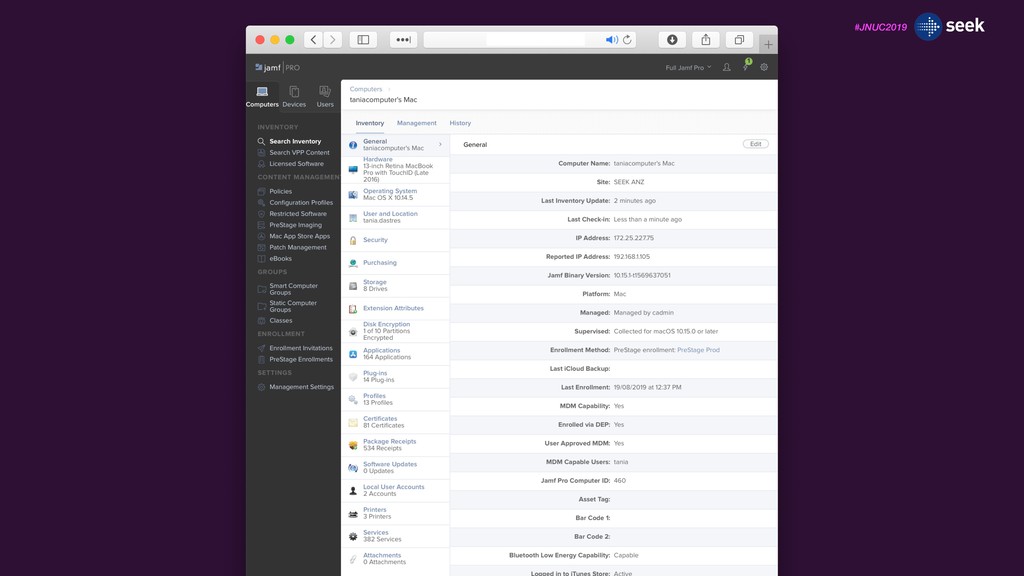
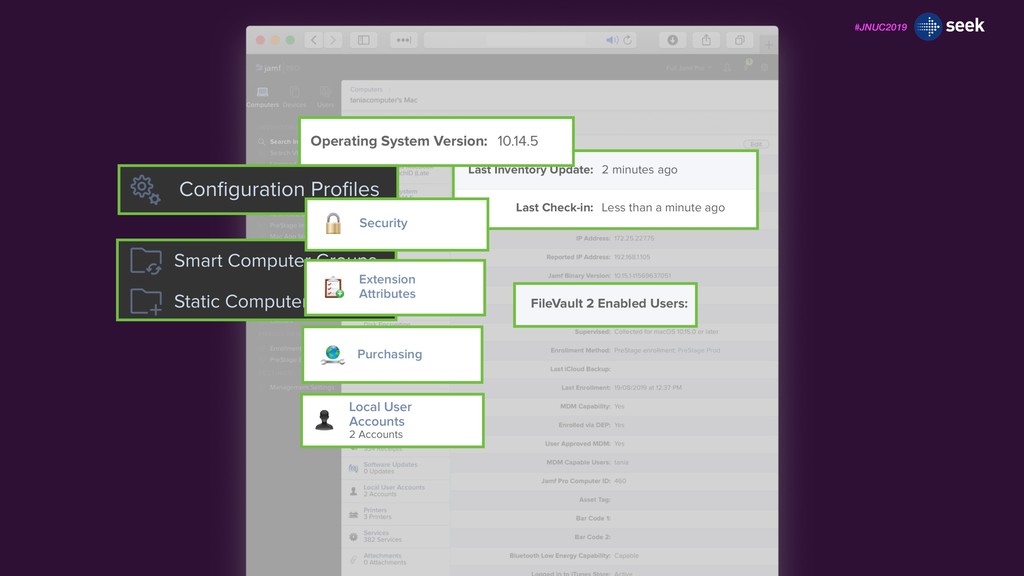
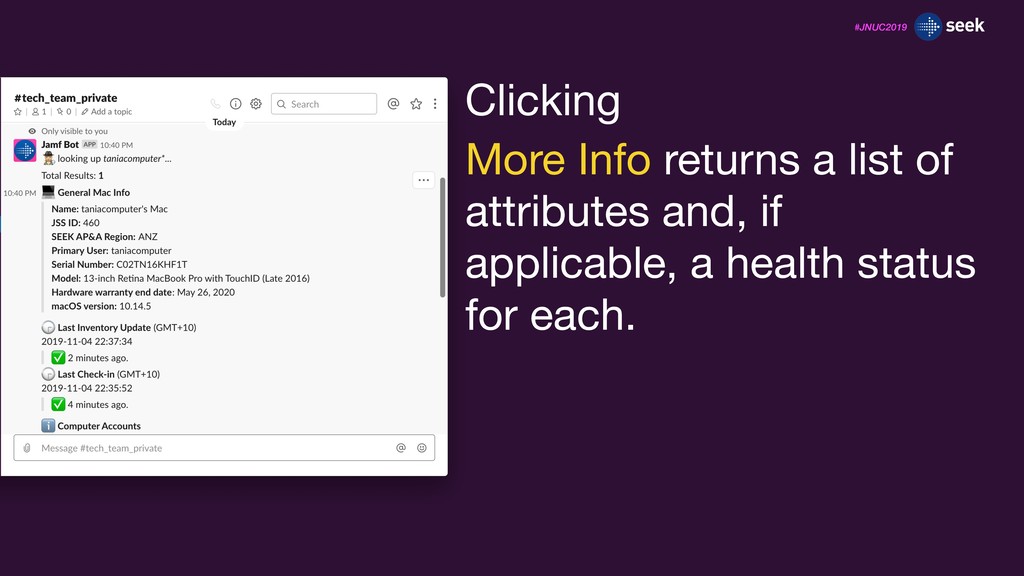
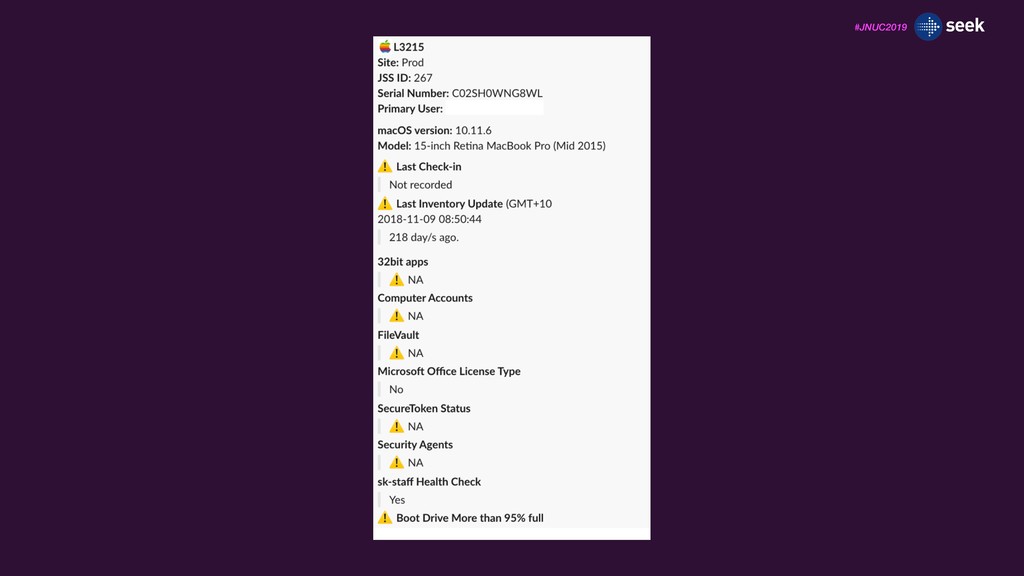
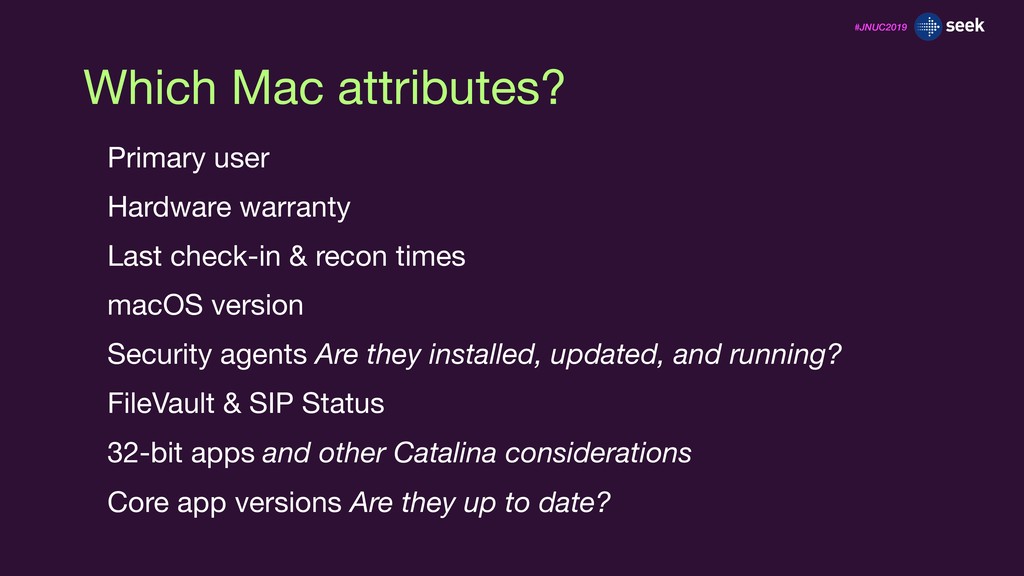
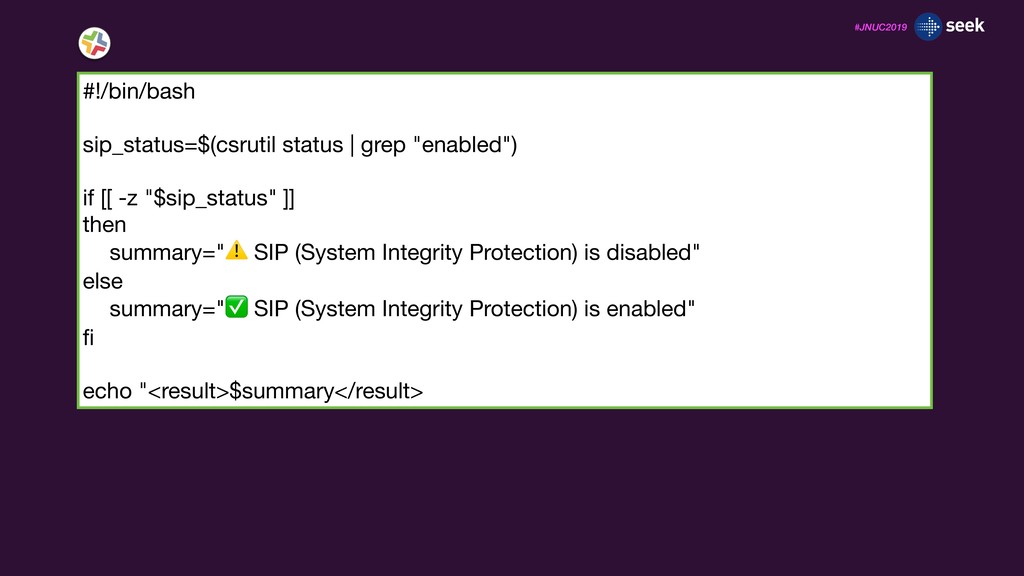
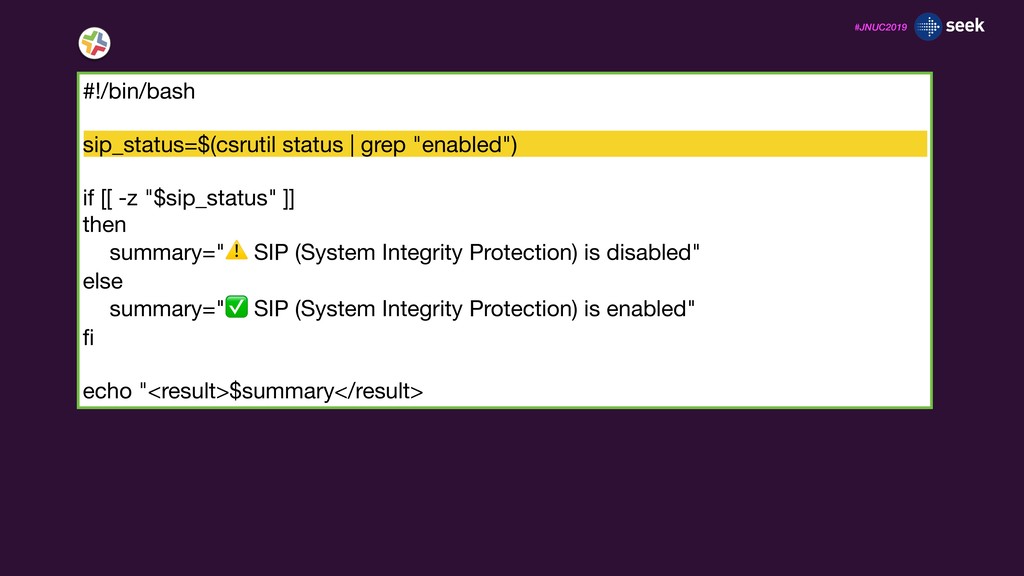
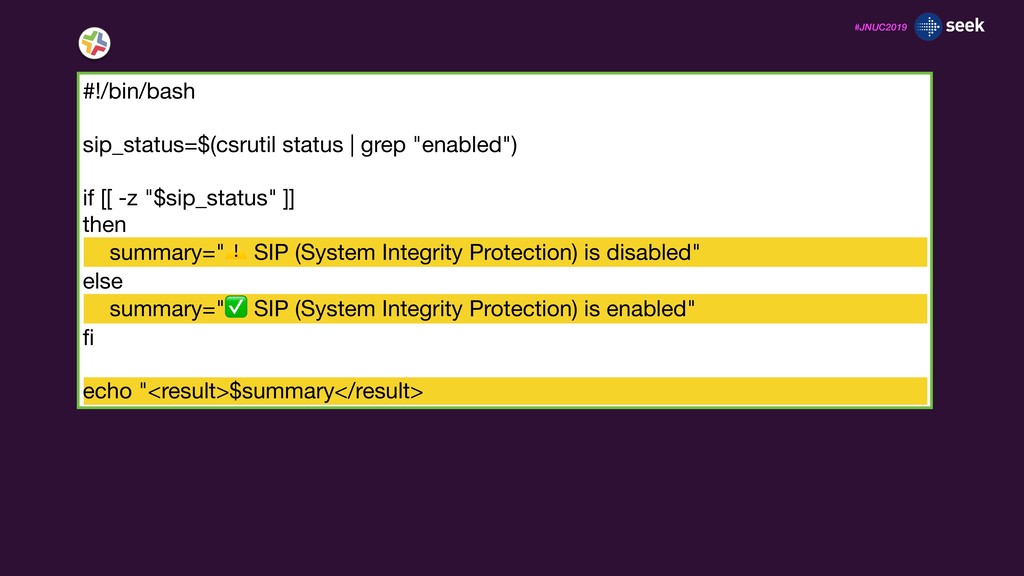
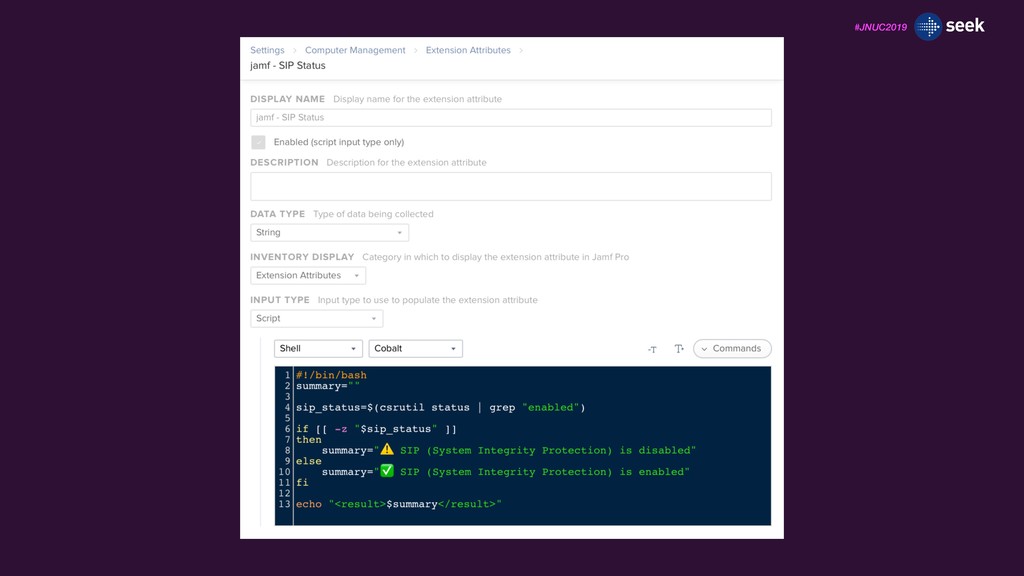
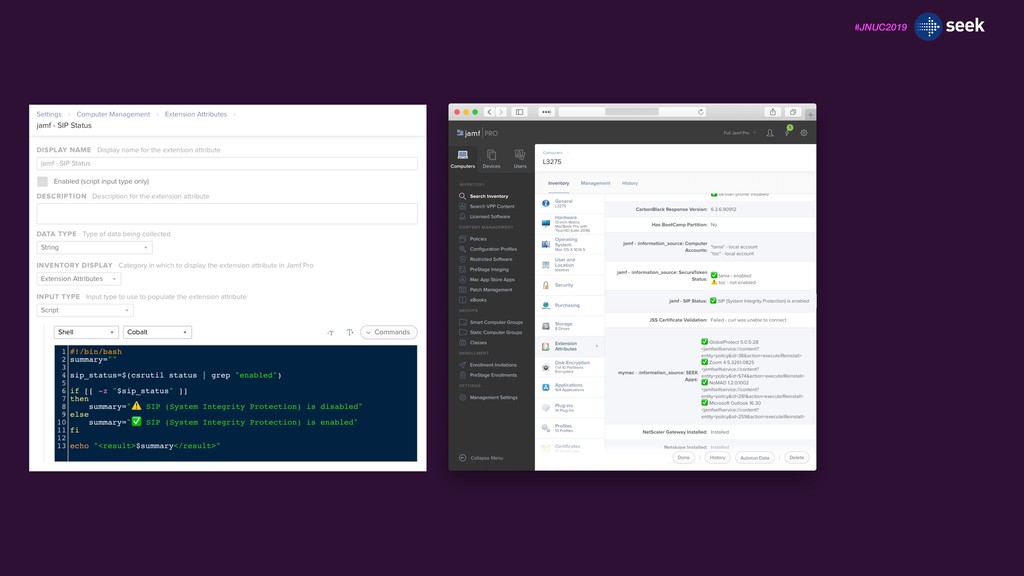
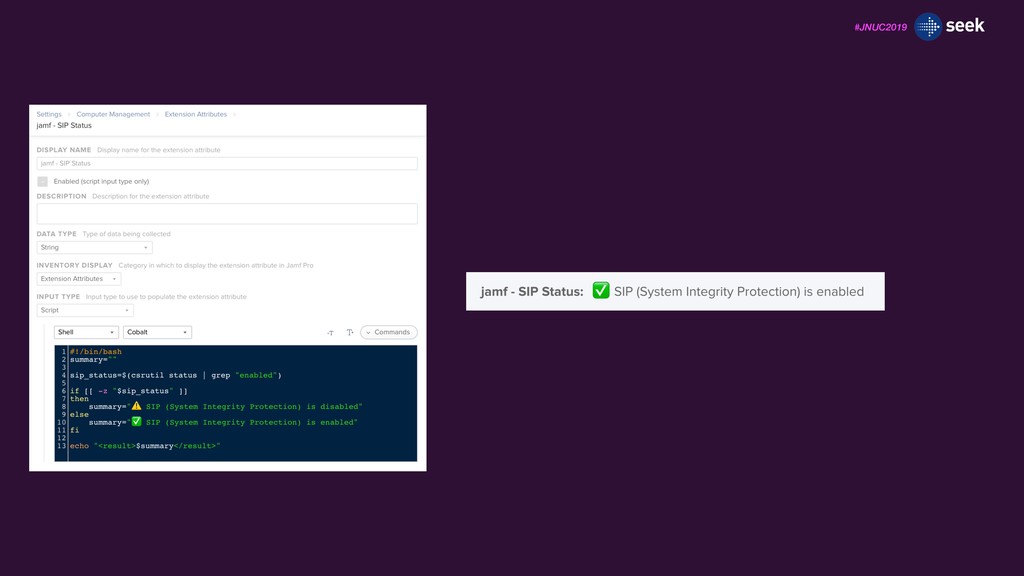
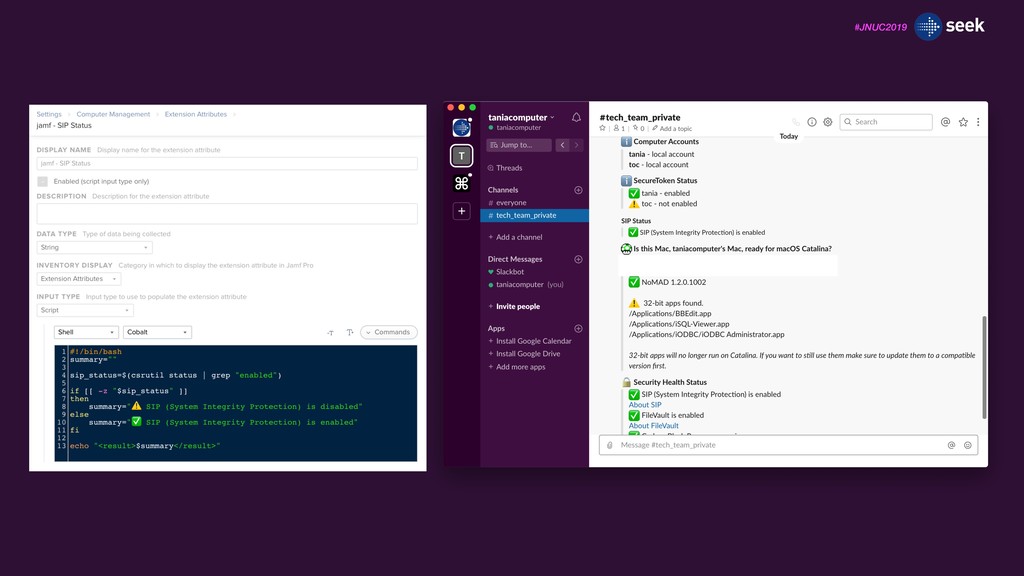
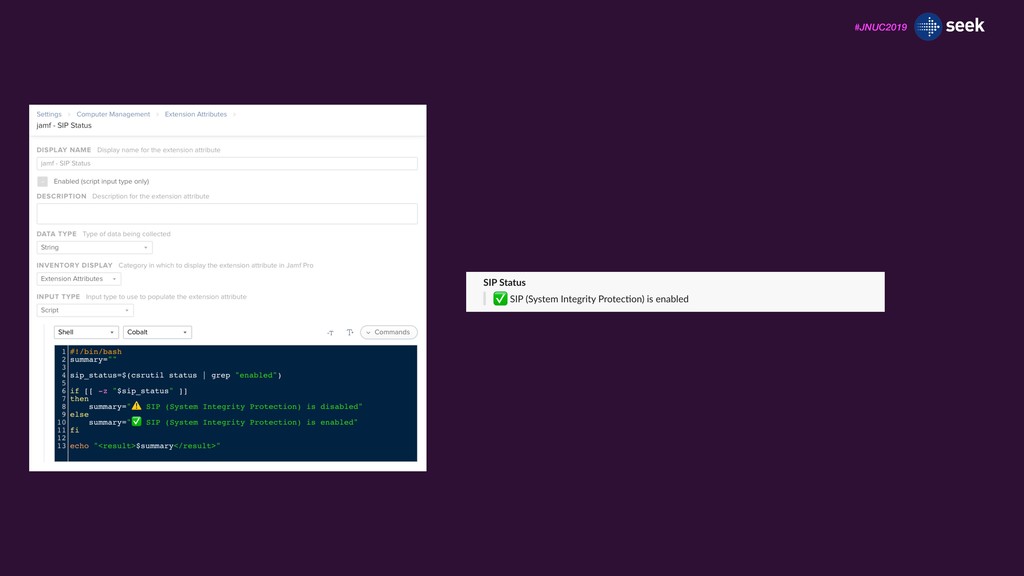
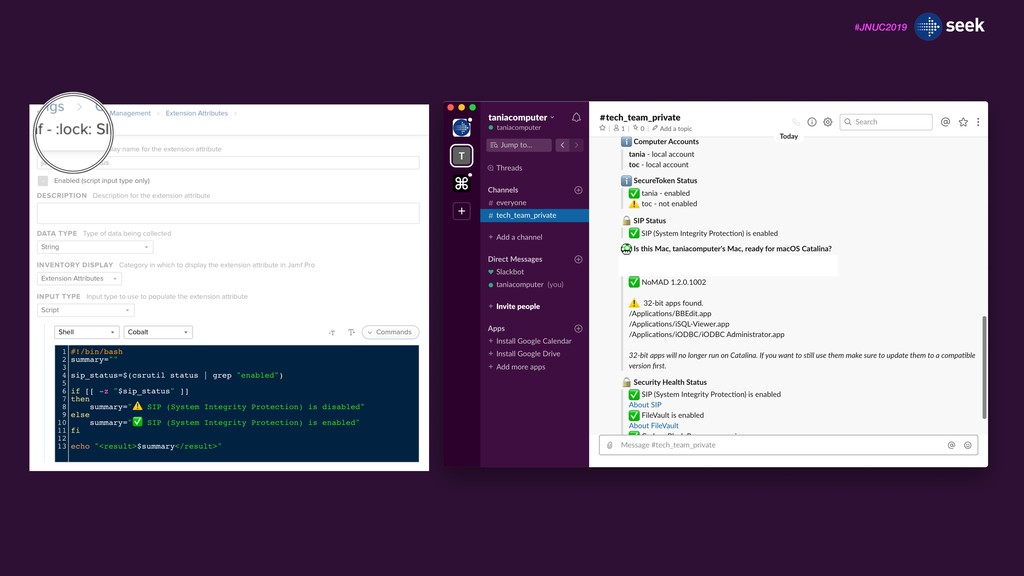
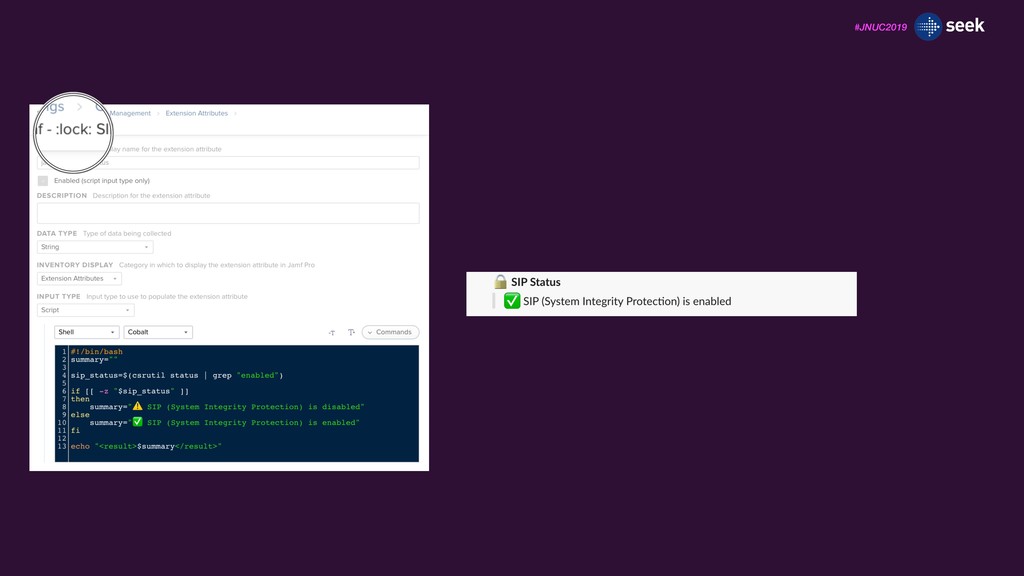
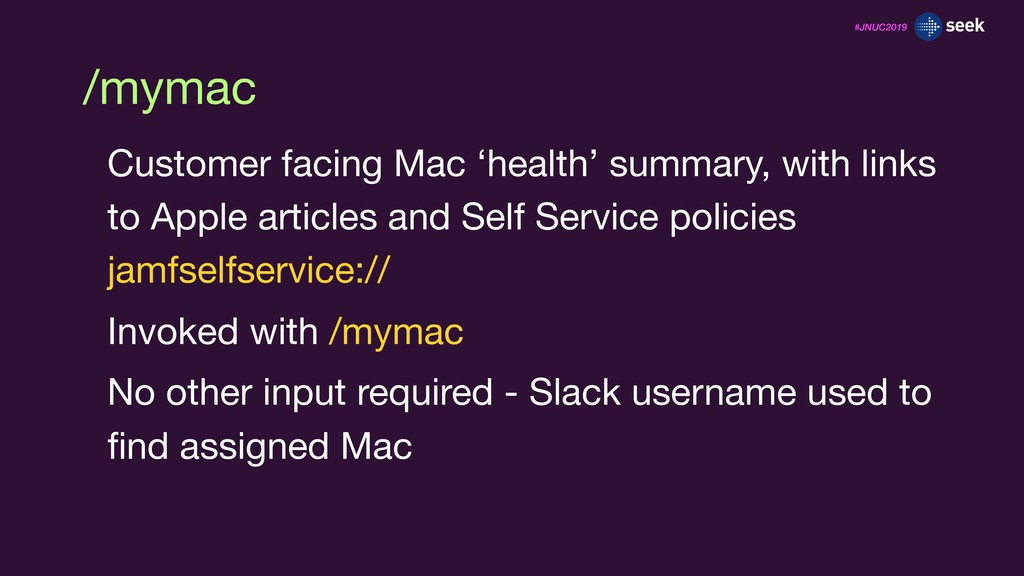
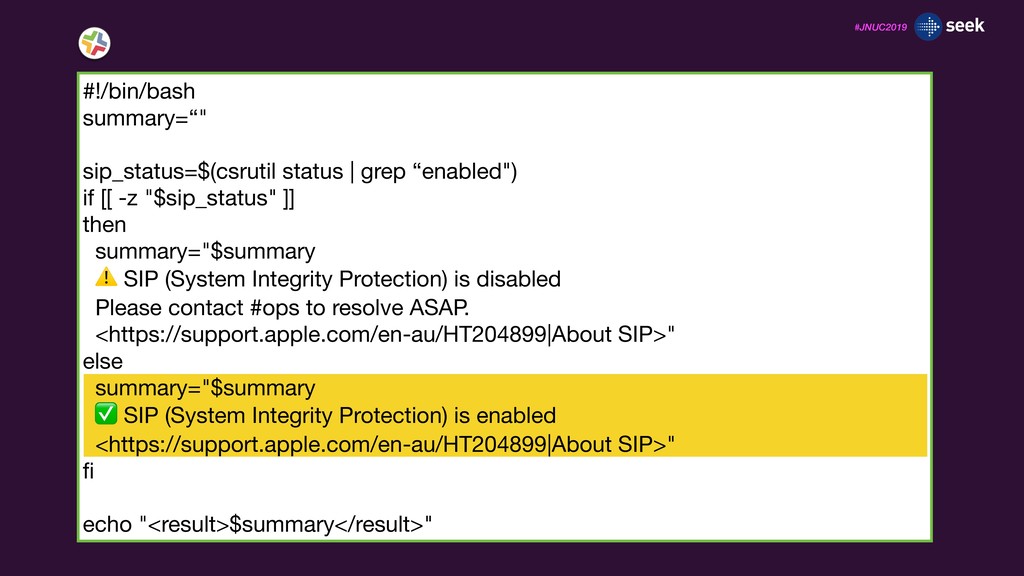
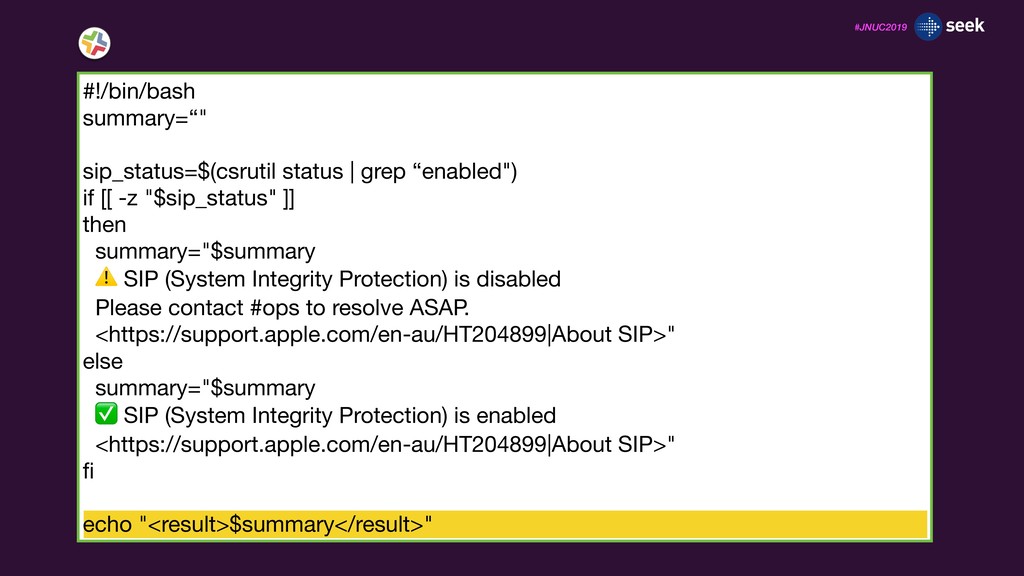
& recon times macOS version Security agents Are they installed, updated, and running? FileVault & SIP Status 32-bit apps and other Catalina considerations Core app versions Are they up to date?
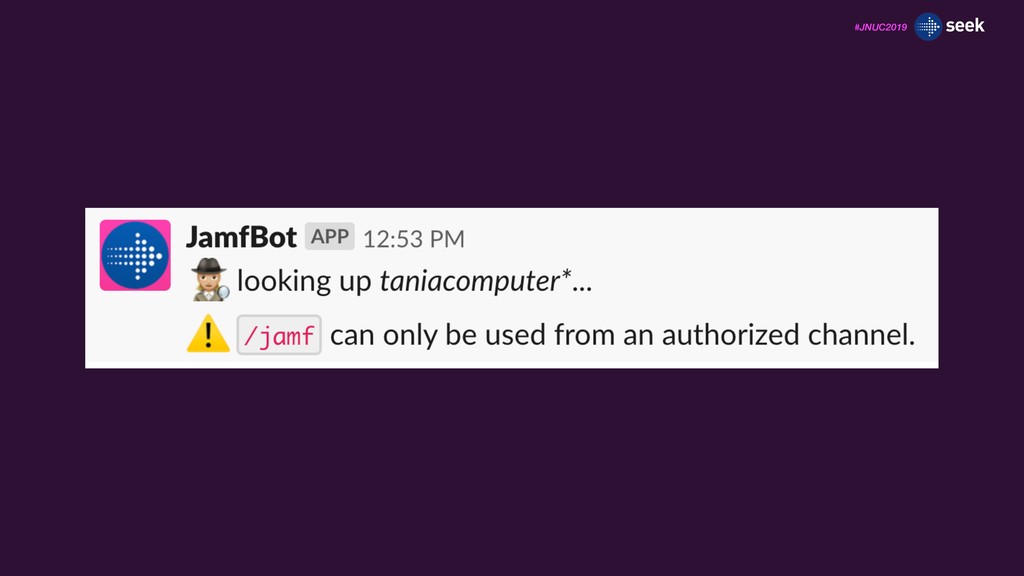
channel_id = message["channel_id"] if channel_id != taniacomputer_channel_id: response_text = ":warning: `/jamf` can only be used from an authorized channel." response_json["text"] = response_text else: #etc...
channel_id = message["channel_id"] if channel_id != taniacomputer_channel_id: response_text = ":warning: `/jamf` can only be used from an authorized channel." response_json["text"] = response_text else: #etc...
channel_id = message["channel_id"] if channel_id != taniacomputer_channel_id: response_text = ":warning: `/jamf` can only be used from an authorized channel." response_json["text"] = response_text else: #etc...
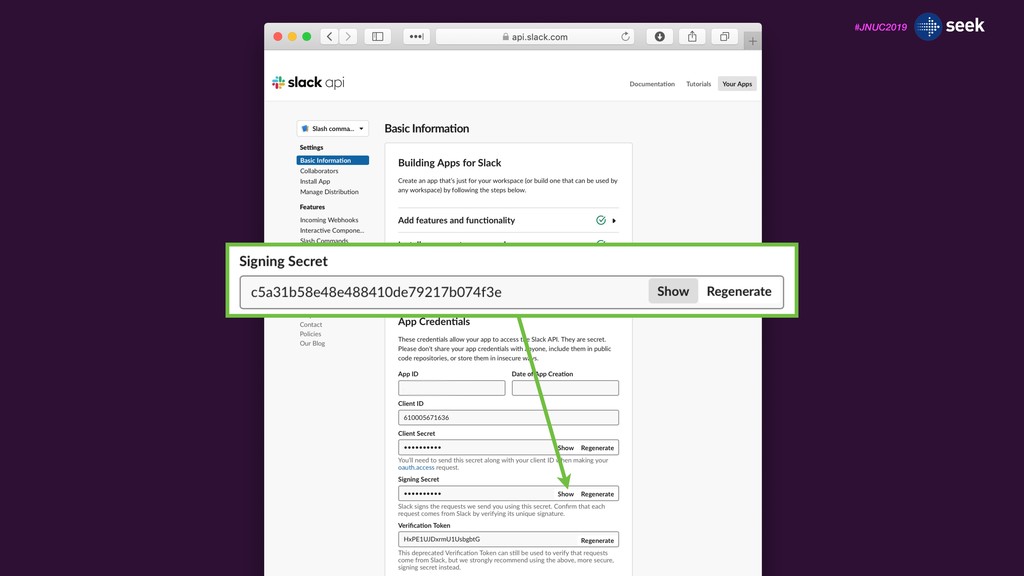
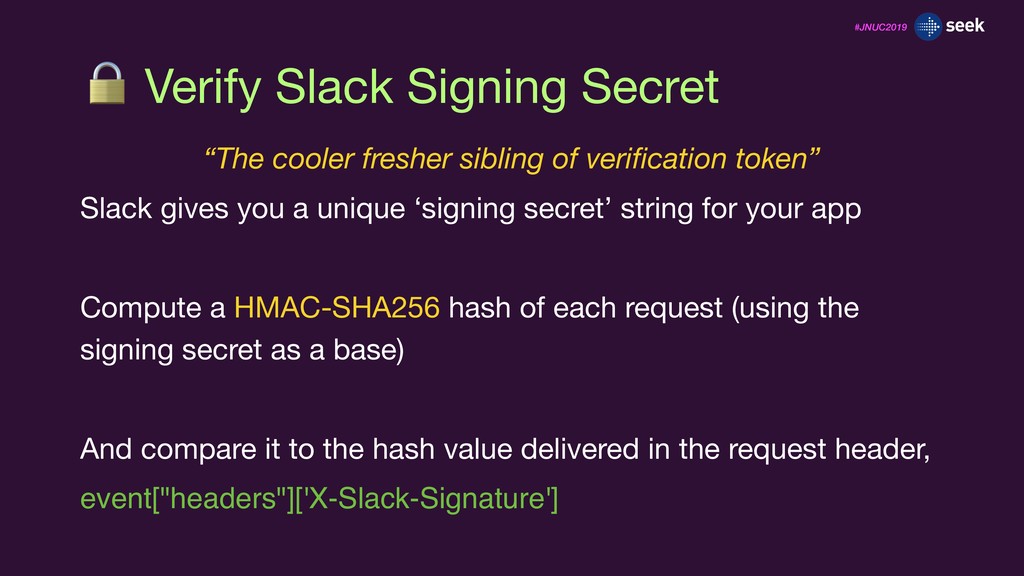
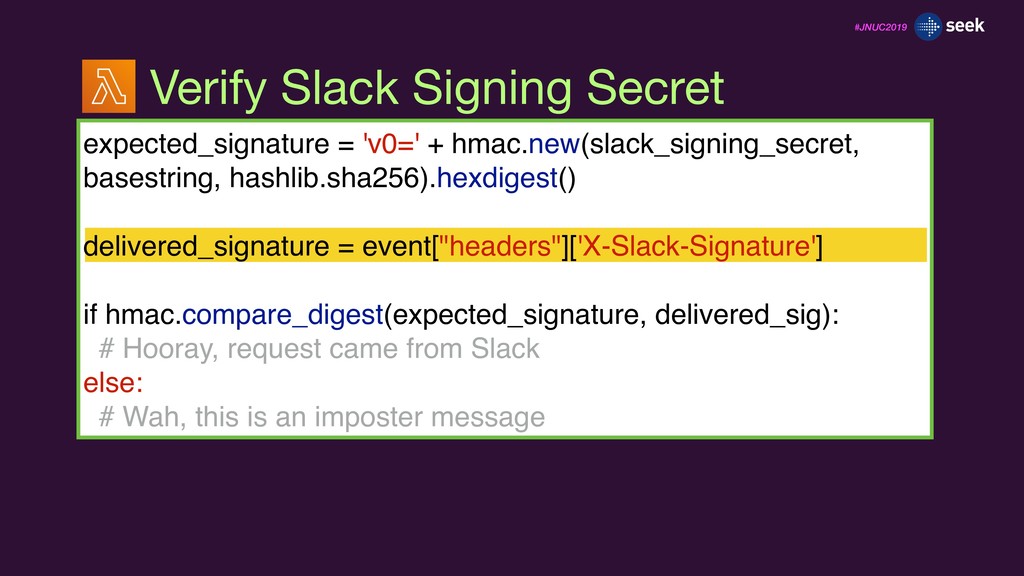
verification token” Slack gives you a unique ‘signing secret’ string for your app Compute a HMAC-SHA256 hash of each request (using the signing secret as a base) And compare it to the hash value delivered in the request header, event["headers"]['X-Slack-Signature']
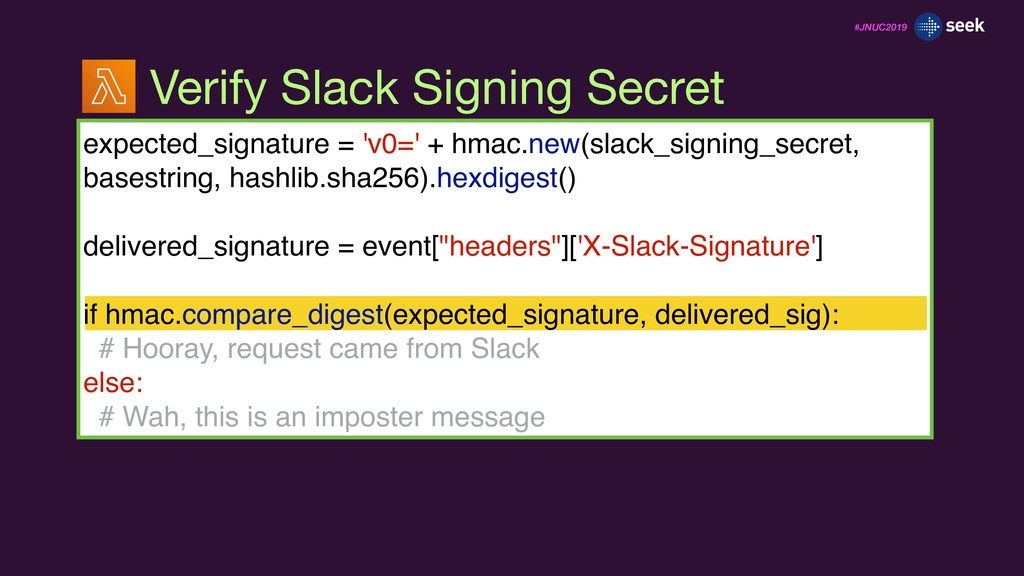
event["headers"]['X-Slack-Signature'] if hmac.compare_digest(expected_signature, delivered_sig): # Hooray, request came from Slack else: # Wah, this is an imposter message Verify Slack Signing Secret
event["headers"]['X-Slack-Signature'] if hmac.compare_digest(expected_signature, delivered_sig): # Hooray, request came from Slack else: # Wah, this is an imposter message Verify Slack Signing Secret
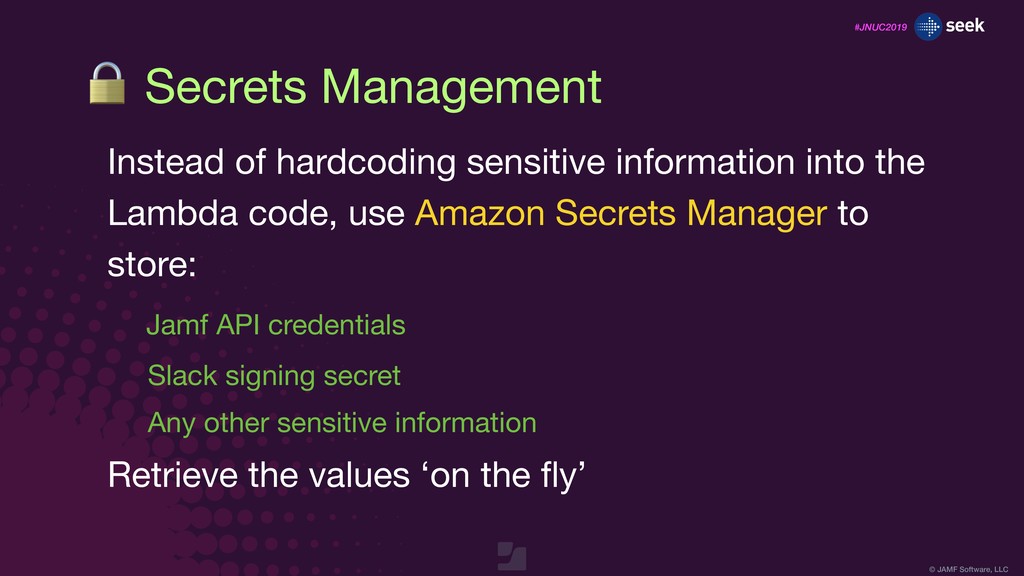
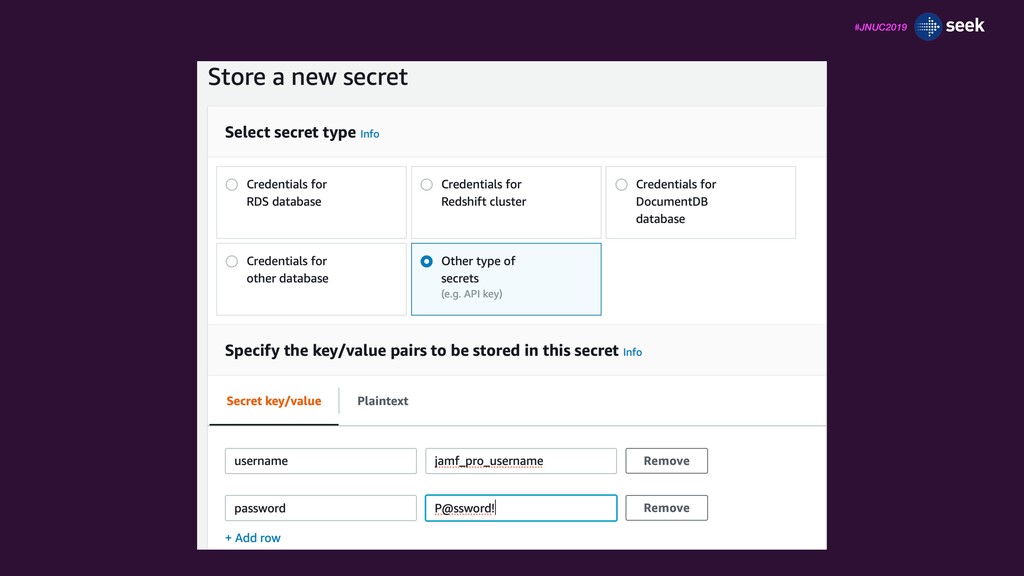
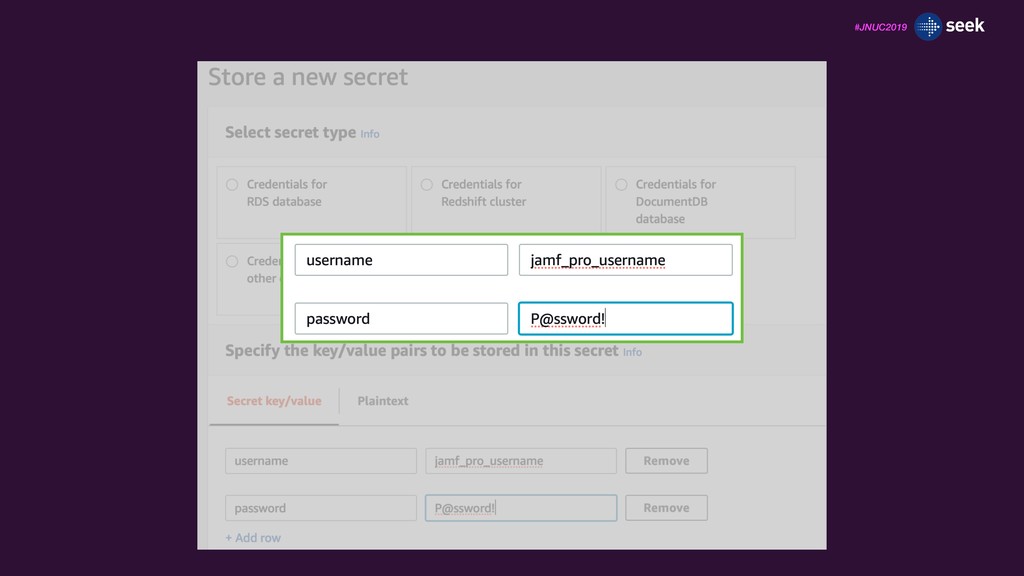
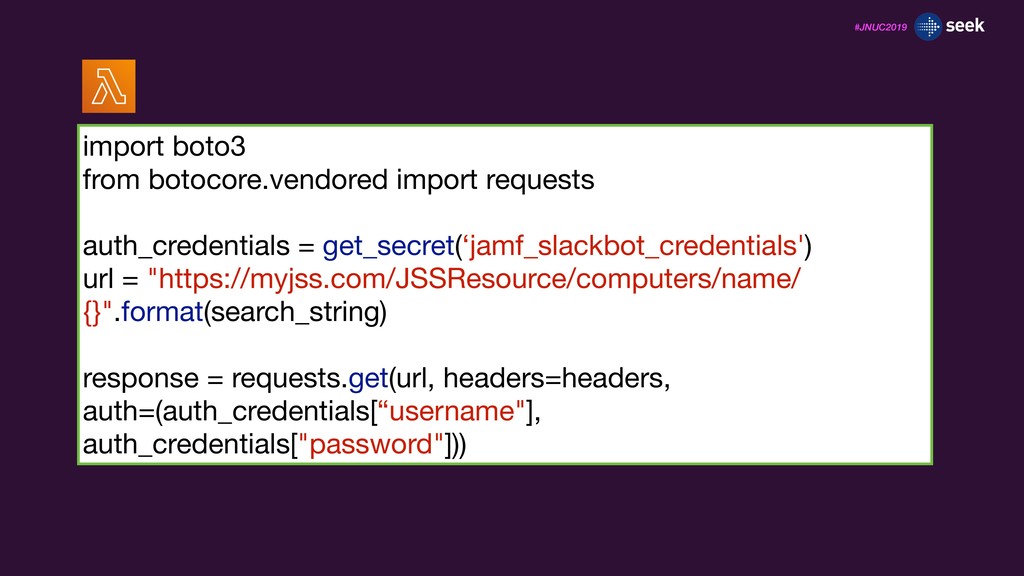
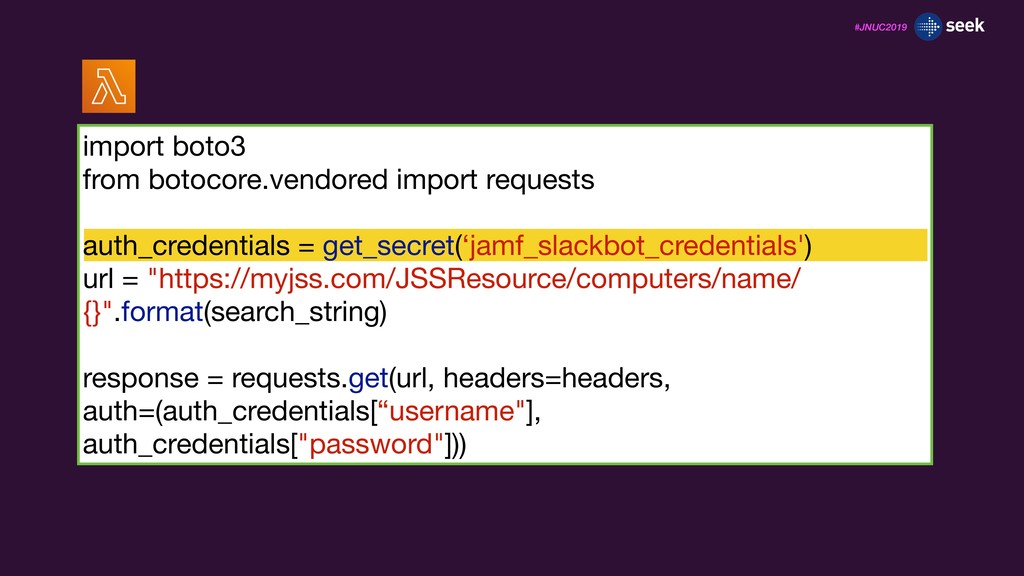
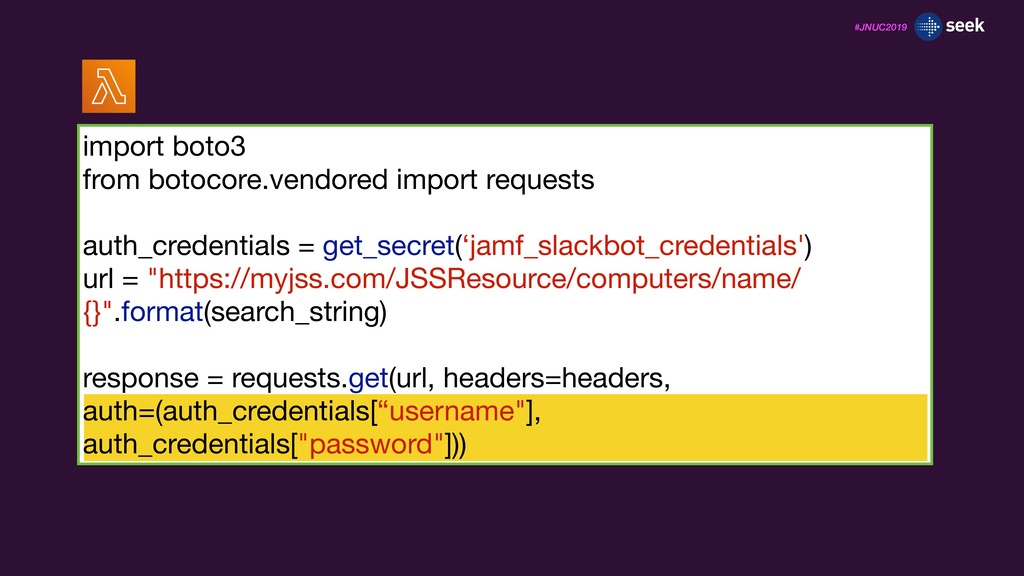
sensitive information into the Lambda code, use Amazon Secrets Manager to store: Jamf API credentials Slack signing secret Any other sensitive information Retrieve the values ‘on the fly’
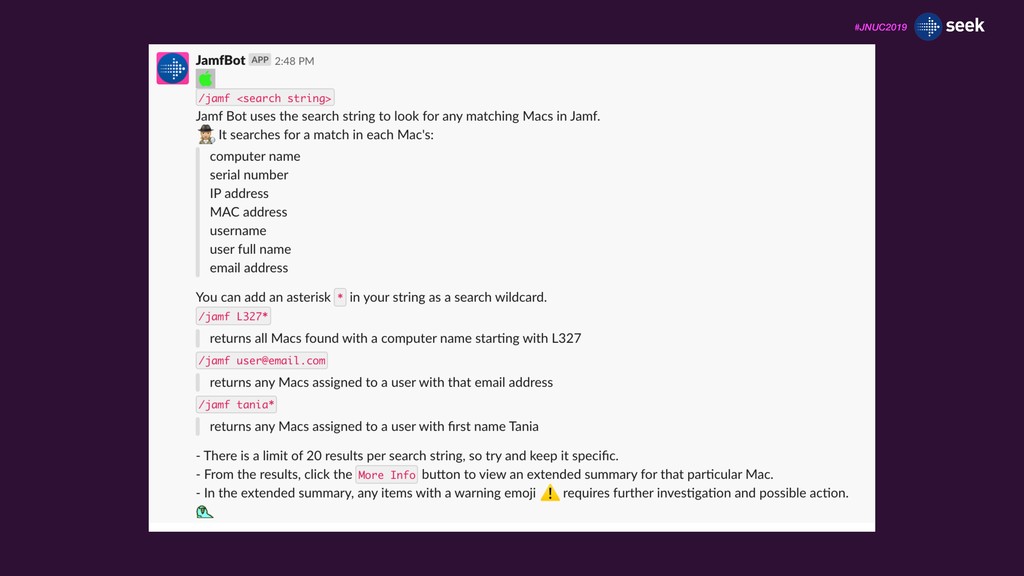
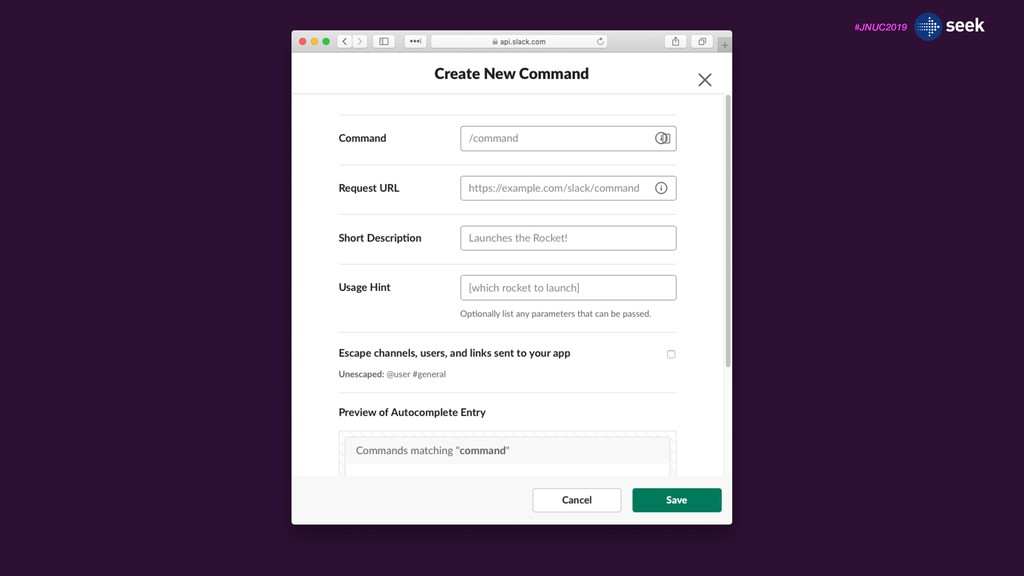
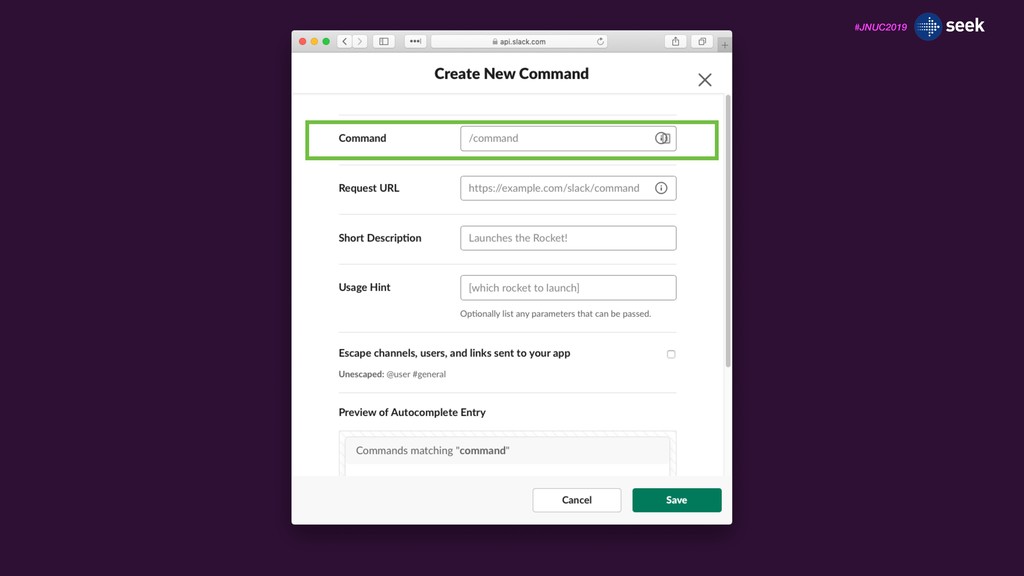
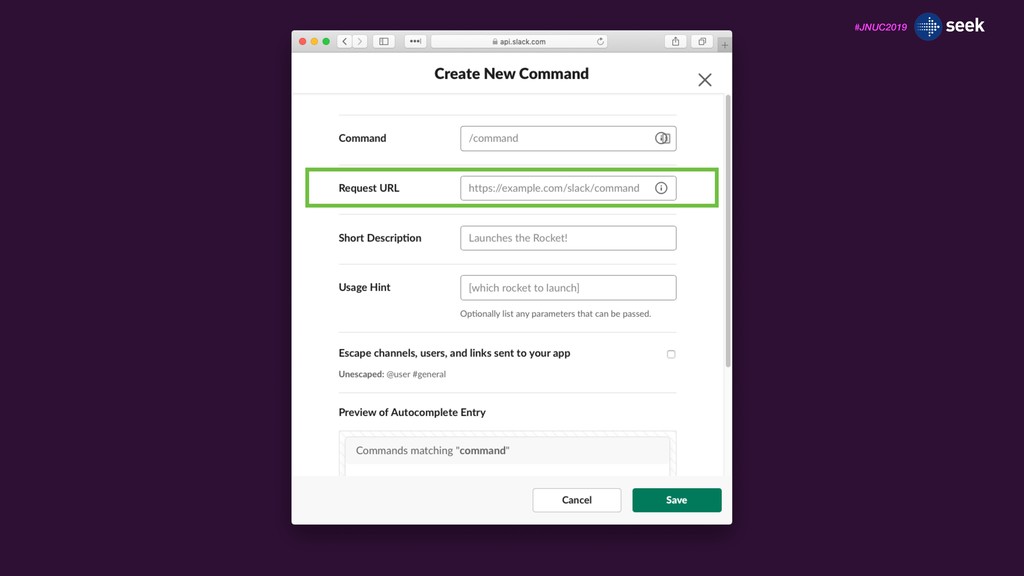
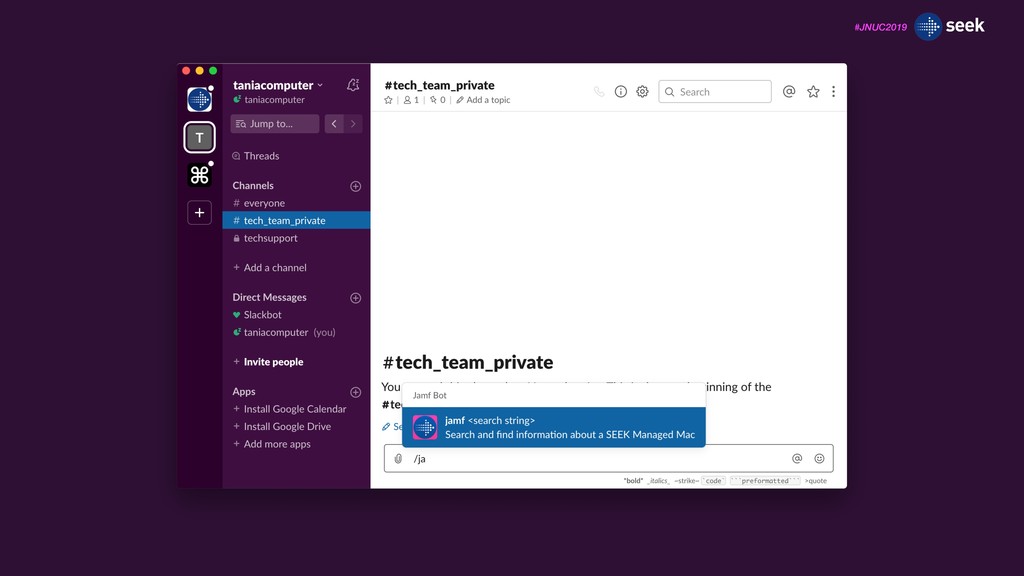
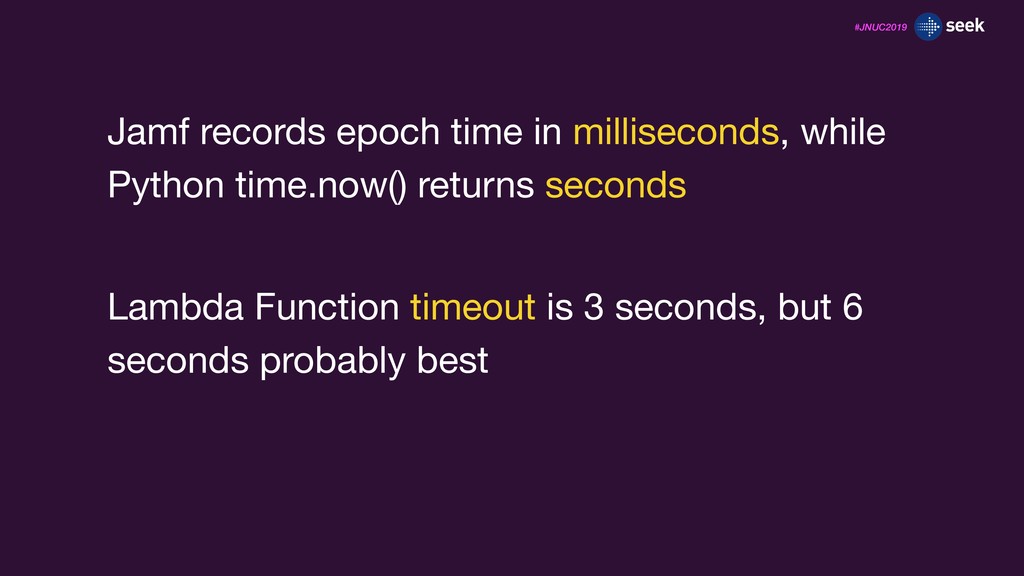
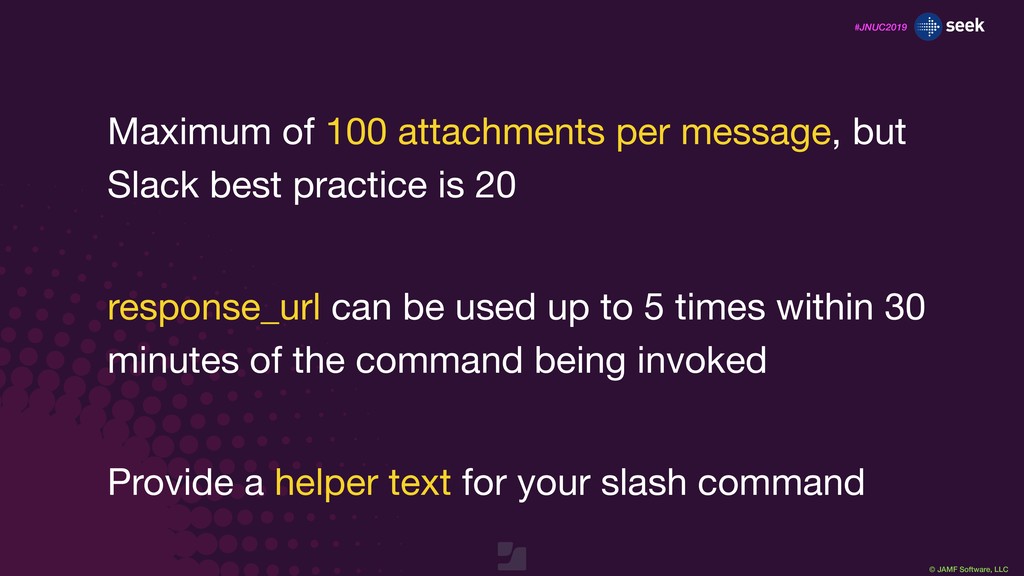
message, but Slack best practice is 20 response_url can be used up to 5 times within 30 minutes of the command being invoked Provide a helper text for your slash command
feedback by completing the 2-question session survey in the JNUC 2019 app. UP NEXT Build a Second Generation 1-to-1 Student Device Program 2:45 - 3:30 p.m.


 jamf
jamf
 eileencodes
 zakiyama
 addyosmani
 varn
varn
 bkeepers
 irinanazarova
 mfonobong
 rasagy
 jeffersonlam
 shpigford
 chriscoyier



![#JNUC2019 group_accounts = computer[“groups_accounts"]["computer_group_memberships"] group_string = "" for group in](https://files.speakerdeck.com/presentations/83cce4db79024750b2817bf2ead1d965/slide_71.jpg)
![#JNUC2019 group_accounts = computer[“groups_accounts"]["computer_group_memberships"] group_string = "" for group in](https://files.speakerdeck.com/presentations/83cce4db79024750b2817bf2ead1d965/slide_72.jpg)
![#JNUC2019 group_accounts = computer[“groups_accounts"]["computer_group_memberships"] group_string = "" for group in](https://files.speakerdeck.com/presentations/83cce4db79024750b2817bf2ead1d965/slide_73.jpg)
![#JNUC2019 group_accounts = computer[“groups_accounts"]["computer_group_memberships"] group_string = "" for group in](https://files.speakerdeck.com/presentations/83cce4db79024750b2817bf2ead1d965/slide_74.jpg)
![#JNUC2019 ext_attributes = computer["extension_attributes"] ea_string = "" for ea in](https://files.speakerdeck.com/presentations/83cce4db79024750b2817bf2ead1d965/slide_75.jpg)
![#JNUC2019 ext_attributes = computer["extension_attributes"] ea_string = "" for ea in](https://files.speakerdeck.com/presentations/83cce4db79024750b2817bf2ead1d965/slide_76.jpg)
![#JNUC2019 ext_attributes = computer["extension_attributes"] ea_string = "" for ea in](https://files.speakerdeck.com/presentations/83cce4db79024750b2817bf2ead1d965/slide_77.jpg)
![#JNUC2019 ext_attributes = computer["extension_attributes"] ea_string = "" for ea in](https://files.speakerdeck.com/presentations/83cce4db79024750b2817bf2ead1d965/slide_78.jpg)
![#JNUC2019 ext_attributes = computer["extension_attributes"] ea_string = "" for ea in](https://files.speakerdeck.com/presentations/83cce4db79024750b2817bf2ead1d965/slide_79.jpg)
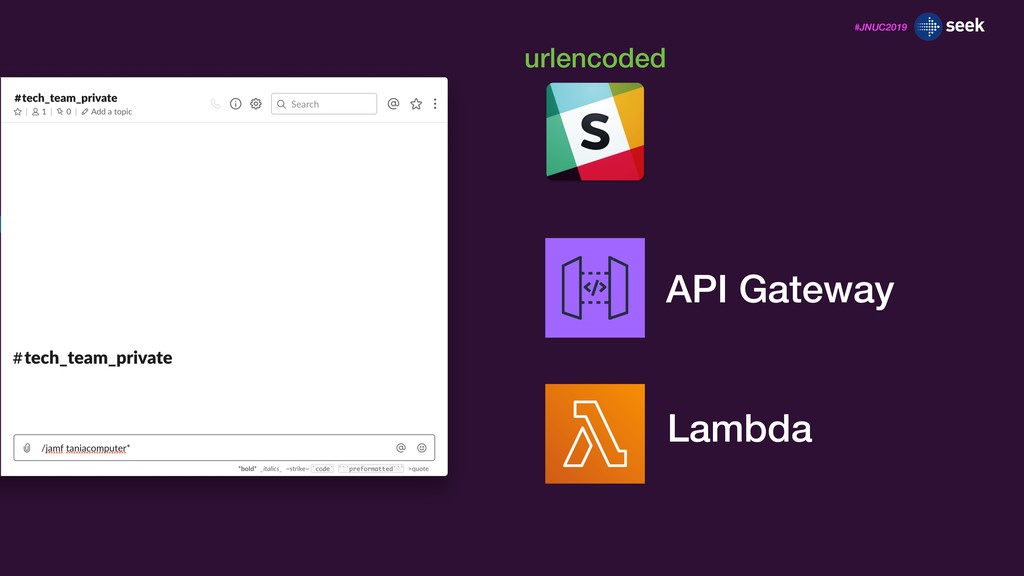
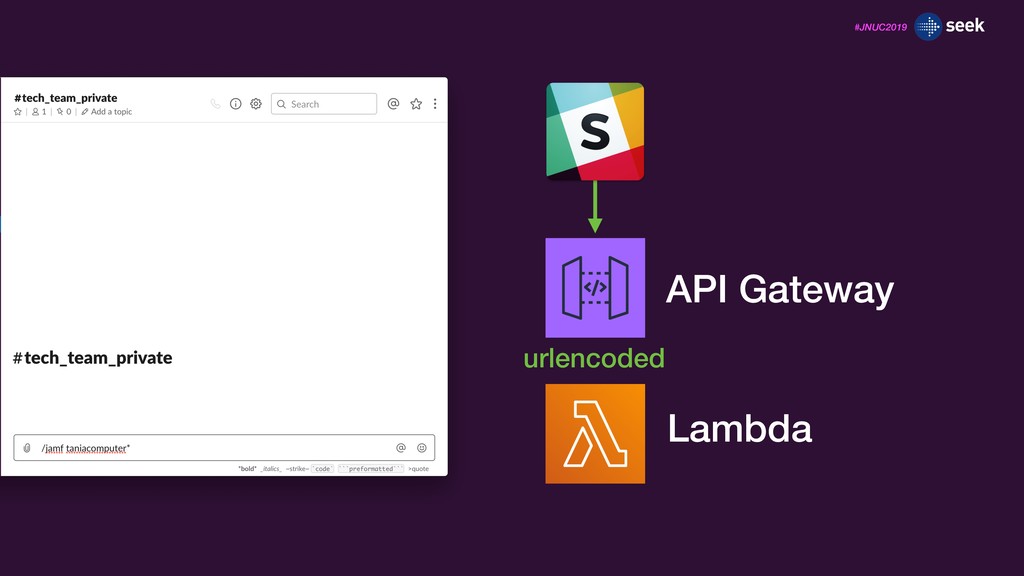
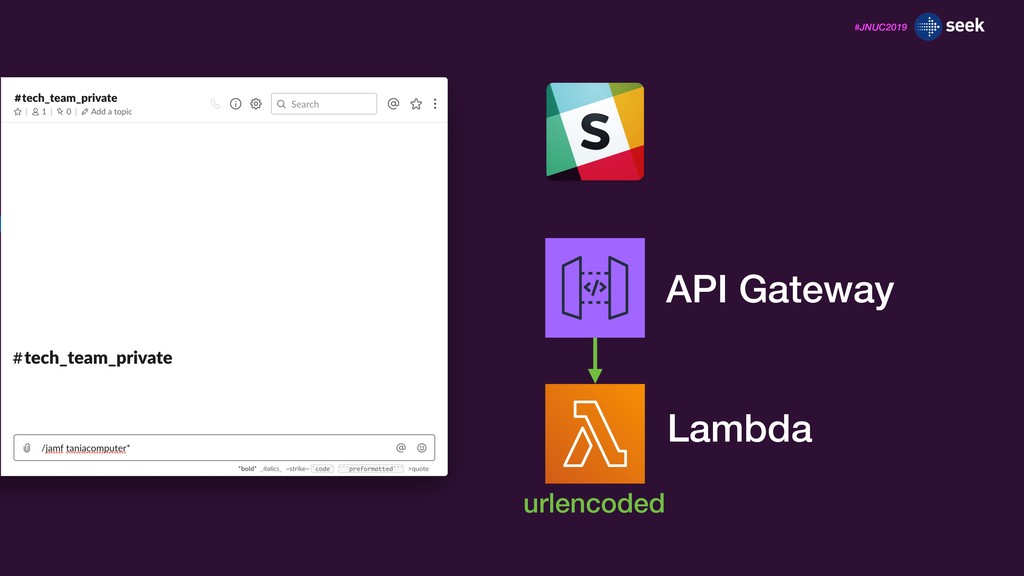
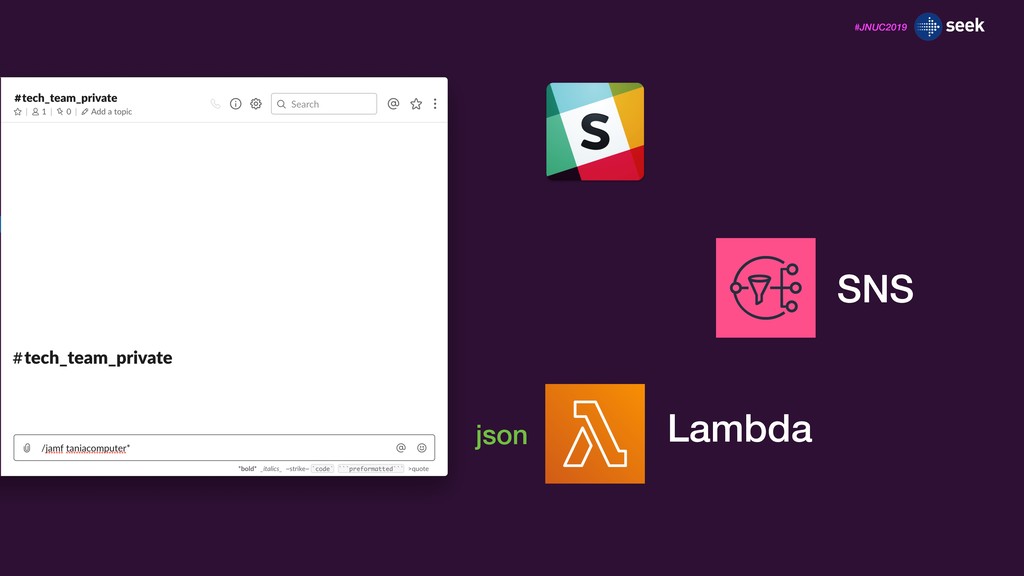
![#JNUC2019 search_string = message["text"] slack_ready_search_string = search_string.replace("*","\u034F*") response_text = ":female-detective::skin-tone-3:](https://files.speakerdeck.com/presentations/83cce4db79024750b2817bf2ead1d965/slide_91.jpg)
![#JNUC2019 search_string = message["text"] slack_ready_search_string = search_string.replace("*","\u034F*") response_text = ":female-detective::skin-tone-3:](https://files.speakerdeck.com/presentations/83cce4db79024750b2817bf2ead1d965/slide_92.jpg)
![#JNUC2019 search_string = message["text"] slack_ready_search_string = search_string.replace("*","\u034F*") response_text = ":female-detective::skin-tone-3:](https://files.speakerdeck.com/presentations/83cce4db79024750b2817bf2ead1d965/slide_93.jpg)
![#JNUC2019 search_string = message["text"] slack_ready_search_string = search_string.replace("*","\u034F*") response_text = ":female-detective::skin-tone-3:](https://files.speakerdeck.com/presentations/83cce4db79024750b2817bf2ead1d965/slide_94.jpg)
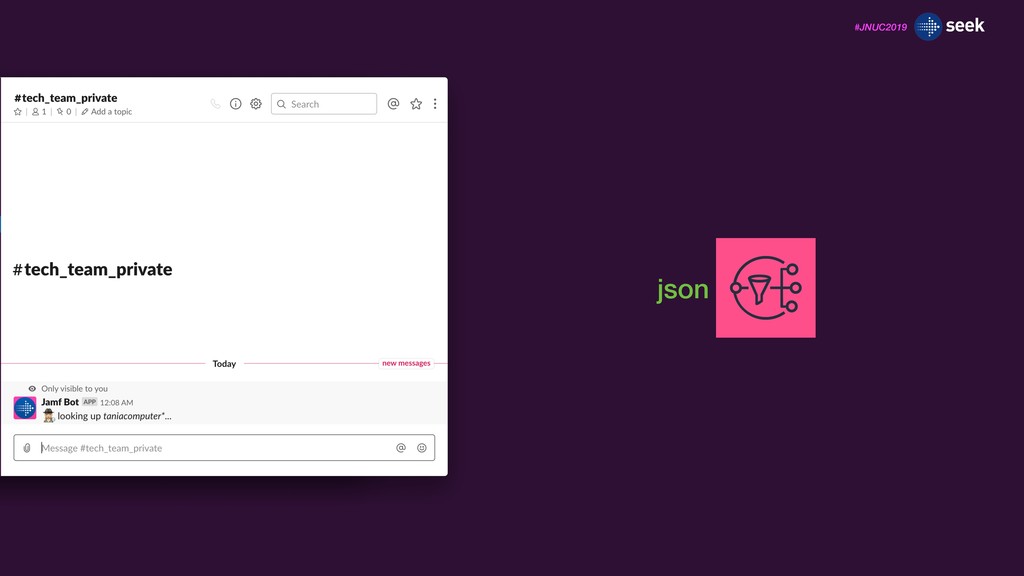
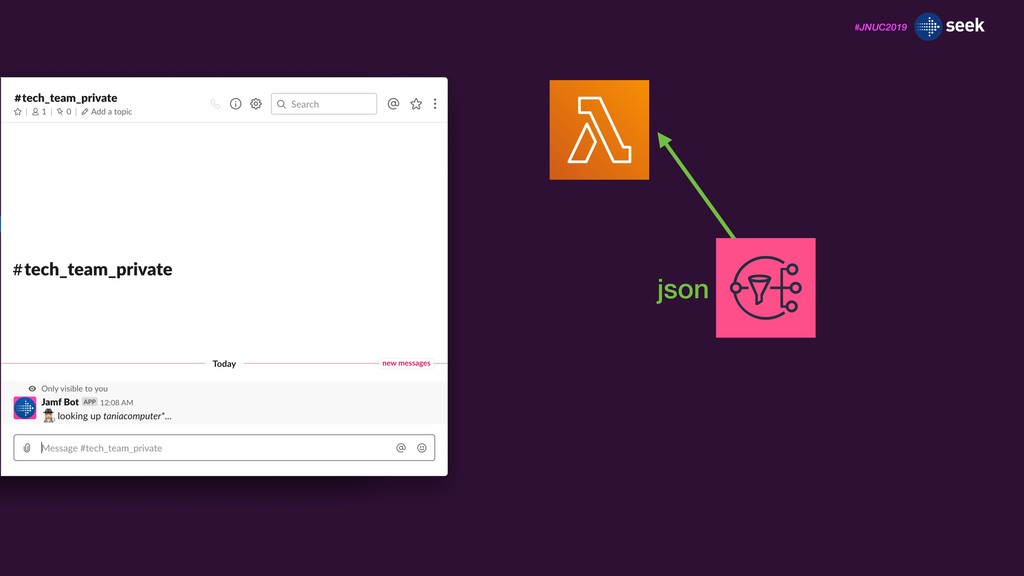
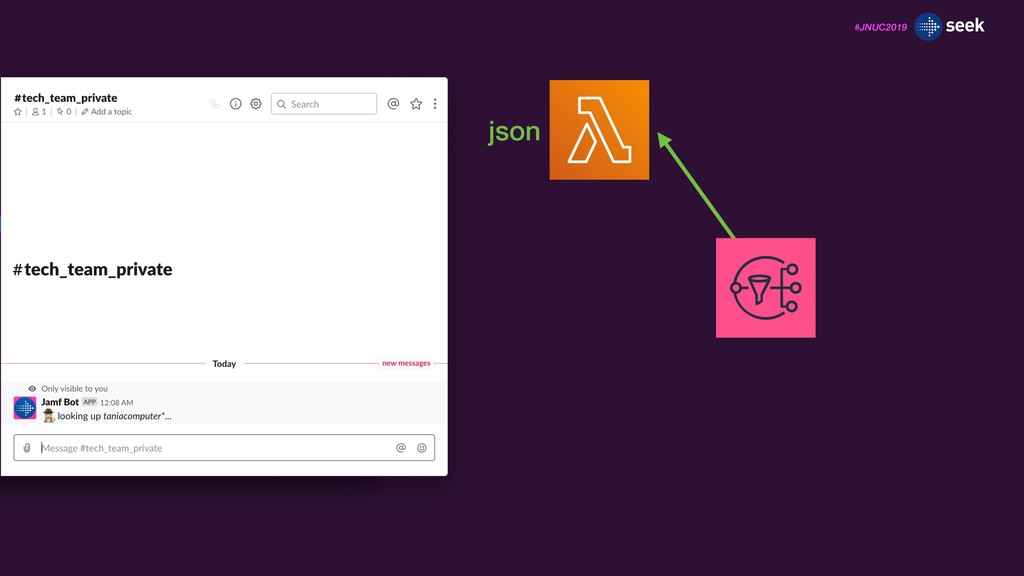
![#JNUC2019 import json def lambda_handler(event, context): data = event["Records"][0]["Sns"]["Message"] json_loaded](https://files.speakerdeck.com/presentations/83cce4db79024750b2817bf2ead1d965/slide_98.jpg)
![#JNUC2019 import json def lambda_handler(event, context): data = event["Records"][0]["Sns"]["Message"] json_loaded](https://files.speakerdeck.com/presentations/83cce4db79024750b2817bf2ead1d965/slide_99.jpg)
![#JNUC2019 import json def lambda_handler(event, context): data = event["Records"][0]["Sns"]["Message"] json_loaded](https://files.speakerdeck.com/presentations/83cce4db79024750b2817bf2ead1d965/slide_100.jpg)
![#JNUC2019 import json def lambda_handler(event, context): data = event["Records"][0]["Sns"]["Message"] json_loaded](https://files.speakerdeck.com/presentations/83cce4db79024750b2817bf2ead1d965/slide_101.jpg)
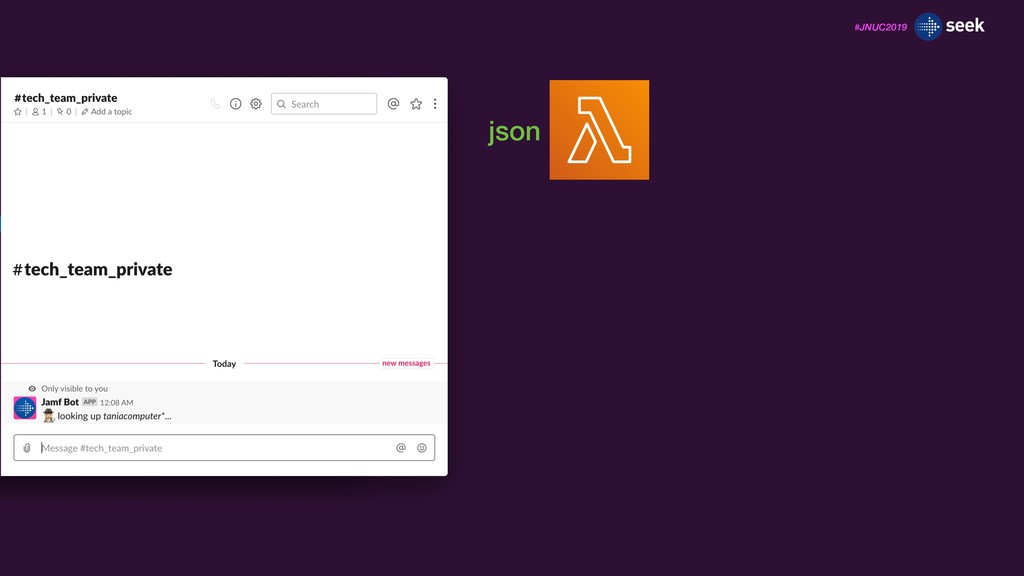
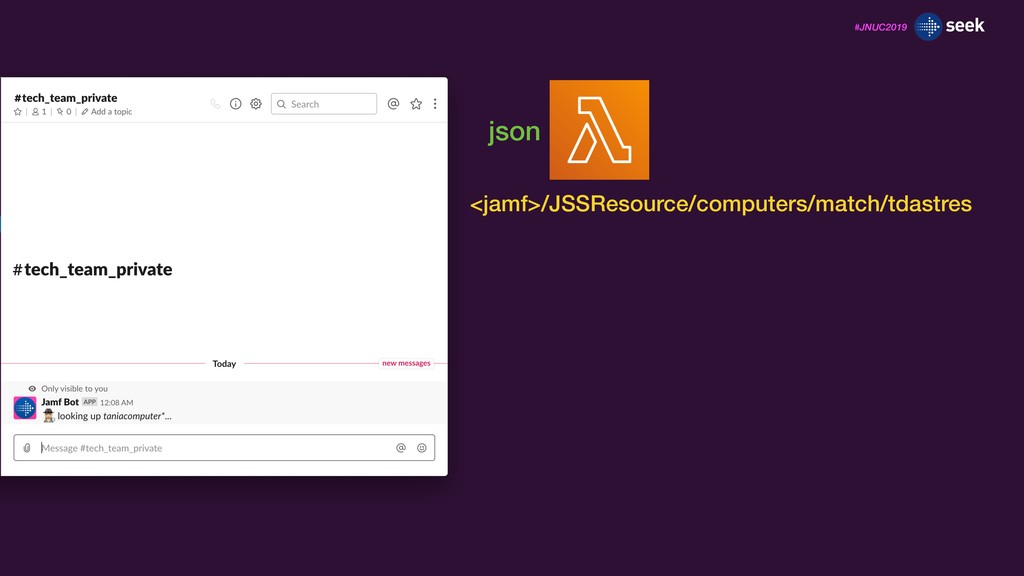
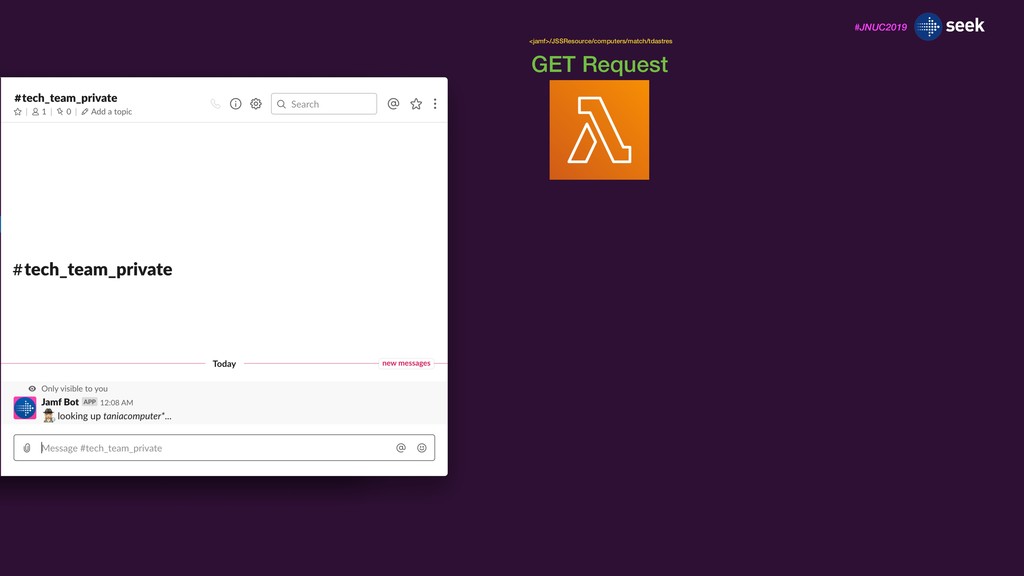
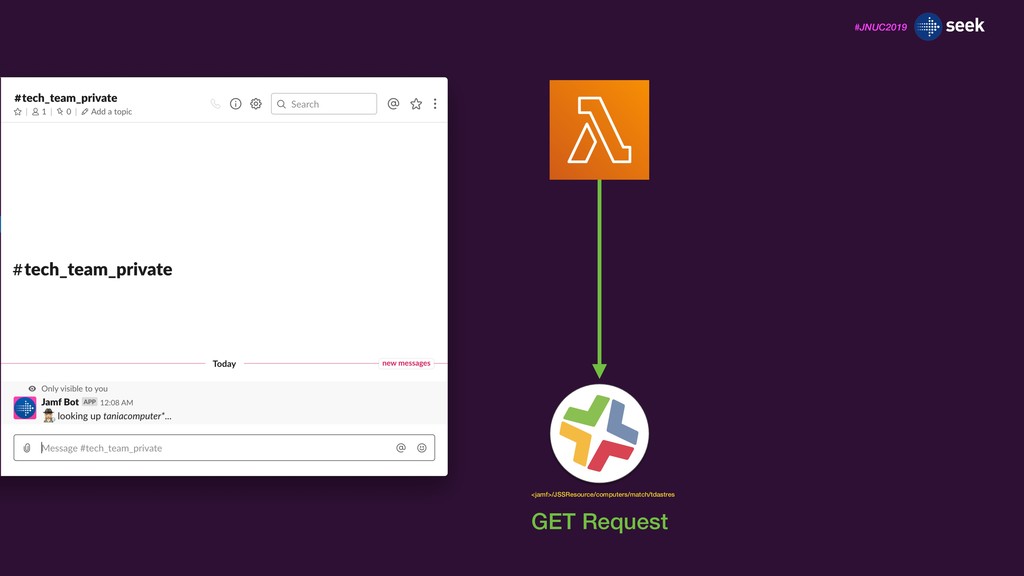
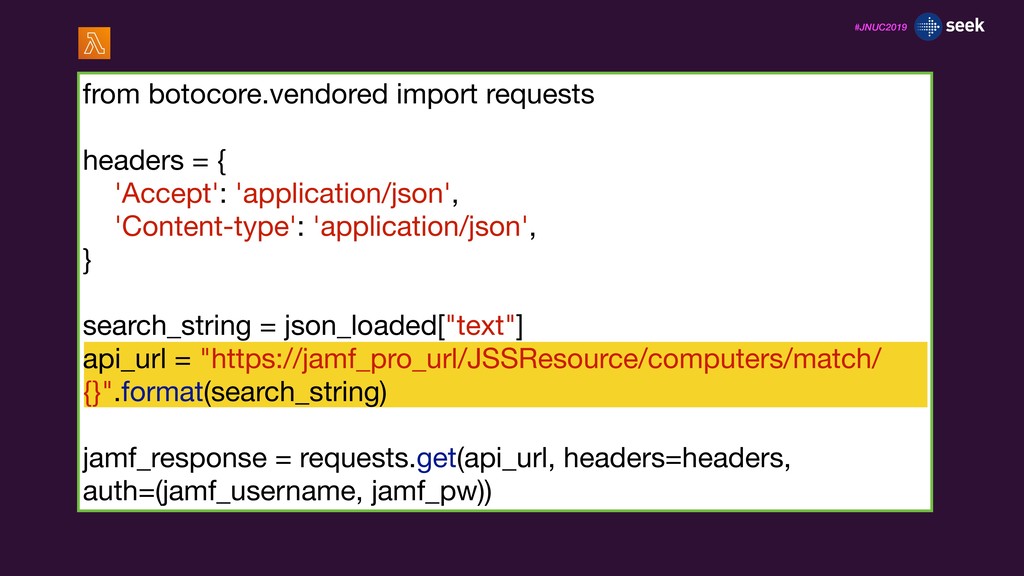
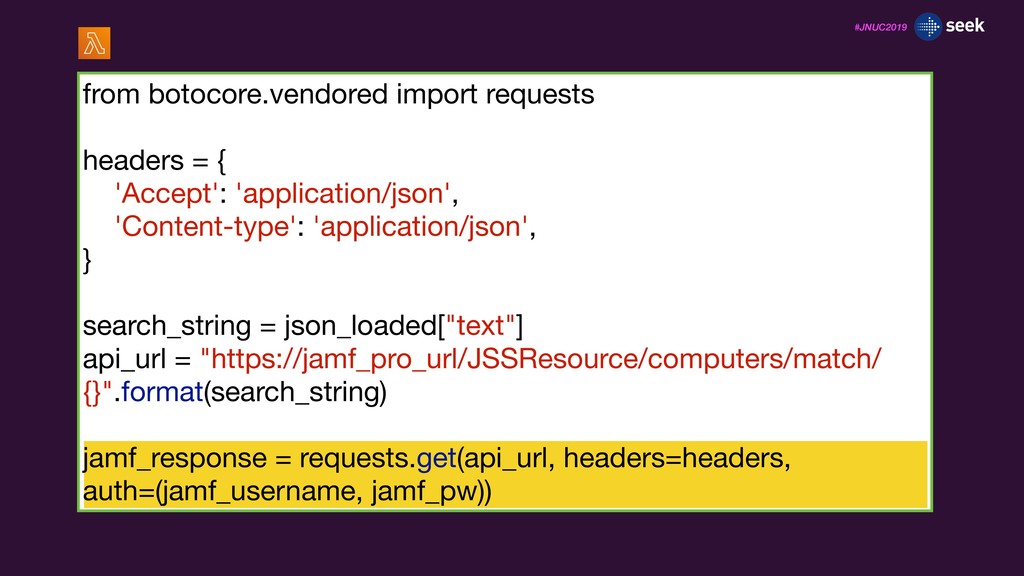
![#JNUC2019 data = jamf_response.json() computers = data["computers"] total_results = len(computers)](https://files.speakerdeck.com/presentations/83cce4db79024750b2817bf2ead1d965/slide_110.jpg)
![#JNUC2019 data = jamf_response.json() computers = data["computers"] total_results = len(computers)](https://files.speakerdeck.com/presentations/83cce4db79024750b2817bf2ead1d965/slide_111.jpg)
![#JNUC2019 data = jamf_response.json() computers = data["computers"] total_results = len(computers)](https://files.speakerdeck.com/presentations/83cce4db79024750b2817bf2ead1d965/slide_112.jpg)
![#JNUC2019 data = jamf_response.json() computers = data["computers"] total_results = len(computers)](https://files.speakerdeck.com/presentations/83cce4db79024750b2817bf2ead1d965/slide_113.jpg)
![#JNUC2019 for computer in computers: name = computer["name"] name_string =](https://files.speakerdeck.com/presentations/83cce4db79024750b2817bf2ead1d965/slide_114.jpg)
![#JNUC2019 for computer in computers: name = computer["name"] name_string =](https://files.speakerdeck.com/presentations/83cce4db79024750b2817bf2ead1d965/slide_115.jpg)
![#JNUC2019 response_url = json_loaded["response_url"] response_json = { 'text': "Total Results:](https://files.speakerdeck.com/presentations/83cce4db79024750b2817bf2ead1d965/slide_116.jpg)
![#JNUC2019 response_url = json_loaded["response_url"] response_json = { 'text': "Total Results:](https://files.speakerdeck.com/presentations/83cce4db79024750b2817bf2ead1d965/slide_117.jpg)
![#JNUC2019 response_url = json_loaded["response_url"] response_json = { 'text': "Total Results:](https://files.speakerdeck.com/presentations/83cce4db79024750b2817bf2ead1d965/slide_118.jpg)
![#JNUC2019 response_url = json_loaded["response_url"] response_json = { 'text': "Total Results:](https://files.speakerdeck.com/presentations/83cce4db79024750b2817bf2ead1d965/slide_119.jpg)
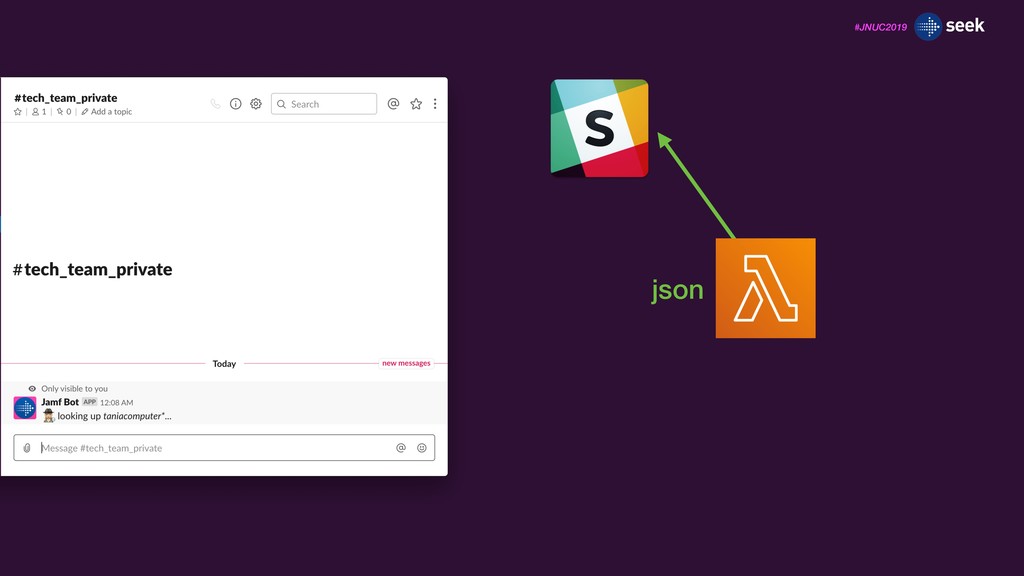
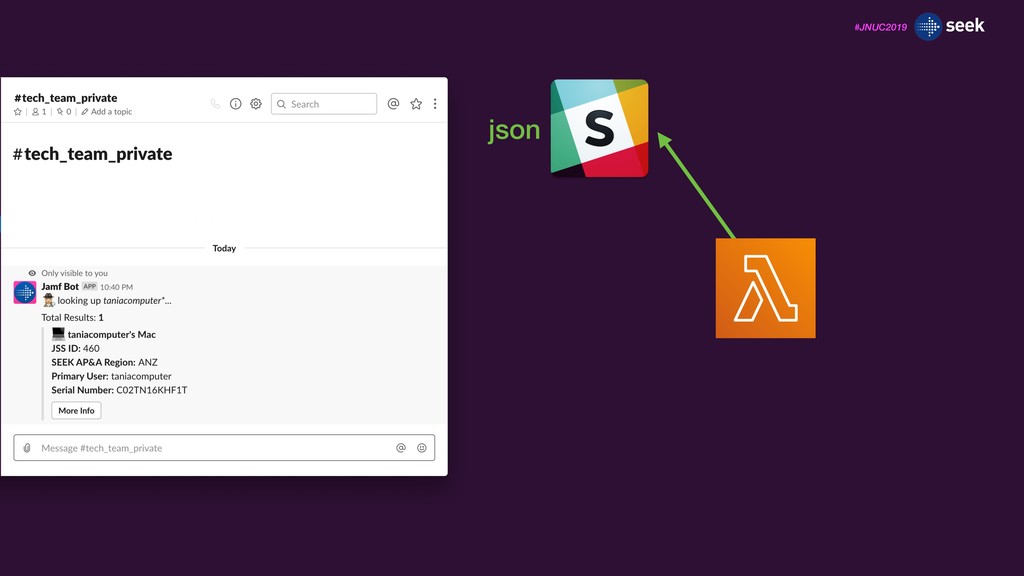
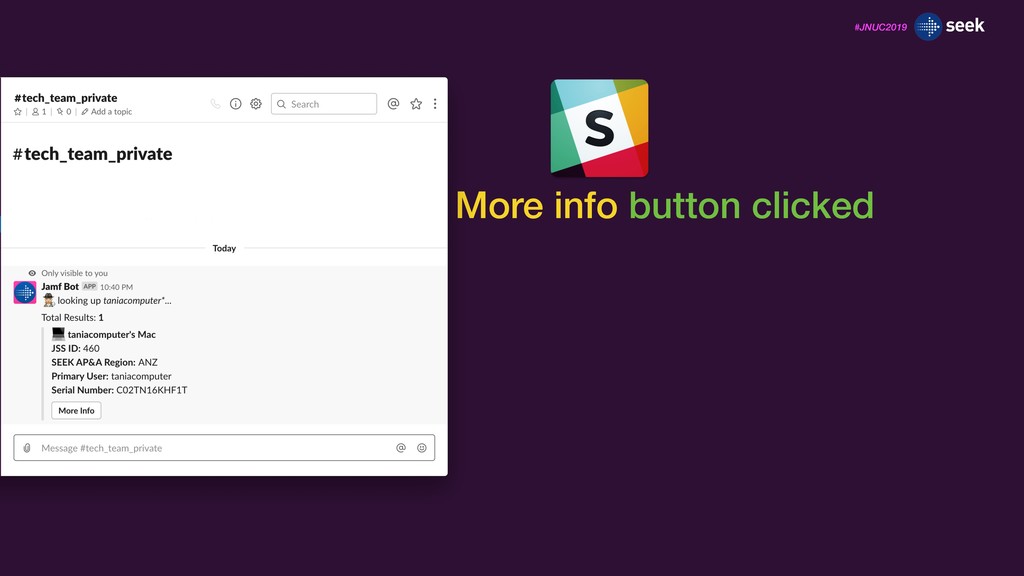
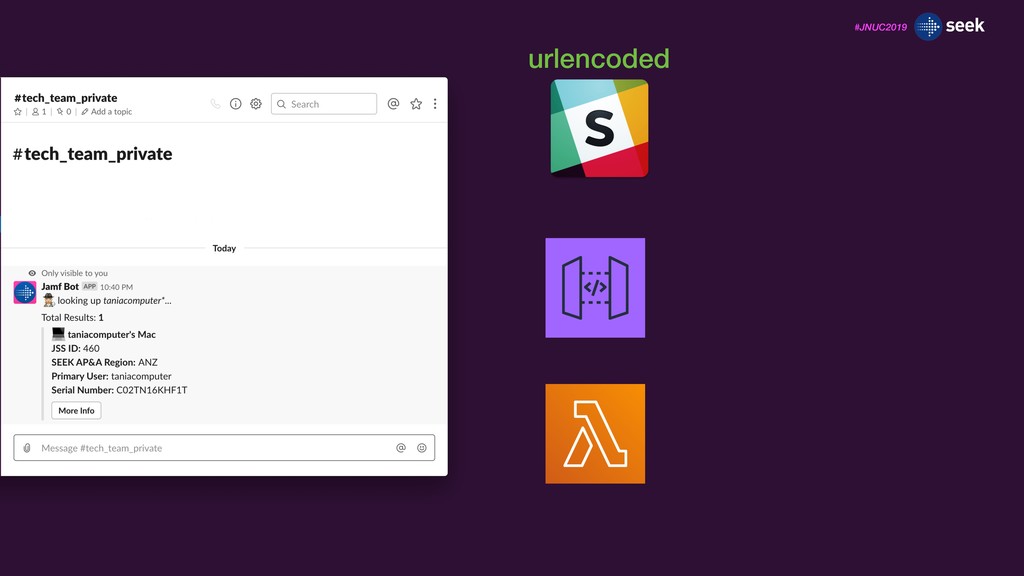
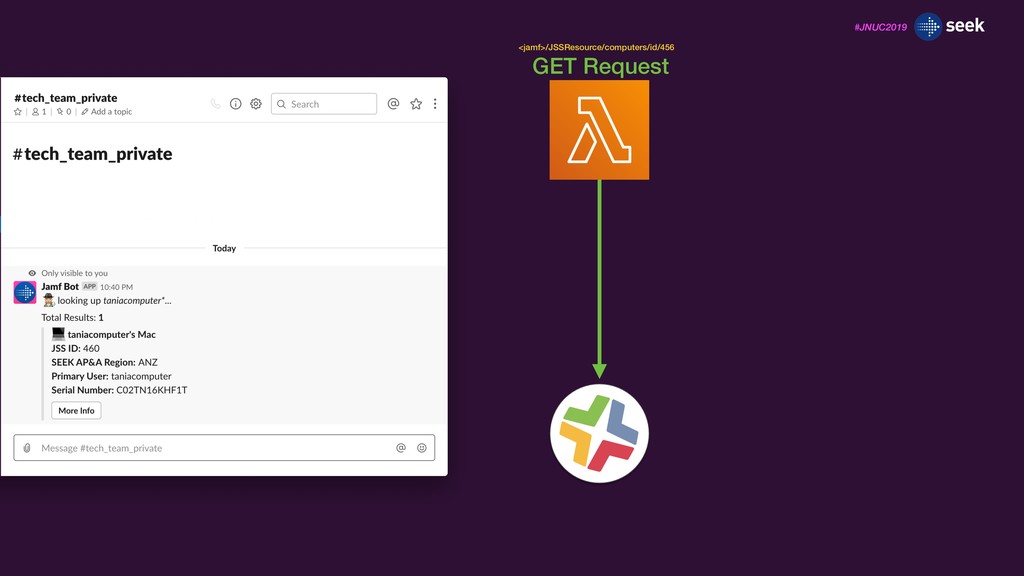
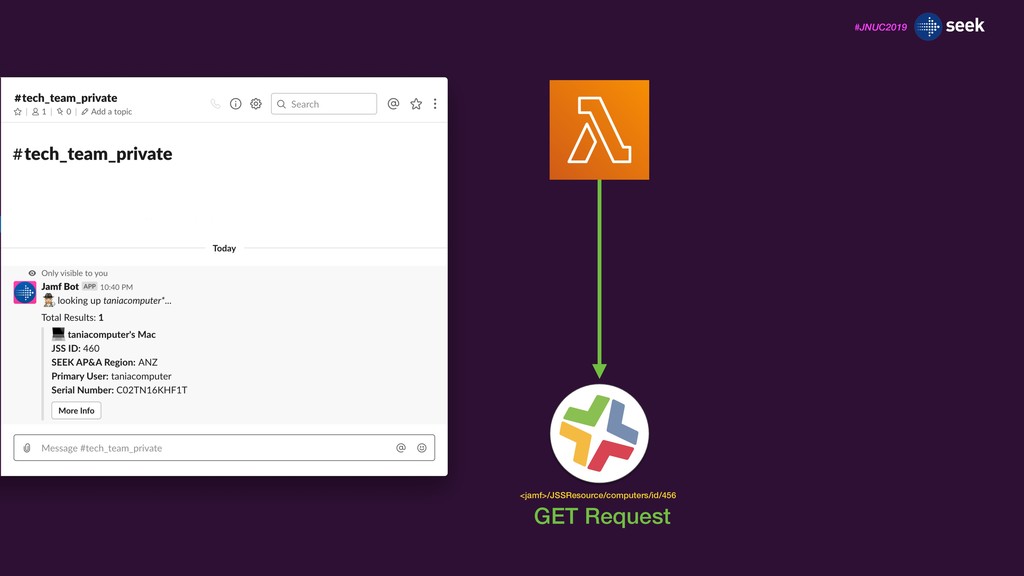
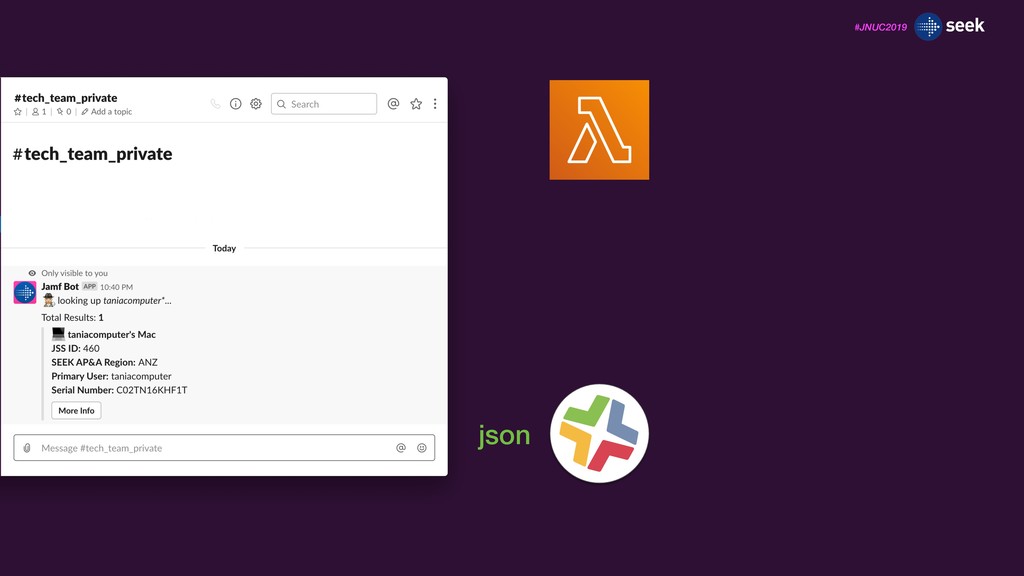
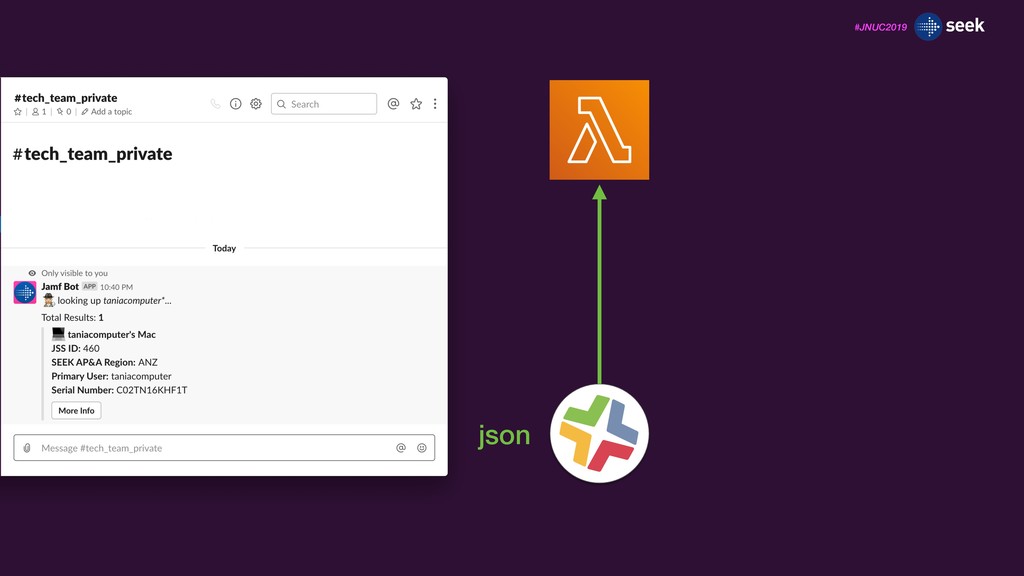
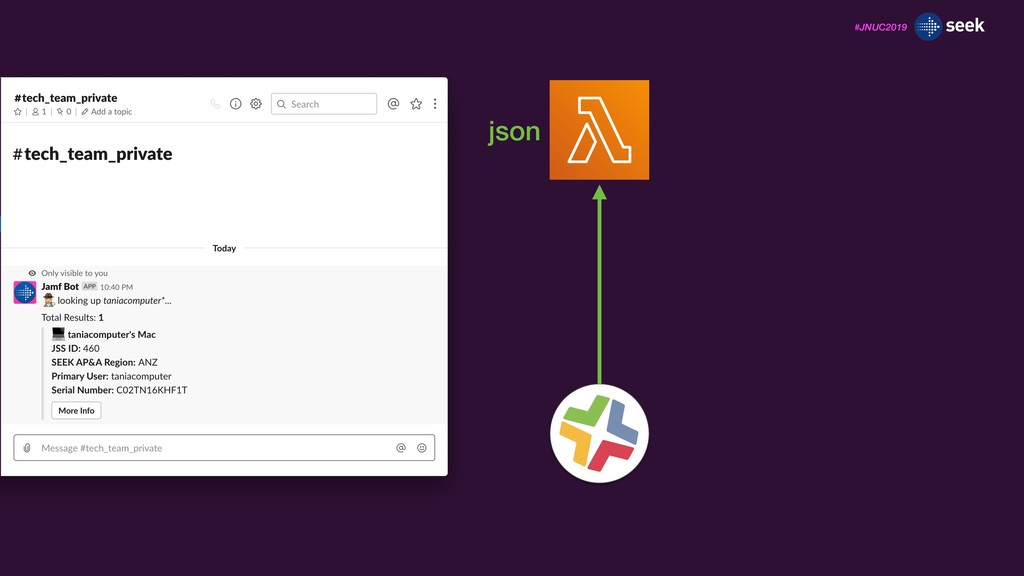
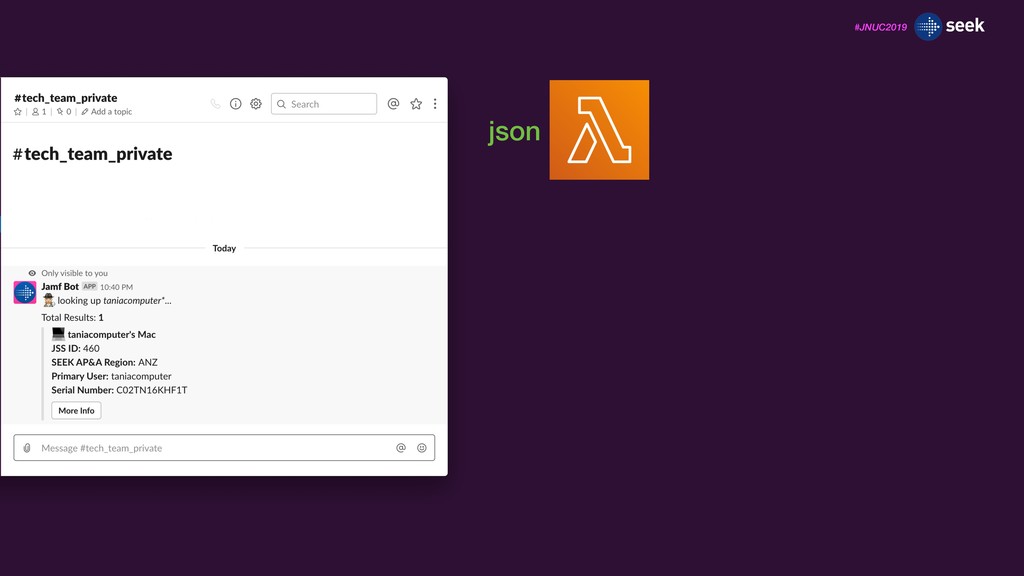
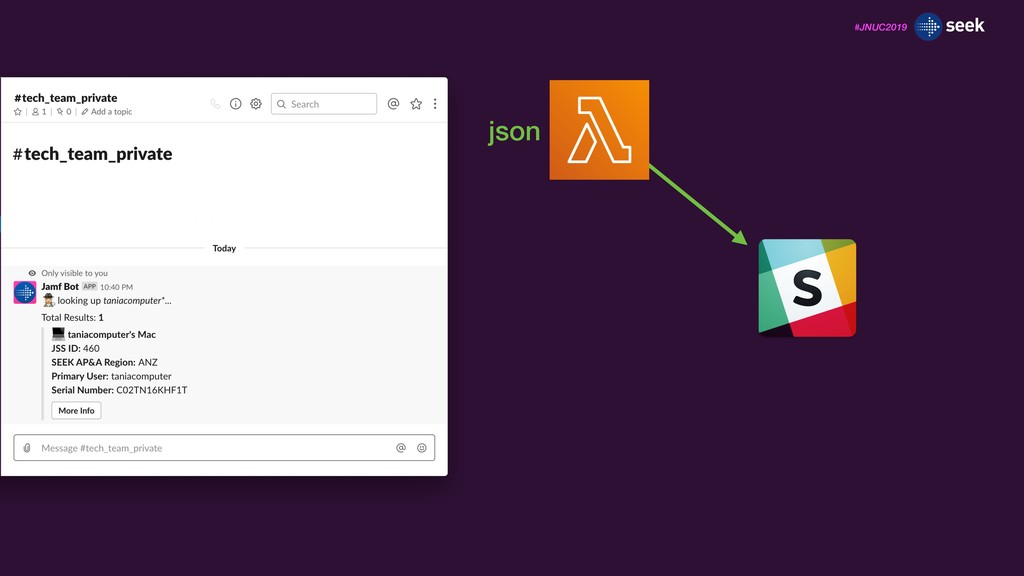
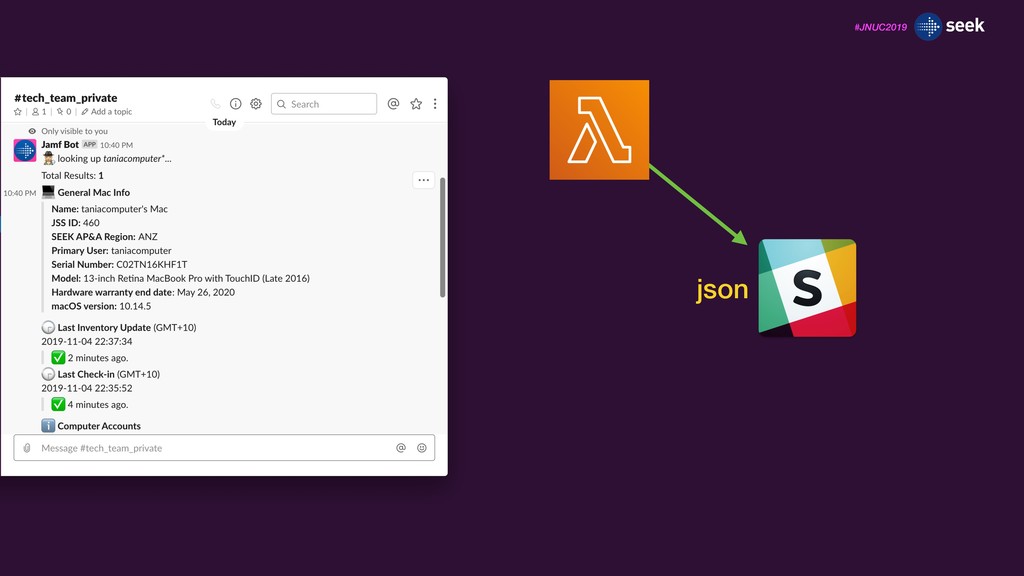
![#JNUC2019 taniacomputer_channel_id = "GK0CRKFND" request = event["body"] message = dict(urlparse.parse_qsl(request))](https://files.speakerdeck.com/presentations/83cce4db79024750b2817bf2ead1d965/slide_143.jpg)
![#JNUC2019 taniacomputer_channel_id = "GK0CRKFND" request = event["body"] message = dict(urlparse.parse_qsl(request))](https://files.speakerdeck.com/presentations/83cce4db79024750b2817bf2ead1d965/slide_144.jpg)
![#JNUC2019 taniacomputer_channel_id = "GK0CRKFND" request = event["body"] message = dict(urlparse.parse_qsl(request))](https://files.speakerdeck.com/presentations/83cce4db79024750b2817bf2ead1d965/slide_145.jpg)

![#JNUC2019 import hmac import hashlib slack_request_timestamp = event["headers"]['X-Slack-Request- Timestamp'] request_body](https://files.speakerdeck.com/presentations/83cce4db79024750b2817bf2ead1d965/slide_151.jpg)
![#JNUC2019 import hmac import hashlib slack_request_timestamp = event["headers"]['X-Slack-Request- Timestamp'] request_body](https://files.speakerdeck.com/presentations/83cce4db79024750b2817bf2ead1d965/slide_152.jpg)
![#JNUC2019 import hmac import hashlib slack_request_timestamp = event["headers"]['X-Slack-Request- Timestamp'] request_body](https://files.speakerdeck.com/presentations/83cce4db79024750b2817bf2ead1d965/slide_153.jpg)
![#JNUC2019 import hmac import hashlib slack_request_timestamp = event["headers"]['X-Slack-Request- Timestamp'] request_body](https://files.speakerdeck.com/presentations/83cce4db79024750b2817bf2ead1d965/slide_154.jpg)
![#JNUC2019 import hmac import hashlib slack_request_timestamp = event["headers"]['X-Slack-Request- Timestamp'] request_body](https://files.speakerdeck.com/presentations/83cce4db79024750b2817bf2ead1d965/slide_155.jpg)
![#JNUC2019 import time slack_request_timestamp = float(event[“headers”]['X-Slack- Request-Timestamp']) current_time = time.time()](https://files.speakerdeck.com/presentations/83cce4db79024750b2817bf2ead1d965/slide_158.jpg)
![#JNUC2019 import time slack_request_timestamp = float(event[“headers”]['X-Slack- Request-Timestamp']) current_time = time.time()](https://files.speakerdeck.com/presentations/83cce4db79024750b2817bf2ead1d965/slide_159.jpg)
![#JNUC2019 import time slack_request_timestamp = float(event[“headers”]['X-Slack- Request-Timestamp']) current_time = time.time()](https://files.speakerdeck.com/presentations/83cce4db79024750b2817bf2ead1d965/slide_160.jpg)
![#JNUC2019 import time slack_request_timestamp = float(event[“headers”]['X-Slack- Request-Timestamp']) current_time = time.time()](https://files.speakerdeck.com/presentations/83cce4db79024750b2817bf2ead1d965/slide_161.jpg)
![#JNUC2019 from urllib import parse as urlparse request = event["body"]](https://files.speakerdeck.com/presentations/83cce4db79024750b2817bf2ead1d965/slide_179.jpg)
![#JNUC2019 from urllib import parse as urlparse request = event["body"]](https://files.speakerdeck.com/presentations/83cce4db79024750b2817bf2ead1d965/slide_180.jpg)