Upgrade to Pro — share decks privately, control downloads, hide ads and more …

Trigger: Configuring networks so you don't have to

Trigger: Configuring networks so you don't have to

AOL has a huge network. Are you done laughing? No seriously, we have a HUGE network. Yes, the network has shrunk over the years, but we still have over 5,500 network devices we have to keep up and running. In this presentation I will talk about Trigger, a network engineering toolkit we created to manage our network hardware at scale.

Avatar for Jathan McCollum

Jathan McCollum

September 17, 2012

More Decks by Jathan McCollum

Other Decks in Technology

Transcript

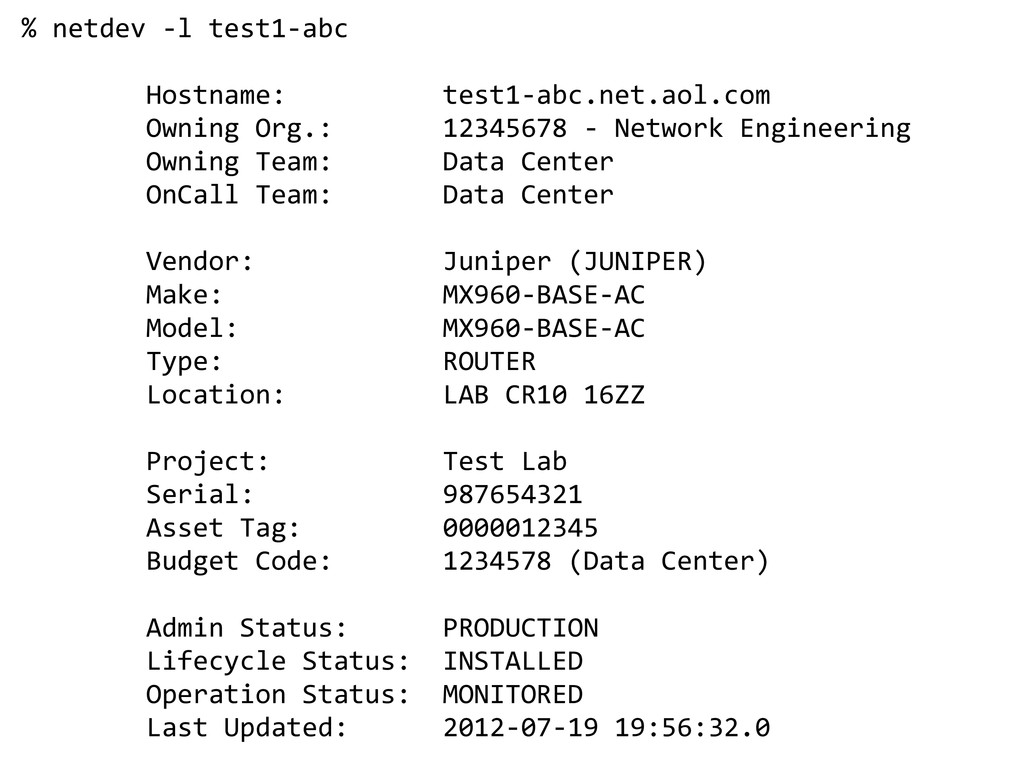
  1. % netdev -l test1-abc Hostname: test1-abc.net.aol.com Owning Org.: 12345678 -

    Network Engineering Owning Team: Data Center OnCall Team: Data Center Vendor: Juniper (JUNIPER) Make: MX960-BASE-AC Model: MX960-BASE-AC Type: ROUTER Location: LAB CR10 16ZZ Project: Test Lab Serial: 987654321 Asset Tag: 0000012345 Budget Code: 1234578 (Data Center) Admin Status: PRODUCTION Lifecycle Status: INSTALLED Operation Status: MONITORED Last Updated: 2012-07-19 19:56:32.0
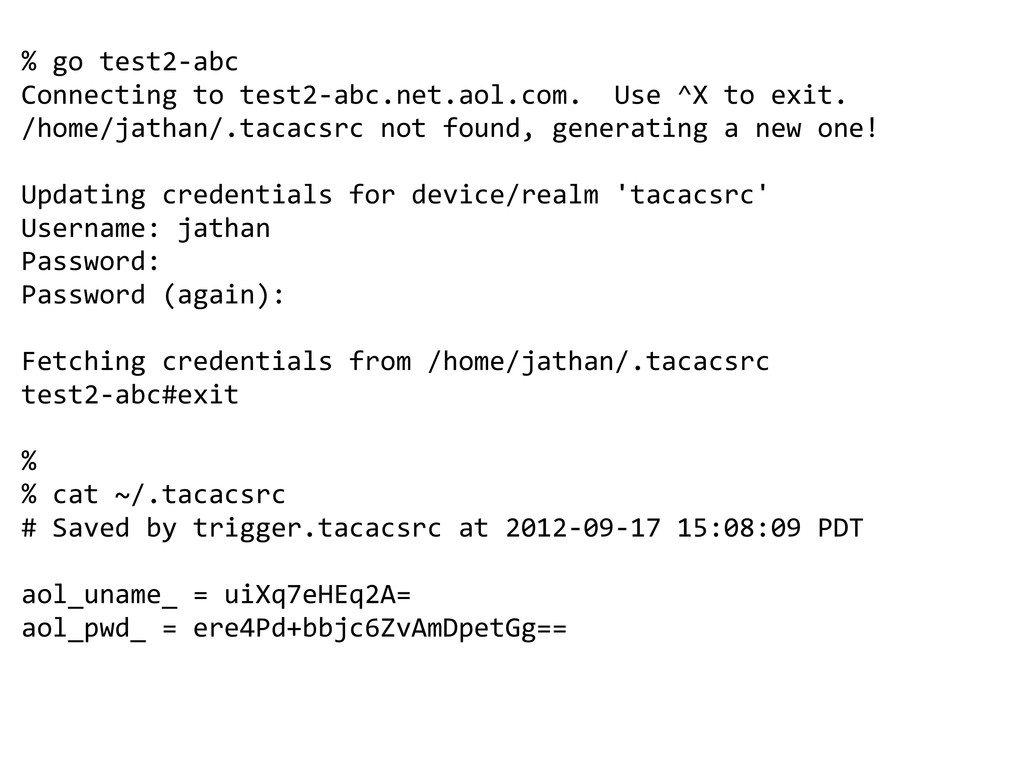
  2. % go test2-abc Connecting to test2-abc.net.aol.com. Use ^X to exit.

    /home/jathan/.tacacsrc not found, generating a new one! Updating credentials for device/realm 'tacacsrc' Username: jathan Password: Password (again): Fetching credentials from /home/jathan/.tacacsrc test2-abc#exit % % cat ~/.tacacsrc # Saved by trigger.tacacsrc at 2012-09-17 15:08:09 PDT aol_uname_ = uiXq7eHEq2A= aol_pwd_ = ere4Pd+bbjc6ZvAmDpetGg==
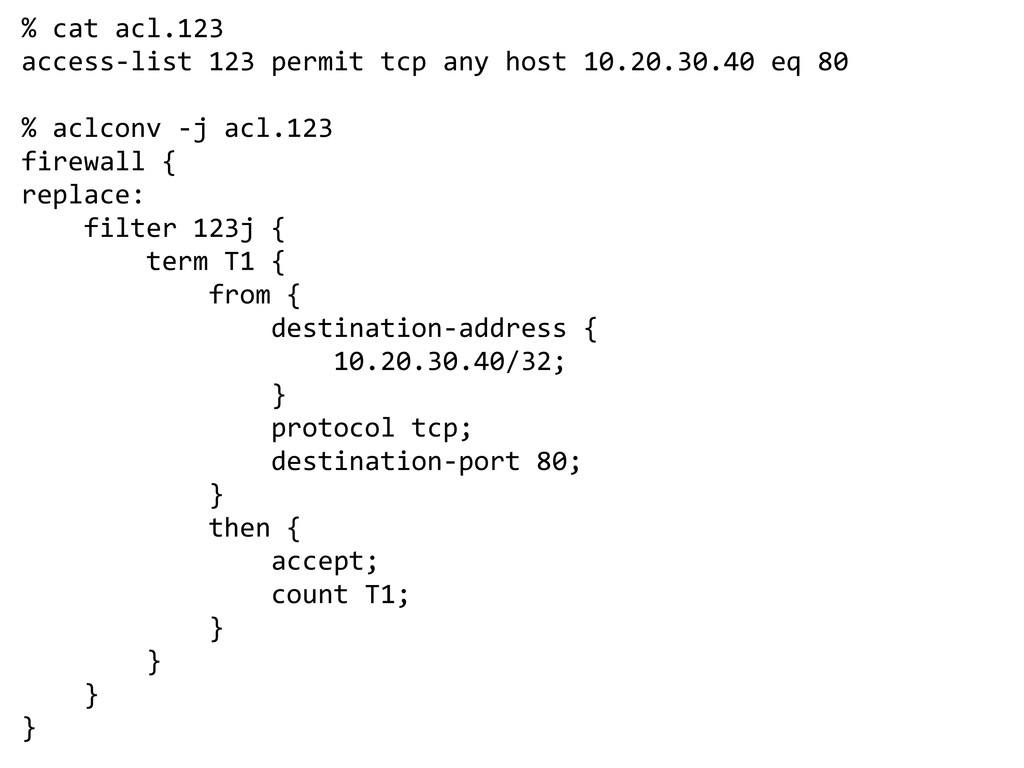
  3. % cat acl.123 access-list 123 permit tcp any host 10.20.30.40

    eq 80 % aclconv -j acl.123 firewall { replace: filter 123j { term T1 { from { destination-address { 10.20.30.40/32; } protocol tcp; destination-port 80; } then { accept; count T1; } } } }
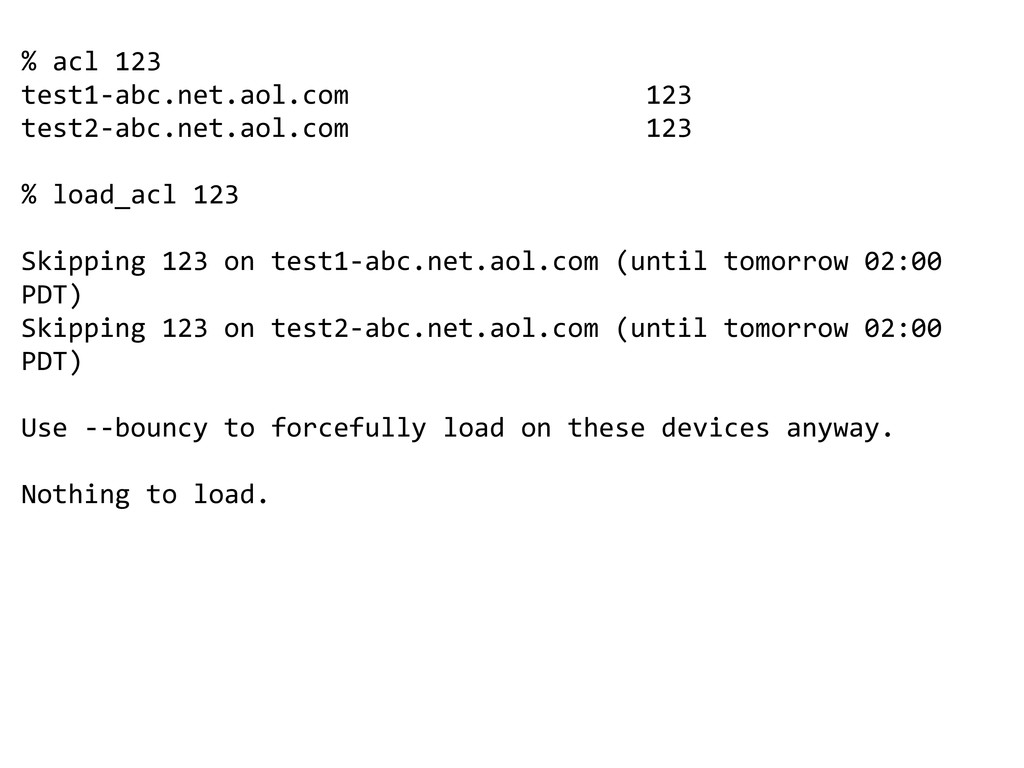
  4. % acl 123 test1-abc.net.aol.com 123 test2-abc.net.aol.com 123 % load_acl 123

    Skipping 123 on test1-abc.net.aol.com (until tomorrow 02:00 PDT) Skipping 123 on test2-abc.net.aol.com (until tomorrow 02:00 PDT) Use --bouncy to forcefully load on these devices anyway. Nothing to load.
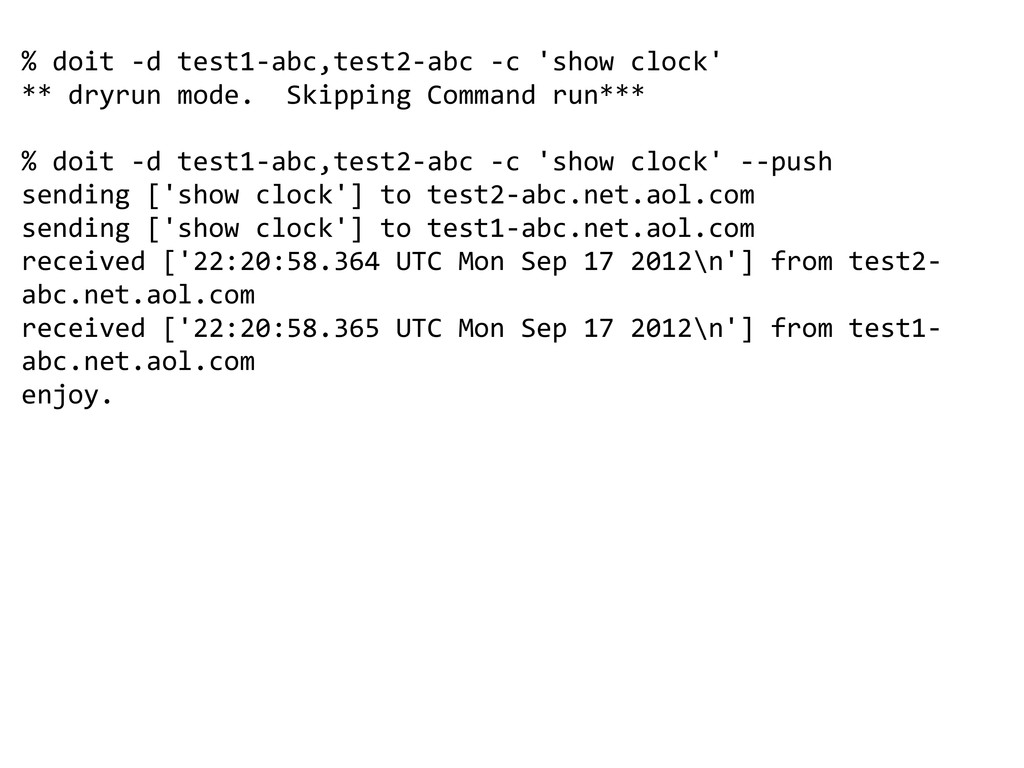
  5. % doit -d test1-abc,test2-abc -c 'show clock' ** dryrun mode.

    Skipping Command run*** % doit -d test1-abc,test2-abc -c 'show clock' --push sending ['show clock'] to test2-abc.net.aol.com sending ['show clock'] to test1-abc.net.aol.com received ['22:20:58.364 UTC Mon Sep 17 2012\n'] from test2- abc.net.aol.com received ['22:20:58.365 UTC Mon Sep 17 2012\n'] from test1- abc.net.aol.com enjoy.
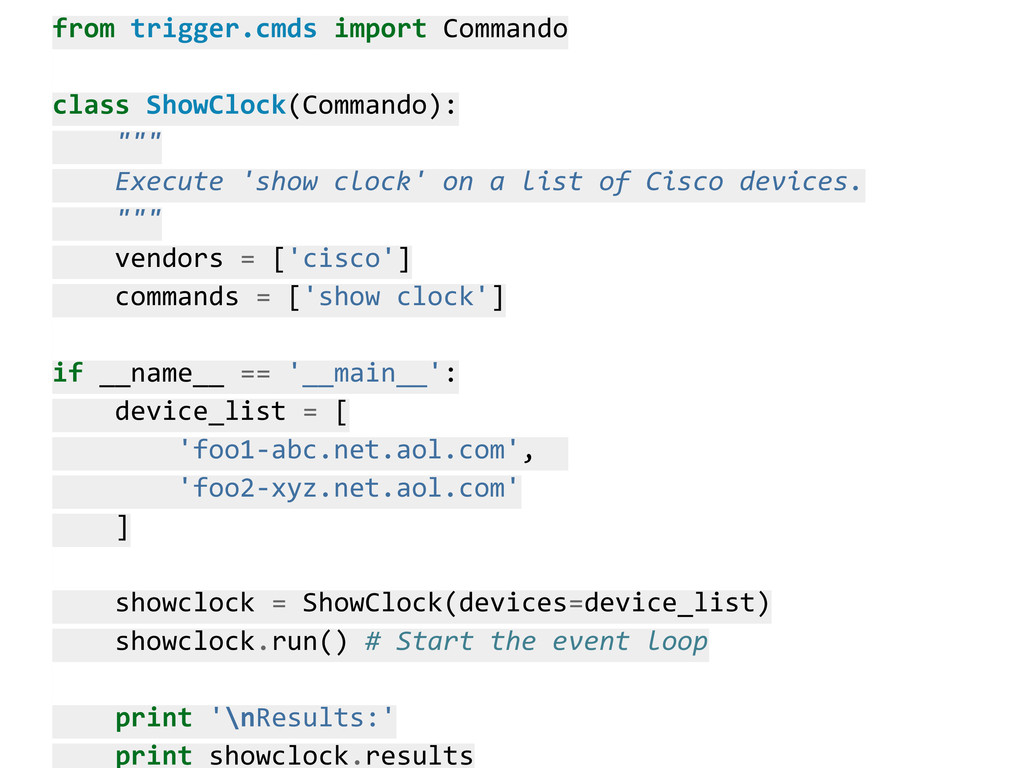
  6. from trigger.cmds import Commando class ShowClock(Commando): """ Execute 'show clock'

    on a list of Cisco devices. """ vendors = ['cisco'] commands = ['show clock'] if __name__ == '__main__': device_list = [ 'foo1-abc.net.aol.com', 'foo2-xyz.net.aol.com' ] showclock = ShowClock(devices=device_list) showclock.run() # Start the event loop print '\nResults:' print showclock.results
  7. sending ['show clock'] to test2-abc.net.aol.com sending ['show clock'] to test1-abc.net.aol.com

    received ['22:40:40.895 UTC Mon Sep 17 2012\n'] from test1- abc.net.aol.com received ['22:40:40.897 UTC Mon Sep 17 2012\n'] from test2- abc.net.aol.com Results: {'test1-abc.net.aol.com': {'show clock': '22:40:40.895 UTC Mon Sep 17 2012\n'}, 'test2-abc.net.aol.com': {'show clock': '22:40:40.897 UTC Mon Sep 17 2012\n'} }
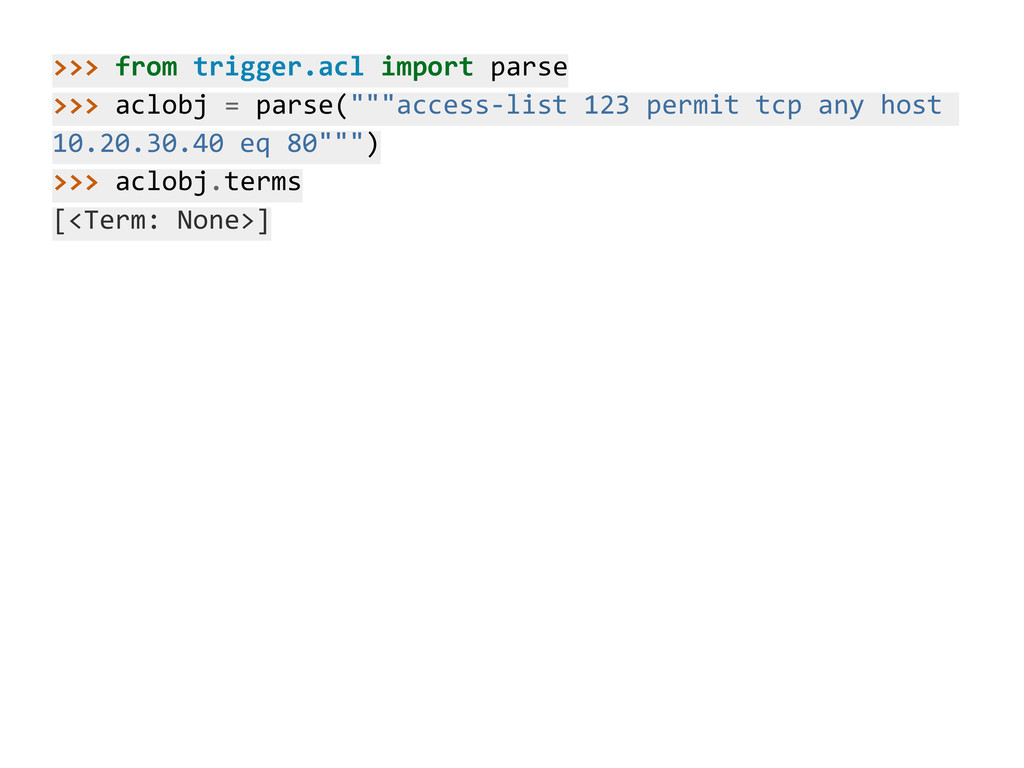
  8. >>> from trigger.acl import parse >>> aclobj = parse("""access-list 123

    permit tcp any host 10.20.30.40 eq 80""") >>> aclobj.terms [<Term: None>]
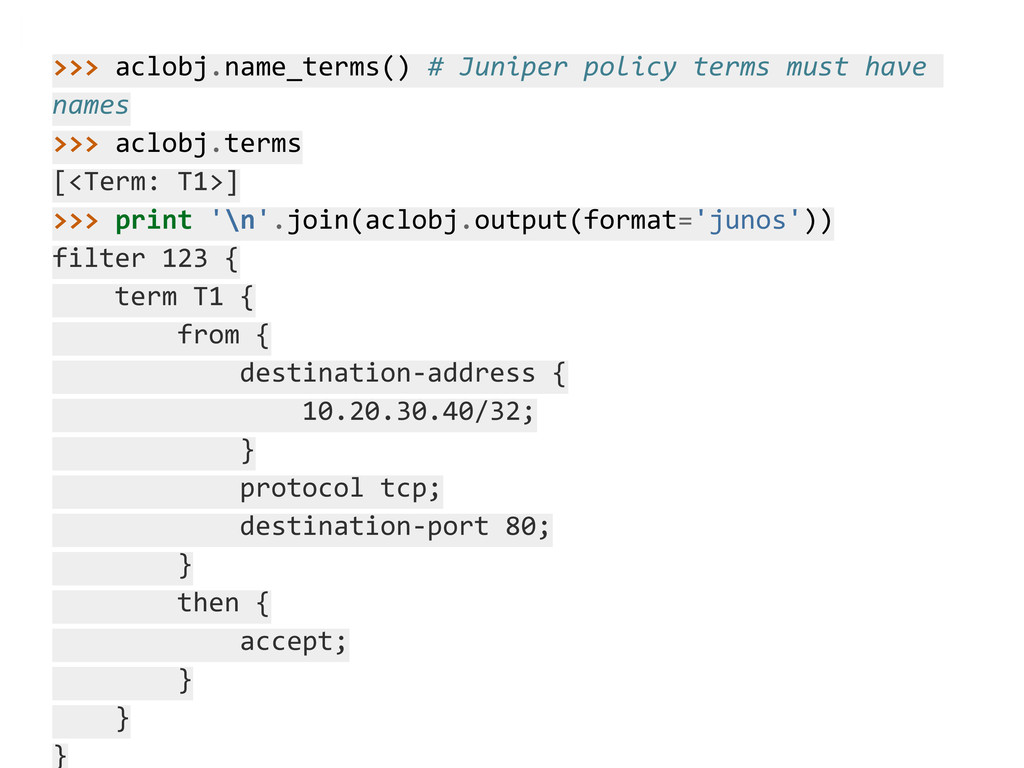
  9. >>> aclobj.name_terms() # Juniper policy terms must have names >>>

    aclobj.terms [<Term: T1>] >>> print '\n'.join(aclobj.output(format='junos')) filter 123 { term T1 { from { destination-address { 10.20.30.40/32; } protocol tcp; destination-port 80; } then { accept; } } }