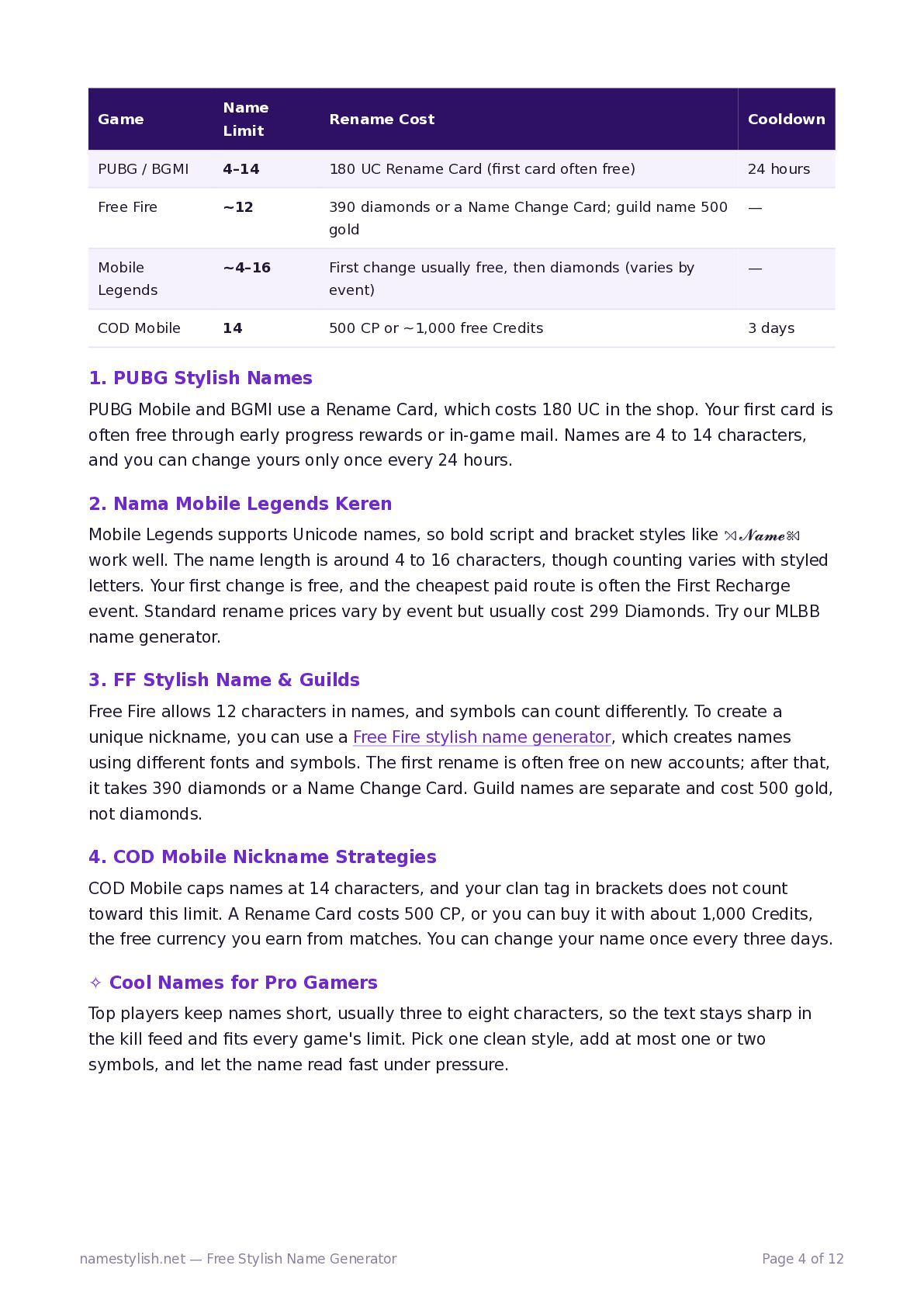
Name A stylish name works best when it survives the place you paste it. These tips help: • Keep symbols to a minimum. Two decorative marks are usually plenty. Facebook rejects heavy decoration outright. • Preview before you save. Renames cost real currency in games (390 diamonds on Free Fire, 180 UC on PUBG, 500 CP on COD Mobile), so preview before pasting. • Styled letters and symbols can count differently from plain text, so a short-looking name can still exceed a limit like Free Fire's 12 characters. • Test on more than one device. A character that looks fine on your phone can show as a box on older phones or in lighter apps like Facebook Lite. • Put the styled text in the right field: display name and bio, never the handle. The Power of Fancy Text and Unicode Fonts Fancy text and our name design maker use special Unicode characters to turn ordinary letters into different styles such as bold, italic, cursive, double-struck, and decorative text. Unicode 17.0 contains 159,801 characters, covering writing systems, symbols, emoji, and many other characters used around the world. For example, a simple letter like "A" can appear as 𝓐, 𝔸, 𝐀, or 𝘈. This lets you give a normal name a different look while keeping it as text rather than turning it into an image. A fancy text generator can also mix stylish letters with symbols and emoji such as ★, ☆, 👑, ⚡, 🌸, and ♥️. These small additions give usernames, gaming names, and social media profiles a more personal look. Once you find a style you like, copy the generated name and paste it into any platform that supports those characters. However, some fancy characters may not display properly on every device, app, or website. Highly decorative text can also be harder for screen readers and search fields to understand. It is usually better to pick a style that looks good while keeping your name clear, readable, and easy to recognize. Frequently Asked Questions Can I use a stylish name in Free Fire? Yes. Free Fire accepts Unicode characters in names, kept to about 12 characters. Copy your name, open your profile, tap the edit icon, paste, and confirm. The first change is often free on new accounts; after that it takes 390 diamonds or a Name Change Card, which you can also craft from guild tokens. namestylish.net — Free Stylish Name Generator Page 10 of 12


 nwiizo
 stephaniewalter
 addyosmani
 aleyda
 akosma
 skipperchong
 wjessup
 denniskardys
 akihiro_kokubo
 eileencodes
 morganepeng