Upgrade to Pro — share decks privately, control downloads, hide ads and more …

Beautiful_Markup.pdf

Avatar for John Athayde John Athayde
June 29, 2010
11

 Beautiful_Markup.pdf

Avatar for John Athayde

John Athayde

June 29, 2010

Transcript

  1. *Beautiful Markup Curing DIV-itis with Semantic HTML, CSS and [maybe]

    Presenters JOHN ATHAYDE, INFOETHER NOVARUG 29 JUN 2010
  2. Let’s Assume... » YOU KNOW HTML & CSS BASICS »

    YOU KNOW RAILS » YOU WANT TO MAKE IT BETTER
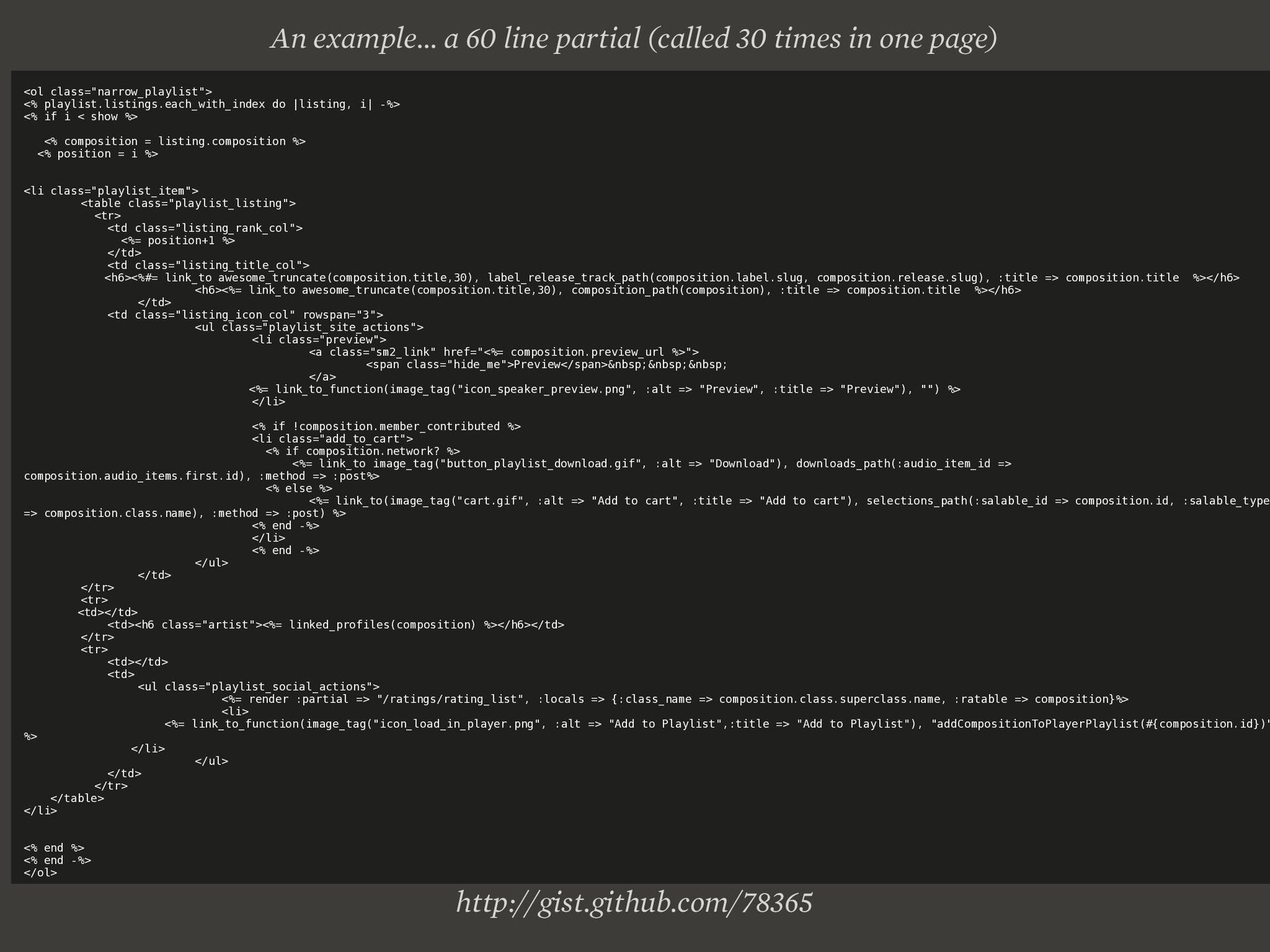
  3. http://gist.github.com/78365 <ol class="narrow_playlist"> <% playlist.listings.each_with_index do |listing, i| -%> <%

    if i < show %> <% composition = listing.composition %> <% position = i %> <li class="playlist_item"> <table class="playlist_listing"> <tr> <td class="listing_rank_col"> <%= position+1 %> </td> <td class="listing_title_col"> <h6><%#= link_to awesome_truncate(composition.title,30), label_release_track_path(composition.label.slug, composition.release.slug), :title => composition.title %></h6> <h6><%= link_to awesome_truncate(composition.title,30), composition_path(composition), :title => composition.title %></h6> </td> <td class="listing_icon_col" rowspan="3"> <ul class="playlist_site_actions"> <li class="preview"> <a class="sm2_link" href="<%= composition.preview_url %>"> <span class="hide_me">Preview</span>&nbsp;&nbsp;&nbsp; </a> <%= link_to_function(image_tag("icon_speaker_preview.png", :alt => "Preview", :title => "Preview"), "") %> </li> <% if !composition.member_contributed %> <li class="add_to_cart"> <% if composition.network? %> <%= link_to image_tag("button_playlist_download.gif", :alt => "Download"), downloads_path(:audio_item_id => composition.audio_items.first.id), :method => :post%> <% else %> <%= link_to(image_tag("cart.gif", :alt => "Add to cart", :title => "Add to cart"), selections_path(:salable_id => composition.id, :salable_type => composition.class.name), :method => :post) %> <% end -%> </li> <% end -%> </ul> </td> </tr> <tr> <td></td> <td><h6 class="artist"><%= linked_profiles(composition) %></h6></td> </tr> <tr> <td></td> <td> <ul class="playlist_social_actions"> <%= render :partial => "/ratings/rating_list", :locals => {:class_name => composition.class.superclass.name, :ratable => composition}%> <li> <%= link_to_function(image_tag("icon_load_in_player.png", :alt => "Add to Playlist",:title => "Add to Playlist"), "addCompositionToPlayerPlaylist(#{composition.id})" %> </li> </ul> </td> </tr> </table> </li> <% end %> <% end -%> </ol> An example... a 60 line partial (called 30 times in one page)
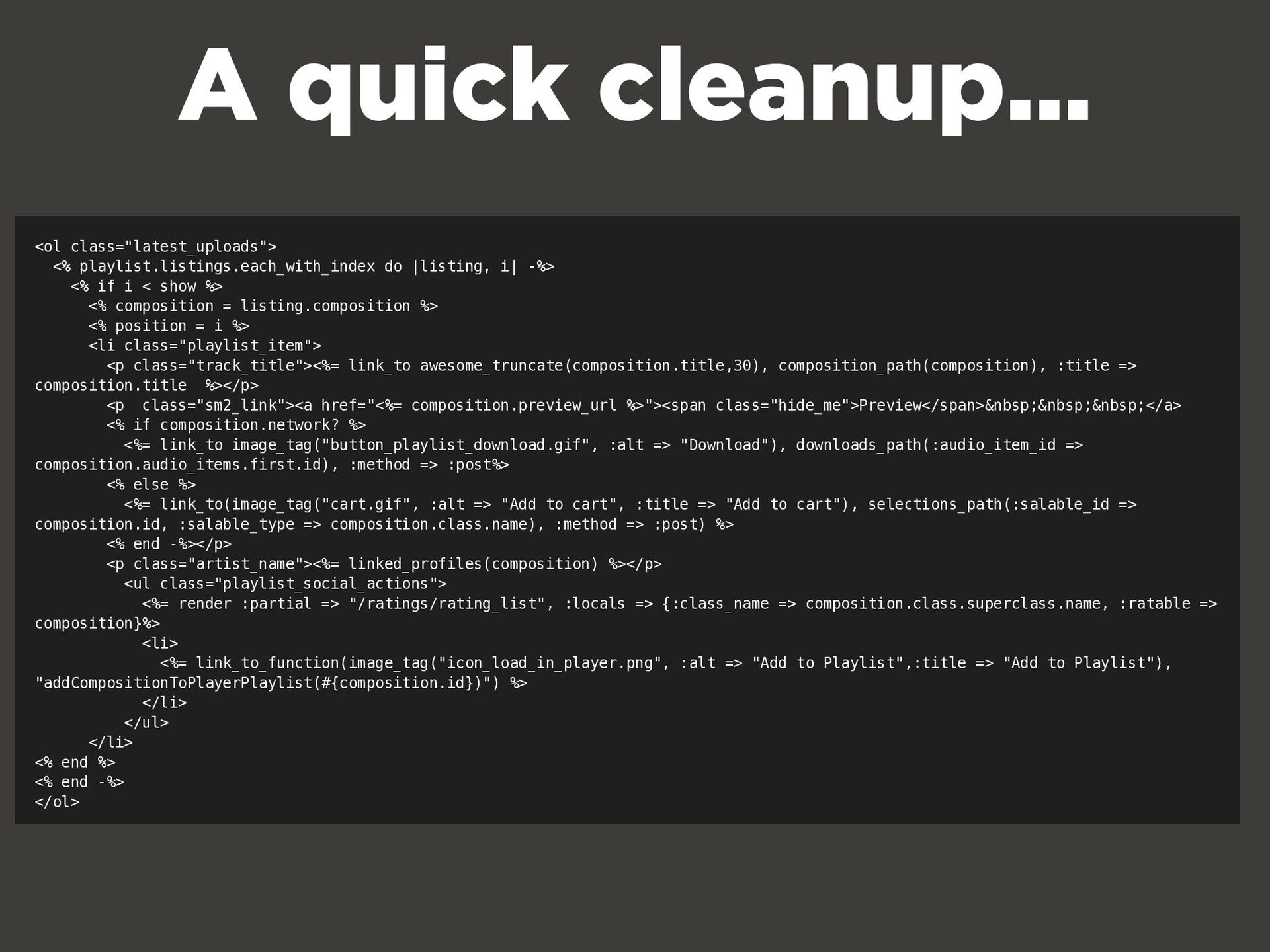
  4. <ol class="latest_uploads"> <% playlist.listings.each_with_index do |listing, i| -%> <% if

    i < show %> <% composition = listing.composition %> <% position = i %> <li class="playlist_item"> <p class="track_title"><%= link_to awesome_truncate(composition.title,30), composition_path(composition), :title => composition.title %></p> <p class="sm2_link"><a href="<%= composition.preview_url %>"><span class="hide_me">Preview</span>&nbsp;&nbsp;&nbsp;</a> <% if composition.network? %> <%= link_to image_tag("button_playlist_download.gif", :alt => "Download"), downloads_path(:audio_item_id => composition.audio_items.first.id), :method => :post%> <% else %> <%= link_to(image_tag("cart.gif", :alt => "Add to cart", :title => "Add to cart"), selections_path(:salable_id => composition.id, :salable_type => composition.class.name), :method => :post) %> <% end -%></p> <p class="artist_name"><%= linked_profiles(composition) %></p> <ul class="playlist_social_actions"> <%= render :partial => "/ratings/rating_list", :locals => {:class_name => composition.class.superclass.name, :ratable => composition}%> <li> <%= link_to_function(image_tag("icon_load_in_player.png", :alt => "Add to Playlist",:title => "Add to Playlist"), "addCompositionToPlayerPlaylist(#{composition.id})") %> </li> </ul> </li> <% end %> <% end -%> </ol> A quick cleanup...
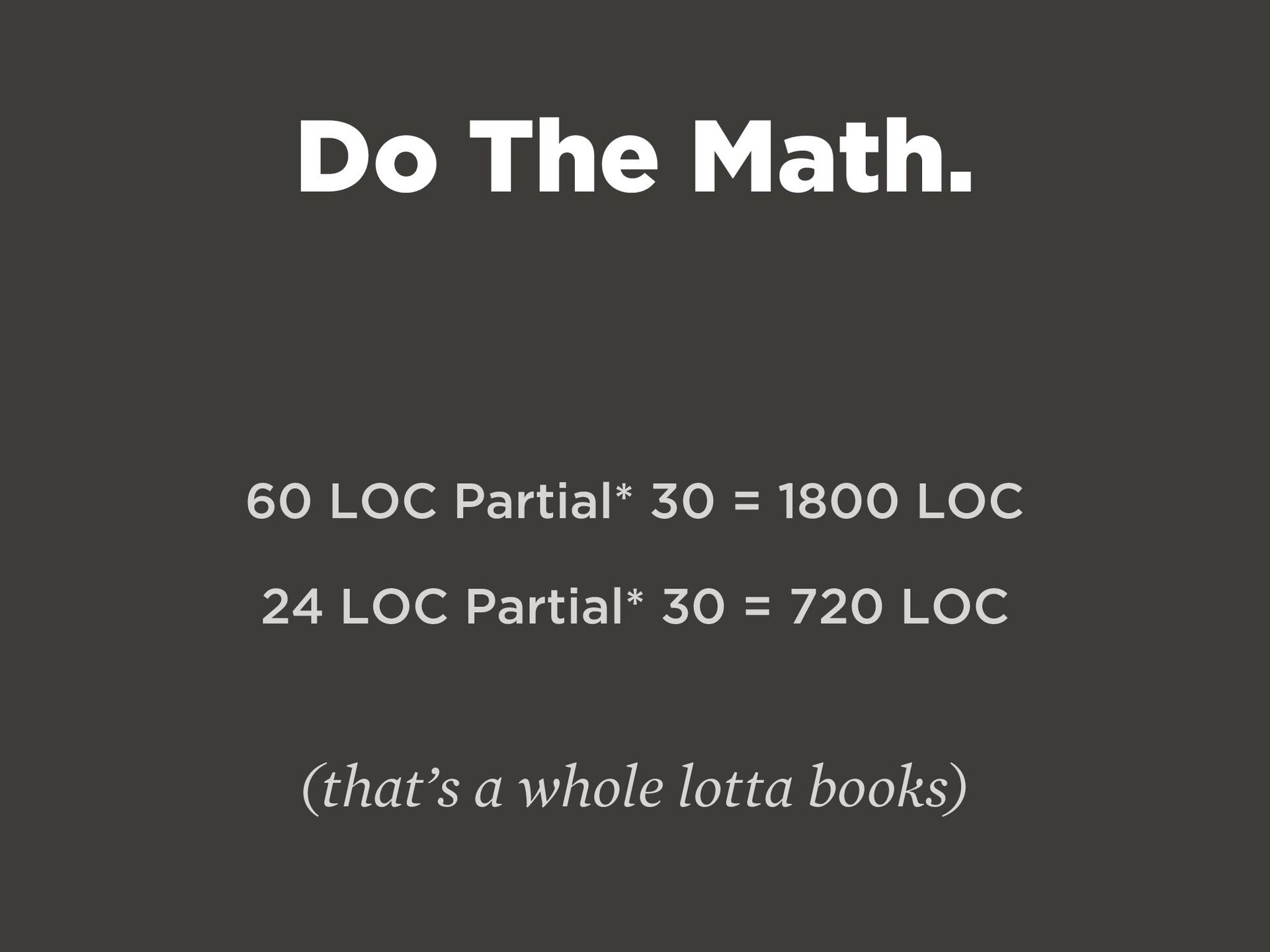
  5. Do The Math. 60 LOC Partial* 30 = 1800 LOC

    24 LOC Partial* 30 = 720 LOC (that’s a whole lotta books)
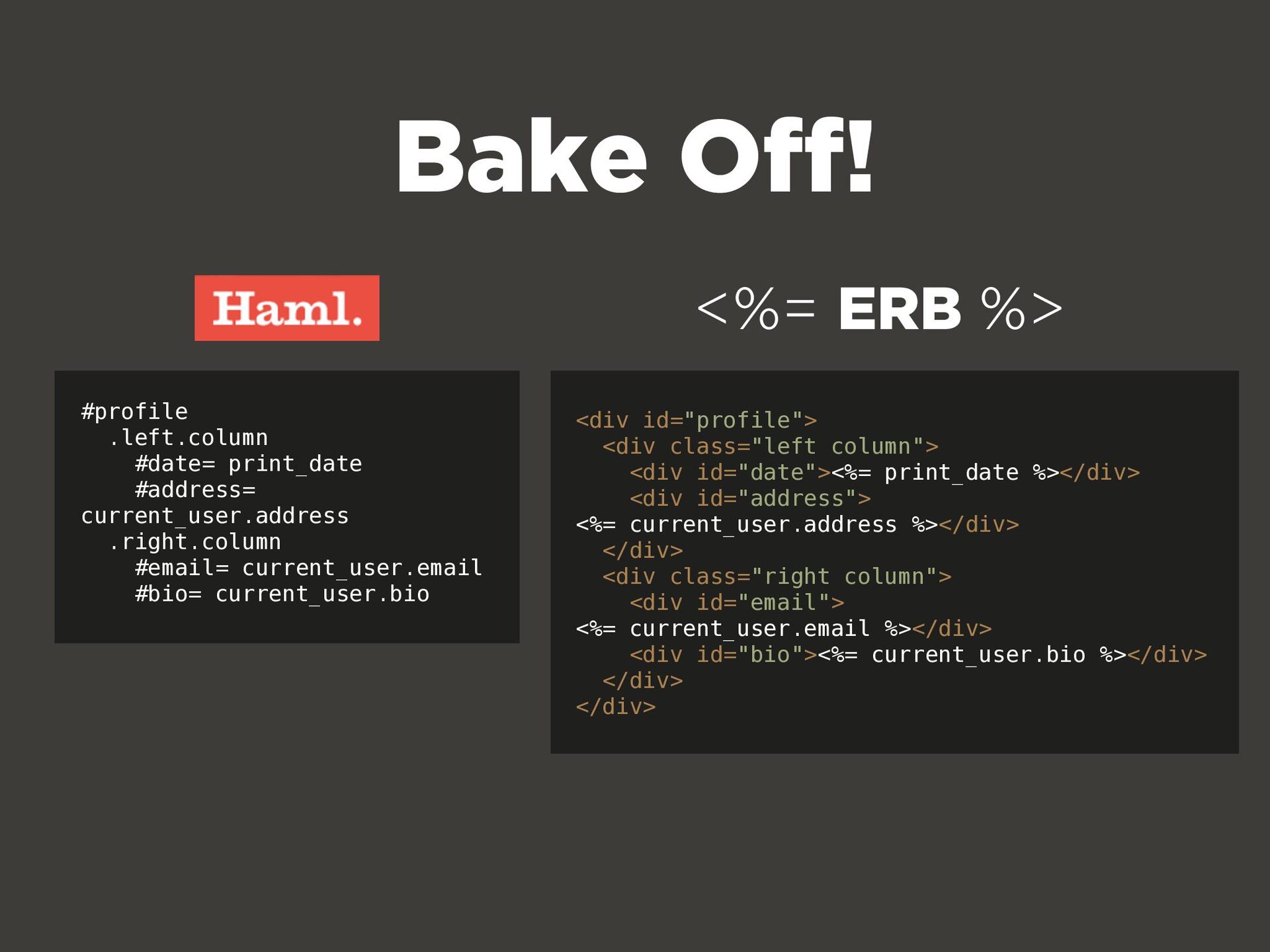
  6. #profile .left.column #date= print_date #address= current_user.address .right.column #email= current_user.email #bio=

    current_user.bio <div id="profile"> <div class="left column"> <div id="date"><%= print_date %></div> <div id="address"> <%= current_user.address %></div> </div> <div class="right column"> <div id="email"> <%= current_user.email %></div> <div id="bio"><%= current_user.bio %></div> </div> </div> Bake Off! <%= ERB %>
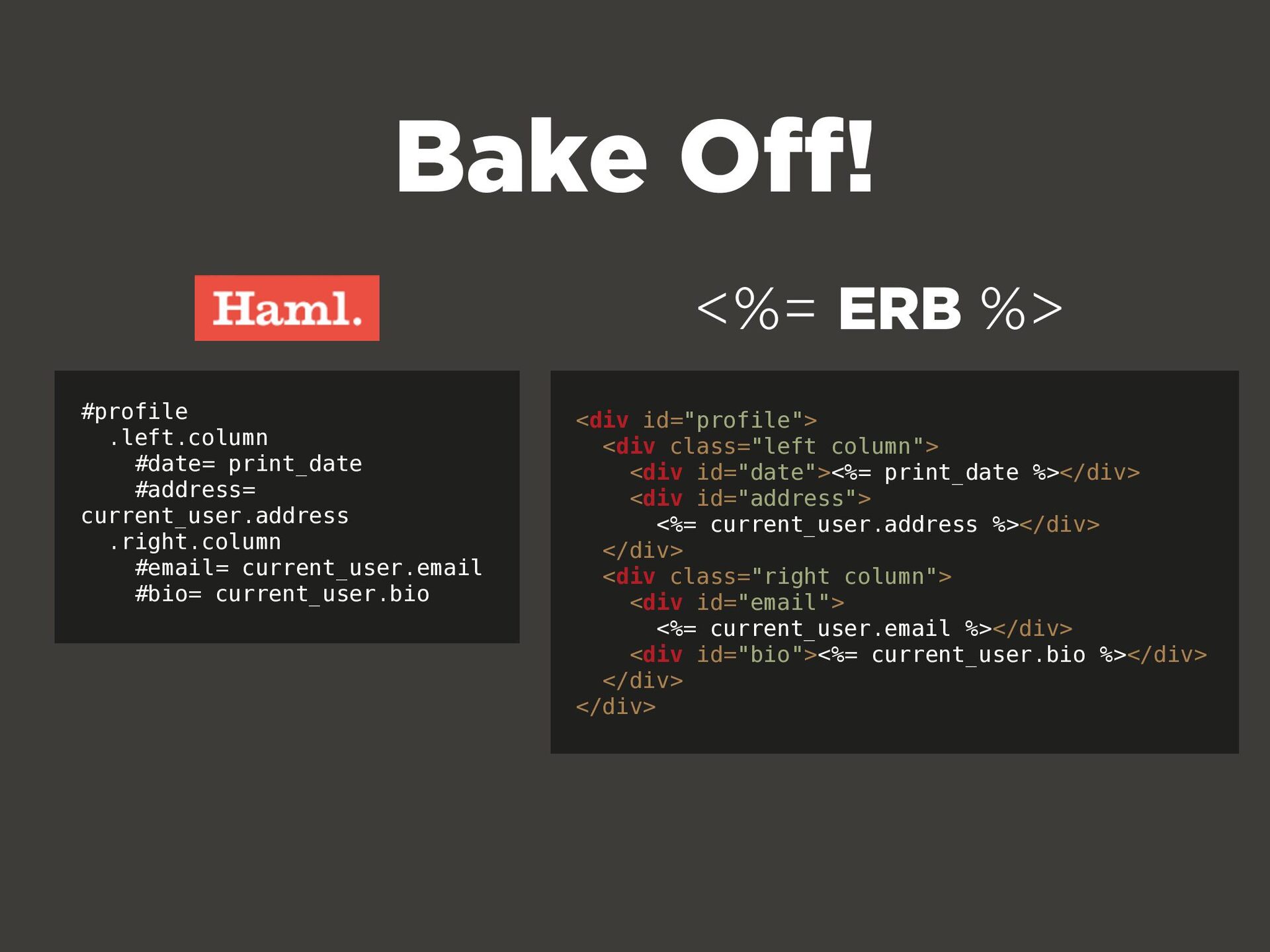
  7. #profile .left.column #date= print_date #address= current_user.address .right.column #email= current_user.email #bio=

    current_user.bio <div id="profile"> <div class="left column"> <div id="date"><%= print_date %></div> <div id="address"> <%= current_user.address %></div> </div> <div class="right column"> <div id="email"> <%= current_user.email %></div> <div id="bio"><%= current_user.bio %></div> </div> </div> <%= ERB %> Bake Off!
  8. (oh yes, he went there.) IF YOU LIKED IT THEN

    YOU SHOULDA PUT A DIV ON IT DIV
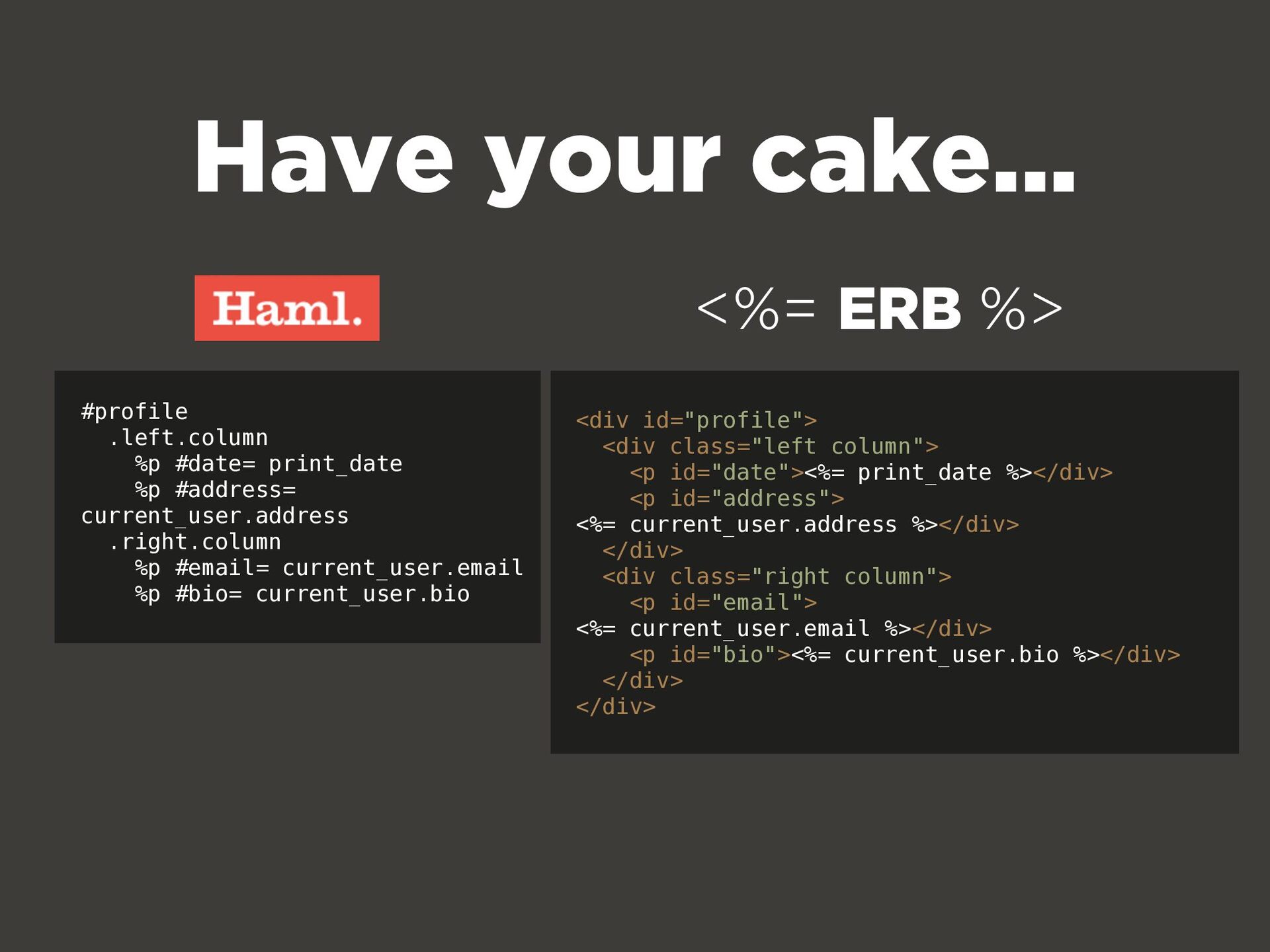
  9. #profile .left.column %p #date= print_date %p #address= current_user.address .right.column %p

    #email= current_user.email %p #bio= current_user.bio <div id="profile"> <div class="left column"> <p id="date"><%= print_date %></div> <p id="address"> <%= current_user.address %></div> </div> <div class="right column"> <p id="email"> <%= current_user.email %></div> <p id="bio"><%= current_user.bio %></div> </div> </div> Have your cake... <%= ERB %>
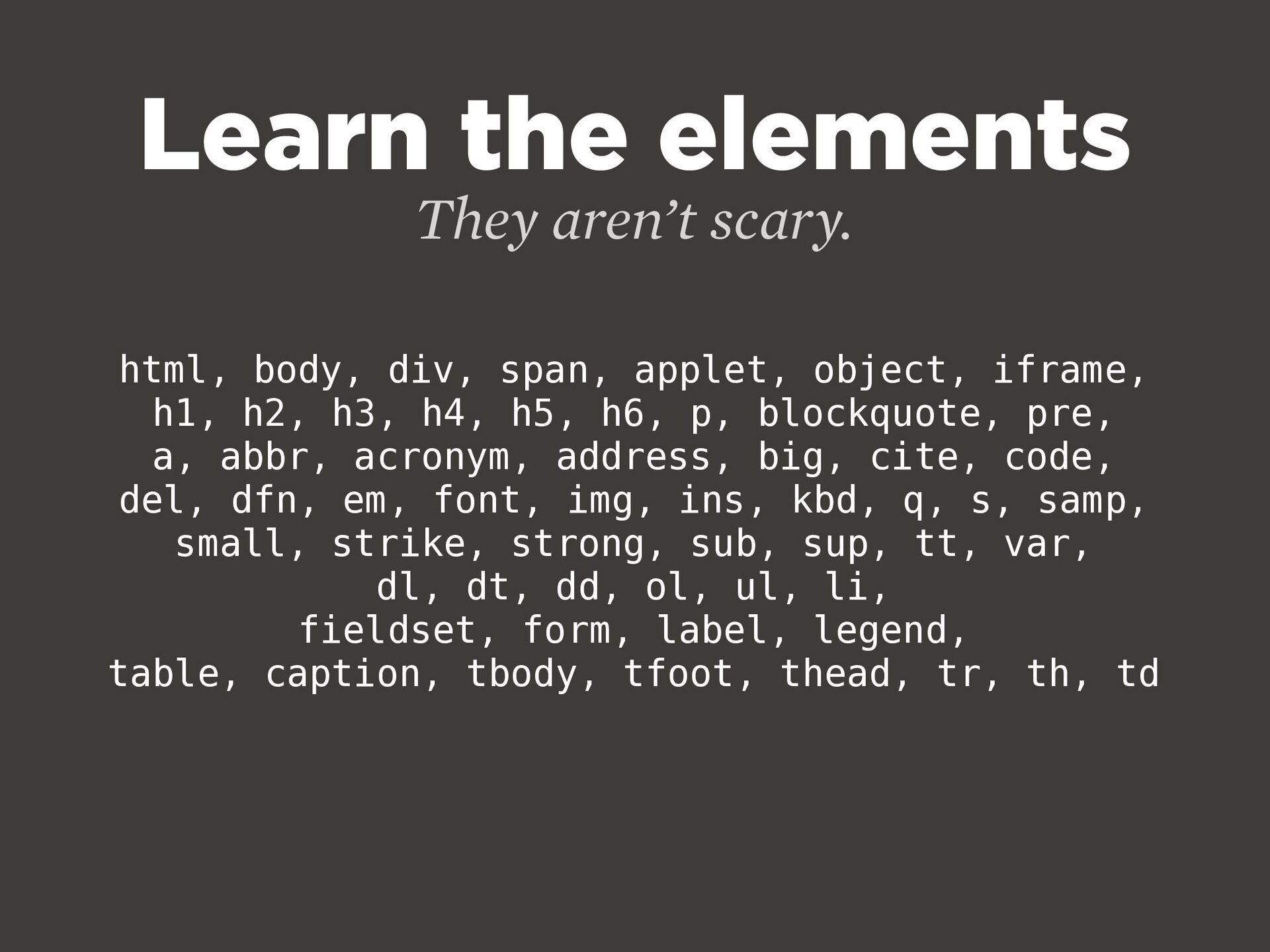
  10. Learn the elements They aren’t scary. html, body, div, span,

    applet, object, iframe, h1, h2, h3, h4, h5, h6, p, blockquote, pre, a, abbr, acronym, address, big, cite, code, del, dfn, em, font, img, ins, kbd, q, s, samp, small, strike, strong, sub, sup, tt, var, dl, dt, dd, ol, ul, li, fieldset, form, label, legend, table, caption, tbody, tfoot, thead, tr, th, td
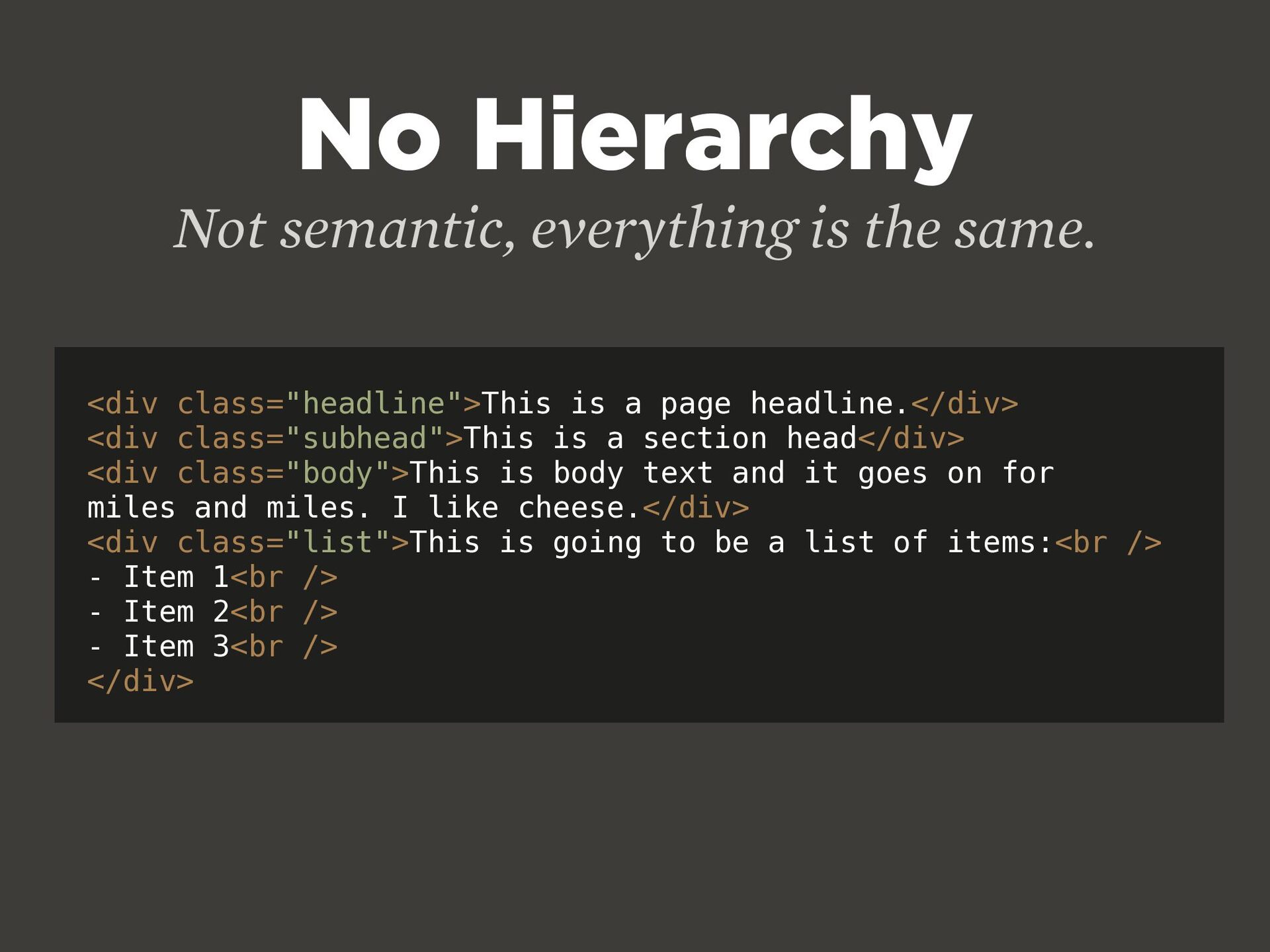
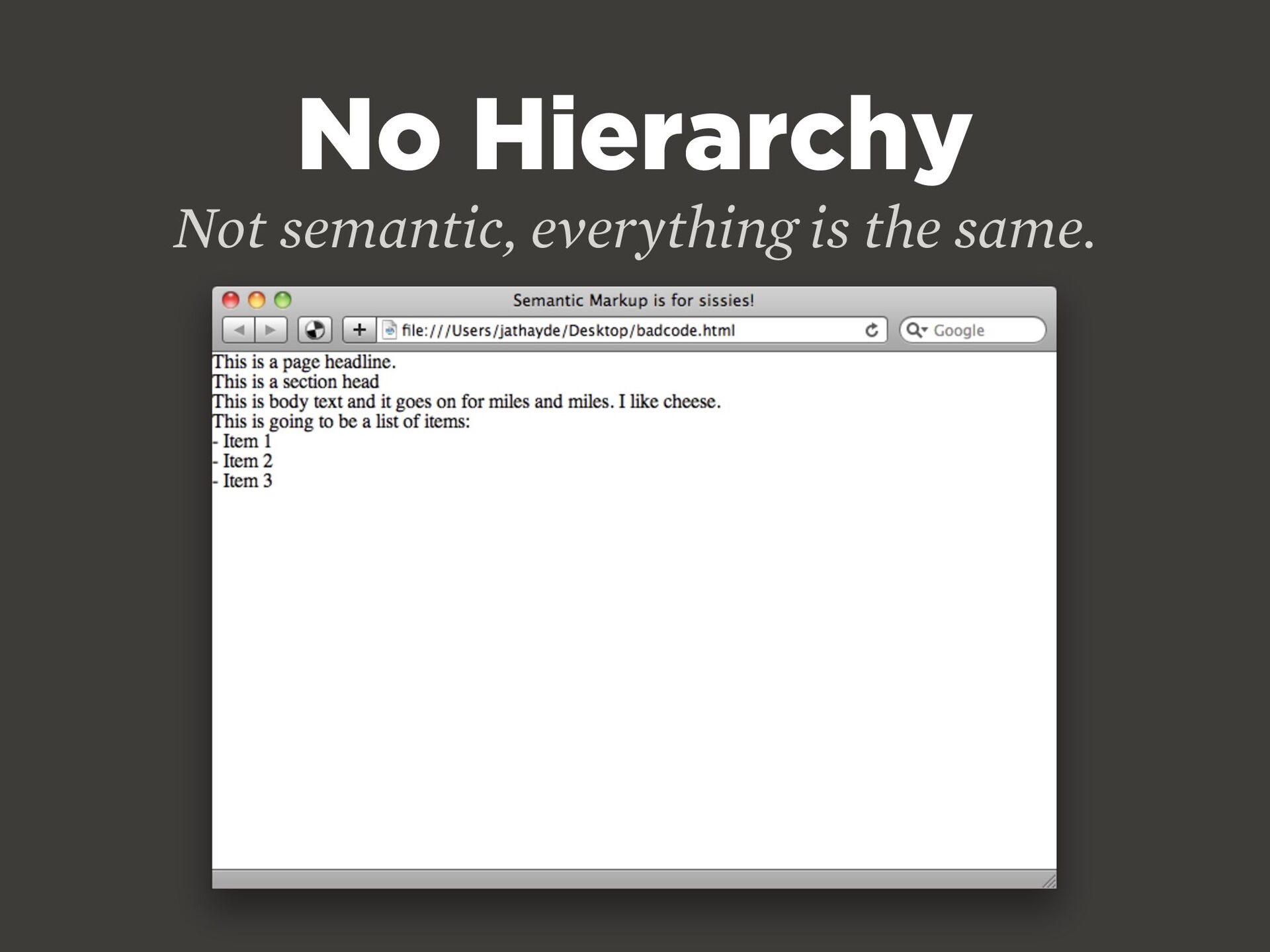
  11. <div class="headline">This is a page headline.</div> <div class="subhead">This is a

    section head</div> <div class="body">This is body text and it goes on for miles and miles. I like cheese.</div> <div class="list">This is going to be a list of items:<br /> - Item 1<br /> - Item 2<br /> - Item 3<br /> </div> No Hierarchy Not semantic, everything is the same.
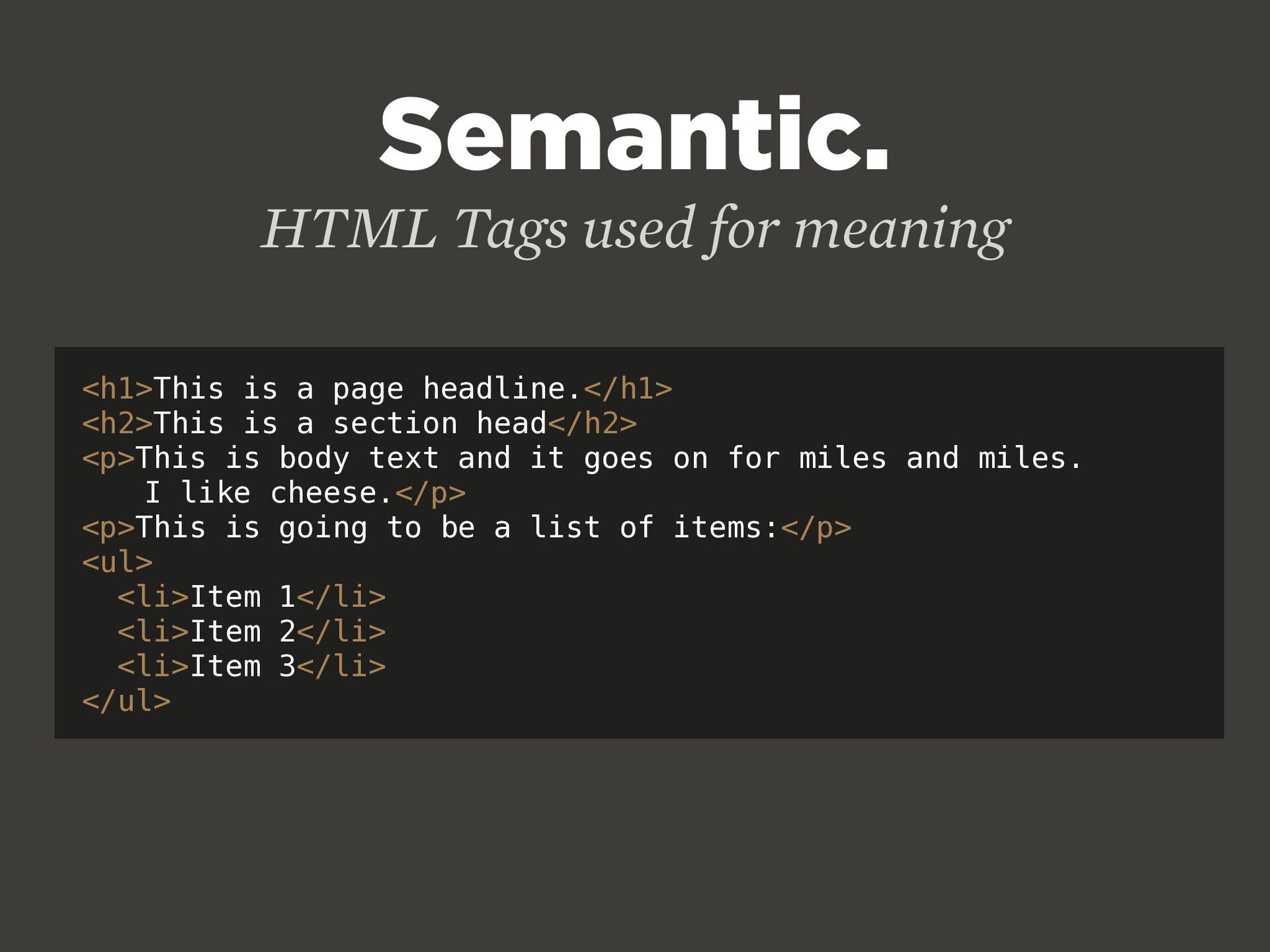
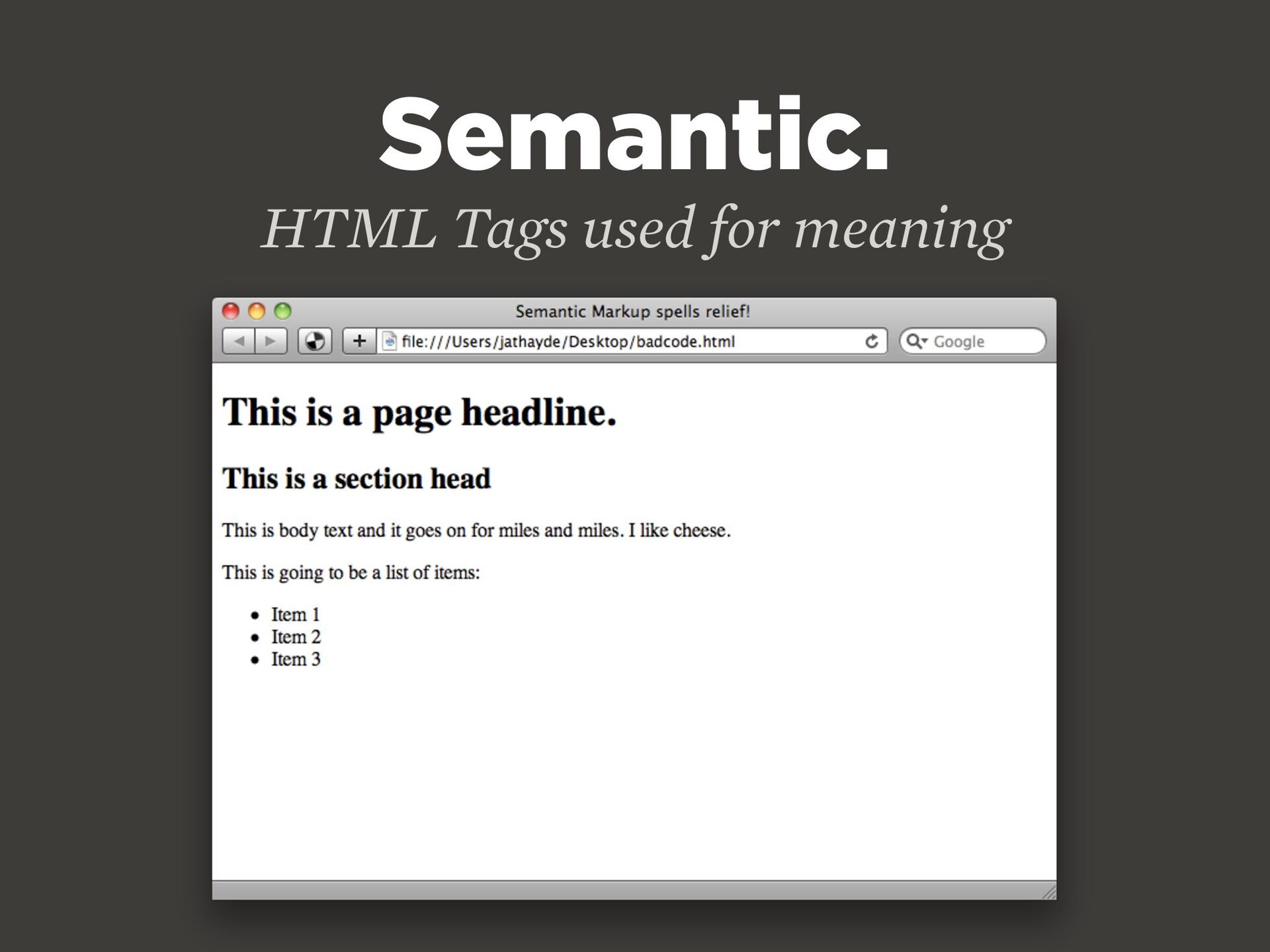
  12. <h1>This is a page headline.</h1> <h2>This is a section head</h2>

    <p>This is body text and it goes on for miles and miles. I like cheese.</p> <p>This is going to be a list of items:</p> <ul> <li>Item 1</li> <li>Item 2</li> <li>Item 3</li> </ul> Semantic. HTML Tags used for meaning
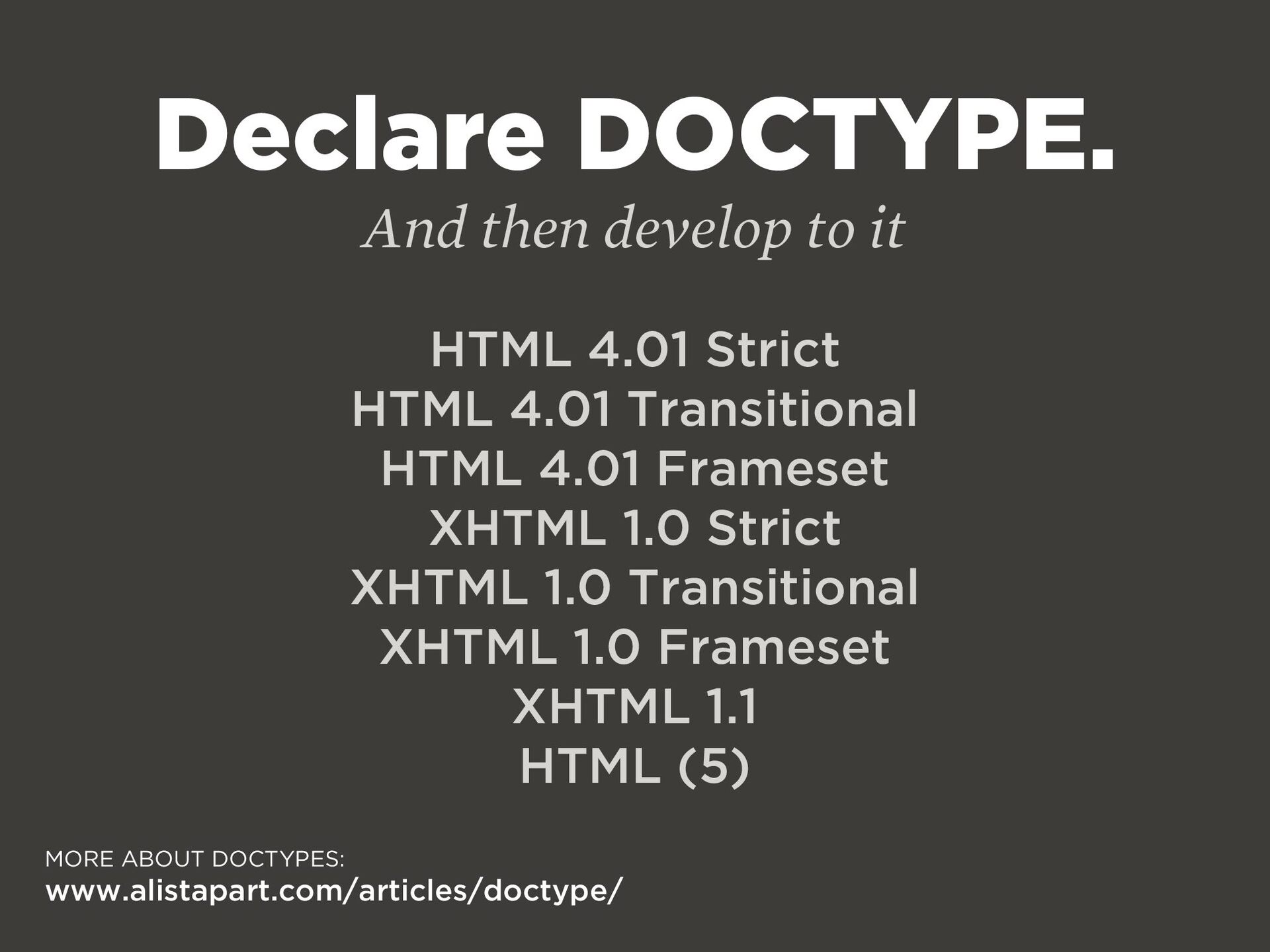
  13. Declare DOCTYPE. And then develop to it HTML 4.01 Strict

    HTML 4.01 Transitional HTML 4.01 Frameset XHTML 1.0 Strict XHTML 1.0 Transitional XHTML 1.0 Frameset XHTML 1.1 HTML (5) MORE ABOUT DOCTYPES: www.alistapart.com/articles/doctype/
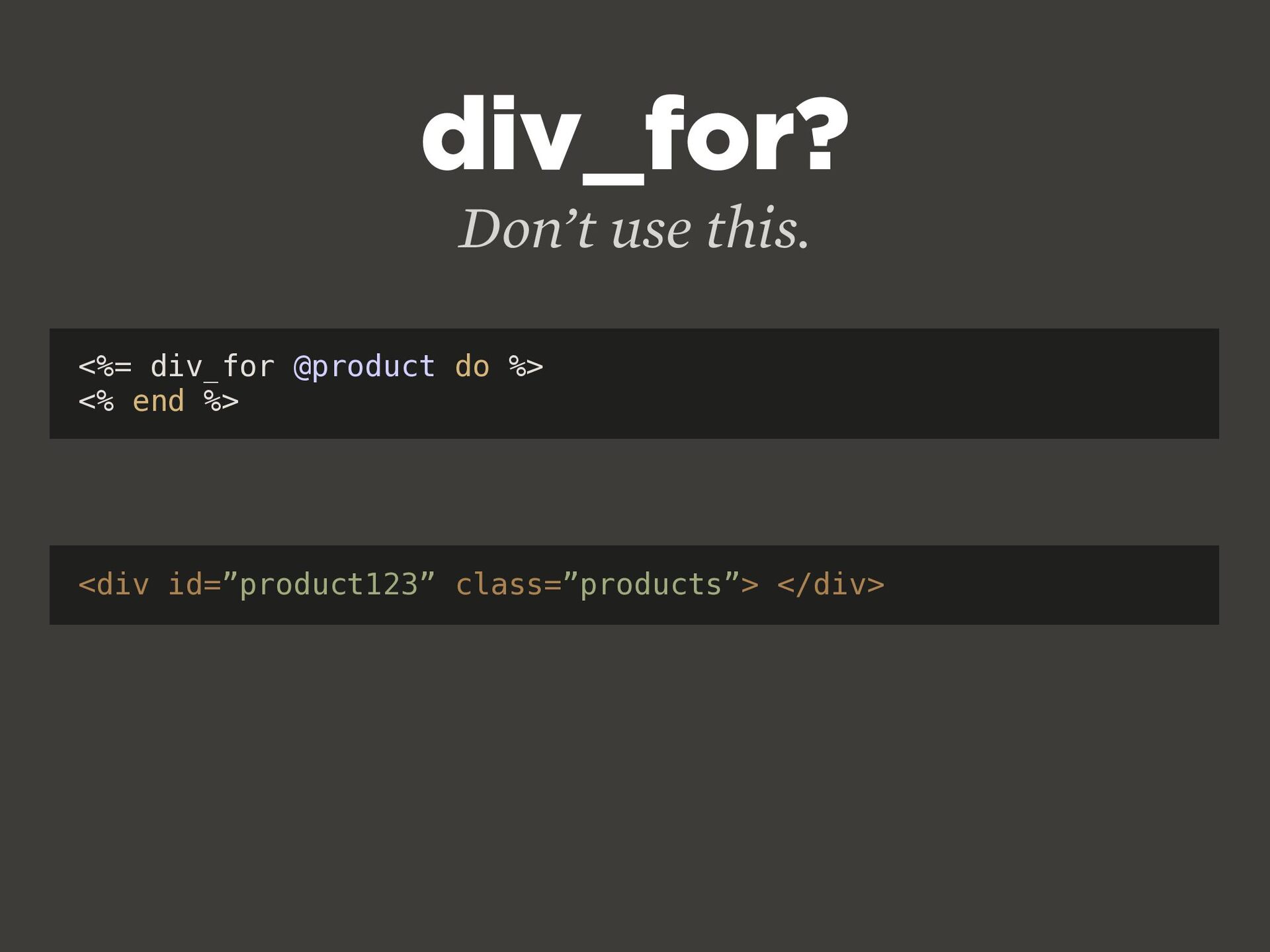
  14. <%= div_for @product do %> <% end %> div_for? Don’t

    use this. <div id=”product123” class=”products”> </div>
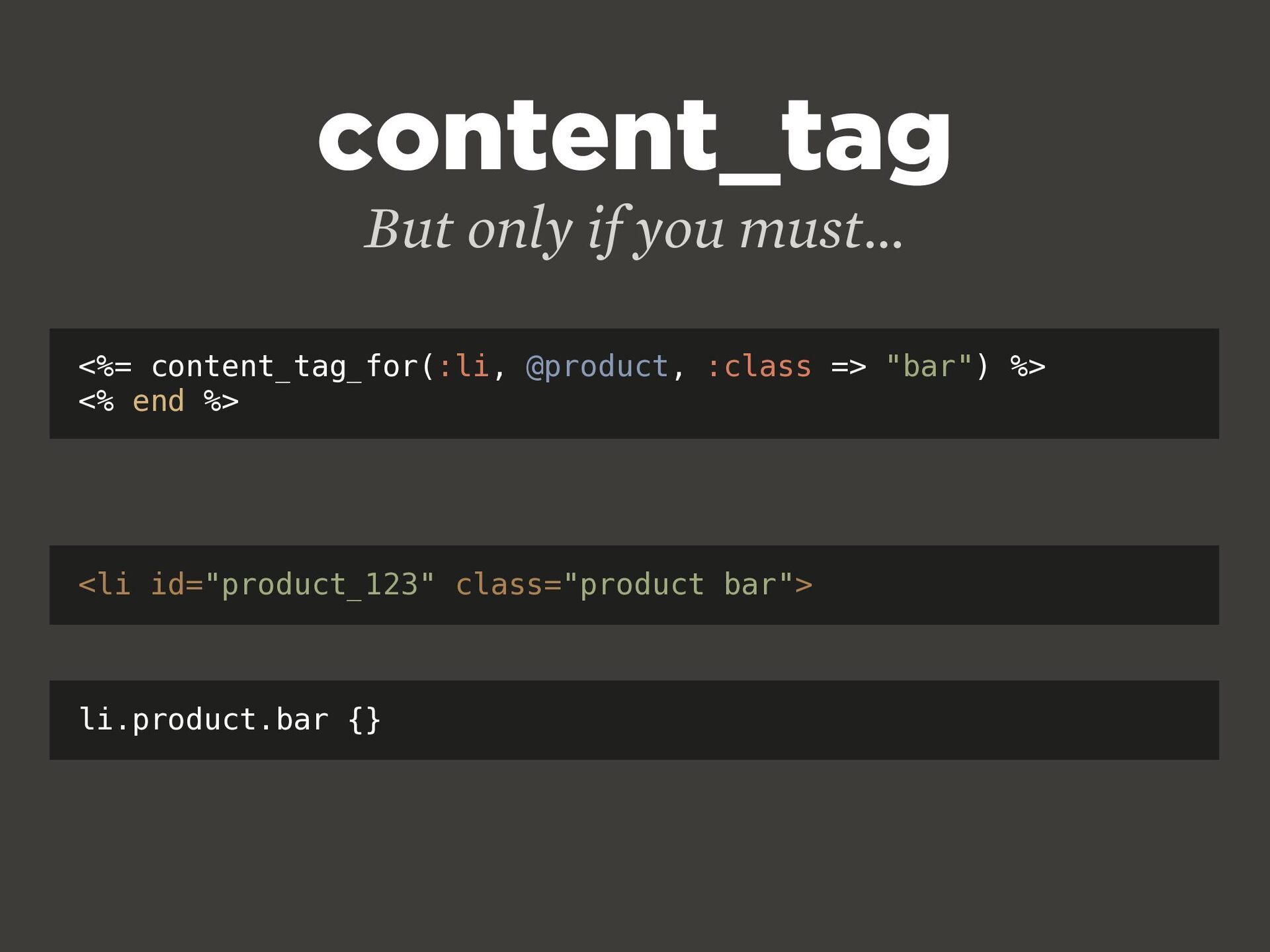
  15. <%= content_tag_for(:li, @product, :class => "bar") %> <% end %>

    content_tag But only if you must... <li id="product_123" class="product bar"> li.product.bar {}
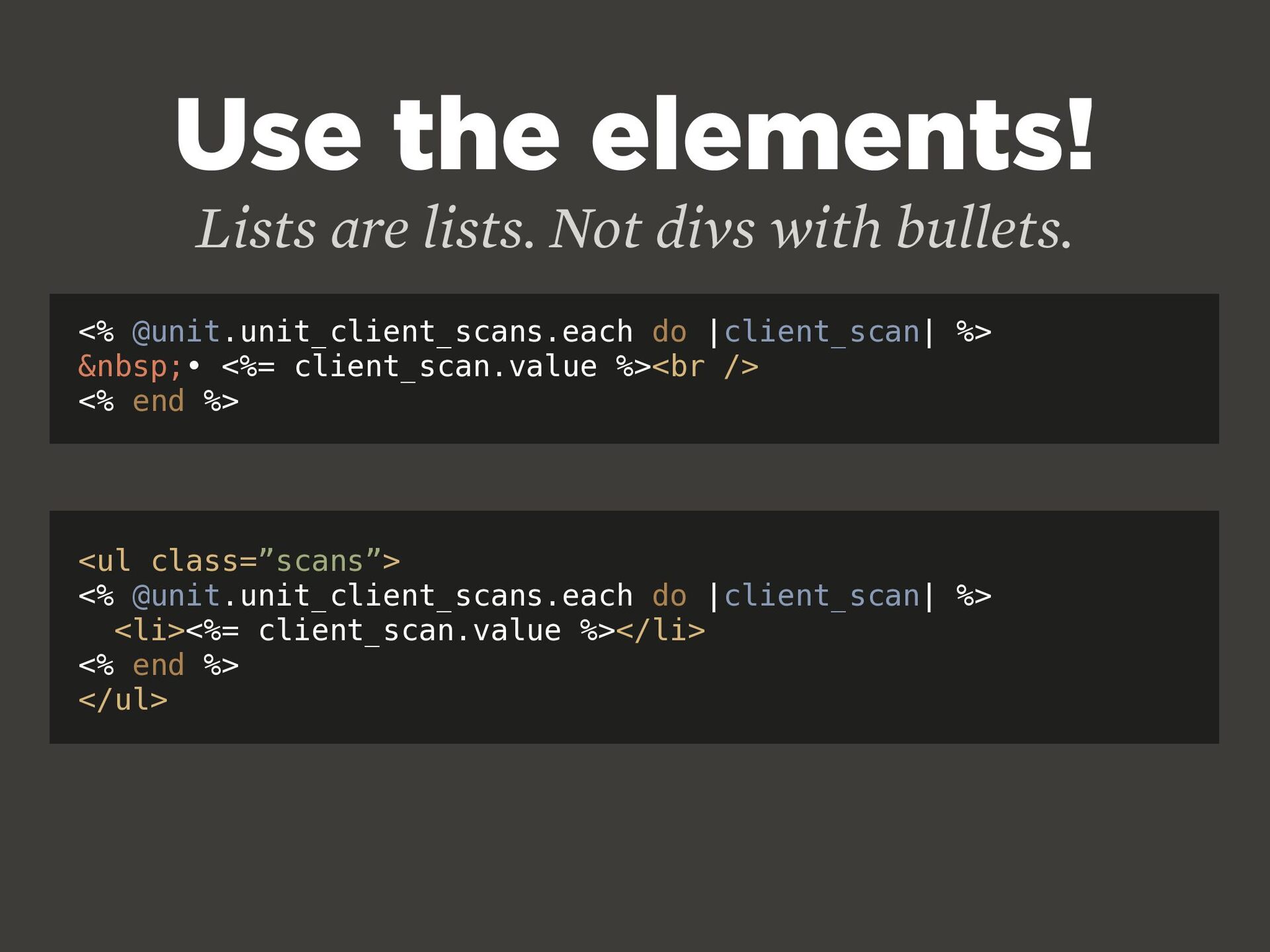
  16. Use the elements! Lists are lists. Not divs with bullets.

    <% @unit.unit_client_scans.each do |client_scan| %> &nbsp;• <%= client_scan.value %><br /> <% end %> <ul class=”scans”> <% @unit.unit_client_scans.each do |client_scan| %> <li><%= client_scan.value %></li> <% end %> </ul>
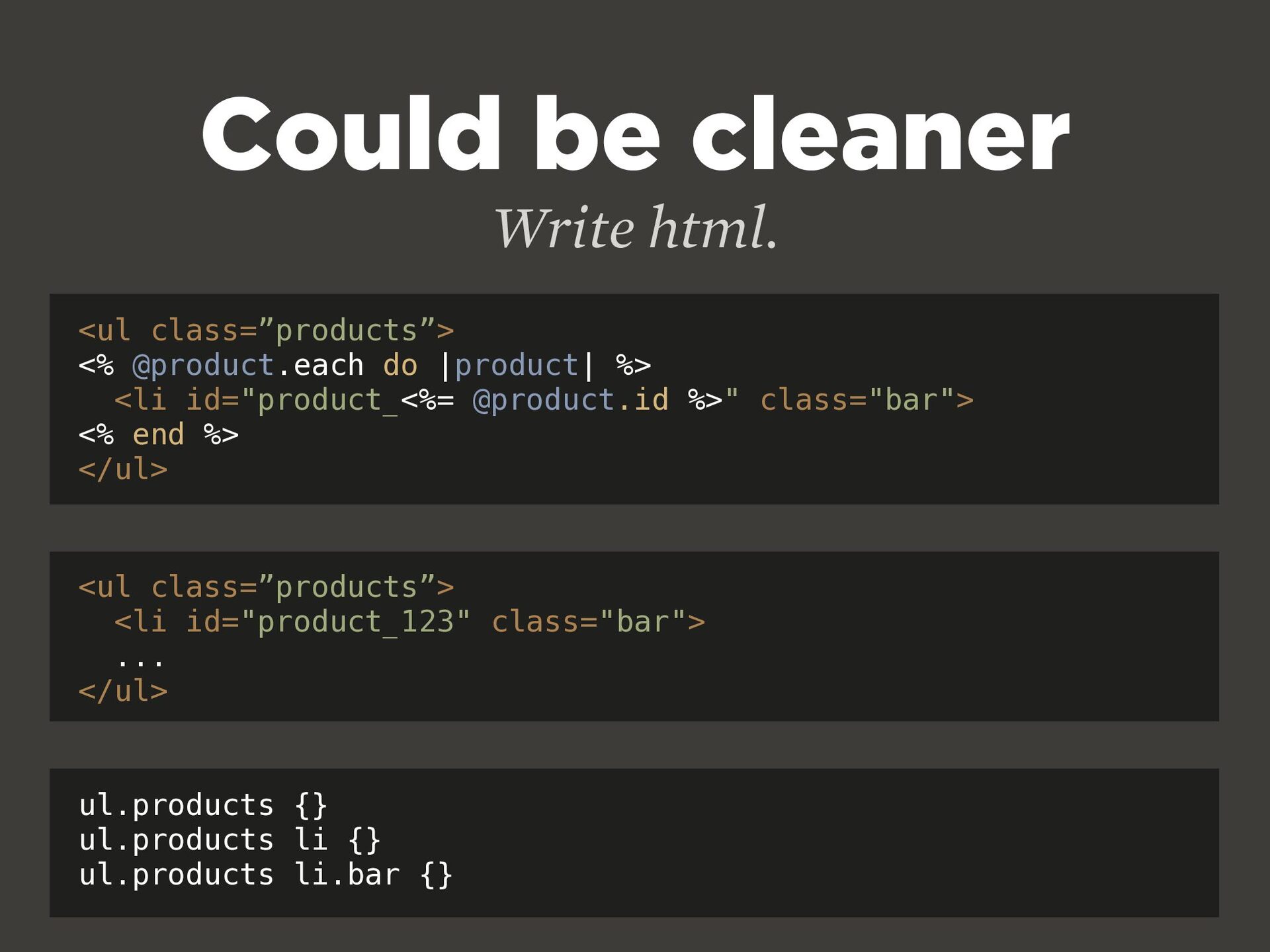
  17. Could be cleaner Write html. <ul class=”products”> <% @product.each do

    |product| %> <li id="product_<%= @product.id %>" class="bar"> <% end %> </ul> <ul class=”products”> <li id="product_123" class="bar"> ... </ul> ul.products {} ul.products li {} ul.products li.bar {}
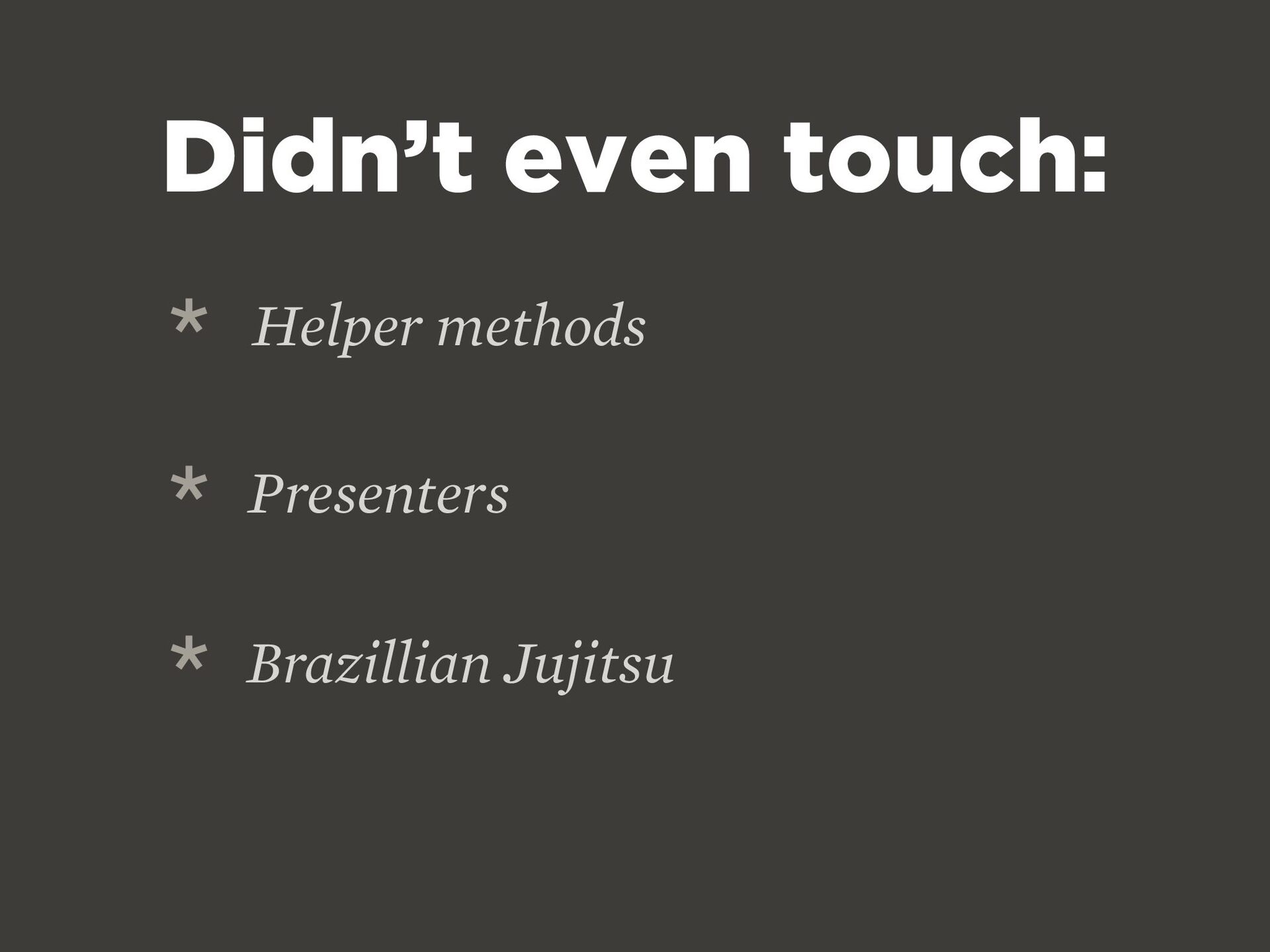
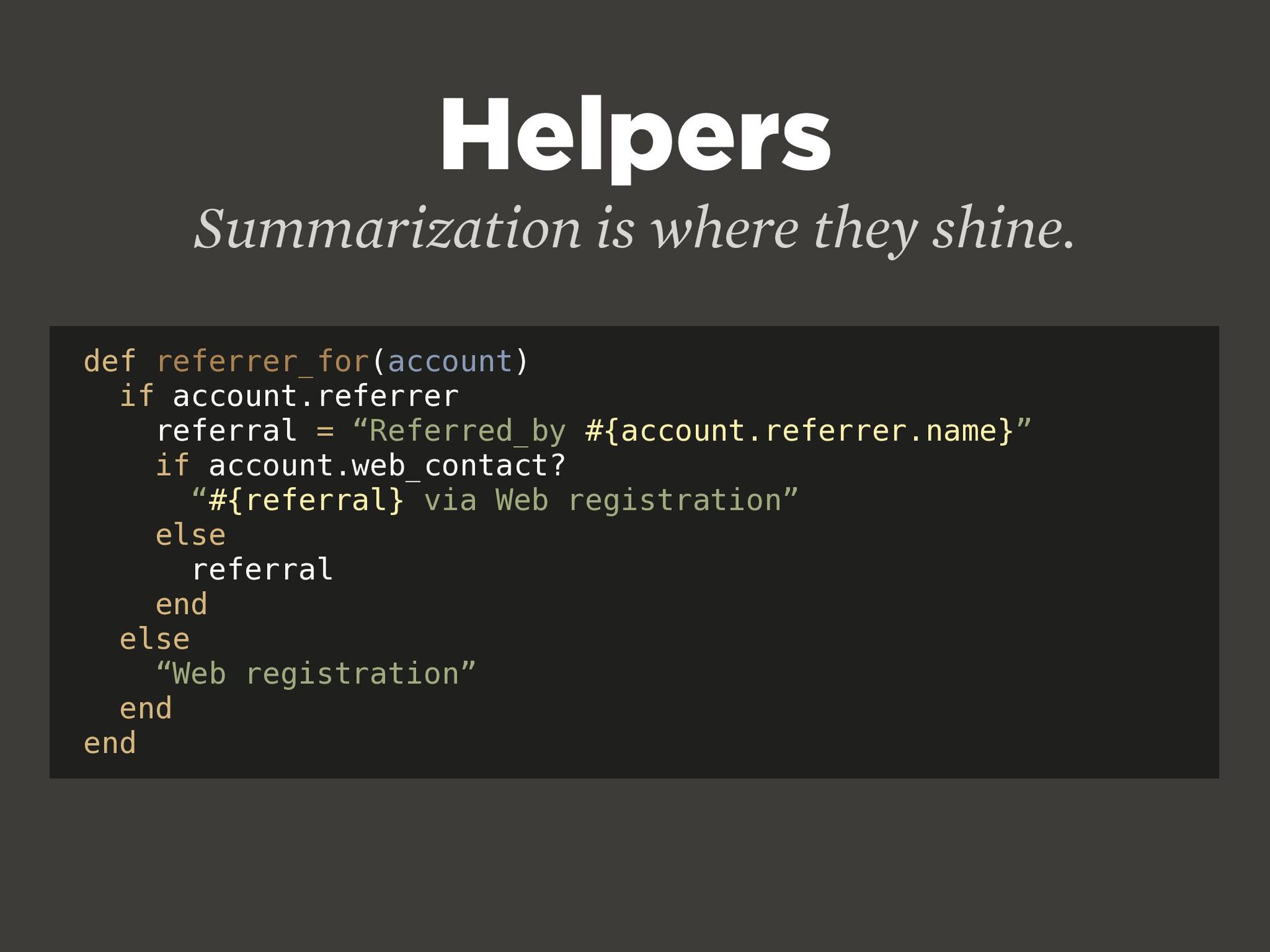
  18. Helpers Summarization is where they shine. def referrer_for(account) if account.referrer

    referral = “Referred_by #{account.referrer.name}” if account.web_contact? “#{referral} via Web registration” else referral end else “Web registration” end end
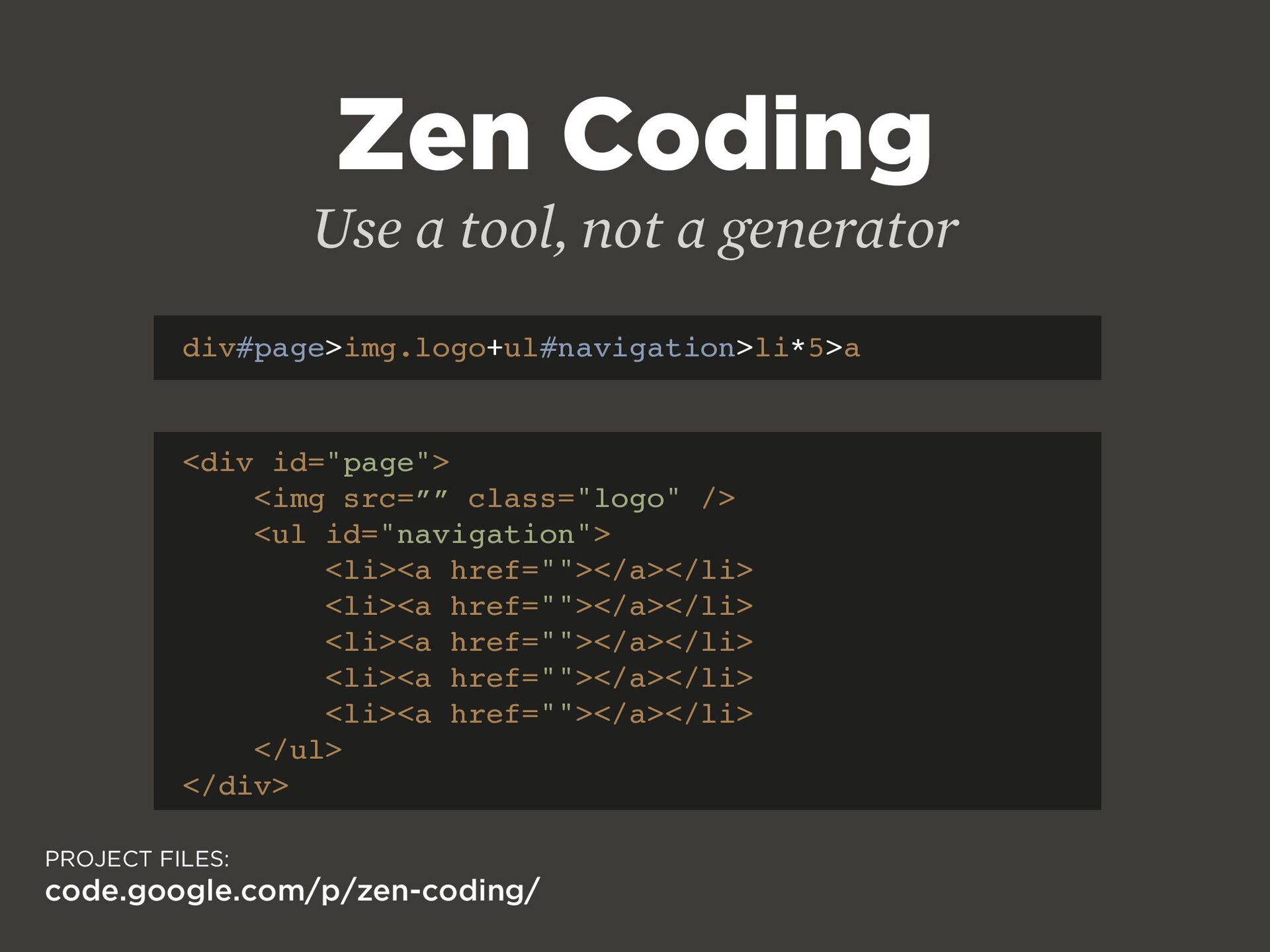
  19. Zen Coding Use a tool, not a generator div#page>img.logo+ul#navigation>li*5>a <div

    id="page"> <img src=”” class="logo" /> <ul id="navigation"> <li><a href=""></a></li> <li><a href=""></a></li> <li><a href=""></a></li> <li><a href=""></a></li> <li><a href=""></a></li> </ul> </div> PROJECT FILES: code.google.com/p/zen-coding/
  20. START SMALL Cover the basics all the time. WAI Level

    1 Checklist: www.w3.org/TR/WCAG10/full-checklist.html
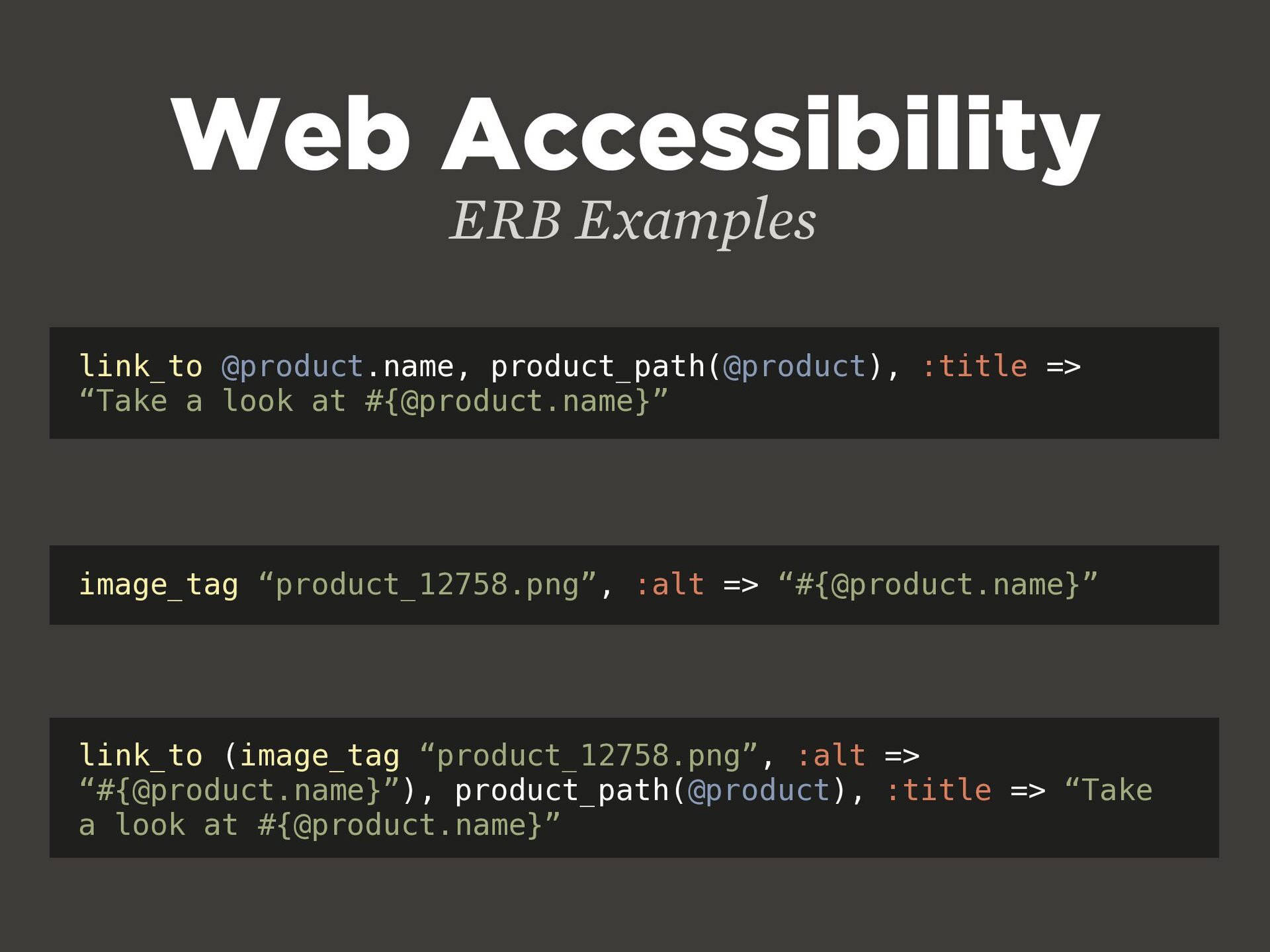
  21. Web Accessibility ERB Examples link_to @product.name, product_path(@product), :title => “Take

    a look at #{@product.name}” image_tag “product_12758.png”, :alt => “#{@product.name}” link_to (image_tag “product_12758.png”, :alt => “#{@product.name}”), product_path(@product), :title => “Take a look at #{@product.name}”
  22. Write it once Let the backend fi gure out the

    browser switches GET ecsstender: www.ecsstender.org
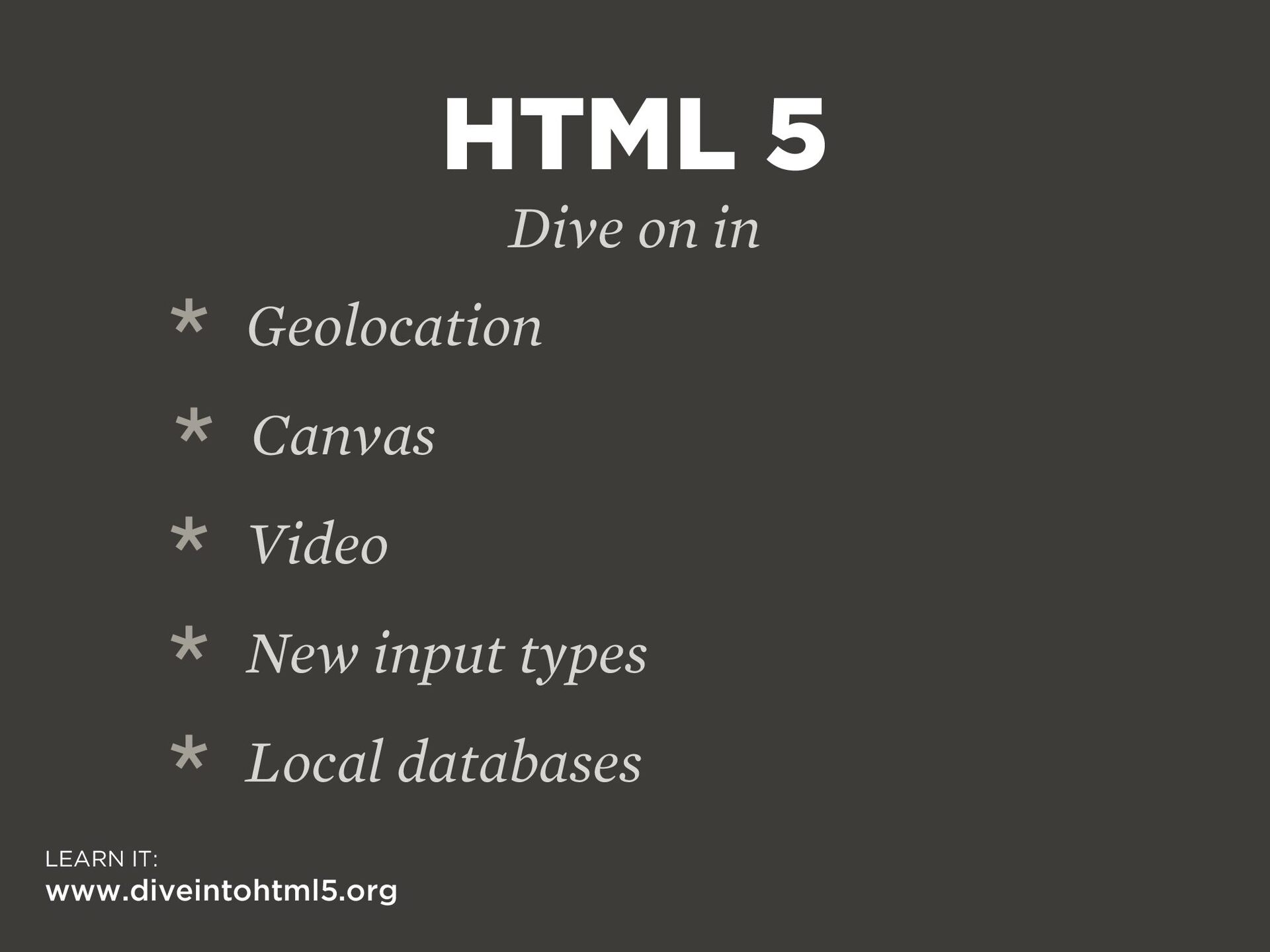
  23. HTML 5 Dive on in LEARN IT: www.diveintohtml5.org * Geolocation

    * Canvas * Video * New input types * Local databases
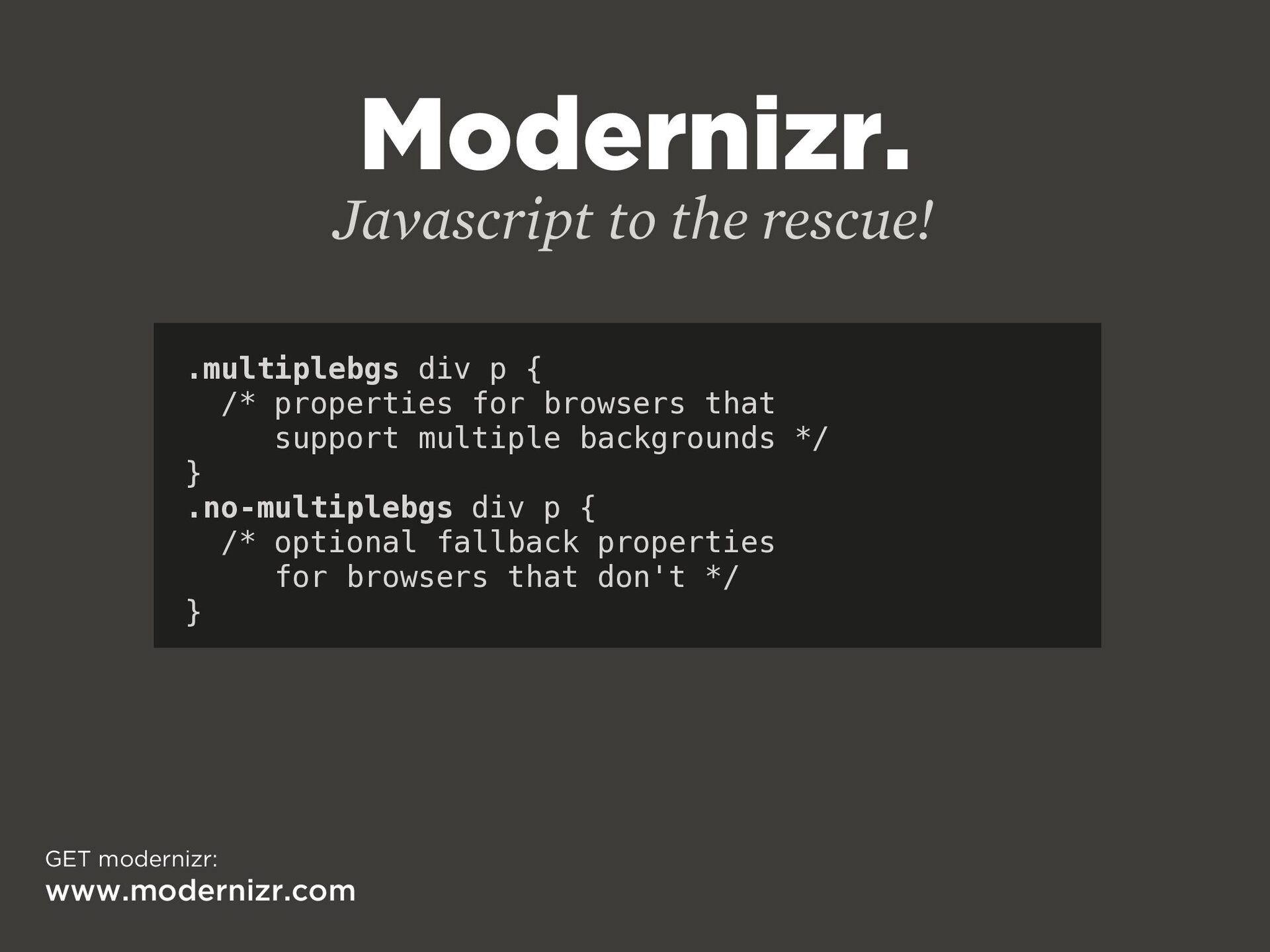
  24. Modernizr. Javascript to the rescue! .multiplebgs div p { /*

    properties for browsers that support multiple backgrounds */ } .no-multiplebgs div p { /* optional fallback properties for browsers that don't */ } GET modernizr: www.modernizr.com
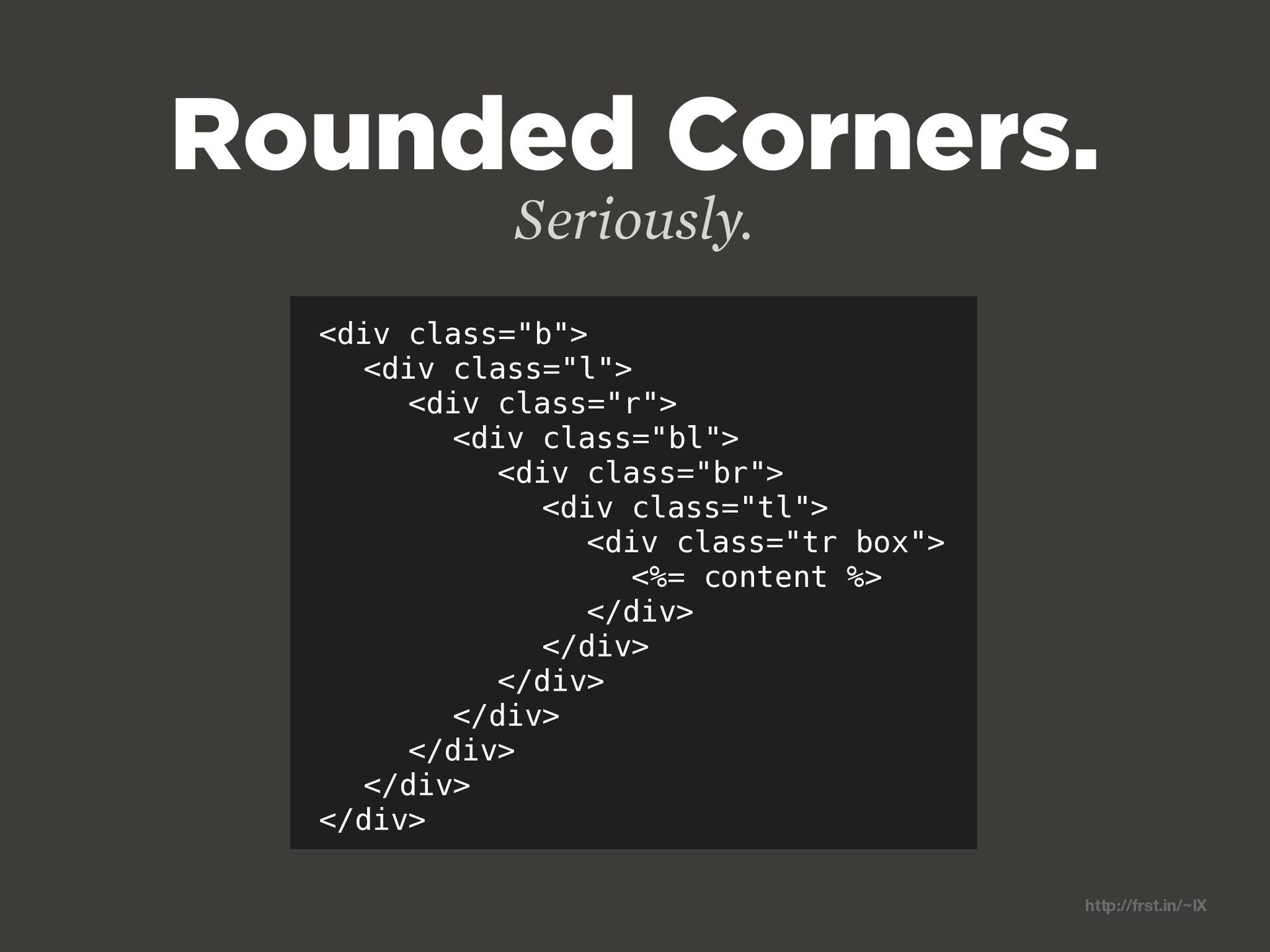
  25. <div class="b"> <div class="l"> <div class="r"> <div class="bl"> <div class="br">

    <div class="tl"> <div class="tr box"> <%= content %> </div> </div> </div> </div> </div> </div> </div> Rounded Corners. http://frst.in/~lX Seriously.
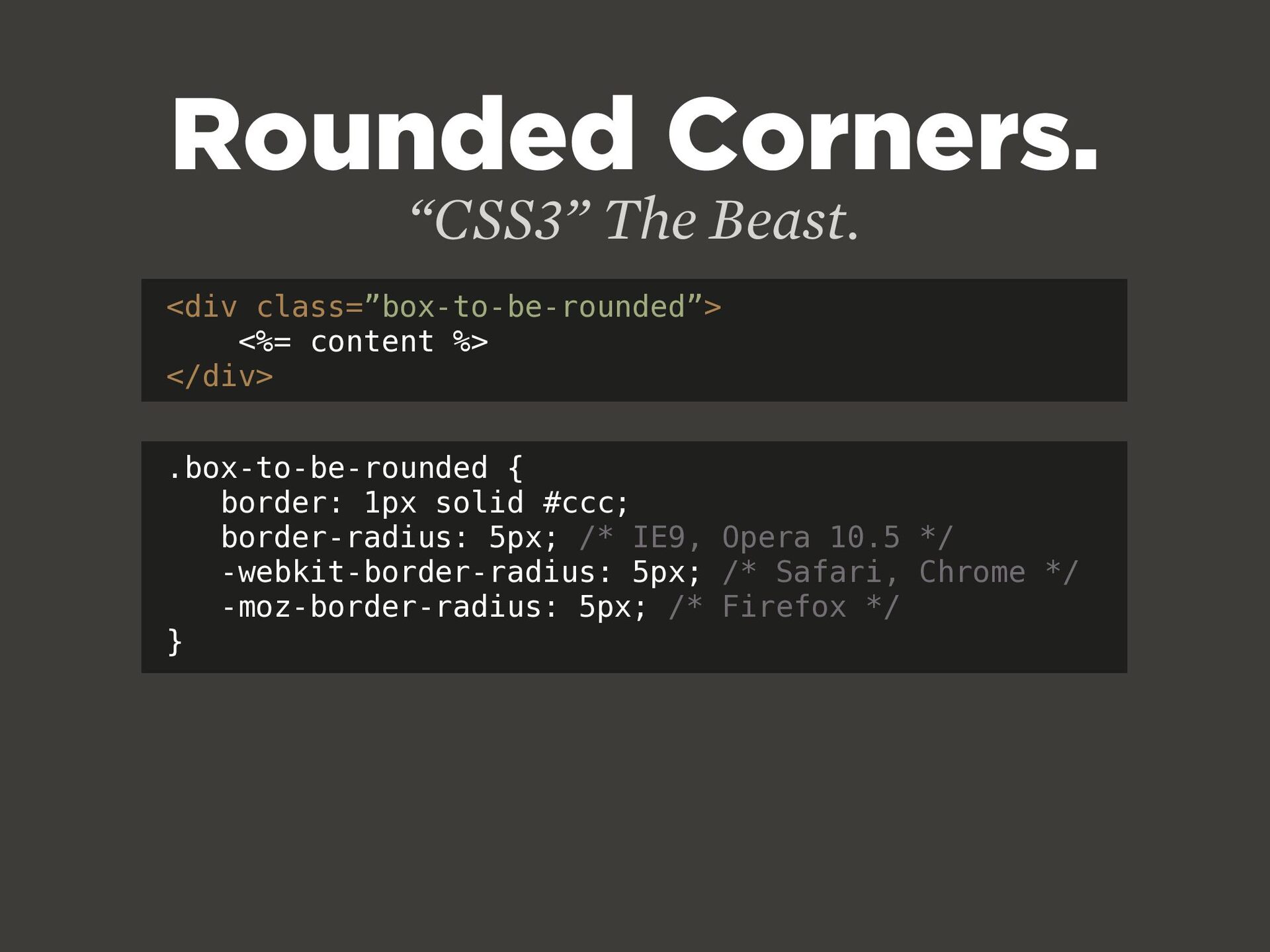
  26. Rounded Corners. <div class=”box-to-be-rounded”> <%= content %> </div> “CSS3” The

    Beast. .box-to-be-rounded { border: 1px solid #ccc; border-radius: 5px; /* IE9, Opera 10.5 */ -webkit-border-radius: 5px; /* Safari, Chrome */ -moz-border-radius: 5px; /* Firefox */ }
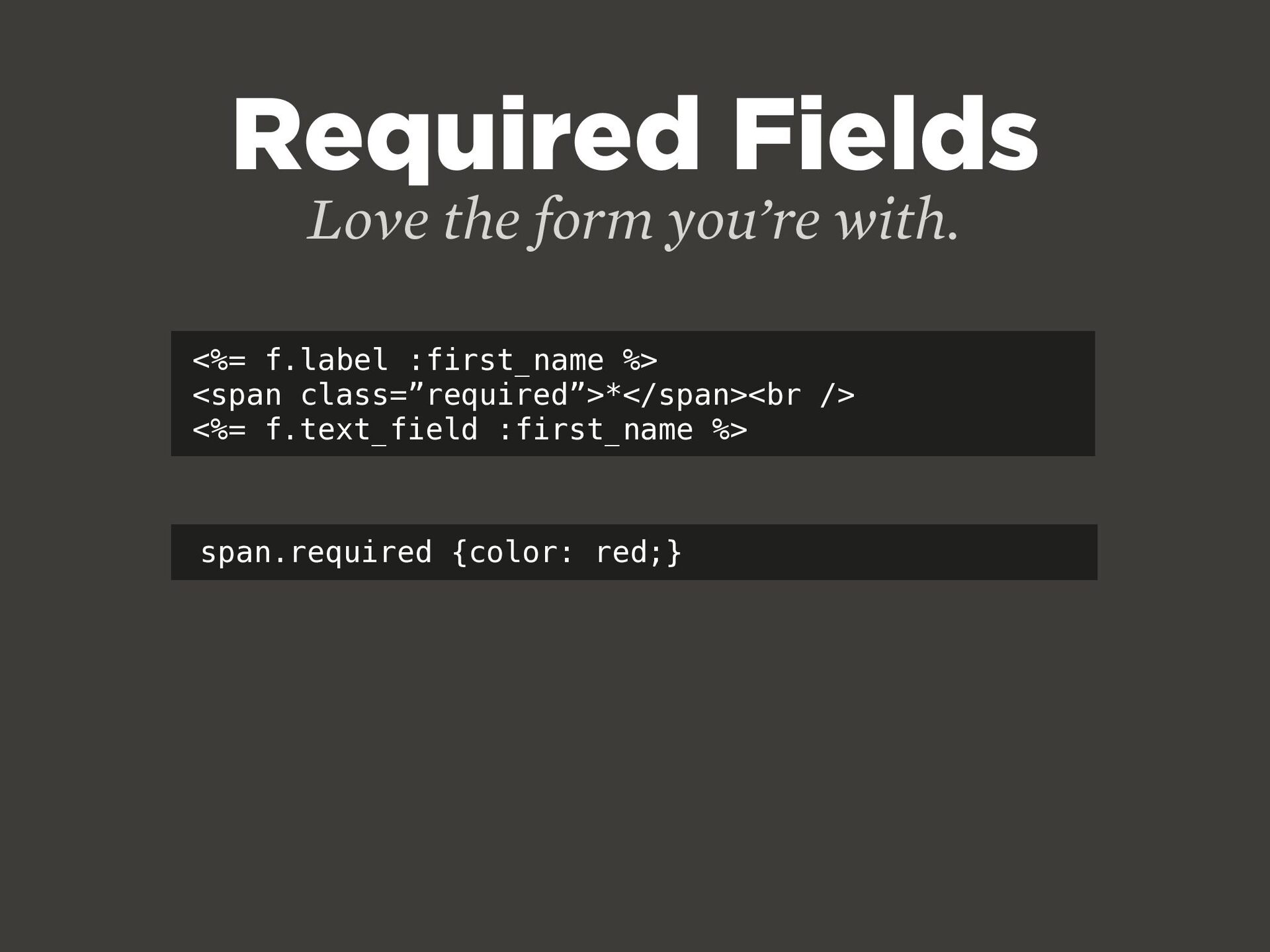
  27. <%= f.label :first_name %> <span class=”required”>*</span><br /> <%= f.text_field :first_name

    %> Required Fields Love the form you’re with. span.required {color: red;}
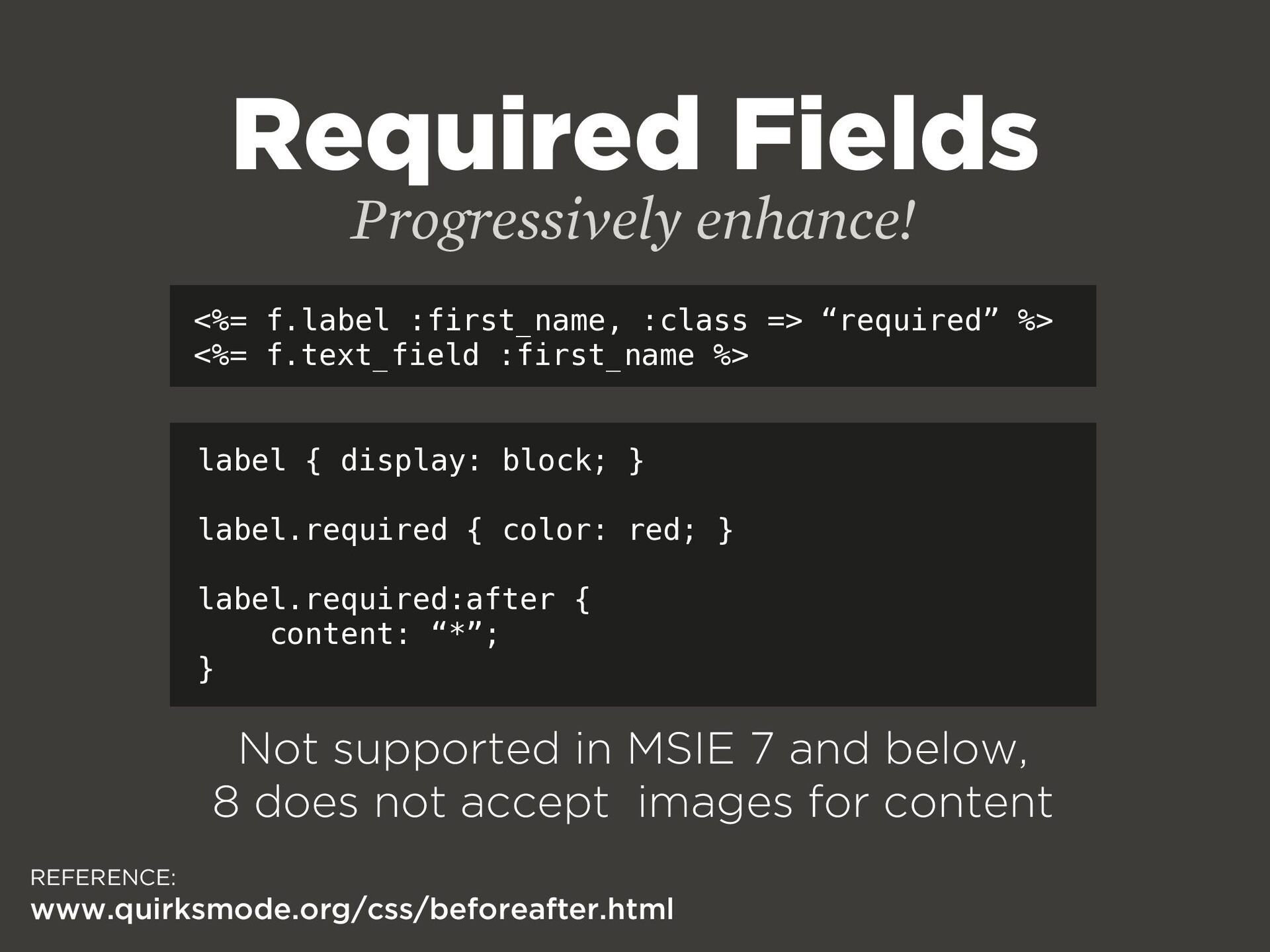
  28. Required Fields <%= f.label :first_name, :class => “required” %> <%=

    f.text_field :first_name %> Progressively enhance! label { display: block; } label.required { color: red; } label.required:after { content: “*”; } REFERENCE: www.quirksmode.org/css/beforeafter.html Not supported in MSIE 7 and below, 8 does not accept images for content
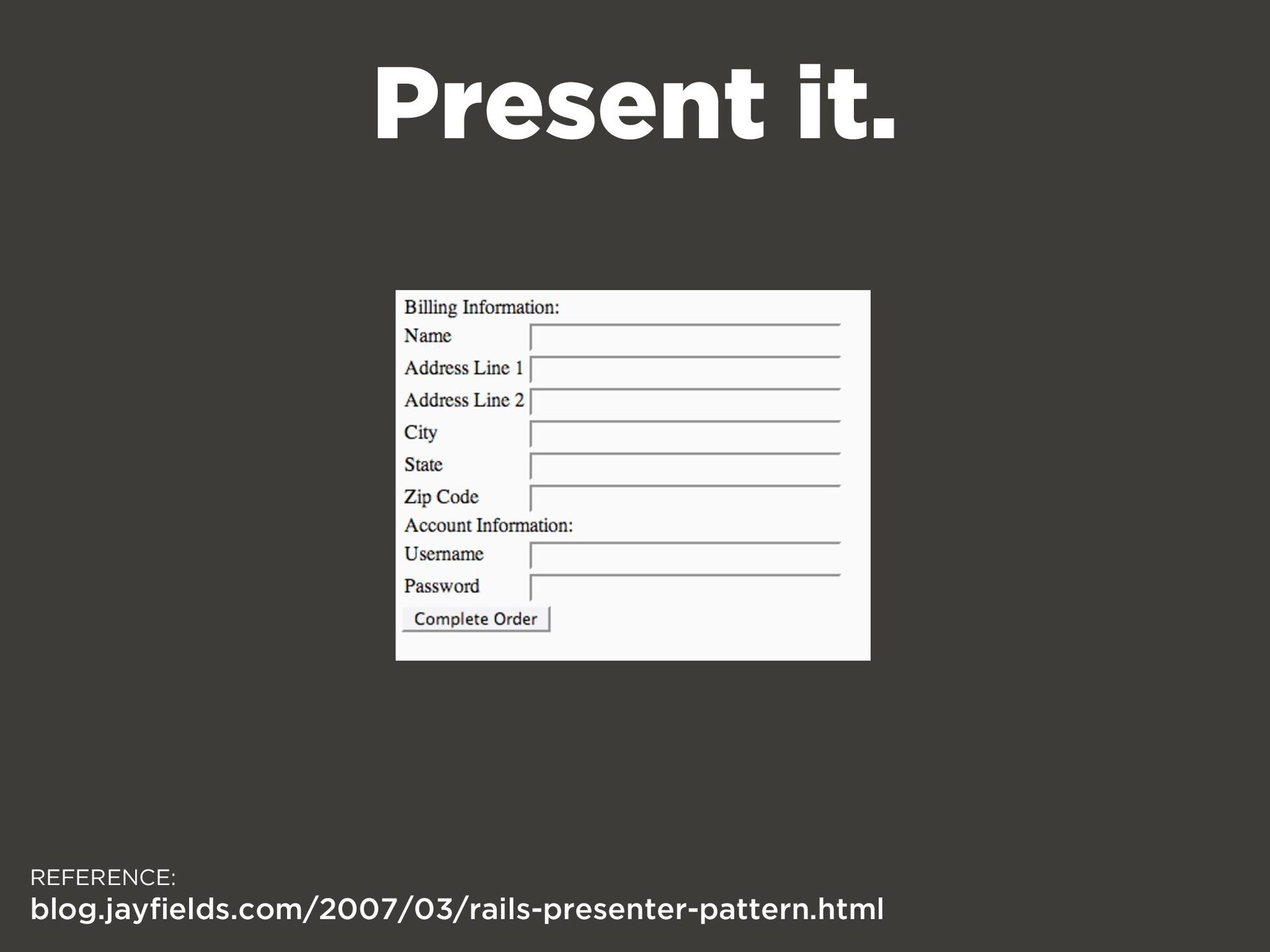
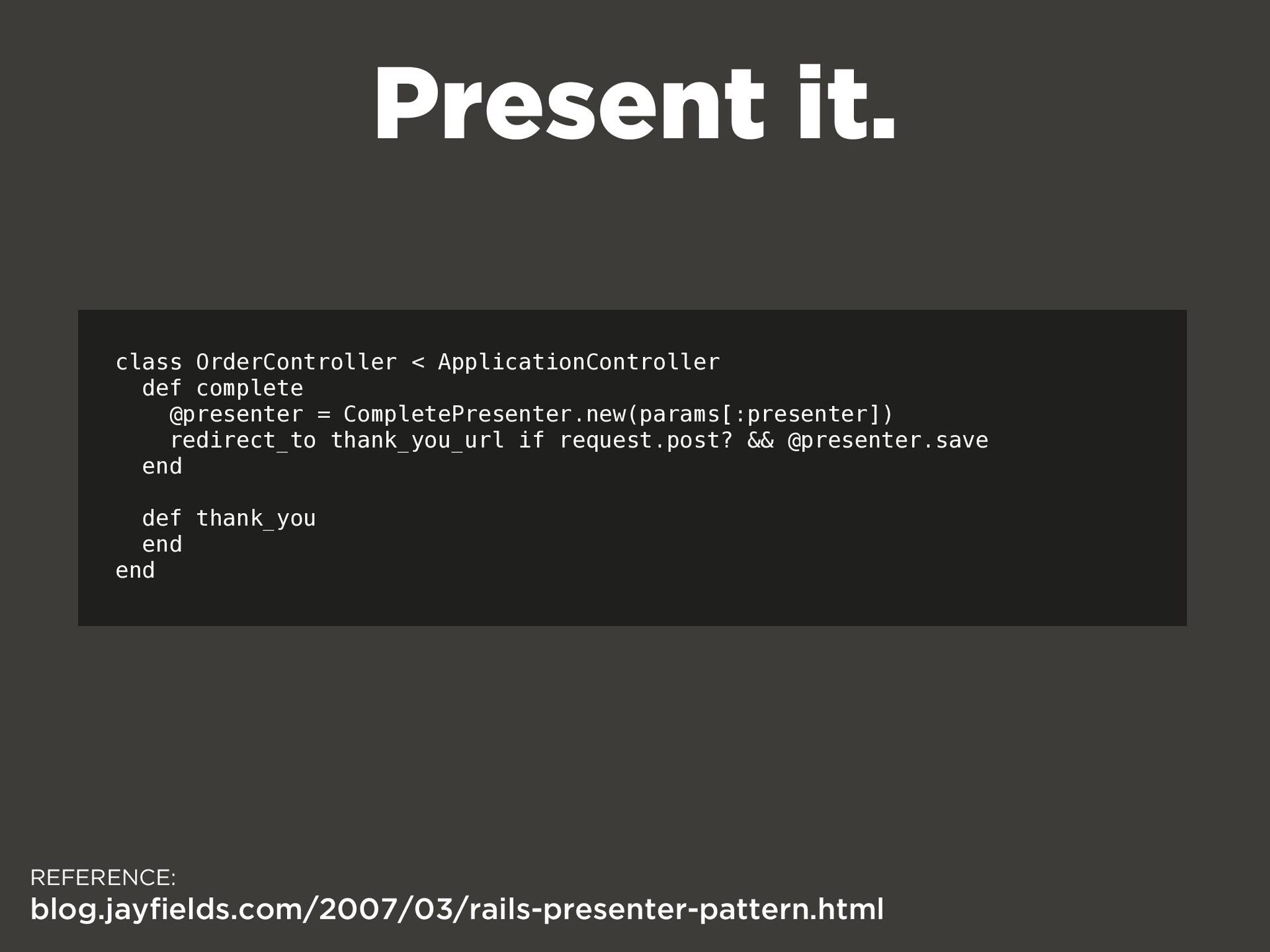
  29. REFERENCE: blog.jayfields.com/2007/03/rails-presenter-pattern.html Present it. class OrderController < ApplicationController def complete

    @presenter = CompletePresenter.new(params[:presenter]) redirect_to thank_you_url if request.post? && @presenter.save end def thank_you end end
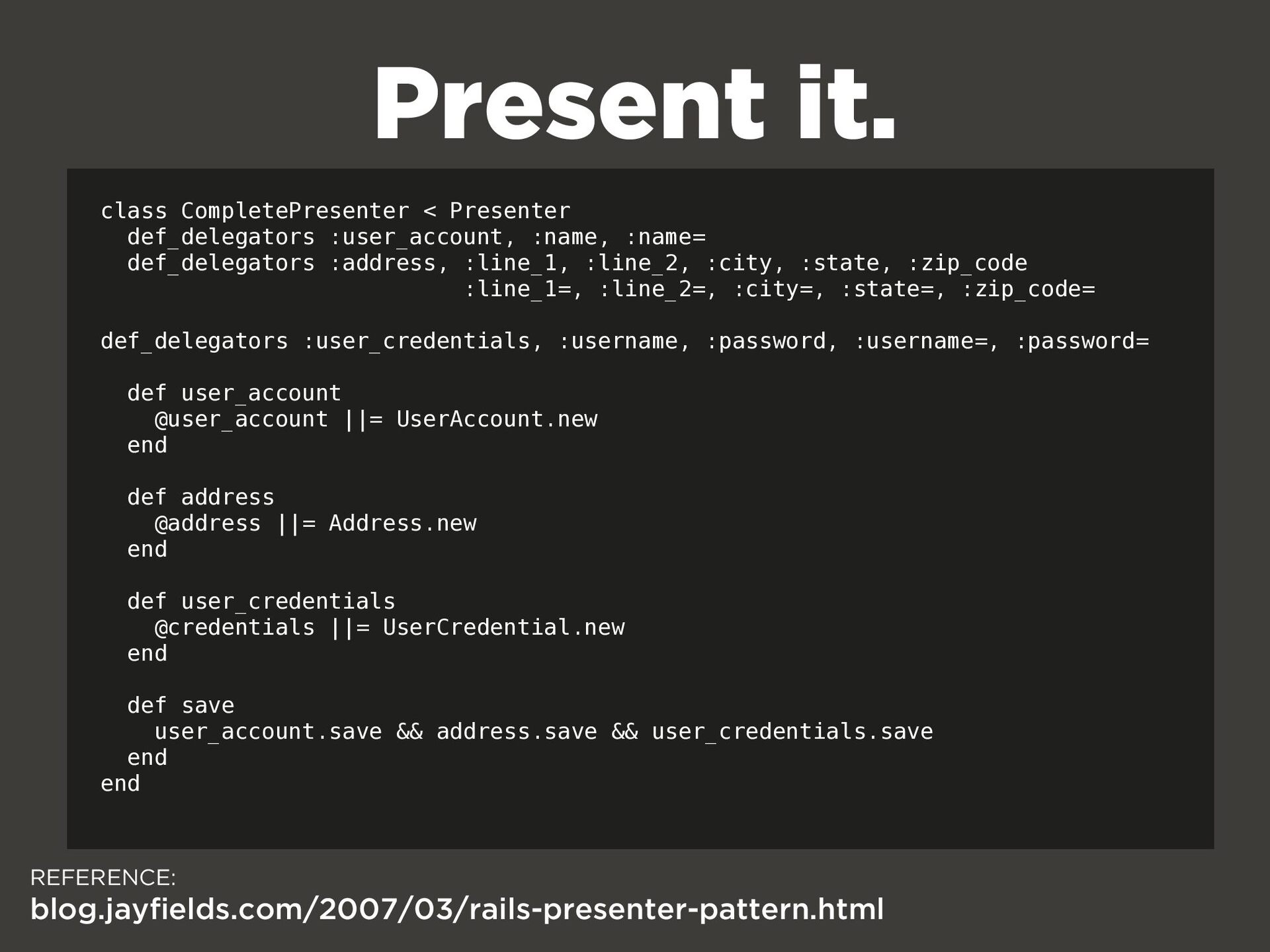
  30. REFERENCE: blog.jayfields.com/2007/03/rails-presenter-pattern.html Present it. class CompletePresenter < Presenter def_delegators :user_account,

    :name, :name= def_delegators :address, :line_1, :line_2, :city, :state, :zip_code :line_1=, :line_2=, :city=, :state=, :zip_code= def_delegators :user_credentials, :username, :password, :username=, :password= def user_account @user_account ||= UserAccount.new end def address @address ||= Address.new end def user_credentials @credentials ||= UserCredential.new end def save user_account.save && address.save && user_credentials.save end end
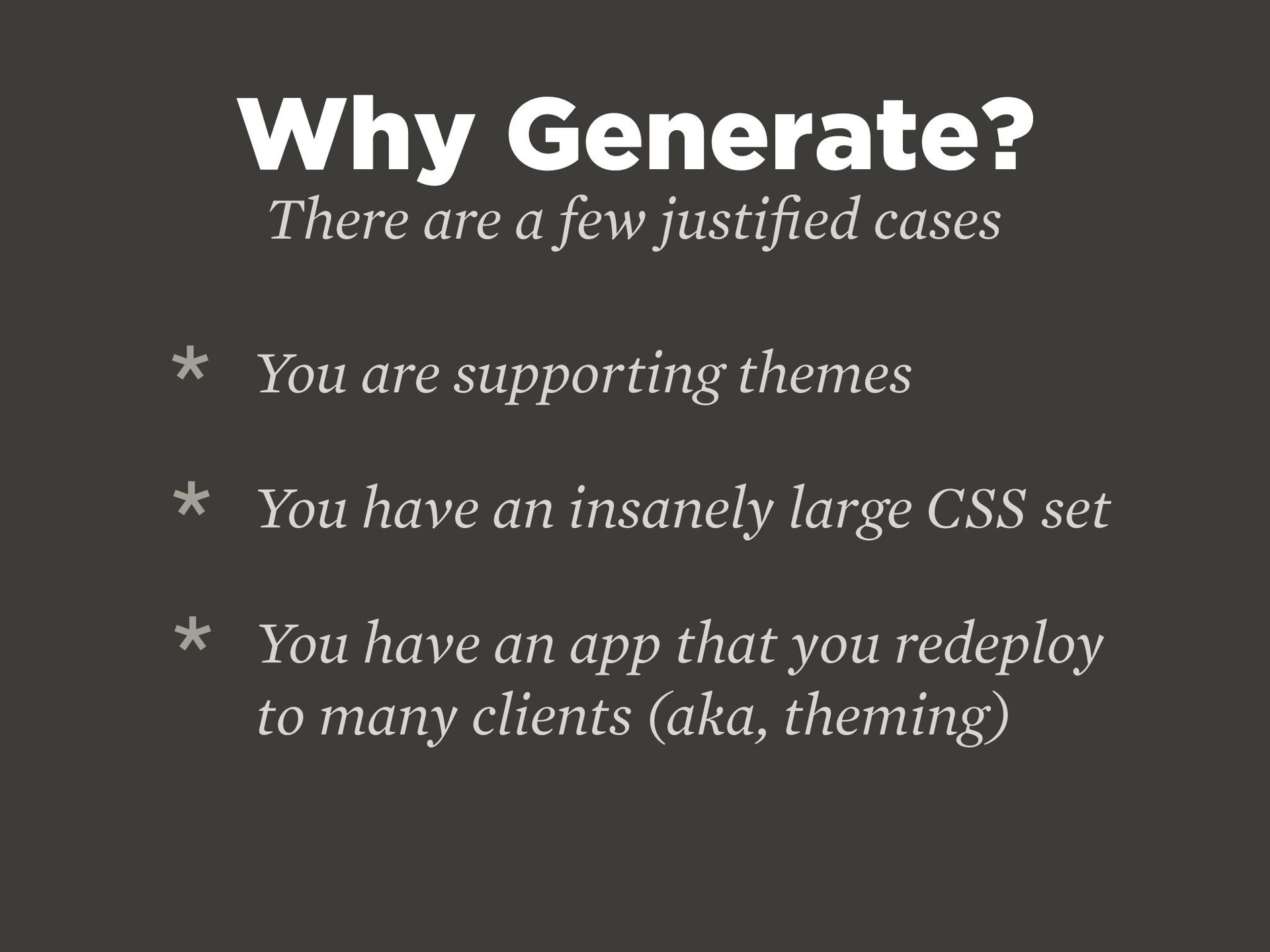
  31. Why Generate? There are a few justi fi ed cases

    * You are supporting themes * You have an insanely large CSS set * You have an app that you redeploy to many clients (aka, theming)
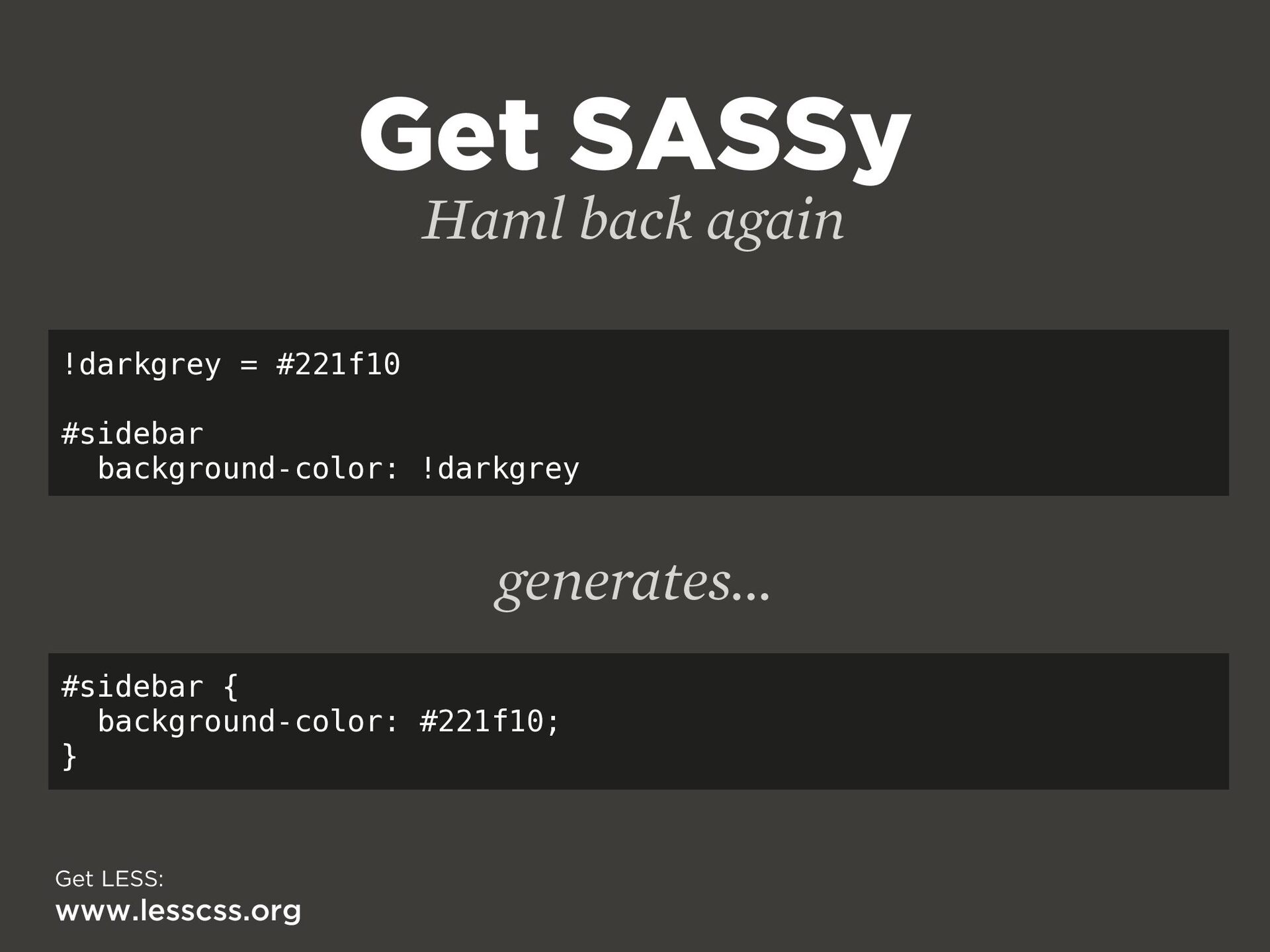
  32. Get SASSy Haml back again !darkgrey = #221f10 #sidebar background-color:

    !darkgrey #sidebar { background-color: #221f10; } generates... Get LESS: www.lesscss.org
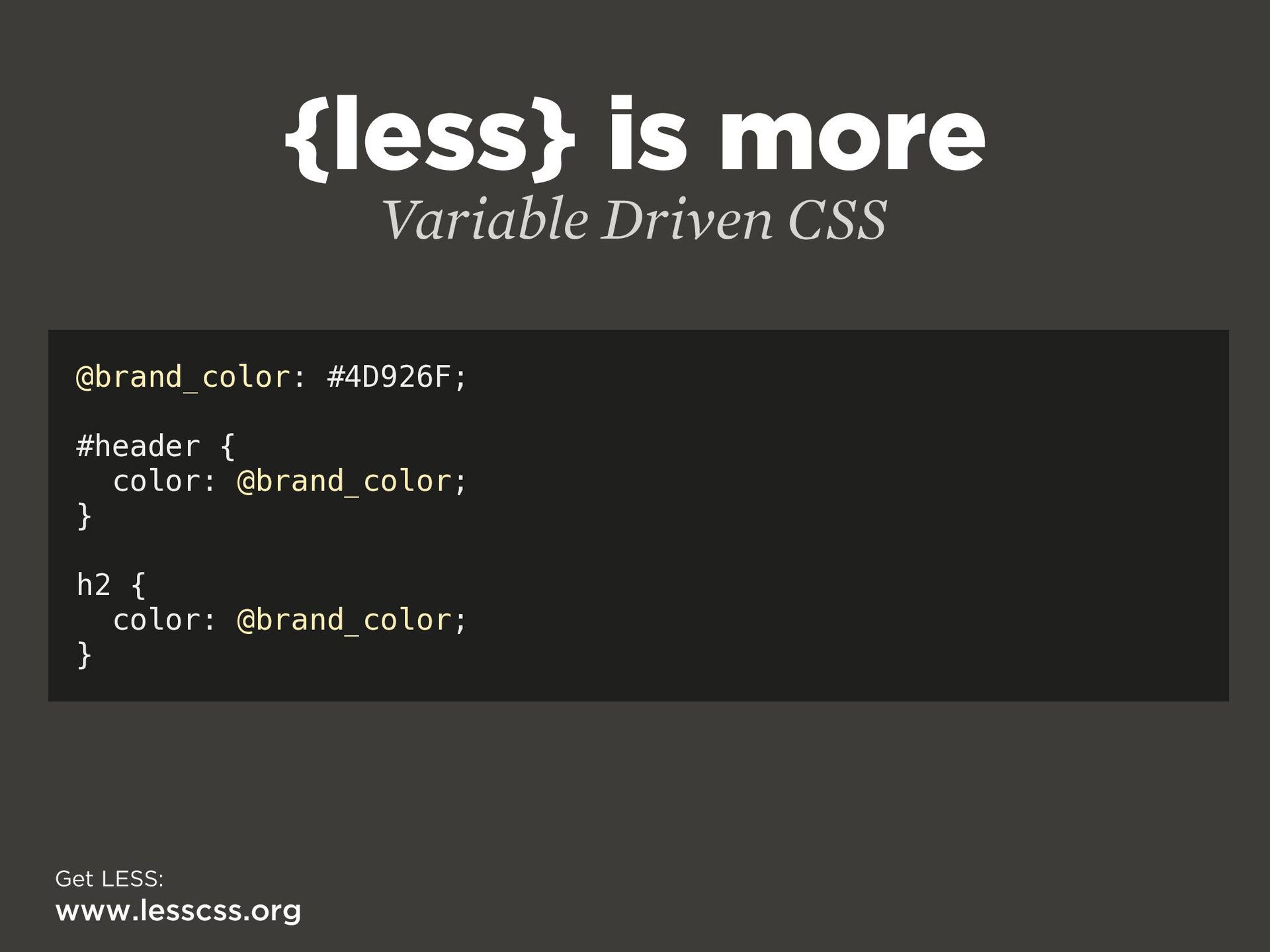
  33. {less} is more Variable Driven CSS @brand_color: #4D926F; #header {

    color: @brand_color; } h2 { color: @brand_color; } Get LESS: www.lesscss.org
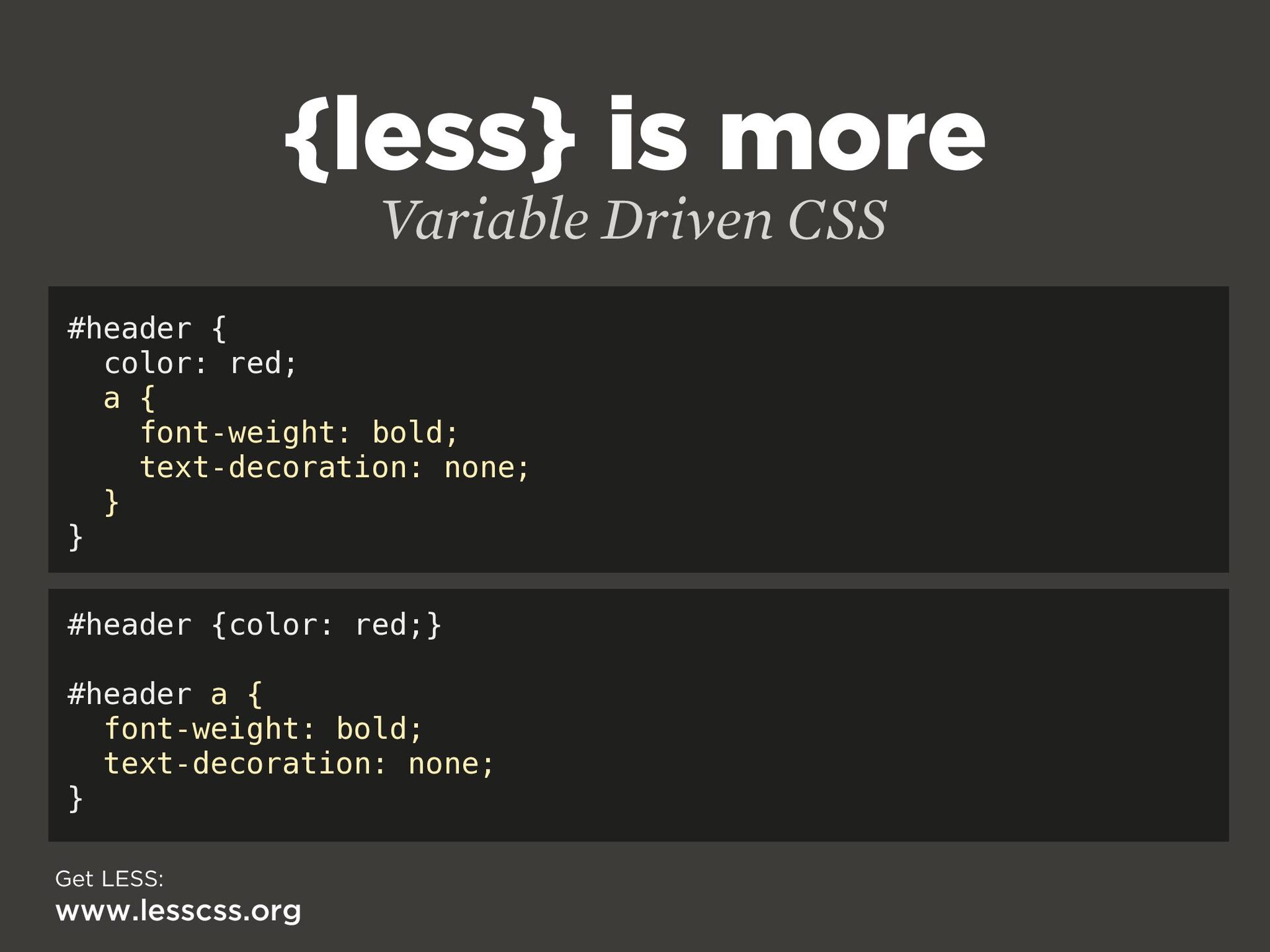
  34. {less} is more Variable Driven CSS #header { color: red;

    a { font-weight: bold; text-decoration: none; } } #header {color: red;} #header a { font-weight: bold; text-decoration: none; } Get LESS: www.lesscss.org
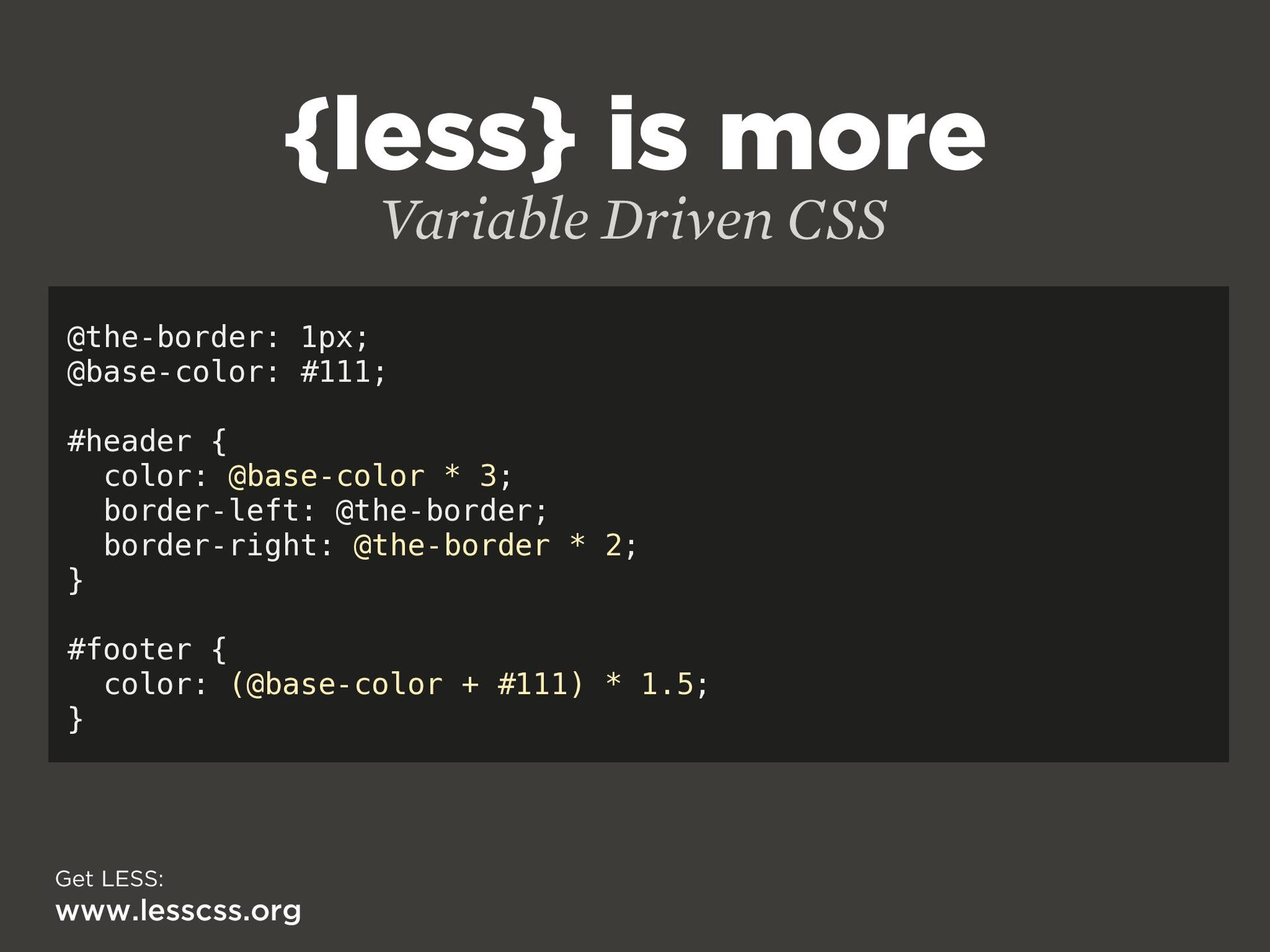
  35. {less} is more Variable Driven CSS @the-border: 1px; @base-color: #111;

    #header { color: @base-color * 3; border-left: @the-border; border-right: @the-border * 2; } #footer { color: (@base-color + #111) * 1.5; } Get LESS: www.lesscss.org
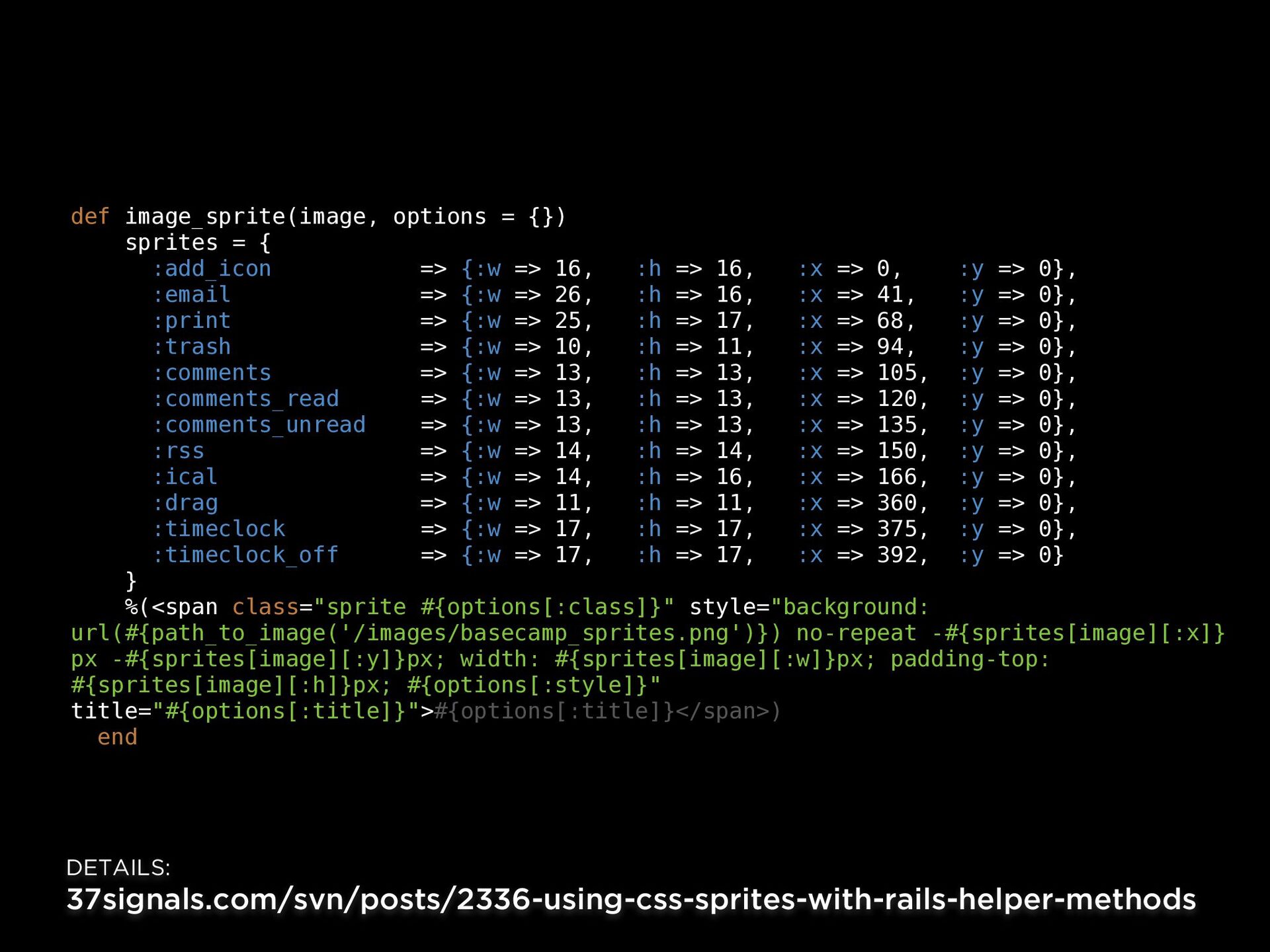
  36. def image_sprite(image, options = {}) sprites = { :add_icon =>

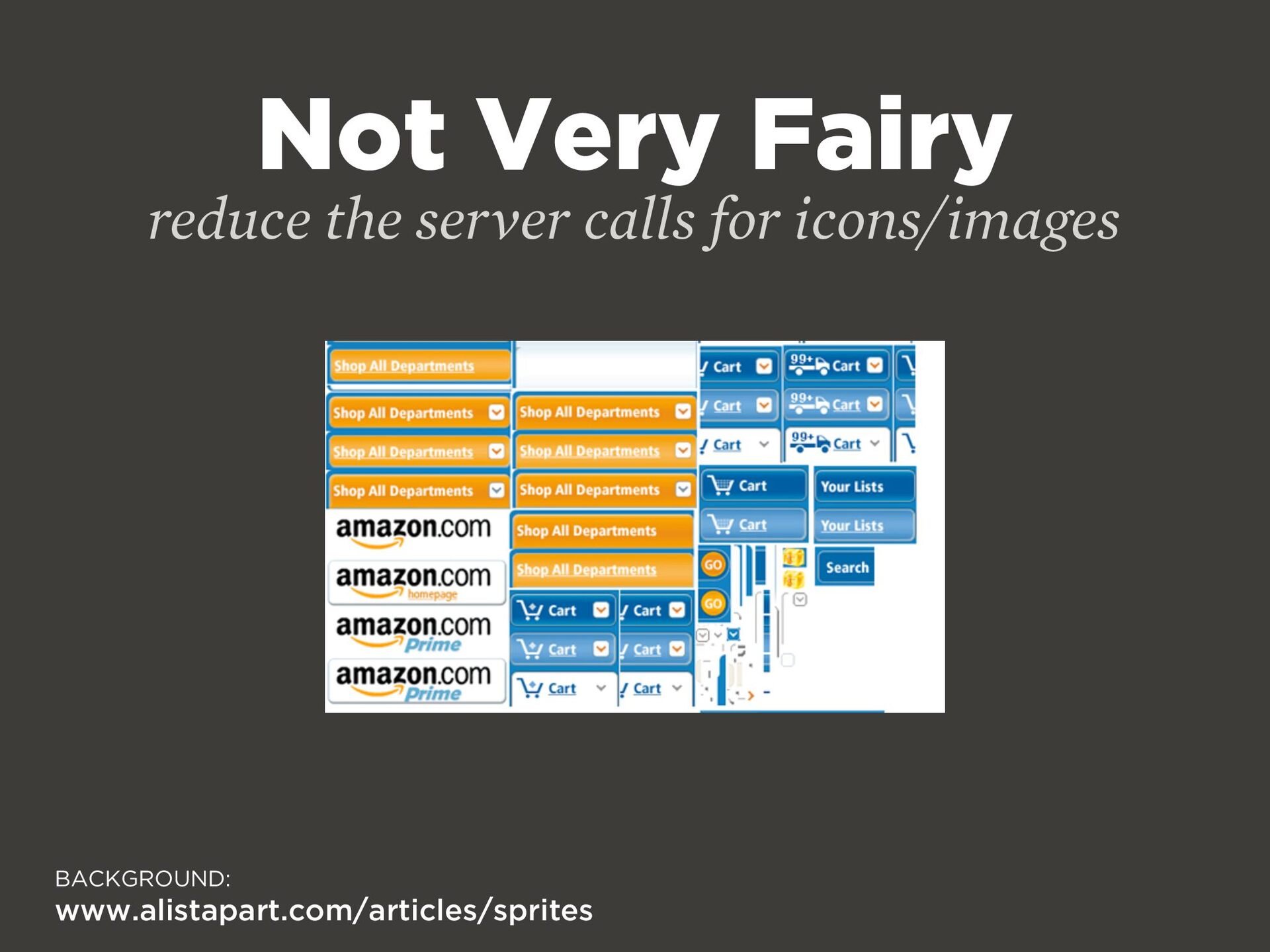
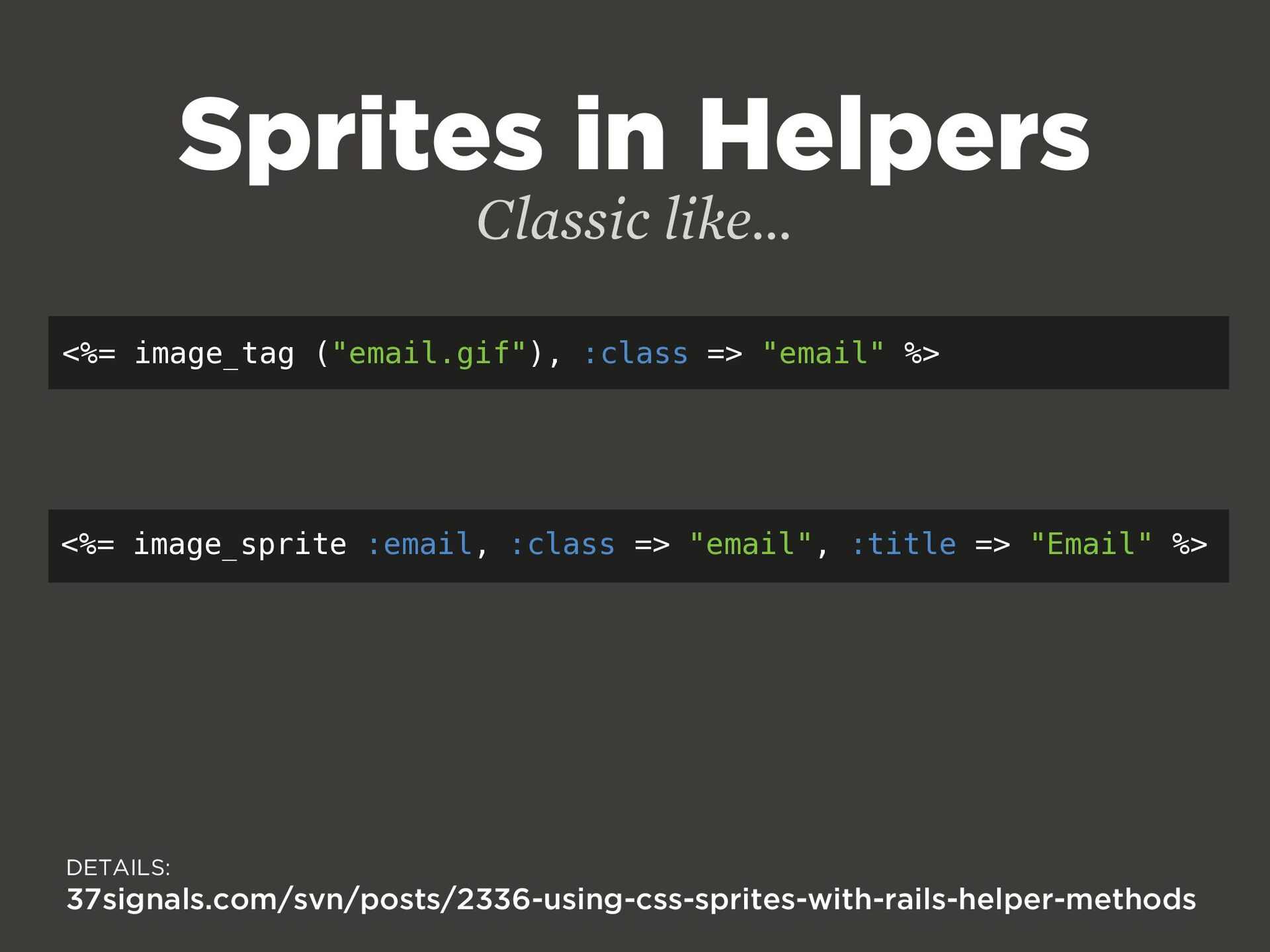
    {:w => 16, :h => 16, :x => 0, :y => 0}, :email => {:w => 26, :h => 16, :x => 41, :y => 0}, :print => {:w => 25, :h => 17, :x => 68, :y => 0}, :trash => {:w => 10, :h => 11, :x => 94, :y => 0}, :comments => {:w => 13, :h => 13, :x => 105, :y => 0}, :comments_read => {:w => 13, :h => 13, :x => 120, :y => 0}, :comments_unread => {:w => 13, :h => 13, :x => 135, :y => 0}, :rss => {:w => 14, :h => 14, :x => 150, :y => 0}, :ical => {:w => 14, :h => 16, :x => 166, :y => 0}, :drag => {:w => 11, :h => 11, :x => 360, :y => 0}, :timeclock => {:w => 17, :h => 17, :x => 375, :y => 0}, :timeclock_off => {:w => 17, :h => 17, :x => 392, :y => 0} } %(<span class="sprite #{options[:class]}" style="background: url(#{path_to_image('/images/basecamp_sprites.png')}) no-repeat -#{sprites[image][:x]} px -#{sprites[image][:y]}px; width: #{sprites[image][:w]}px; padding-top: #{sprites[image][:h]}px; #{options[:style]}" title="#{options[:title]}">#{options[:title]}</span>) end DETAILS: 37signals.com/svn/posts/2336-using-css-sprites-with-rails-helper-methods
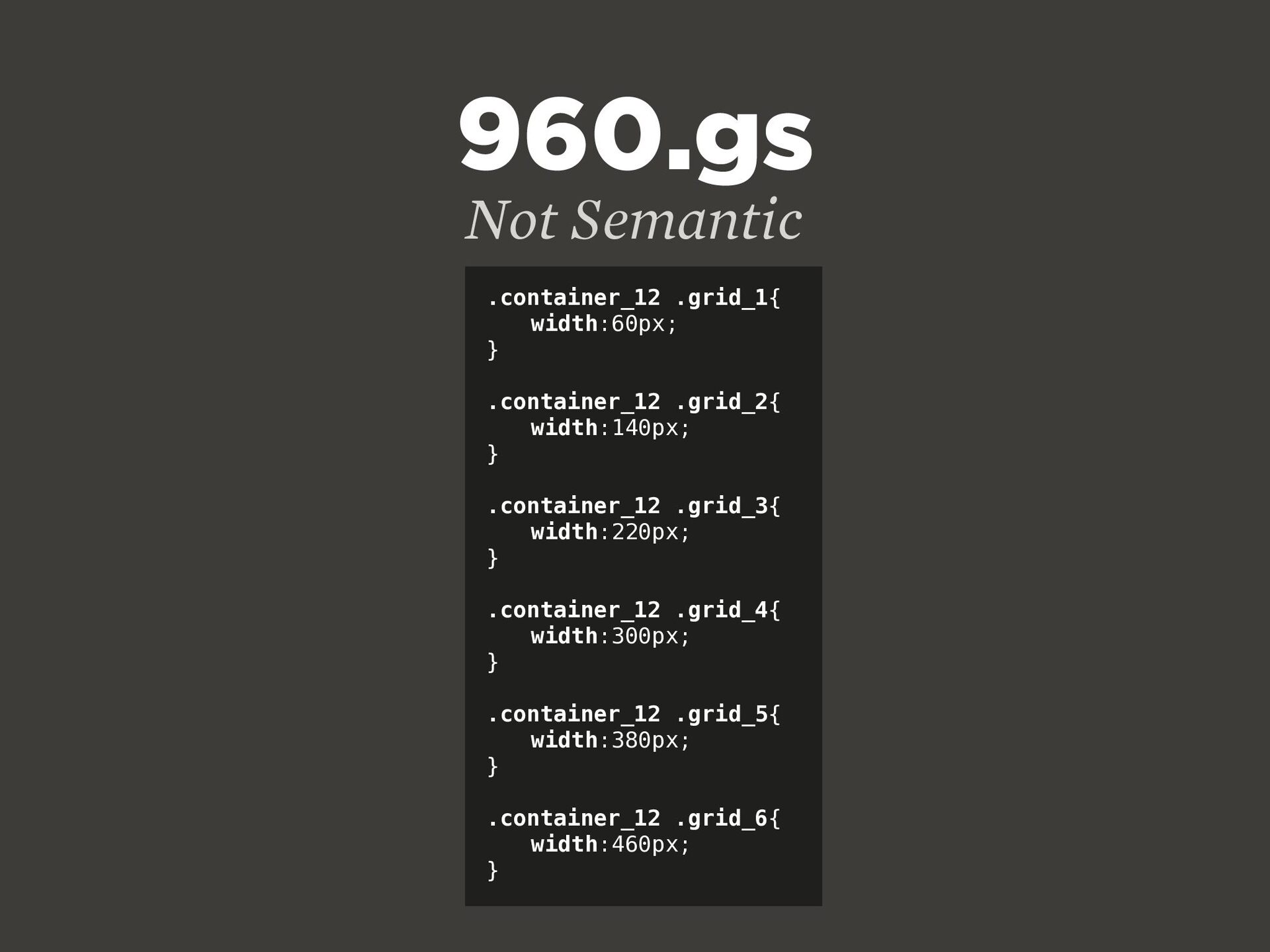
  37. .container_12 .grid_1{ width:60px; } .container_12 .grid_2{ width:140px; } .container_12 .grid_3{


    width:220px; } .container_12 .grid_4{ width:300px; } .container_12 .grid_5{ width:380px; } .container_12 .grid_6{ width:460px; } 960.gs Not Semantic
  38. ONE FILE to bring them all and on the server

    bind them. Put that in your pipe and smoke it!
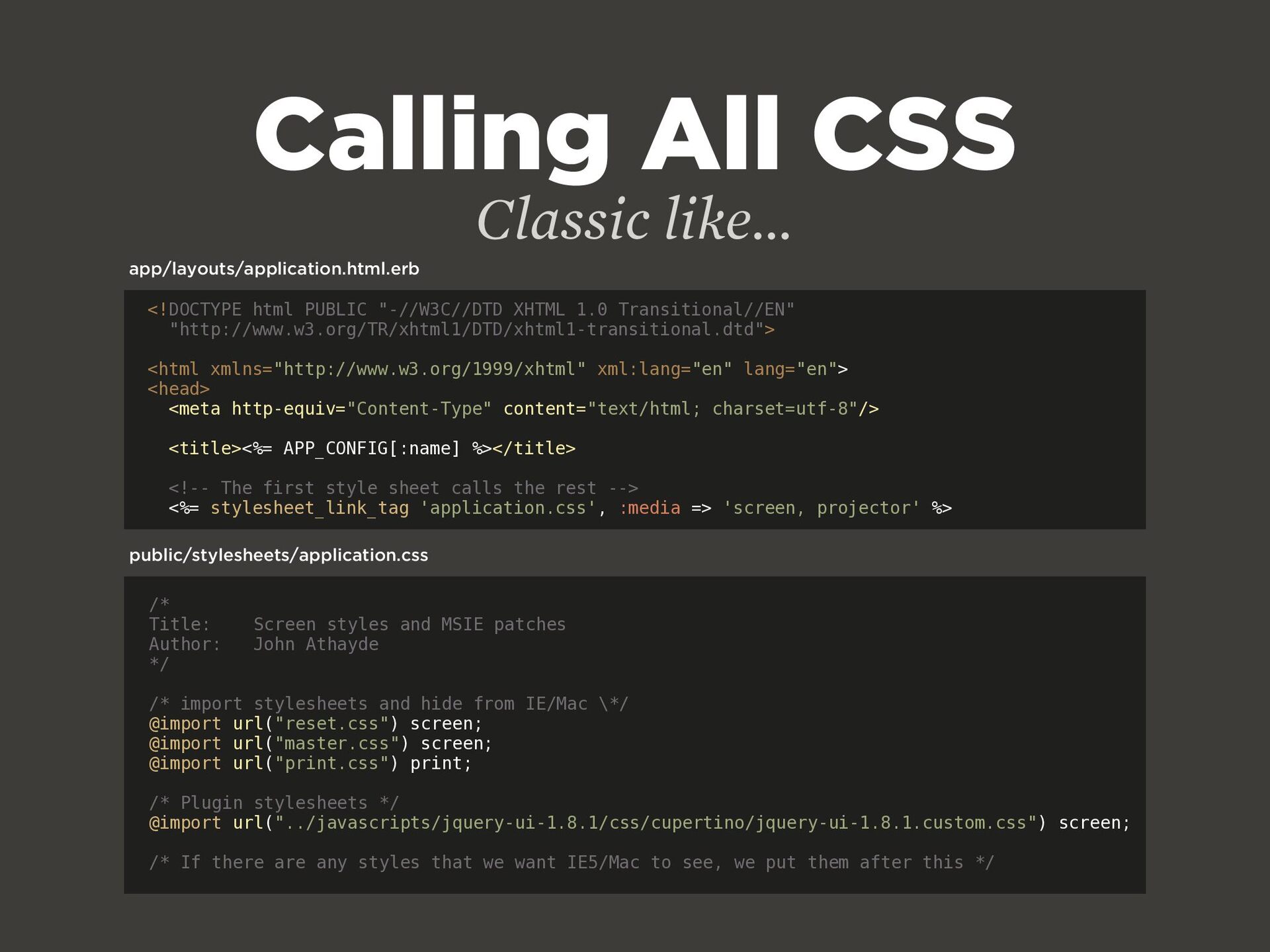
  39. Calling All CSS /* Title: Screen styles and MSIE patches

    Author: John Athayde */ /* import stylesheets and hide from IE/Mac \*/ @import url("reset.css") screen; @import url("master.css") screen; @import url("print.css") print; /* Plugin stylesheets */ @import url("../javascripts/jquery-ui-1.8.1/css/cupertino/jquery-ui-1.8.1.custom.css") screen; /* If there are any styles that we want IE5/Mac to see, we put them after this */ Classic like... <!DOCTYPE html PUBLIC "-//W3C//DTD XHTML 1.0 Transitional//EN" "http://www.w3.org/TR/xhtml1/DTD/xhtml1-transitional.dtd"> <html xmlns="http://www.w3.org/1999/xhtml" xml:lang="en" lang="en"> <head> <meta http-equiv="Content-Type" content="text/html; charset=utf-8"/> <title><%= APP_CONFIG[:name] %></title> <!-- The first style sheet calls the rest --> <%= stylesheet_link_tag 'application.css', :media => 'screen, projector' %> app/layouts/application.html.erb public/stylesheets/application.css
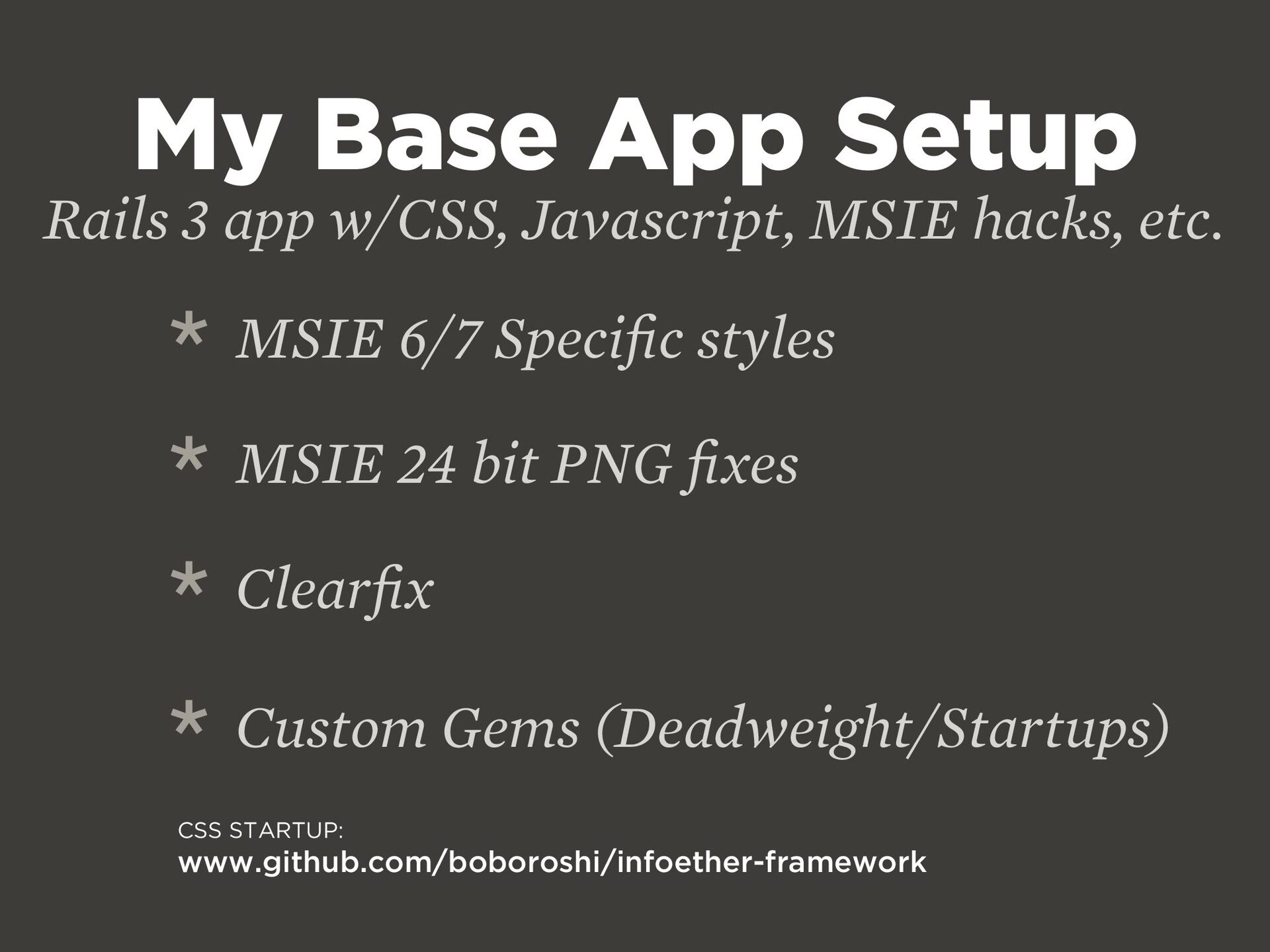
  40. My Base App Setup Rails 3 app w/CSS, Javascript, MSIE

    hacks, etc. * MSIE 6/7 Speci fi c styles * MSIE 24 bit PNG fi xes * Clear fi x * Custom Gems (Deadweight/Startups) CSS STARTUP: www.github.com/boboroshi/infoether-framework
  41. A more robust method that covers javascript too... JAMMIT INFO:

    documentcloud.github.com/jammit “Jammit is an industrial strength asset packaging library for Rails, providing both the CSS and JavaScript concatenation and compression that you'd expect, as well as YUI Compressor and Closure Compiler compatibility, ahead-of-time gzipping, built-in JavaScript template support, and optional Data-URI / MHTML image and font embedding.”
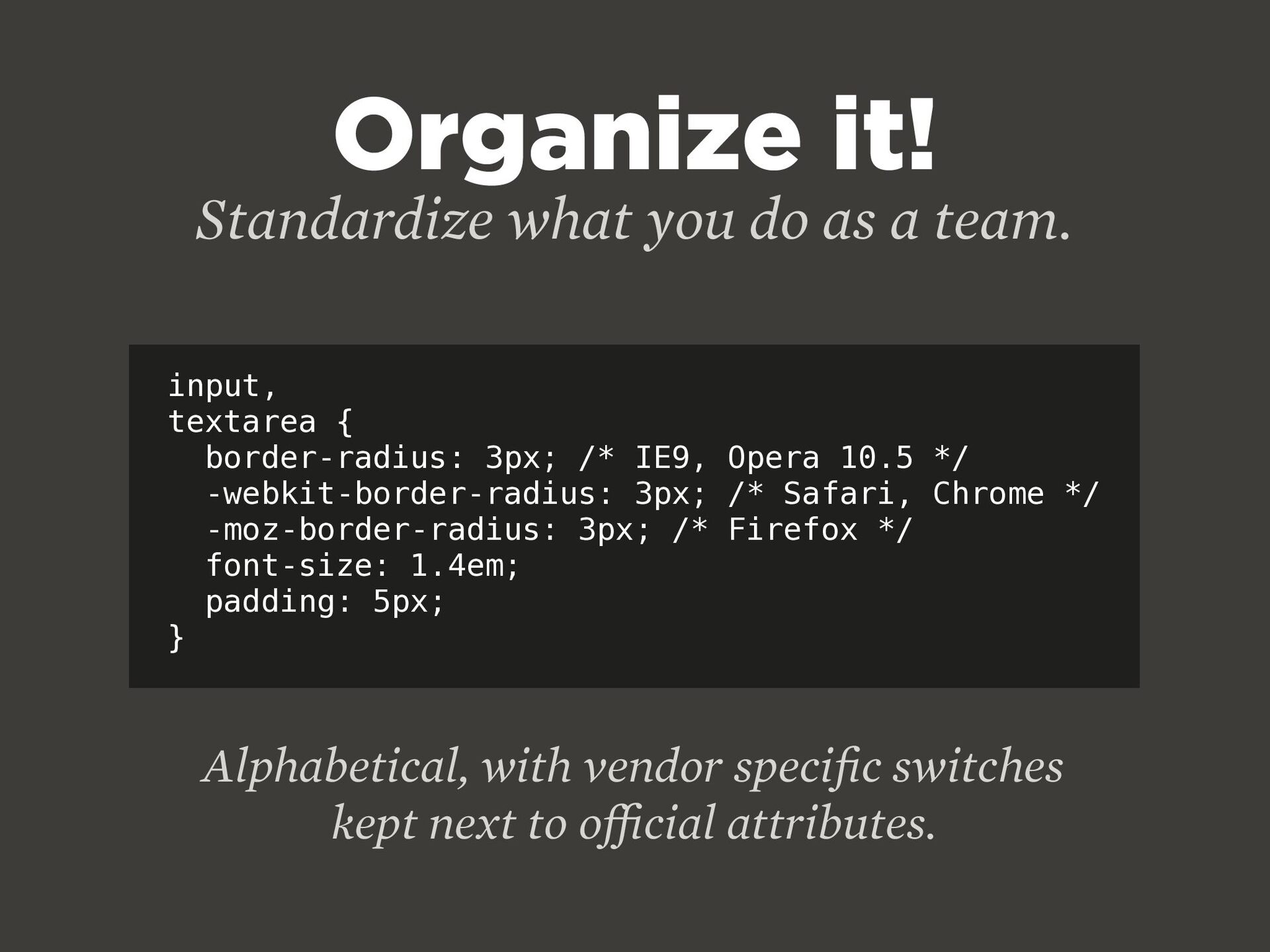
  42. Organize it! Standardize what you do as a team. input,

    textarea { border-radius: 3px; /* IE9, Opera 10.5 */ -webkit-border-radius: 3px; /* Safari, Chrome */ -moz-border-radius: 3px; /* Firefox */ font-size: 1.4em; padding: 5px; } Alphabetical, with vendor speci fi c switches kept next to o ff i cial attributes.
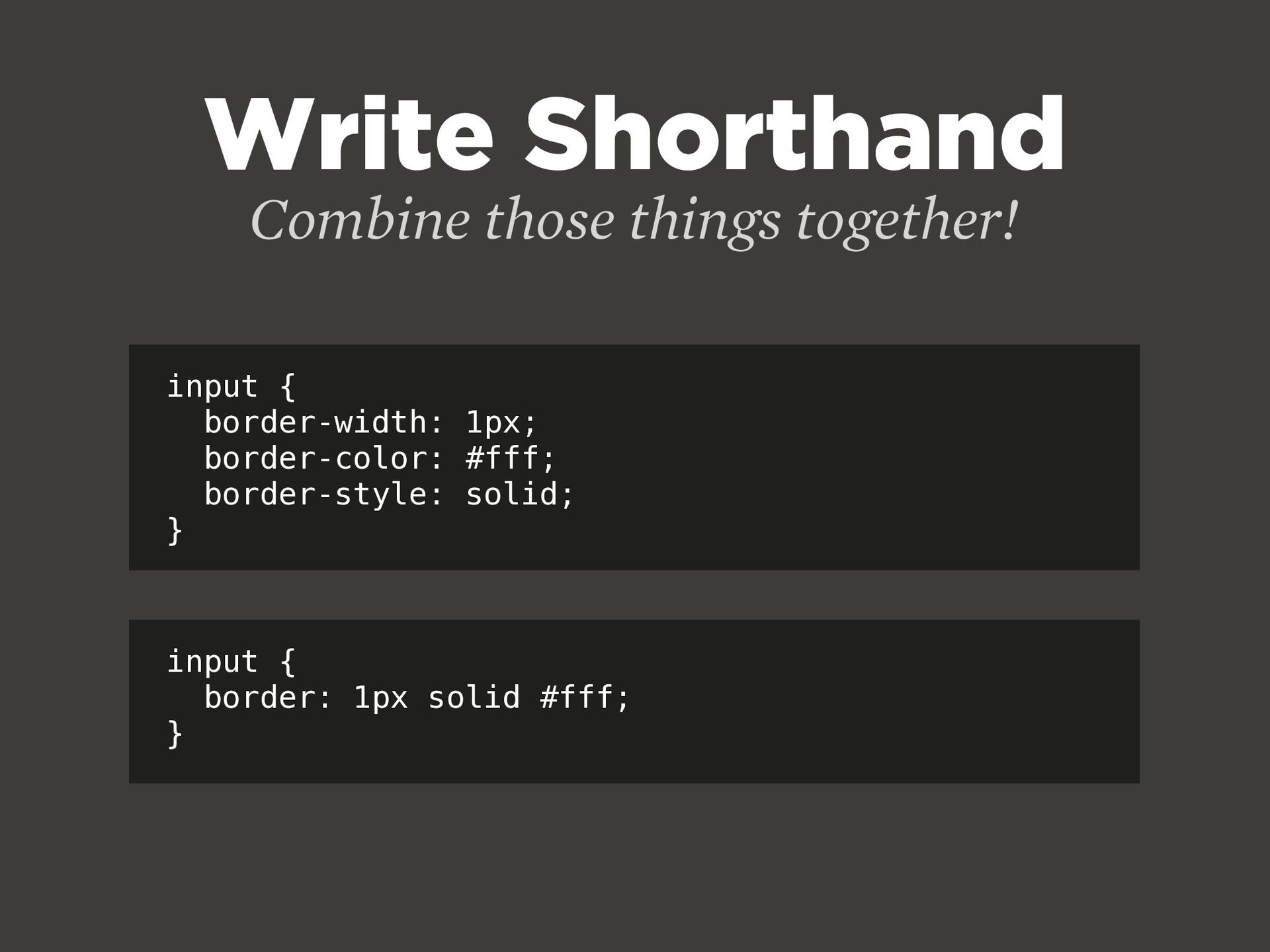
  43. Write Shorthand Combine those things together! input { border-width: 1px;

    border-color: #fff; border-style: solid; } input { border: 1px solid #fff; }
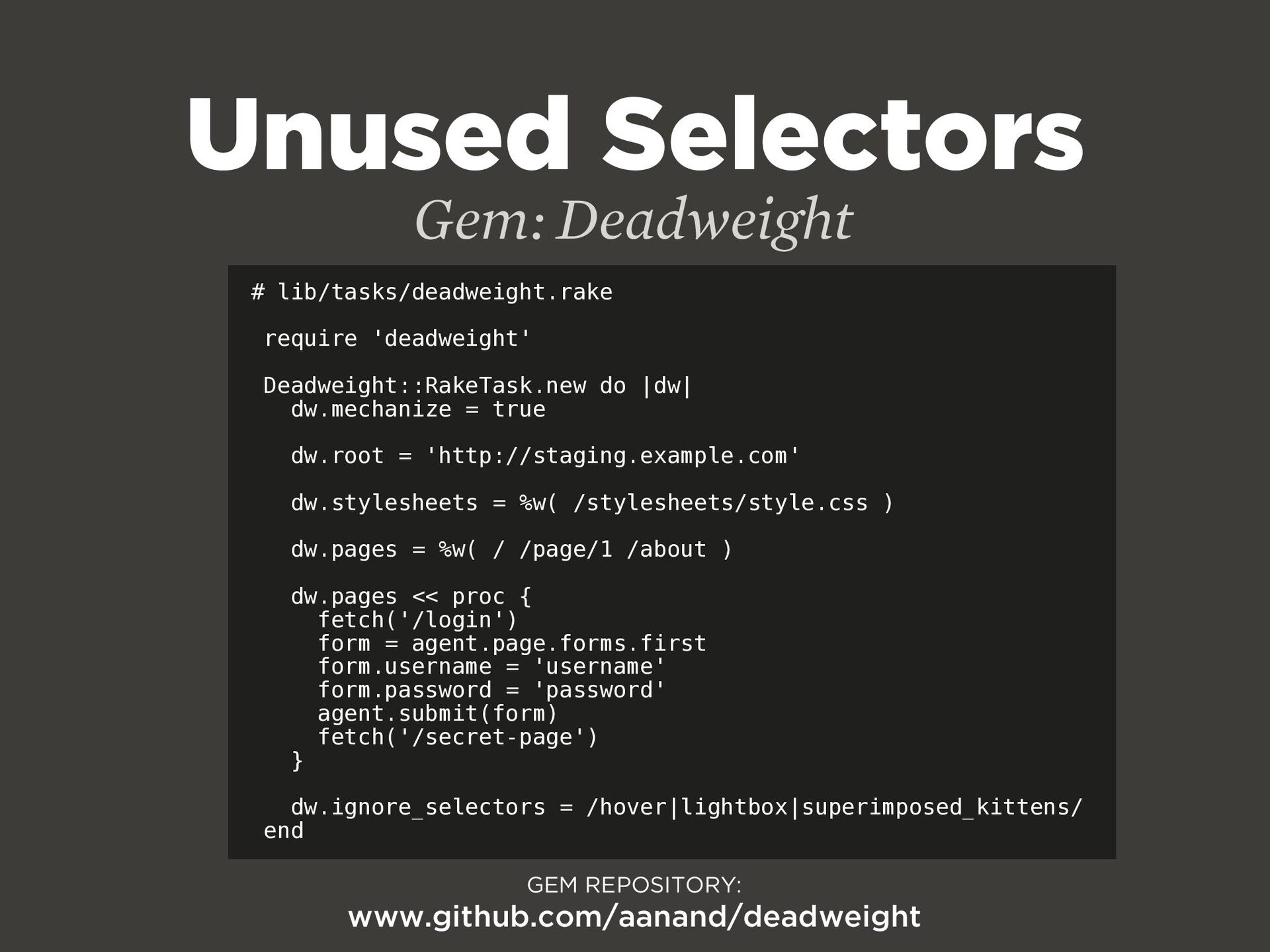
  44. Unused Selectors Gem: Deadweight GEM REPOSITORY: www.github.com/aanand/deadweight # lib/tasks/deadweight.rake require

    'deadweight' Deadweight::RakeTask.new do |dw| dw.mechanize = true dw.root = 'http://staging.example.com' dw.stylesheets = %w( /stylesheets/style.css ) dw.pages = %w( / /page/1 /about ) dw.pages << proc { fetch('/login') form = agent.page.forms.first form.username = 'username' form.password = 'password' agent.submit(form) fetch('/secret-page') } dw.ignore_selectors = /hover|lightbox|superimposed_kittens/ end
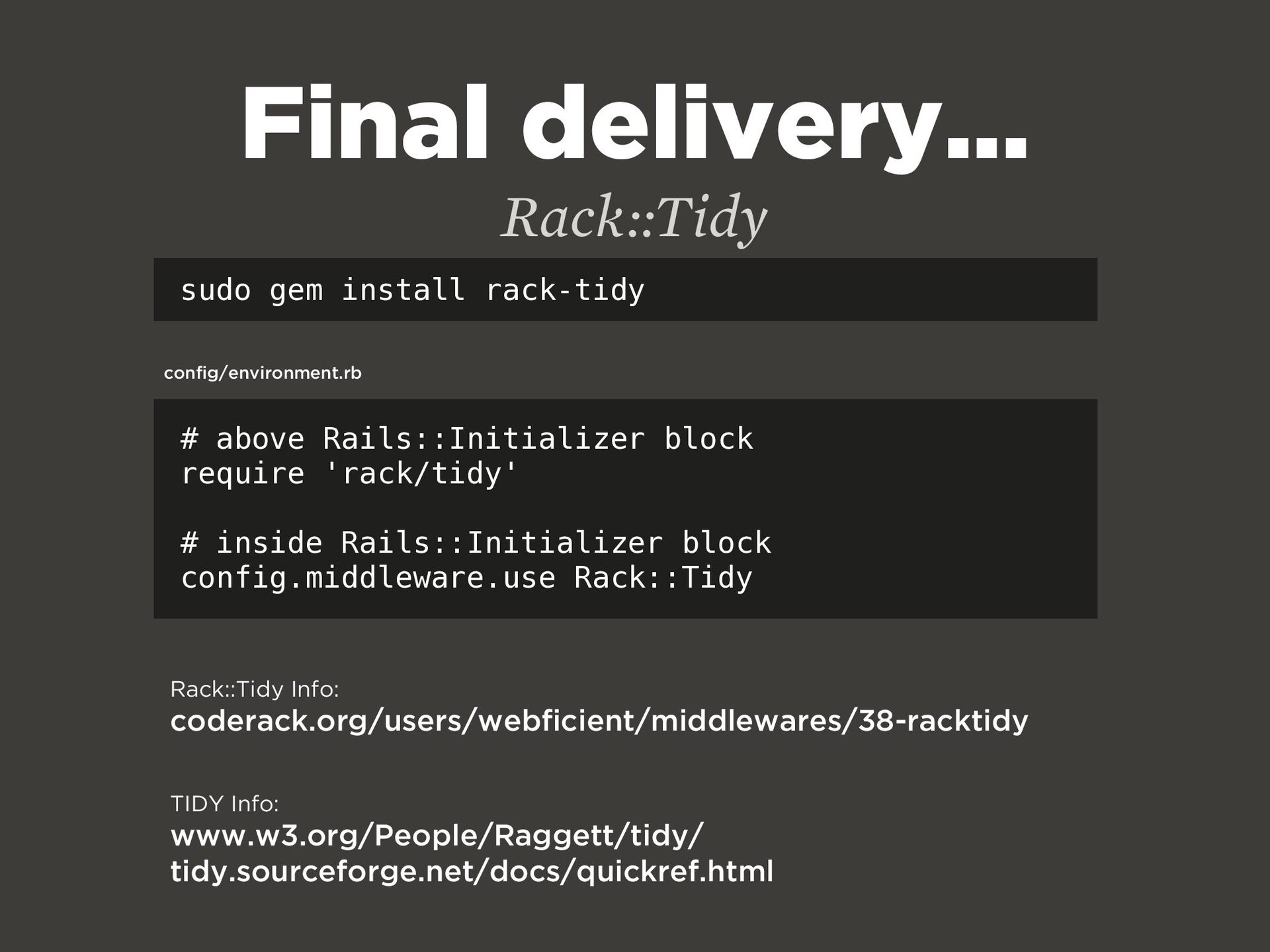
  45. Final delivery... Rack::Tidy sudo gem install rack-tidy # above Rails::Initializer

    block require 'rack/tidy' # inside Rails::Initializer block config.middleware.use Rack::Tidy config/environment.rb Rack::Tidy Info: coderack.org/users/webficient/middlewares/38-racktidy TIDY Info: www.w3.org/People/Raggett/tidy/ tidy.sourceforge.net/docs/quickref.html