Upgrade to Pro
— share decks privately, control downloads, hide ads and more …
Speaker Deck
Sign up for free
Menu
Search
Features
All features
Private URLs
Password Protection
Custom URLS
Scheduled publishing
Remove Branding
Restrict embedding
Deck Collections
Notes
Features
All features
Private URLs
Password Protection
Custom URLS
Scheduled publishing
Remove Branding
Restrict embedding
Deck Collections
Notes
Explore
Featured decks
Featured speakers
Programming
Technology
Storyboards
Explore
Featured decks
Featured speakers
Programming
Technology
Storyboards
Pricing
Search
Sign in
Sign up for free
空間情報システム tasking manager manual
Search
Juria hata
June 14, 2019
45
0
Share
Embed
Copy iframe code
Copy JS code
Copy link
Start on current slide
空間情報システム tasking manager manual
Juria hata
June 14, 2019
More Decks by Juria hata
See All by Juria hata
空間情報システム Tasking Manager Manual
juria
0
40
空間情報システム Tasking Manager Manual
juria
0
72
空間情報システム tasking manager manual
juria
0
27
空間情報システム tasking manager manual
juria
0
26
Featured
See All Featured
Un-Boring Meetings
codingconduct
0
460
Fantastic passwords and where to find them - at NoRuKo
philnash
53
4k
Leveraging LLMs for student feedback in introductory data science courses - posit::conf(2025)
minecr
1
440
The AI Search Optimization Roadmap by Aleyda Solis
aleyda
2
6.3k
Agile that works and the tools we love
rasmusluckow
331
22k
Visual Storytelling: How to be a Superhuman Communicator
reverentgeek
2
710
Navigating Weather and Climate Data
rabernat
0
560
Statistics for Hackers
jakevdp
799
230k
コードの90%をAIが書く世界で何が待っているのか / What awaits us in a world where 90% of the code is written by AI
rkaga
63
46k
How to build an LLM SEO readiness audit: a practical framework
nmsamuel
2
950
Jess Joyce - The Pitfalls of Following Frameworks
techseoconnect
PRO
1
450
Max Prin - Stacking Signals: How International SEO Comes Together (And Falls Apart)
techseoconnect
PRO
0
490
Transcript
タンザニア地図作成 #600 タスクの作業⽅法 1A119134 畑 樹莉杏
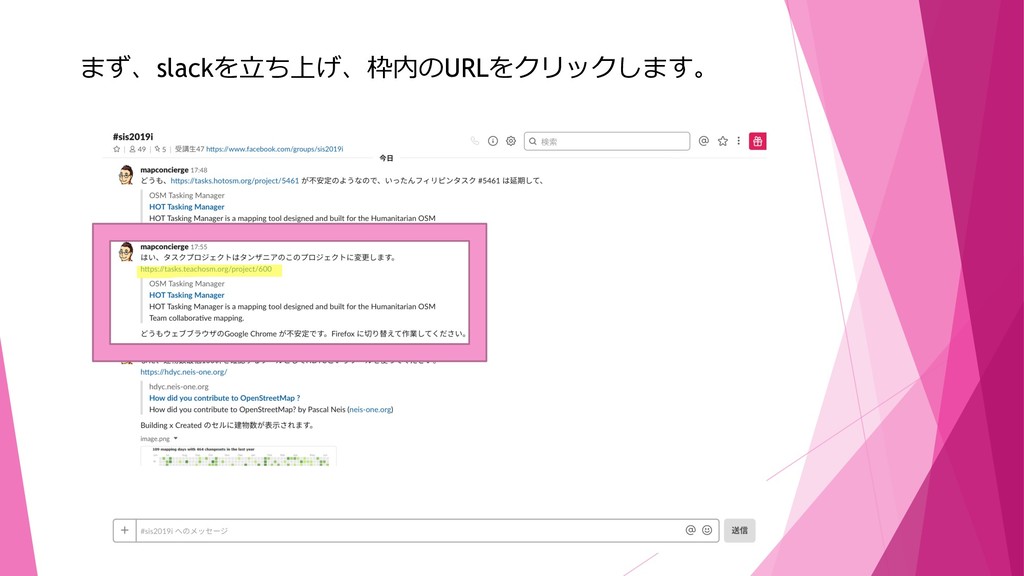
まず、slackを⽴ち上げ、枠内のURLをクリックします。
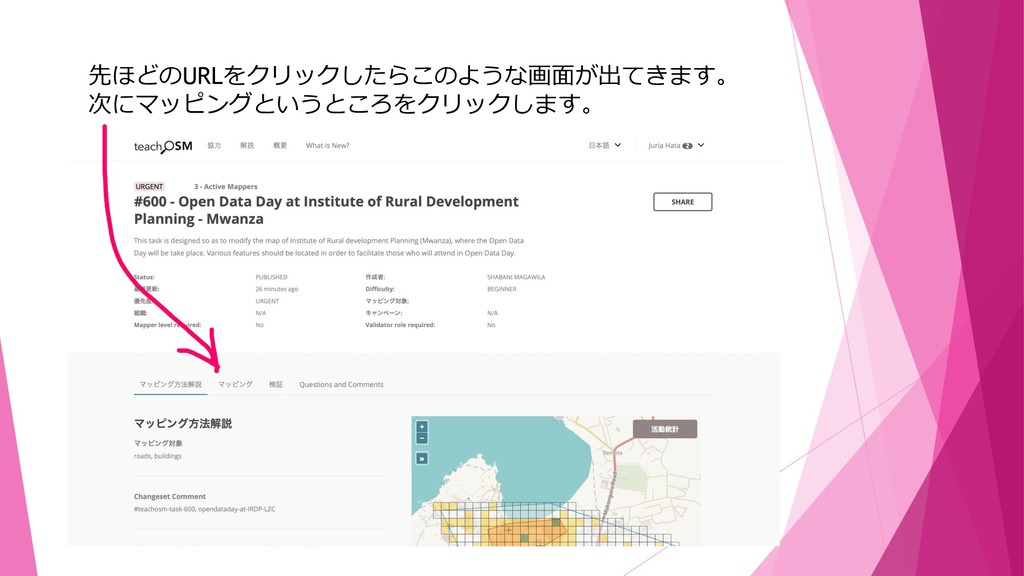
先ほどのURLをクリックしたらこのような画⾯が出てきます。 次にマッピングというところをクリックします。
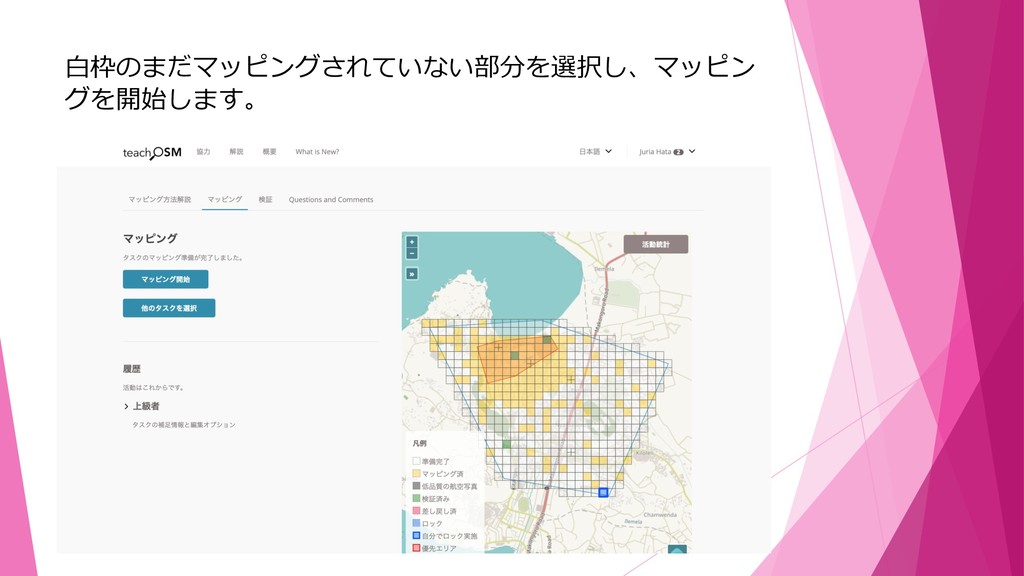
⽩枠のまだマッピングされていない部分を選択し、マッピン グを開始します。
エリアを選択し、建物を囲みます。
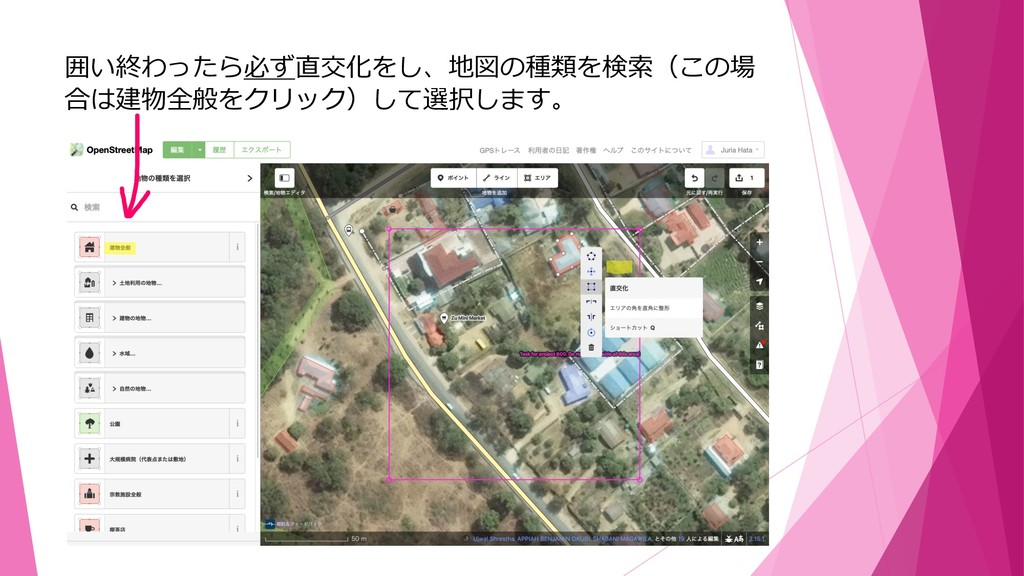
囲い終わったら必ず直交化をし、地図の種類を検索(この場 合は建物全般をクリック)して選択します。
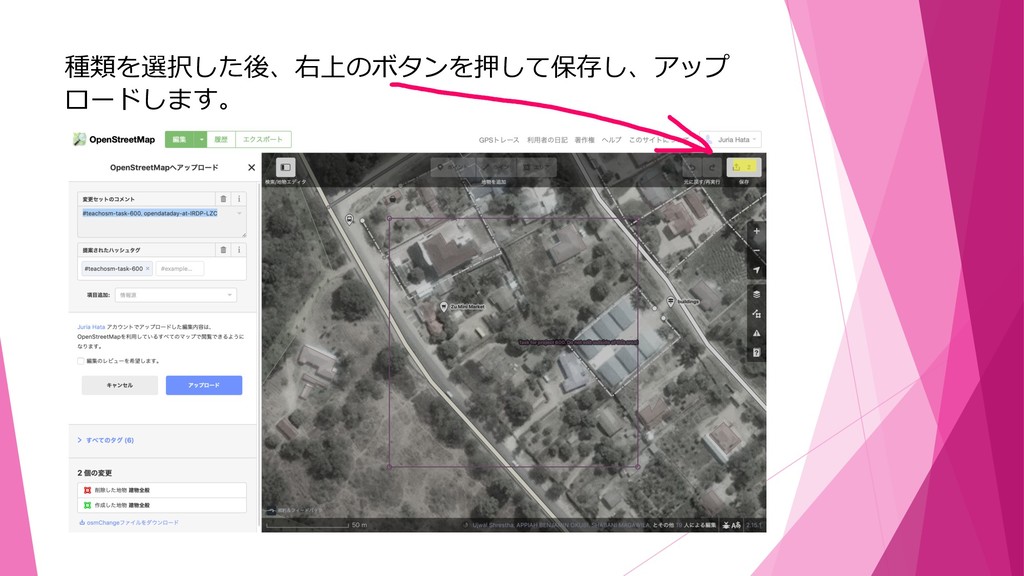
種類を選択した後、右上のボタンを押して保存し、アップ ロードします。
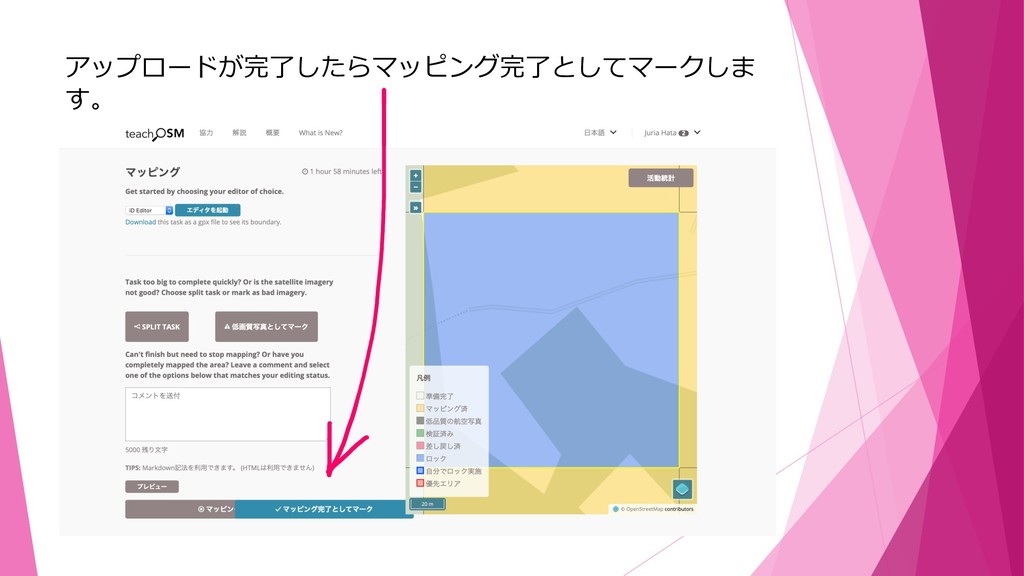
アップロードが完了したらマッピング完了としてマークしま す。
これで作業⼯程は終了です。


 juria
juria
 codingconduct
 philnash
 minecr
 aleyda
 rasmusluckow
 reverentgeek
 rabernat
 jakevdp
 rkaga
rkaga
 nmsamuel
 techseoconnect