Upgrade to Pro
— share decks privately, control downloads, hide ads and more …
Speaker Deck
Sign up for free
Menu
Search
Features
All features
Private URLs
Password Protection
Custom URLS
Scheduled publishing
Remove Branding
Restrict embedding
Deck Collections
Notes
Features
All features
Private URLs
Password Protection
Custom URLS
Scheduled publishing
Remove Branding
Restrict embedding
Deck Collections
Notes
Explore
Featured decks
Featured speakers
Programming
Technology
Storyboards
Explore
Featured decks
Featured speakers
Programming
Technology
Storyboards
Pricing
Search
Sign in
Sign up for free
空間情報システム tasking manager manual
Search
Sponsored
·
Your Podcast. Everywhere. Effortlessly.
Share. Educate. Inspire. Entertain. You do you. We'll handle the rest.
→
Juria hata
June 14, 2019
27
0
Share
Embed
Copy iframe code
Copy JS code
Copy link
Start on current slide
空間情報システム tasking manager manual
Juria hata
June 14, 2019
More Decks by Juria hata
See All by Juria hata
空間情報システム Tasking Manager Manual
juria
0
40
空間情報システム Tasking Manager Manual
juria
0
72
空間情報システム tasking manager manual
juria
0
45
空間情報システム tasking manager manual
juria
0
26
Featured
See All Featured
How Software Deployment tools have changed in the past 20 years
geshan
2
35k
How GitHub (no longer) Works
holman
316
150k
Save Time (by Creating Custom Rails Generators)
garrettdimon
PRO
33
5.3k
Thoughts on Productivity
jonyablonski
76
5.4k
New Earth Scene 8
popppiees
4
2.7k
Building a A Zero-Code AI SEO Workflow
portentint
PRO
0
780
Ten Tips & Tricks for a 🌱 transition
stuffmc
1
270
Tell your own story through comics
letsgokoyo
1
1.1k
Context Engineering - Making Every Token Count
addyosmani
9
1.2k
Music & Morning Musume
bryan
48
7.4k
Evolution of real-time – Irina Nazarova, EuRuKo, 2024
irinanazarova
9
1.6k
How to optimise 3,500 product descriptions for ecommerce in one day using ChatGPT
katarinadahlin
PRO
3
3.9k
Transcript
タンザニア地図作成 #600 タスクの作業⽅法 1A119134 畑 樹莉杏
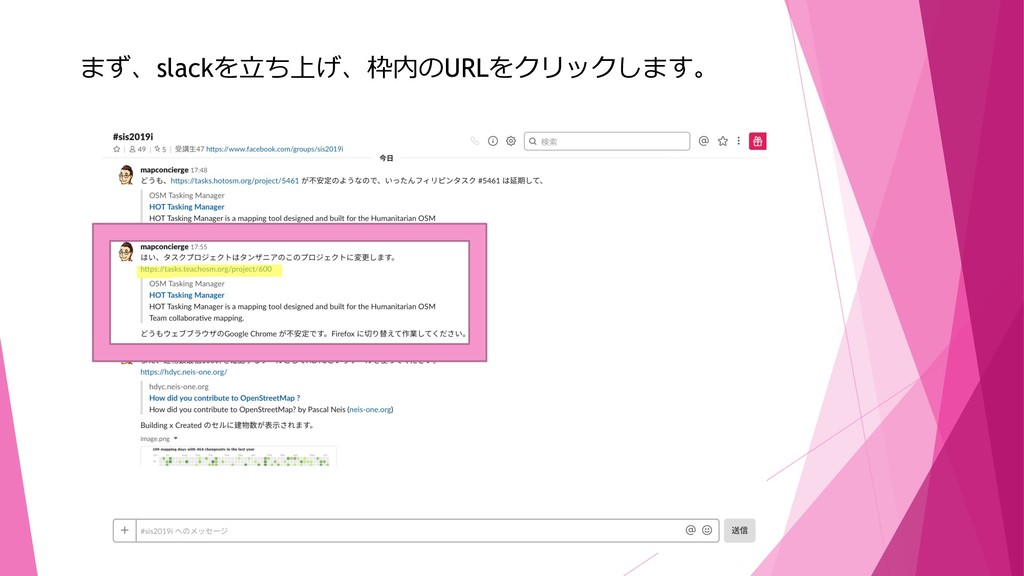
まず、slackを⽴ち上げ、枠内のURLをクリックします。
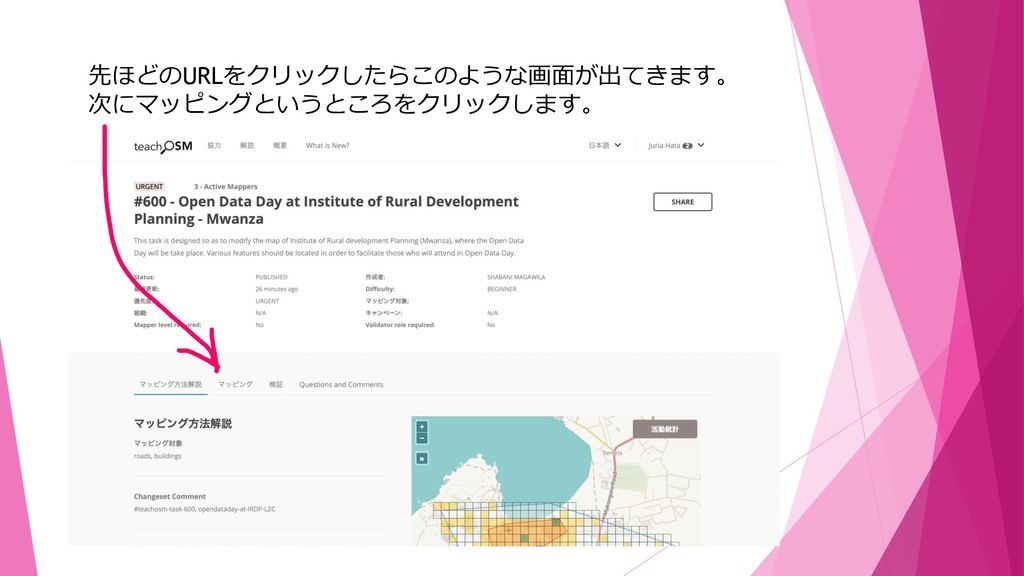
先ほどのURLをクリックしたらこのような画⾯が出てきます。 次にマッピングというところをクリックします。
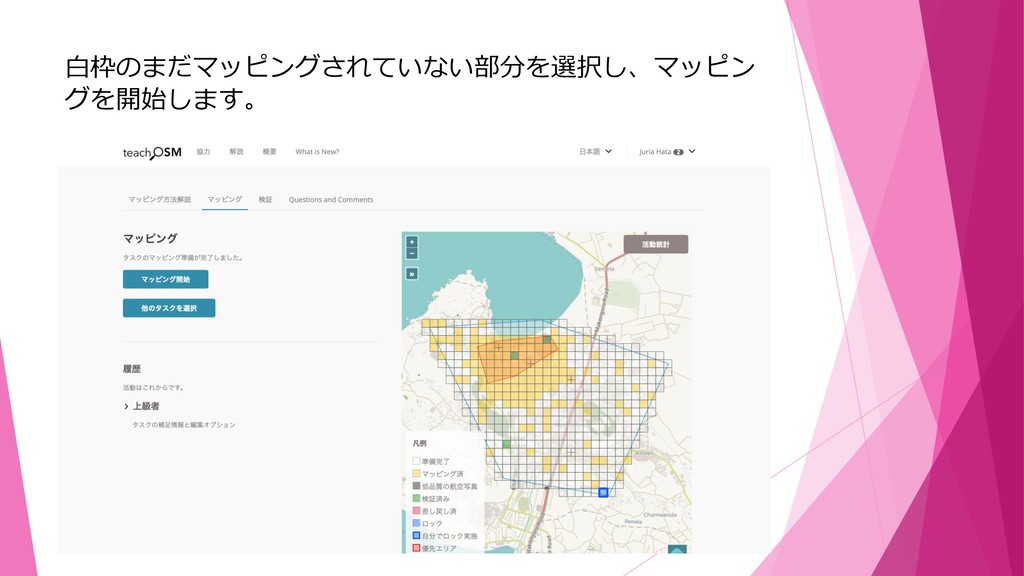
⽩枠のまだマッピングされていない部分を選択し、マッピン グを開始します。
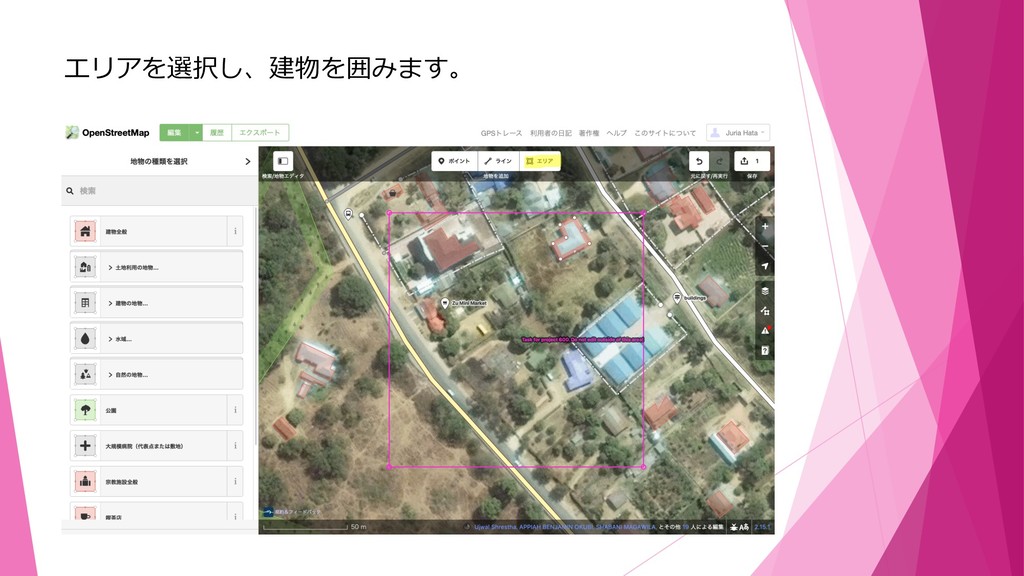
エリアを選択し、建物を囲みます。
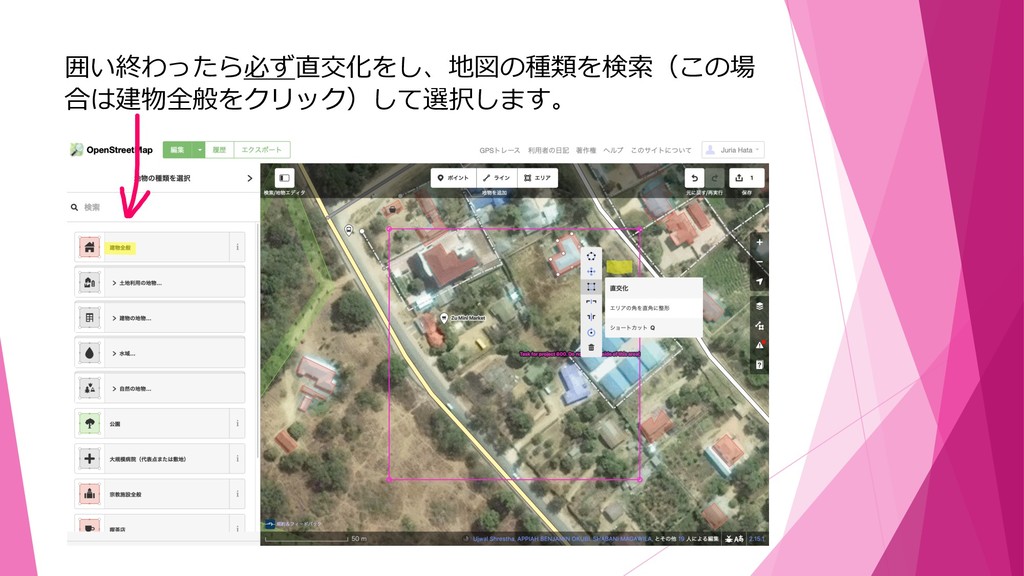
囲い終わったら必ず直交化をし、地図の種類を検索(この場 合は建物全般をクリック)して選択します。
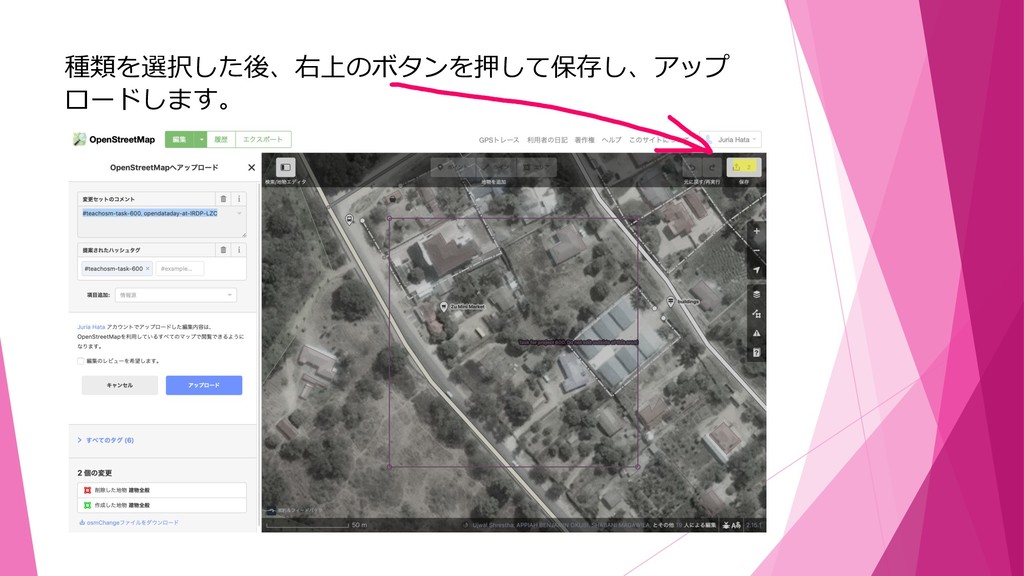
種類を選択した後、右上のボタンを押して保存し、アップ ロードします。
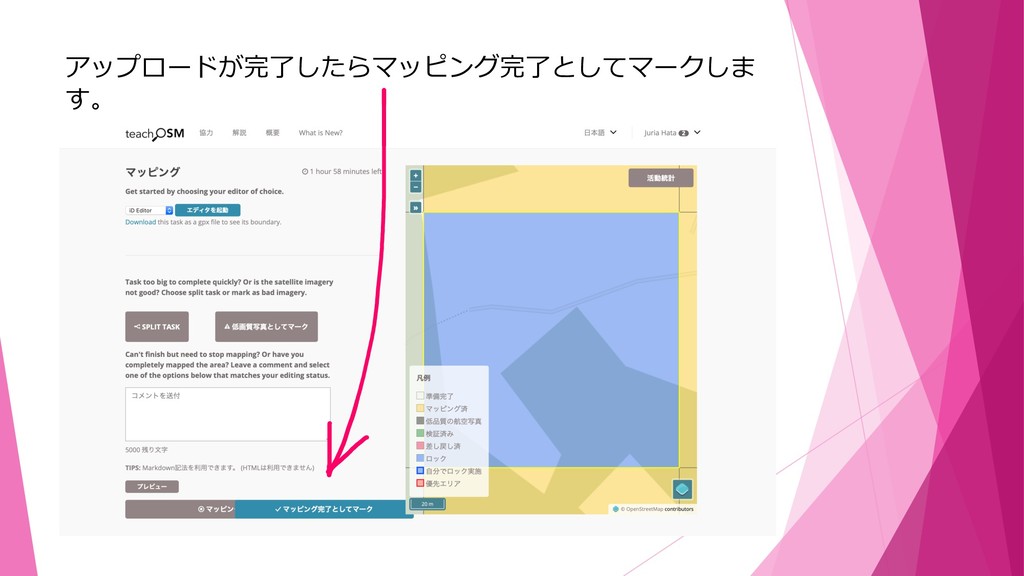
アップロードが完了したらマッピング完了としてマークしま す。
これで作業⼯程は終了です。


 juria
juria
 geshan
 holman
 garrettdimon
 jonyablonski
 popppiees
 portentint
 stuffmc
 letsgokoyo
 addyosmani
 bryan
bryan
 irinanazarova
 katarinadahlin