Upgrade to Pro
— share decks privately, control downloads, hide ads and more …
Speaker Deck
Sign up for free
Menu
Search
Features
All features
Private URLs
Password Protection
Custom URLS
Scheduled publishing
Remove Branding
Restrict embedding
Deck Collections
Notes
Features
All features
Private URLs
Password Protection
Custom URLS
Scheduled publishing
Remove Branding
Restrict embedding
Deck Collections
Notes
Explore
Featured decks
Featured speakers
Programming
Technology
Storyboards
Explore
Featured decks
Featured speakers
Programming
Technology
Storyboards
Pricing
Search
Sign in
Sign up for free
~cc-sddがかわいく見えてくる!?~ cc-sddの中身を見て、Planモードとの使い分け...
Search
Sponsored
·
Your Podcast. Everywhere. Effortlessly.
Share. Educate. Inspire. Entertain. You do you. We'll handle the rest.
→
飯田嘉一郎
February 19, 2026
740
0
Share
Embed
Copy iframe code
Copy JS code
Copy link
Start on current slide
~cc-sddがかわいく見えてくる!?~ cc-sddの中身を見て、Planモードとの使い分けを考えてみた
飯田嘉一郎
February 19, 2026
More Decks by 飯田嘉一郎
See All by 飯田嘉一郎
[AI-DLC v2感想]AI DLC v2の中身をみて、AI駆動開発で重要なエッセンスを抽出抽出ぅ!
kaaaichi
0
110
DBを選定する際のポイントをパッと言えない人全員集合
kaaaichi
0
110
ひまプロプレゼンツ 「エンジニア格付けチェック 〜春の公開収録スペシャル〜」
kaaaichi
0
480
Featured
See All Featured
The Success of Rails: Ensuring Growth for the Next 100 Years
eileencodes
47
8.4k
Leo the Paperboy
mayatellez
10
2.4k
BBQ
matthewcrist
90
10k
Navigating Algorithm Shifts & AI Overviews - #SMXNext
aleyda
1
1.7k
How GitHub (no longer) Works
holman
316
150k
GitHub's CSS Performance
jonrohan
1033
470k
Ruling the World: When Life Gets Gamed
codingconduct
0
400
Building Applications with DynamoDB
mza
96
7.2k
Organizational Design Perspectives: An Ontology of Organizational Design Elements
kimpetersen
PRO
1
850
Git: the NoSQL Database
bkeepers
PRO
433
67k
Measuring & Analyzing Core Web Vitals
bluesmoon
9
1k
Agile Actions for Facilitating Distributed Teams - ADO2019
mkilby
0
310
Transcript
2026/2/20 ~cc-sddがかわいく見えてくる!?~ cc-sddの中身を見て、Planモードとの使い分 けを考えてみた 開発7部 飯田嘉一郎
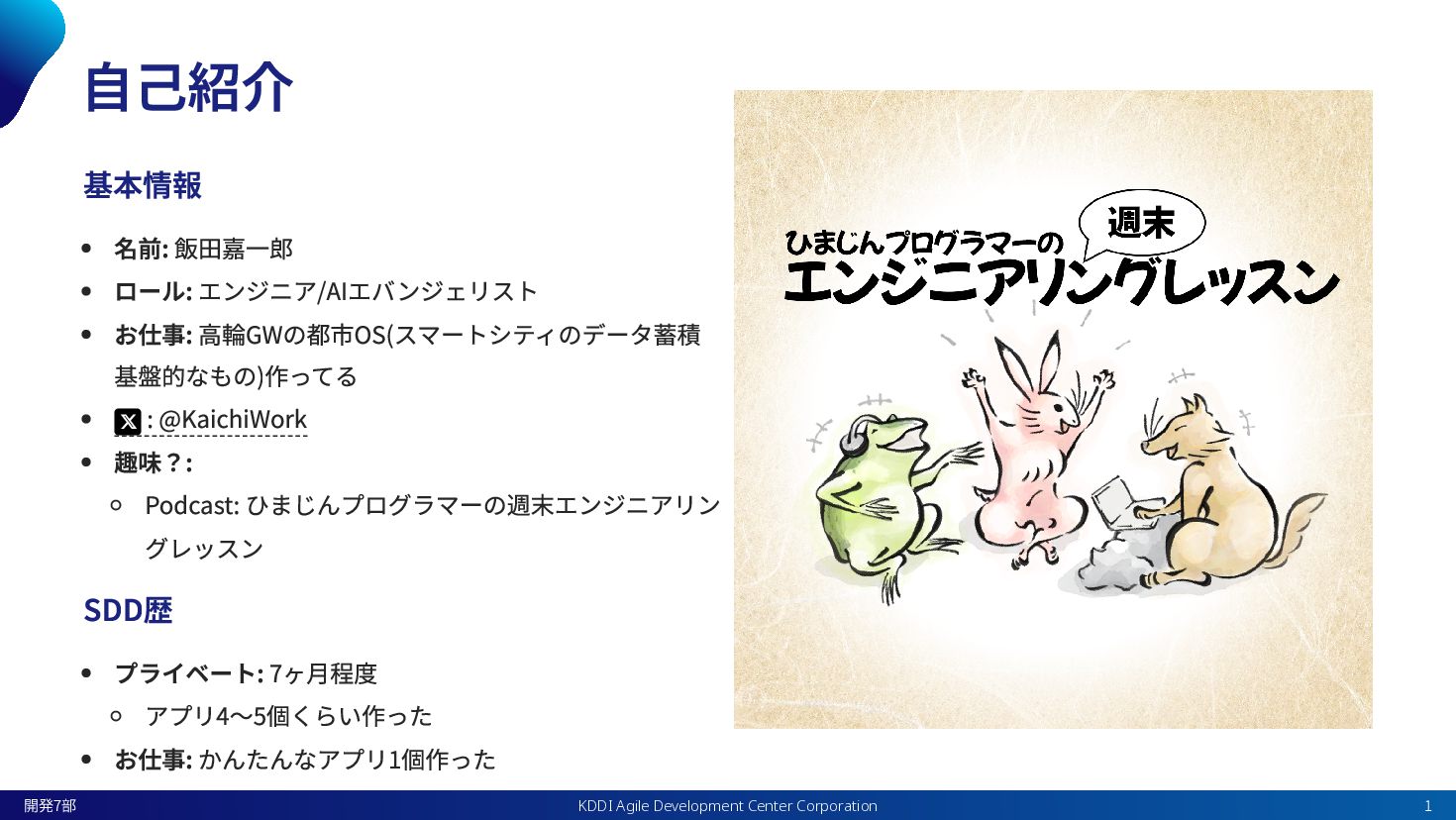
自己紹介 基本情報 名前: 飯田嘉一郎 ロール: エンジニア/AIエバンジェリスト お仕事: 高輪GWの都市OS(スマートシティのデータ蓄積 基盤的なもの)作ってる :
@KaichiWork 趣味?: Podcast: ひまじんプログラマーの週末エンジニアリン グレッスン SDD歴 プライベート: 7ヶ月程度 アプリ4〜5個くらい作った お仕事: かんたんなアプリ1個作った KDDI Agile Development Center Corporation 開発7部 1
今日の話 SDDライブラリ(cc-sdd)の動きがざっくりわかる 得体の知れないものではなくなる なんなら可愛く見えてくる Planモードあれば十分じゃない?と思っているあなたへ SDDとPlanモードの違いをお届けします KDDI Agile Development Center
Corporation 開発7部 2
仕様駆動開発(SDD)って? KDDI Agile Development Center Corporation 開発7部 3
仕様駆動開発(Spec-Driven Development/SDD) AIコーディングエージェントと一緒に要件と仕様を作って、コーディングをする開発手法 コードを書く前に「何を作るのか」 「どう動かすのか」を詳細に決めてから開発を進める KDDI Agile Development Center Corporation
開発7部 4
cc-sdd KDDI Agile Development Center Corporation 開発7部 5
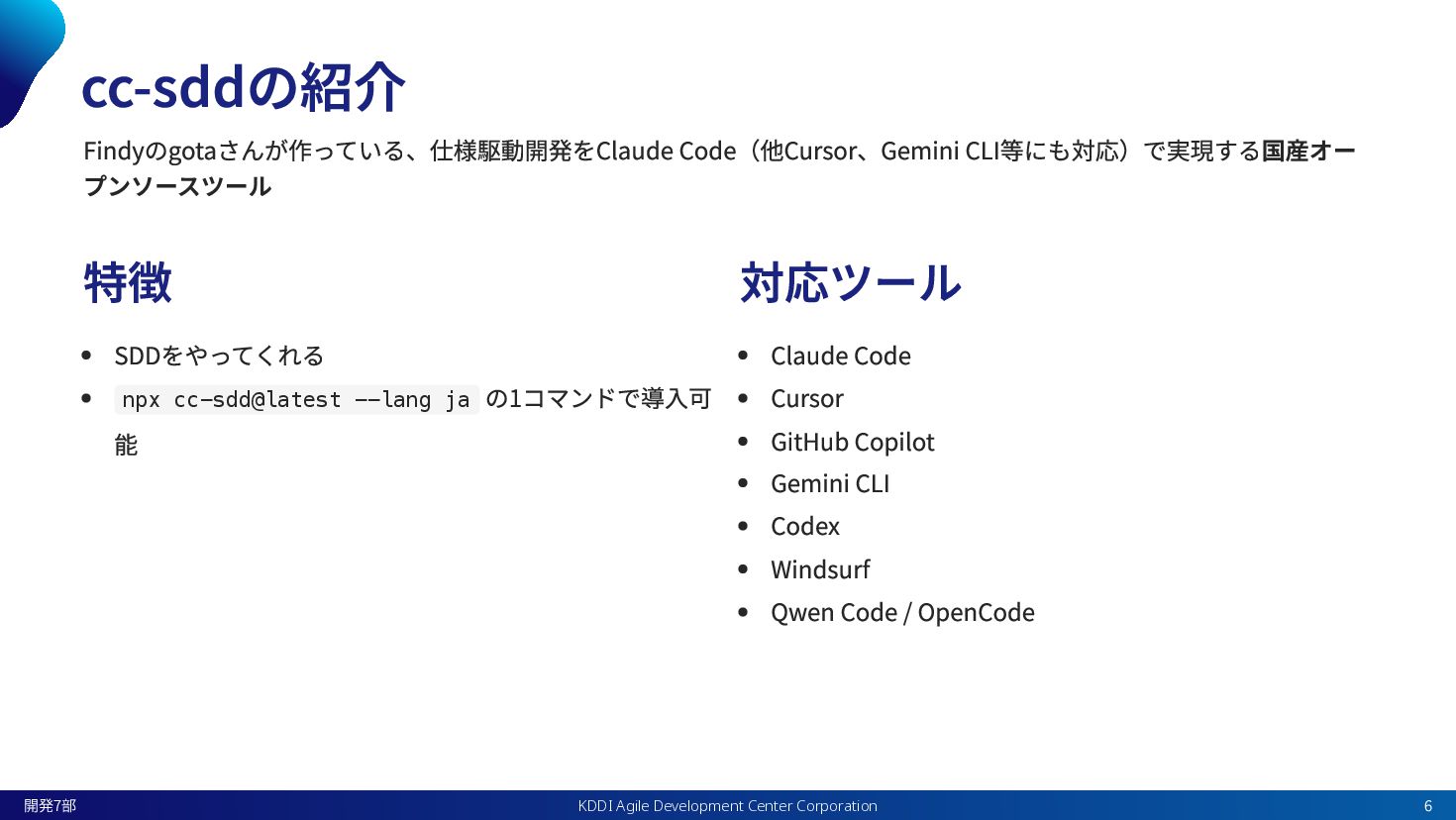
cc-sddの紹介 Findyのgotaさんが作っている、仕様駆動開発をClaude Code(他Cursor、Gemini CLI等にも対応)で実現する国産オー プンソースツール 特徴 SDDをやってくれる npx cc-sdd@latest --lang
ja の1コマンドで導入可 能 対応ツール Claude Code Cursor GitHub Copilot Gemini CLI Codex Windsurf Qwen Code / OpenCode KDDI Agile Development Center Corporation 開発7部 6
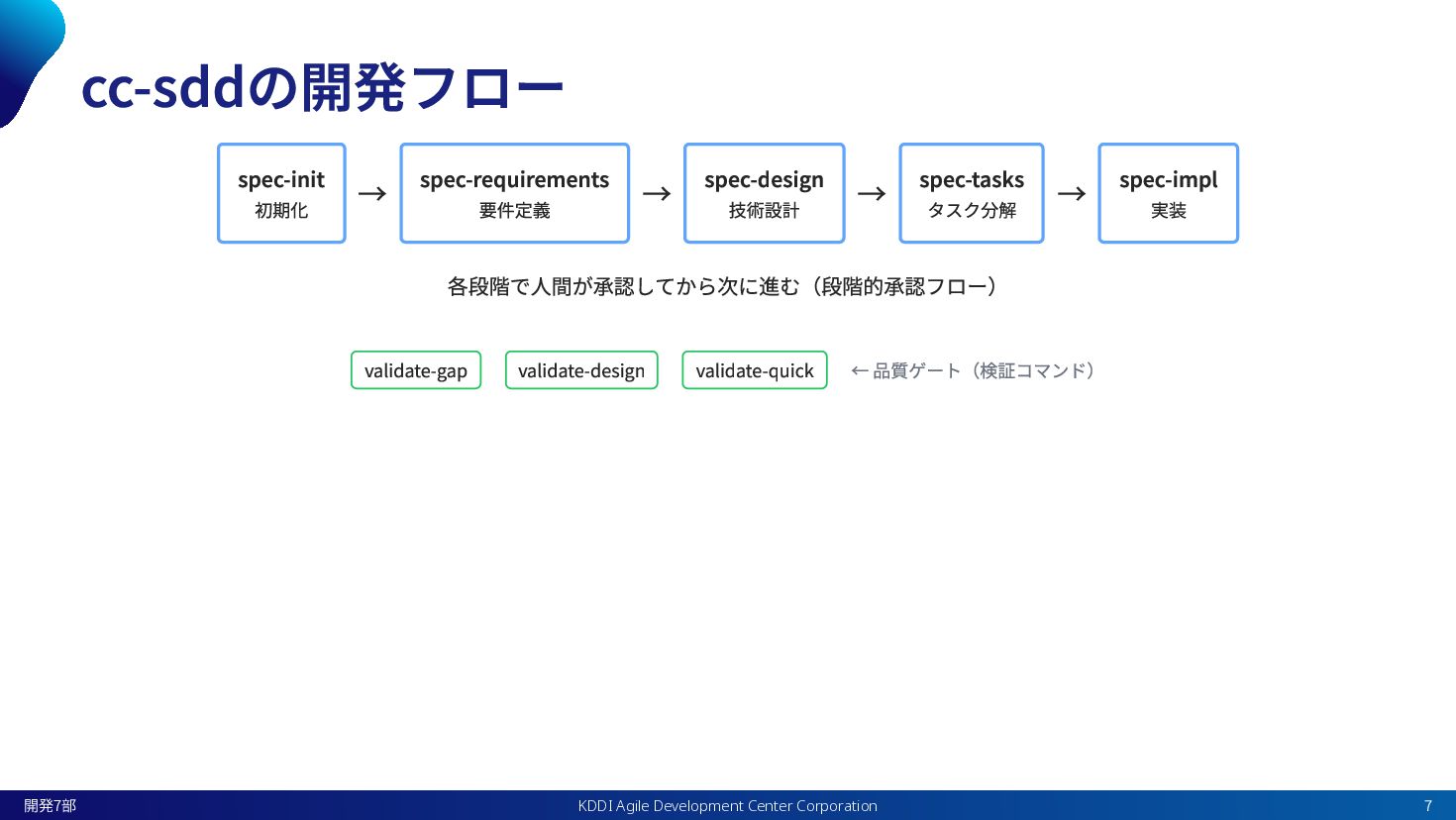
cc-sddの開発フロー spec-init 初期化 → spec-requirements 要件定義 → spec-design 技術設計 →
spec-tasks タスク分解 → spec-impl 実装 各段階で人間が承認してから次に進む(段階的承認フロー) validate-gap validate-design validate-quick ← 品質ゲート(検証コマンド) KDDI Agile Development Center Corporation 開発7部 7
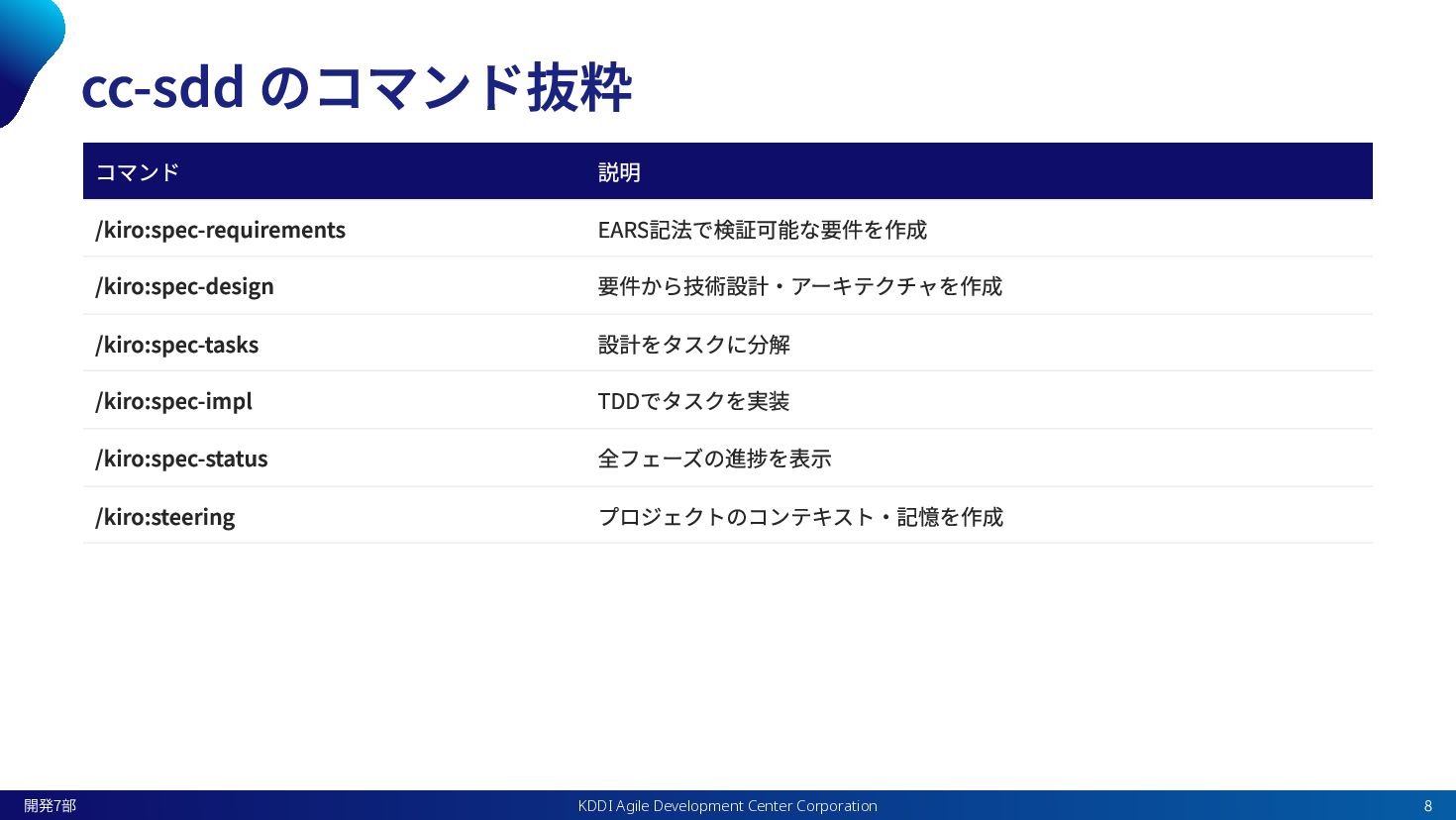
cc-sdd のコマンド抜粋 コマンド 説明 /kiro:spec-requirements EARS記法で検証可能な要件を作成 /kiro:spec-design 要件から技術設計・アーキテクチャを作成 /kiro:spec-tasks 設計をタスクに分解
/kiro:spec-impl TDDでタスクを実装 /kiro:spec-status 全フェーズの進捗を表示 /kiro:steering プロジェクトのコンテキスト・記憶を作成 KDDI Agile Development Center Corporation 開発7部 8
なるほど!cc-sddってのが仕様駆動開発をやって くれるのか! KDDI Agile Development Center Corporation 開発7部 9
よろしい。では、cc-sddが可愛くなるように、私 の推しポイントをちょっと紹介します KDDI Agile Development Center Corporation 開発7部 10
cc-sddって、中身どうなってると思いますか? なんか複雑なコードやLLMに品質担保させたり、 色々やるものが色々あるんじゃないの? KDDI Agile Development Center Corporation 開発7部 11
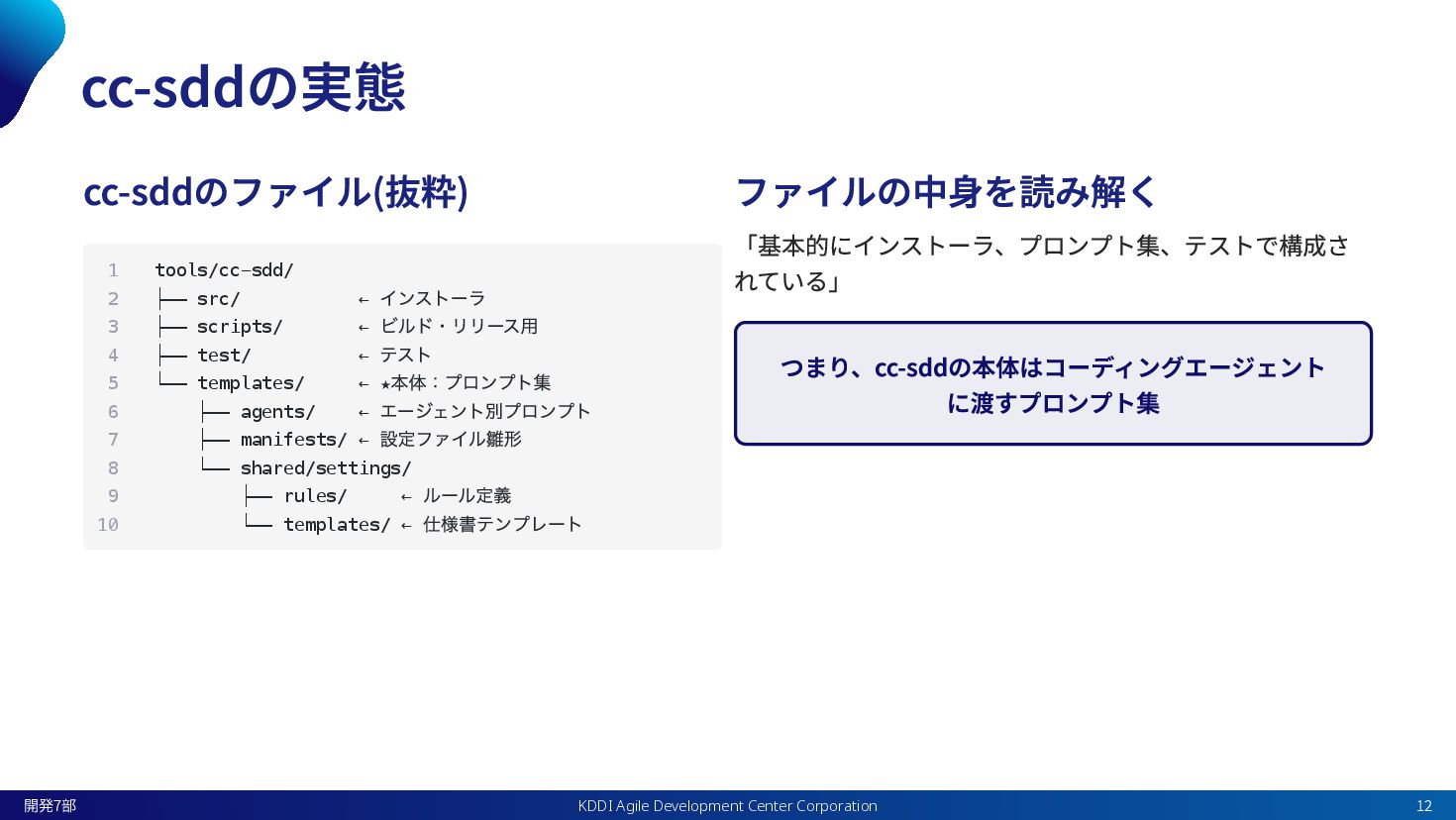
cc-sddの実態 cc-sddのファイル(抜粋) ファイルの中身を読み解く 「基本的にインストーラ、プロンプト集、テストで構成さ れている」 つまり、cc-sddの本体はコーディングエージェント に渡すプロンプト集 1 tools/cc-sdd/ 2
├── src/ ← インストーラ 3 ├── scripts/ ← ビルド・リリース用 4 ├── test/ ← テスト 5 └── templates/ ← ★ 本体:プロンプト集 6 ├── agents/ ← エージェント別プロンプト 7 ├── manifests/ ← 設定ファイル雛形 8 └── shared/settings/ 9 ├── rules/ ← ルール定義 10 └── templates/ ← 仕様書テンプレート KDDI Agile Development Center Corporation 開発7部 12
つまり、こういうこと KDDI Agile Development Center Corporation 開発7部 13
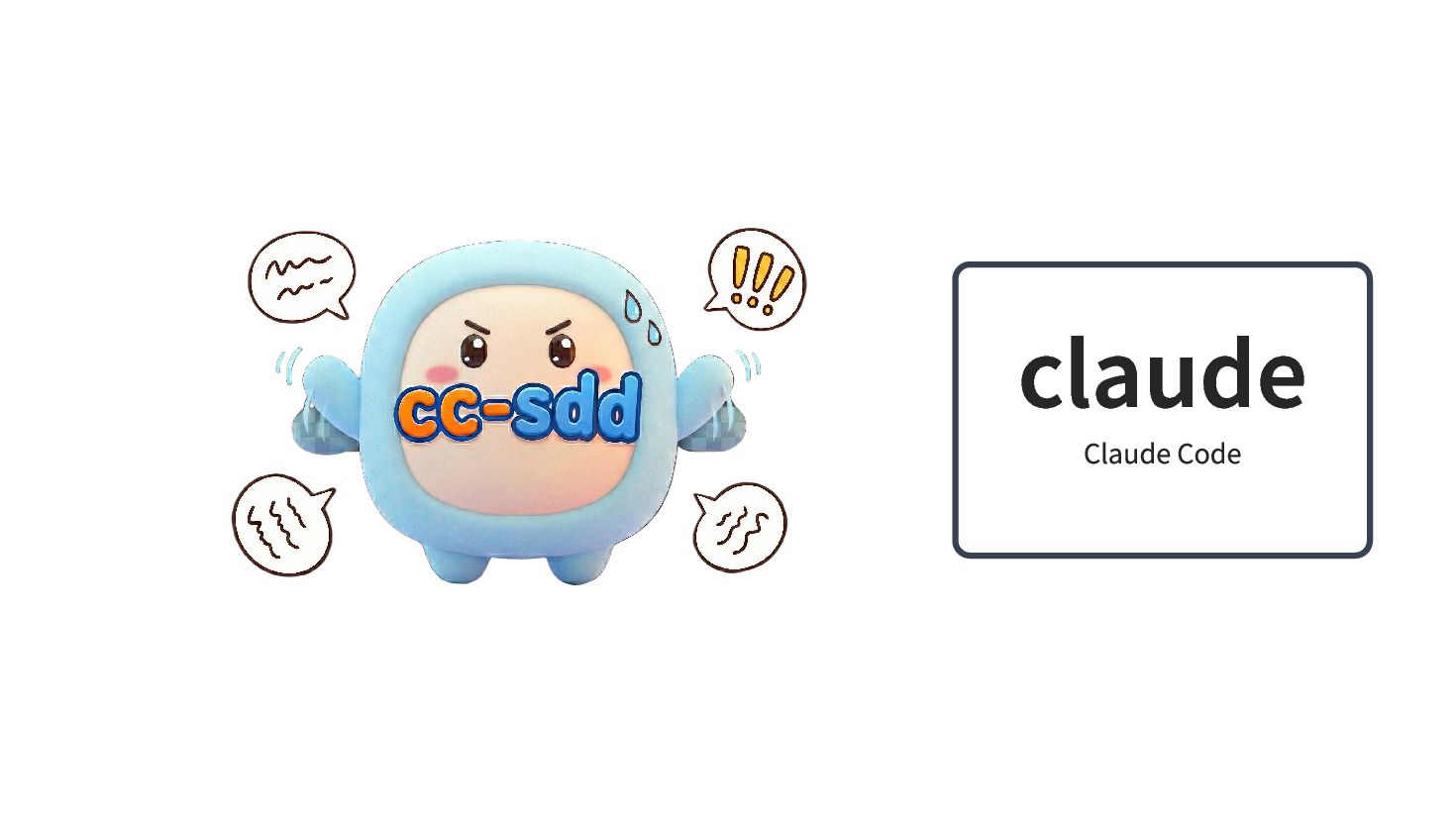
claude Claude Code
cc-sddの中身をちょっとだけ見てみよう spec-requirements, spec-impl編 KDDI Agile Development Center Corporation 開発7部 15
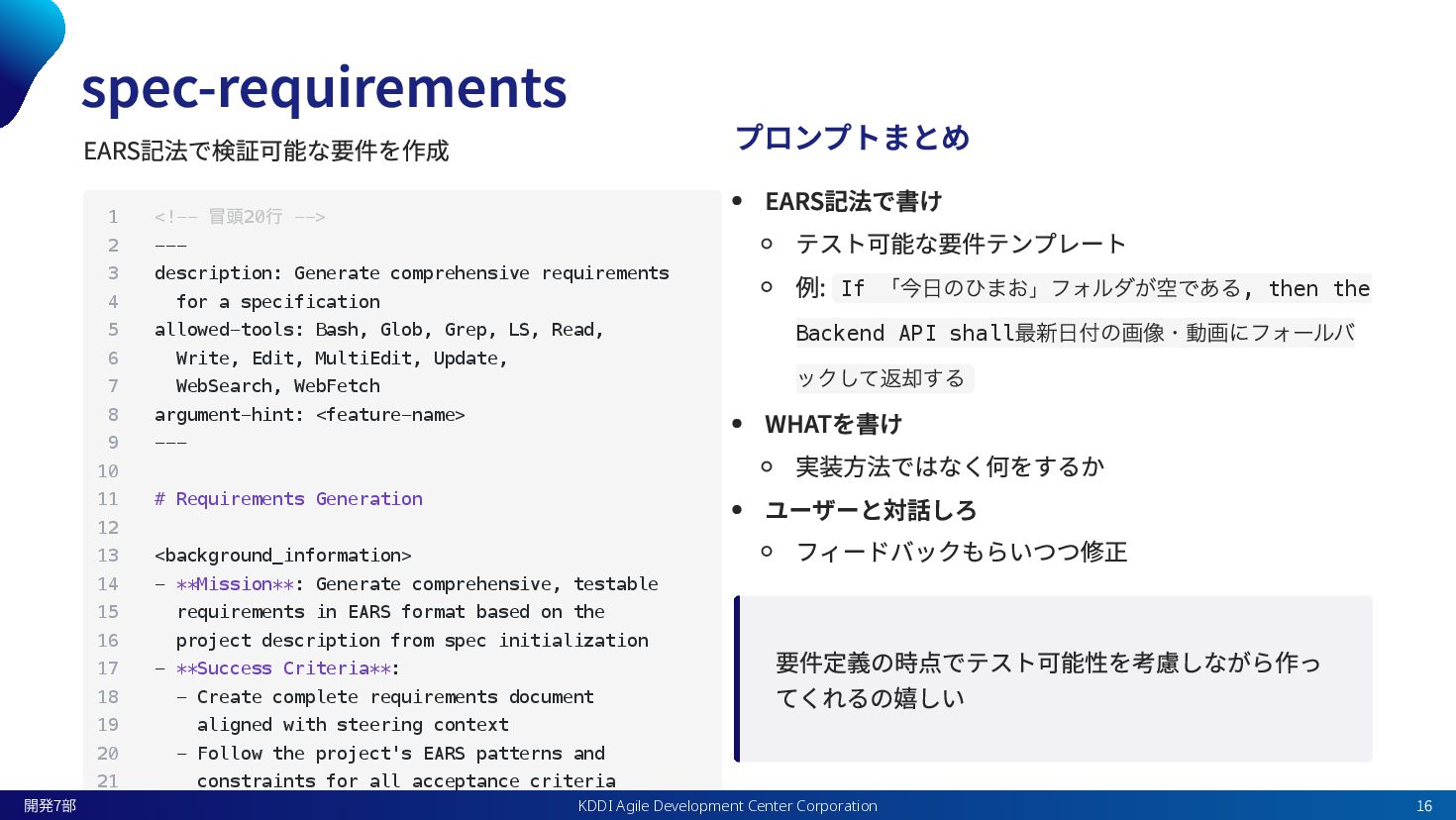
spec-requirements EARS記法で検証可能な要件を作成 プロンプトまとめ EARS記法で書け テスト可能な要件テンプレート 例: If 「今日のひまお」フォルダが空である, then the
Backend API shall 最新日付の画像・動画にフォールバ ックして返却する WHATを書け 実装方法ではなく何をするか ユーザーと対話しろ フィードバックもらいつつ修正 要件定義の時点でテスト可能性を考慮しながら作っ てくれるの嬉しい 1 <!-- 冒頭20 行 --> 2 --- 3 description: Generate comprehensive requirements 4 for a specification 5 allowed-tools: Bash, Glob, Grep, LS, Read, 6 Write, Edit, MultiEdit, Update, 7 WebSearch, WebFetch 8 argument-hint: <feature-name> 9 --- 10 11 # Requirements Generation 12 13 <background_information> 14 - **Mission**: Generate comprehensive, testable 15 requirements in EARS format based on the 16 project description from spec initialization 17 - **Success Criteria**: 18 - Create complete requirements document 19 aligned with steering context 20 - Follow the project's EARS patterns and 21 constraints for all acceptance criteria KDDI Agile Development Center Corporation 開発7部 16
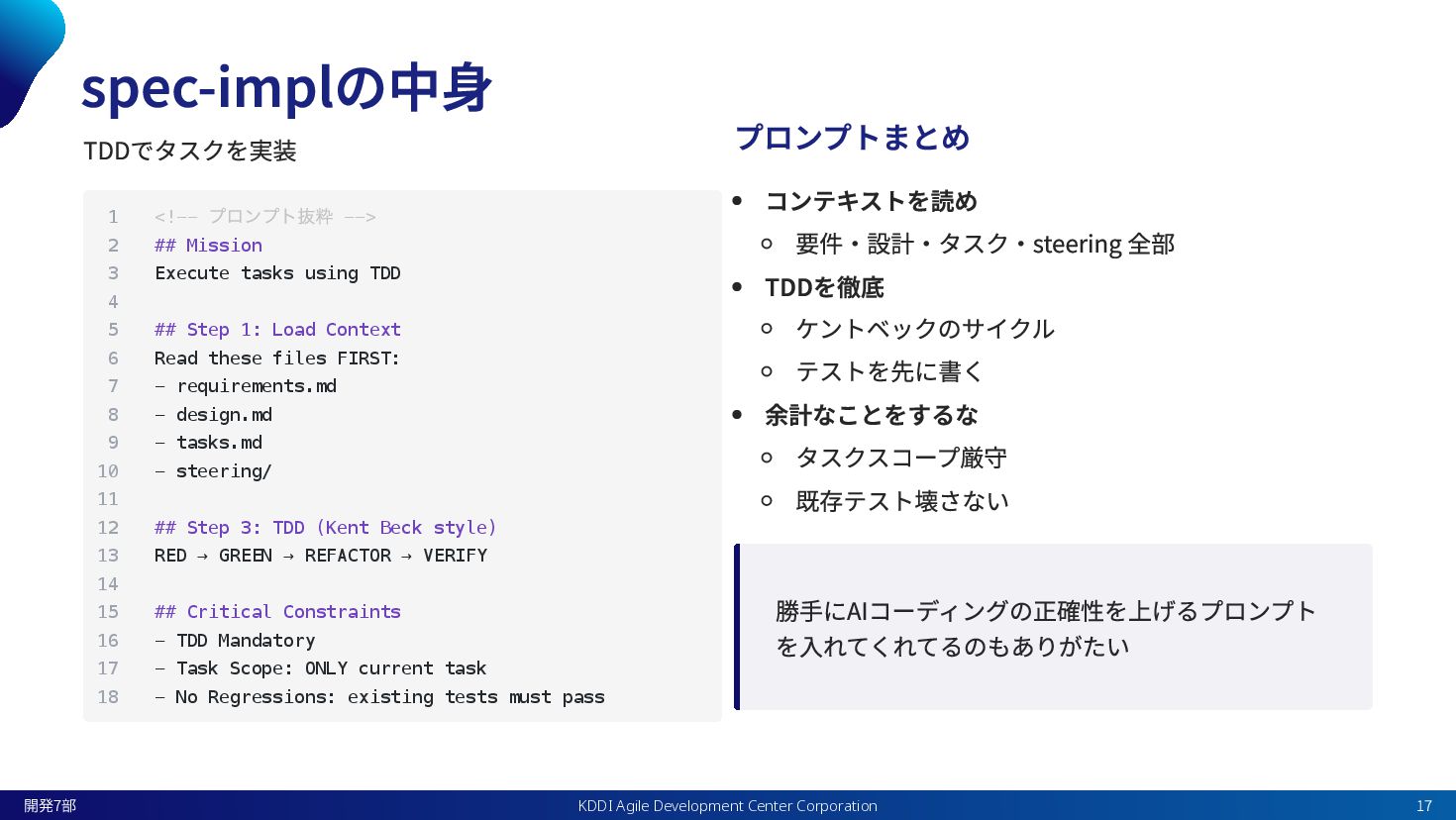
spec-implの中身 TDDでタスクを実装 プロンプトまとめ コンテキストを読め 要件・設計・タスク・steering 全部 TDDを徹底 ケントベックのサイクル テストを先に書く 余計なことをするな
タスクスコープ厳守 既存テスト壊さない 勝手にAIコーディングの正確性を上げるプロンプト を入れてくれてるのもありがたい 1 <!-- プロンプト抜粋 --> 2 ## Mission 3 Execute tasks using TDD 4 5 ## Step 1: Load Context 6 Read these files FIRST: 7 - requirements.md 8 - design.md 9 - tasks.md 10 - steering/ 11 12 ## Step 3: TDD (Kent Beck style) 13 RED → GREEN → REFACTOR → VERIFY 14 15 ## Critical Constraints 16 - TDD Mandatory 17 - Task Scope: ONLY current task 18 - No Regressions: existing tests must pass KDDI Agile Development Center Corporation 開発7部 17
SDDなんとなくわかったけ ど、 、 、 KDDI Agile Development Center Corporation 開発7部
18
SDDじゃなくてPlanモードでも 良いのでは? KDDI Agile Development Center Corporation 開発7部 19
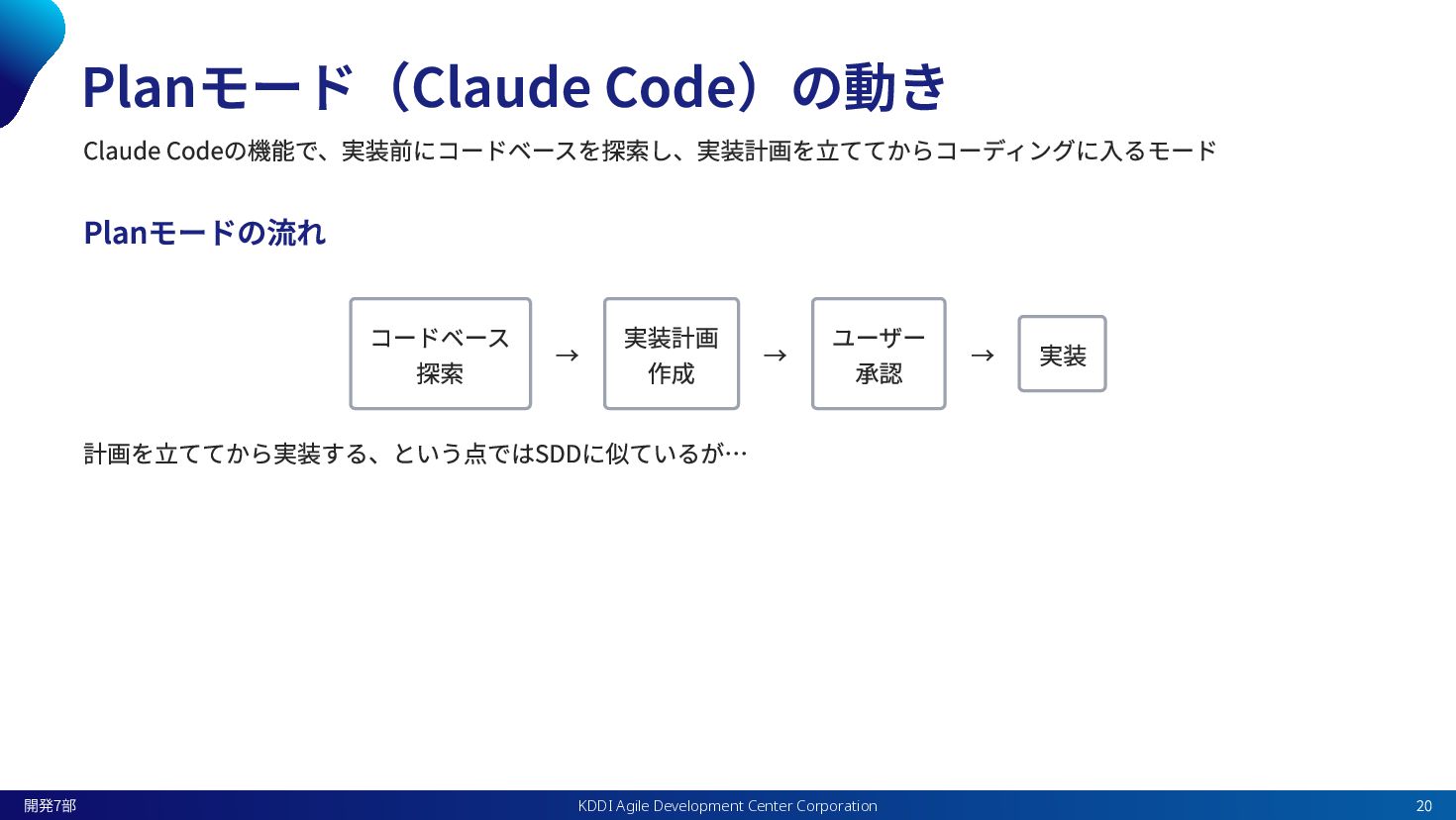
Planモード(Claude Code)の動き Claude Codeの機能で、実装前にコードベースを探索し、実装計画を立ててからコーディングに入るモード Planモードの流れ コードベース 探索 → 実装計画 作成
→ ユーザー 承認 → 実装 計画を立ててから実装する、という点ではSDDに似ているが… KDDI Agile Development Center Corporation 開発7部 20
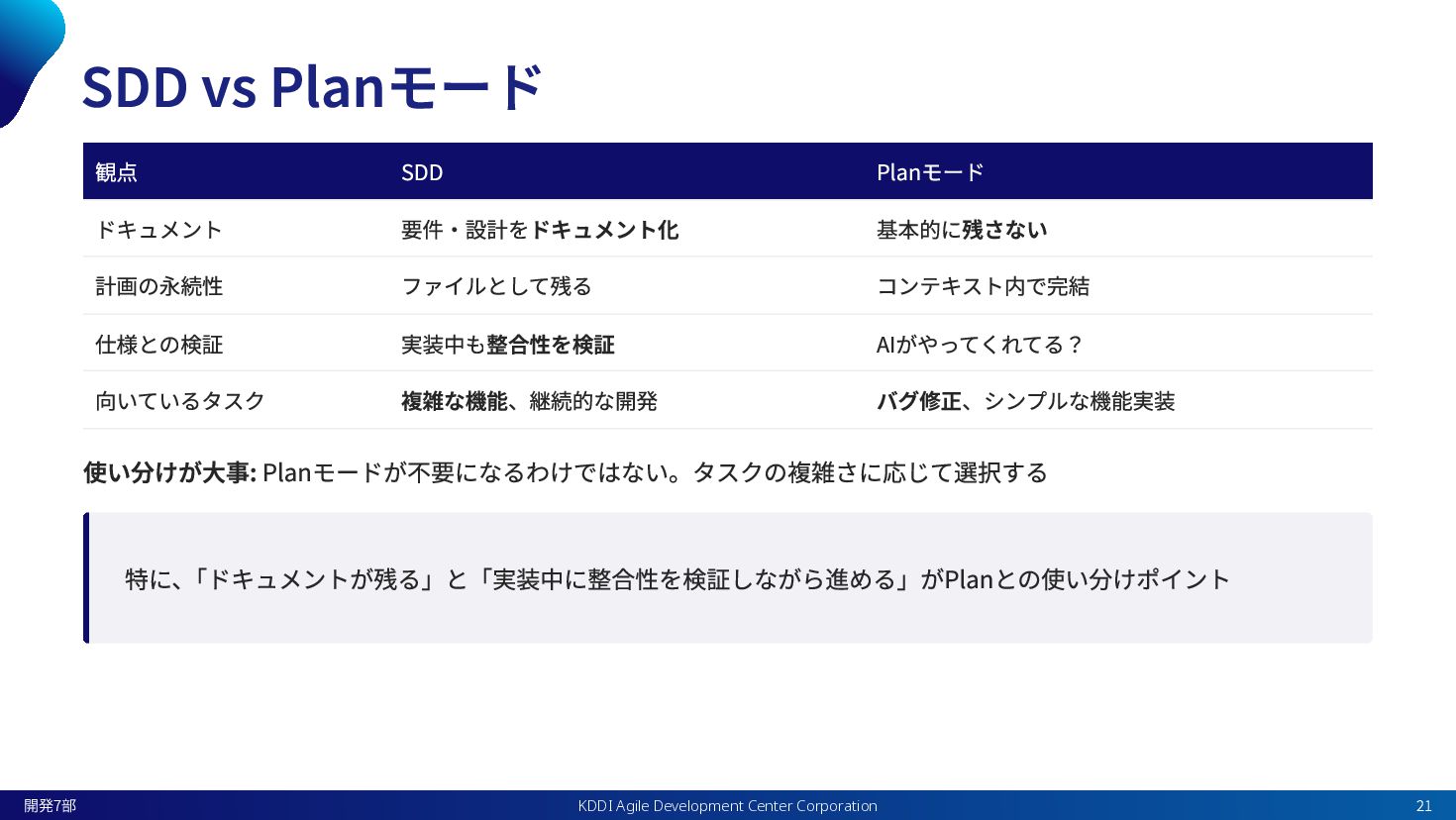
SDD vs Planモード 観点 SDD Planモード ドキュメント 要件・設計をドキュメント化 基本的に残さない 計画の永続性
ファイルとして残る コンテキスト内で完結 仕様との検証 実装中も整合性を検証 AIがやってくれてる? 向いているタスク 複雑な機能、継続的な開発 バグ修正、シンプルな機能実装 使い分けが大事: Planモードが不要になるわけではない。タスクの複雑さに応じて選択する 特に、 「ドキュメントが残る」と「実装中に整合性を検証しながら進める」がPlanとの使い分けポイント KDDI Agile Development Center Corporation 開発7部 21
SDDの嬉しさとは? KDDI Agile Development Center Corporation 開発7部 22
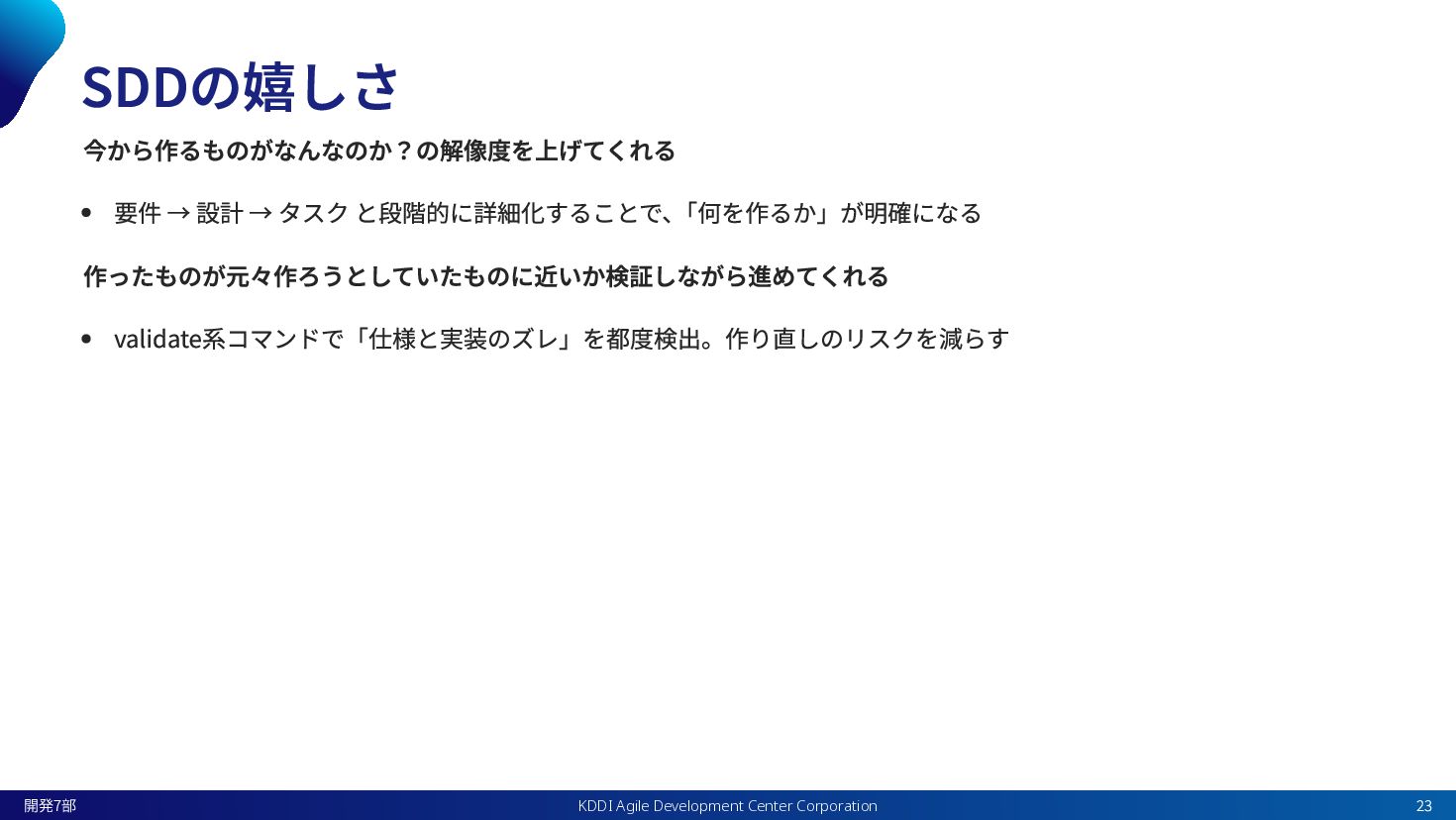
SDDの嬉しさ 今から作るものがなんなのか?の解像度を上げてくれる 要件 → 設計 → タスク と段階的に詳細化することで、 「何を作るか」が明確になる 作ったものが元々作ろうとしていたものに近いか検証しながら進めてくれる
validate系コマンドで「仕様と実装のズレ」を都度検出。作り直しのリスクを減らす KDDI Agile Development Center Corporation 開発7部 23
まとめ KDDI Agile Development Center Corporation 開発7部 24
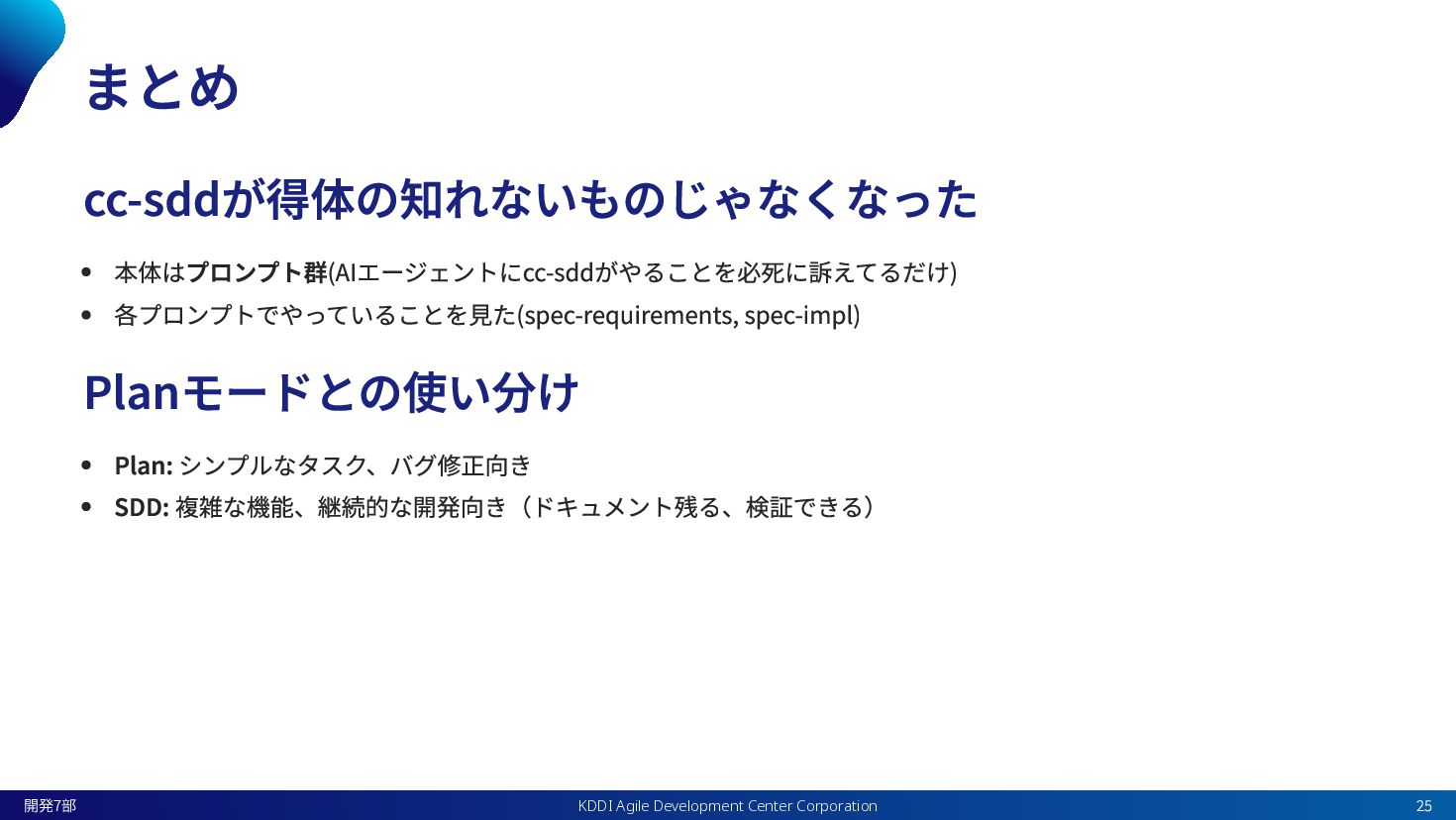
まとめ cc-sddが得体の知れないものじゃなくなった 本体はプロンプト群(AIエージェントにcc-sddがやることを必死に訴えてるだけ) 各プロンプトでやっていることを見た(spec-requirements, spec-impl) Planモードとの使い分け Plan: シンプルなタスク、バグ修正向き SDD: 複雑な機能、継続的な開発向き(ドキュメント残る、検証できる)
KDDI Agile Development Center Corporation 開発7部 25
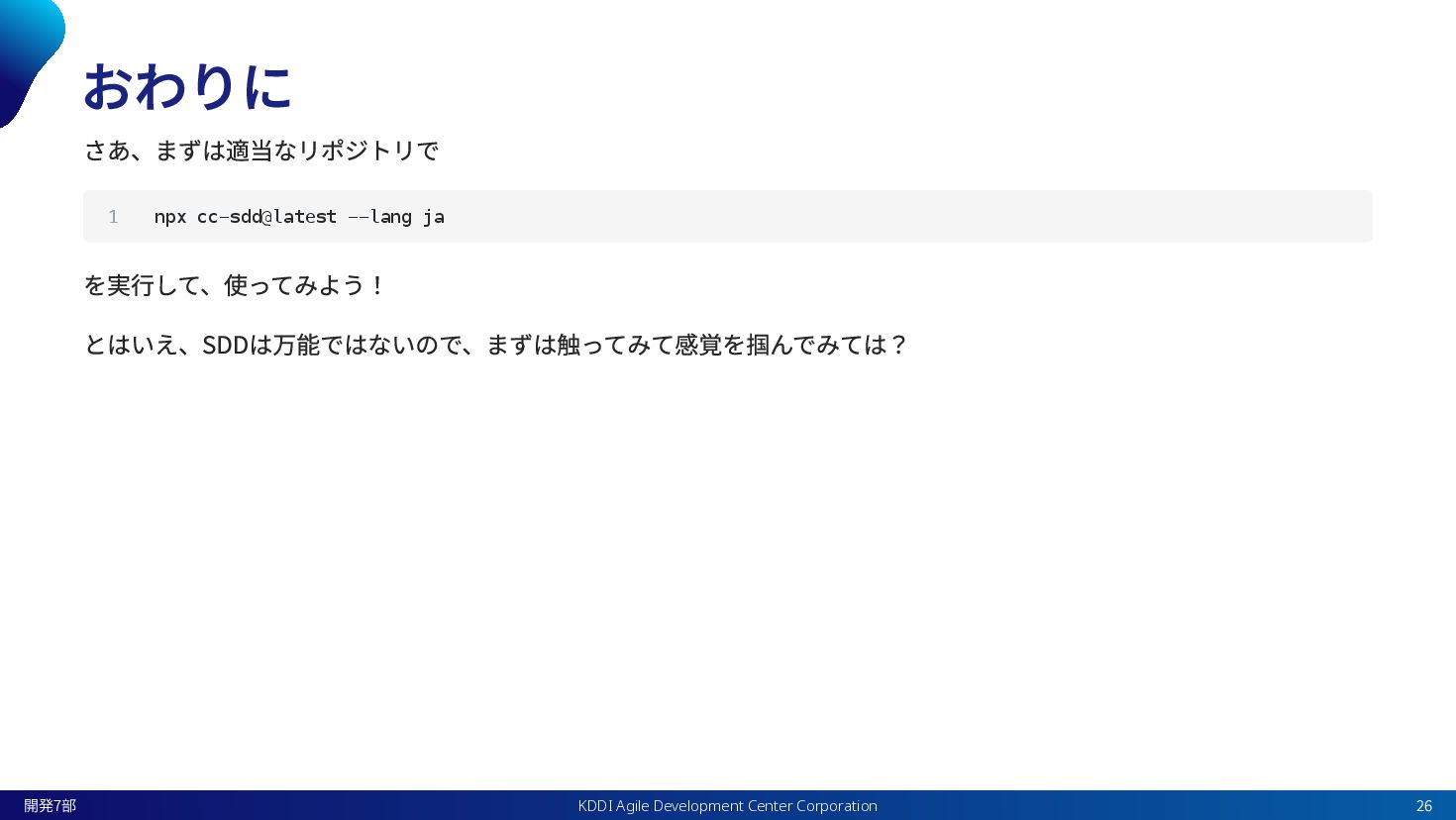
おわりに さあ、まずは適当なリポジトリで を実行して、使ってみよう! とはいえ、SDDは万能ではないので、まずは触ってみて感覚を掴んでみては? 1 npx cc-sdd@latest --lang ja KDDI
Agile Development Center Corporation 開発7部 26
Be a Change Leader. アジャイルに力を与え 共に成長し続ける社会を創る

 Your Podcast. Everywhere. Effortlessly.


 kaaaichi
 eileencodes
 mayatellez
 matthewcrist
 aleyda
 holman
 jonrohan
 codingconduct
 mza
mza
 kimpetersen
 bkeepers
 bluesmoon
 mkilby