Upgrade to Pro
— share decks privately, control downloads, hide ads and more …
Speaker Deck
Sign up for free
Menu
Search
Features
All features
Private URLs
Password Protection
Custom URLS
Scheduled publishing
Remove Branding
Restrict embedding
Deck Collections
Notes
Features
All features
Private URLs
Password Protection
Custom URLS
Scheduled publishing
Remove Branding
Restrict embedding
Deck Collections
Notes
Explore
Featured decks
Featured speakers
Programming
Technology
Storyboards
Explore
Featured decks
Featured speakers
Programming
Technology
Storyboards
Pricing
Search
Sign in
Sign up for free
空間情報課題_最新.pdf
Search
karinkurita
June 18, 2016
61
0
Share
Embed
Copy iframe code
Copy JS code
Copy link
Start on current slide
空間情報課題_最新.pdf
karinkurita
June 18, 2016
More Decks by karinkurita
See All by karinkurita
Karin Kurita overpassのやり方
karin0430
0
83
Featured
See All Featured
16th Malabo Montpellier Forum Presentation
akademiya2063
PRO
0
410
HU Berlin: Industrial-Strength Natural Language Processing with spaCy and Prodigy
inesmontani
PRO
0
760
Primal Persuasion: How to Engage the Brain for Learning That Lasts
tmiket
0
500
Technical Leadership for Architectural Decision Making
baasie
3
600
Leadership Guide Workshop - DevTernity 2021
reverentgeek
1
400
Design and Strategy: How to Deal with People Who Don’t "Get" Design
morganepeng
133
20k
Bootstrapping a Software Product
garrettdimon
PRO
306
120k
The Language of Interfaces
destraynor
162
27k
Crafting Experiences
bethany
1
380
<Decoding/> the Language of Devs - We Love SEO 2024
nikkihalliwell
1
360
The AI Search Optimization Roadmap by Aleyda Solis
aleyda
2
6.3k
From Legacy to Launchpad: Building Startup-Ready Communities
dugsong
0
360
Transcript
空間情報課題 マニュアル作成 名前 栗田 果林 学籍番号 1A116084
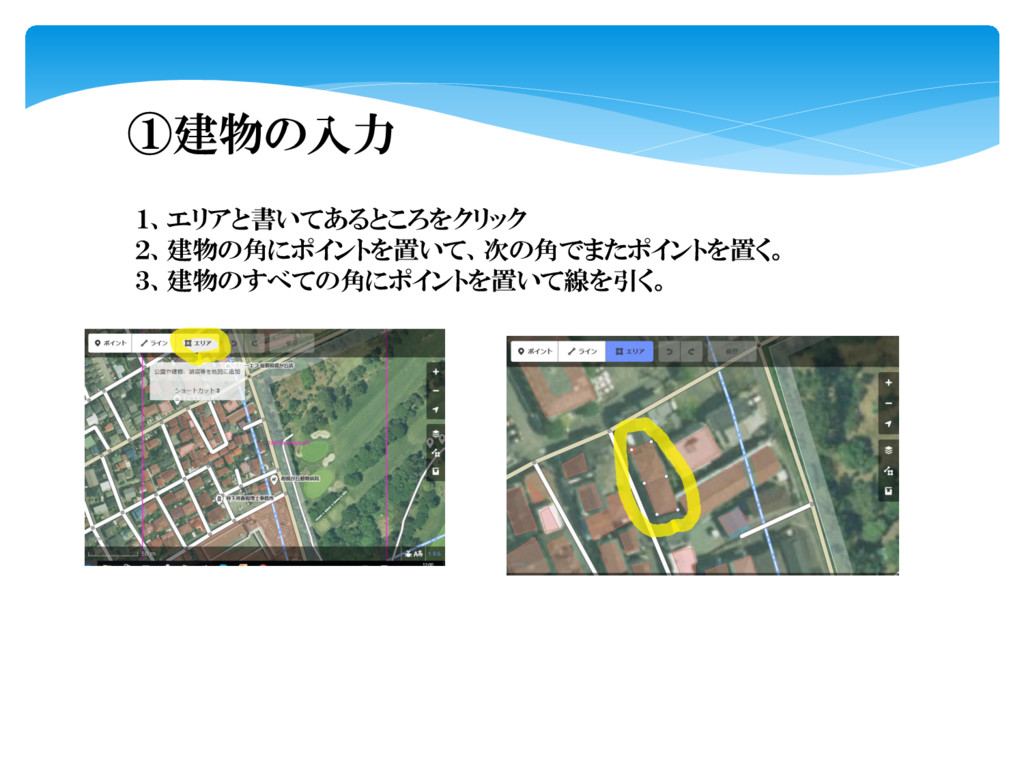
①建物の入力 1、エリアと書いてあるところをクリック 2、建物の角にポイントを置いて、次の角でまたポイントを置く。 3、建物のすべての角にポイントを置いて線を引く。
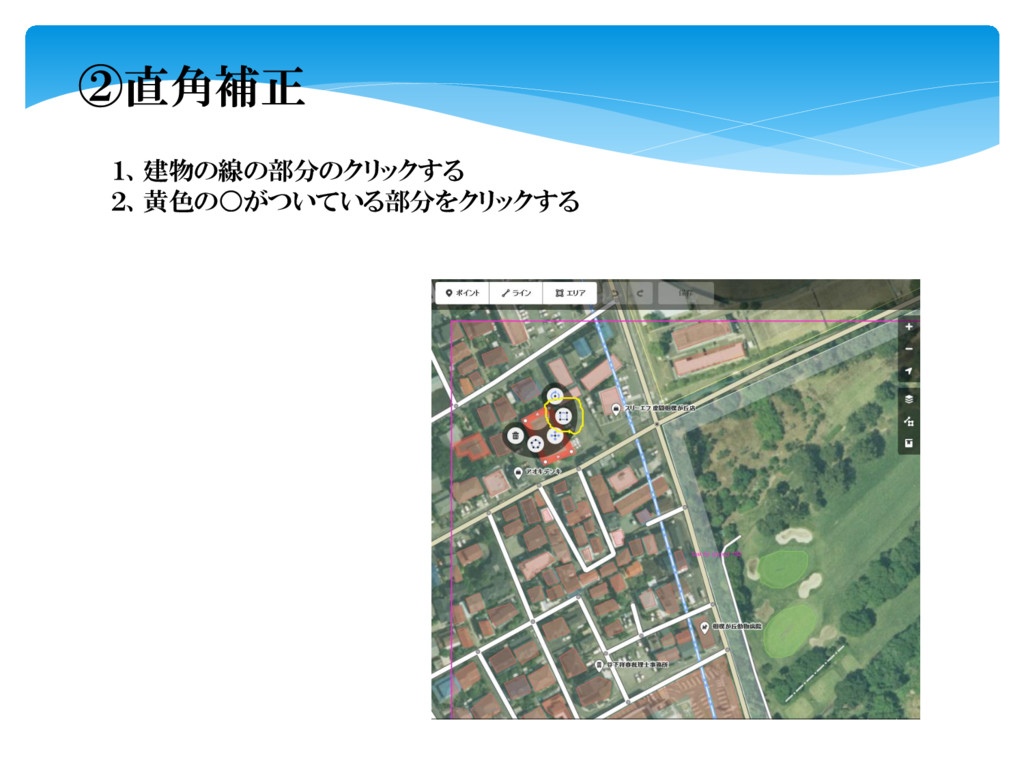
②直角補正 1、建物の線の部分のクリックする 2、黄色の◦がついている部分をクリックする
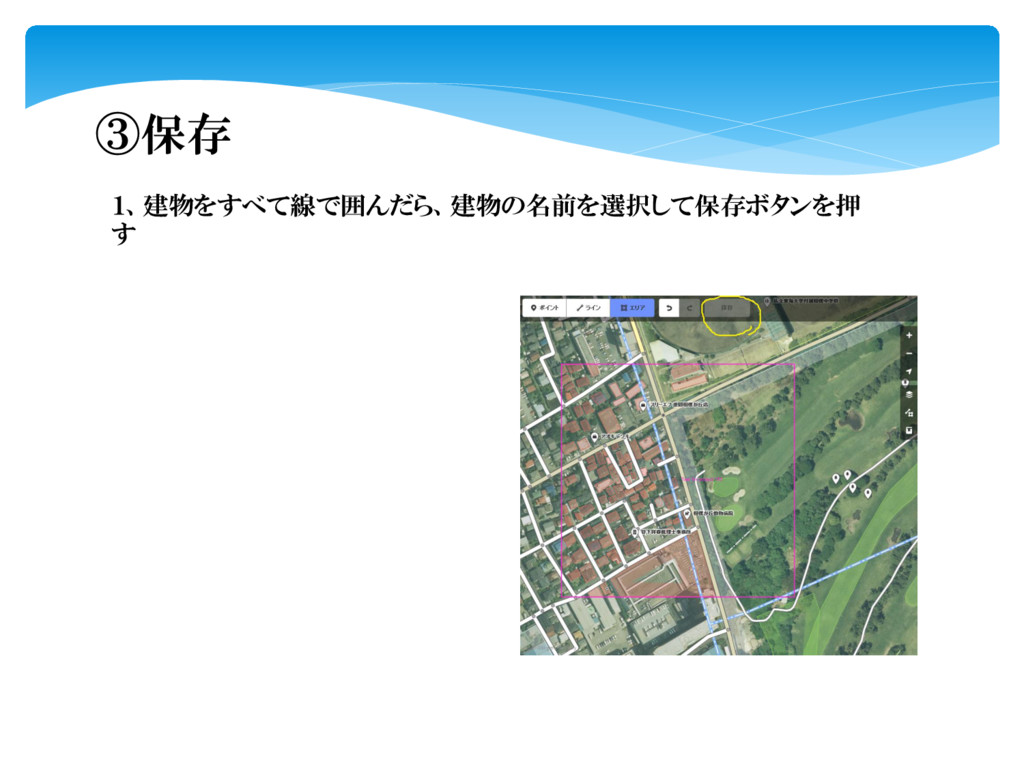
③保存 1、建物をすべて線で囲んだら、建物の名前を選択して保存ボタンを押 す
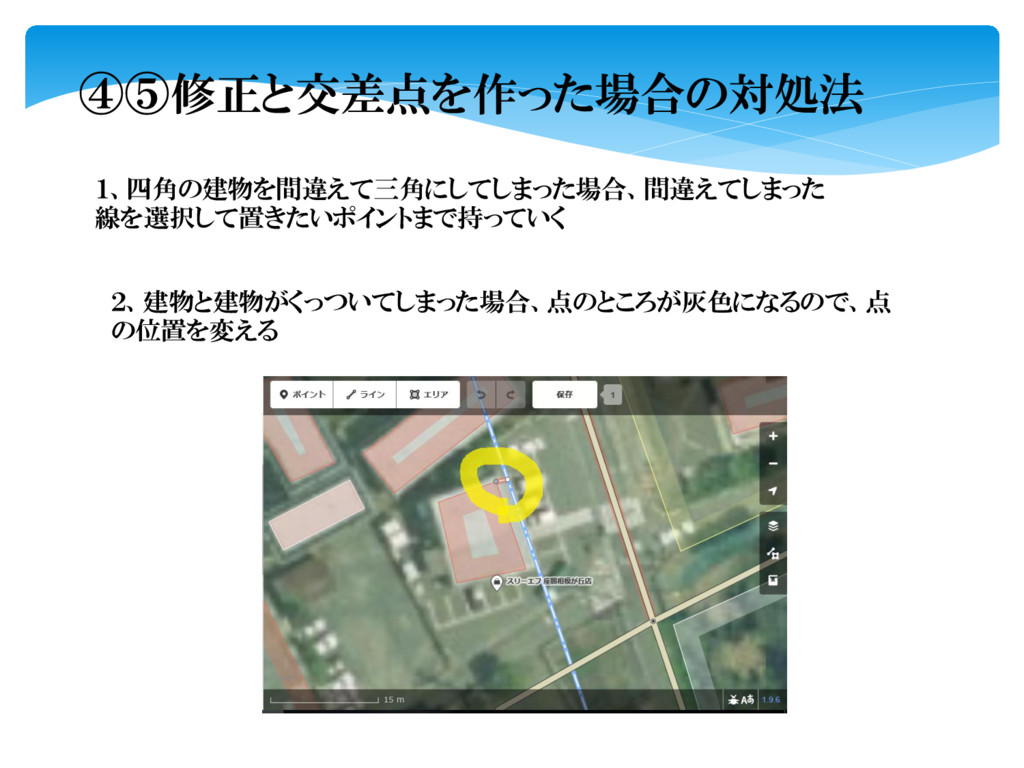
④⑤修正と交差点を作った場合の対処法 1、四角の建物を間違えて三角にしてしまった場合、間違えてしまった 線を選択して置きたいポイントまで持っていく 2、建物と建物がくっついてしまった場合、点のところが灰色になるので、点 の位置を変える
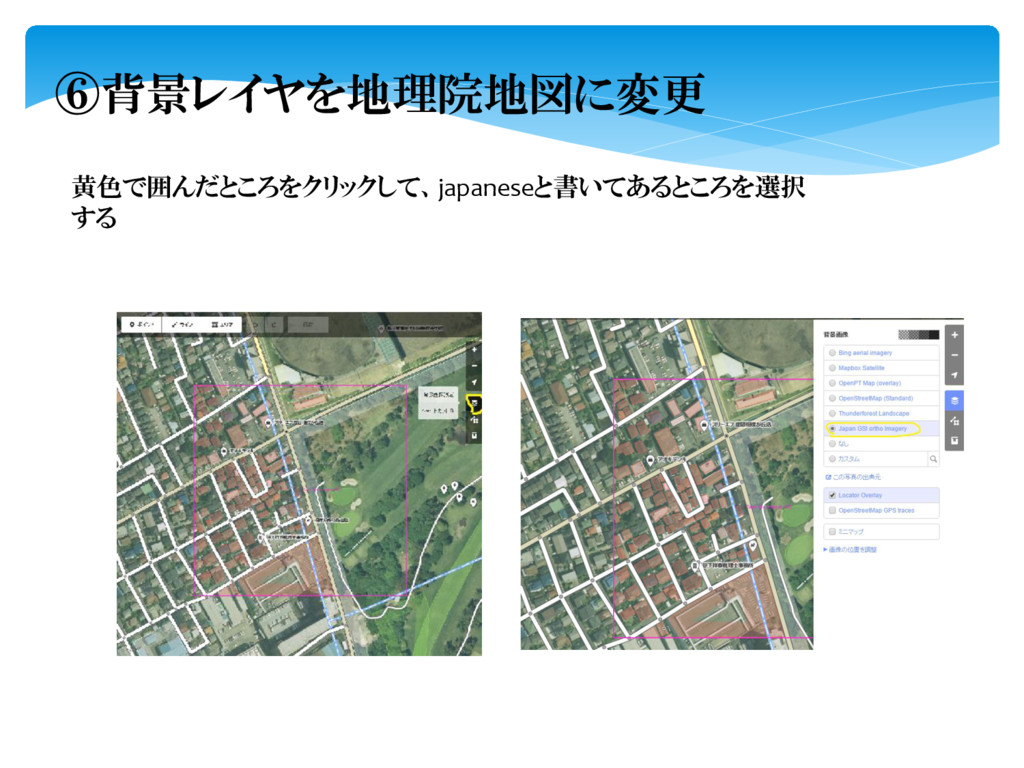
⑥背景レイヤを地理院地図に変更 黄色で囲んだところをクリックして、japaneseと書いてあるところを選択 する
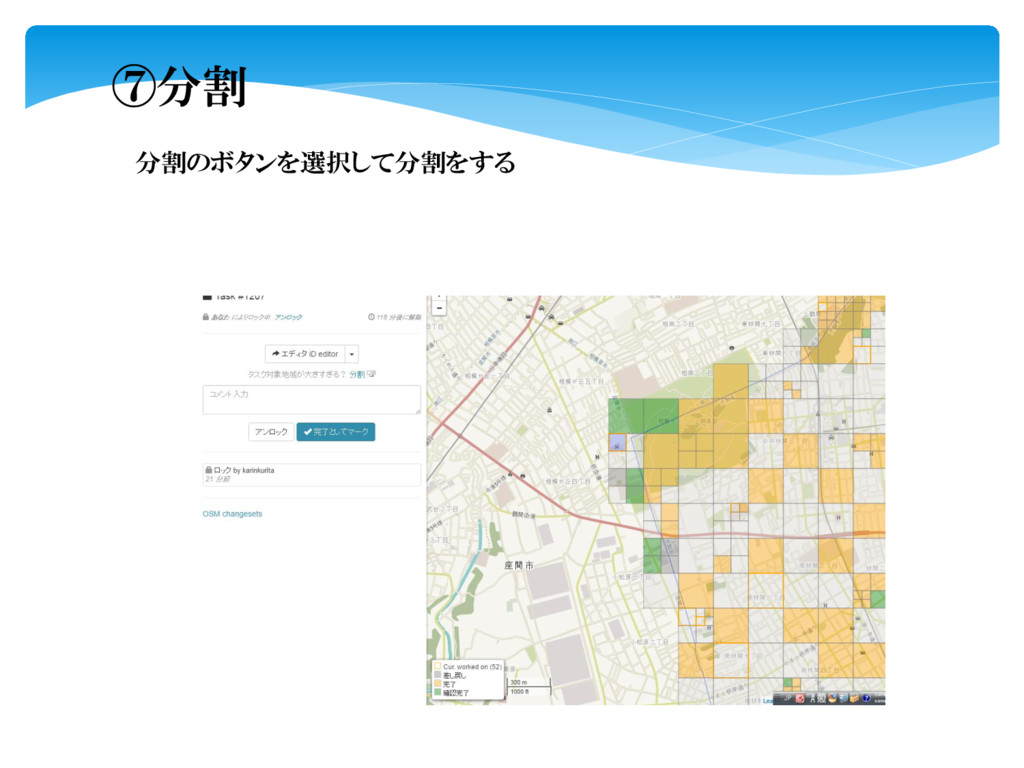
⑦分割 分割のボタンを選択して分割をする
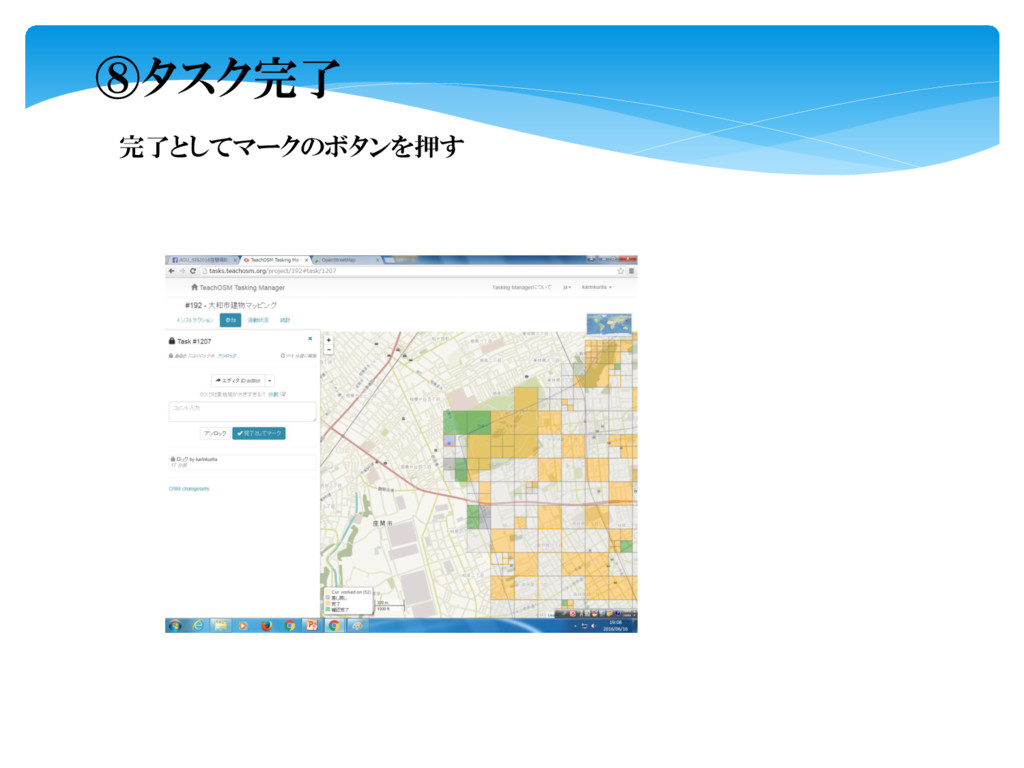
⑧タスク完了 完了としてマークのボタンを押す


 karin0430
 akademiya2063
 inesmontani
 tmiket
 baasie
 reverentgeek
 morganepeng
 garrettdimon
 destraynor
 bethany
 nikkihalliwell
 aleyda
 dugsong