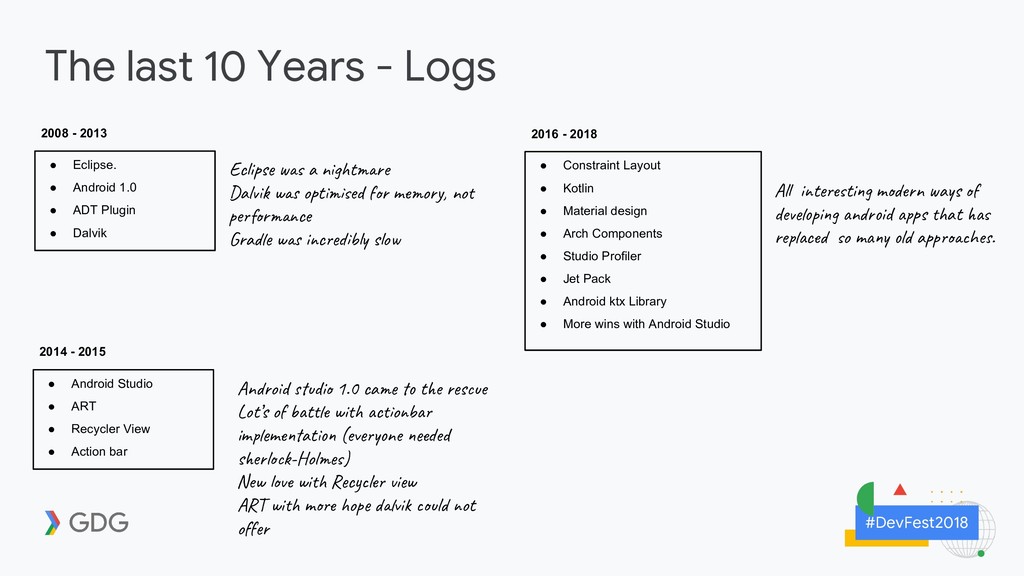
Android 1.0 • ADT Plugin • Dalvik 2008 - 2013 • Android Studio • ART • Recycler View • Action bar 2014 - 2015 • Constraint Layout • Kotlin • Material design • Arch Components • Studio Profiler • Jet Pack • Android ktx Library • More wins with Android Studio 2016 - 2018 Ec i s a n t e Dal w o t ed m o y, no pe r ce Gra w i c b s o Al i t ti m n a s de pi n id s at re c o m l a p he . An o d di 1.0 ca t e s e Lot’s o t wi c o b im m at (ev ne ed s e l -Hol ) New wi R c l i w AR wi m op vi l ot of
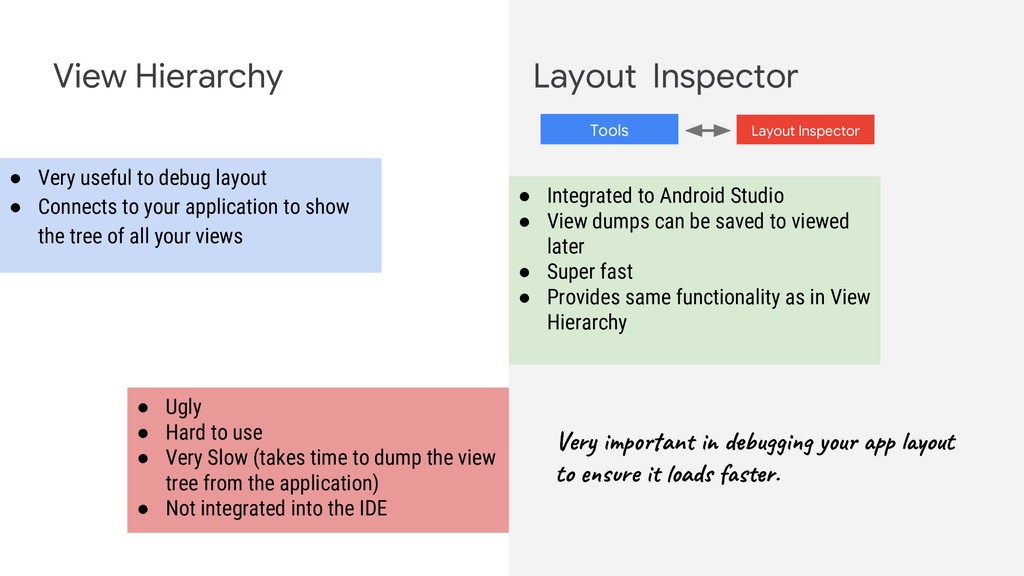
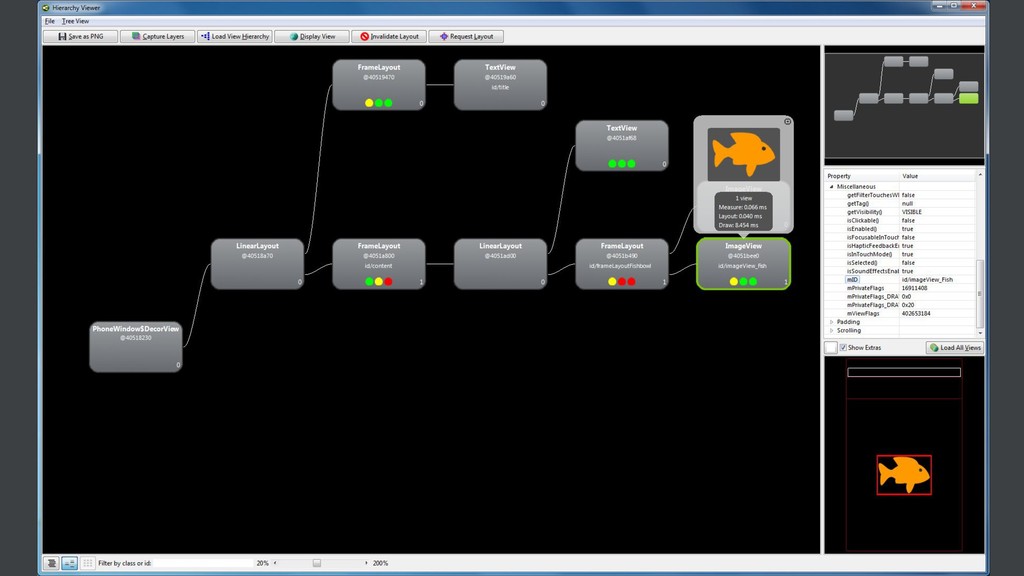
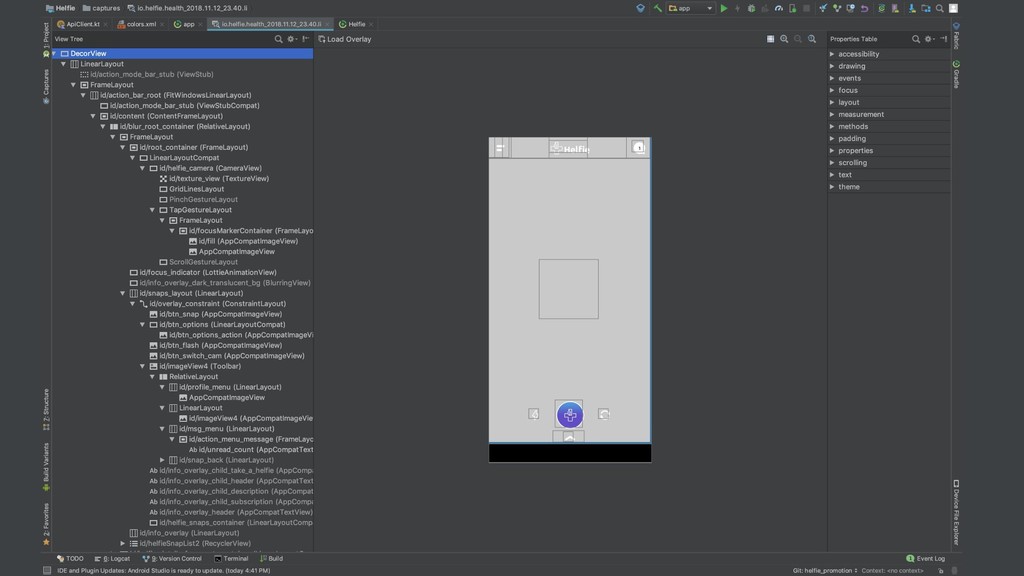
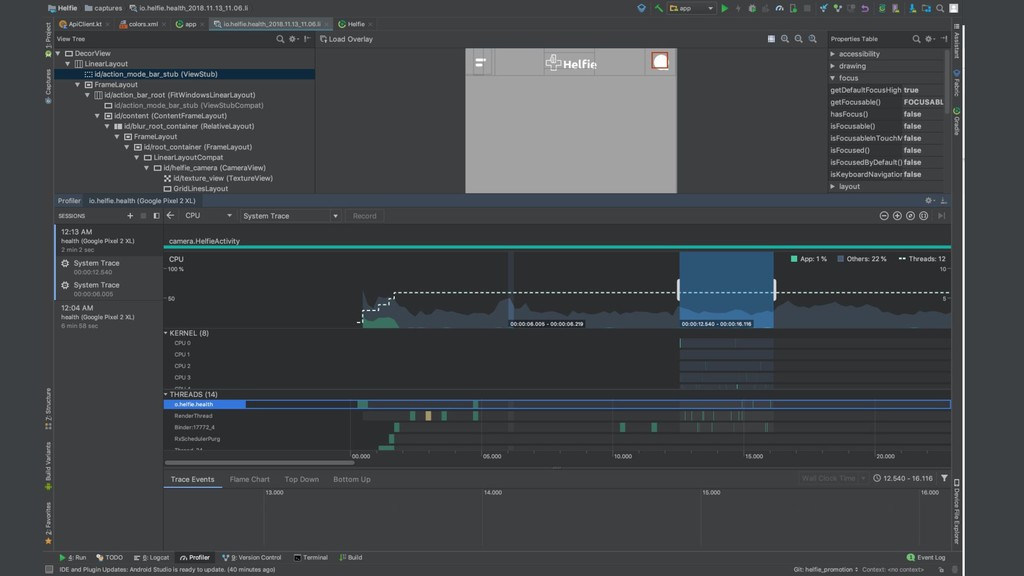
• Connects to your application to show the tree of all your views • Ugly • Hard to use • Very Slow (takes time to dump the view tree from the application) • Not integrated into the IDE • Integrated to Android Studio • View dumps can be saved to viewed later • Super fast • Provides same functionality as in View Hierarchy Tools Layout Inspector Ver p an d u g y u p o t to re ad s .
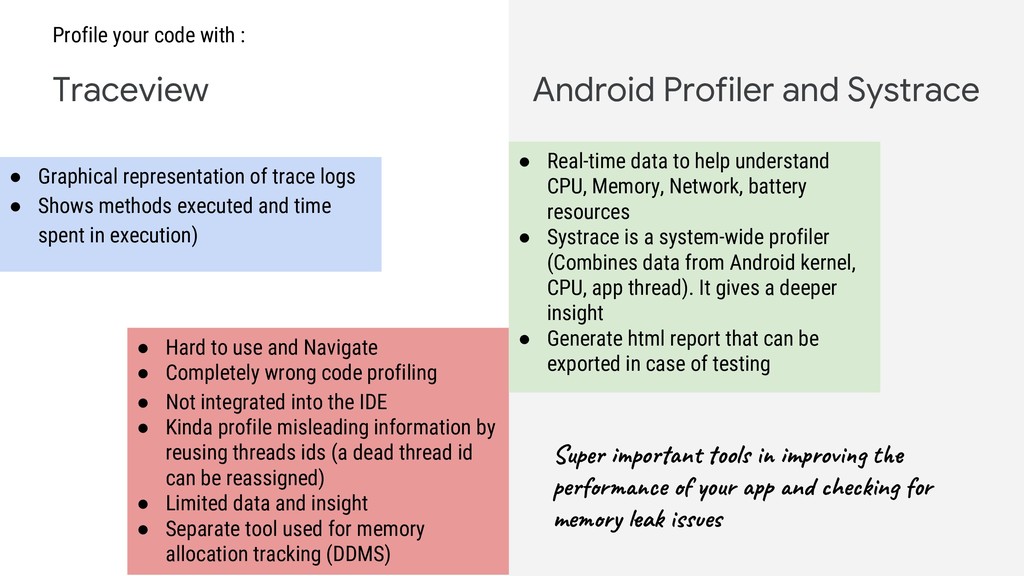
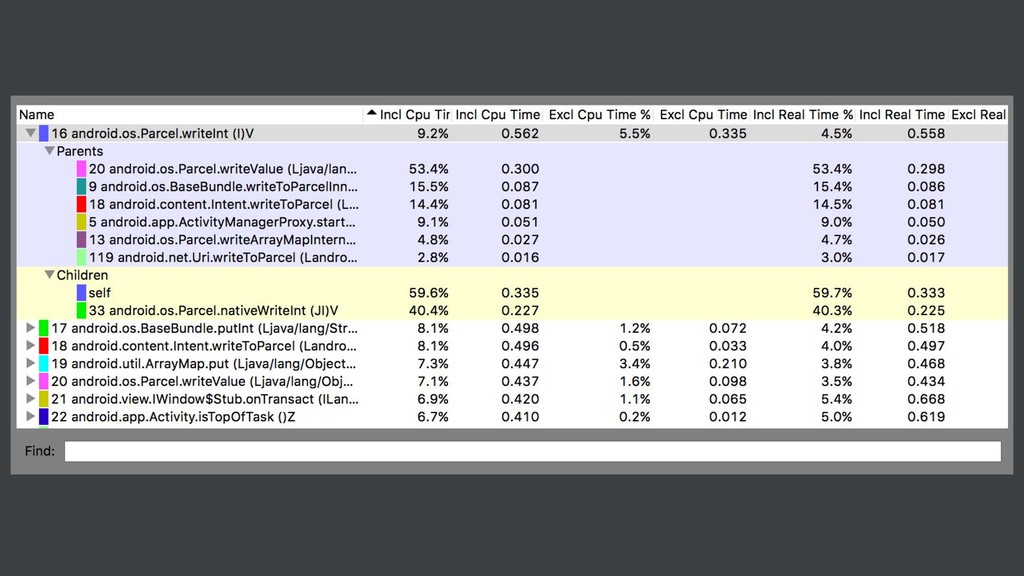
• Graphical representation of trace logs • Shows methods executed and time spent in execution) • Hard to use and Navigate • Completely wrong code profiling • Not integrated into the IDE • Kinda profile misleading information by reusing threads ids (a dead thread id can be reassigned) • Limited data and insight • Separate tool used for memory allocation tracking (DDMS) • Real-time data to help understand CPU, Memory, Network, battery resources • Systrace is a system-wide profiler (Combines data from Android kernel, CPU, app thread). It gives a deeper insight • Generate html report that can be exported in case of testing Sup po n ol m ov t pe r ce ur n he n r me y a s e
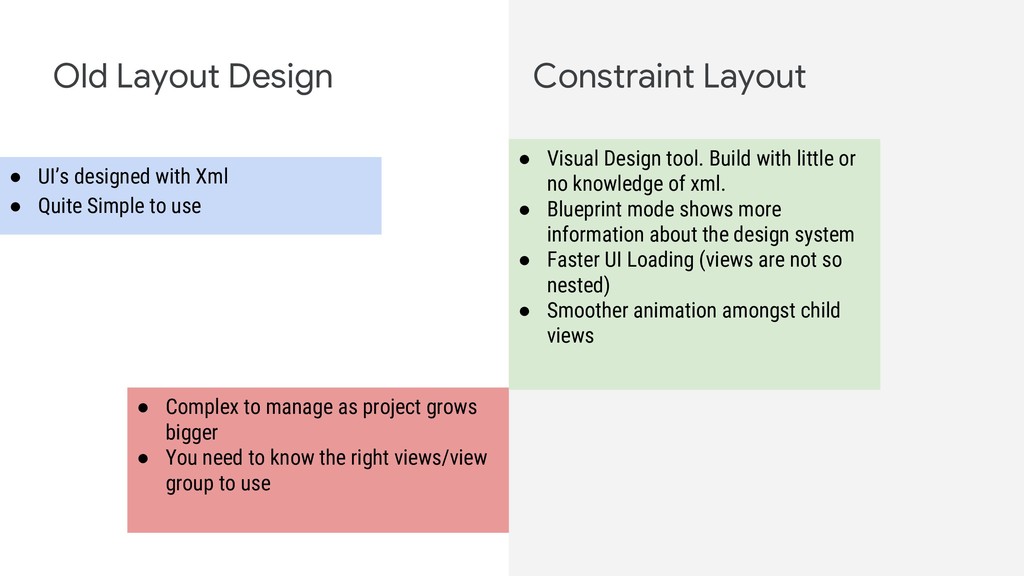
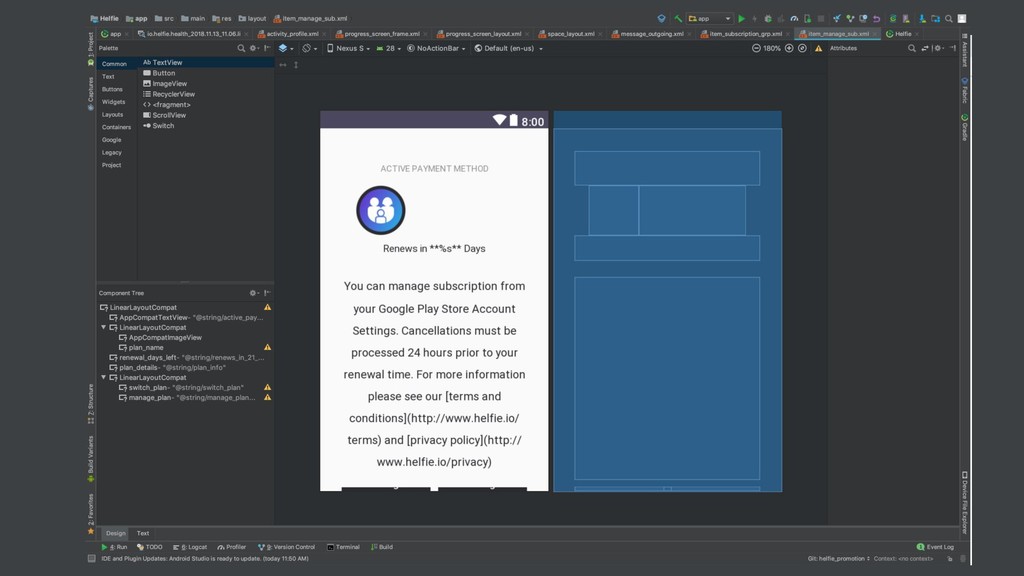
• Quite Simple to use • Complex to manage as project grows bigger • You need to know the right views/view group to use • Visual Design tool. Build with little or no knowledge of xml. • Blueprint mode shows more information about the design system • Faster UI Loading (views are not so nested) • Smoother animation amongst child views
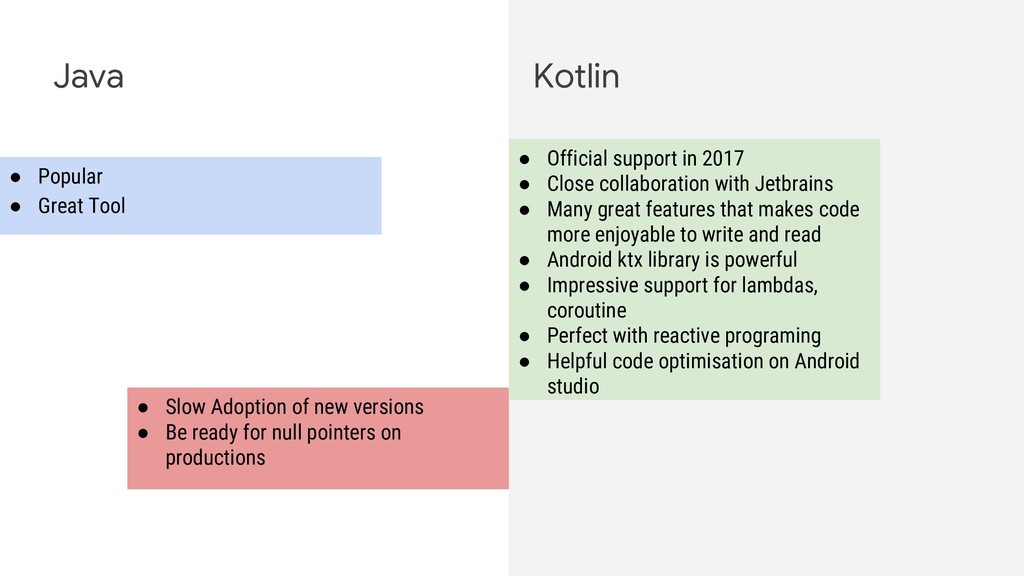
of new versions • Be ready for null pointers on productions • Official support in 2017 • Close collaboration with Jetbrains • Many great features that makes code more enjoyable to write and read • Android ktx library is powerful • Impressive support for lambdas, coroutine • Perfect with reactive programing • Helpful code optimisation on Android studio
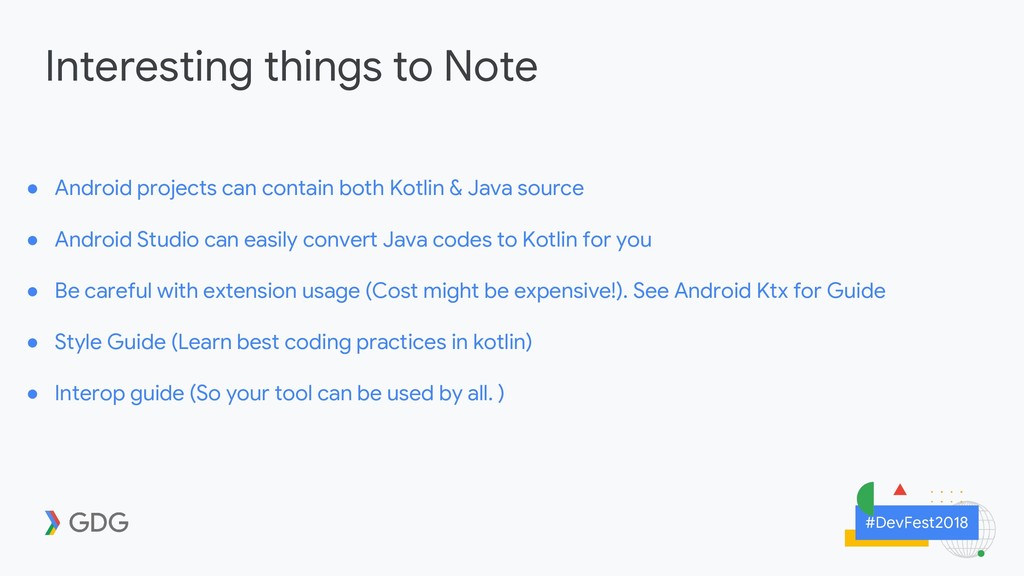
both Kotlin & Java source • Android Studio can easily convert Java codes to Kotlin for you • Be careful with extension usage (Cost might be expensive!). See Android Ktx for Guide • Style Guide (Learn best coding practices in kotlin) • Interop guide (So your tool can be used by all. )
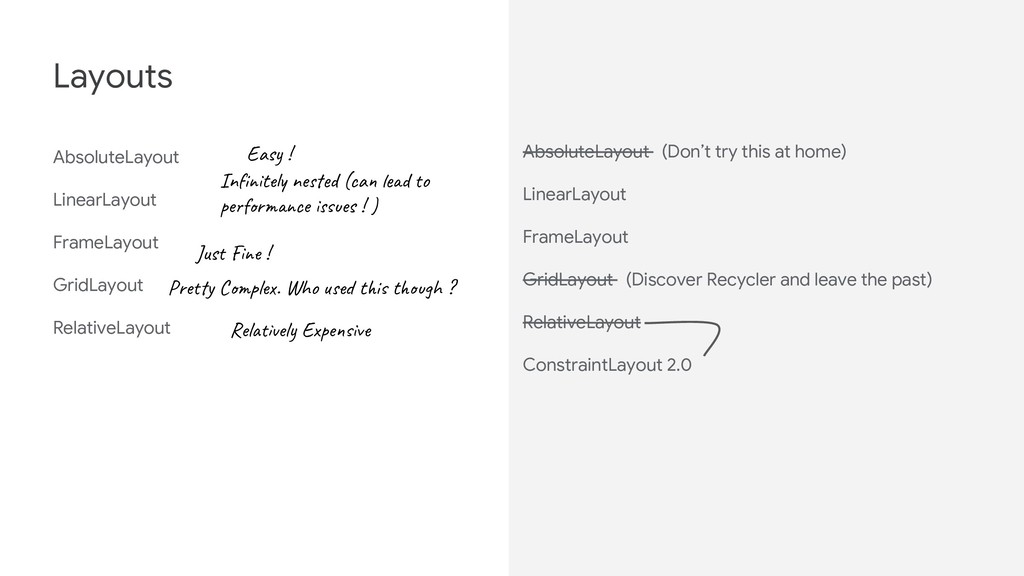
t ne d (ca d o pe r ce es ! ) Jus ! Pre y C l . Who t i t h ? Rel el E pe v AbsoluteLayout (Don’t try this at home) LinearLayout FrameLayout GridLayout (Discover Recycler and leave the past) RelativeLayout ConstraintLayout 2.0
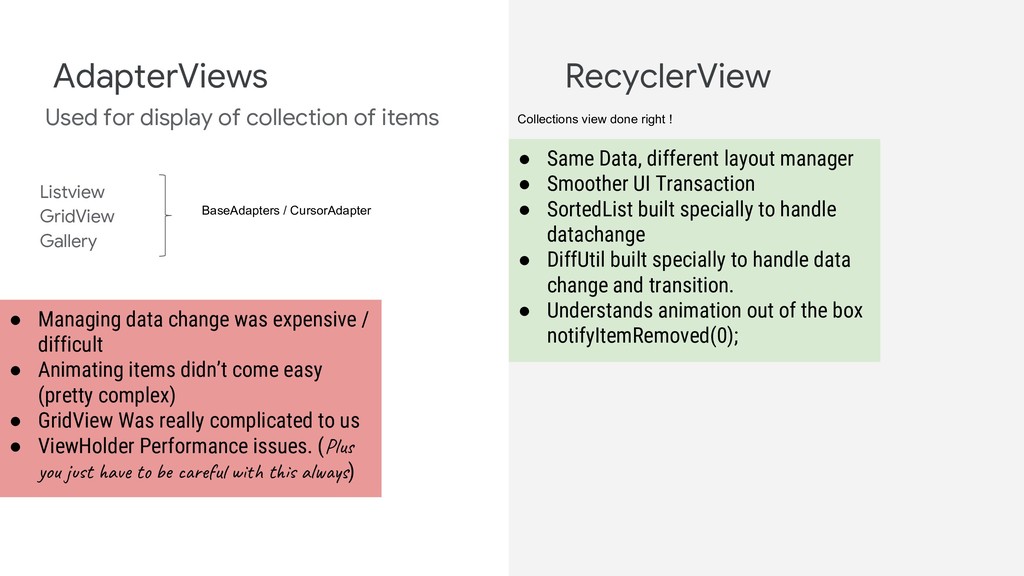
AdapterViews RecyclerView BaseAdapters / CursorAdapter • Managing data change was expensive / difficult • Animating items didn’t come easy (pretty complex) • GridView Was really complicated to us • ViewHolder Performance issues. (Plu yo t a t e r u w t al s) Collections view done right ! • Same Data, different layout manager • Smoother UI Transaction • SortedList built specially to handle datachange • DiffUtil built specially to handle data change and transition. • Understands animation out of the box notifyItemRemoved(0);
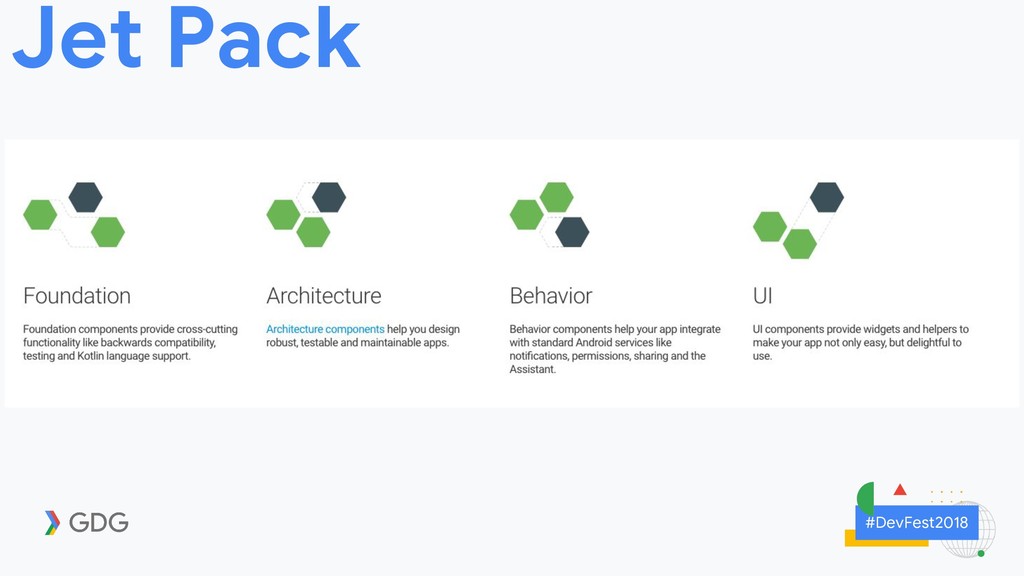
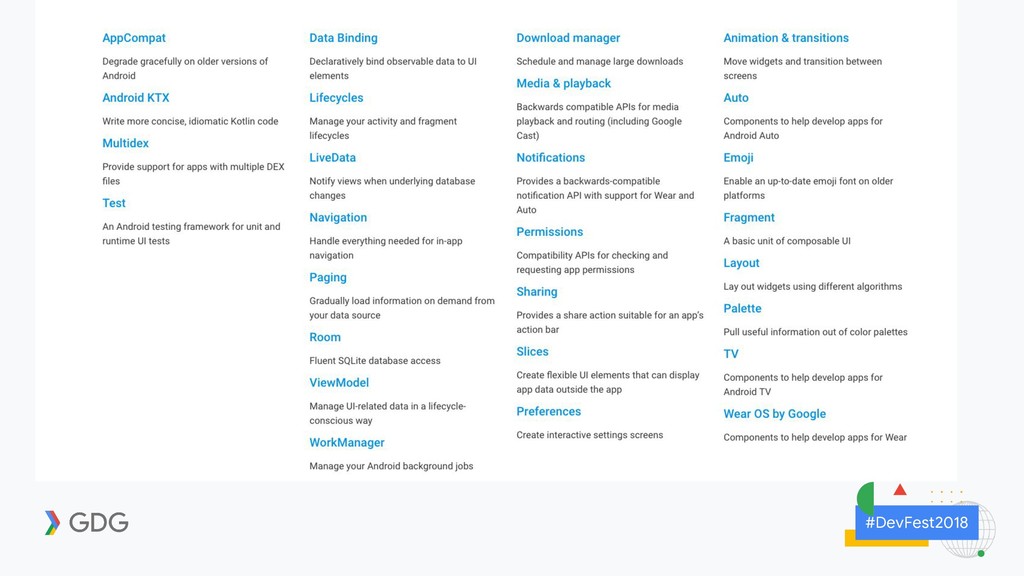
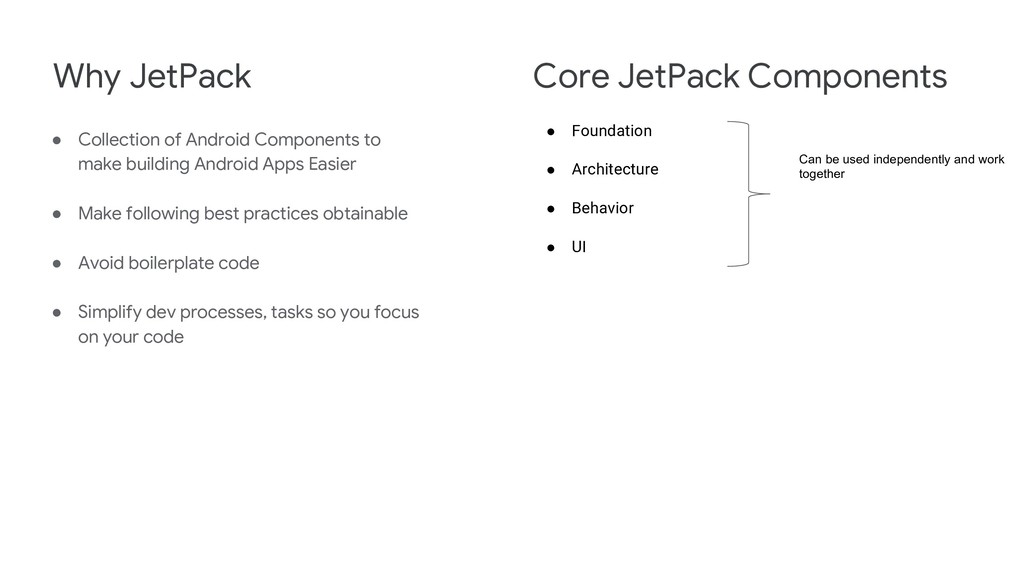
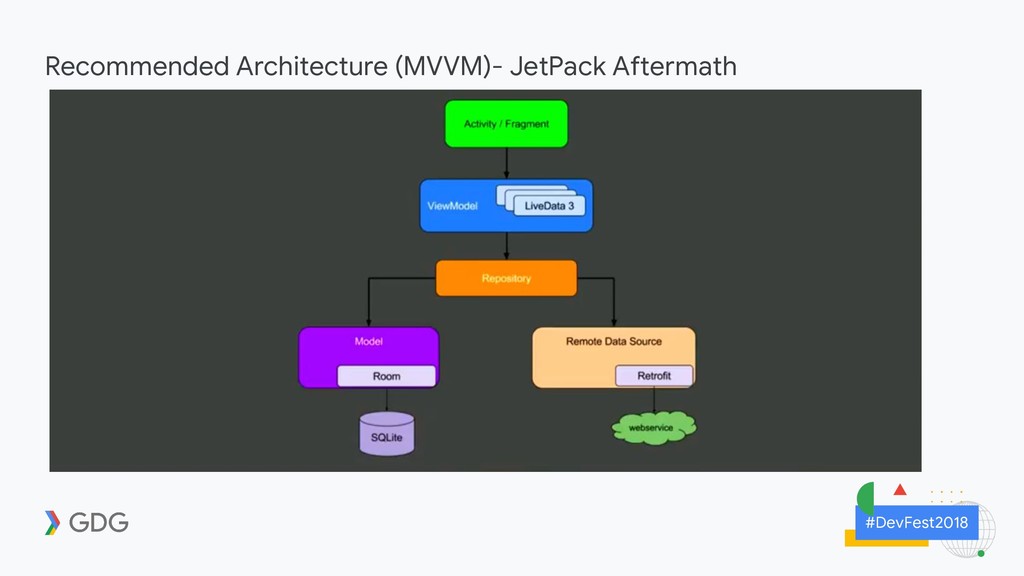
Easier • Make following best practices obtainable • Avoid boilerplate code • Simplify dev processes, tasks so you focus on your code Why JetPack Core JetPack Components • Foundation • Architecture • Behavior • UI Can be used independently and work together
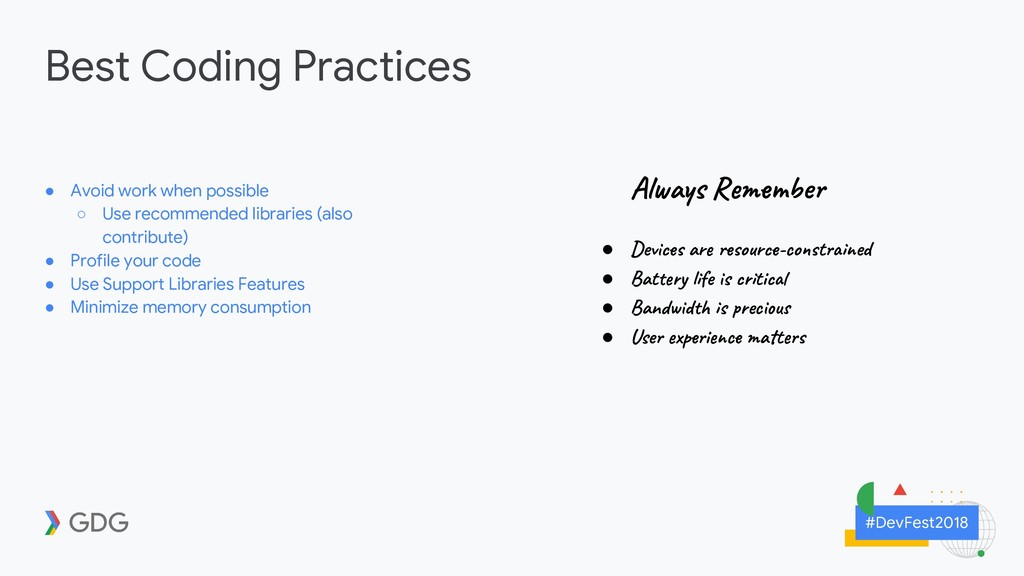
Use recommended libraries (also contribute) • Profile your code • Use Support Libraries Features • Minimize memory consumption Al a s R be • Dev ar o r -co t ed • Bat y e s ti • Ban d s ec u • Use p i c a t
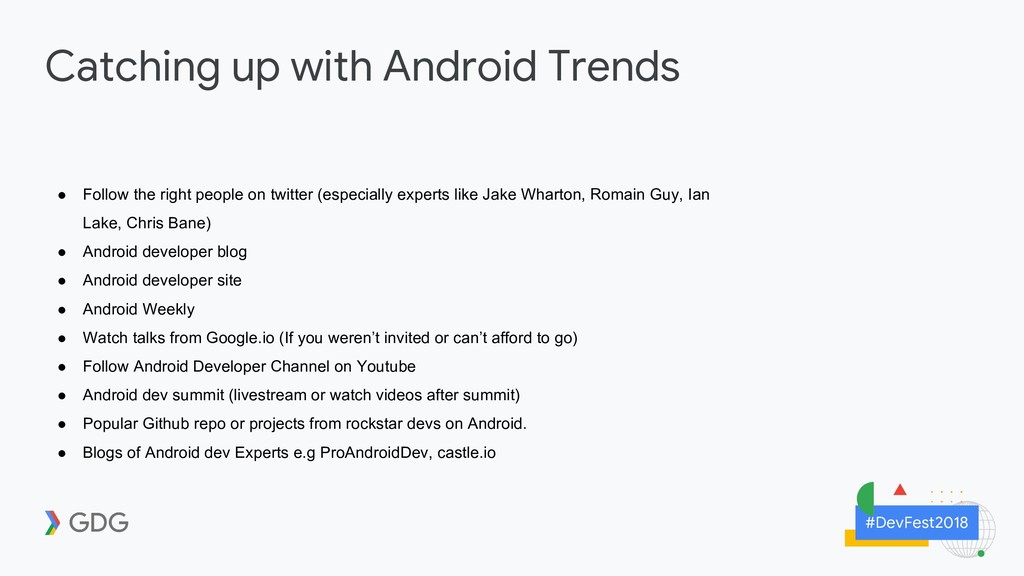
people on twitter (especially experts like Jake Wharton, Romain Guy, Ian Lake, Chris Bane) • Android developer blog • Android developer site • Android Weekly • Watch talks from Google.io (If you weren’t invited or can’t afford to go) • Follow Android Developer Channel on Youtube • Android dev summit (livestream or watch videos after summit) • Popular Github repo or projects from rockstar devs on Android. • Blogs of Android dev Experts e.g ProAndroidDev, castle.io


 kingsmentor
 yut0naga1_fa
 jyouryuusui
 occhi
occhi
 sansantech
 minorun365
 persolserverworks
 akitoshiga
 shumei_ito
 nttcom
 bengo4com
 prog893
 koukihosaka
 mlcsv
mlcsv
 jeffersonlam
 gurzu
gurzu
 chikuwait
 aleyda
 techseoconnect
 tapps
tapps
 uxyall
 nikkihalliwell
 ks91
ks91
 rkendrick25
 holman