Upgrade to Pro — share decks privately, control downloads, hide ads and more …

Understanding Your Data - Forloop Asaba

Sponsored · Ship Features Fearlessly Turn features on and off without deploys. Used by thousands of Ruby developers. →

Understanding Your Data - Forloop Asaba

Getting started with Firebase Analytics with BigQuery and Google Data Studio.

Avatar for Nosakhare Belvi

Nosakhare Belvi

November 10, 2017

More Decks by Nosakhare Belvi

Other Decks in Technology

Transcript

  1. Understanding your data Presented by Nosakhare Belvi Nov 10, 2017

    Telling better stories with Firebase Analytics, BigQuery and Data Studio
  2. And why can’t I do all of that ? Oga,

    You don’t have access to the raw data !
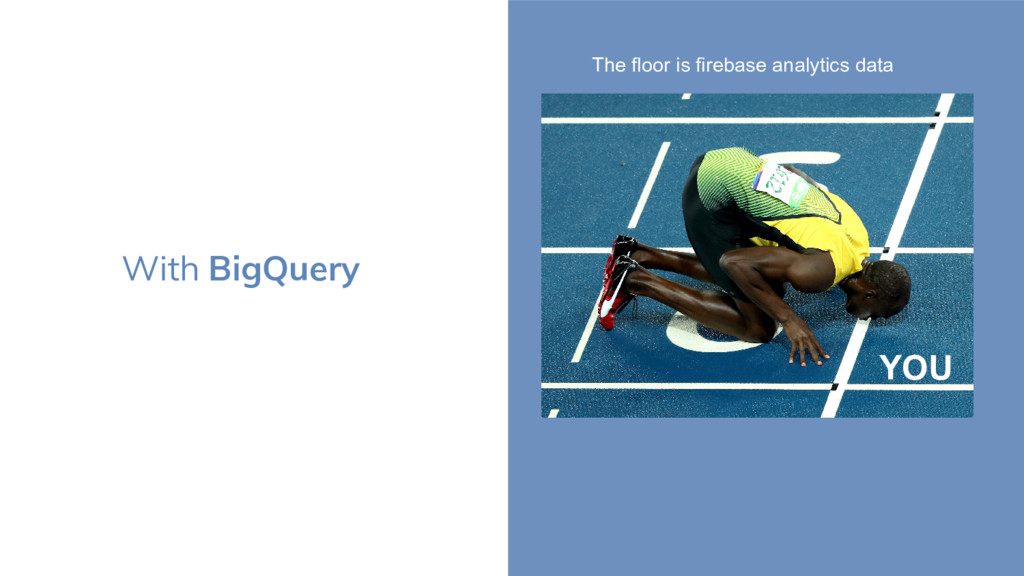
  3. BigQuery Data analysis warehouse in the cloud. Service designed to

    run very fast query over very large amounts of data. And yes, data like the firebase analytic data generated by your app.
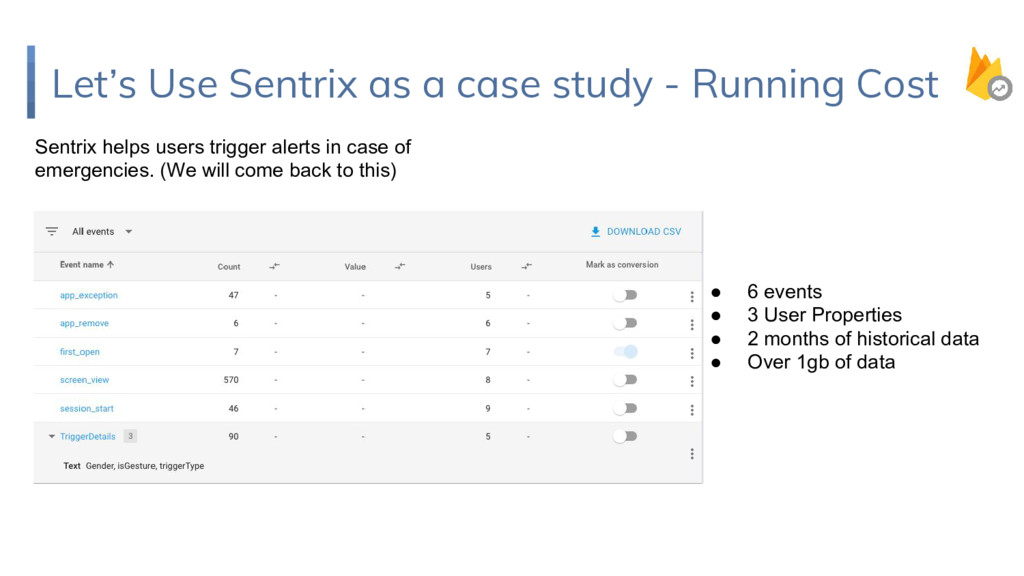
  4. Let’s Use Sentrix as a case study - Running Cost

    Sentrix helps users trigger alerts in case of emergencies. (We will come back to this) • 6 events • 3 User Properties • 2 months of historical data • Over 1gb of data
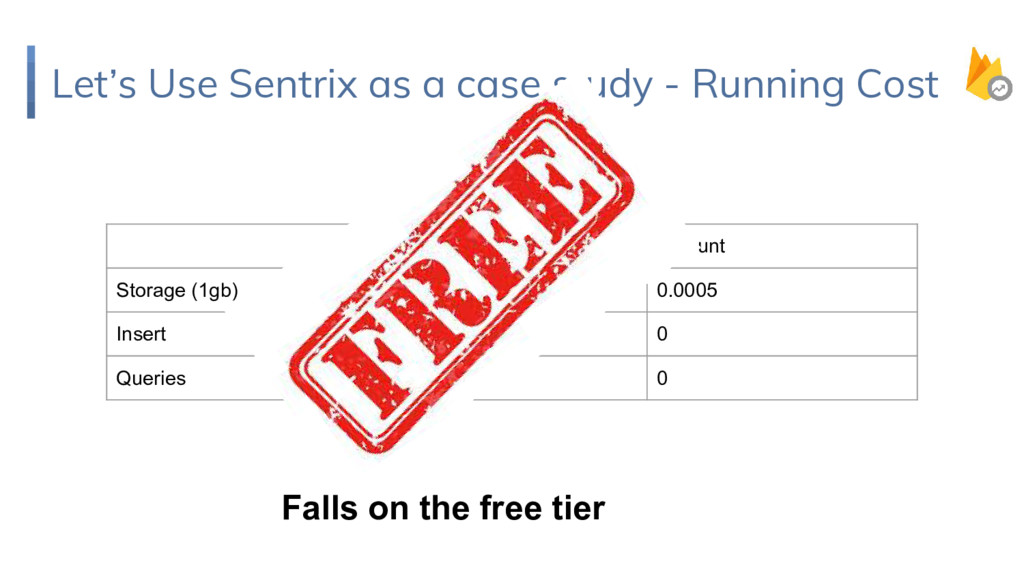
  5. Let’s Use Sentrix as a case study - Running Cost

    Duration Amount Storage (1gb) 1 month 0.0005 Insert 1 month 0 Queries 1 month 0 Falls on the free tier
  6. A demo app to notify nearby users to be rescued

    when being Assaulted. Sentrix
  7. Making Meaning of Sentrix Data What meaning can we make

    of Sentrix Data Crime Occurrence within a region Crime Occurrence The list is endless really. This is just for the scope of this session
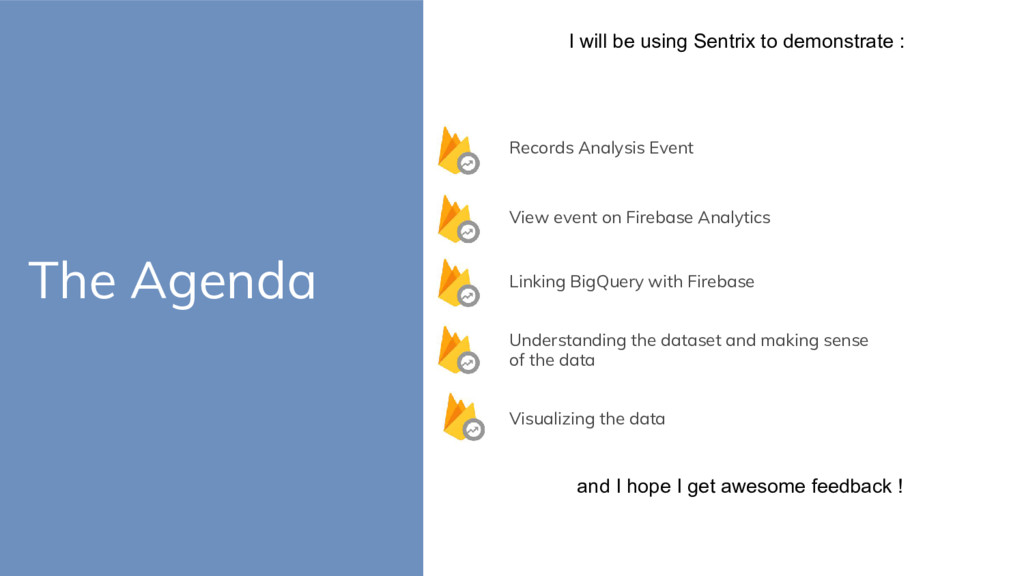
  8. The Agenda I will be using Sentrix to demonstrate :

    View event on Firebase Analytics Records Analysis Event Linking BigQuery with Firebase Understanding the dataset and making sense of the data Visualizing the data and I hope I get awesome feedback !
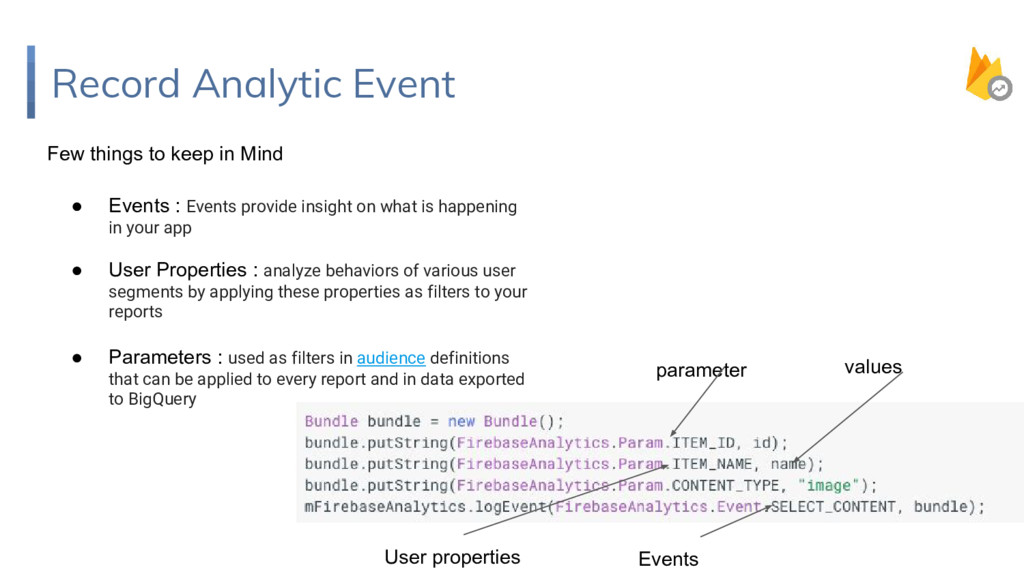
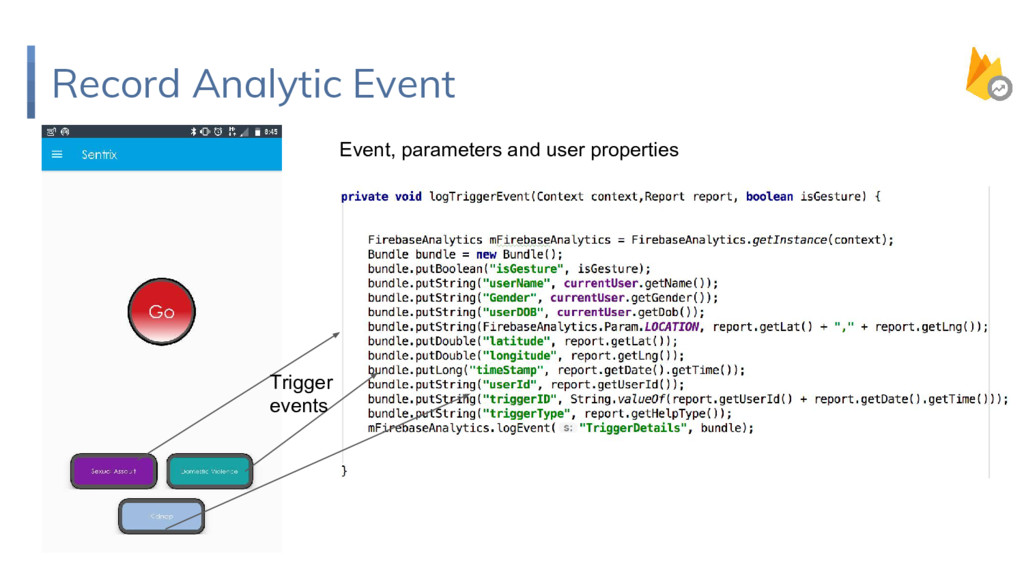
  9. Record Analytic Event Few things to keep in Mind •

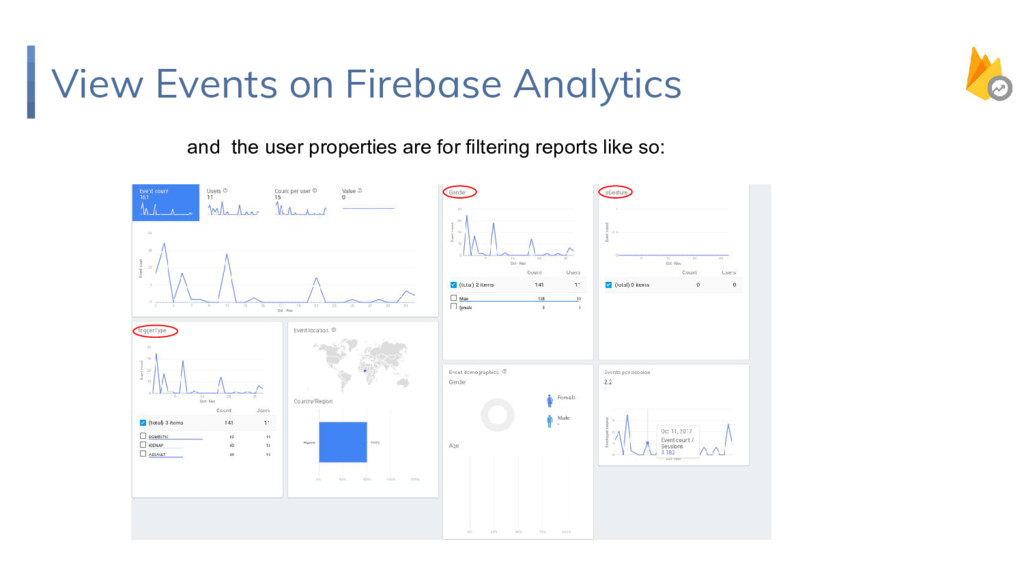
    Events : Events provide insight on what is happening in your app • User Properties : analyze behaviors of various user segments by applying these properties as filters to your reports • Parameters : used as filters in audience definitions that can be applied to every report and in data exported to BigQuery Events values parameter User properties
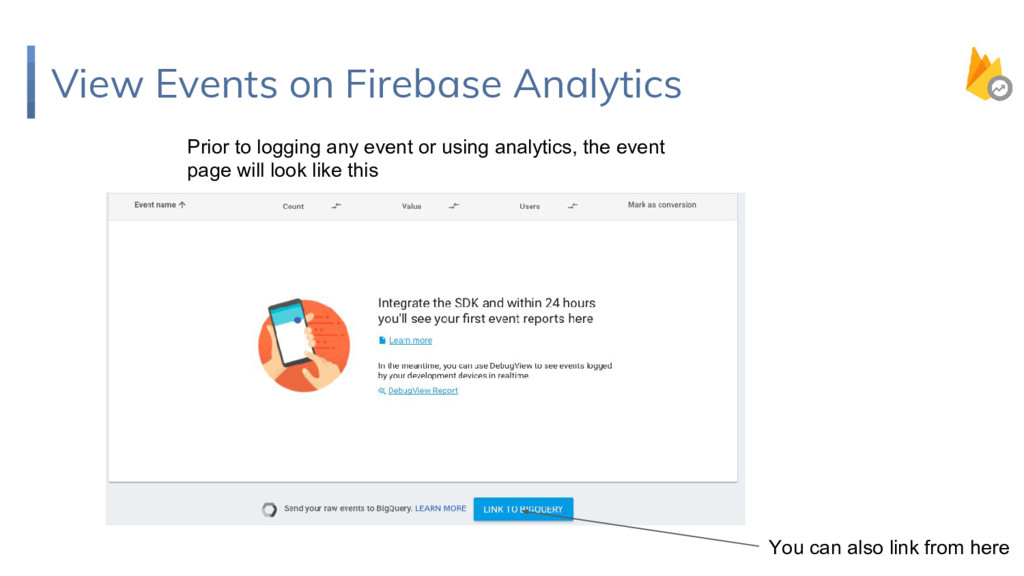
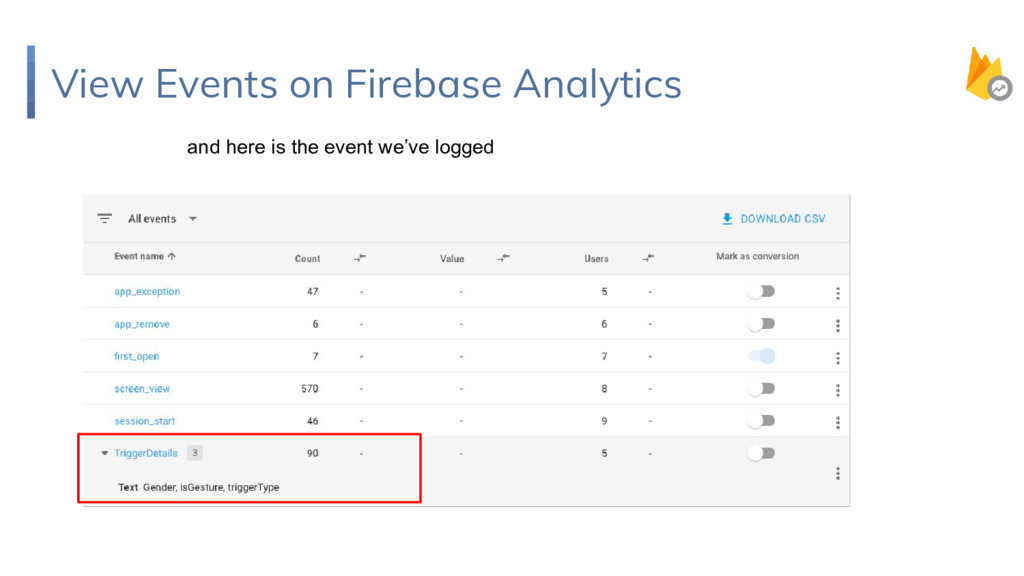
  10. View Events on Firebase Analytics Prior to logging any event

    or using analytics, the event page will look like this You can also link from here
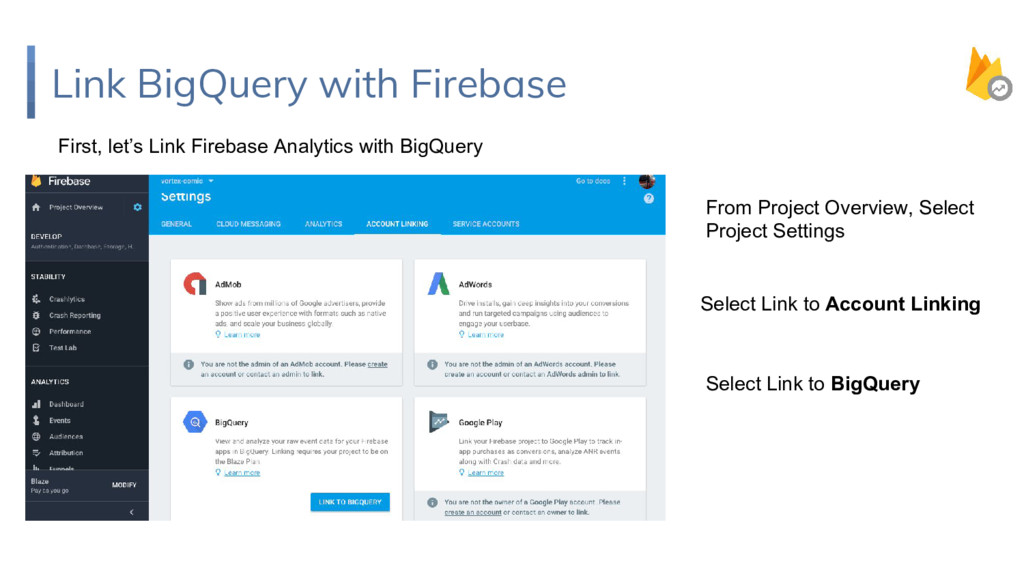
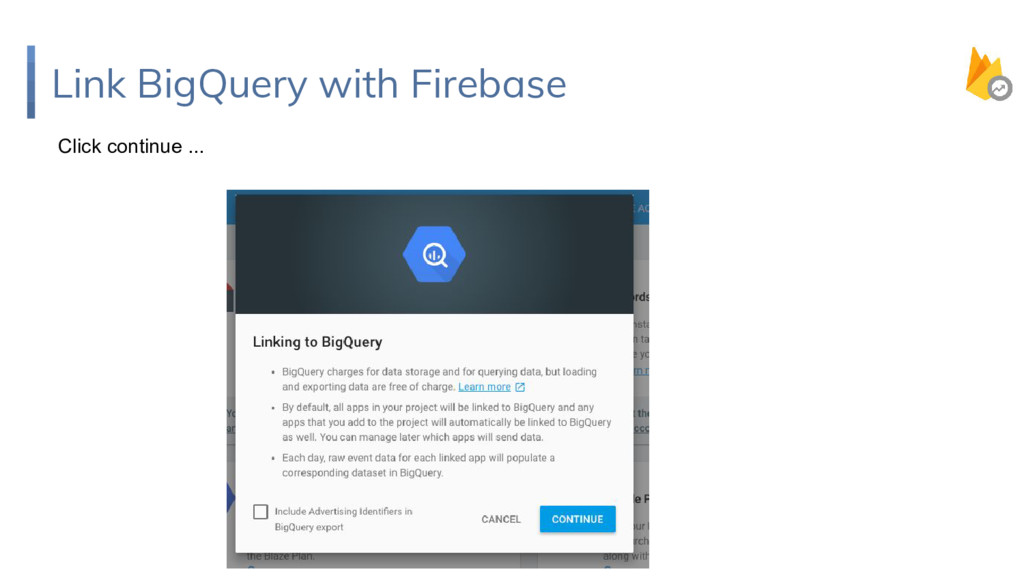
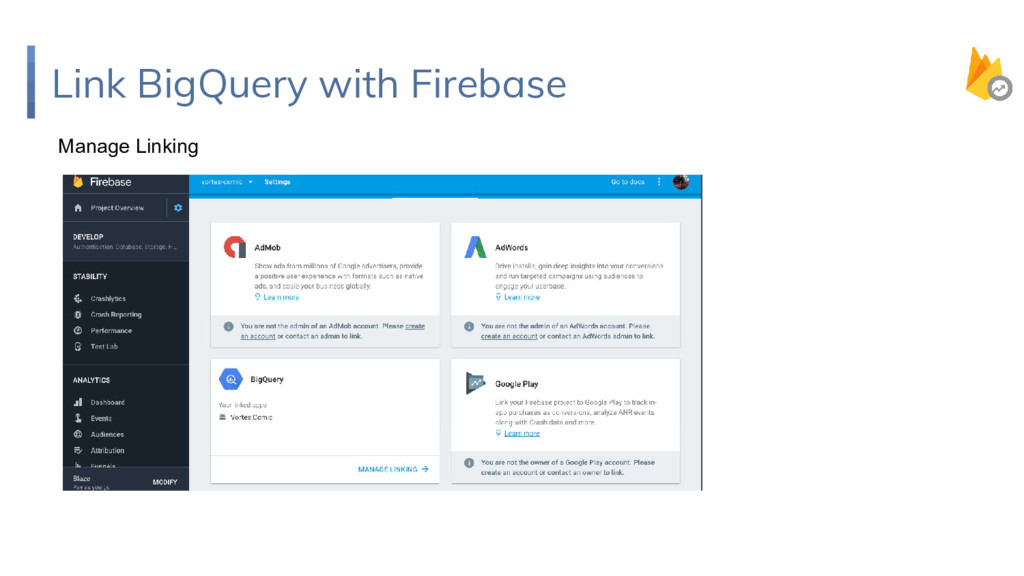
  11. Link BigQuery with Firebase First, let’s Link Firebase Analytics with

    BigQuery From Project Overview, Select Project Settings Select Link to BigQuery Select Link to Account Linking
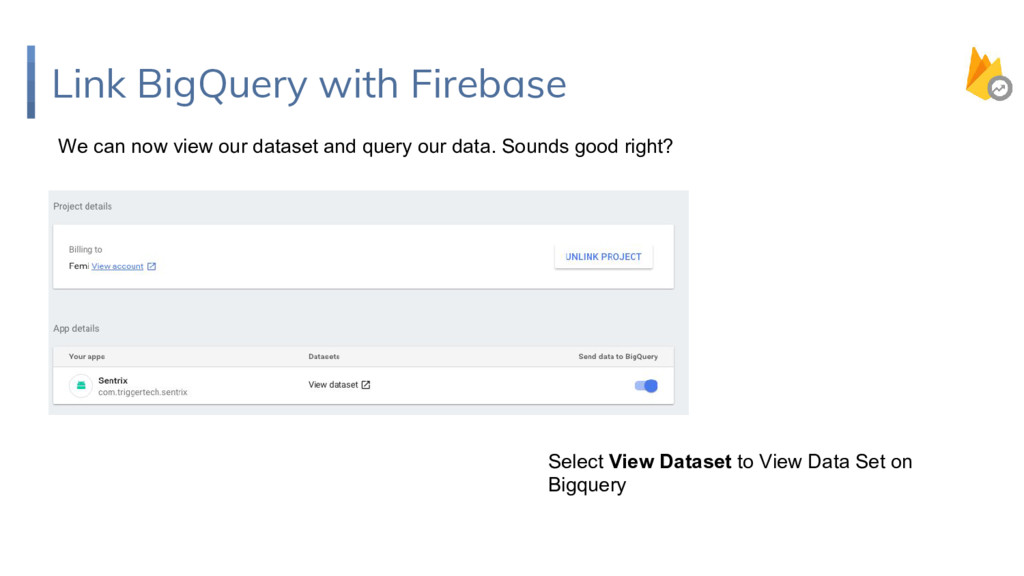
  12. Link BigQuery with Firebase We can now view our dataset

    and query our data. Sounds good right? Select View Dataset to View Data Set on Bigquery
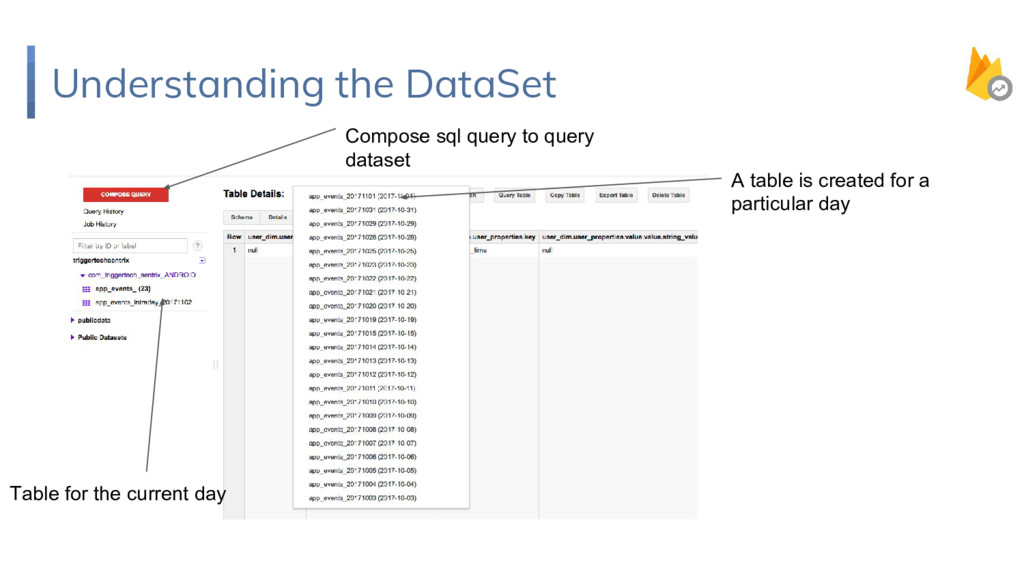
  13. Understanding the DataSet A table is created for a particular

    day Table for the current day Compose sql query to query dataset
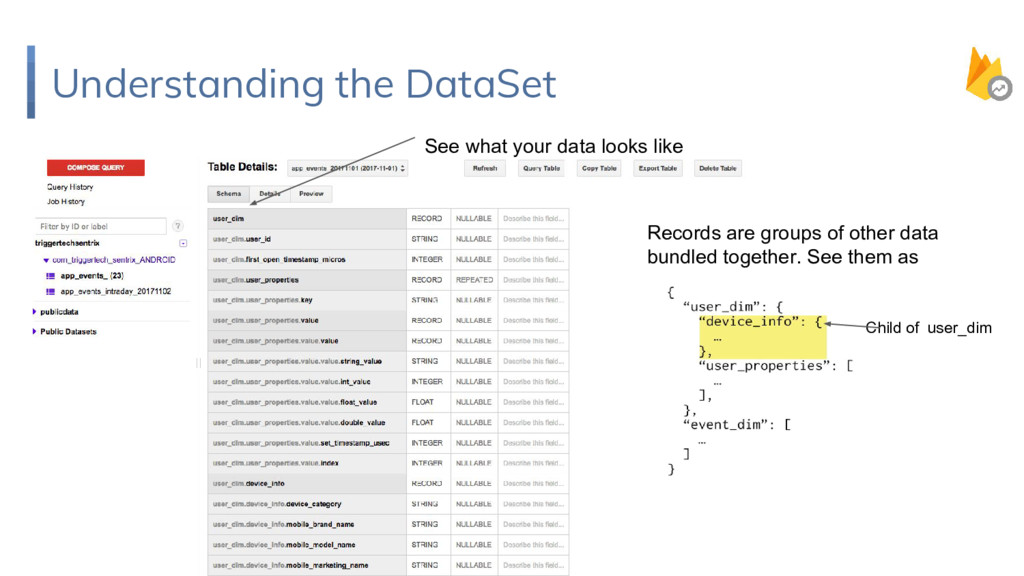
  14. Understanding the DataSet Records are groups of other data bundled

    together. See them as See what your data looks like Child of user_dim
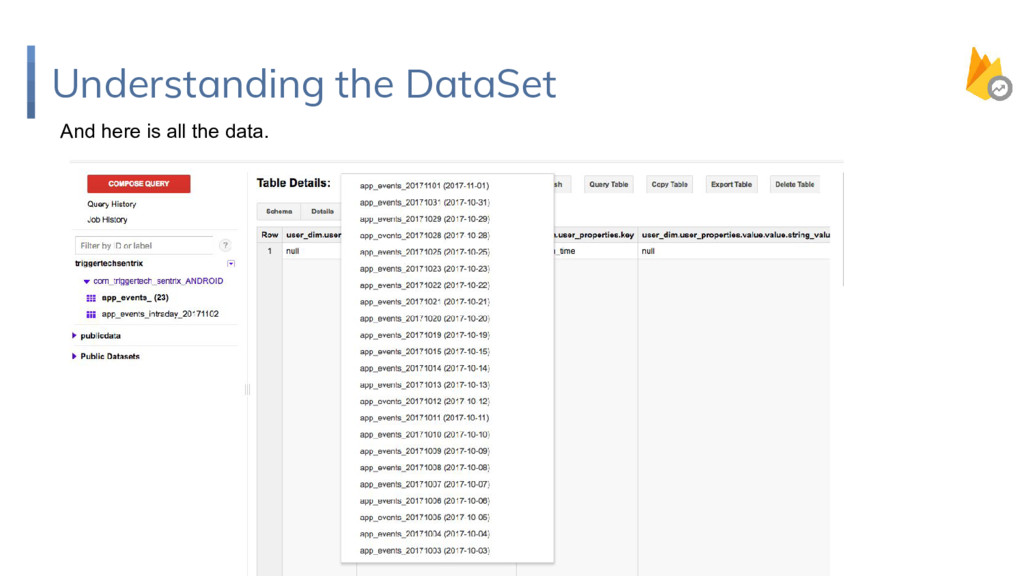
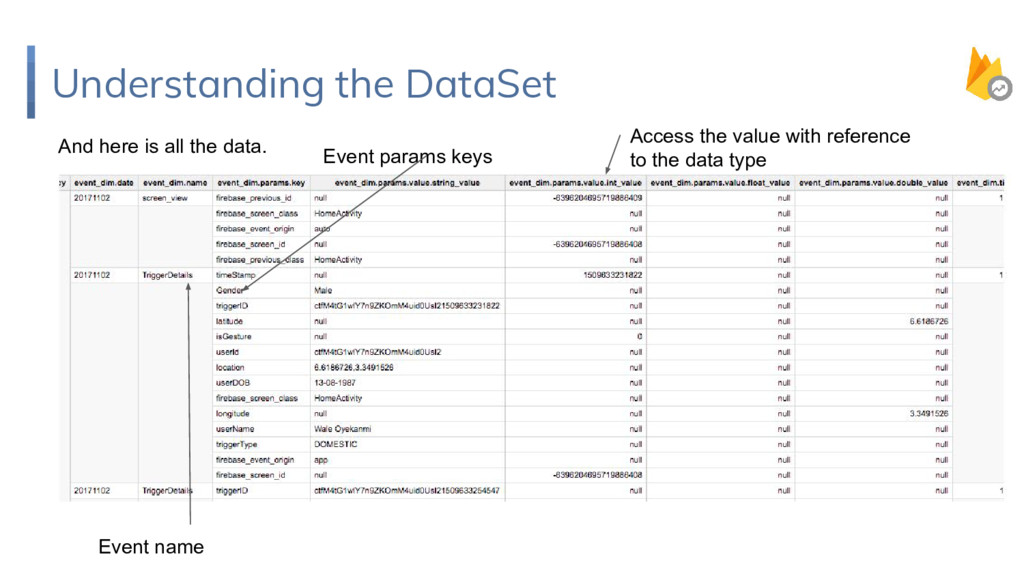
  15. Understanding the DataSet And here is all the data. Event

    name Event params keys Access the value with reference to the data type
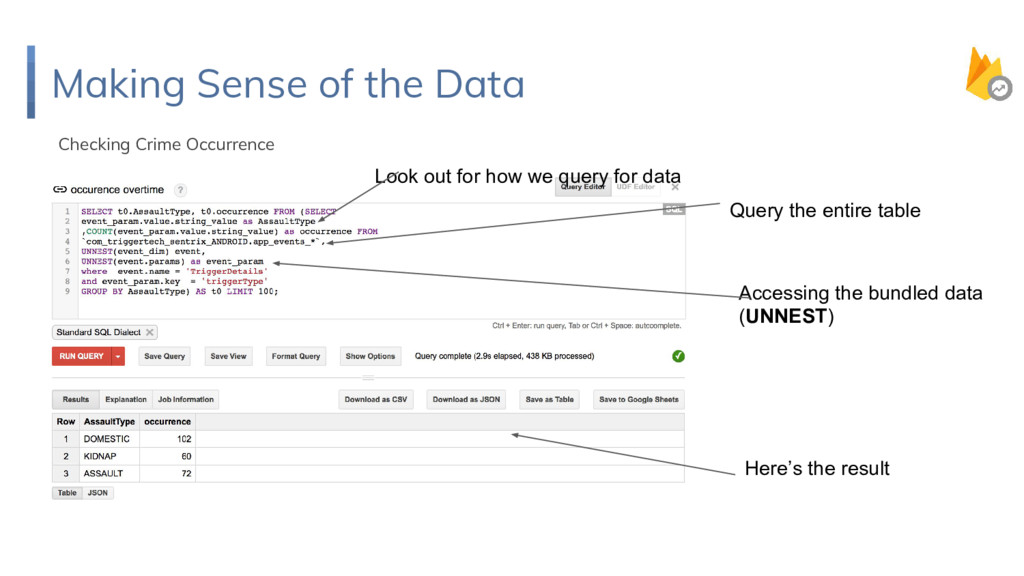
  16. Making Sense of the Data Checking Crime Occurrence Query the

    entire table Look out for how we query for data Accessing the bundled data (UNNEST) Here’s the result
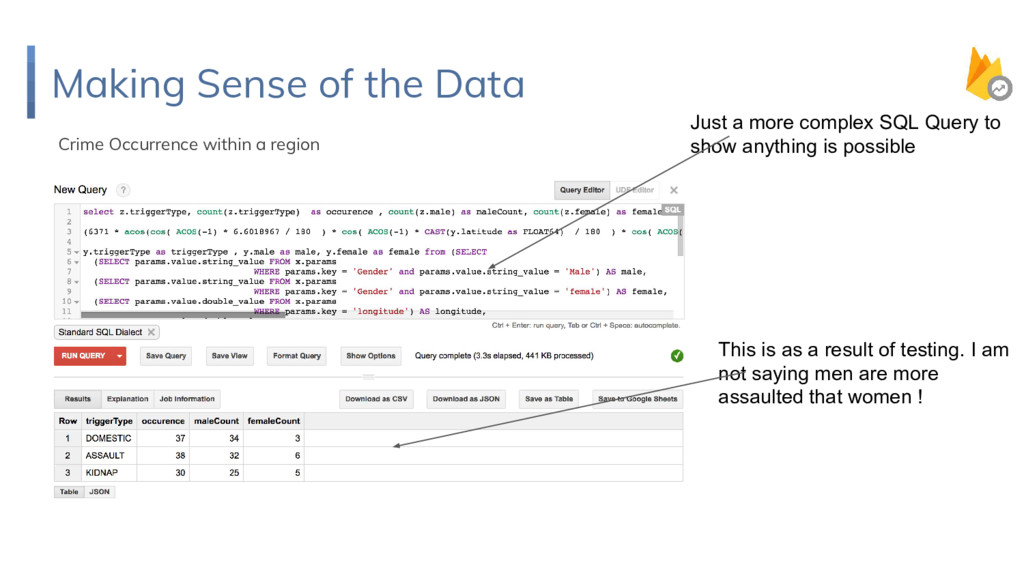
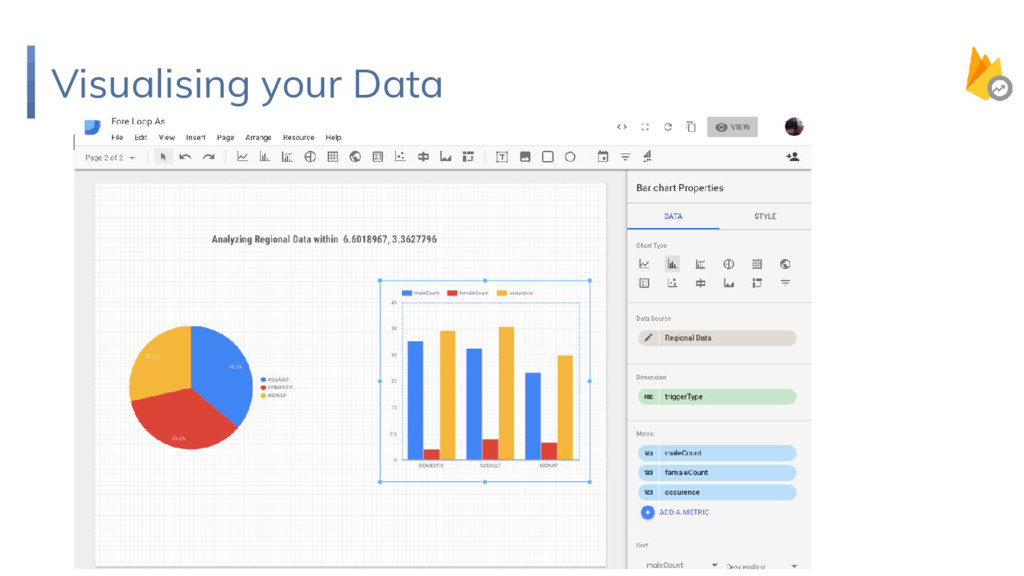
  17. Making Sense of the Data Crime Occurrence within a region

    Just a more complex SQL Query to show anything is possible This is as a result of testing. I am not saying men are more assaulted that women !
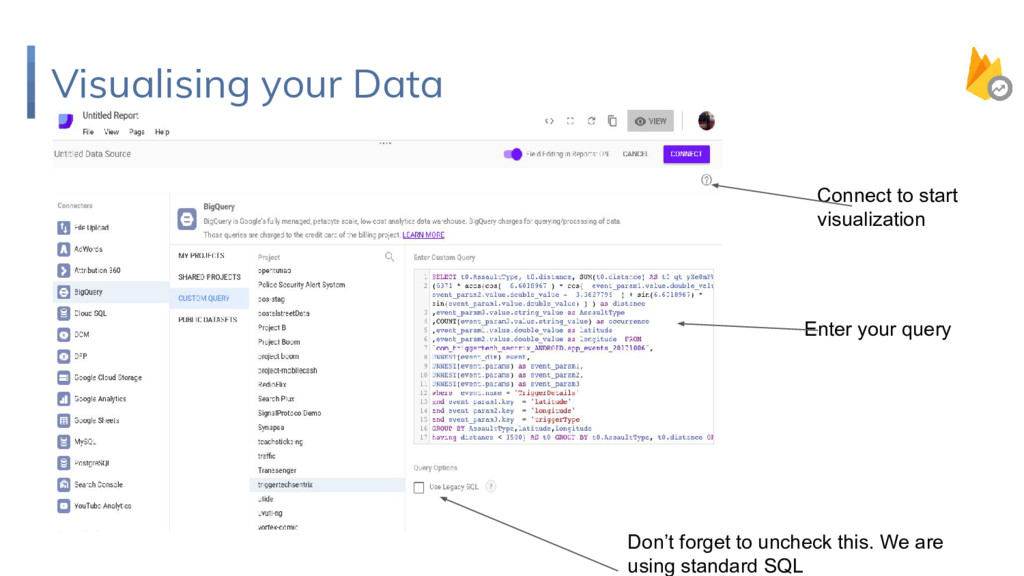
  18. Visualising your Data Don’t forget to uncheck this. We are

    using standard SQL Enter your query Connect to start visualization
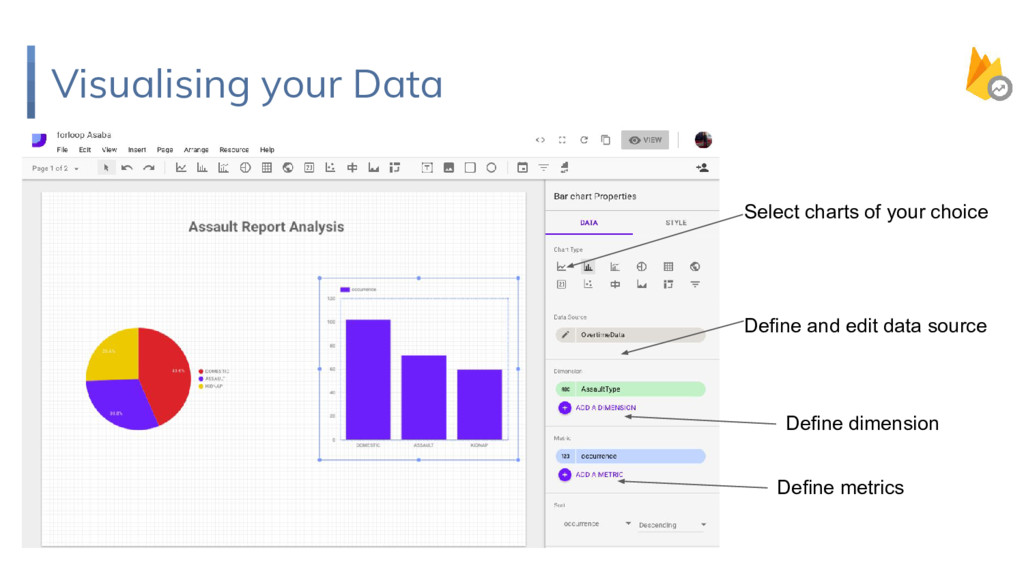
  19. Visualising your Data Select charts of your choice Define and

    edit data source Define dimension Define metrics
  20. Mama, We made it ! More complex queries can be

    achieved. Though your mileage may vary….. This Works Everytime !