Upgrade to Pro — share decks privately, control downloads, hide ads and more …

Handling Business Card Connections with LibreOf...

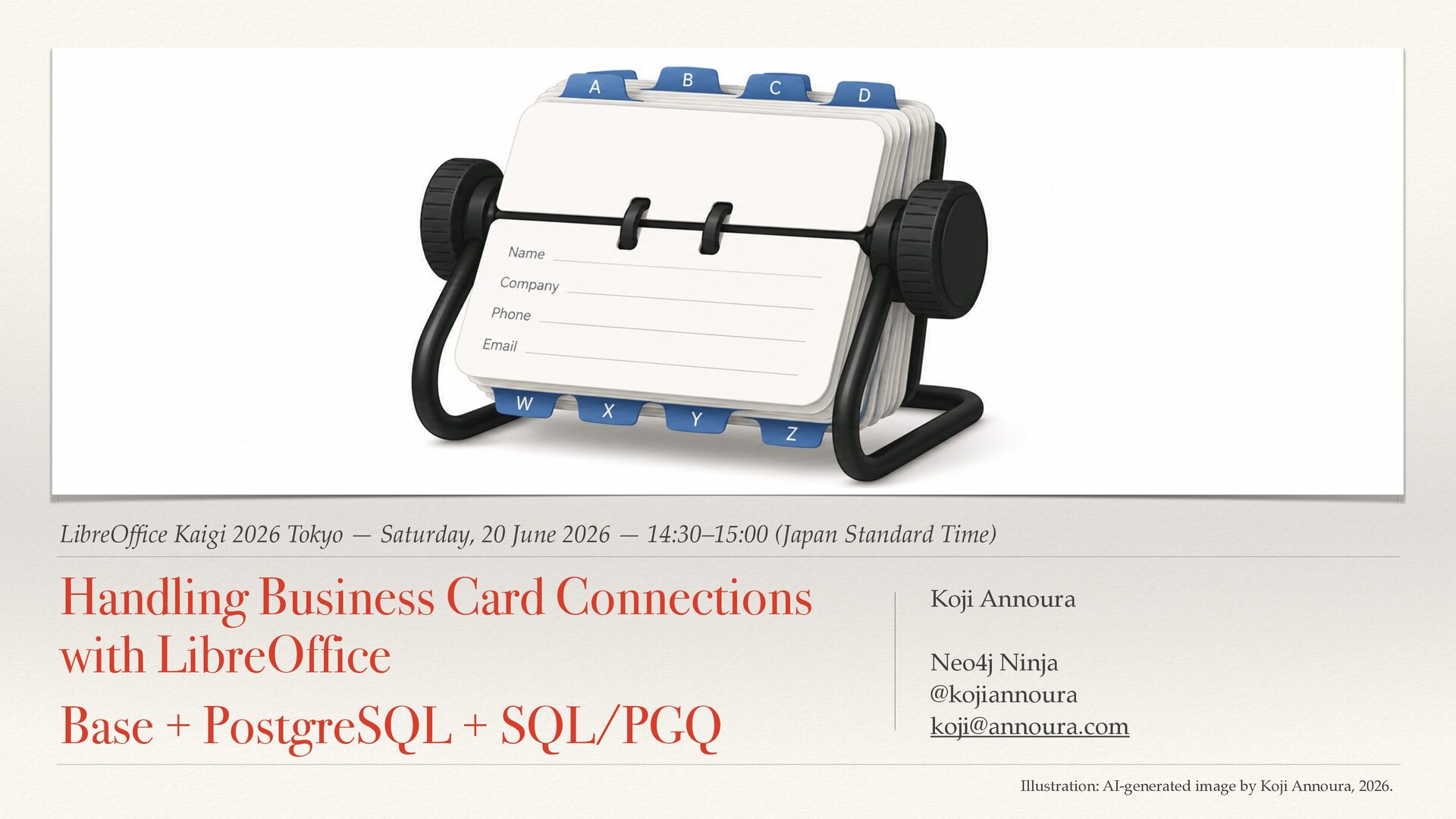
Handling Business Card Connections with LibreOffice Base + PostgreSQL + SQL/PGQ

Business card management may appear to be simple tabular data at first glance. In practice, however, it is a collection of relationships: who met whom, where they met, and how they are connected.

Traditional spreadsheets are not well suited to representing these relationships, which limits how the data can be searched, explored, and reused.

This presentation introduces an approach to managing the connections in business card data by combining LibreOffice Base, PostgreSQL, and SQL/PGQ.

It explains how to move from table-based management to a relationship-centered model, and how structured knowledge can be handled more effectively through this approach.

Avatar for Koji Annoura

Koji Annoura

June 20, 2026

More Decks by Koji Annoura

Other Decks in Programming

Transcript

  1. LibreOf fi ce Kaigi 2026 Tokyo — Saturday, 20 June

    2026 — 14:30–15:00 (Japan Standard Time) Handling Business Card Connections with LibreOffice Base + PostgreSQL + SQL/PGQ Koji Annoura Neo4j Ninja @kojiannoura [email protected] Illustration: AI-generated image by Koji Annoura, 2026.
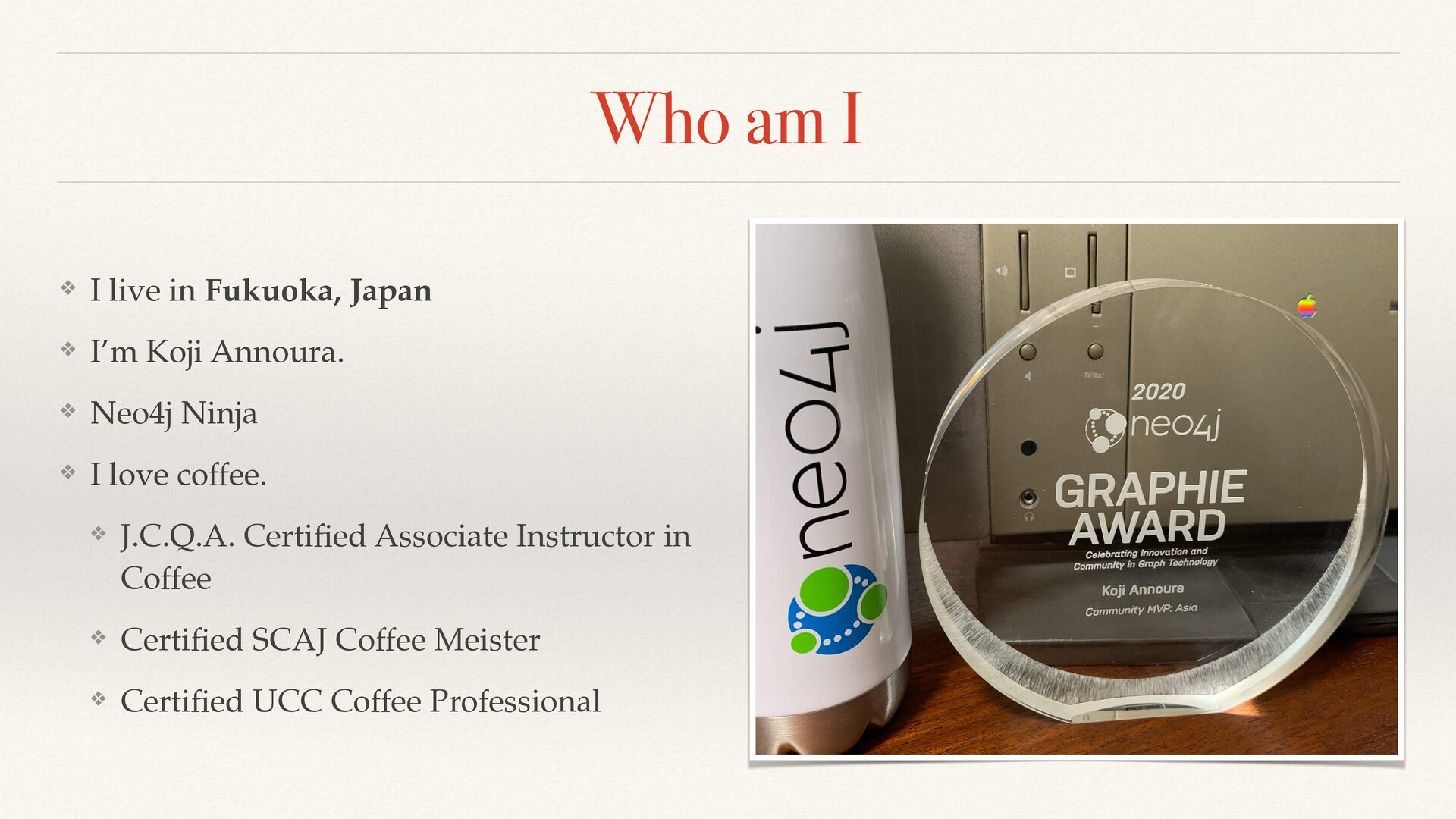
  2. Who am I ❖ I live in Fukuoka, Japan ❖

    I’m Koji Annoura. ❖ Neo4j Ninja ❖ I love coffee. ❖ J.C.Q.A. Certi fi ed Associate Instructor in Coffee ❖ Certi fi ed SCAJ Coffee Meister ❖ Certi fi ed UCC Coffee Professional
  3. Today’s Journey ❖ 1. How Do We Manage Business Cards

    Today? ❖ 2. Adding Relationships to Contact Data ❖ 3. Modeling the Data in PostgreSQL ❖ 4. Querying Connections with SQL/PGQ ❖ 5. Reviewing the Results with LibreOf fi ce Base
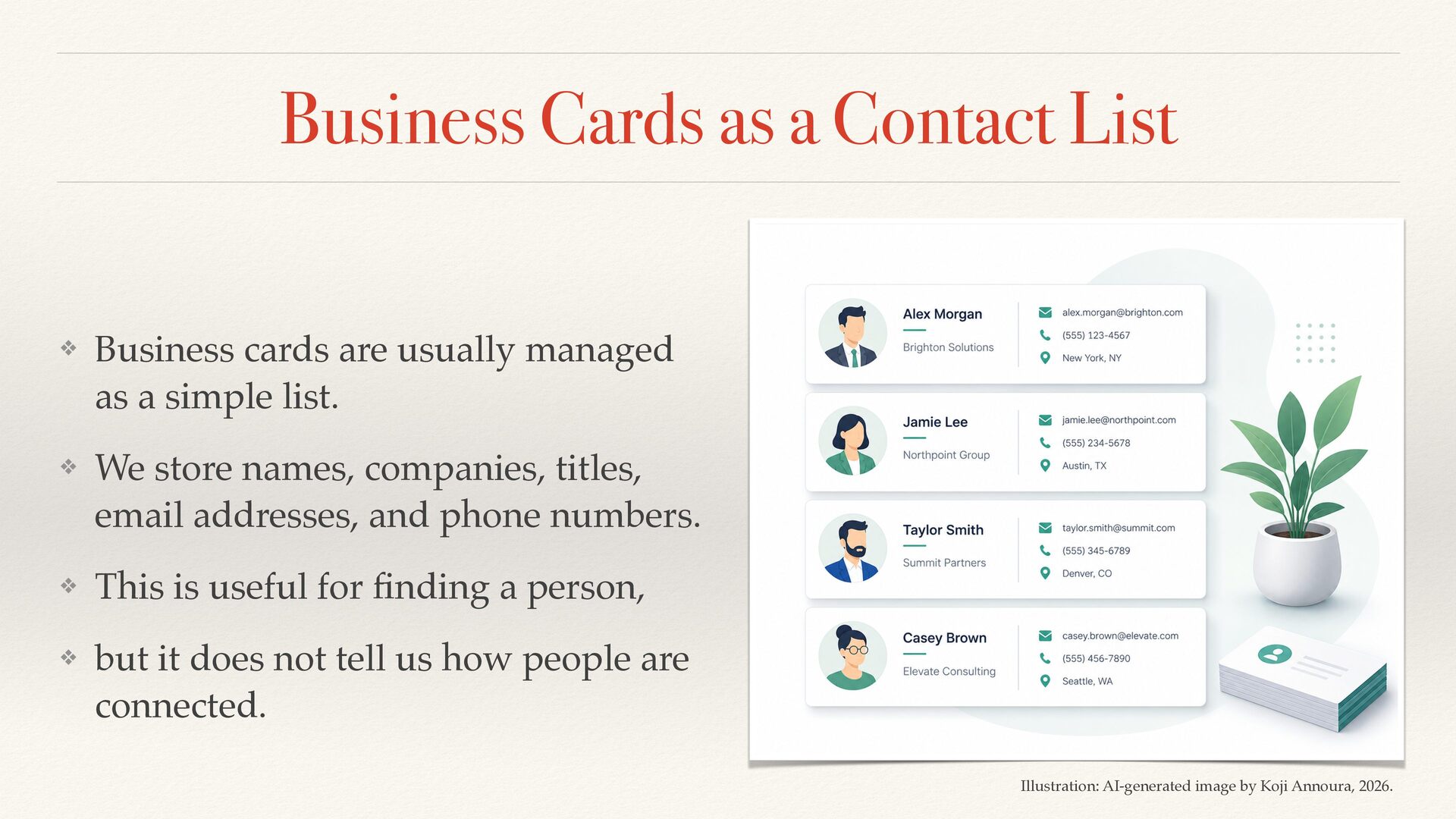
  4. Business Cards as a Contact List ❖ Business cards are

    usually managed as a simple list. ❖ We store names, companies, titles, email addresses, and phone numbers. ❖ This is useful for fi nding a person, ❖ but it does not tell us how people are connected. Illustration: AI-generated image by Koji Annoura, 2026.
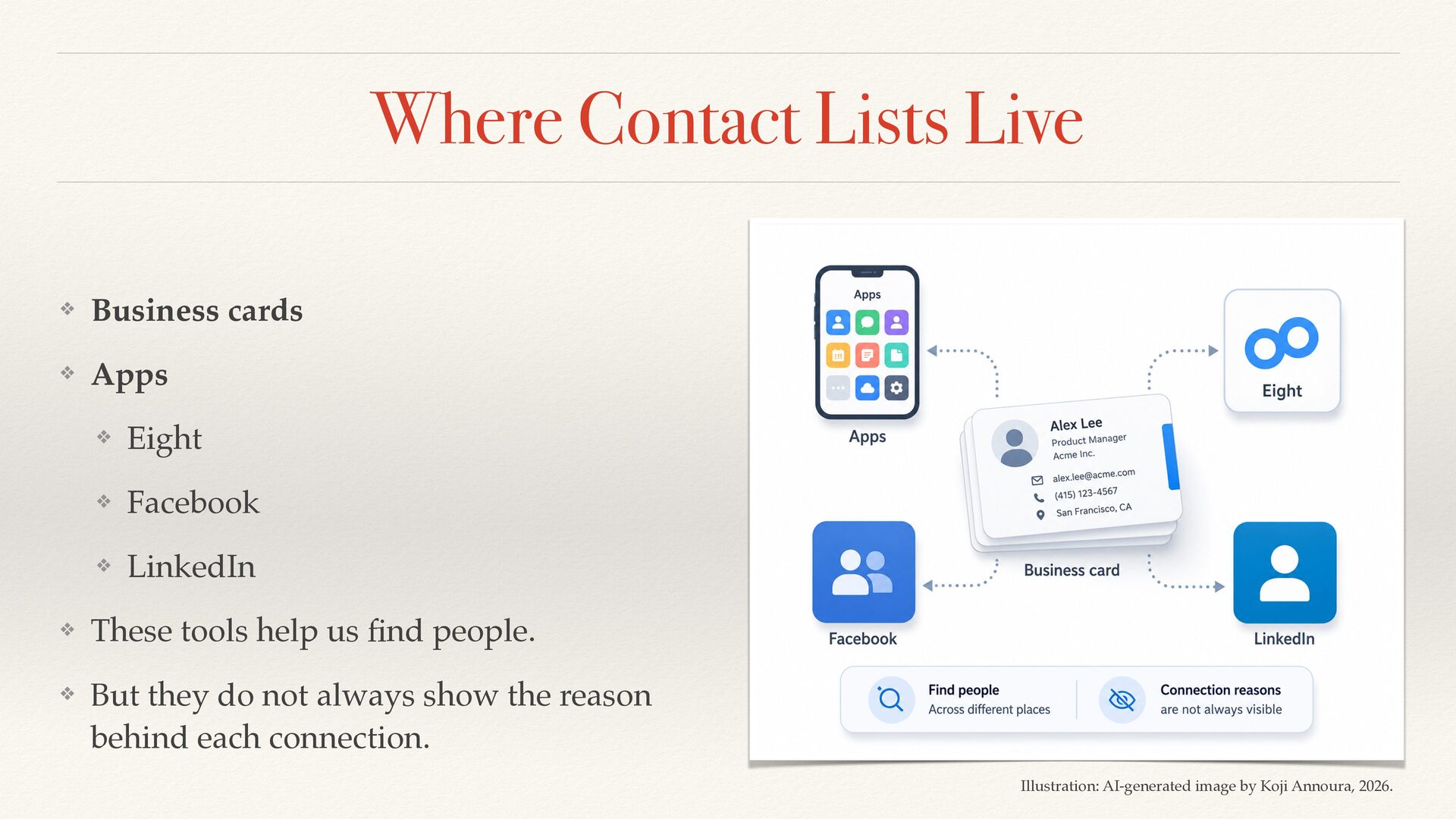
  5. Where Contact Lists Live ❖ Business cards ❖ Apps ❖

    Eight ❖ Facebook ❖ LinkedIn ❖ These tools help us fi nd people. ❖ But they do not always show the reason behind each connection. Illustration: AI-generated image by Koji Annoura, 2026.
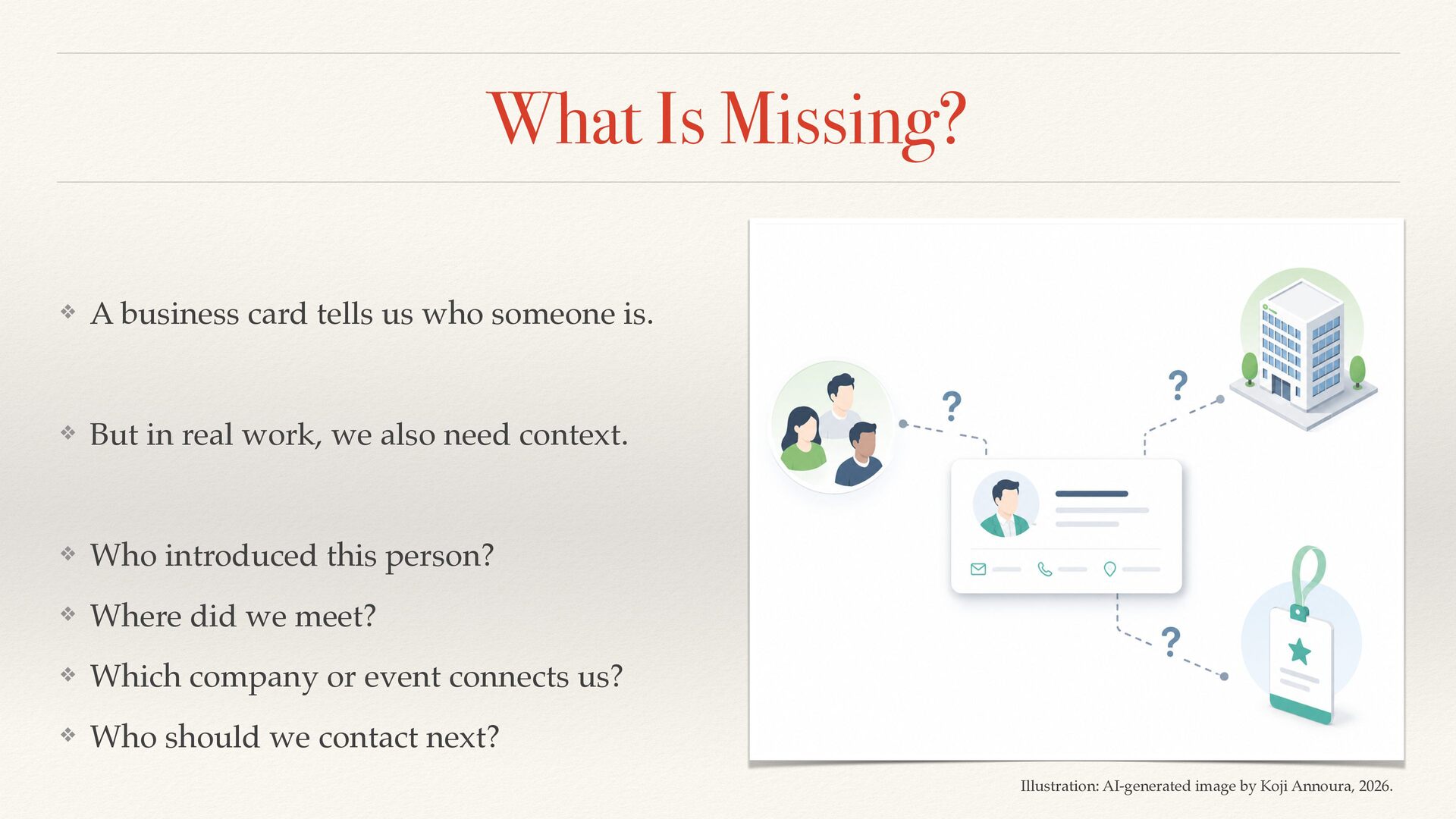
  6. What Is Missing? ❖ A business card tells us who

    someone is. ❖ But in real work, we also need context. ❖ Who introduced this person? ❖ Where did we meet? ❖ Which company or event connects us? ❖ Who should we contact next? Illustration: AI-generated image by Koji Annoura, 2026.
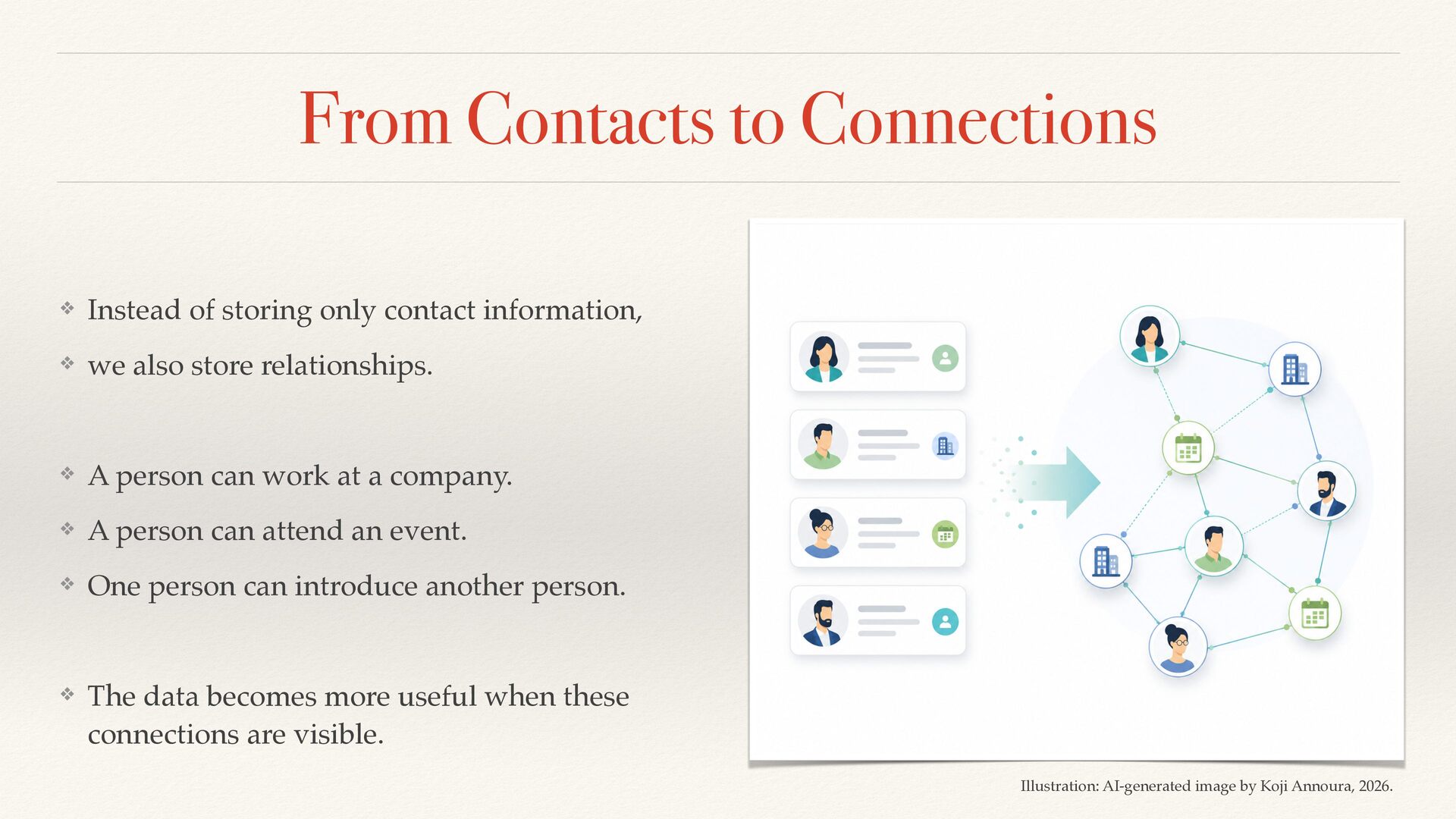
  7. From Contacts to Connections ❖ Instead of storing only contact

    information, ❖ we also store relationships. ❖ A person can work at a company. ❖ A person can attend an event. ❖ One person can introduce another person. ❖ The data becomes more useful when these connections are visible. Illustration: AI-generated image by Koji Annoura, 2026.
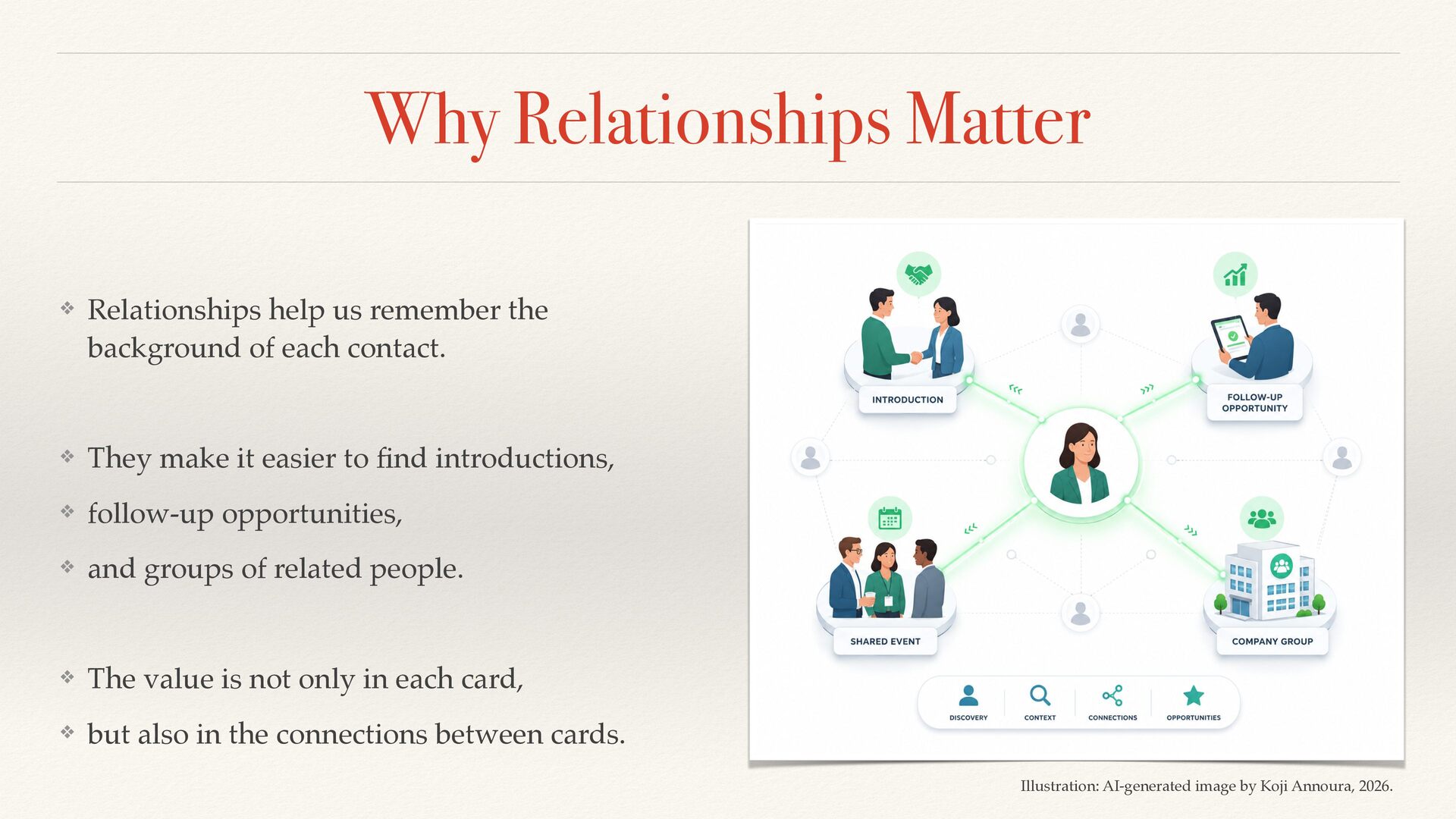
  8. Why Relationships Matter ❖ Relationships help us remember the background

    of each contact. ❖ They make it easier to fi nd introductions, ❖ follow-up opportunities, ❖ and groups of related people. ❖ The value is not only in each card, ❖ but also in the connections between cards. Illustration: AI-generated image by Koji Annoura, 2026.
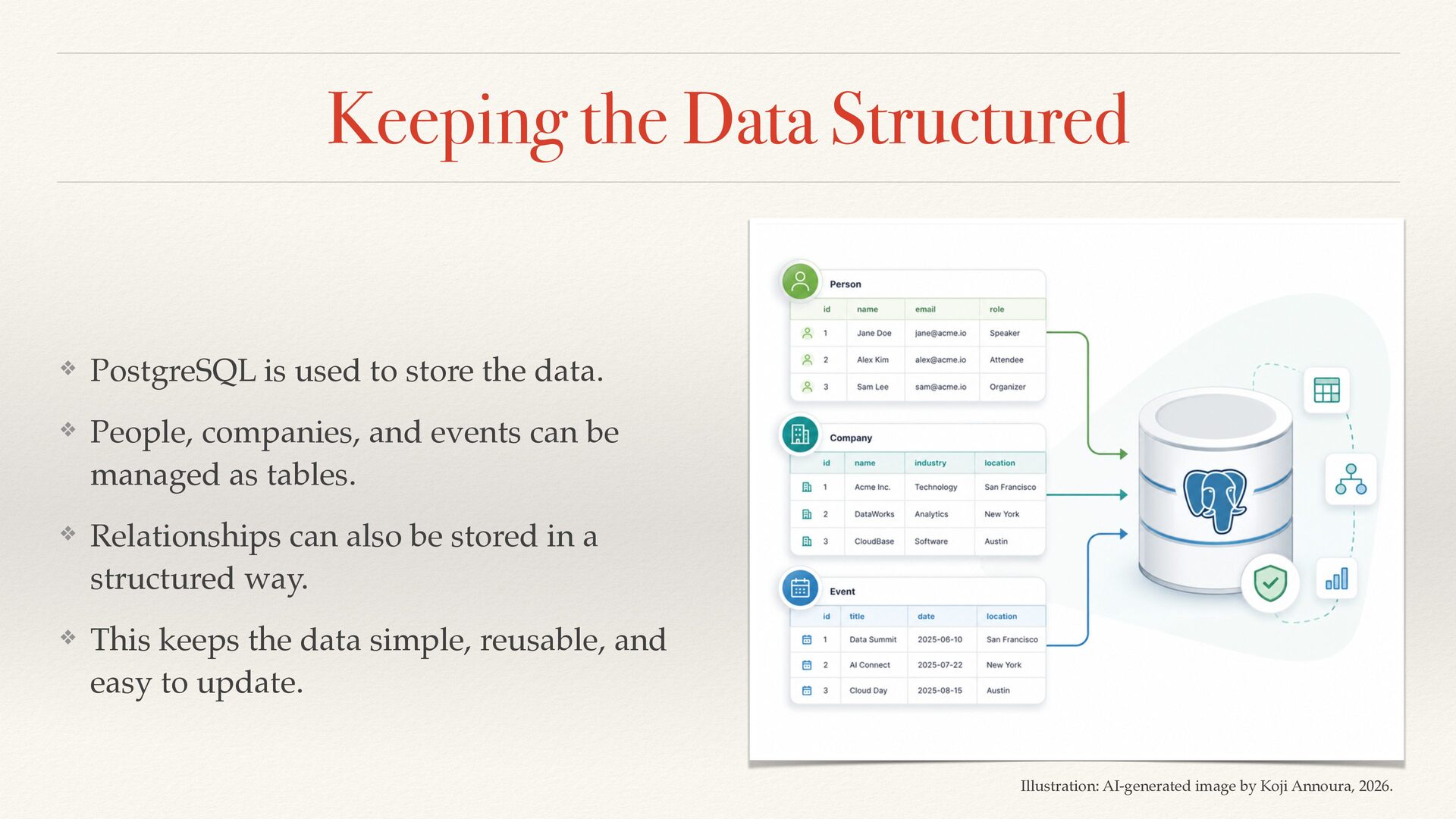
  9. Keeping the Data Structured ❖ PostgreSQL is used to store

    the data. ❖ People, companies, and events can be managed as tables. ❖ Relationships can also be stored in a structured way. ❖ This keeps the data simple, reusable, and easy to update. Illustration: AI-generated image by Koji Annoura, 2026.
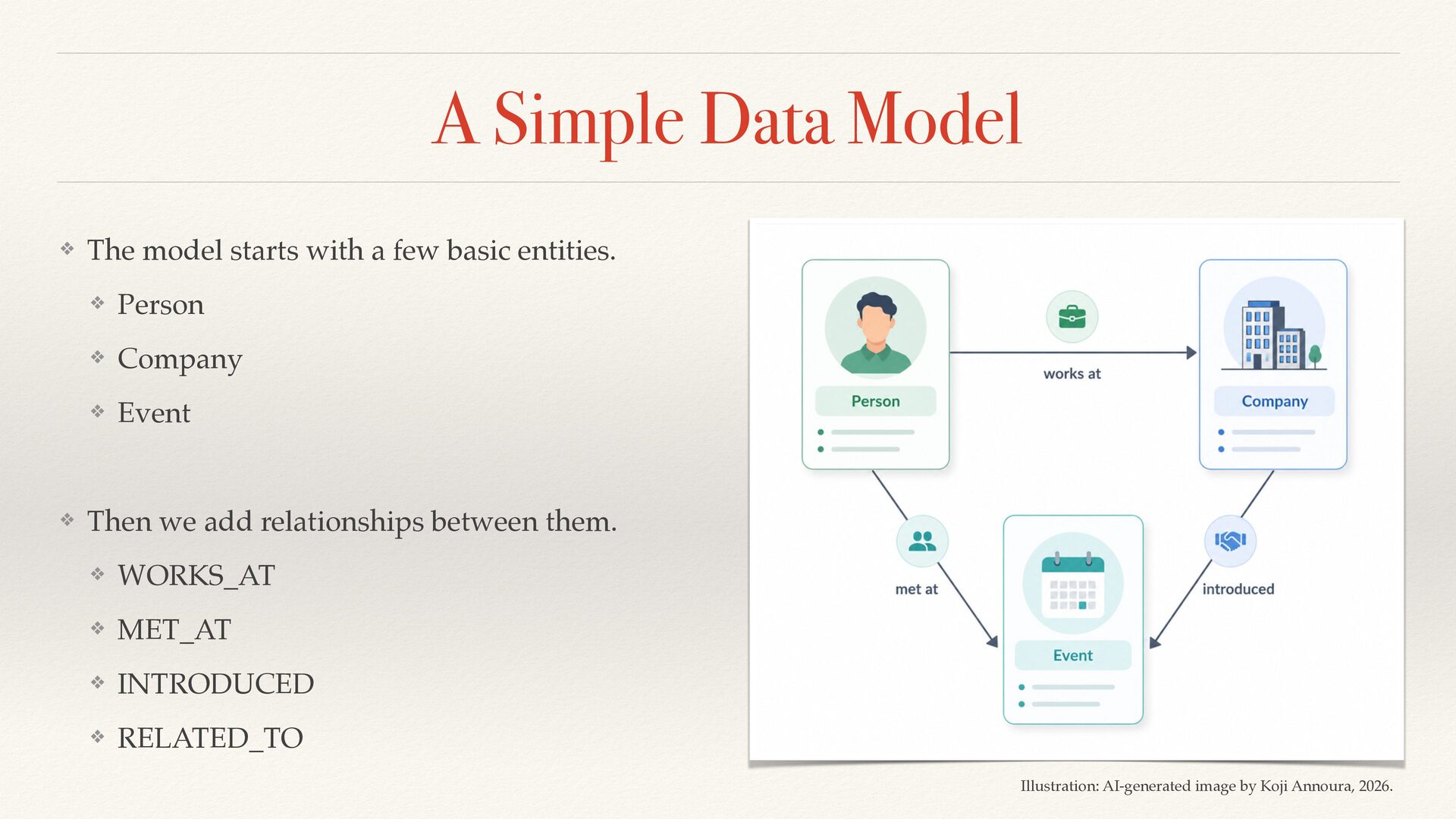
  10. A Simple Data Model ❖ The model starts with a

    few basic entities. ❖ Person ❖ Company ❖ Event ❖ Then we add relationships between them. ❖ WORKS_AT ❖ MET_AT ❖ INTRODUCED ❖ RELATED_TO Illustration: AI-generated image by Koji Annoura, 2026.
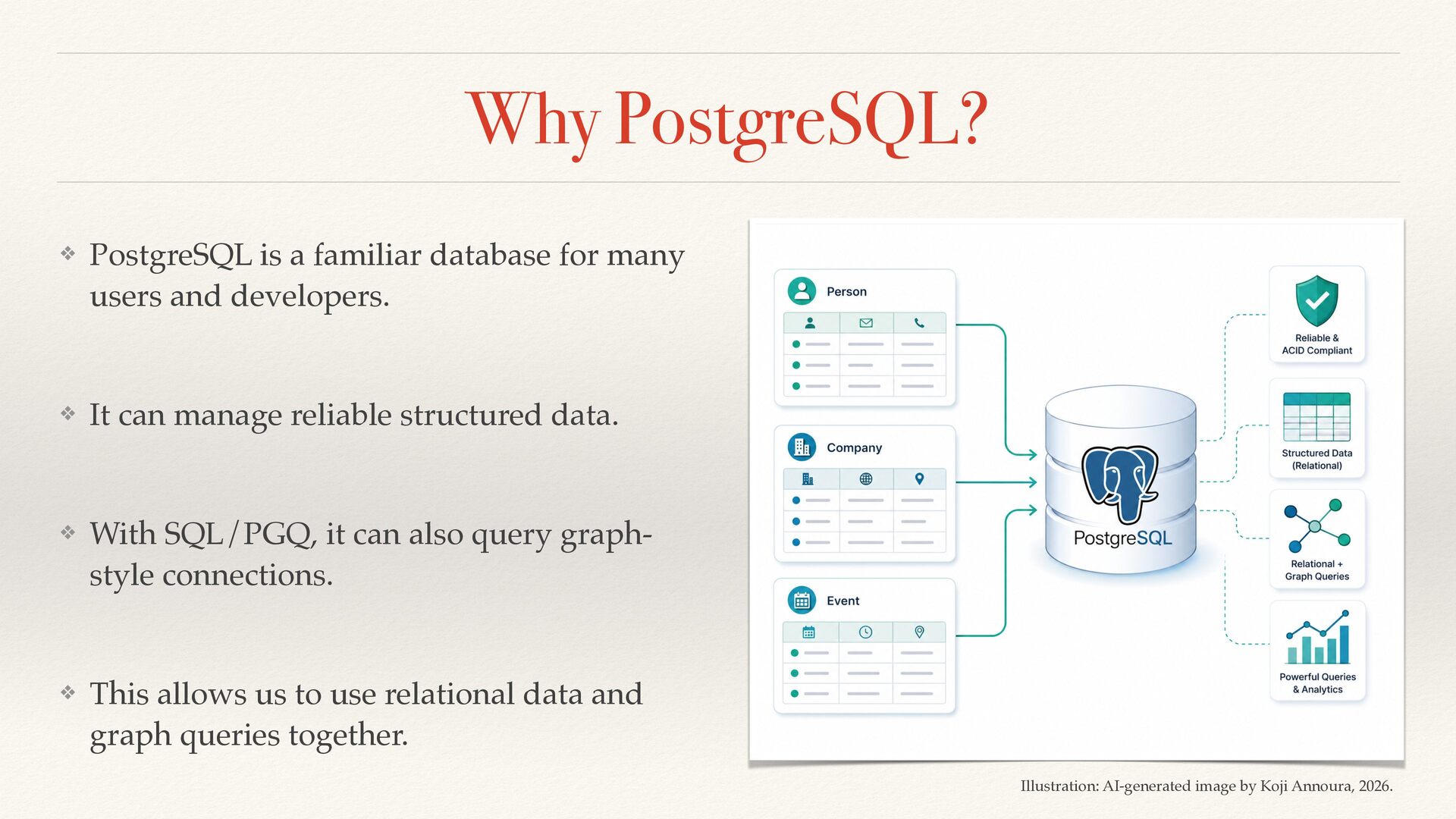
  11. Why PostgreSQL? ❖ PostgreSQL is a familiar database for many

    users and developers. ❖ It can manage reliable structured data. ❖ With SQL/PGQ, it can also query graph- style connections. ❖ This allows us to use relational data and graph queries together. Illustration: AI-generated image by Koji Annoura, 2026.
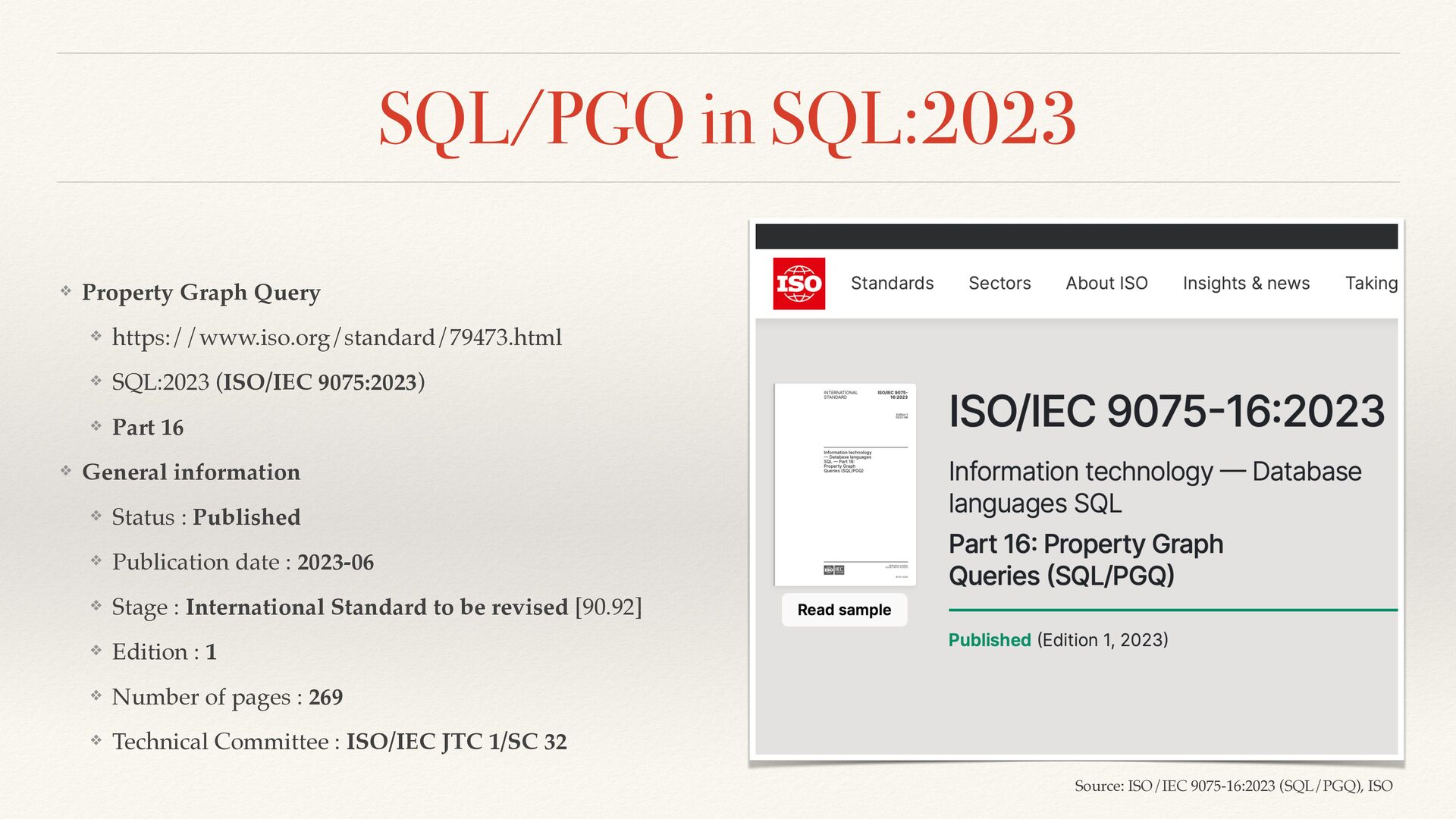
  12. SQL/PGQ in SQL:2023 ❖ Property Graph Query ❖ https://www.iso.org/standard/79473.html ❖

    SQL:2023 (ISO/IEC 9075:2023) ❖ Part 16 ❖ General information ❖ Status : Published ❖ Publication date : 2023-06 ❖ Stage : International Standard to be revised [90.92] ❖ Edition : 1 ❖ Number of pages : 269 ❖ Technical Committee : ISO/IEC JTC 1/SC 32 Source: ISO/IEC 9075-16:2023 (SQL/PGQ), ISO
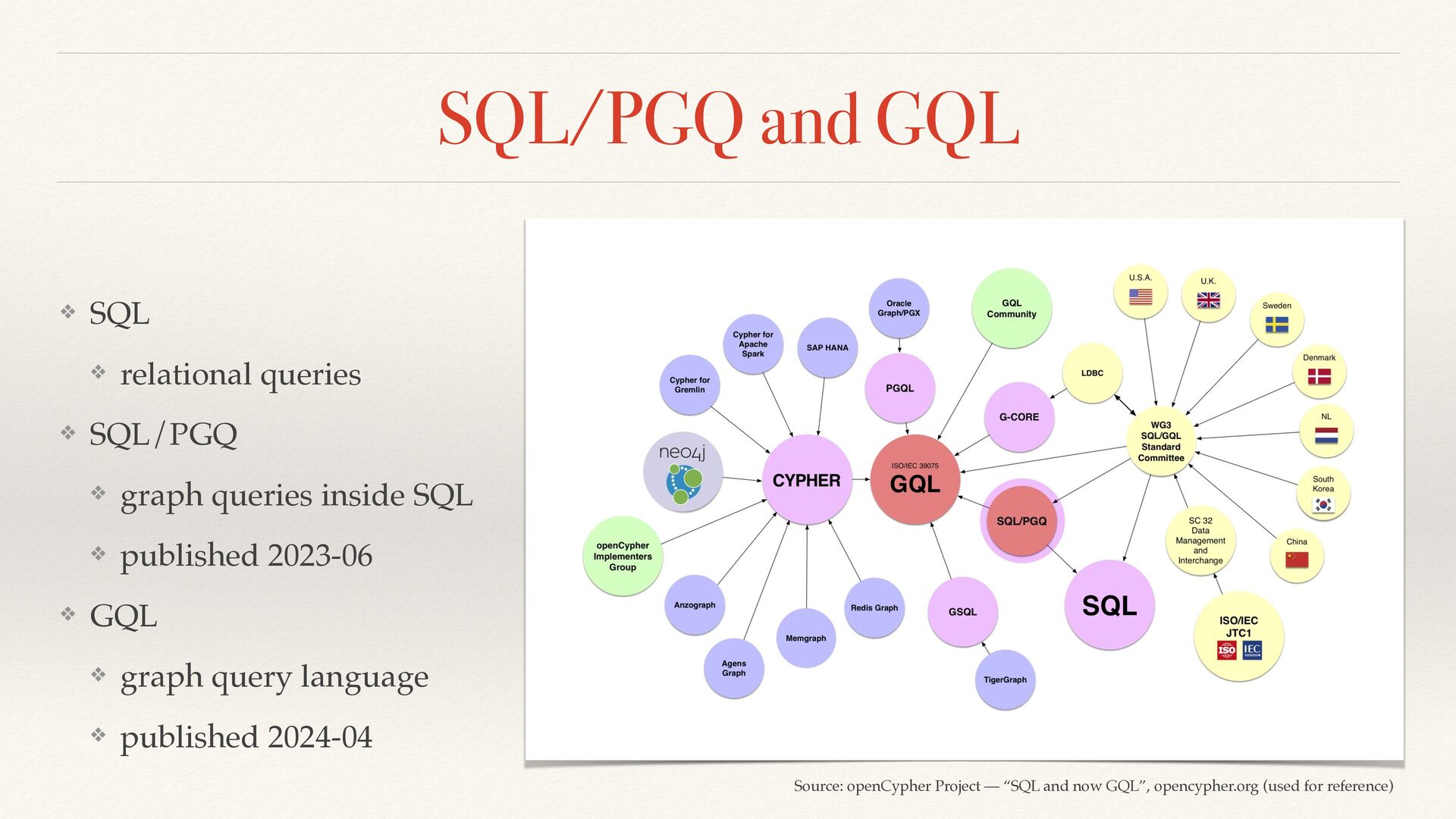
  13. SQL/PGQ and GQL ❖ SQL ❖ relational queries ❖ SQL/PGQ

    ❖ graph queries inside SQL ❖ published 2023-06 ❖ GQL ❖ graph query language ❖ published 2024-04 Source: openCypher Project — “SQL and now GQL”, opencypher.org (used for reference)
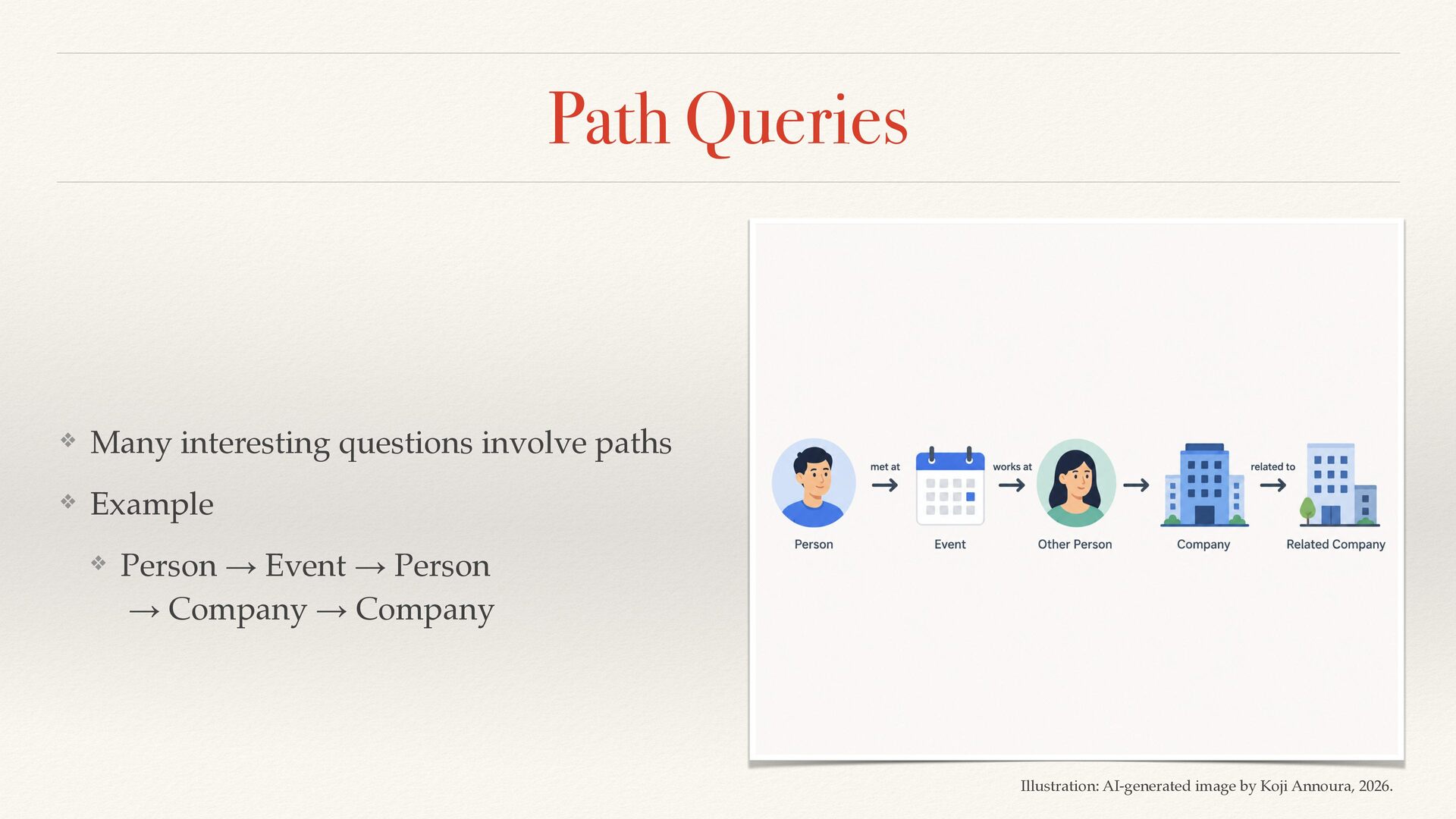
  14. Path Queries ❖ Many interesting questions involve paths ❖ Example

    ❖ Person → Event → Person → Company → Company Illustration: AI-generated image by Koji Annoura, 2026.
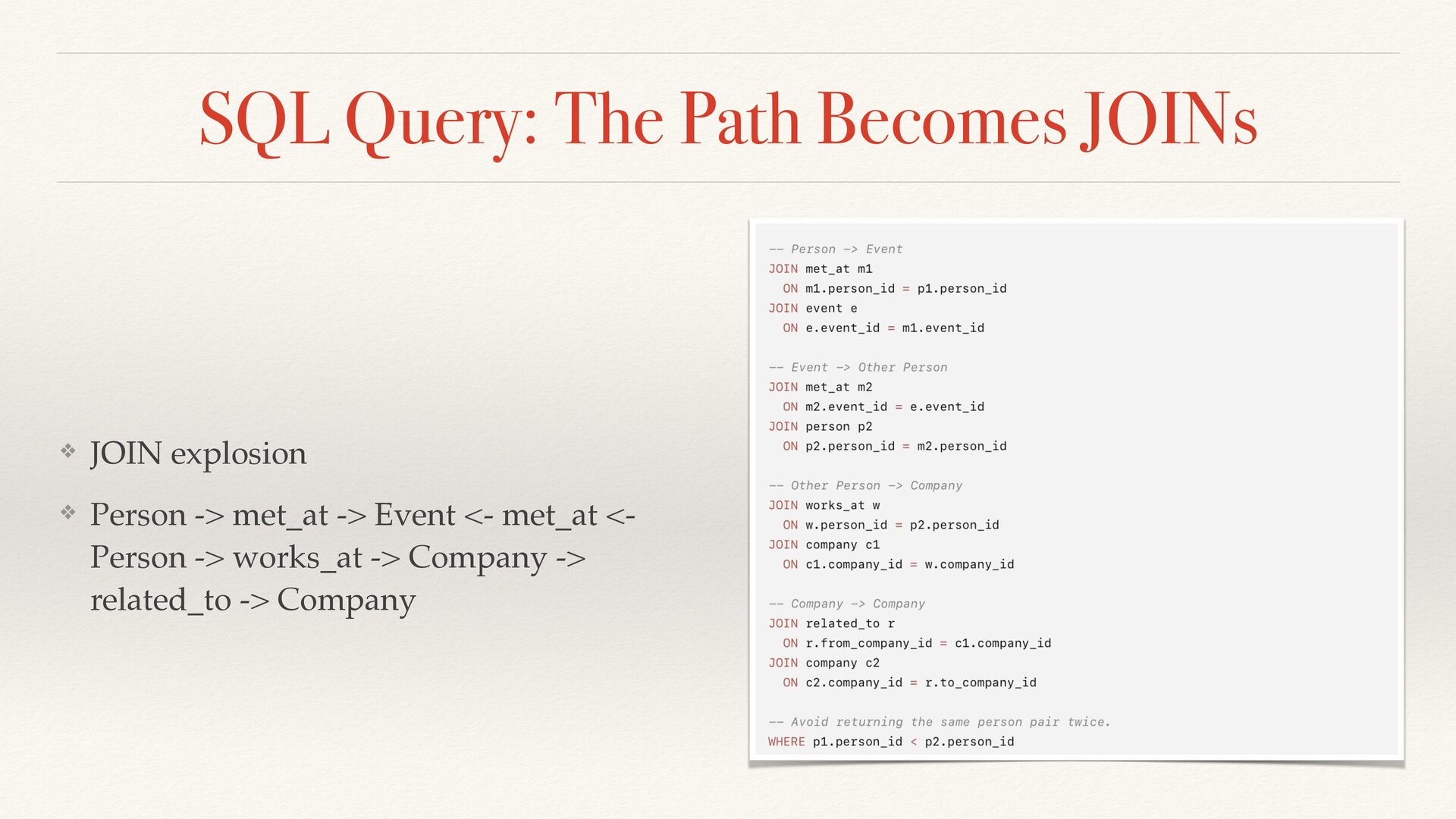
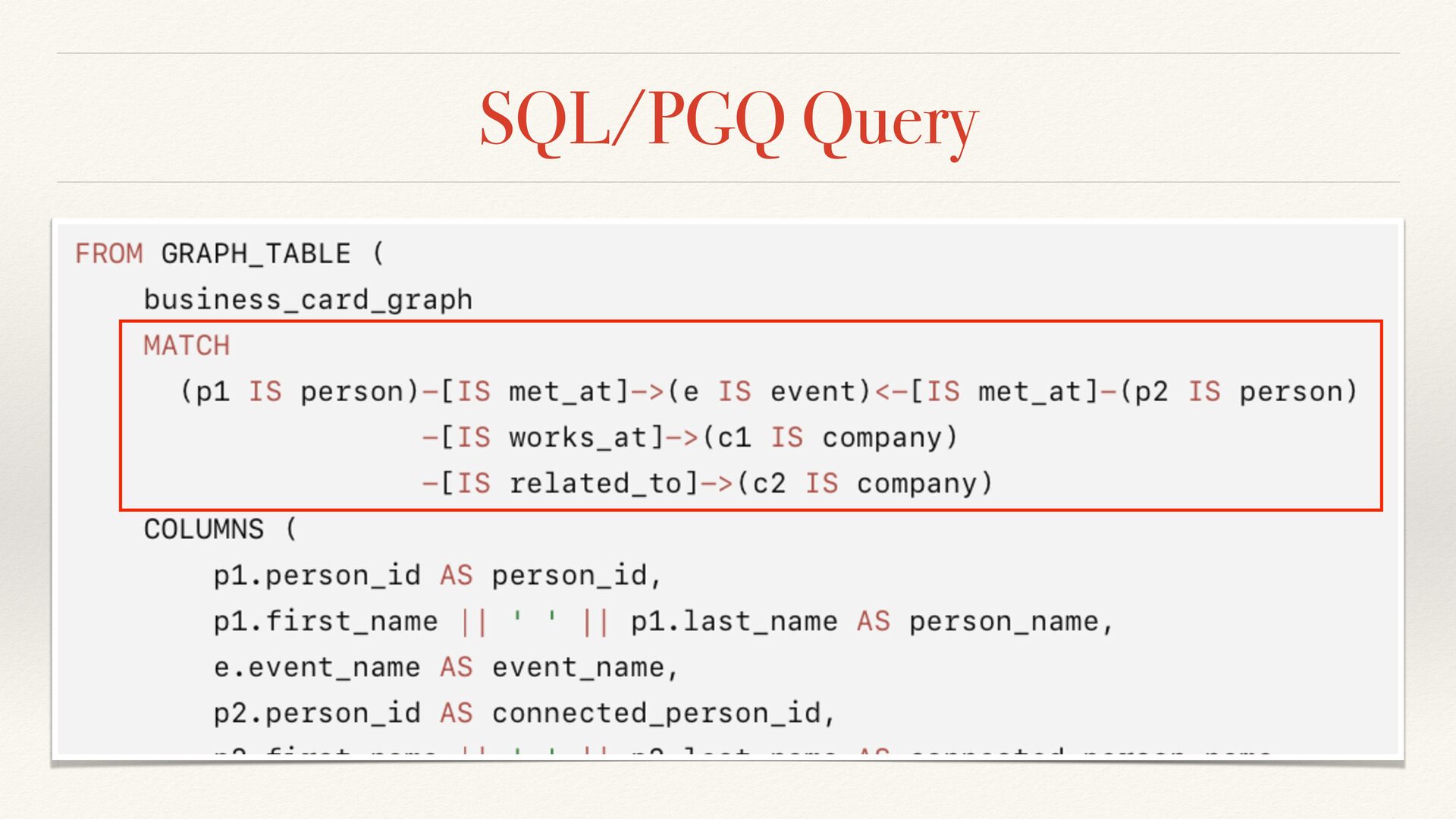
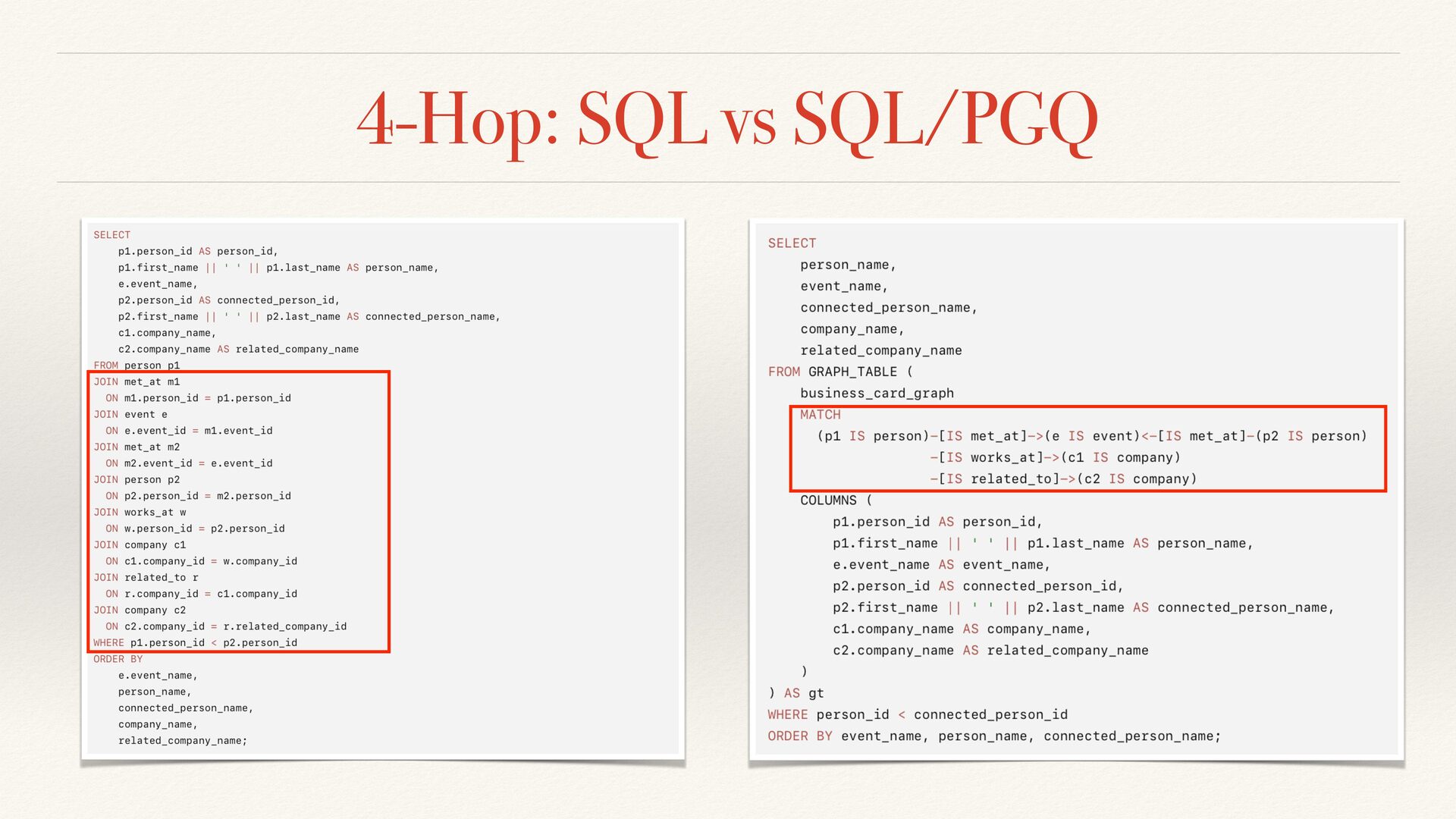
  15. SQL Query: The Path Becomes JOINs ❖ JOIN explosion ❖

    Person -> met_at -> Event <- met_at <- Person -> works_at -> Company -> related_to -> Company
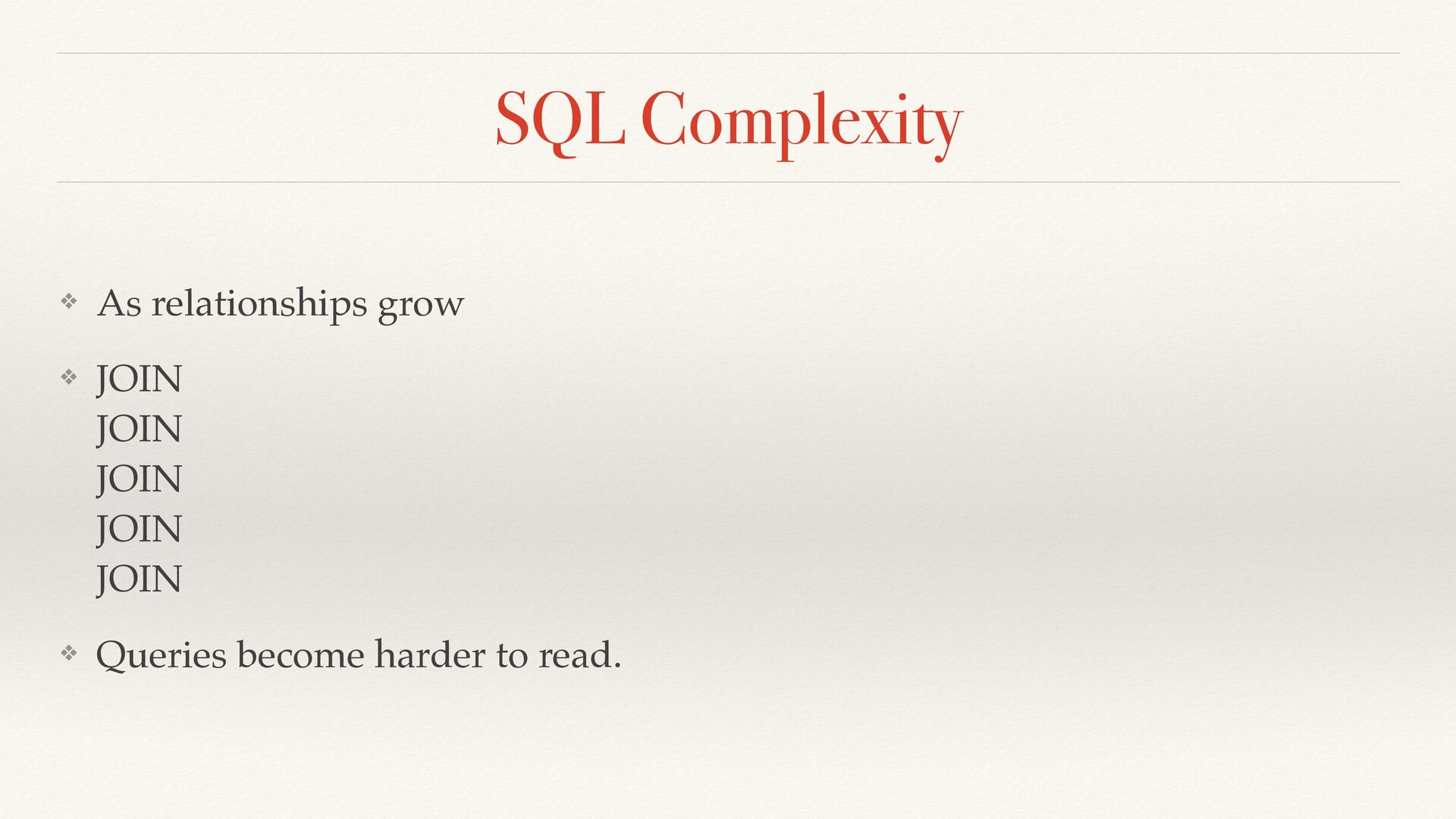
  16. SQL Complexity ❖ As relationships grow ❖ JOIN JOIN JOIN

    JOIN JOIN ❖ Queries become harder to read.
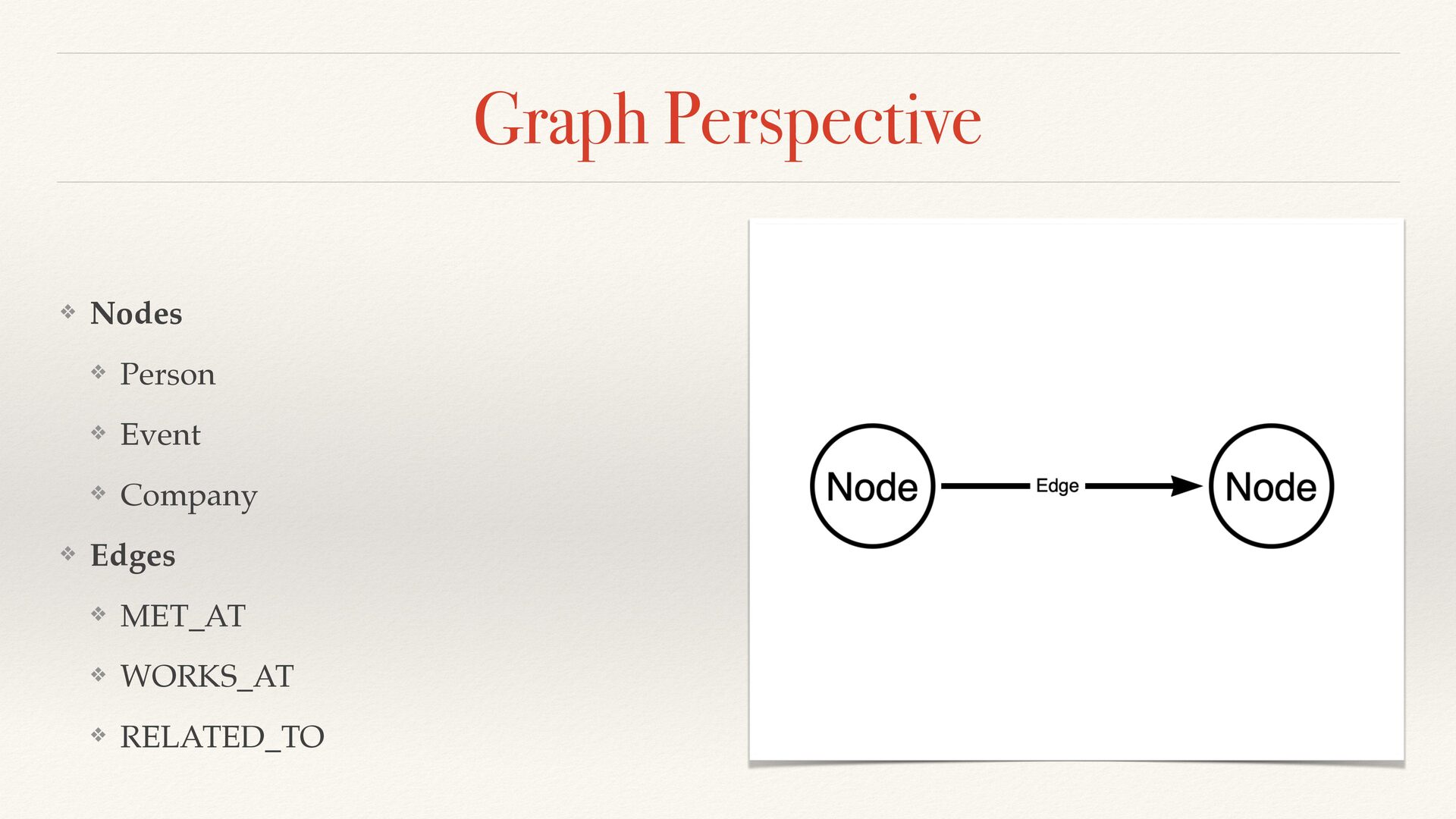
  17. Graph Perspective ❖ Nodes ❖ Person ❖ Event ❖ Company

    ❖ Edges ❖ MET_AT ❖ WORKS_AT ❖ RELATED_TO
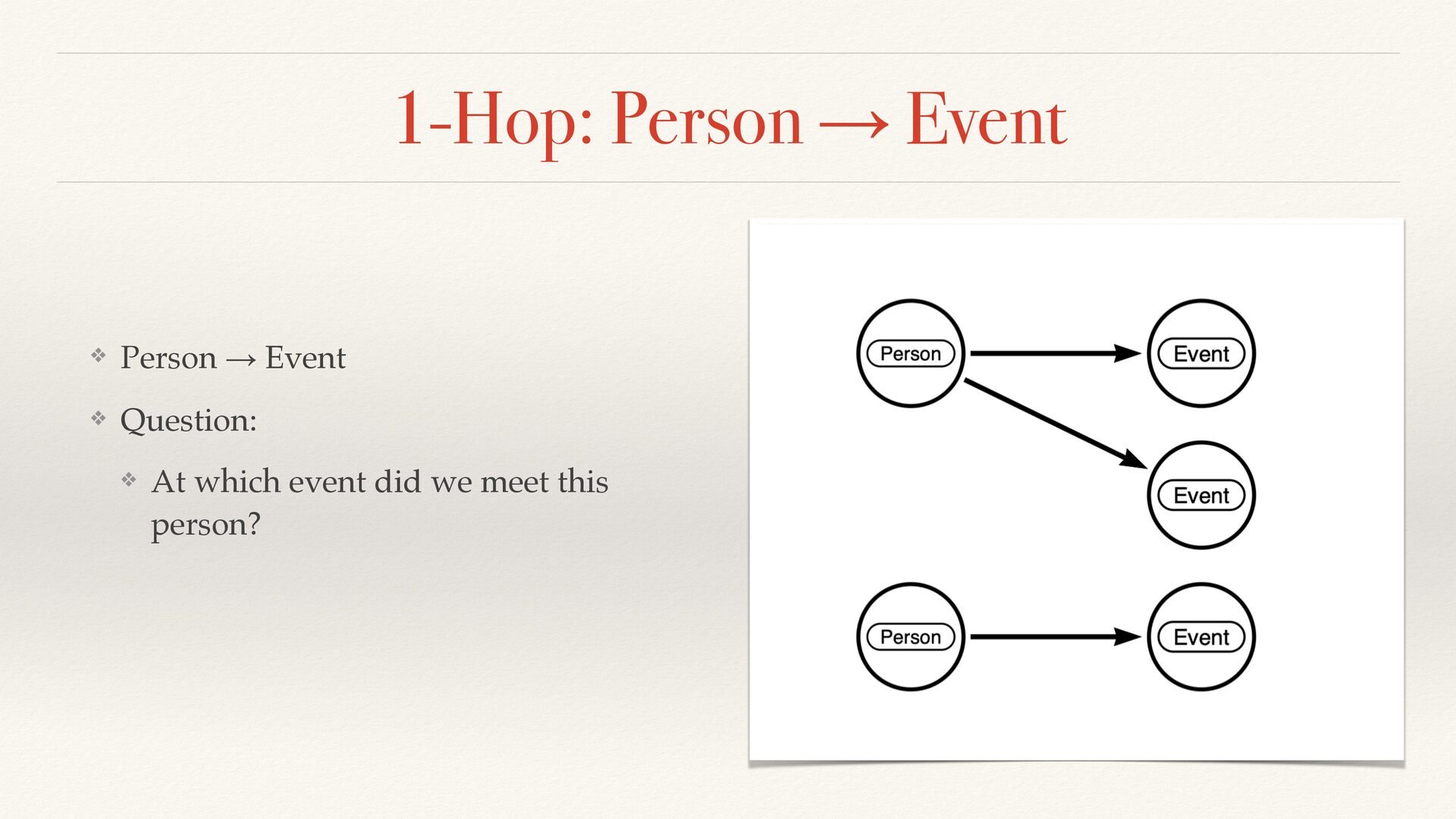
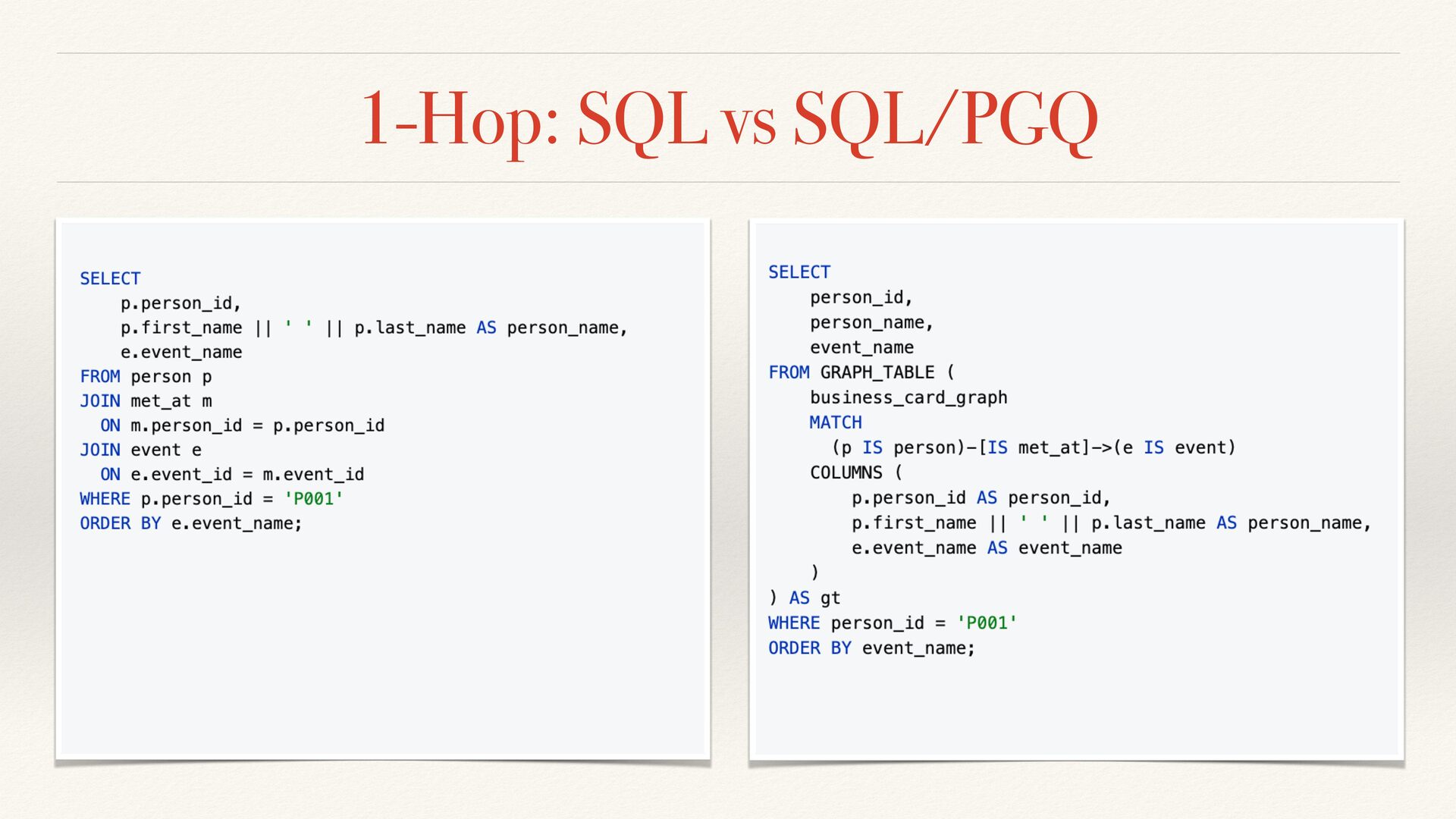
  18. 1-Hop: Person → Event ❖ Person → Event ❖ Question:

    ❖ At which event did we meet this person?
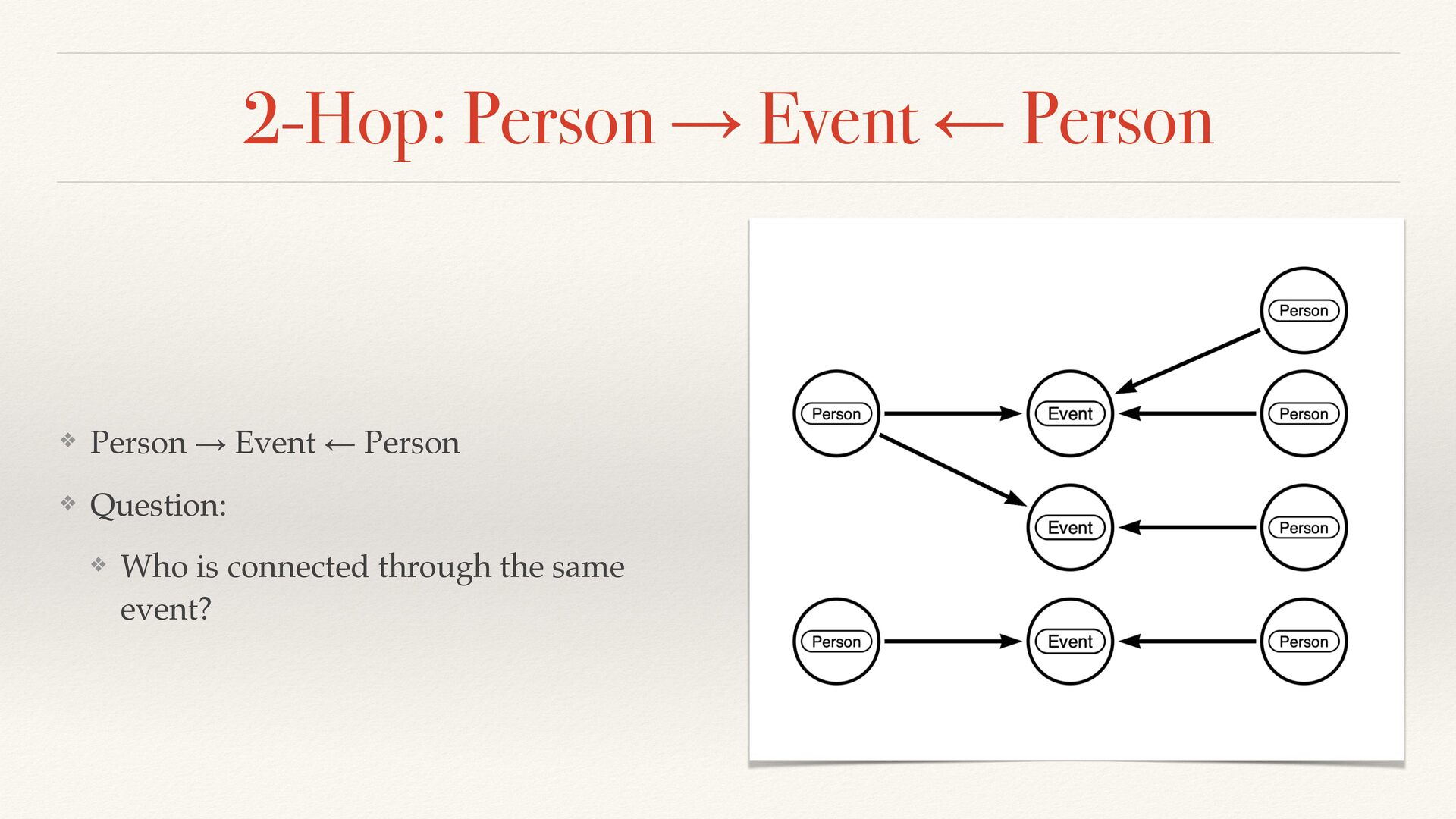
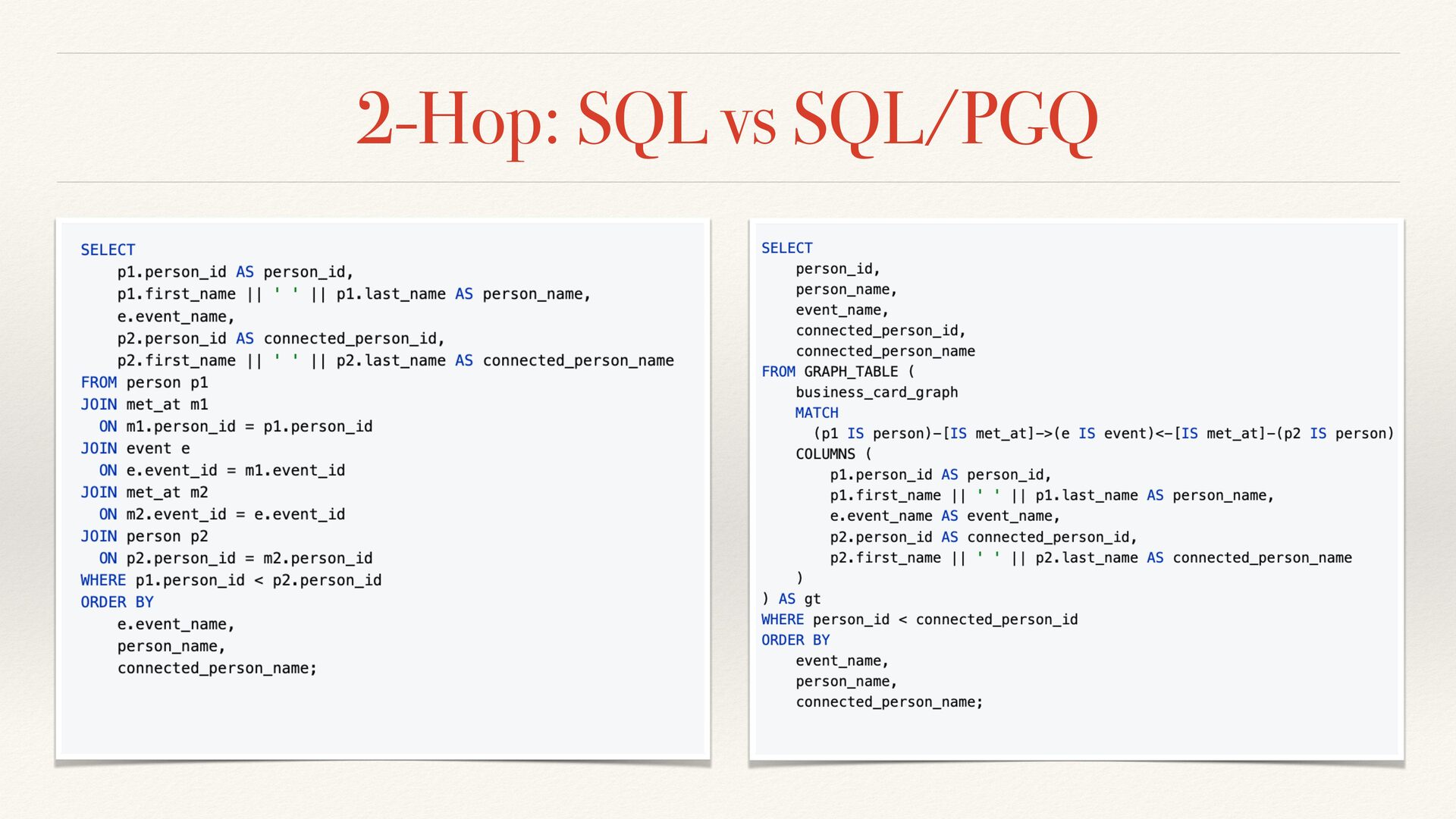
  19. 2-Hop: Person → Event ← Person ❖ Person → Event

    ← Person ❖ Question: ❖ Who is connected through the same event?
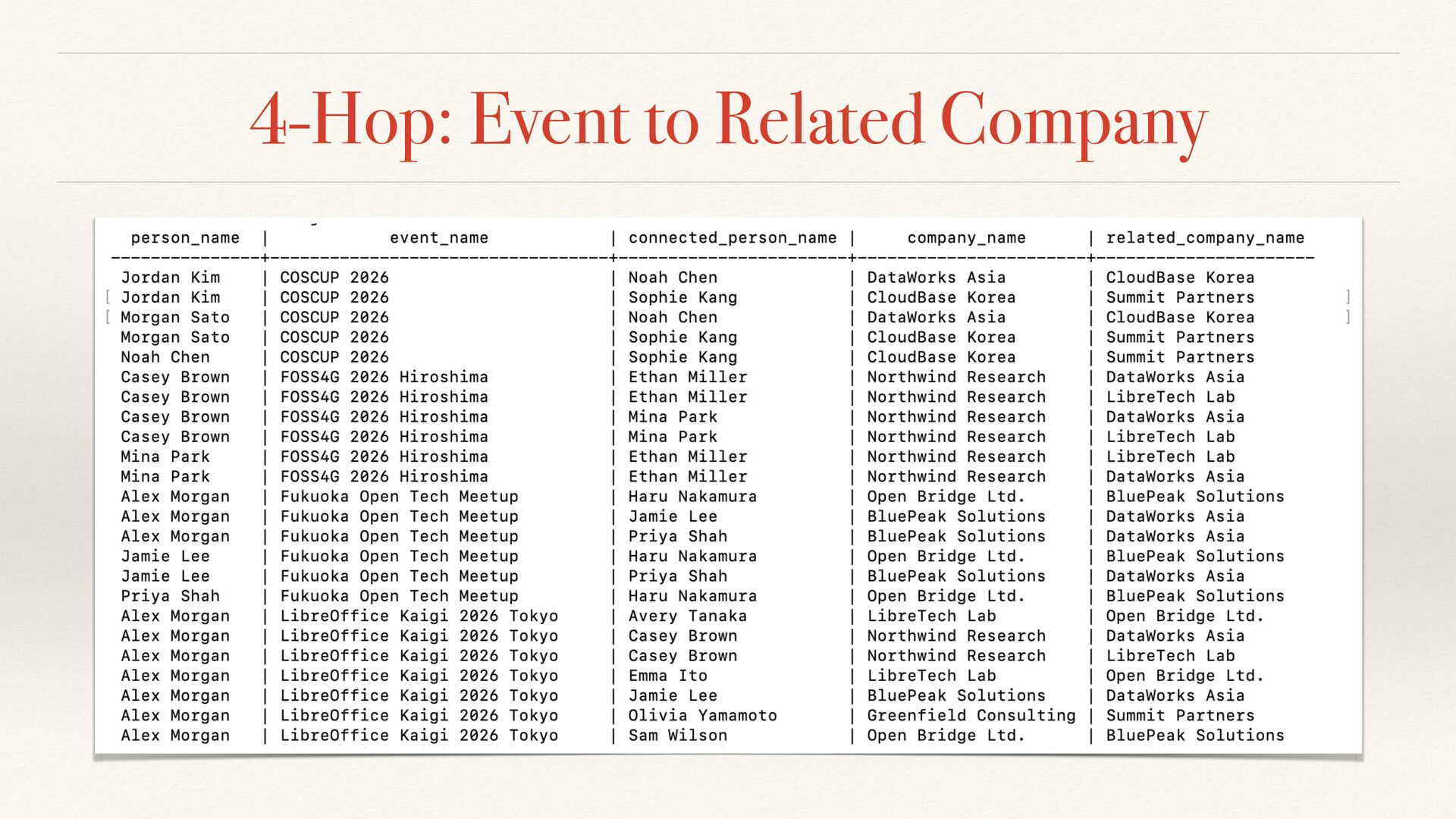
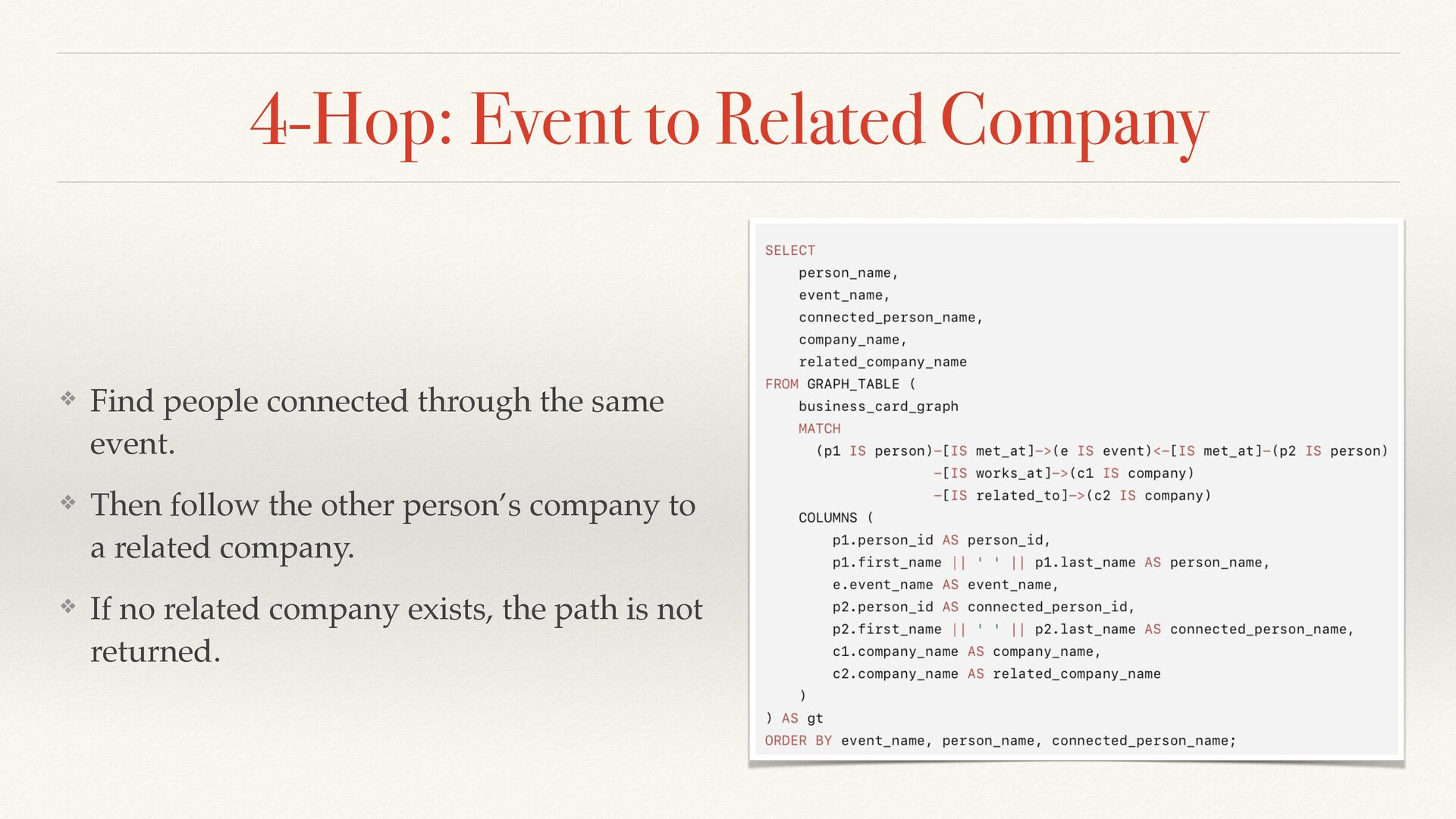
  20. 4-Hop: Event to Related Company ❖ Find people connected through

    the same event. ❖ Then follow the other person’s company to a related company. ❖ If no related company exists, the path is not returned.
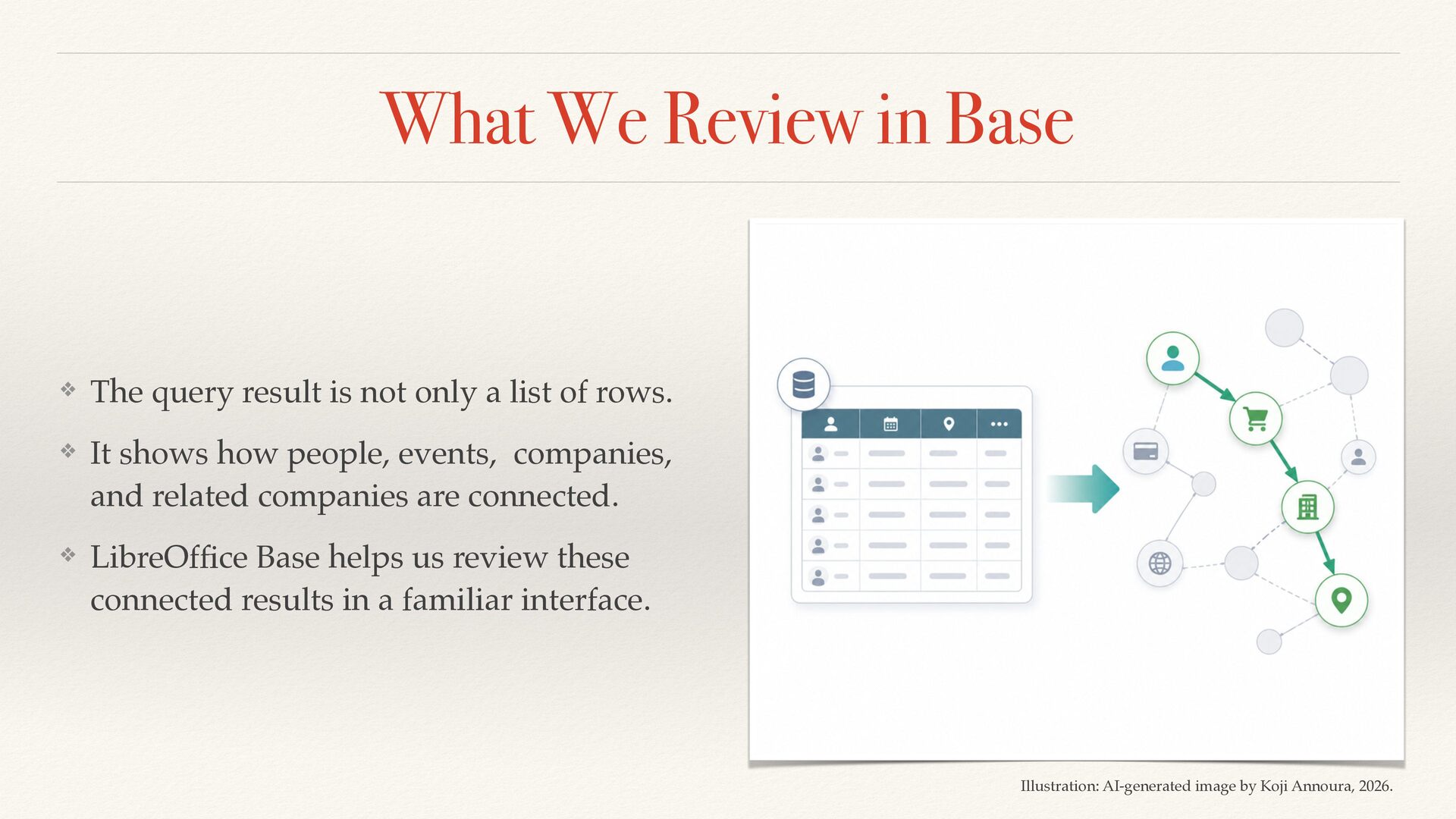
  21. What We Review in Base ❖ The query result is

    not only a list of rows. ❖ It shows how people, events, companies, and related companies are connected. ❖ LibreOf fi ce Base helps us review these connected results in a familiar interface. Illustration: AI-generated image by Koji Annoura, 2026.
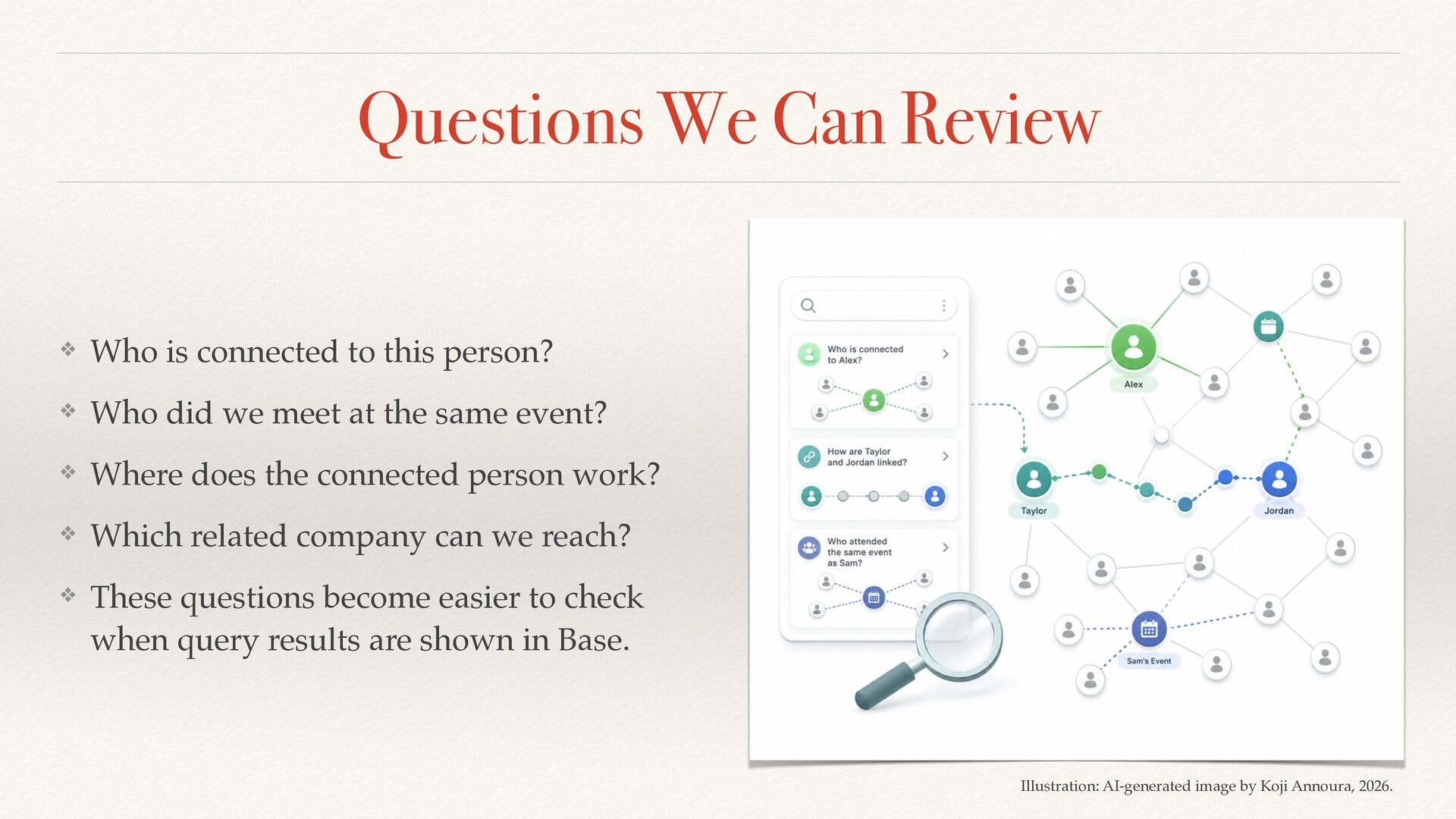
  22. Questions We Can Review ❖ Who is connected to this

    person? ❖ Who did we meet at the same event? ❖ Where does the connected person work? ❖ Which related company can we reach? ❖ These questions become easier to checkɹ when query results are shown in Base. Illustration: AI-generated image by Koji Annoura, 2026.
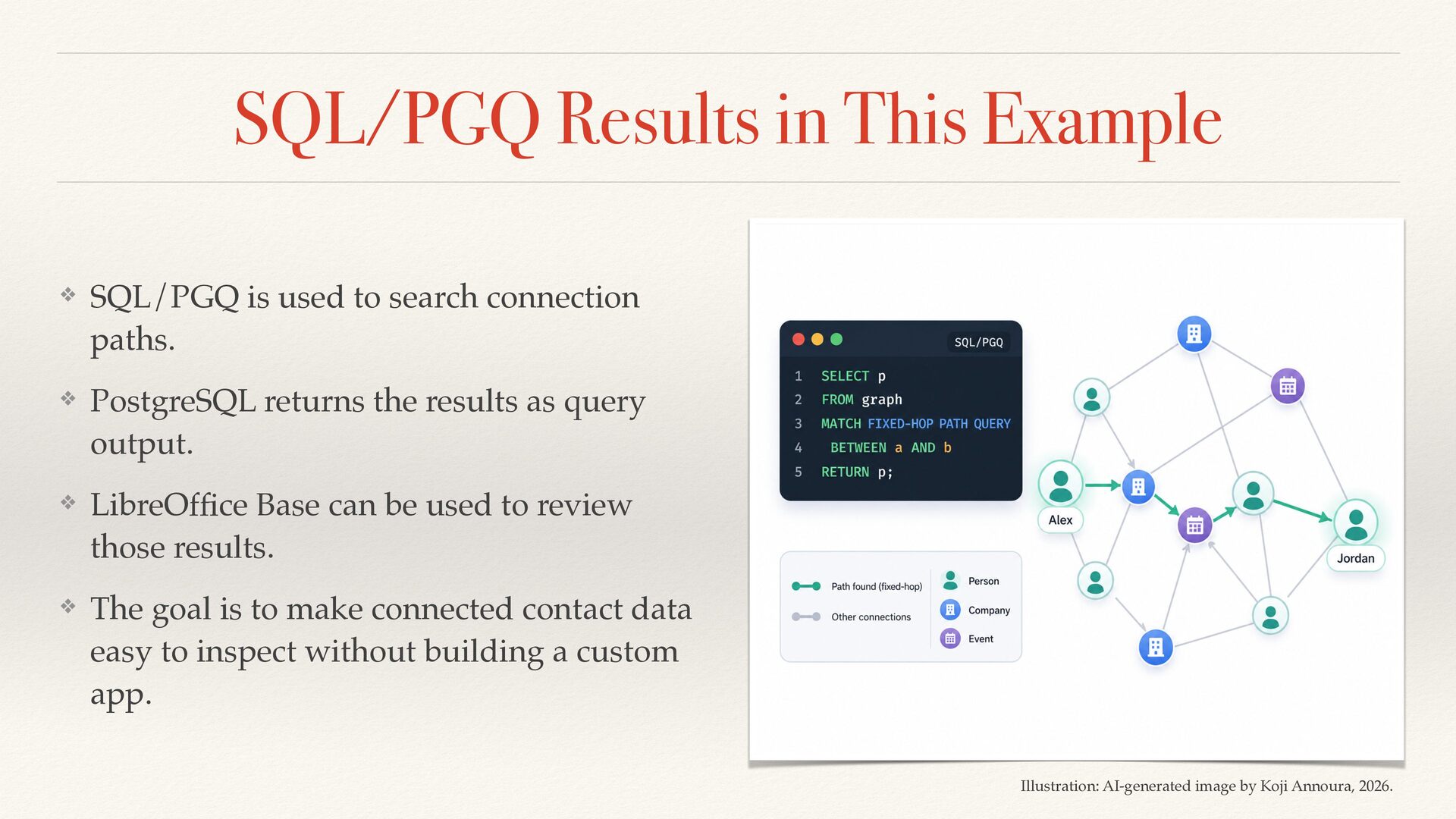
  23. SQL/PGQ Results in This Example ❖ SQL/PGQ is used to

    search connection paths. ❖ PostgreSQL returns the results as query output. ❖ LibreOf fi ce Base can be used to review those results. ❖ The goal is to make connected contact data easy to inspect without building a custom app. Illustration: AI-generated image by Koji Annoura, 2026.
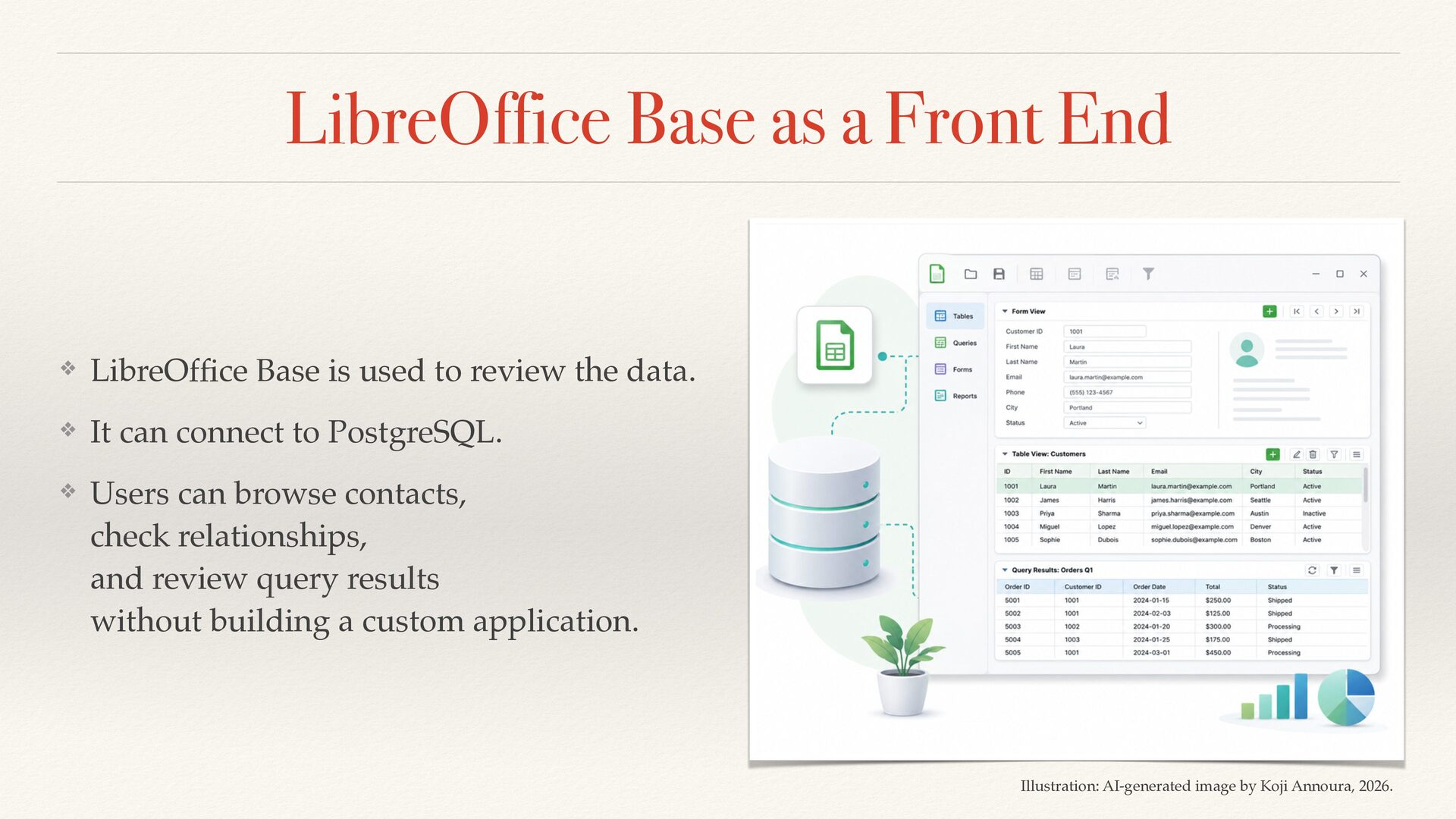
  24. LibreOffice Base as a Front End ❖ LibreOf fi ce

    Base is used to review the data. ❖ It can connect to PostgreSQL. ❖ Users can browse contacts, check relationships, and review query results without building a custom application. Illustration: AI-generated image by Koji Annoura, 2026.
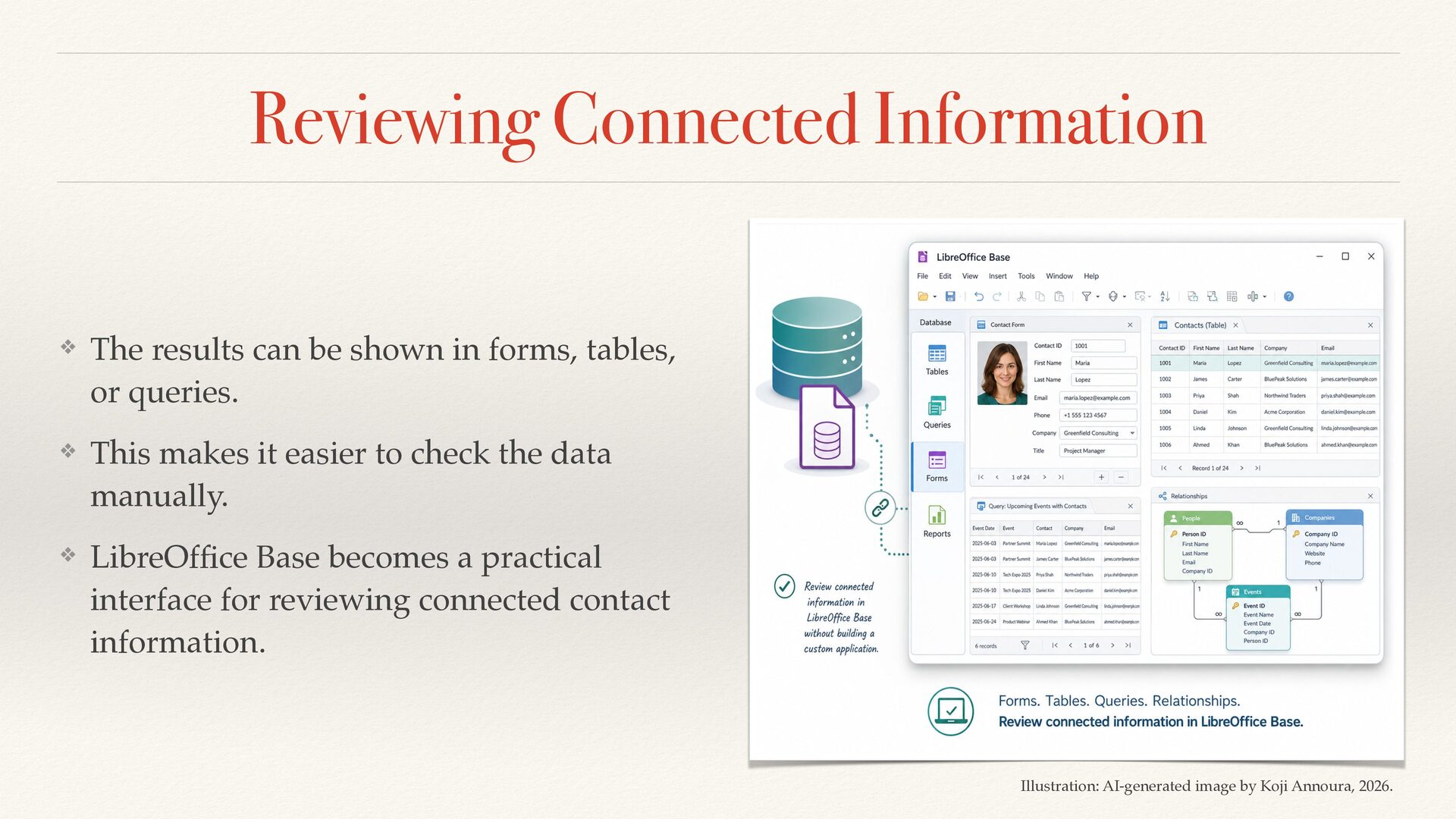
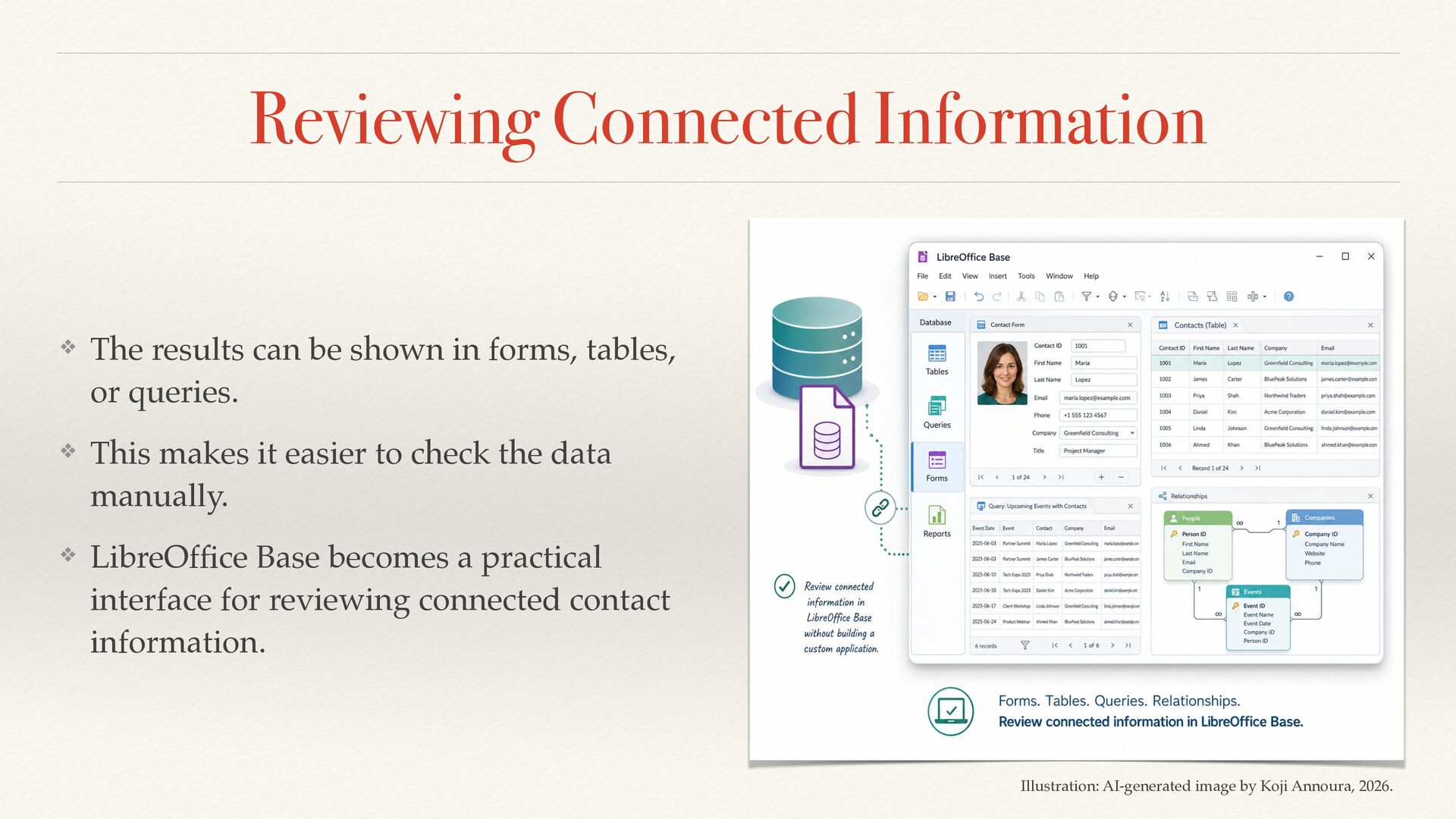
  25. Reviewing Connected Information ❖ The results can be shown in

    forms, tables, or queries. ❖ This makes it easier to check the data manually. ❖ LibreOf fi ce Base becomes a practical interface for reviewing connected contact information. Illustration: AI-generated image by Koji Annoura, 2026.
  26. Reviewing Connected Information ❖ The results can be shown in

    forms, tables, or queries. ❖ This makes it easier to check the data manually. ❖ LibreOf fi ce Base becomes a practical interface for reviewing connected contact information. Illustration: AI-generated image by Koji Annoura, 2026.
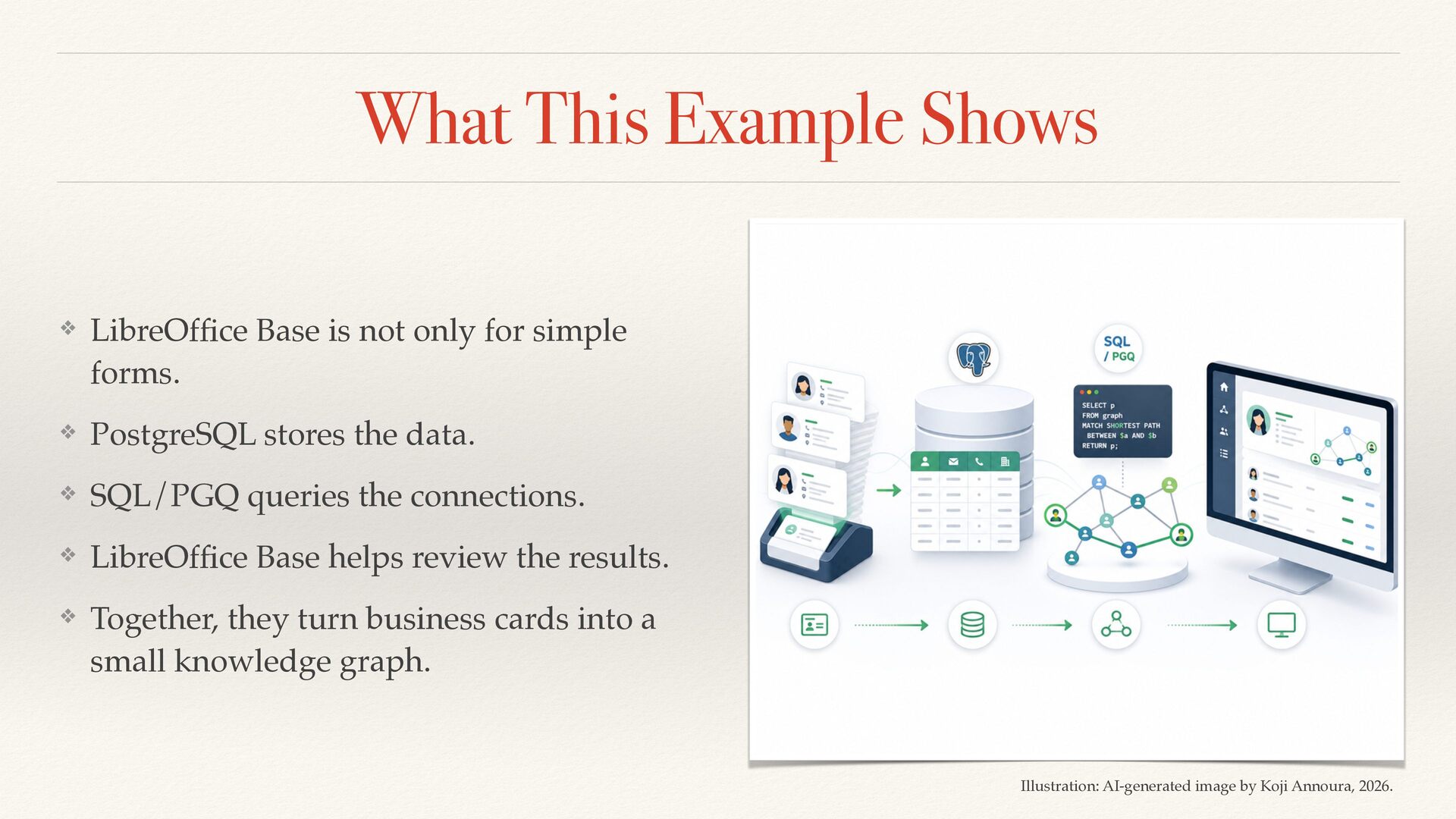
  27. What This Example Shows ❖ LibreOf fi ce Base is

    not only for simple forms. ❖ PostgreSQL stores the data. ❖ SQL/PGQ queries the connections. ❖ LibreOf fi ce Base helps review the results. ❖ Together, they turn business cards into a small knowledge graph. Illustration: AI-generated image by Koji Annoura, 2026.
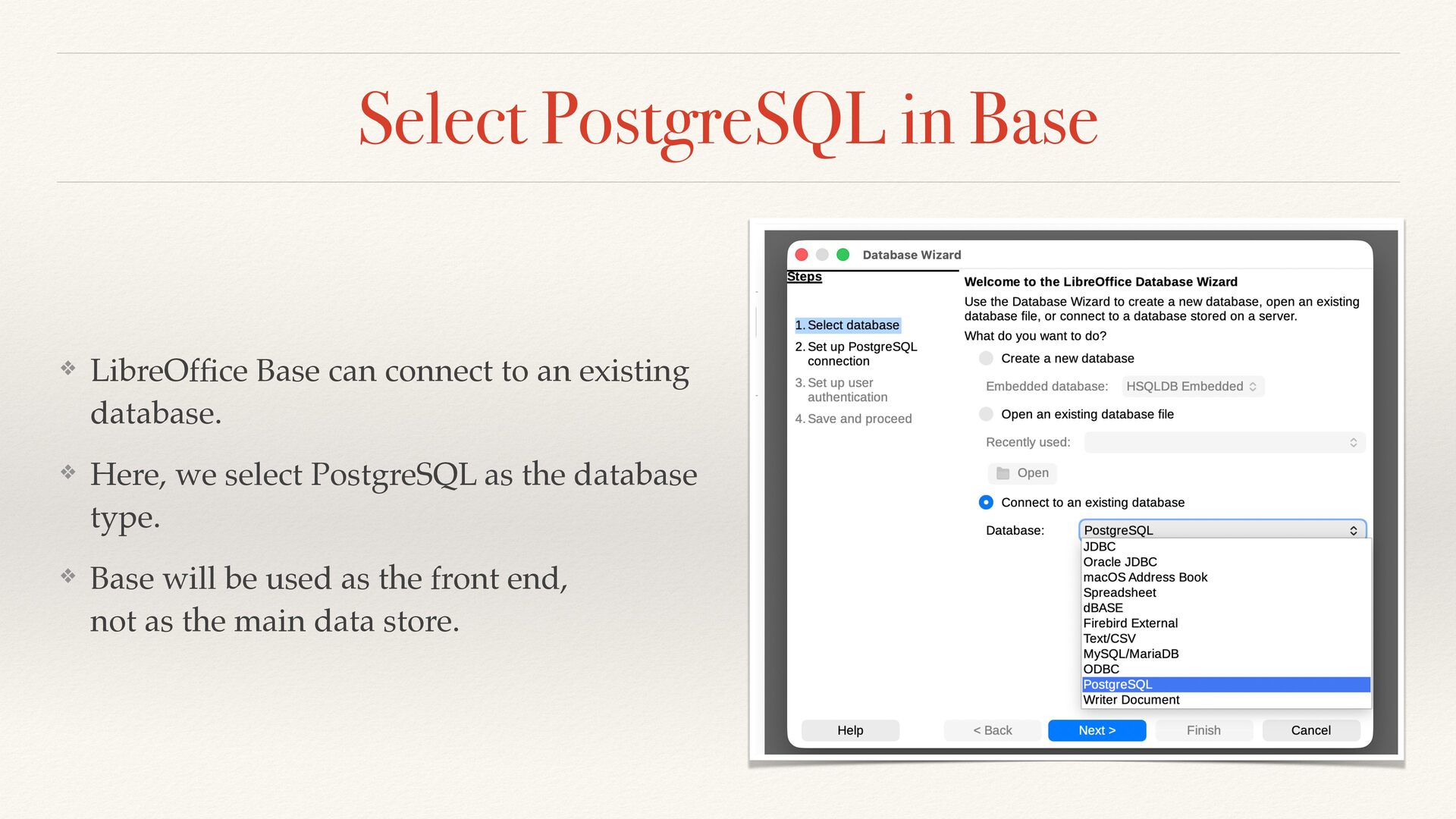
  28. Select PostgreSQL in Base ❖ LibreOf fi ce Base can

    connect to an existing database. ❖ Here, we select PostgreSQL as the database type. ❖ Base will be used as the front end, not as the main data store.
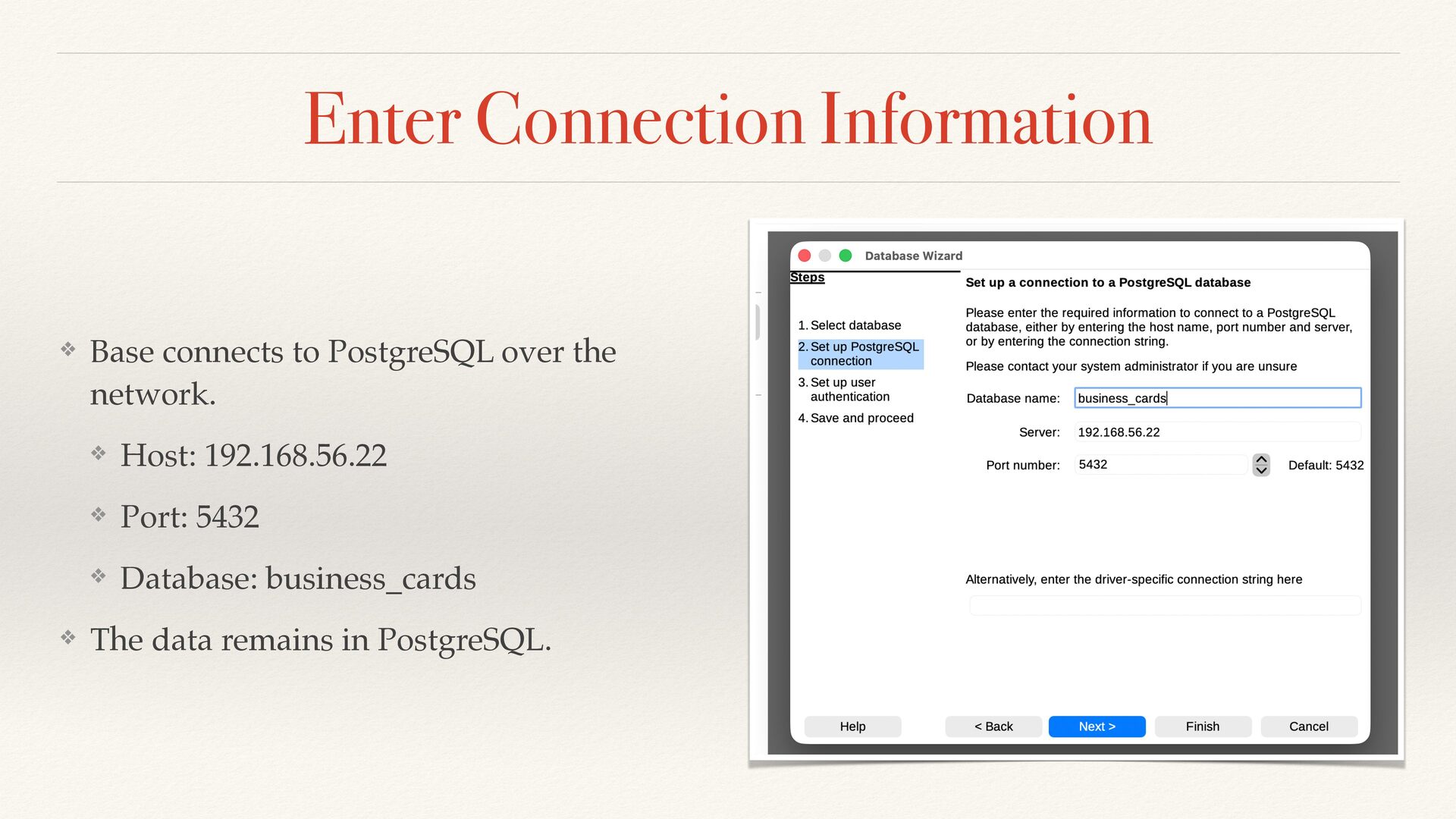
  29. Enter Connection Information ❖ Base connects to PostgreSQL over the

    network. ❖ Host: 192.168.56.22 ❖ Port: 5432 ❖ Database: business_cards ❖ The data remains in PostgreSQL.
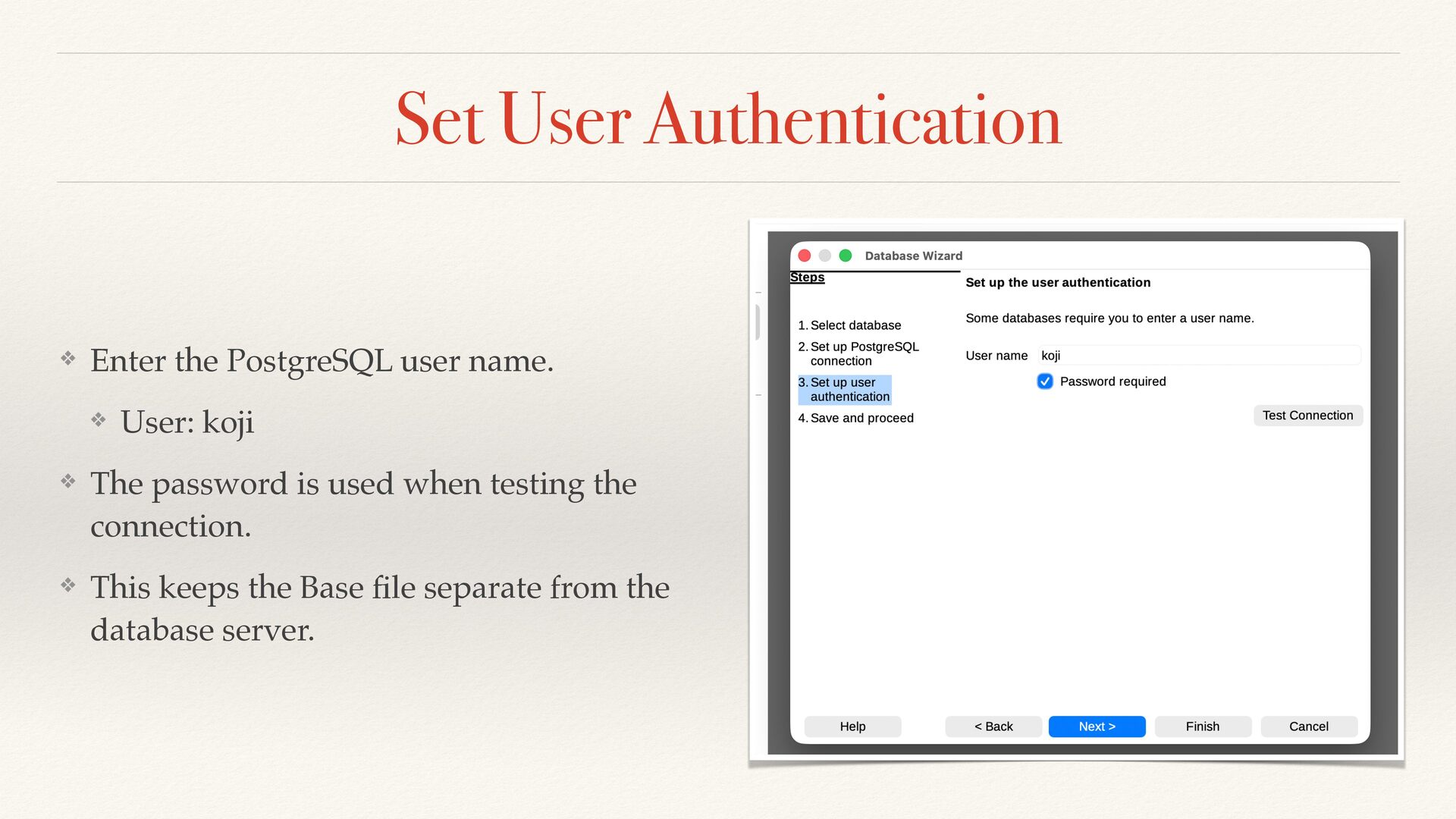
  30. Set User Authentication ❖ Enter the PostgreSQL user name. ❖

    User: koji ❖ The password is used when testing the connection. ❖ This keeps the Base fi le separate from the database server.
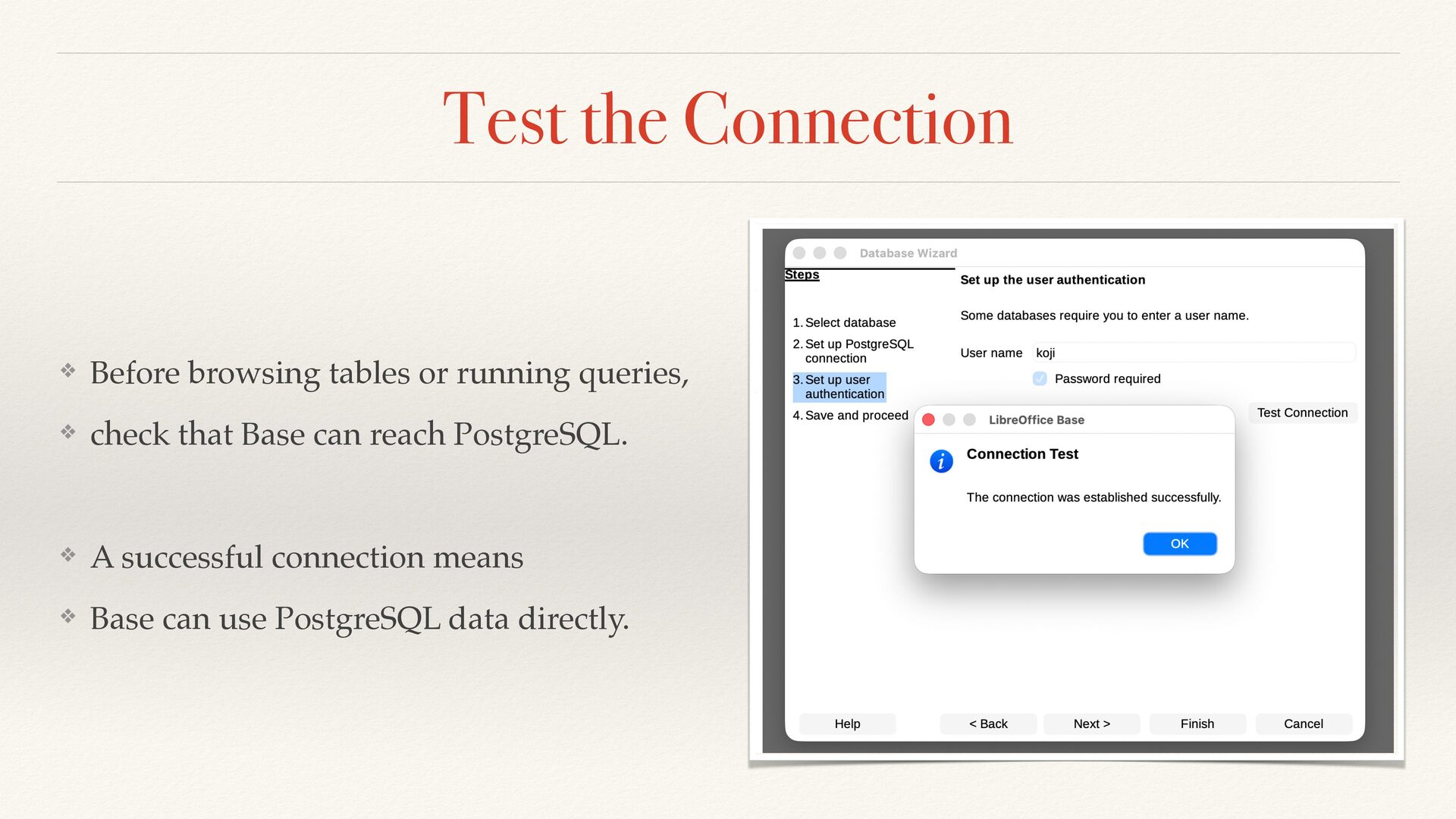
  31. Test the Connection ❖ Before browsing tables or running queries,

    ❖ check that Base can reach PostgreSQL. ❖ A successful connection means ❖ Base can use PostgreSQL data directly.
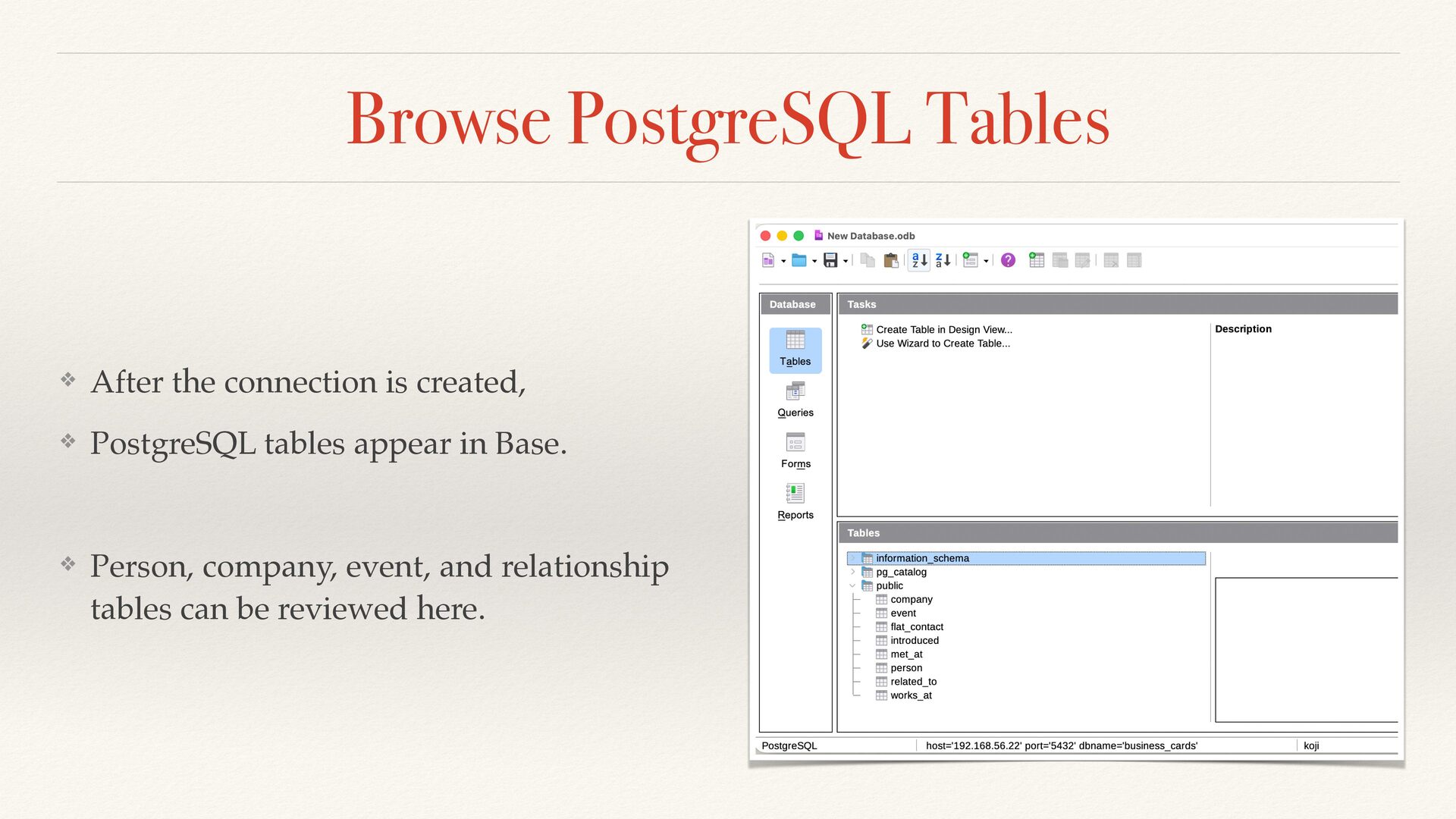
  32. Browse PostgreSQL Tables ❖ After the connection is created, ❖

    PostgreSQL tables appear in Base. ❖ Person, company, event, and relationship tables can be reviewed here.
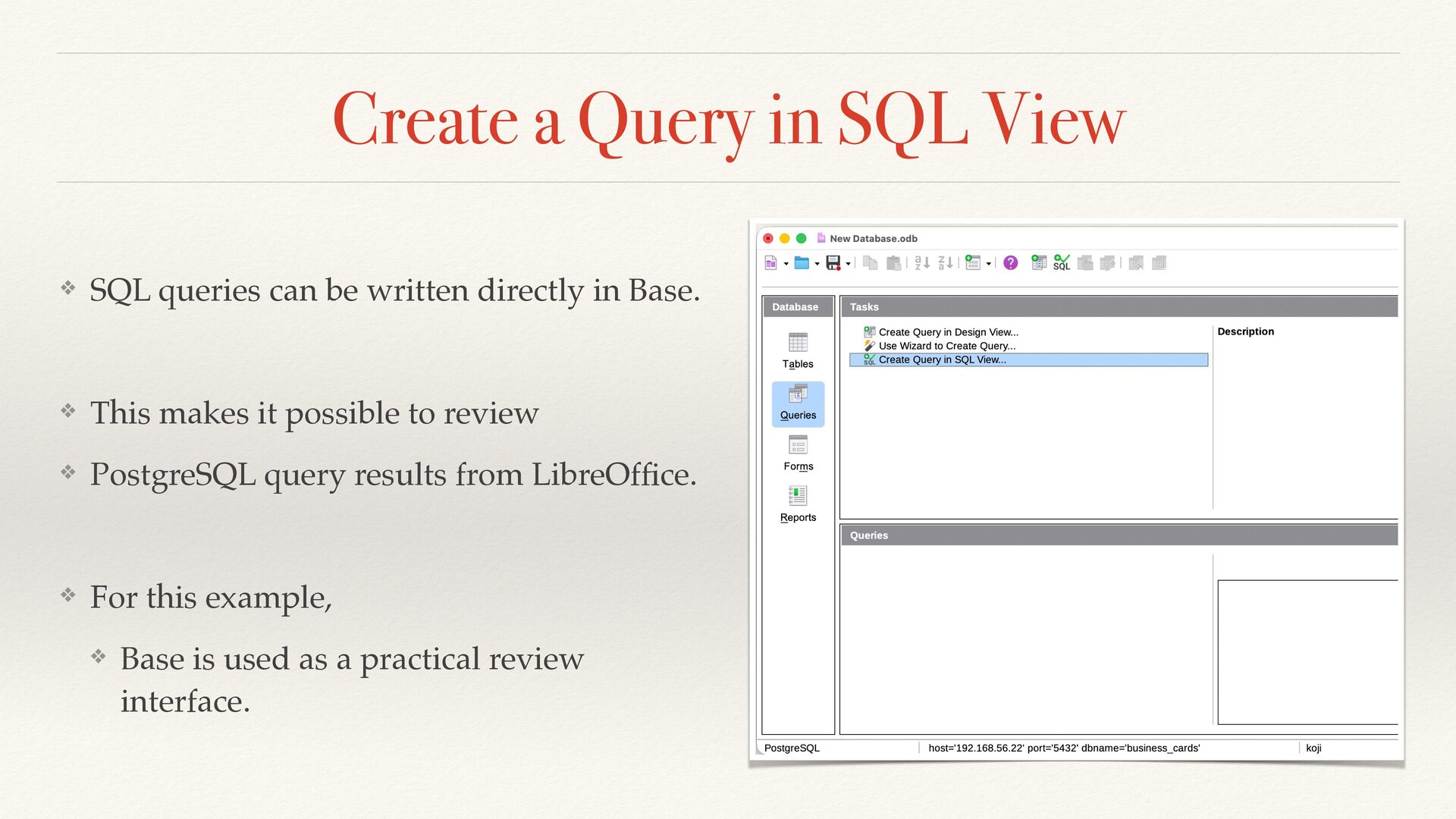
  33. Create a Query in SQL View ❖ SQL queries can

    be written directly in Base. ❖ This makes it possible to review ❖ PostgreSQL query results from LibreOf fi ce. ❖ For this example, ❖ Base is used as a practical review interface.
  34. Key Takeaways ❖ A contact list stores names. ❖ A

    relationship model stores context. ❖ PostgreSQL manages the data. ❖ SQL/PGQ queries the connections. ❖ LibreOf fi ce Base helps review the results. ❖ Small data can still have rich connections.
  35. Thank You / Q&A ❖ Thanks for listening! ❖ Queries

    re fl ect the structure we design. So relationships matter. ❖ 📧 [email protected] 🐦 @kojiannoura