Upgrade to Pro — share decks privately, control downloads, hide ads and more …

The Promises and Pitfalls of Drupal's Cache System

Sponsored · Your Podcast. Everywhere. Effortlessly. Share. Educate. Inspire. Entertain. You do you. We'll handle the rest. →

The Promises and Pitfalls of Drupal's Cache System

With version 8, Drupal delivered major improvements in the way content could be cached and expired. For the first time, significant caching is possible for dynamic pages and authenticated users.

However, the caching system can be complex and confusing. Developers can inadvertently negate the advantages of Drupal’s cache systems and, even worse, create security and information disclosure holes. This presentation will provide an overview of Drupal’s cache layers and will cover best practices when theme-ing and customizing Drupal to avoid common errors and to maximize performance.

Video of DrupalCon Seattle 2019 presentation
https://youtu.be/tM7BYyg9BXY

Avatar for krlucas

krlucas

June 01, 2019

Other Decks in Technology

Transcript

  1. © 2019 Pegasystems Inc. CONFIDENTIAL The Promises and Pitfalls of

    Drupal’s Cache System Kelly Lucas Lead Digital Architect Pegasystems June 1, 2019
  2. Background •Worked with Drupal since version 6 •First learned about

    Drupal 8 cache system DrupalCon Los Angeles 2015 •Spent last two years rebuilding Pega sites in Drupal 8
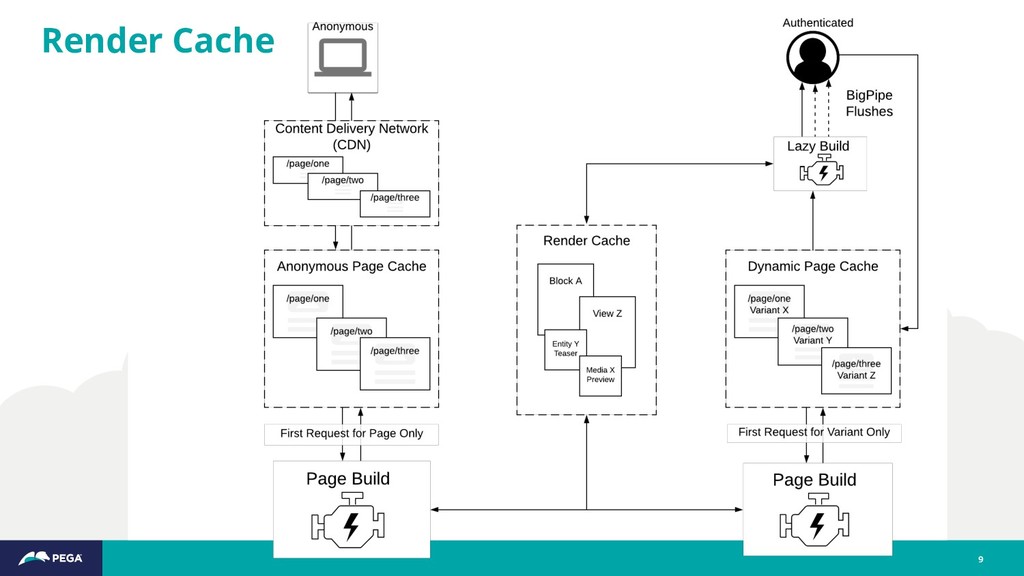
  3. No other CMS provides such granular content caching and related

    dependency management and such advanced support for automated CDN invalidation. Drupal 8 Response and Render Cache 3
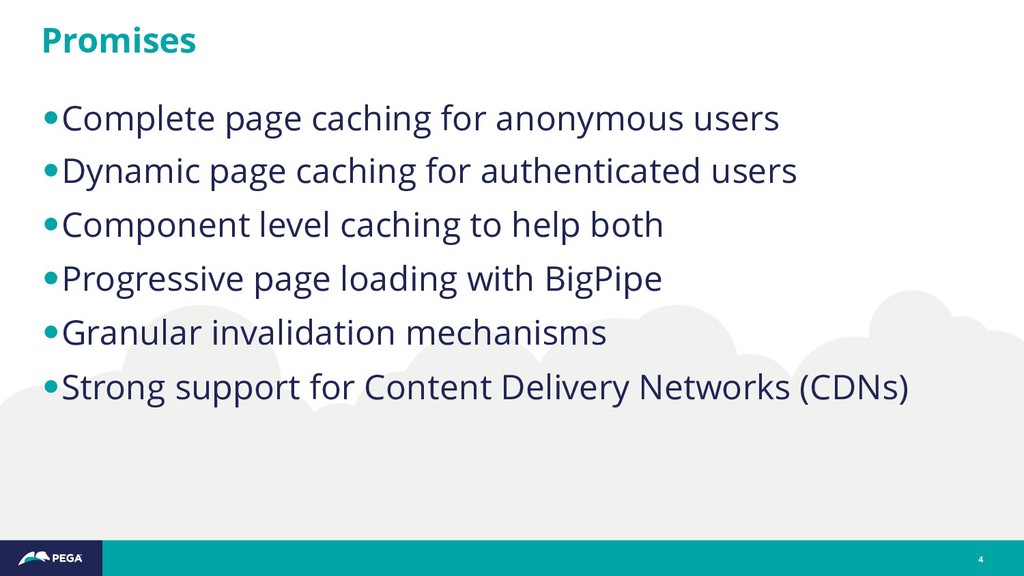
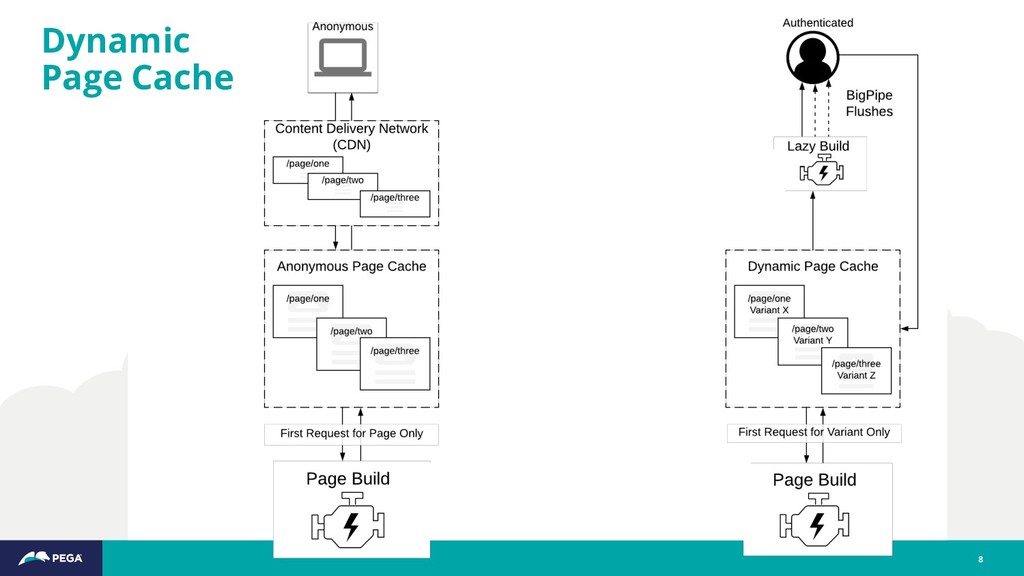
  4. •Complete page caching for anonymous users •Dynamic page caching for

    authenticated users •Component level caching to help both •Progressive page loading with BigPipe •Granular invalidation mechanisms •Strong support for Content Delivery Networks (CDNs) Promises 4
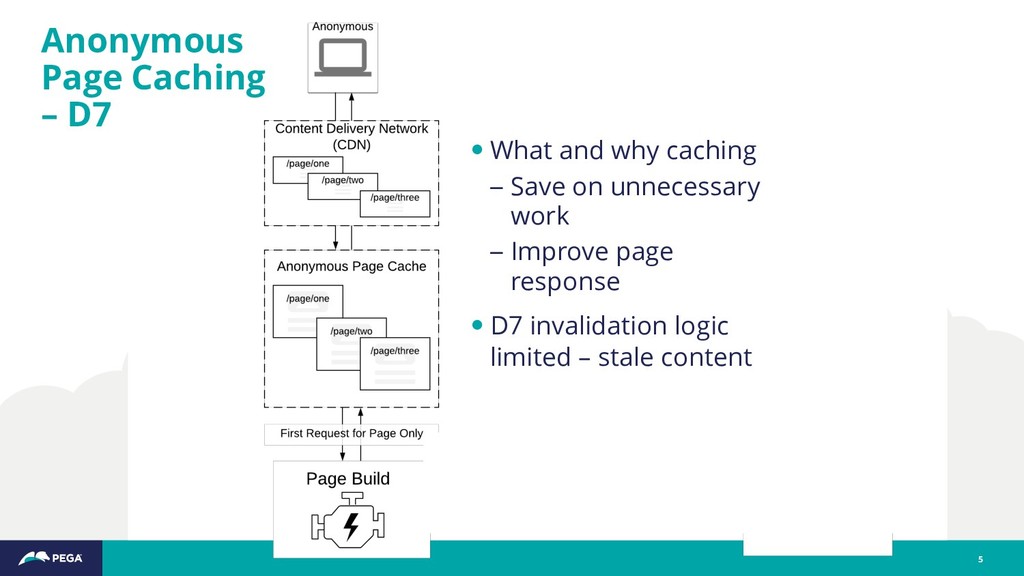
  5. Anonymous Page Caching – D7 5 • What and why

    caching – Save on unnecessary work – Improve page response • D7 invalidation logic limited – stale content
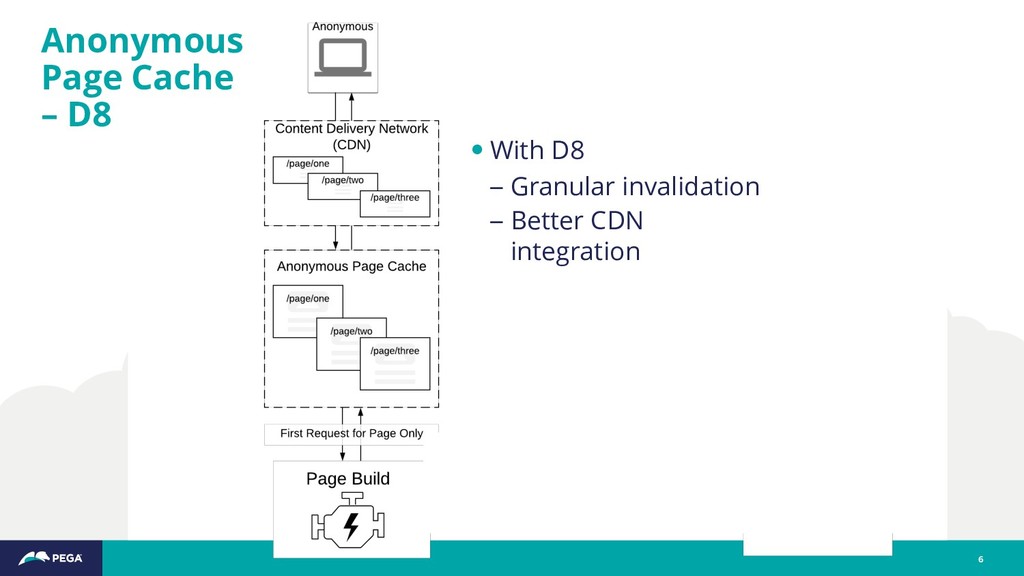
  6. Anonymous Page Cache – D8 6 • With D8 –

    Granular invalidation – Better CDN integration
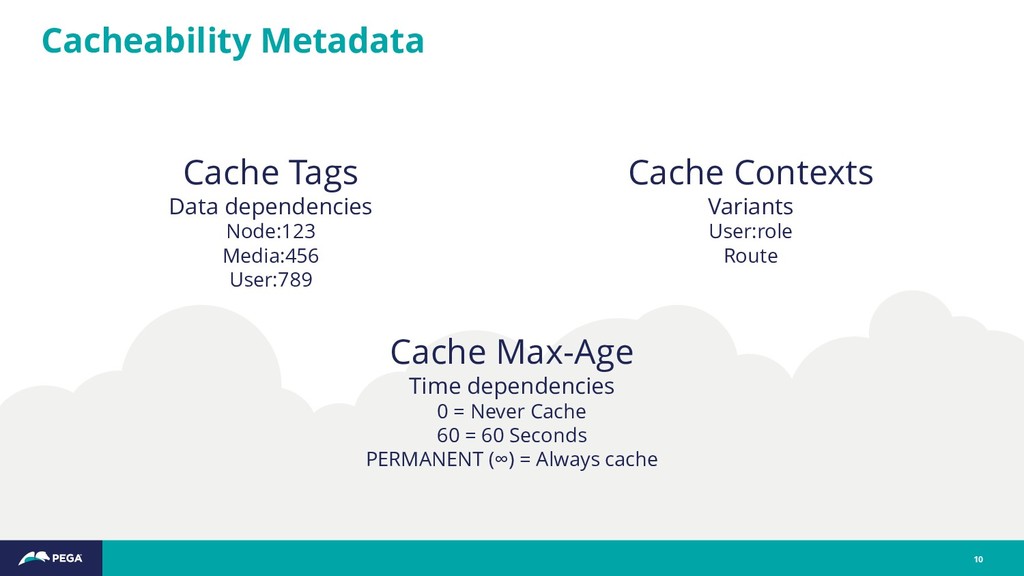
  7. Cacheability Metadata 10 Cache Tags Data dependencies Node:123 Media:456 User:789

    Cache Contexts Variants User:role Route Cache Max-Age Time dependencies 0 = Never Cache 60 = 60 Seconds PERMANENT (∞) = Always cache
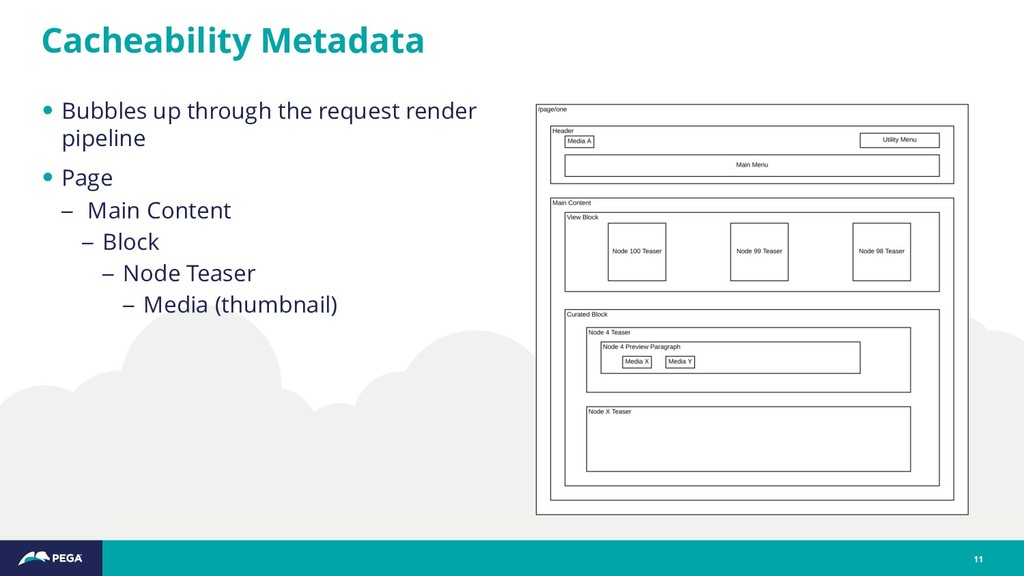
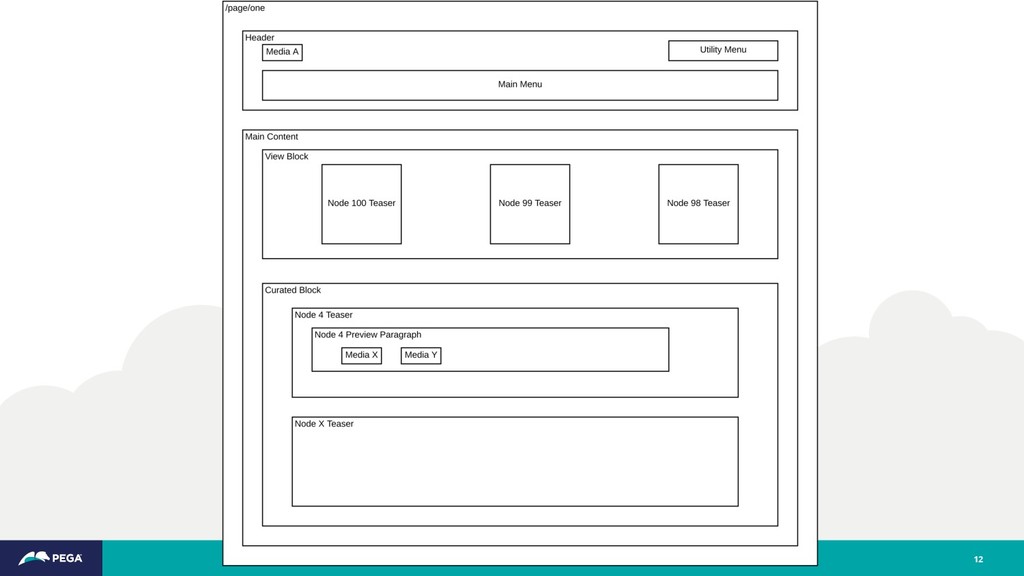
  8. Cacheability Metadata 11 • Bubbles up through the request render

    pipeline • Page – Main Content – Block – Node Teaser – Media (thumbnail)
  9. 12

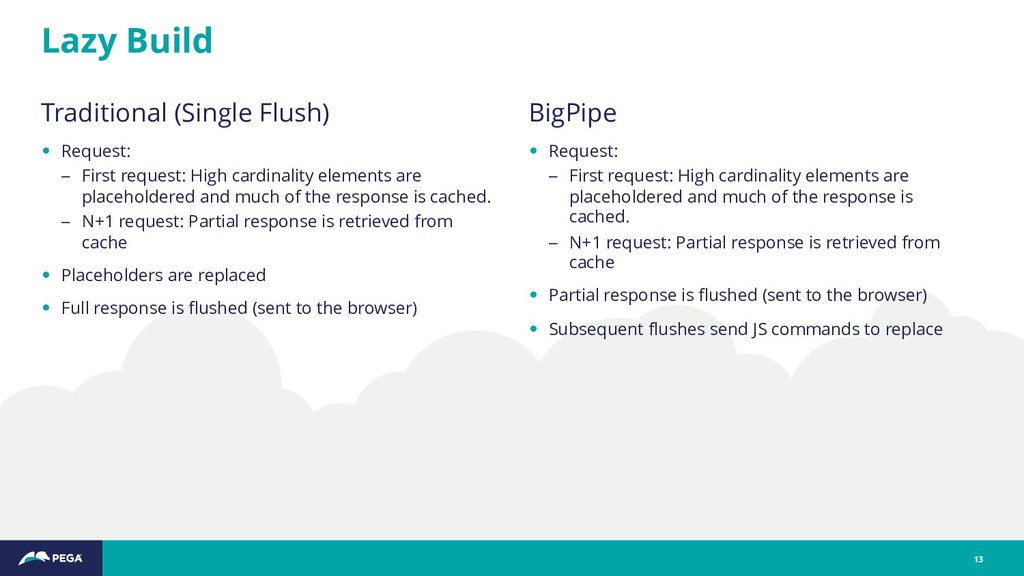
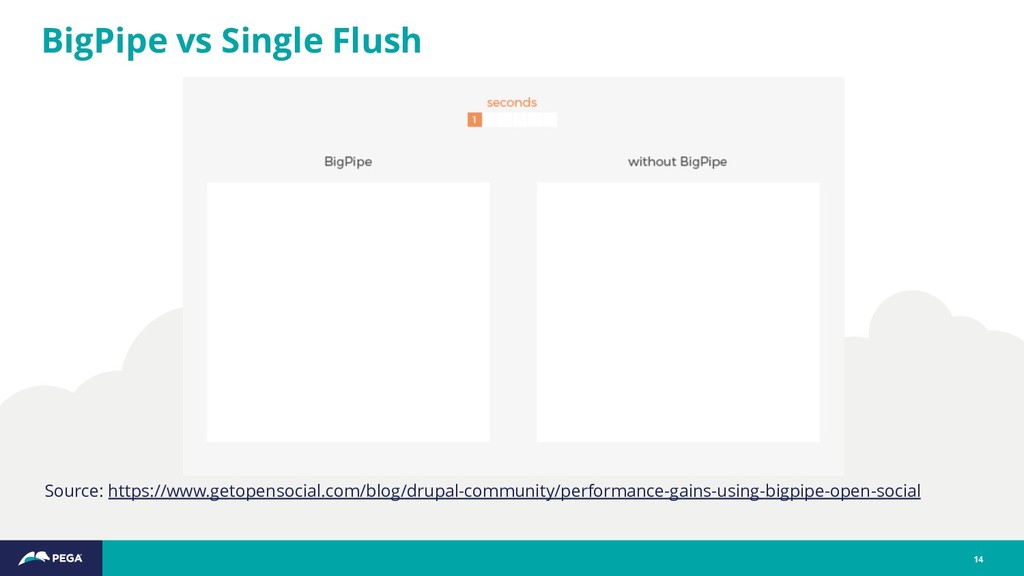
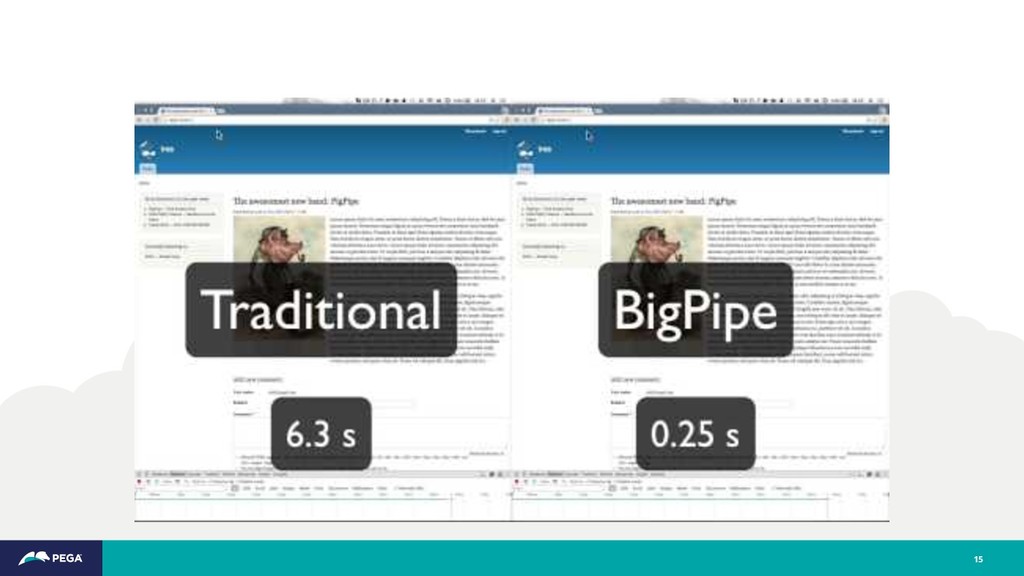
  10. Traditional (Single Flush) • Request: – First request: High cardinality

    elements are placeholdered and much of the response is cached. – N+1 request: Partial response is retrieved from cache • Placeholders are replaced • Full response is flushed (sent to the browser) Lazy Build 13 BigPipe • Request: – First request: High cardinality elements are placeholdered and much of the response is cached. – N+1 request: Partial response is retrieved from cache • Partial response is flushed (sent to the browser) • Subsequent flushes send JS commands to replace
  11. 15

  12. "There are only two hard things in Computer Science: cache

    invalidation and naming things” - Phil Karlton 17
  13. "There are only two hard things in Computer Science: cache

    invalidation, naming things and off-by-one errors.” - Leon Bambrick (?) 18
  14. •Design System – Drupal agnostic – Atomic components – Web

    components – Modern Javascript dependency management •Integration – UI Patterns module – Twig •Server-side “progressive decoupling” Advanced Theming 19
  15. Out of the box and by design the Drupal 8

    cache system—particularly the Dynamic Page Cache, Lazy Building and Big Pipe– works best when controlling the display and layout of content with the Block system, entity display modes and Views. Key Takeaway 20
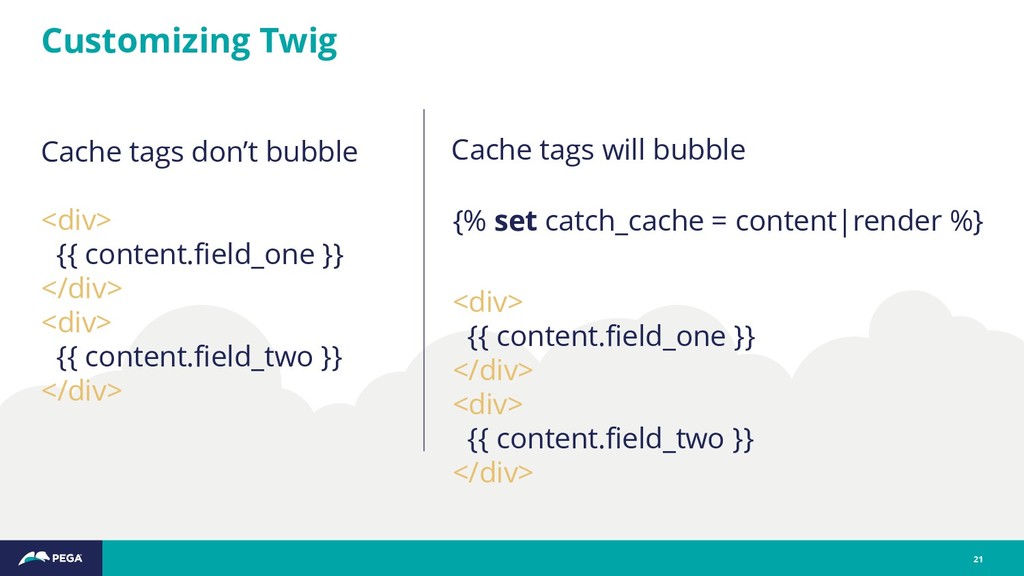
  16. Customizing Twig 21 <div> {{ content.field_one }} </div> <div> {{

    content.field_two }} </div> {% set catch_cache = content|render %} <div> {{ content.field_one }} </div> <div> {{ content.field_two }} </div> Cache tags don’t bubble Cache tags will bubble
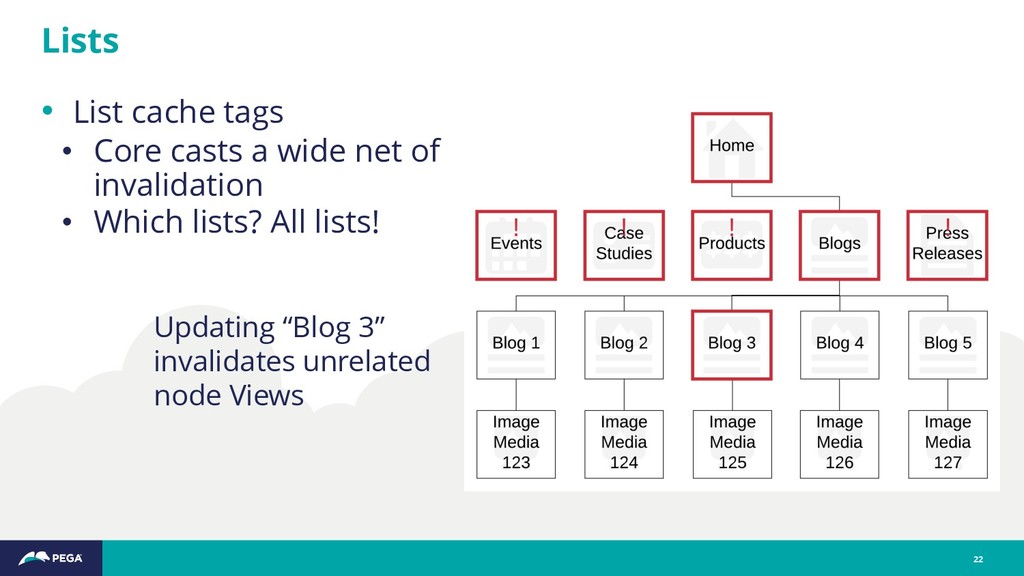
  17. • List cache tags • Core casts a wide net

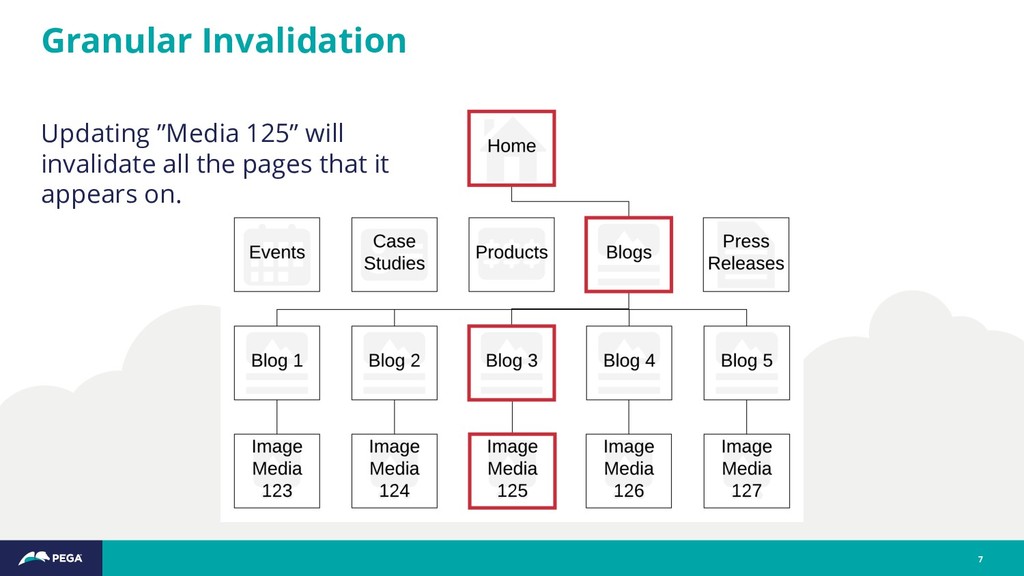
    of invalidation • Which lists? All lists! Lists 22 Updating “Blog 3” invalidates unrelated node Views
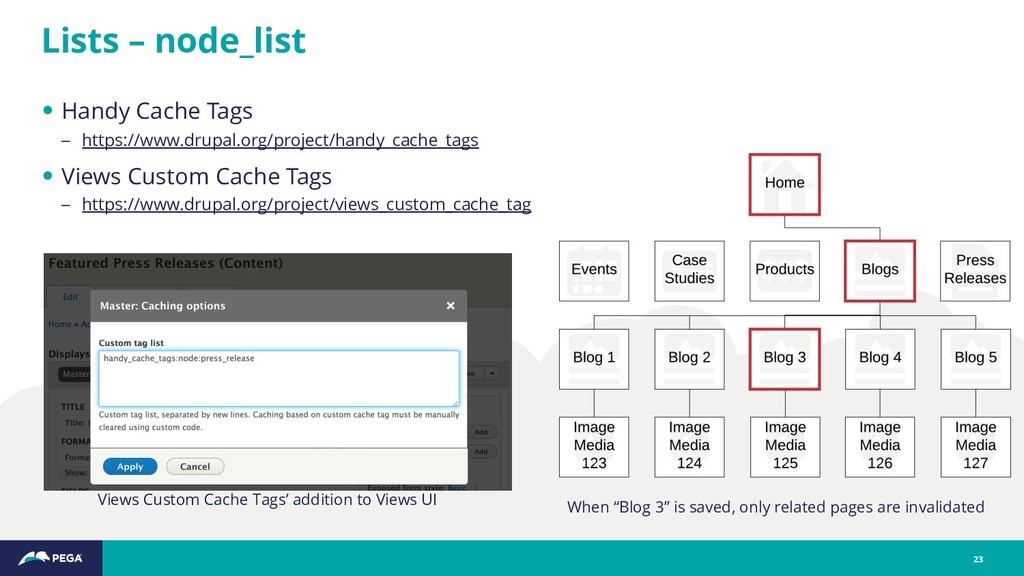
  18. • Handy Cache Tags – https://www.drupal.org/project/handy_cache_tags • Views Custom Cache

    Tags – https://www.drupal.org/project/views_custom_cache_tag Lists – node_list 23 Views Custom Cache Tags’ addition to Views UI When “Blog 3” is saved, only related pages are invalidated
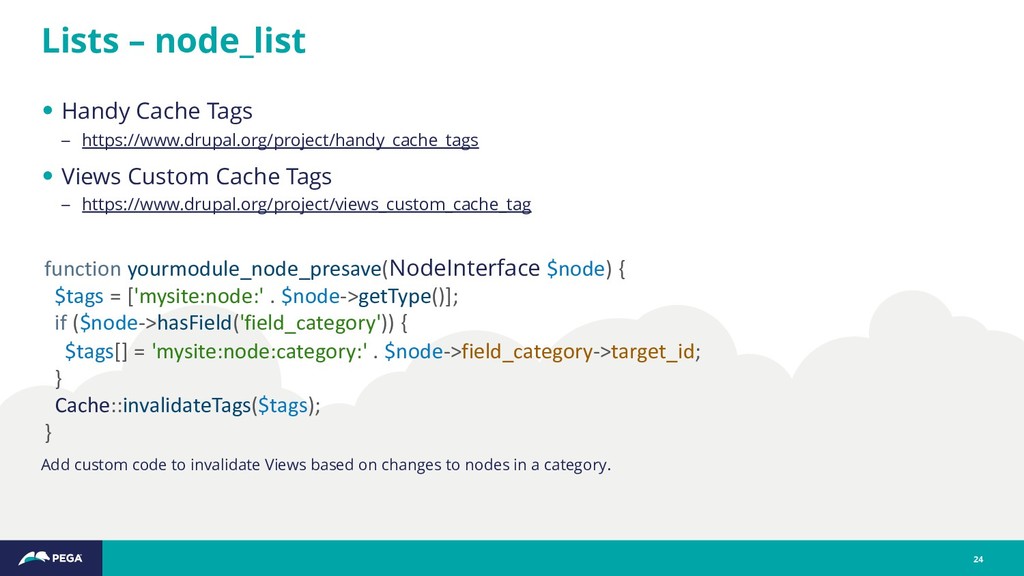
  19. Lists – node_list 24 function yourmodule_node_presave(NodeInterface $node) { $tags =

    ['mysite:node:' . $node->getType()]; if ($node->hasField('field_category')) { $tags[] = 'mysite:node:category:' . $node->field_category->target_id; } Cache::invalidateTags($tags); } • Handy Cache Tags – https://www.drupal.org/project/handy_cache_tags • Views Custom Cache Tags – https://www.drupal.org/project/views_custom_cache_tag Add custom code to invalidate Views based on changes to nodes in a category.
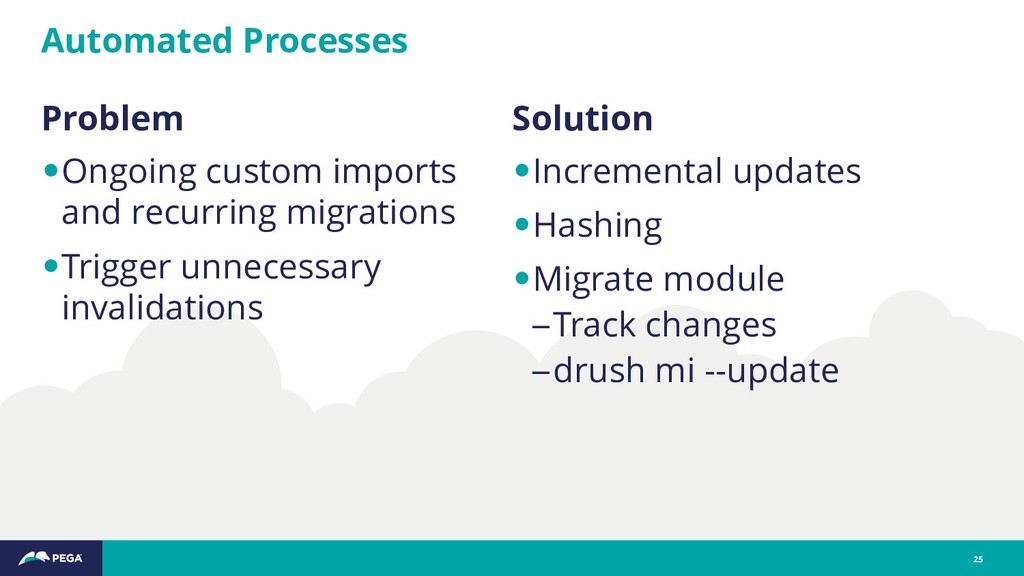
  20. Problem •Ongoing custom imports and recurring migrations •Trigger unnecessary invalidations

    Automated Processes 25 Solution •Incremental updates •Hashing •Migrate module –Track changes –drush mi --update
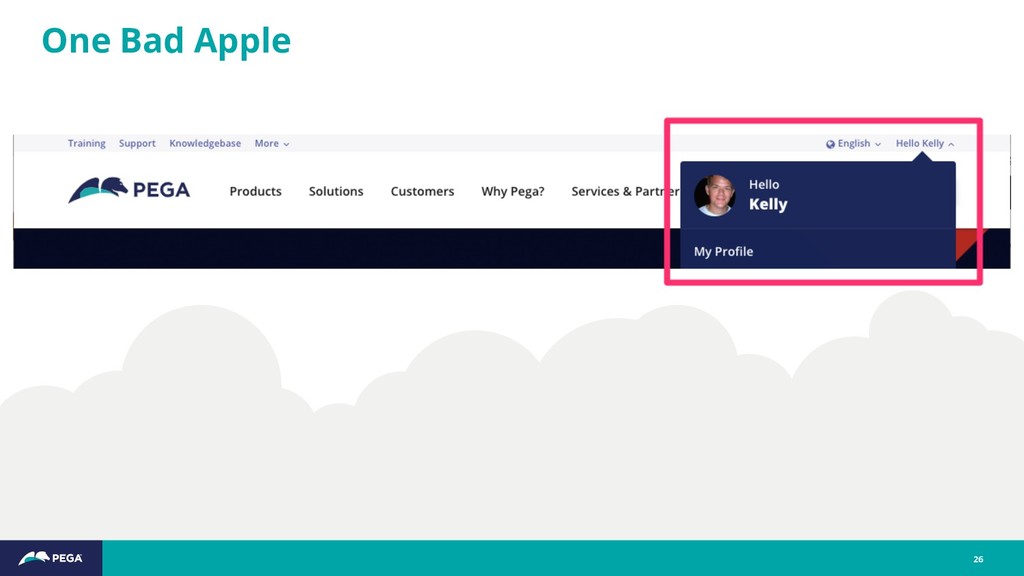
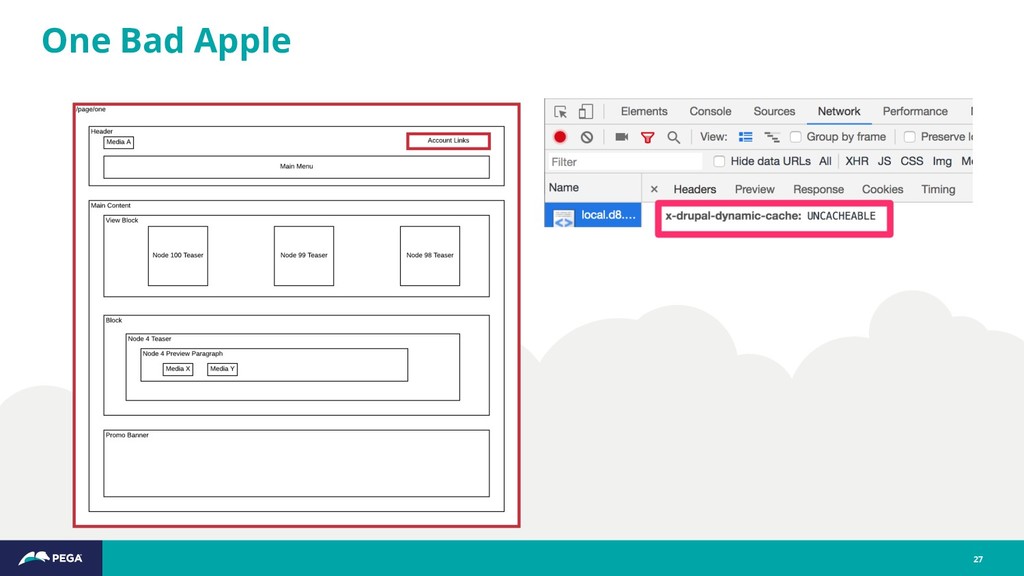
  21. $account_links['items'] = [ … 'hello_section' => [ '#lazy_builder' => [

    ‘mytheme_hello_menu_builder', [], ], '#create_placeholder' => TRUE, '#cache' => [ 'contexts' => ['user'], ], ], ]; User Profile Links – render array 28
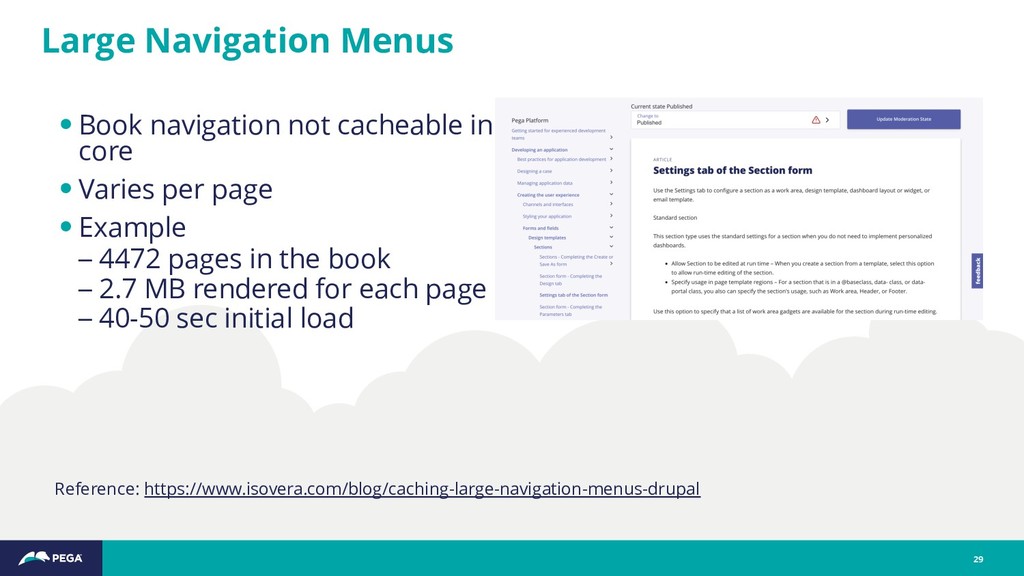
  22. Reference: https://www.isovera.com/blog/caching-large-navigation-menus-drupal Large Navigation Menus 29 •Book navigation not cacheable

    in core •Varies per page •Example – 4472 pages in the book – 2.7 MB rendered for each page – 40-50 sec initial load
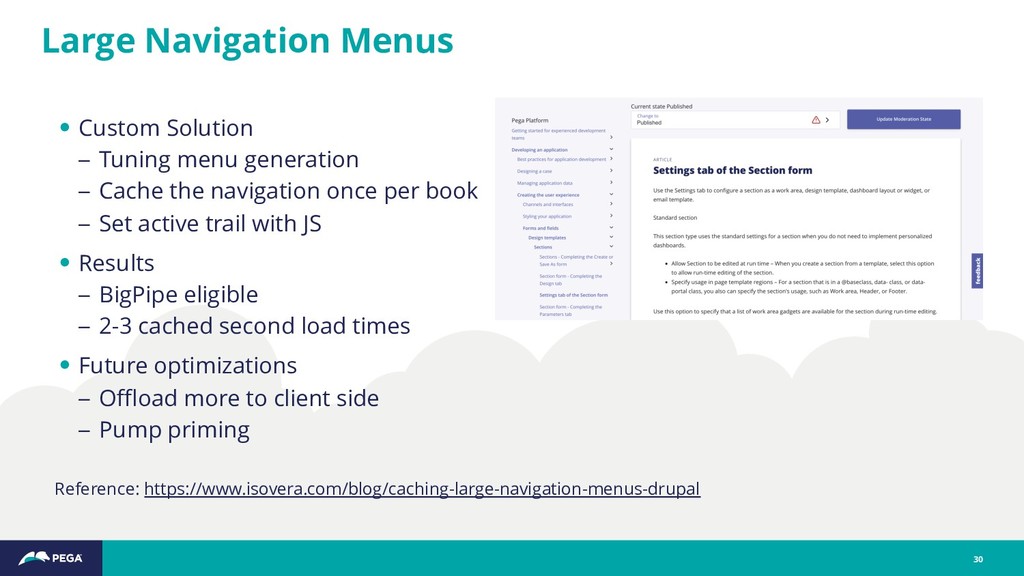
  23. Reference: https://www.isovera.com/blog/caching-large-navigation-menus-drupal Large Navigation Menus 30 • Custom Solution –

    Tuning menu generation – Cache the navigation once per book – Set active trail with JS • Results – BigPipe eligible – 2-3 cached second load times • Future optimizations – Offload more to client side – Pump priming
  24. •Host needs to support output buffering (streaming) •CDN needs to

    support output buffering (streaming) •Beware of bad Drupal JS behaviors BigPipe prerequisites 31
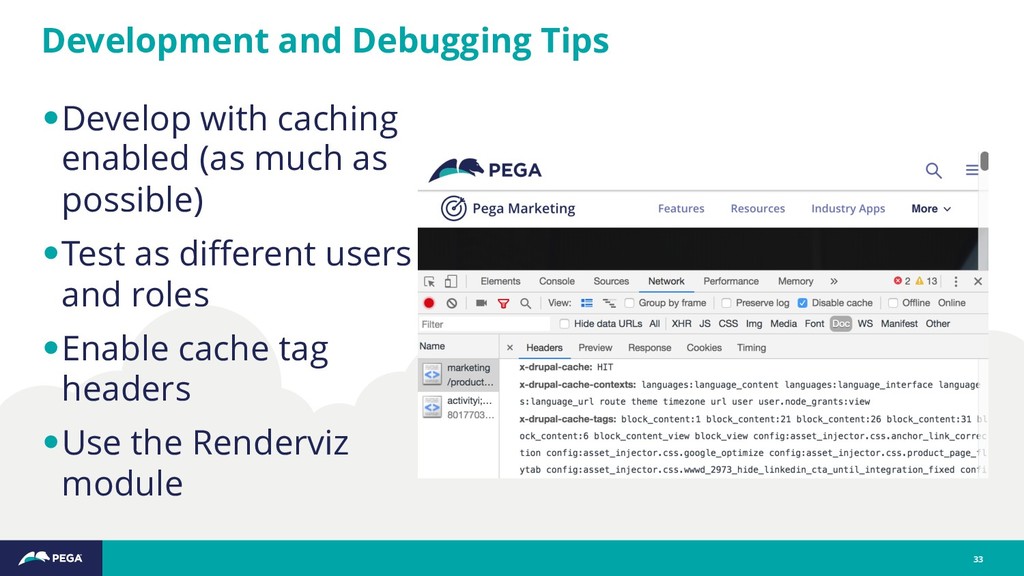
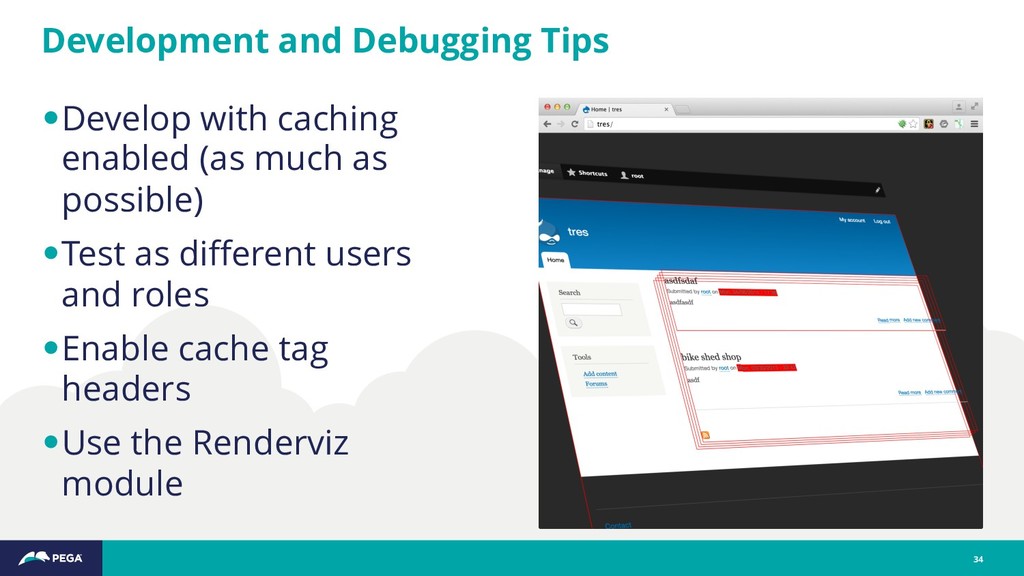
  25. •Develop with caching enabled (as much as possible) •Test as

    different users and roles •Enable cache tag headers •Use the Renderviz module Development and Debugging Tips 33
  26. •Develop with caching enabled (as much as possible) •Test as

    different users and roles •Enable cache tag headers •Use the Renderviz module Development and Debugging Tips 34
  27. •Drupal 8 cache system is a powerful feature and key

    value proposition •Sidestepping guardrails can lead to unanticipated (sub- optimal) results •Custom theming requires awareness and controls •Site builders and developers need to proactively manage cache tags on Views •Tuning takes work and maintenance and projects should budget for it Conclusion 35
  28. •JSON API in core –Uses fragment caching •Invalidate intermediate storage

    layers •Trigger partial static site generation rebuilds What’s Next 36
  29. • Drupal.org Docs Cache API – https://www.drupal.org/docs/8/api/cache-api/cache-api • Drupal.org Docs

    Render API – https://www.drupal.org/docs/8/api/render-api • Wim Leers’ Blog – https://wimleers.com/blog • Rendering & caching: a journey through the layers – https://events.drupal.org/vienna2017/sessions/rendering-caching-journey-through-layers • Drupal 8 Cache API and Tacos - a Delicious Real-World Example! – https://events.drupal.org/nashville2018/sessions/drupal-8-cache-api-and-tacos-delicious-real-world-example • Lazy Builders in Drupal 8 - Caching FTW – https://www.qed42.com/blog/lazy-builders-drupal8 • Caching Large Navigation Menus In Drupal – https://www.isovera.com/blog/caching-large-navigation-menus-drupal Resources 37