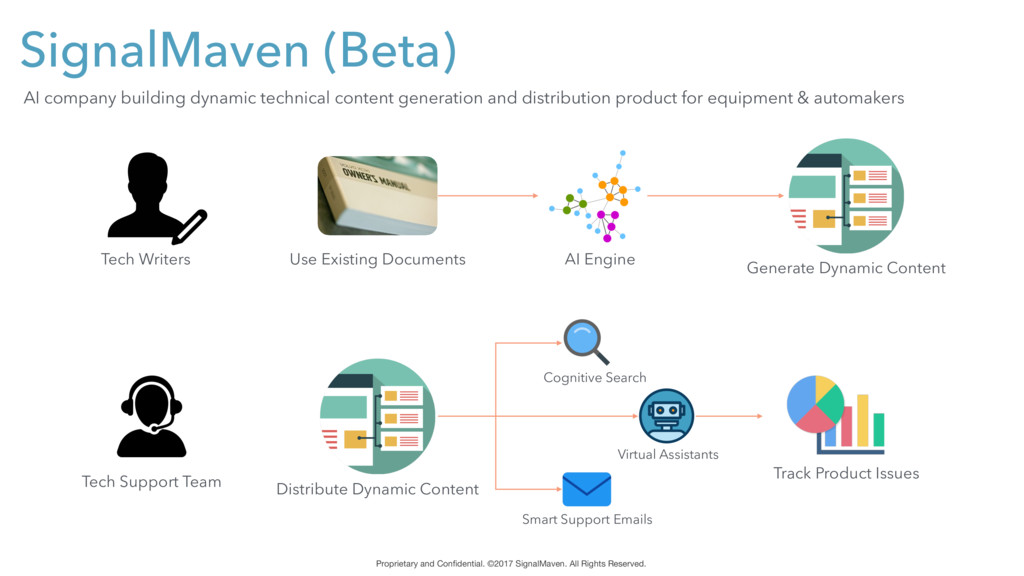
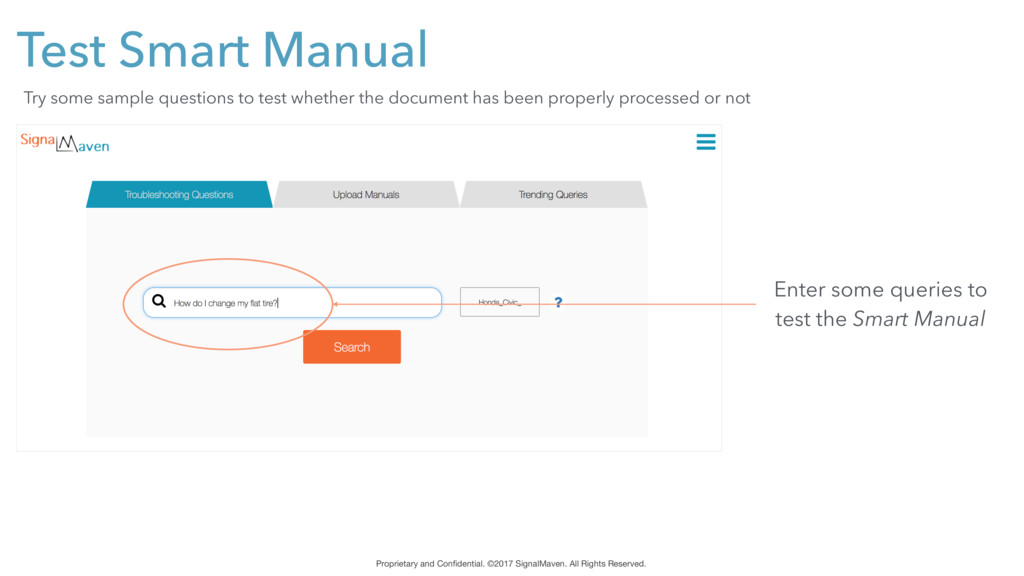
AI company building dynamic technical content generation and distribution product for equipment & automakers Tech Support Team Tech Writers Use Existing Documents Generate Dynamic Content Distribute Dynamic Content Track Product Issues Virtual Assistants Cognitive Search Smart Support Emails AI Engine
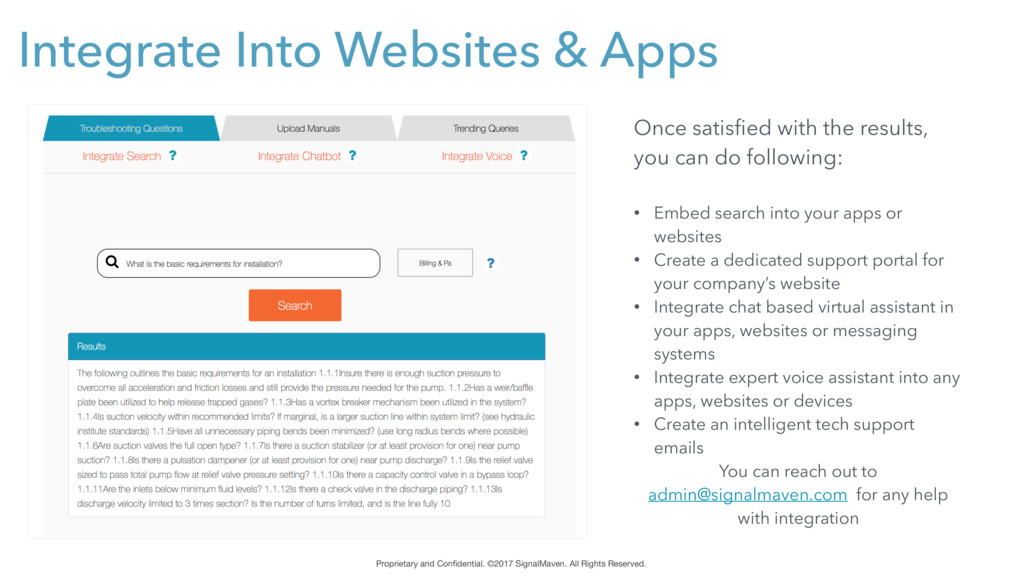
All Rights Reserved. Once satisfied with the results, you can do following: • Embed search into your apps or websites • Create a dedicated support portal for your company’s website • Integrate chat based virtual assistant in your apps, websites or messaging systems • Integrate expert voice assistant into any apps, websites or devices • Create an intelligent tech support emails You can reach out to [email protected] for any help with integration
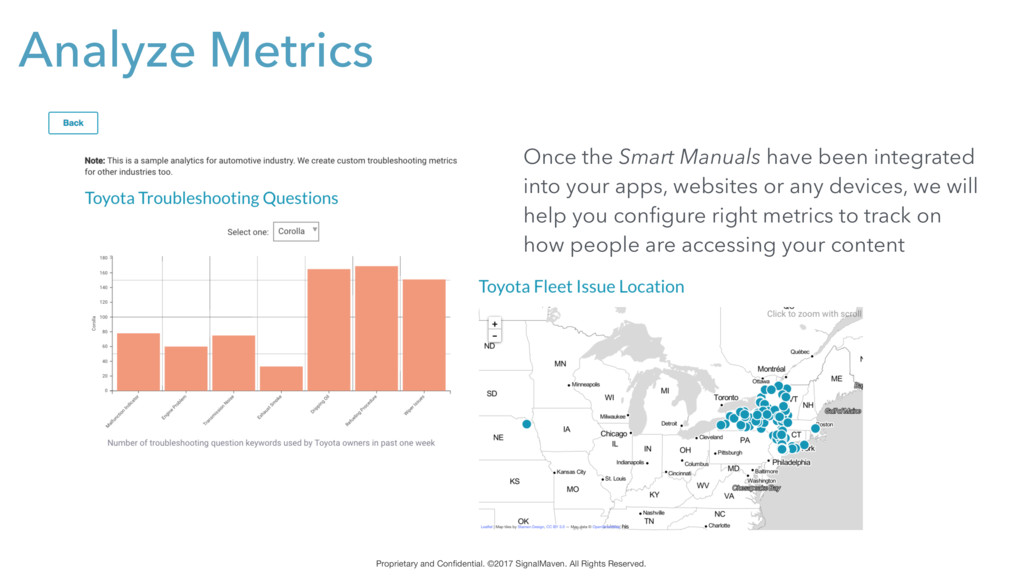
Once the Smart Manuals have been integrated into your apps, websites or any devices, we will help you configure right metrics to track on how people are accessing your content


 namiki64
 kairim0
 tomokusaba
 takonda
 codmoninc
 shugo
shugo
 yuuuuuuu168
 mohab1
 pfn
pfn
.png) codatum
codatum
 sudoakiy
 akitoshiga
 mfonobong
 speakerdeck
 addyosmani
 katiecoart
 sstephenson
 palkan
 tammielis
 szymonslowik
 orderedlist
 garrettdimon
 ryanjones
 akademiya2063