Upgrade to Pro — share decks privately, control downloads, hide ads and more …

Introduction au développement Android - Techno ...

Introduction au développement Android - Techno Drinks Sherbrooke

Dans cette présentation, qui vise à vous introduire à Android, vous allez découvrir des concepts clés de la plateforme et serez introduit aux réalités du quotidien d'un développeur. La fragmentation, est-ce un mythe? À suivre...

Avatar for Mathieu Blanchette

Mathieu Blanchette

July 20, 2016

Other Decks in Technology

Transcript

  1. Pré-requis • Windows / macOS / Linux • Java Development

    Kit (JDK) 8 • Android Studio • Contient SDK Android
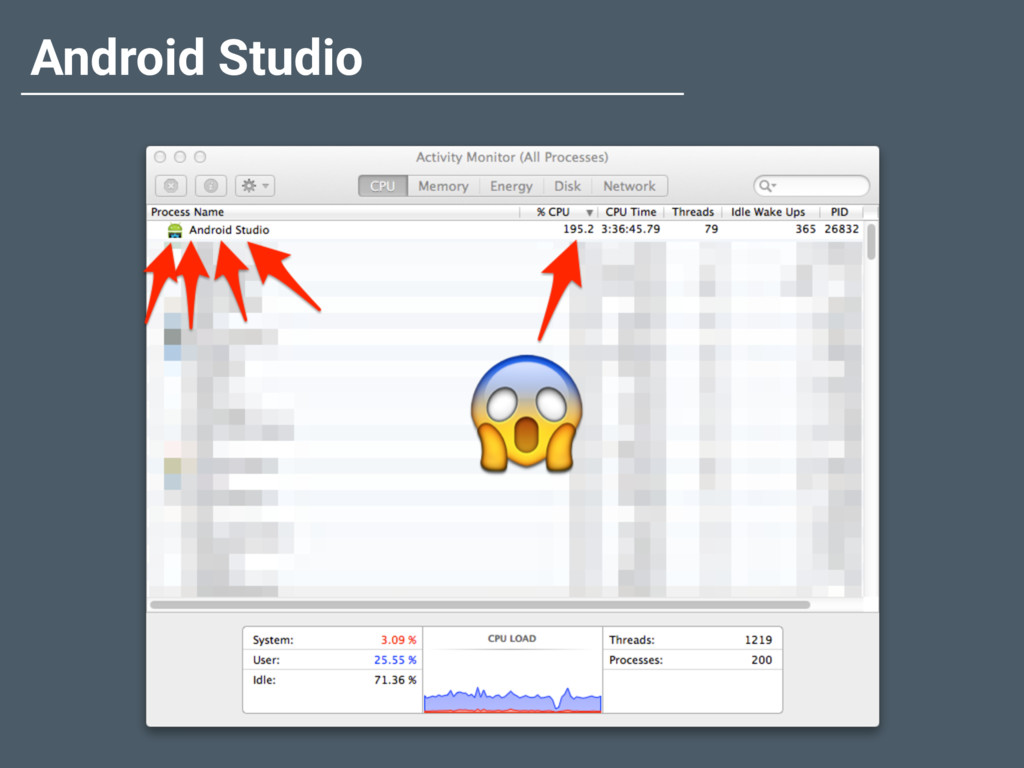
  2. Android Studio • IDE Officiel • v1.0 sortie en Décembre

    2014 • Basé sur IntelliJ IDEA • Évolution très rapide • “Tool team” près de la communauté
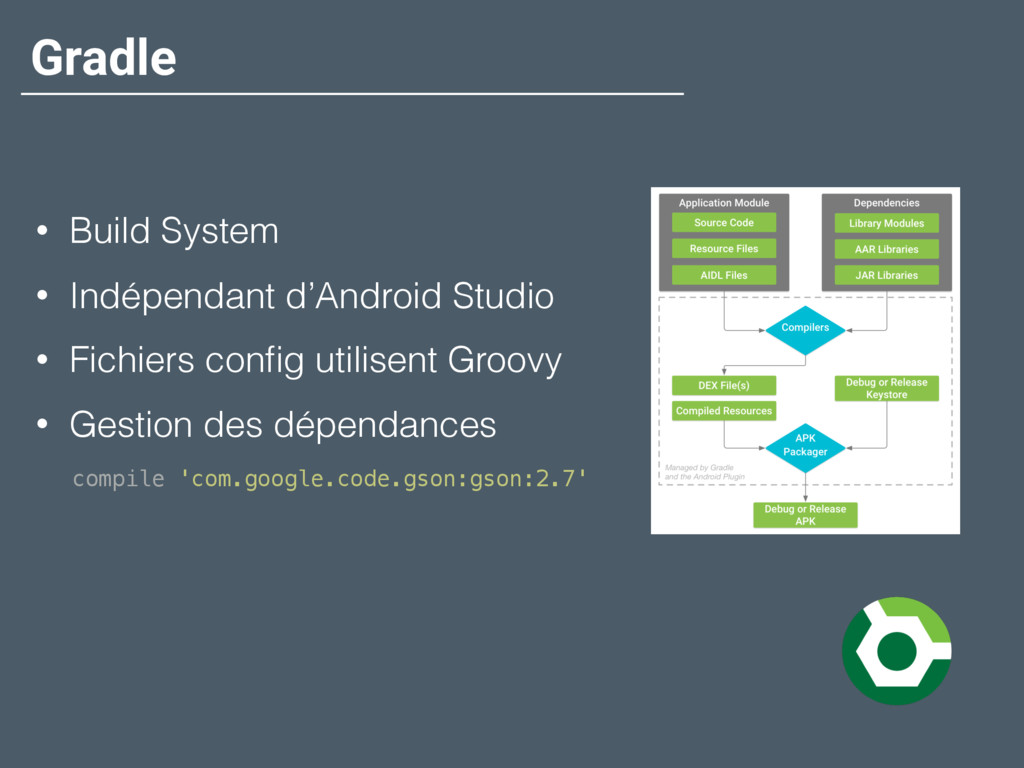
  3. Gradle • Build System • Indépendant d’Android Studio • Fichiers

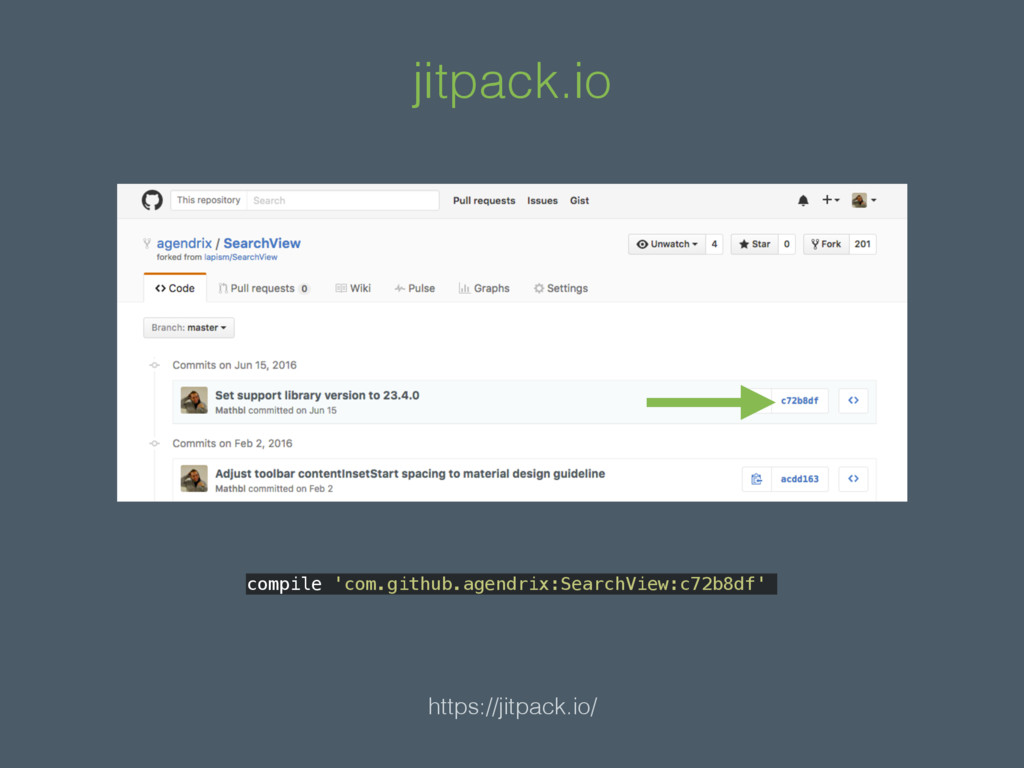
    config utilisent Groovy • Gestion des dépendances compile 'com.google.code.gson:gson:2.7'
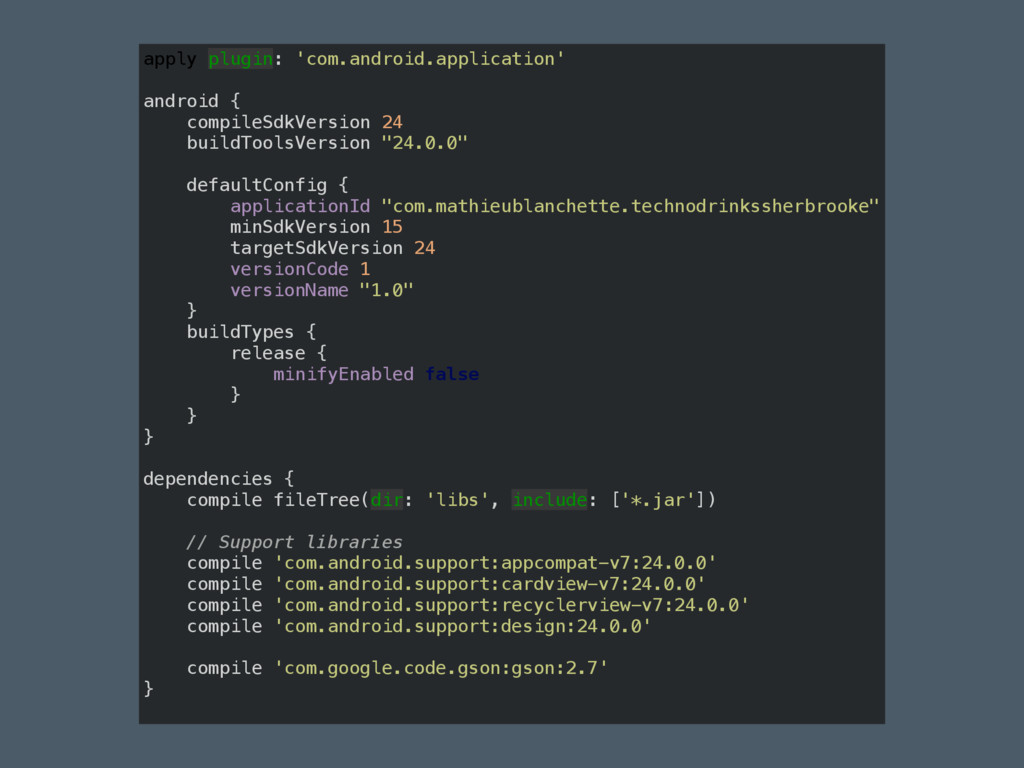
  4. apply plugin: 'com.android.application'
 
 android {
 compileSdkVersion 24
 buildToolsVersion "24.0.0"


 defaultConfig {
 applicationId "com.mathieublanchette.technodrinkssherbrooke"
 minSdkVersion 15
 targetSdkVersion 24
 versionCode 1
 versionName "1.0"
 }
 buildTypes {
 release {
 minifyEnabled false
 }
 }
 }
 
 dependencies {
 compile fileTree(dir: 'libs', include: ['*.jar'])
 
 // Support libraries
 compile 'com.android.support:appcompat-v7:24.0.0'
 compile 'com.android.support:cardview-v7:24.0.0'
 compile 'com.android.support:recyclerview-v7:24.0.0'
 compile 'com.android.support:design:24.0.0'
 
 compile 'com.google.code.gson:gson:2.7'
 }
  5. Activity • Une application == plusieurs Activity • C’est le

    controller (ViewController) • Concept de cycle de vie
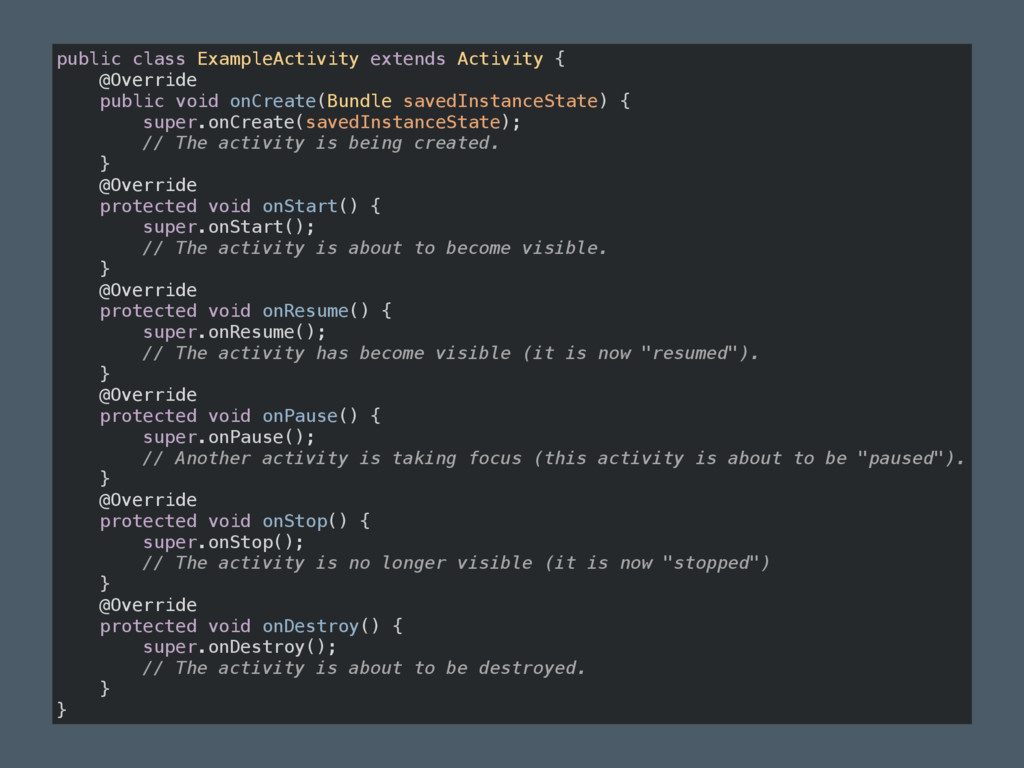
  6. public class ExampleActivity extends Activity {
 @Override
 public void onCreate(Bundle

    savedInstanceState) {
 super.onCreate(savedInstanceState);
 // The activity is being created.
 }
 @Override
 protected void onStart() {
 super.onStart();
 // The activity is about to become visible.
 }
 @Override
 protected void onResume() {
 super.onResume();
 // The activity has become visible (it is now "resumed").
 }
 @Override
 protected void onPause() {
 super.onPause();
 // Another activity is taking focus (this activity is about to be "paused").
 }
 @Override
 protected void onStop() {
 super.onStop();
 // The activity is no longer visible (it is now "stopped")
 }
 @Override
 protected void onDestroy() {
 super.onDestroy();
 // The activity is about to be destroyed.
 }
 }
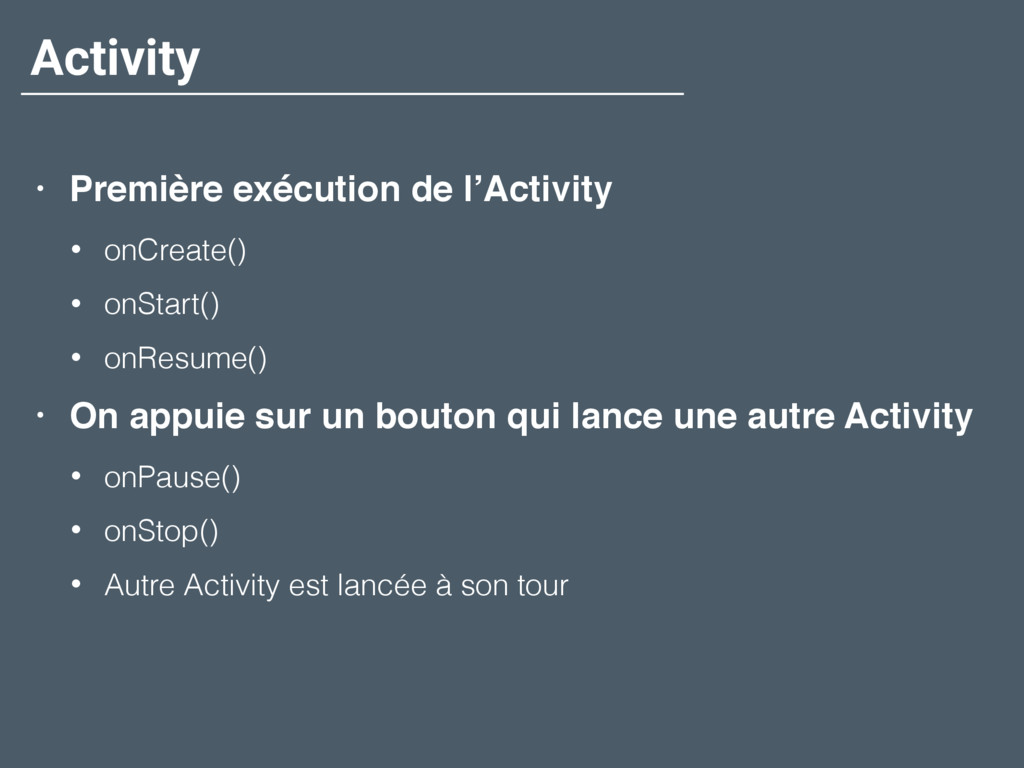
  7. Activity • Première exécution de l’Activity • onCreate() • onStart()

    • onResume() • On appuie sur un bouton qui lance une autre Activity • onPause() • onStop() • Autre Activity est lancée à son tour
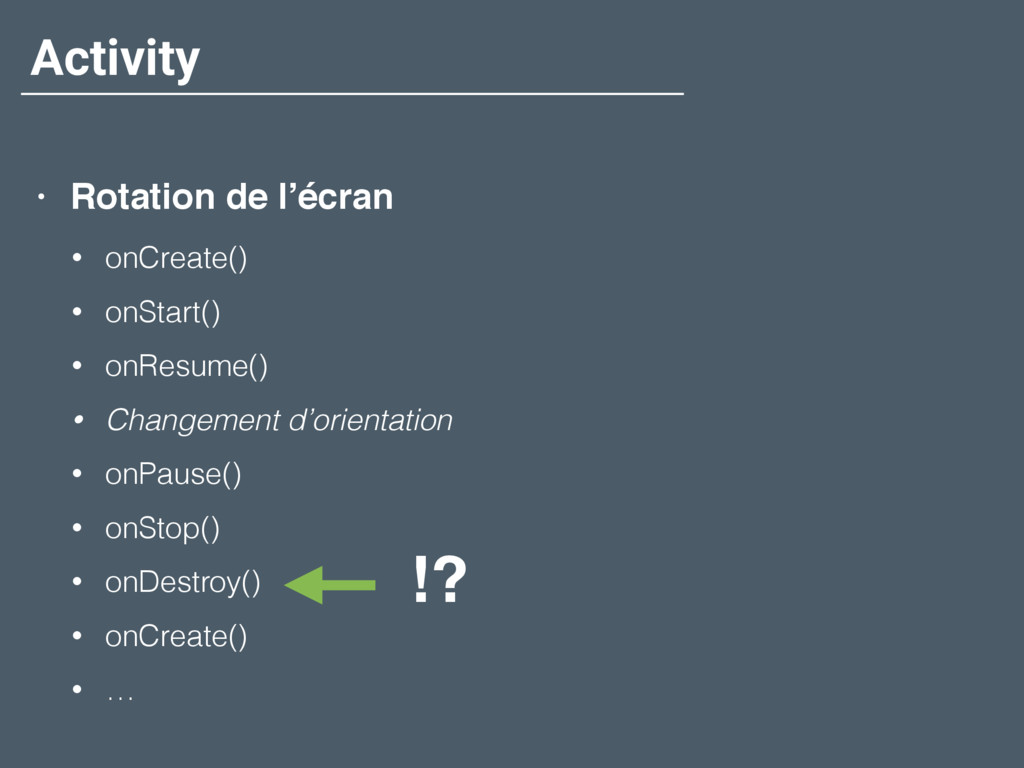
  8. Activity • Rotation de l’écran • onCreate() • onStart() •

    onResume() • Changement d’orientation • onPause() • onStop() • onDestroy() • onCreate() • … !?
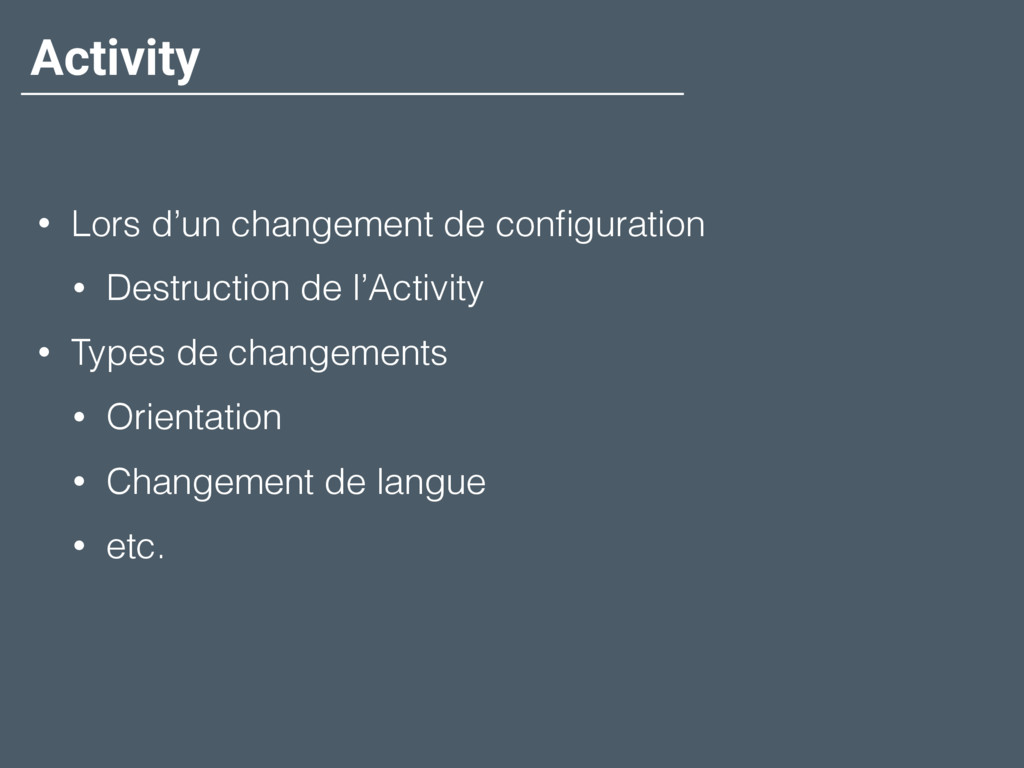
  9. Activity • Lors d’un changement de configuration • Destruction de

    l’Activity • Types de changements • Orientation • Changement de langue • etc.
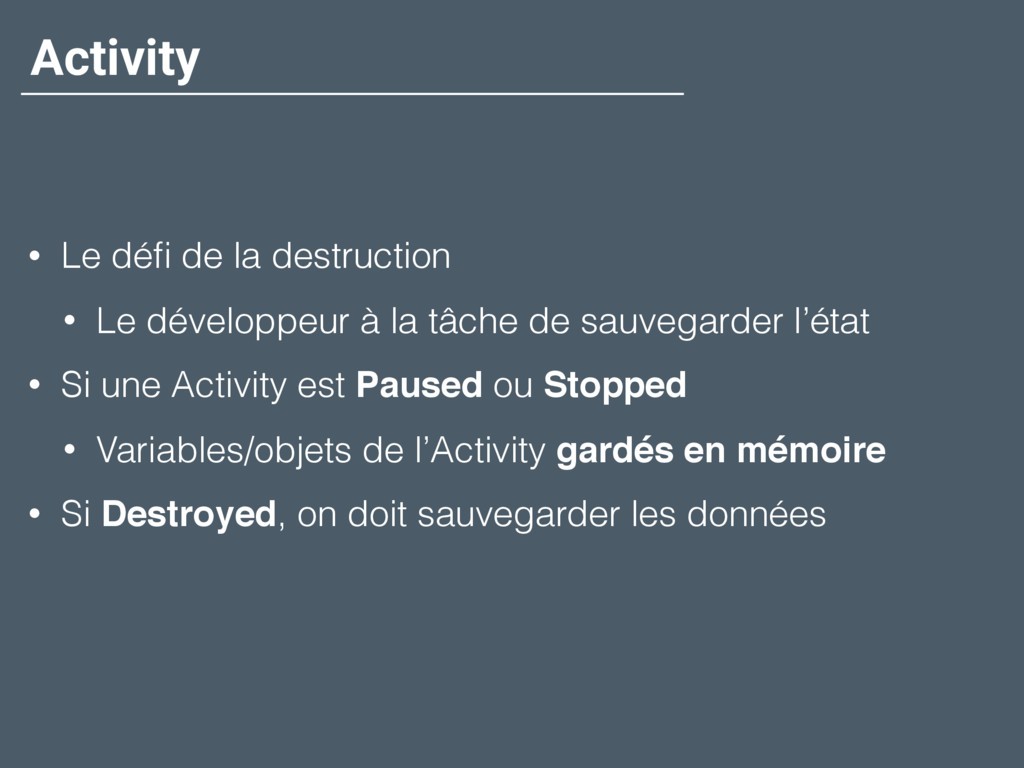
  10. Activity • Le défi de la destruction • Le développeur

    à la tâche de sauvegarder l’état • Si une Activity est Paused ou Stopped • Variables/objets de l’Activity gardés en mémoire • Si Destroyed, on doit sauvegarder les données
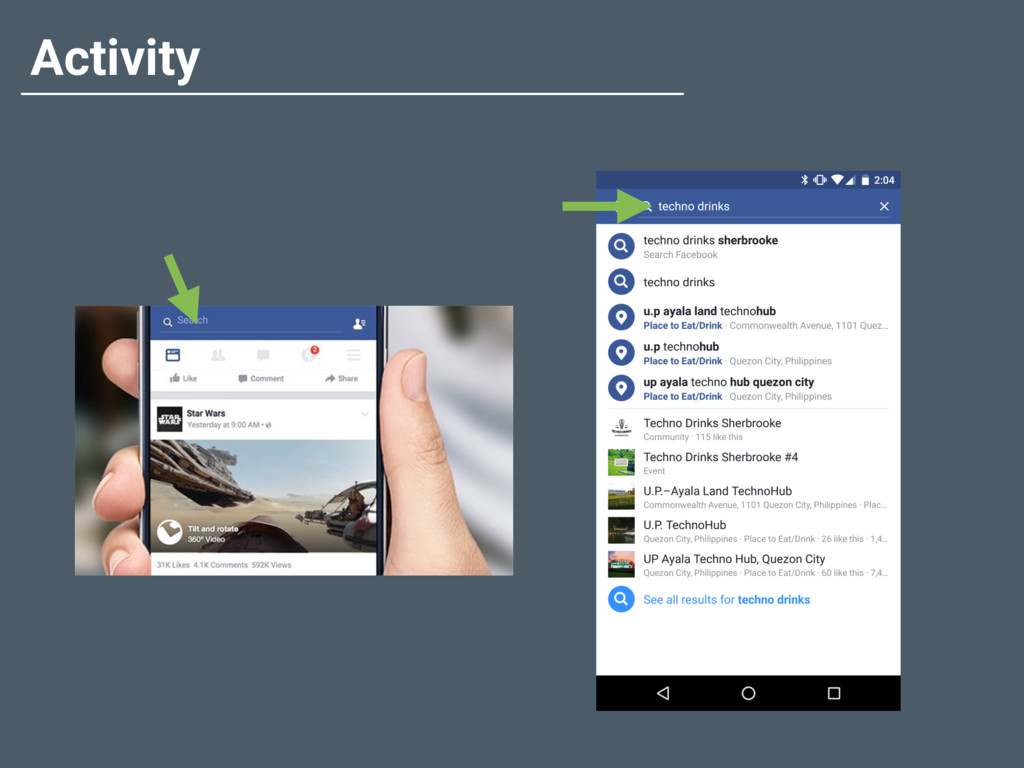
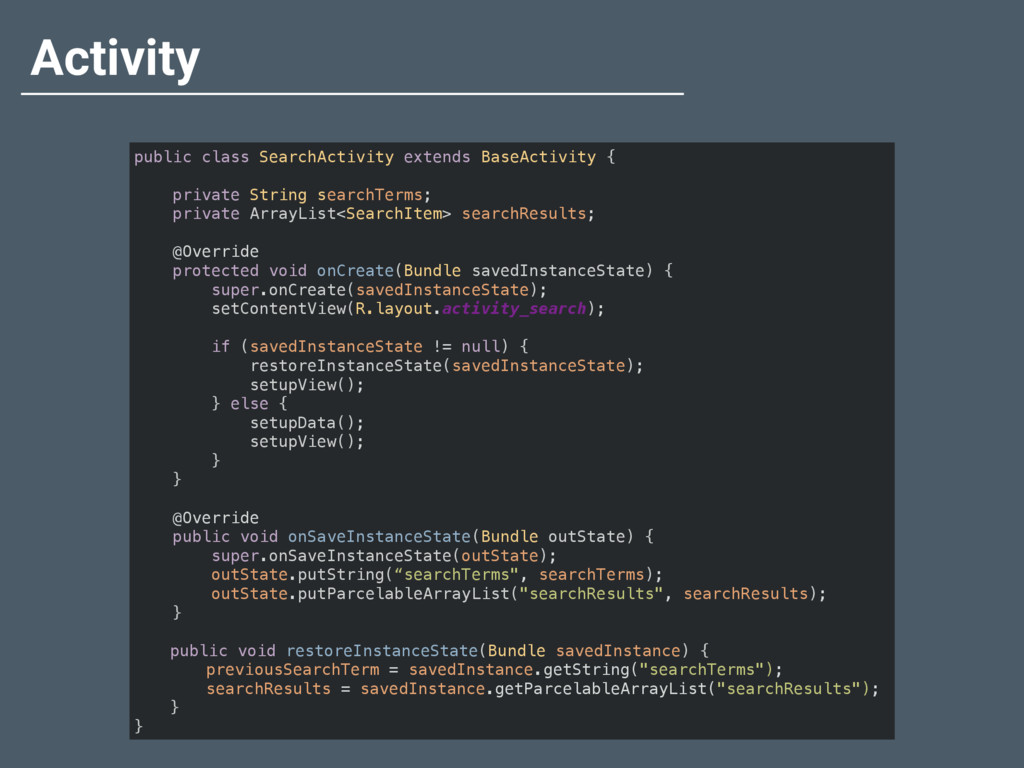
  11. Activity public class SearchActivity extends BaseActivity {
 
 private String

    searchTerms;
 private ArrayList<SearchItem> searchResults;
 
 @Override
 protected void onCreate(Bundle savedInstanceState) {
 super.onCreate(savedInstanceState);
 setContentView(R.layout.activity_search);
 
 if (savedInstanceState != null) {
 restoreInstanceState(savedInstanceState);
 setupView();
 } else {
 setupData();
 setupView();
 }
 }
 
 @Override
 public void onSaveInstanceState(Bundle outState) {
 super.onSaveInstanceState(outState);
 outState.putString(“searchTerms", searchTerms);
 outState.putParcelableArrayList("searchResults", searchResults);
 } public void restoreInstanceState(Bundle savedInstance) { previousSearchTerm = savedInstance.getString("searchTerms"); searchResults = savedInstance.getParcelableArrayList("searchResults"); } }
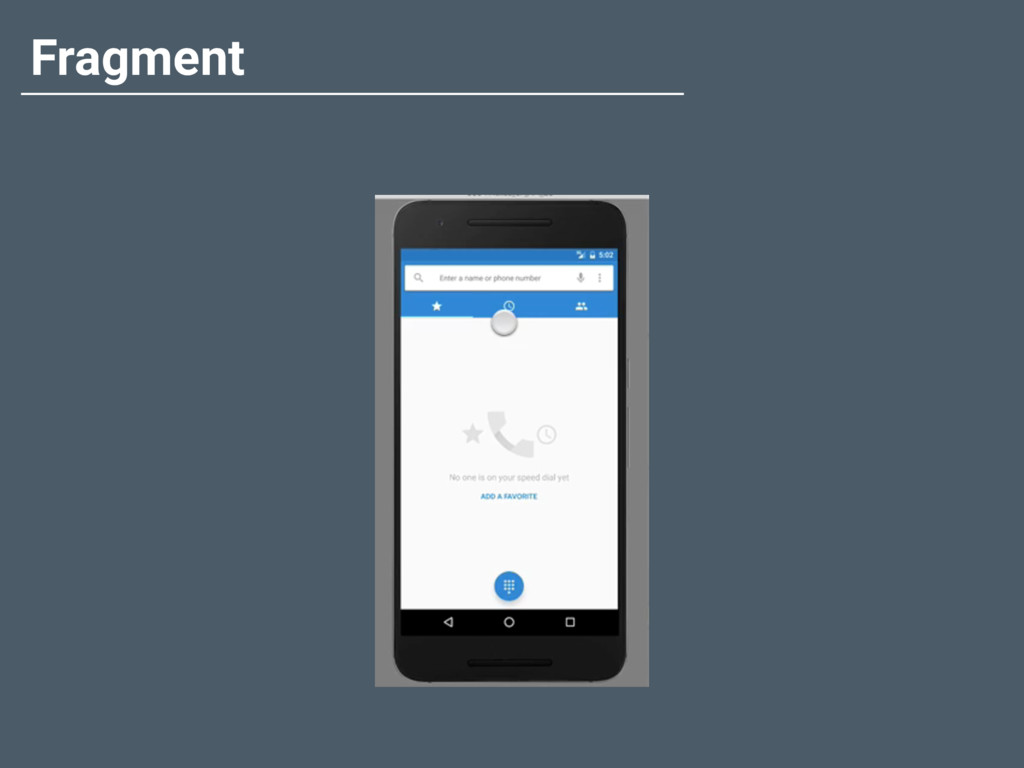
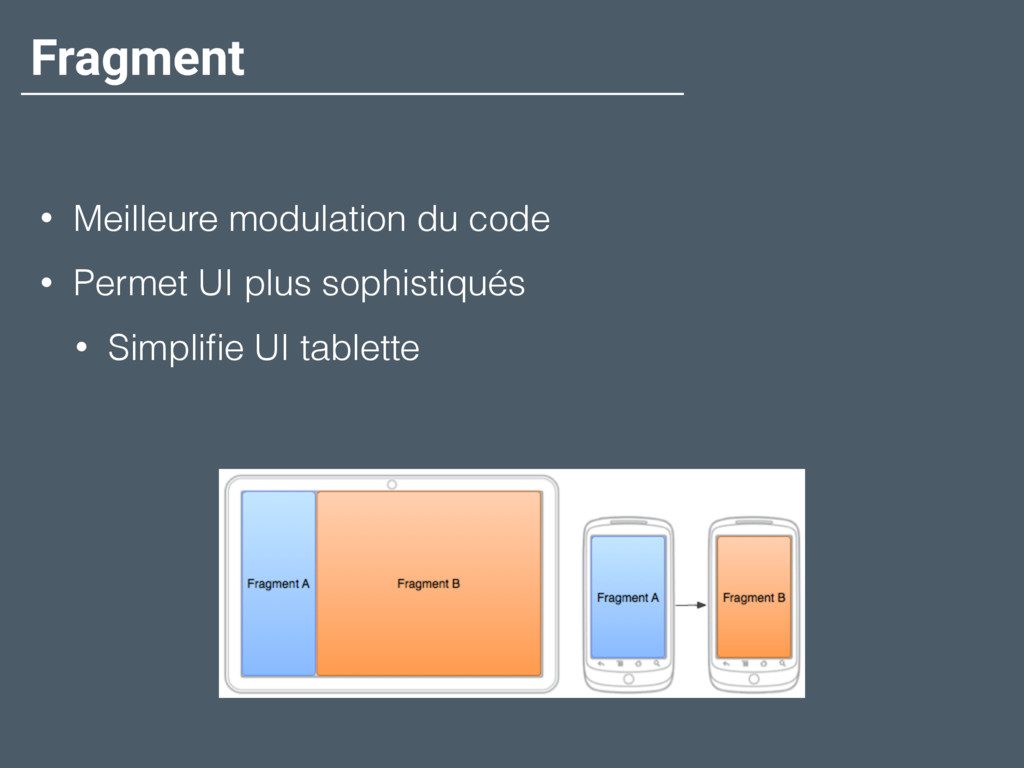
  12. Fragment • Meilleure modulation du code • Permet UI plus

    sophistiqués • Simplifie UI tablette
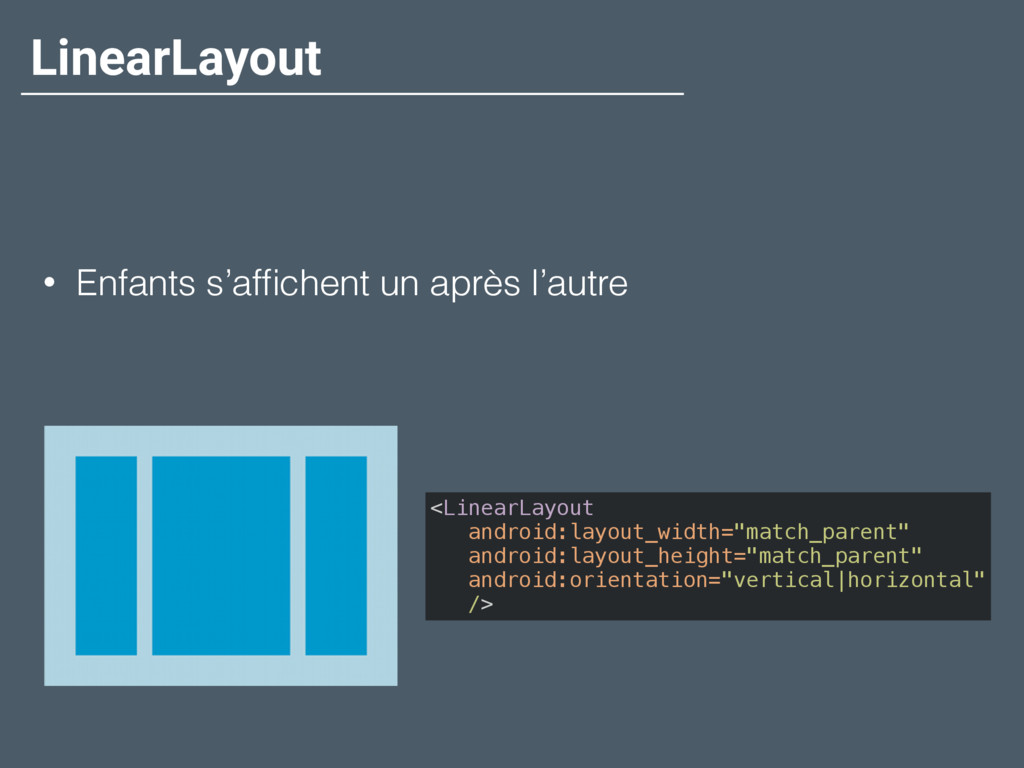
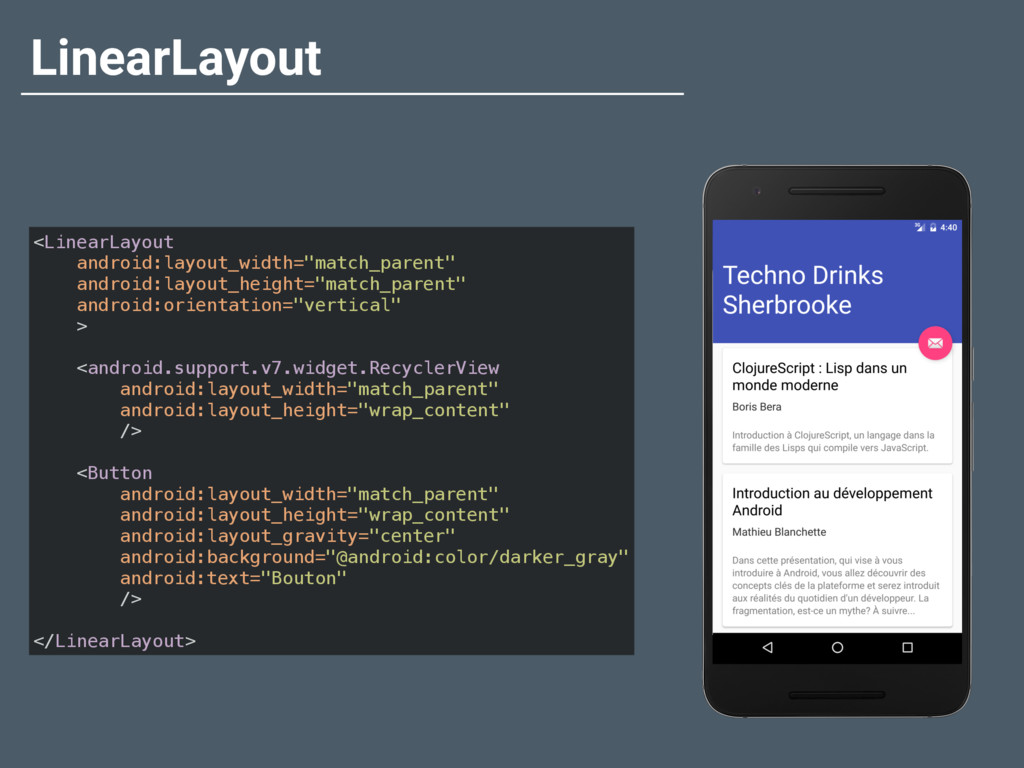
  13. LinearLayout <LinearLayout
 android:layout_width="match_parent"
 android:layout_height="match_parent"
 android:orientation="vertical"
 >
 
 <android.support.v7.widget.RecyclerView
 android:layout_width="match_parent"
 android:layout_height="wrap_content"


    />
 
 <Button
 android:layout_width="match_parent"
 android:layout_height="wrap_content"
 android:layout_gravity="center"
 android:background="@android:color/darker_gray"
 android:text="Bouton"
 />
 
 </LinearLayout>
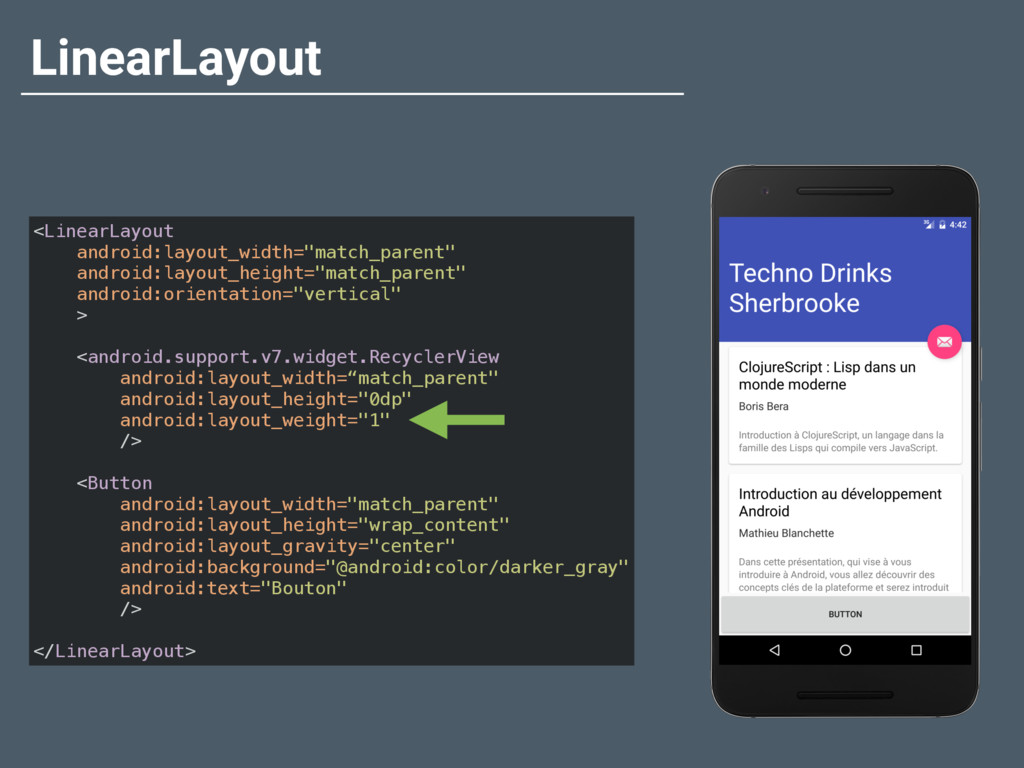
  14. LinearLayout <LinearLayout
 android:layout_width="match_parent"
 android:layout_height="match_parent"
 android:orientation="vertical"
 >
 
 <android.support.v7.widget.RecyclerView
 android:layout_width=“match_parent"
 android:layout_height="0dp"


    android:layout_weight="1"
 />
 
 <Button
 android:layout_width="match_parent"
 android:layout_height="wrap_content"
 android:layout_gravity="center"
 android:background="@android:color/darker_gray"
 android:text="Bouton"
 />
 
 </LinearLayout>
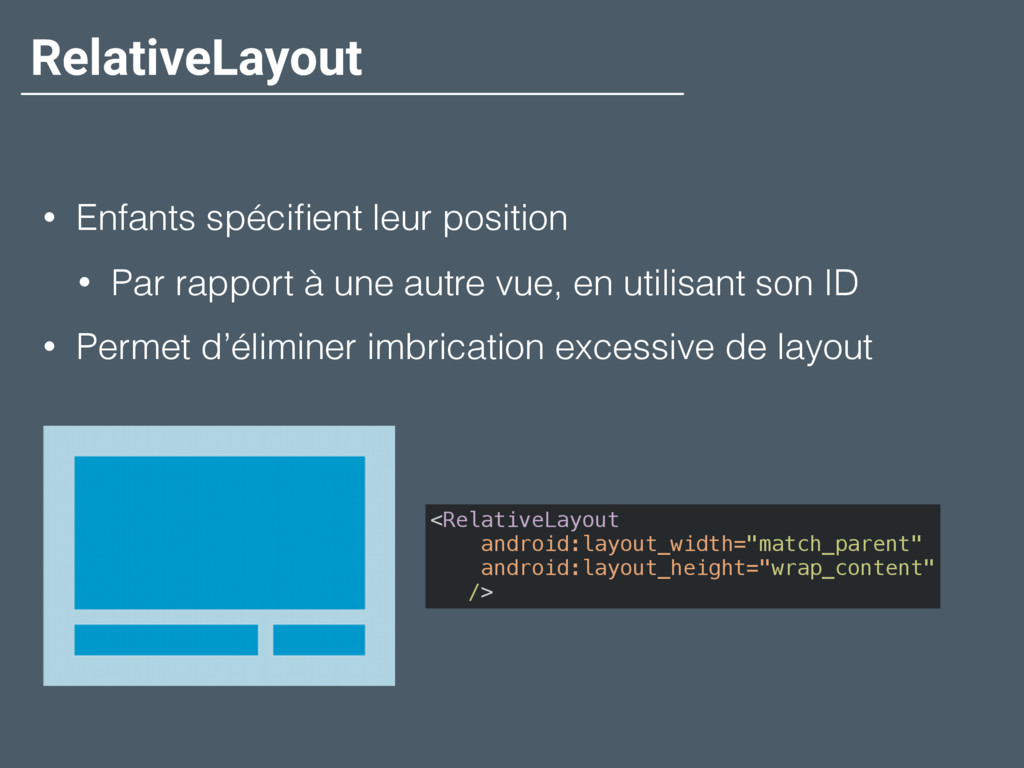
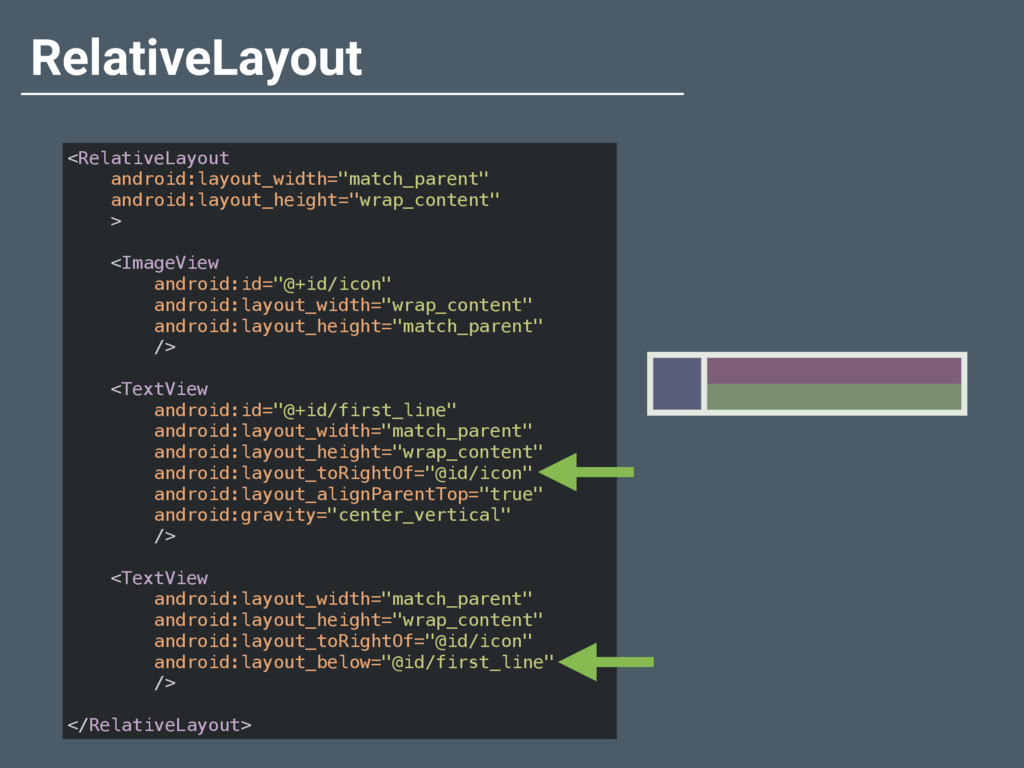
  15. RelativeLayout • Enfants spécifient leur position • Par rapport à

    une autre vue, en utilisant son ID • Permet d’éliminer imbrication excessive de layout <RelativeLayout
 android:layout_width="match_parent"
 android:layout_height="wrap_content"
 />
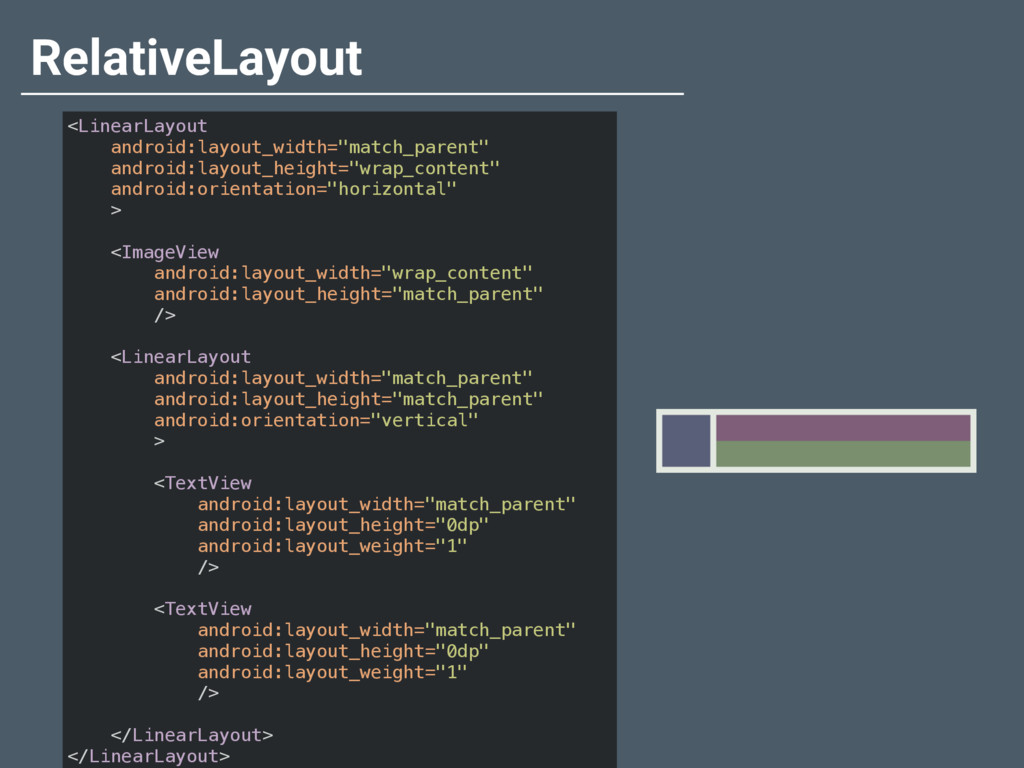
  16. RelativeLayout <LinearLayout 
 android:layout_width="match_parent"
 android:layout_height="wrap_content" android:orientation="horizontal"
 >
 
 <ImageView
 android:layout_width="wrap_content"


    android:layout_height="match_parent"
 />
 
 <LinearLayout
 android:layout_width="match_parent"
 android:layout_height="match_parent"
 android:orientation="vertical"
 >
 
 <TextView
 android:layout_width="match_parent"
 android:layout_height="0dp"
 android:layout_weight="1"
 />
 
 <TextView
 android:layout_width="match_parent"
 android:layout_height="0dp"
 android:layout_weight="1"
 />
 
 </LinearLayout>
 </LinearLayout>
  17. RelativeLayout <RelativeLayout
 android:layout_width="match_parent"
 android:layout_height="wrap_content"
 >
 
 <ImageView
 android:id="@+id/icon"
 android:layout_width="wrap_content"
 android:layout_height="match_parent"


    />
 
 <TextView
 android:id="@+id/first_line"
 android:layout_width="match_parent"
 android:layout_height="wrap_content"
 android:layout_toRightOf="@id/icon"
 android:layout_alignParentTop="true"
 android:gravity="center_vertical"
 />
 
 <TextView
 android:layout_width="match_parent"
 android:layout_height="wrap_content"
 android:layout_toRightOf="@id/icon"
 android:layout_below="@id/first_line"
 />
 
 </RelativeLayout>
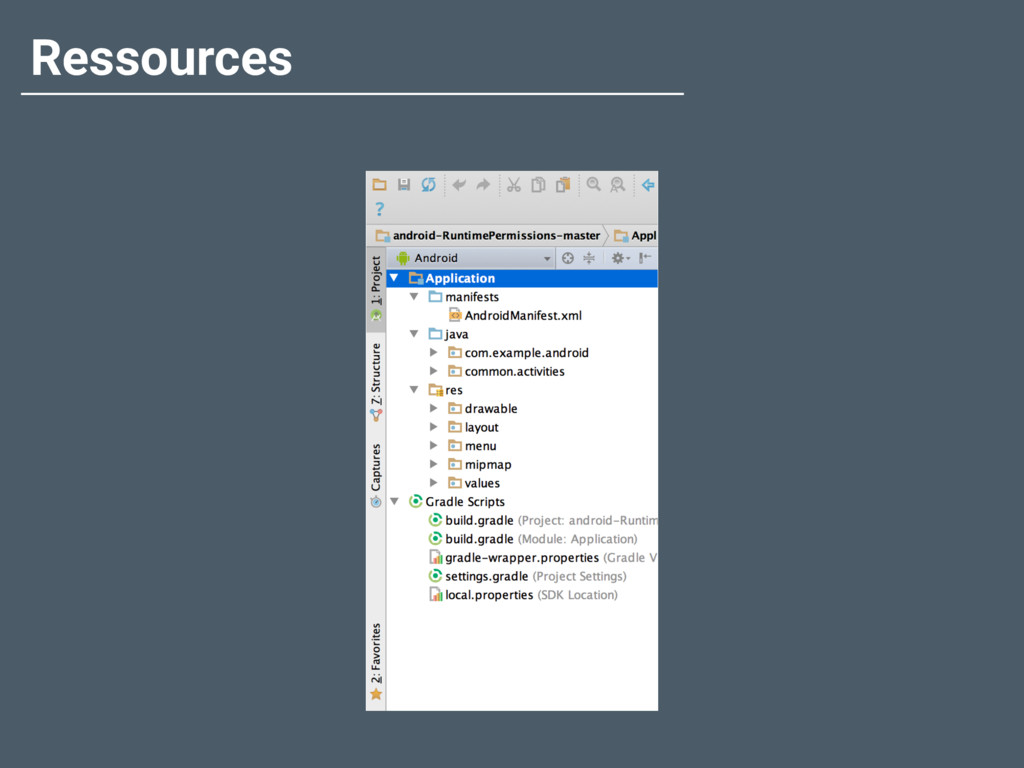
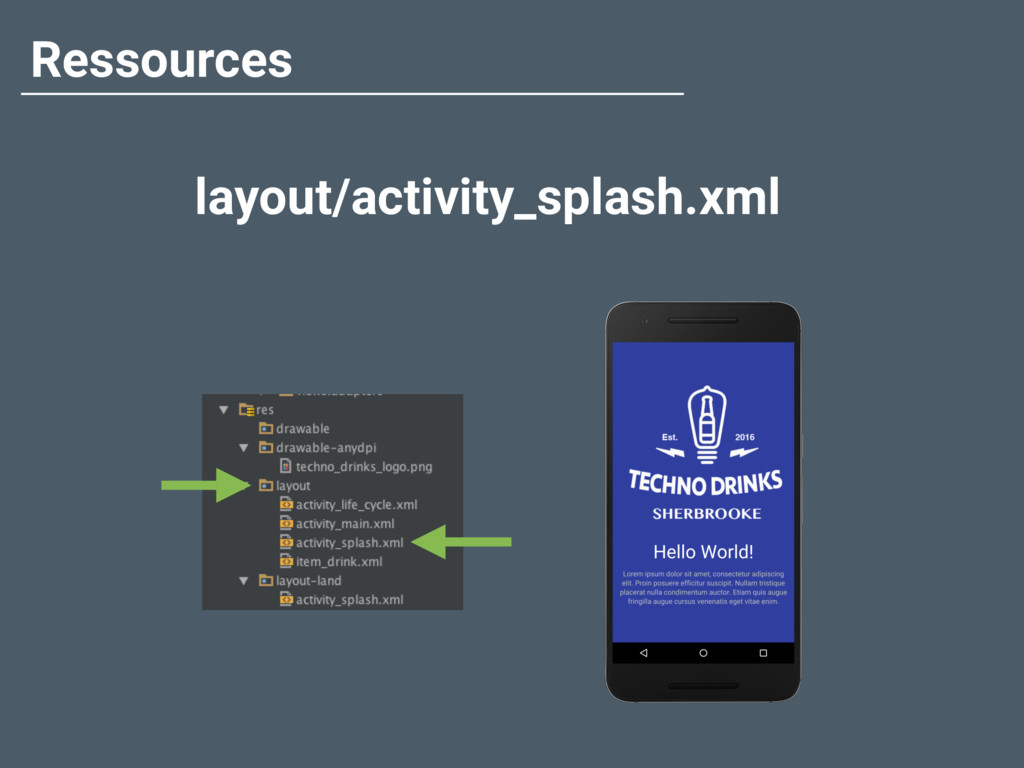
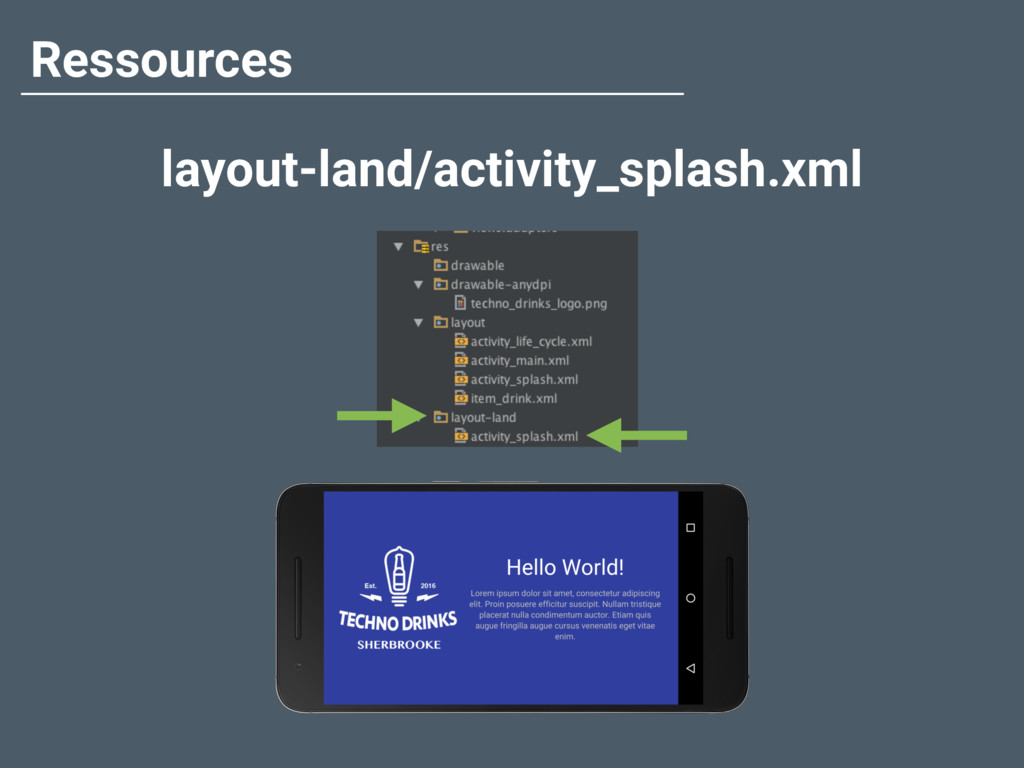
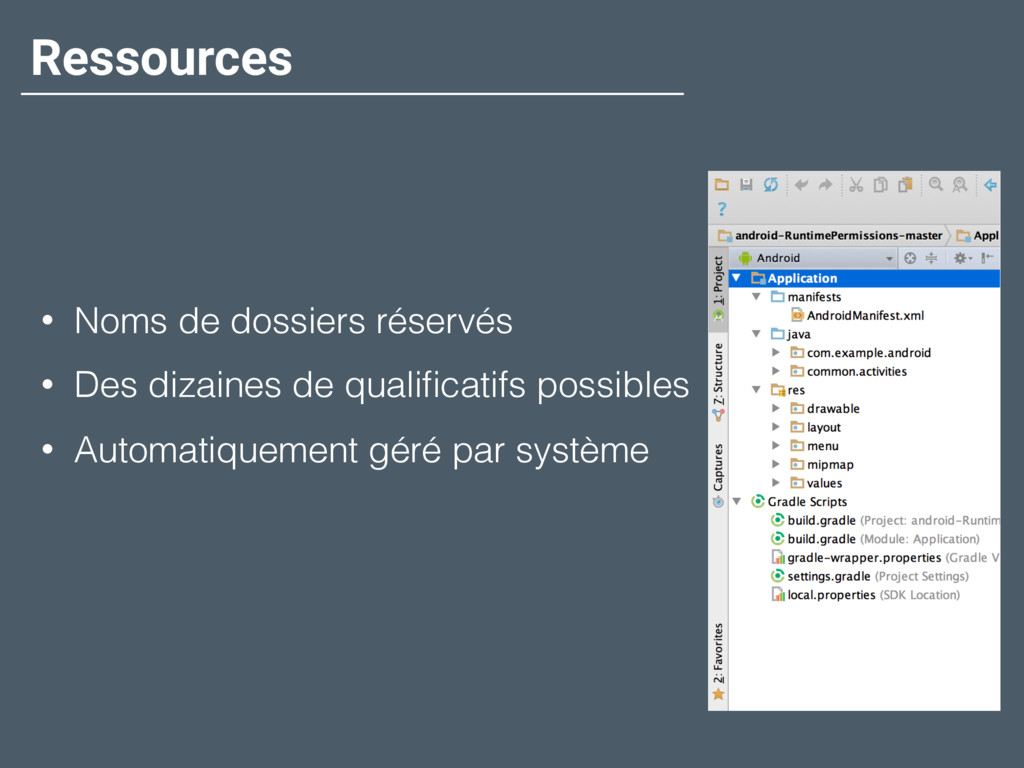
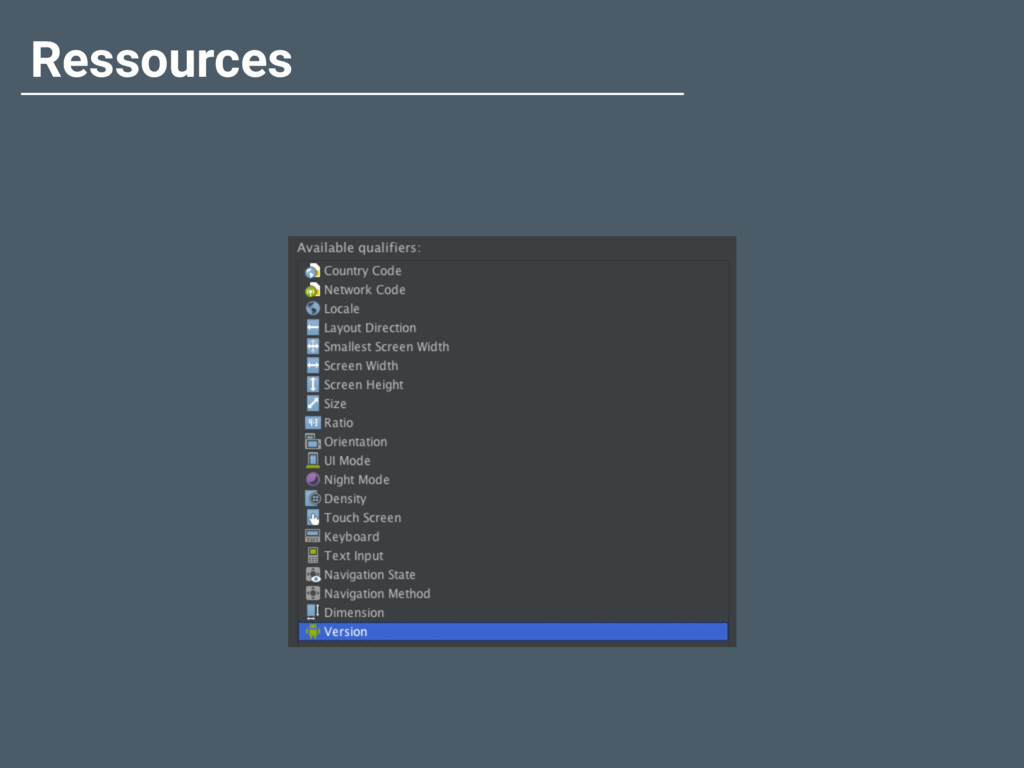
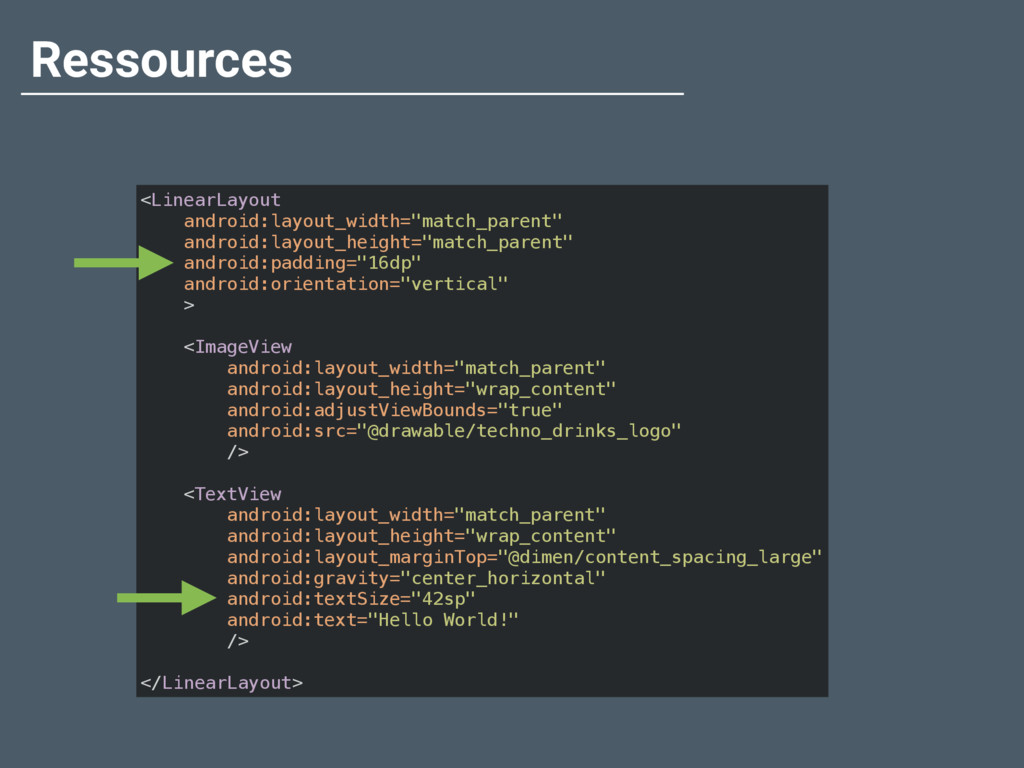
  18. Ressources • Noms de dossiers réservés • Des dizaines de

    qualificatifs possibles • Automatiquement géré par système
  19. Ressources <LinearLayout
 android:layout_width="match_parent"
 android:layout_height="match_parent"
 android:padding="16dp"
 android:orientation="vertical"
 >
 
 <ImageView
 android:layout_width="match_parent"


    android:layout_height="wrap_content"
 android:adjustViewBounds="true"
 android:src="@drawable/techno_drinks_logo"
 />
 
 <TextView
 android:layout_width="match_parent"
 android:layout_height="wrap_content"
 android:layout_marginTop="@dimen/content_spacing_large"
 android:gravity="center_horizontal"
 android:textSize="42sp"
 android:text="Hello World!"
 />
 
 </LinearLayout>
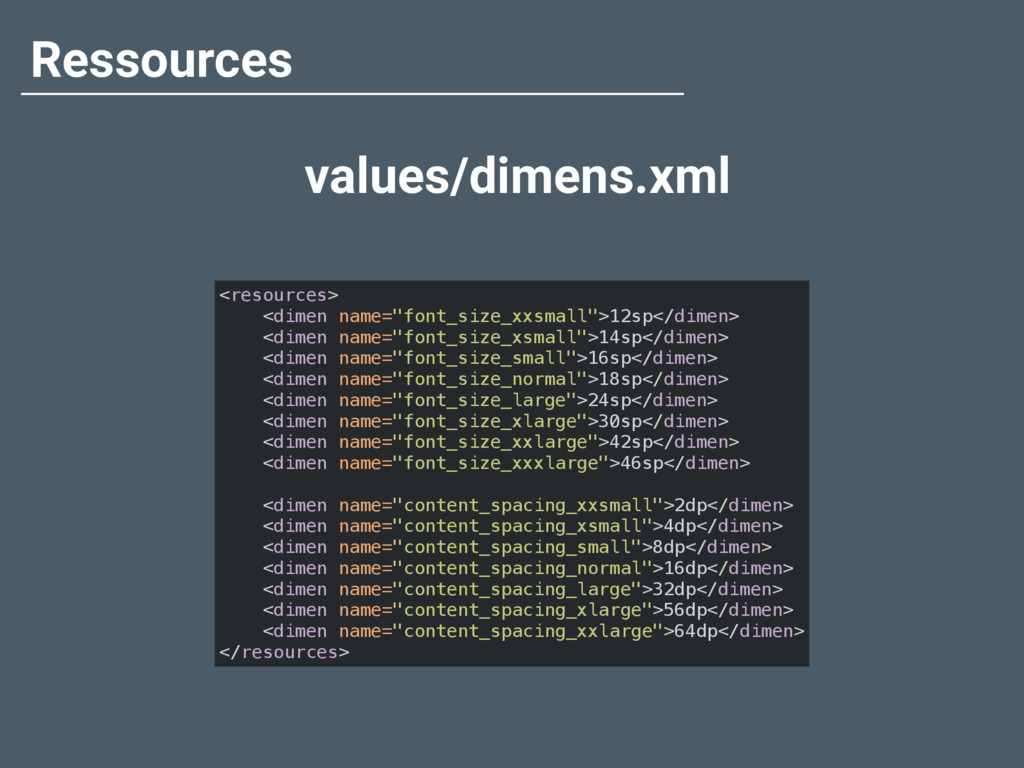
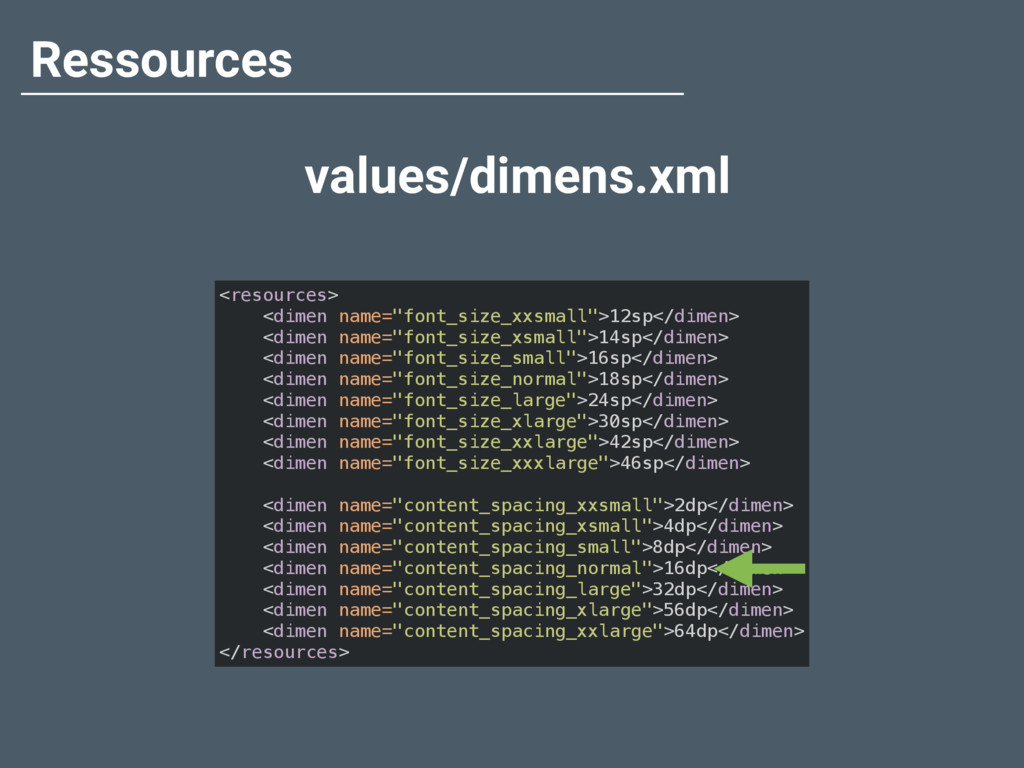
  20. Ressources values/dimens.xml <resources>
 <dimen name="font_size_xxsmall">12sp</dimen>
 <dimen name="font_size_xsmall">14sp</dimen>
 <dimen name="font_size_small">16sp</dimen>
 <dimen

    name="font_size_normal">18sp</dimen>
 <dimen name="font_size_large">24sp</dimen>
 <dimen name="font_size_xlarge">30sp</dimen>
 <dimen name="font_size_xxlarge">42sp</dimen>
 <dimen name="font_size_xxxlarge">46sp</dimen>
 
 <dimen name="content_spacing_xxsmall">2dp</dimen>
 <dimen name="content_spacing_xsmall">4dp</dimen>
 <dimen name="content_spacing_small">8dp</dimen>
 <dimen name="content_spacing_normal">16dp</dimen>
 <dimen name="content_spacing_large">32dp</dimen>
 <dimen name="content_spacing_xlarge">56dp</dimen>
 <dimen name="content_spacing_xxlarge">64dp</dimen>
 </resources>
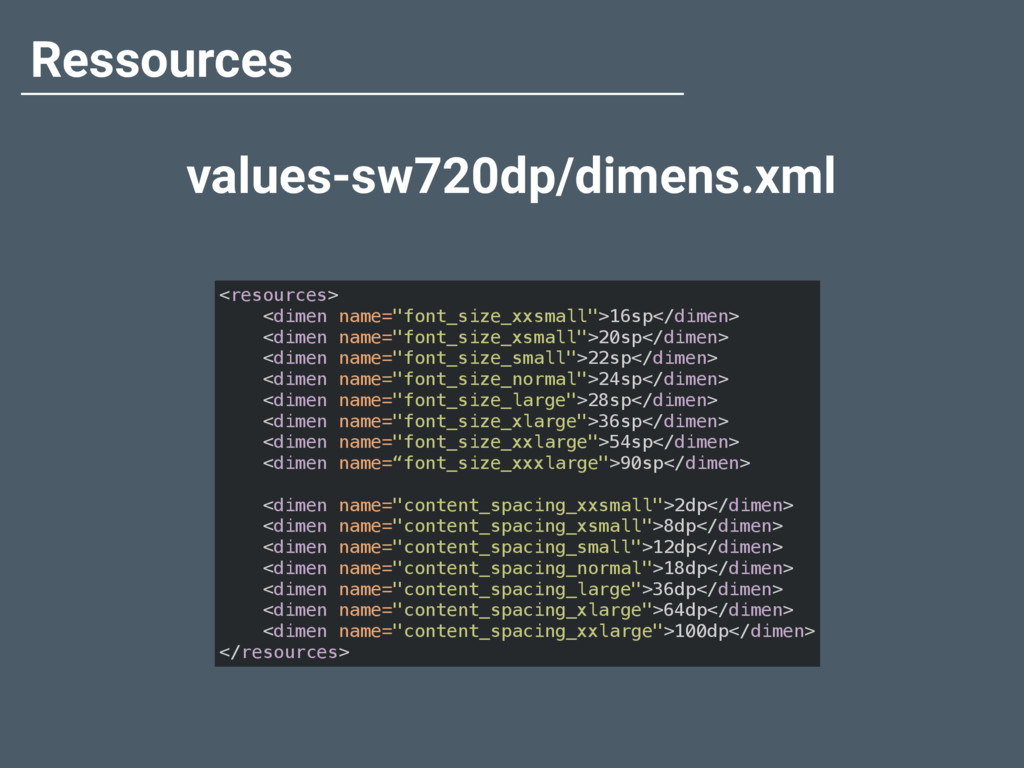
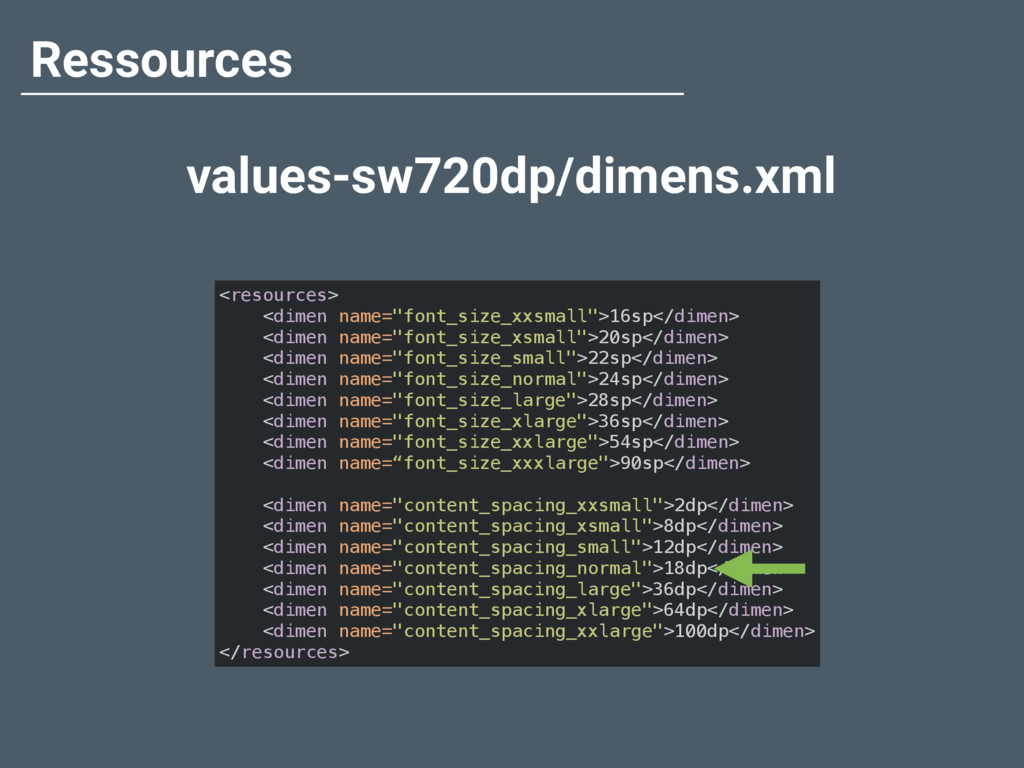
  21. Ressources values-sw720dp/dimens.xml <resources>
 <dimen name="font_size_xxsmall">16sp</dimen>
 <dimen name="font_size_xsmall">20sp</dimen>
 <dimen name="font_size_small">22sp</dimen>
 <dimen

    name="font_size_normal">24sp</dimen>
 <dimen name="font_size_large">28sp</dimen>
 <dimen name="font_size_xlarge">36sp</dimen>
 <dimen name="font_size_xxlarge">54sp</dimen>
 <dimen name=“font_size_xxxlarge">90sp</dimen>
 
 <dimen name="content_spacing_xxsmall">2dp</dimen>
 <dimen name="content_spacing_xsmall">8dp</dimen>
 <dimen name="content_spacing_small">12dp</dimen>
 <dimen name="content_spacing_normal">18dp</dimen>
 <dimen name="content_spacing_large">36dp</dimen>
 <dimen name="content_spacing_xlarge">64dp</dimen>
 <dimen name="content_spacing_xxlarge">100dp</dimen>
 </resources>
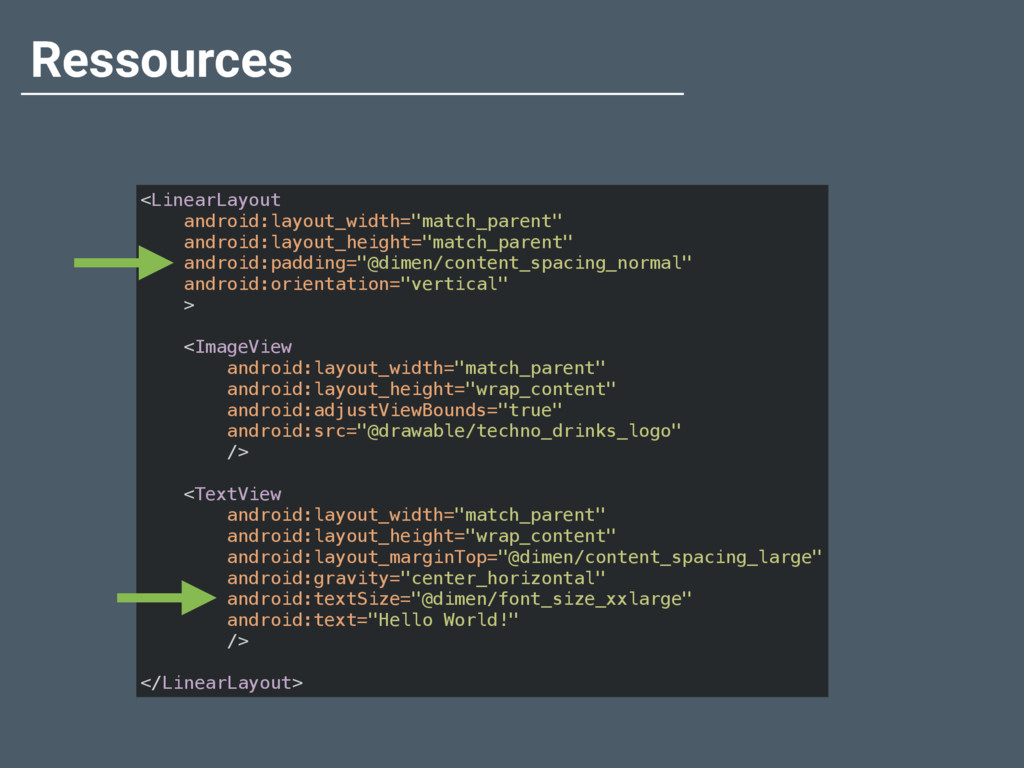
  22. Ressources <LinearLayout
 android:layout_width="match_parent"
 android:layout_height="match_parent"
 android:padding="@dimen/content_spacing_normal"
 android:orientation="vertical"
 >
 
 <ImageView
 android:layout_width="match_parent"


    android:layout_height="wrap_content"
 android:adjustViewBounds="true"
 android:src="@drawable/techno_drinks_logo"
 />
 
 <TextView
 android:layout_width="match_parent"
 android:layout_height="wrap_content"
 android:layout_marginTop="@dimen/content_spacing_large"
 android:gravity="center_horizontal"
 android:textSize="@dimen/font_size_xxlarge"
 android:text="Hello World!"
 />
 
 </LinearLayout>
  23. Ressources values/dimens.xml <resources>
 <dimen name="font_size_xxsmall">12sp</dimen>
 <dimen name="font_size_xsmall">14sp</dimen>
 <dimen name="font_size_small">16sp</dimen>
 <dimen

    name="font_size_normal">18sp</dimen>
 <dimen name="font_size_large">24sp</dimen>
 <dimen name="font_size_xlarge">30sp</dimen>
 <dimen name="font_size_xxlarge">42sp</dimen>
 <dimen name="font_size_xxxlarge">46sp</dimen>
 
 <dimen name="content_spacing_xxsmall">2dp</dimen>
 <dimen name="content_spacing_xsmall">4dp</dimen>
 <dimen name="content_spacing_small">8dp</dimen>
 <dimen name="content_spacing_normal">16dp</dimen>
 <dimen name="content_spacing_large">32dp</dimen>
 <dimen name="content_spacing_xlarge">56dp</dimen>
 <dimen name="content_spacing_xxlarge">64dp</dimen>
 </resources>
  24. Ressources values-sw720dp/dimens.xml <resources>
 <dimen name="font_size_xxsmall">16sp</dimen>
 <dimen name="font_size_xsmall">20sp</dimen>
 <dimen name="font_size_small">22sp</dimen>
 <dimen

    name="font_size_normal">24sp</dimen>
 <dimen name="font_size_large">28sp</dimen>
 <dimen name="font_size_xlarge">36sp</dimen>
 <dimen name="font_size_xxlarge">54sp</dimen>
 <dimen name=“font_size_xxxlarge">90sp</dimen>
 
 <dimen name="content_spacing_xxsmall">2dp</dimen>
 <dimen name="content_spacing_xsmall">8dp</dimen>
 <dimen name="content_spacing_small">12dp</dimen>
 <dimen name="content_spacing_normal">18dp</dimen>
 <dimen name="content_spacing_large">36dp</dimen>
 <dimen name="content_spacing_xlarge">64dp</dimen>
 <dimen name="content_spacing_xxlarge">100dp</dimen>
 </resources>
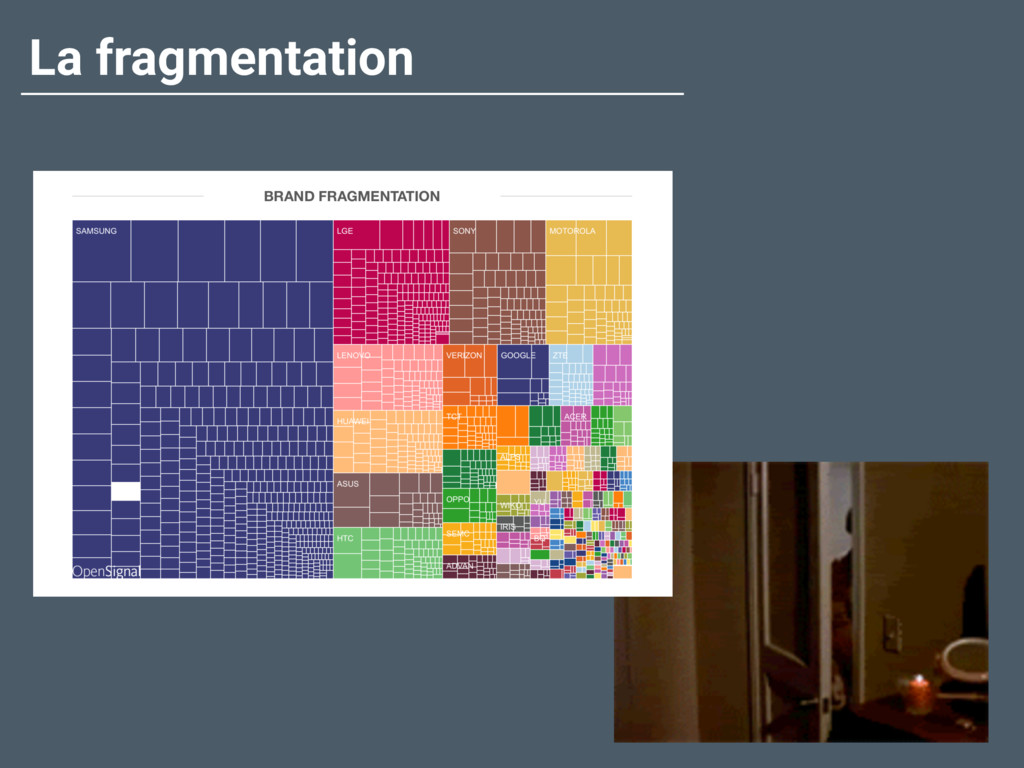
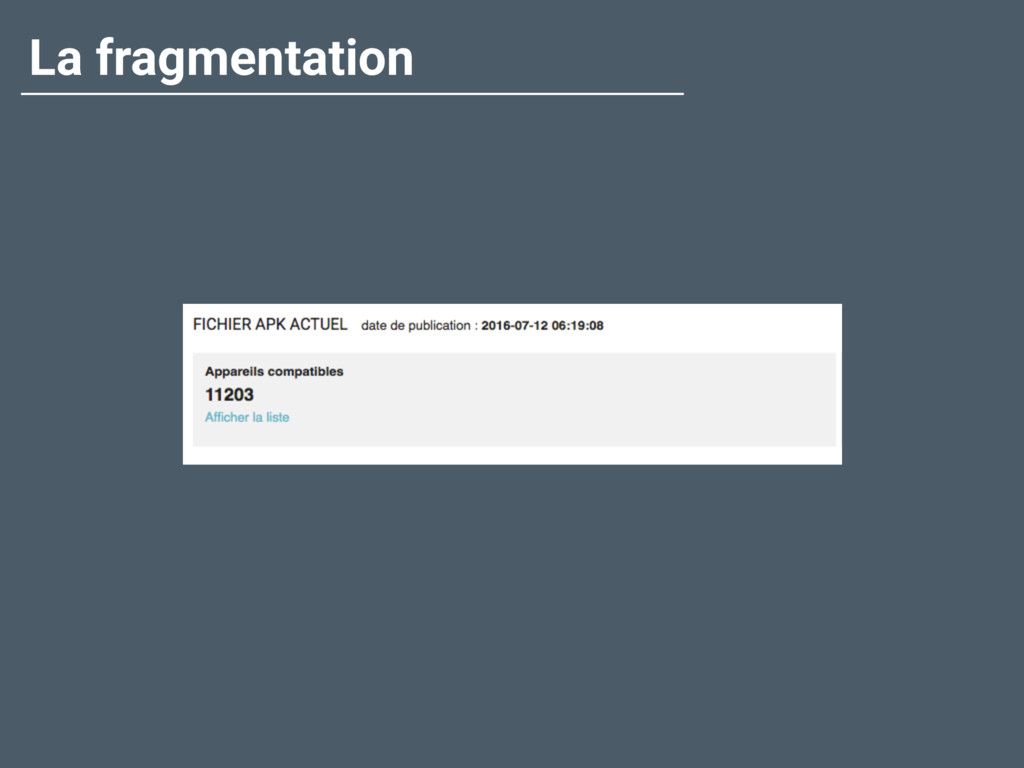
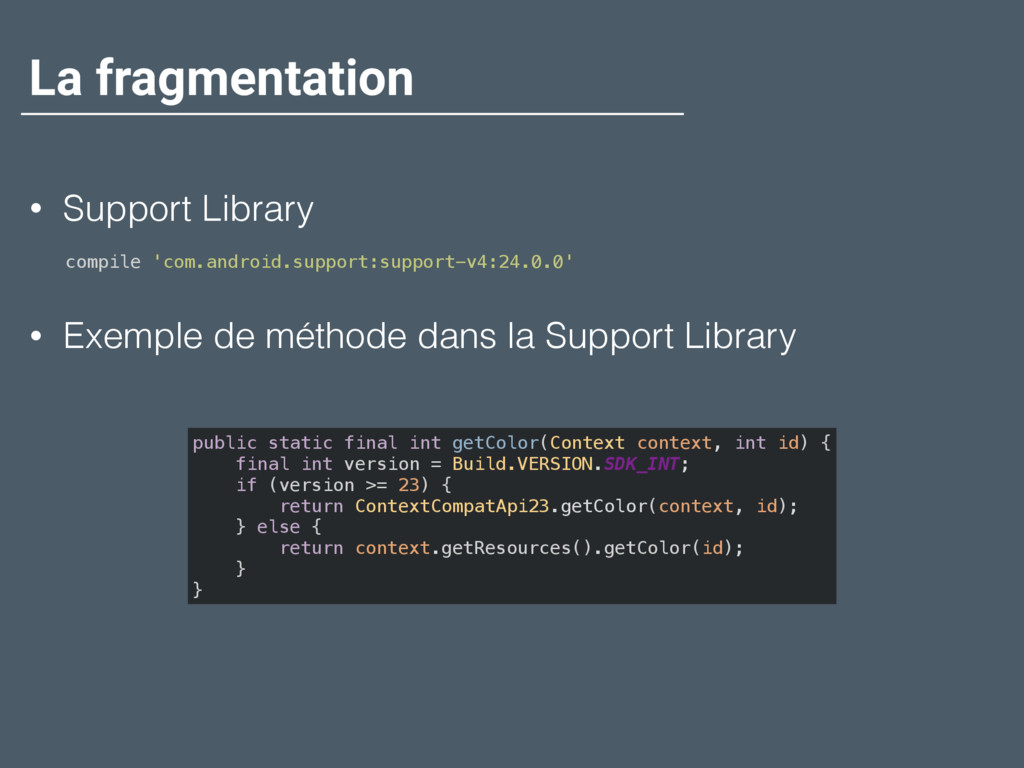
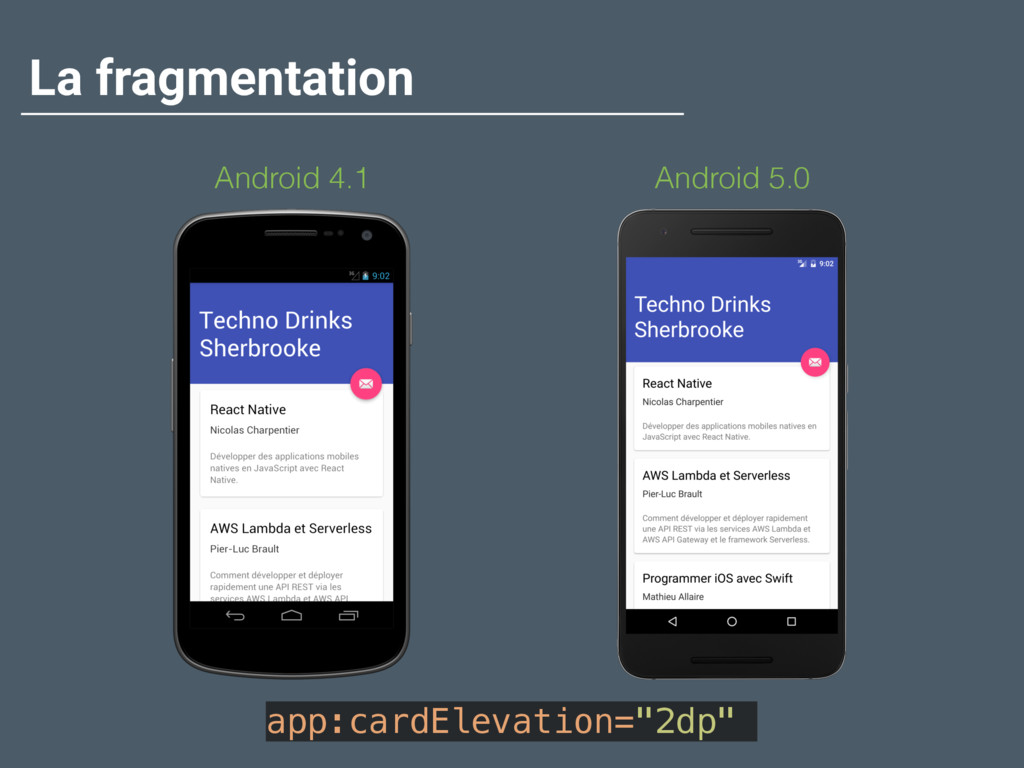
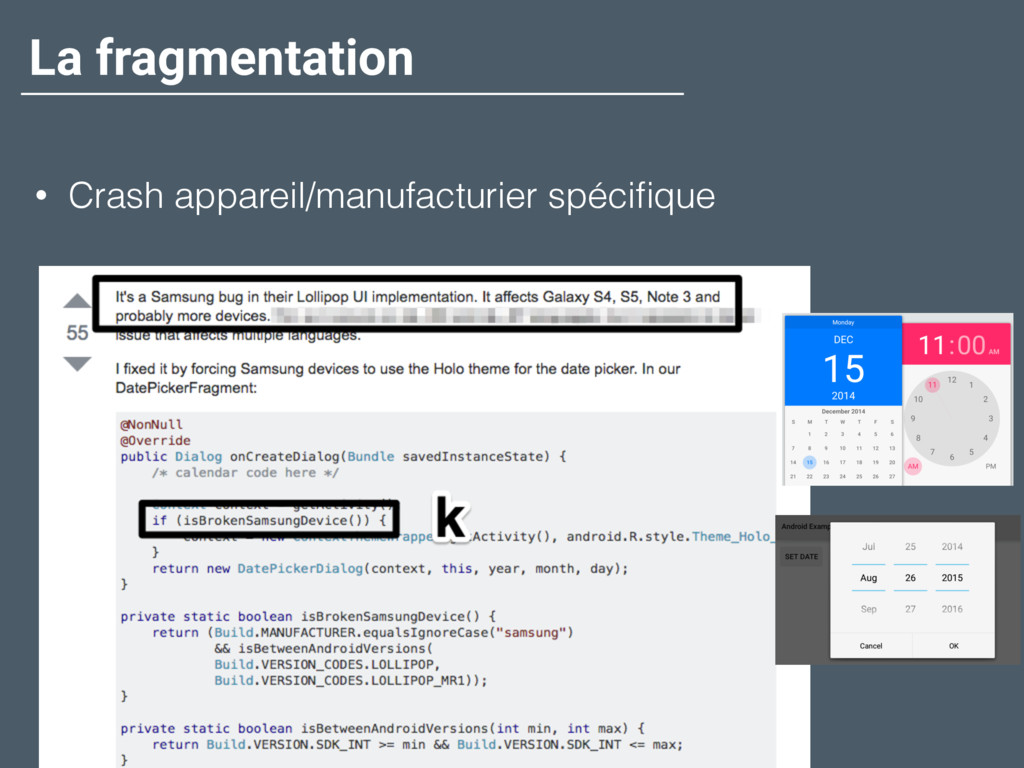
  25. La fragmentation • Support Library compile 'com.android.support:support-v4:24.0.0' • Exemple de

    méthode dans la Support Library public static final int getColor(Context context, int id) {
 final int version = Build.VERSION.SDK_INT;
 if (version >= 23) {
 return ContextCompatApi23.getColor(context, id);
 } else {
 return context.getResources().getColor(id);
 }
 }
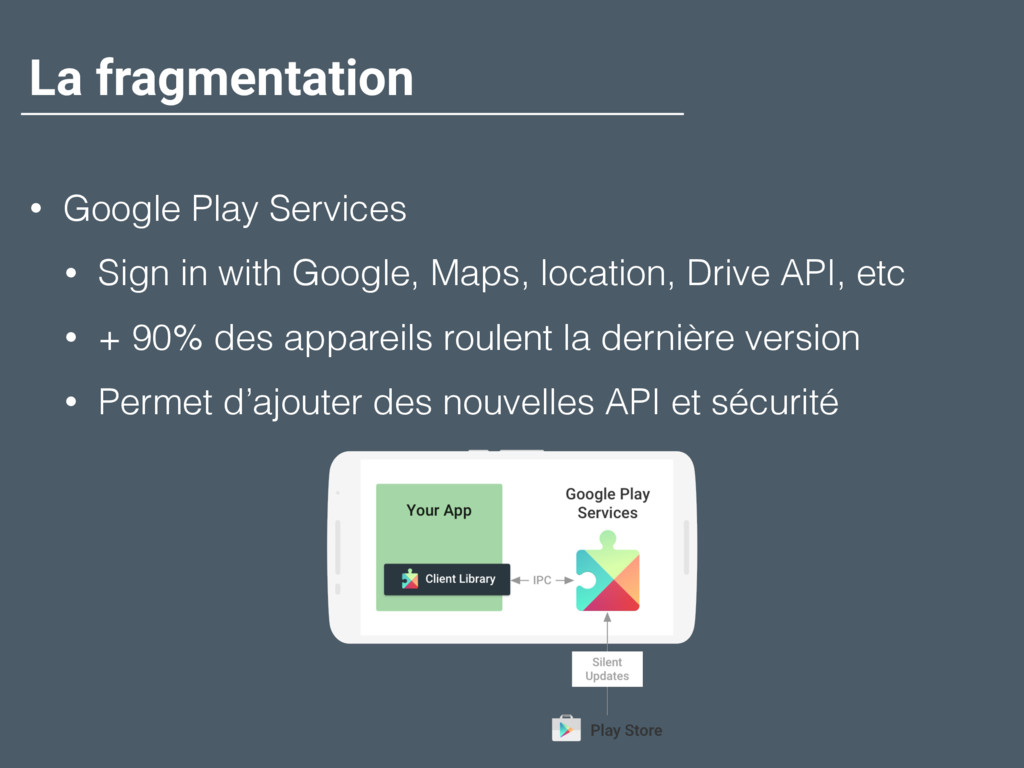
  26. La fragmentation • Google Play Services • Sign in with

    Google, Maps, location, Drive API, etc • + 90% des appareils roulent la dernière version • Permet d’ajouter des nouvelles API et sécurité
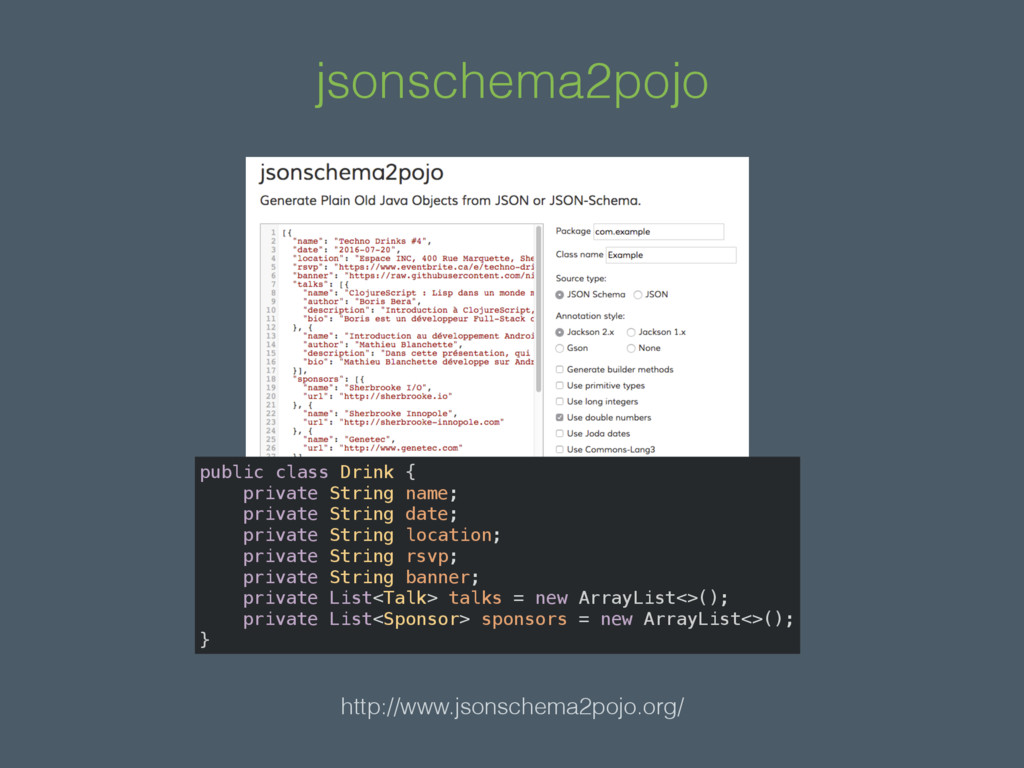
  27. jsonschema2pojo http://www.jsonschema2pojo.org/ public class Drink {
 private String name;
 private

    String date;
 private String location;
 private String rsvp;
 private String banner;
 private List<Talk> talks = new ArrayList<>();
 private List<Sponsor> sponsors = new ArrayList<>();
 }
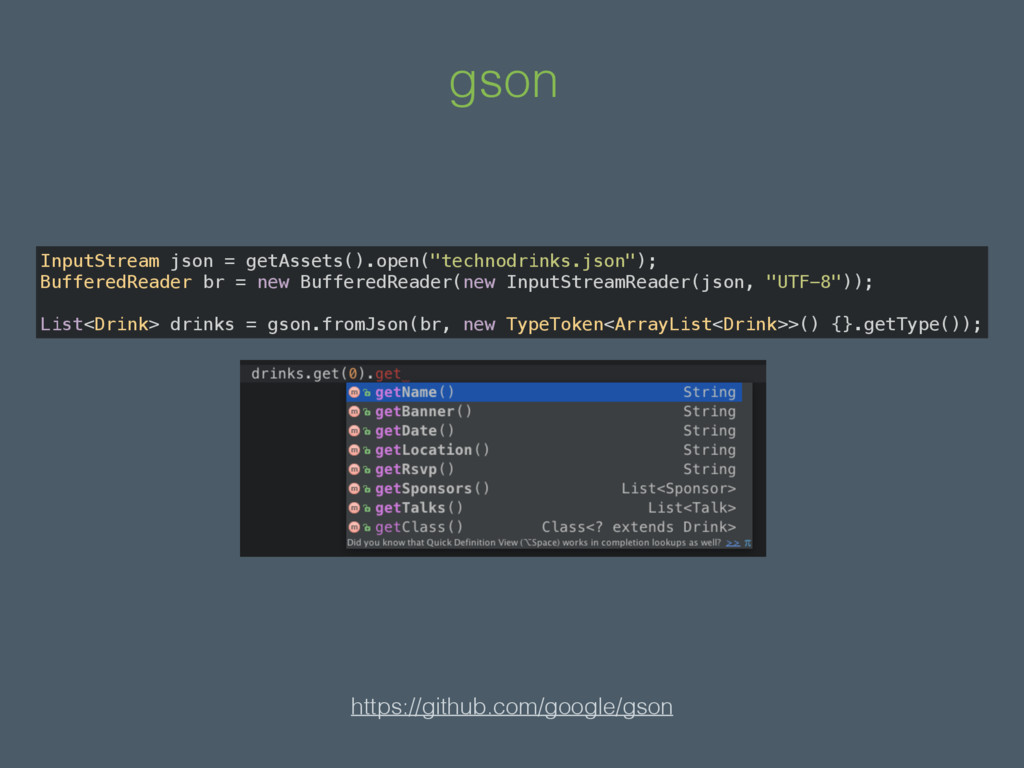
  28. gson https://github.com/google/gson InputStream json = getAssets().open("technodrinks.json");
 BufferedReader br = new

    BufferedReader(new InputStreamReader(json, "UTF-8"));
 
 List<Drink> drinks = gson.fromJson(br, new TypeToken<ArrayList<Drink>>() {}.getType());