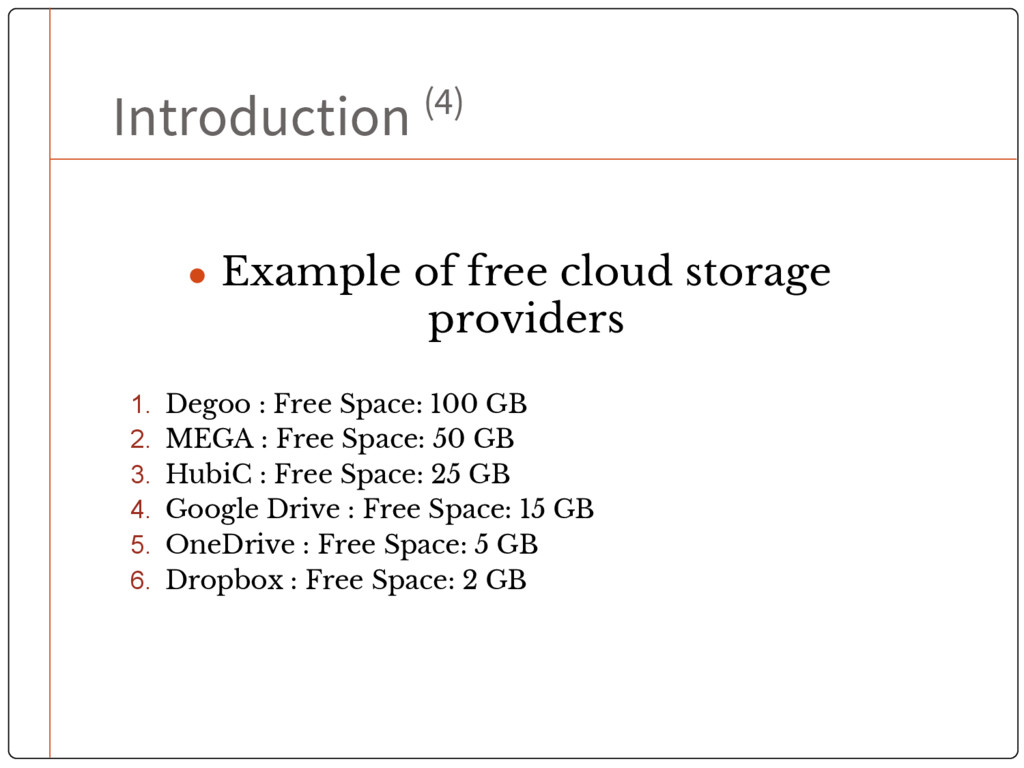
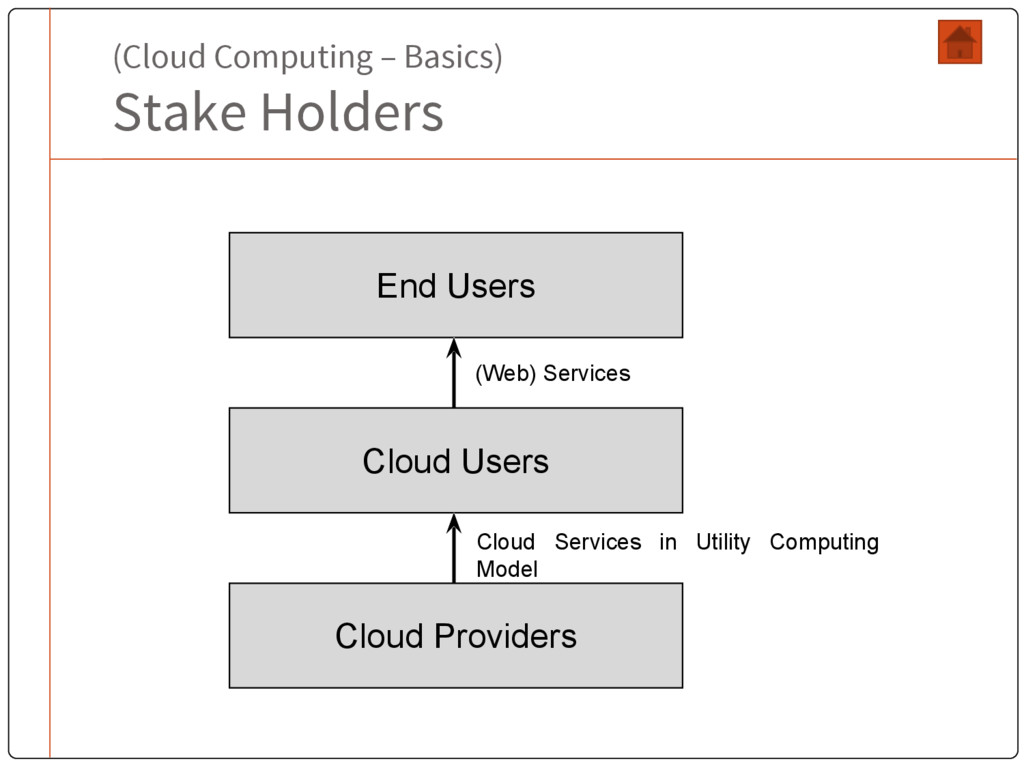
with internet don’t have to run, install or even store their applications and data into their own computers. • Cloud is: • a bunch of commodity computers • networked together in same or different geographical locations • operating together to serve a number of customers with different need and workload • on demand basis with the help of virtualization • Cloud computing encompasses real time subscription-based or pay-per-use service over the Internet.
users as utility services using pay-as-you-use business model. (XaaS). • Virtualization is one of the key concepts of cloud computing as it essentially builds the abstraction over the physical system. • Cloud and cloud applications are gaining popularity day by day for their – • Availability • Reliability • Scalability • Utility model and • Cost Advantages
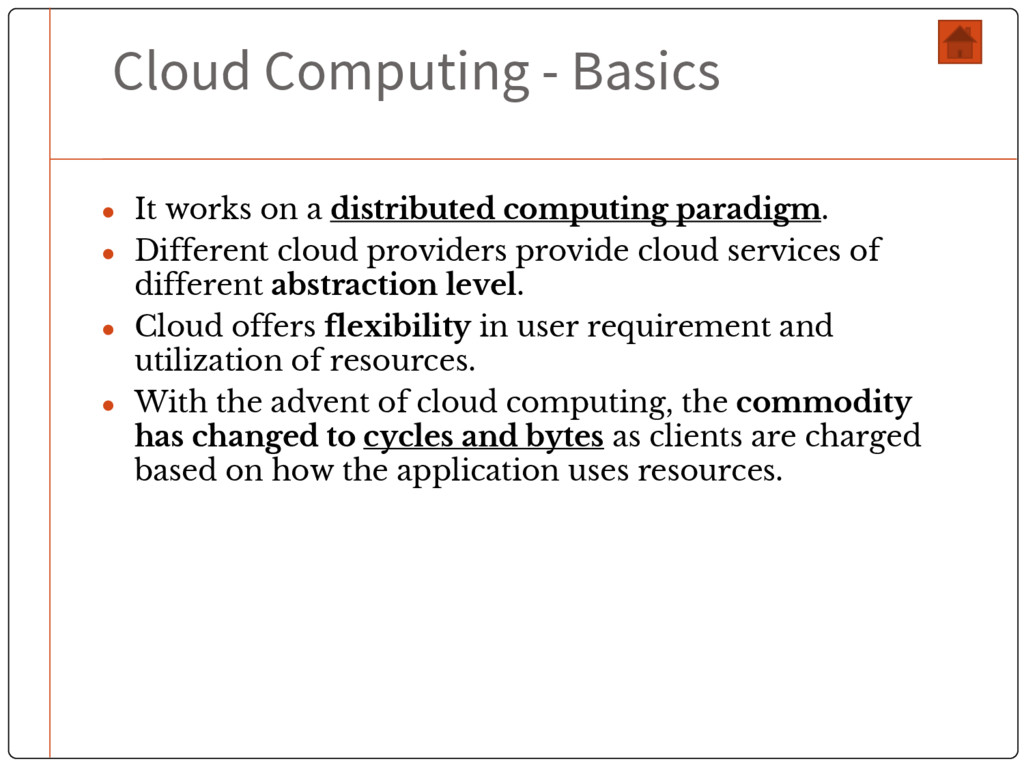
computing paradigm. • Different cloud providers provide cloud services of different abstraction level. • Cloud offers flexibility in user requirement and utilization of resources. • With the advent of cloud computing, the commodity has changed to cycles and bytes as clients are charged based on how the application uses resources.
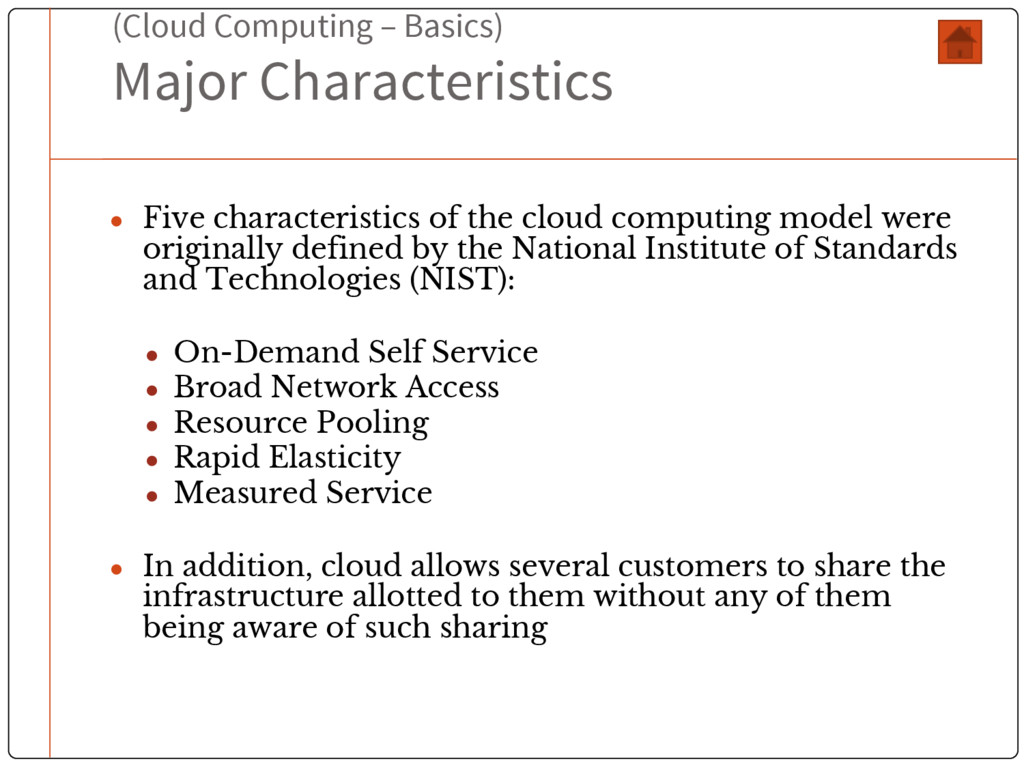
the cloud computing model were originally defined by the National Institute of Standards and Technologies (NIST): • On-Demand Self Service • Broad Network Access • Resource Pooling • Rapid Elasticity • Measured Service • In addition, cloud allows several customers to share the infrastructure allotted to them without any of them being aware of such sharing
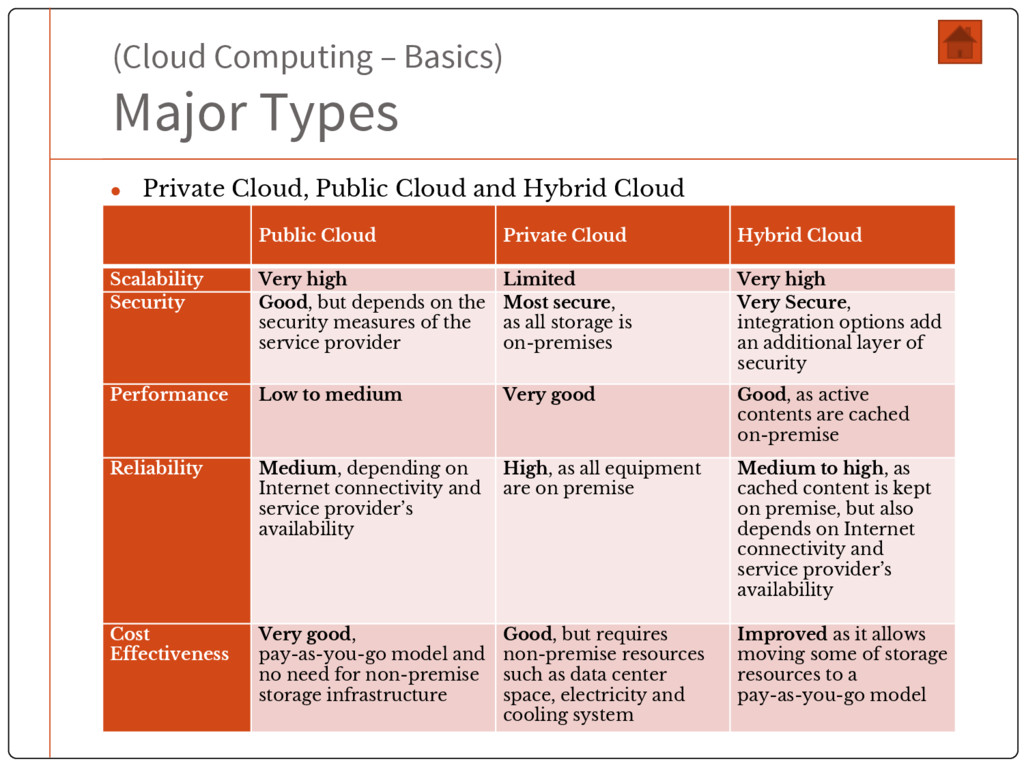
Cloud and Hybrid Cloud Public Cloud Private Cloud Hybrid Cloud Scalability Very high Limited Very high Security Good, but depends on the security measures of the service provider Most secure, as all storage is on-premises Very Secure, integration options add an additional layer of security Performance Low to medium Very good Good, as active contents are cached on-premise Reliability Medium, depending on Internet connectivity and service provider’s availability High, as all equipment are on premise Medium to high, as cached content is kept on premise, but also depends on Internet connectivity and service provider’s availability Cost Effectiveness Very good, pay-as-you-go model and no need for non-premise storage infrastructure Good, but requires non-premise resources such as data center space, electricity and cooling system Improved as it allows moving some of storage resources to a pay-as-you-go model
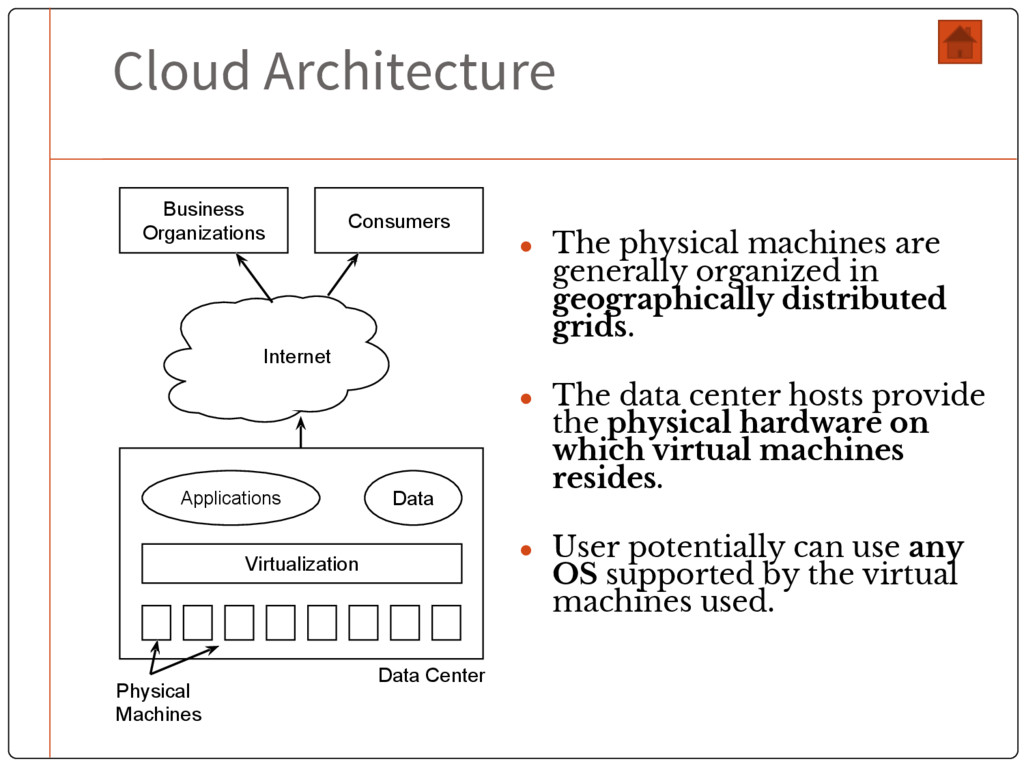
geographically distributed grids. • The data center hosts provide the physical hardware on which virtual machines resides. • User potentially can use any OS supported by the virtual machines used. Business Organizations Consumers Internet Applications Data Virtualization Physical Machines Data Center
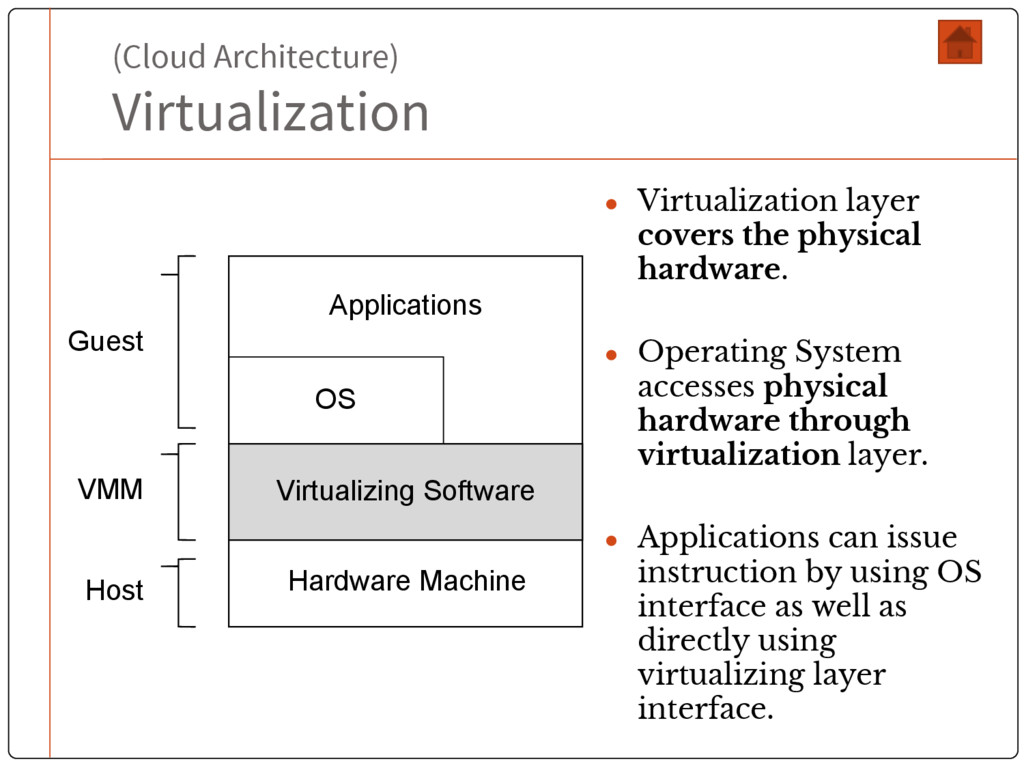
• Operating System accesses physical hardware through virtualization layer. • Applications can issue instruction by using OS interface as well as directly using virtualizing layer interface. Hardware Machine OS Applications Virtualizing Software Guest VMM Host
instructions generated by conventional software to the understandable format for the physically available hardware. • Virtualization includes the mapping of virtual resources like registers and memory to real hardware resources. • Virtualization enables migration of virtual image from one physical machine to another.
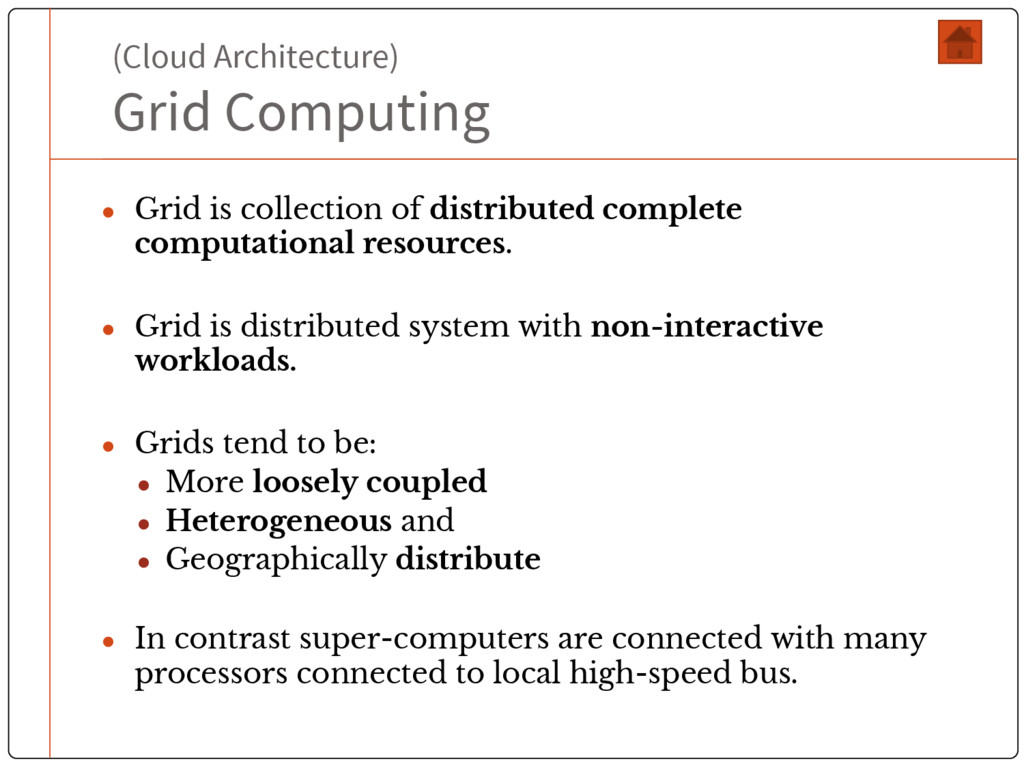
complete computational resources. • Grid is distributed system with non-interactive workloads. • Grids tend to be: • More loosely coupled • Heterogeneous and • Geographically distribute • In contrast super-computers are connected with many processors connected to local high-speed bus.
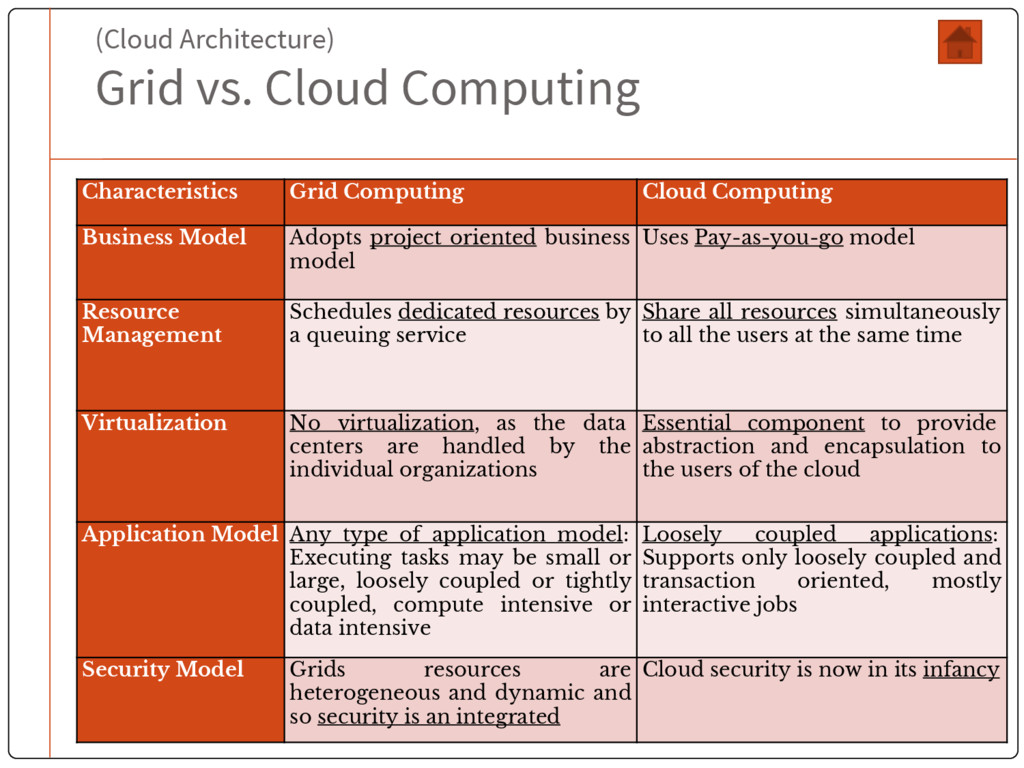
Computing Business Model Adopts project oriented business model Uses Pay-as-you-go model Resource Management Schedules dedicated resources by a queuing service Share all resources simultaneously to all the users at the same time Virtualization No virtualization, as the data centers are handled by the individual organizations Essential component to provide abstraction and encapsulation to the users of the cloud Application Model Any type of application model: Executing tasks may be small or large, loosely coupled or tightly coupled, compute intensive or data intensive Loosely coupled applications: Supports only loosely coupled and transaction oriented, mostly interactive jobs Security Model Grids resources are heterogeneous and dynamic and so security is an integrated Cloud security is now in its infancy
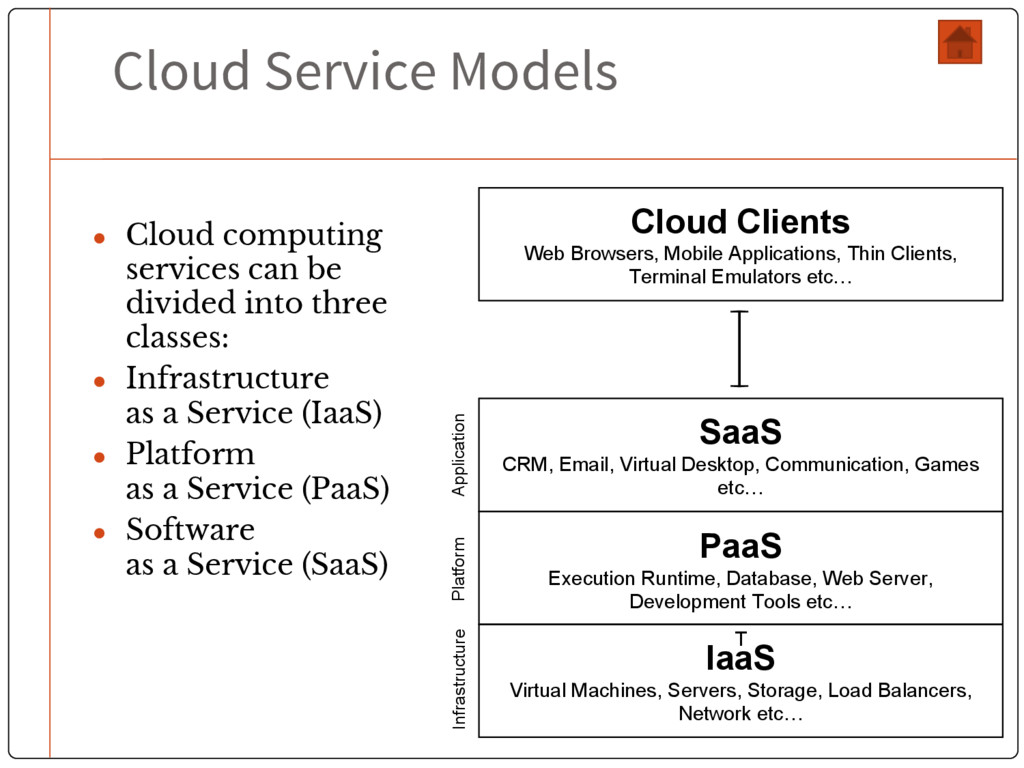
into three classes: • Infrastructure as a Service (IaaS) • Platform as a Service (PaaS) • Software as a Service (SaaS) Cloud Clients Web Browsers, Mobile Applications, Thin Clients, Terminal Emulators etc… SaaS CRM, Email, Virtual Desktop, Communication, Games etc… PaaS Execution Runtime, Database, Web Server, Development Tools etc… T IaaS Virtual Machines, Servers, Storage, Load Balancers, Network etc… Application Platform Infrastructure
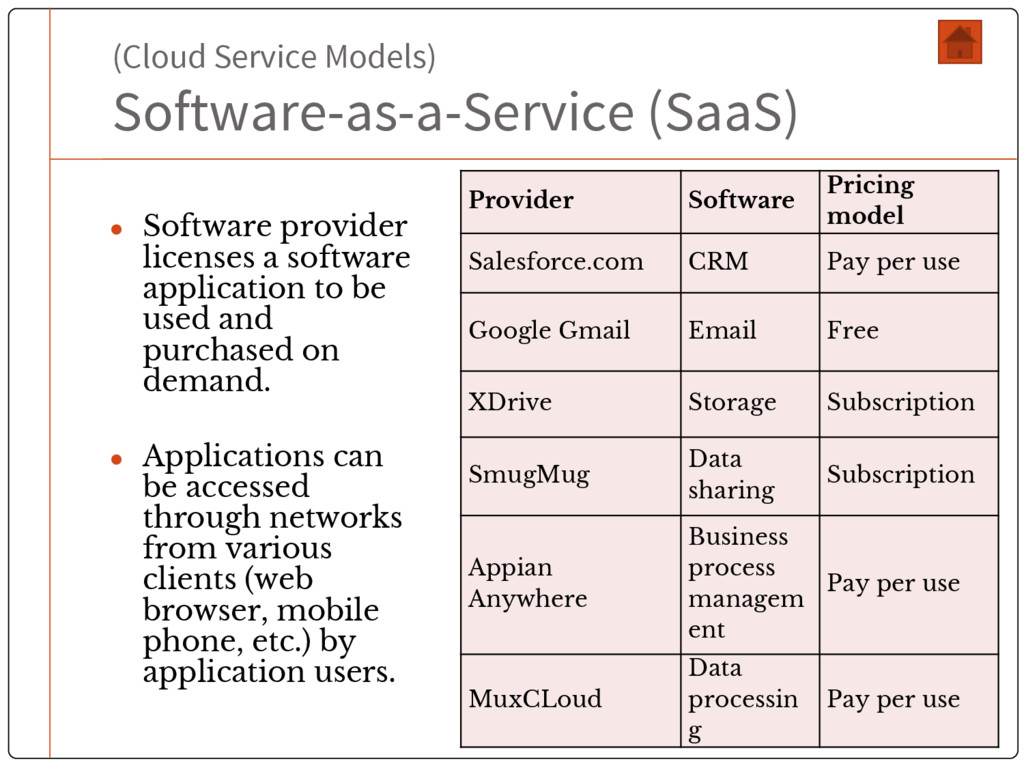
software application to be used and purchased on demand. • Applications can be accessed through networks from various clients (web browser, mobile phone, etc.) by application users. Provider Software Pricing model Salesforce.com CRM Pay per use Google Gmail Email Free XDrive Storage Subscription SmugMug Data sharing Subscription Appian Anywhere Business process managem ent Pay per use MuxCLoud Data processin g Pay per use
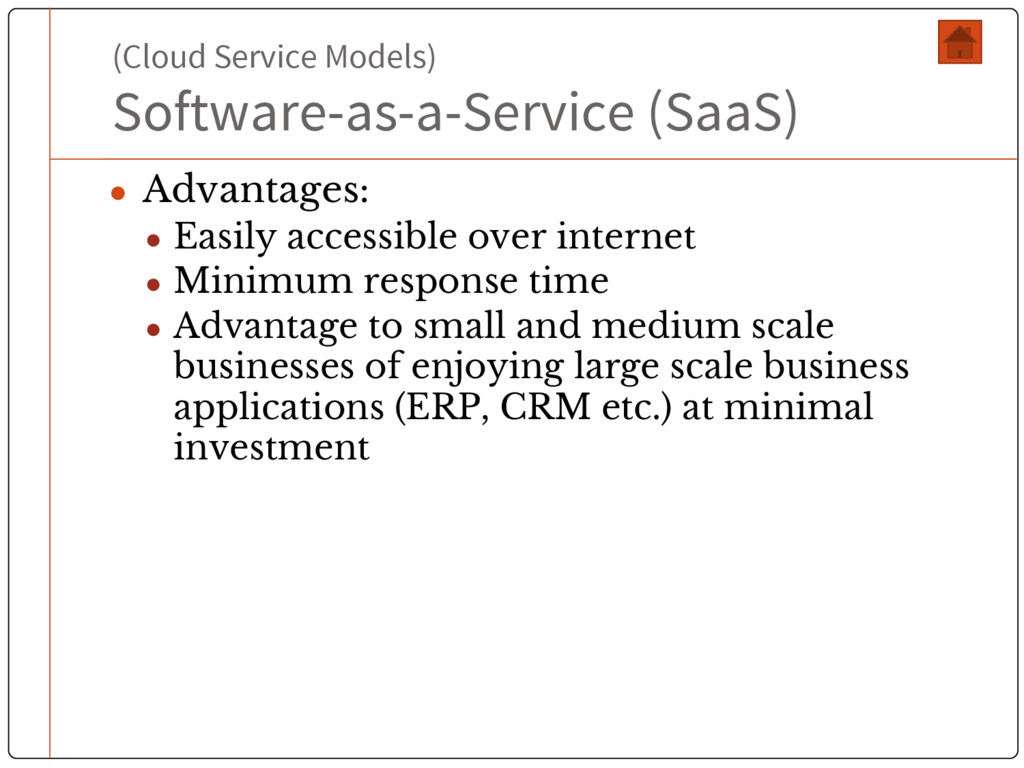
over internet • Minimum response time • Advantage to small and medium scale businesses of enjoying large scale business applications (ERP, CRM etc.) at minimal investment
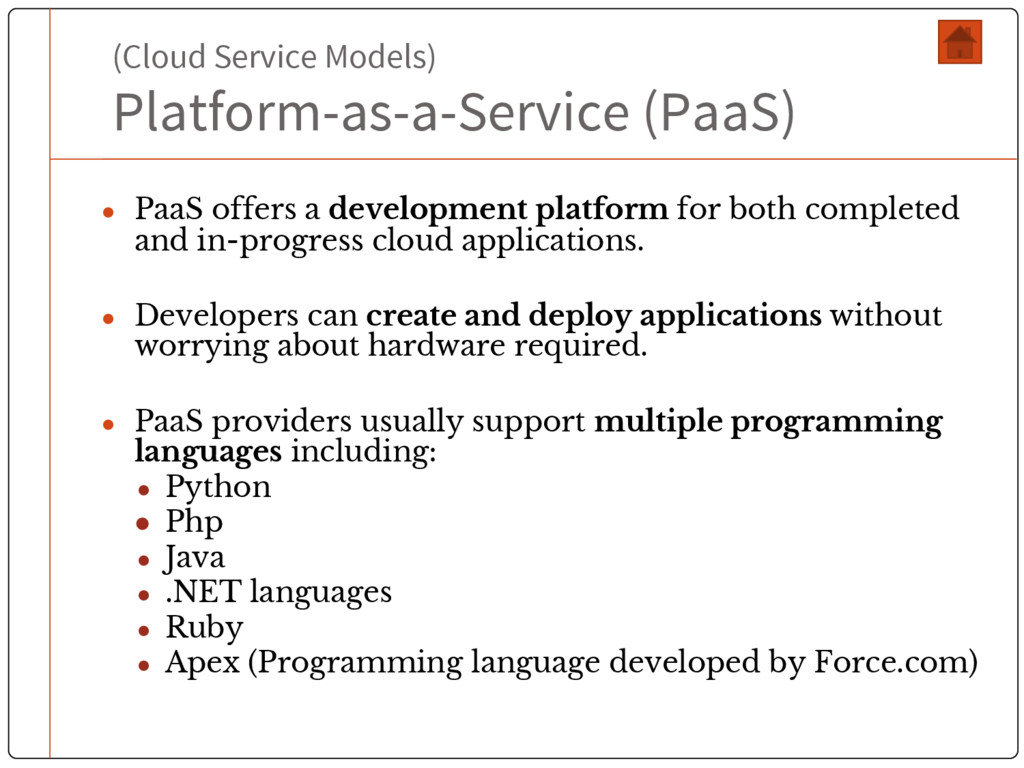
platform for both completed and in-progress cloud applications. • Developers can create and deploy applications without worrying about hardware required. • PaaS providers usually support multiple programming languages including: • Python • Php • Java • .NET languages • Ruby • Apex (Programming language developed by Force.com)
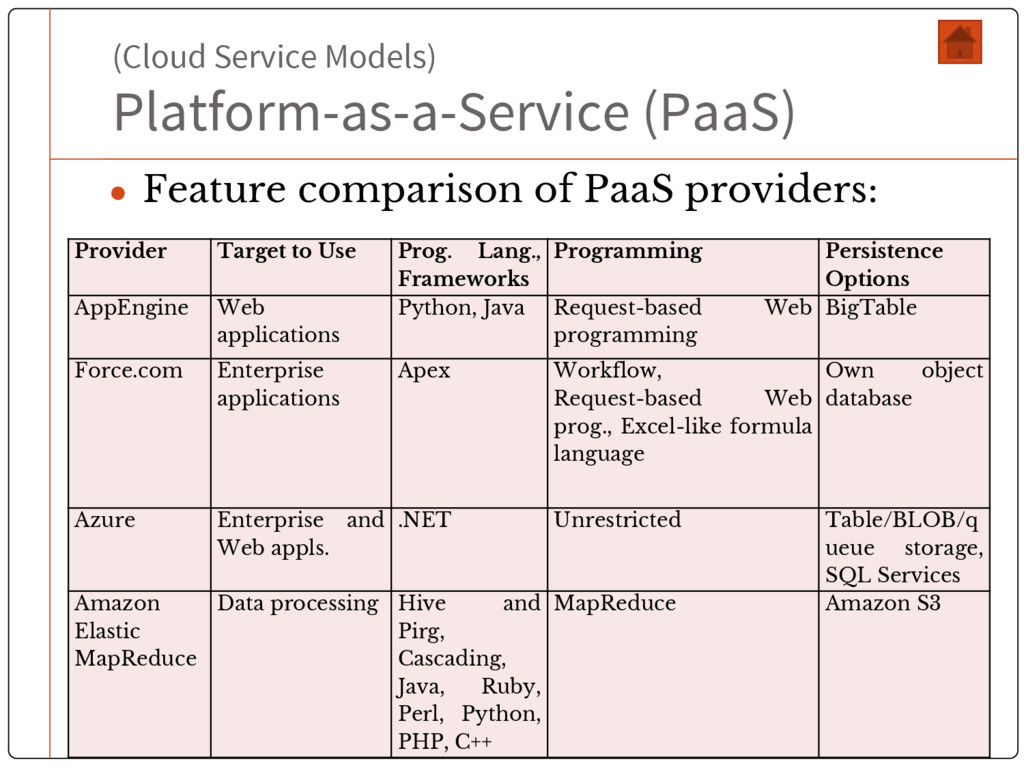
providers: Provider Target to Use Prog. Lang., Frameworks Programming Persistence Options AppEngine Web applications Python, Java Request-based Web programming BigTable Force.com Enterprise applications Apex Workflow, Request-based Web prog., Excel-like formula language Own object database Azure Enterprise and Web appls. .NET Unrestricted Table/BLOB/q ueue storage, SQL Services Amazon Elastic MapReduce Data processing Hive and Pirg, Cascading, Java, Ruby, Perl, Python, PHP, C++ MapReduce Amazon S3
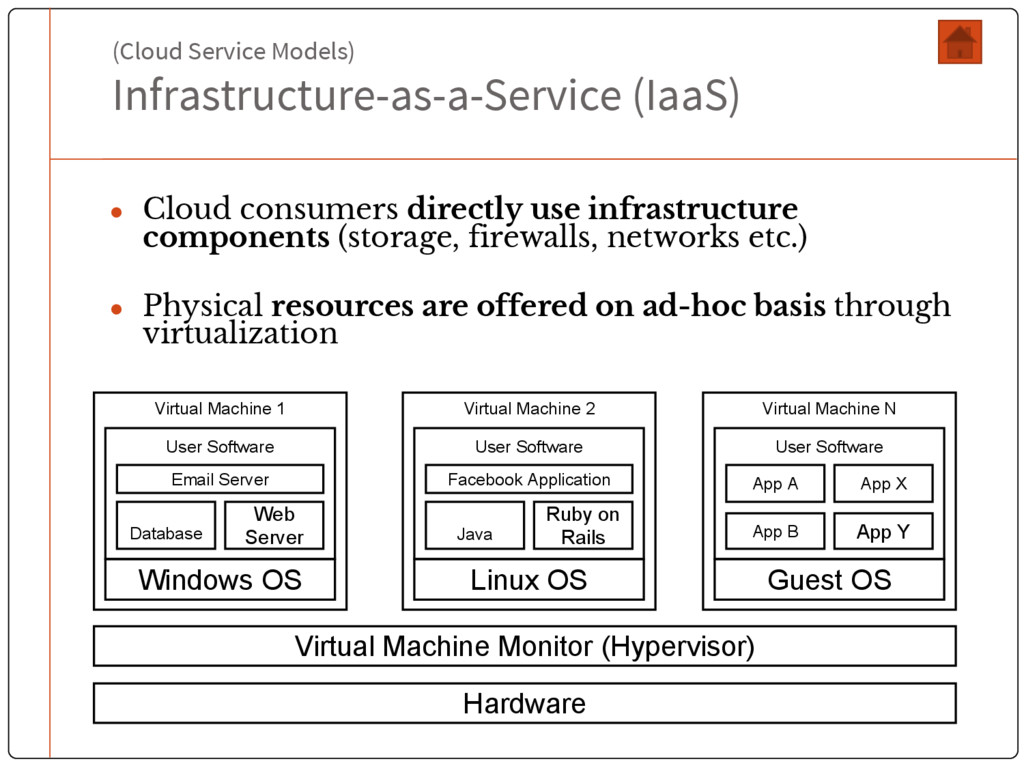
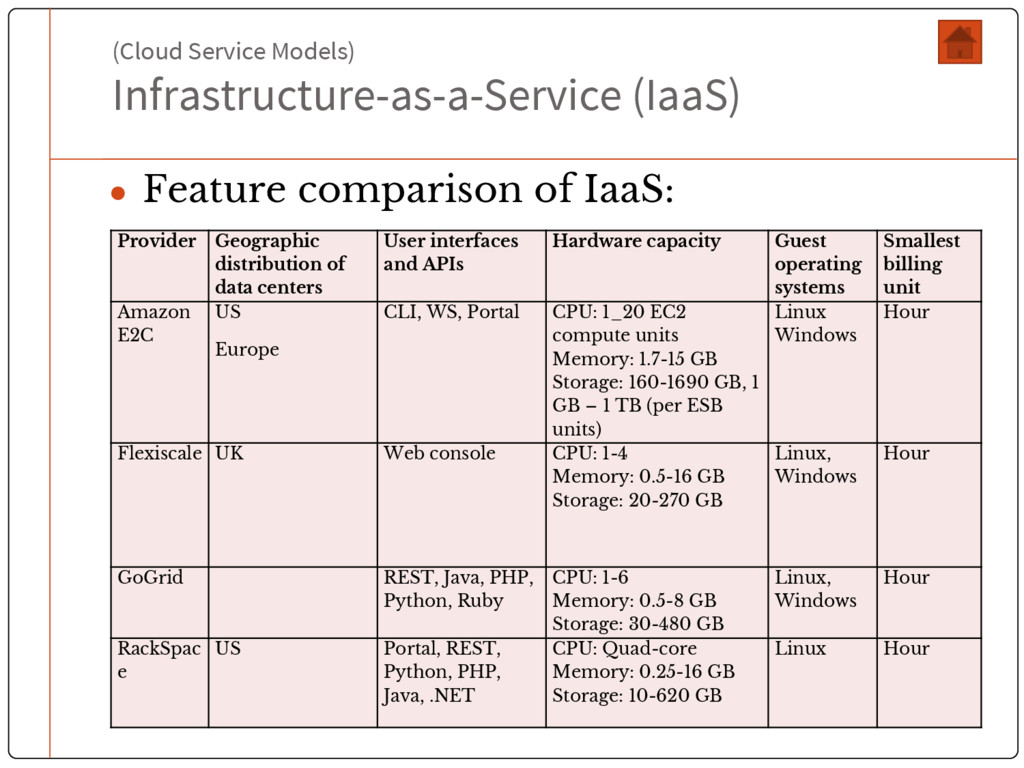
infrastructure components (storage, firewalls, networks etc.) • Physical resources are offered on ad-hoc basis through virtualization Hardware Virtual Machine Monitor (Hypervisor) Windows OS Database Web Server Email Server User Software Virtual Machine 1 Linux OS Java Ruby on Rails Facebook Application User Software Virtual Machine 2 Guest OS App B App Y App A User Software Virtual Machine N App X
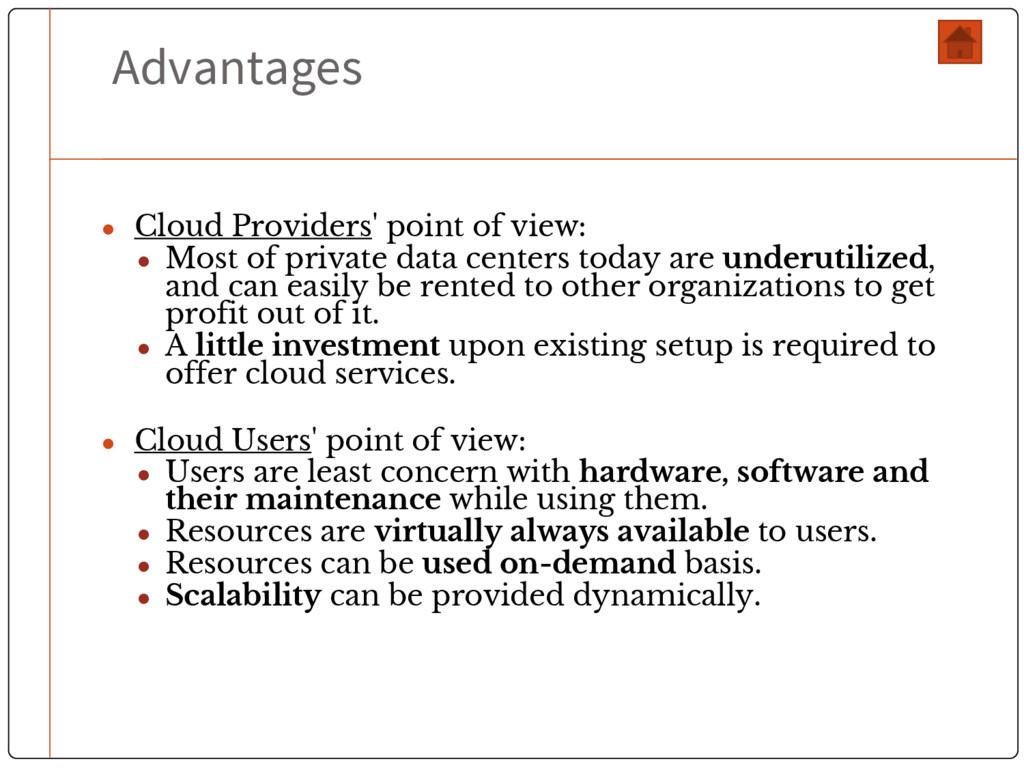
private data centers today are underutilized, and can easily be rented to other organizations to get profit out of it. • A little investment upon existing setup is required to offer cloud services. • Cloud Users' point of view: • Users are least concern with hardware, software and their maintenance while using them. • Resources are virtually always available to users. • Resources can be used on-demand basis. • Scalability can be provided dynamically.
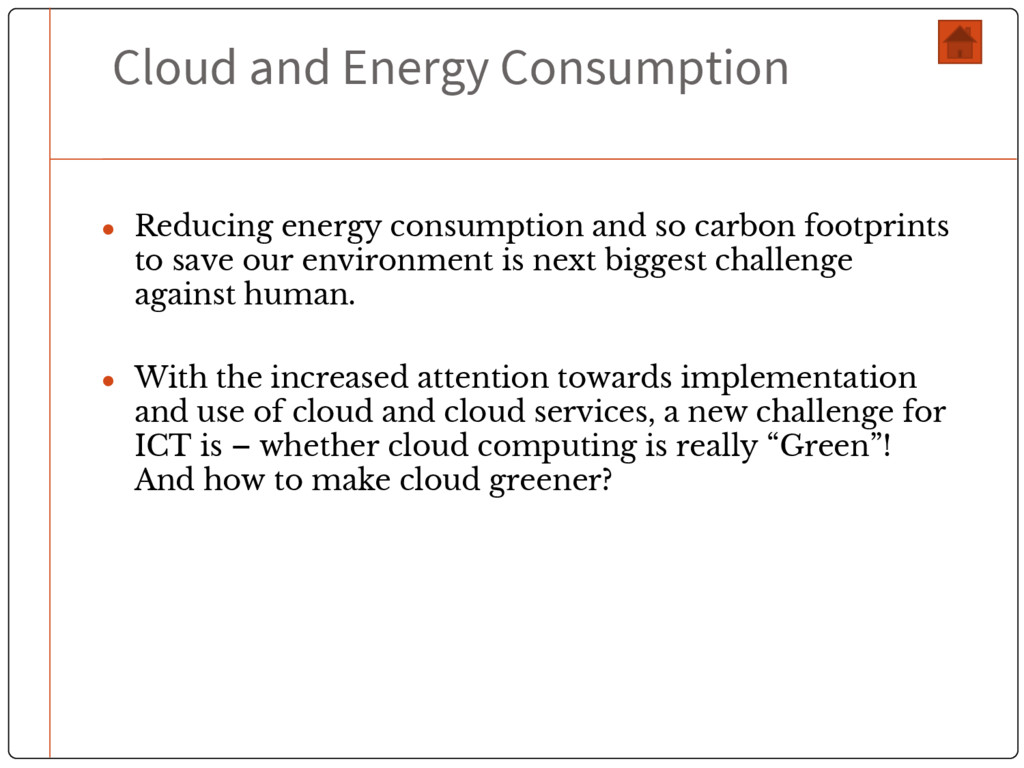
carbon footprints to save our environment is next biggest challenge against human. • With the increased attention towards implementation and use of cloud and cloud services, a new challenge for ICT is – whether cloud computing is really “Green”! And how to make cloud greener?
if: • Server are fully utilized • The energy that the data center consumes is mainly consumed by the servers • The energy consumed leads to the minimum possible emissions • The data center is not too far away from the users • Cloud service customers should take the following into account: • Provider assessment by means of CO 2 Performance Ladder • Inclusion of energy efficiency in management systems and management reports • Encourage efficient energy utilization in every possible way.


 mayatellez
 aleyda
 seathinner
 bcantrill
 palkan
 rasagy
 bryan
bryan
 frankvandijk
 rabernat
 raygrieselhuber
 tonyrice