Upgrade to Pro — share decks privately, control downloads, hide ads and more …

Automated Qualification Testing for the 64 Ante...

Avatar for Mpho Mphego Mpho Mphego
September 21, 2018

Automated Qualification Testing for the 64 Antennas MeerKAT Correlator-Beamformer

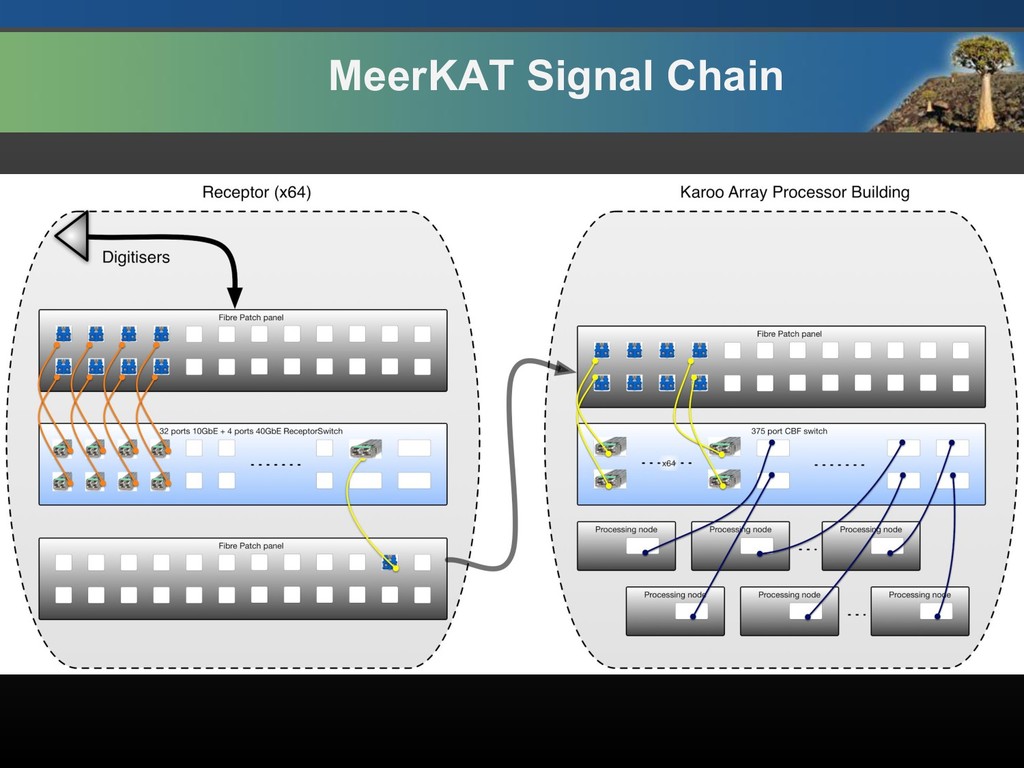
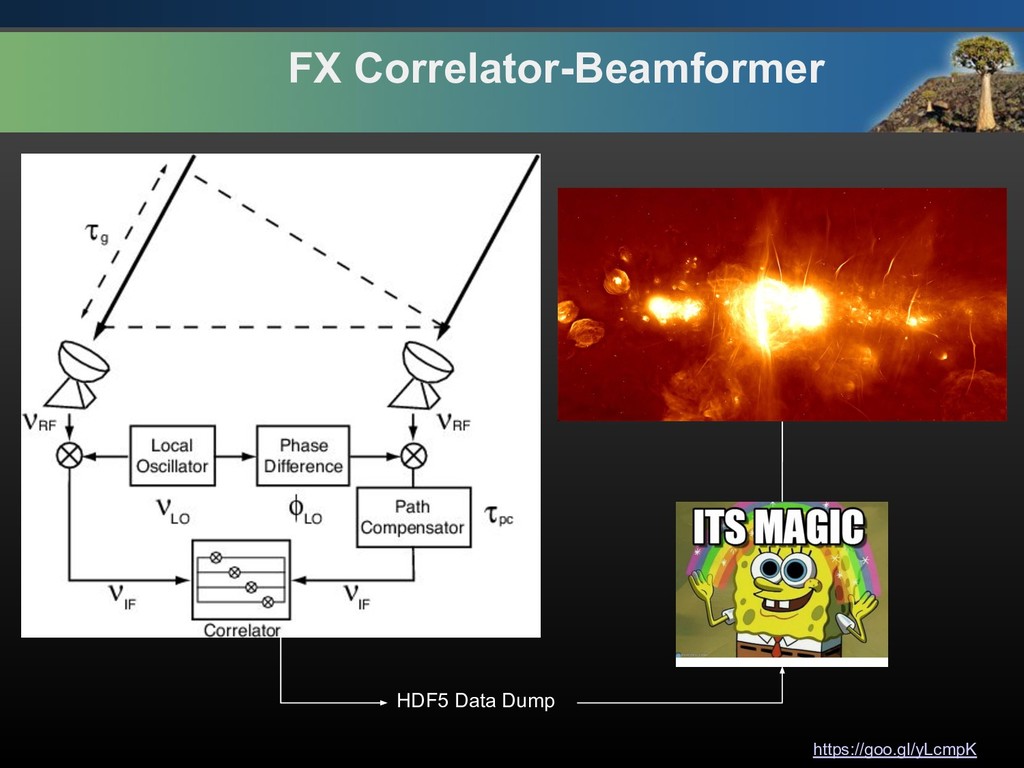
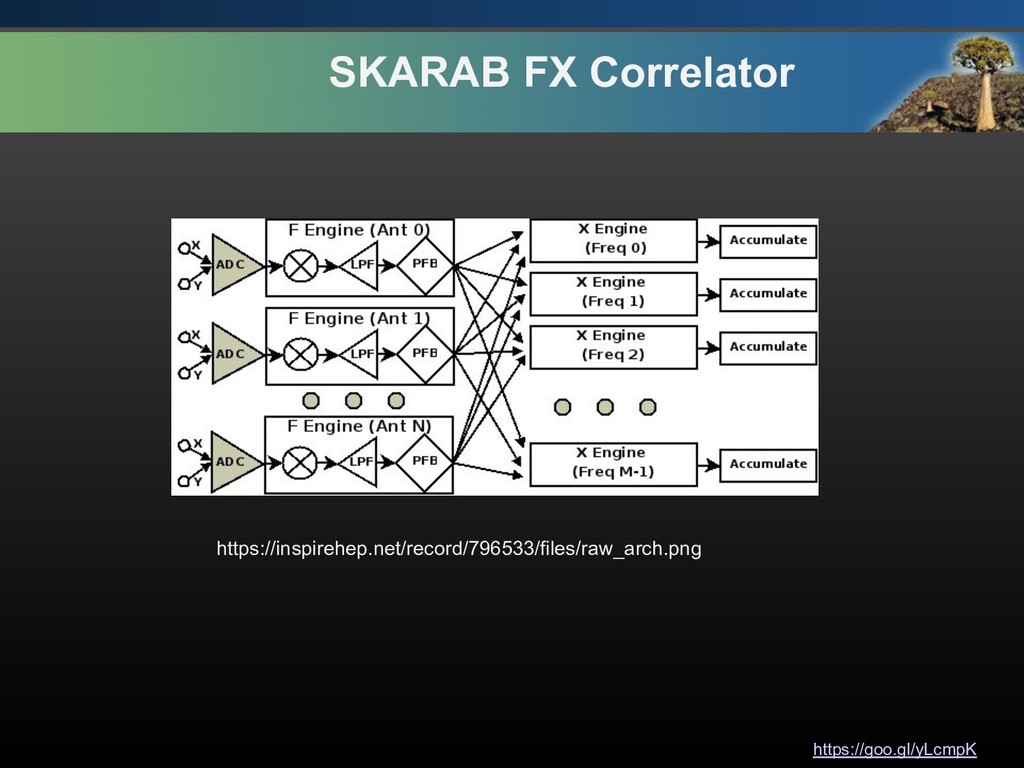
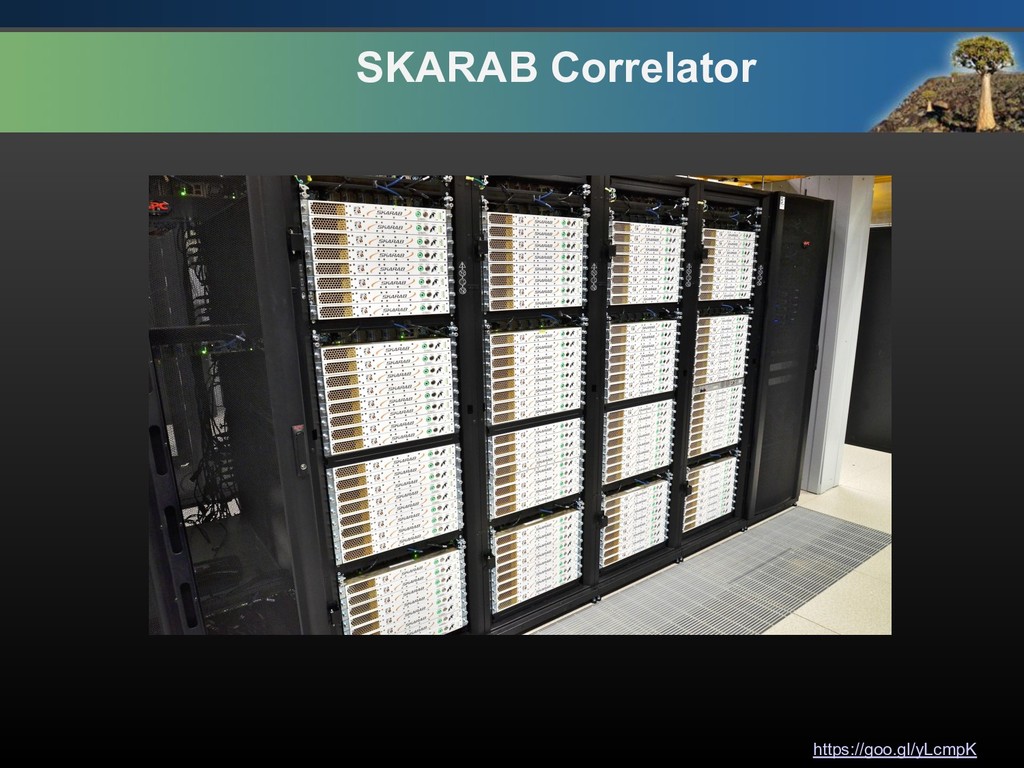
SKA South Africa, a Business Unit of the National Research Foundation. We are building the Square Kilometre Array radio telescope (SKA), located in South Africa and eight other African countries, with part in Australia. The SKA will be the largest radio telescope ever built and will produce science that changes our understanding of the universe. Construction of MeerKAT’s 64 antennas completed earlier this year, and we have deployed a basic correlator for 64-antenna imaging using 40G Ethernet interconnected SKARAB processing engines. The talk will detail the development, tricks and hacks that was done in order to qualify the 64 antennas (4096 channels) Correlator-Beamformer deployed on a SKARAB processing nodes, with challenges ranging from auto-subscribing to 128 multicasts SKARAB IP’s to capturing & processing high-speed data in real time. We will also detail, the automated qualification testing framework which also generates a pdfTex document, executed by Jenkins CI running on a Docker container environment with zero human intervention.

Avatar for Mpho Mphego

Mpho Mphego

September 21, 2018

Other Decks in Technology

Transcript

  1. Automated Qualification Testing for the 64 Antennas MeerKAT Correlator-Beamformer Mpho

    Mphego Test & Verification Engineer@ SKA SA DevOpsDays, Cape Town, 2018
  2. https://goo.gl/yLcmpK $(command -v id) • Mpho Mphego • Test and

    Verification Engineer Software Quality Engineer @ SKA SA • [email protected] | [email protected] • https://github.com/mmphego/ • https://blog.mphomphego.co.za/ • https://www.linkedin.com/in/mphomphego/ • https://twitter.com/orifhampho • https://www.fiverr.com/users/mmphego/ • Presentation: https://goo.gl/yLcmpK
  3. https://goo.gl/yLcmpK We’ll talk about. • MeerKAT - Correlator Beamformer (‘somewhat’

    Technical Overview) • Manual ways of doing things. • Automating everything. • Challenges encountered!!!
  4. https://goo.gl/yLcmpK Know where your TAX is going! https://www.ska.ac.za/about/ An overview

    of the MeerKAT radio telescope currently being constructed in the Karoo in the Northern Cape, South Africa.
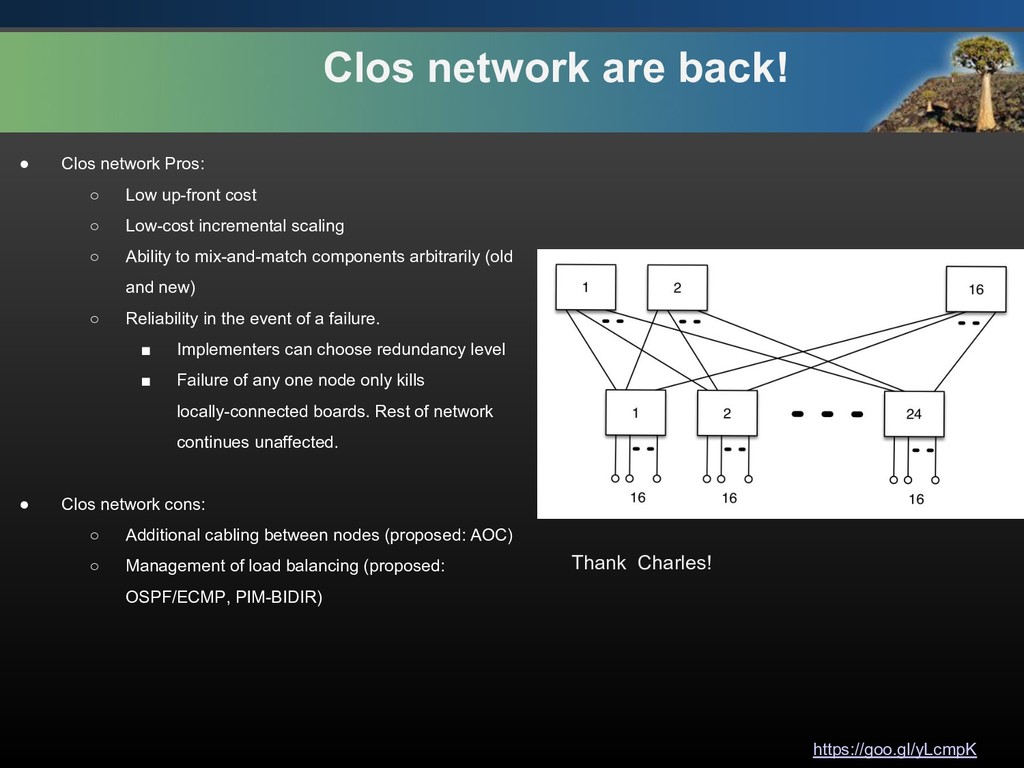
  5. https://goo.gl/yLcmpK Clos network are back! • Clos network Pros: ◦

    Low up-front cost ◦ Low-cost incremental scaling ◦ Ability to mix-and-match components arbitrarily (old and new) ◦ Reliability in the event of a failure. ▪ Implementers can choose redundancy level ▪ Failure of any one node only kills locally-connected boards. Rest of network continues unaffected. • Clos network cons: ◦ Additional cabling between nodes (proposed: AOC) ◦ Management of load balancing (proposed: OSPF/ECMP, PIM-BIDIR) Thank Charles!
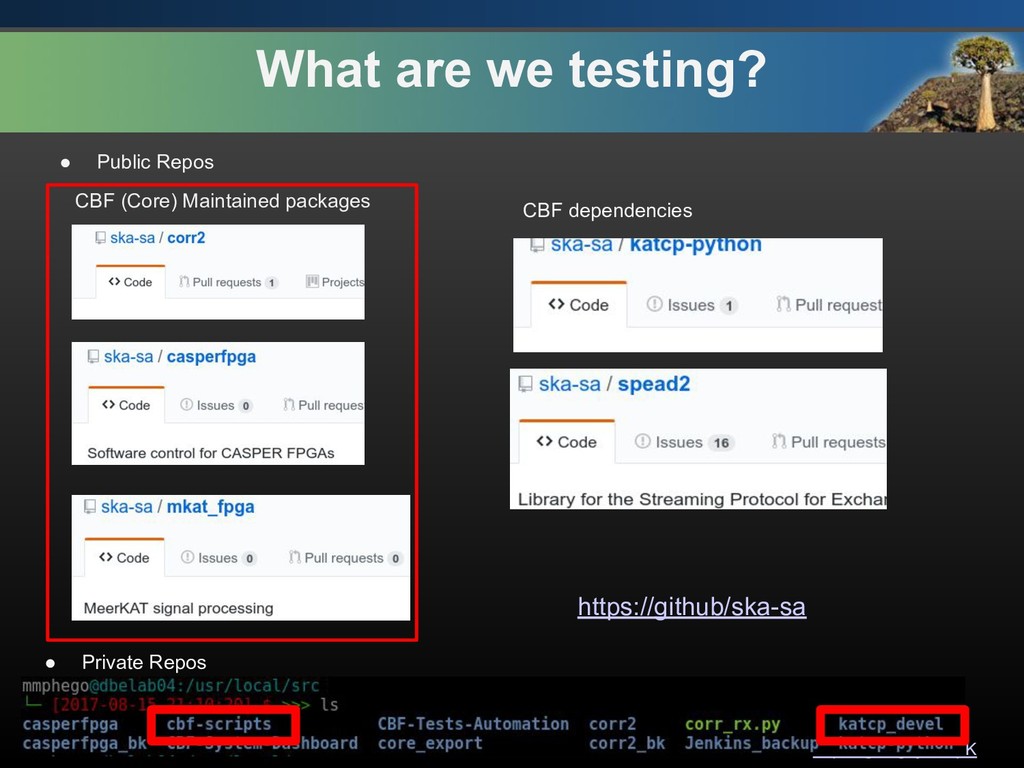
  6. https://goo.gl/yLcmpK What are we testing? CBF (Core) Maintained packages CBF

    dependencies • Private Repos • Public Repos https://github/ska-sa
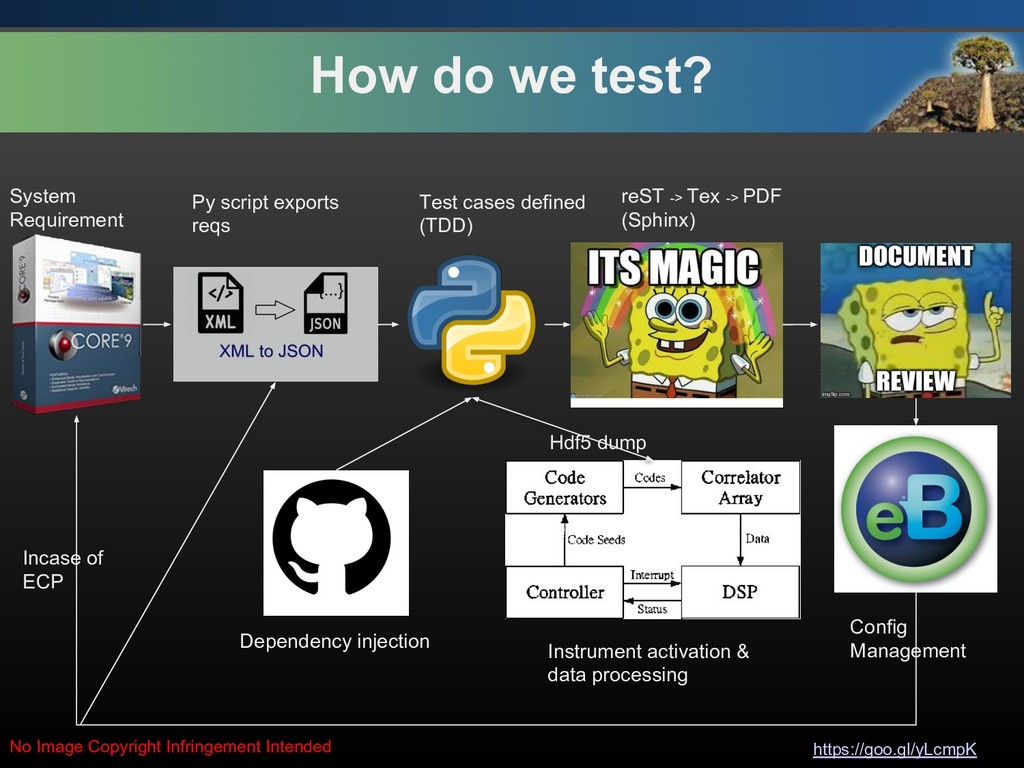
  7. https://goo.gl/yLcmpK How do we test? System Requirement Py script exports

    reqs Test cases defined (TDD) Dependency injection Instrument activation & data processing reST -> Tex -> PDF (Sphinx) Hdf5 dump No Image Copyright Infringement Intended Config Management Incase of ECP
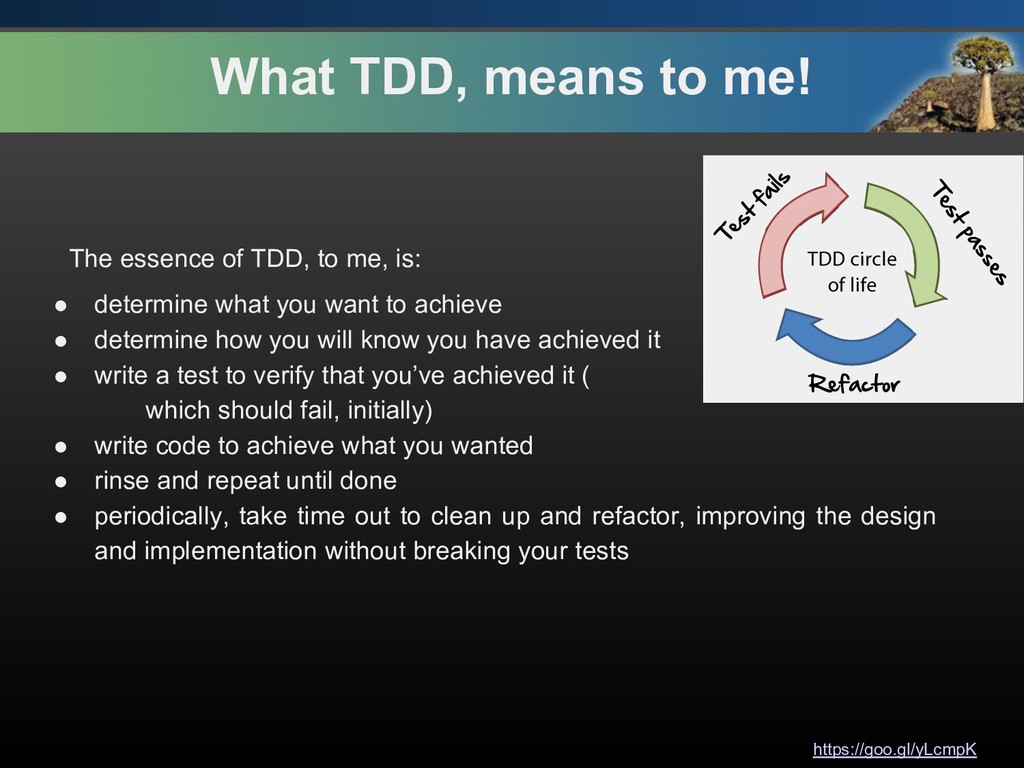
  8. https://goo.gl/yLcmpK What TDD, means to me! The essence of TDD,

    to me, is: • determine what you want to achieve • determine how you will know you have achieved it • write a test to verify that you’ve achieved it ( which should fail, initially) • write code to achieve what you wanted • rinse and repeat until done • periodically, take time out to clean up and refactor, improving the design and implementation without breaking your tests
  9. https://goo.gl/yLcmpK Don’t be DRY, try not to be WET! •

    DRY - Don't repeat yourself is one of the best practices you can follow. • If you find yourself WET: Writing Everything Twice and Wasting everyone's time, abstract it and make your live easier and code considerably shorter. • When in doubt: $ python -c 'import this'
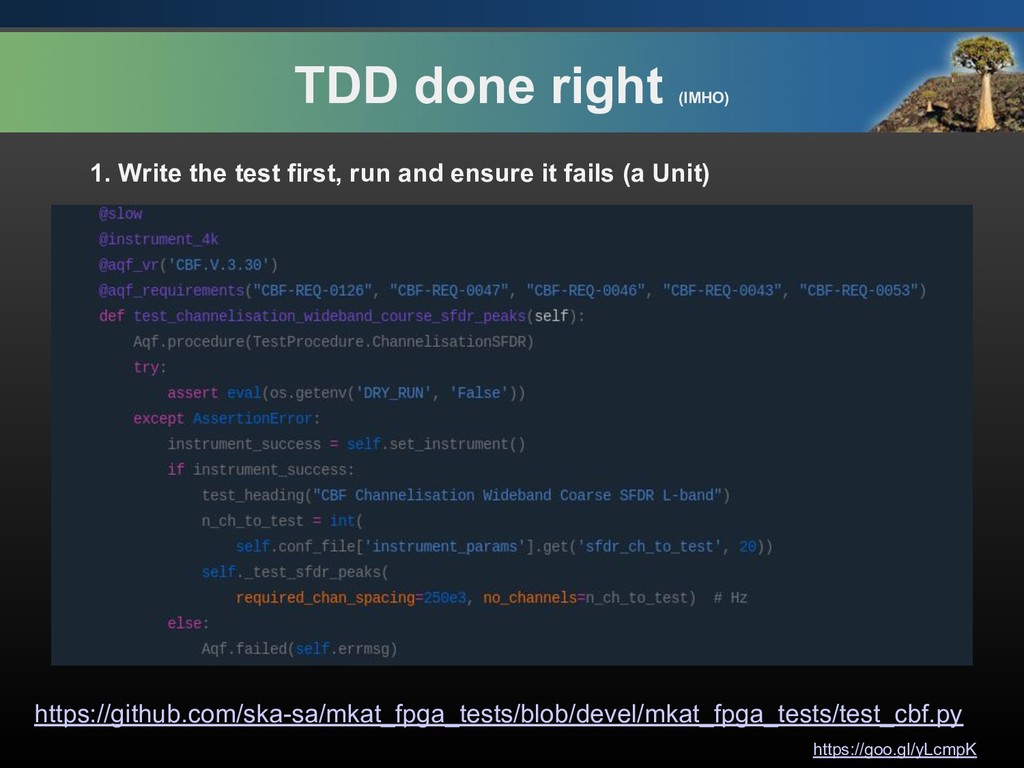
  10. https://goo.gl/yLcmpK TDD done right (IMHO) 1. Write the test first,

    run and ensure it fails (a Unit) https://github.com/ska-sa/mkat_fpga_tests/blob/devel/mkat_fpga_tests/test_cbf.py
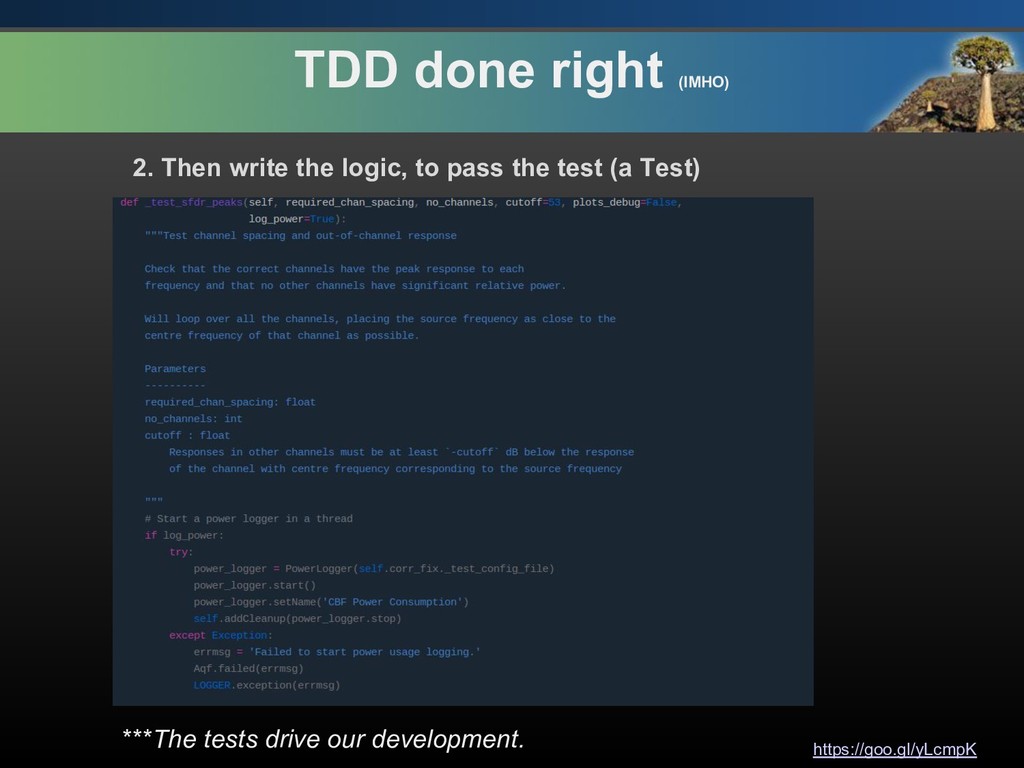
  11. https://goo.gl/yLcmpK TDD done right (IMHO) 2. Then write the logic,

    to pass the test (a Test) ***The tests drive our development.
  12. https://goo.gl/yLcmpK Caveat ​ “One of the best programming skills you

    can have is knowing when to walk away for a while.” – Oscar Godson
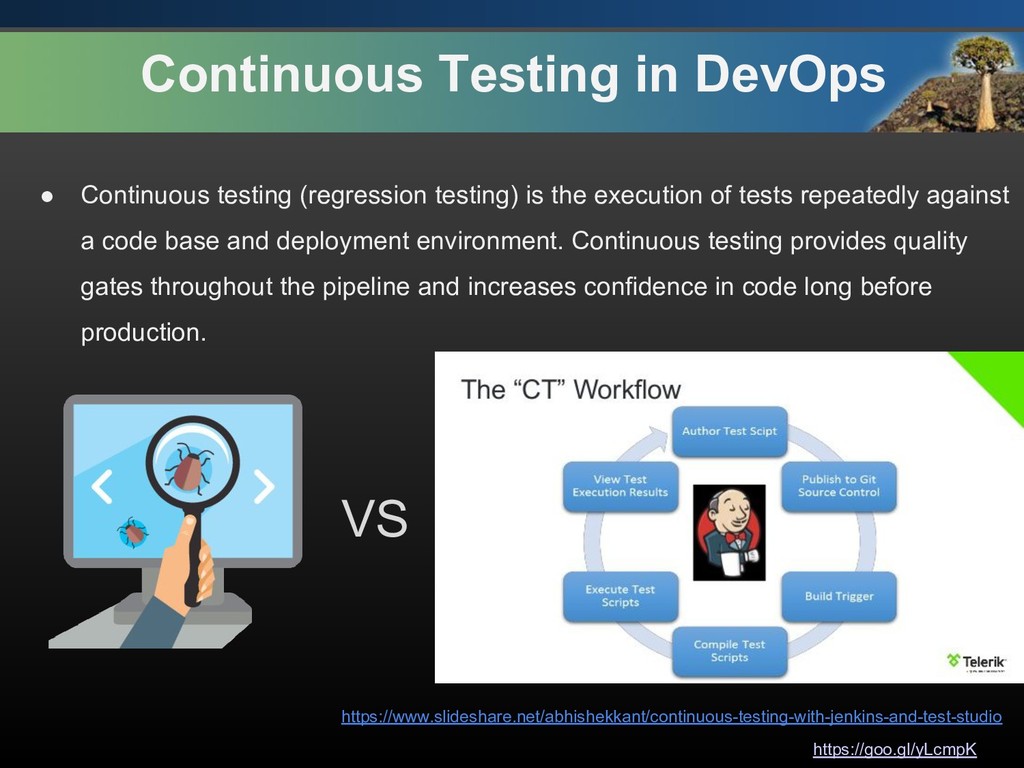
  13. https://goo.gl/yLcmpK Continuous Testing in DevOps • Continuous testing (regression testing)

    is the execution of tests repeatedly against a code base and deployment environment. Continuous testing provides quality gates throughout the pipeline and increases confidence in code long before production. https://www.slideshare.net/abhishekkant/continuous-testing-with-jenkins-and-test-studio VS
  14. https://goo.gl/yLcmpK From Manual to Automated Testing Reasons why I decided

    to set up a Jenkins server via Docker to address some key points: • All Jenkins configurations to be available on my local machine (maintained by a user: jenkins, uuid: 1000), version controlled and preferably on a private repository.
  15. https://goo.gl/yLcmpK From Manual to Automated Testing Reasons why I decided

    to set up a Jenkins server via Docker to address some key points: • All Jenkins configurations to be available on my local machine (maintained by a user: jenkins, uuid: 1000), version controlled and preferably on a private repository. • All tests(Unit and Acceptance Tests) to be run by a specific testing user with limited rights/permissions using swarm plugin.
  16. https://goo.gl/yLcmpK From Manual to Automated Testing Reasons why I decided

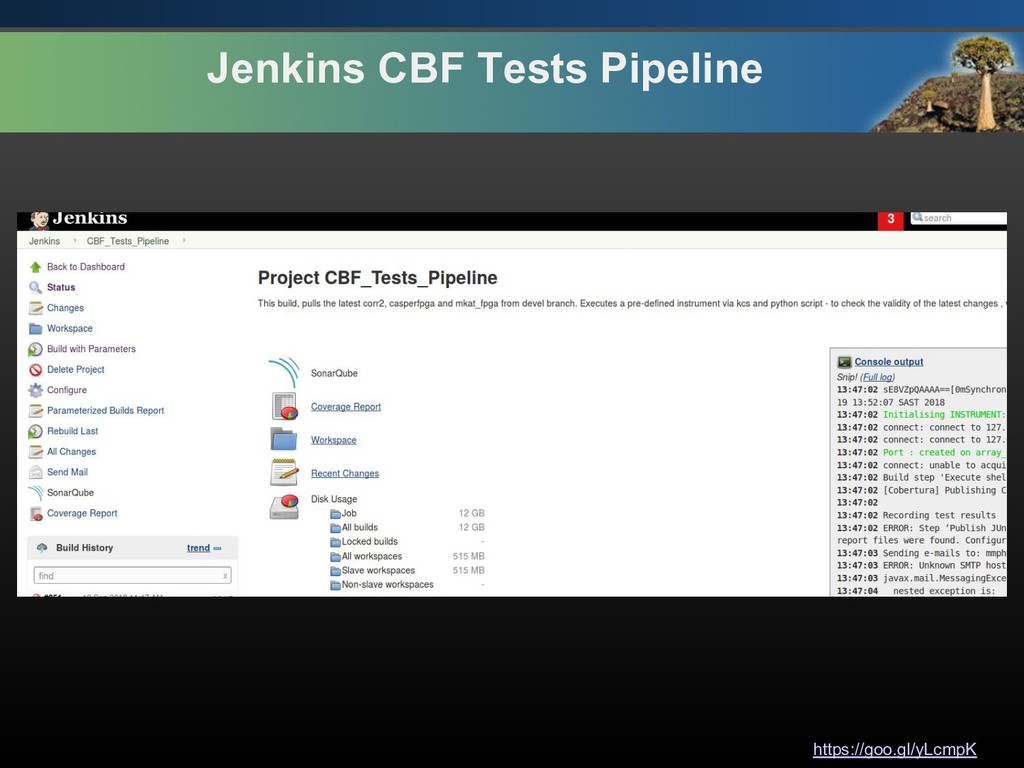
    to set up a Jenkins server via Docker to address some key points: • All Jenkins configurations to be available on my local machine (maintained by a user: jenkins, uuid: 1000), version controlled and preferably on a private repository. • All tests(Unit and Acceptance Tests) to be run by a specific testing user with limited rights/permissions using swarm plugin. • I wanted Jenkins to automatically run Unit-Tests when triggered by a Git push and automagically file a JIRA ticket/email when build fails as well as continuous testing every night.
  17. https://goo.gl/yLcmpK From Manual to Automated Testing Reasons why I decided

    to set up a Jenkins server via Docker to address some key points: • All Jenkins configurations to be available on my local machine (maintained by a user: jenkins, uuid: 1000), version controlled and preferably on a private repository. • All tests(Unit and Acceptance Tests) to be run by a specific testing user with limited rights/permissions using swarm plugin. • I wanted Jenkins to automatically run Unit-Tests when triggered by a Git push and automagically file a JIRA ticket/email when build fails as well as continuous testing every night. • The ability to run the build server locally on a correlator master controller server such that I can experiment with new features or configurations.
  18. https://goo.gl/yLcmpK From Manual to Automated Testing Reasons why I decided

    to set up a Jenkins server via Docker to address some key points: • All Jenkins configurations to be available on my local machine (maintained by a user: jenkins, uuid: 1000), version controlled and preferably on a private repository. • All tests(Unit and Acceptance Tests) to be run by a specific testing user with limited rights/permissions using swarm plugin. • I wanted Jenkins to automatically run Unit-Tests when triggered by a Git push and automagically file a JIRA ticket/email when build fails as well as continuous testing every night. • The ability to run the build server locally on a correlator master controller server such that I can experiment with new features or configurations. • I wanted to easily be able to set up a Jenkins build server in a new environment easily with minimal command preferably 1 line.
  19. https://goo.gl/yLcmpK From Manual to Automated Testing Reasons why I decided

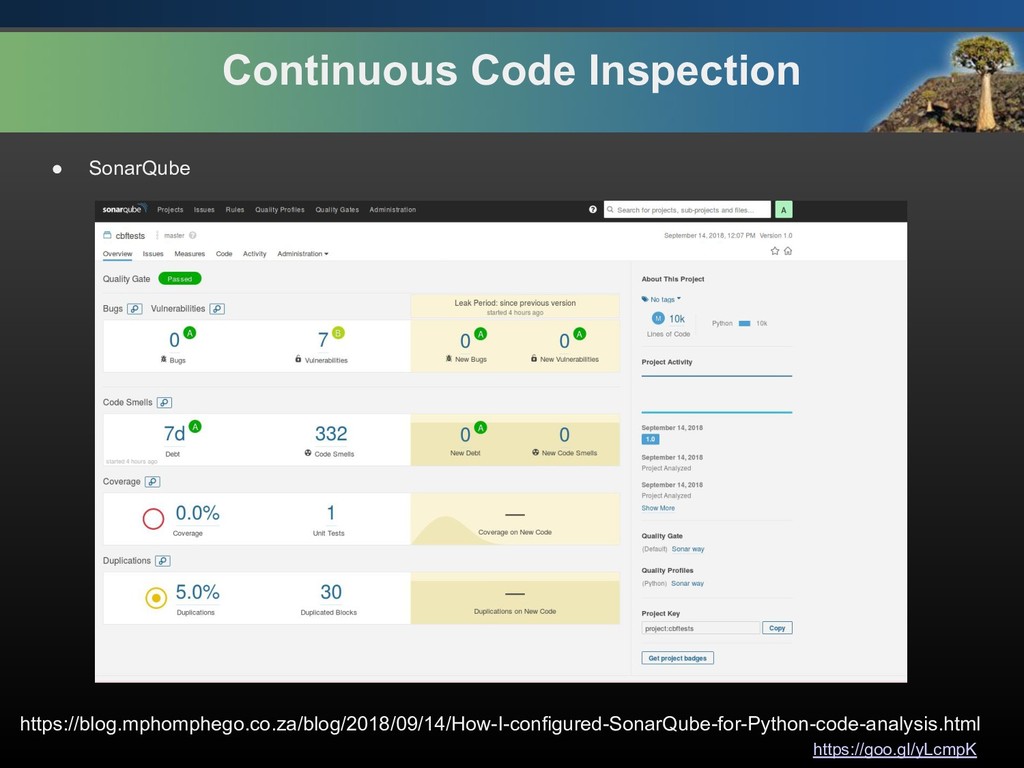
    to set up a Jenkins server via Docker to address some key points: • All Jenkins configurations to be available on my local machine (maintained by a user: jenkins, uuid: 1000), version controlled and preferably on a private repository. • All tests(Unit and Acceptance Tests) to be run by a specific testing user with limited rights/permissions using swarm plugin. • I wanted Jenkins to automatically run Unit-Tests when triggered by a Git push and automagically file a JIRA ticket/email when build fails as well as continuous testing every night. • The ability to run the build server locally on a correlator master controller server such that I can experiment with new features or configurations. • I wanted to easily be able to set up a Jenkins build server in a new environment easily with minimal command preferably 1 line. • Due to my bad code quality OCD, I wanted to integrate continuous code quality inspection in the pipeline
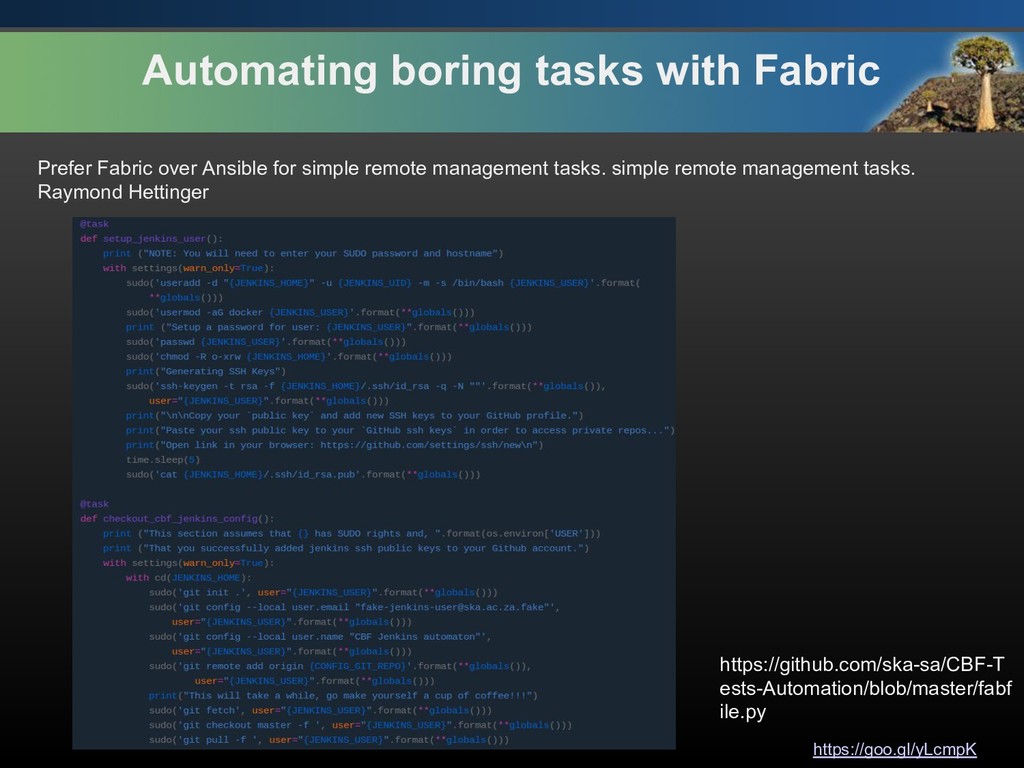
  20. https://goo.gl/yLcmpK Automating boring tasks with Fabric https://github.com/ska-sa/CBF-T ests-Automation/blob/master/fabf ile.py Prefer

    Fabric over Ansible for simple remote management tasks. simple remote management tasks. Raymond Hettinger
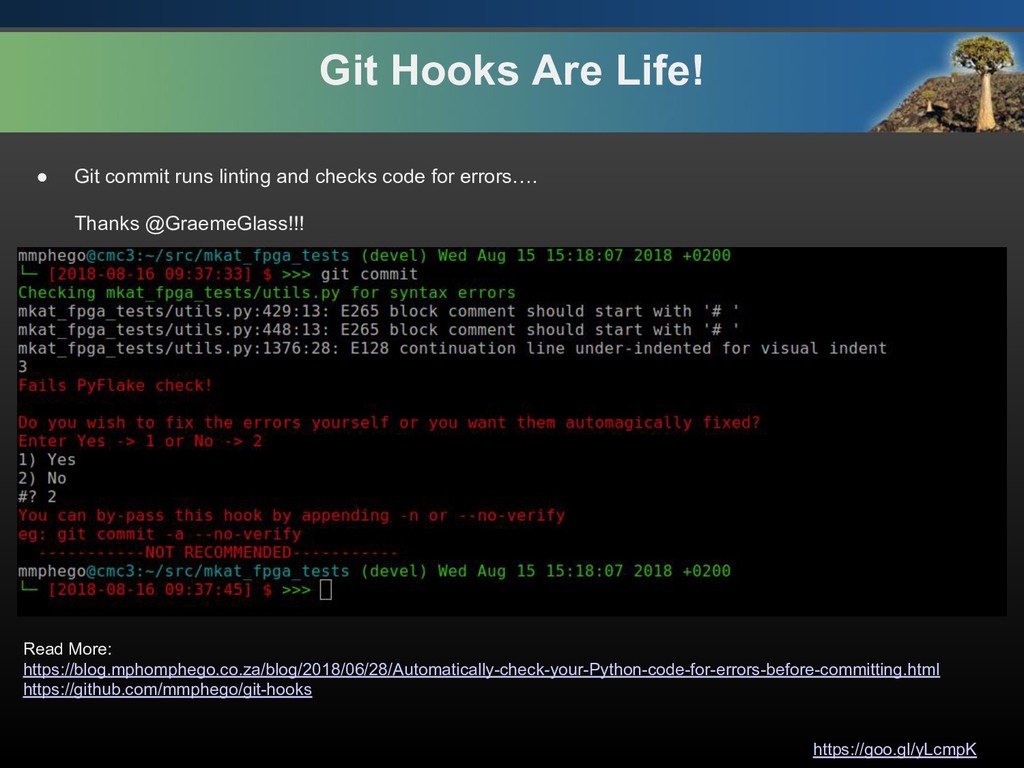
  21. https://goo.gl/yLcmpK Git Hooks Are Life! • Git commit runs linting

    and checks code for errors…. Thanks @GraemeGlass!!! Read More: https://blog.mphomphego.co.za/blog/2018/06/28/Automatically-check-your-Python-code-for-errors-before-committing.html https://github.com/mmphego/git-hooks
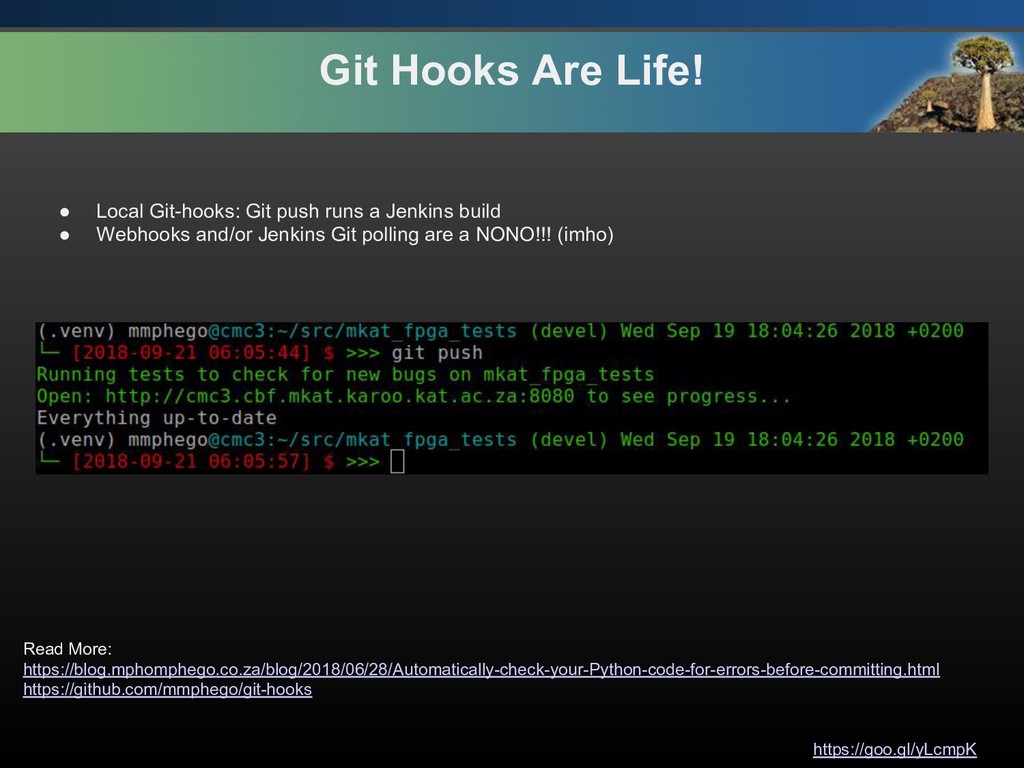
  22. https://goo.gl/yLcmpK Git Hooks Are Life! • Local Git-hooks: Git push

    runs a Jenkins build • Webhooks and/or Jenkins Git polling are a NONO!!! (imho) Read More: https://blog.mphomphego.co.za/blog/2018/06/28/Automatically-check-your-Python-code-for-errors-before-committing.html https://github.com/mmphego/git-hooks
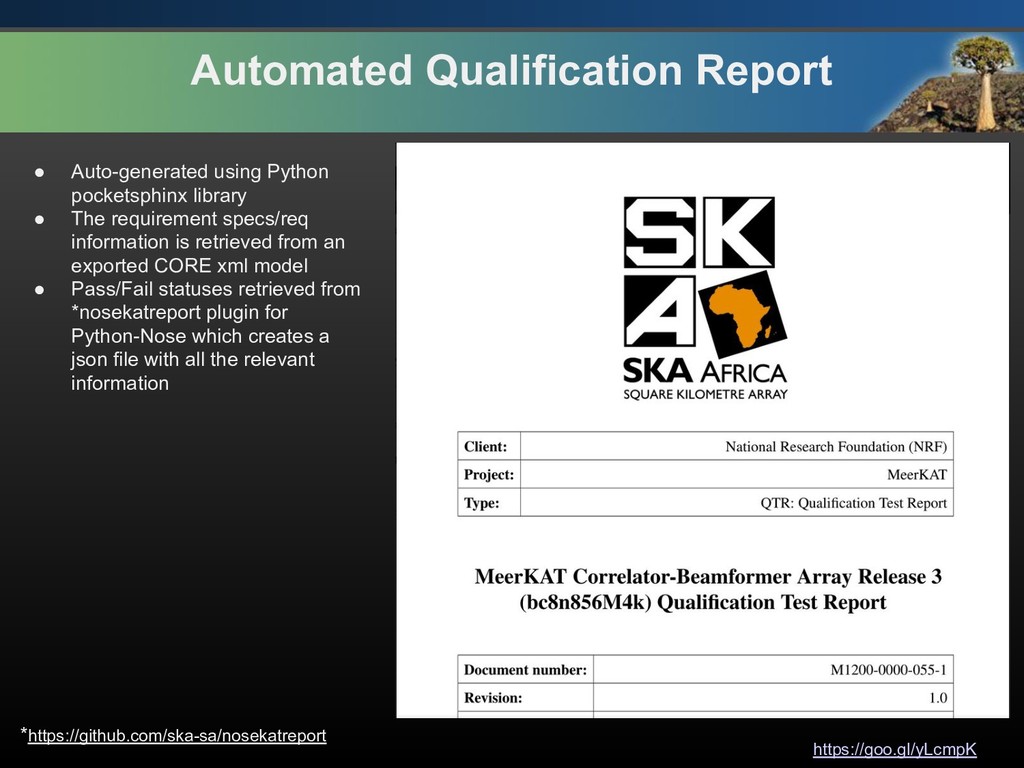
  23. https://goo.gl/yLcmpK Automated Qualification Report • Auto-generated using Python pocketsphinx library

    • The requirement specs/req information is retrieved from an exported CORE xml model • Pass/Fail statuses retrieved from *nosekatreport plugin for Python-Nose which creates a json file with all the relevant information *https://github.com/ska-sa/nosekatreport
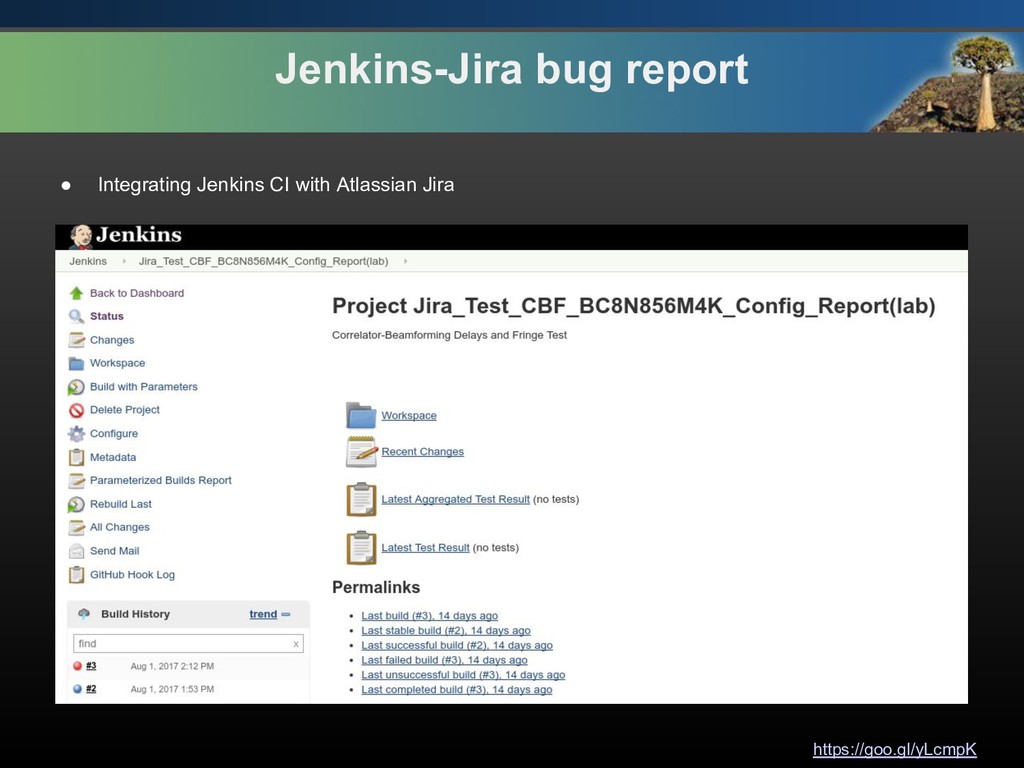
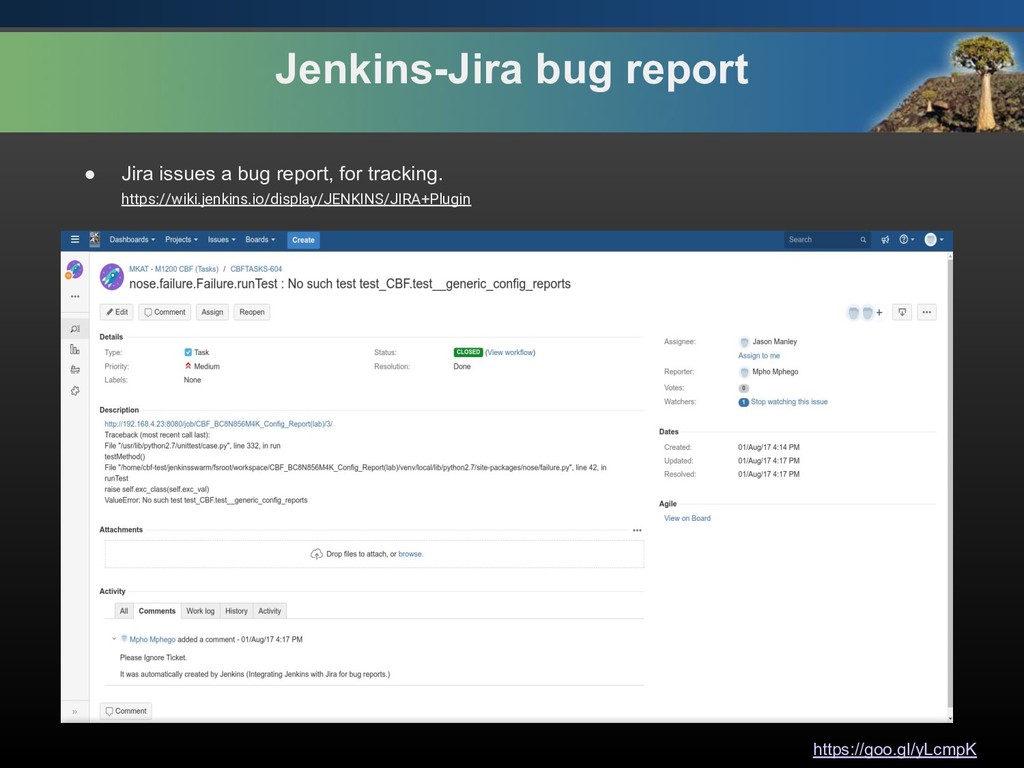
  24. https://goo.gl/yLcmpK Jenkins-Jira bug report • Jira issues a bug report,

    for tracking. https://wiki.jenkins.io/display/JENKINS/JIRA+Plugin
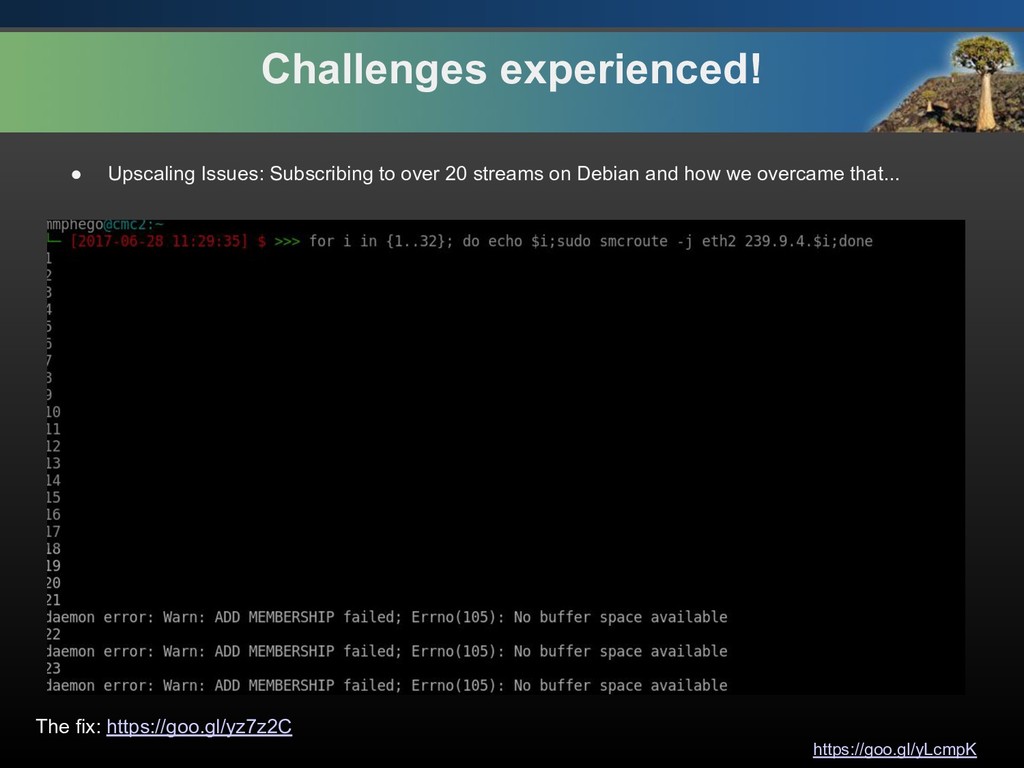
  25. https://goo.gl/yLcmpK Challenges experienced! • Upscaling Issues: Subscribing to over 20

    streams on Debian and how we overcame that... The fix: https://goo.gl/yz7z2C
  26. https://goo.gl/yLcmpK Lessons Learned!! • DevOpsing is a Journey • Find

    a community, Contribute and Learn (https://zatech.github.io/) • Learn by doing and overcome the imposter syndrome!!! • DevOpsing in a Non-DevOps environment has its own challenges. • DO NOT REPEAT YOURSELF! • AUTOMATE EVERYTHING! • P.S— Please, go drink more water, right now. Most people are unknowingly dehydrated.