Upgrade to Pro
— share decks privately, control downloads, hide ads and more …
Speaker Deck
Sign up for free
Menu
Search
Features
All features
Private URLs
Password Protection
Custom URLS
Scheduled publishing
Remove Branding
Restrict embedding
Deck Collections
Notes
Features
All features
Private URLs
Password Protection
Custom URLS
Scheduled publishing
Remove Branding
Restrict embedding
Deck Collections
Notes
Explore
Featured decks
Featured speakers
Programming
Technology
Storyboards
Explore
Featured decks
Featured speakers
Programming
Technology
Storyboards
Pricing
Search
Sign in
Sign up for free
Cloud Slide P3 - Deploy Application & DataBase
Search
Panyakorn Timchantheuck
September 17, 2025
Technology
75
0
Share
Embed
Copy iframe code
Copy JS code
Copy link
Start on current slide
Cloud Slide P3 - Deploy Application & DataBase
Panyakorn Timchantheuck
September 17, 2025
More Decks by Panyakorn Timchantheuck
See All by Panyakorn Timchantheuck
Cloud Slide P2 - Deploy App in VMware (Windows + Ubuntu)
modpanyakorn
0
40
Cloud Slide P1 - Deploy Web Application in GCP
modpanyakorn
0
41
Other Decks in Technology
See All in Technology
Kiro Crewをはじめよう
kizawa2020
1
160
Webの常識が通じないHTMLメールのダークモード
teamlab
PRO
0
120
Post AI時代のリファクタリング実践記 / Refactoring in the post AI era
kaminashi
1
230
ブラウザとサーバーから考えるAI時代のフロントエンド監視
shogo4131
3
940
DevelopersIO 2026 知識の地図を描く ─ オントロジーとは何か?
ishikawa_satoru
1
1.7k
PHPカンファレンス関西の招待状 / Invitation to PHP Conference Kansai
ykanoh
0
110
JAWSUG TOHOKU 青森支部 「LoGoチャット」のAWS移行で 乗り越えたこと
taketakekaho
0
330
1つのリクエストを追って理解する - llm-dのP/D分離
akhino
1
160
OptunaHub: ブラックボックス最適化のためのプラットフォーム
pfn
PRO
0
140
⾮構造化データを価値に変える AI エージェント基盤とその組織
ivry_presentationmaterials
0
190
夫婦で子育てするための育児標準化
codmoninc
PRO
0
340
ストレスなくAIと付き合いたい!こんなときどうしてる?
namiki64
3
520
Featured
See All Featured
How to optimise 3,500 product descriptions for ecommerce in one day using ChatGPT
katarinadahlin
PRO
3
3.9k
How to Align SEO within the Product Triangle To Get Buy-In & Support - #RIMC
aleyda
2
1.8k
GraphQLの誤解/rethinking-graphql
sonatard
75
12k
A Tale of Four Properties
chriscoyier
163
24k
Java REST API Framework Comparison - PWX 2021
mraible
34
9.8k
SEO in 2025: How to Prepare for the Future of Search
ipullrank
3
3.9k
What’s in a name? Adding method to the madness
productmarketing
PRO
24
4.2k
Measuring Dark Social's Impact On Conversion and Attribution
stephenakadiri
2
310
A better future with KSS
kneath
240
18k
Product Roadmaps are Hard
iamctodd
55
13k
Facilitating Awesome Meetings
lara
57
7.2k
Public Speaking Without Barfing On Your Shoes - THAT 2023
reverentgeek
1
600
Transcript
Presented by 9old DEPLOY APP & DB Explore Now 01
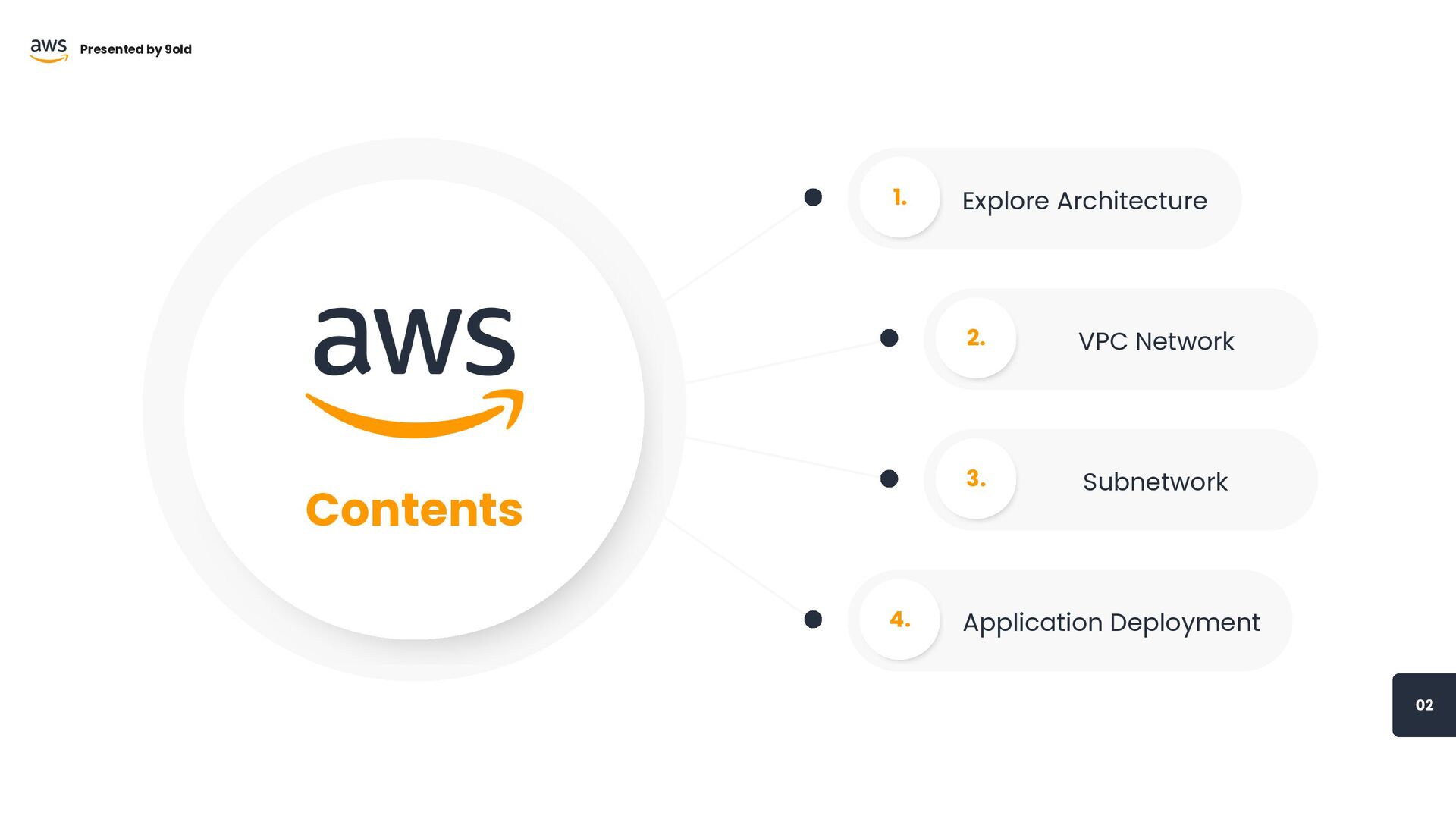
Contents Explore Architecture 1. VPC Network 2. Subnetwork 3. Application
Deployment 4. 02 Presented by 9old
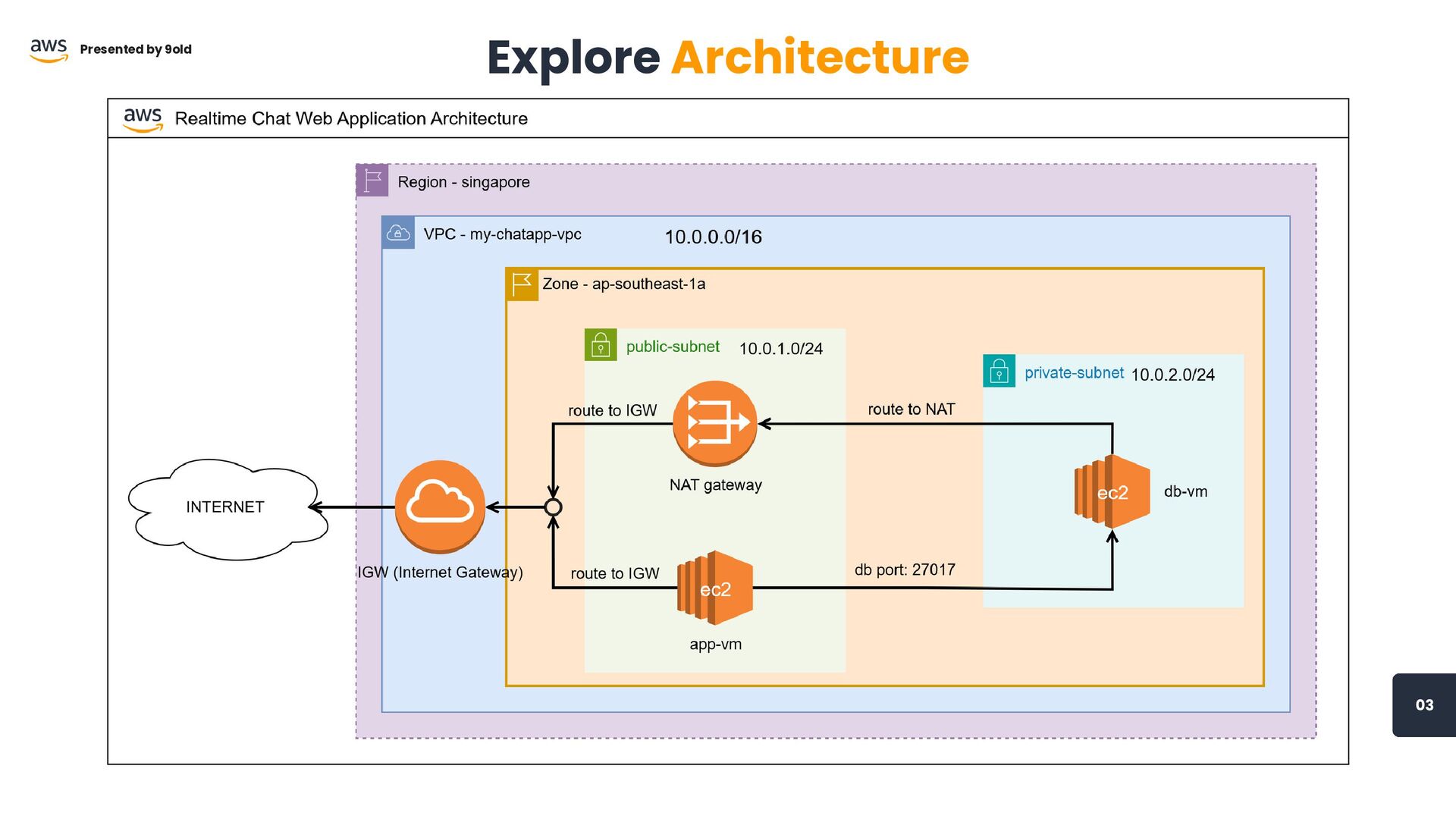
03 Explore Architecture Presented by 9old
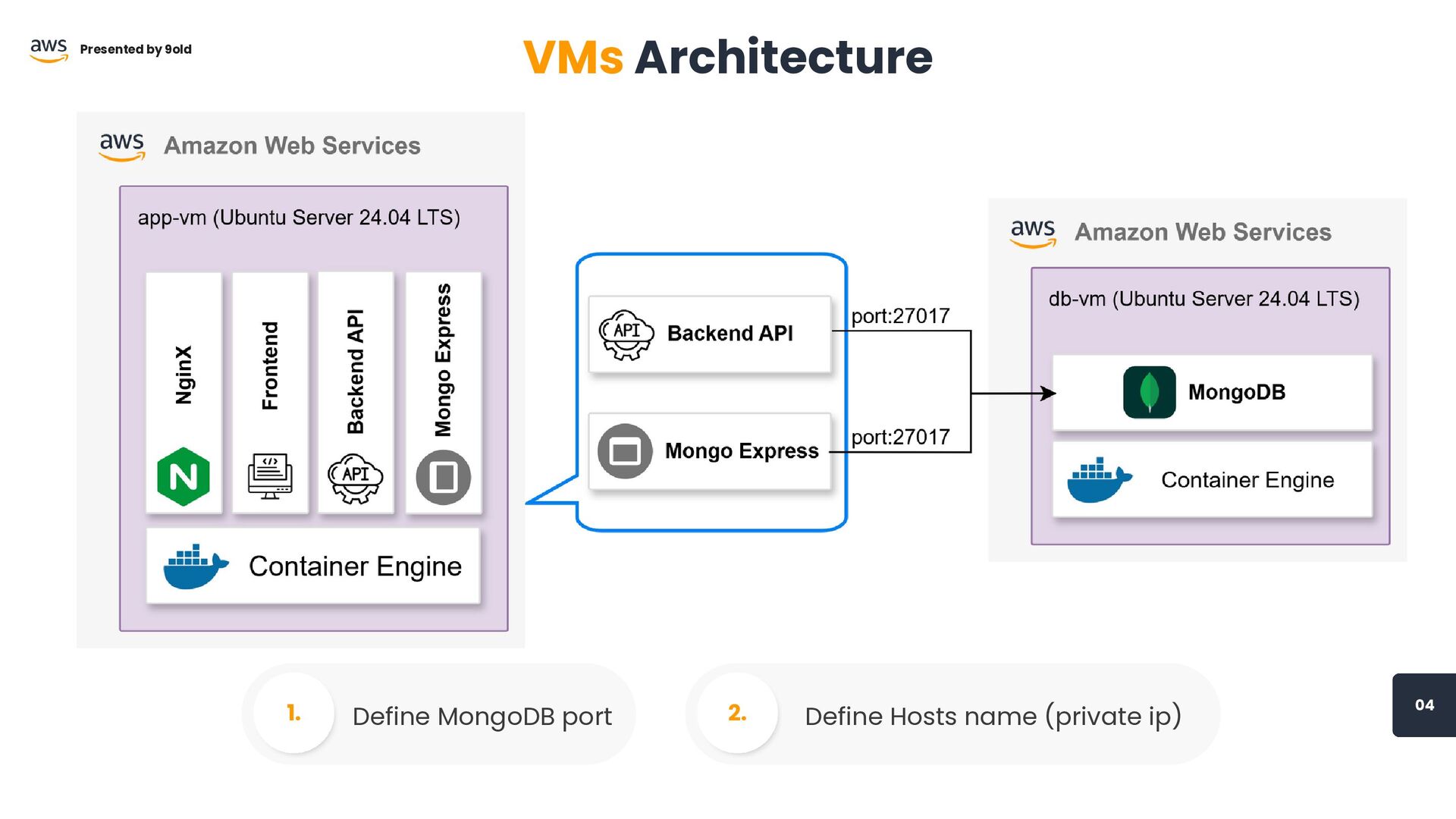
04 Define MongoDB port 1. Define Hosts name (private ip)
2. Presented by 9old VMs Architecture
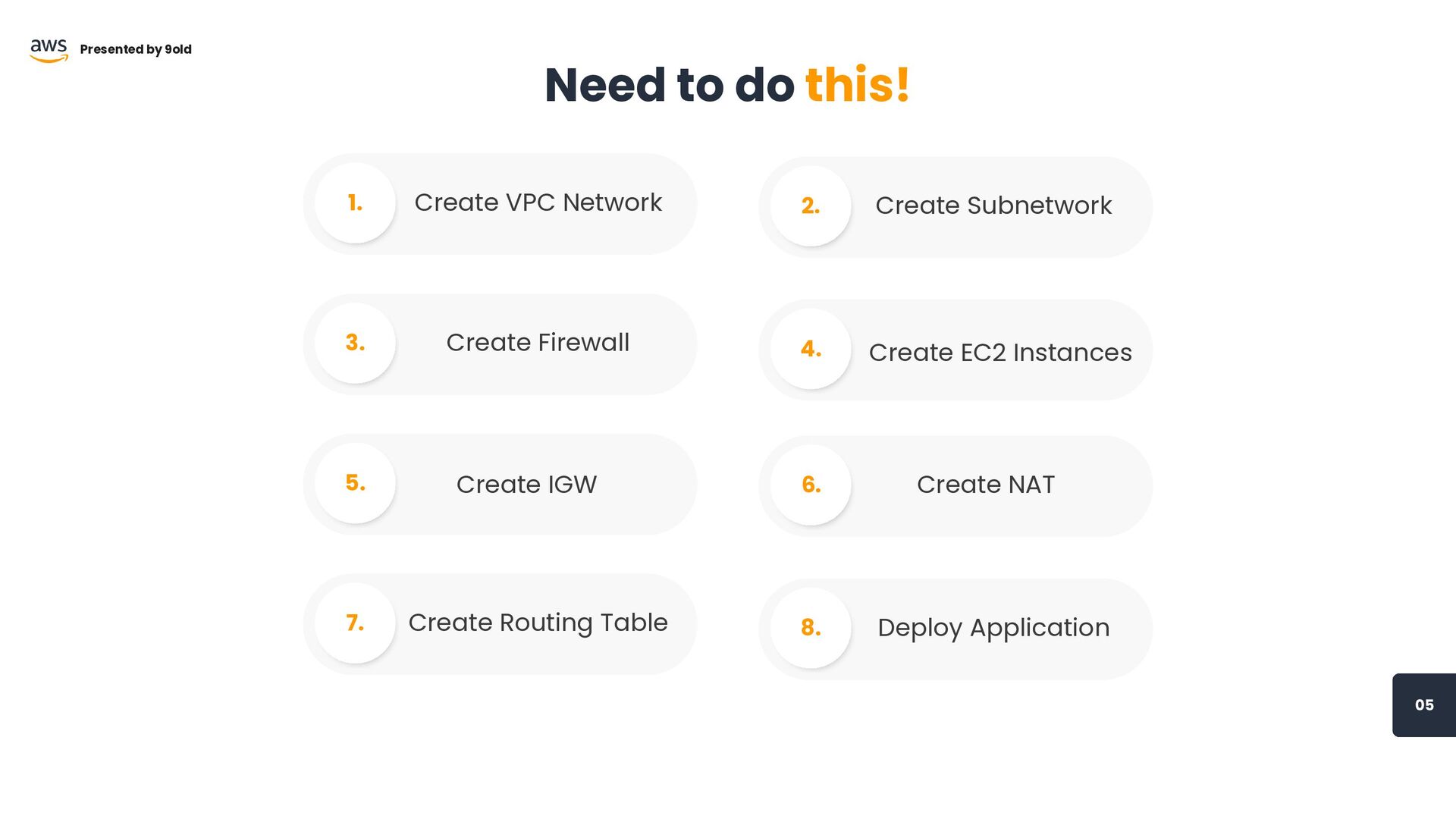
05 Need to do this! Presented by 9old Create VPC
Network 1. Create EC2 Instances 4. Create Subnetwork 2. Create Firewall 3. Create IGW 5. Create NAT 6. Create Routing Table 7. Deploy Application 8.
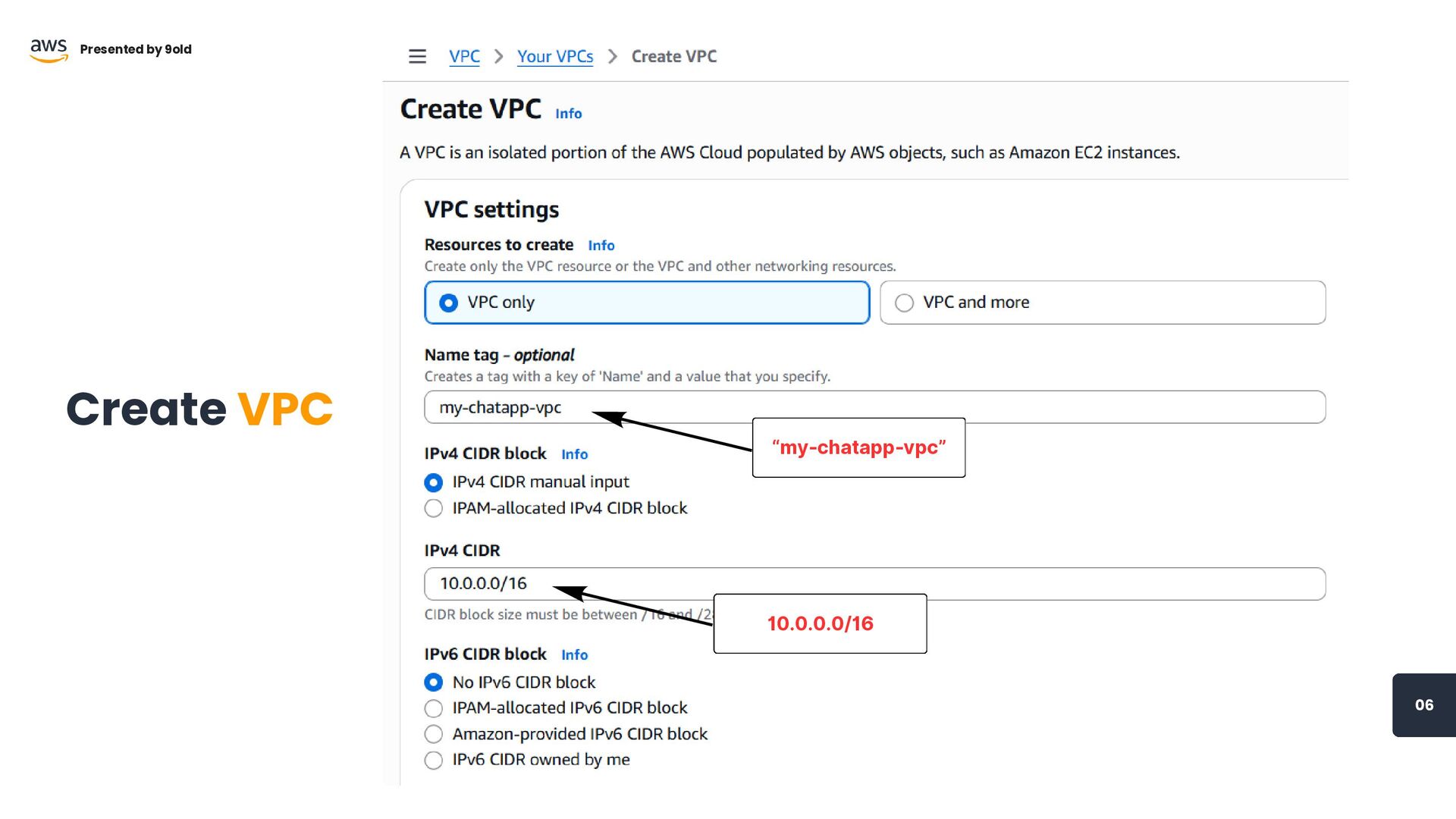
“my-chatapp-vpc” 06 Create VPC Presented by 9old 10.0.0.0/16
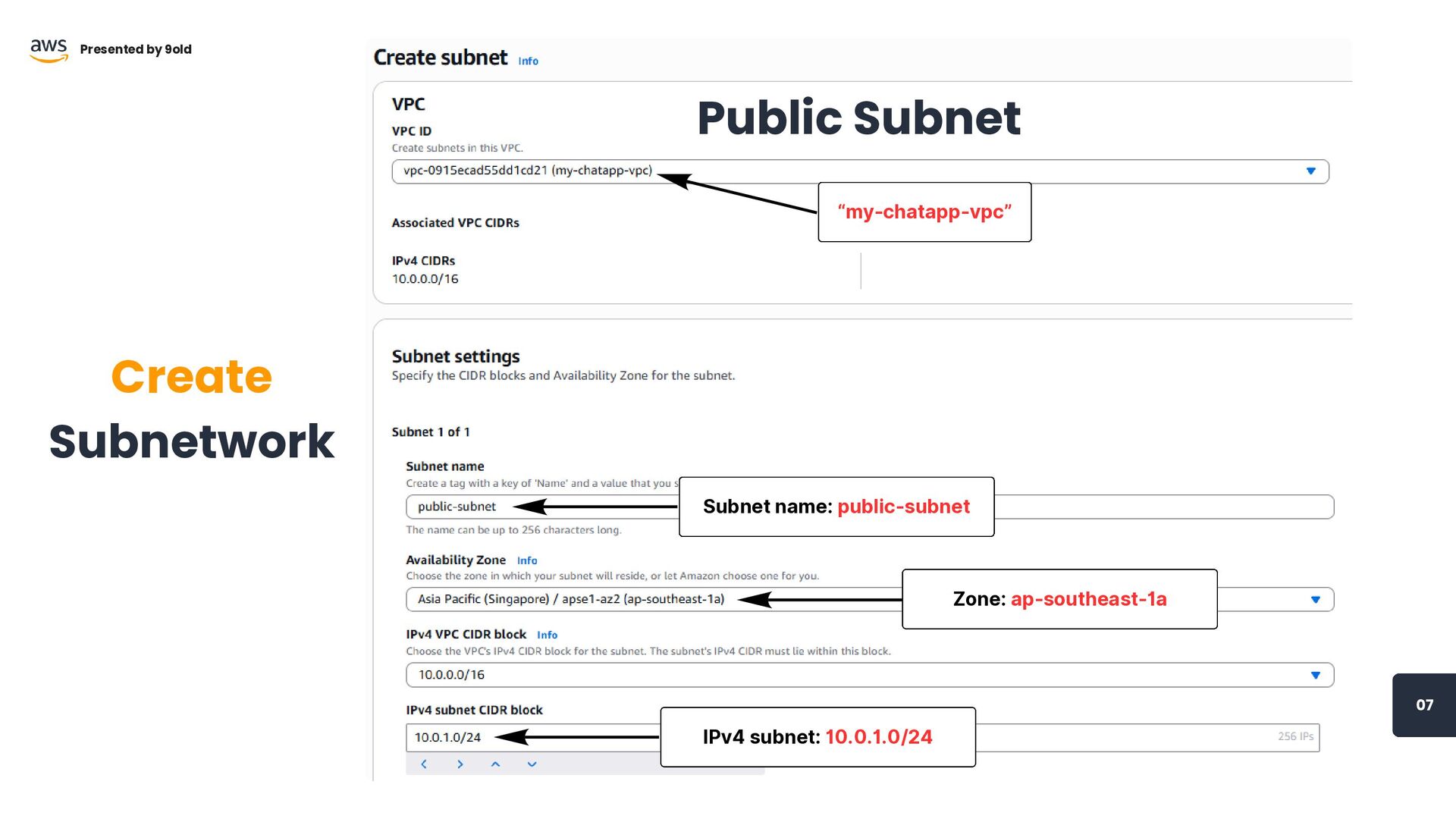
“my-chatapp-vpc” Subnet name: public-subnet 07 Create Subnetwork Presented by 9old
IPv4 subnet: 10.0.1.0/24 Public Subnet Zone: ap-southeast-1a
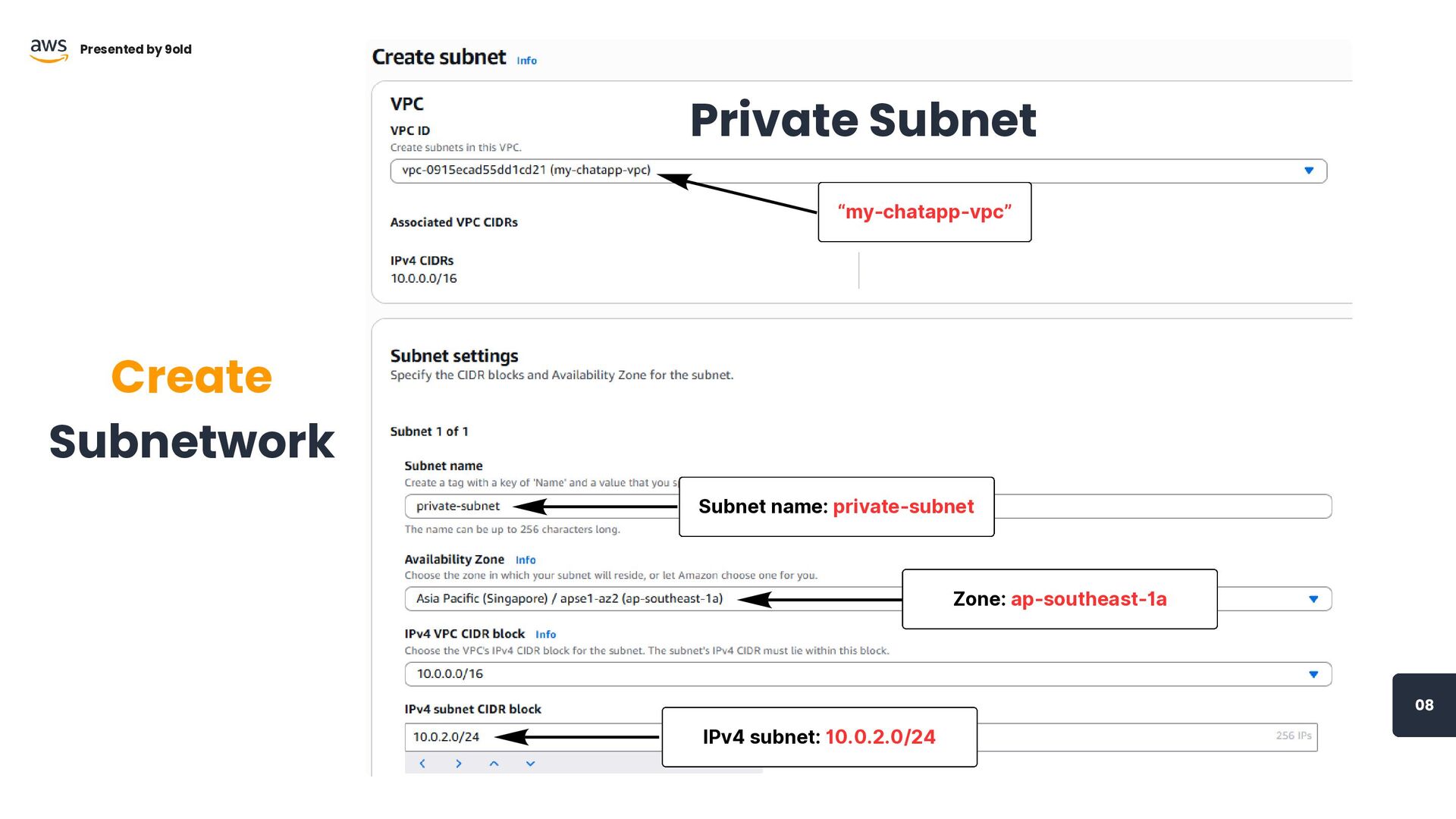
“my-chatapp-vpc” Subnet name: private-subnet IPv4 subnet: 10.0.2.0/24 Zone: ap-southeast-1a 08
Create Subnetwork Presented by 9old Private Subnet
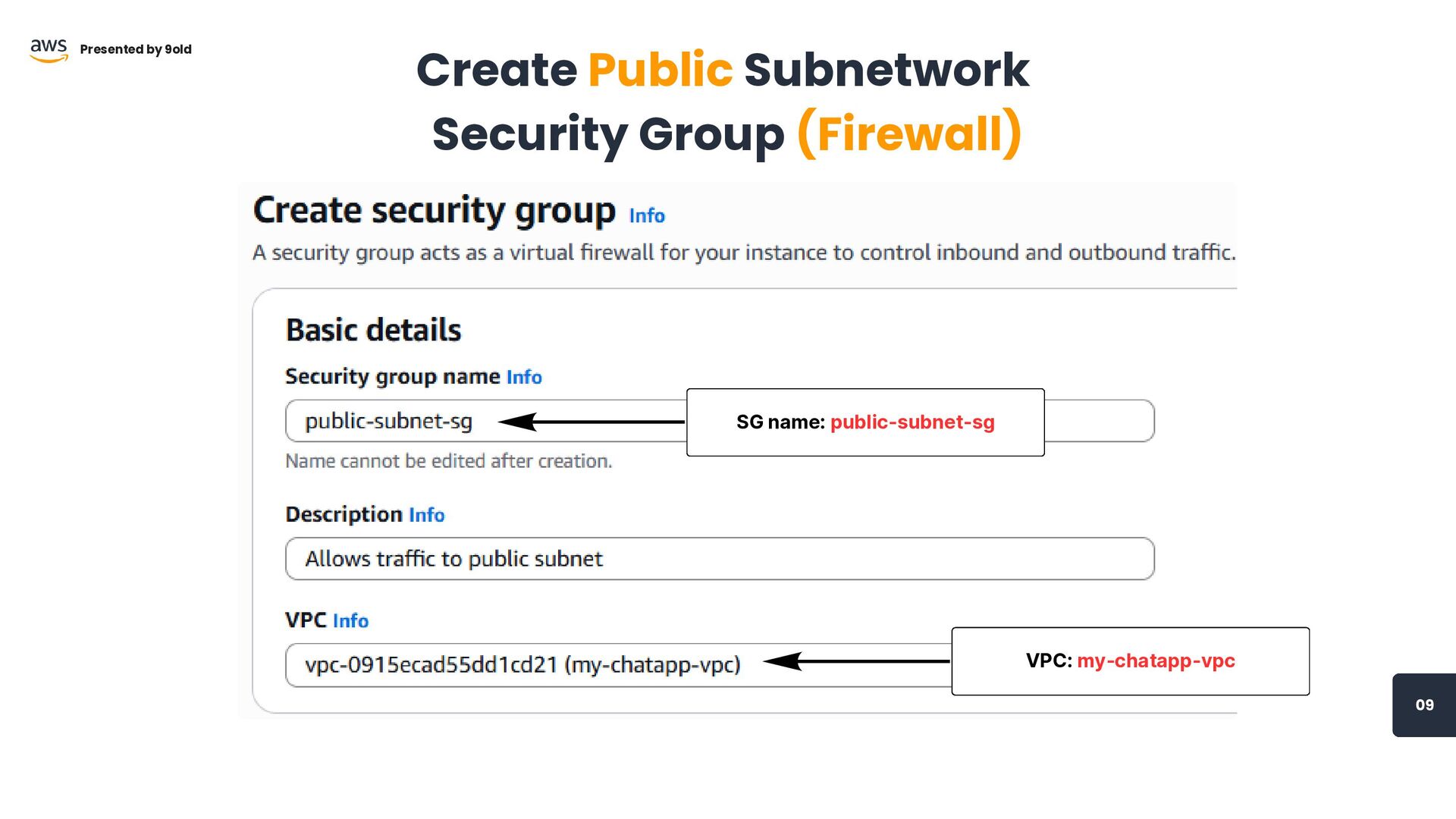
SG name: public-subnet-sg VPC: my-chatapp-vpc 09 Presented by 9old Create
Public Subnetwork Security Group (Firewall)
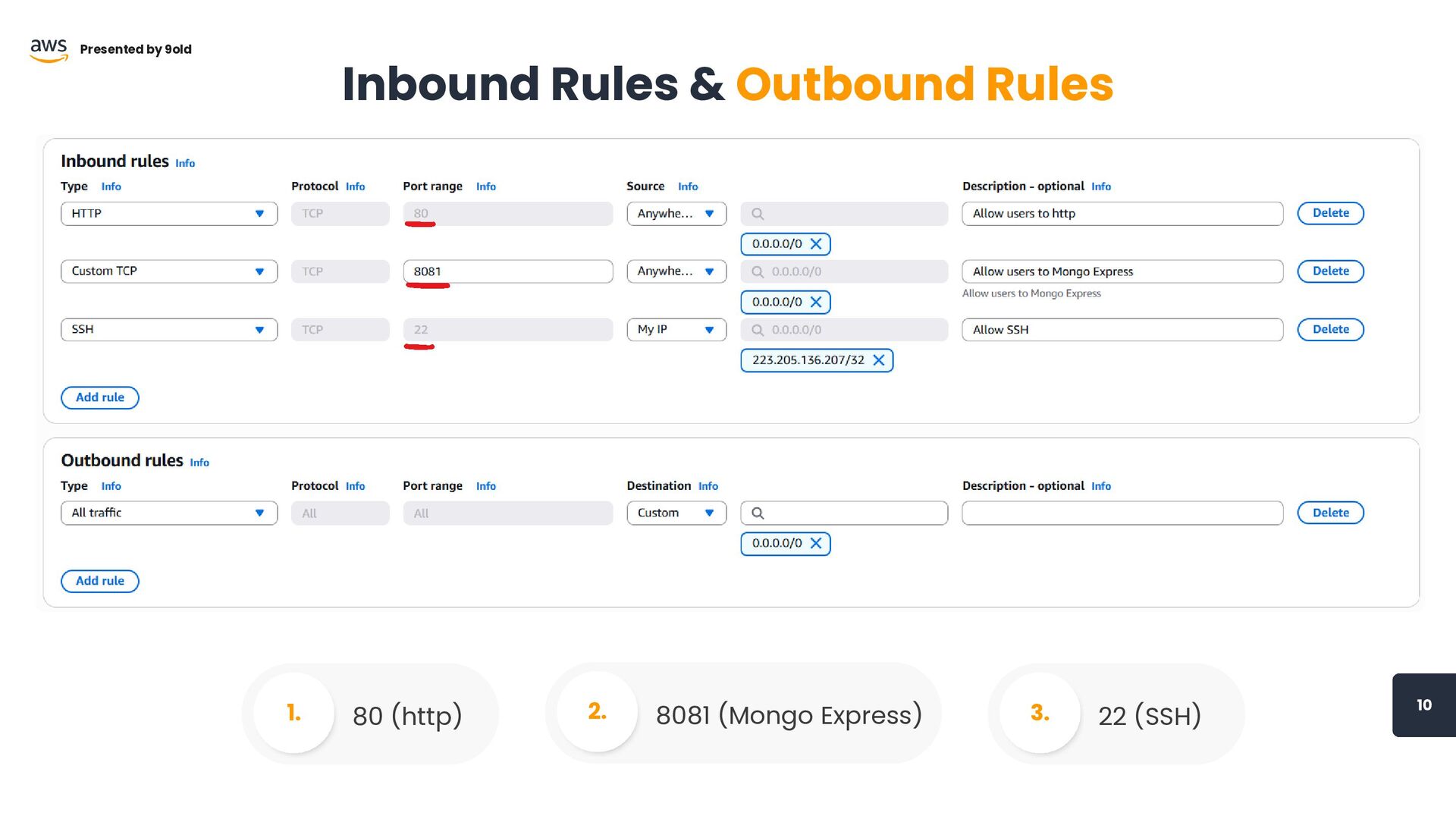
10 Presented by 9old Inbound Rules & Outbound Rules 80
(http) 1. 8081 (Mongo Express) 2. 22 (SSH) 3.
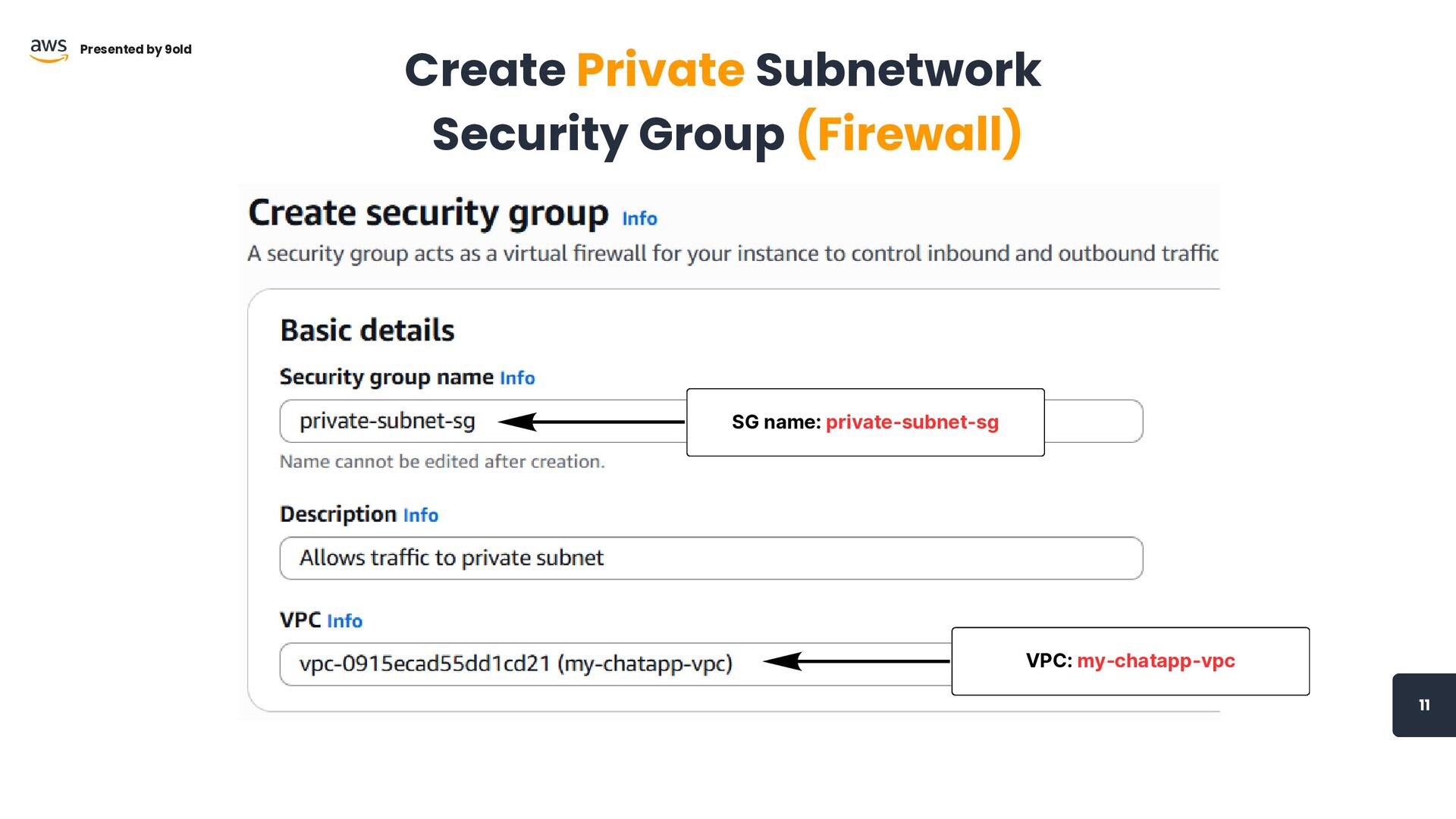
SG name: private-subnet-sg VPC: my-chatapp-vpc 11 Presented by 9old Create
Private Subnetwork Security Group (Firewall)
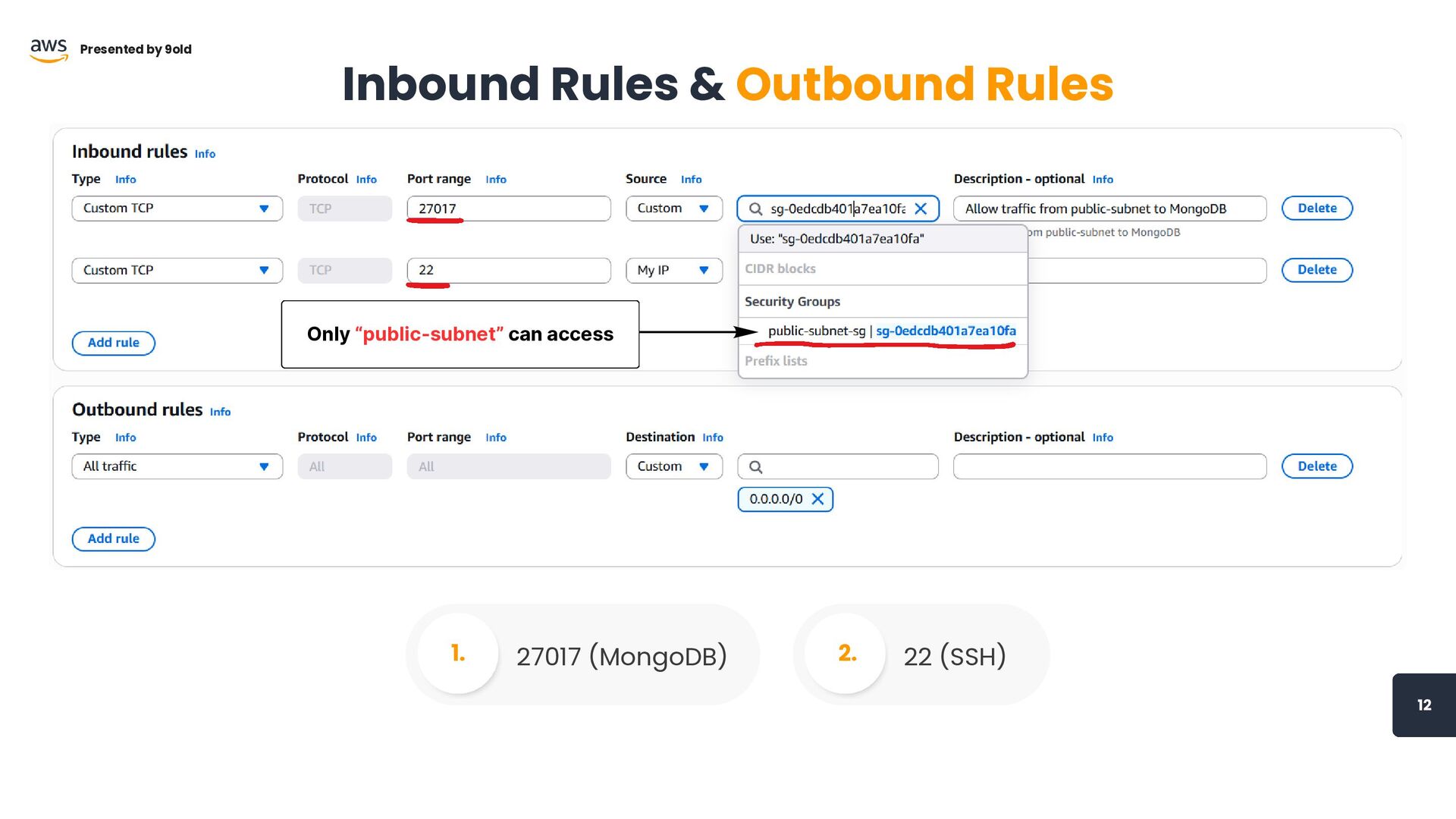
12 Presented by 9old Inbound Rules & Outbound Rules 27017
(MongoDB) 1. 22 (SSH) 2. Only “public-subnet” can access
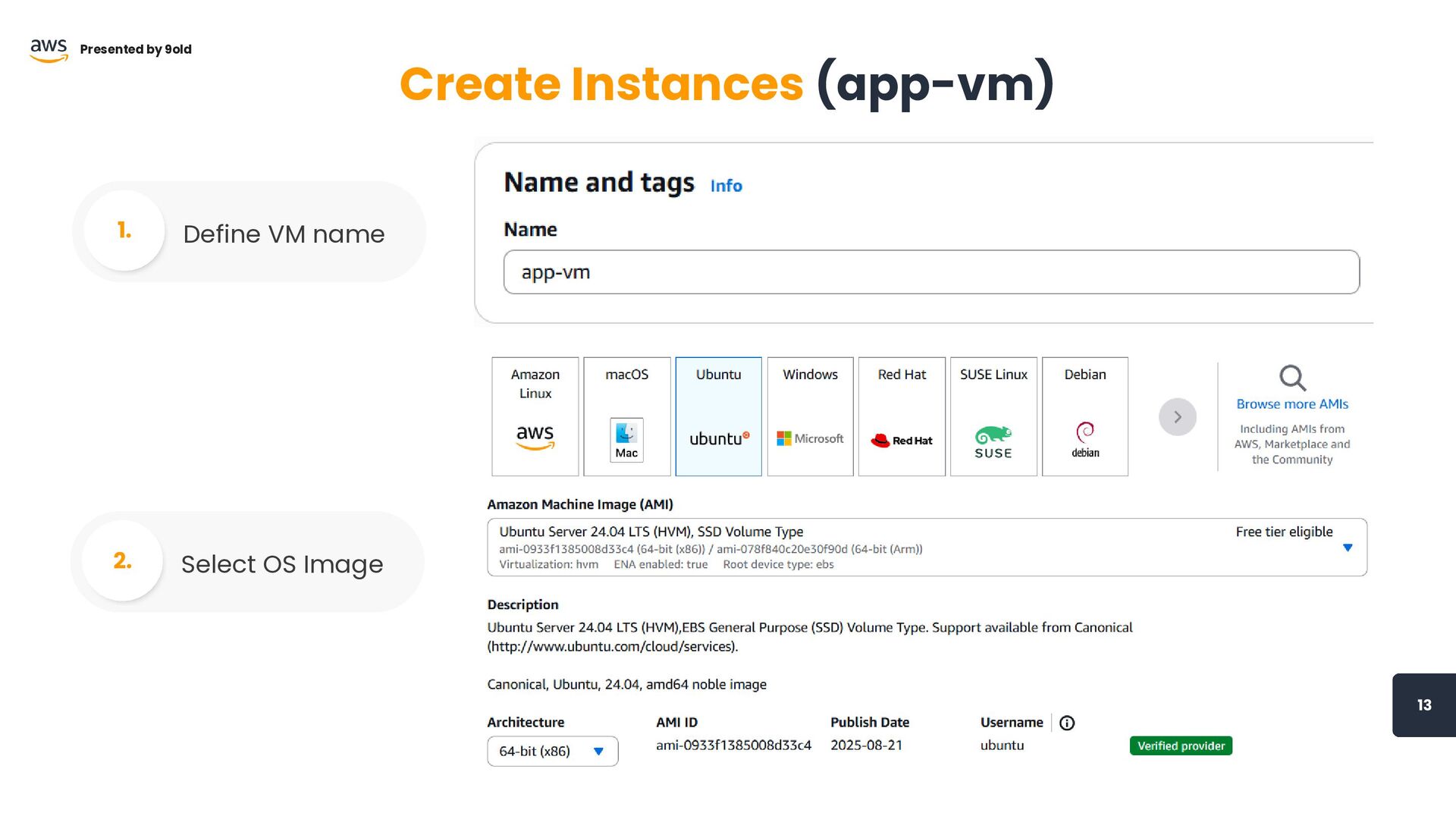
13 Presented by 9old Create Instances (app-vm) Define VM name
1. Select OS Image 2.
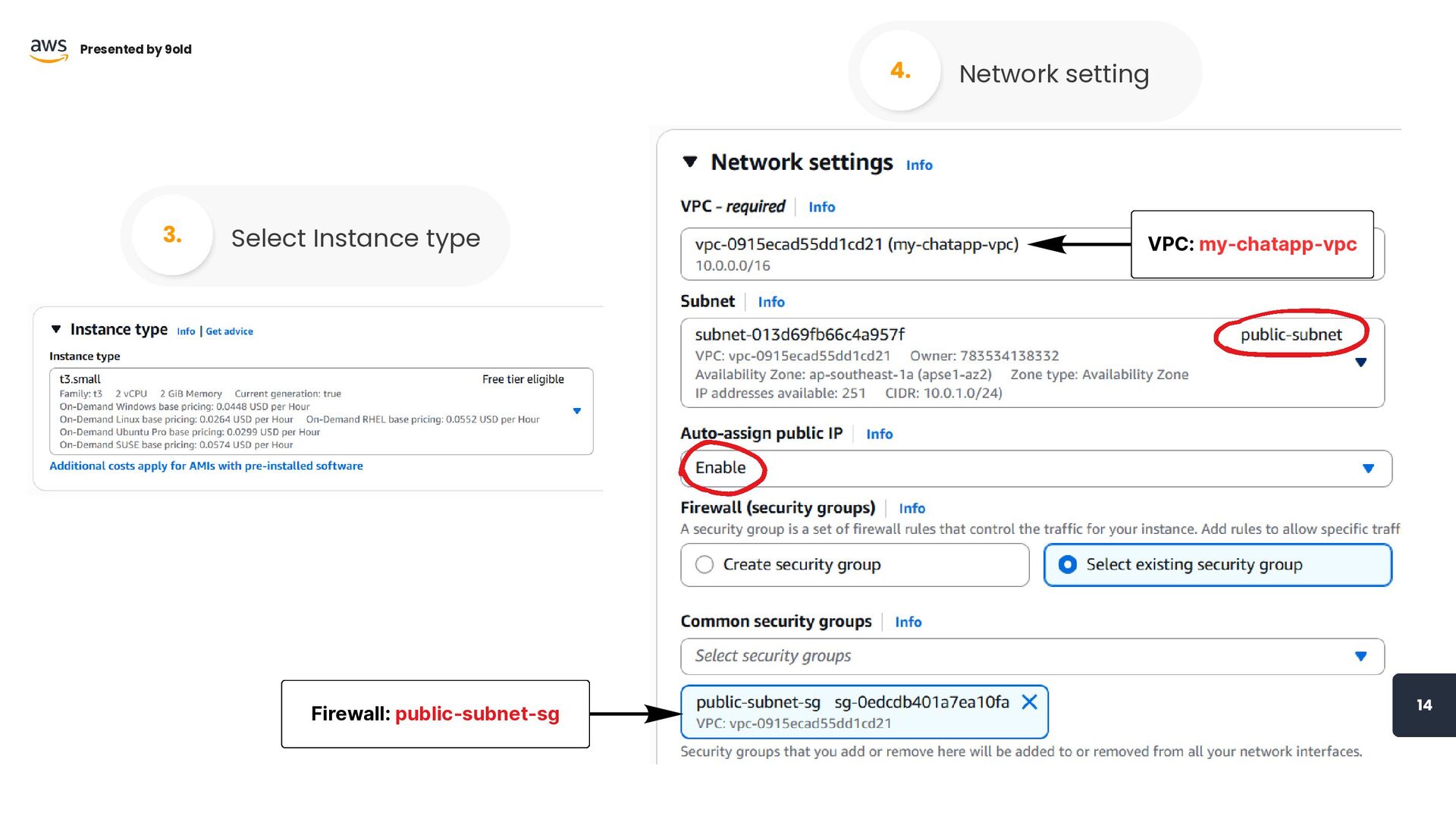
14 Presented by 9old Select Instance type 3. Network setting
4. VPC: my-chatapp-vpc Firewall: public-subnet-sg
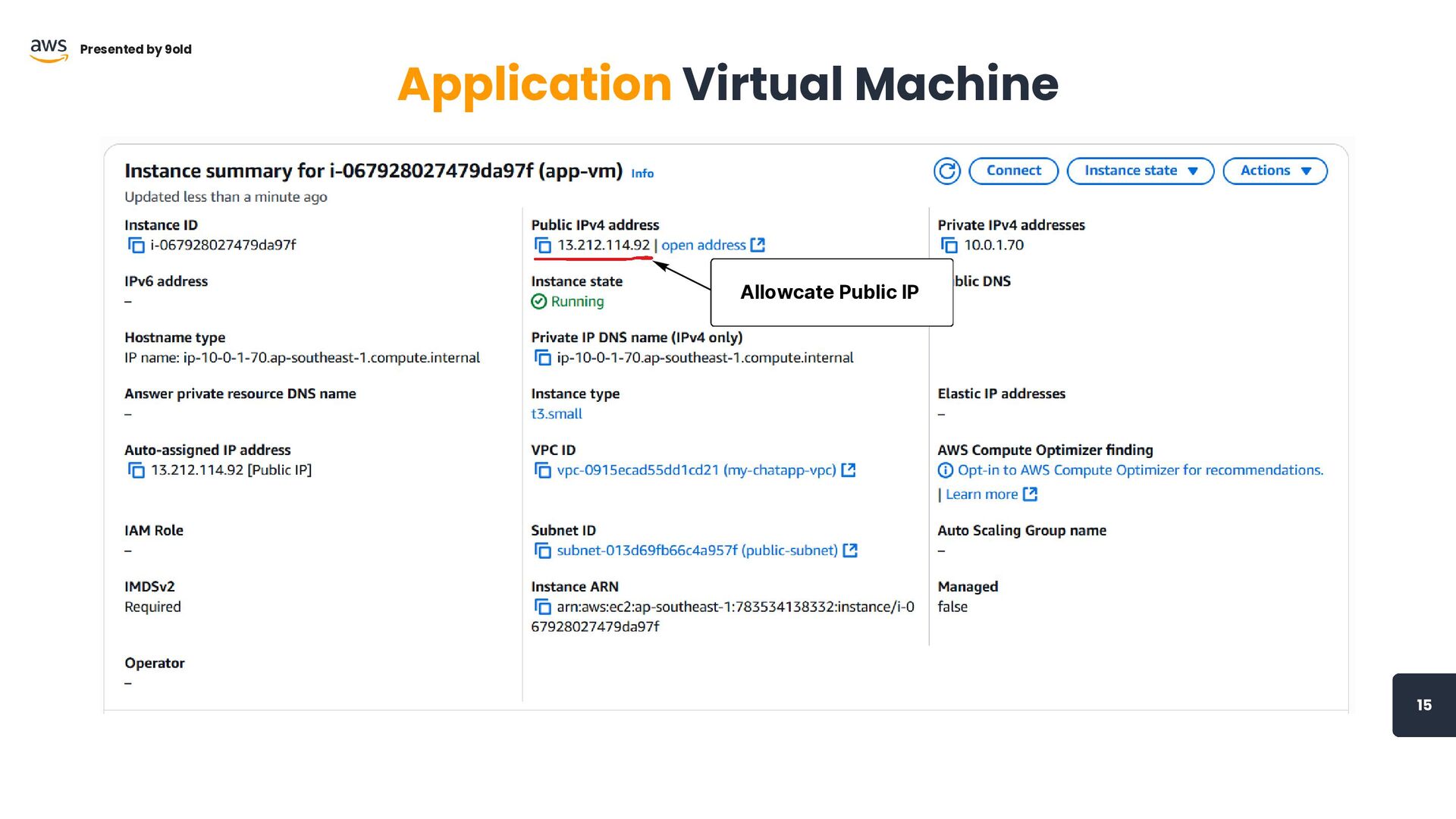
15 Presented by 9old Application Virtual Machine Allowcate Public IP
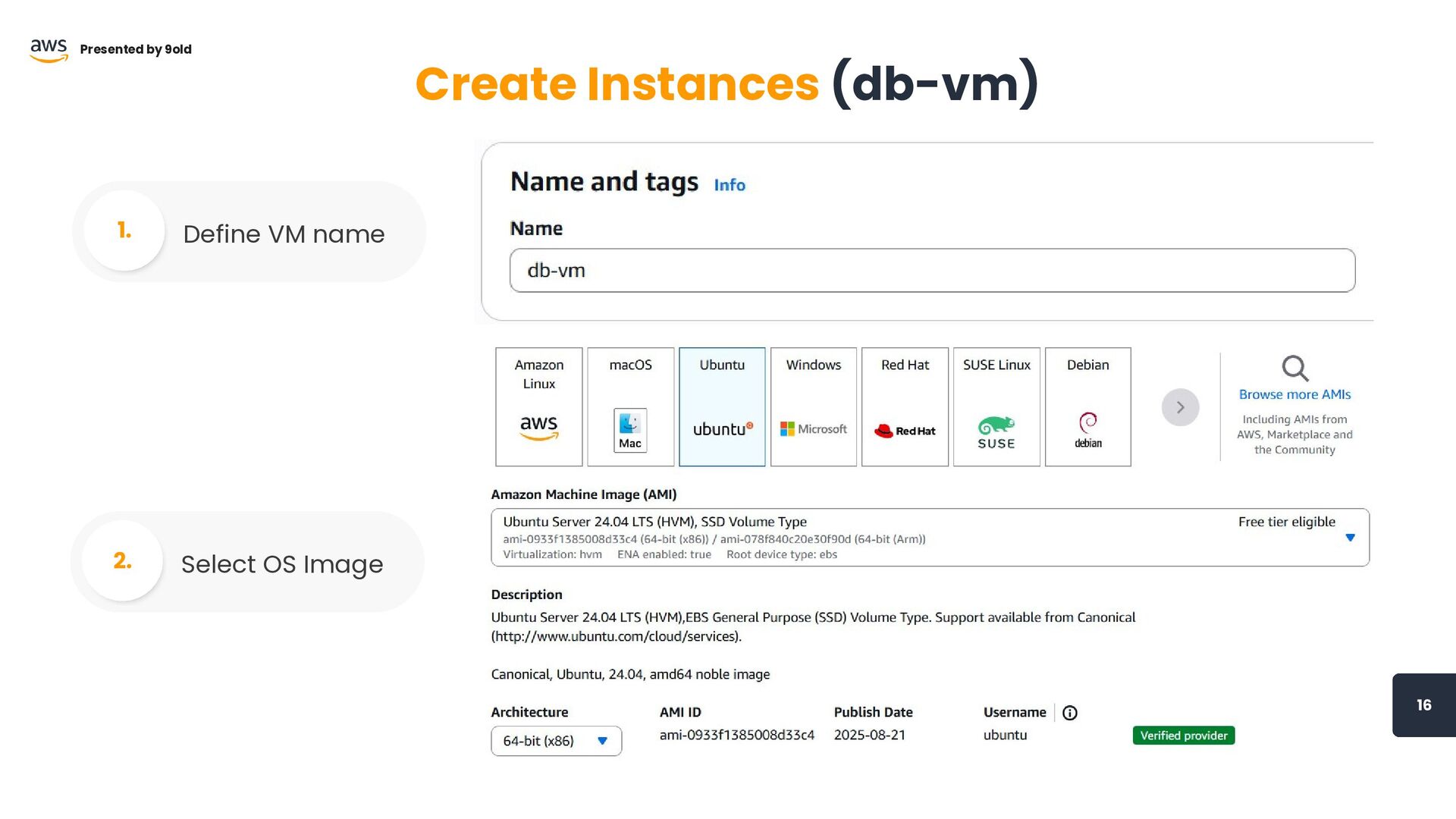
16 Presented by 9old Create Instances (db-vm) Define VM name
1. Select OS Image 2.
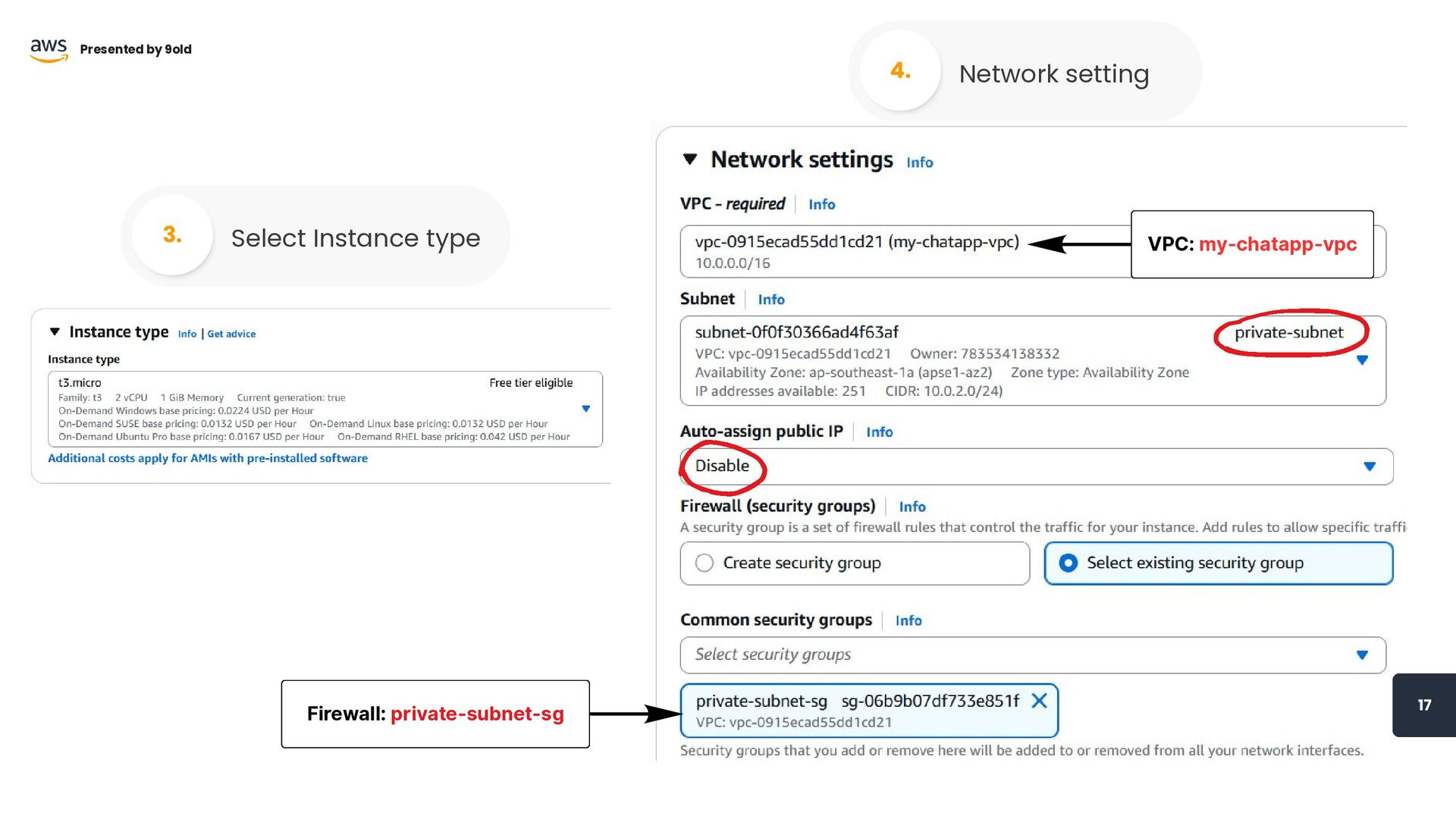
VPC: my-chatapp-vpc Firewall: private-subnet-sg 17 Presented by 9old Select Instance
type 3. Network setting 4.
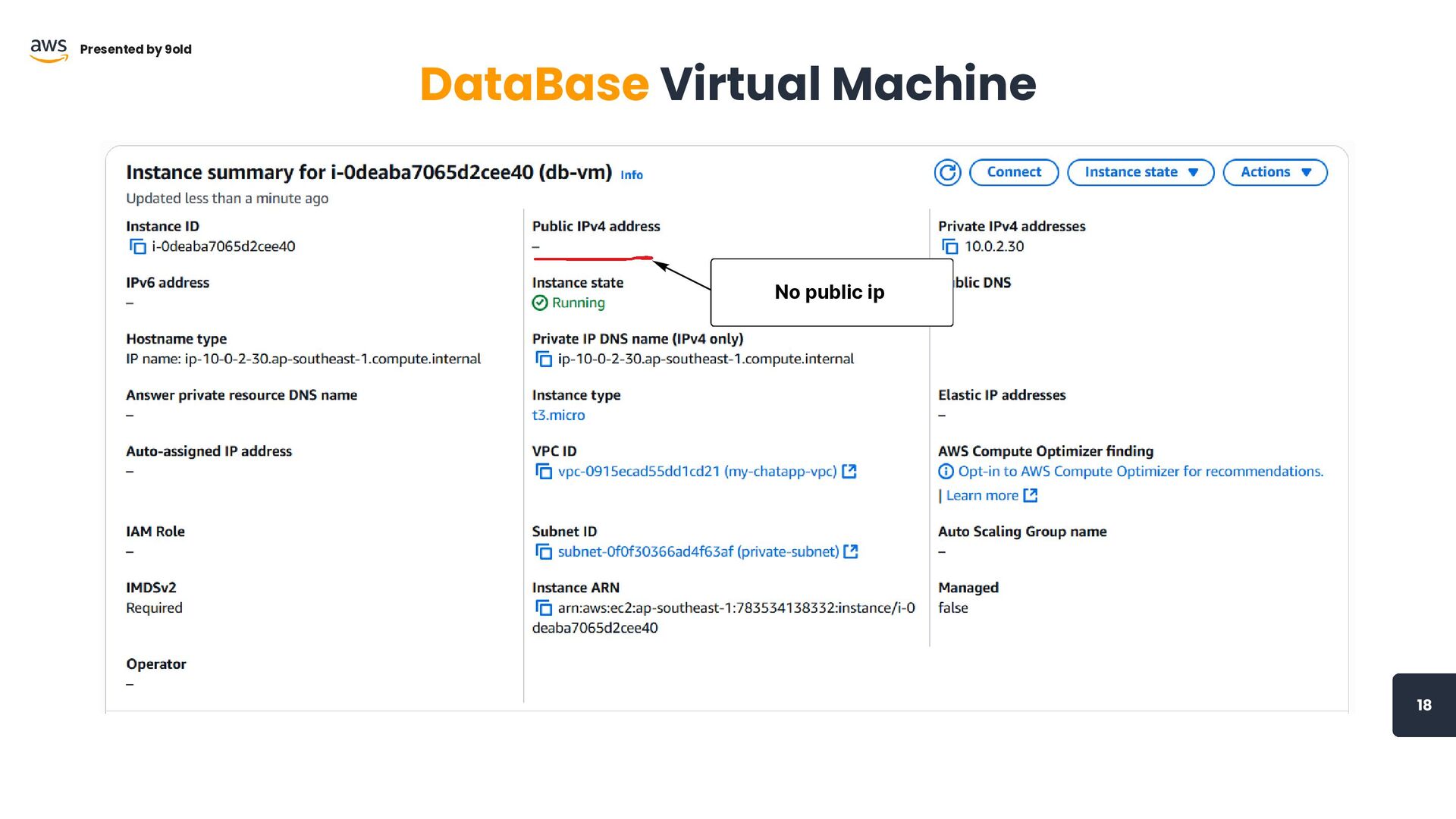
No public ip 18 Presented by 9old DataBase Virtual Machine
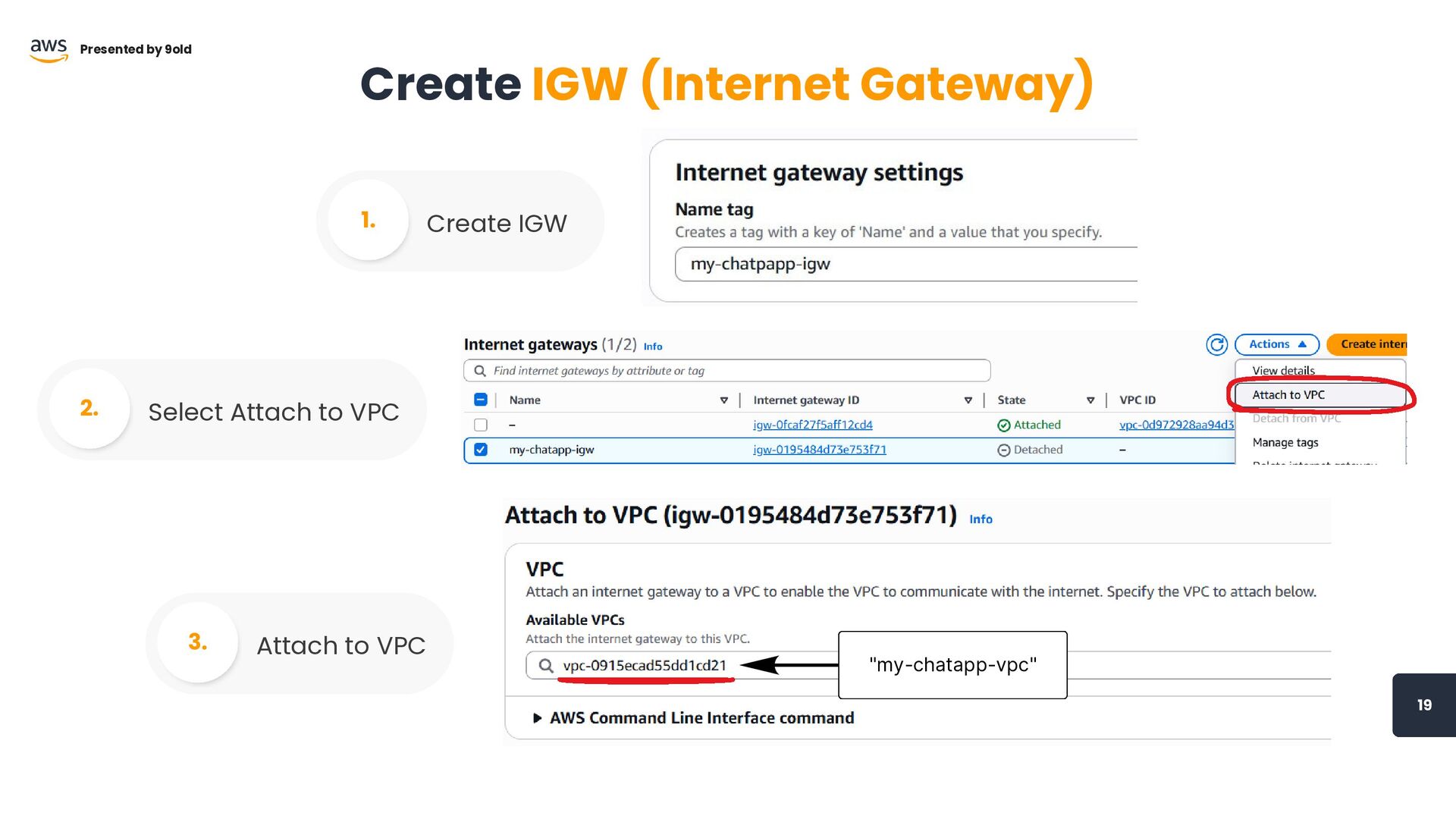
19 Presented by 9old Create IGW (Internet Gateway) Create IGW
1. Select Attach to VPC 2. Attach to VPC 3. "my-chatapp-vpc"
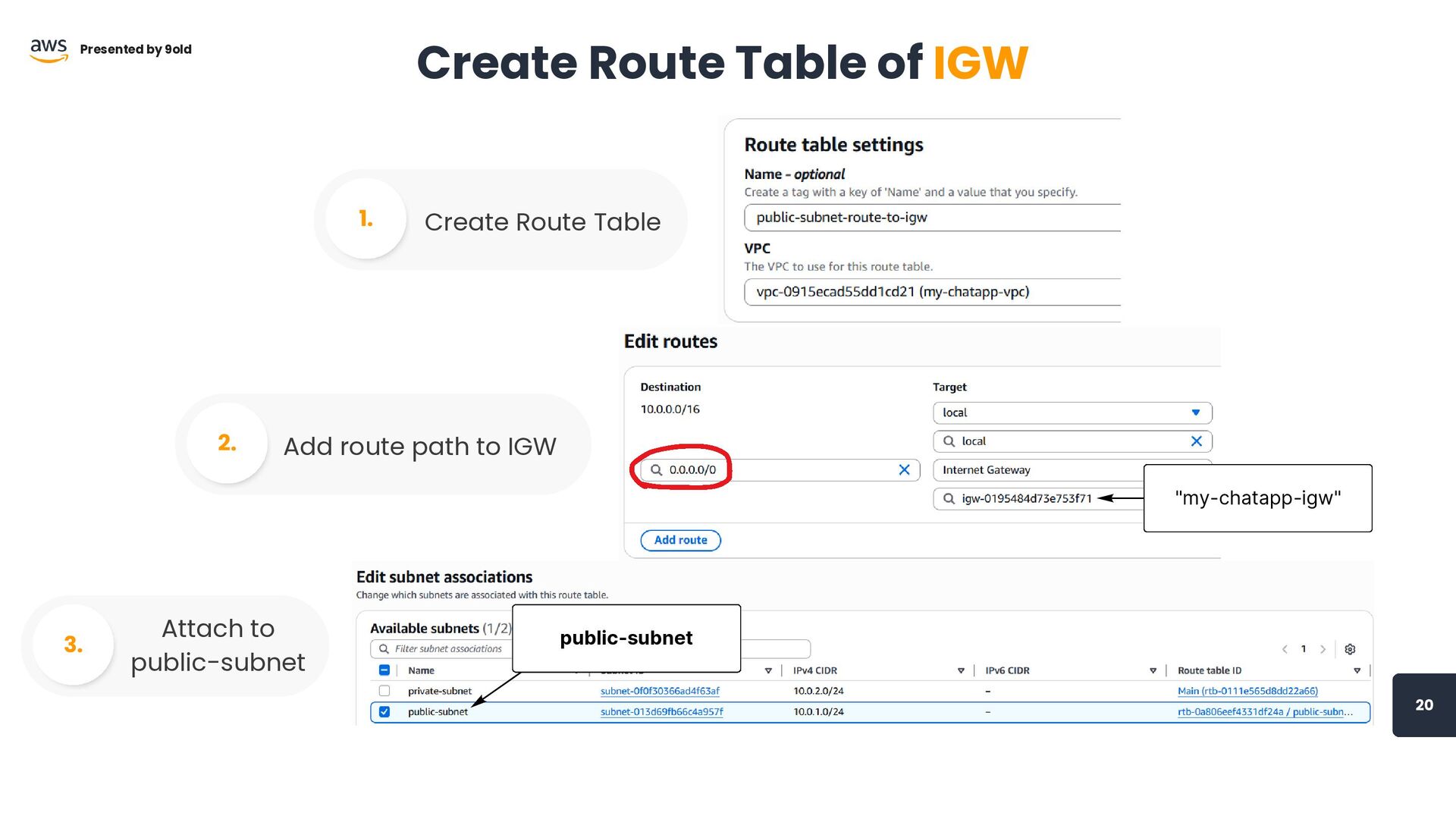
20 Presented by 9old Create Route Table of IGW Create
Route Table 1. Add route path to IGW 2. Attach to public-subnet 3. "my-chatapp-igw" public-subnet
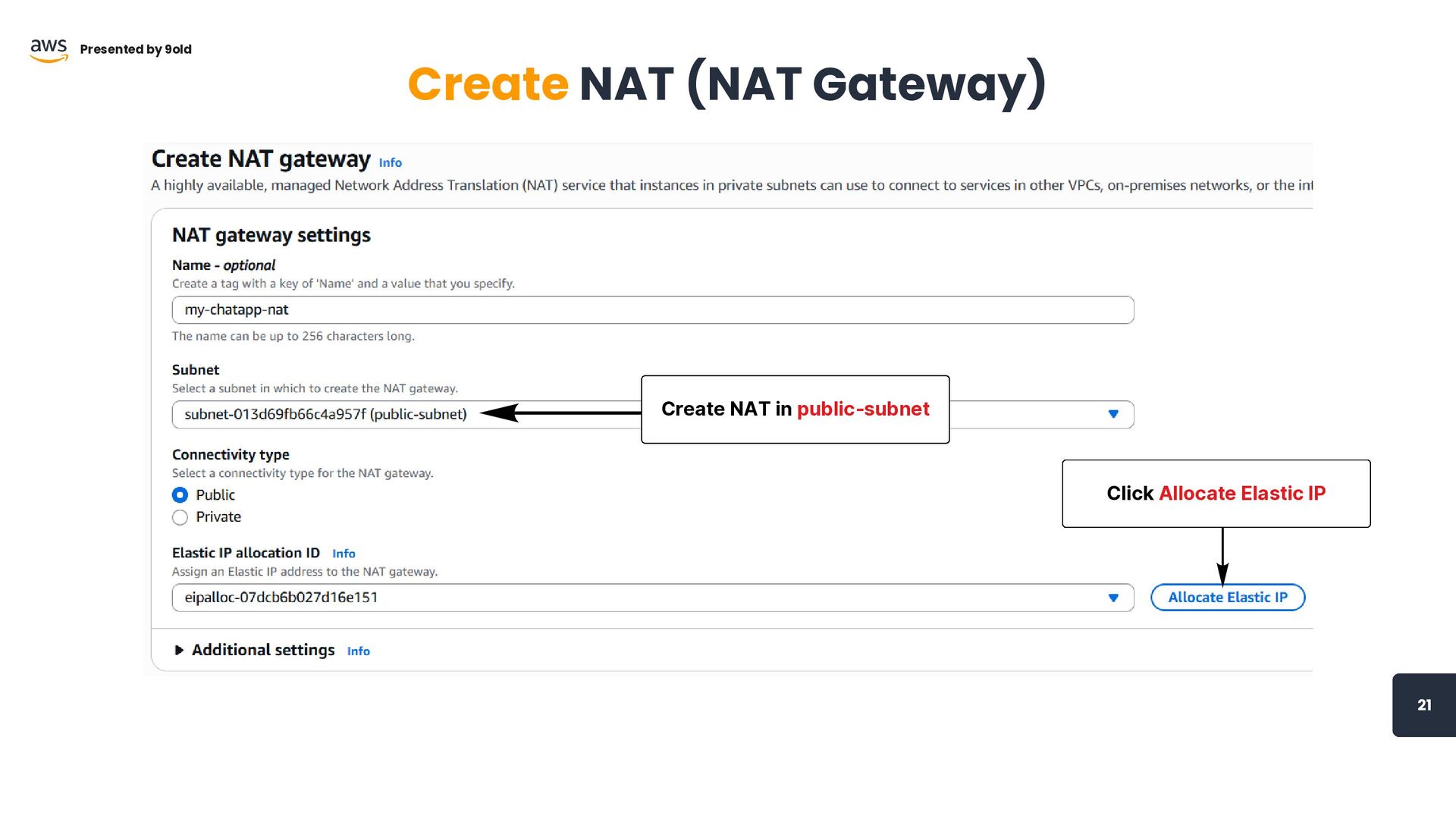
21 Presented by 9old Create NAT (NAT Gateway) Click Allocate
Elastic IP Create NAT in public-subnet
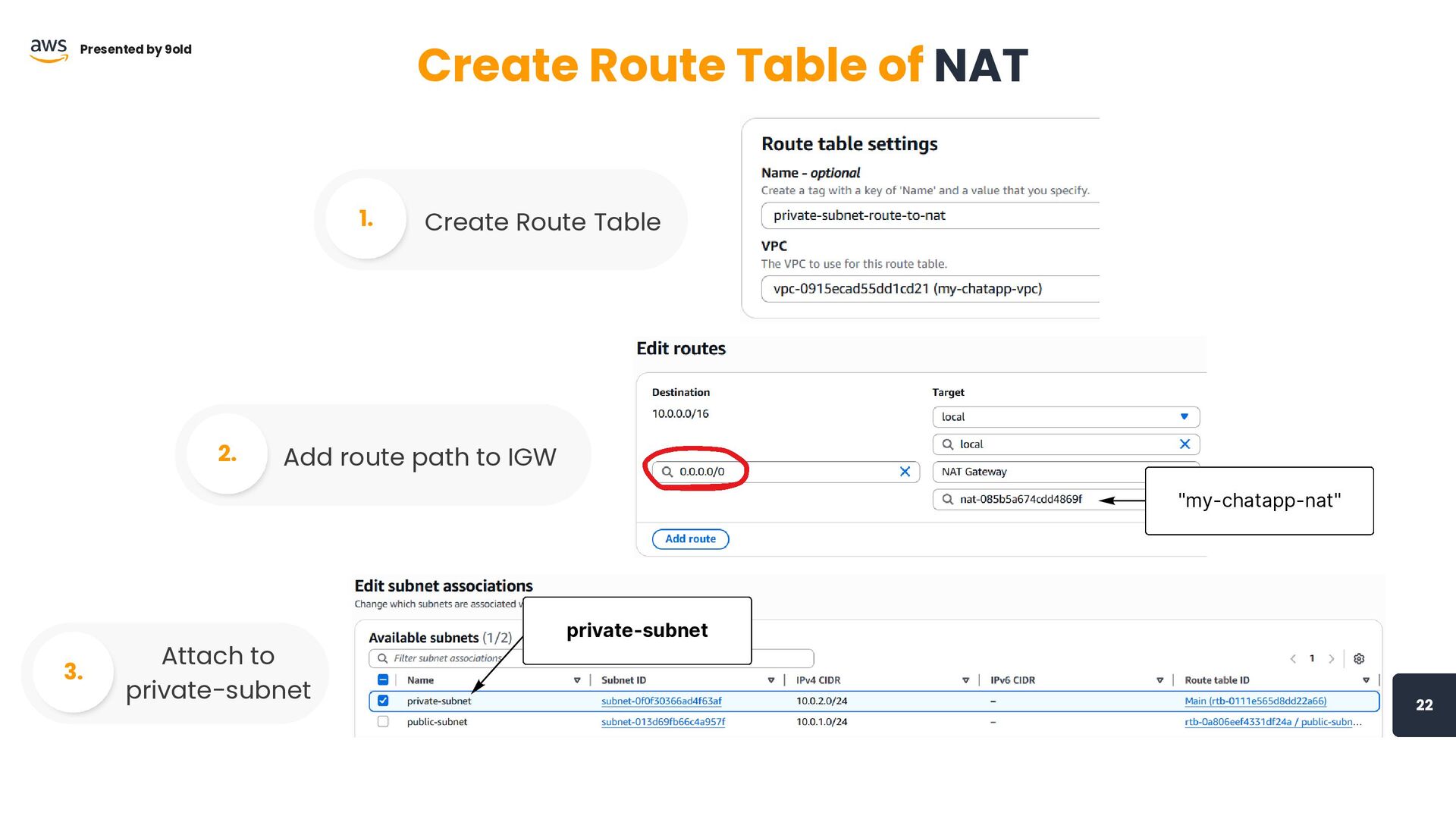
"my-chatapp-nat" 22 Presented by 9old Create Route Table of NAT
Create Route Table 1. Add route path to IGW 2. Attach to private-subnet 3. private-subnet
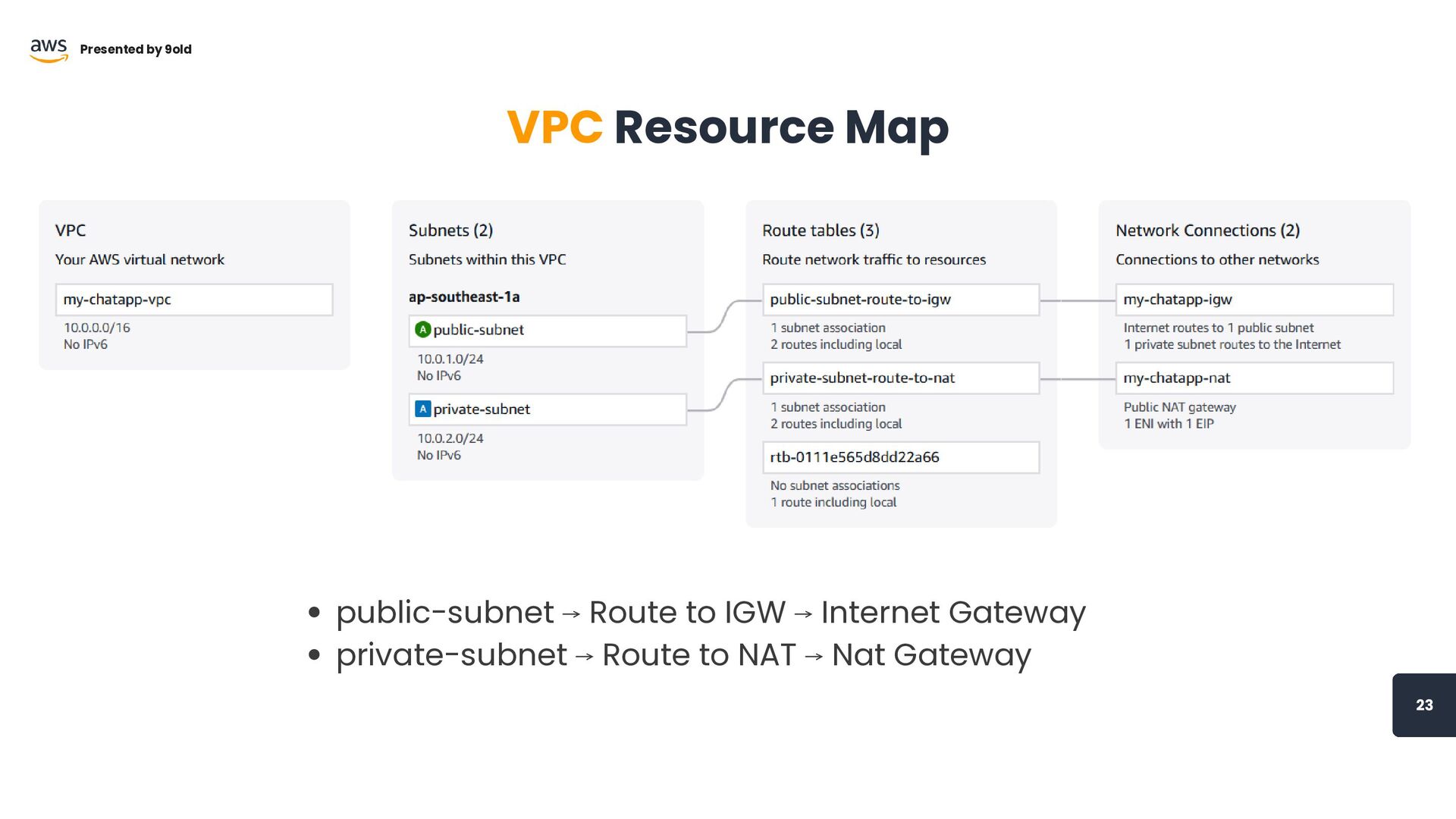
23 Presented by 9old VPC Resource Map public-subnet ⟶ Route
to IGW ⟶ Internet Gateway private-subnet ⟶ Route to NAT ⟶ Nat Gateway
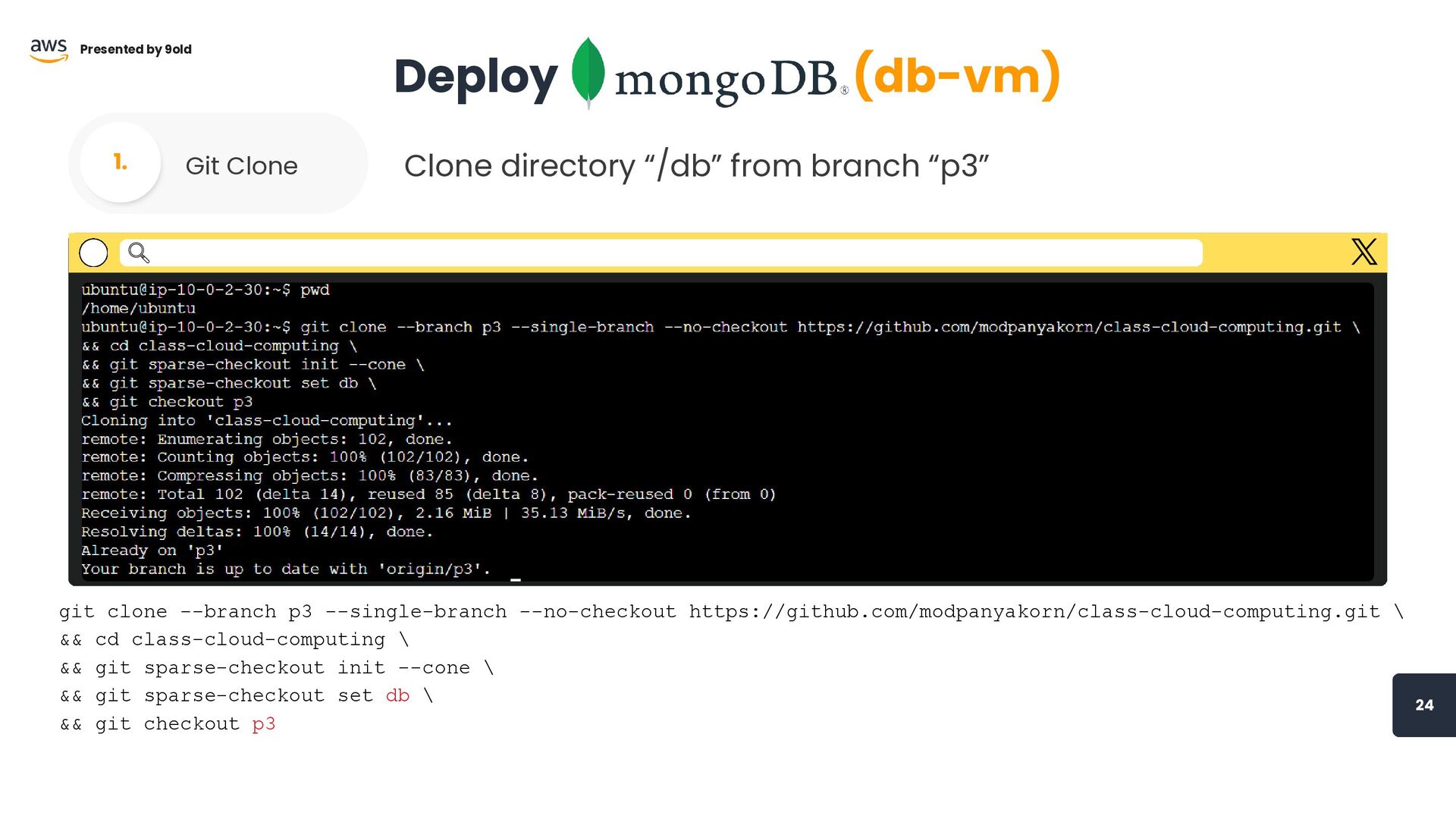
24 Presented by 9old Deploy (db-vm) Git Clone 1. git
clone --branch p3 --single-branch --no-checkout https://github.com/modpanyakorn/class-cloud-computing.git \ && cd class-cloud-computing \ && git sparse-checkout init --cone \ && git sparse-checkout set db \ && git checkout p3 Clone directory “/db” from branch “p3”
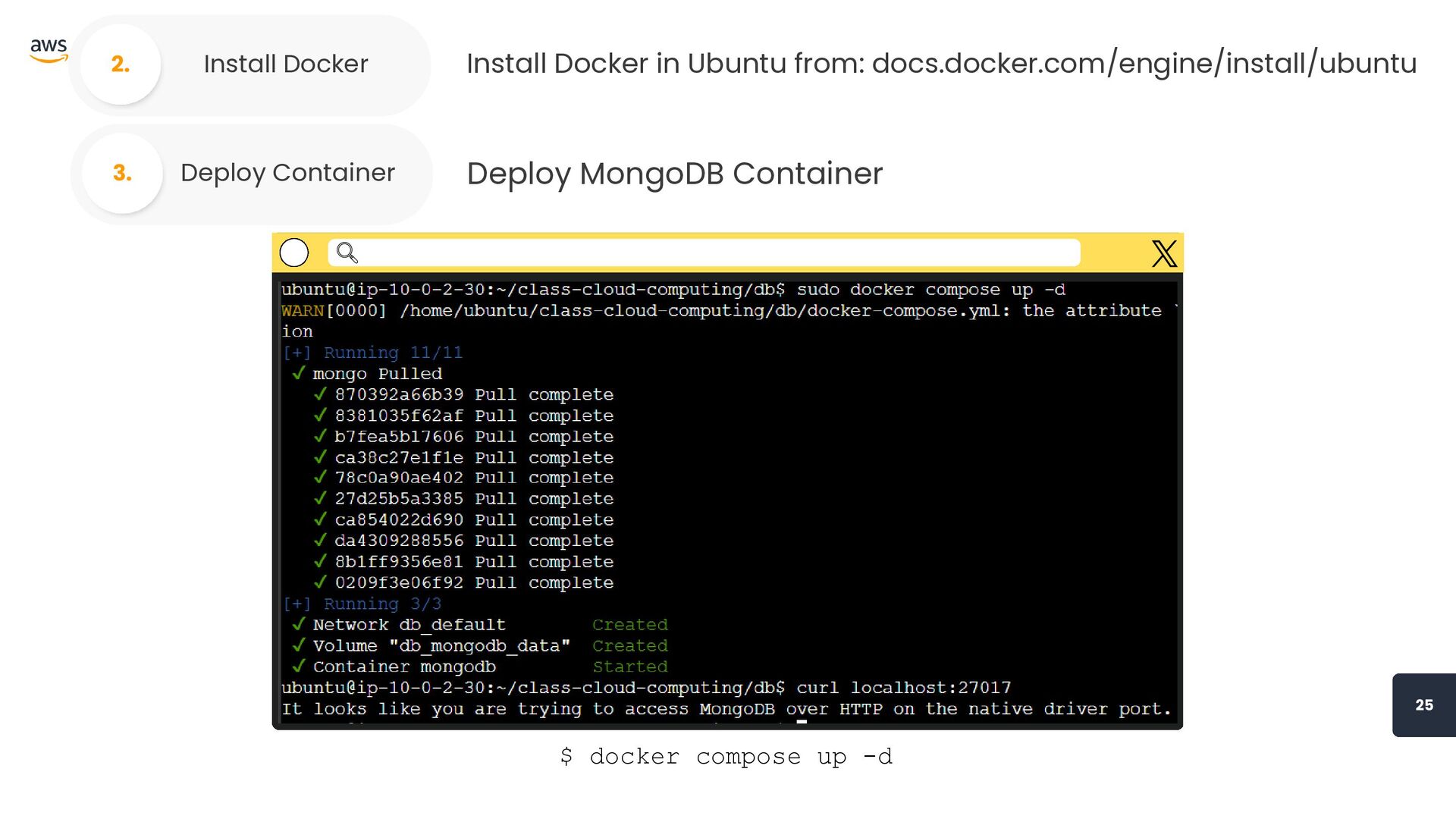
Presented by 9old 25 Install Docker 2. Install Docker in
Ubuntu from: docs.docker.com/engine/install/ubuntu Deploy Container 3. Deploy MongoDB Container $ docker compose up -d
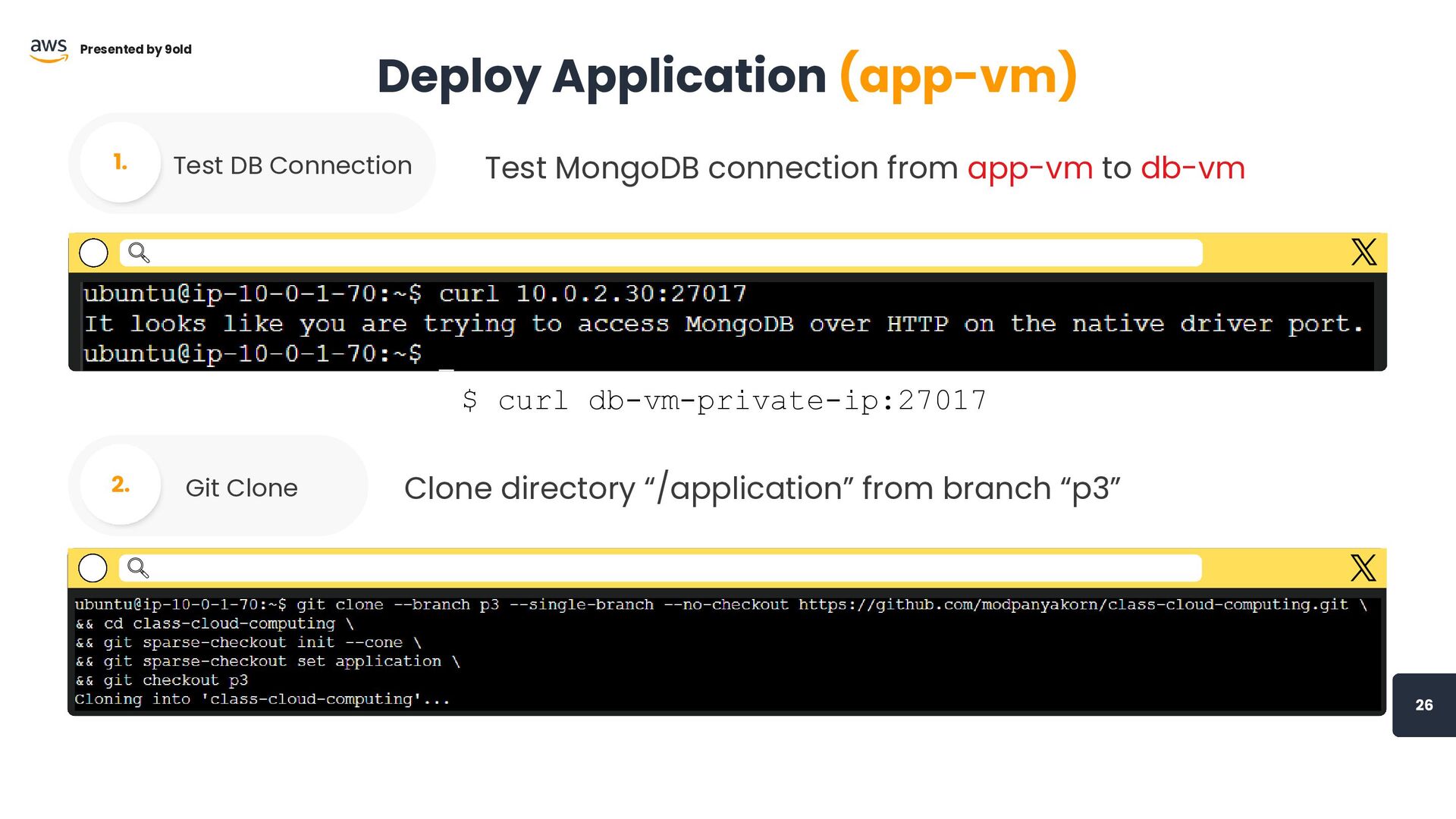
26 Presented by 9old Deploy Application (app-vm) Test DB Connection
1. $ curl db-vm-private-ip:27017 Test MongoDB connection from app-vm to db-vm Git Clone 2. Clone directory “/application” from branch “p3”
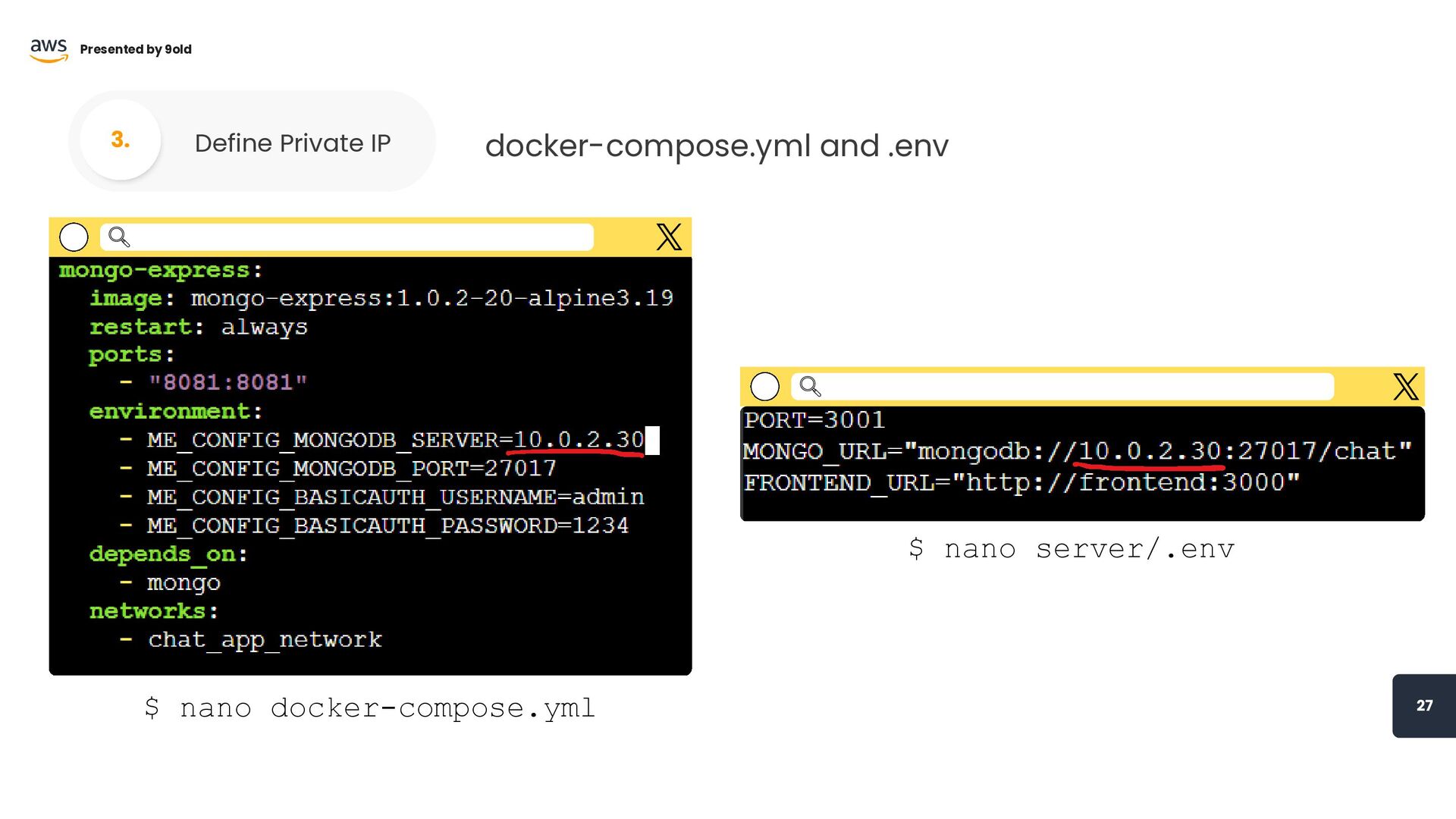
27 Presented by 9old Define Private IP 3. docker-compose.yml and
.env $ nano docker-compose.yml $ nano server/.env
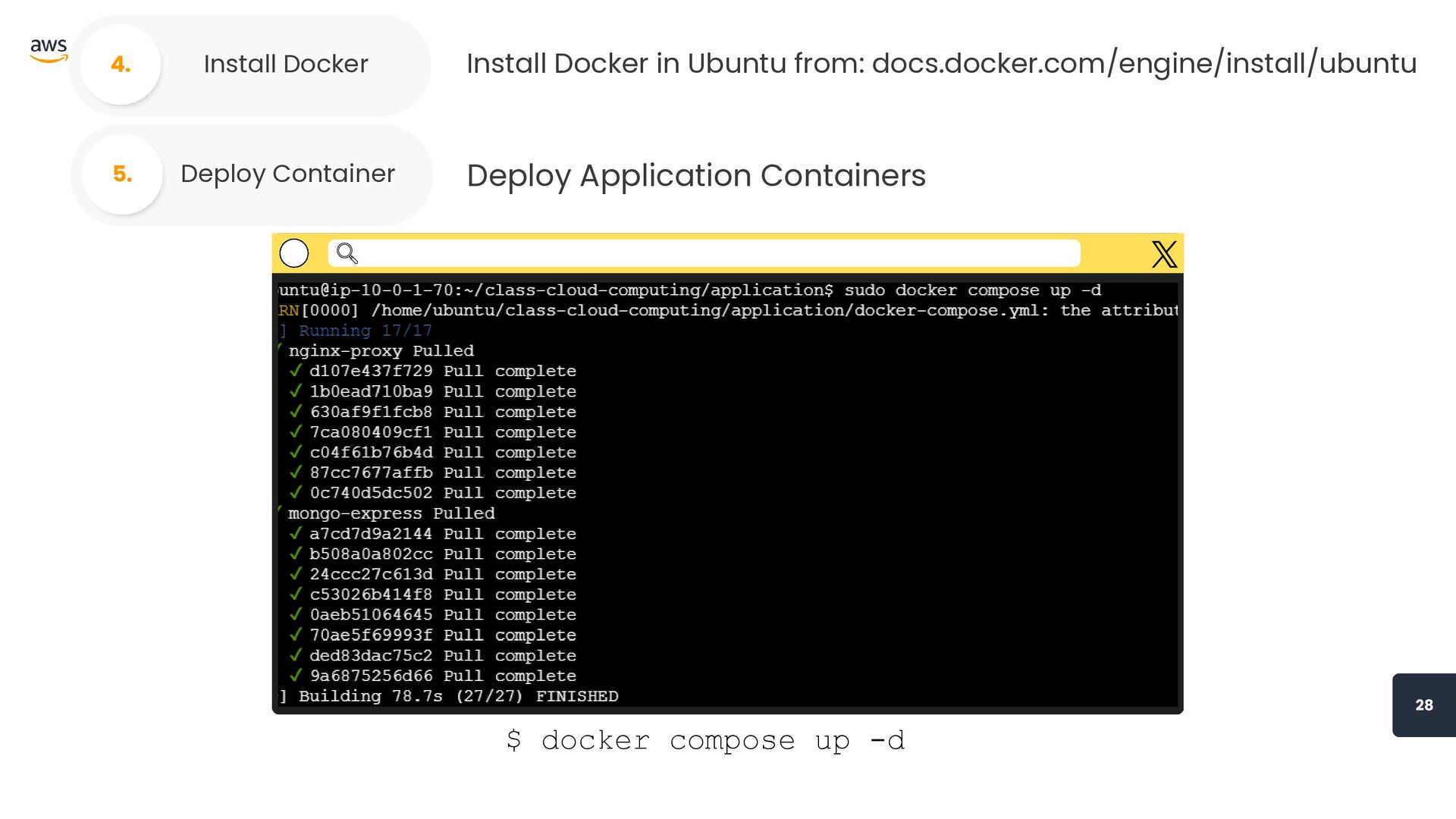
Presented by 9old 28 Deploy Container 5. Deploy Application Containers
$ docker compose up -d Install Docker 4. Install Docker in Ubuntu from: docs.docker.com/engine/install/ubuntu
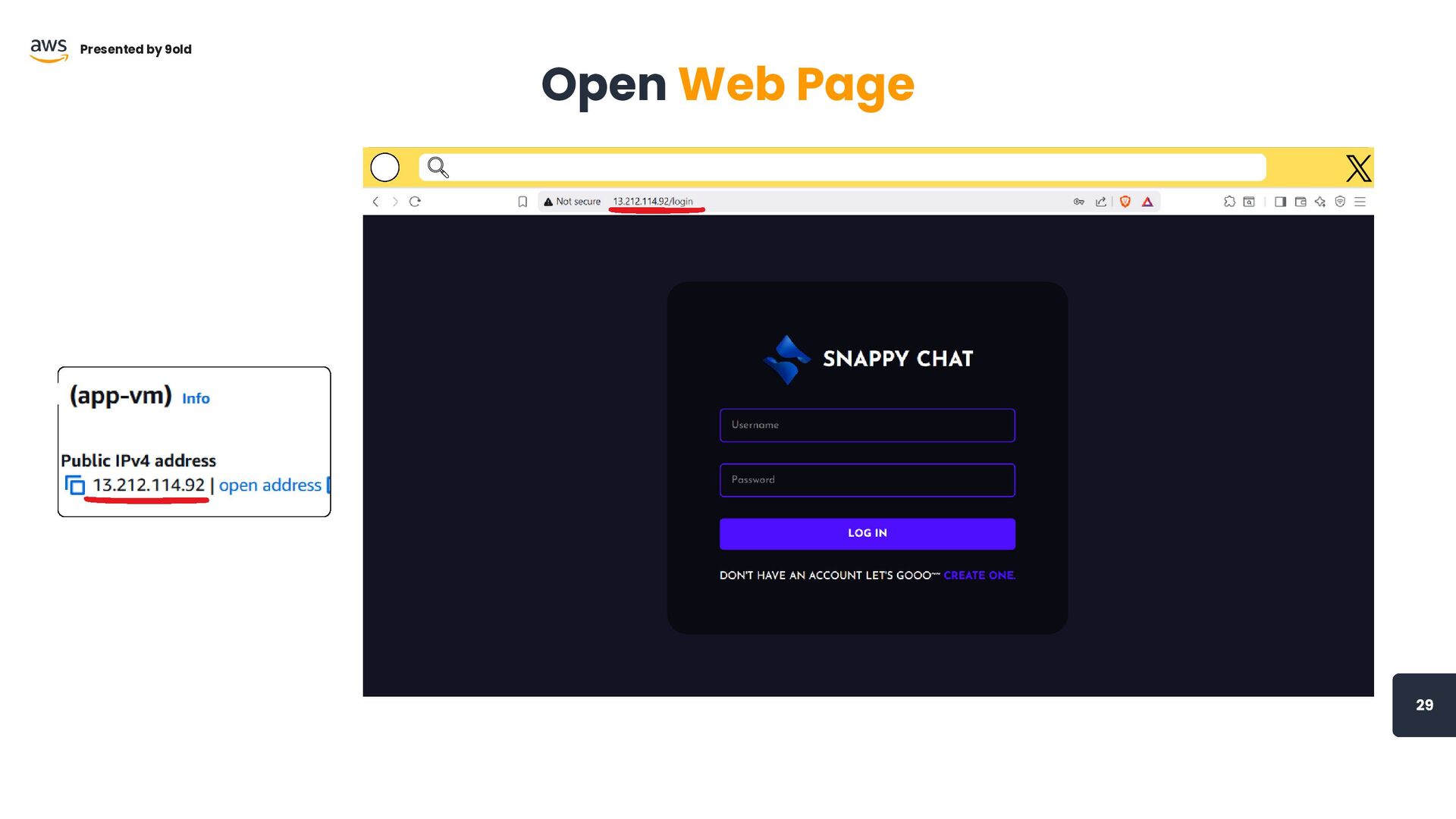
29 Open Web Page Presented by 9old
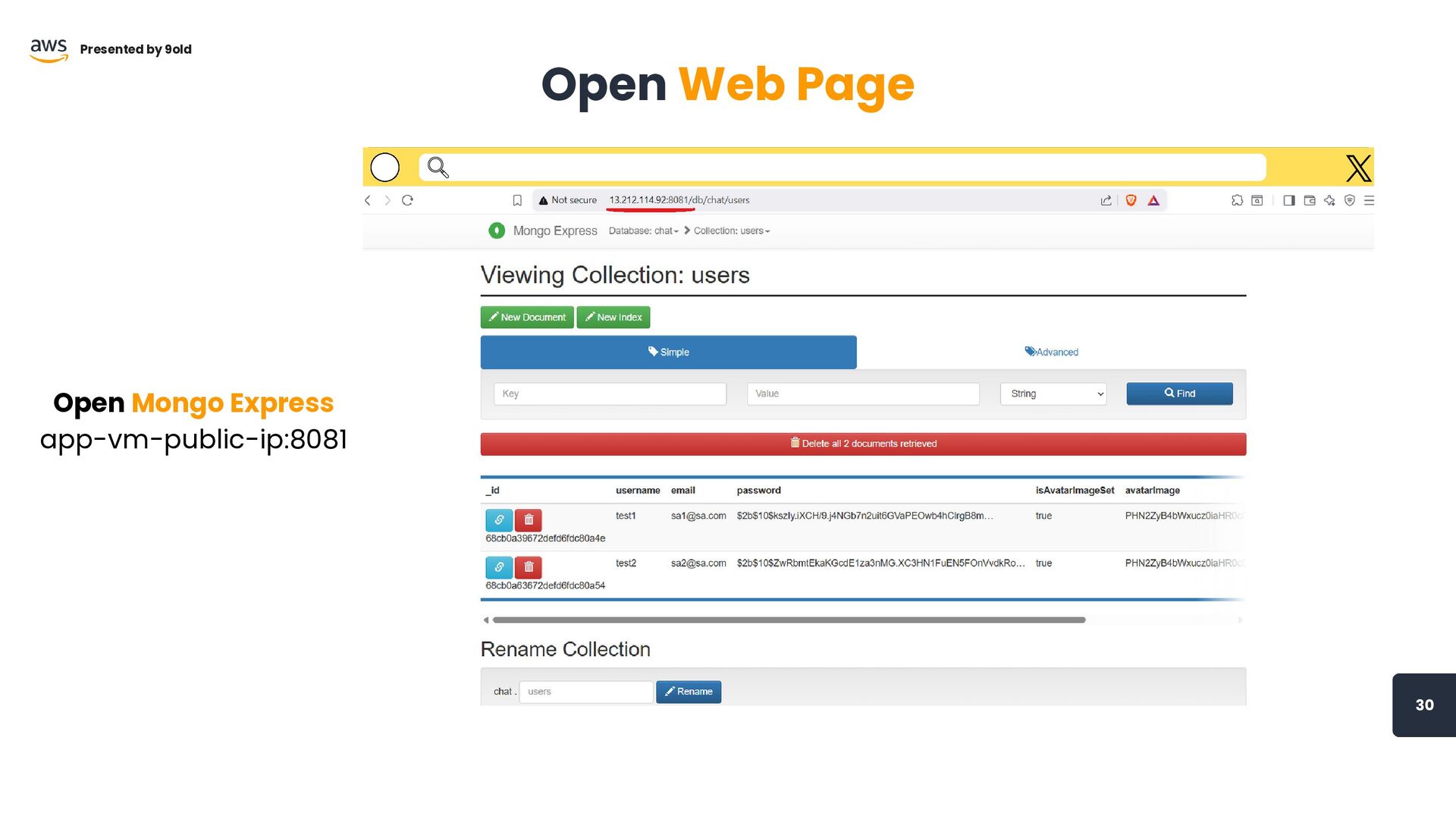
30 Open Web Page Presented by 9old Open Mongo Express
app-vm-public-ip:8081
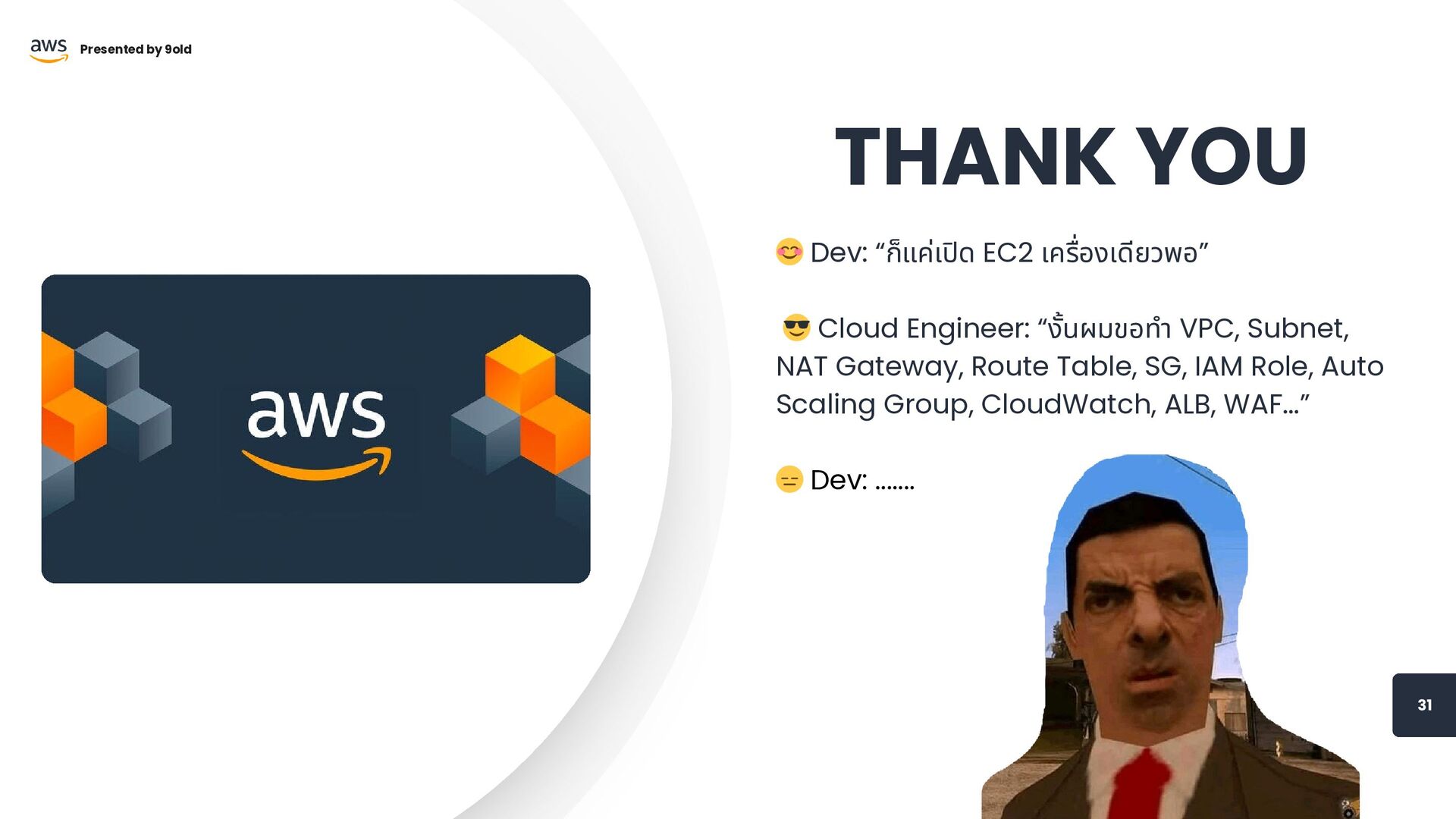
31 Presented by 9old 😊 Dev: “ก็แค่เปิด EC2 เครื่องเดียวพอ” 😎
Cloud Engineer: “งั้นผมขอทำ VPC, Subnet, NAT Gateway, Route Table, SG, IAM Role, Auto Scaling Group, CloudWatch, ALB, WAF...” 😑 Dev: ....... THANK YOU


 modpanyakorn
 kizawa2020
 teamlab
 kaminashi
 shogo4131
 ishikawa_satoru
 ykanoh
 taketakekaho
 akhino
 pfn
pfn
 ivry_presentationmaterials
 codmoninc
 namiki64
 katarinadahlin
 aleyda
 sonatard
 chriscoyier
 mraible
 ipullrank
 productmarketing
 stephenakadiri
 kneath
 iamctodd
 lara
lara
 reverentgeek