Hardware. Which is the physical parts or components of a computer, such as the monitor, mouse, keyboard, computer data storage, hard disk drive (HDD), graphic cards, sound cards, memory, motherboard, and so on, all of which are physical objects that are tangible. 2. Software. Which is any set of machine-readable instructions that directs a computer's processor to perform specific operations. 1- Computer Components
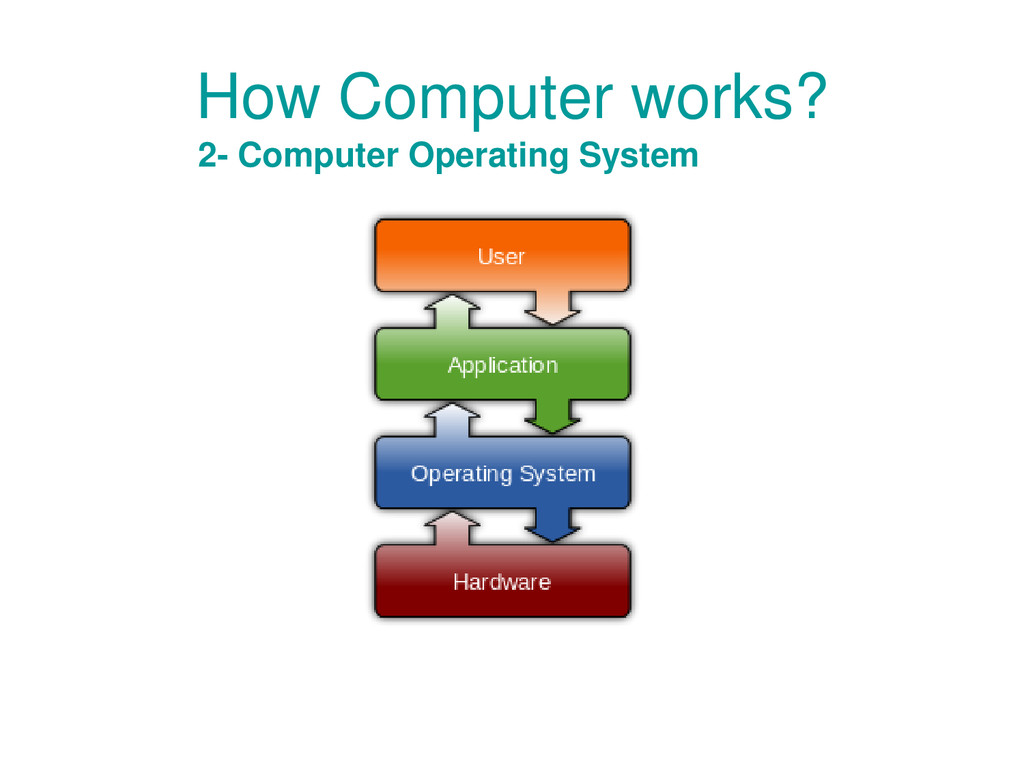
operating system. Such as Windows, Linux, MAC OS. • An operating system (OS) is system software that manages computer hardware and software resources and provides common services for computer programs. 2- Computer Operating System
disk drive (HDD). • When user request to run any application the central processing unit (CPU) reads all stored data from HDD and put them into random access memory (RAM) then start process them. 3- Running Applications
it is much more faster than HDD. • But RAM is a small temporary storage capacity, for example RAM is 8G but HDD more than 1000G. • Because the limit storage of RAM, OS always free RAM from the finished closed application to reuse this space with new applications. 4- Using RAM
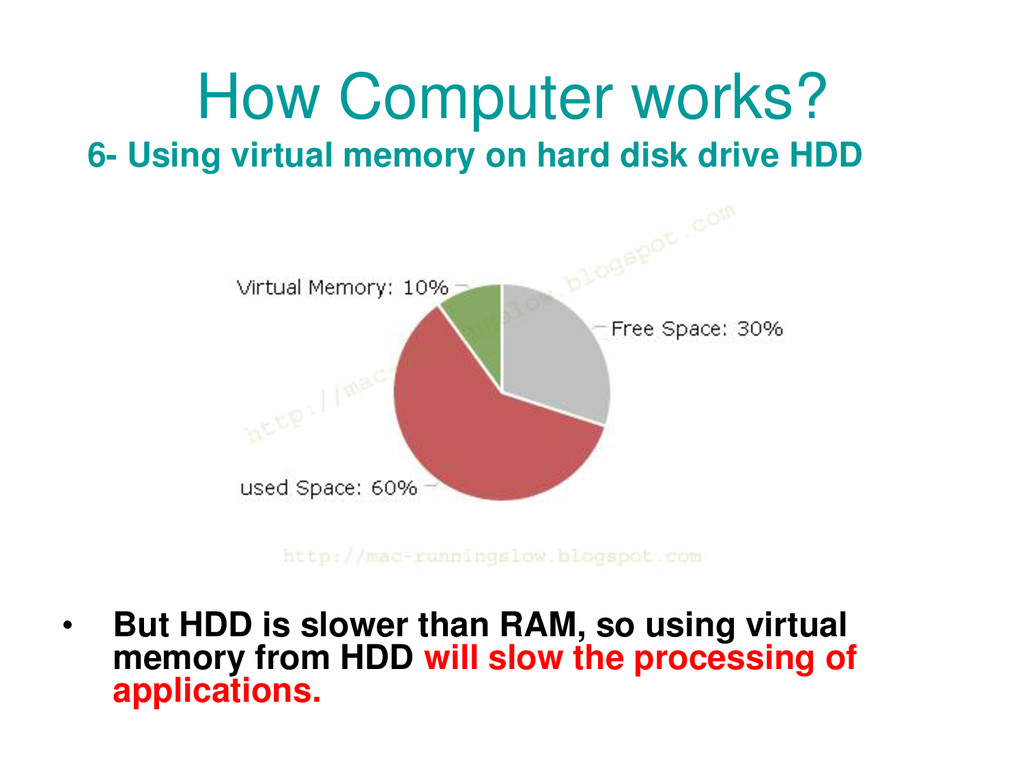
run more applications at the same time and there is not enough space left in RAM to hold the new data. • OS will solve the insufficient RAM space to run more application by reserving some free space found in HDD as a virtual memory and start using it beside the real RAM. 5- Insufficient RAM space !
almost full and there is not enough space for virtual memory. • Then your computer will suffer and become so slow waiting to finish some jobs to free some small space to the next job. 6- Insufficient RAM and HDD space !
applications at the same time leads to consuming hardware resources, and we should close the finished applications. • Add more or Replace your old RAM to Increase its capacity. • If the HDD free space is small try to buy a big one.
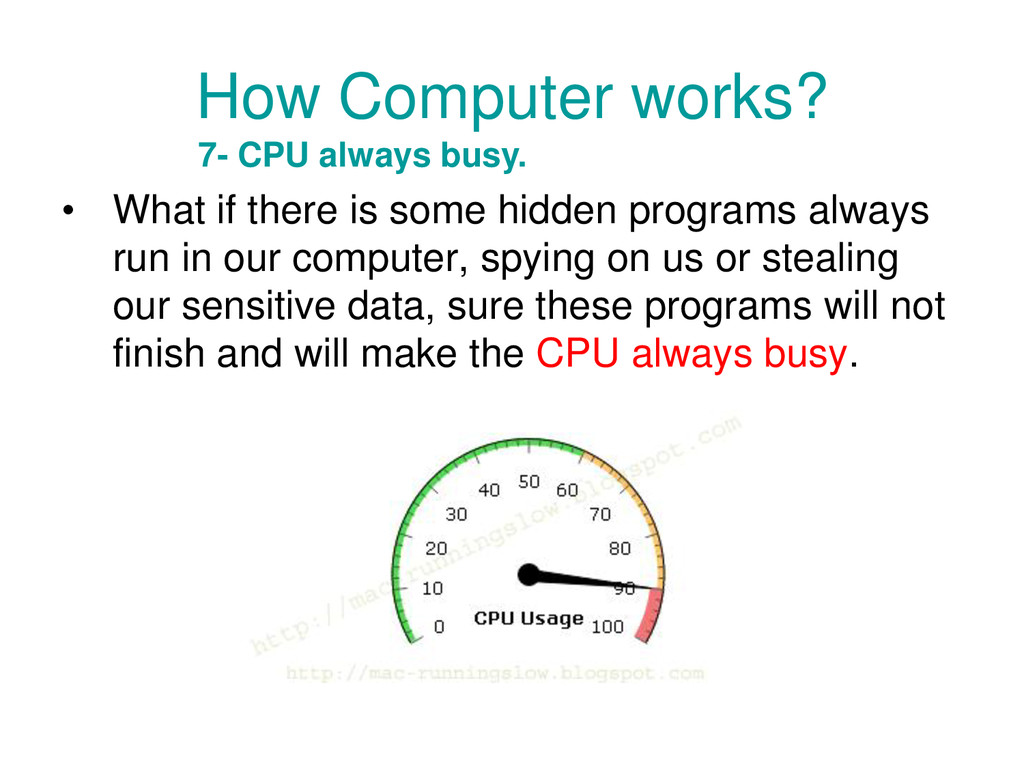
programs always run in our computer, spying on us or stealing our sensitive data, sure these programs will not finish and will make the CPU always busy. 7- CPU always busy.
computer start works fine and fast, there is no problem, but by time they become slow, Why? • By time all new applications require more hardware resources such as fast processor more HDD storage space and RAM space, and that will make our current computer to be slow. • When we using our computers most of our application stores settings, history logs, temporary files, update their files with new versions, add more packages from internet and so on, so they always become bigger.
we install adding more files to the OS and store additional setting to the system. • So when we startup our computer it needs more time to load the new files and new setting added to the system. • Even when we uninstall them, some of their settings and temporary log files stay in HDD.
Leftovers, Trashes, Cache Files, Logs, History files to speed up your computer. • Download Detox for MAC at http://bit.ly/1VcNUPI Fix the File Increasing


 glaforge
 riyaamemiya
 terurou
 daidaidai
 pfn
pfn
 yu23ki14
 tetsuya28
 maimyyym
 bgpat
bgpat
 terapyon
 shugo
shugo
 4o1sobblue
 sabderemane
 aleyda
 frankvandijk
 skoyamalab
 tonyrice
 sonatard
 tammyeverts
 codingconduct
 reverentgeek
 thoeni
 davidcarrasco