Tests 3. Takeaway #1: Building a Strong Foundation in Appium 4. Takeaway #2: Enhancing Your Debugging Experience 5. Takeaway #3: Narrow Down the Cause of Failures 6. Case study: Debugging a WebDriverAgent Issue 7. Conclusion MagicPod Inc. 2025 2
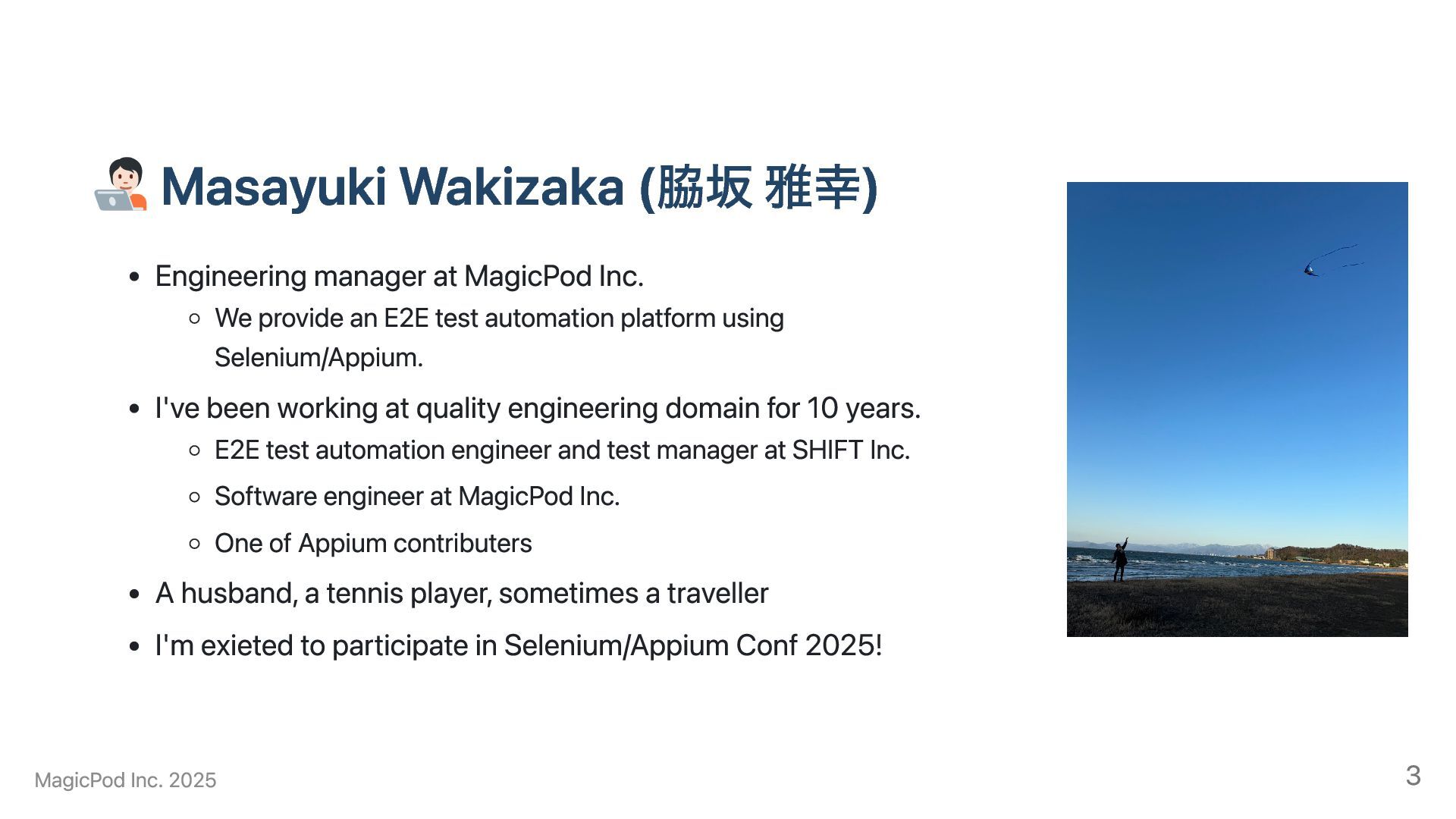
provide an E2E test automation platform using Selenium/Appium. I've been working at quality engineering domain for 10 years. E2E test automation engineer and test manager at SHIFT Inc. Software engineer at MagicPod Inc. One of Appium contributers A husband, a tennis player, sometimes a traveller I'm exieted to participate in Selenium/Appium Conf 2025! MagicPod Inc. 2025 3
network/device/server issue etc Integrations: Depends on test script, AUT, DUT, Appium, third party framework, network, machine resources, etc Performance: Abuse of XPath locators, server resource/load issue, platform difference etc MagicPod Inc. 2025 5
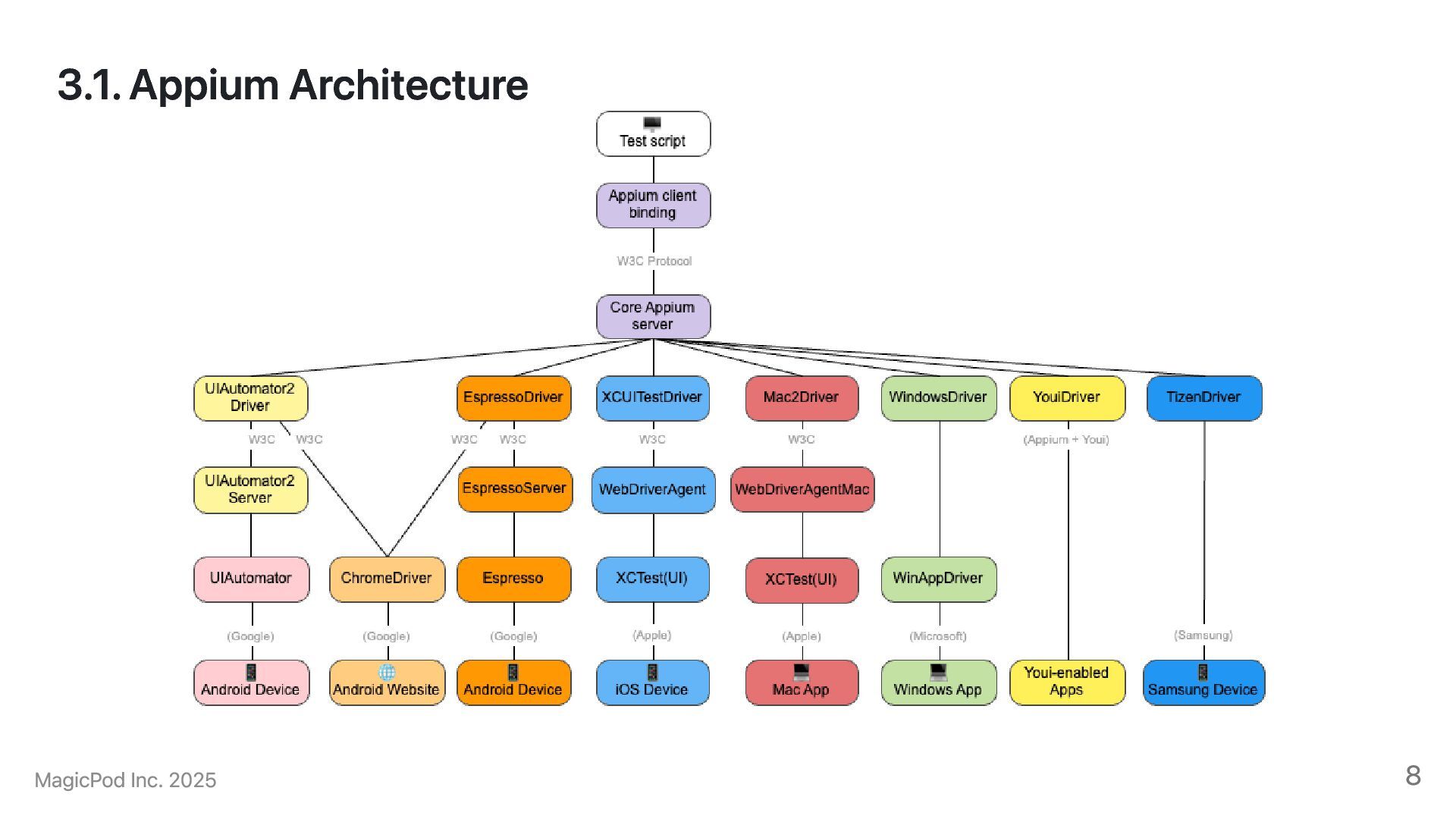
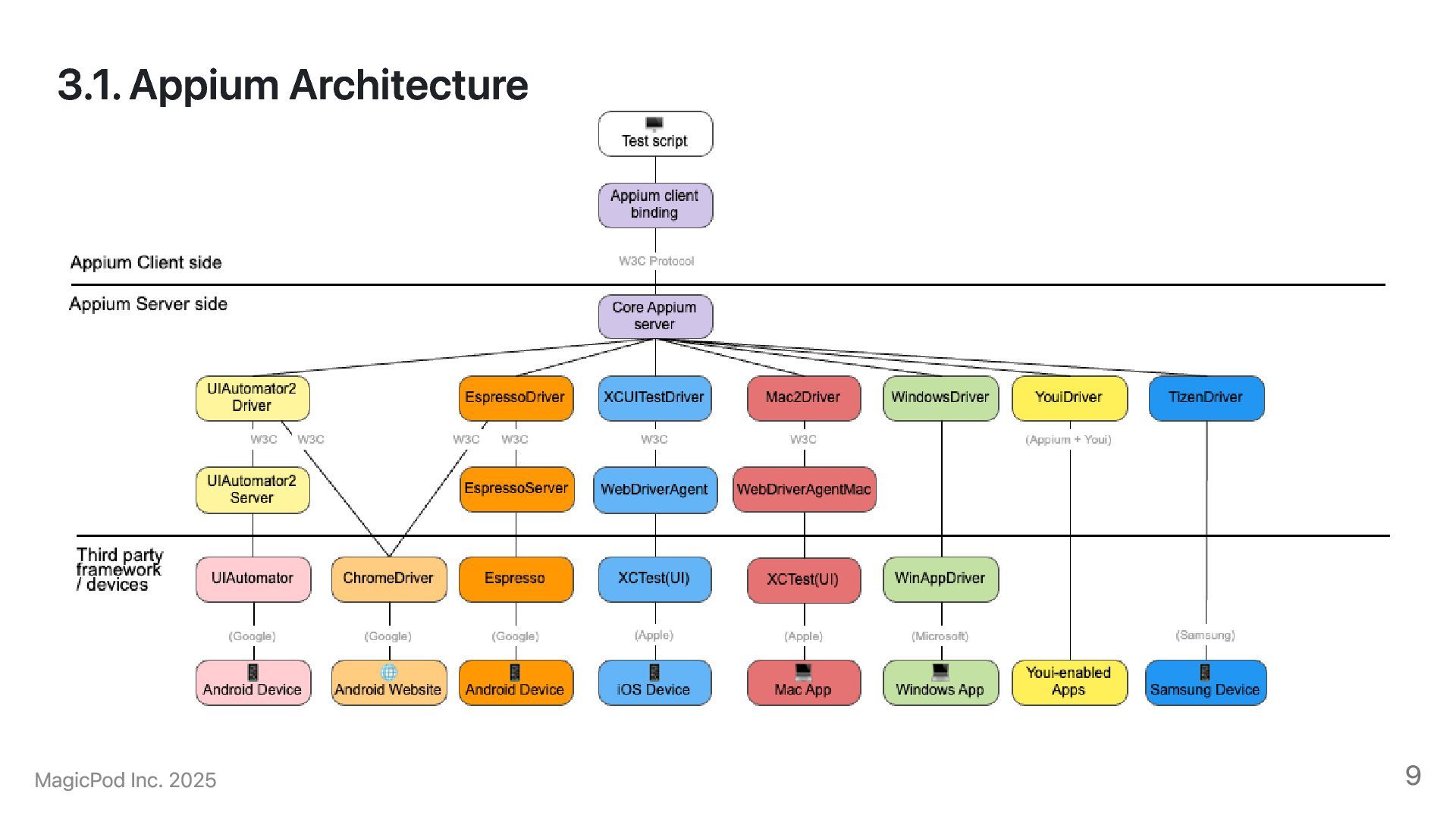
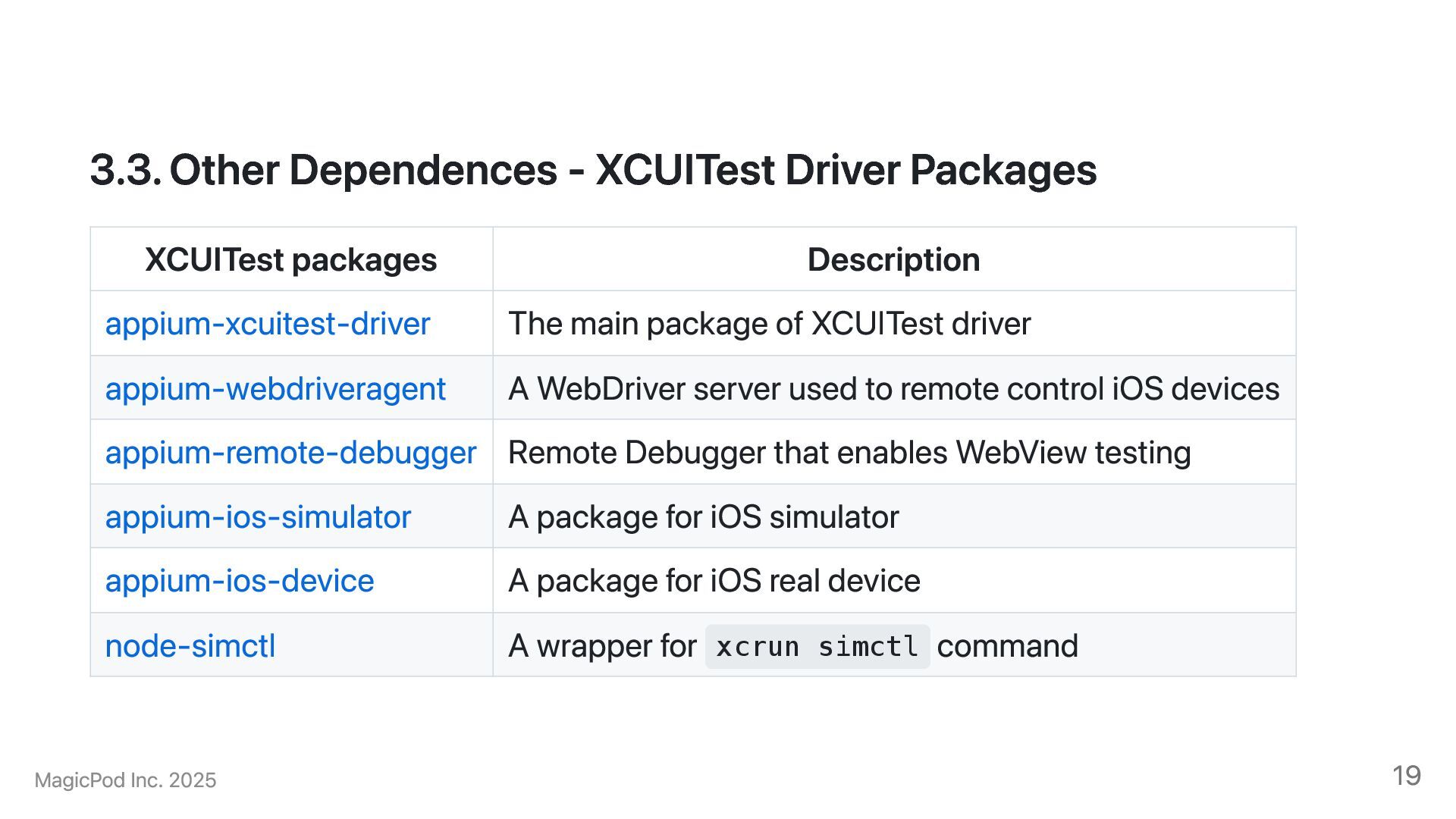
appium-xcuitest-driver The main package of XCUITest driver appium-webdriveragent A WebDriver server used to remote control iOS devices appium-remote-debugger Remote Debugger that enables WebView testing appium-ios-simulator A package for iOS simulator appium-ios-device A package for iOS real device node-simctl A wrapper for xcrun simctl command MagicPod Inc. 2025 19
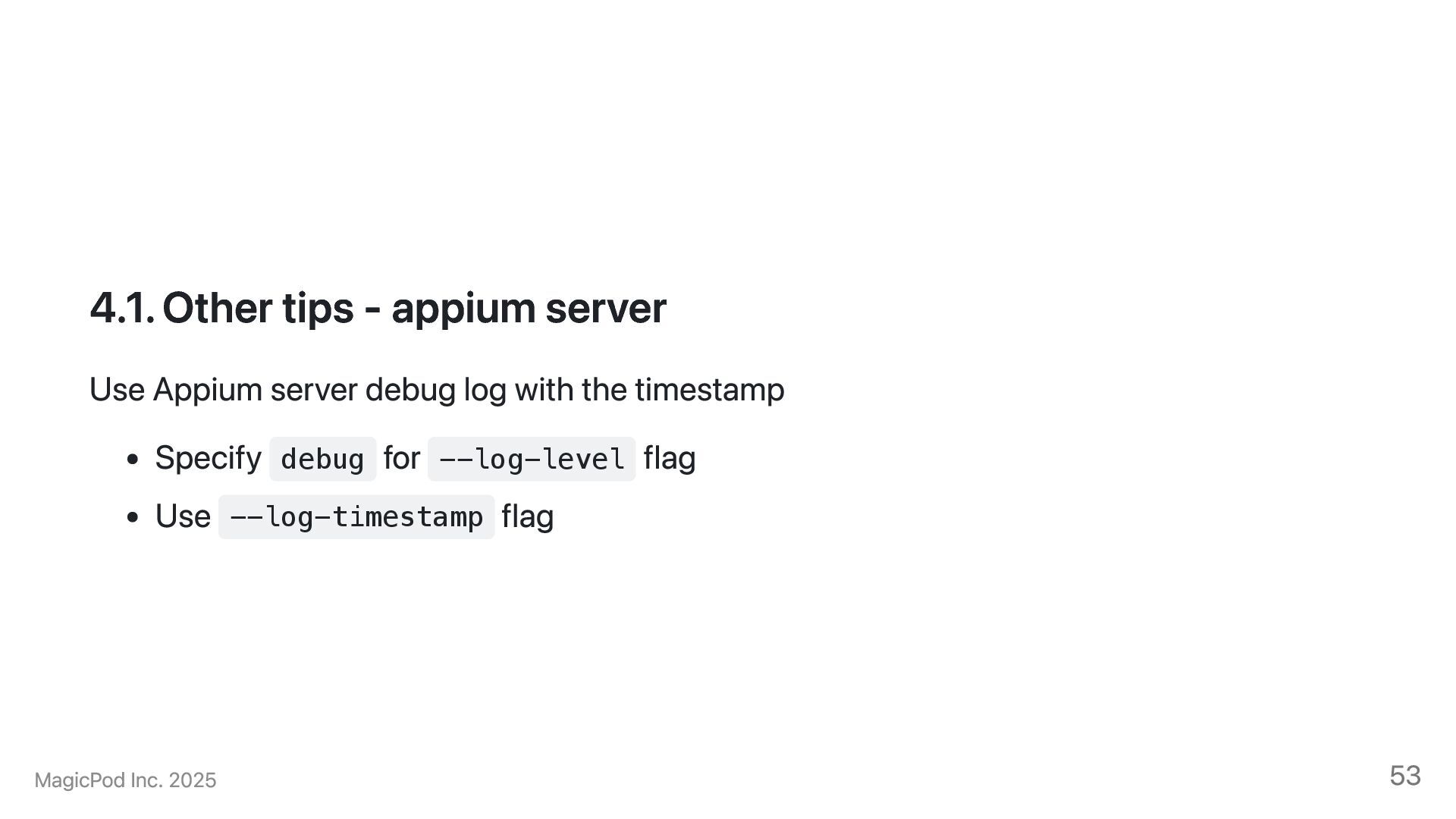
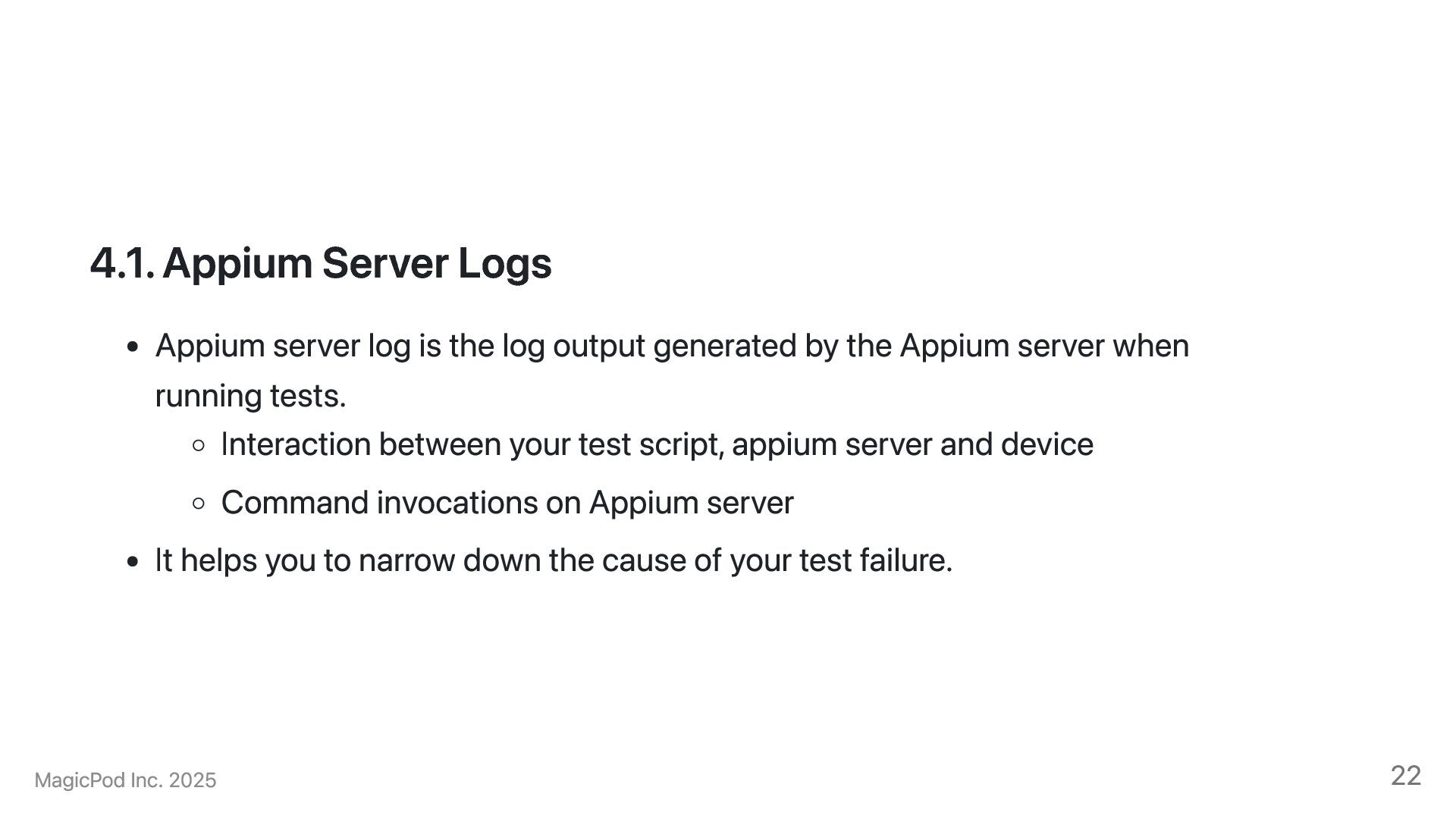
output generated by the Appium server when running tests. Interaction between your test script, appium server and device Command invocations on Appium server It helps you to narrow down the cause of your test failure. MagicPod Inc. 2025 22
a session, it conducts a series of complicated settings to run E2E tests It often helps to check if the Appium server recieves your intended desired capabilities [HTTP] --> POST /session {"capabilities":{"alwaysMatch":{... ... [XCUITestDriver@b2e2] Creating session with W3C capabilities: { "alwaysMatch": { "platformName": "iOS", "appium:platformVersion": "18.3", "appium:deviceName": "iPhone 12", "appium:automationName": "XCUITest", "appium:newCommandTimeout": 21600, "appium:app": "/Users/mwakizaka/..." }, ... [e8b04301][HTTP] <-- POST /session 200 7319 ms - 539 Full log: https://gist.github.com/mwakizaka/61c3a9722e911705ea248f7399fd15a8#file-session-creation-xcuitest-log 23
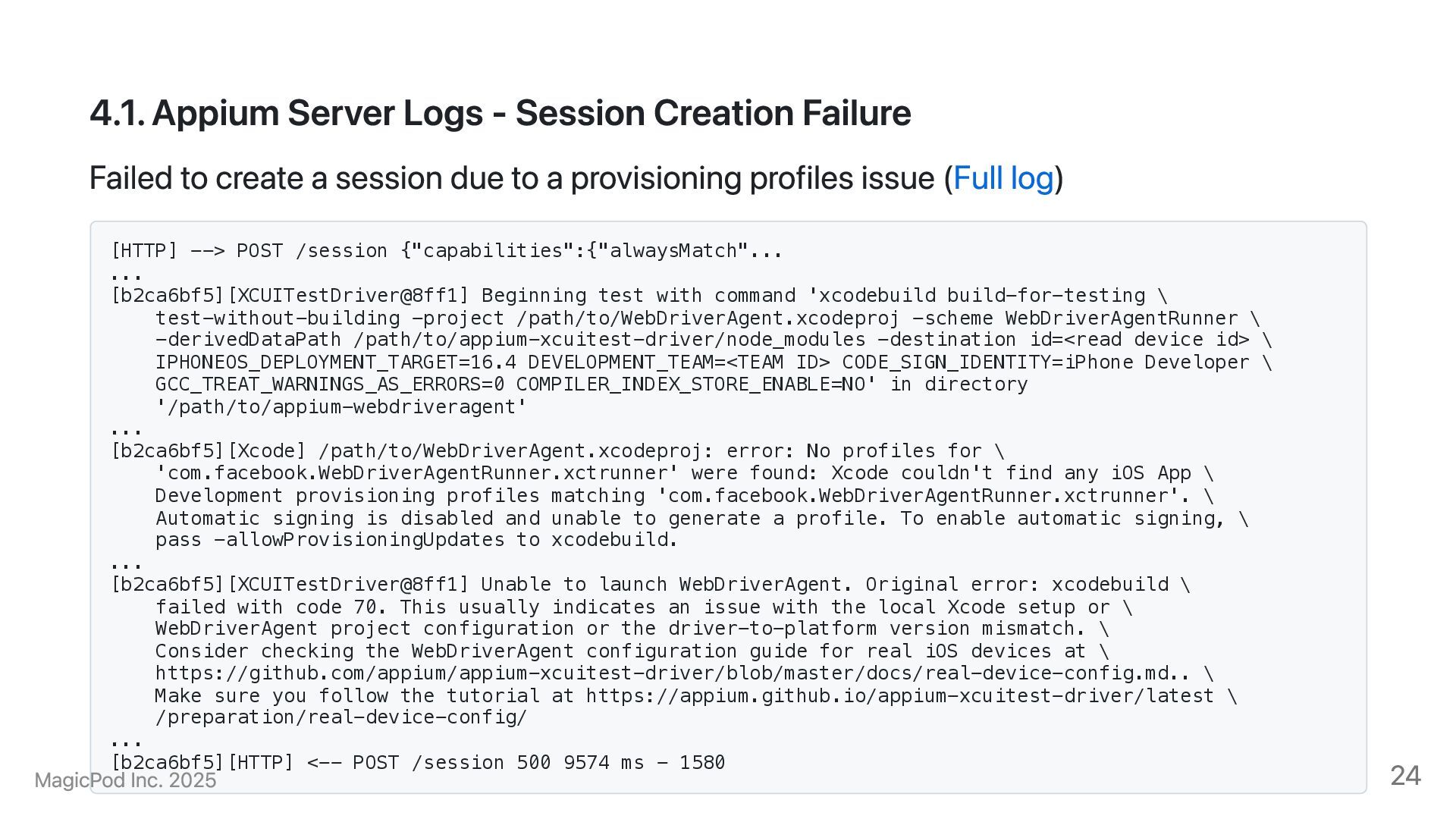
create a session due to a provisioning profiles issue (Full log) [HTTP] --> POST /session {"capabilities":{"alwaysMatch"... ... [b2ca6bf5][XCUITestDriver@8ff1] Beginning test with command 'xcodebuild build-for-testing \ test-without-building -project /path/to/WebDriverAgent.xcodeproj -scheme WebDriverAgentRunner \ -derivedDataPath /path/to/appium-xcuitest-driver/node_modules -destination id=<read device id> \ IPHONEOS_DEPLOYMENT_TARGET=16.4 DEVELOPMENT_TEAM=<TEAM ID> CODE_SIGN_IDENTITY=iPhone Developer \ GCC_TREAT_WARNINGS_AS_ERRORS=0 COMPILER_INDEX_STORE_ENABLE=NO' in directory '/path/to/appium-webdriveragent' ... [b2ca6bf5][Xcode] /path/to/WebDriverAgent.xcodeproj: error: No profiles for \ 'com.facebook.WebDriverAgentRunner.xctrunner' were found: Xcode couldn't find any iOS App \ Development provisioning profiles matching 'com.facebook.WebDriverAgentRunner.xctrunner'. \ Automatic signing is disabled and unable to generate a profile. To enable automatic signing, \ pass -allowProvisioningUpdates to xcodebuild. ... [b2ca6bf5][XCUITestDriver@8ff1] Unable to launch WebDriverAgent. Original error: xcodebuild \ failed with code 70. This usually indicates an issue with the local Xcode setup or \ WebDriverAgent project configuration or the driver-to-platform version mismatch. \ Consider checking the WebDriverAgent configuration guide for real iOS devices at \ https://github.com/appium/appium-xcuitest-driver/blob/master/docs/real-device-config.md.. \ Make sure you follow the tutorial at https://appium.github.io/appium-xcuitest-driver/latest \ /preparation/real-device-config/ ... [b2ca6bf5][HTTP] <-- POST /session 500 9574 ms - 1580 MagicPod Inc. 2025 24
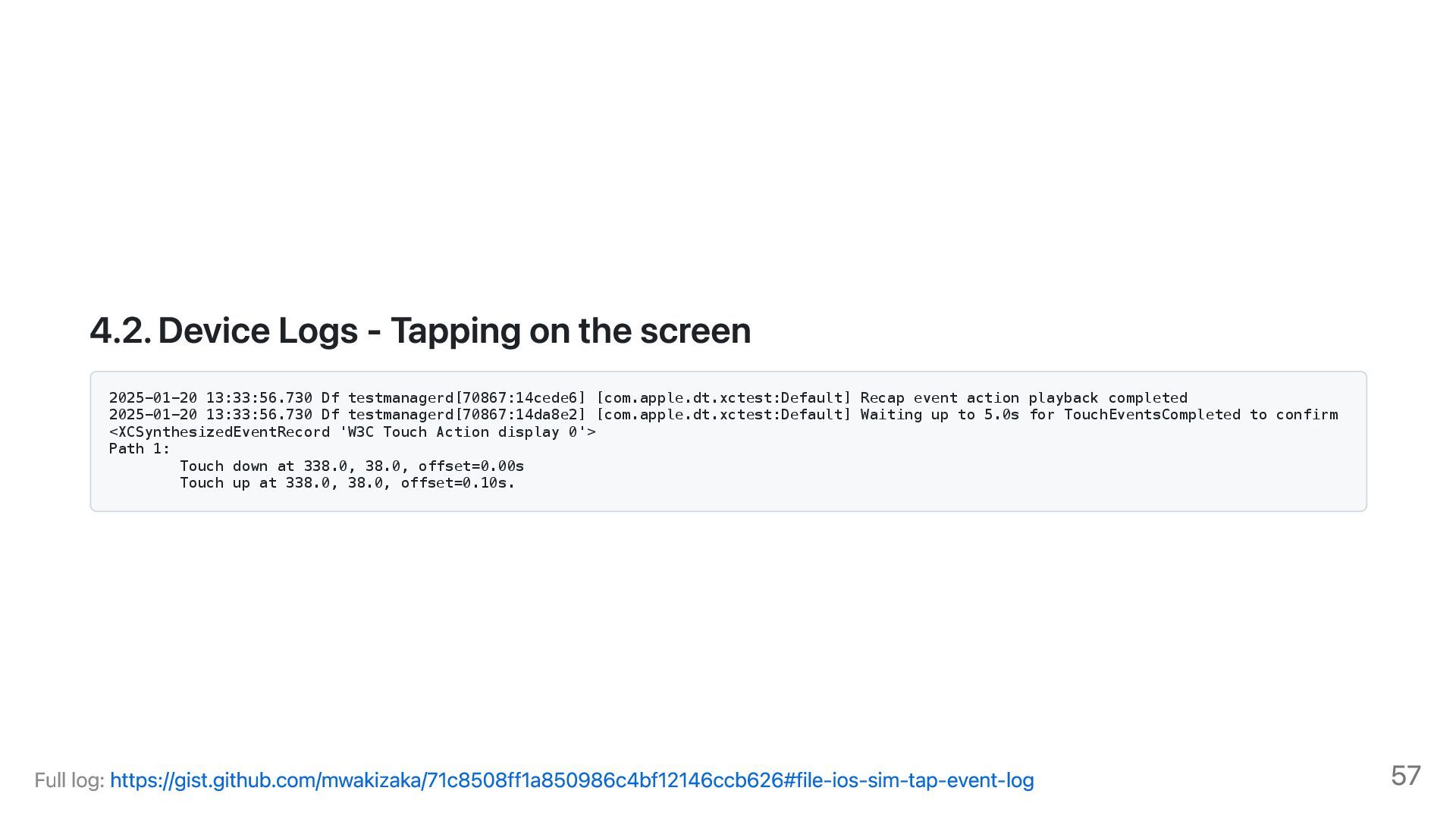
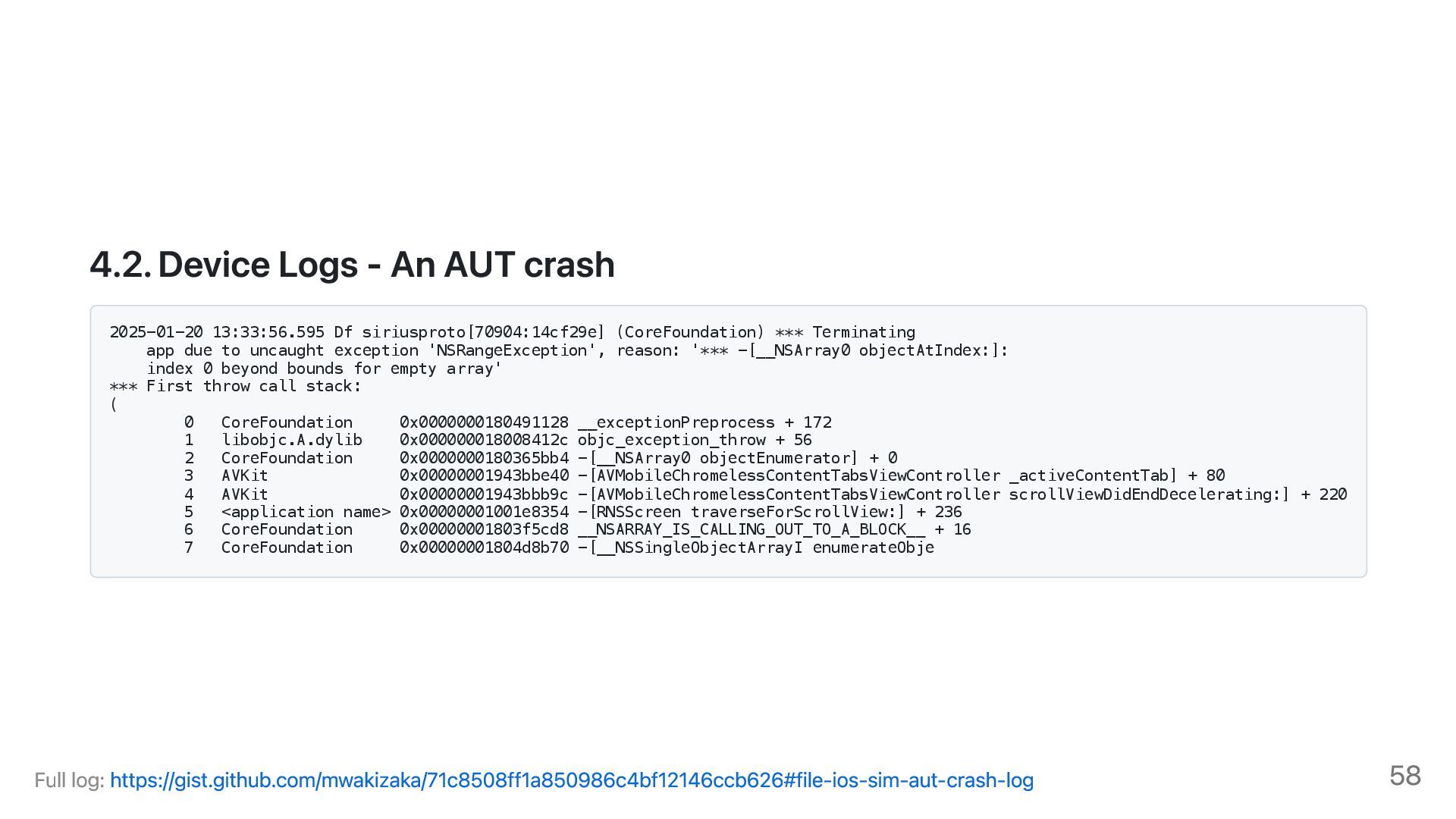
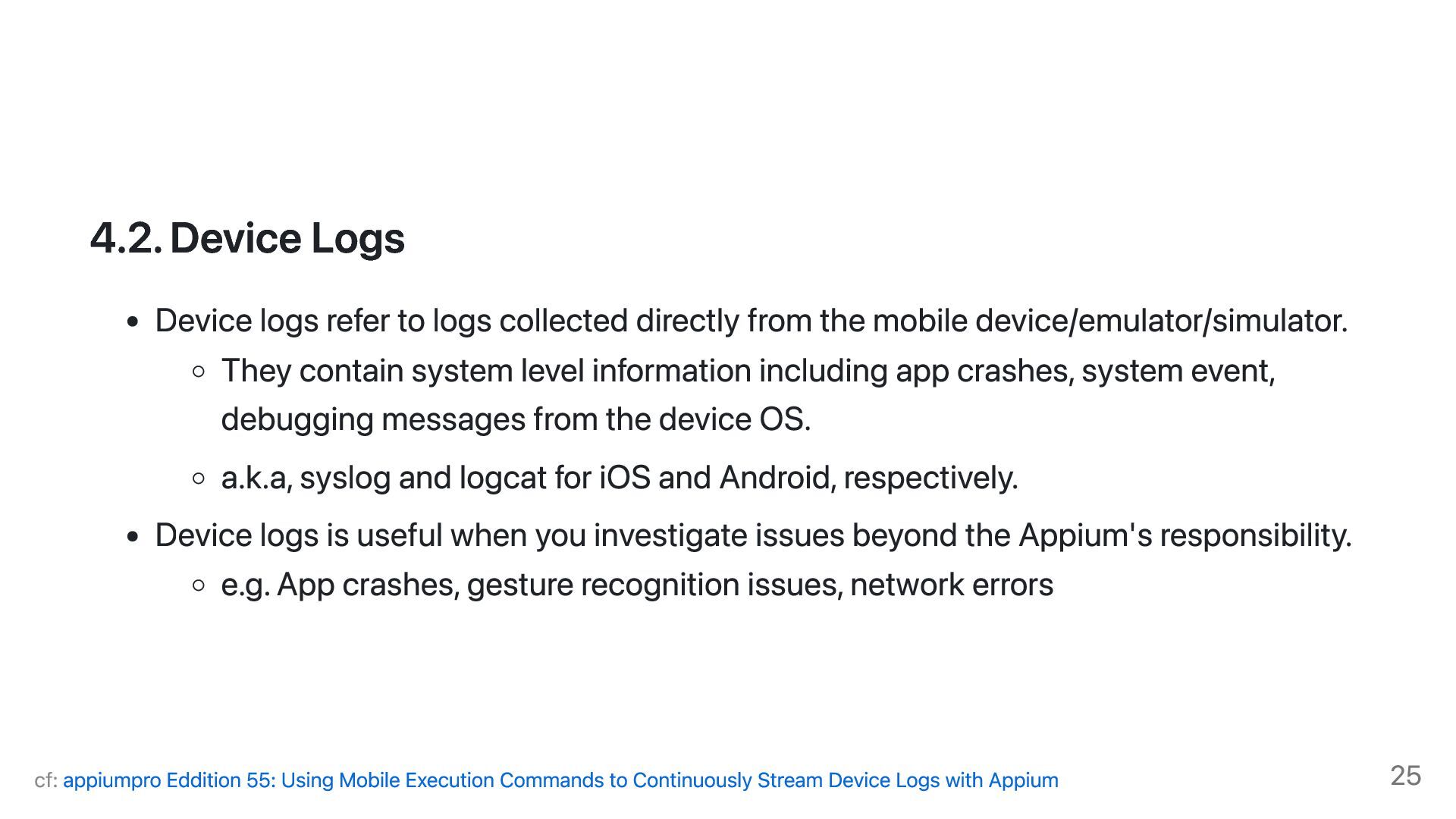
from the mobile device/emulator/simulator. They contain system level information including app crashes, system event, debugging messages from the device OS. a.k.a, syslog and logcat for iOS and Android, respectively. Device logs is useful when you investigate issues beyond the Appium's responsibility. e.g. App crashes, gesture recognition issues, network errors cf: appiumpro Eddition 55: Using Mobile Execution Commands to Continuously Stream Device Logs with Appium 25
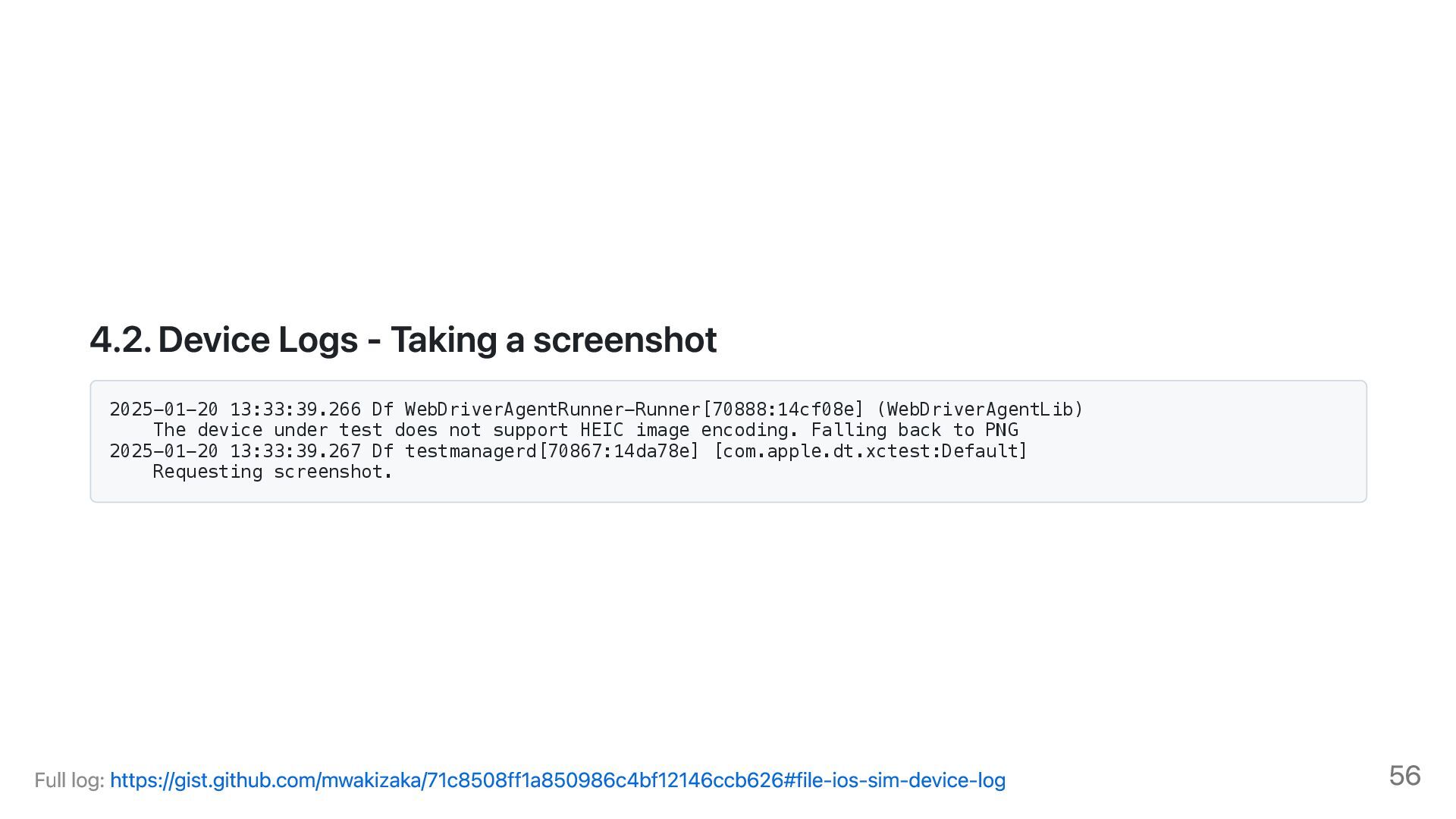
[com.apple.dt.xctest:Default] Requesting screenshot. # Component Description 1 2025-01-20 13:33:39.267 Timestamp (Date, Time, Microseconds) 2 Df log level 3 testmanagerd Sub system (e.g. App name, process name, bundle id) 4 [70867:14da78e] Process ID (PID) and Thread ID (TID) 5 [com.apple.dt.xctest:Default] Log category (e.g., General, Network, UI, etc.) 6 Requesting screenshot. The actual log message MagicPod Inc. 2025 26
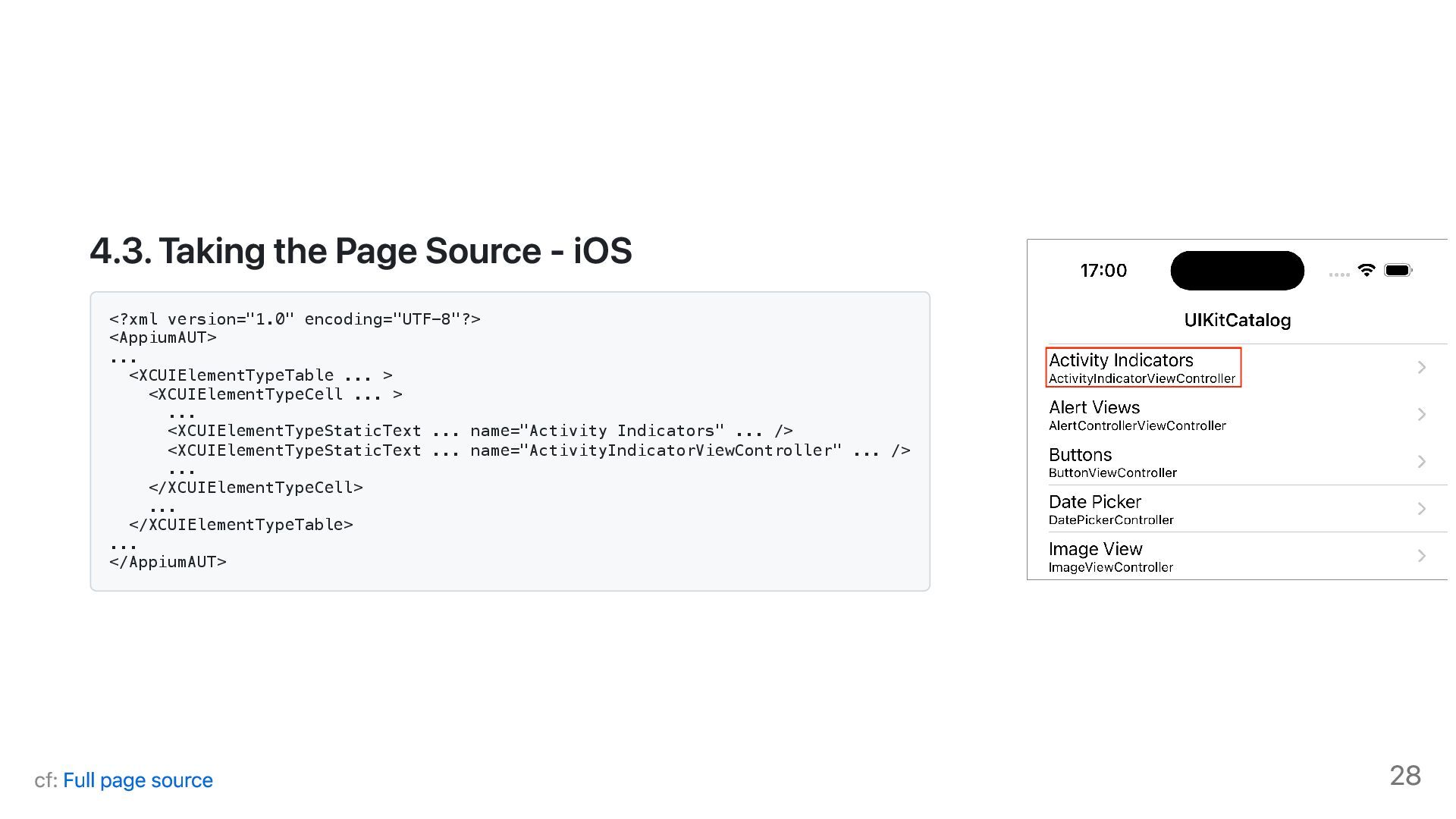
XML reprensentation of the current screen of AUT. It helps your debugging especially when you take it before finishing running E2E test. It may capture the screen where the element of you element does not appear. MagicPod Inc. 2025 27
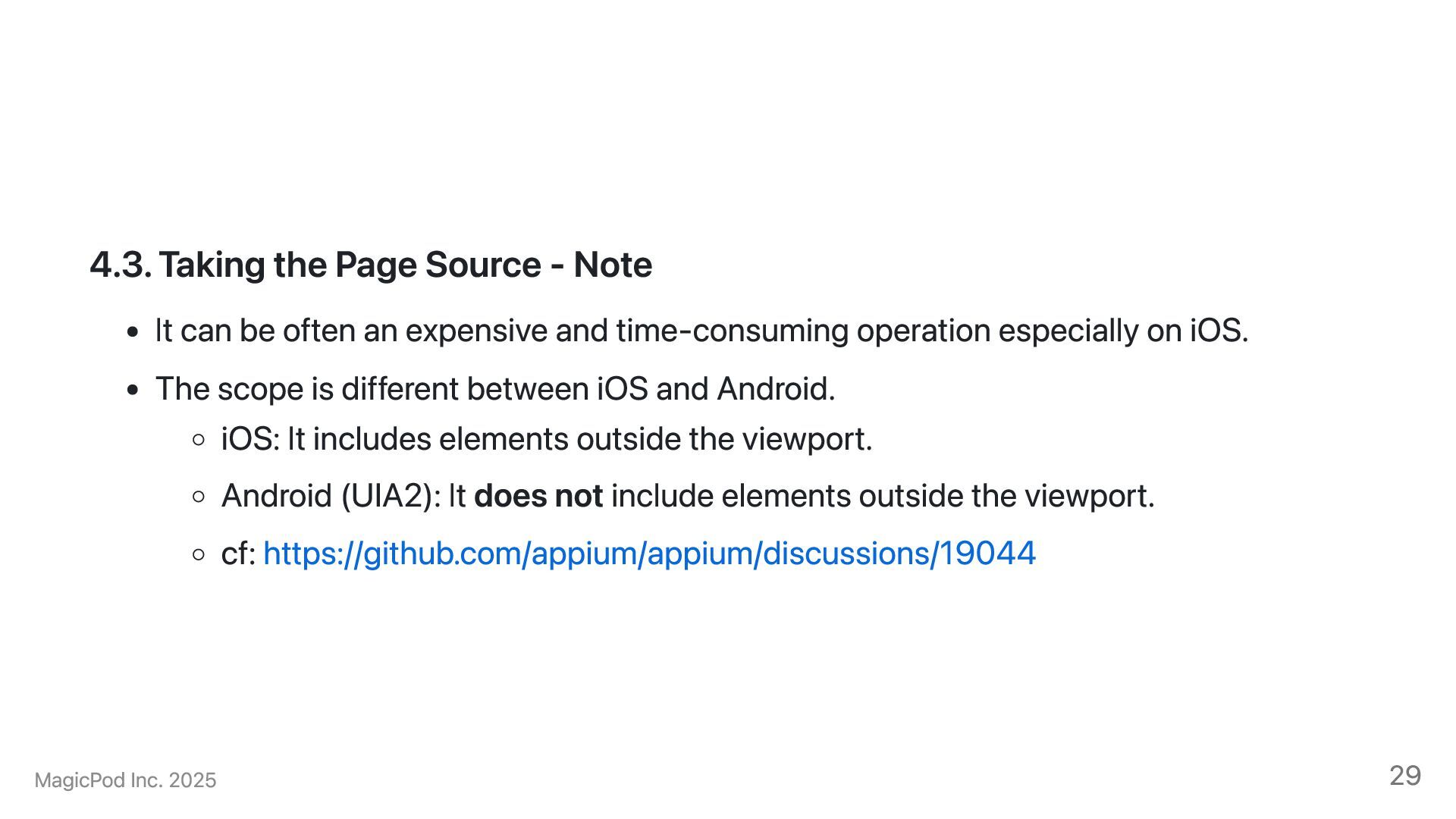
often an expensive and time-consuming operation especially on iOS. The scope is different between iOS and Android. iOS: It includes elements outside the viewport. Android (UIA2): It does not include elements outside the viewport. cf: https://github.com/appium/appium/discussions/19044 MagicPod Inc. 2025 29
on your need, but I recommend recording a movie. If you go with screenshots, I recommend taking a screenshot every after interacting with your AUT. Some cloud providers such as SauceLabs and Browserstack support recording movies during the test run by default. Screenshots and movies may not be available when some settings such as FLAG_SECURE is enabled MagicPod Inc. 2025 30
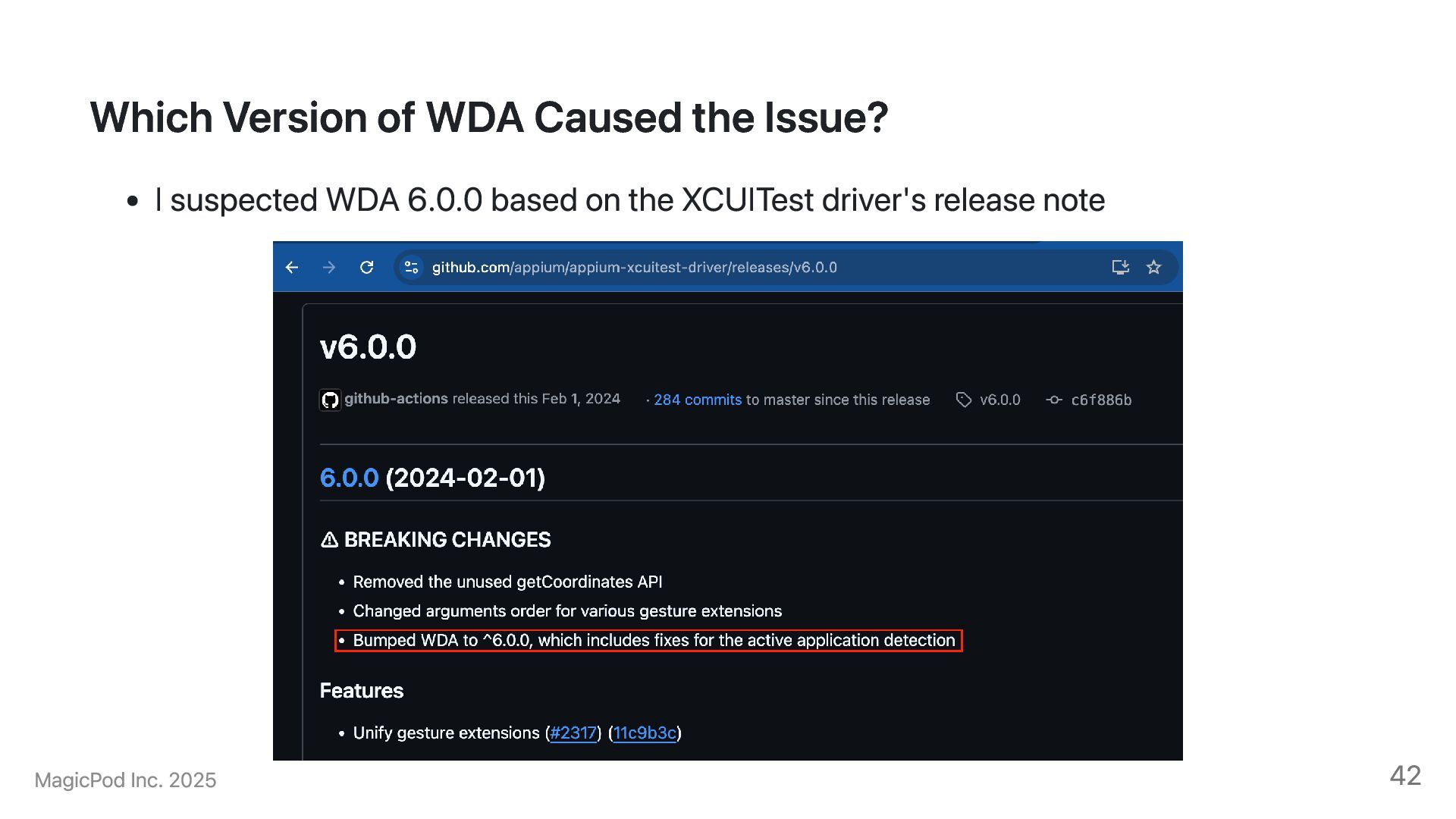
product and test may contribute to an E2E test failure. You should run E2E test as frequently as possible. -> It helps you to narrow down the changes which caused a test failure. You should avoid conducting large changes at once. Appium project adopts the semantic versioning. When they bump up the major version, it includes a breaking change. You should read carefully the release note. They sometimes drop support for older iOS versions. cf: Xcode/iOS Version Support 32
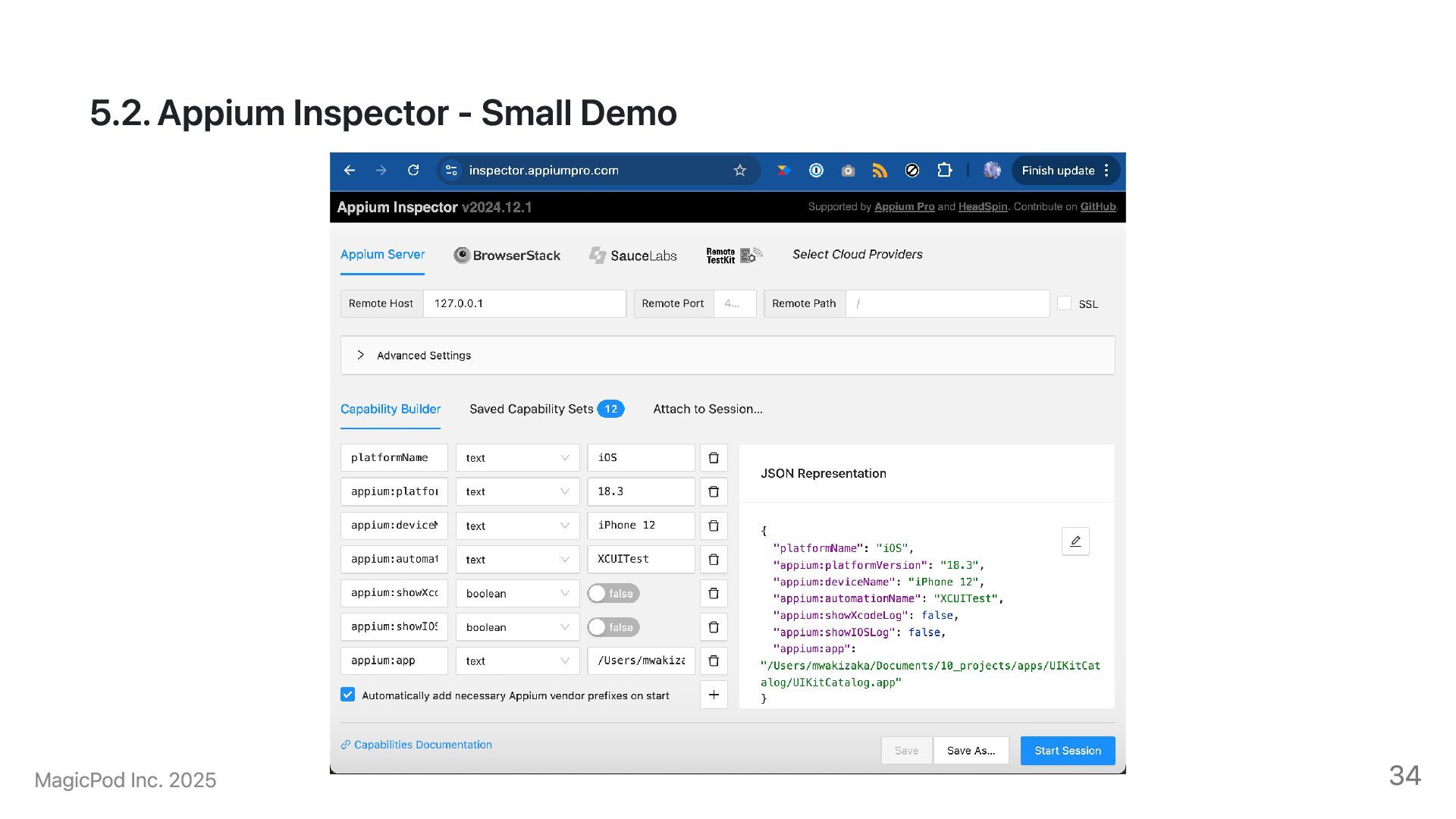
visual inspection of the AUT. It works like an REPL. You don't have to implement your test script for debugging. You can try reproducing your test failure using Appium Inspector Note that you need to launch an Appium server beforehand. specify --allow-cors flag when using Appium Inspector on the web MagicPod Inc. 2025 33
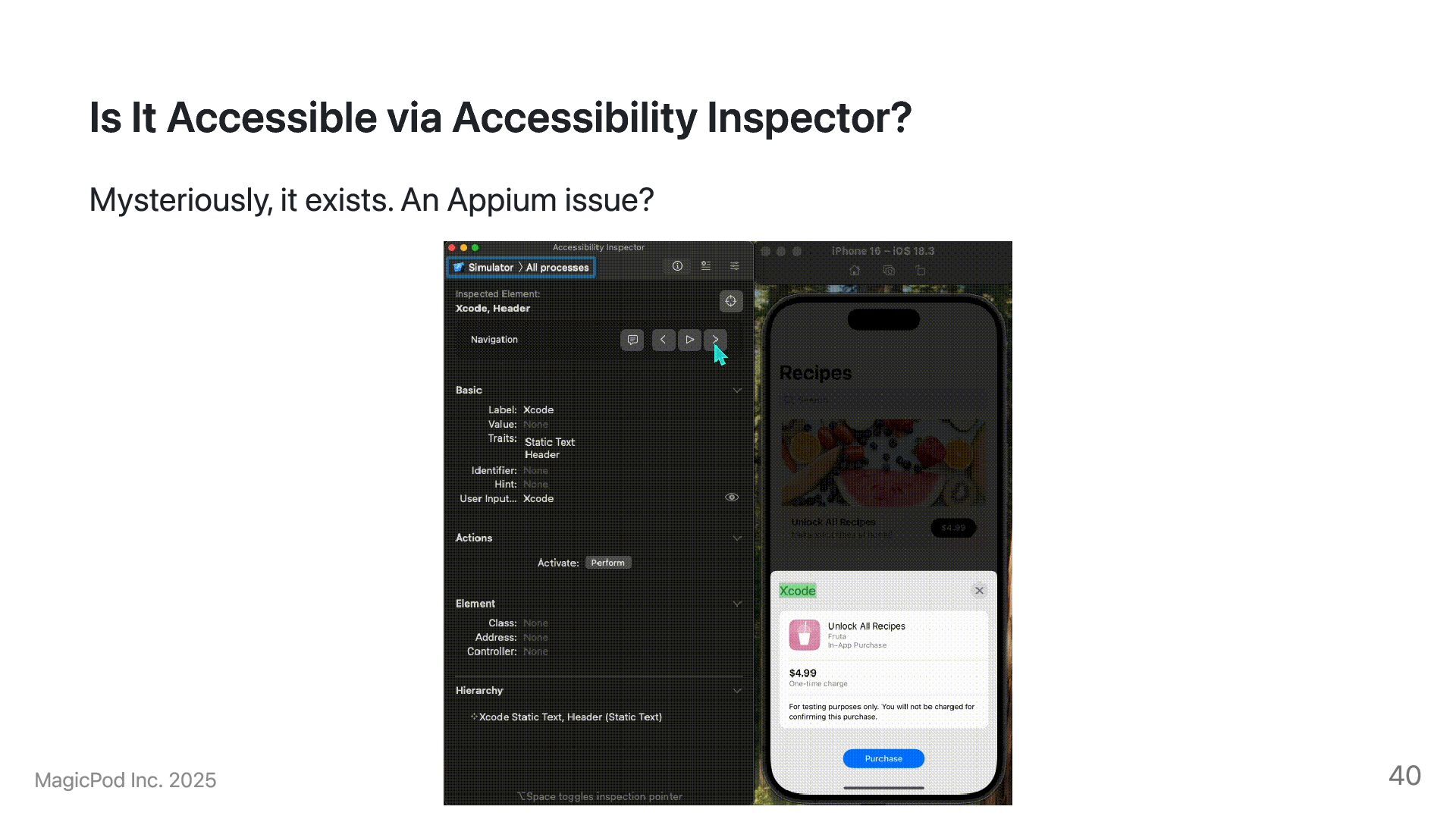
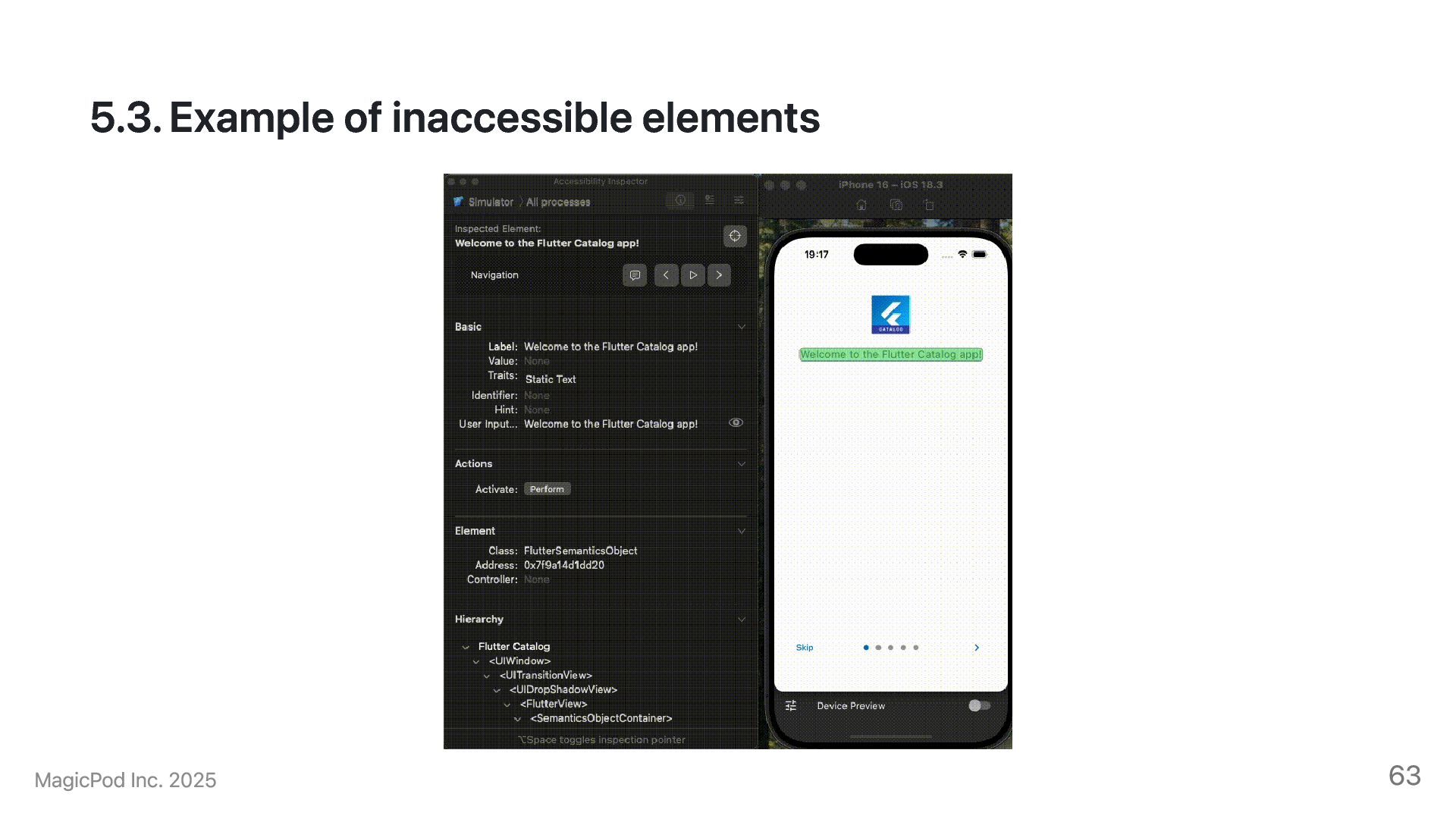
Source Make sure if the element is accessbile via accessibility feature VoiceOver on iOS TalkBack on Android You can also use IDE tools Accessibility Inspector on Xcode Layout Inspector on Android Studio MagicPod Inc. 2025 35
sheet on the page source. We expected there should have been an element like <XCUIElementTypeButton type="XCUIElementTypeButton" name="footer" label="Purchase" .../> Previously, we could interact with the elements. cf: Page Source 39
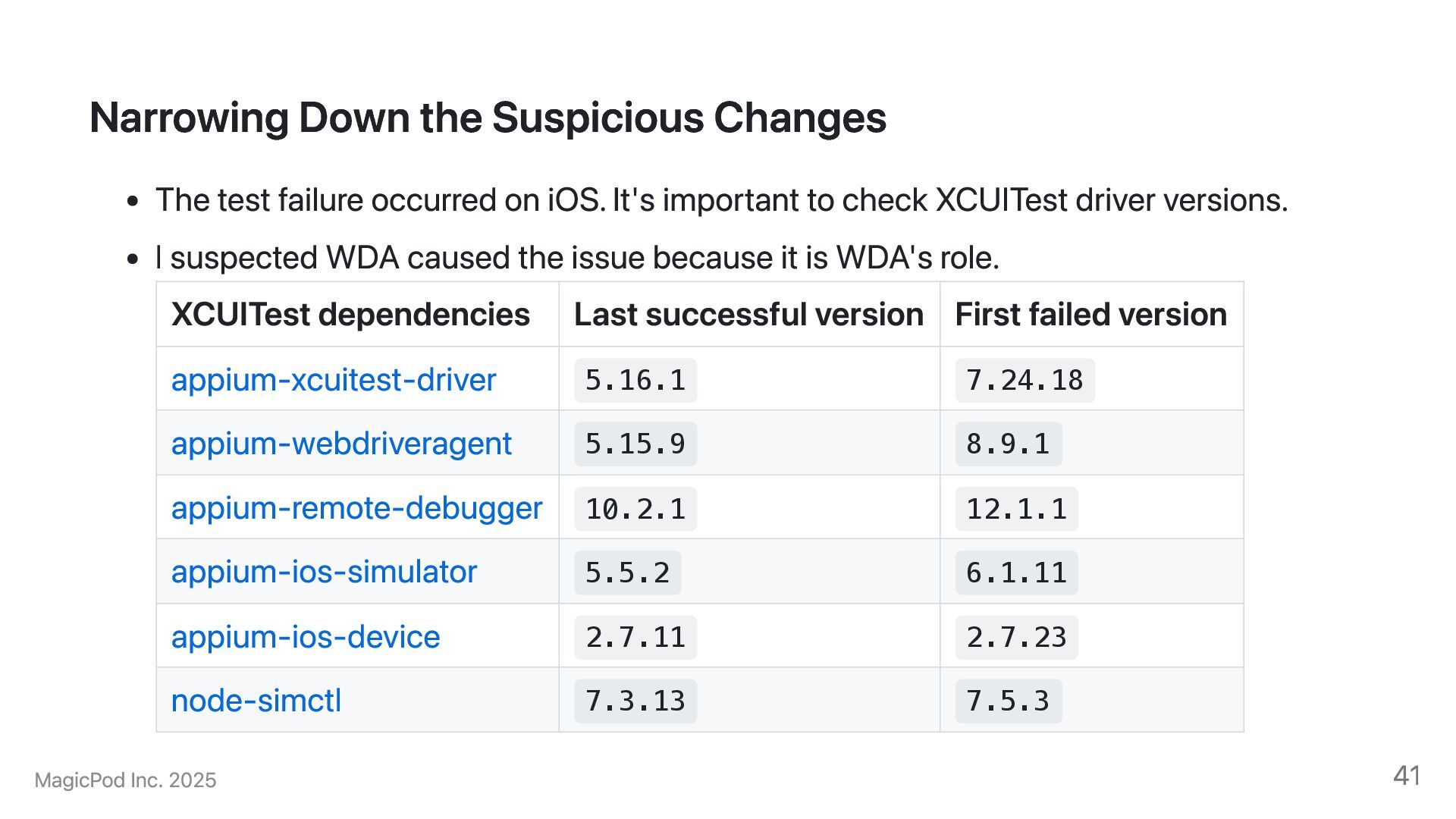
iOS. It's important to check XCUITest driver versions. I suspected WDA caused the issue because it is WDA's role. XCUITest dependencies Last successful version First failed version appium-xcuitest-driver 5.16.1 7.24.18 appium-webdriveragent 5.15.9 8.9.1 appium-remote-debugger 10.2.1 12.1.1 appium-ios-simulator 5.5.2 6.1.11 appium-ios-device 2.7.11 2.7.23 node-simctl 7.3.13 7.5.3 MagicPod Inc. 2025 41
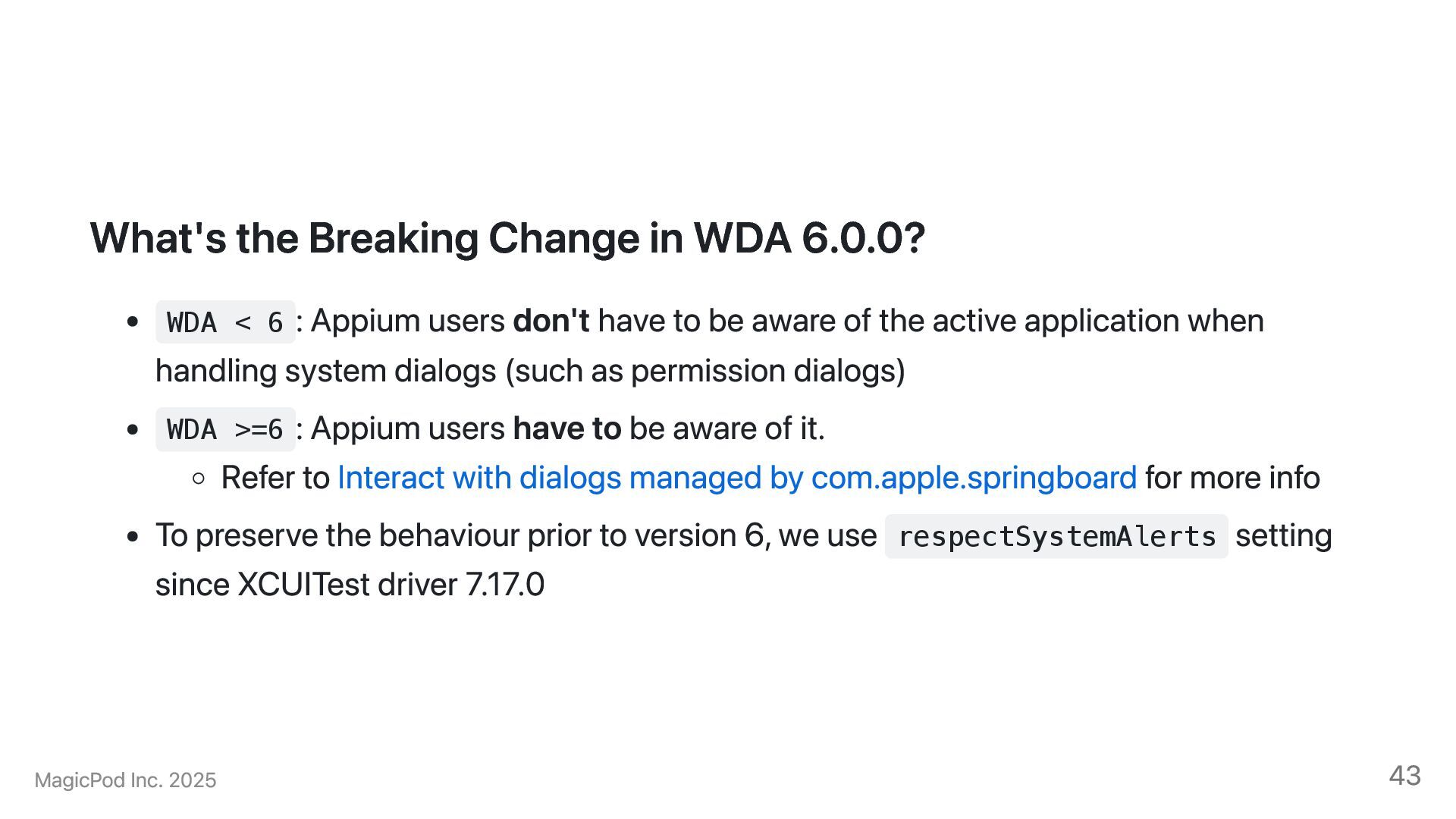
: Appium users don't have to be aware of the active application when handling system dialogs (such as permission dialogs) WDA >=6 : Appium users have to be aware of it. Refer to Interact with dialogs managed by com.apple.springboard for more info To preserve the behaviour prior to version 6, we use respectSystemAlerts setting since XCUITest driver 7.17.0 MagicPod Inc. 2025 43
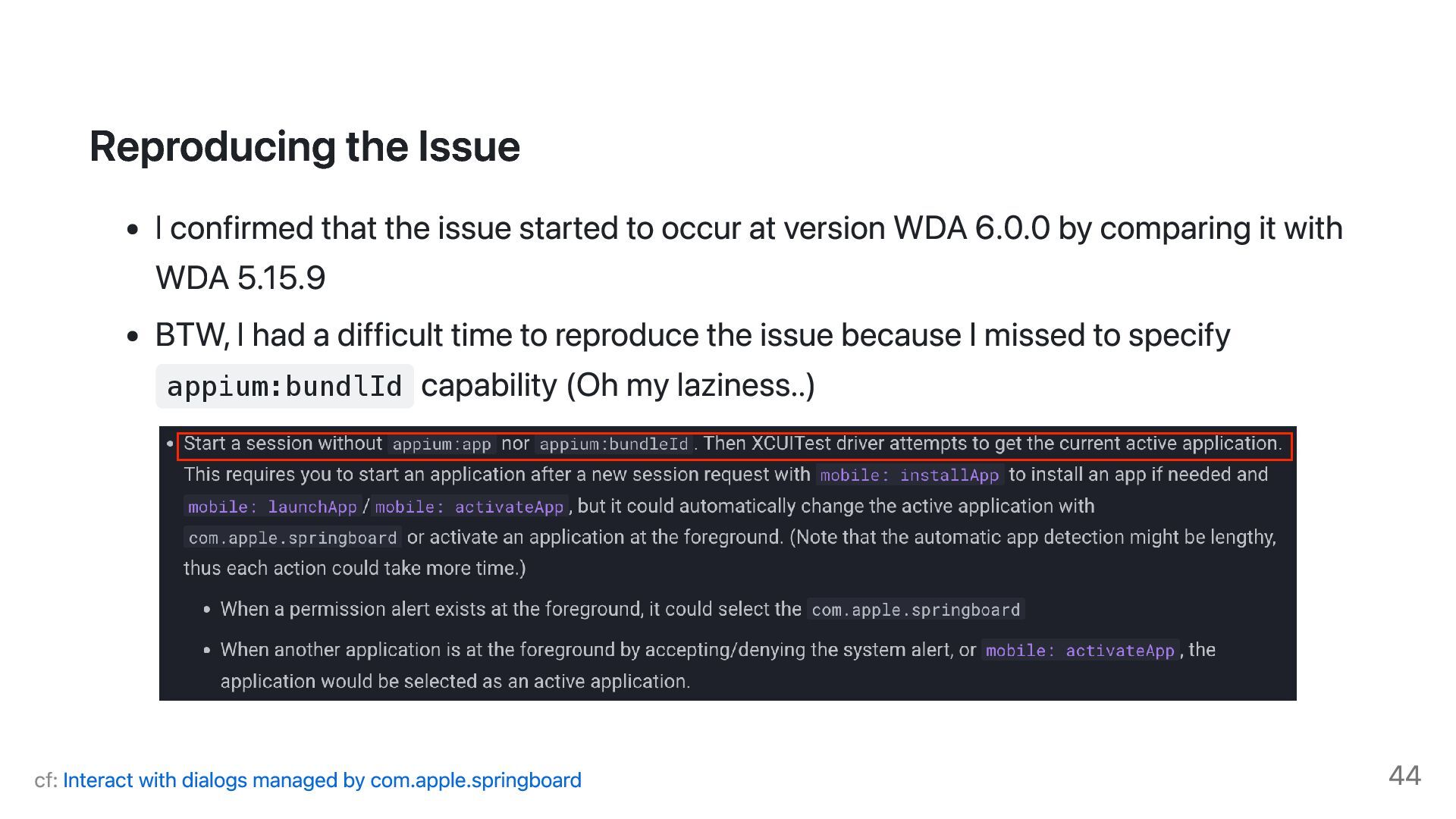
occur at version WDA 6.0.0 by comparing it with WDA 5.15.9 BTW, I had a difficult time to reproduce the issue because I missed to specify appium:bundlId capability (Oh my laziness..) cf: Interact with dialogs managed by com.apple.springboard 44
managed to submit a pull request. By this PR, respectSystemAlerts setting takes into account of half sheet. The reviewers are very friendly and responsive. You can also create a ticket in the Appium project and request the maintainers to fix it if you encounter an Appium issue. MagicPod Inc. 2025 45
of failure in mobile E2E testing. Although we don't have a silver bullet, there are some lead bullets. Building the basic understanding on Appium, the structure and its dependences will improve your guess for which dependency contributes to test failures. Enhancing Your Debugging Experience helps you to dive into test failures Narrowing down the cause of failures is the first step for resolving the test failures MagicPod Inc. 2025 47
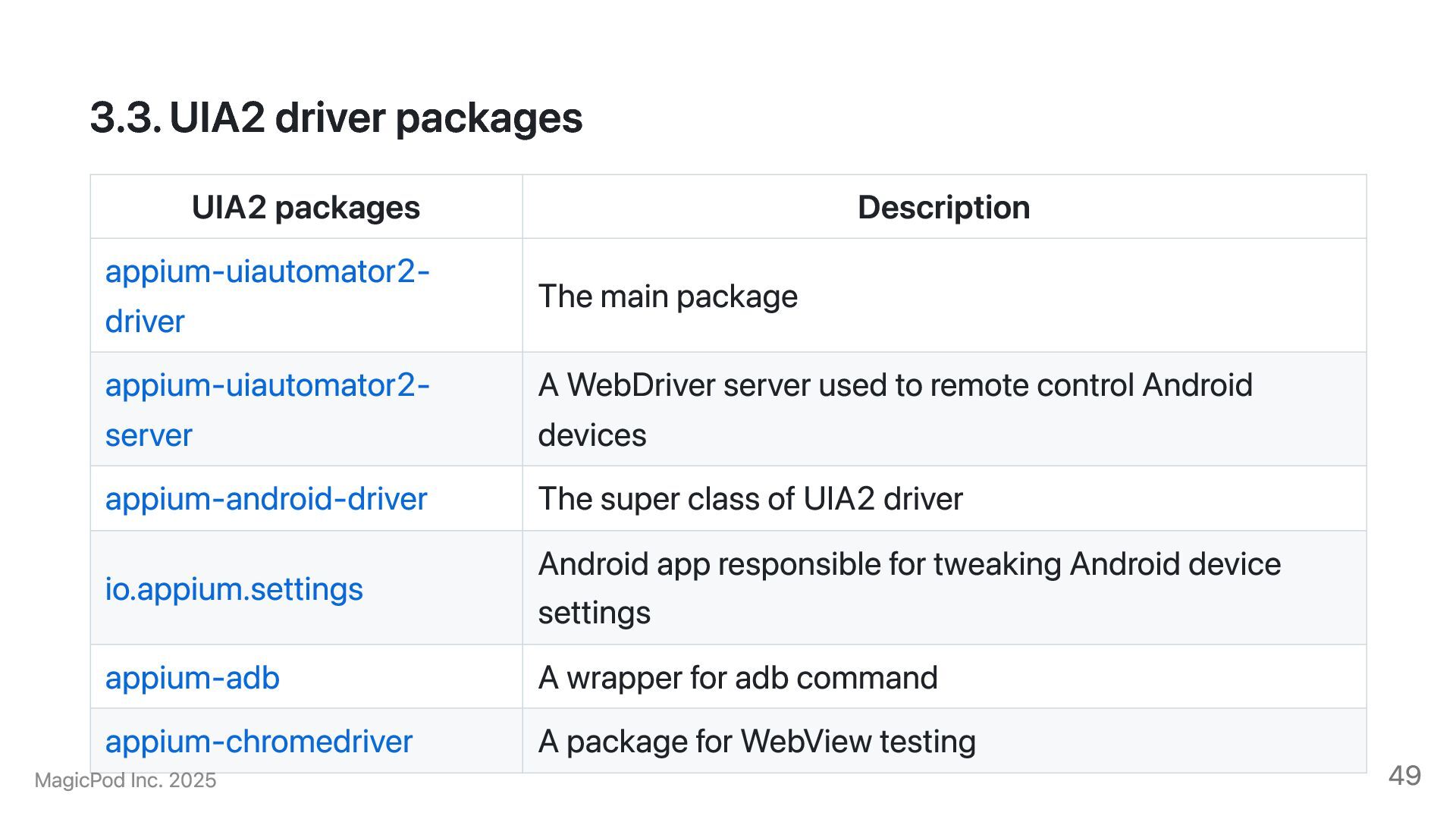
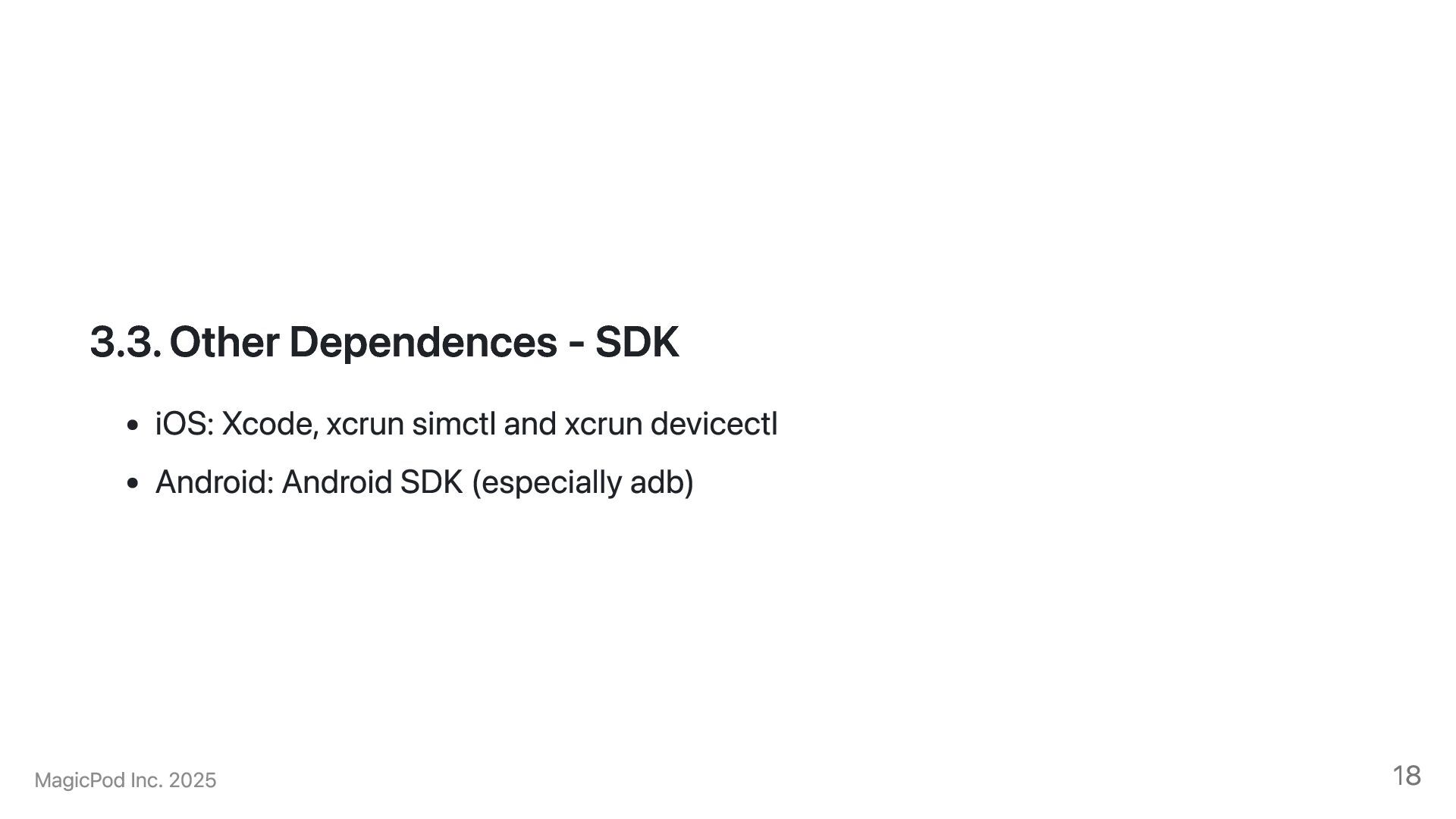
main package appium-uiautomator2- server A WebDriver server used to remote control Android devices appium-android-driver The super class of UIA2 driver io.appium.settings Android app responsible for tweaking Android device settings appium-adb A wrapper for adb command appium-chromedriver A package for WebView testing MagicPod Inc. 2025 49
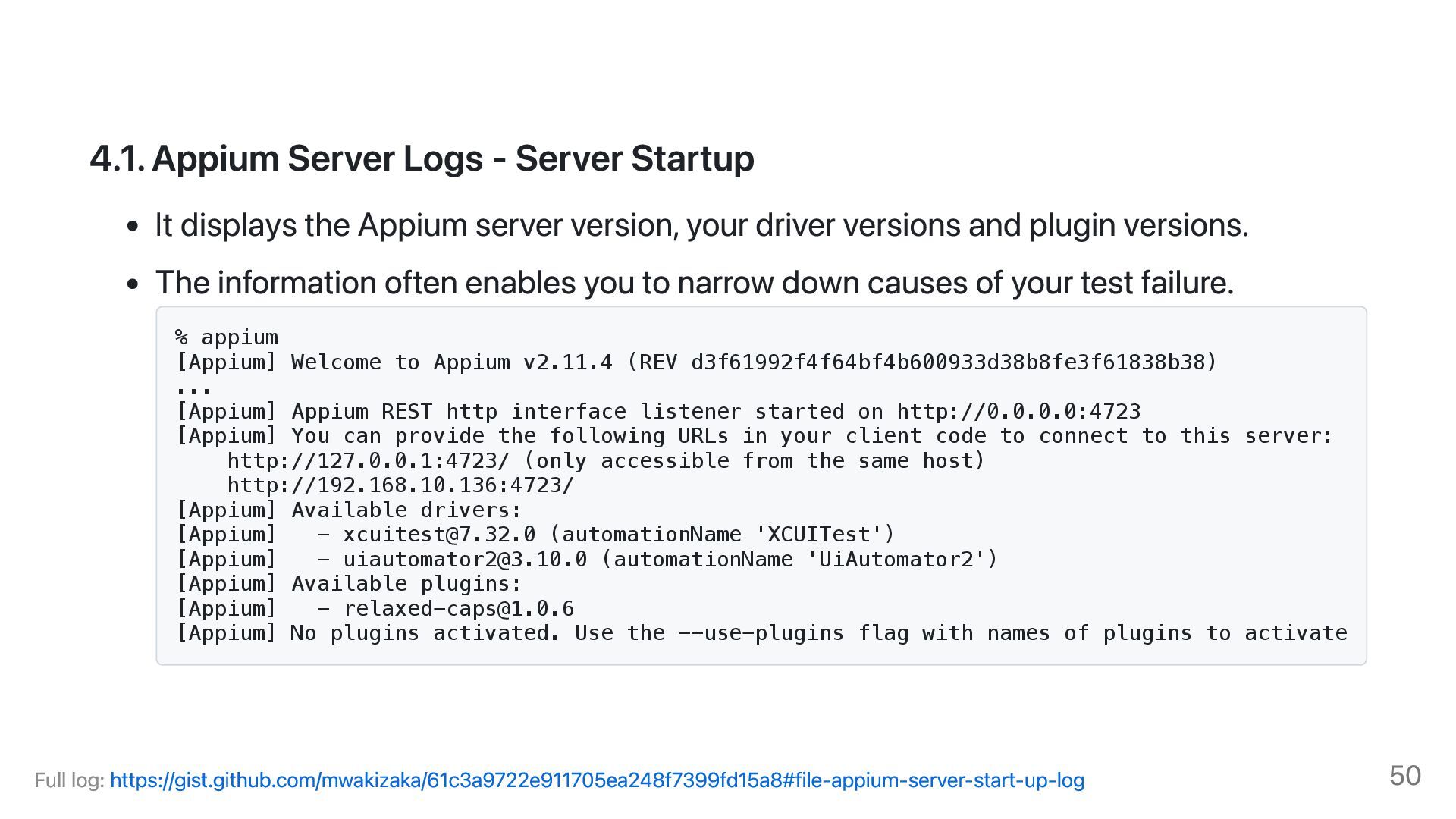
Appium server version, your driver versions and plugin versions. The information often enables you to narrow down causes of your test failure. % appium [Appium] Welcome to Appium v2.11.4 (REV d3f61992f4f64bf4b600933d38b8fe3f61838b38) ... [Appium] Appium REST http interface listener started on http://0.0.0.0:4723 [Appium] You can provide the following URLs in your client code to connect to this server: http://127.0.0.1:4723/ (only accessible from the same host) http://192.168.10.136:4723/ [Appium] Available drivers: [Appium] - [email protected] (automationName 'XCUITest') [Appium] - [email protected] (automationName 'UiAutomator2') [Appium] Available plugins: [Appium] - [email protected] [Appium] No plugins activated. Use the --use-plugins flag with names of plugins to activate Full log: https://gist.github.com/mwakizaka/61c3a9722e911705ea248f7399fd15a8#file-appium-server-start-up-log 50
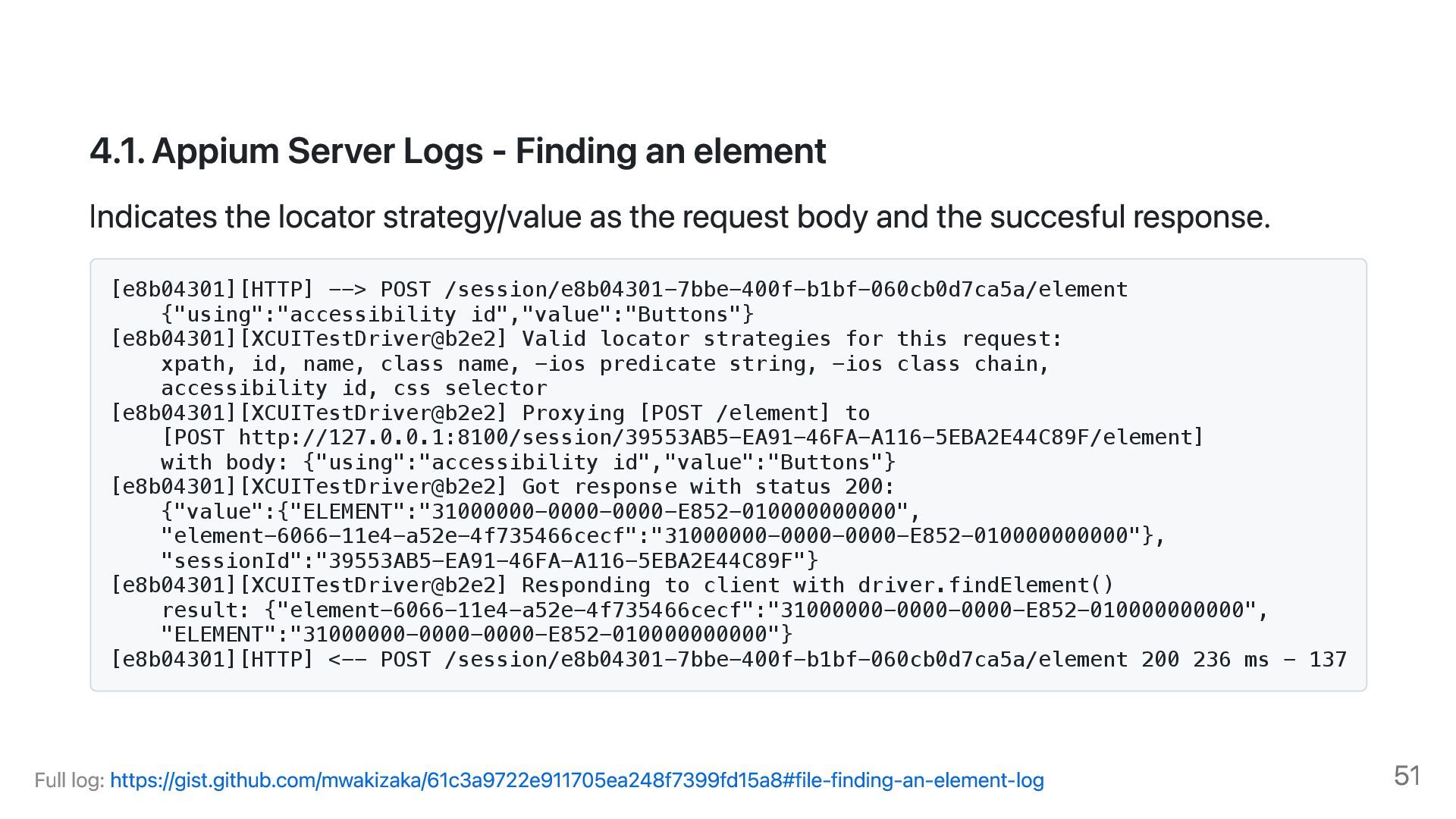
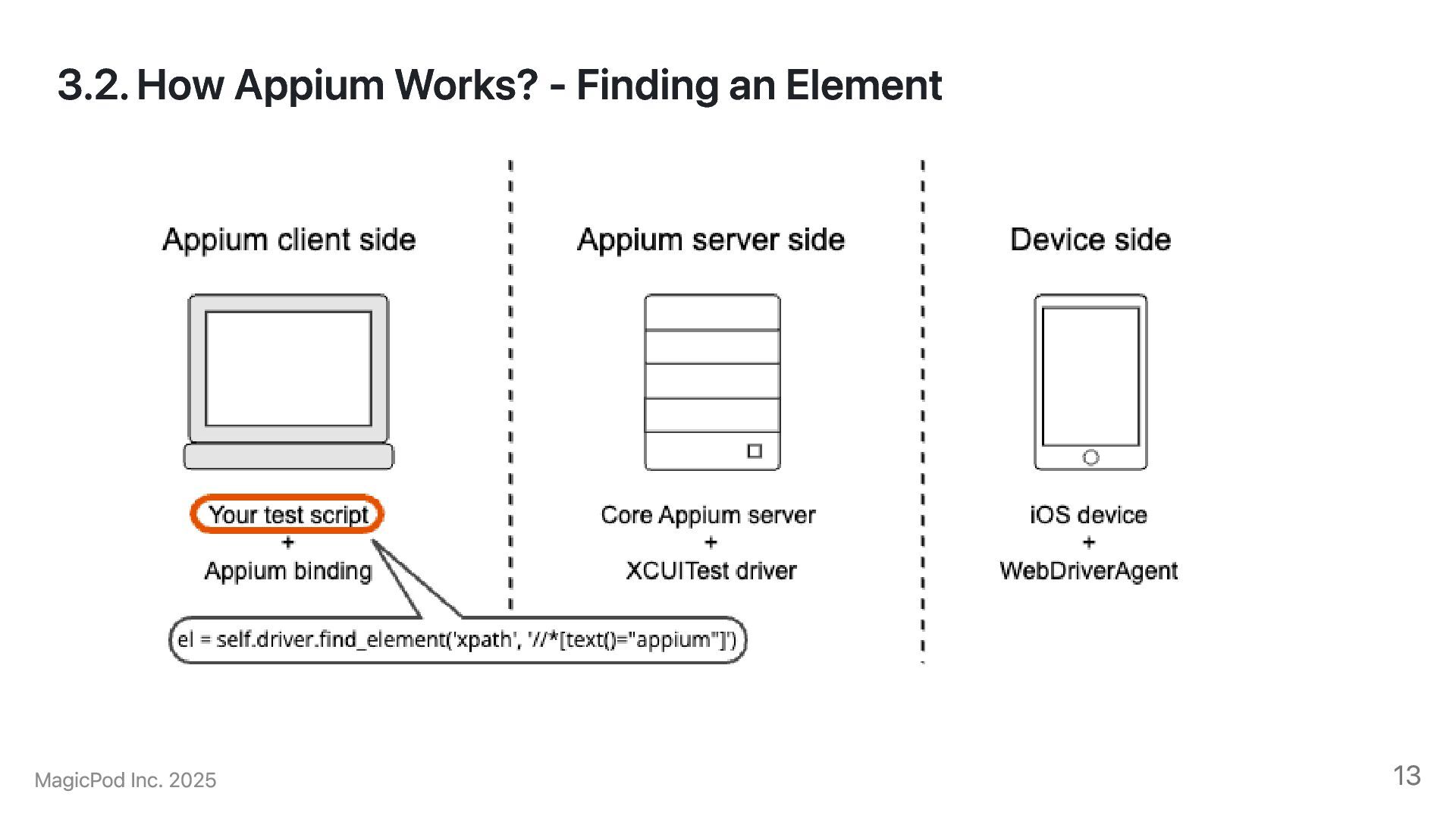
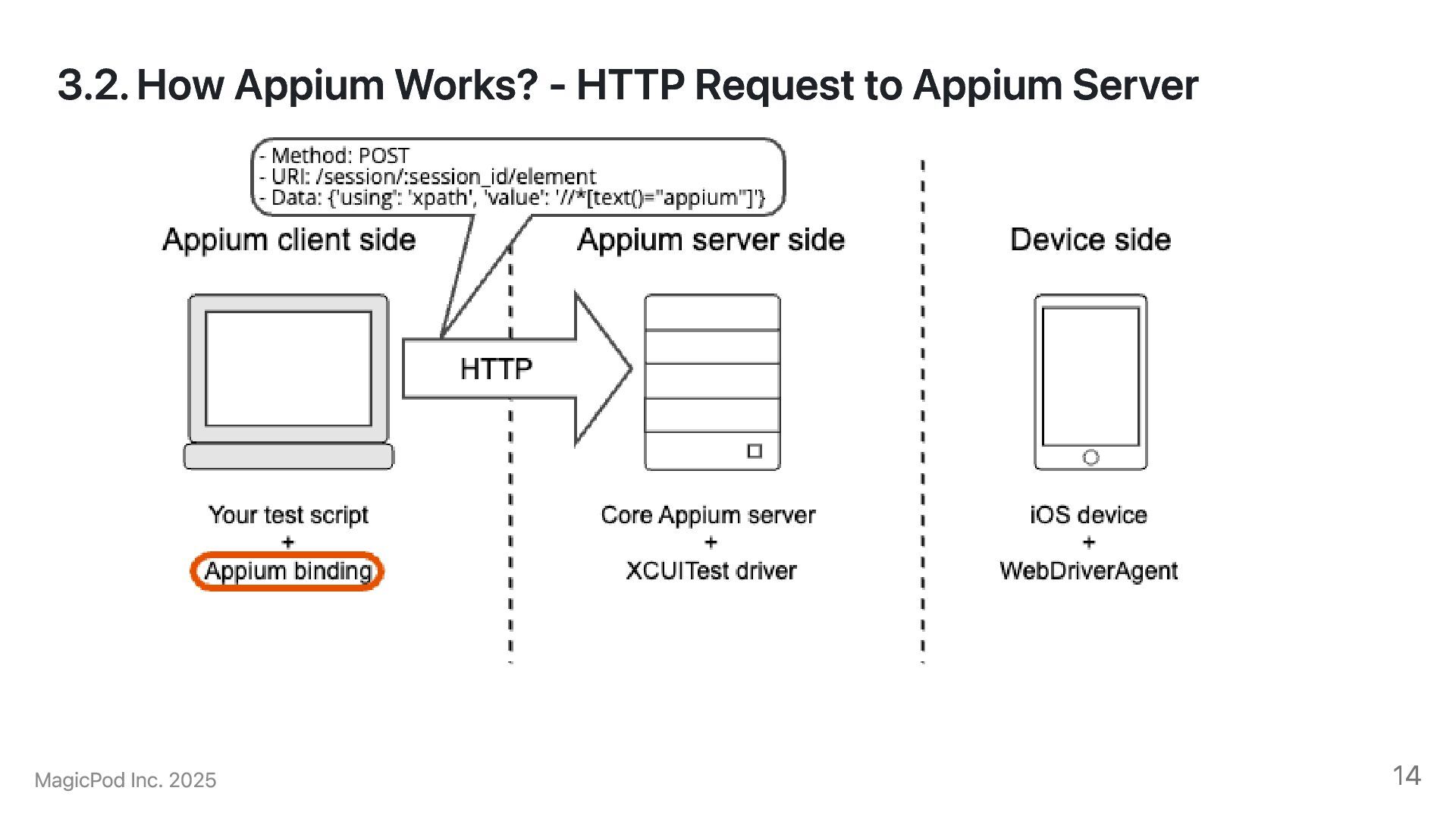
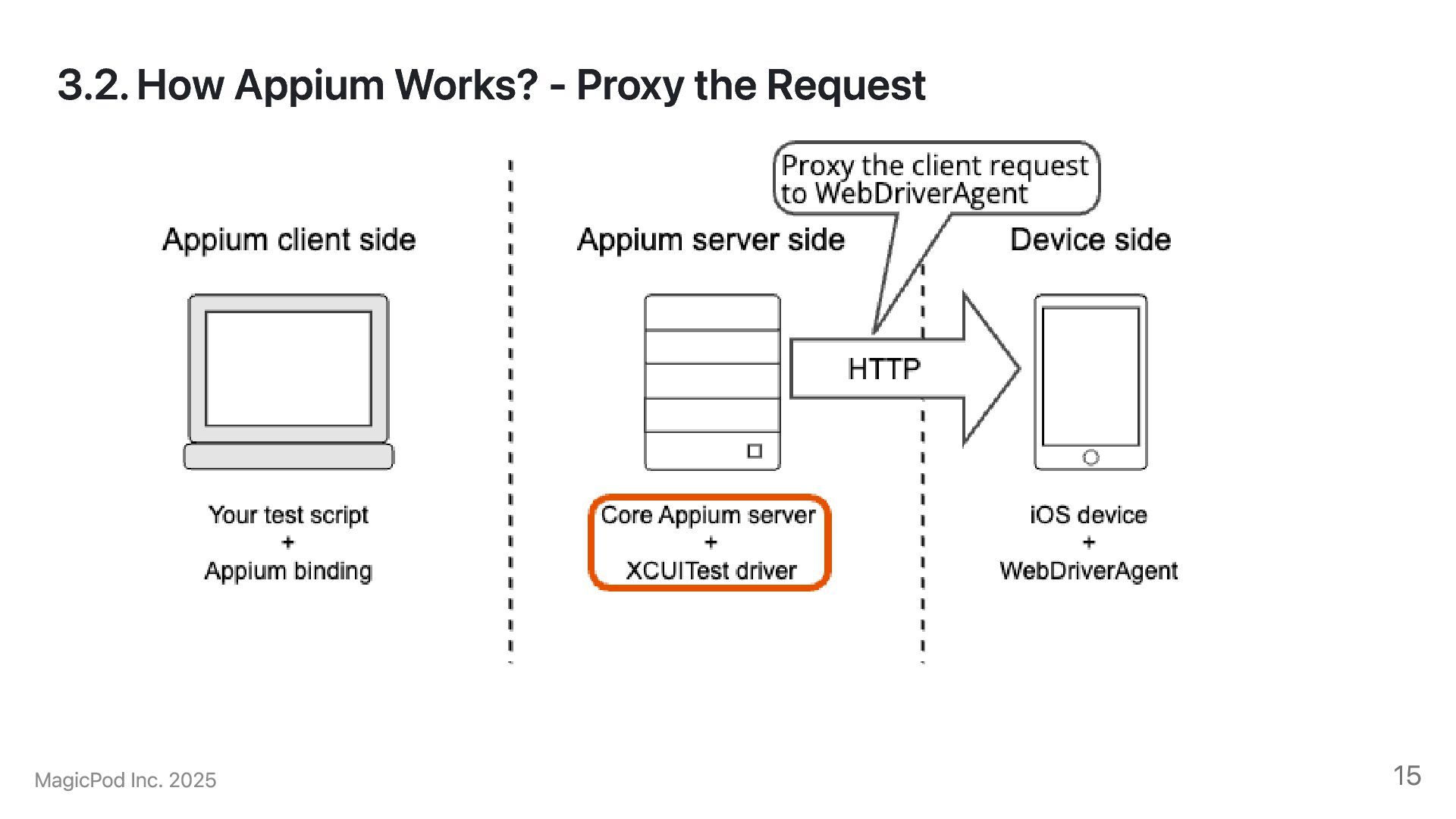
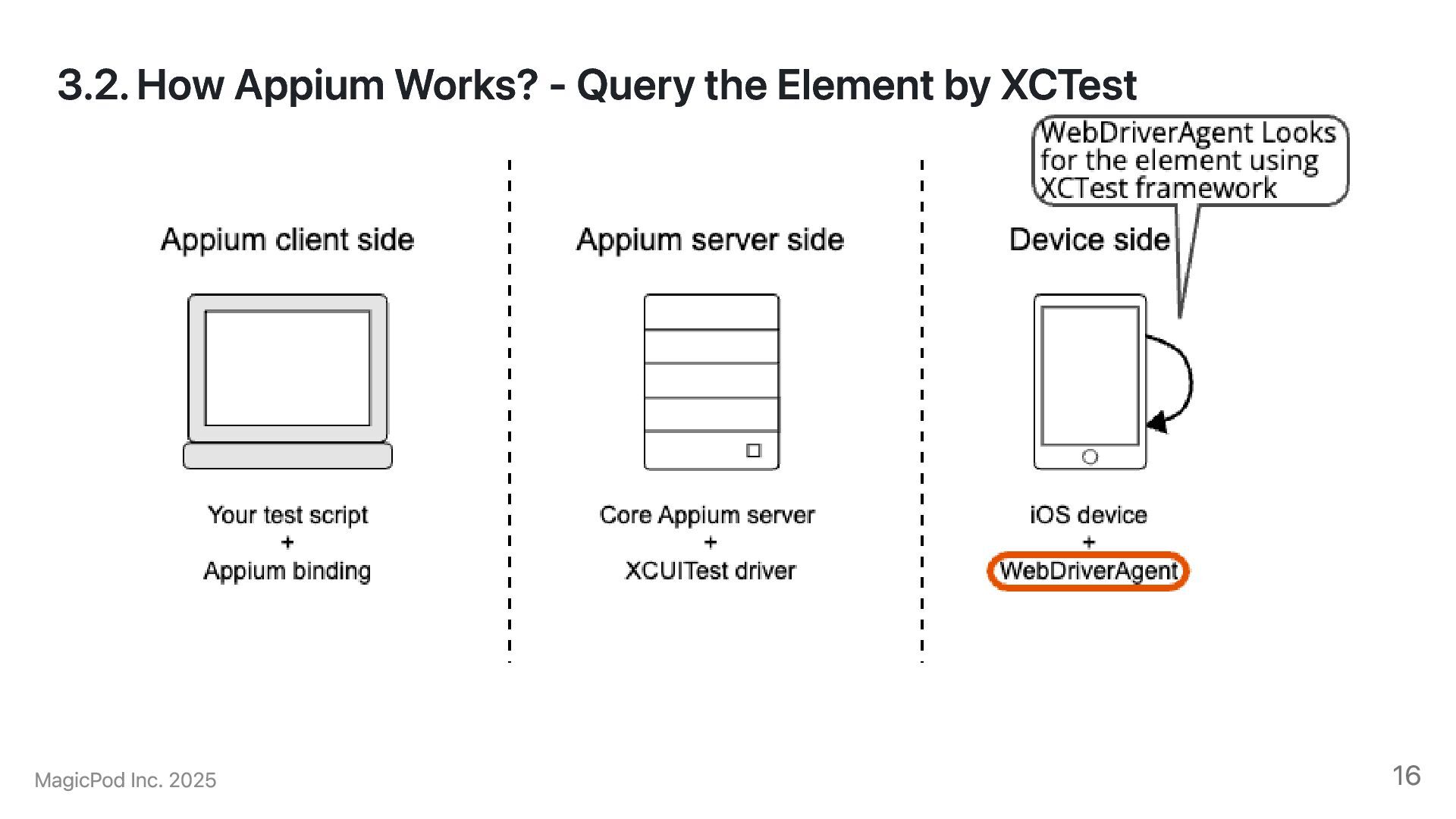
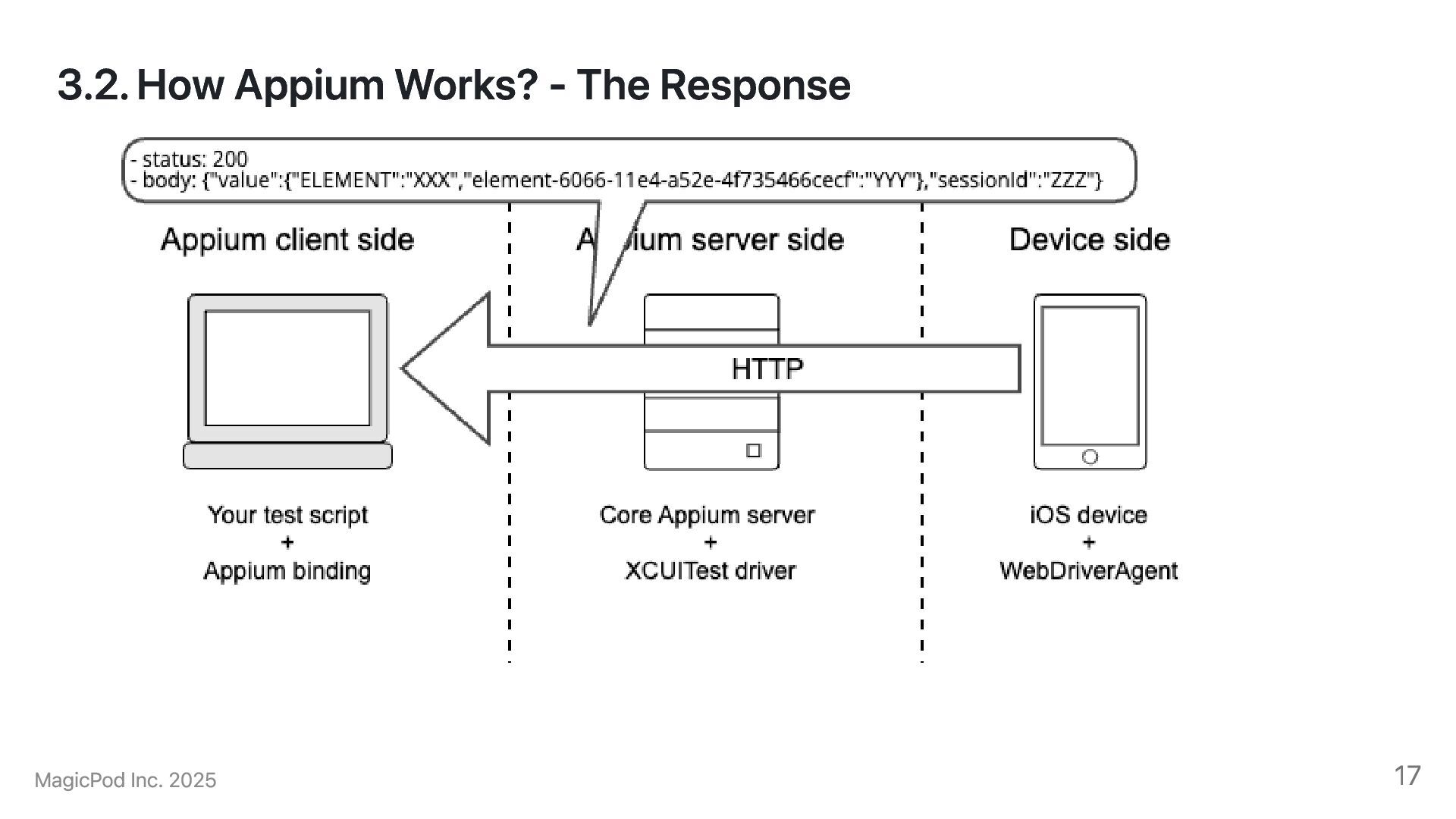
locator strategy/value as the request body and the succesful response. [e8b04301][HTTP] --> POST /session/e8b04301-7bbe-400f-b1bf-060cb0d7ca5a/element {"using":"accessibility id","value":"Buttons"} [e8b04301][XCUITestDriver@b2e2] Valid locator strategies for this request: xpath, id, name, class name, -ios predicate string, -ios class chain, accessibility id, css selector [e8b04301][XCUITestDriver@b2e2] Proxying [POST /element] to [POST http://127.0.0.1:8100/session/39553AB5-EA91-46FA-A116-5EBA2E44C89F/element] with body: {"using":"accessibility id","value":"Buttons"} [e8b04301][XCUITestDriver@b2e2] Got response with status 200: {"value":{"ELEMENT":"31000000-0000-0000-E852-010000000000", "element-6066-11e4-a52e-4f735466cecf":"31000000-0000-0000-E852-010000000000"}, "sessionId":"39553AB5-EA91-46FA-A116-5EBA2E44C89F"} [e8b04301][XCUITestDriver@b2e2] Responding to client with driver.findElement() result: {"element-6066-11e4-a52e-4f735466cecf":"31000000-0000-0000-E852-010000000000", "ELEMENT":"31000000-0000-0000-E852-010000000000"} [e8b04301][HTTP] <-- POST /session/e8b04301-7bbe-400f-b1bf-060cb0d7ca5a/element 200 236 ms - 137 Full log: https://gist.github.com/mwakizaka/61c3a9722e911705ea248f7399fd15a8#file-finding-an-element-log 51
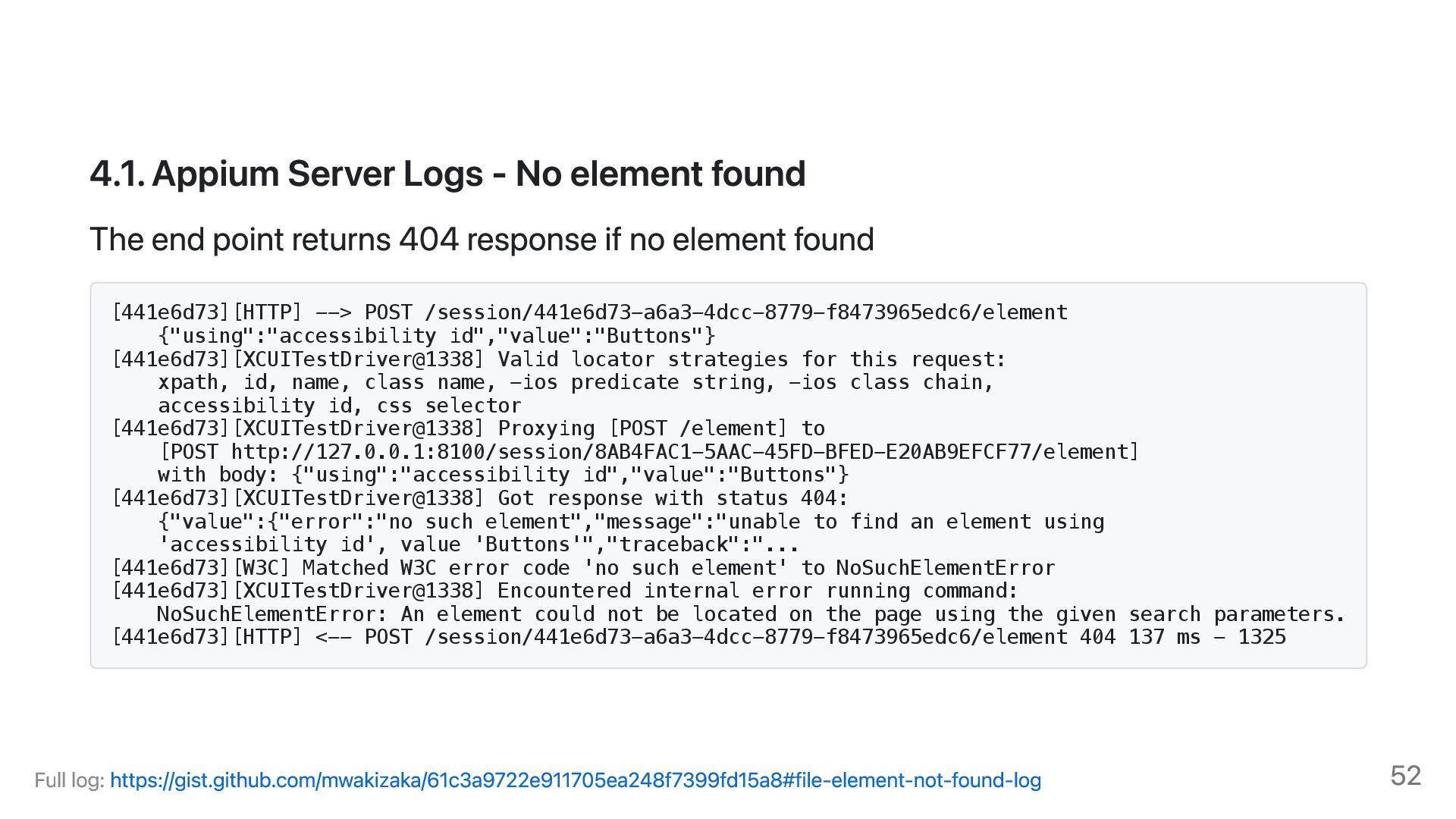
point returns 404 response if no element found [441e6d73][HTTP] --> POST /session/441e6d73-a6a3-4dcc-8779-f8473965edc6/element {"using":"accessibility id","value":"Buttons"} [441e6d73][XCUITestDriver@1338] Valid locator strategies for this request: xpath, id, name, class name, -ios predicate string, -ios class chain, accessibility id, css selector [441e6d73][XCUITestDriver@1338] Proxying [POST /element] to [POST http://127.0.0.1:8100/session/8AB4FAC1-5AAC-45FD-BFED-E20AB9EFCF77/element] with body: {"using":"accessibility id","value":"Buttons"} [441e6d73][XCUITestDriver@1338] Got response with status 404: {"value":{"error":"no such element","message":"unable to find an element using 'accessibility id', value 'Buttons'","traceback":"... [441e6d73][W3C] Matched W3C error code 'no such element' to NoSuchElementError [441e6d73][XCUITestDriver@1338] Encountered internal error running command: NoSuchElementError: An element could not be located on the page using the given search parameters. [441e6d73][HTTP] <-- POST /session/441e6d73-a6a3-4dcc-8779-f8473965edc6/element 404 137 ms - 1325 Full log: https://gist.github.com/mwakizaka/61c3a9722e911705ea248f7399fd15a8#file-element-not-found-log 52
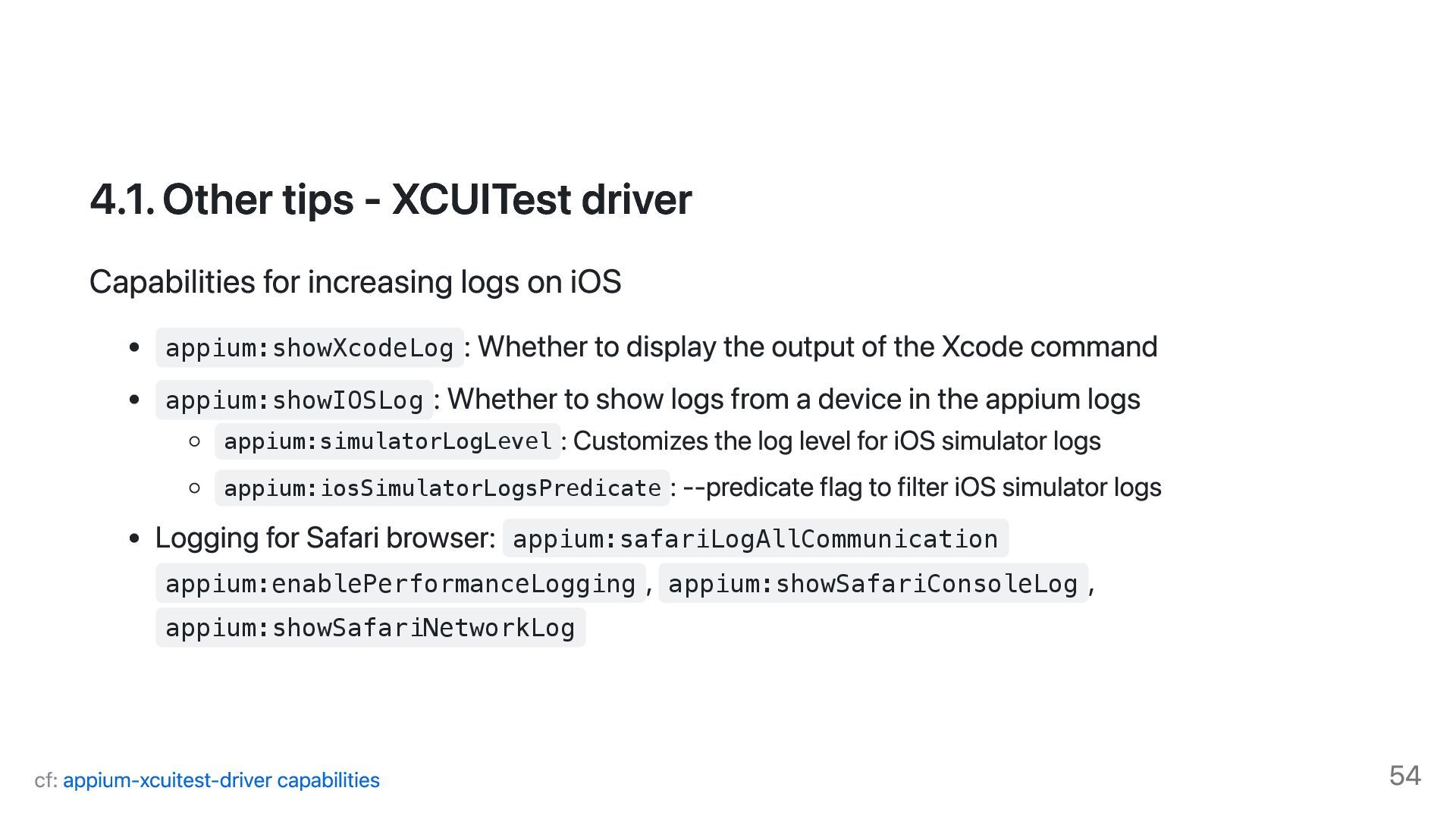
on iOS appium:showXcodeLog : Whether to display the output of the Xcode command appium:showIOSLog : Whether to show logs from a device in the appium logs appium:simulatorLogLevel : Customizes the log level for iOS simulator logs appium:iosSimulatorLogsPredicate : --predicate flag to filter iOS simulator logs Logging for Safari browser: appium:safariLogAllCommunication appium:enablePerformanceLogging , appium:showSafariConsoleLog , appium:showSafariNetworkLog cf: appium-xcuitest-driver capabilities 54
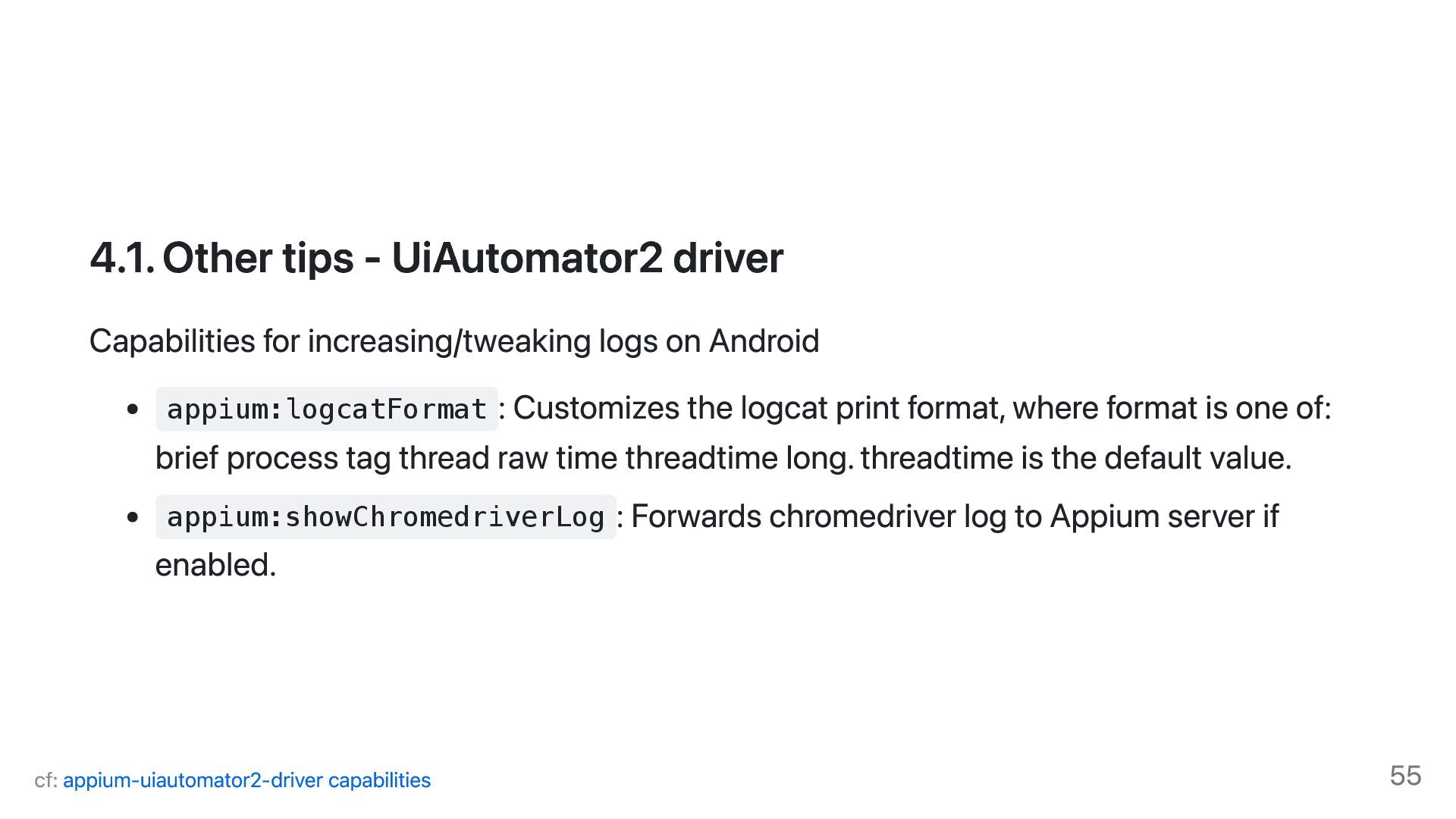
on Android appium:logcatFormat : Customizes the logcat print format, where format is one of: brief process tag thread raw time threadtime long. threadtime is the default value. appium:showChromedriverLog : Forwards chromedriver log to Appium server if enabled. cf: appium-uiautomator2-driver capabilities 55
WebDriverAgentRunner-Runner[70888:14cf08e] (WebDriverAgentLib) The device under test does not support HEIC image encoding. Falling back to PNG 2025-01-20 13:33:39.267 Df testmanagerd[70867:14da78e] [com.apple.dt.xctest:Default] Requesting screenshot. Full log: https://gist.github.com/mwakizaka/71c8508ff1a850986c4bf12146ccb626#file-ios-sim-device-log 56
Df testmanagerd[70867:14cede6] [com.apple.dt.xctest:Default] Recap event action playback completed 2025-01-20 13:33:56.730 Df testmanagerd[70867:14da8e2] [com.apple.dt.xctest:Default] Waiting up to 5.0s for TouchEventsCompleted to confirm <XCSynthesizedEventRecord 'W3C Touch Action display 0'> Path 1: Touch down at 338.0, 38.0, offset=0.00s Touch up at 338.0, 38.0, offset=0.10s. Full log: https://gist.github.com/mwakizaka/71c8508ff1a850986c4bf12146ccb626#file-ios-sim-tap-event-log 57
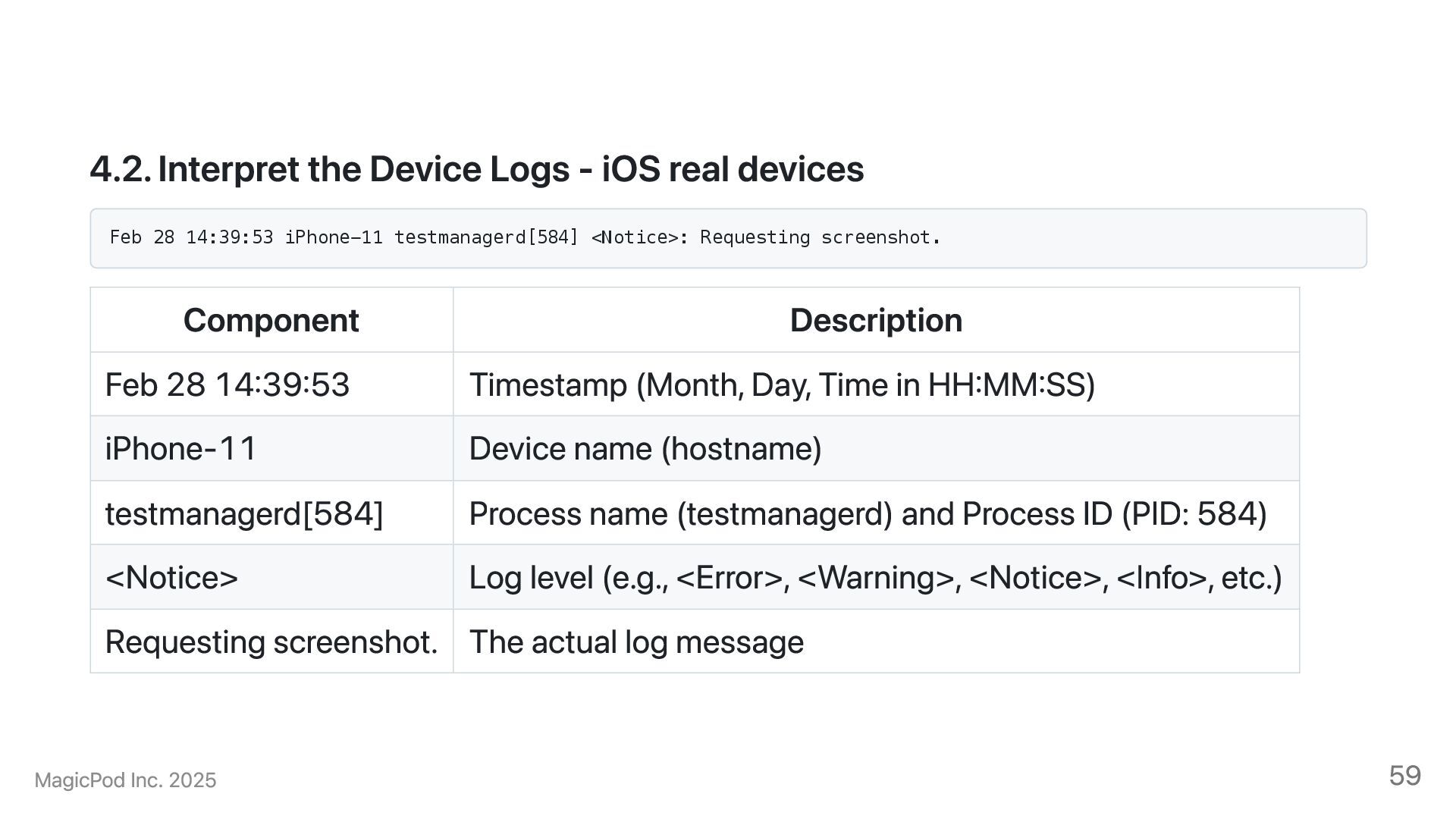
28 14:39:53 iPhone-11 testmanagerd[584] <Notice>: Requesting screenshot. Component Description Feb 28 14:39:53 Timestamp (Month, Day, Time in HH:MM:SS) iPhone-11 Device name (hostname) testmanagerd[584] Process name (testmanagerd) and Process ID (PID: 584) <Notice> Log level (e.g., <Error>, <Warning>, <Notice>, <Info>, etc.) Requesting screenshot. The actual log message MagicPod Inc. 2025 59
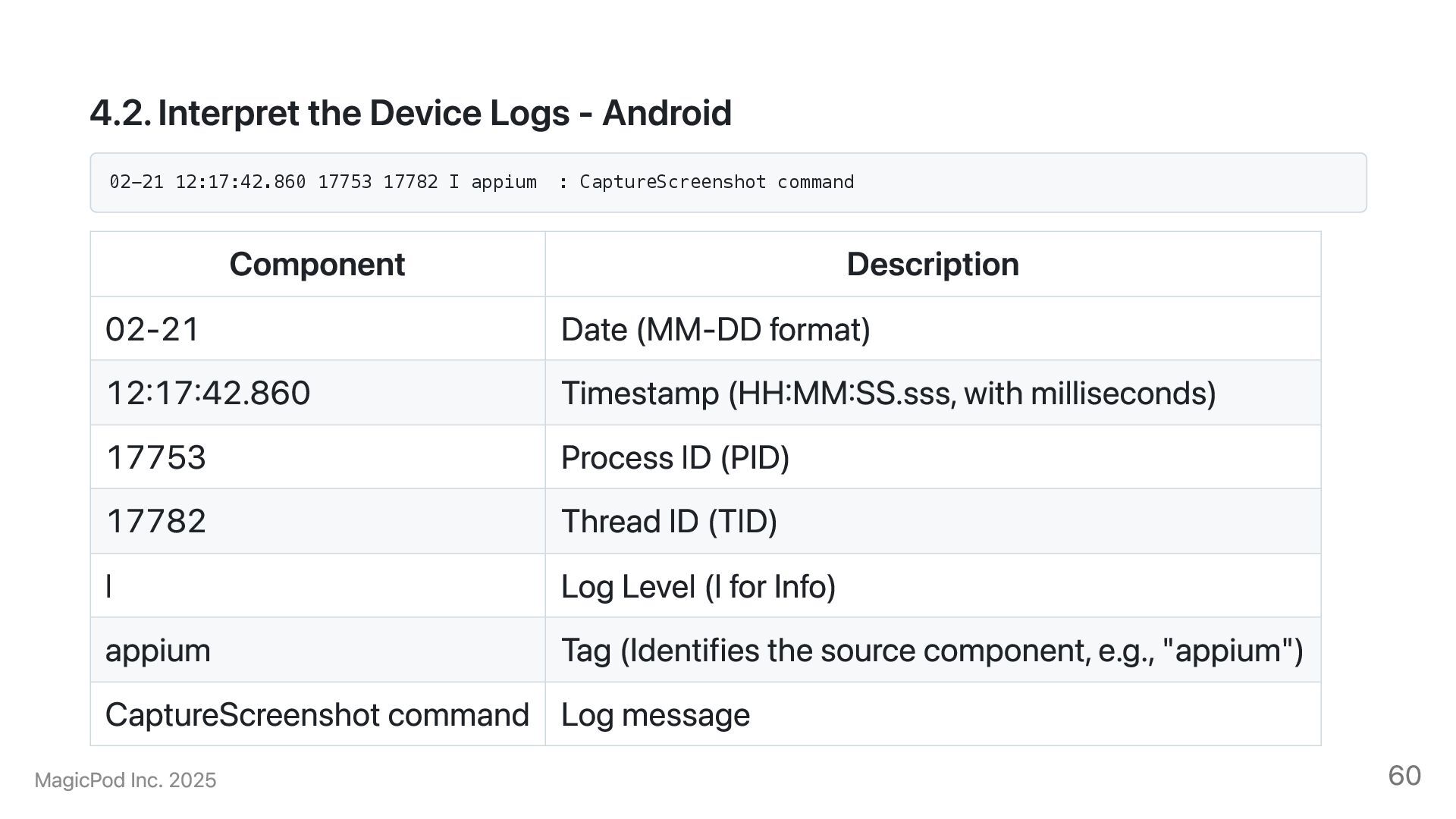
17782 I appium : CaptureScreenshot command Component Description 02-21 Date (MM-DD format) 12:17:42.860 Timestamp (HH:MM:SS.sss, with milliseconds) 17753 Process ID (PID) 17782 Thread ID (TID) I Log Level (I for Info) appium Tag (Identifies the source component, e.g., "appium") CaptureScreenshot command Log message MagicPod Inc. 2025 60
are often useful when identifying issues on test scenario and its initial setup. i.e. Unable to find an element, missing configuration on the DUT, etc. Device logs are often useful when identifying issues on AUT, DUT and third party framework. e.g. App crashes, gesture recognition issues, network errors MagicPod Inc. 2025 61
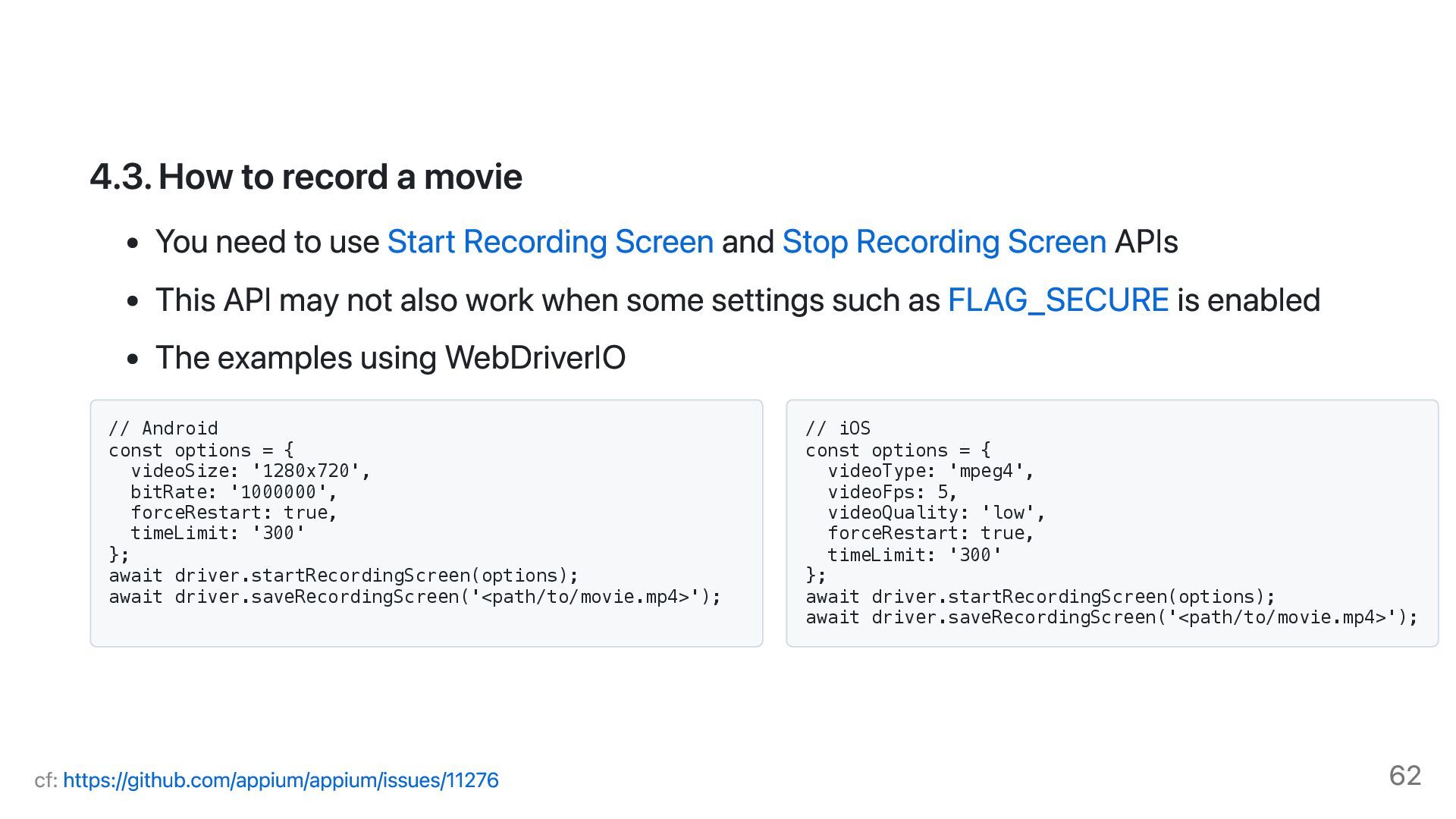
Start Recording Screen and Stop Recording Screen APIs This API may not also work when some settings such as FLAG_SECURE is enabled The examples using WebDriverIO // Android const options = { videoSize: '1280x720', bitRate: '1000000', forceRestart: true, timeLimit: '300' }; await driver.startRecordingScreen(options); await driver.saveRecordingScreen('<path/to/movie.mp4>'); // iOS const options = { videoType: 'mpeg4', videoFps: 5, videoQuality: 'low', forceRestart: true, timeLimit: '300' }; await driver.startRecordingScreen(options); await driver.saveRecordingScreen('<path/to/movie.mp4>'); cf: https://github.com/appium/appium/issues/11276 62
to be updated iOS: Assign accessibilityIdentifier property to the element Android: Assign contentDescription attribute to the element Be aware of that the value will be read aloud by VoiceOver / TalkBack MagicPod Inc. 2025 64


 mwakizaka
 mochizuki875
 leveragestech
 sansantech
 ichiki1023
 pei0804
 hironobuiga
 shichijoyuhi
 ishiirikie
 mikanichinose
 masahirokawahara
 tanakaseiya
 kworkdev
 ryanjones
 bluesmoon
 codingconduct
 mfonobong
 holman
 maltzj
 chriscoyier
 minecr
 nonsquared
 baasie
 aleyda

![4.2. Device Logs - iOS Simulator 2025-01-20 13:33:39.267 Df testmanagerd[70867:14da78e]](https://files.speakerdeck.com/presentations/3de0f04e85a2490aac11005196409414/slide_25.jpg)