Upgrade to Pro
— share decks privately, control downloads, hide ads and more …
Speaker Deck
Sign up for free
Menu
Search
Features
All features
Private URLs
Password Protection
Custom URLS
Scheduled publishing
Remove Branding
Restrict embedding
Deck Collections
Notes
Features
All features
Private URLs
Password Protection
Custom URLS
Scheduled publishing
Remove Branding
Restrict embedding
Deck Collections
Notes
Explore
Featured decks
Featured speakers
Programming
Technology
Storyboards
Explore
Featured decks
Featured speakers
Programming
Technology
Storyboards
Pricing
Search
Sign in
Sign up for free
MANUAL FESTHOME FICL 2017
Search
Sponsored
·
Your Podcast. Everywhere. Effortlessly.
Share. Educate. Inspire. Entertain. You do you. We'll handle the rest.
→
Nancy N. Salazar
July 19, 2017
130
0
Share
Embed
Copy iframe code
Copy JS code
Copy link
Start on current slide
MANUAL FESTHOME FICL 2017
Nancy N. Salazar
July 19, 2017
Transcript
16 slides
MANUAL PARA LA PÁGINA DE FESTHOME
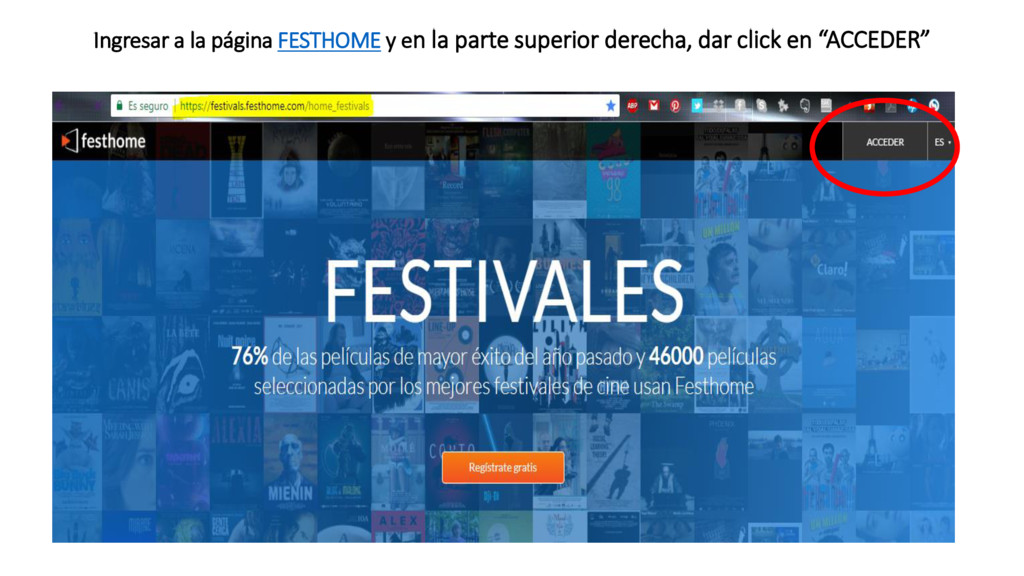
Ingresar a la página FESTHOME y en la parte superior
derecha, dar click en “ACCEDER”
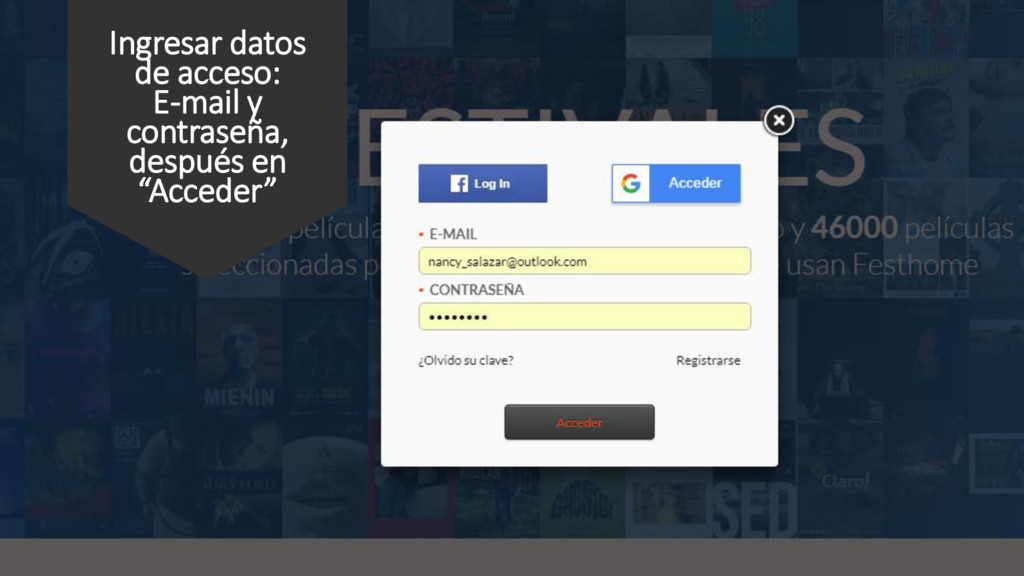
Ingresar datos de acceso: E-mail y contraseña, después en “Acceder”
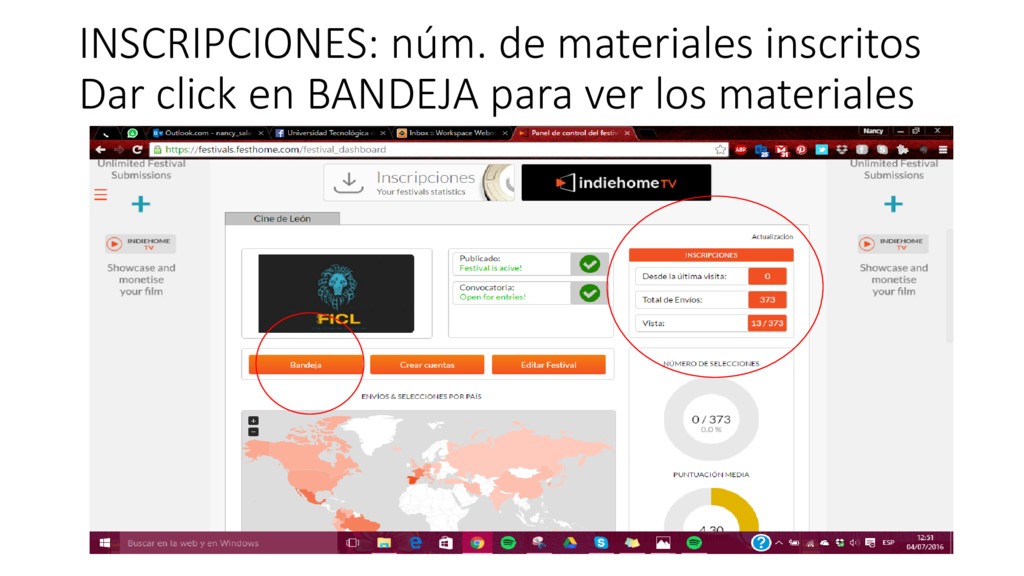
INSCRIPCIONES: núm. de materiales inscritos Dar click en BANDEJA para
ver los materiales
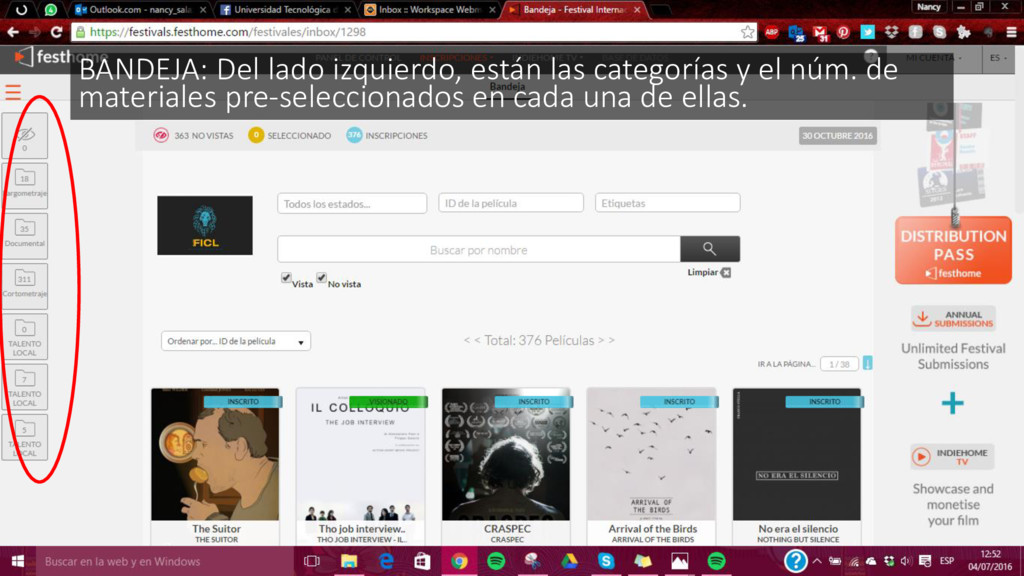
BANDEJA: Del lado izquierdo, están las categorías y el núm.
de materiales pre-seleccionados en cada una de ellas.
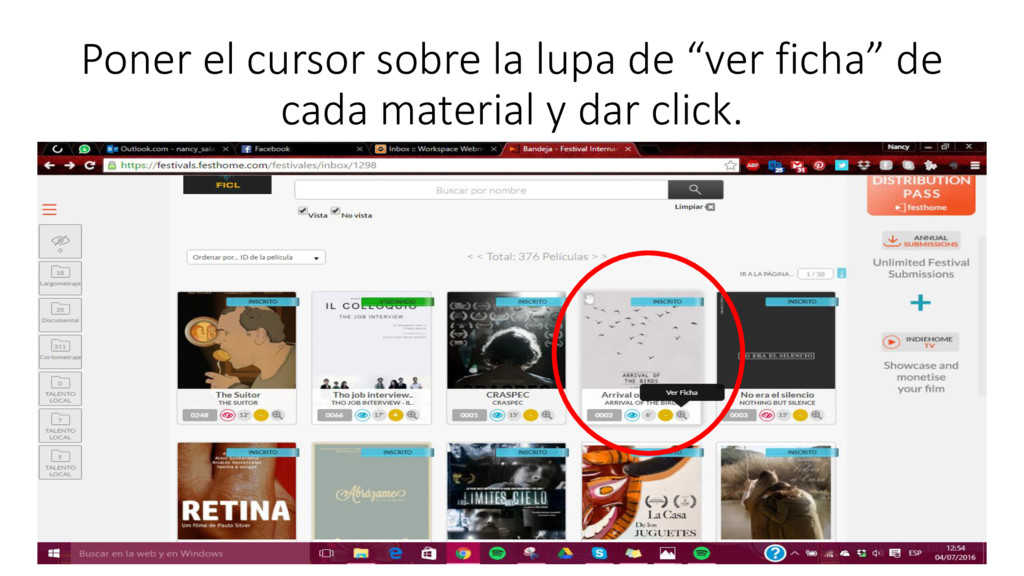
Poner el cursor sobre la lupa de “ver ficha” de
cada material y dar click.
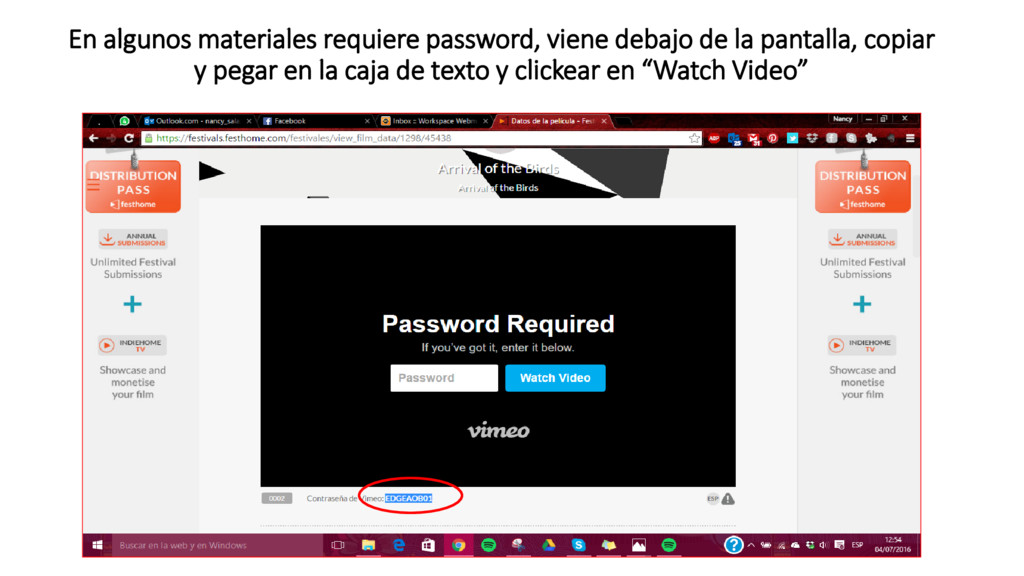
En algunos materiales requiere password, viene debajo de la pantalla,
copiar y pegar en la caja de texto y clickear en “Watch Video”
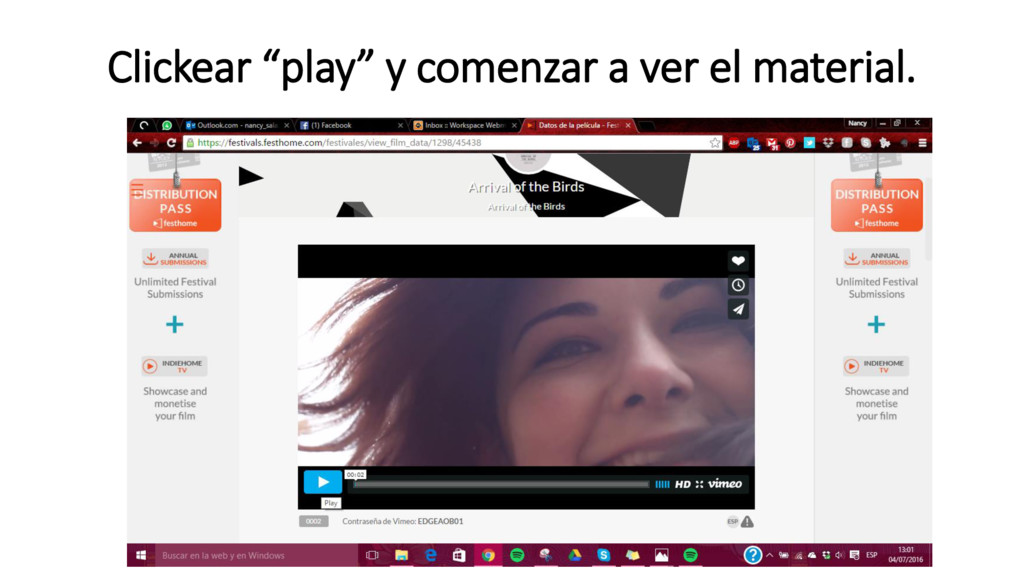
Clickear “play” y comenzar a ver el material.
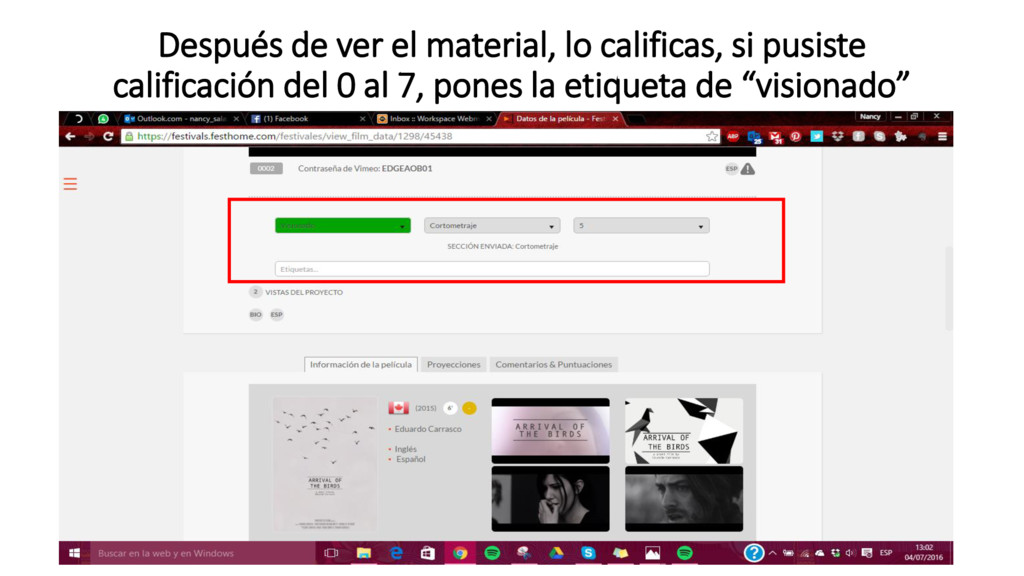
Después de ver el material, lo calificas, si pusiste calificación
del 0 al 7, pones la etiqueta de “visionado”
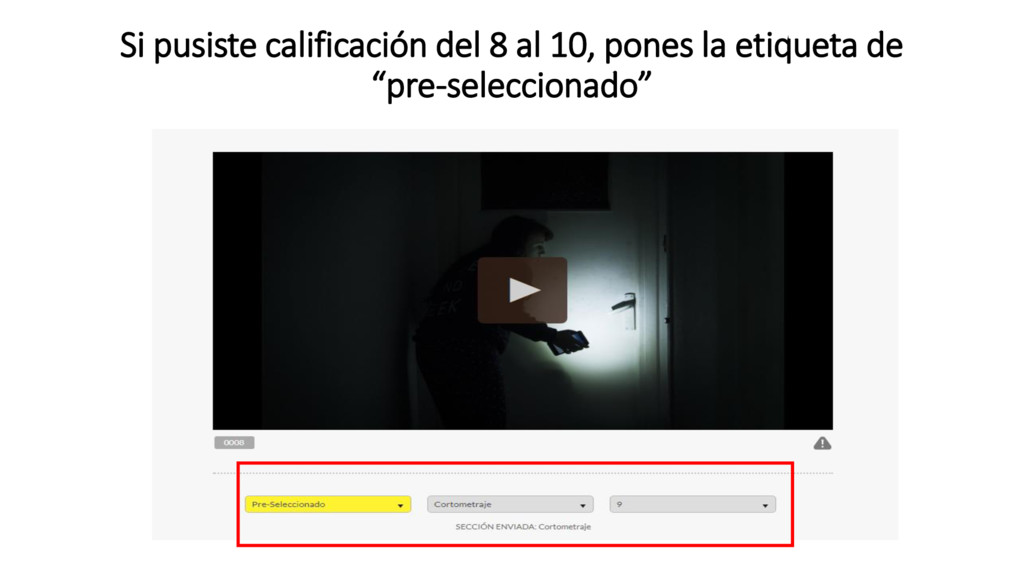
Si pusiste calificación del 8 al 10, pones la etiqueta
de “pre-seleccionado”
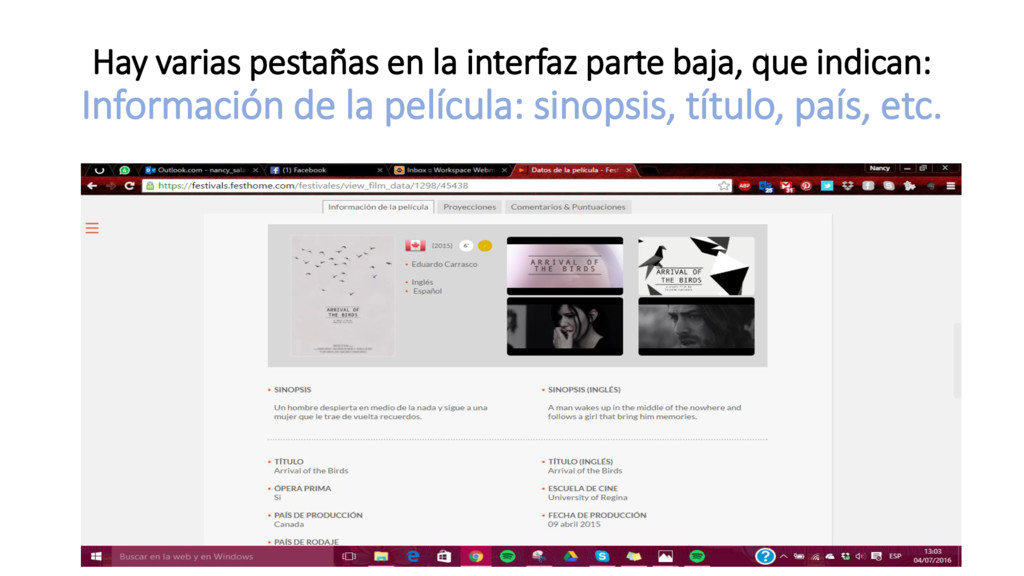
Hay varias pestañas en la interfaz parte baja, que indican:
Información de la película: sinopsis, título, país, etc.
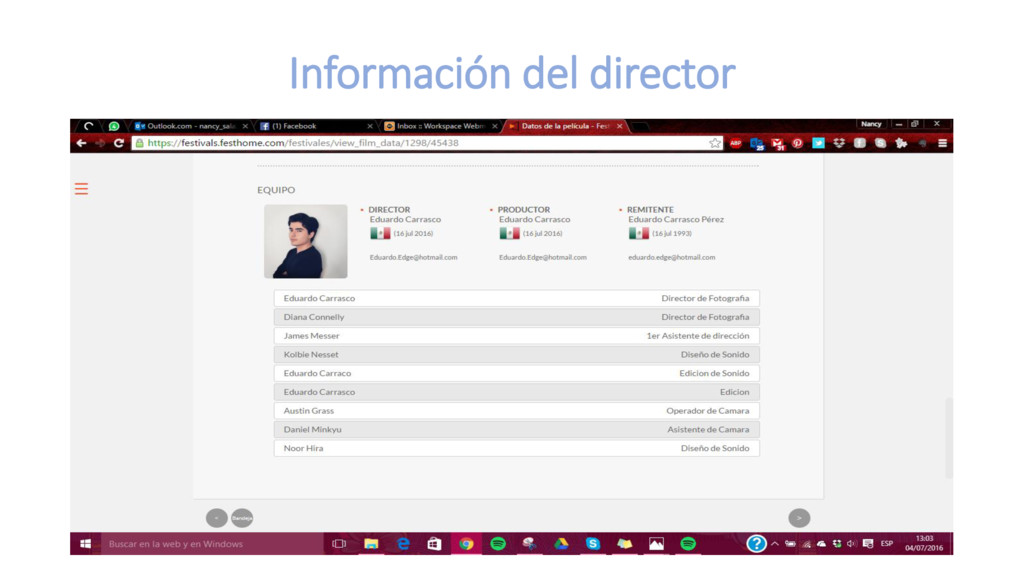
Información del director
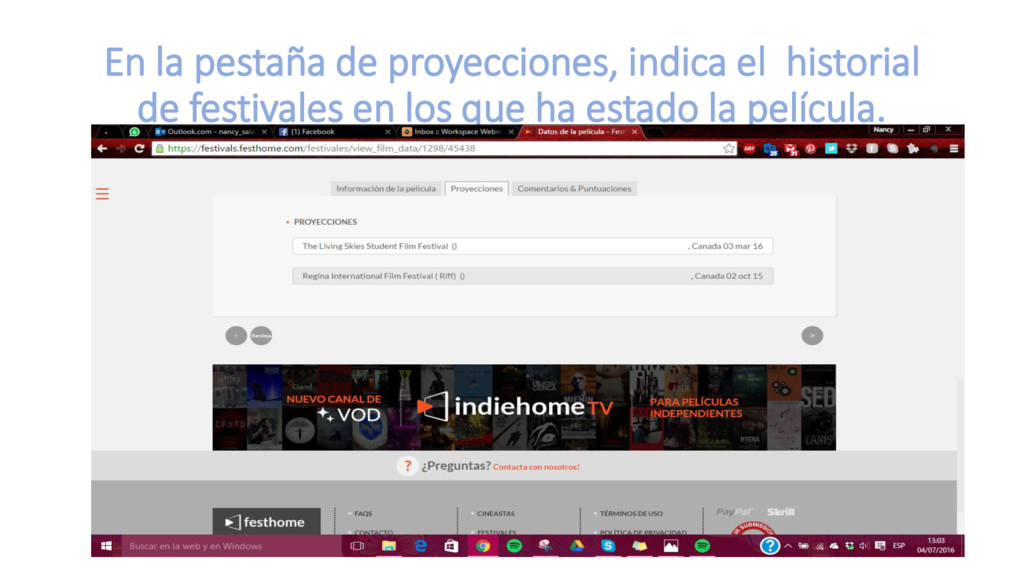
En la pestaña de proyecciones, indica el historial de festivales
en los que ha estado la película.
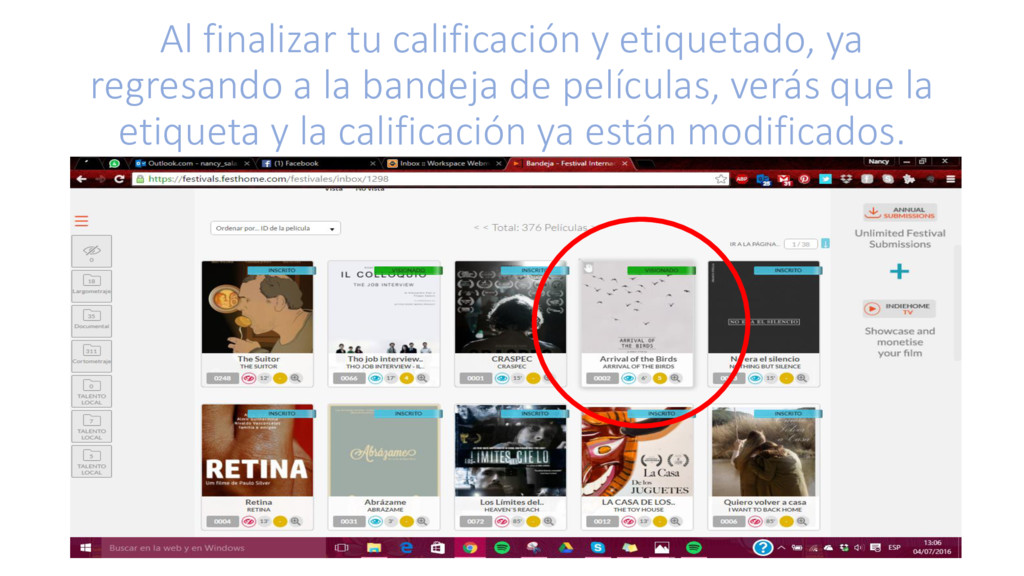
Al finalizar tu calificación y etiquetado, ya regresando a la
bandeja de películas, verás que la etiqueta y la calificación ya están modificados.
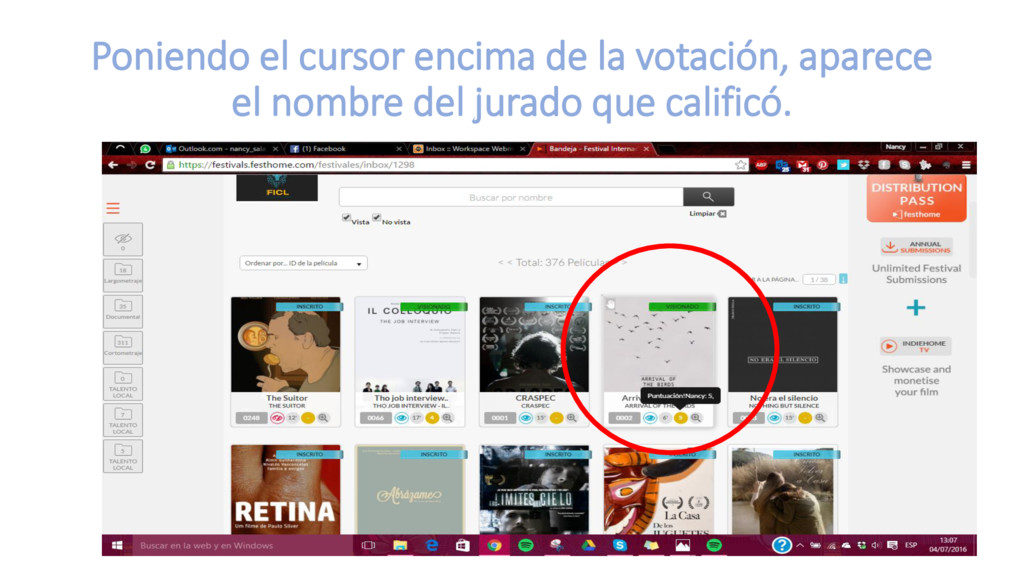
Poniendo el cursor encima de la votación, aparece el nombre
del jurado que calificó.
¡GRACIAS POR TU APOYO! ☺ Dudas, favor de escribir a
[email protected]
o WhatsApp 4771786634
More Decks by Nancy N. Salazar
See All by Nancy N. Salazar
8 COSAS QUE HE APRENDIDO AL TRABAJAR DE MANERA REMOTA
nancynsalazar
0
140
Introducción a Blockchain y su relevancia en el Comercio
nancynsalazar
0
44
¿Por qué queremos más mujeres en Tecnología?
nancynsalazar
0
98
¿Por qué queremos más mujeres en Tecnología?
nancynsalazar
0
84
NIÑAS Y MUJERES EN LAS STEAM
nancynsalazar
0
97
EL ORIGEN DEL CYBERPUNK
nancynsalazar
0
230
CHARLA INFORMATIVA TECHNOVATION 2018
nancynsalazar
0
110
Soy Parte de Comunidades con Impacto Social-Tecnológico
nancynsalazar
0
190
No lo sé, pero lo investigo - DEVDAY4W
nancynsalazar
0
140
Featured
See All Featured
How to Align SEO within the Product Triangle To Get Buy-In & Support - #RIMC
aleyda
2
1.9k
Designing Experiences People Love
moore
143
24k
The Curious Case for Waylosing
cassininazir
1
630
Jamie Indigo - Trashchat’s Guide to Black Boxes: Technical SEO Tactics for LLMs
techseoconnect
PRO
0
760
Lightning talk: Run Django tests with GitHub Actions
sabderemane
0
330
Groundhog Day: Seeking Process in Gaming for Health
codingconduct
0
500
We Have a Design System, Now What?
morganepeng
55
8.4k
Getting science done with accelerated Python computing platforms
jacobtomlinson
2
590
Put a Button on it: Removing Barriers to Going Fast.
kastner
60
4.7k
How to Talk to Developers About Accessibility
jct
2
630
Leveraging LLMs for student feedback in introductory data science courses - posit::conf(2025)
minecr
1
490
Design and Strategy: How to Deal with People Who Don’t "Get" Design
morganepeng
133
20k


 nancynsalazar
 aleyda
 moore
 cassininazir
 techseoconnect
 sabderemane
 codingconduct
 morganepeng
 jacobtomlinson
 kastner
 jct
 minecr