Share
Embed
Introduction to React + Redux
Introduction to React in combination with Redux. Redux helps you to develop applications in a simple way while having features like time-travel available during development.
Nikolaus Graf
November 24, 2015
Transcript
47 slides
-
React + Redux @nikgraf Nik Graf @nikgraf [email protected] Creator of
Belle (UI Components) Working with StarterSquad Travelled around the World -
React + Redux @nikgraf ECMAScript2015 const sum = (first, second)
=> { return first + second; } -
React + Redux @nikgraf Created by Sebastian McKenzie
- ECMAScript 2015 Support, JSX Support - Widely adopted -
React + Redux @nikgraf React React is a JavaScript Library
for building user interfaces. • Focus on the UI, not a Framework • One-way reactive data flow (no two-way data binding) • Virtual DOM -
React + Redux @nikgraf Virtual DOM Keep track of state
in DOM is hard. The DOM API is slow. (Try to re-render the whole DOM on every change) -
React + Redux @nikgraf Virtual DOM Benefits Batched DOM read/write
operations. Efficient update of sub-tree only. -
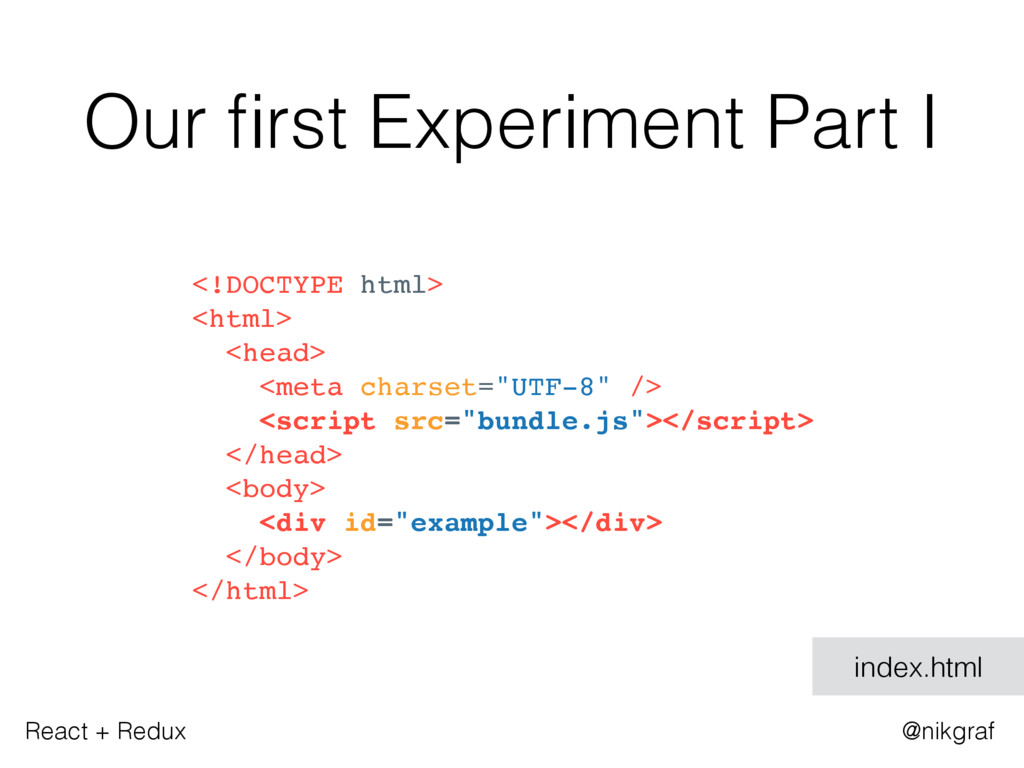
React + Redux @nikgraf Our first Experiment Part I <!DOCTYPE
html> <html> <head> <meta charset="UTF-8" /> <script src="bundle.js"></script> </head> <body> <div id="example"></div> </body> </html> index.html -
React + Redux @nikgraf Our first Experiment Part II import
React from 'react'; import ReactDOM from 'react-dom'; const exampleElement = document.getElementById('example'); ReactDOM.render(<h1>Hello, world!</h1>, exampleElement); main.js -> bundle.js -
React + Redux @nikgraf JSX JSX is a JavaScript syntax
extension that looks similar to XML. // Input (JSX): var app = <Nav color="blue" />; // Output (JS): var app = React.createElement(Nav, {color:"blue"}); -
React + Redux @nikgraf Rendering a Component import React from
'react'; import ReactDOM from 'react-dom'; const App = () => { return (<p>Hello World!</p>); } const exampleNode = document.getElementById('example'); ReactDOM.render(<App />, exampleNode); main.js -> bundle.js -
React + Redux @nikgraf <body> <div id="example"> <p> <!-- App
start --> Hello World! </p> <!-- App end --> </div> </body> index.html Rendering a Component -
React + Redux @nikgraf Nested Components Part I import React
from 'react'; const Profile = ({avatar, name}) => { return ( <div> <img src={avatar} /> <span>{name}</span> </div> ); } profile.js -
React + Redux @nikgraf import React from 'react'; import ReactDOM
from 'react-dom'; import Profile from ‘./profile'; const App = () => { return ( <div> <h1>Hello World!</h1> <Profile avatar="http://test.png" name="Nik" /> </div> ); } const exampleNode = document.getElementById('example'); ReactDOM.render(<App />, exampleNode); main.js -> bundle.js Nested Components Part II -
React + Redux @nikgraf <body> <div id="example"> <div> <!-- App
start --> <h1>Hello World!</h1> <div> <!-- Profile start --> <img src="http://test.png" /> <span>Nik</span> </div> <!-- Profile end --> </div> <!-- App end --> </div> </body> index.html Nested Components Part III -
React + Redux @nikgraf Stateless Function Components Functional Programming: -
avoid changing-state - avoid mutable data - calling a function twice with the same values as arguments will produce the same result Stateless Function Components: - avoid changing-state - avoid mutable data - calling a function twice with the same values as arguments will produce the same result -
React + Redux @nikgraf Wait, but why? Predictable easy to
understand & easy to test -
React + Redux @nikgraf If/Else const Profile = ({name, isOnline})
=> { let onlineIndicator; if (isOnline) { onlineIndicator = (<span>green</span>); } else { onlineIndicator = (<span>red</span>); } return ( <div> {name} {onlineIndicator} </div> ); } profile.js -
React + Redux @nikgraf If/Else <Profile name="Nik" isOnline={false}/> <div> Nik
<span>red</span> </div> -
React + Redux @nikgraf Loop const FriendList = ({friends}) =>
{ return ( <ul> {friends.map((friend) => { return <li>{friend.name}</li>; })} </ul> ); } friendlist.js -
React + Redux @nikgraf Loop const friends = [ {
name: 'Max'}, { name: 'Tom'}, ]; <FriendList friends={friends} /> <ul> <li>Max</li> <li>Tom</li> </ul> -
React + Redux @nikgraf React Summary - We can create
out own components - We can nest components as we like - Stateless Function Components are pure - We can control flow via JS (if, else, for, map …) -
React + Redux @nikgraf Interaction const Profile = ({name}) =>
{ return ( <div> {name} <button onClick={ console.log('Clicked!'); }> Click me! </button> </div> ); } profile.js -
React + Redux @nikgraf What to do with interactions like
onMouseOver, onSubmit & onClick? -
React + Redux @nikgraf Redux to rescue! Redux allows you
to manage the state with a minimal API but completely predictable behaviour. -
React + Redux @nikgraf Redux Flow Store Action Creators React
Components Reducers Interaction e.g onClick dispatch(action) (newState) (state) (previousState, action) -
React + Redux @nikgraf Action const action = { type:
'ADD_TODO', text: 'Call Mom', } -
React + Redux @nikgraf Action Creator function addTodo(text) { const
trimmedText = text.trim(); return { type: 'ADD_TODO', text: trimmedText, } } <button onClick={ dispatch(addTodo('Call Mom ') }> Add Todo </button> actions.js -
React + Redux @nikgraf Reducer const todos = (state =
[], action) => { switch (action.type) { case 'ADD_TODO': return [ ...state, { text: action.text, completed: false } ] default: return state } } reducers.js -
React + Redux @nikgraf Store import { createStore } from
'redux' import todoReducer from '../reducers' let store = createStore(todoReducer); store.subscribe(() => console.log(store.getState()) ) store.dispatch(addTodo('Learn about reducers')); store.dispatch(addTodo(‘Call Mom')); -
React + Redux @nikgraf Connect React with Redux import React
from 'react'; import ReactDOM from 'react-dom'; import { createStore } from 'redux'; import { Provider } from 'react-redux'; import todoApp from './reducers'; import App from './containers/App'; let store = createStore(todoApp); let exampleNode = document.getElementById('example'); ReactDOM.render( <Provider store={store}><App /></Provider>, exampleNode ); -
React + Redux @nikgraf Connect React +Redux import React from
'react'; import { connect } from 'react-redux'; import { addTodo } from '../actions.js'; const App = ({dispatch, state}) => { return ( <button onClick={ dispatch(addTodo('Call Mom') }> Add Todo </button> ); }; export default connect(App); -
React + Redux @nikgraf Redux Summary - Redux allows you
to manage the state with predictable behaviour. - (previousState, action) => newState -
React + Redux @nikgraf Why this Stack? - Reusable Components
- Predictable Code (functional) - TimeTravel - Performant & lightweight -
React + Redux @nikgraf Is it production ready? React -
used by Facebook, Firefox, Airbnb and many more Redux - used by Firefox, Docker, Technical University of Vienna, Mattermark and many more - “Love what you’re doing with Redux” Jing Chen, creator of Flux -
React + Redux @nikgraf The End Thanks for listening!
https://github.com/nikgraf https://twitter.com/nikgraf Vienna React Meetup http://www.meetup.com/Vienna-ReactJS-Meetup/