Share
Embed
Power Leveling your TypeScript
One Does Not… write TypeScript so easily! In this Meetup talk, I'll share the tricks and pain points I had to learn in my first 6 months of professional TypeScript. The goal is to spare the reader many hours of Stack Overflow...
Offirmo
November 24, 2016
Transcript
50 slides
-
Meetup Paris Typescript – 2016/11/24 - @Dashlane Power Leveling your
Typescript From beginner to master in no time ! -
Who am I ? Experienced developer focusing on web for
5 years @2016 getting things done at Dashlane https://github.com/Offirmo -
“I want code that compile” « As an enterprise web
application developer, I don't like any scripting or dynamic languages. I like code that compiles (...) TypeScript looks like it will help with some of the problems like having (...) compiling (…) » (somewhere on the net) No. You are asking for a linter. All languages have linters. JS already has an excellent linter: ESLlint TypeScript also has a linter: TSLint They will catch typos and code smells. Use a linter. Now. -
“Company BIG™ is using it” • Created by Microsoft •
Embraced by Google: Angular 2 • Big contributions from Palantir (tslint, blueprint, …) • Webpack is considering a rewrite in typescript Following strong players’ lead may be a good move, But could you make your own opinion ? -
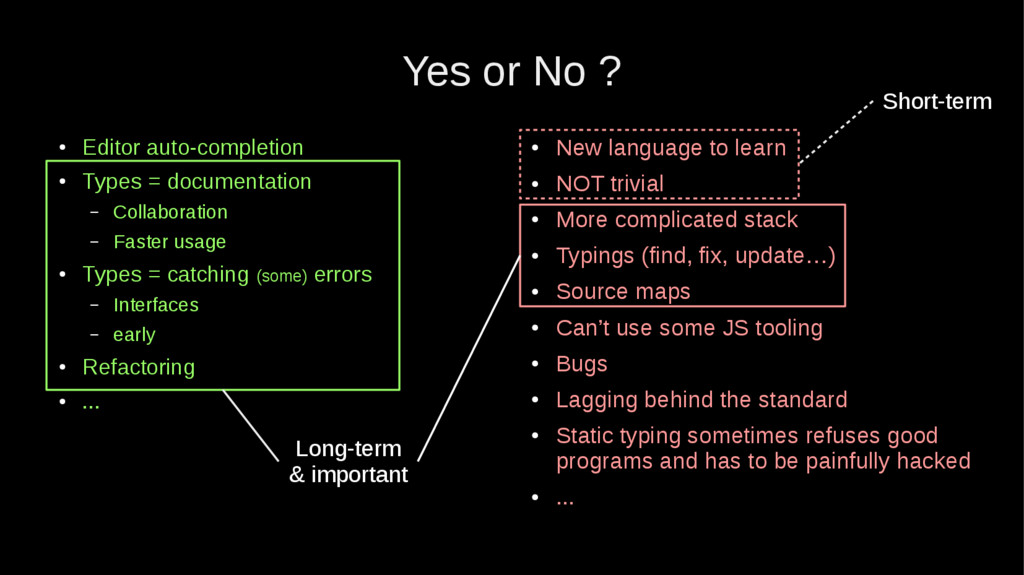
Yes or No ? • Editor auto-completion • Types =
documentation – Collaboration – Faster usage • Types = catching (some) errors – Interfaces – early • Refactoring • ... • New language to learn • NOT trivial • More complicated stack • Typings (find, fix, update…) • Source maps • Can’t use some JS tooling • Bugs • Lagging behind the standard • Static typing sometimes refuses good programs and has to be painfully hacked • ... -
Yes or No ? • Editor auto-completion • Types =
documentation – Collaboration – Faster usage • Types = catching (some) errors – Interfaces – early • Refactoring • ... • New language to learn • NOT trivial • More complicated stack • Typings (find, fix, update…) • Source maps • Can’t use some JS tooling • Bugs • Lagging behind the standard • Static typing sometimes refuses good programs and has to be painfully hacked • ... Short-term Long-term & important -
Quick check • Do you work in a team ?
(3+) • Do you have time right now ? • Is it a long-term project or just a MVP ? • Are you experienced ? • Does your industry need the best ? (ex. Security) • Do you like Typescript ? -
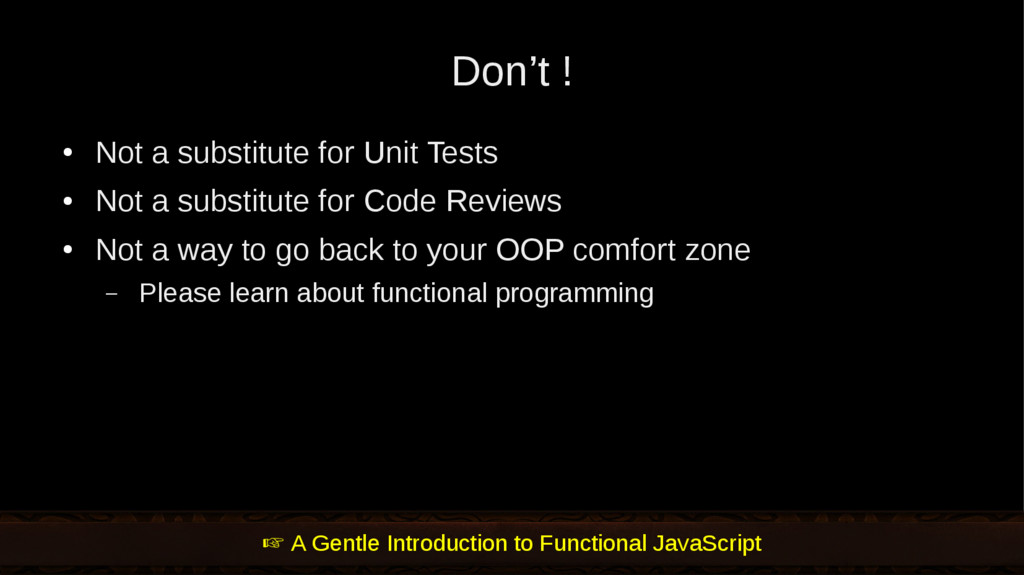
Don’t ! • Not a substitute for Unit Tests •
Not a substitute for Code Reviews • Not a way to go back to your OOP comfort zone – Please learn about functional programming A Gentle Introduction to Functional JavaScript -
Which Typescript ? Go straight at TypeScript 2 (which is
latest at this time 2016/11/24) npm i –save-dev typescript yarn add –dev typescript -
Setup typescript: “tsconfig.json” https://www.typescriptlang.org/docs/handbook/tsconfig-json.html https://www.typescriptlang.org/docs/handbook/compiler-options.html files to compile must be
declared (more about this later) { "compileOnSave": false, "compilerOptions": { "allowJs": false, "noEmitOnError": true, "noImplicitAny": true, (...) "strictNullChecks": true, "target": "ES6", "module": "ES6", "declaration": true, "sourceMap": true, "outDir": “temp/src.es6" }, "include": [ "src/**/*.ts" ], "exclude": [ "node_modules" ] } new project from scratch or from existing code ? choose the errors to catch ! or else your IDE may launch transpilation ! output control -
Side-quest: “Know your transpiler” Module ES6 CommonJS AMD UMD SystemJS
Target ES3 ES5 ES6 You can pick whatever combo (Module + Target) -
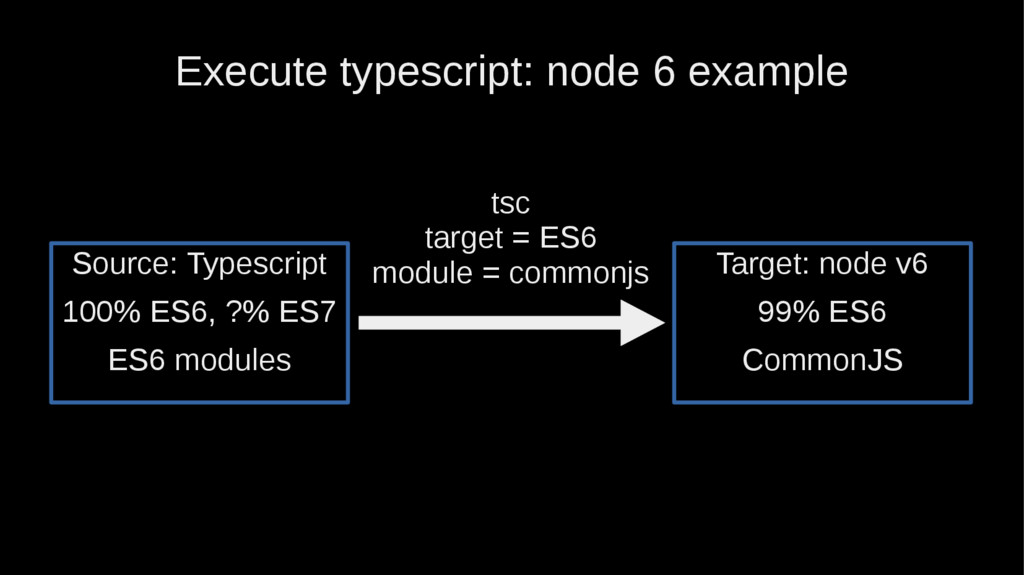
Execute typescript: node 6 example Target: node v6 99% ES6
CommonJS tsc target = ES6 module = commonjs Source: Typescript 100% ES6, ?% ES7 ES6 modules -
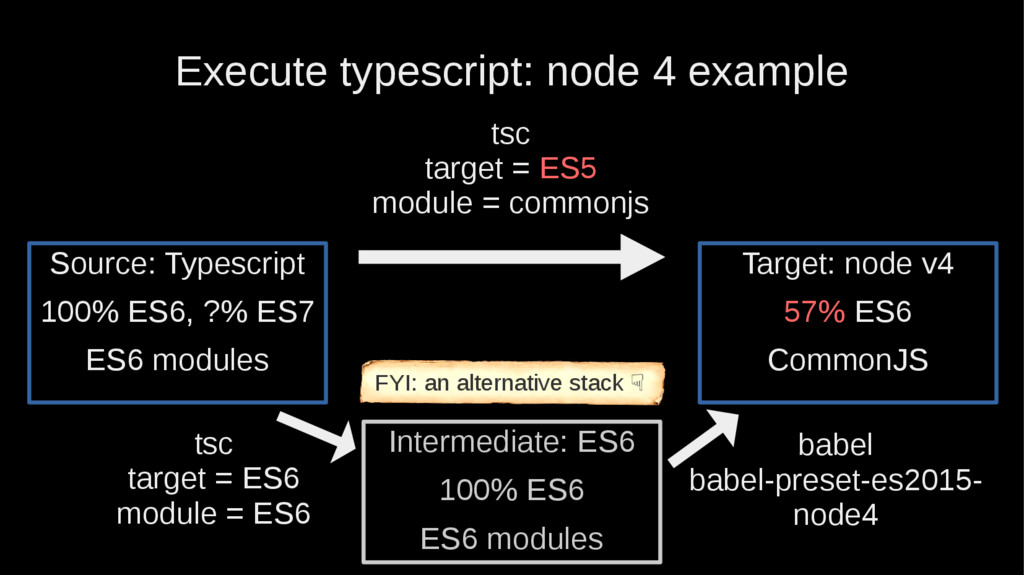
Execute typescript: node 4 example tsc target = ES6 module
= ES6 Target: node v4 57% ES6 CommonJS tsc target = ES5 module = commonjs Source: Typescript 100% ES6, ?% ES7 ES6 modules Intermediate: ES6 100% ES6 ES6 modules babel babel-preset-es2015- node4 FYI: an alternative stack ☟ -
Write types ! • boolean • number • string •
void • Function • null • undefined Combine them: Interface Person { name: string age: number friends: Person[] } https://www.typescriptlang.org/docs/handbook/basic-types.html -
Nullable by default ! interface Foo { name: string age:
number } interface Foo { name: string age: number | undefined } const x: Foo = { name: undefined, age: undefined } const x: Foo = { name: undefined, age: undefined } "StrictNullChecks": true (tsconfig.json) -
enum vs. unions const enum Directions { Up, Down, Left,
Right } type Directions = 'up' | 'down' | 'left' | 'right' https://www.typescriptlang.org/docs/handbook/enums.html ↓This writing is very convenient -
Type vs. Interface • Use interface for grouping • Use
type to define aliases: type TimeoutMs = number type AdventureModel = JsonSchemaBasedModel<IAdventure> -
Modules Detection • If no exports, not a module =
global variables -
Argument destructuring function displayPopup( {onCancel, onConfirm}: {onCancel:()=>void, onConfirm:()=>void} ): void
{ … interface Params { onCancel: () => void onConfirm: () => void } function displayPopup({onCancel, onConfirm}: Params): void { ... https://www.barbarianmeetscoding.com/blog/2016/05/13/argument-destructuring-and-type-annotations-in-typescript/ -
Hashes and JSON • Hashes can be typed: interface Colors
{[k: string]: Color } • JSON is a declared type, can be extended: interface JsonSchema extends JSON { title: string additionalProperties: boolean [k: string]: any } -
overloading • Not that simple. Better handled in code itself.
function hello(locutor: string, ...locutors: string[]): void { locutors.unshift(locutor) console.log(`Hello, ${locutors.join(', ')} !`) } hello('typescript world') hello('Joe', 'Jack', 'William', 'Averell') -
Casting: as X, as any as X • Casting from
compatible type: let x: any = { name: ‘Lothar’, age: 32 } let user: Person = x as Person • Force casting let x: any = { name: ‘Lothar’ } let user: Person = x as any as Person Don’t overuse it ! Valid use case: mock data in tests -
typeof import * as axios from 'axios' interface Dependencies {
axios: typeof axios } • smell • hack -
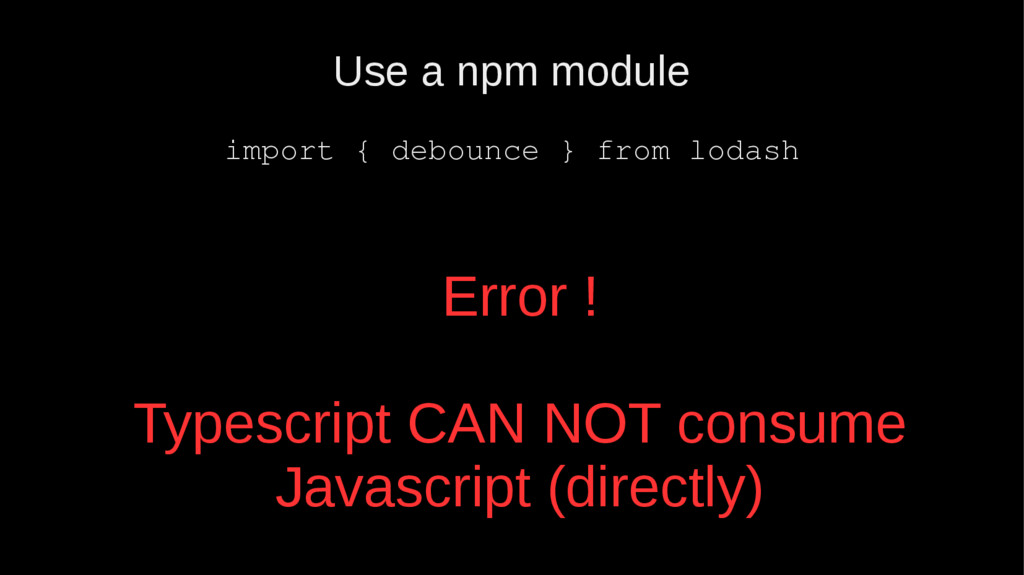
Use a npm module import { debounce } from lodash
Error ! Typescript CAN NOT consume Javascript (directly) -
Need to use a “declaration file” (aka “typing”) • A
special kind of TypeScript file which “annotate” some JS: npm I -D @types/lodash • You NEED them. But may not exist, not be correct, not be up-to-date • @types picked automatically by the compiler (since typescript 2) • Sometimes needed: import * as _ from ‘lodash’ • Write your own: official doc, tutorial (More about this in next talk !) http://stackoverflow.com/questions/38224232/how-to-consume-npm-modules-from-typescript -
Choose your class to progress further… Back-end (node) Front-end (browser)
Universal (modules) -
Back-end • The simplest ;) • npm I -D @types/node
• Execute directly: ts-node – With a shebang -
Front-end Webpack • typescript loader: ts-loader React • Complete class
example here • Special linting rules: tslint-react • Typed CSS: typestyle • limitations Angular 2 • (see tutorials) -
Execute typescript: browser Target: browser ES5 bundled webpack + ts-loader
+ babel (for ES6 modules) Source: Typescript 100% ES6, ?% ES7 ES6 modules See also awesome-typescript-loader -
Execute typescript: browser tsc target = ES6 module = ES6
+npm/cpx Target: browser ES5 bundled Source: Typescript 100% ES6, ?% ES7 ES6 modules Intermediate: ES6 100% ES6 ES6 modules + css, png... webpack +babel FYI an alternate 2-steps stack which allows to use create-react-app without modification -
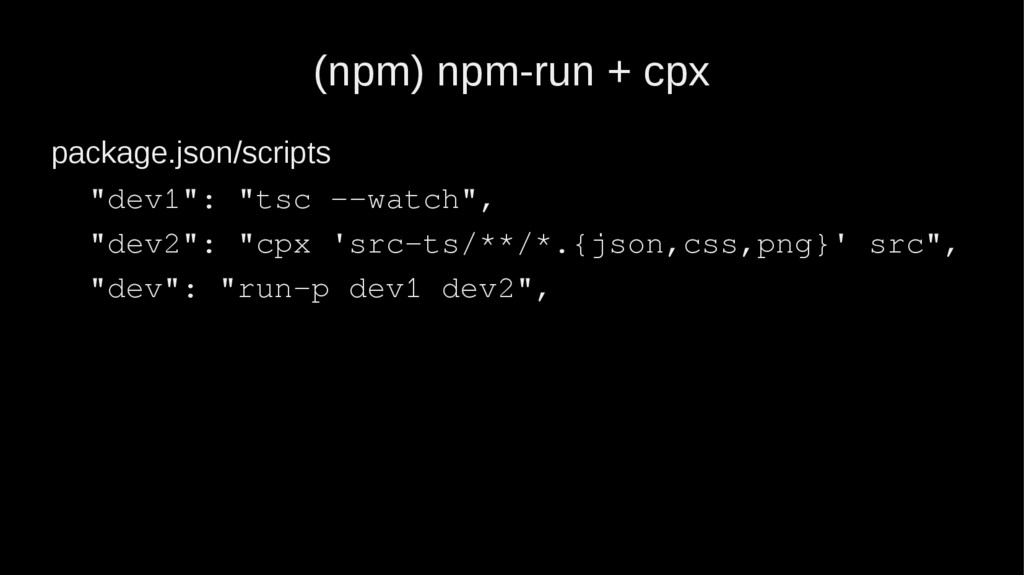
(npm) npm-run + cpx package.json/scripts "dev1": "tsc --watch", "dev2": "cpx
'src-ts/**/*.{json,css,png}' src", "dev": "run-p dev1 dev2", -
Universal (module) • Generate several versions of your code: node
stable, ES6, UMD • Generate and expose the typings • NEVER use default exports: babel and typescript won’t work well (see next slide) • Beware of conflicting environments – Node vs. browser on SetTimeout -
ES6 exports: no default ! • export default doesn’t play
well with all platforms • Use only named exports export { Foo, bar } • Named exports are recommended in TypeScript regardless of this issue • Interesting reads: – http://stackoverflow.com/a/38671949/587407 – http://blog.jonasbandi.net/2016/10/myth-of-superset.html#comment-29295611 55 – http://www.jbrantly.com/es6-modules-with-typescript-and-webpack/ – https://github.com/webpack/webpack/issues/706 -
Real example of a universal TS npm module • https://github.com/Offirmo/hello-world-npm
• All envs testable with – https://github.com/Offirmo/cross-js-env-tests -
Next quests: “Advanced” • Example of ts tyleguide: typescript coding
guidelines • TypeScript formatter: tsfmt • Call the typescript compiler from a script: – node-typescript-compiler – Allows to dynamically change config • Useful npm script: syntax watch: "tsc:watch": "npm run tsc -- --watch", • In special cases, you may have to tweak the –lib option: --lib webworker -
Final words: Superset ? • Superset of JavaScript ? •
Comparison : C++ superset of C ? • Superset of WELL-WRITTEN JavaScript ? • http://blog.jonasbandi.net/2016/10/myth-of-superset.html#co mment-2929561155 https://smellegantcode.wordpress.com/2015/07/11/is-typescript-really-a-superset-of-javascript-and-does-it-even-matter/ -
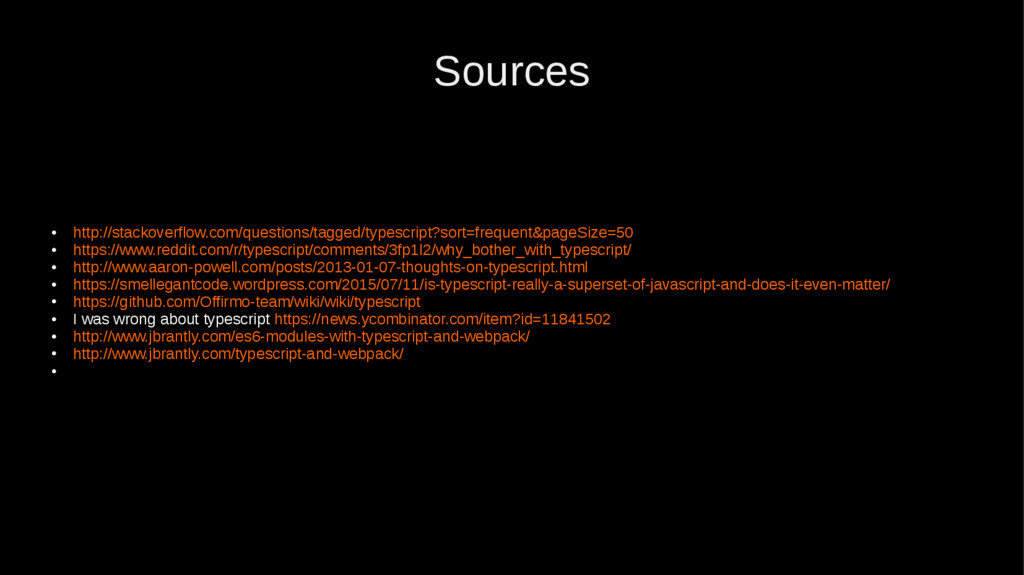
Sources • http://stackoverflow.com/questions/tagged/typescript?sort=frequent&pageSize=50 • https://www.reddit.com/r/typescript/comments/3fp1l2/why_bother_with_typescript/ • http://www.aaron-powell.com/posts/2013-01-07-thoughts-on-typescript.html • https://smellegantcode.wordpress.com/2015/07/11/is-typescript-really-a-superset-of-javascript-and-does-it-even-matter/ •
https://github.com/Offirmo-team/wiki/wiki/typescript • I was wrong about typescript https://news.ycombinator.com/item?id=11841502 • http://www.jbrantly.com/es6-modules-with-typescript-and-webpack/ • http://www.jbrantly.com/typescript-and-webpack/ •