Basics of API Design and development. After the presentation, we developed a python flask-based app that you use to remind yourself anything via an api https://github.com/oquidave/reminderme
David Okwii.
Developer relations,
Africa's Talking.
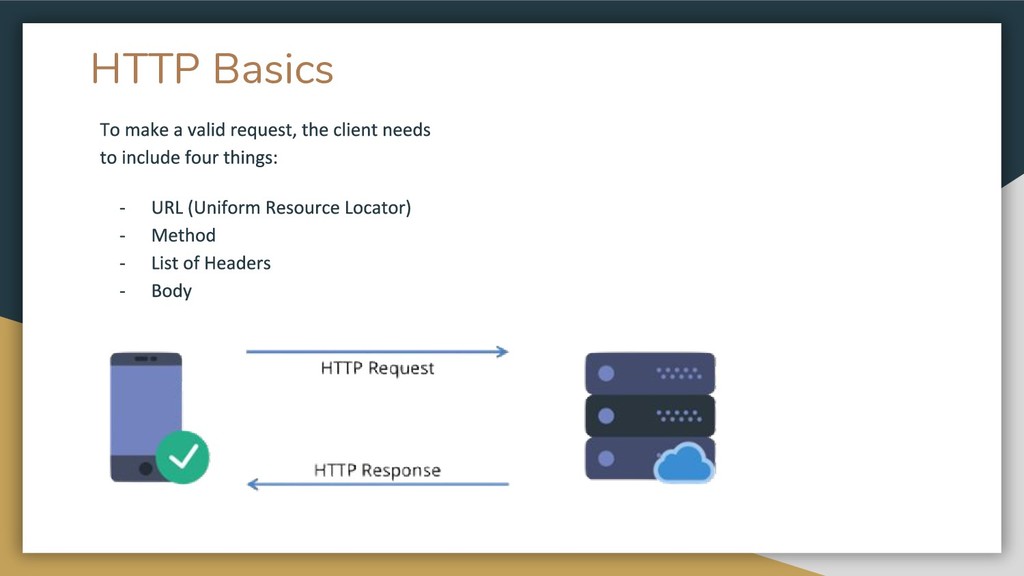
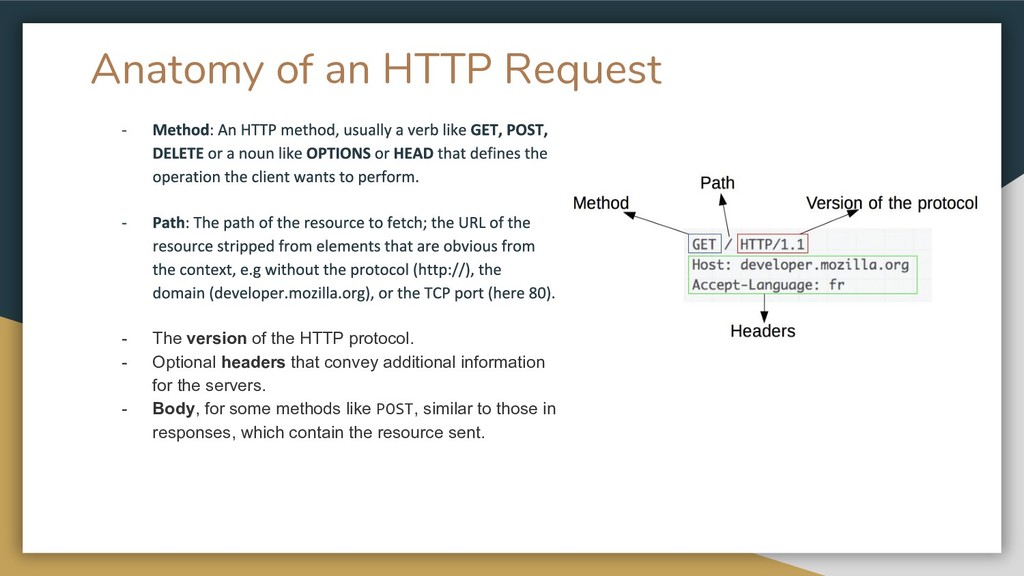
HTTP protocol. - Optional headers that convey additional information for the servers. - Body, for some methods like POST, similar to those in responses, which contain the resource sent.
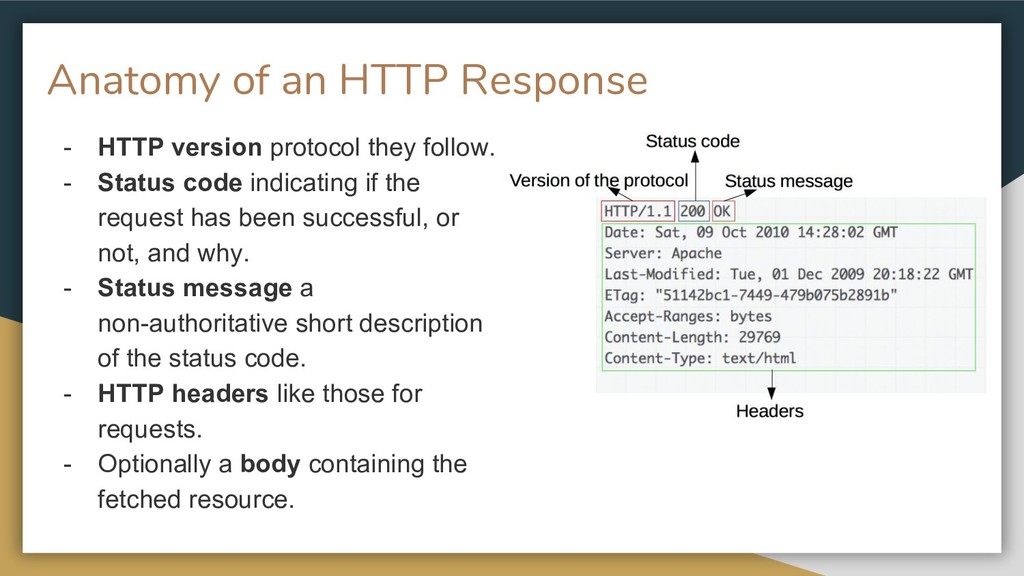
follow. - Status code indicating if the request has been successful, or not, and why. - Status message a non-authoritative short description of the status code. - HTTP headers like those for requests. - Optionally a body containing the fetched resource.
of letters and numbers that is distinct from the account owner's login password - keys are used simply so the user does not have to give out their password - You can put the key in the Authorization header or add the key onto the URL (http://example.com?api_key=my_se cret_key)
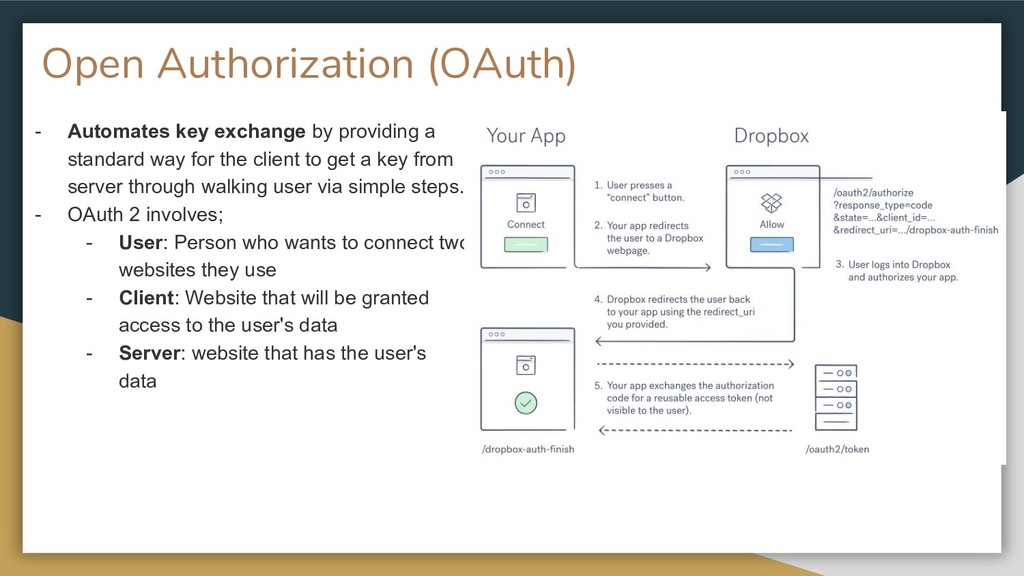
standard way for the client to get a key from server through walking user via simple steps. - OAuth 2 involves; - User: Person who wants to connect two websites they use - Client: Website that will be granted access to the user's data - Server: website that has the user's data
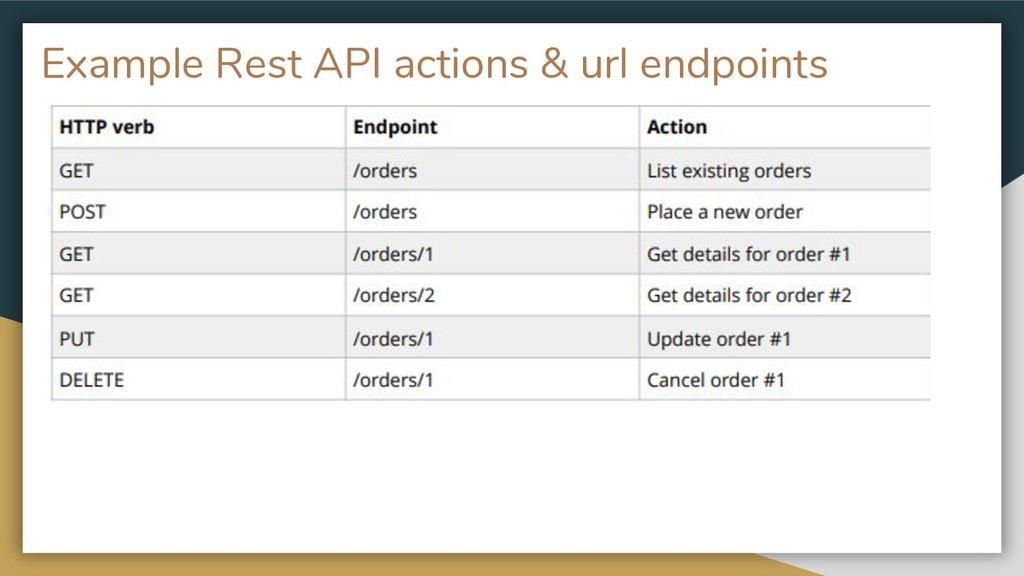
- Key pointers; - Decide what resource(s) need to be available. - Assign URLs to those resources. - Decide what actions the client should be allowed to perform on those resources. - Figure out what pieces of data are required for each action and what format they should be in.
on Twitter More cool Resources: • Api security checklist https://github.com/shieldfy/API-Security-Checklist • API best practices: https://www.vinaysahni.com/best-practices-for-a-prag matic-restful-api • Mozilla: https://developer.mozilla.org/en-US/docs/Web/HTTP/ Overview • Zapier: https://zapier.com/learn/apis/


 ivry_presentationmaterials
 ishikawa_satoru
 masakiokuda
 shuta13
 occhi
occhi
 raspython3
 endonanana
 ludicmind
 genda
genda
 teamlab
 ymotongpoo
 tetsuya28
 sugarenia
 codingconduct
 reverentgeek
 destraynor
 marcduiker
 orderedlist
 jonoalderson
 pauljervisheath
 smashingmag
 tomoyanonymous
 apolaine
 sergeychernyshev
![Thank You David Okwii, Developer relations, Africa’s talking [email protected] @oquidave](https://files.speakerdeck.com/presentations/c5a78d6f15274a2a8bc99c08f5215b6b/slide_19.jpg)