Upgrade to Pro — share decks privately, control downloads, hide ads and more …

Tailscale in Practice: Multiple Tailnets, Autom...

Tailscale in Practice: Multiple Tailnets, Automated Operations and Exit Nodes

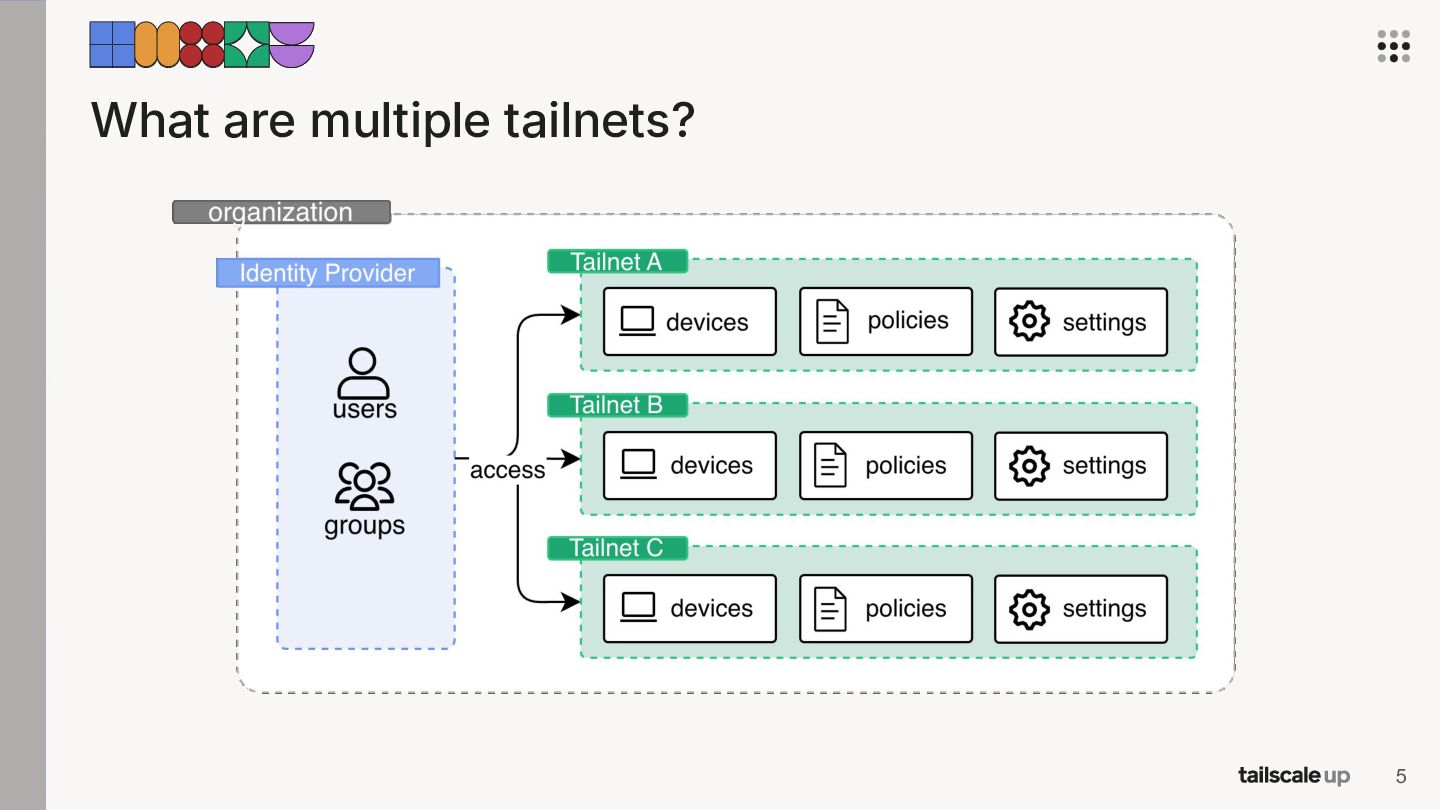
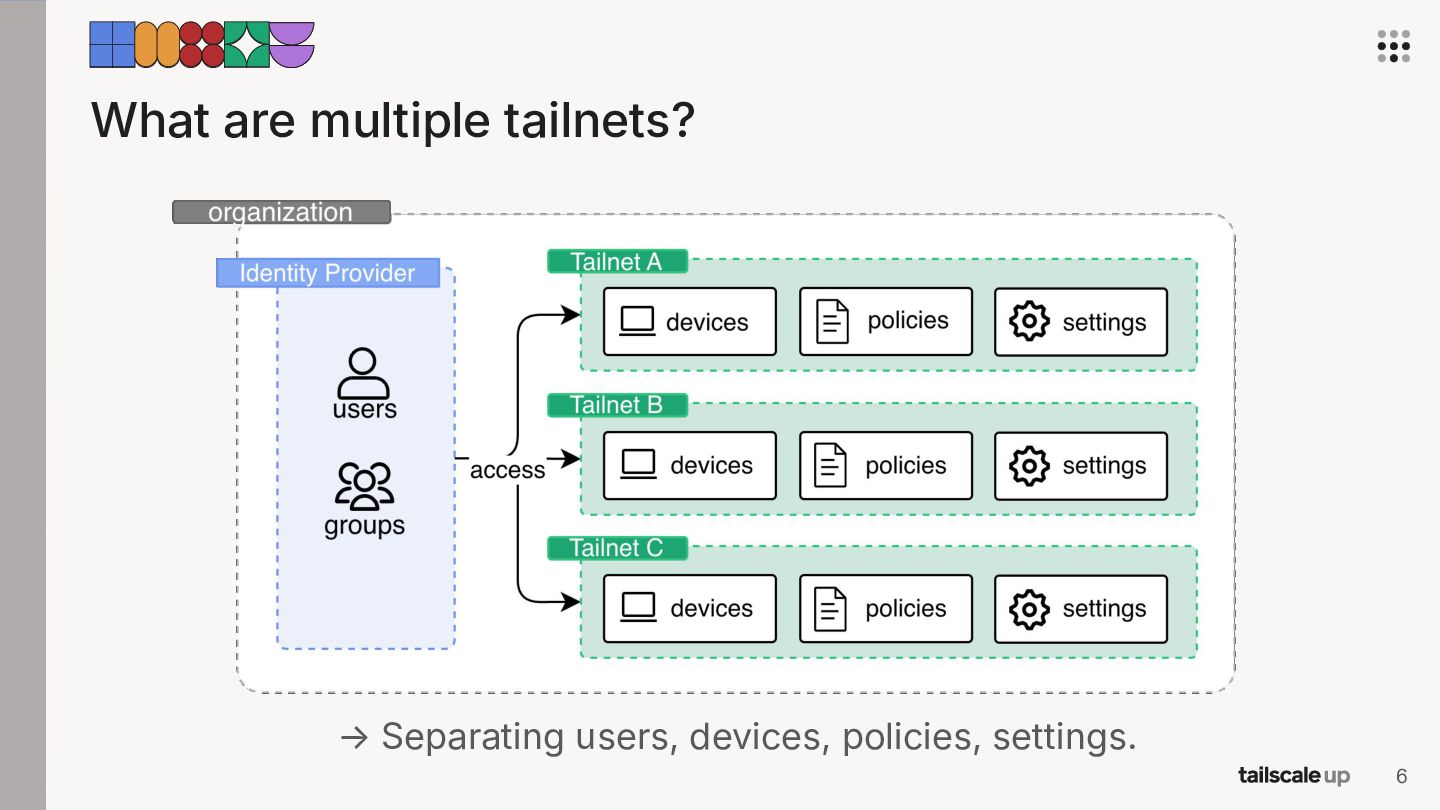
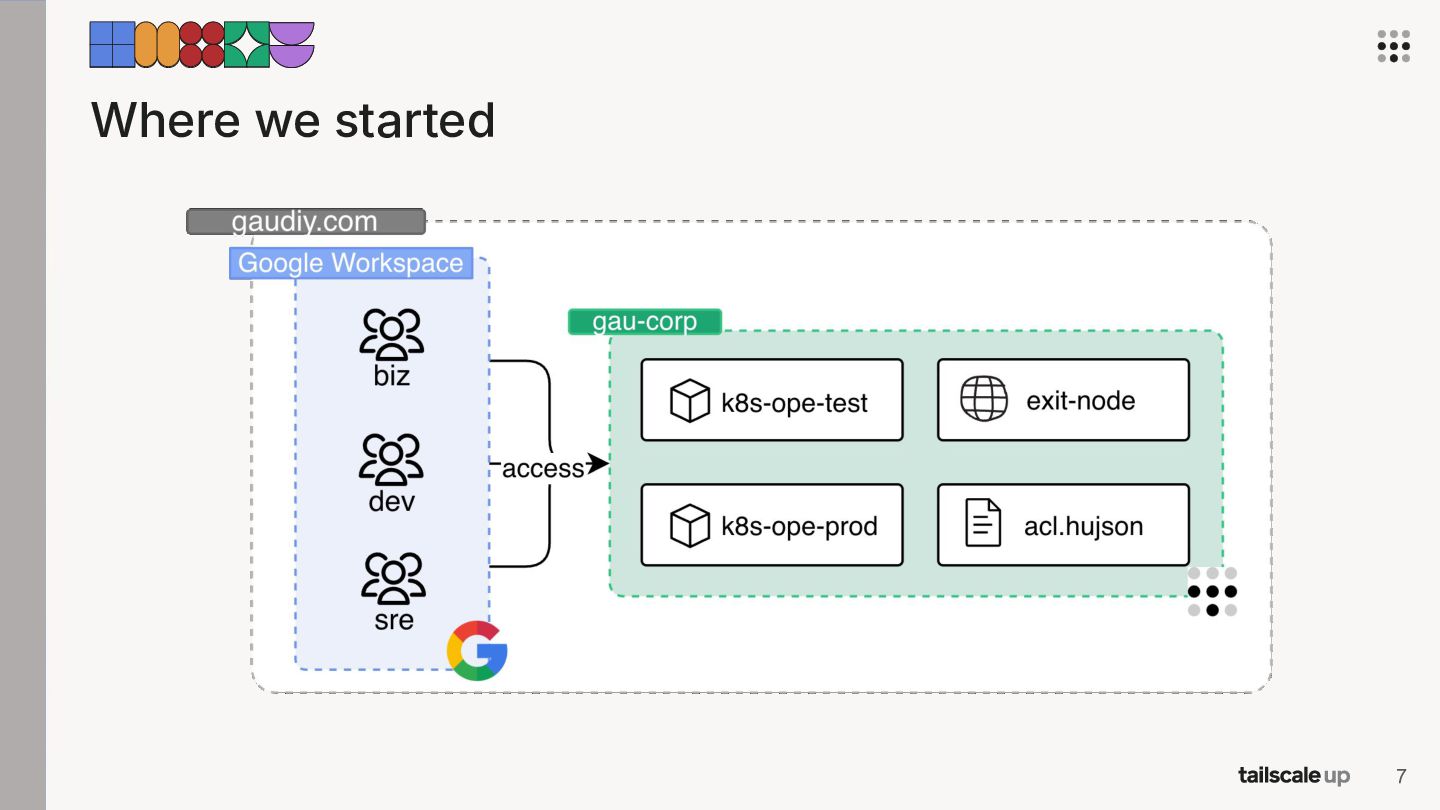
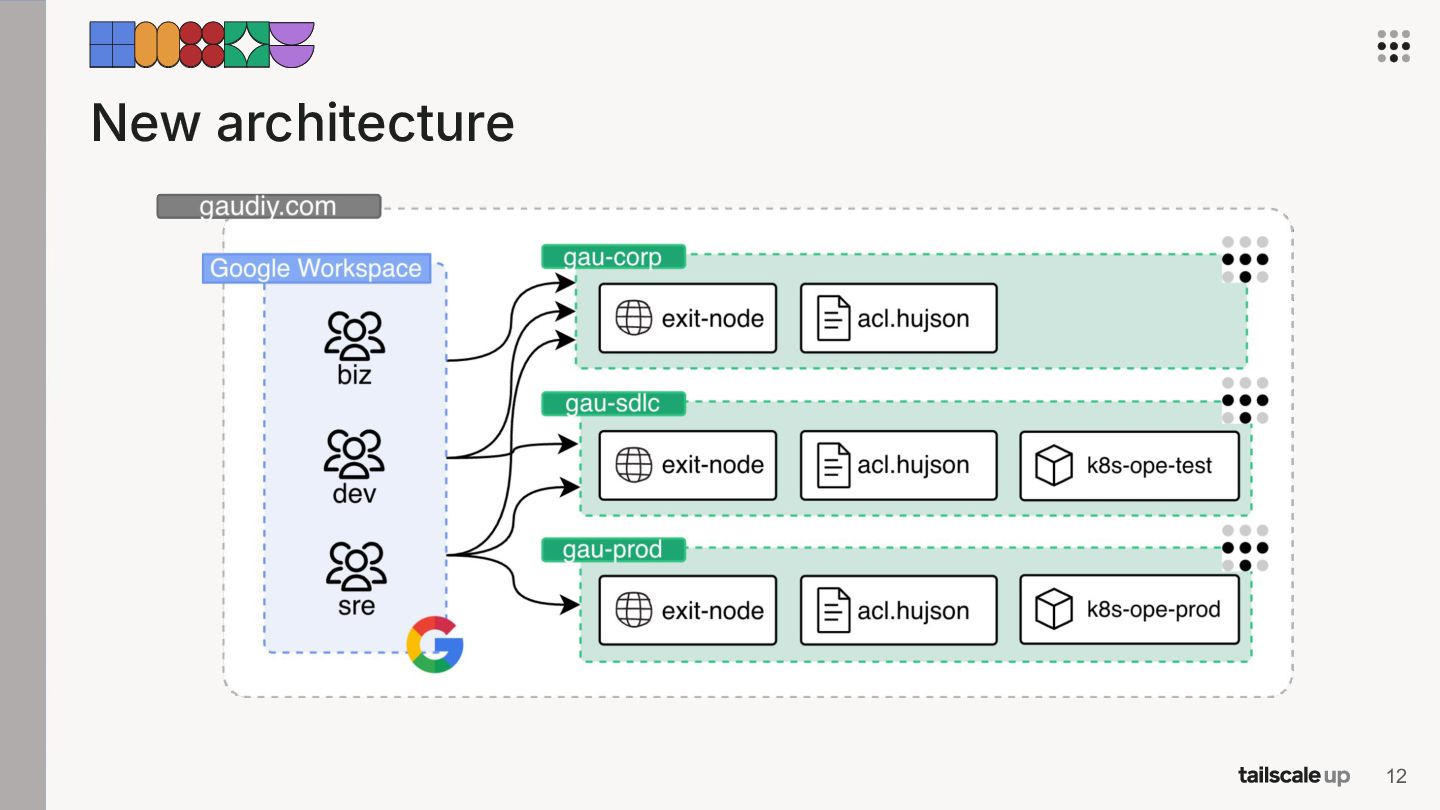
At Gaudiy, Tailscale is core infrastructure that is managed entirely as code via Terraform and integrated with Google Workspace for identity. With ~200 users and 400 devices, we operate three isolated tailnets — corp, sdlc, and prod.

This is a practical talk for teams who've adopted Tailscale and want to take it further. It covers when to choose multiple tailnets for environment isolation, a reusable pattern for automating Tailscale operations, and design considerations for running exit nodes with auto-healing, high availability, and observability.

Avatar for Shimpei Kodama

Shimpei Kodama

August 26, 2026

Other Decks in Technology

Transcript

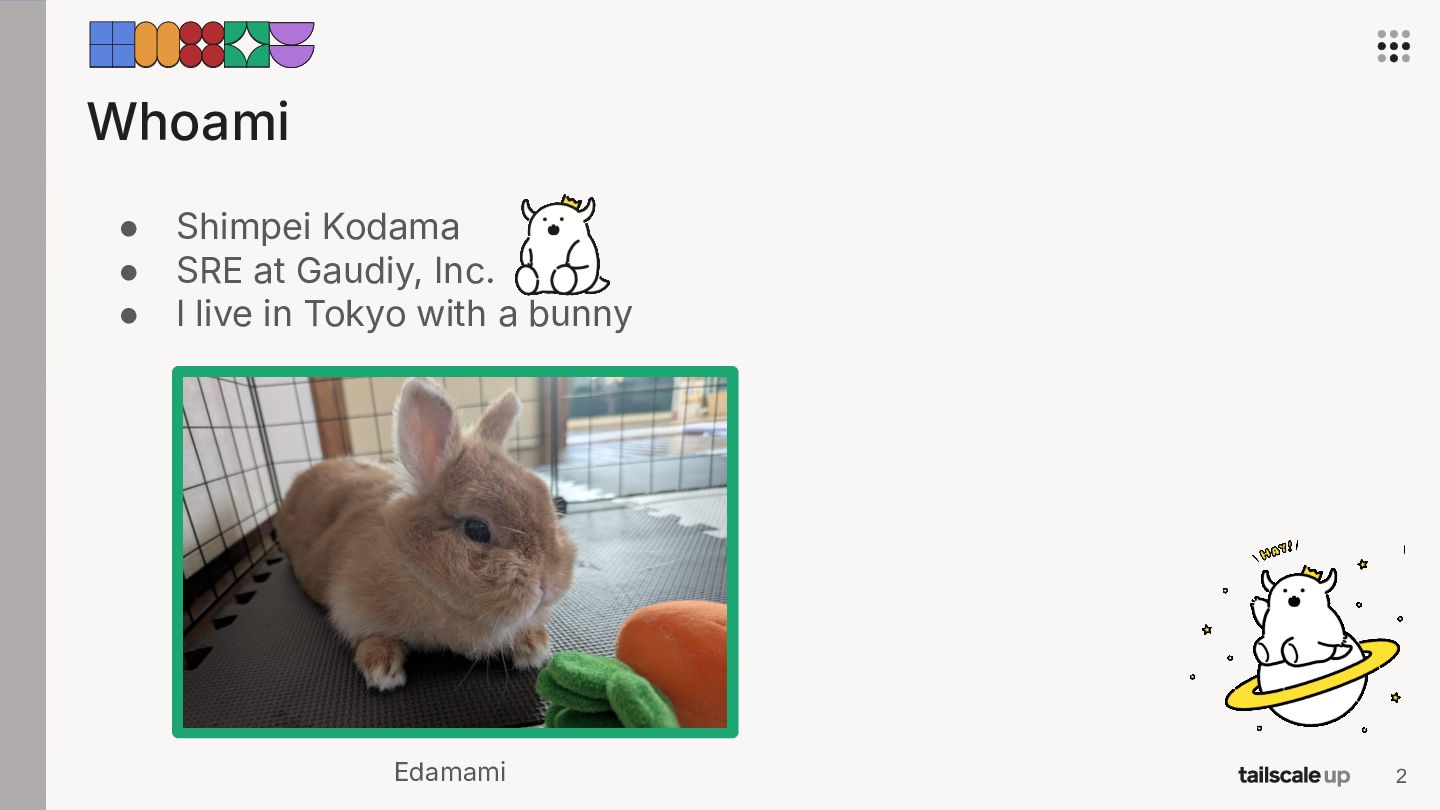
  1. Whoami • • • Shimpei Kodama SRE at Gaudiy, Inc.

    I live in Tokyo with a bunny Edamami 2
  2. Agenda 01 Multiple Tailnets 02 Automated Operations 03 Exit Nodes

    Why we split our tailnet How we keep the operations light How we made exit nodes reliable 3
  3. Agenda 01 Multiple Tailnets 02 Automated Operations 03 Exit Nodes

    Why we split our tailnet How we keep the operations light How we made exit nodes reliable 4
  4. Why one tailnet was not enough • Supply chain attacks

    keep getting more common, like the axios compromise March 2026. 9
  5. Why one tailnet was not enough • Supply chain attacks

    keep getting more common, like the axios compromise March 2026. → We wanted another layer of defense. 10
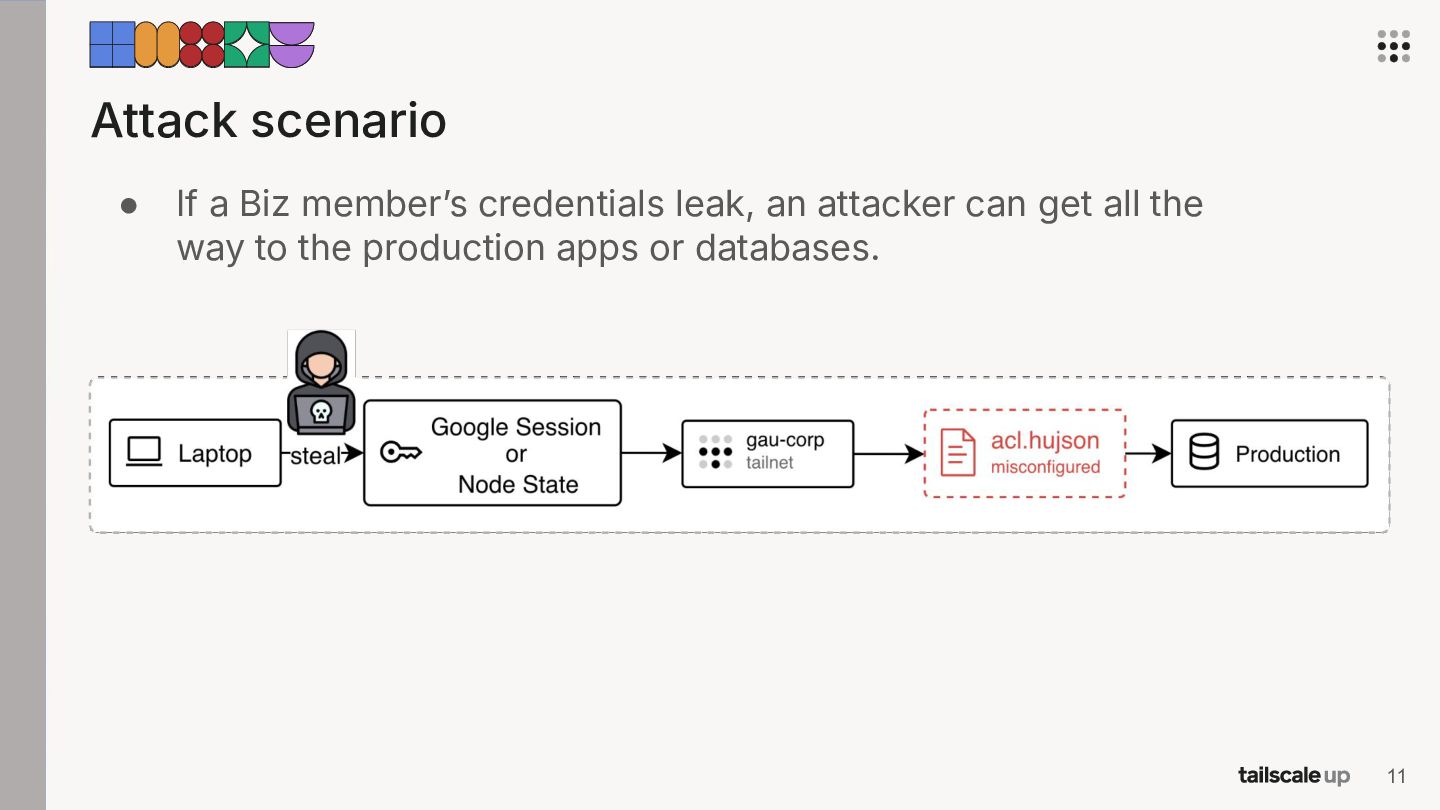
  6. Attack scenario • If a Biz memberʼs credentials leak, an

    attacker can get all the way to the production apps or databases. 11
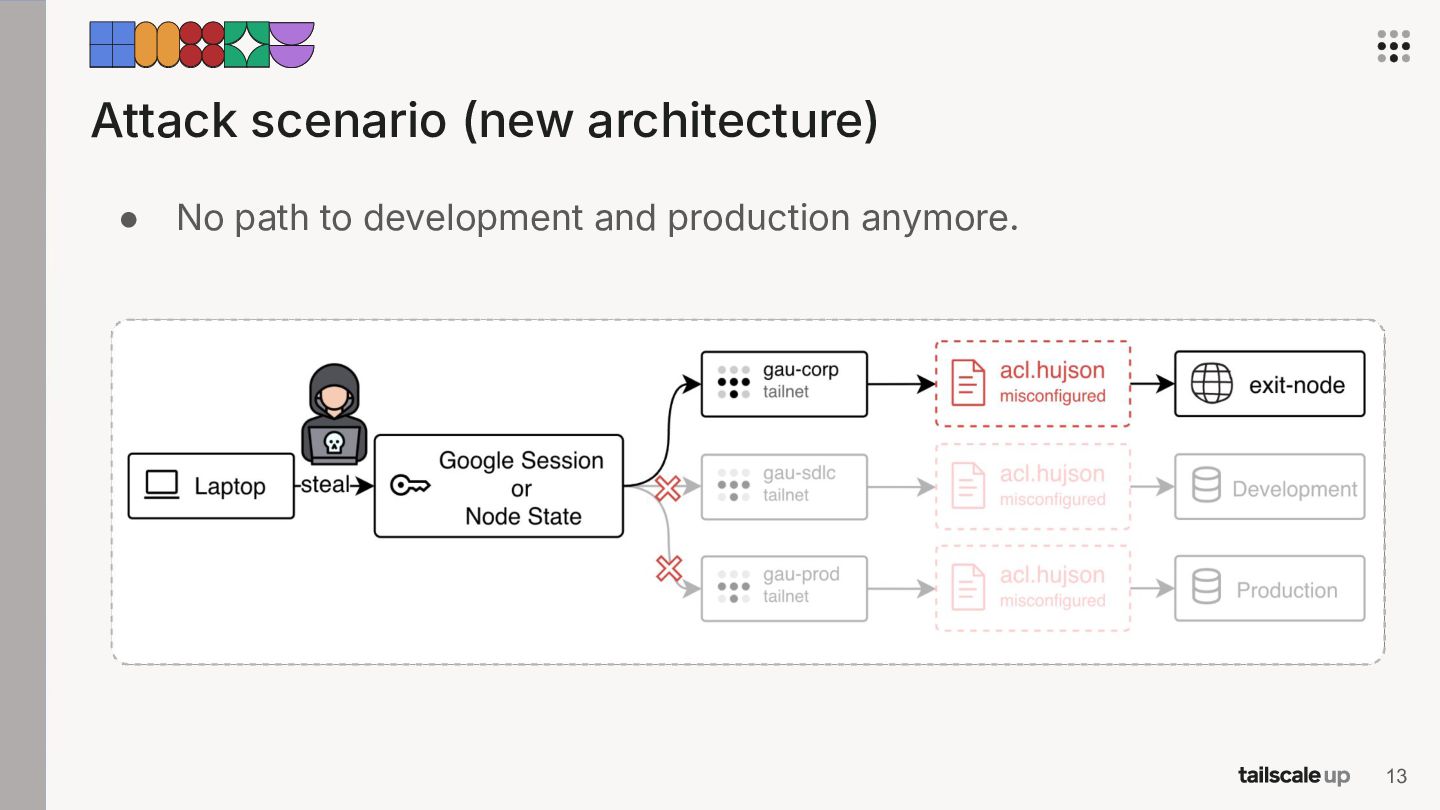
  7. With multiple tailnets → A stolen session or credential reaches

    less than it used to. → But, it still reaches everything that user could. So, the same care as before is needed. 15
  8. Agenda 01 Multiple Tailnets 02 Automated Operations 03 Exit Nodes

    Why we split our tailnet How we keep the operations light How we made exit nodes reliable 16
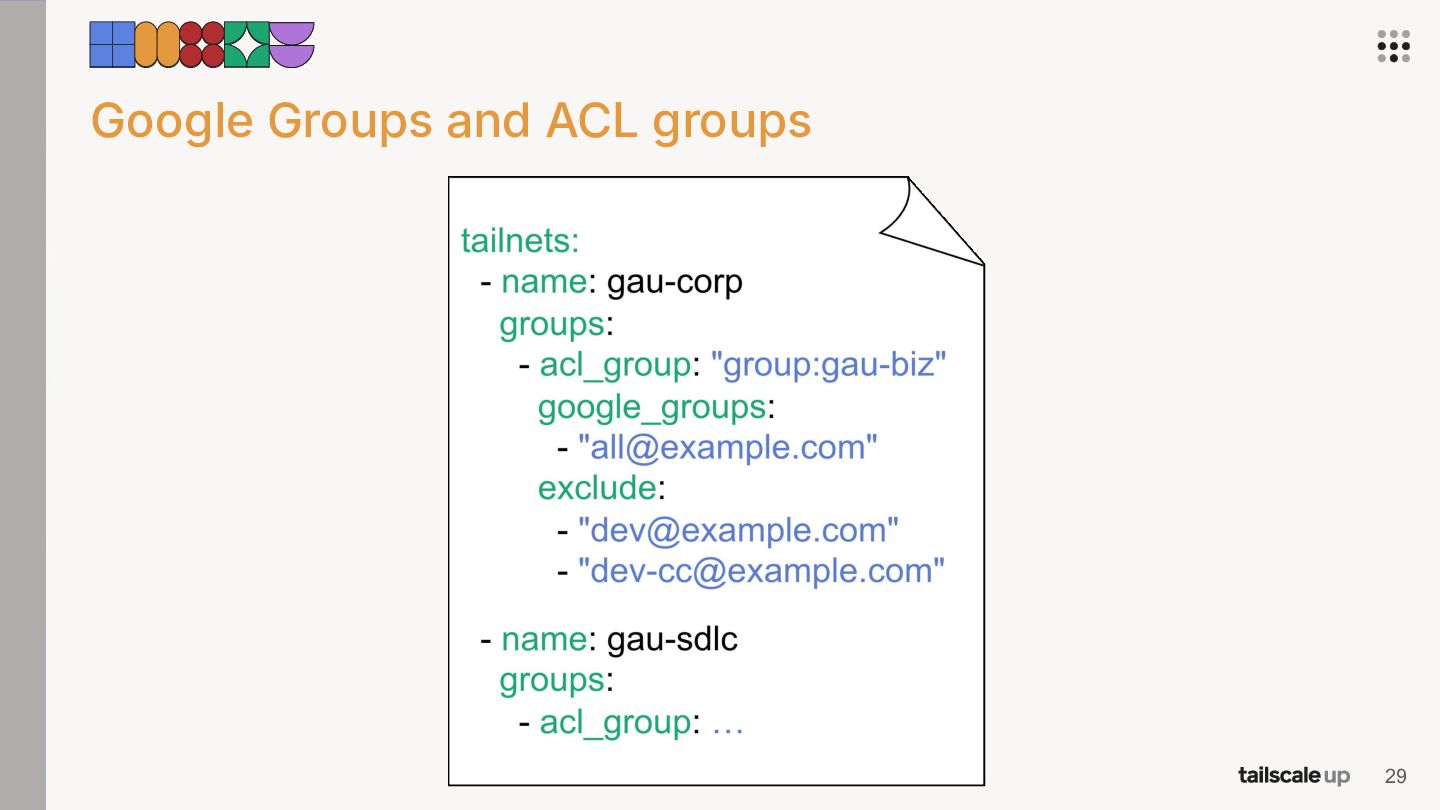
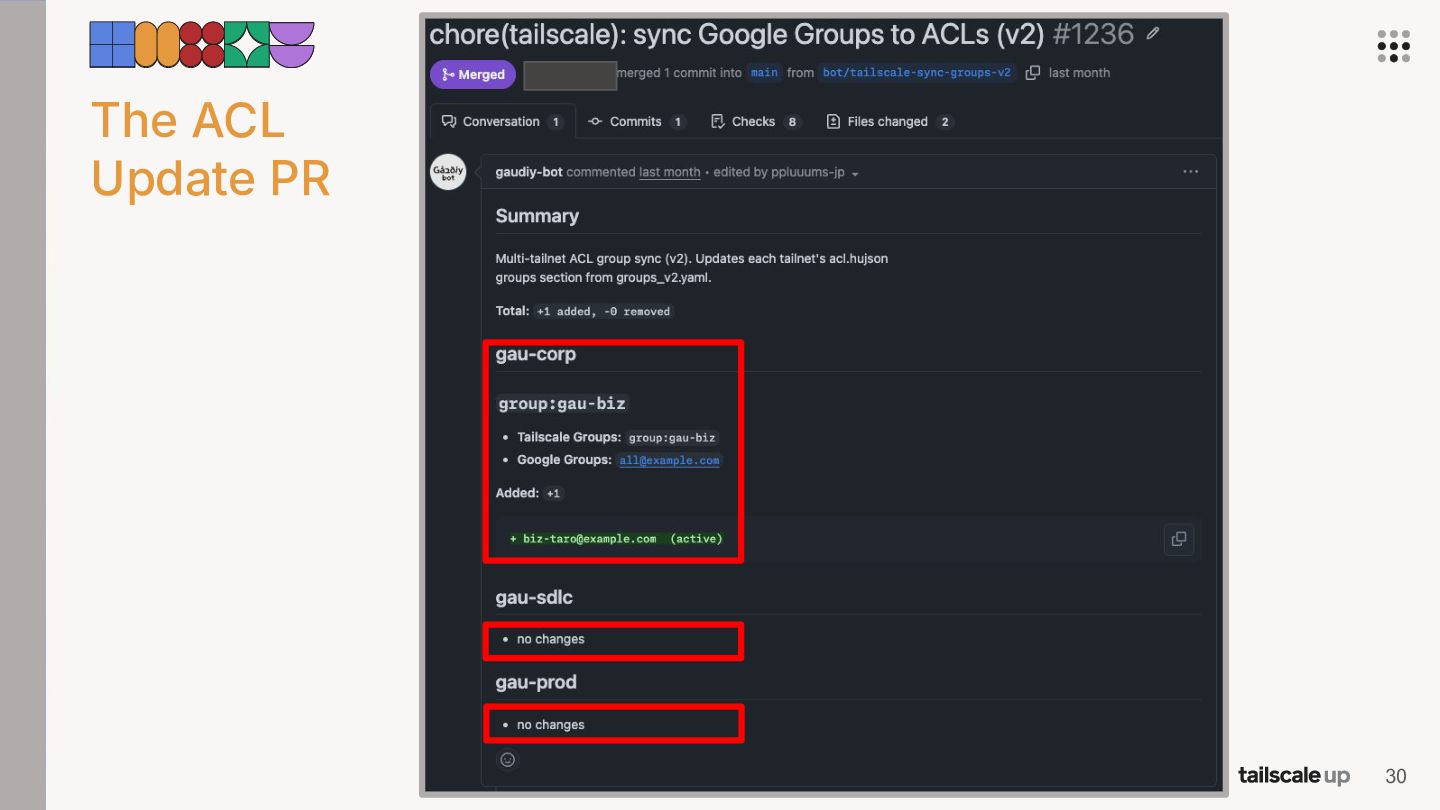
  9. The split wasnʼt free • • Three approvals per user

    on different consoles each time. Groups to keep in sync in three places ACLs. 17
  10. The split wasnʼt free • • Three approvals per user

    on different consoles each time. Groups to keep in sync in three places ACLs. → We wanted the three tailnets, without three times the work. 18
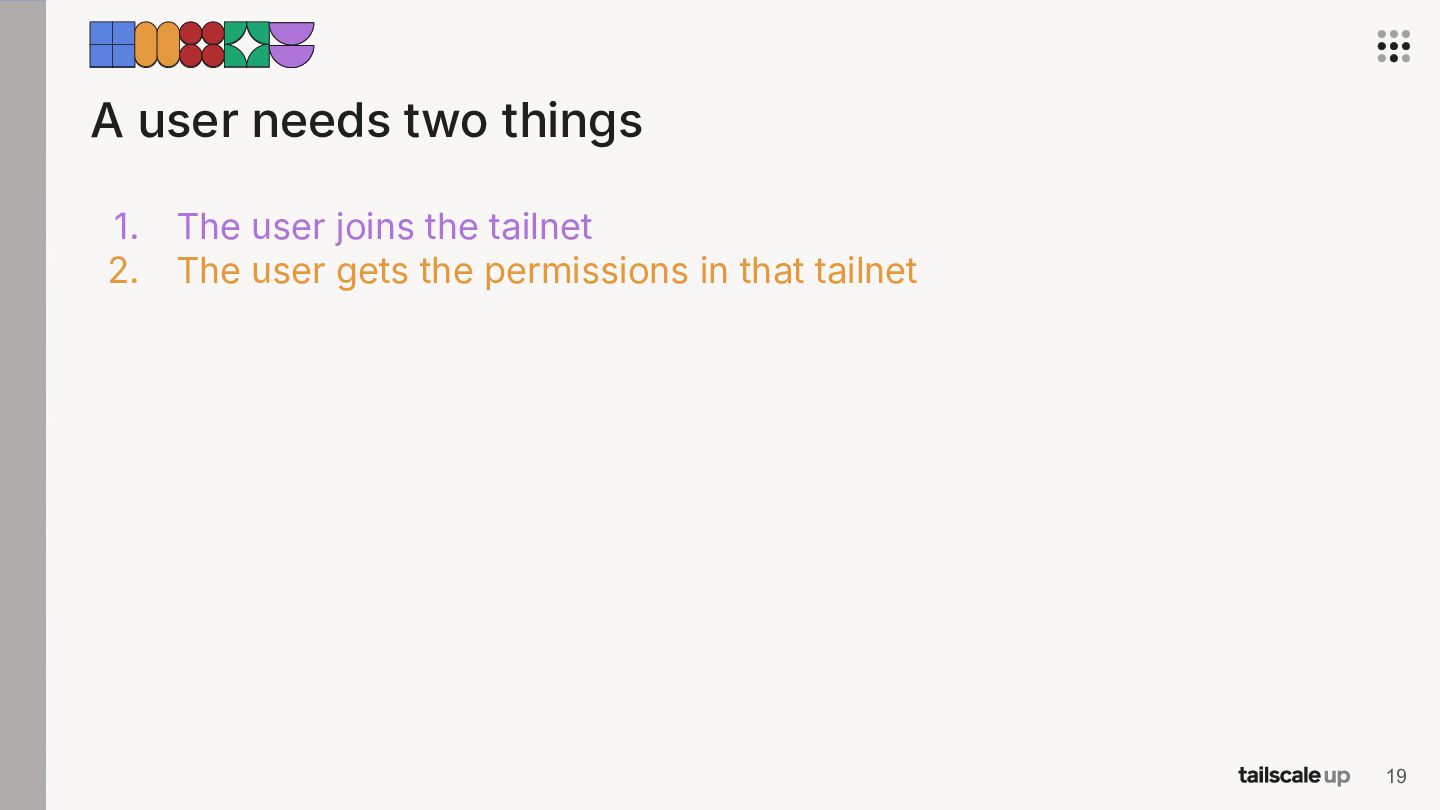
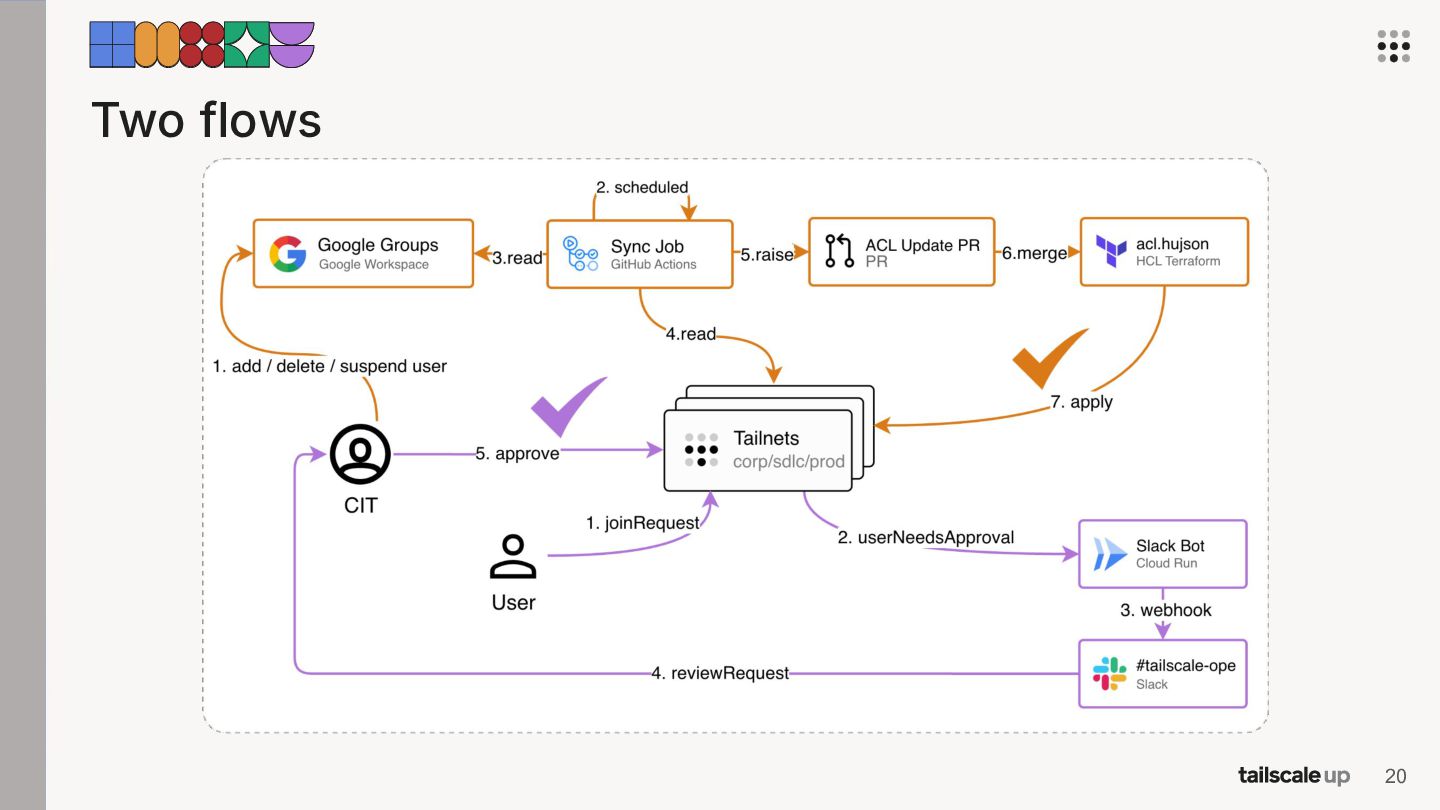
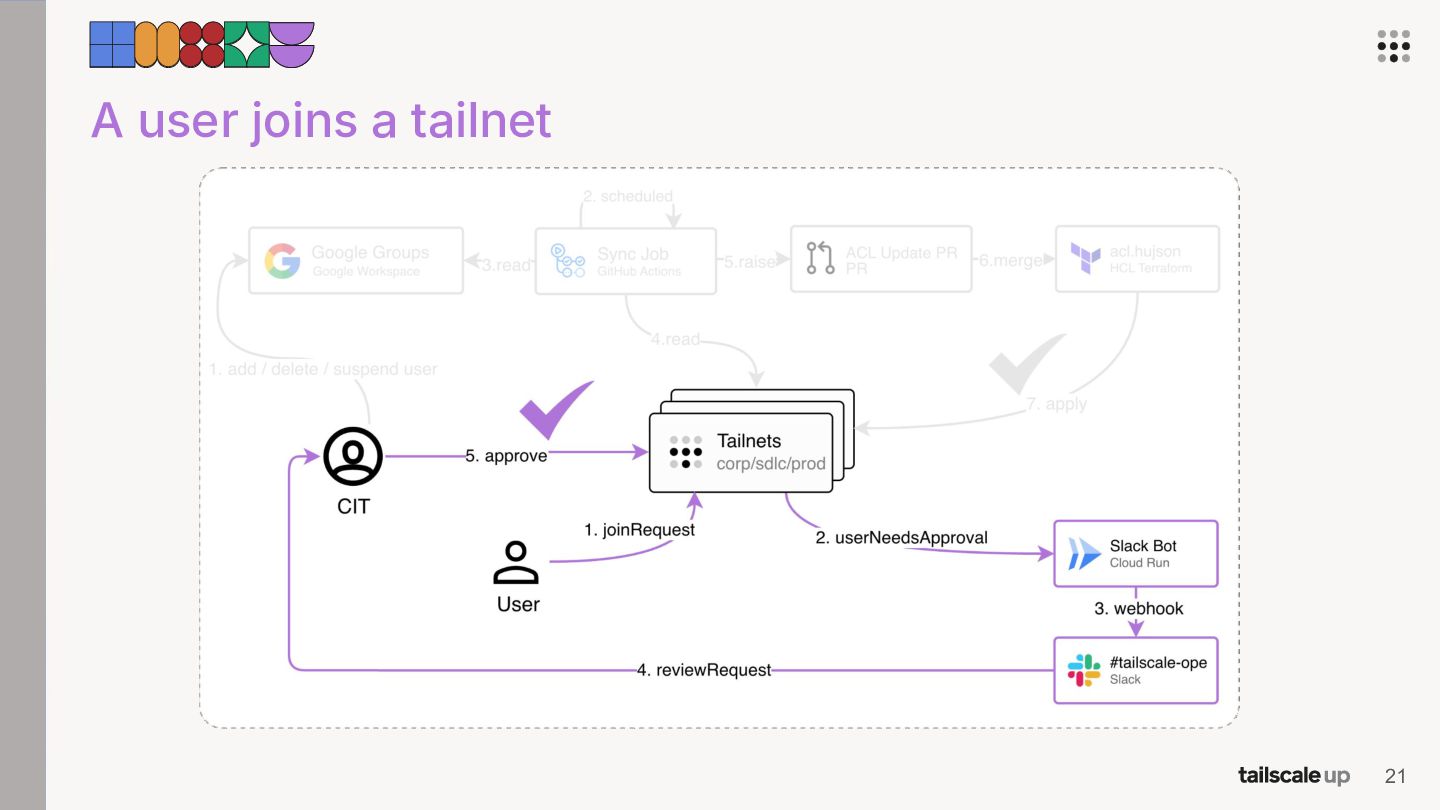
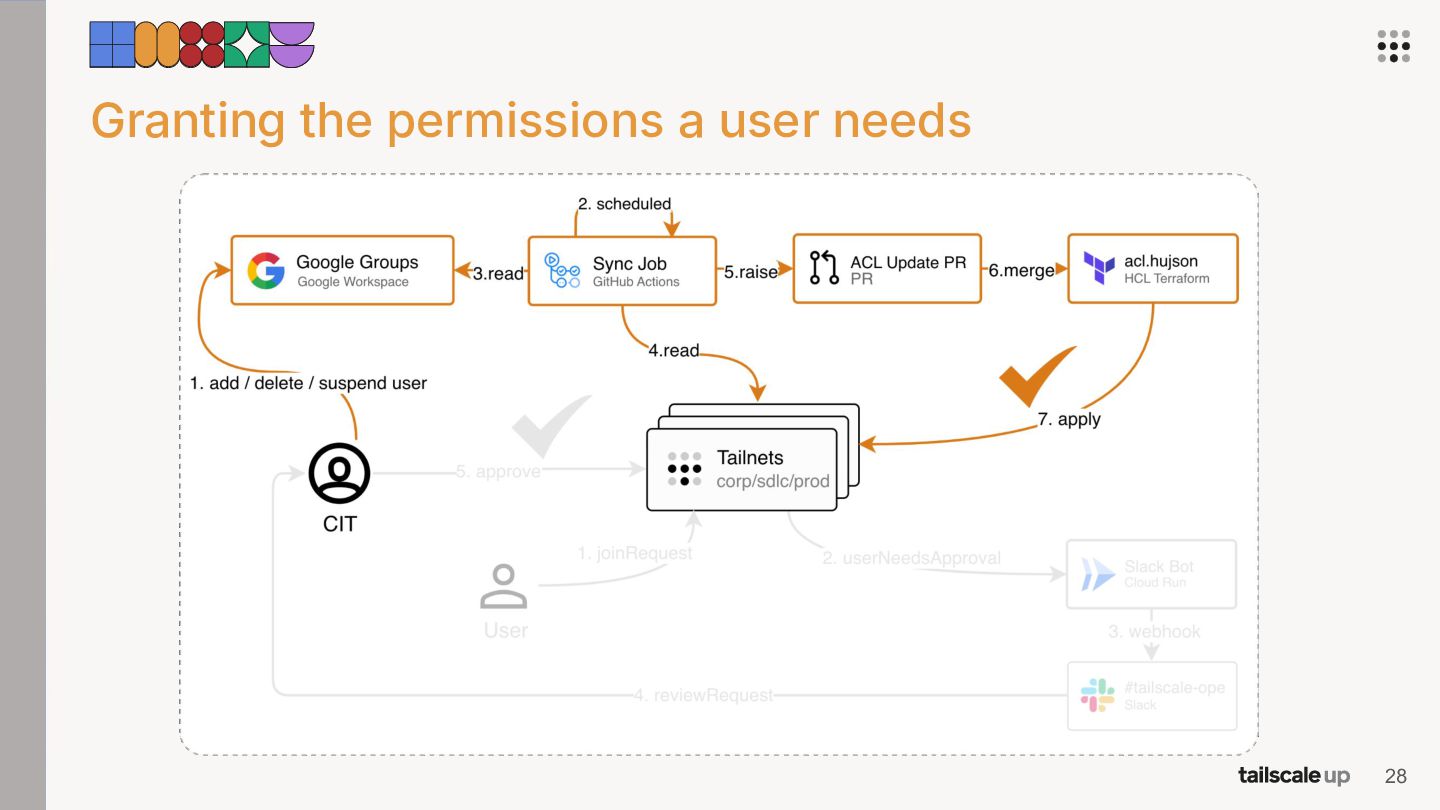
  11. A user needs two things 1. 2. The user joins

    the tailnet The user gets the permissions in that tailnet 19
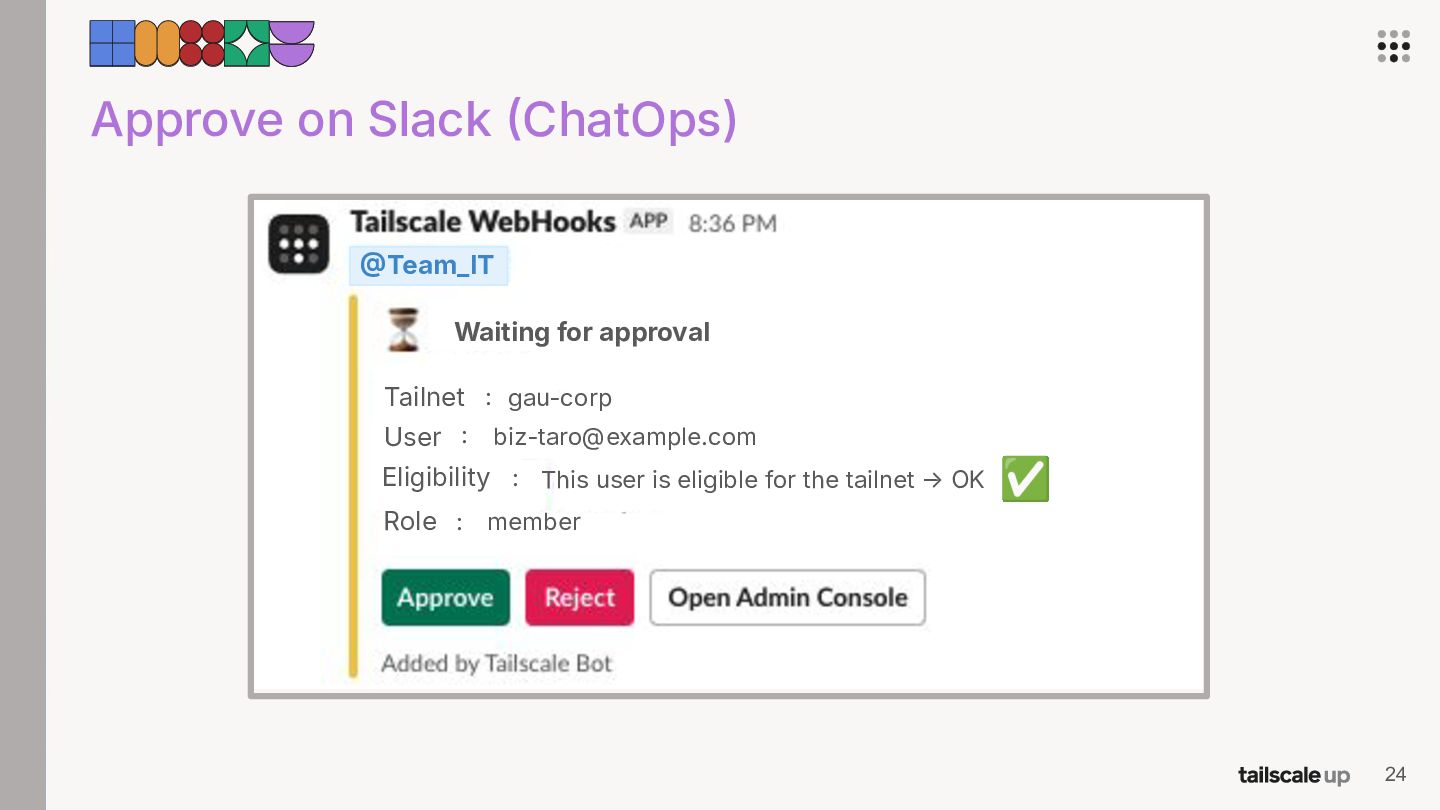
  12. Approve on Slack ChatOps) Team_IT Waiting for approval Tailnet :

    gau-corp User : [email protected] Eligibility : This user is eligible for the tailnet → OK ✅ Role : member 24
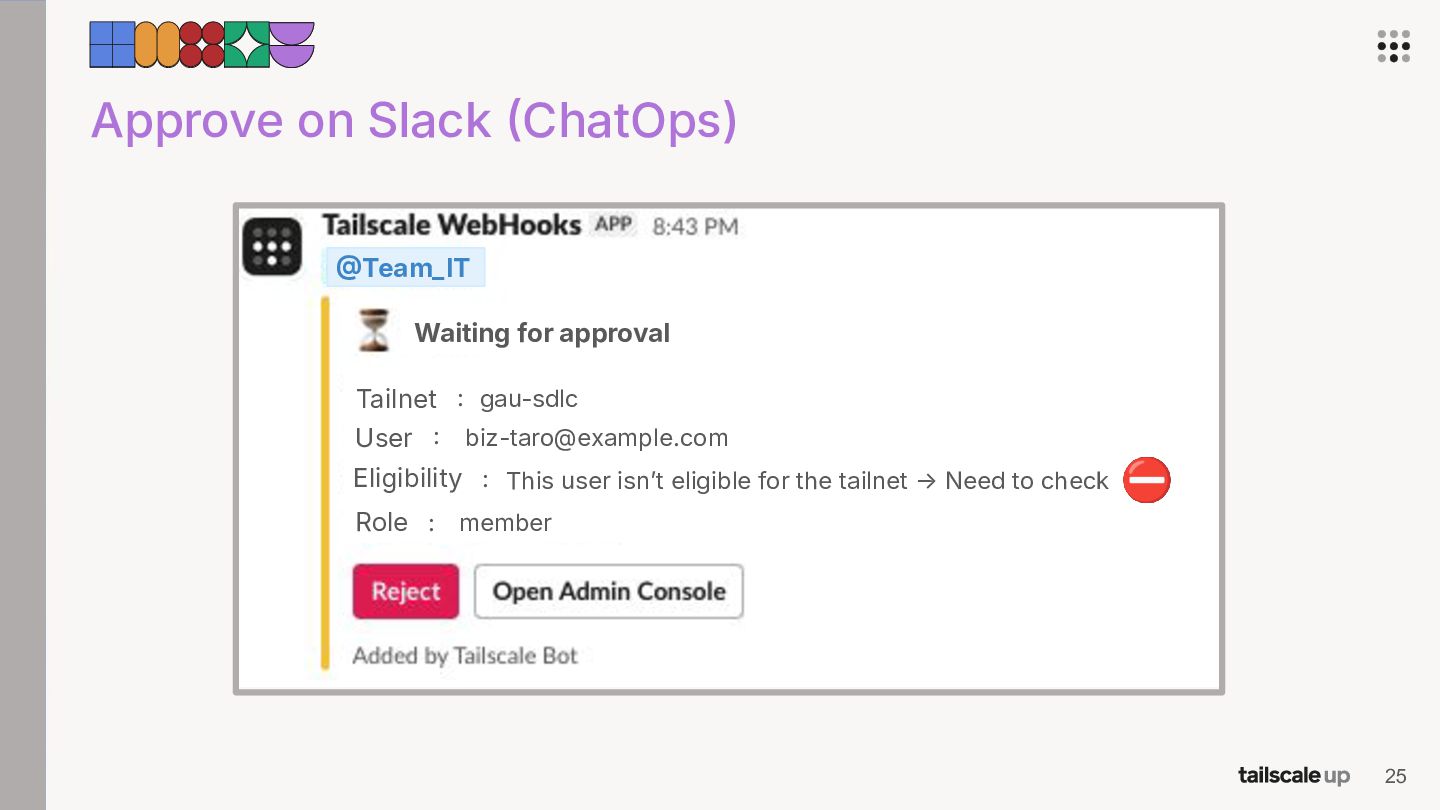
  13. Approve on Slack ChatOps) Team_IT Waiting for approval Tailnet :

    gau-sdlc User : [email protected] Eligibility : This user isnʼt eligible for the tailnet → Need to check ⛔ Role : member 25
  14. Approve on Slack ChatOps) → Approval stays human, so we

    can stop suspicious joins. → Three tailnet consoles became one place. 27
  15. A note • • The “user & group provisioningˮ feature

    wasnʼt in the plan we were on back then (now itʼs supported on that plan), so we built our own. But weʼre leaning toward keeping our pipeline anyway. Two reasons: ◦ Not everyone in a Google Group ends up in Tailscale. Weʼd rather not hand out access to accounts that arenʼt even there. ◦ Google Group to ACL group isnʼt 11. We want to shape the ACL groups ourselves. 31
  16. Agenda 01 Multiple Tailnets 02 Automated Operations 03 Exit Nodes

    Why we split our tailnet How we keep the operations light How we made exit nodes reliable 32
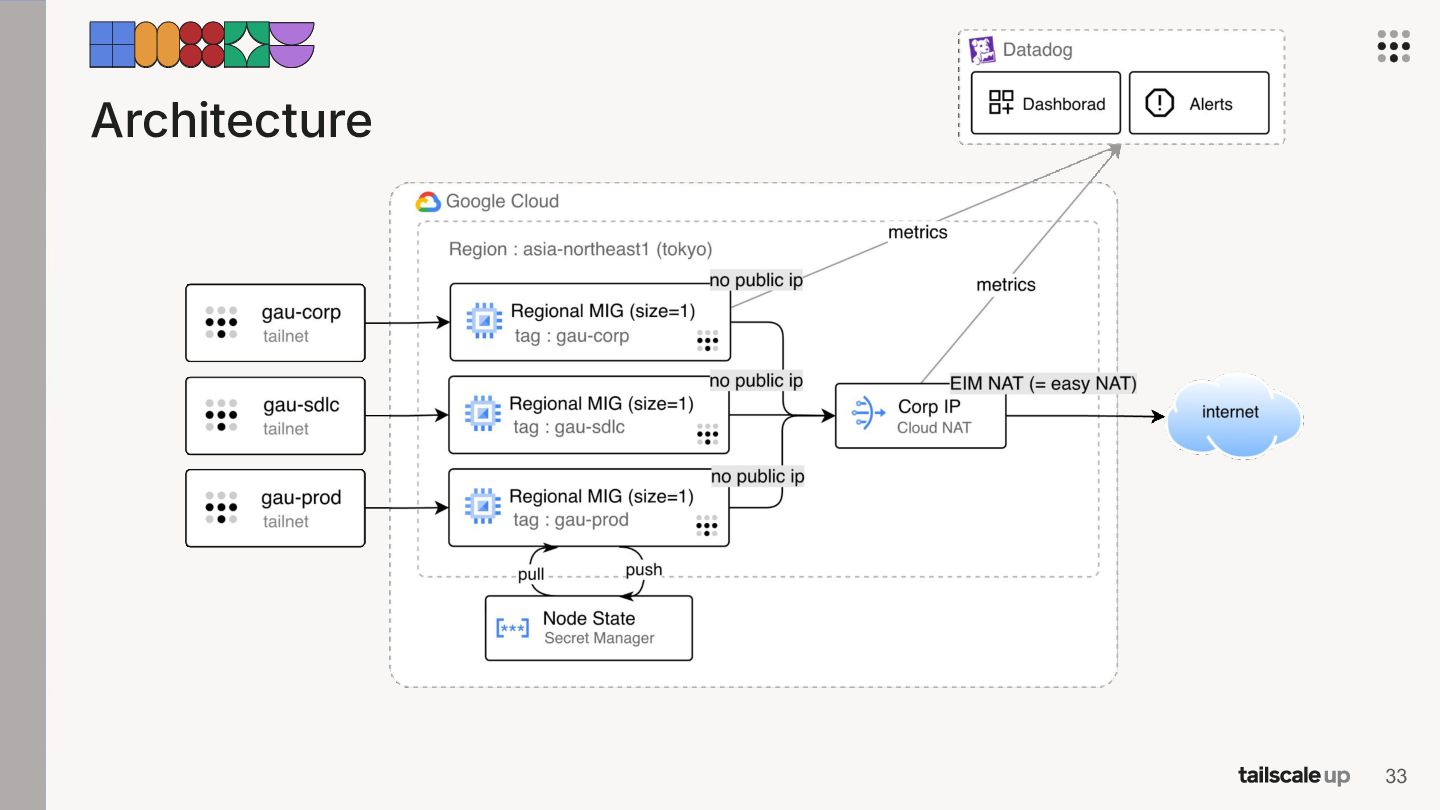
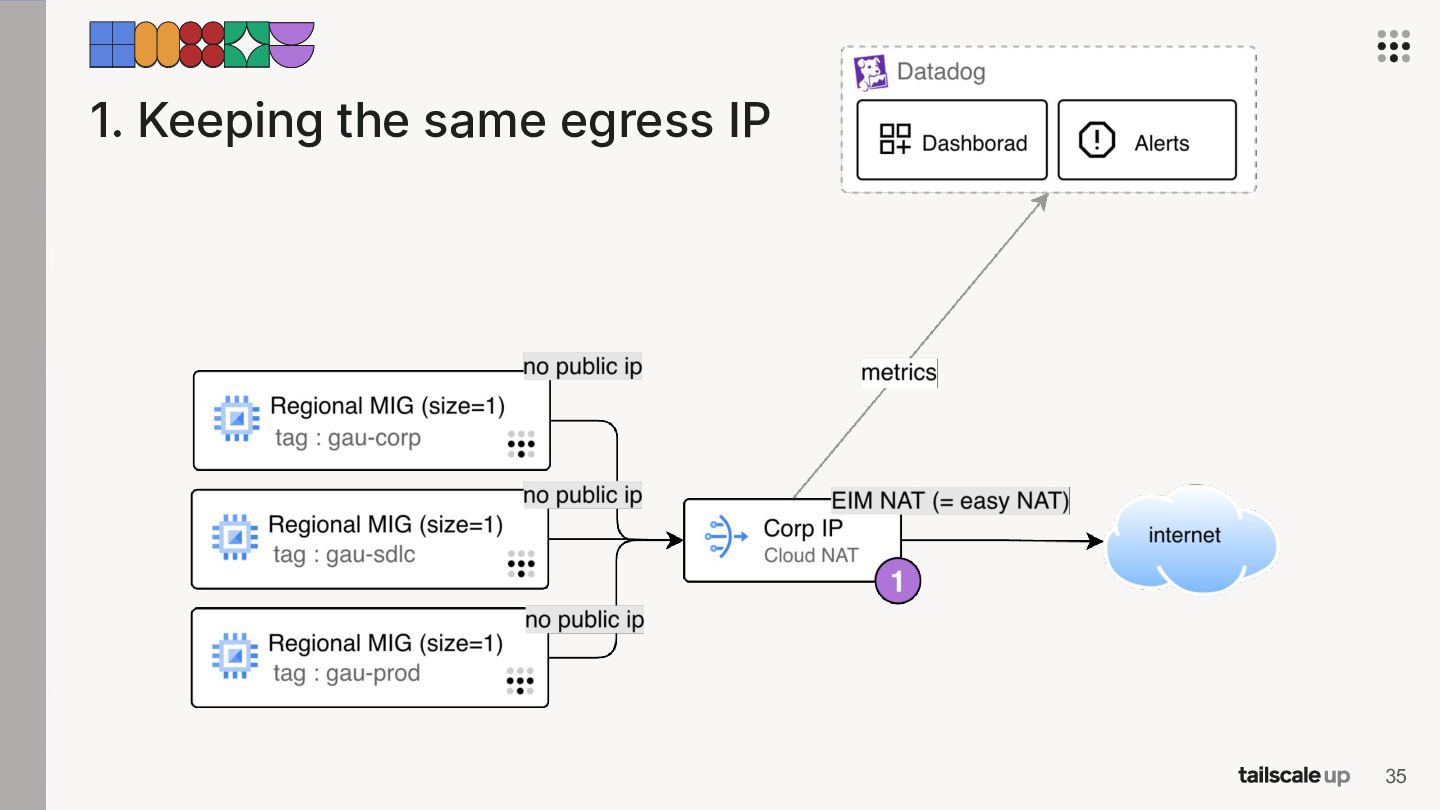
  17. 1. Keeping the same egress IP • The corp IP

    is in other clientsʼ allowlists. We didnʼt want to maintain a second one. 36
  18. 1. Keeping the same egress IP • The corp IP

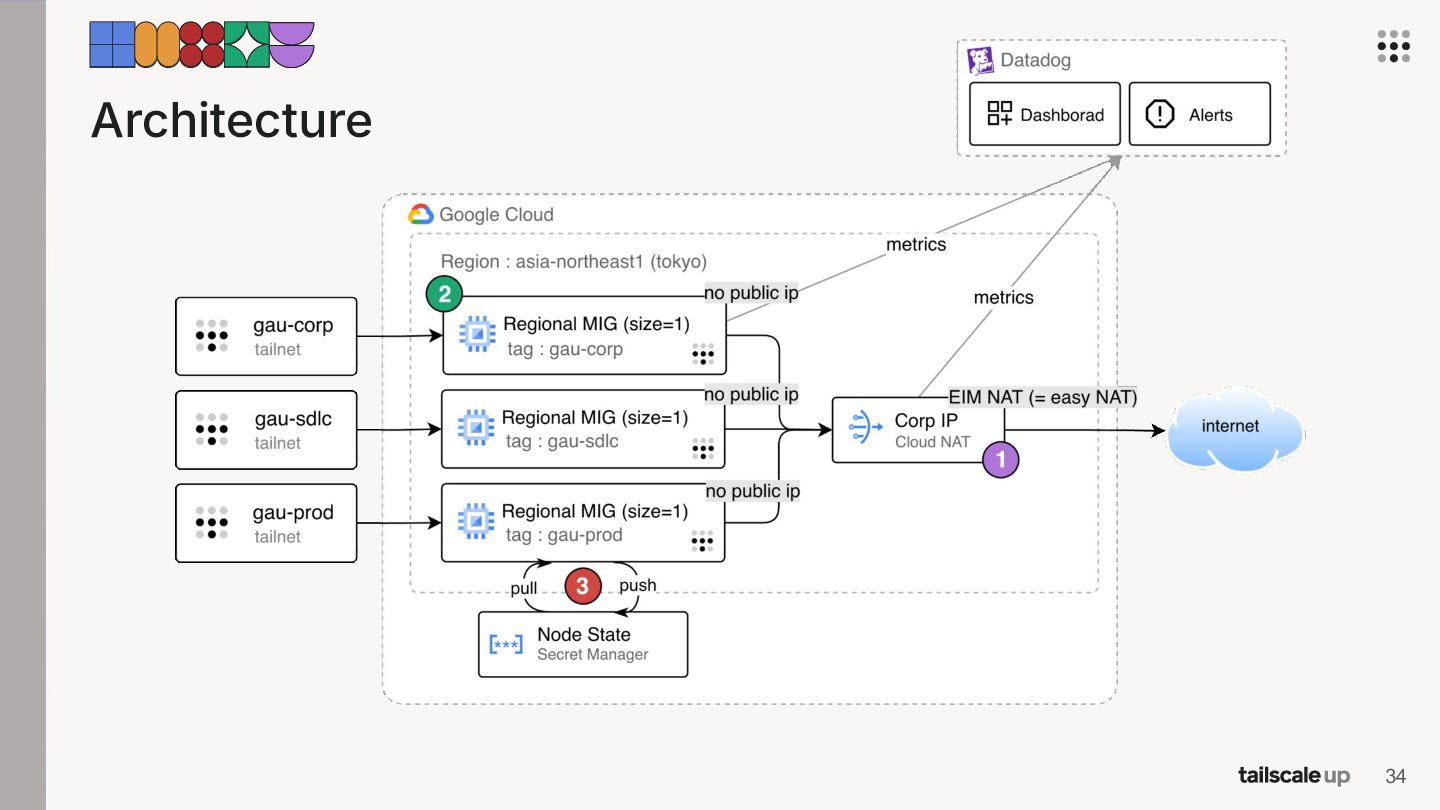
    is in other clientsʼ allowlists. We didnʼt want to maintain a second one. → With Cloud NAT, every exit node goes out through the corporate IP we already had. 37
  19. 1. Keeping the same egress IP • The corp IP

    is in other clientsʼ allowlists. We didnʼt want to maintain a second one. → With Cloud NAT, every exit node goes out through the corporate IP we already had. → Turning on endpoint-independent mapping gets NAT traversal working, so peers connect directly instead of falling back to DERP servers. 38
  20. 1. Keeping the same egress IP • The corp IP

    is in other clientsʼ allowlists. We didnʼt want to maintain a second one. → With Cloud NAT, every exit node goes out through the corporate IP we already had. → Turning on endpoint-independent mapping gets NAT traversal working, so peers connect directly instead of falling back to DERP servers. → But EIM forces static port allocation. Each VM only gets a fixed slice of ports, so conflicts become likely. 39
  21. 1. Keeping the same egress IP • The corp IP

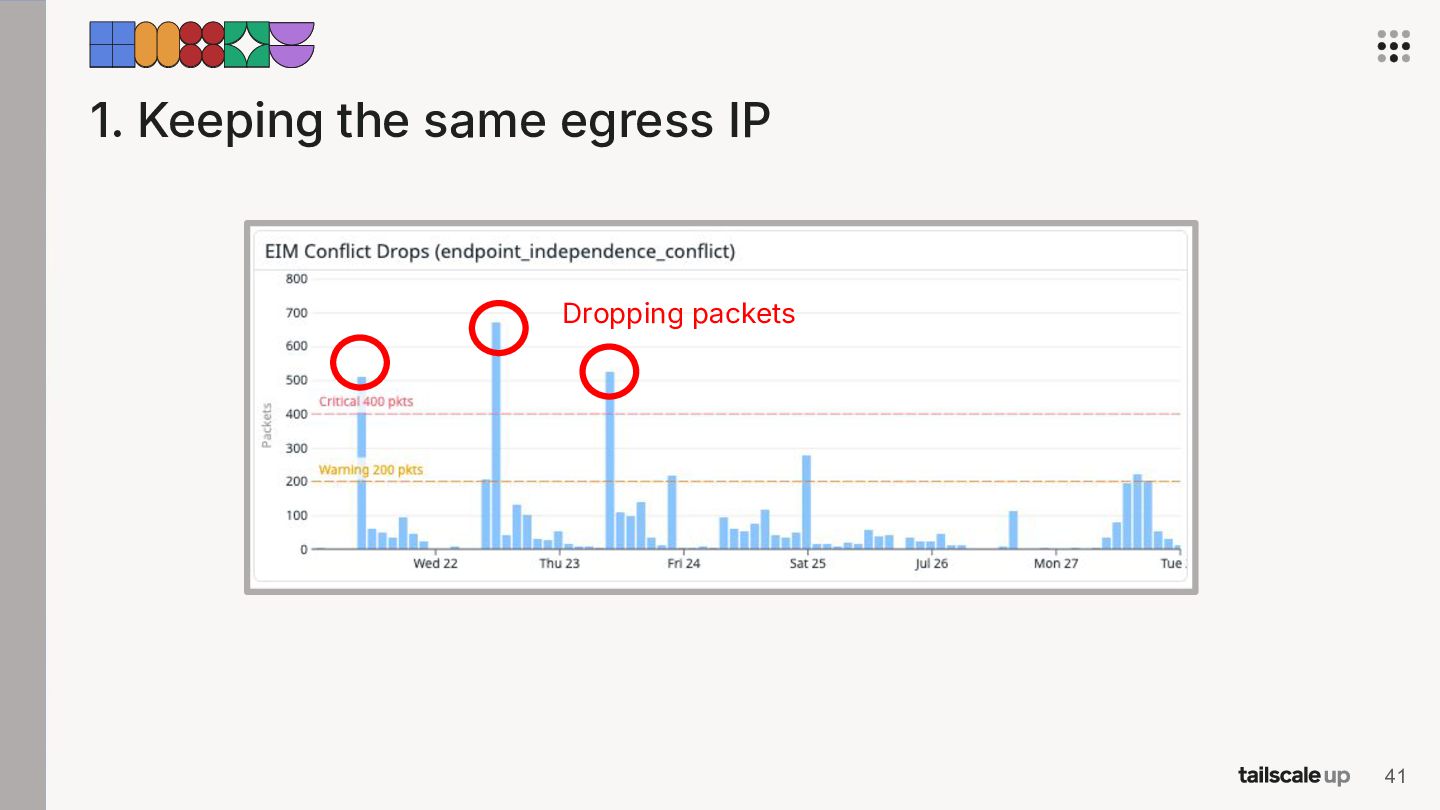
    is in other clientsʼ allowlists. We didnʼt want to maintain a second one. → With Cloud NAT, every exit node goes out through the corporate IP we already had. → Turning on endpoint-independent mapping gets NAT traversal working, so peers connect directly instead of falling back to DERP servers. → But EIM forces static port allocation. Each VM only gets a fixed slice of ports, so conflicts become likely. → We monitor those conflicts in Datadog and alert on them. 40
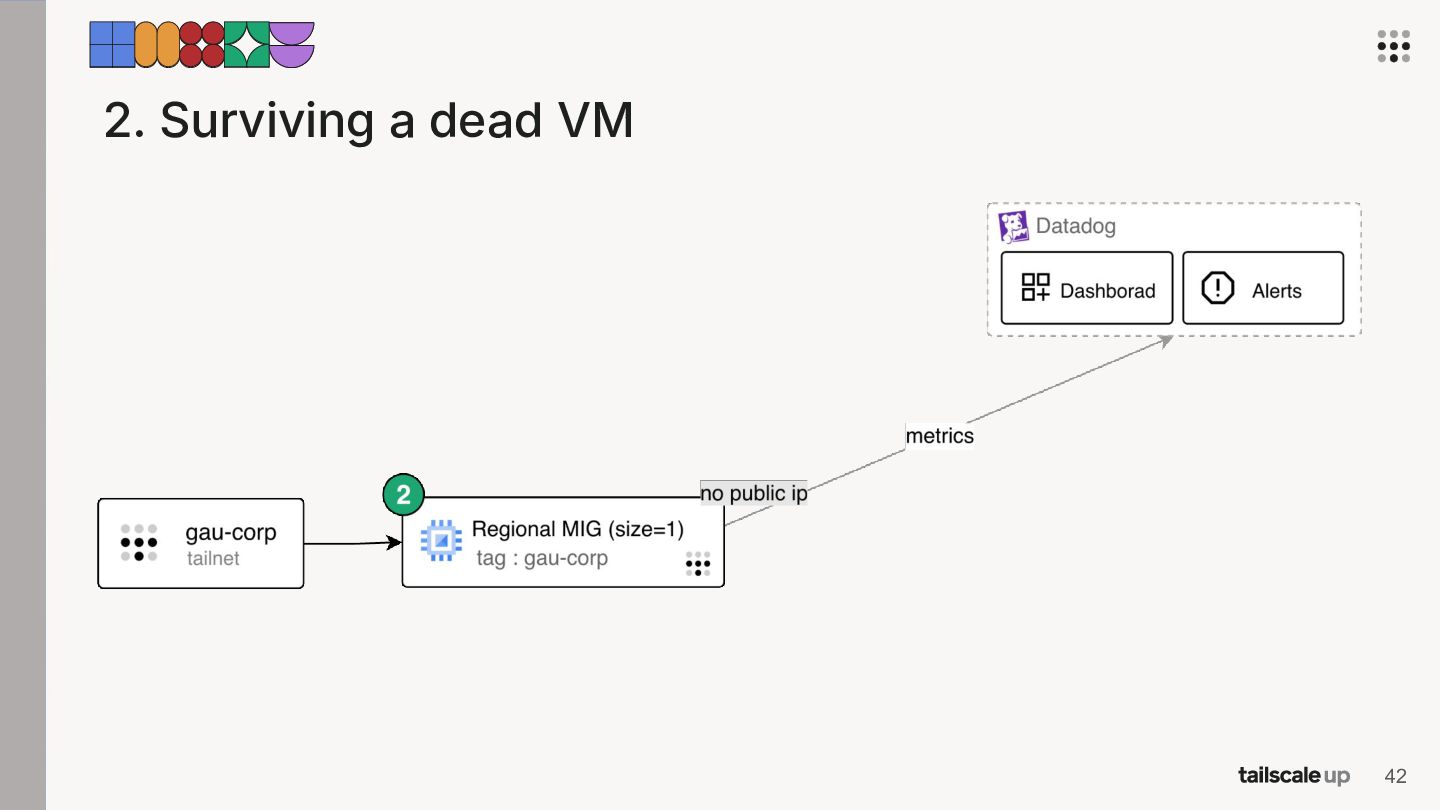
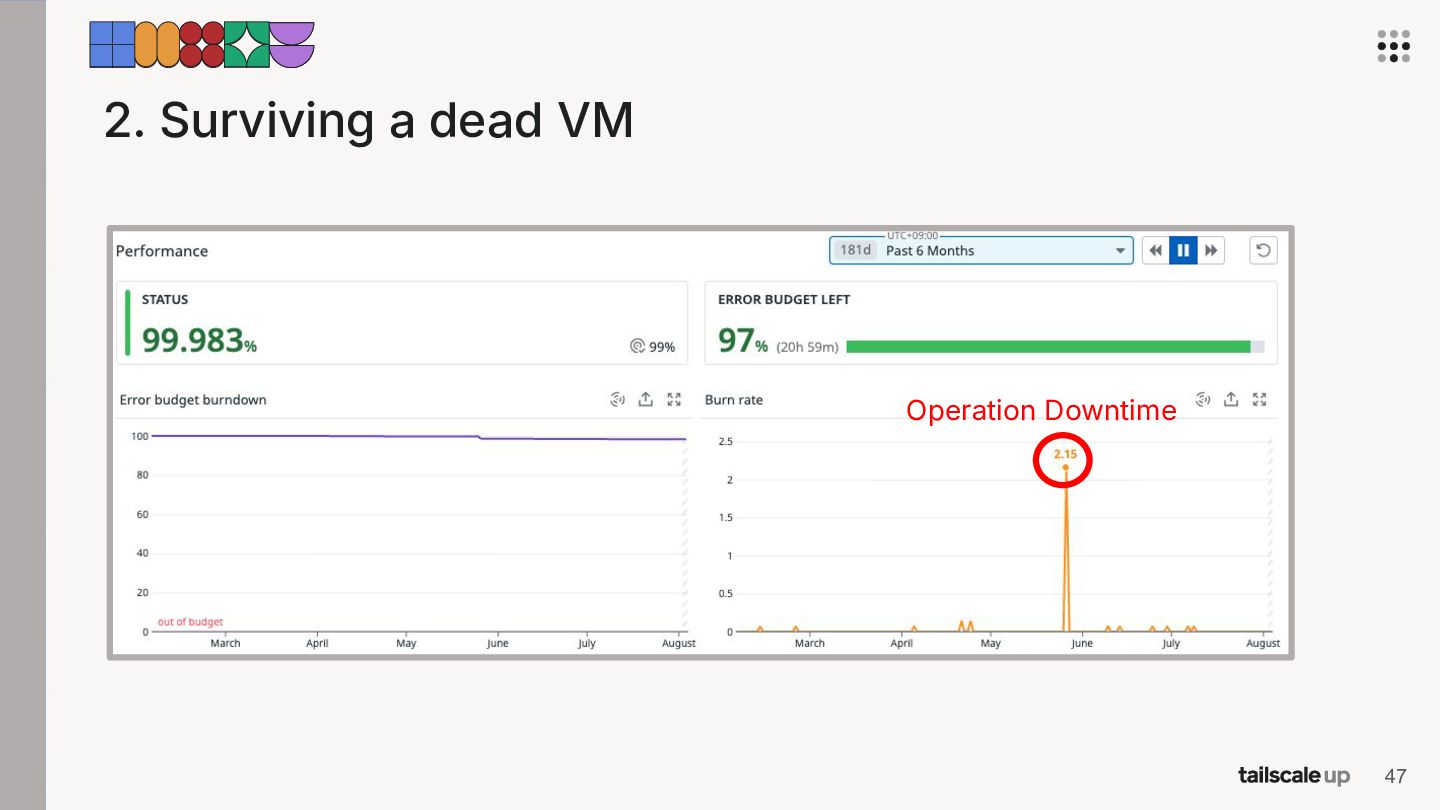
  22. 2. Surviving a dead VM • Not for production traffic,

    but people still hit it for admin consoles and VPCSC all day. So the less downtime, the better. 43
  23. 2. Surviving a dead VM • Not for production traffic,

    but people still hit it for admin consoles and VPCSC all day. So the less downtime, the better. → A regional MIG at size 1 auto-heals. A failure costs only about 2 minutes 30 seconds of downtime. 44
  24. 2. Surviving a dead VM • Not for production traffic,

    but people still hit it for admin consoles and VPCSC all day. So the less downtime, the better. → A regional MIG at size 1 auto-heals. A failure costs only about 2 minutes 30 seconds of downtime. → Tailscale doesn't support HA for exit nodes, so we keep it at one VM. 45
  25. 2. Surviving a dead VM • Not for production traffic,

    but people still hit it for admin consoles and VPCSC all day. So the less downtime, the better. → A regional MIG at size 1 auto-heals. A failure costs only about 2 minutes 30 seconds of downtime. → Tailscale doesn't support HA for exit nodes, so we keep it at one VM. → tailscale set --exit-node=auto:any picks the lowest-latency exit node and fails over when one dies. But it can also move you to an exit node you didnʼt mean to use. 46
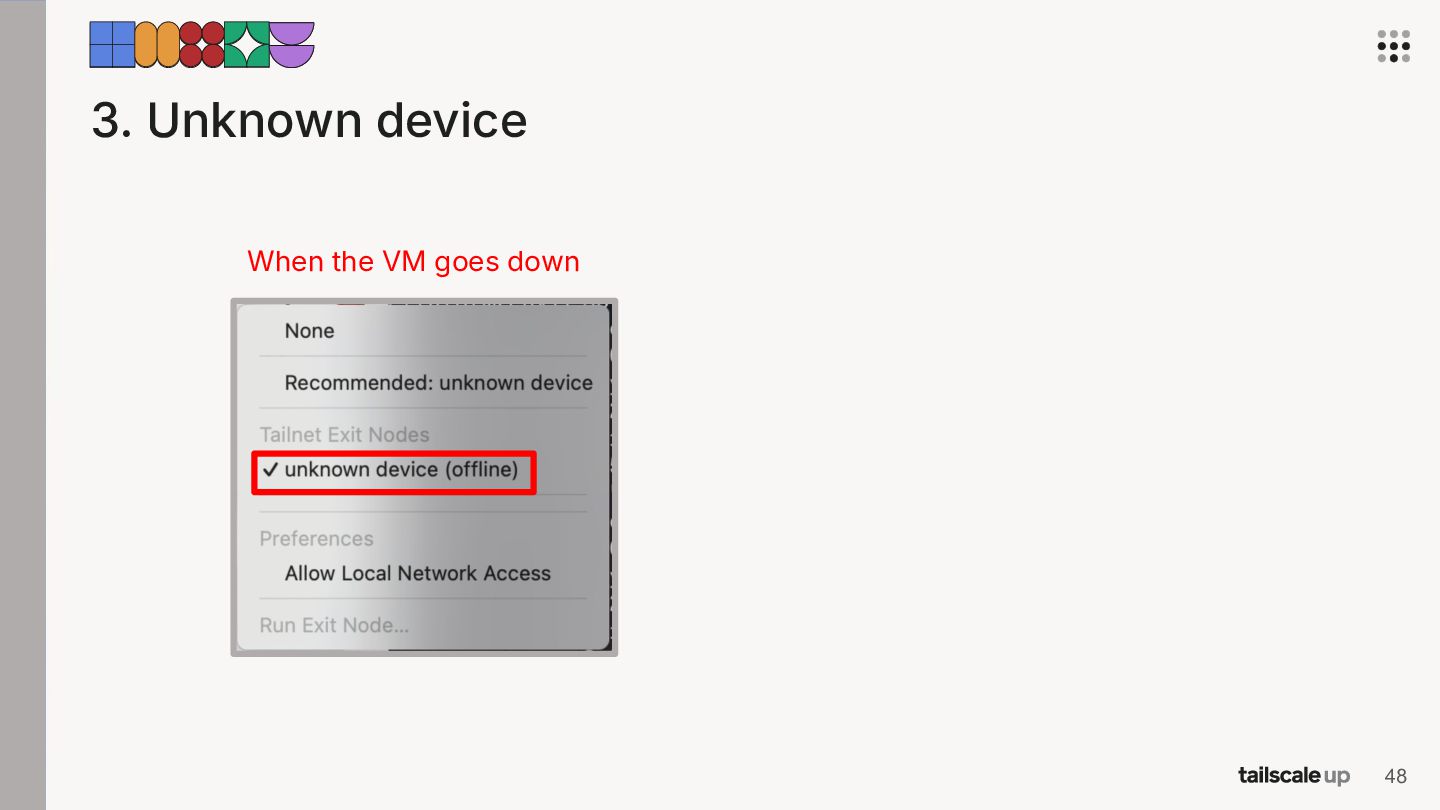
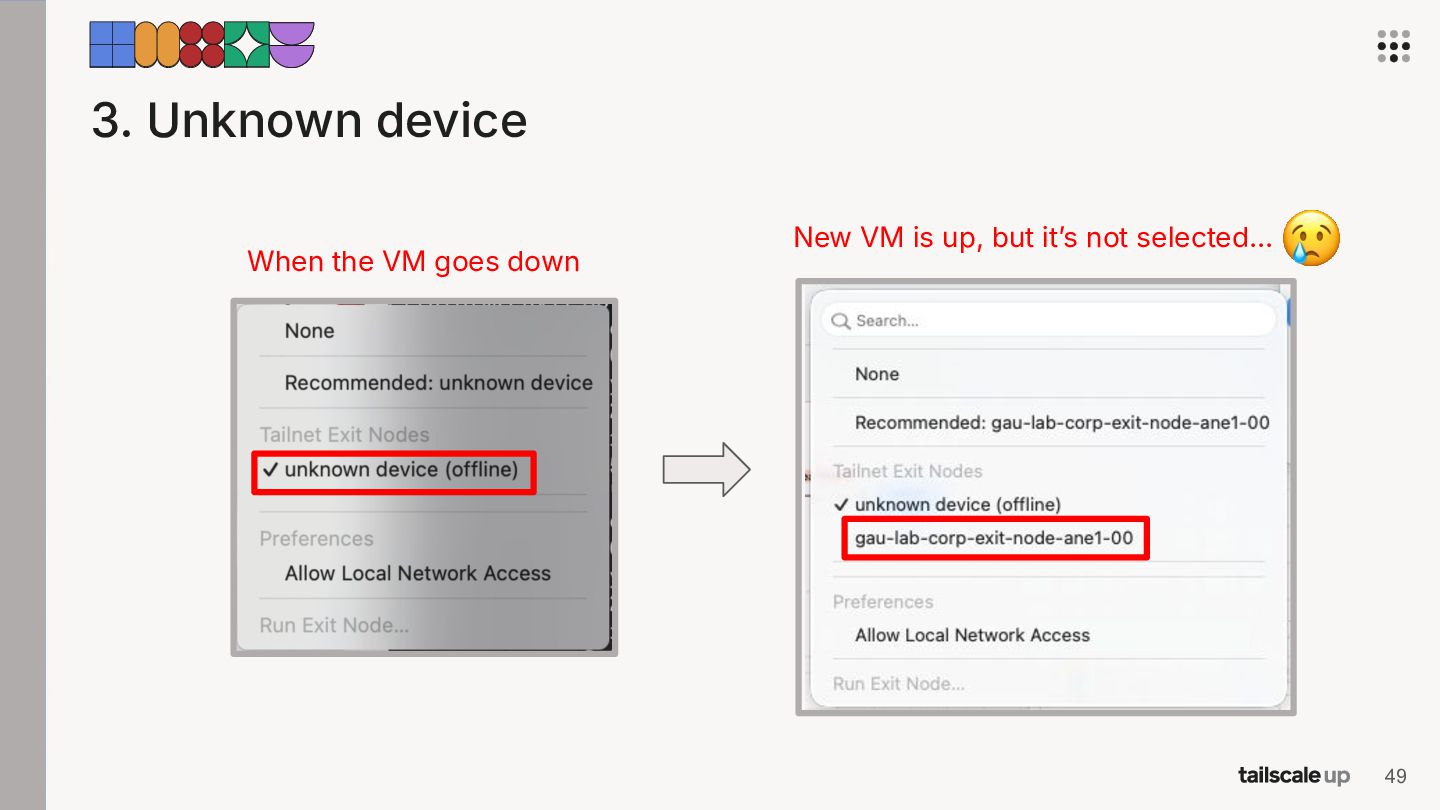
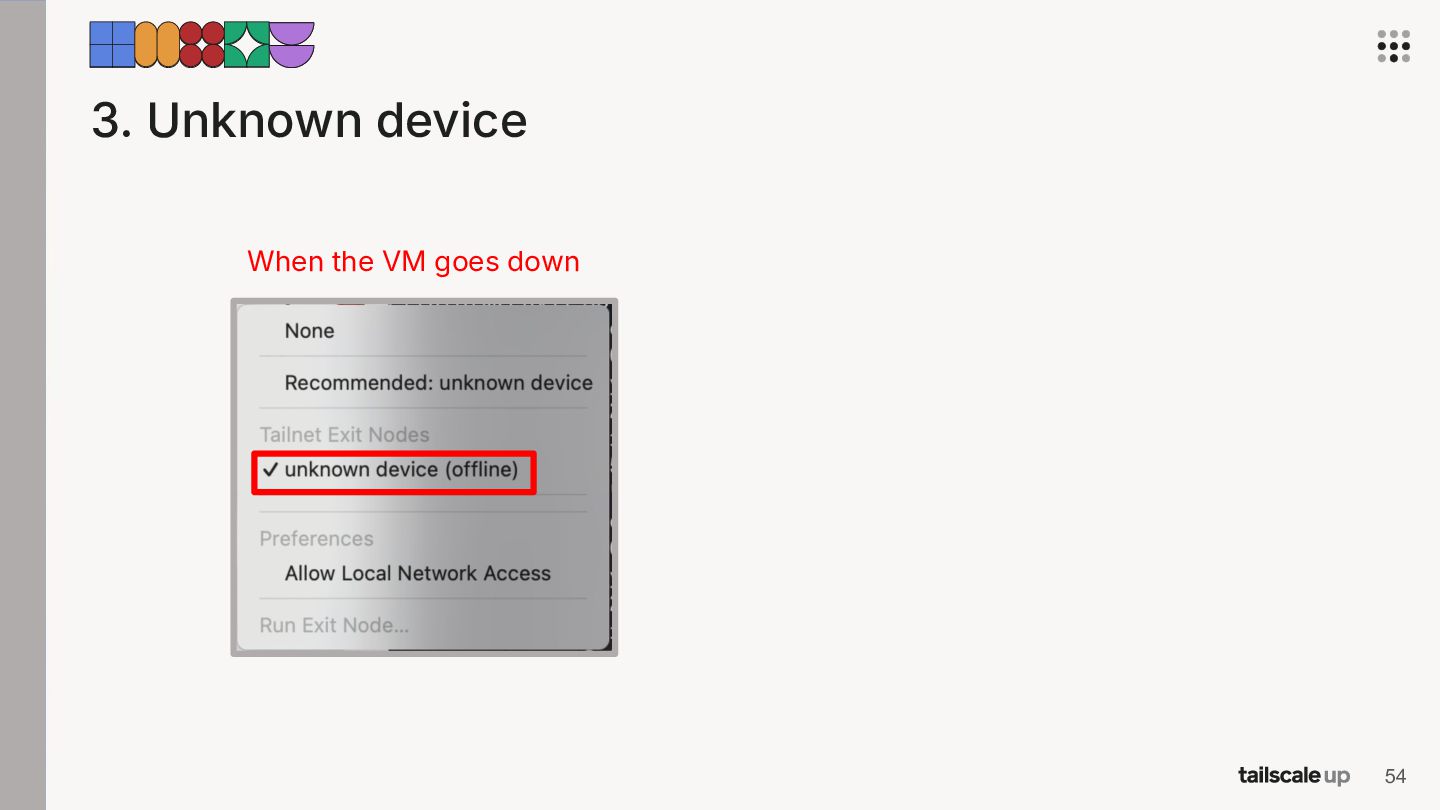
  26. 3. Unknown device When the VM goes down New VM

    is up, but itʼs not selected… 49
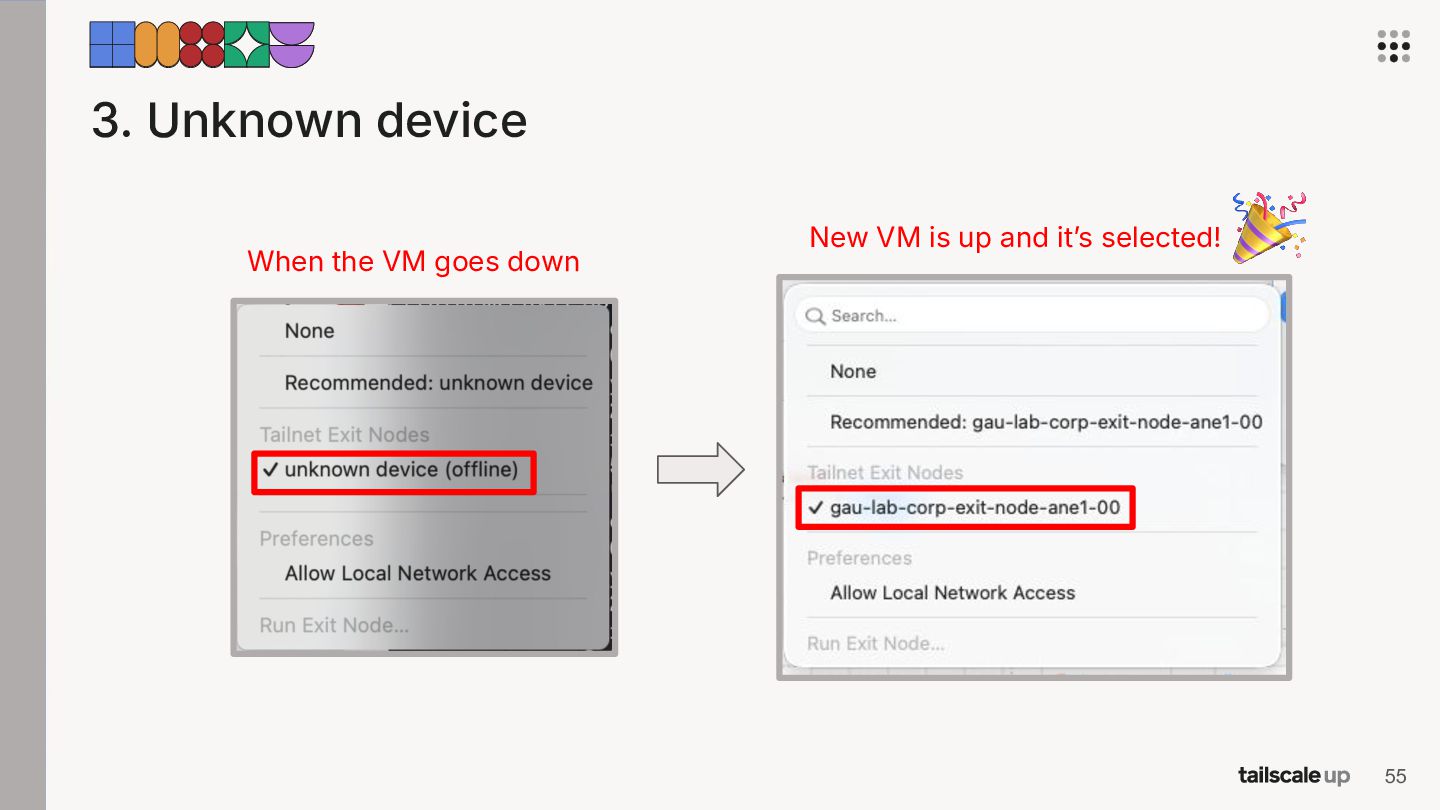
  27. 3. Unknown device • • When auto-healing brings up a

    new exit node, the user sees “Unknown deviceˮ and has to select the exit node again. It's a small thing, but it confused users. 50
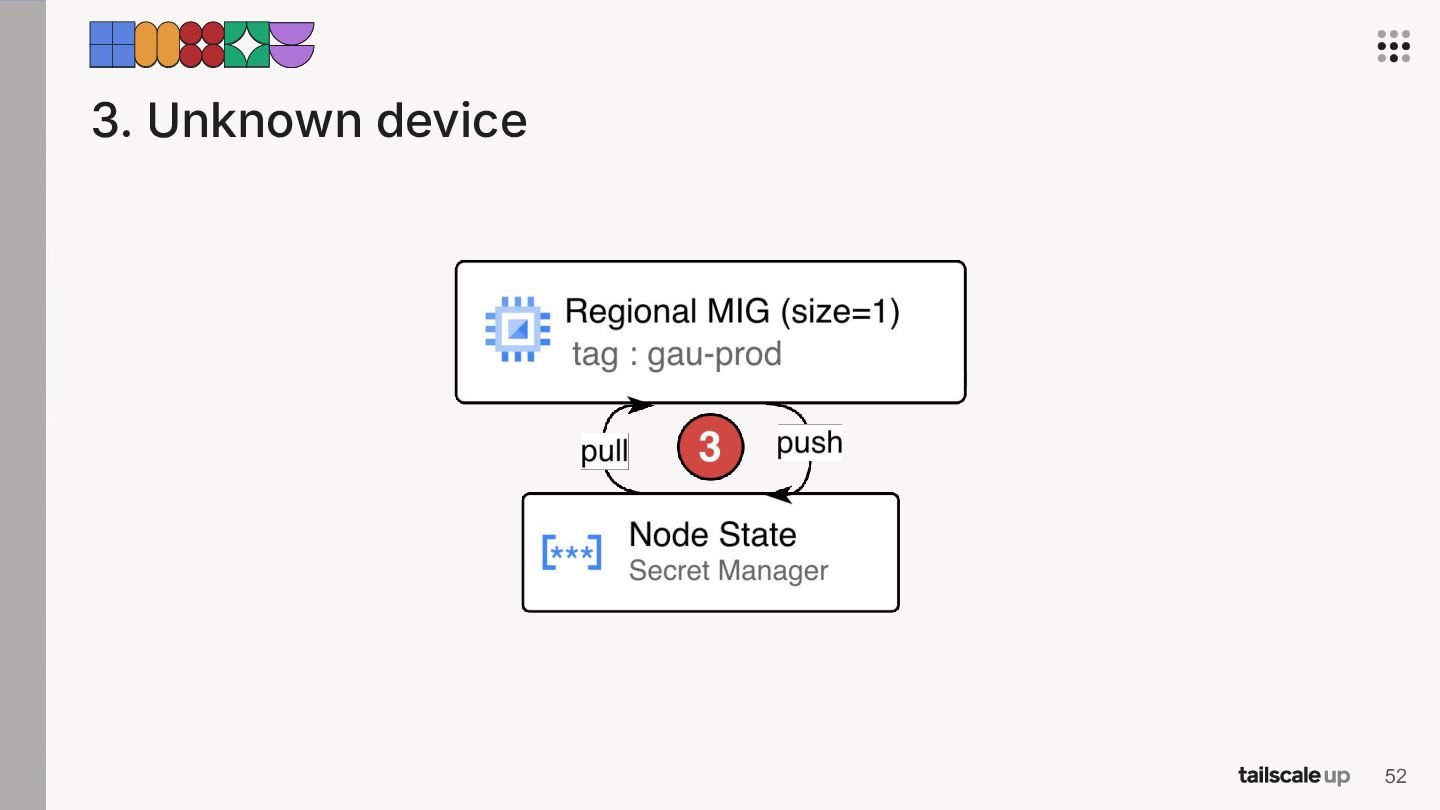
  28. 3. Unknown device • • When auto-healing brings up a

    new exit node, the user sees “Unknown deviceˮ and has to select the exit node again. It's a small thing, but it confused users. → We keep the node state in Secret Manager. A new VM picks it up and re-registers as the same exit node. 51
  29. 3. Unknown device • • When auto-healing brings up a

    new exit node, the user sees “Unknown deviceˮ and has to select the exit node again. It's a small thing, but it confused users. → We keep the node state in Secret Manager. A new VM picks it up and re-registers as the same exit node. → Tailscale sees it as the same machine, so there's nothing for the user to re-select anymore. 53
  30. 3. Unknown device When the VM goes down New VM

    is up and itʼs selected! 55
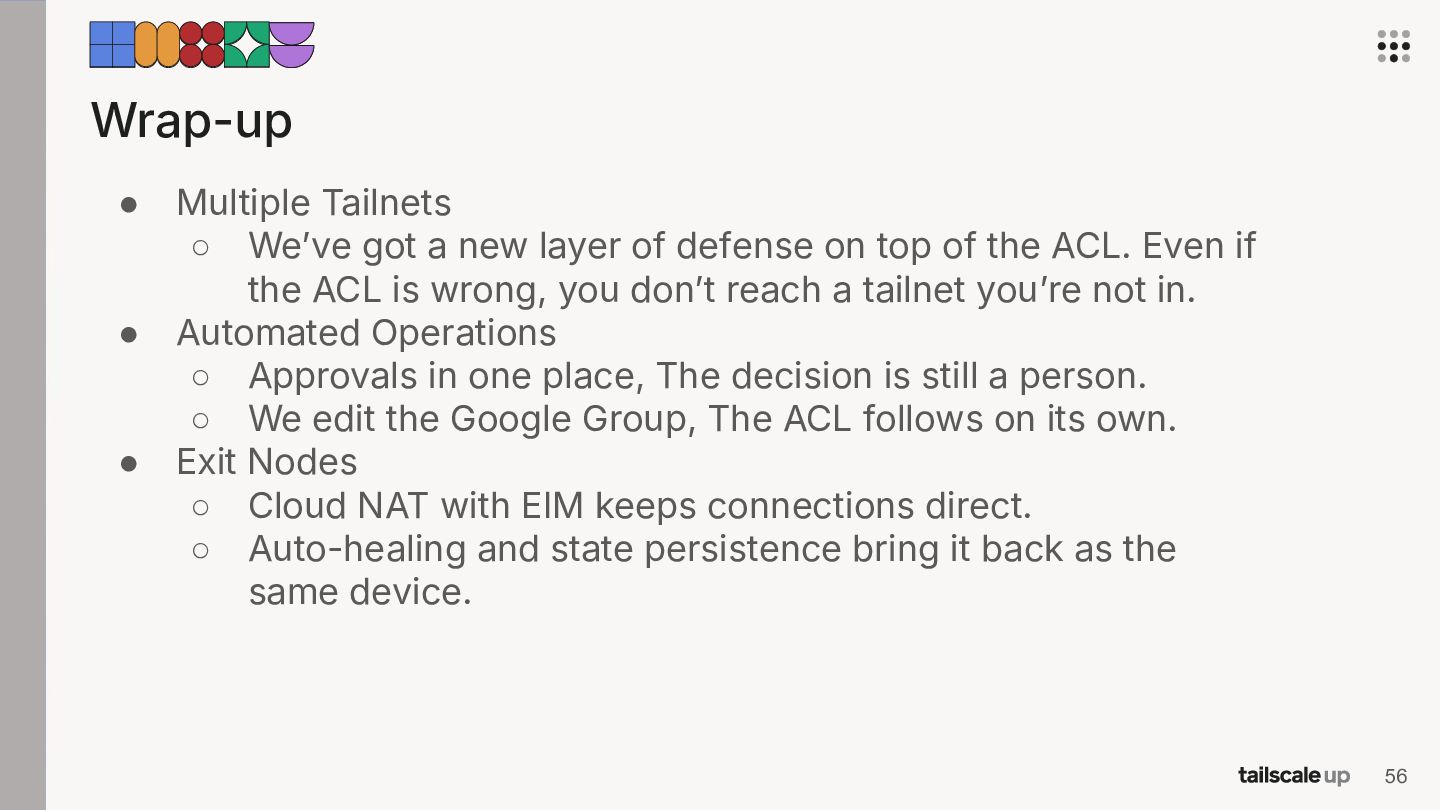
  31. Wrap-up • • • Multiple Tailnets ◦ Weʼve got a

    new layer of defense on top of the ACL. Even if the ACL is wrong, you donʼt reach a tailnet youʼre not in. Automated Operations ◦ Approvals in one place, The decision is still a person. ◦ We edit the Google Group, The ACL follows on its own. Exit Nodes ◦ Cloud NAT with EIM keeps connections direct. ◦ Auto-healing and state persistence bring it back as the same device. 56