Upgrade to Pro
— share decks privately, control downloads, hide ads and more …
Speaker Deck
Sign up for free
Menu
Search
Features
All features
Private URLs
Password Protection
Custom URLS
Scheduled publishing
Remove Branding
Restrict embedding
Deck Collections
Notes
Features
All features
Private URLs
Password Protection
Custom URLS
Scheduled publishing
Remove Branding
Restrict embedding
Deck Collections
Notes
Explore
Featured decks
Featured speakers
Programming
Technology
Storyboards
Explore
Featured decks
Featured speakers
Programming
Technology
Storyboards
Pricing
Search
Sign in
Sign up for free
TASKING MANAGER マニュアル 1A119185
Search
Racoon000
June 20, 2019
10
0
Share
Embed
Copy iframe code
Copy JS code
Copy link
Start on current slide
TASKING MANAGER マニュアル 1A119185
Racoon000
June 20, 2019
More Decks by Racoon000
See All by Racoon000
TASKING MANAGER マニュアル 1A119185
racoon000
0
20
Featured
See All Featured
Getting science done with accelerated Python computing platforms
jacobtomlinson
2
540
What Being in a Rock Band Can Teach Us About Real World SEO
427marketing
0
1.1k
Keith and Marios Guide to Fast Websites
keithpitt
413
23k
Code Reviewing Like a Champion
maltzj
529
40k
Balancing Empowerment & Direction
lara
6
1.3k
Easily Structure & Communicate Ideas using Wireframe
afnizarnur
194
17k
The Impact of AI in SEO - AI Overviews June 2024 Edition
aleyda
6
1.2k
How People are Using Generative and Agentic AI to Supercharge Their Products, Projects, Services and Value Streams Today
helenjbeal
2
360
Information Architects: The Missing Link in Design Systems
soysaucechin
1
1.2k
Test your architecture with Archunit
thirion
2
2.4k
How to Grow Your eCommerce with AI & Automation
katarinadahlin
PRO
2
330
Sharpening the Axe: The Primacy of Toolmaking
bcantrill
46
3k
Transcript
TASKING MANAGER マニュアル 地球社会共生学部 地球社会共生学科 1A119185 山元 遼
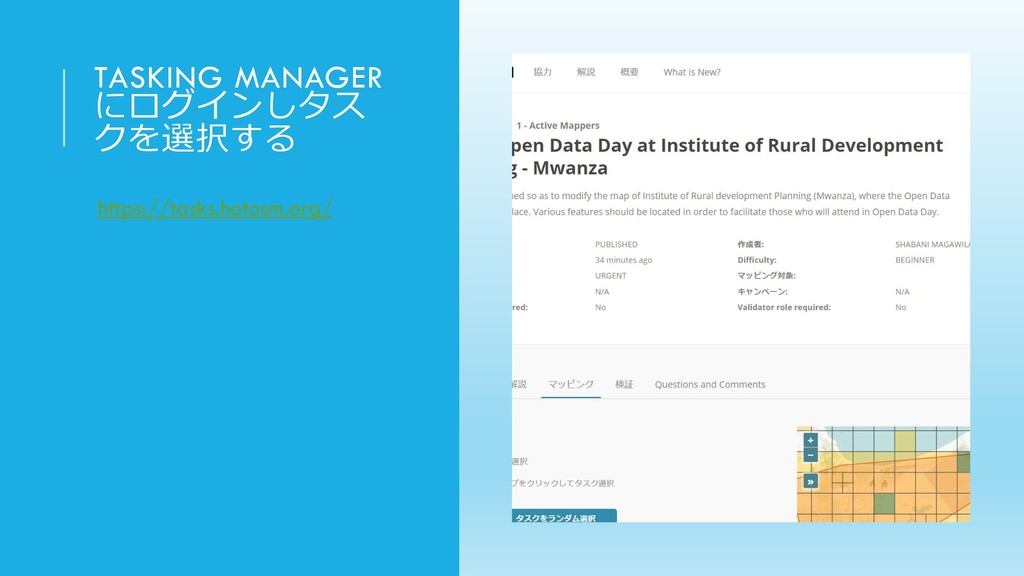
TASKING MANAGER にログインしタス クを選択する https://tasks.hotosm.org/
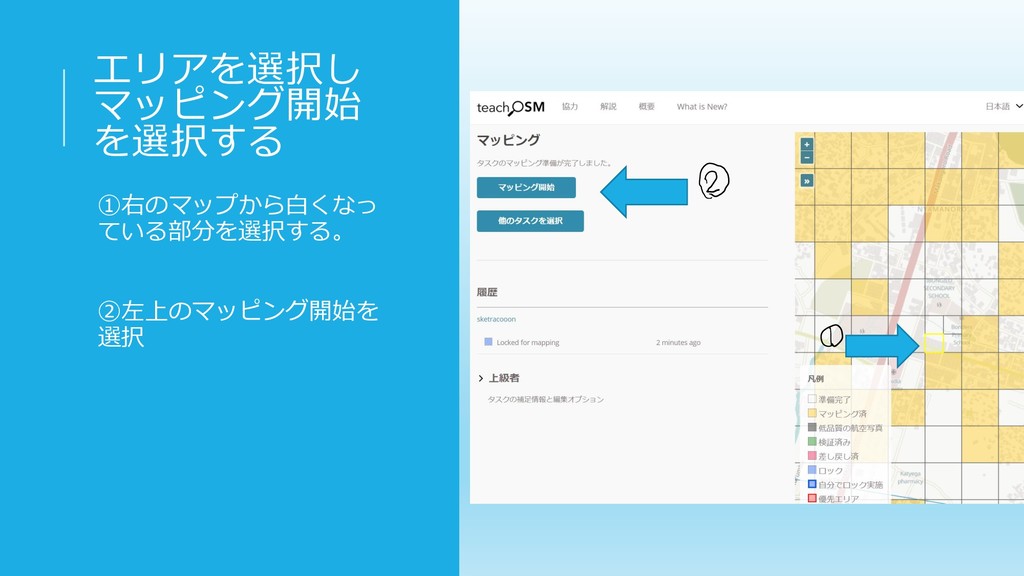
エリアを選択し マッピング開始 を選択する ①右のマップから白くなっ ている部分を選択する。 ②左上のマッピング開始を 選択
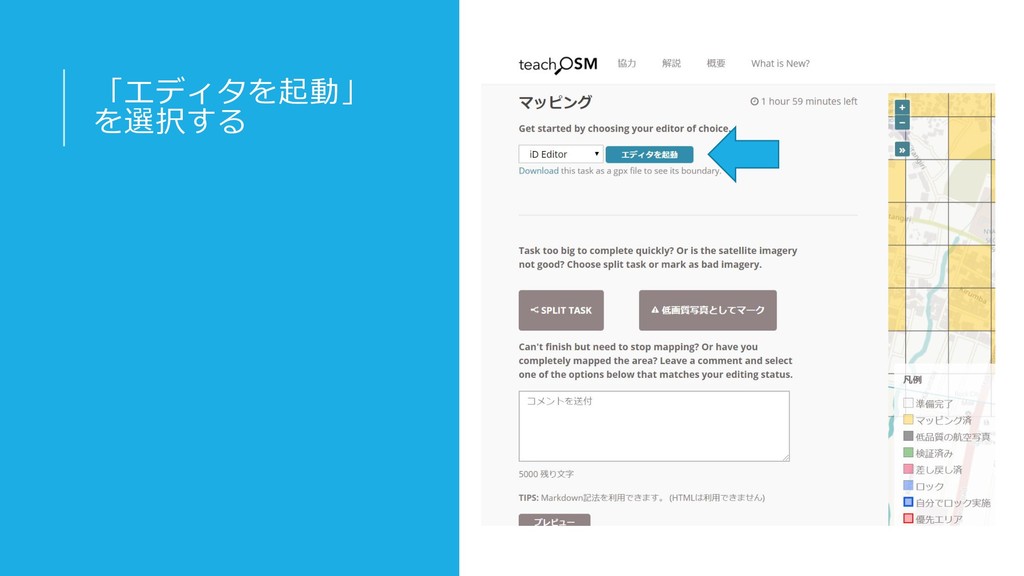
「エディタを起動」 を選択する
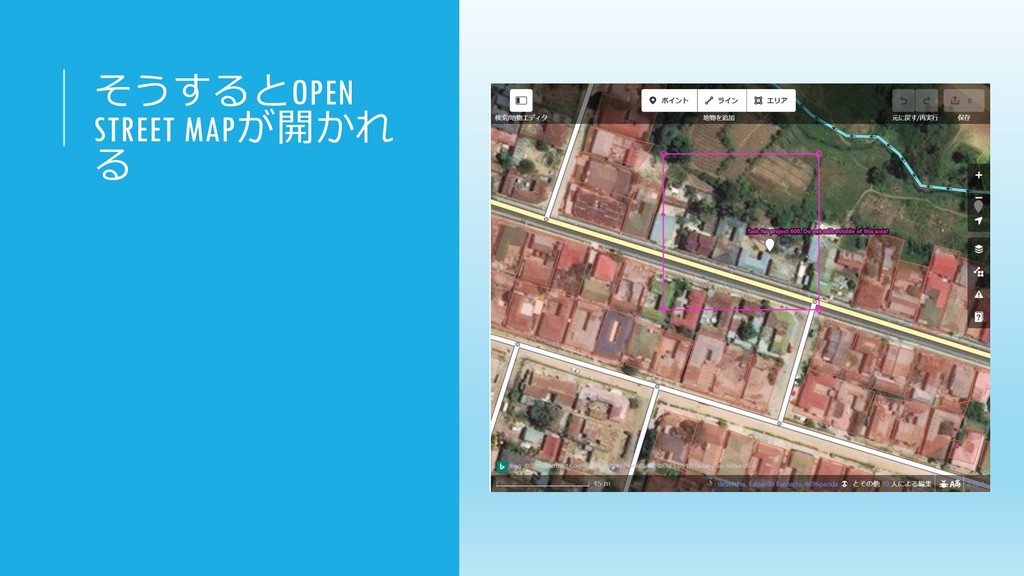
そうするとOPEN STREET MAPが開かれ る
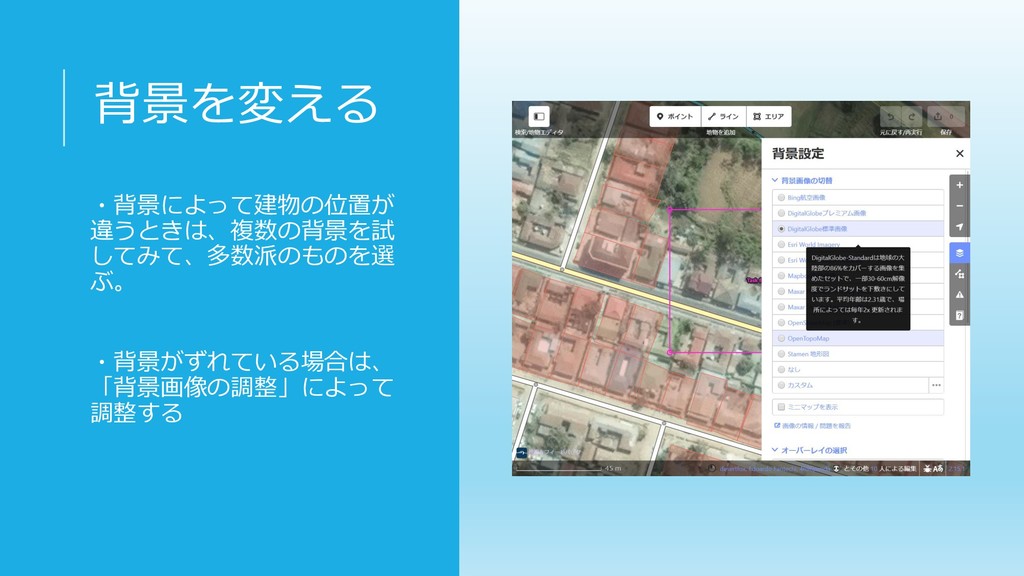
背景を変える ・背景によって建物の位置が 違うときは、複数の背景を試 してみて、多数派のものを選 ぶ。 ・背景がずれている場合は、 「背景画像の調整」によって 調整する
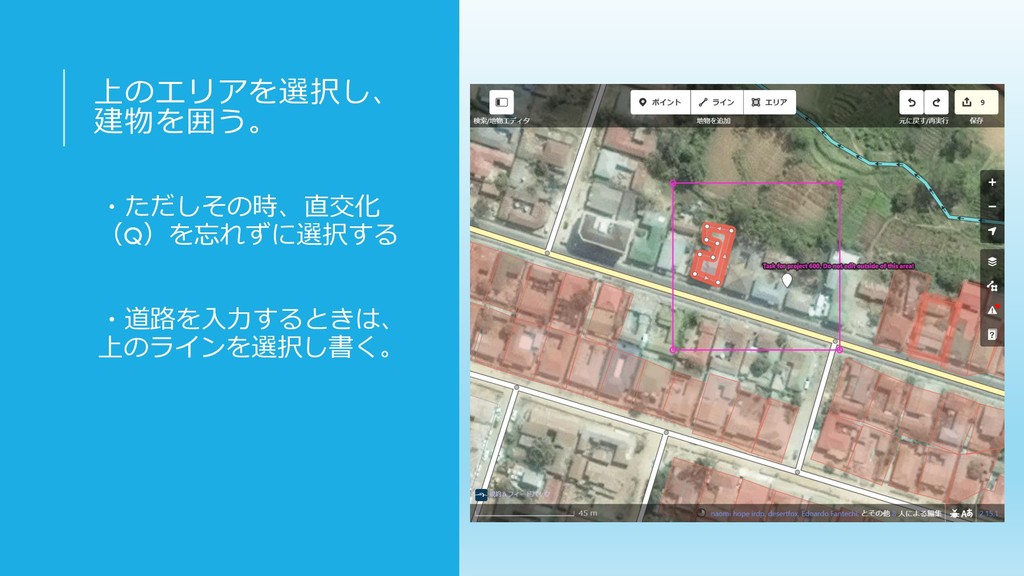
上のエリアを選択し、 建物を囲う。 ・ただしその時、直交化 (Q)を忘れずに選択する ・道路を入力するときは、 上のラインを選択し書く。
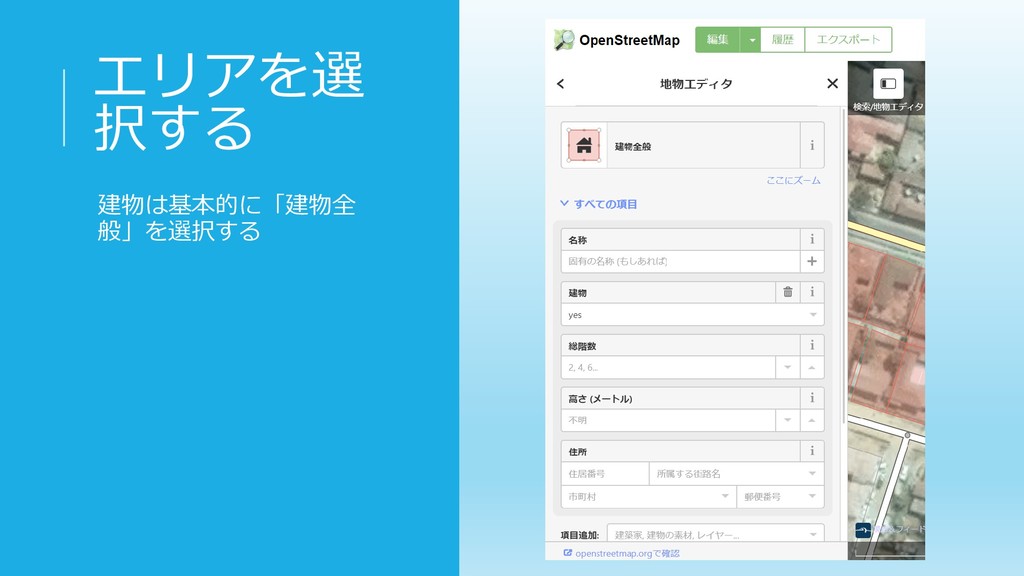
エリアを選 択する 建物は基本的に「建物全 般」を選択する
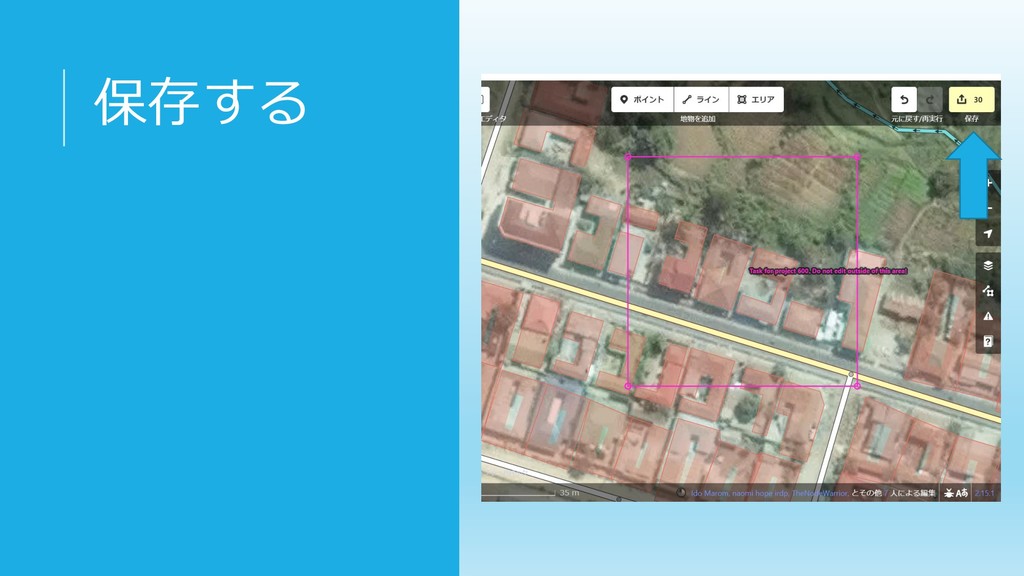
保存する
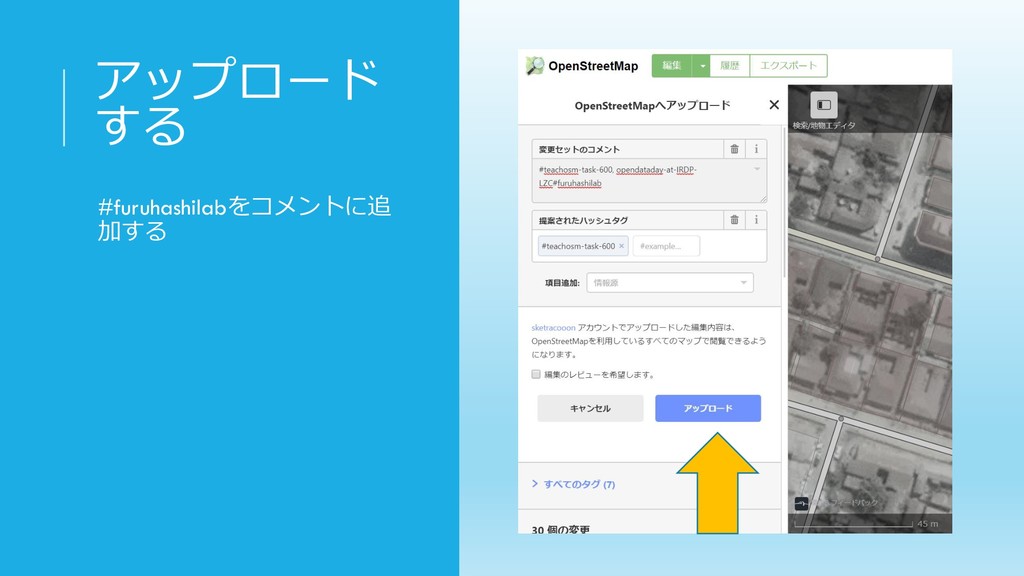
アップロード する #furuhashilabをコメントに追 加する
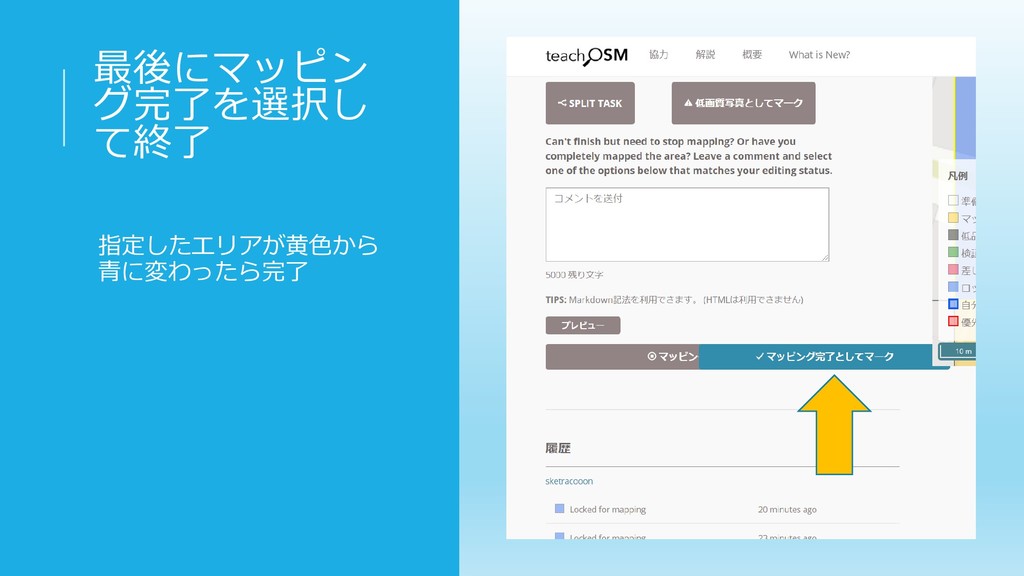
最後にマッピン グ完了を選択し て終了 指定したエリアが黄色から 青に変わったら完了
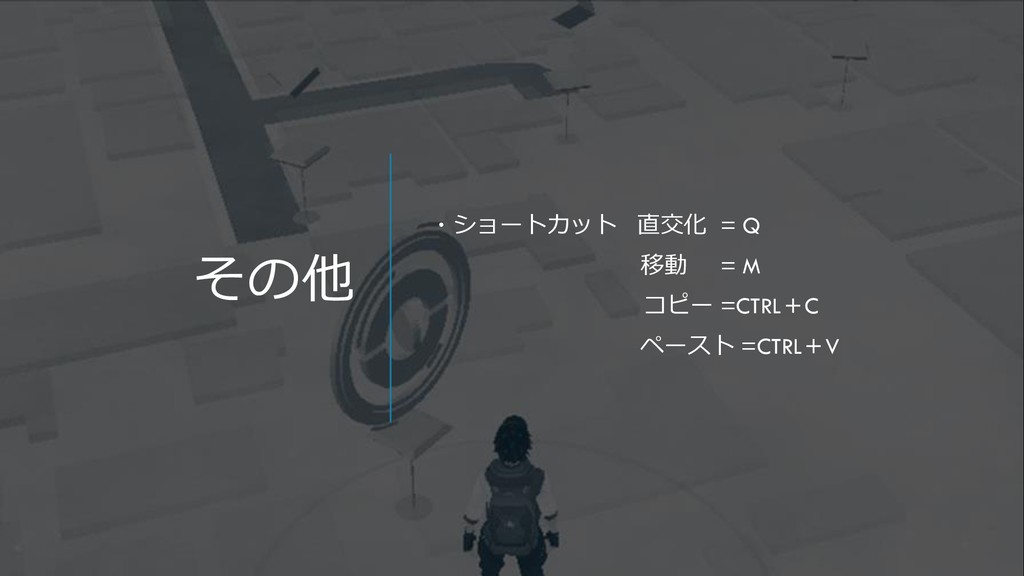
その他 ・ショートカット 直交化 = Q 移動 = M コピー =CTRL+C
ペースト =CTRL+V


 racoon000
 jacobtomlinson
 427marketing
 keithpitt
 maltzj
 lara
lara
 afnizarnur
 aleyda
.png) helenjbeal
helenjbeal
 soysaucechin
 thirion
 katarinadahlin
 bcantrill