Upgrade to Pro — share decks privately, control downloads, hide ads and more …

Operating an AI Infrastructure Through MCP Apps...

Avatar for Jimmy Moon Jimmy Moon
August 15, 2026
29

Operating an AI Infrastructure Through MCP Apps on Agents

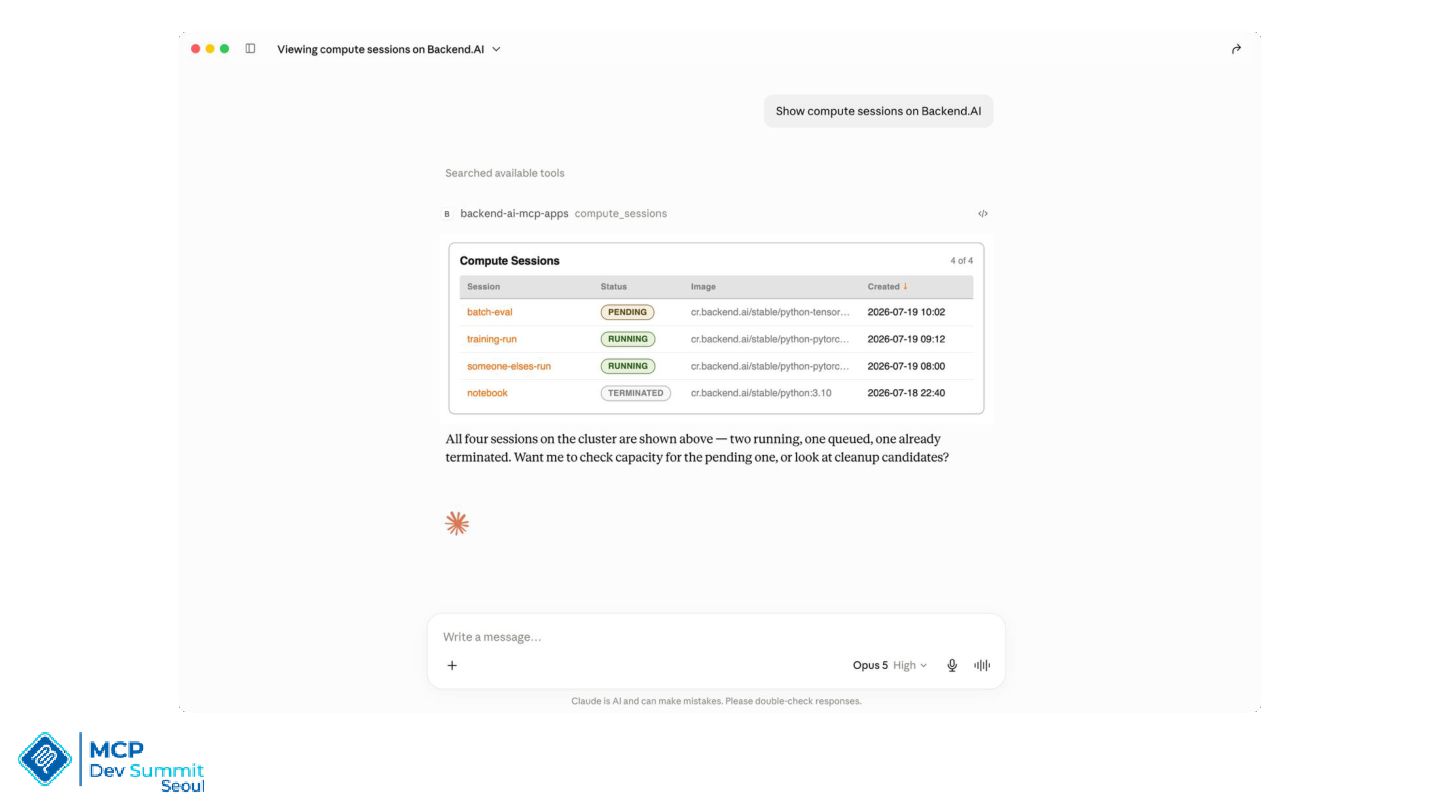
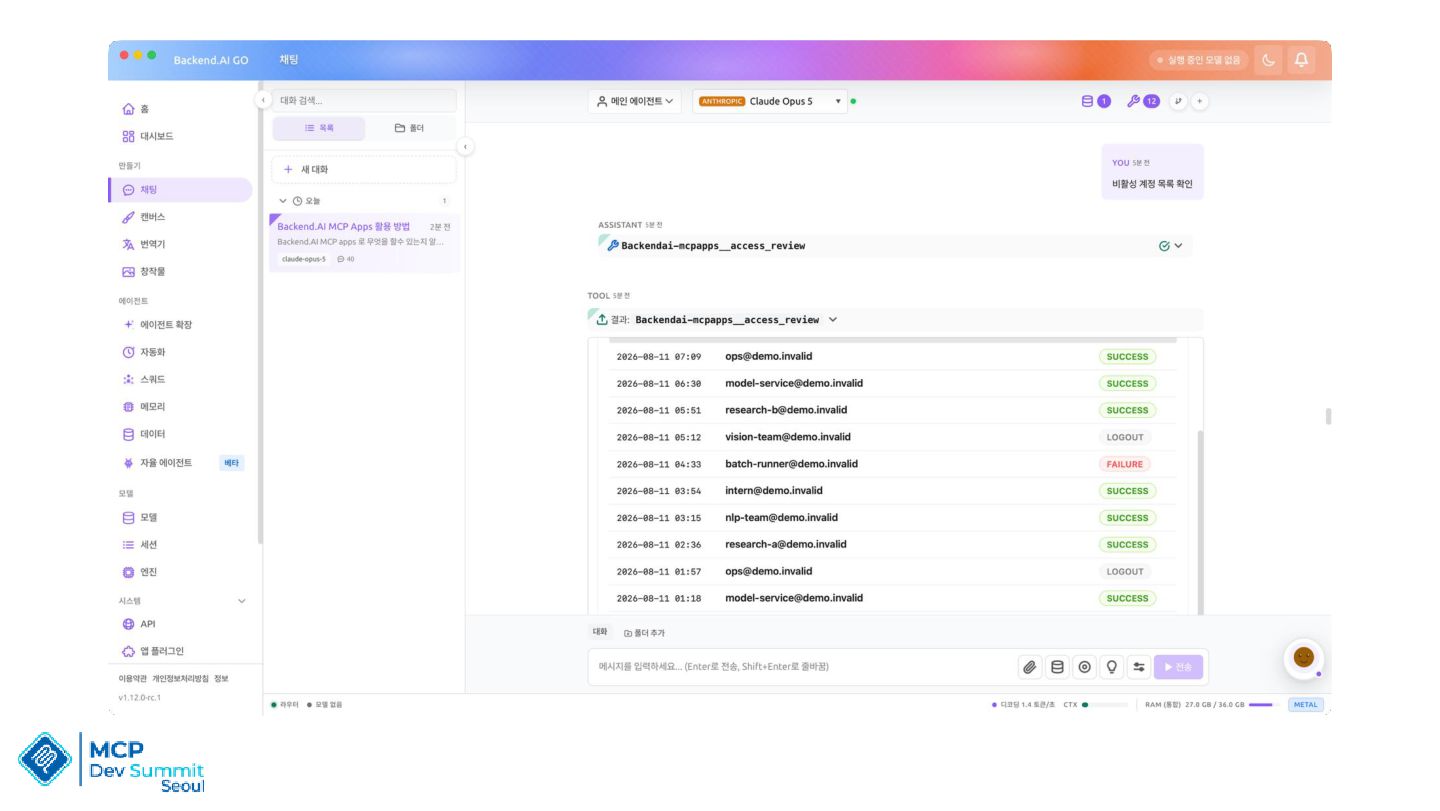
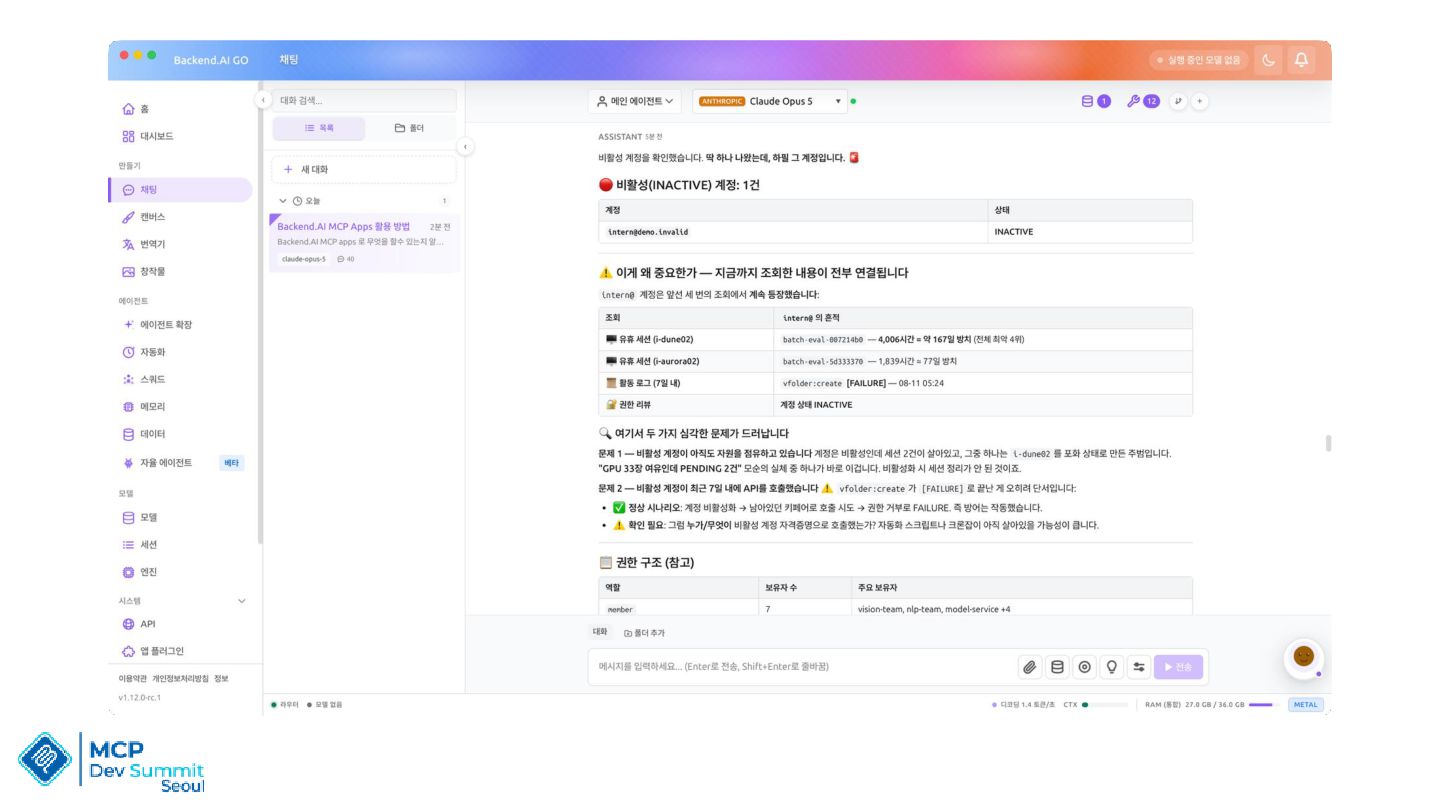
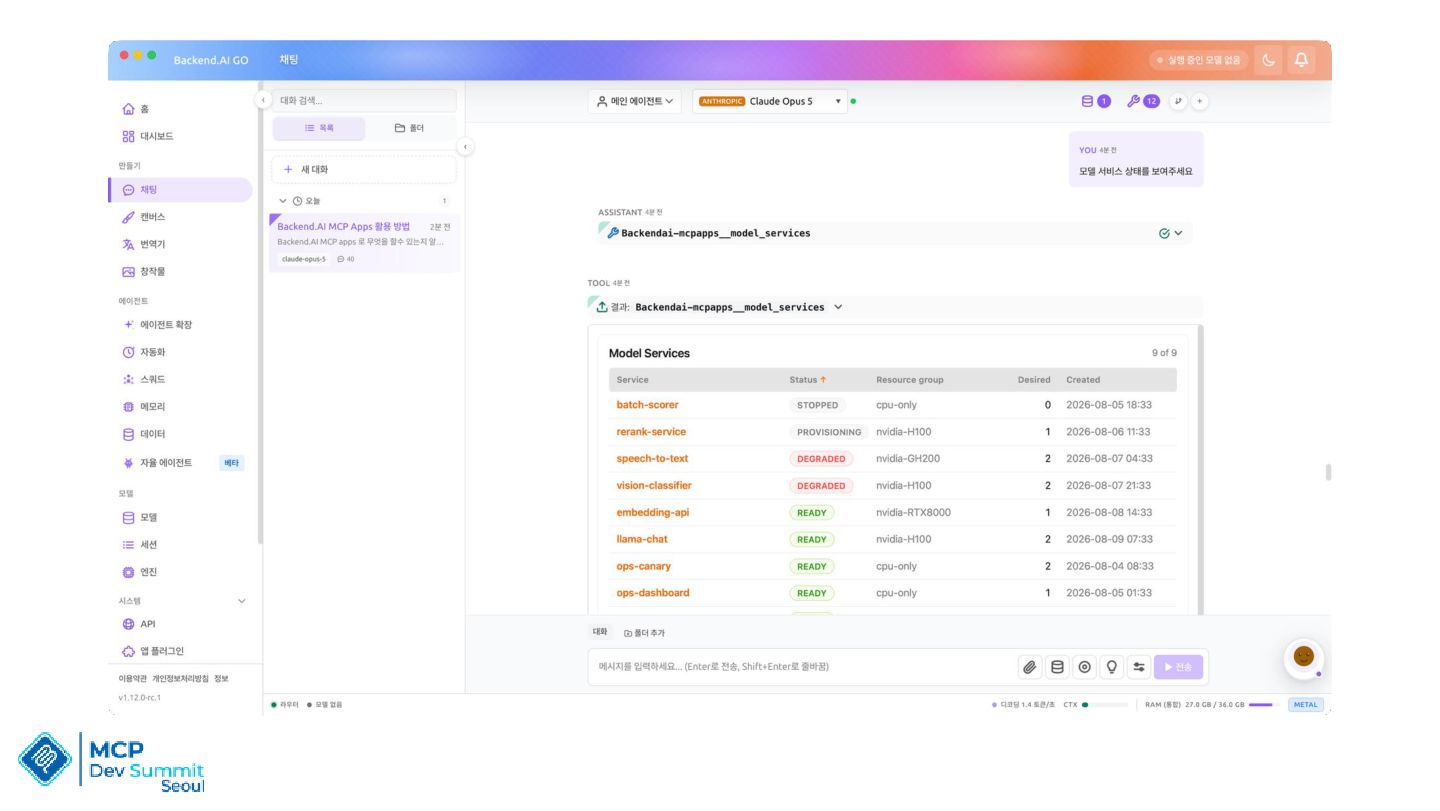
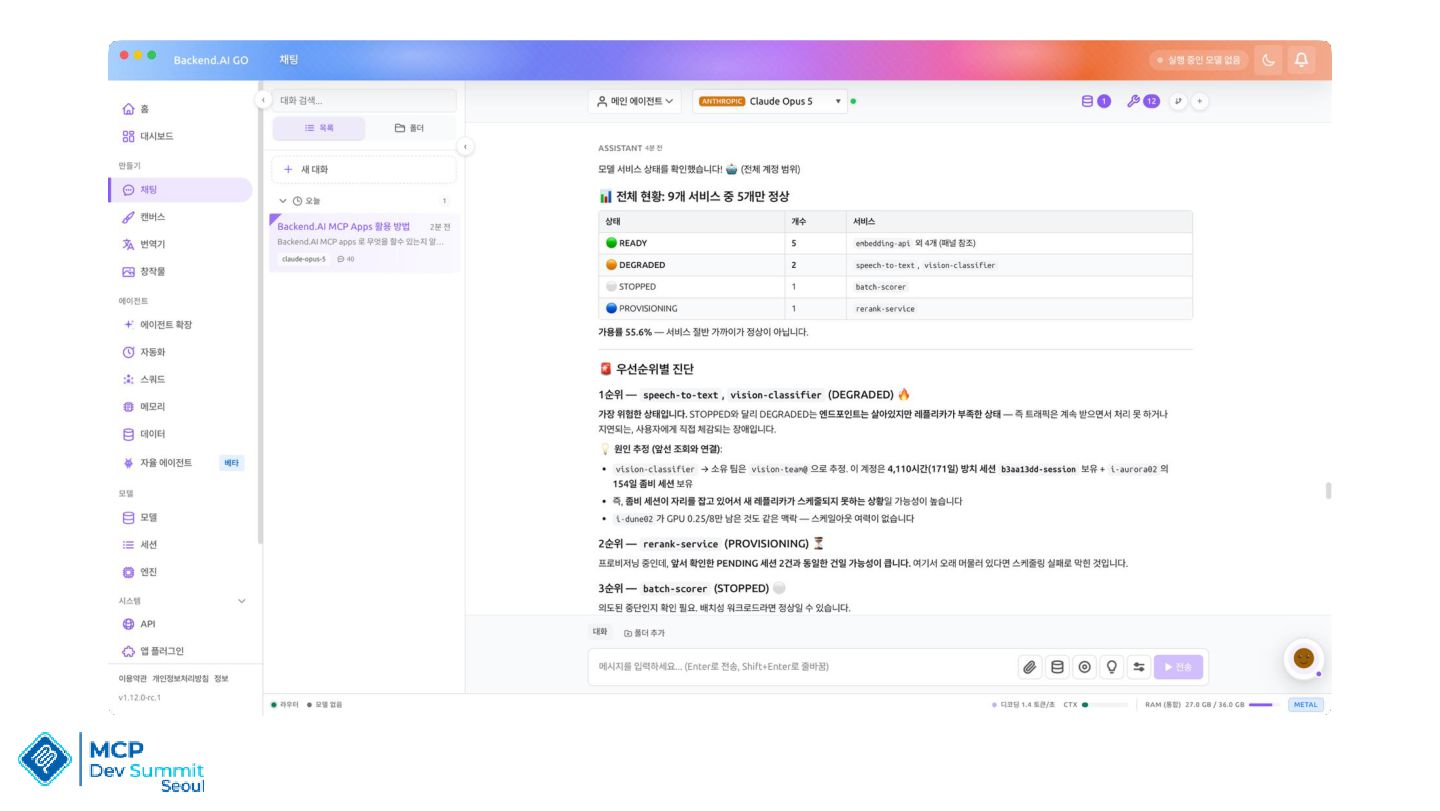
Showcase for MCP Apps, You can manage complex tasks with prompts. Learning MCP Apps how it works, architecture and how to code it

Avatar for Jimmy Moon

Jimmy Moon

August 15, 2026

Transcript

  1. Speaker Introduction • 문현경 (Jimmy Moon) • 래블업(Lablup) AI Agentic

    Team Lead • 전) 토스(Toss) Frontend Platform Team • 전) Riiid Frontend Tech Leader • 전) Google Developer Experts for WebTech • Open Source Maintainer and Contributor (Yeoman, Polymer, Nextjs and more)
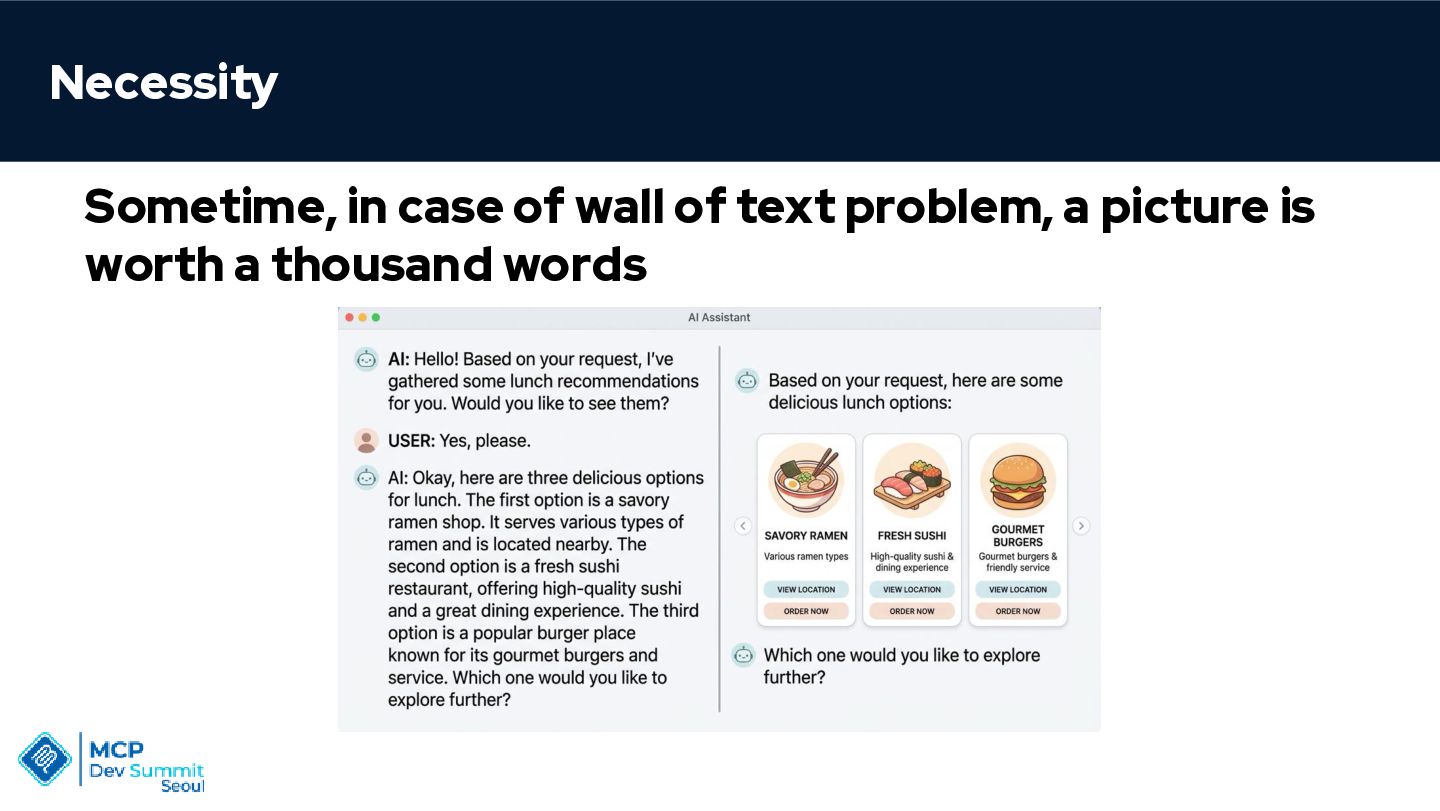
  2. Necessity Sometime, in case of wall of text problem, a

    picture is worth a thousand words
  3. Generative UI UI whose content and composition are determined by

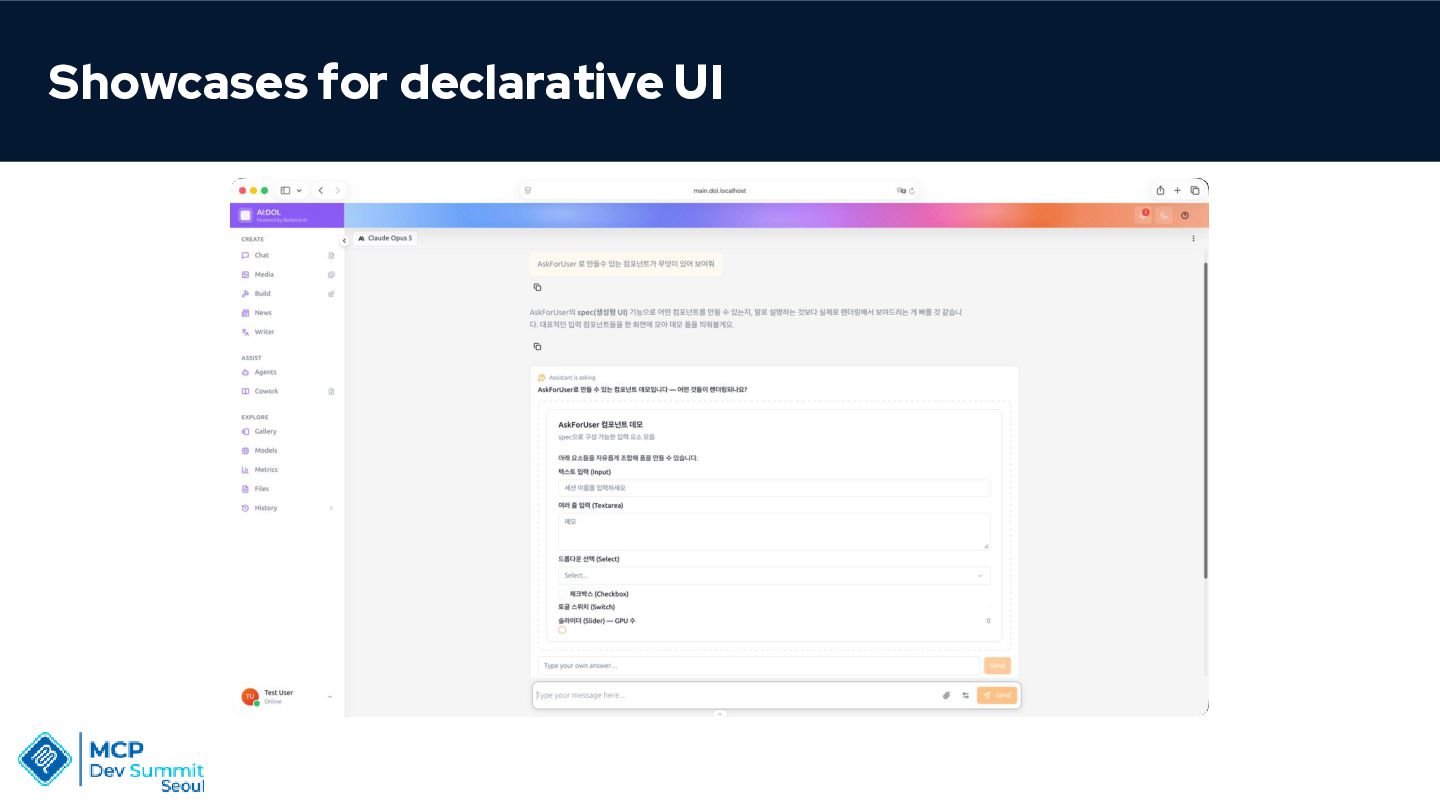
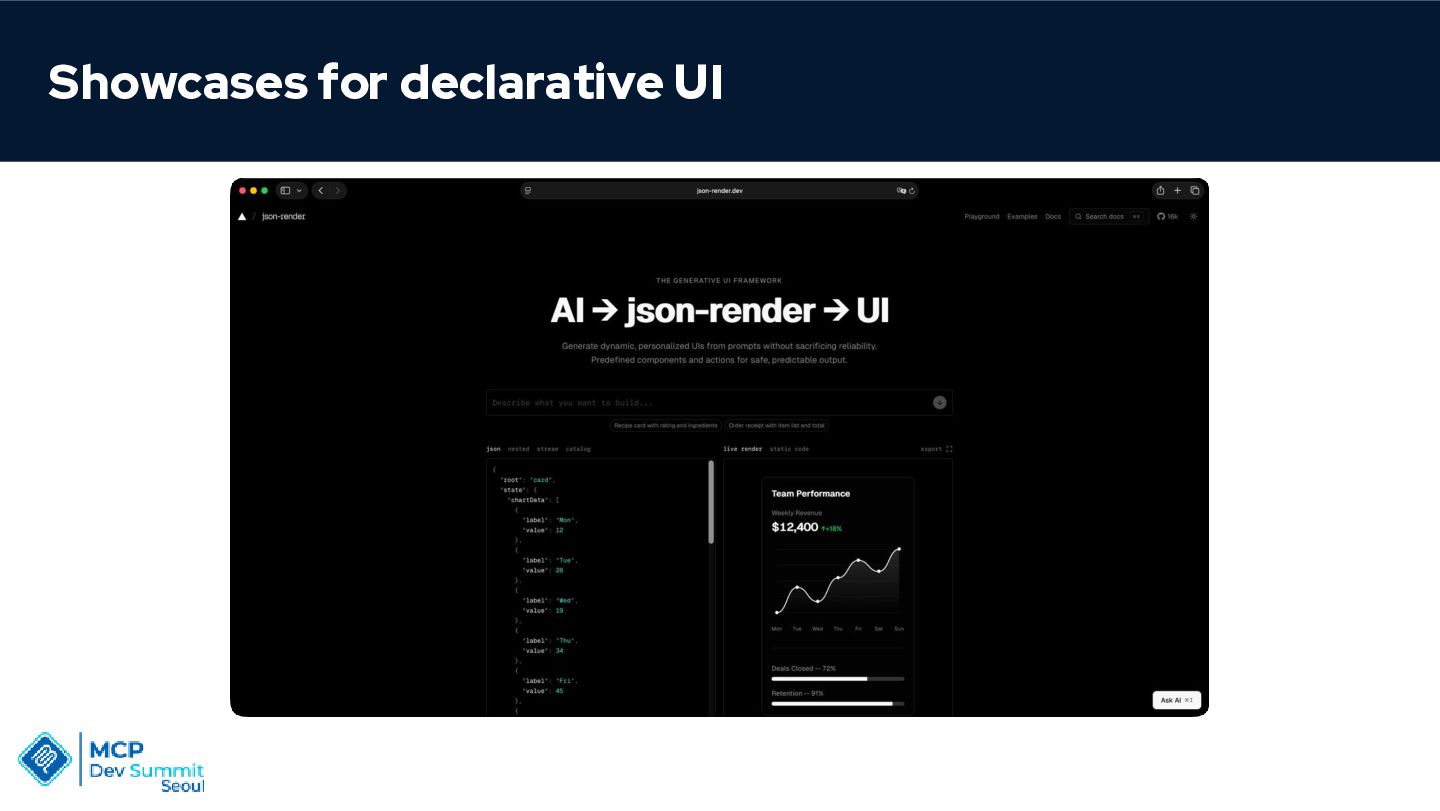
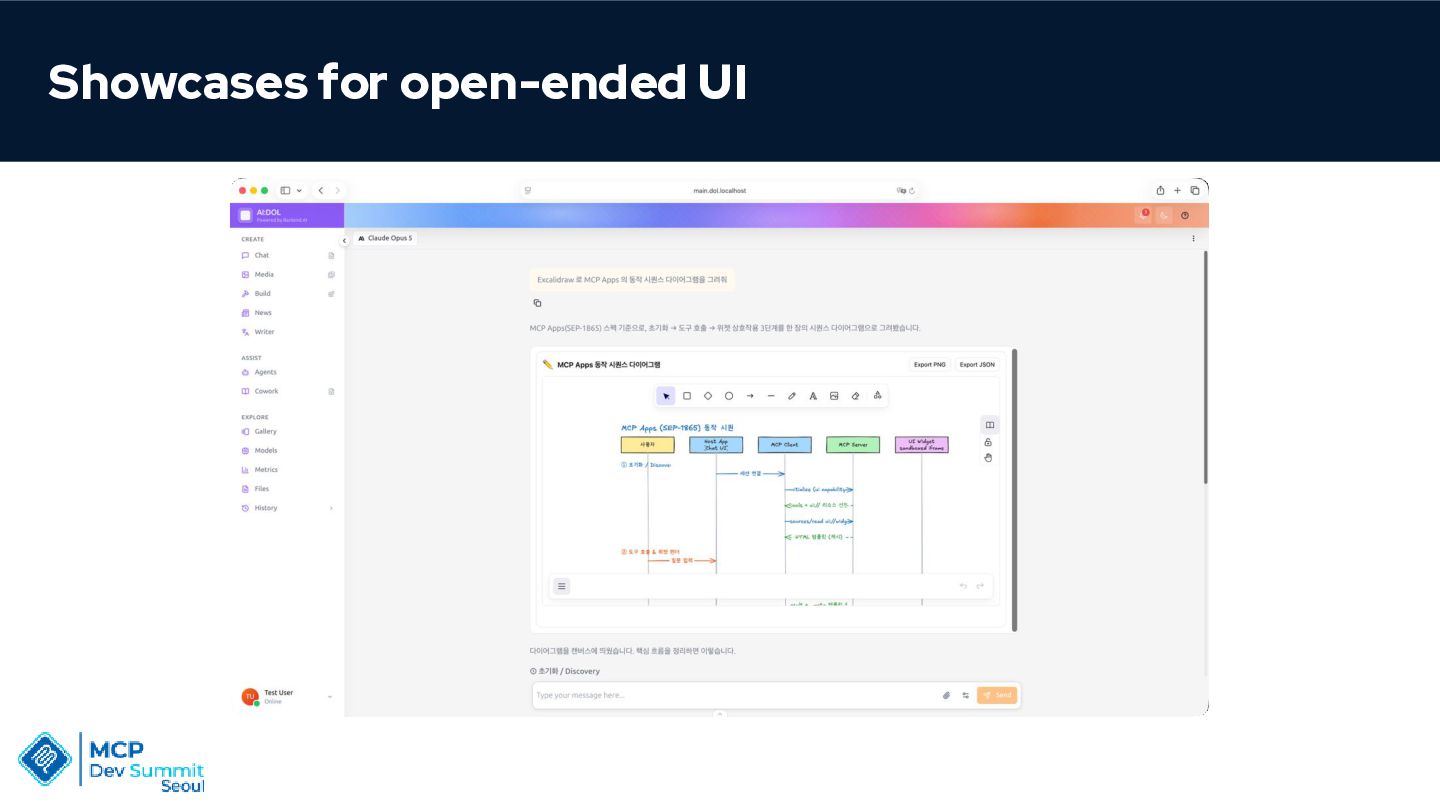
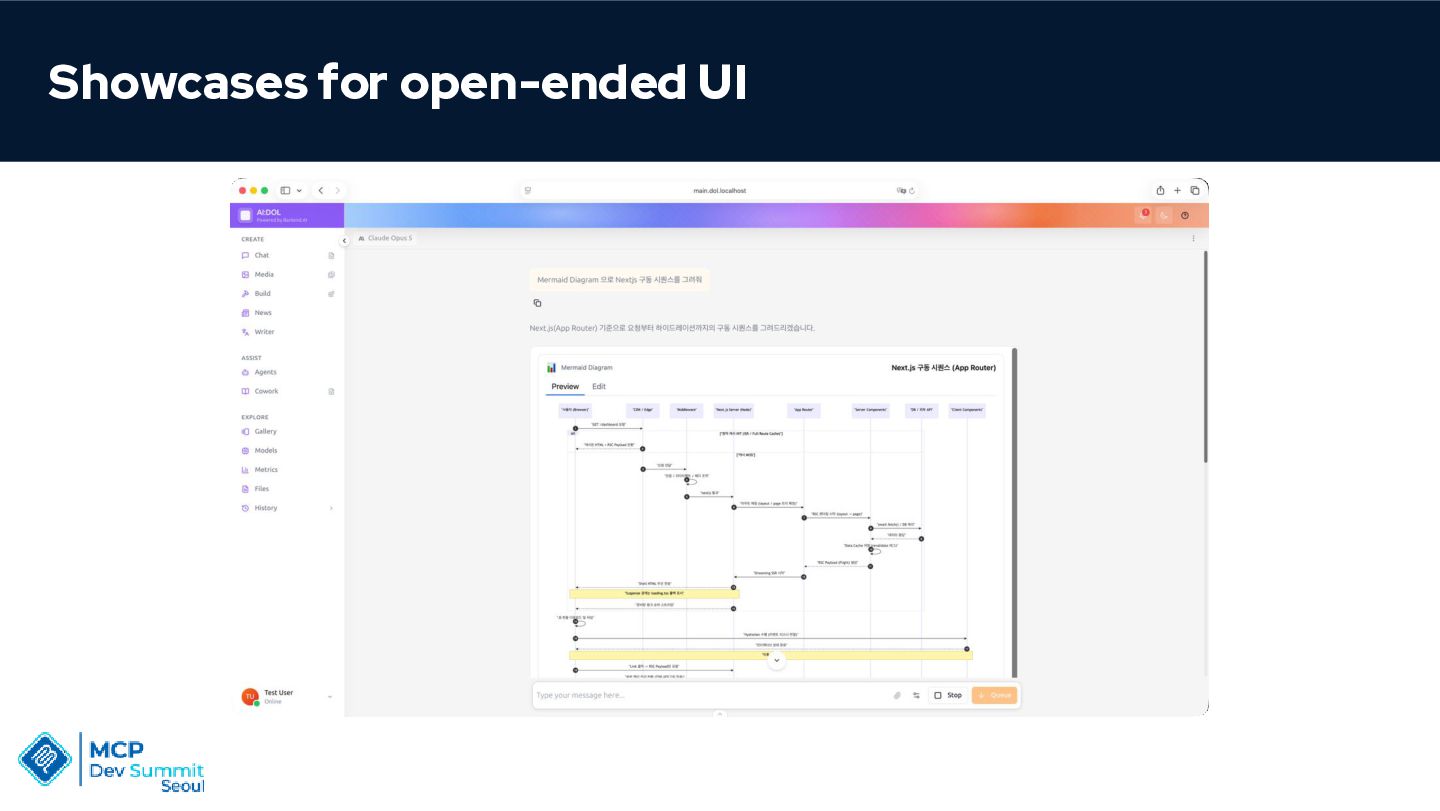
    an AI agent at runtime • Declarative: json-render, A2UI, agent returns a structured JSON schema - host renders its own native components • Open-ended: MCP Apps, raw HTML shipped as a resource / max expressiveness,
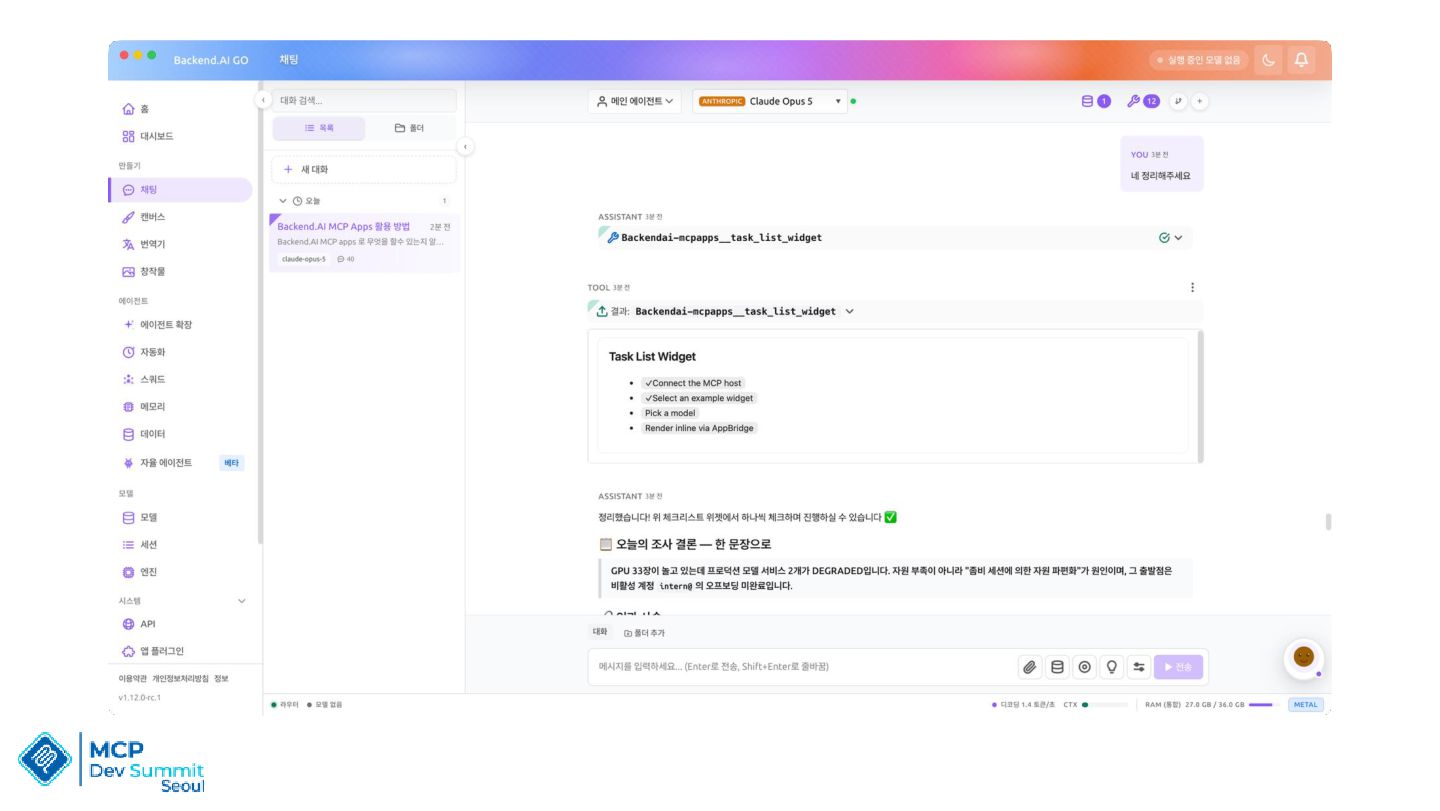
  4. MCP Extension MCP Apps let servers return interactive HTML interfaces

    that render directly in the chat • Official MCP Extension, io.modelcontextprotocol/ui • Built on MCP-UI and the OpenAI Apps SDK • Authored by MCP core maintainers at OpenAI and Anthropic, with the MCP-UI creators
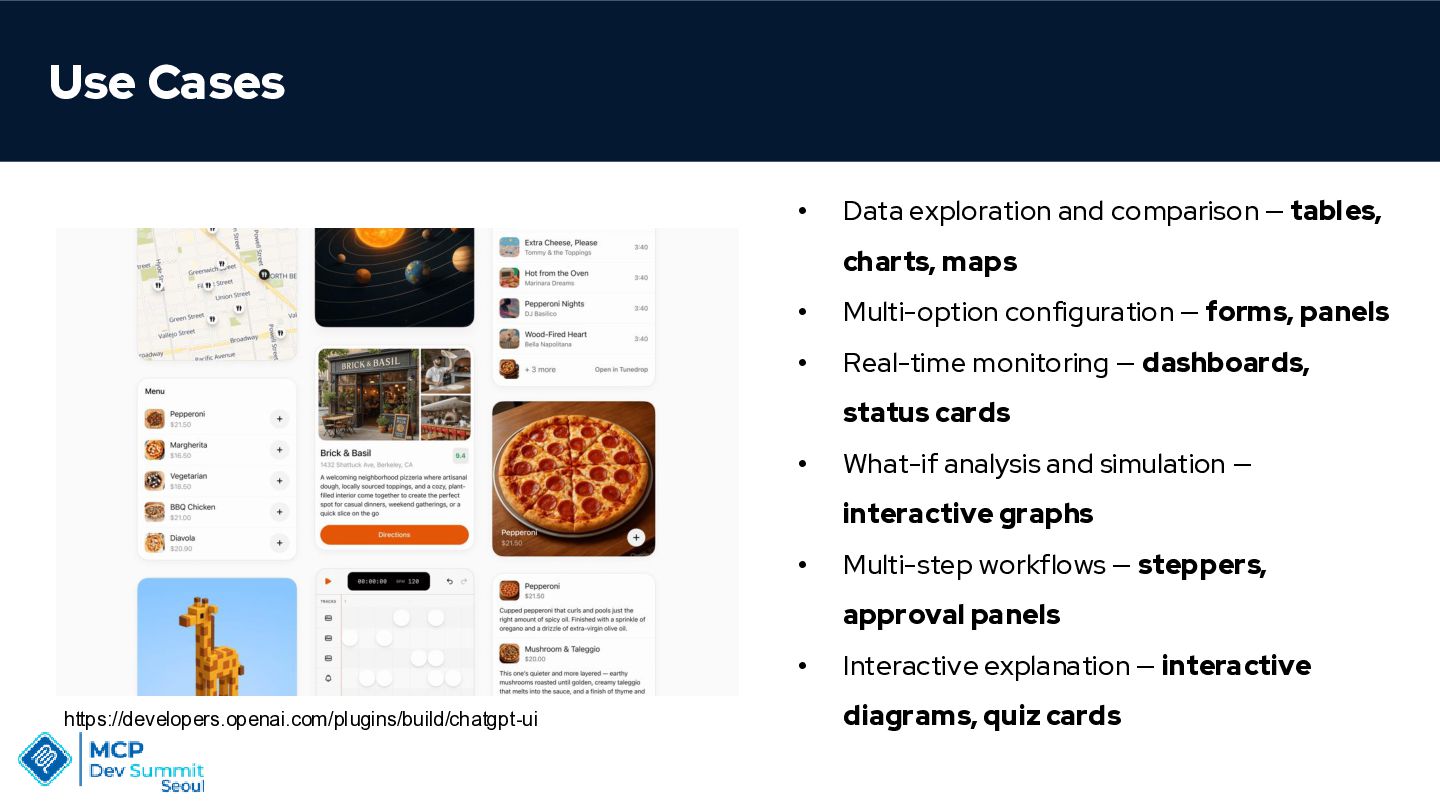
  5. Use Cases • Data exploration and comparison — tables, charts,

    maps • Multi-option configuration — forms, panels • Real-time monitoring — dashboards, status cards • What-if analysis and simulation — interactive graphs • Multi-step workflows — steppers, approval panels • https://developers.openai.com/plugins/build/chatgpt-ui Interactive explanation — interactive diagrams, quiz cards
  6. Features • Visual responses instead of text-only answers • Interactive

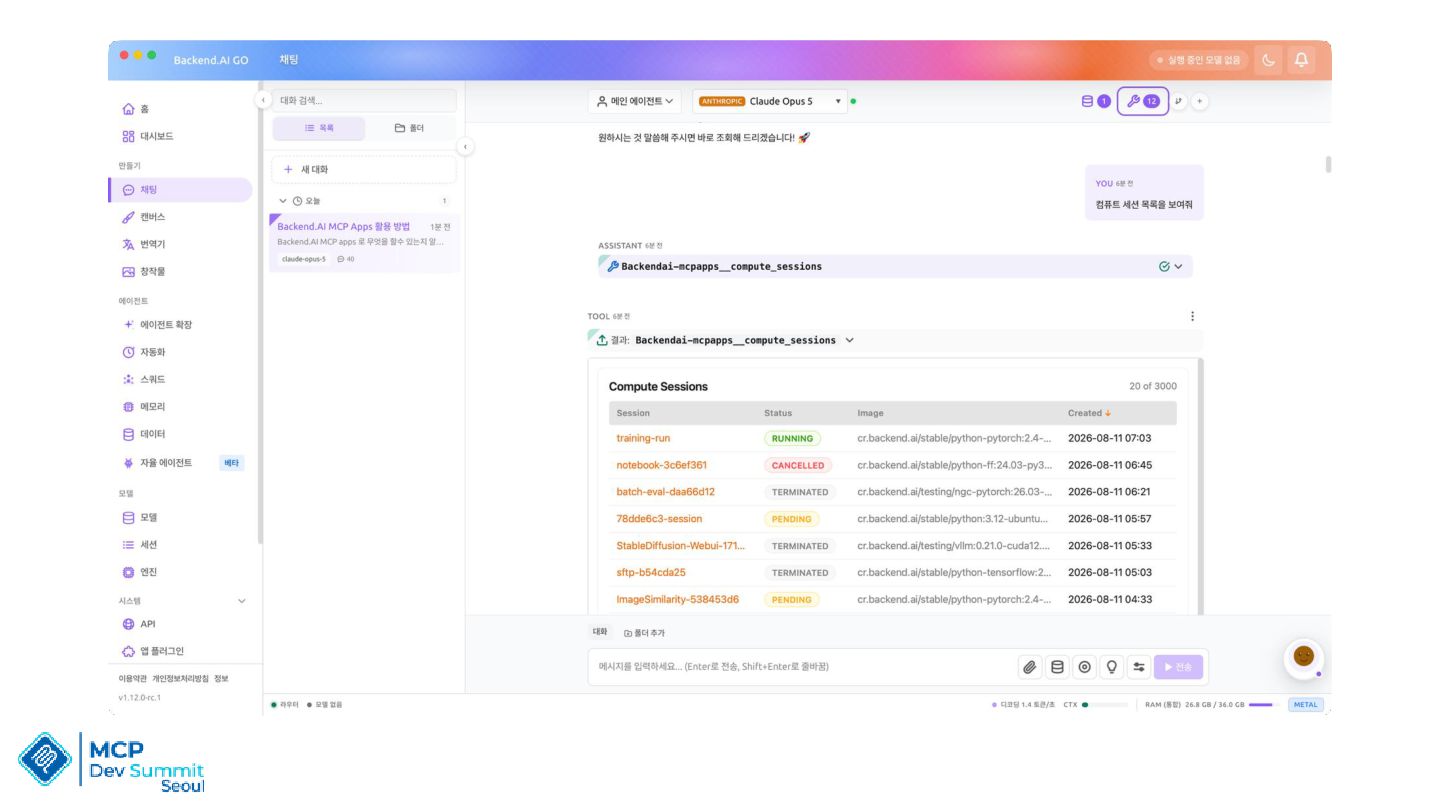
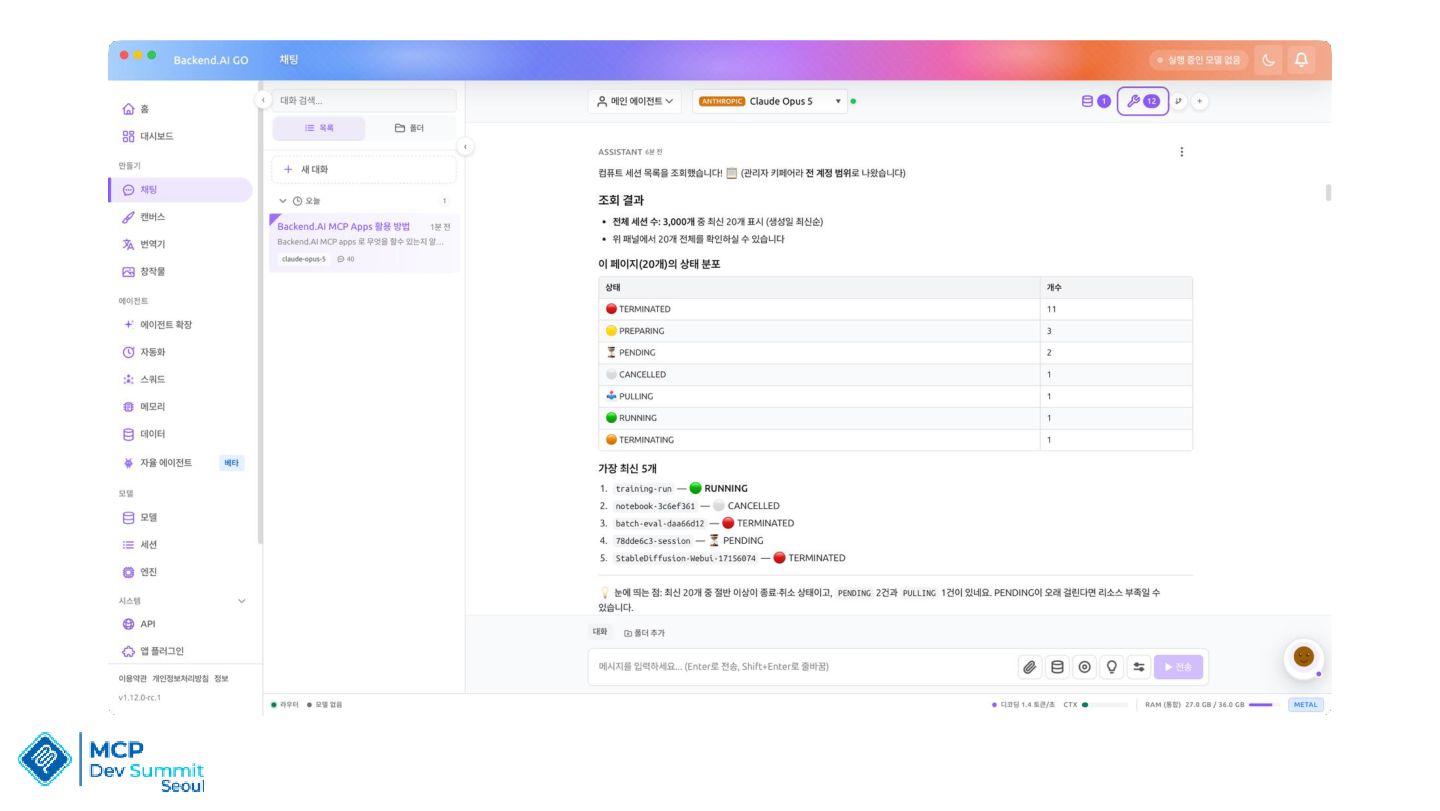
    UI instead of text-only output • Follow-up actions without leaving the chat • Tools available directly in the conversation
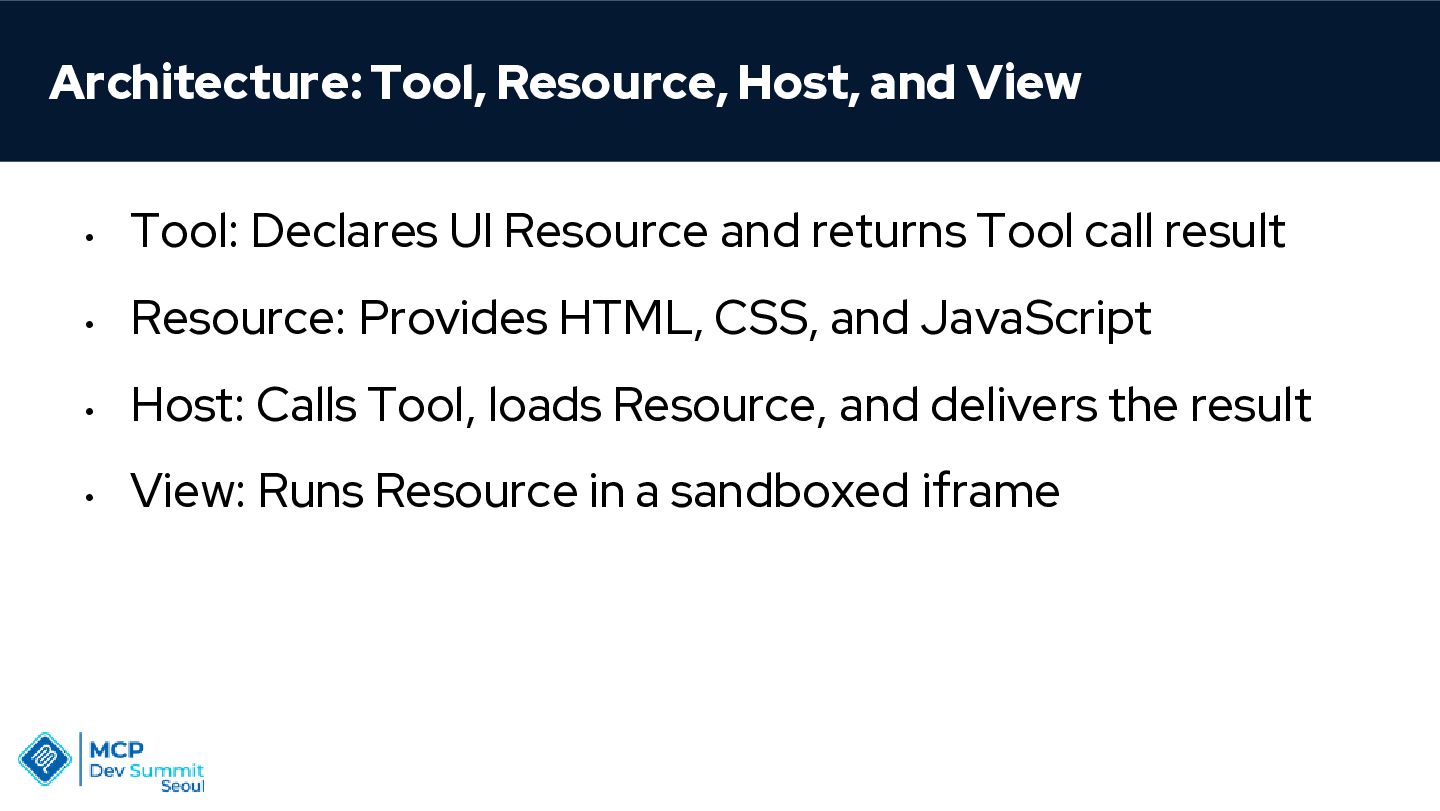
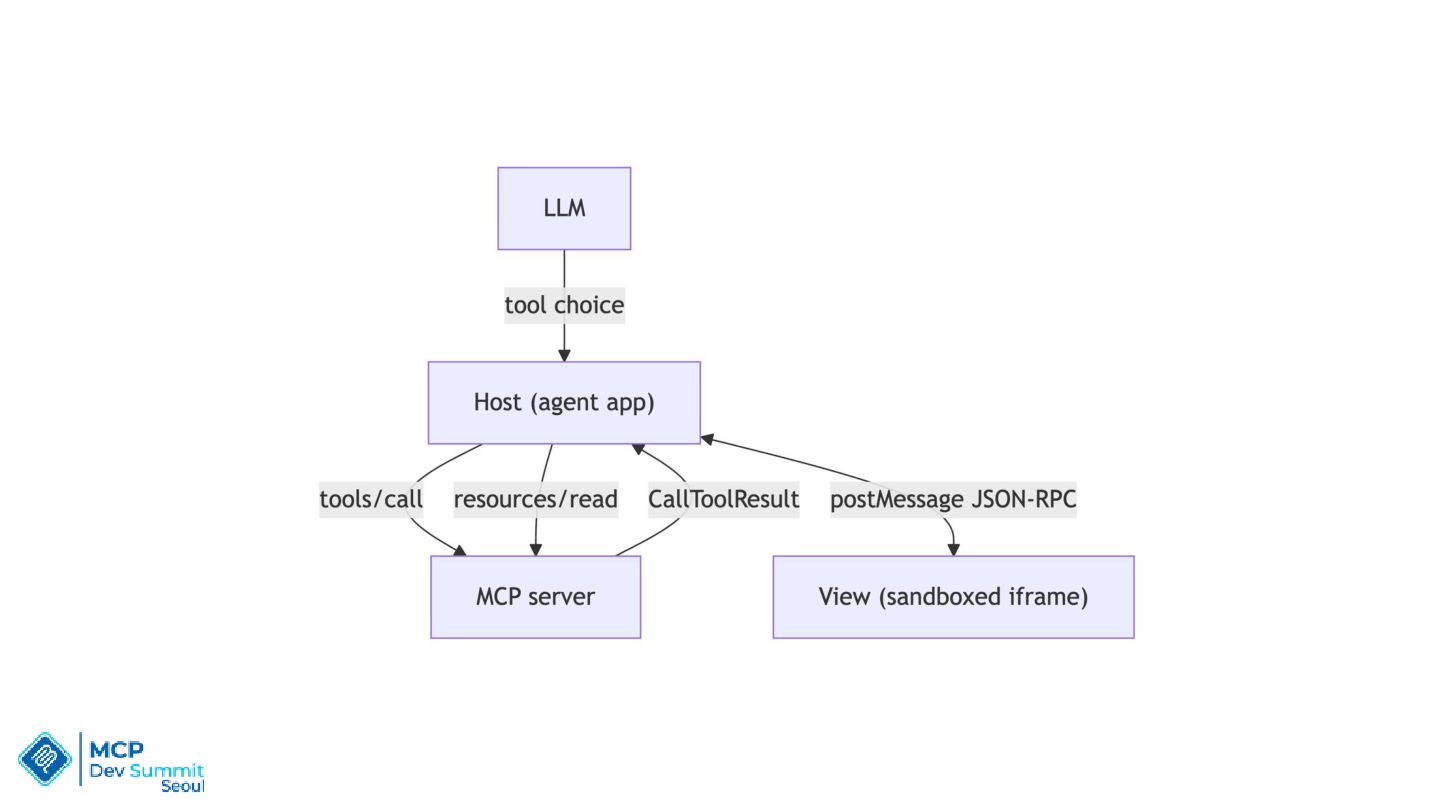
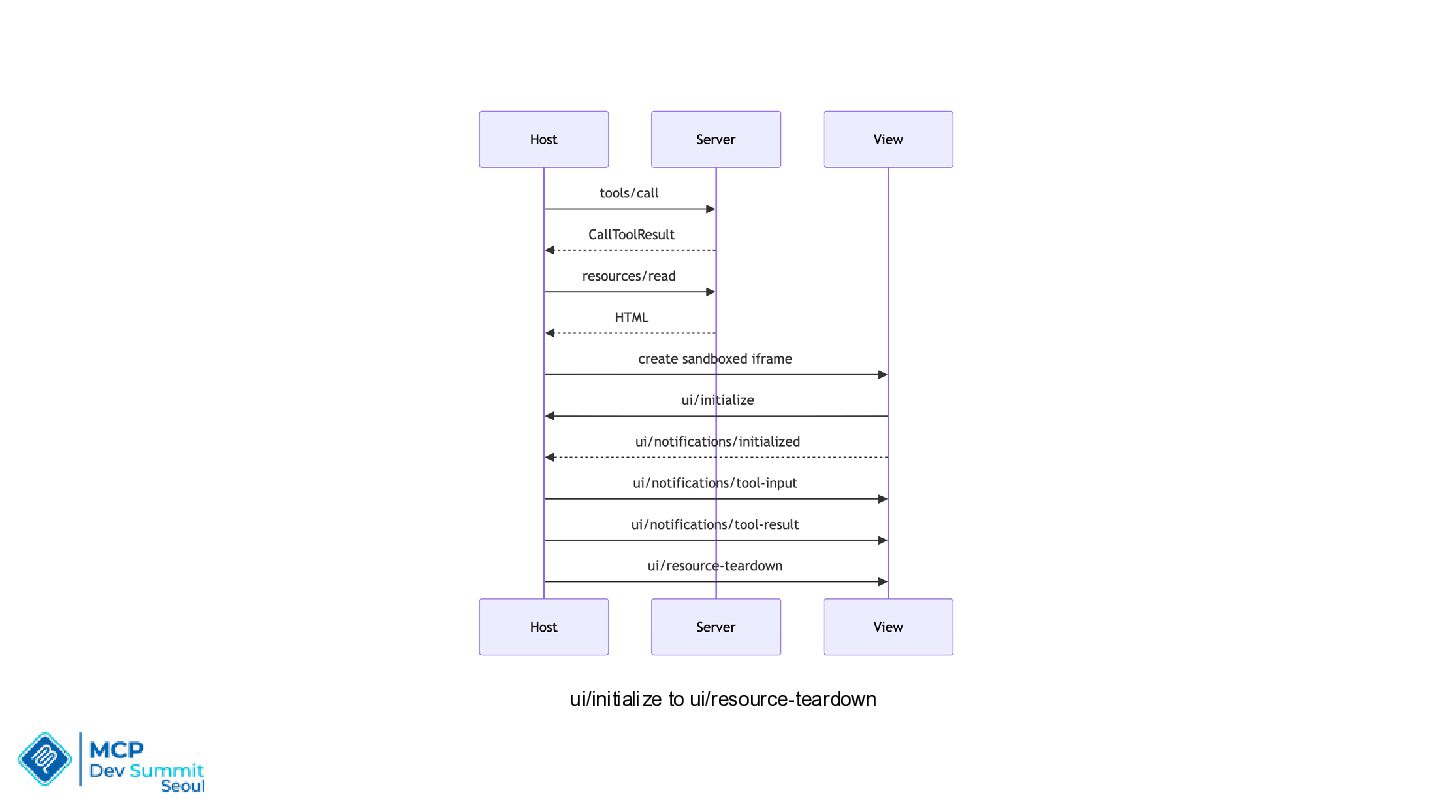
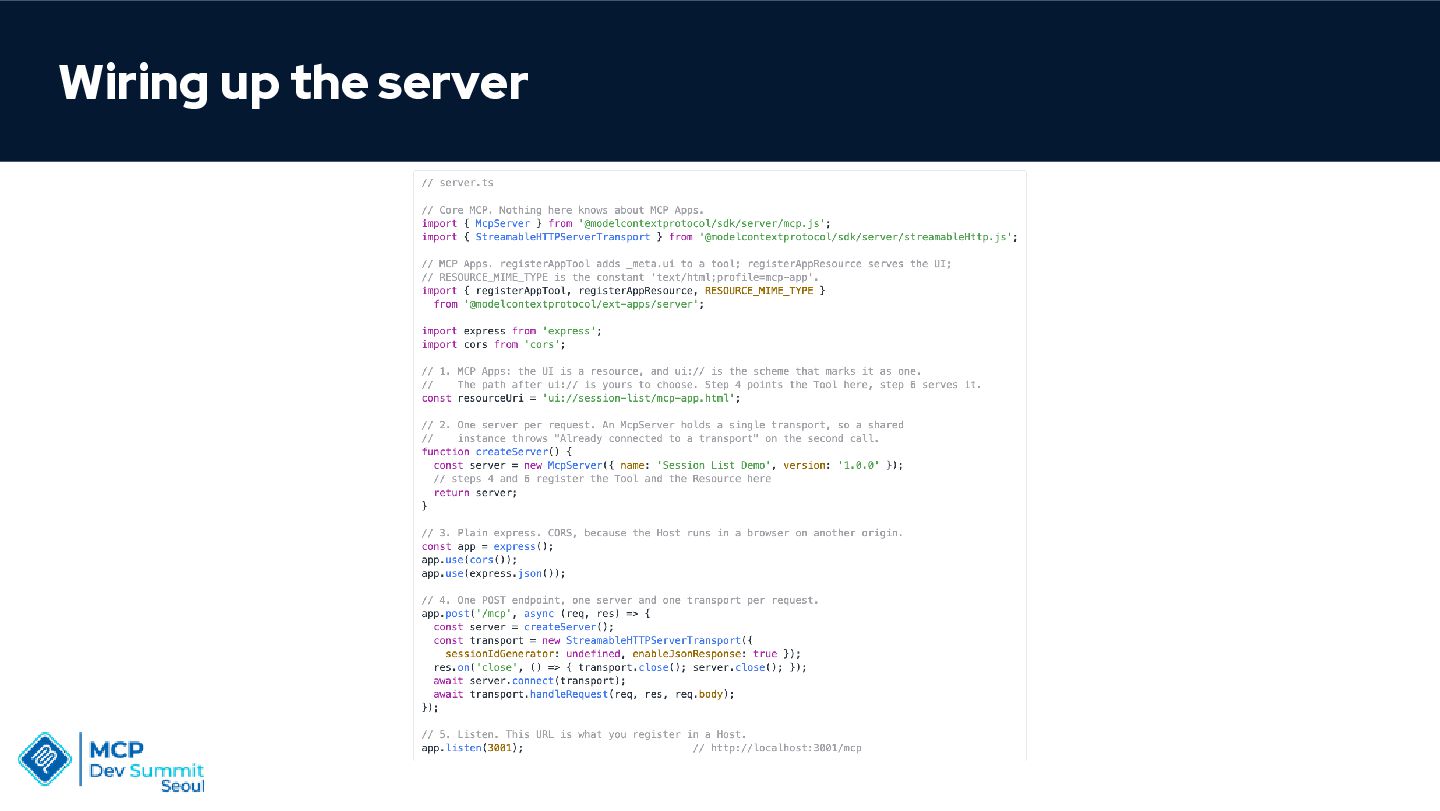
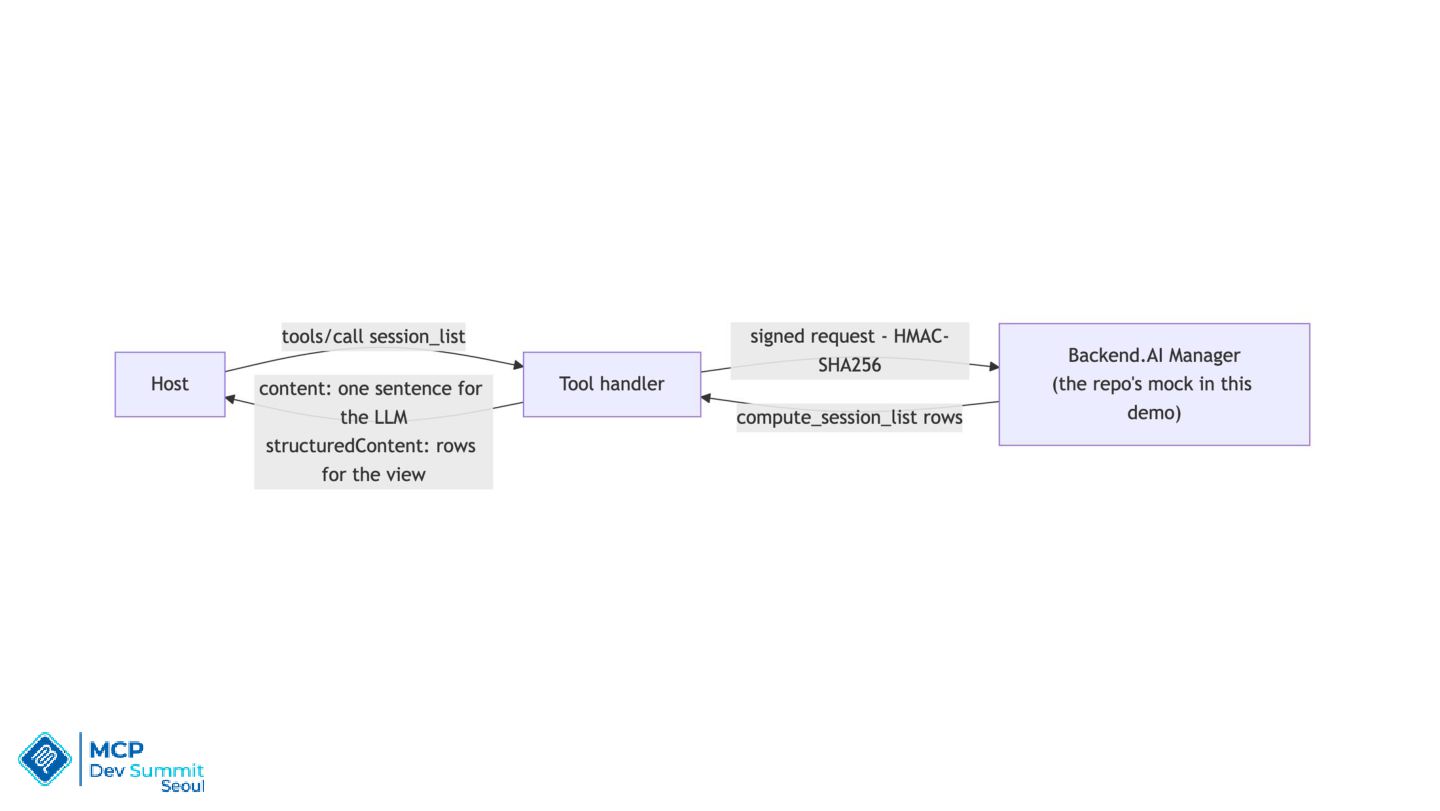
  7. Architecture: Tool, Resource, Host, and View • Tool: Declares UI

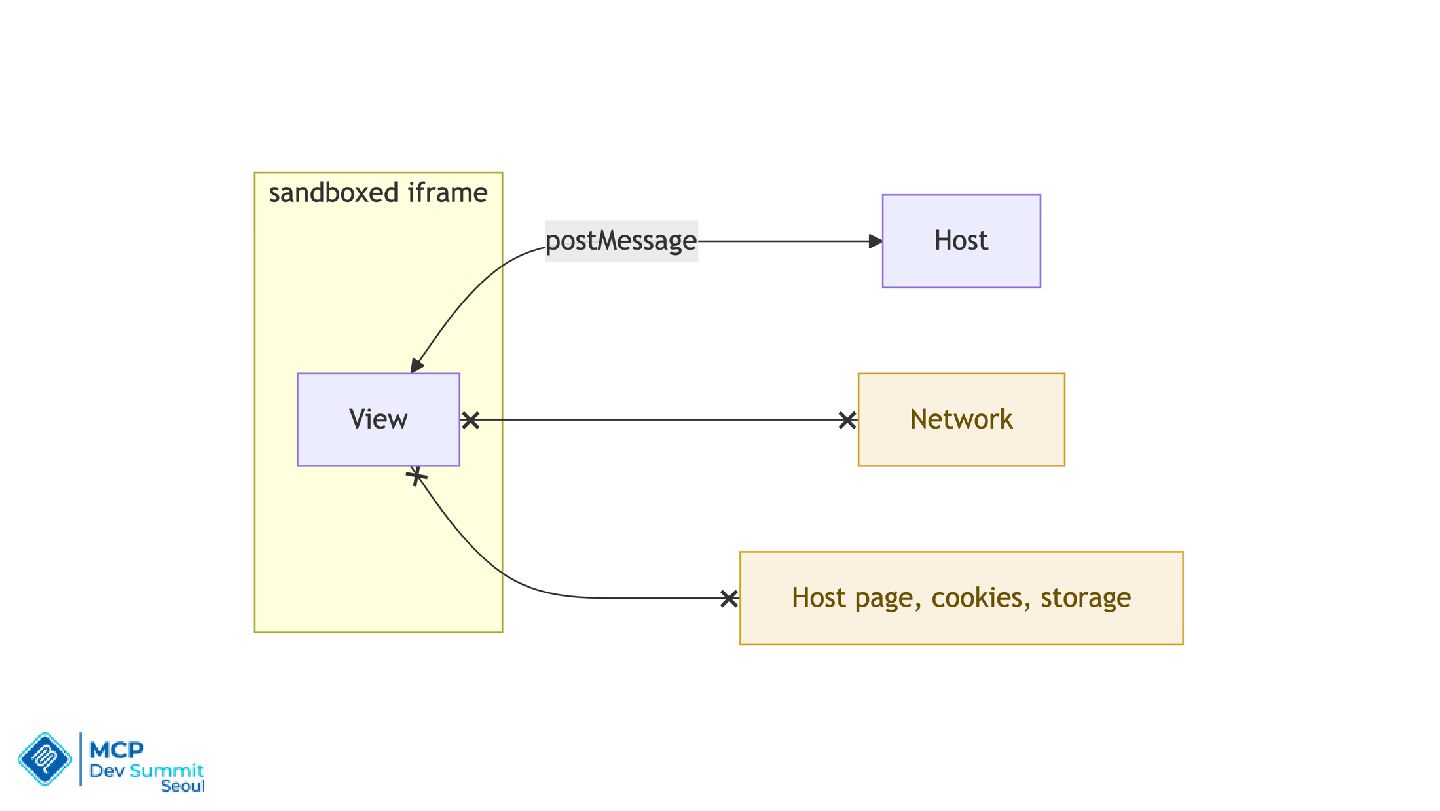
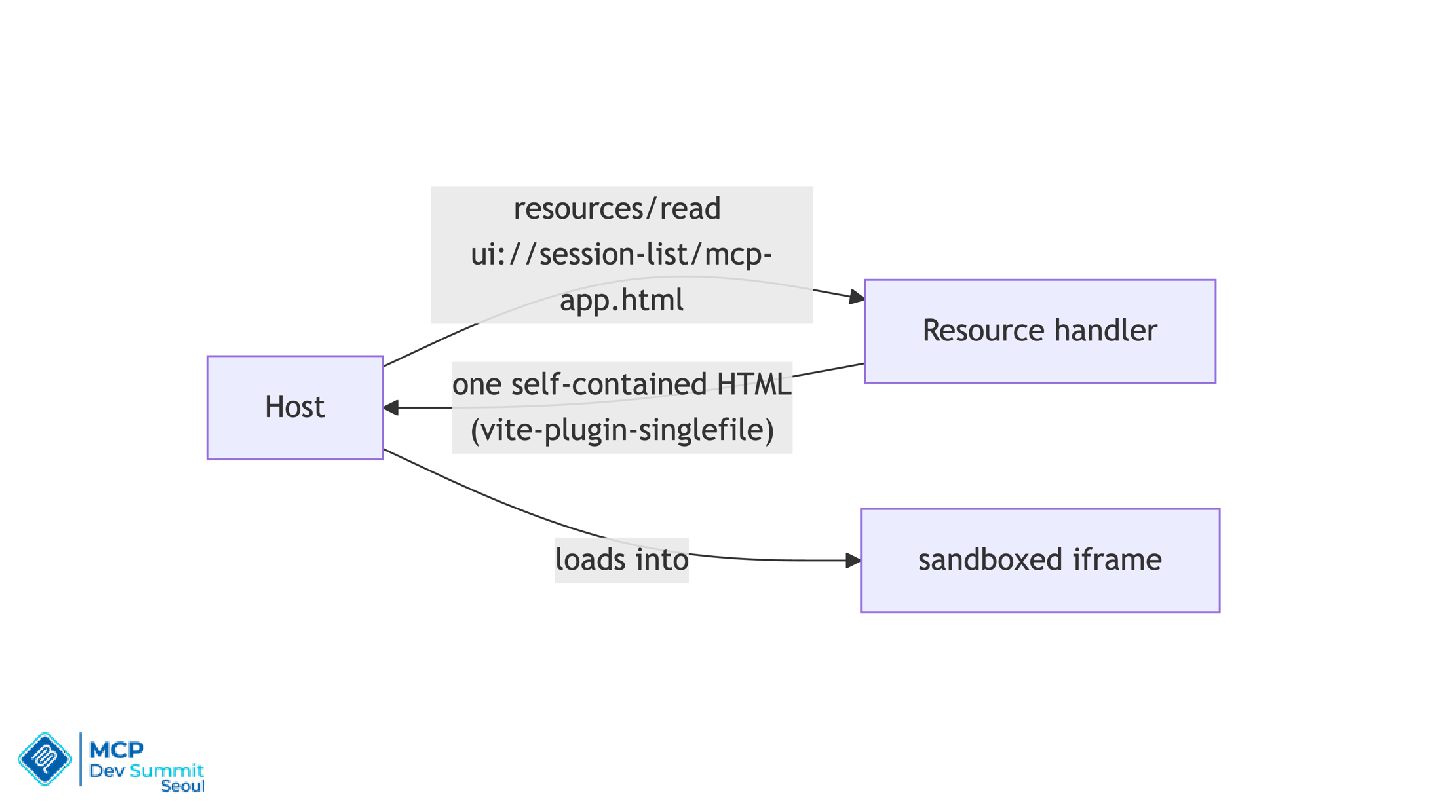
    Resource and returns Tool call result • Resource: Provides HTML, CSS, and JavaScript • Host: Calls Tool, loads Resource, and delivers the result • View: Runs Resource in a sandboxed iframe
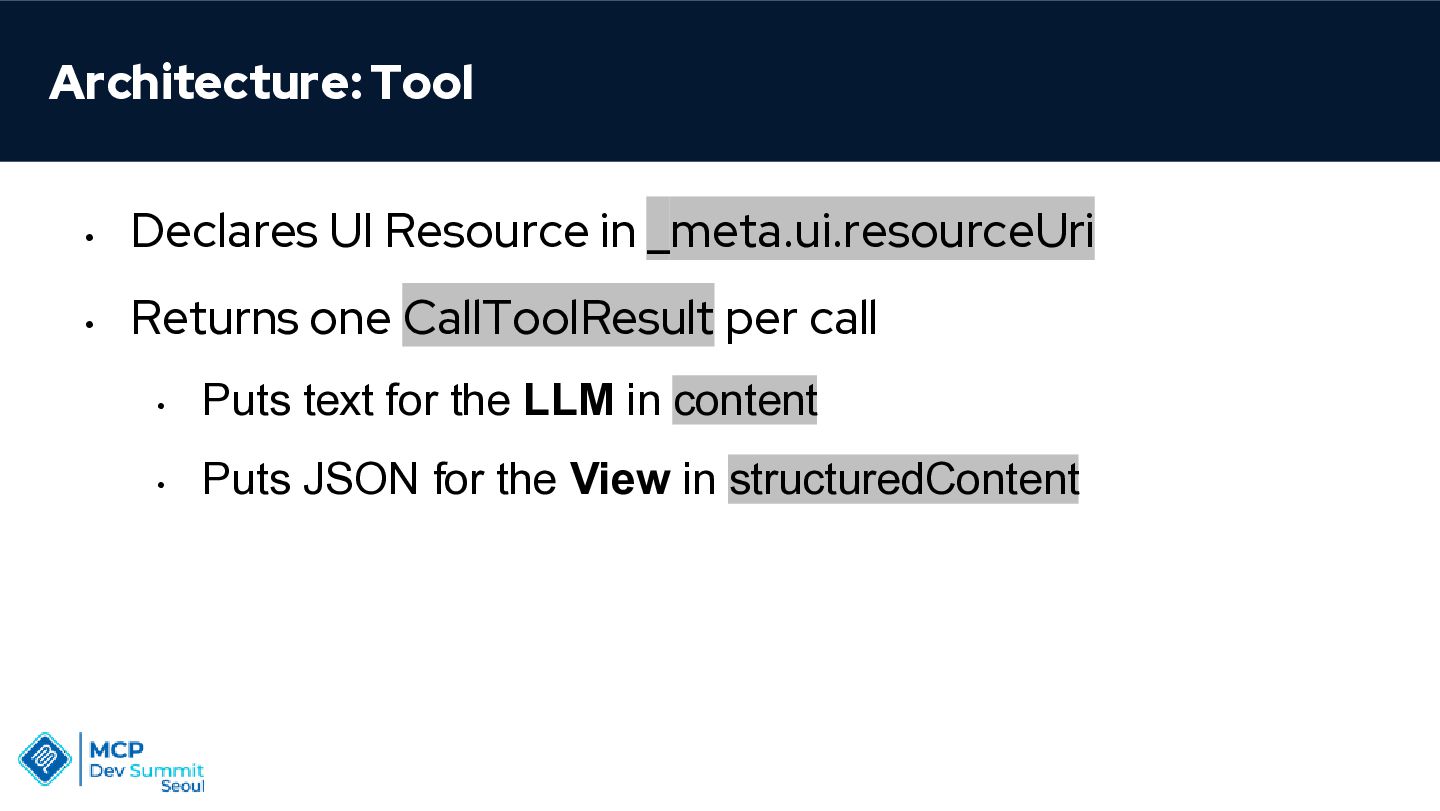
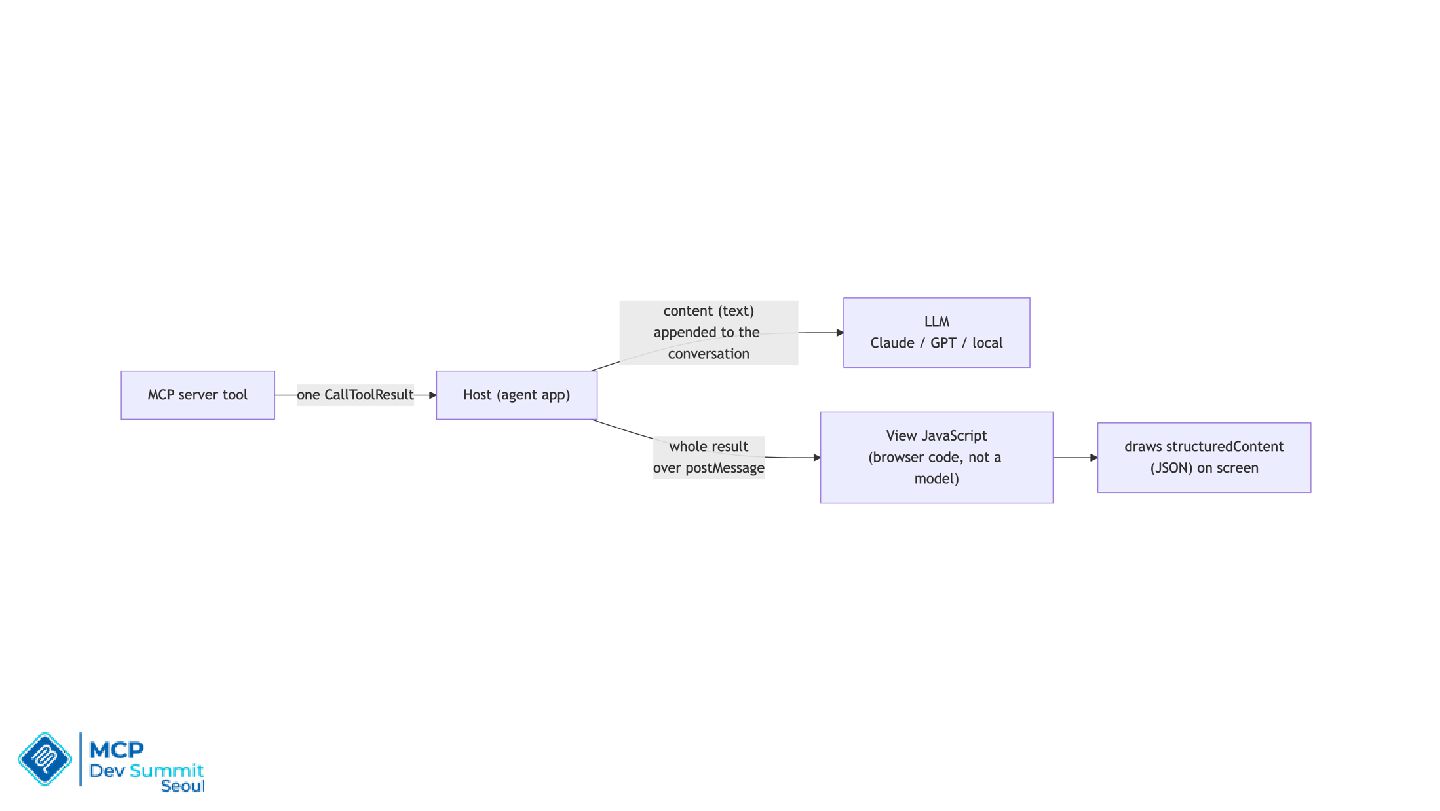
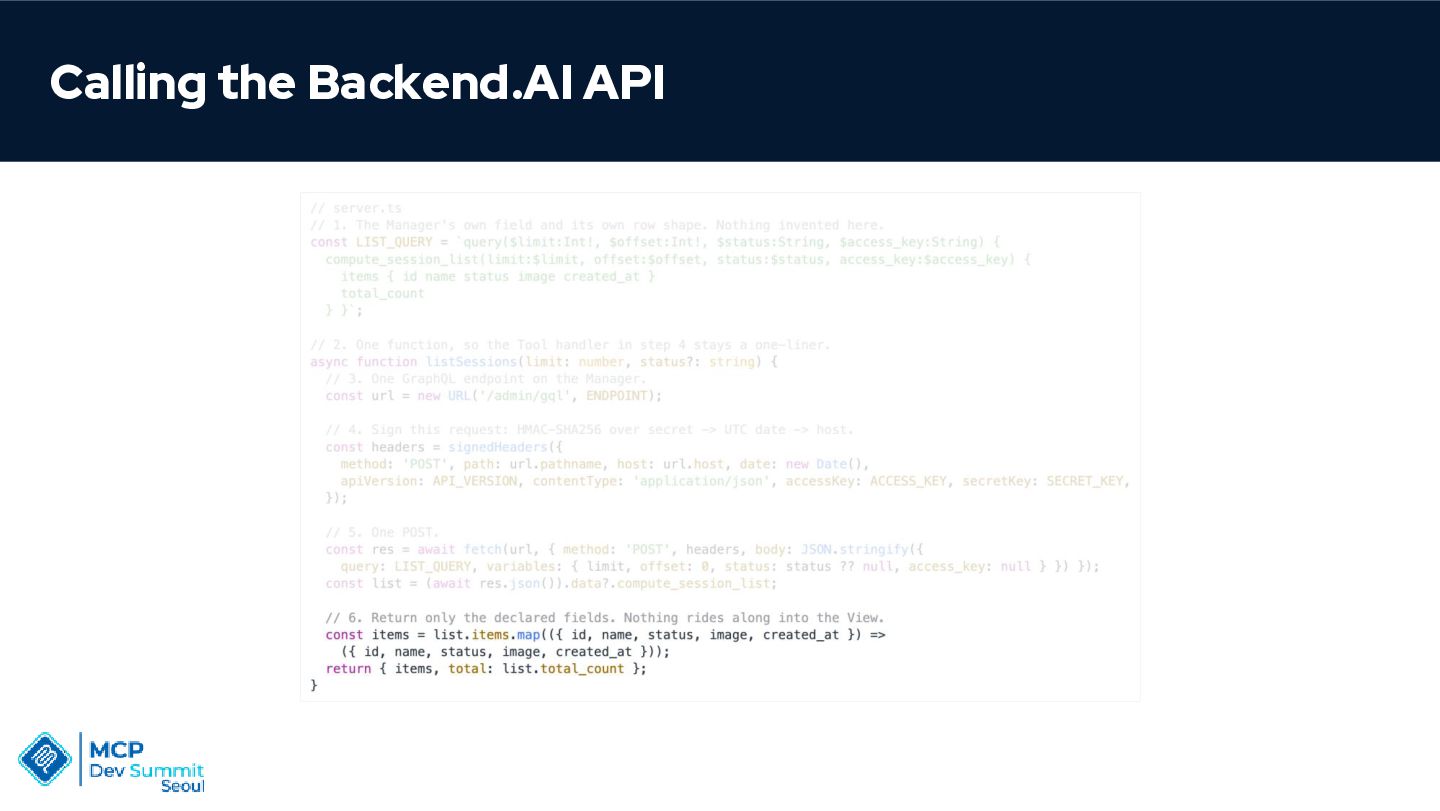
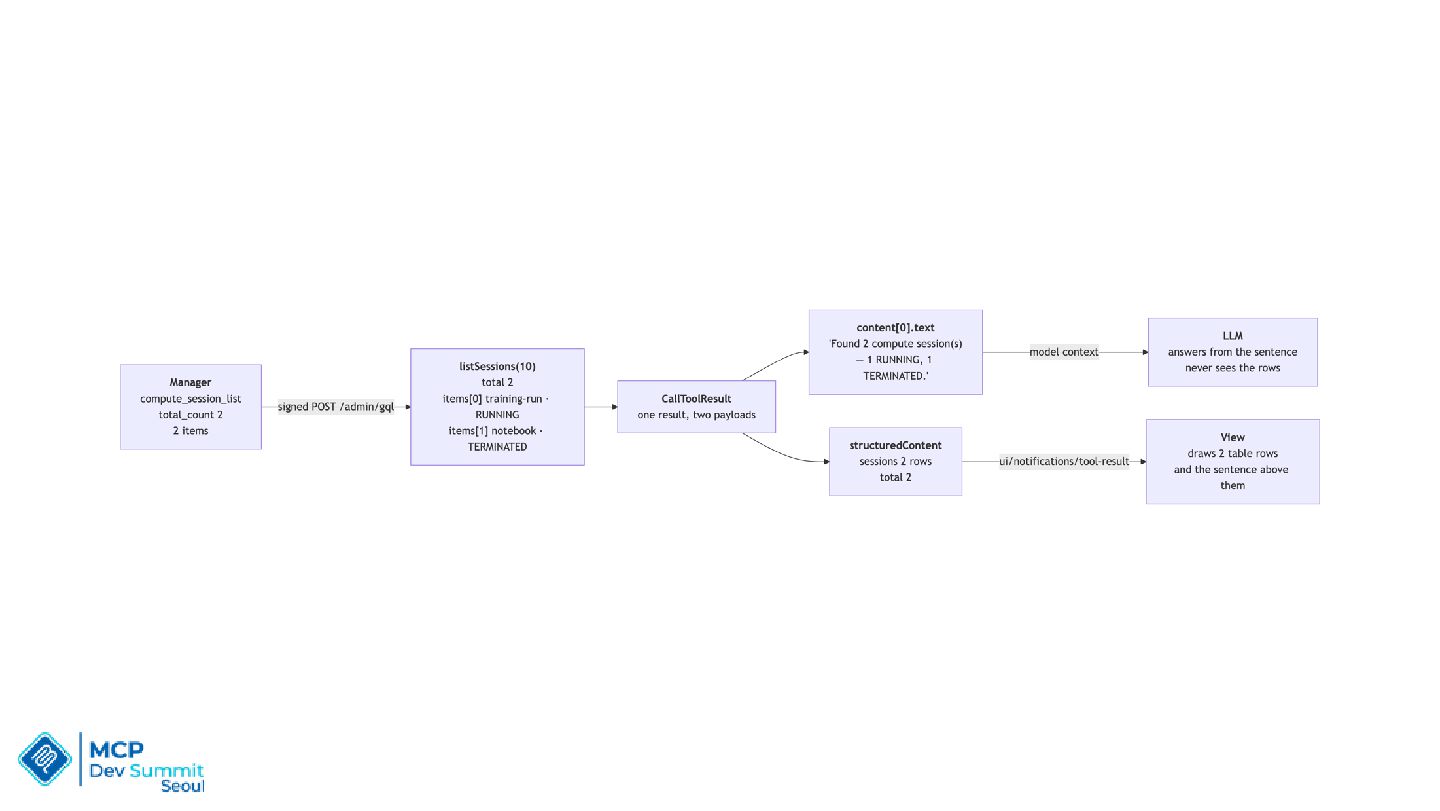
  8. Architecture: Tool • Declares UI Resource in _meta.ui.resourceUri • Returns

    one CallToolResult per call • Puts text for the LLM in content • Puts JSON for the View in structuredContent
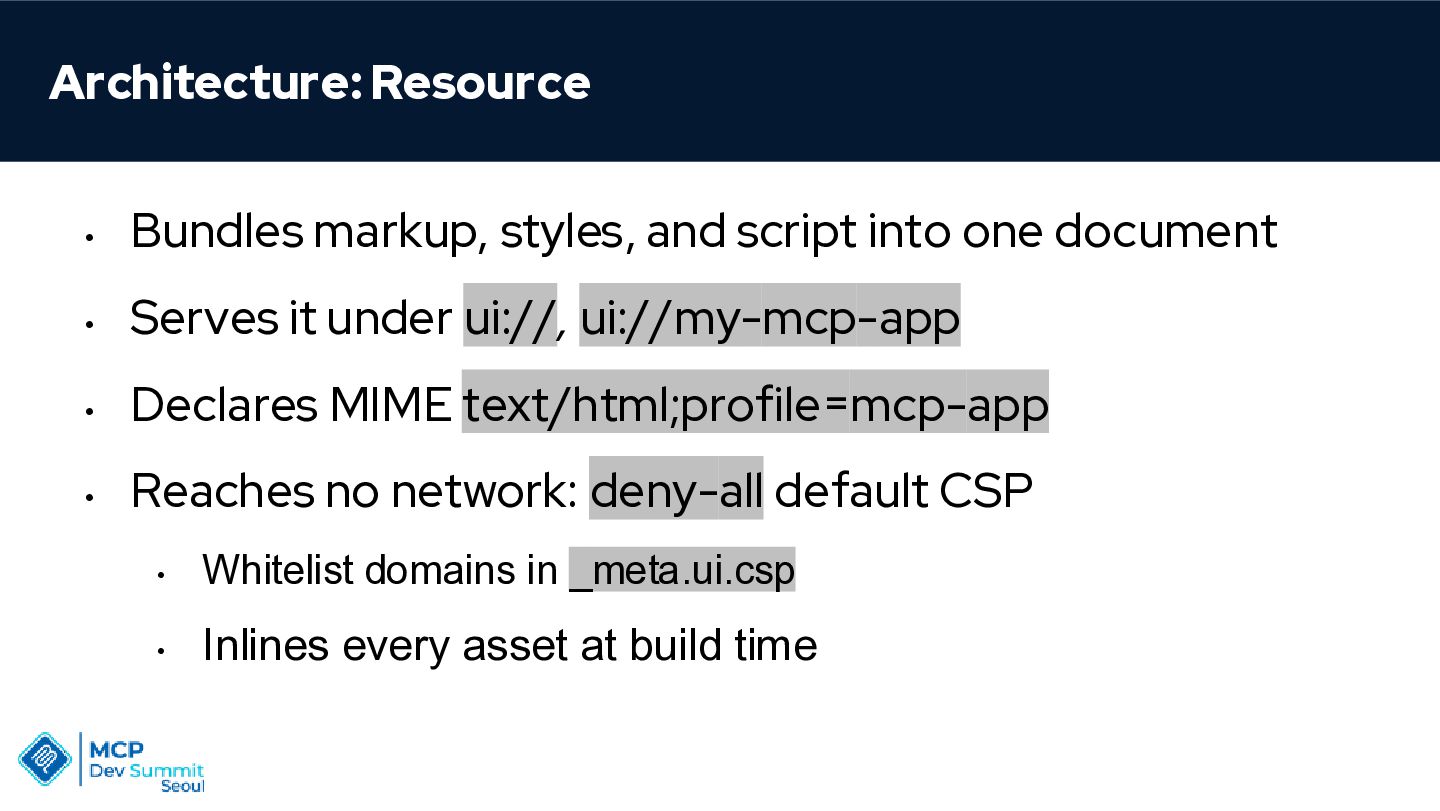
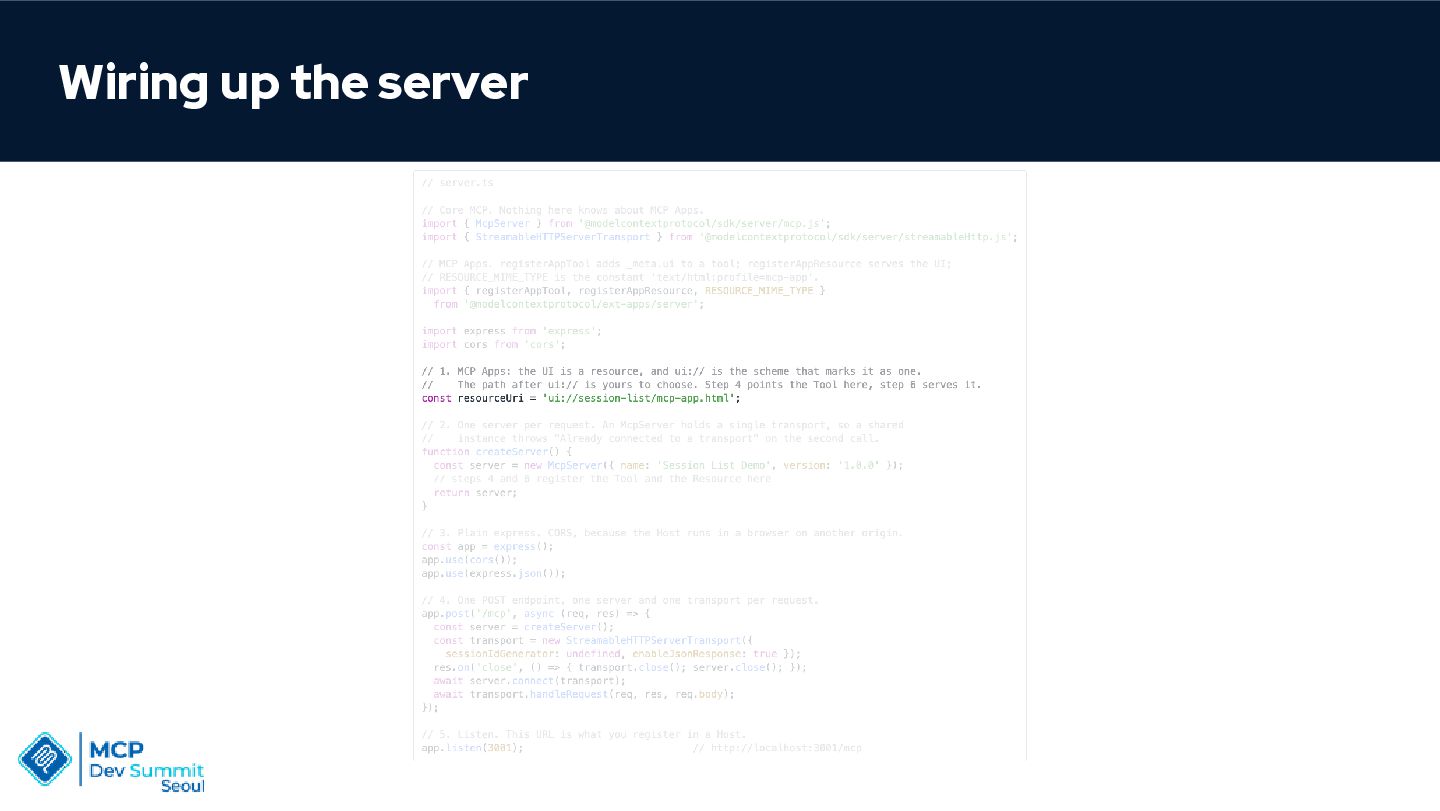
  9. Architecture: Resource • Bundles markup, styles, and script into one

    document • Serves it under ui://, ui://my-mcp-app • Declares MIME text/html;profile=mcp-app • Reaches no network: deny-all default CSP • Whitelist domains in _meta.ui.csp • Inlines every asset at build time
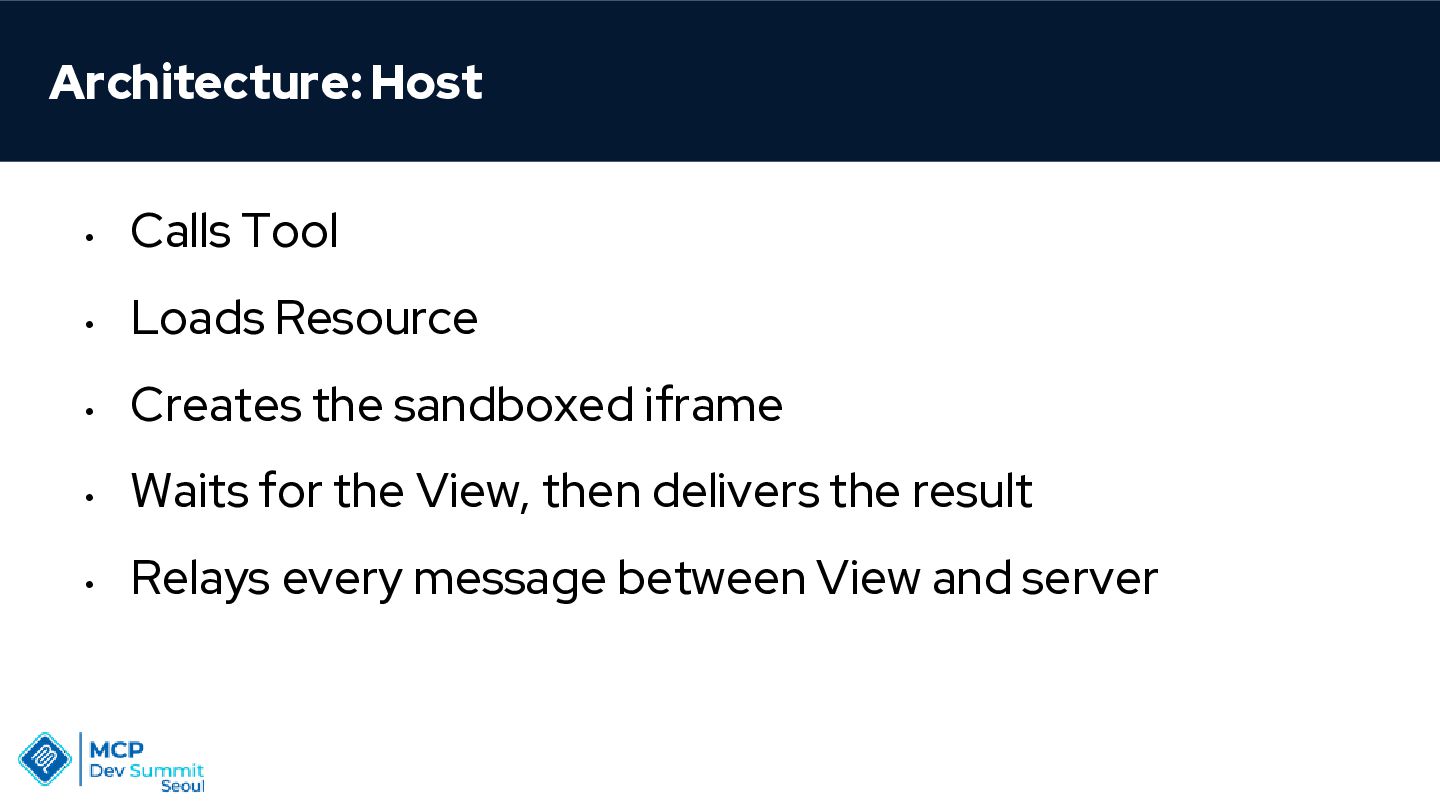
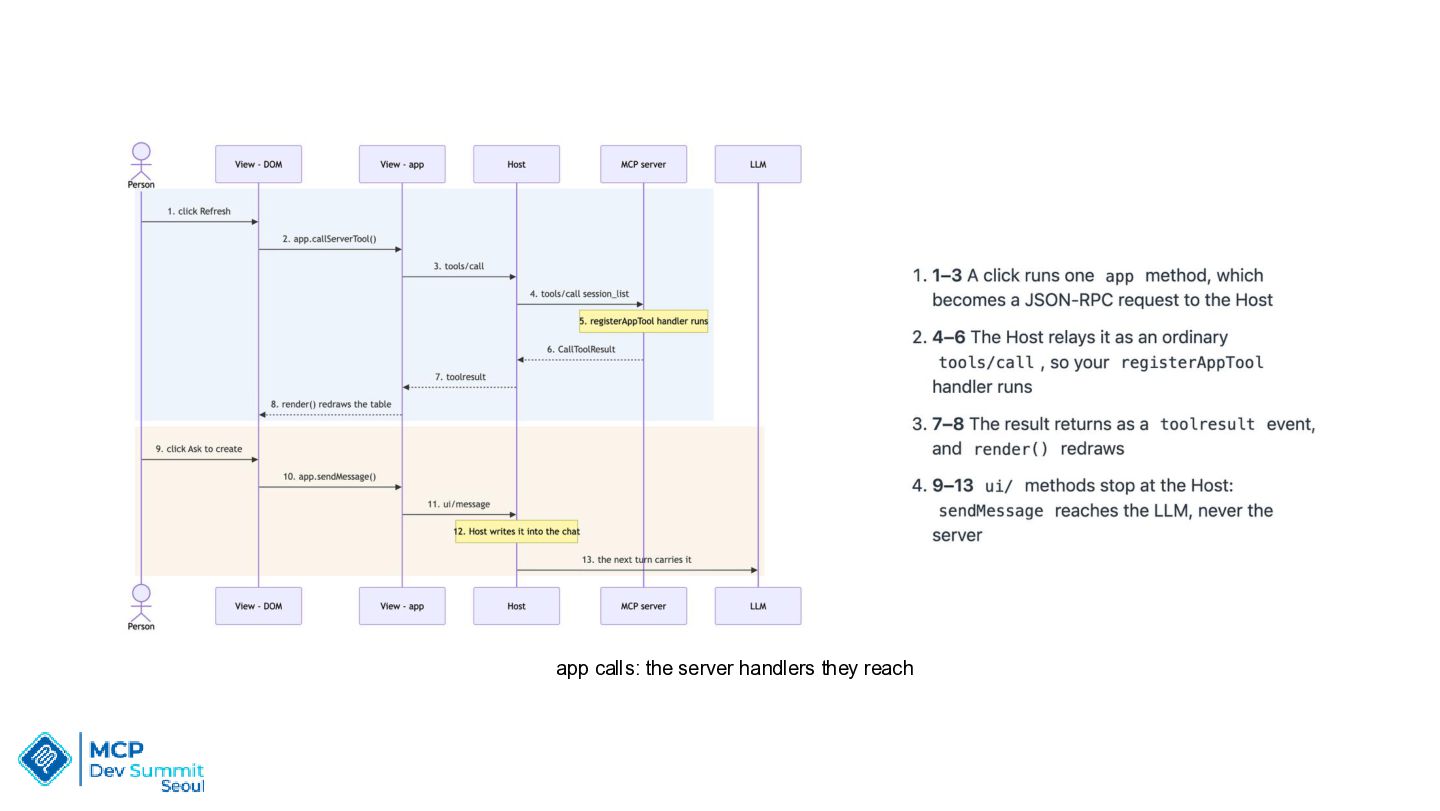
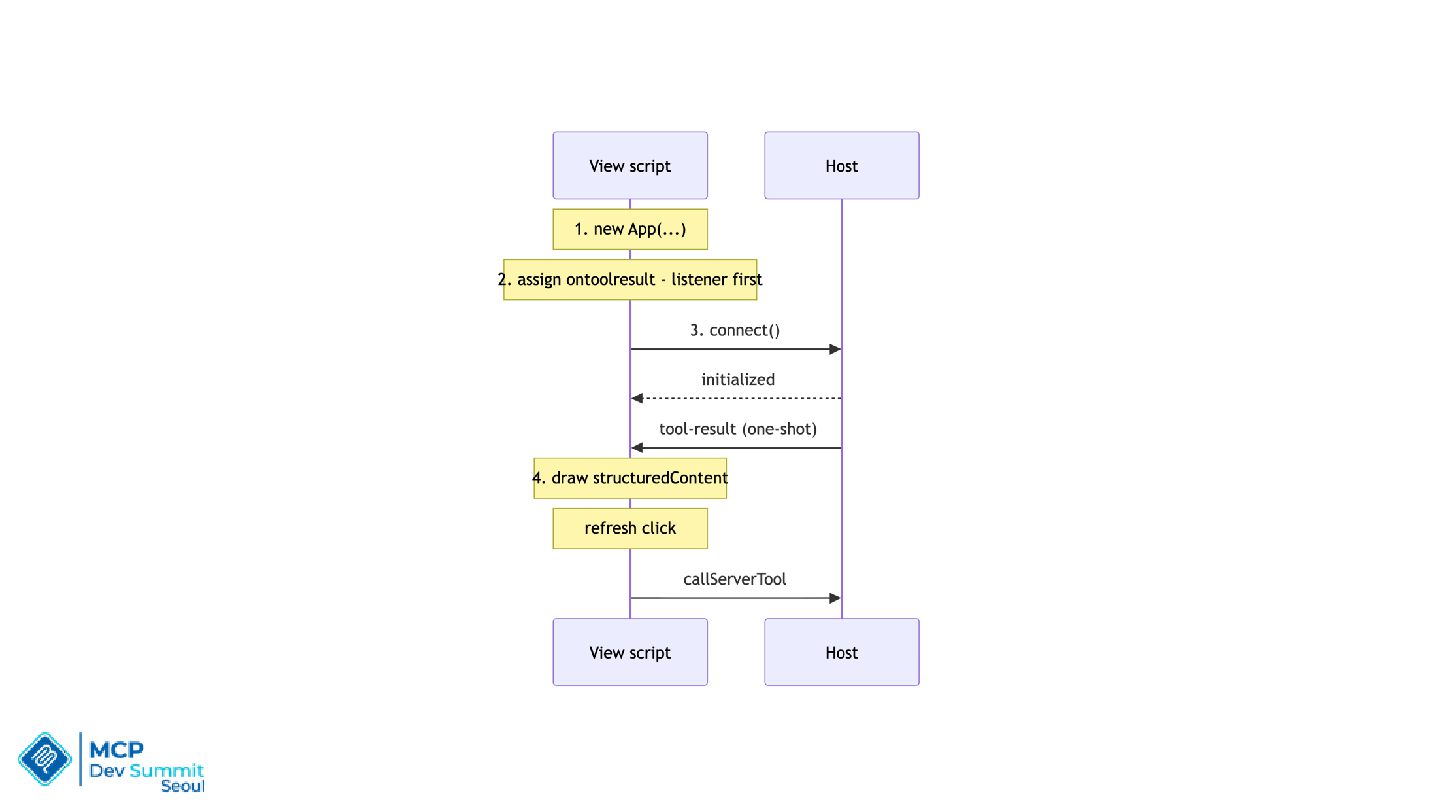
  10. Architecture: Host • Calls Tool • Loads Resource • Creates

    the sandboxed iframe • Waits for the View, then delivers the result • Relays every message between View and server
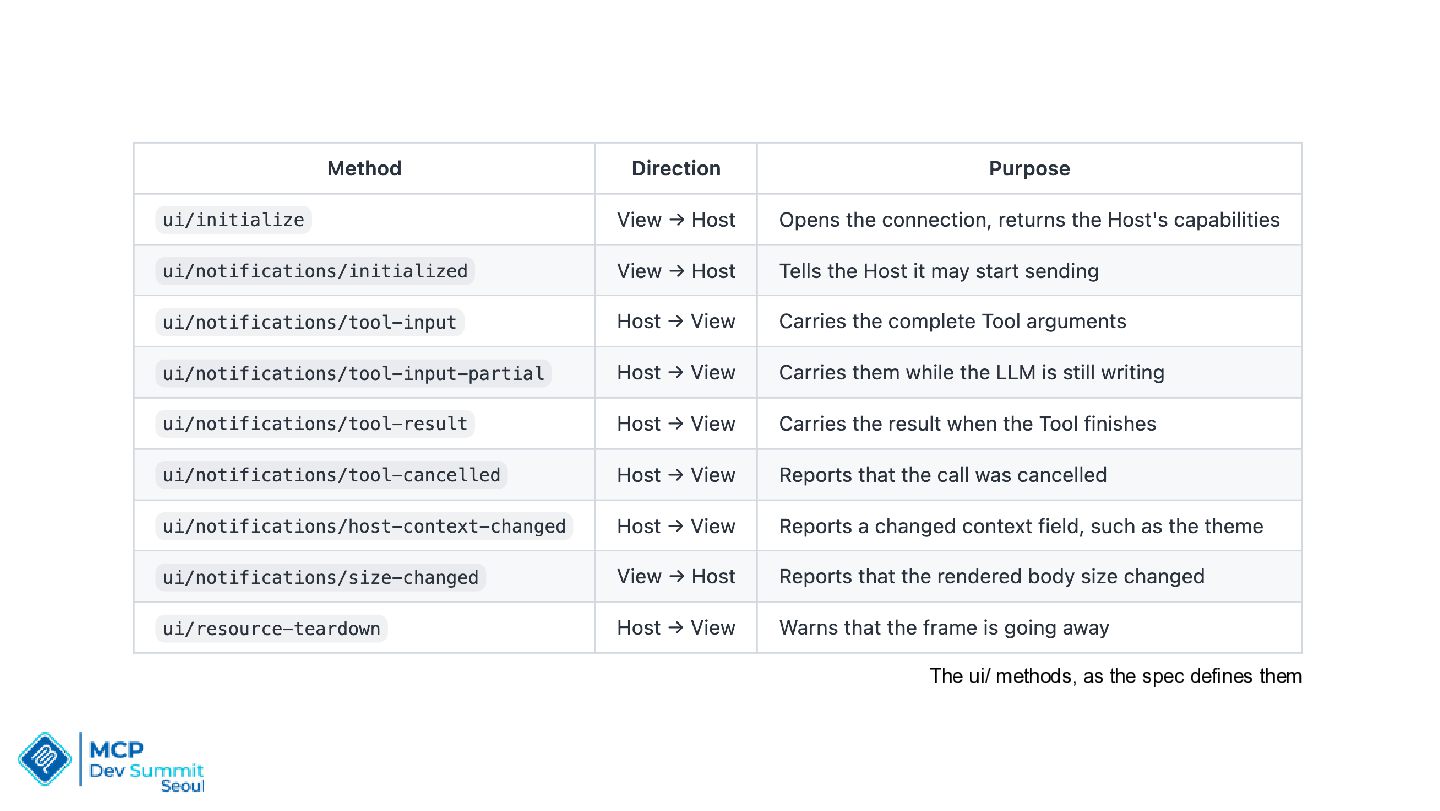
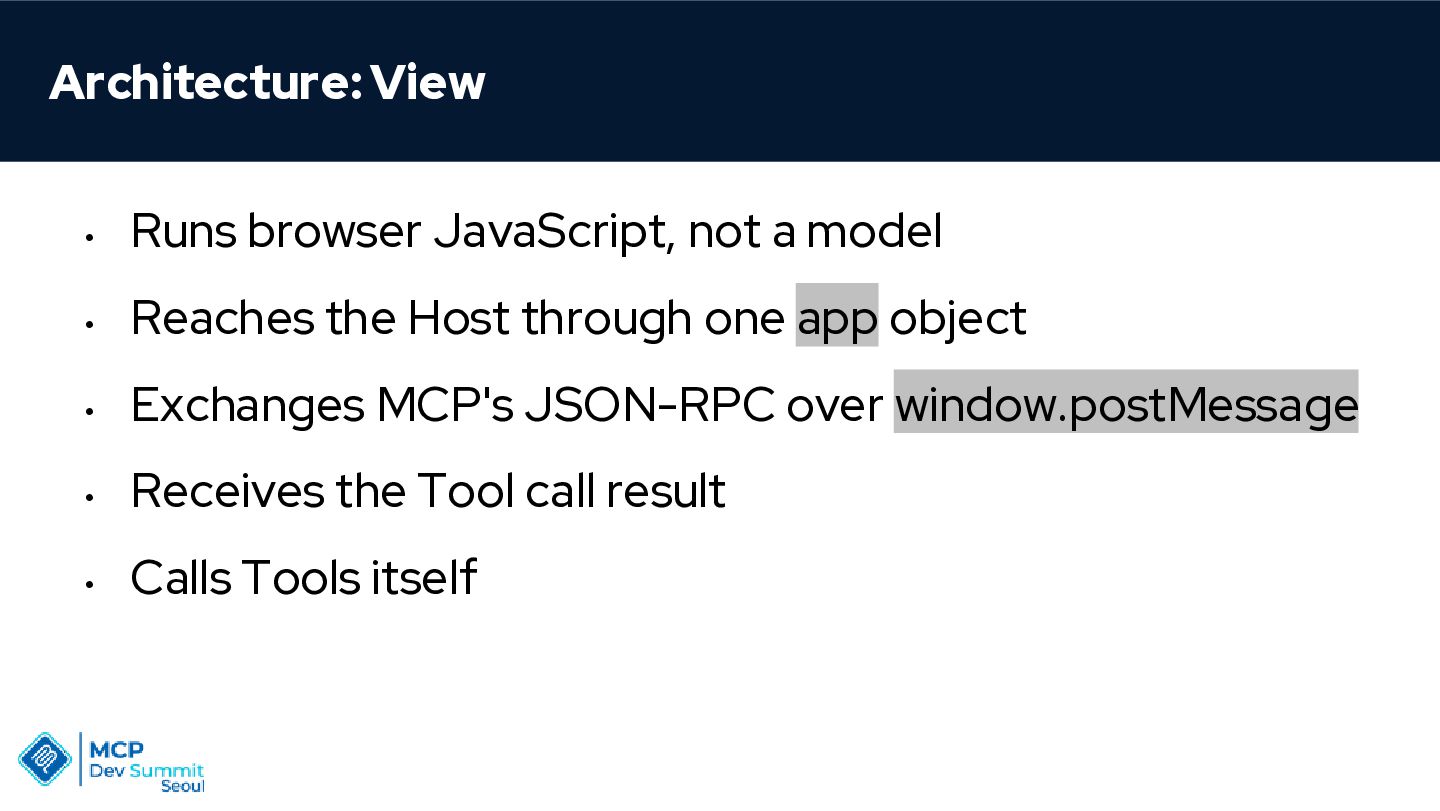
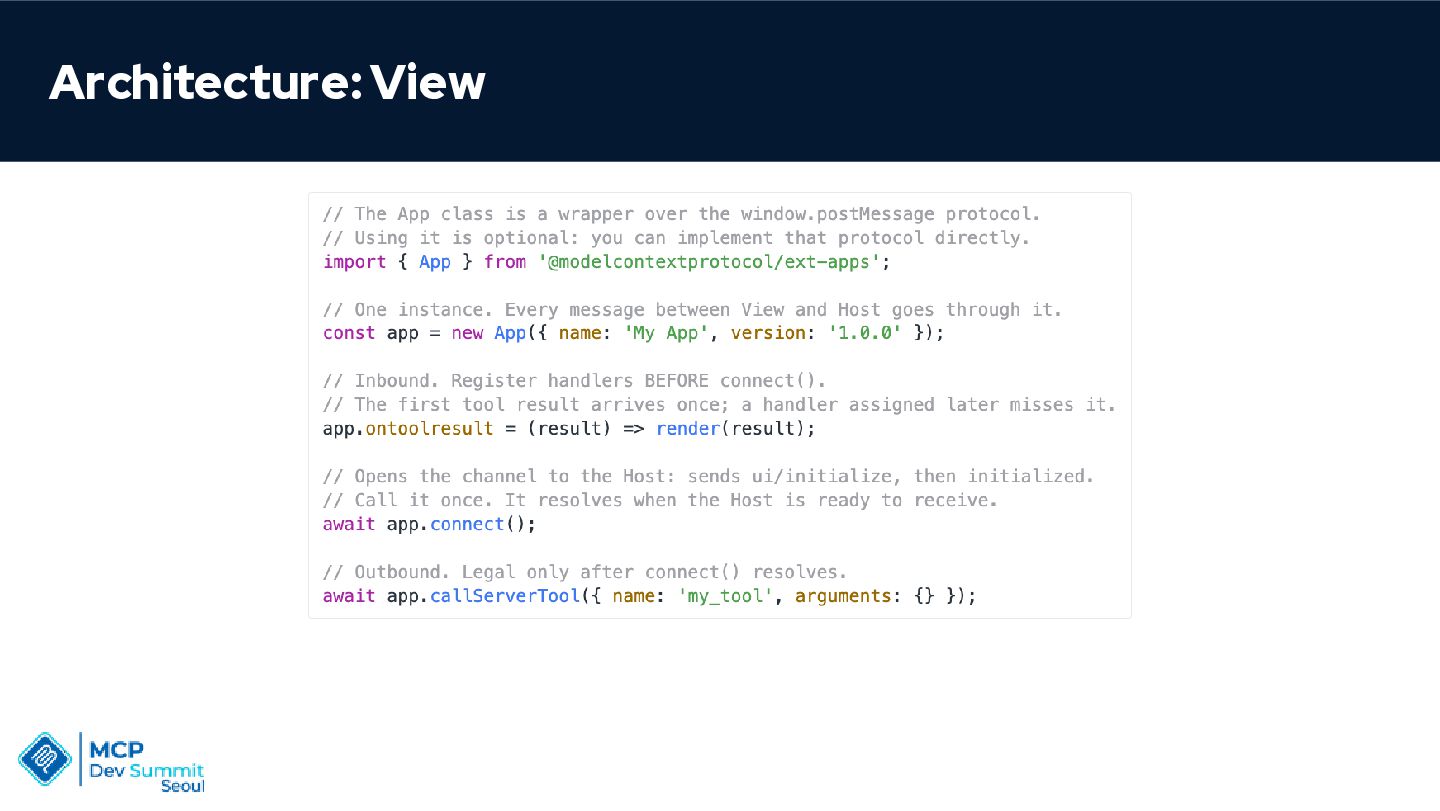
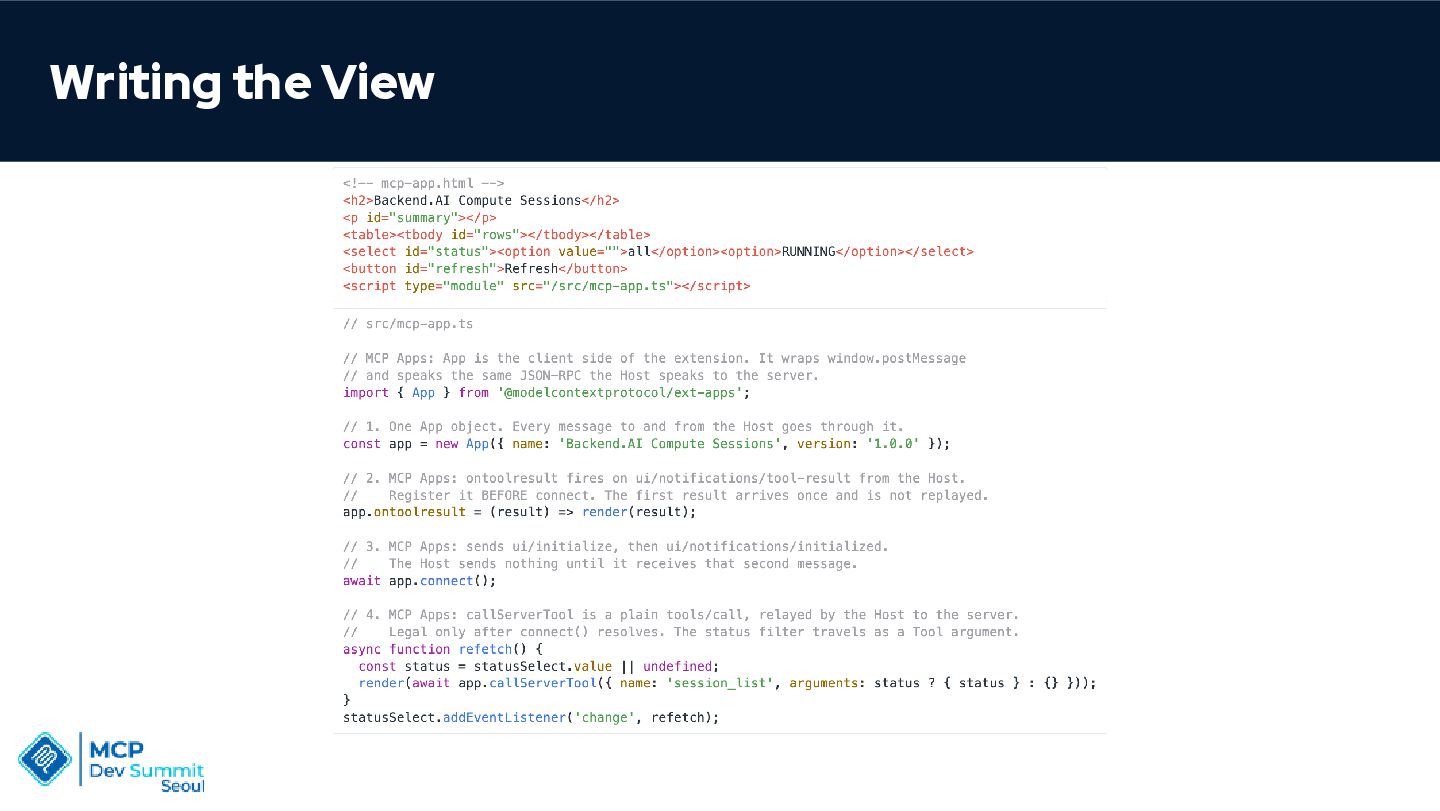
  11. Architecture: View • Runs browser JavaScript, not a model •

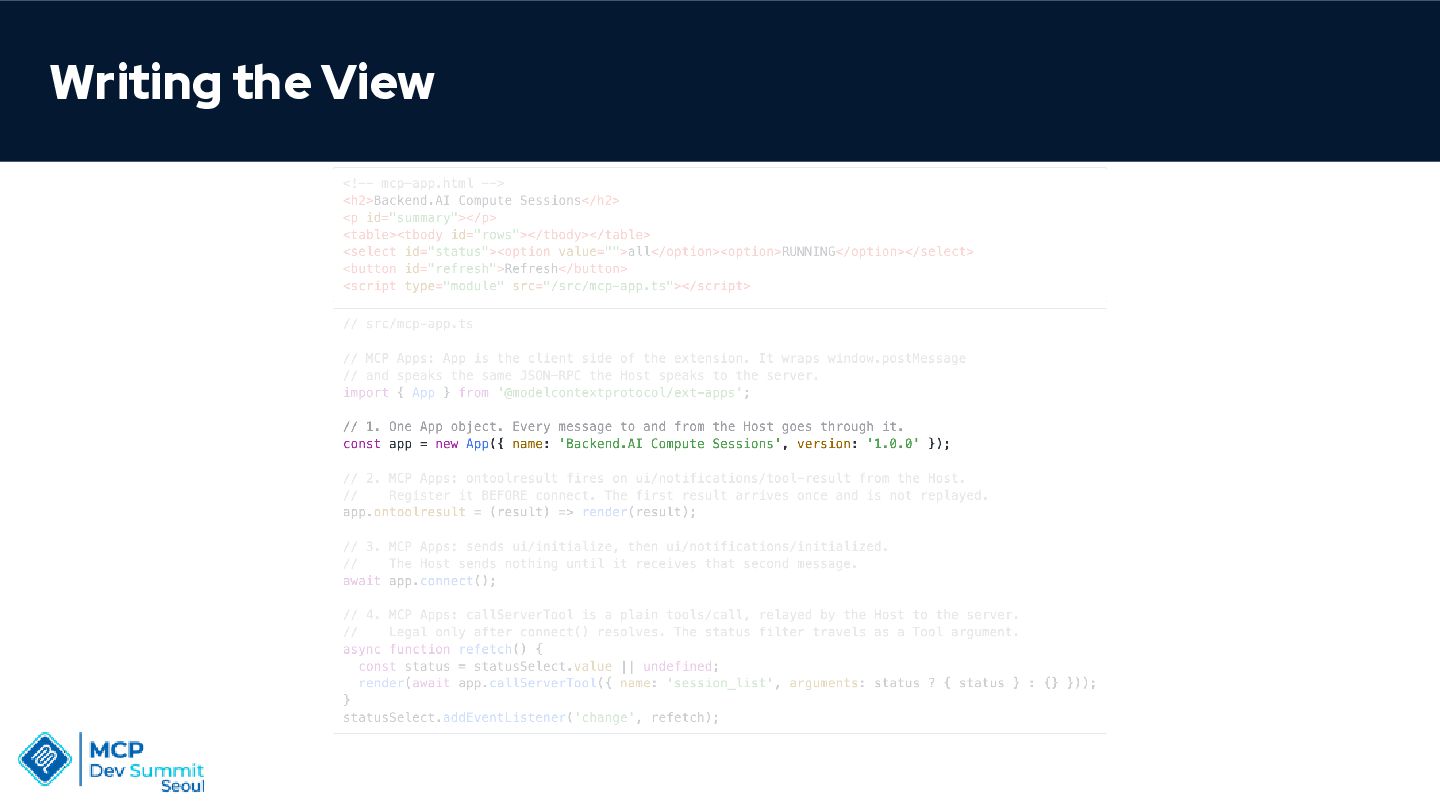
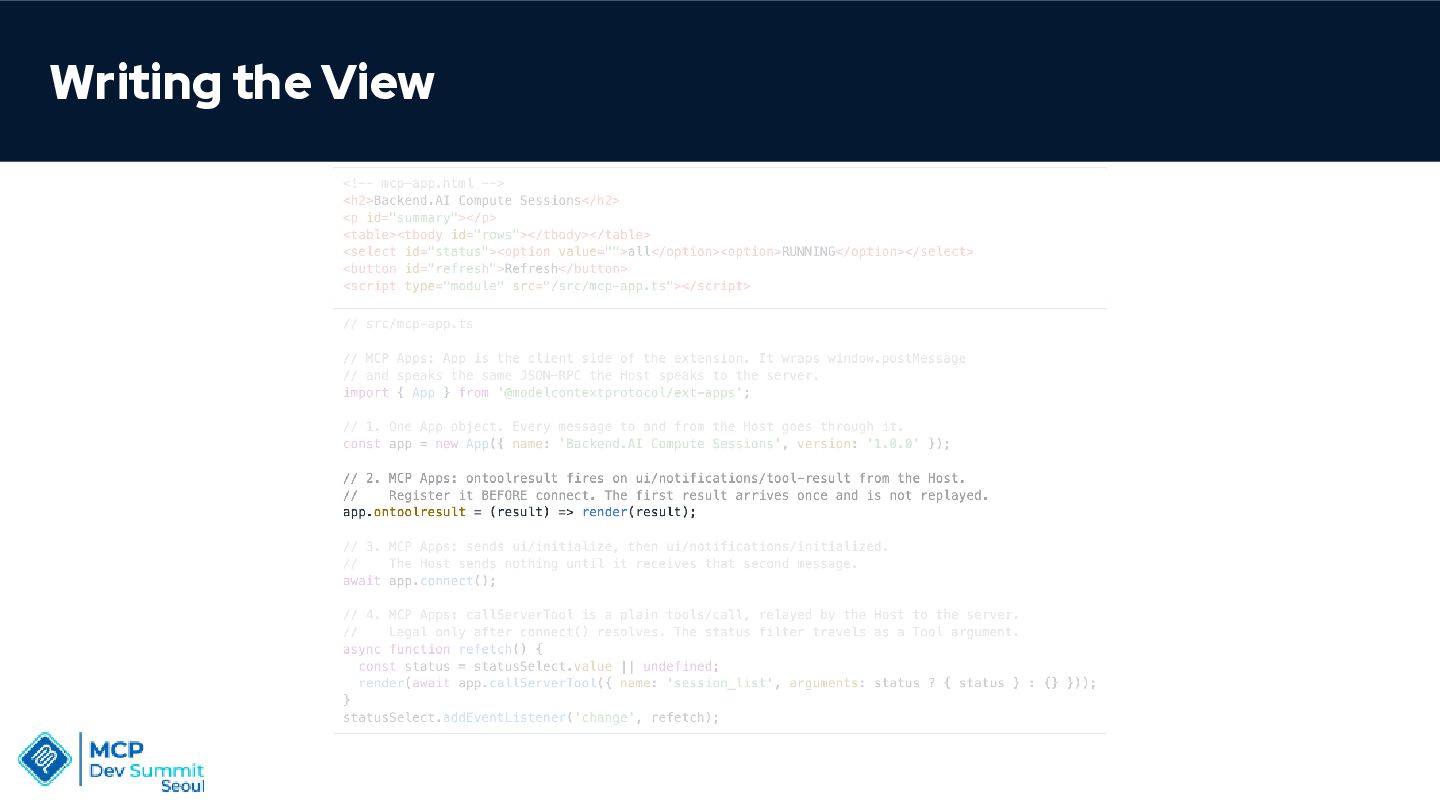
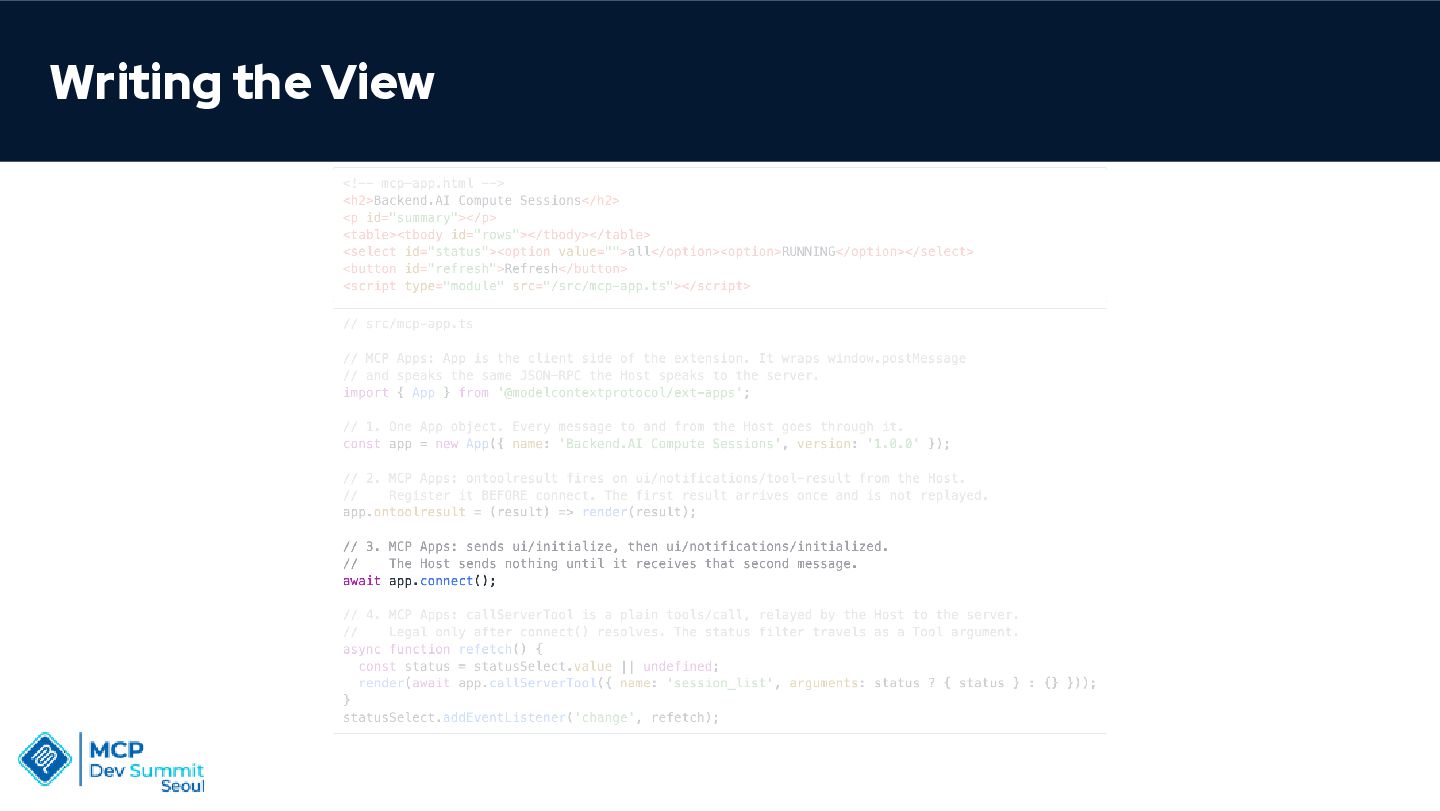
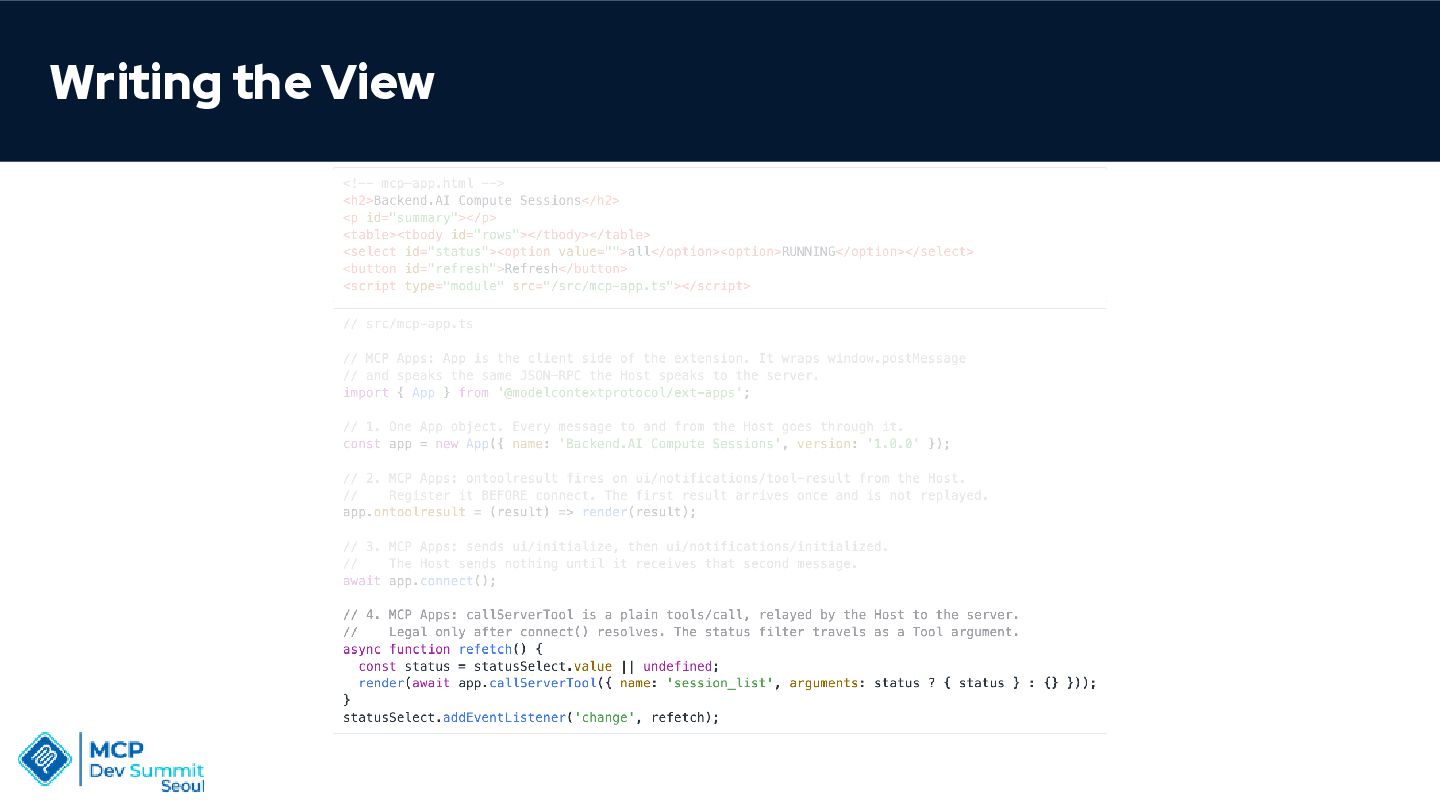
    Reaches the Host through one app object • Exchanges MCP's JSON-RPC over window.postMessage • Receives the Tool call result • Calls Tools itself
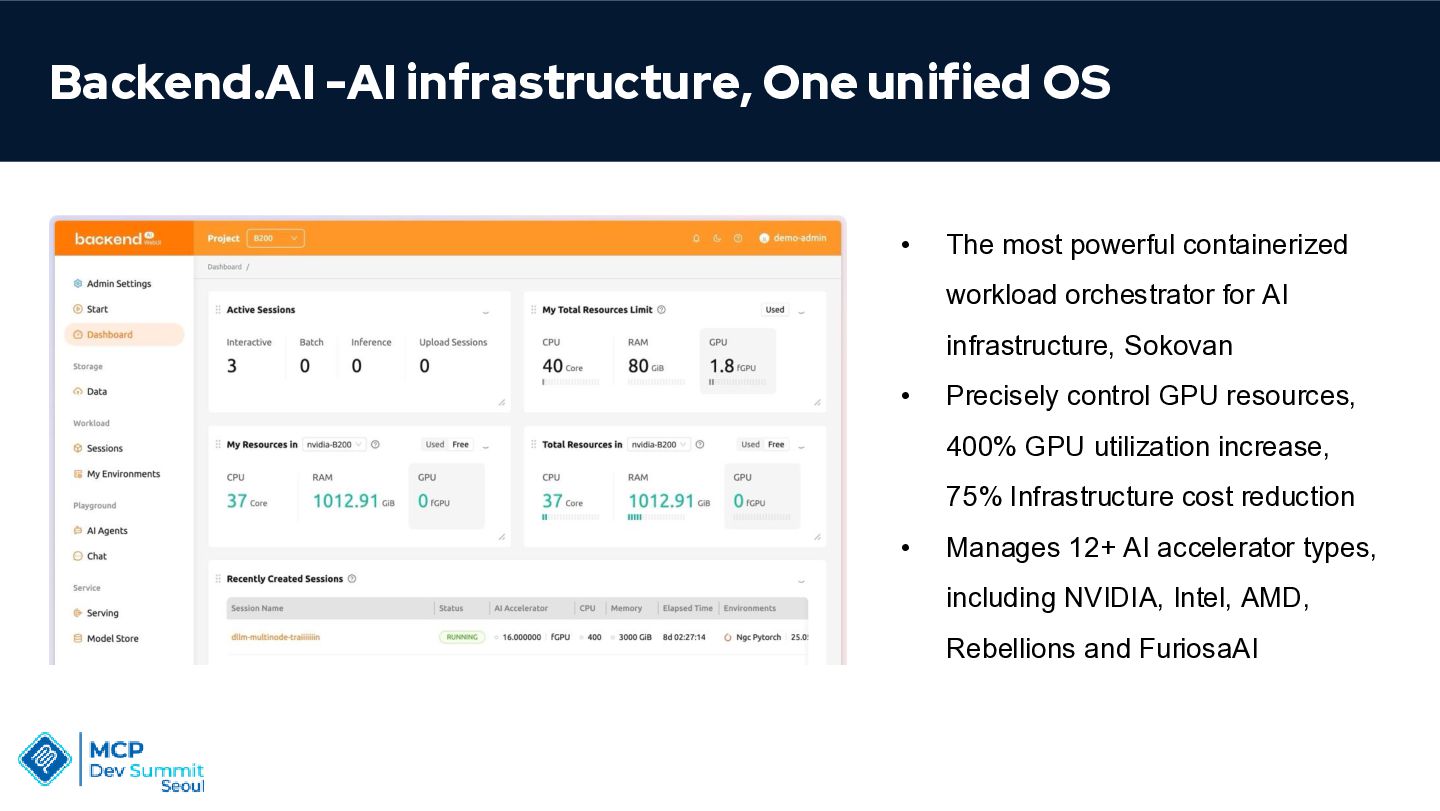
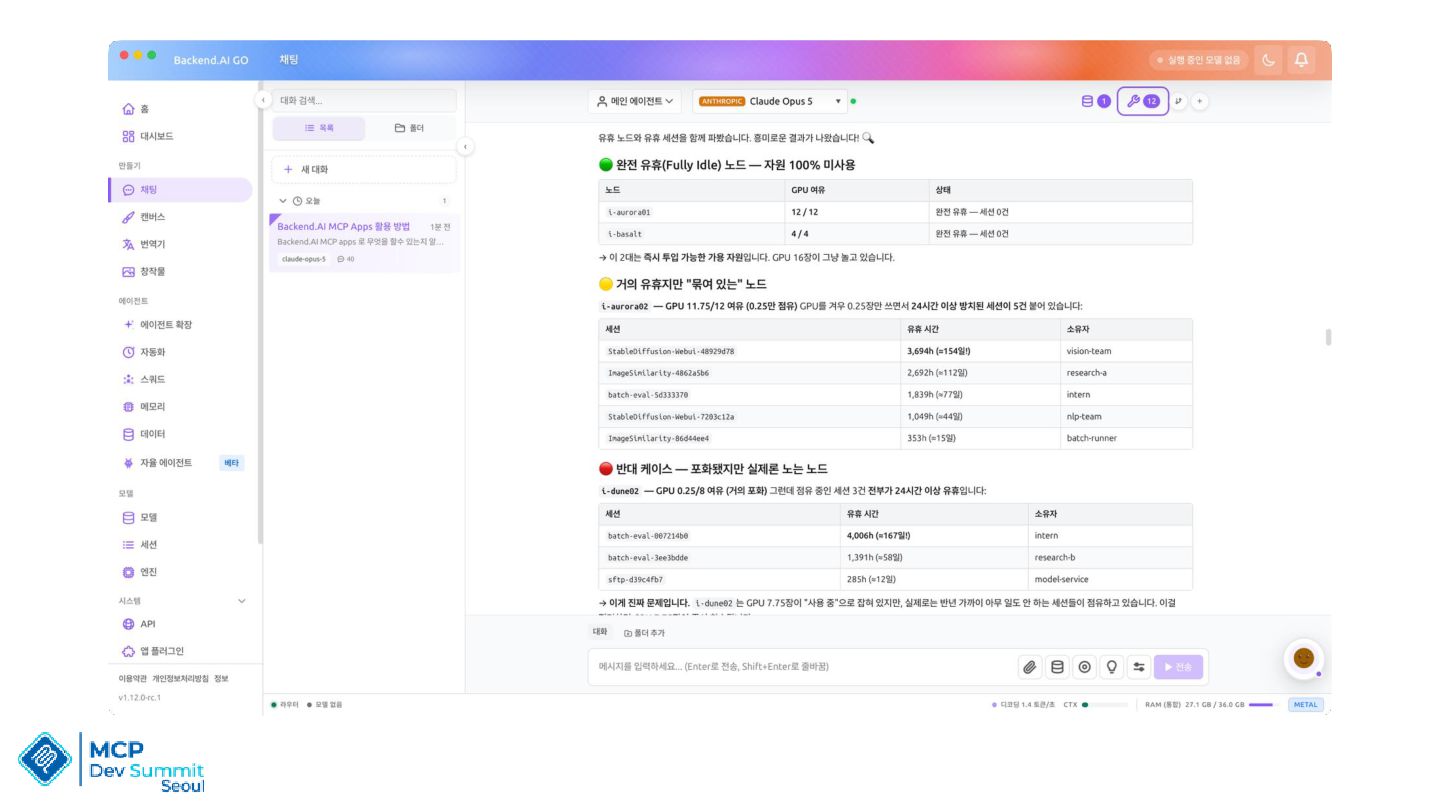
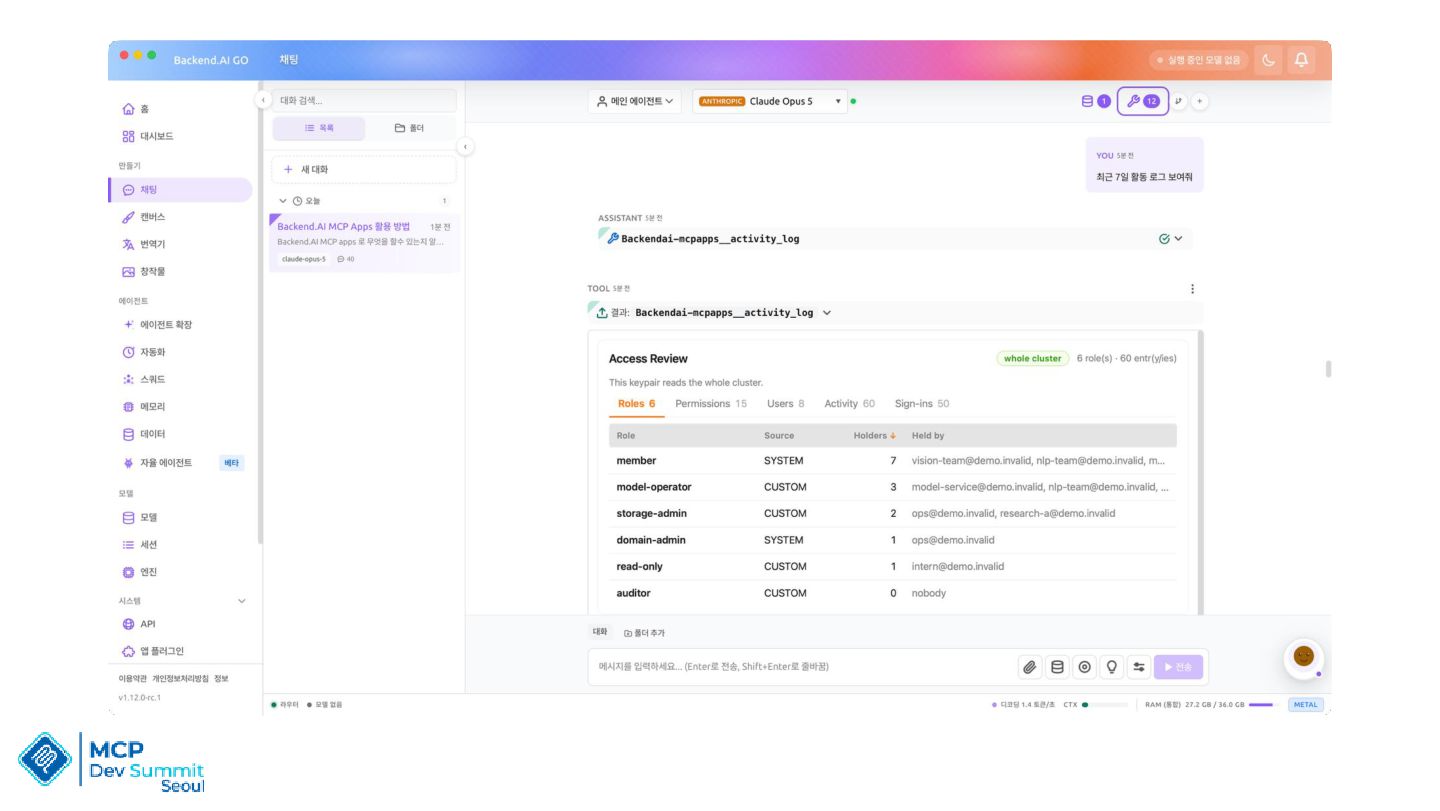
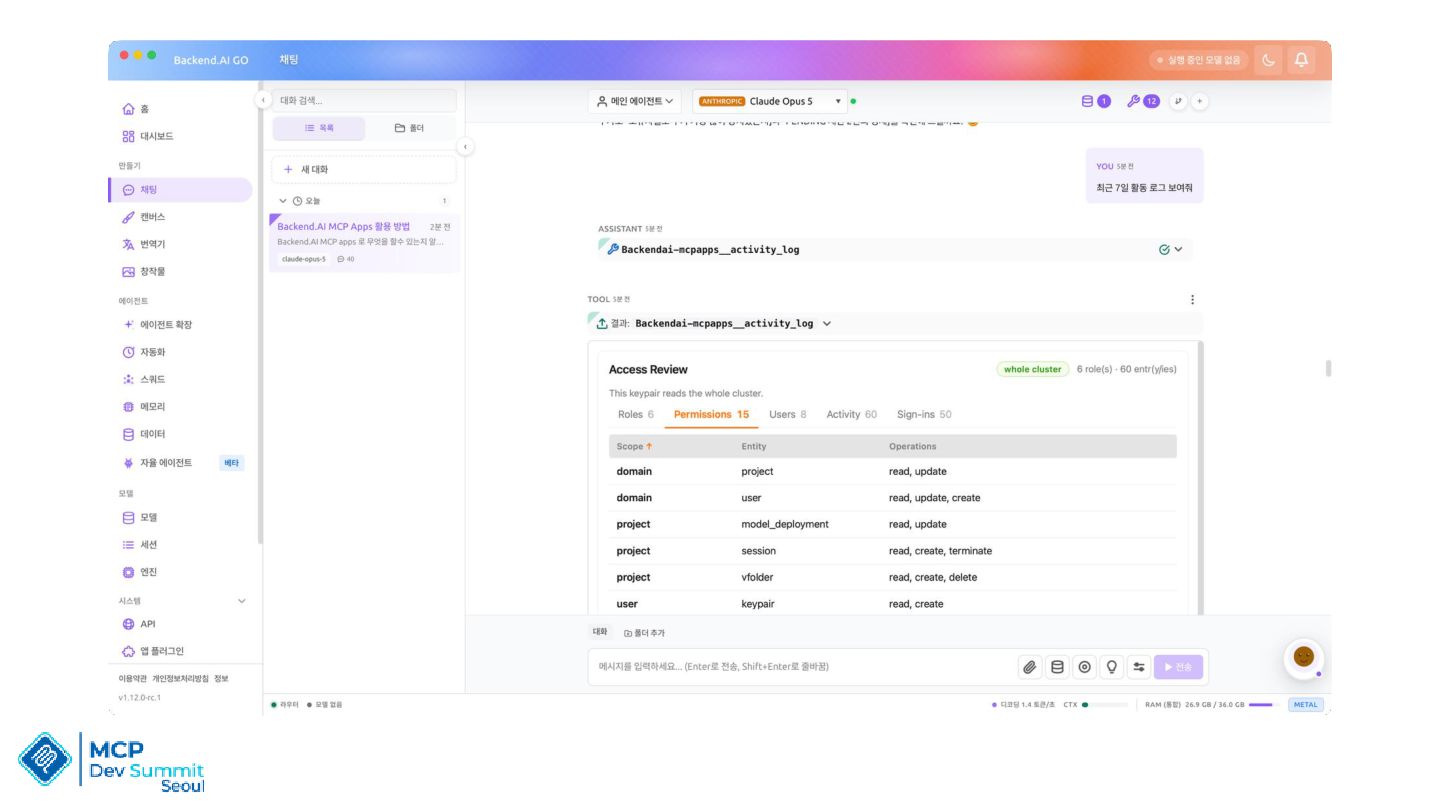
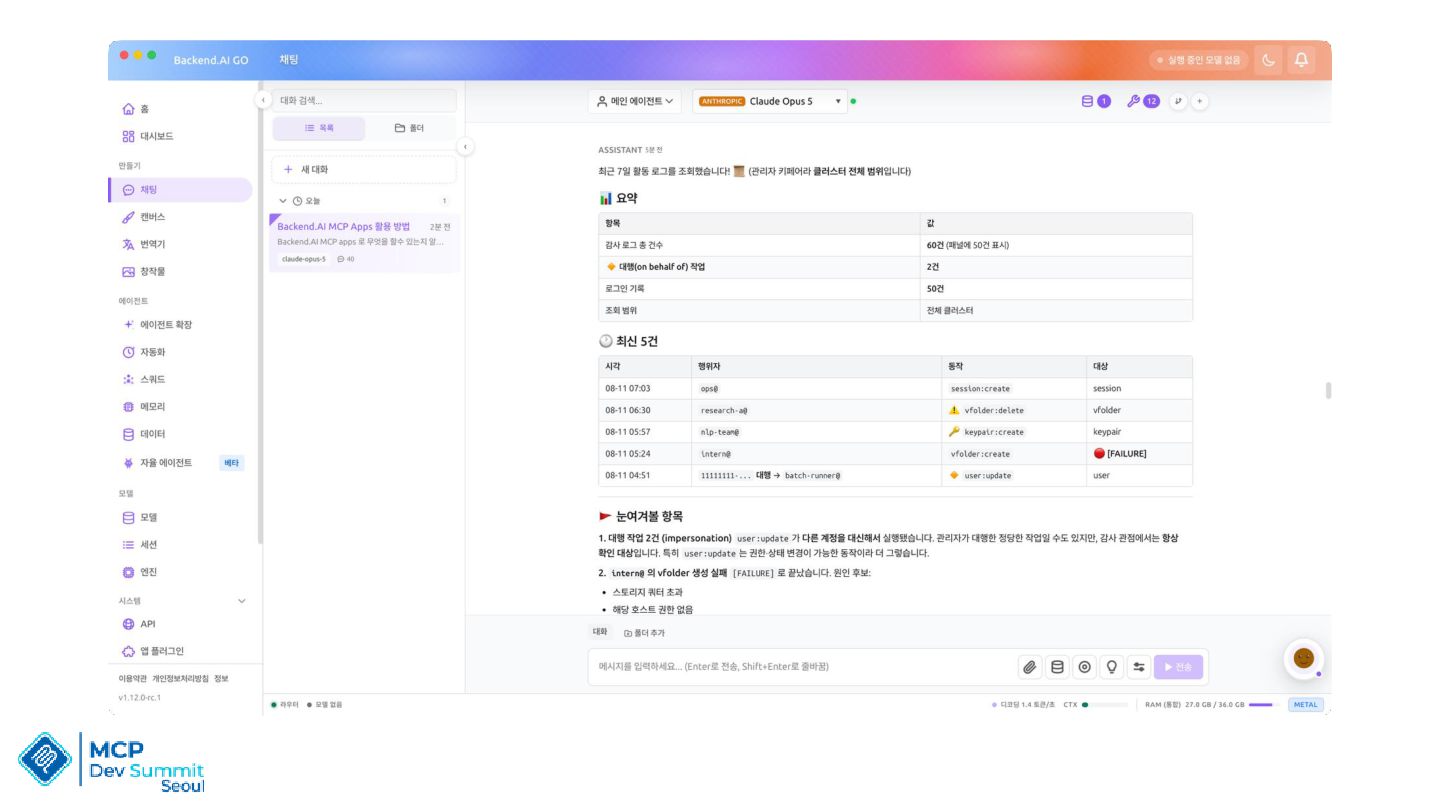
  12. Backend.AI -AI infrastructure, One unified OS • The most powerful

    containerized workload orchestrator for AI infrastructure, Sokovan • Precisely control GPU resources, 400% GPU utilization increase, 75% Infrastructure cost reduction • Manages 12+ AI accelerator types, including NVIDIA, Intel, AMD, Rebellions and FuriosaAI
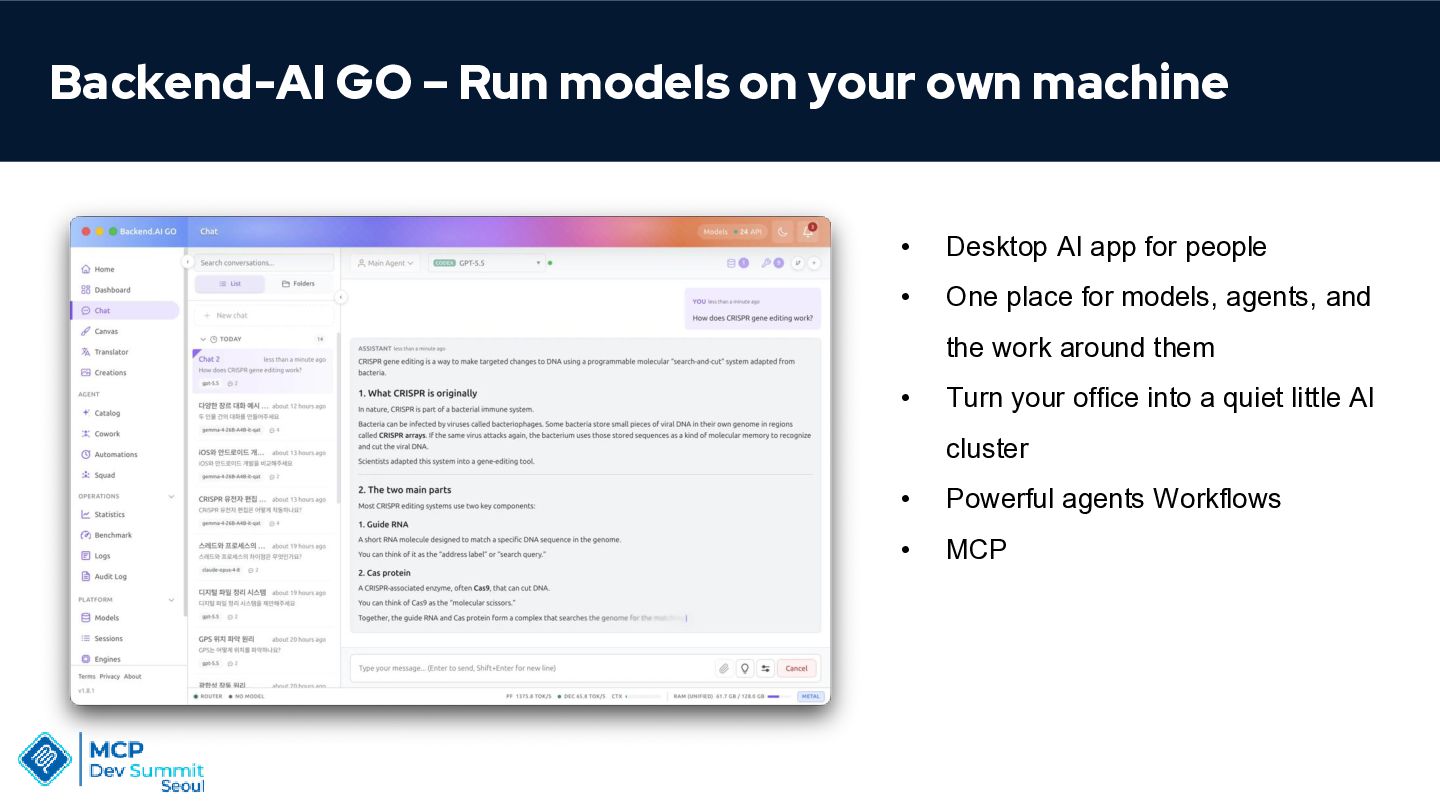
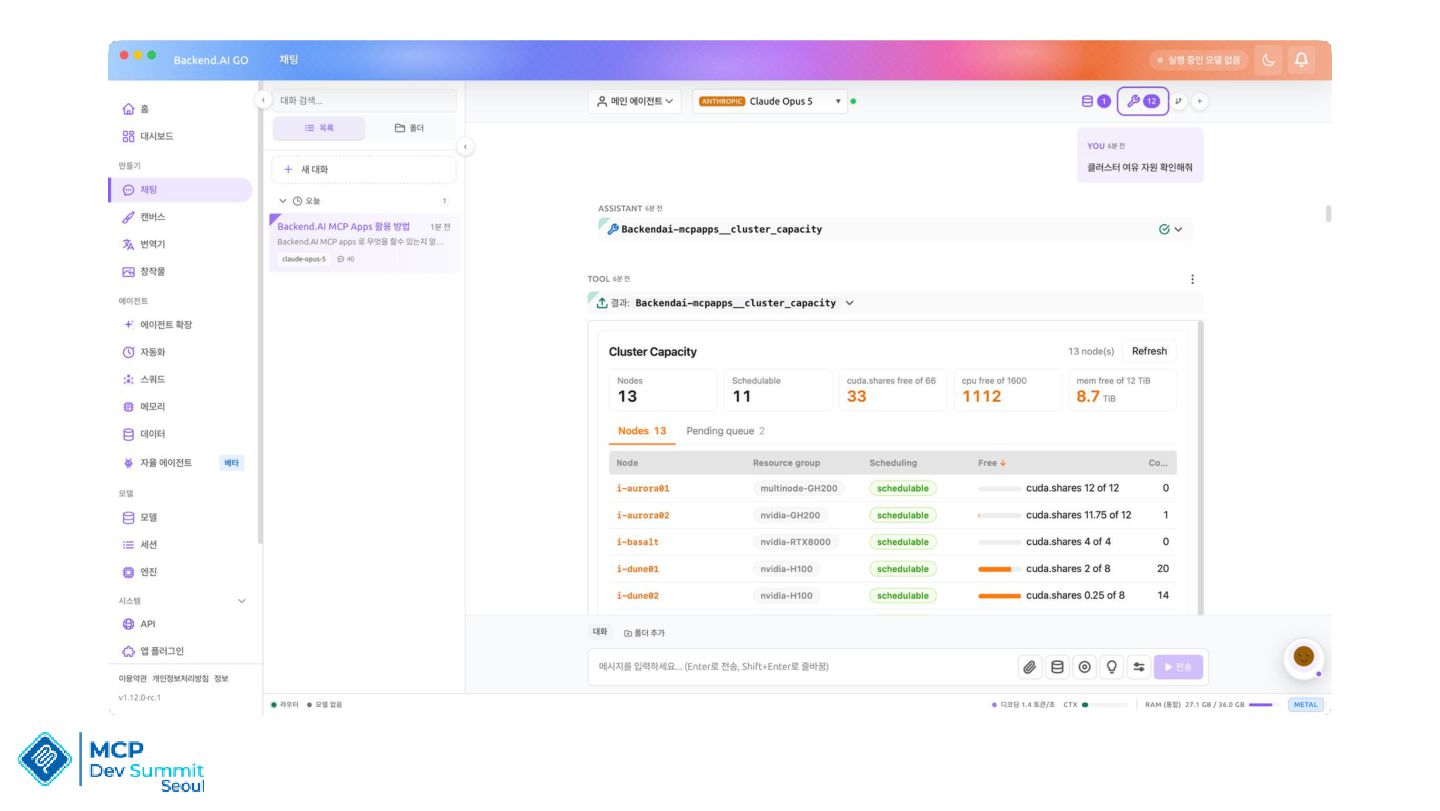
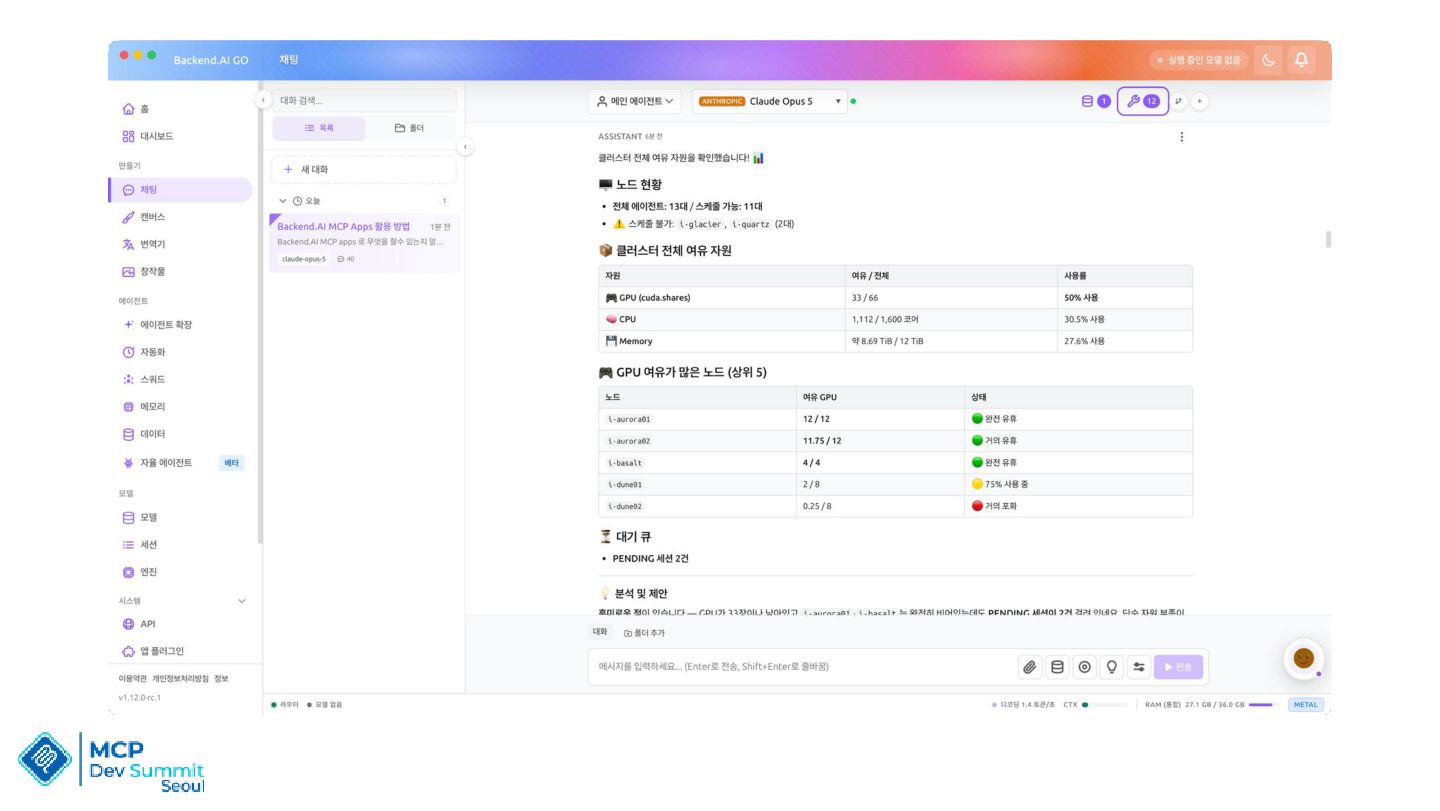
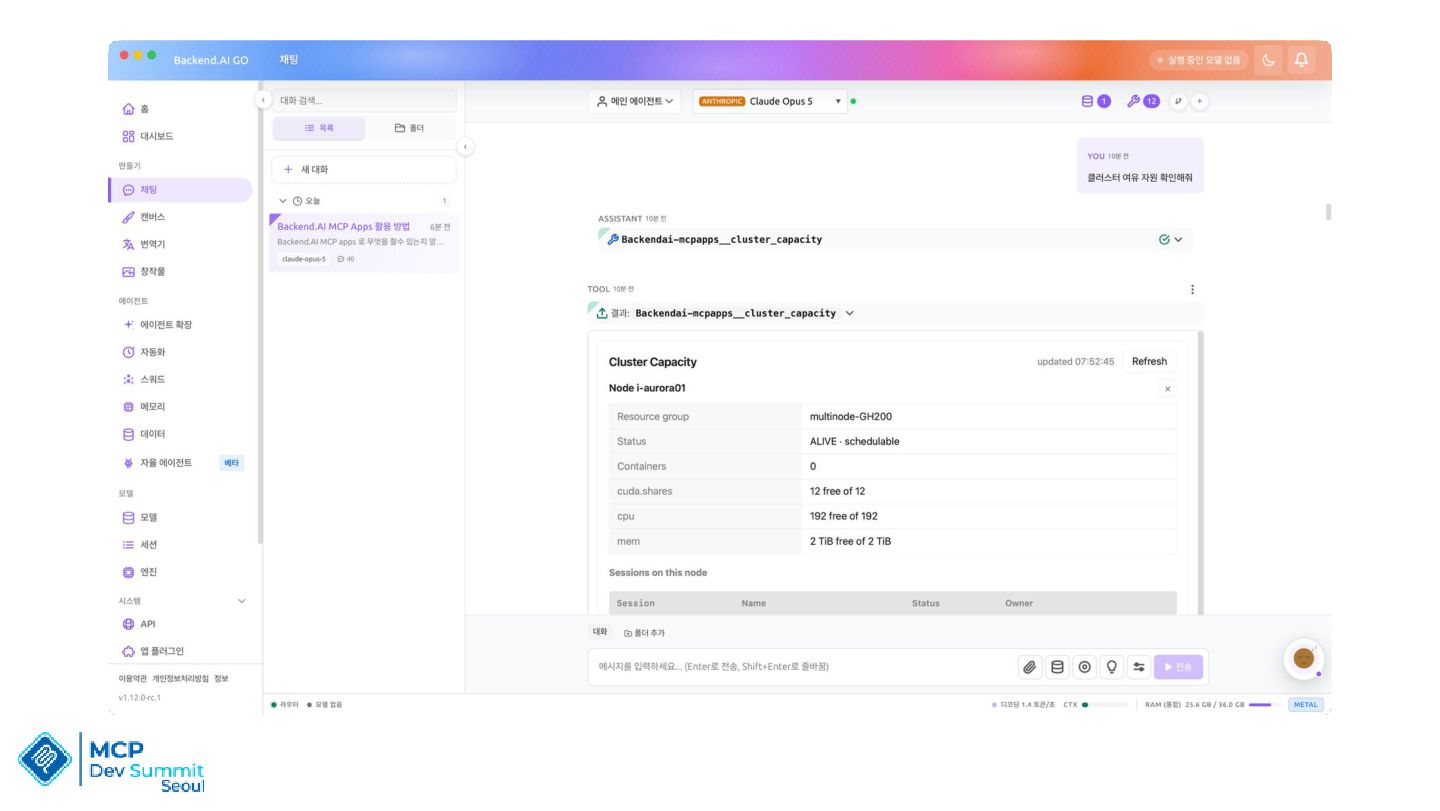
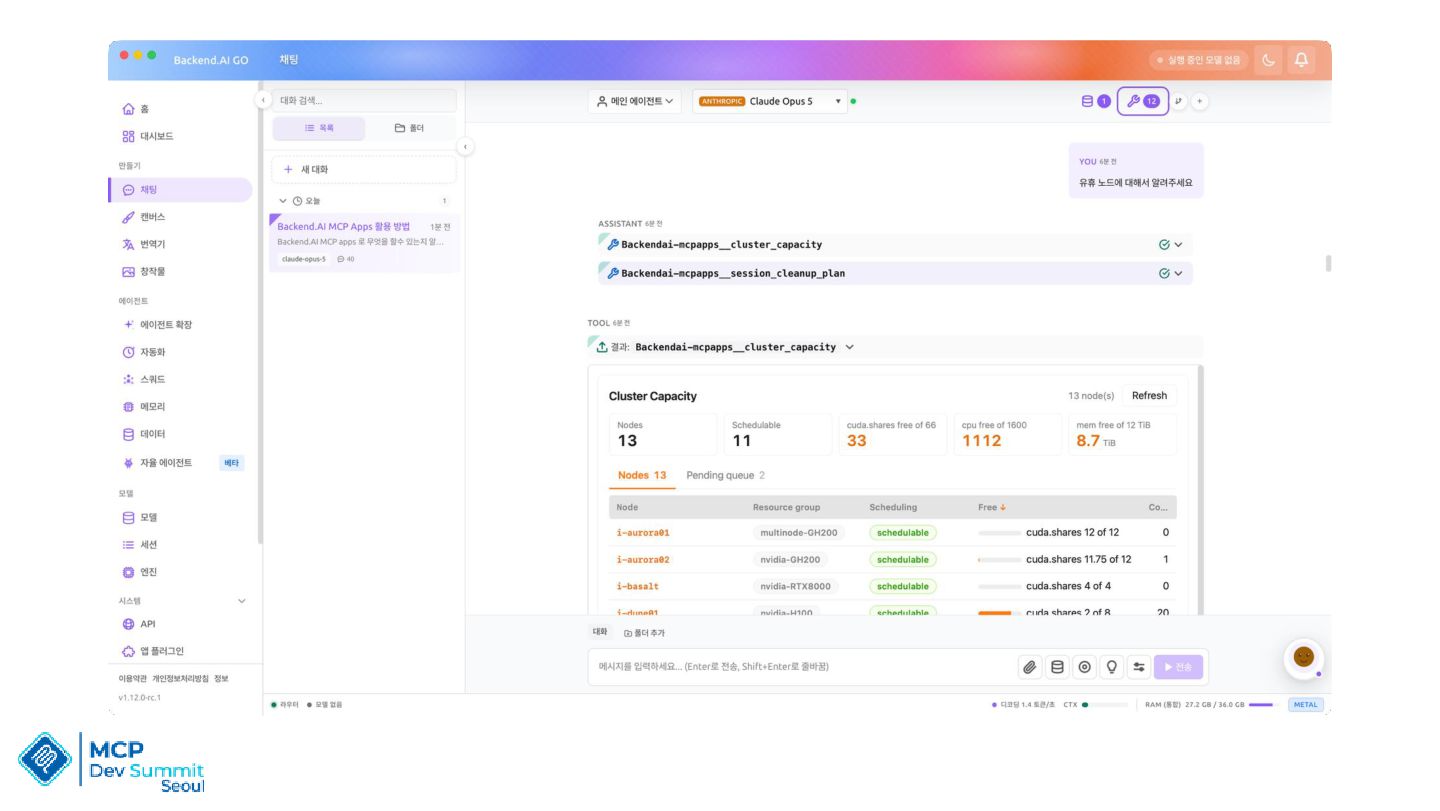
  13. Backend-AI GO – Run models on your own machine •

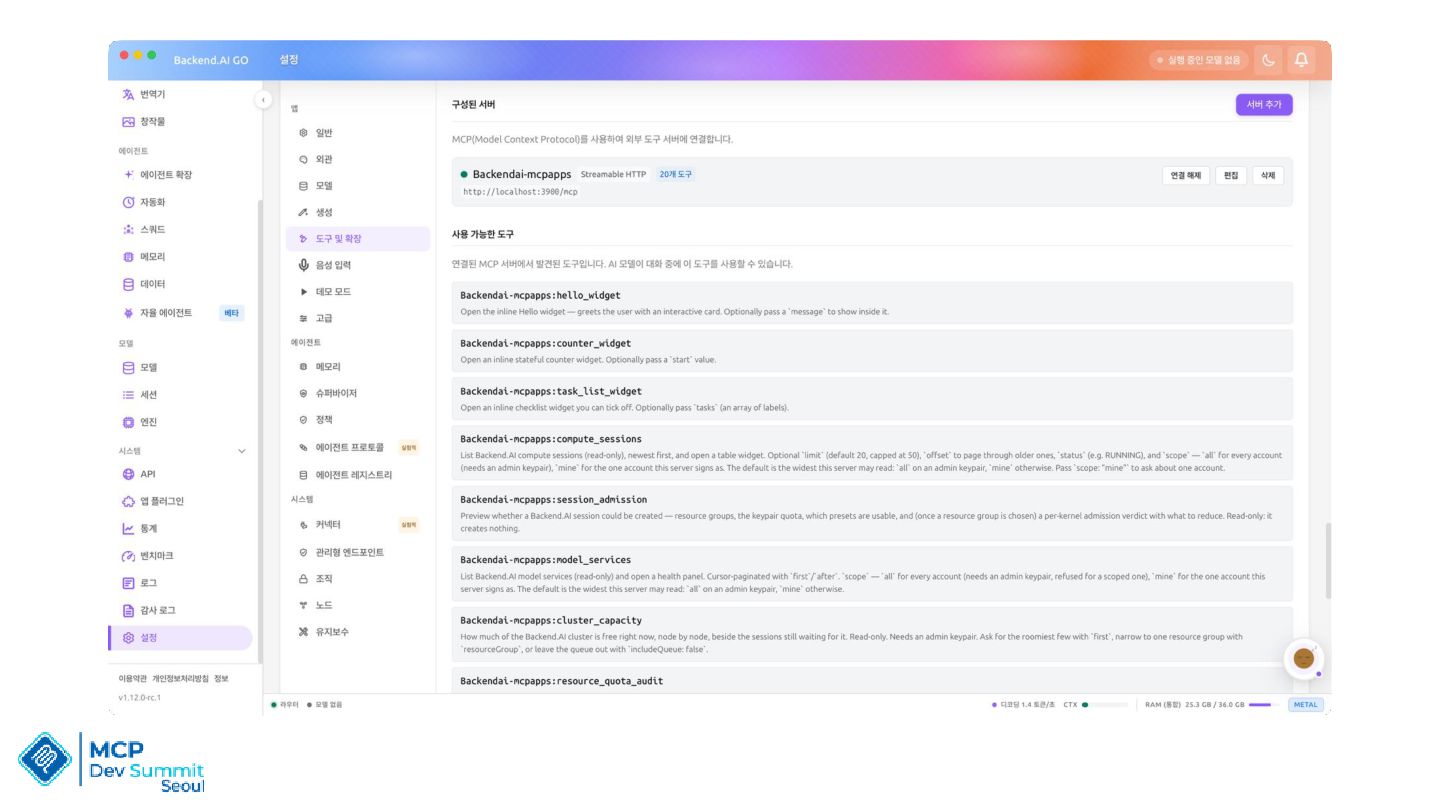
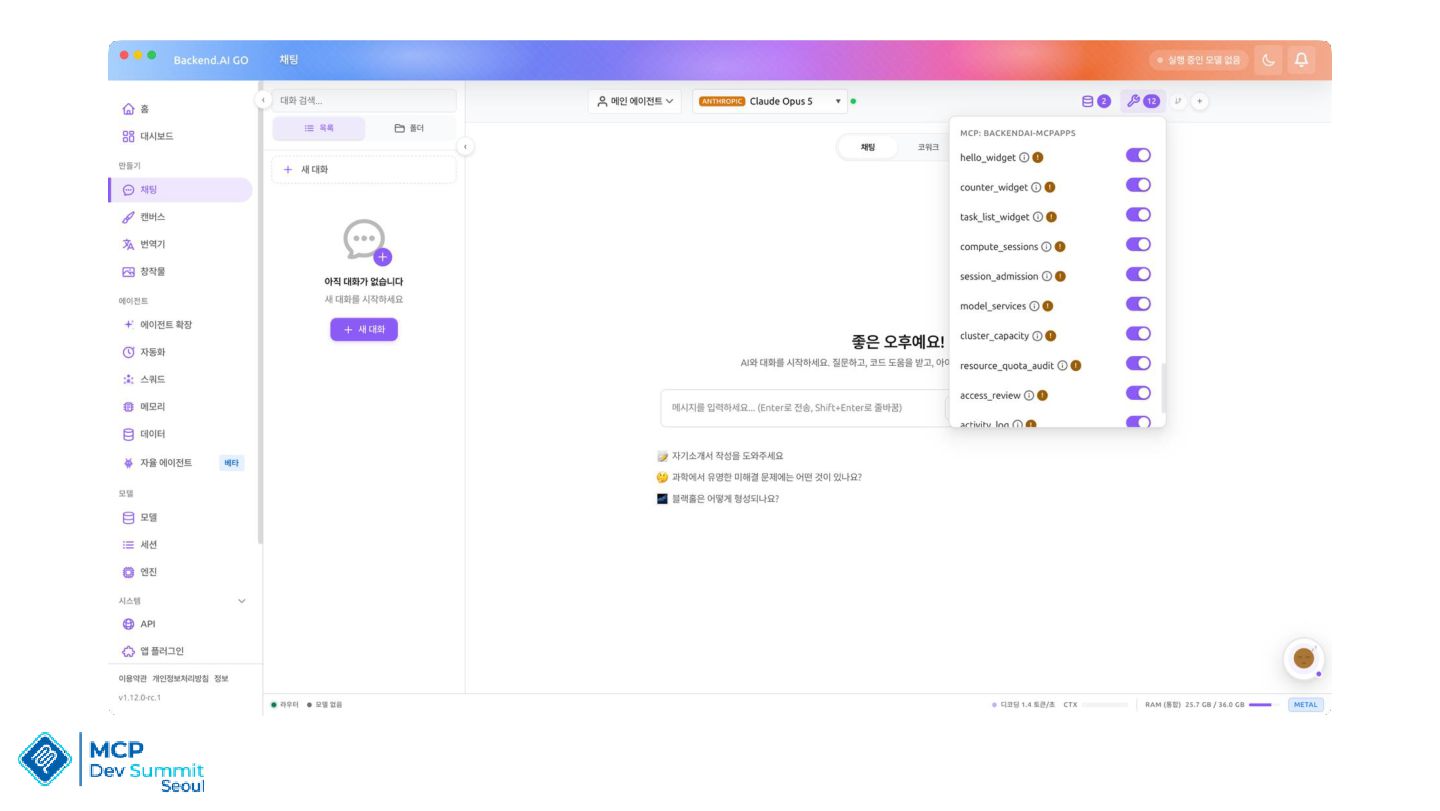
    Desktop AI app for people • One place for models, agents, and the work around them • Turn your office into a quiet little AI cluster • Powerful agents Workflows • MCP