2026/7/28(火) 19:00~ Microsoft Data Analytics Day(Online) 勉強会にて発表します!ご参加ください!
▽勉強会URL
https://sqlserver.connpass.com/event/399336/
▽Youtubeリンク
https://youtu.be/jDSacsiypjE?si=ZE2RxGMjlngAZ2f2
【概要】
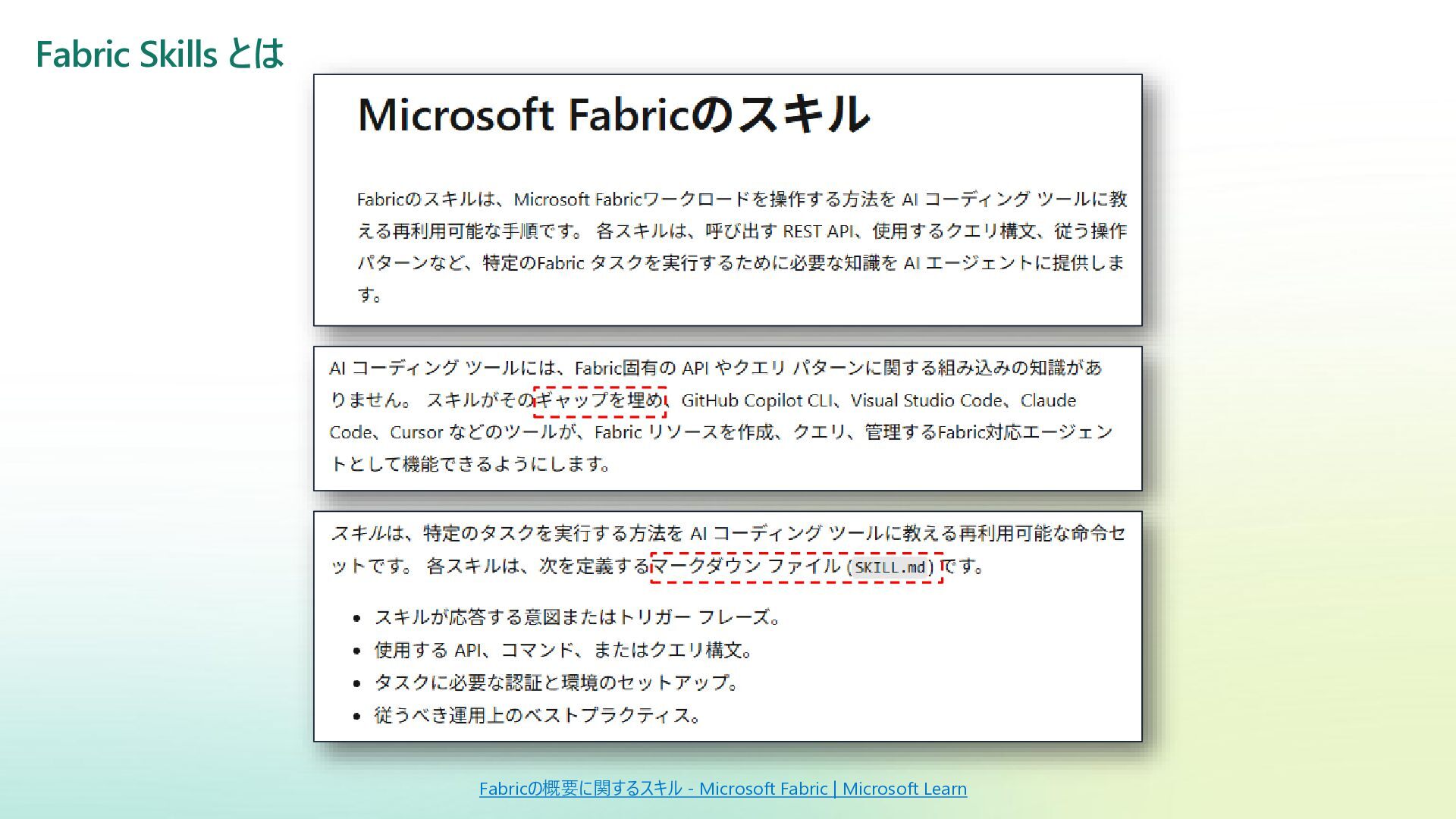
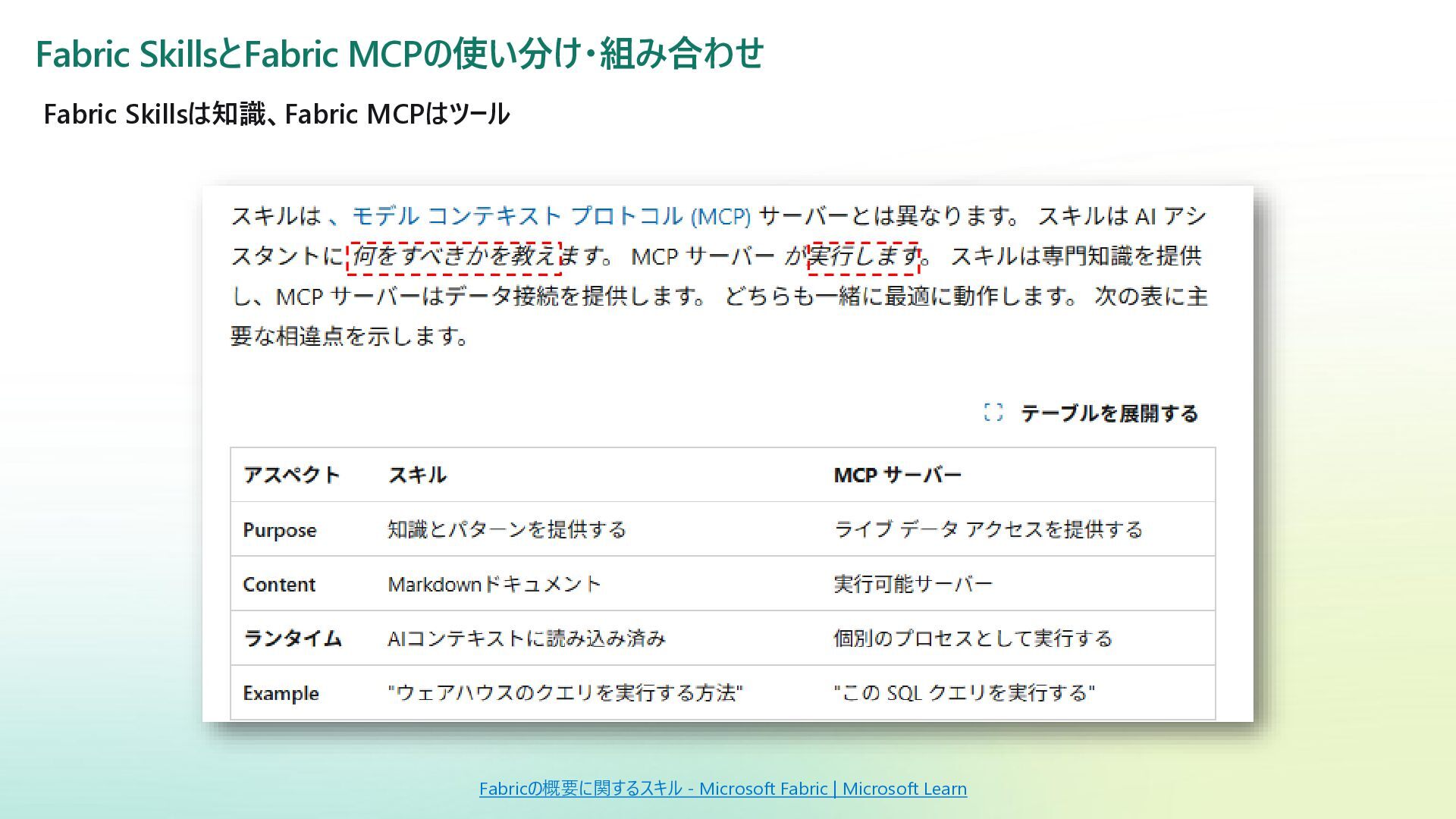
Microsoft Fabric には、AI Agent と連携して Fabric を操作できる「Fabric Skills」と「Fabric MCP」という仕組みがあります。
これまで Fabric の操作は Fabric ポータルや REST API、あるいはパイプラインやノートブックを介して行うのが一般的でしたが、Fabric Skills や MCP を使うことで、GitHub Copilot や Claude といった AI Agent から自然言語ベースで Fabric アイテムを操作できるようになりつつあります。
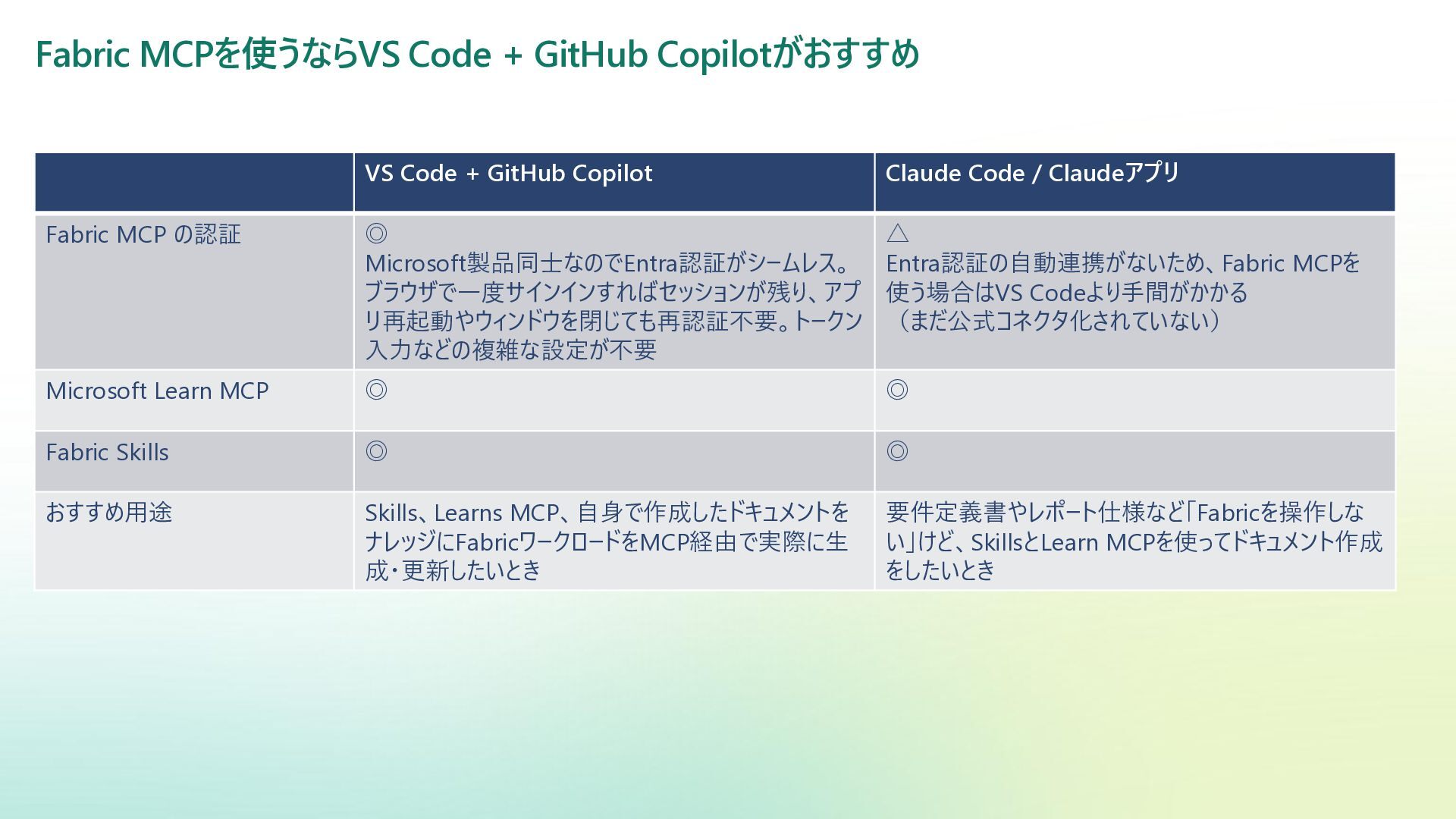
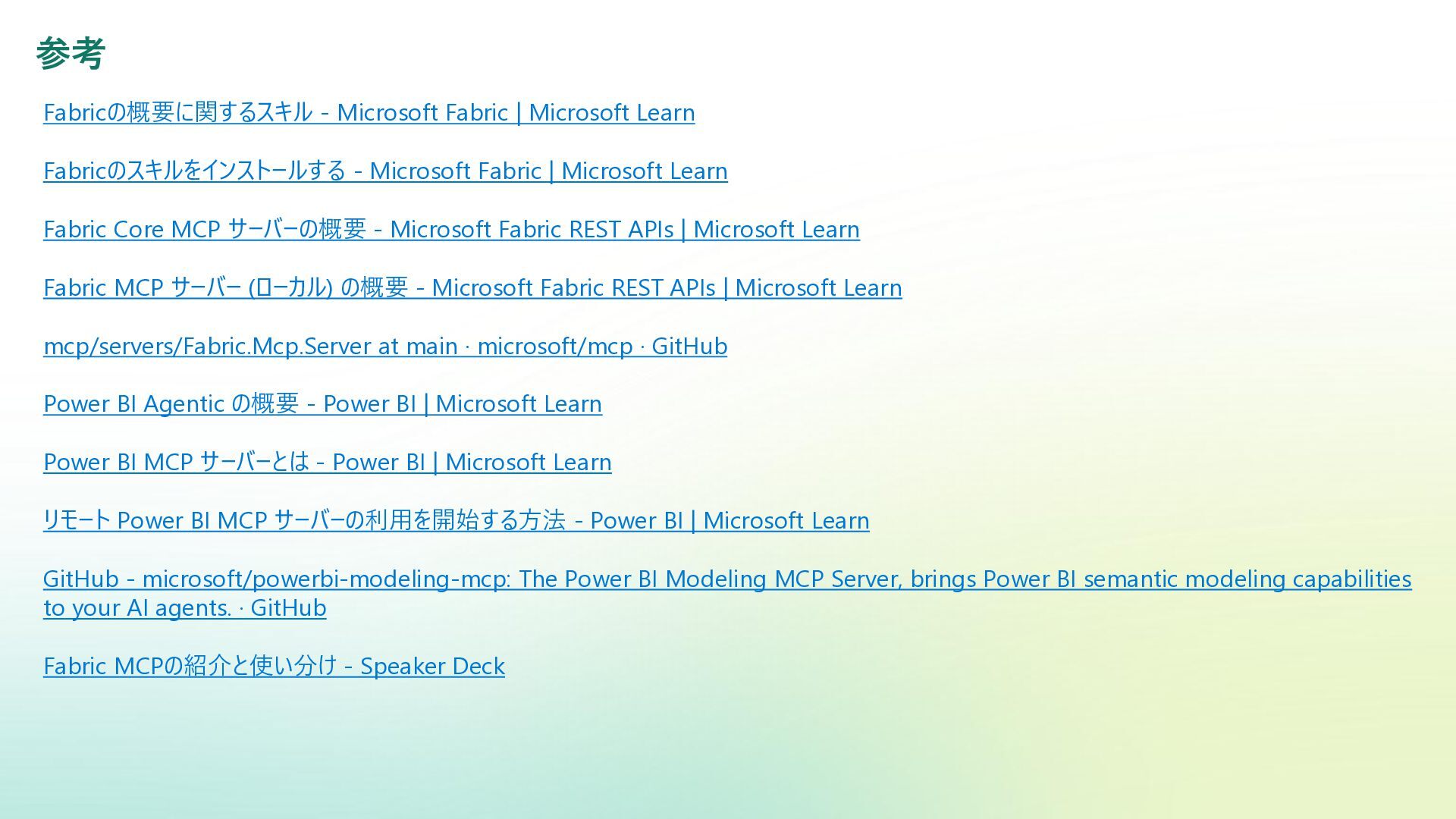
本資料では、実際に Fabric Skills と Fabric MCP を触ってみて分かったことをまとめます。具体的には、Fabric Skills とは何か、Fabric MCP と何が違うのか・どう使い分ければよいのか、実際の設定方法や動かし方、そして VS Code + GitHub Copilot との組み合わせが現時点でおすすめな理由について触れつつ、最終的には簡単な Demo を通じて Fabric アイテムを AI Agent 経由で整えてみます。
「AI Agent で Fabric ってどこまで操作できるの?」という疑問を持っている方に向けて、最先端の技術を実際に触ってみた所感を、なるべく分かりやすく共有できればと思います。
【対象読者】
・AI Agentを使ってFabricを操作してみたい、どこまでできるのか知りたい
・Fabric Skillsとはなにか知りたい
・Fabric SkillsとMCPの設定方法や使い方を知りたい
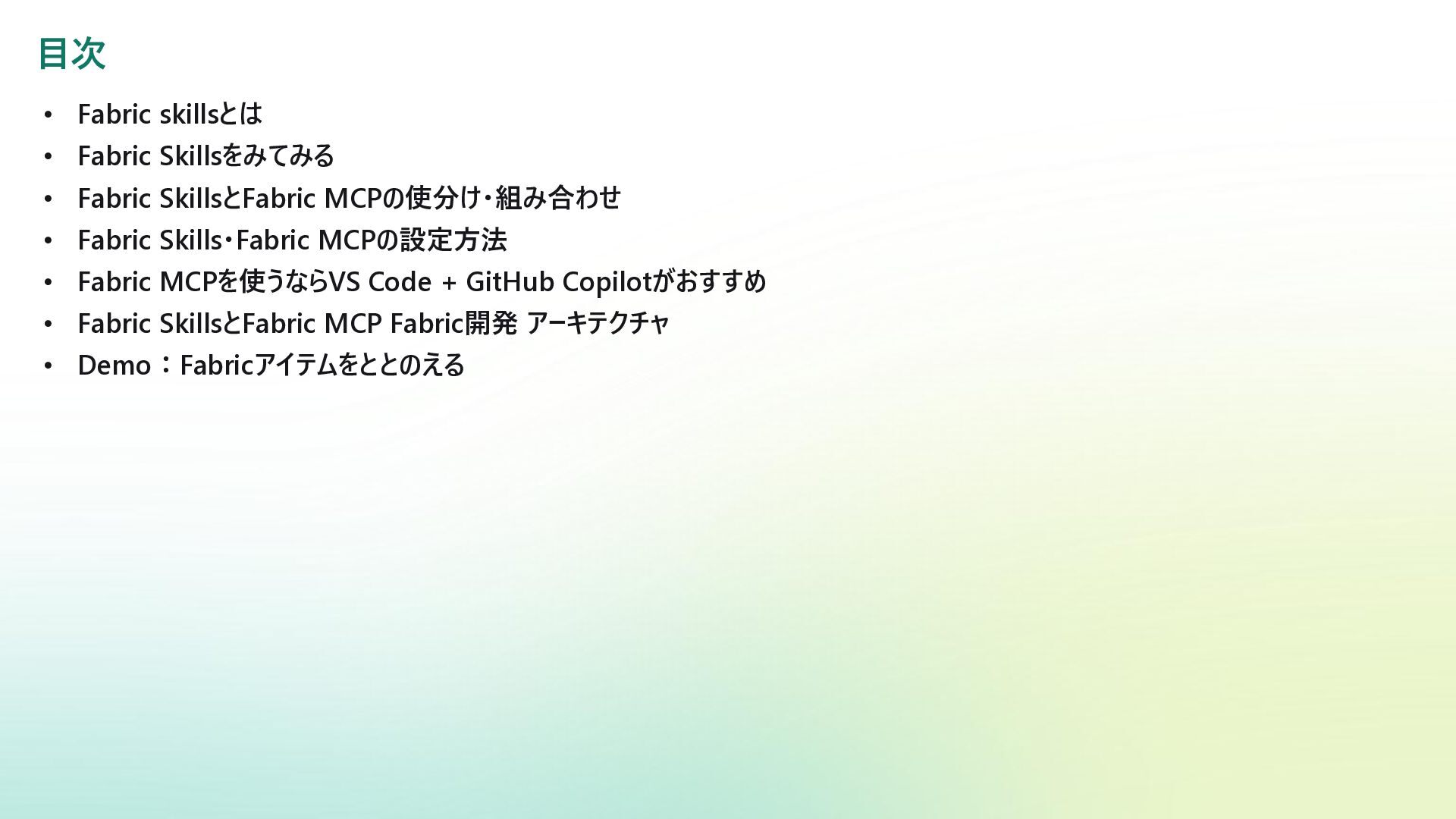
【目次】
・Fabric skillsとは
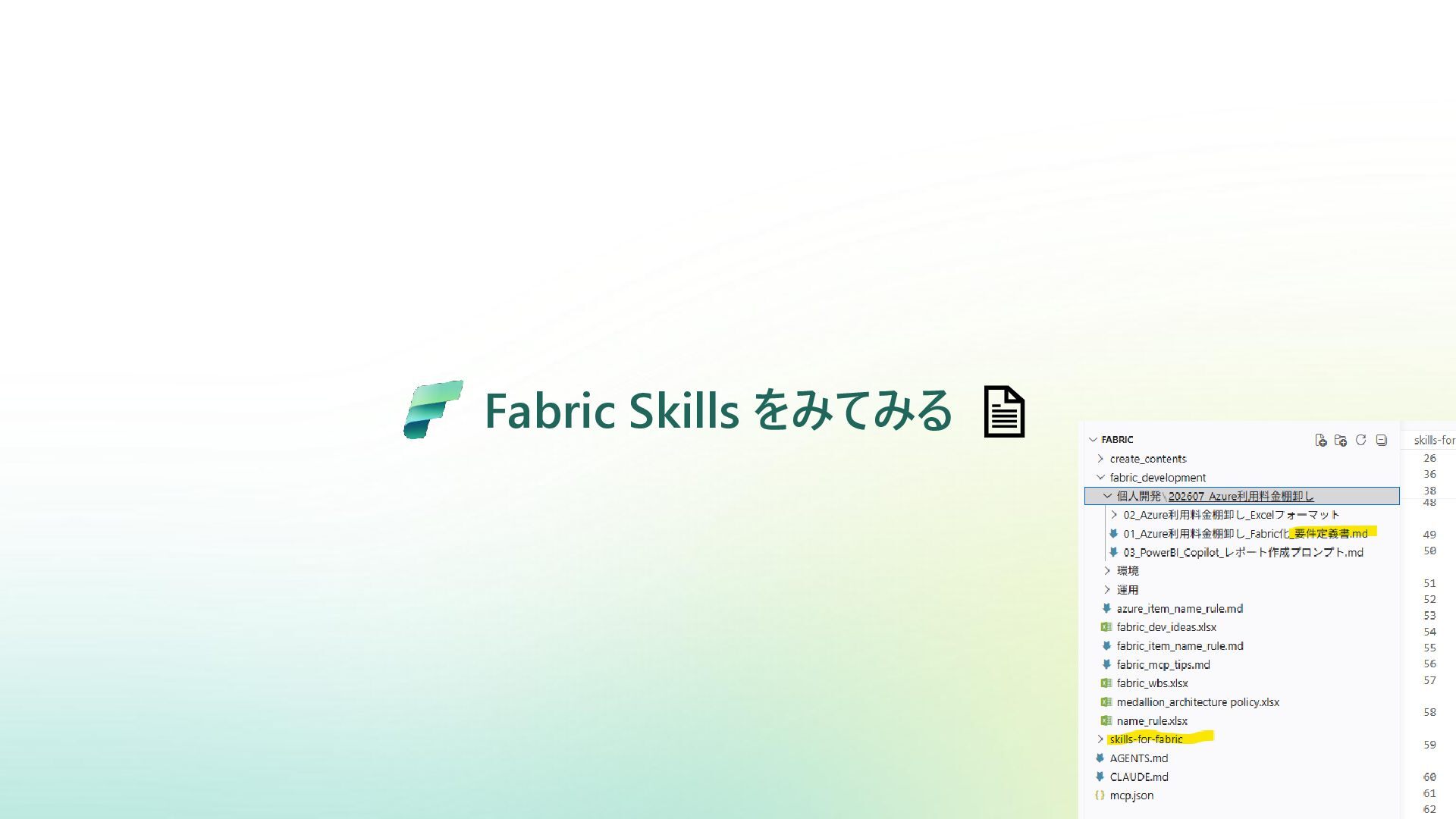
・Fabric Skillsをみてみる
・Fabric SkillsとFabric MCPの使分け・組み合わせ
・Fabric Skills・Fabric MCPの設定方法
・Fabric MCPを使うならVS Code + GitHub Copilotがおすすめ
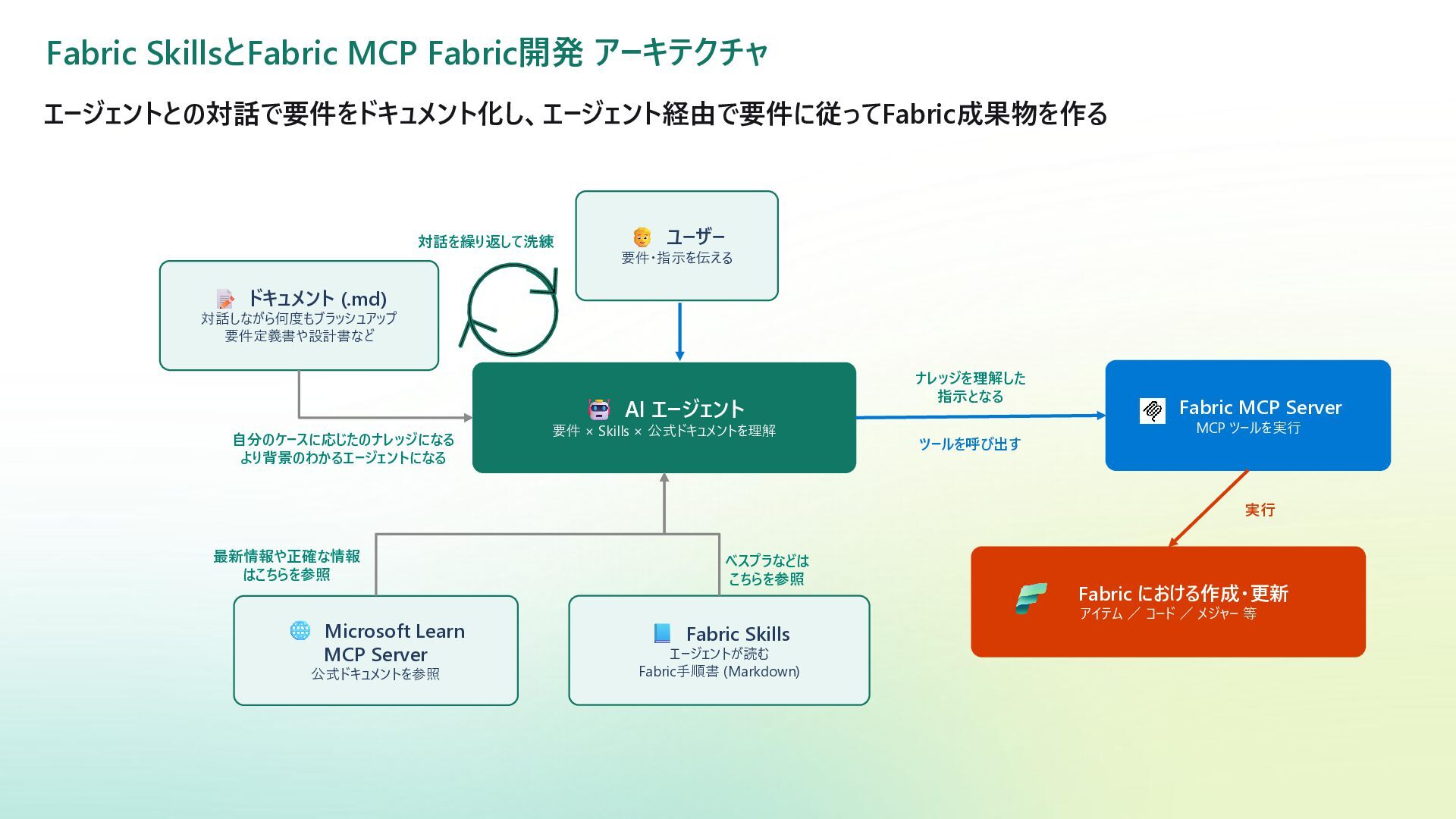
・Fabric SkillsとFabric MCP Fabric開発 アーキテクチャ
・Demo:Fabricアイテムをととのえる
(English Description)
【Overview】
Microsoft Fabric provides two mechanisms—Fabric Skills and Fabric MCP—that enable AI agents to interact with and operate Microsoft Fabric.
Until now, Fabric operations have typically been performed through the Fabric portal, REST APIs, pipelines, or notebooks. With Fabric Skills and Fabric MCP, however, it is becoming possible to manage Fabric items through natural language using AI agents such as GitHub Copilot and Claude.
This session summarizes what I learned by actually trying Fabric Skills and Fabric MCP. It covers what Fabric Skills are, how they differ from Fabric MCP, how to choose between them, how to configure and use them, and why the combination of VS Code and GitHub Copilot is currently recommended.
Finally, through a simple demo, I will show how an AI agent can be used to organize and improve Fabric items.
This session is intended for anyone wondering, “How much of Microsoft Fabric can actually be operated through an AI agent?” I hope to share my hands-on impressions of these cutting-edge technologies in an easy-to-understand way.
【Target Audience】
・People who want to use AI agents to operate Microsoft Fabric and understand what is currently possible
・People who want to learn what Fabric Skills are
・People who want to learn how to configure and use Fabric Skills and Fabric MCP
【Agenda】
・What are Fabric Skills?
・Exploring Fabric Skills
・How to use and combine Fabric Skills and Fabric MCP
・How to configure Fabric Skills and Fabric MCP
・Why VS Code + GitHub Copilot is recommended for using Fabric MCP
・Fabric development architecture with Fabric Skills and Fabric MCP
・Demo: Organizing Fabric items with an AI agent


 reireireijinjin6
 aleyda
 marketingsoph
 elsirapls
 techseoconnect
 addyosmani
 kimpetersen
 seathinner
 maggiecrowley
 stephenakadiri
 destraynor
 honzajavorek
 katiecoart