Upgrade to Pro
— share decks privately, control downloads, hide ads and more …
Speaker Deck
Sign up for free
Menu
Search
Features
All features
Private URLs
Password Protection
Custom URLS
Scheduled publishing
Remove Branding
Restrict embedding
Deck Collections
Notes
Features
All features
Private URLs
Password Protection
Custom URLS
Scheduled publishing
Remove Branding
Restrict embedding
Deck Collections
Notes
Explore
Featured decks
Featured speakers
Programming
Technology
Storyboards
Explore
Featured decks
Featured speakers
Programming
Technology
Storyboards
Pricing
Search
Sign in
Sign up for free
Open Street Map マニュアル
Search
RIKACO
June 16, 2016
40
0
Share
Embed
Copy iframe code
Copy JS code
Copy link
Start on current slide
Open Street Map マニュアル
空間情報システム
RIKACO
June 16, 2016
More Decks by RIKACO
See All by RIKACO
PokemonGOに採用されそうな場所を選ぶ
rikako1205
0
40
Open Street Map マニュアル
rikako1205
0
31
Featured
See All Featured
コードの90%をAIが書く世界で何が待っているのか / What awaits us in a world where 90% of the code is written by AI
rkaga
63
46k
Why Our Code Smells
bkeepers
PRO
340
58k
The innovator’s Mindset - Leading Through an Era of Exponential Change - McGill University 2025
jdejongh
PRO
1
380
The untapped power of vector embeddings
frankvandijk
2
1.9k
Skip the Path - Find Your Career Trail
mkilby
1
260
End of SEO as We Know It (SMX Advanced Version)
ipullrank
3
4.4k
A Guide to Academic Writing Using Generative AI - A Workshop
ks91
PRO
1
520
Navigating Algorithm Shifts & AI Overviews - #SMXNext
aleyda
1
1.7k
Music & Morning Musume
bryan
48
7.4k
Self-Hosted WebAssembly Runtime for Runtime-Neutral Checkpoint/Restore in Edge–Cloud Continuum
chikuwait
0
890
<Decoding/> the Language of Devs - We Love SEO 2024
nikkihalliwell
1
360
YesSQL, Process and Tooling at Scale
rocio
174
15k
Transcript
Open Screen Map マニュアル 1A116059 奥山 里香子
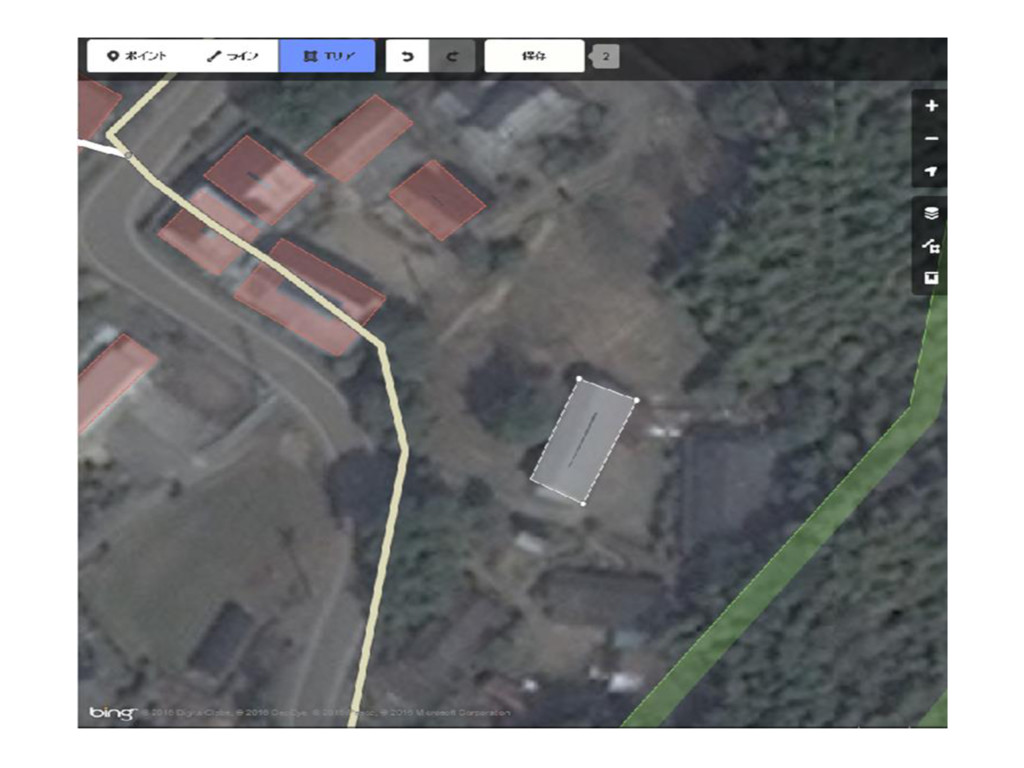
ⅰ.建物の入力 エリアをクリックして 建物の範囲を選択する
None
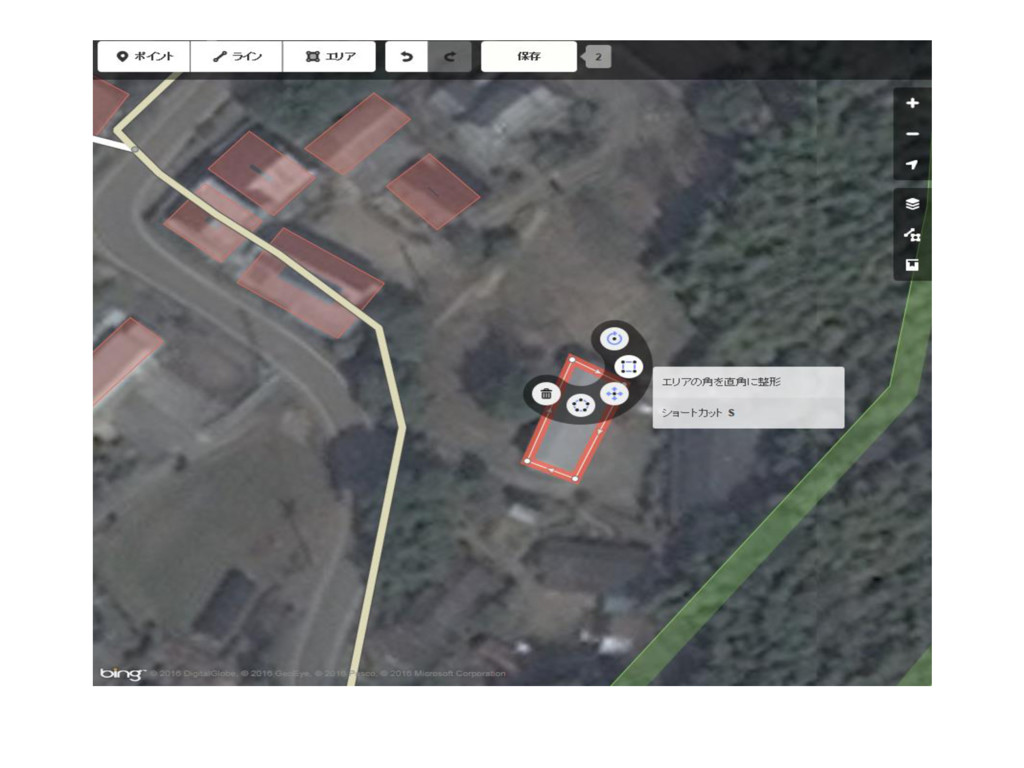
ⅱ.直角補正 建物を入力後赤の太線をクリックして 上から二番目のマークを選択する
None
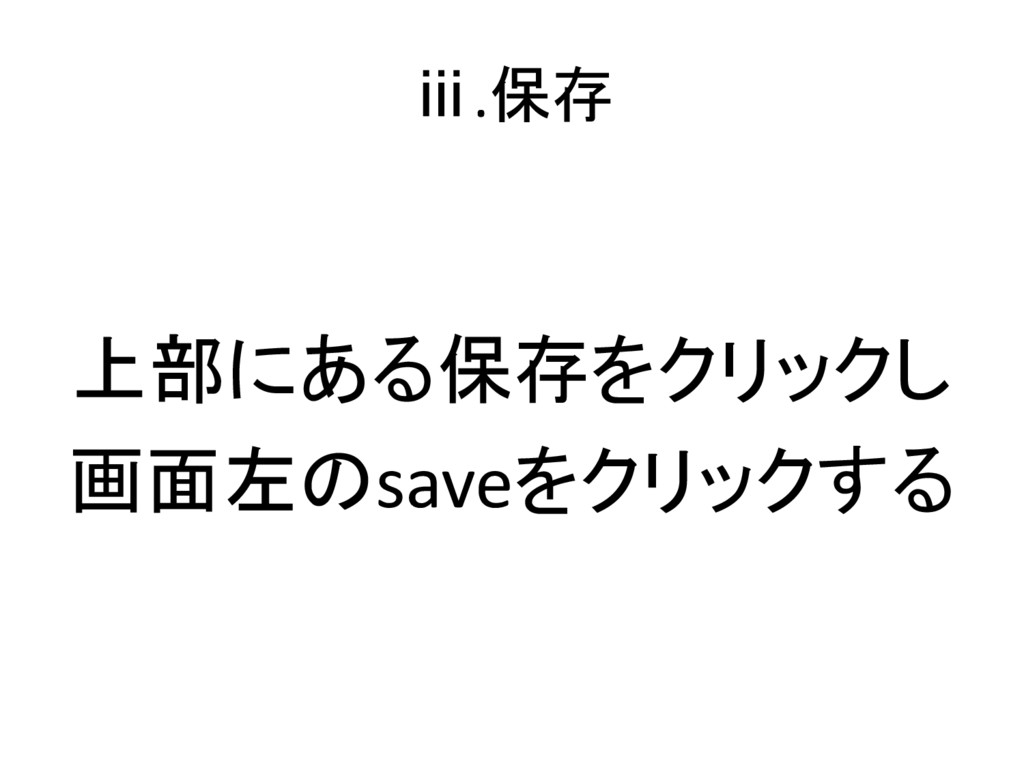
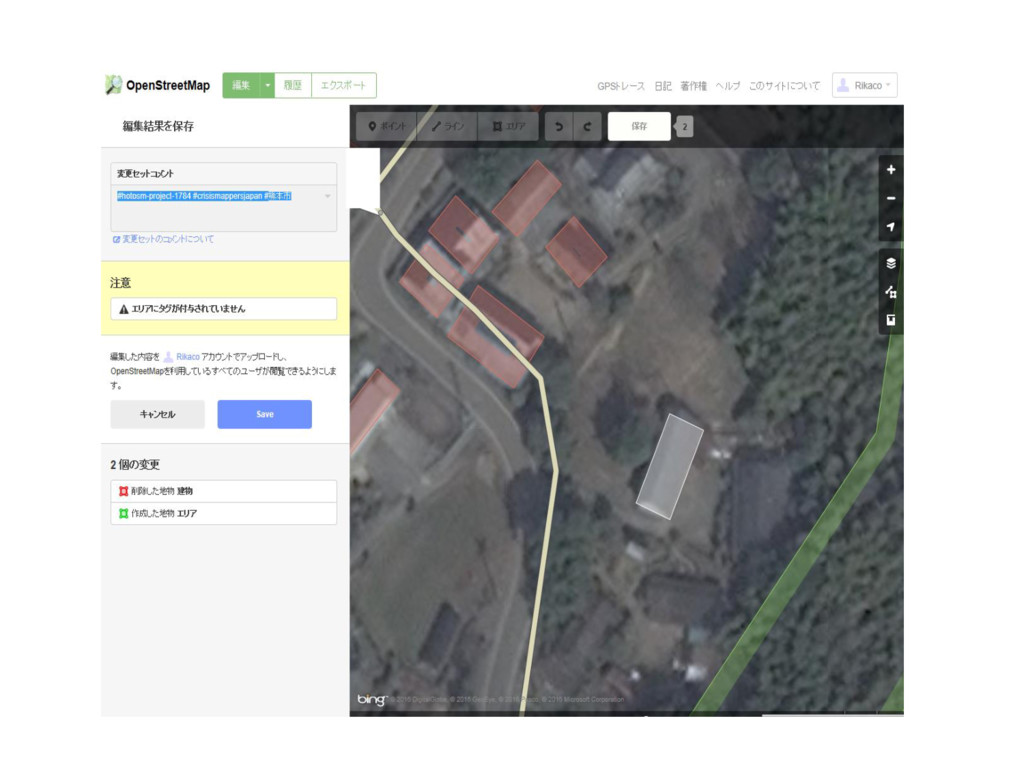
ⅲ.保存 上部にある保存をクリックし 画面左のsaveをクリックする
None
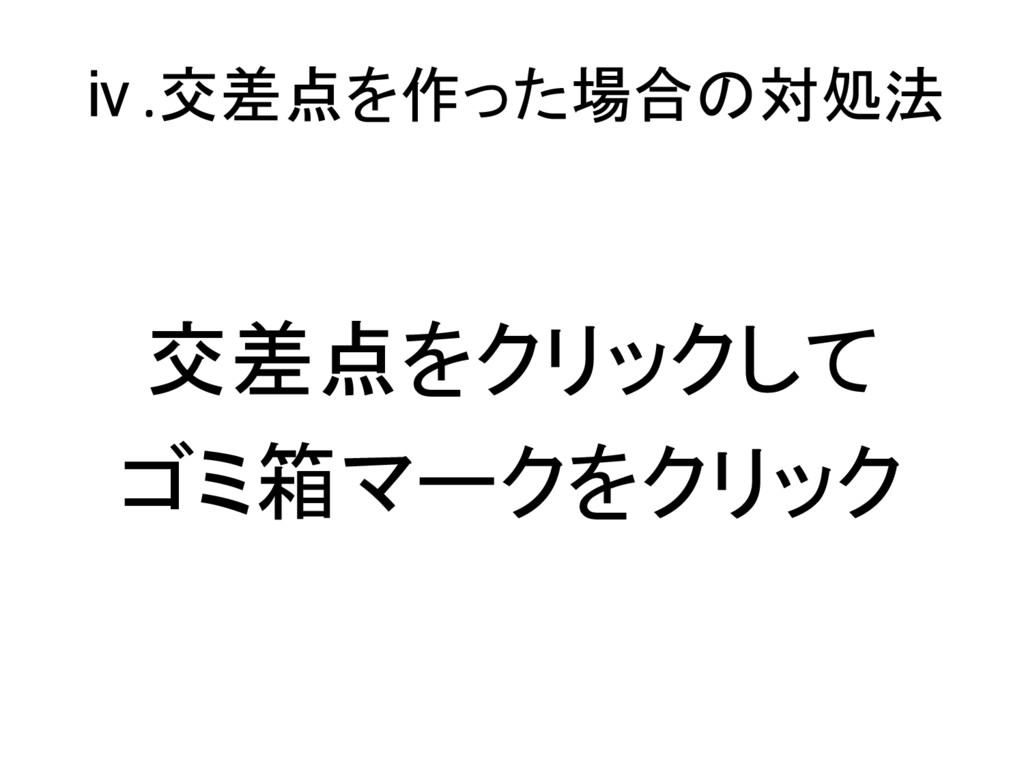
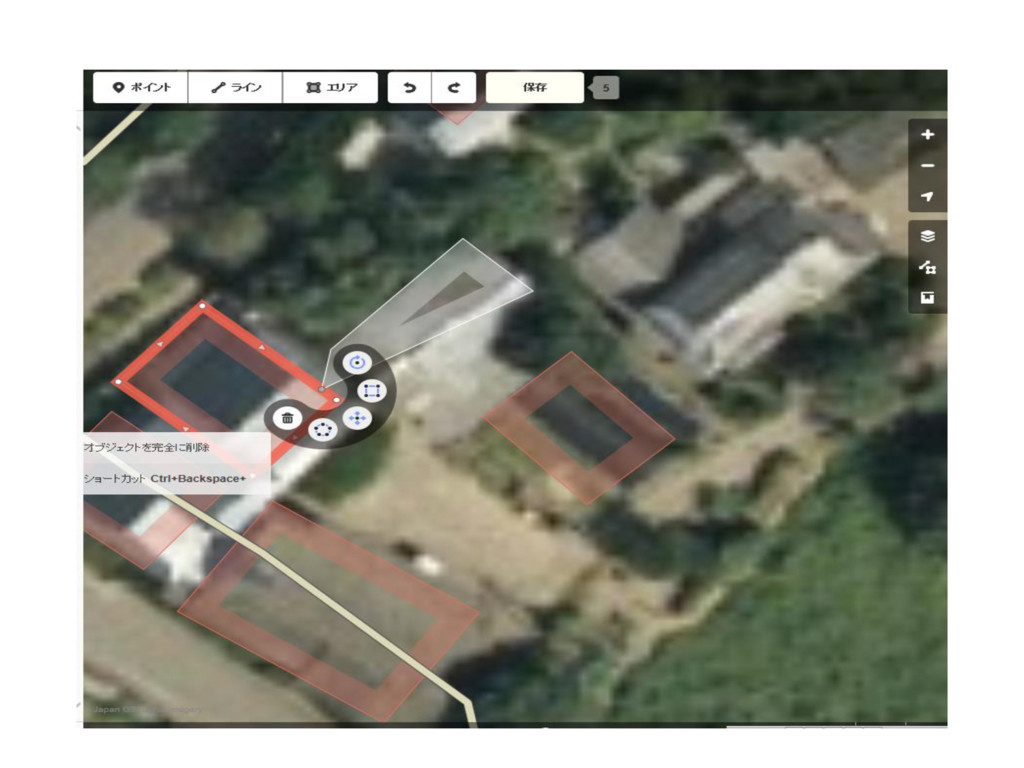
ⅳ.交差点を作った場合の対処法 交差点をクリックして ゴミ箱マークをクリック
None
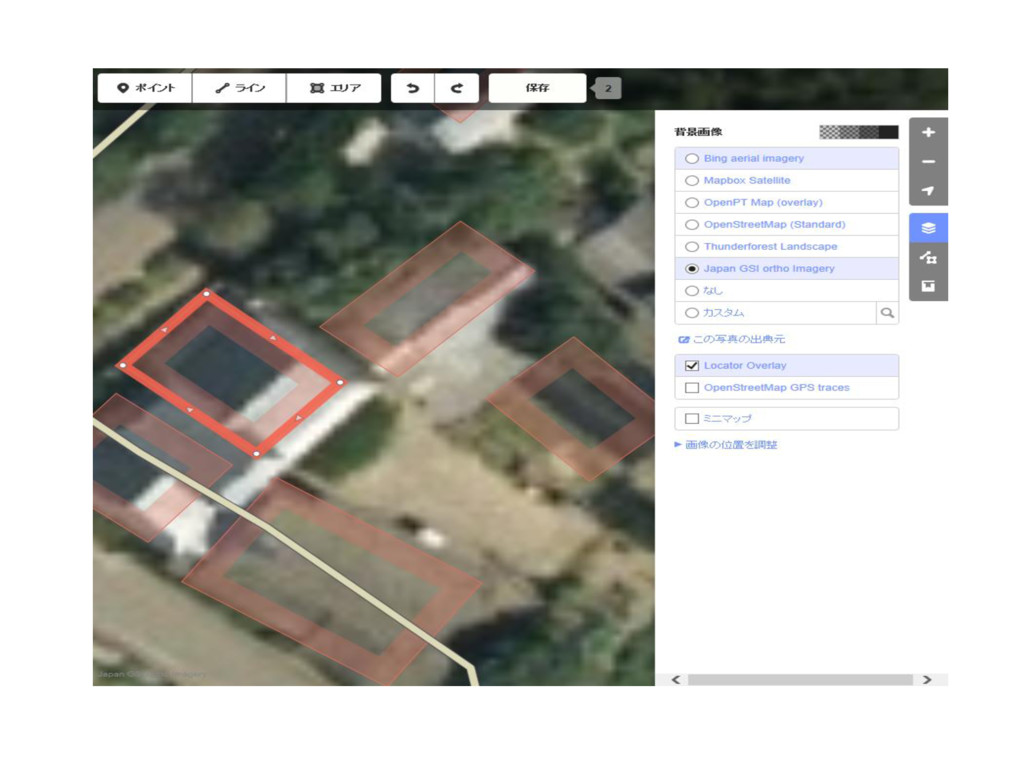
ⅳ.背景レイヤを国土地理院地図に変更 右の上から4番目のマークをクリックし 国土地理院の地図へ変更
None
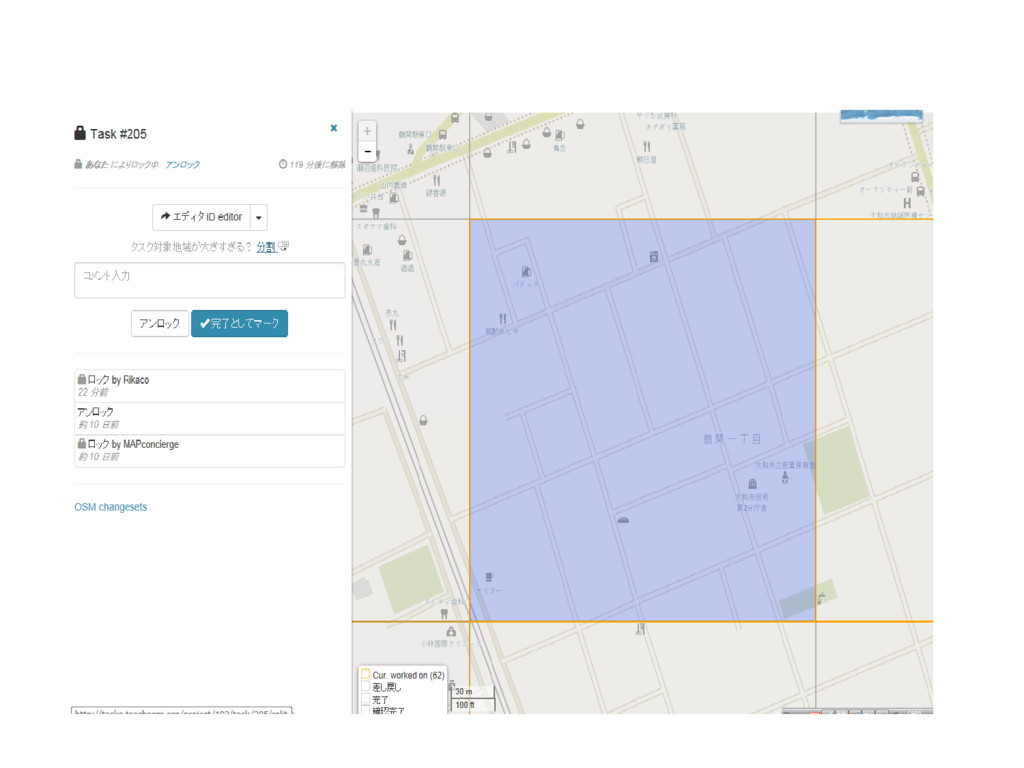
ⅵ.分割 タスクをクリックし 分割して範囲を狭める
None
ⅶ.タスク完了 保存後、完了として マークをクリック


 rikako1205
 rkaga
rkaga
 bkeepers
 jdejongh
 frankvandijk
 mkilby
 ipullrank
 ks91
ks91
 aleyda
 bryan
bryan
 chikuwait
 nikkihalliwell
 rocio
rocio