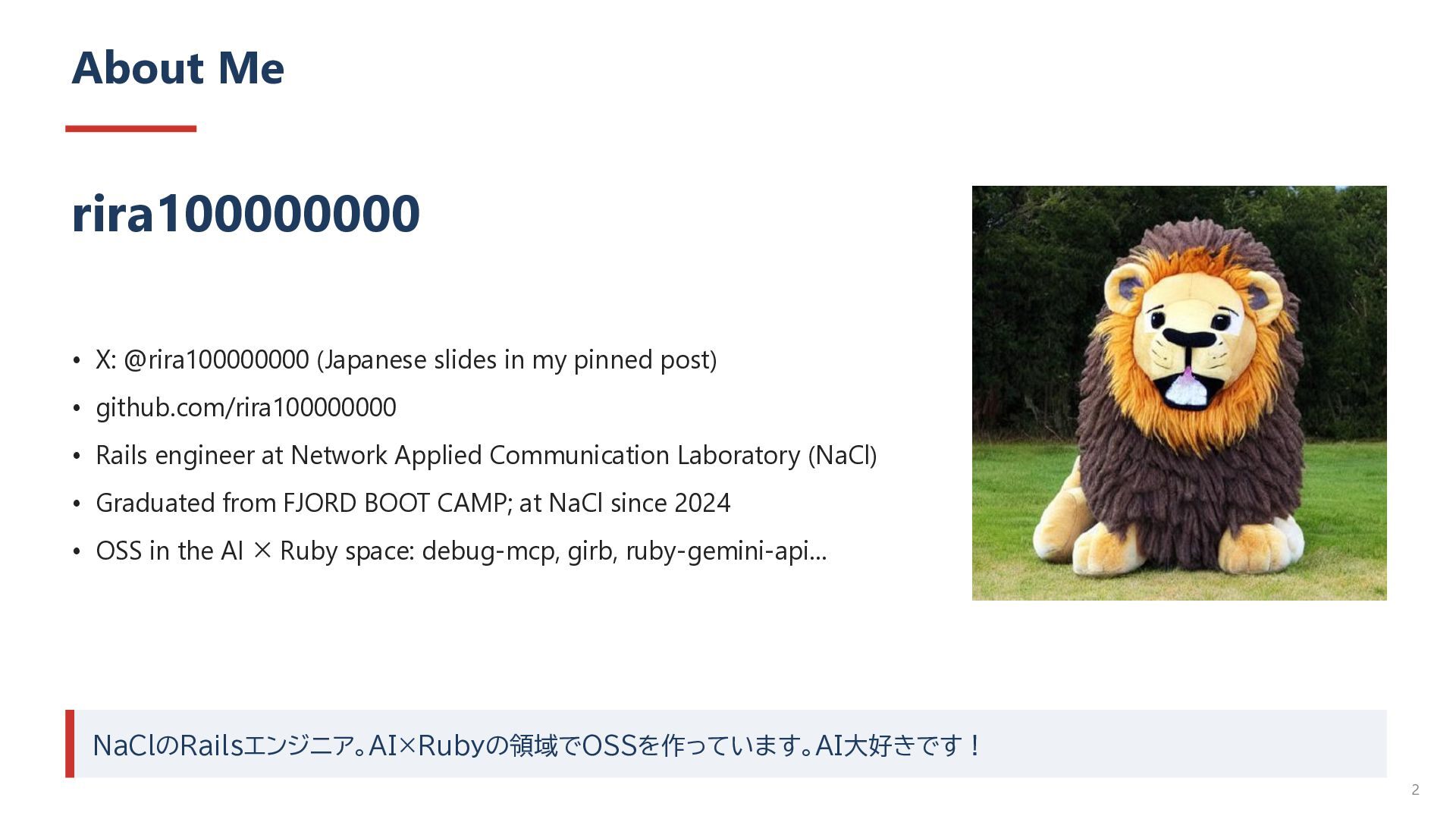
pinned post) • github.com/rira100000000 • Rails engineer at Network Applied Communication Laboratory (NaCl) • Graduated from FJORD BOOT CAMP; at NaCl since 2024 • OSS in the AI × Ruby space: debug-mcp, girb, ruby-gemini-api… NaClのRailsエンジニア。AI×Rubyの領域でOSSを作っています。AI大好きです! 2
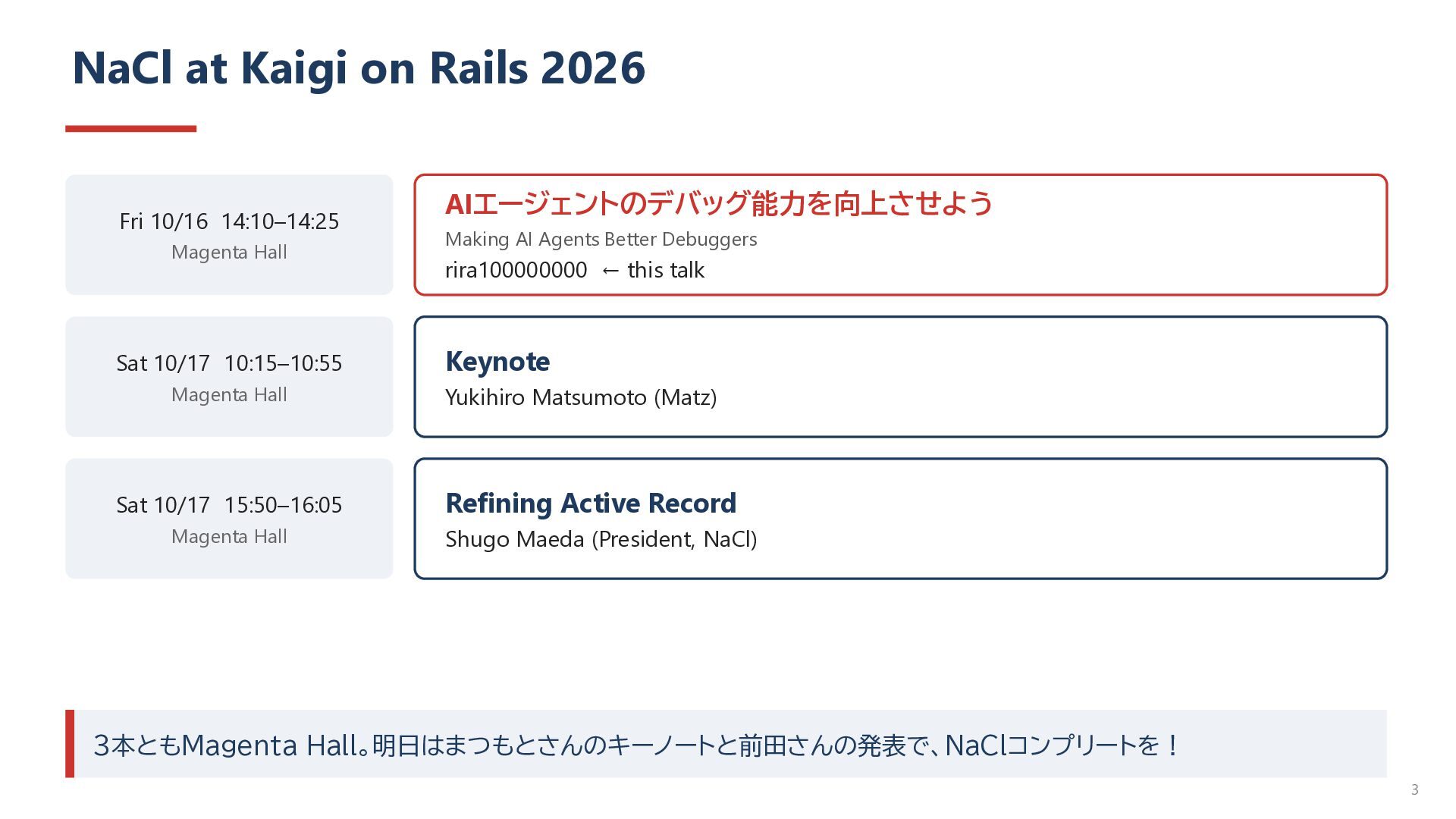
Hall Sat 10/17 10:15–10:55 AIエージェントのデバッグ能力を向上させよう Making AI Agents Better Debuggers rira100000000 ← this talk Keynote Magenta Hall Yukihiro Matsumoto (Matz) Sat 10/17 15:50–16:05 Refining Active Record Magenta Hall Shugo Maeda (President, NaCl) 3本ともMagenta Hall。明日はまつもとさんのキーノートと前田さんの発表で、NaClコンプリートを! 3
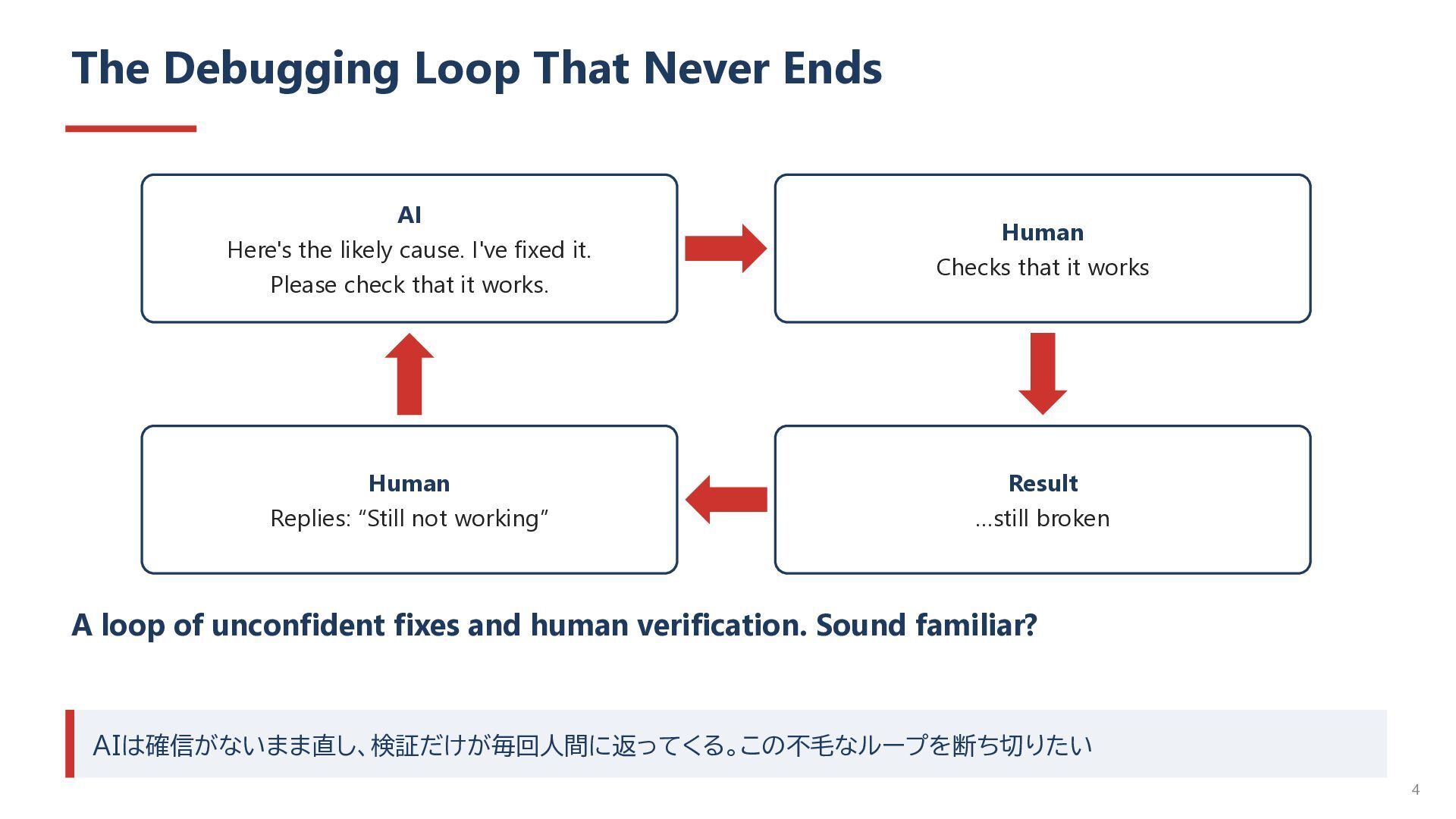
cause. I've fixed it. Please check that it works. Human Checks that it works Human Replies: “Still not working” Result …still broken A loop of unconfident fixes and human verification. Sound familiar? AIは確信がないまま直し、検証だけが毎回人間に返ってくる。この不毛なループを断ち切りたい 4
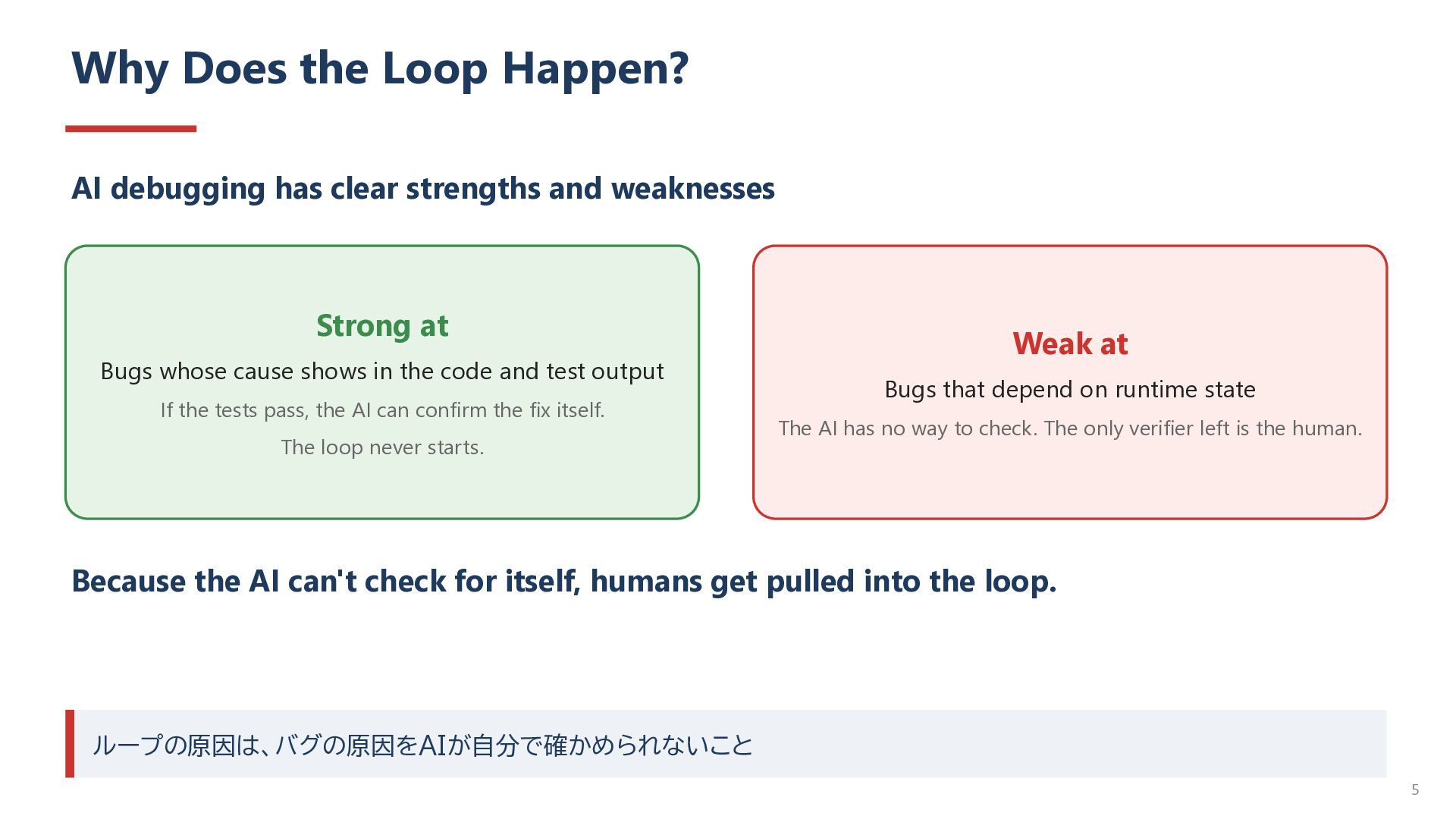
and weaknesses Strong at Bugs whose cause shows in the code and test output If the tests pass, the AI can confirm the fix itself. The loop never starts. Weak at Bugs that depend on runtime state The AI has no way to check. The only verifier left is the human. Because the AI can't check for itself, humans get pulled into the loop. ループの原因は、バグの原因をAIが自分で確かめられないこと 5
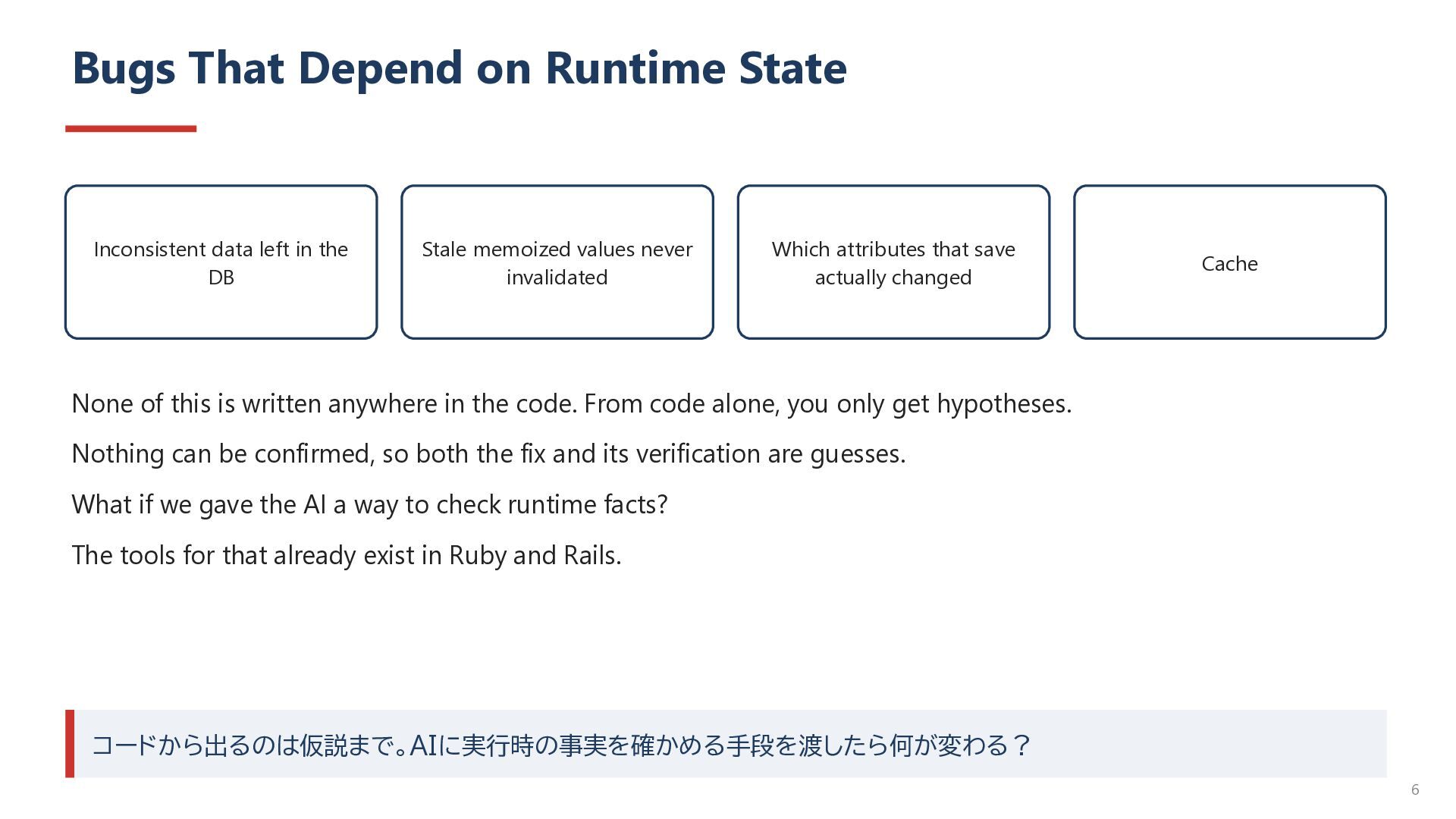
the DB Stale memoized values never invalidated Which attributes that save actually changed Cache None of this is written anywhere in the code. From code alone, you only get hypotheses. Nothing can be confirmed, so both the fix and its verification are guesses. What if we gave the AI a way to check runtime facts? The tools for that already exist in Ruby and Rails. コードから出るのは仮説まで。AIに実行時の事実を確かめる手段を渡したら何が変わる? 6
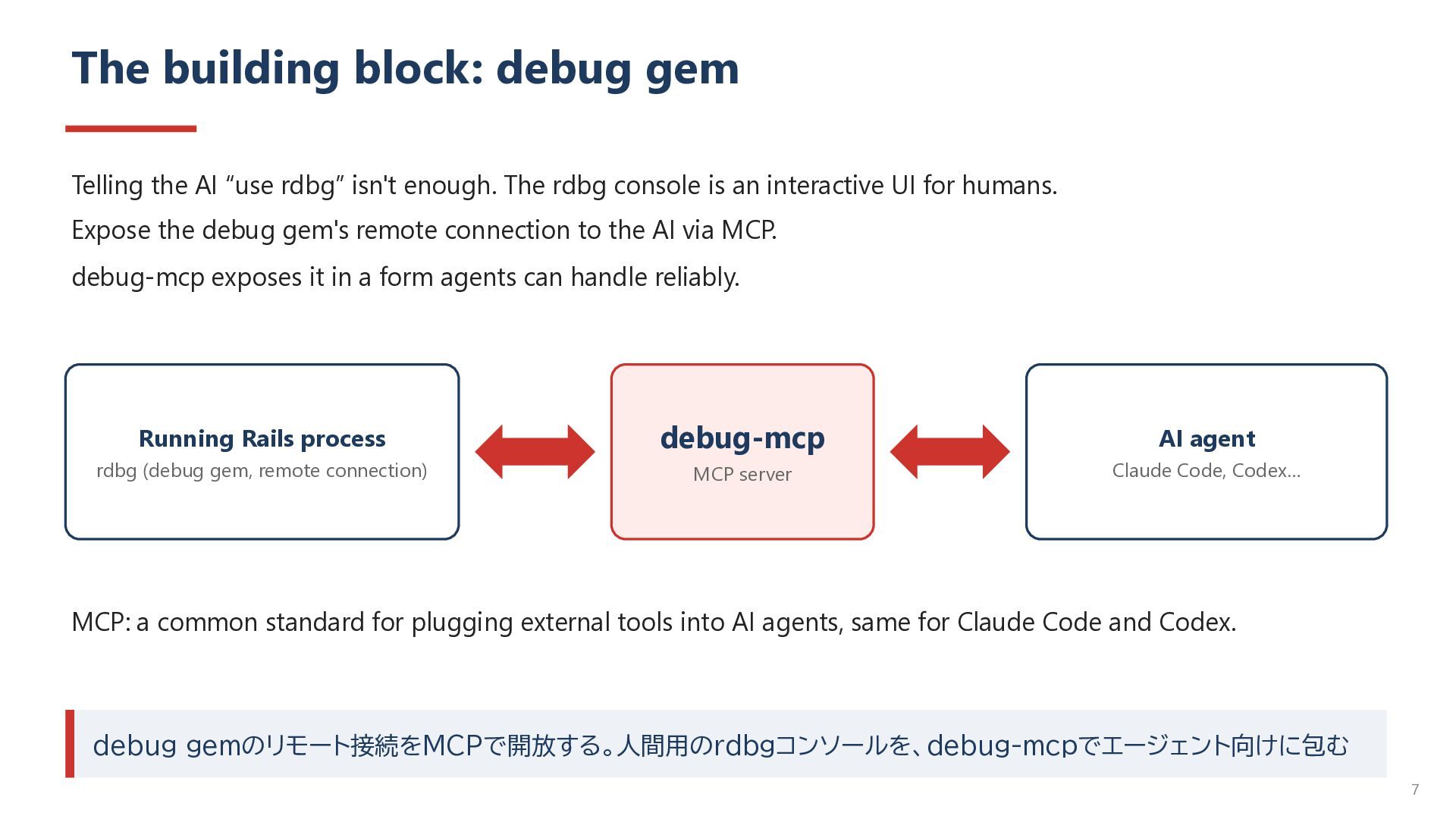
isn't enough. The rdbg console is an interactive UI for humans. Expose the debug gem's remote connection to the AI via MCP. debug-mcp exposes it in a form agents can handle reliably. Running Rails process debug-mcp AI agent rdbg (debug gem, remote connection) MCP server Claude Code, Codex… MCP: a common standard for plugging external tools into AI agents, same for Claude Code and Codex. debug gemのリモート接続をMCPで開放する。人間用のrdbgコンソールを、debug-mcpでエージェント向けに包む 7
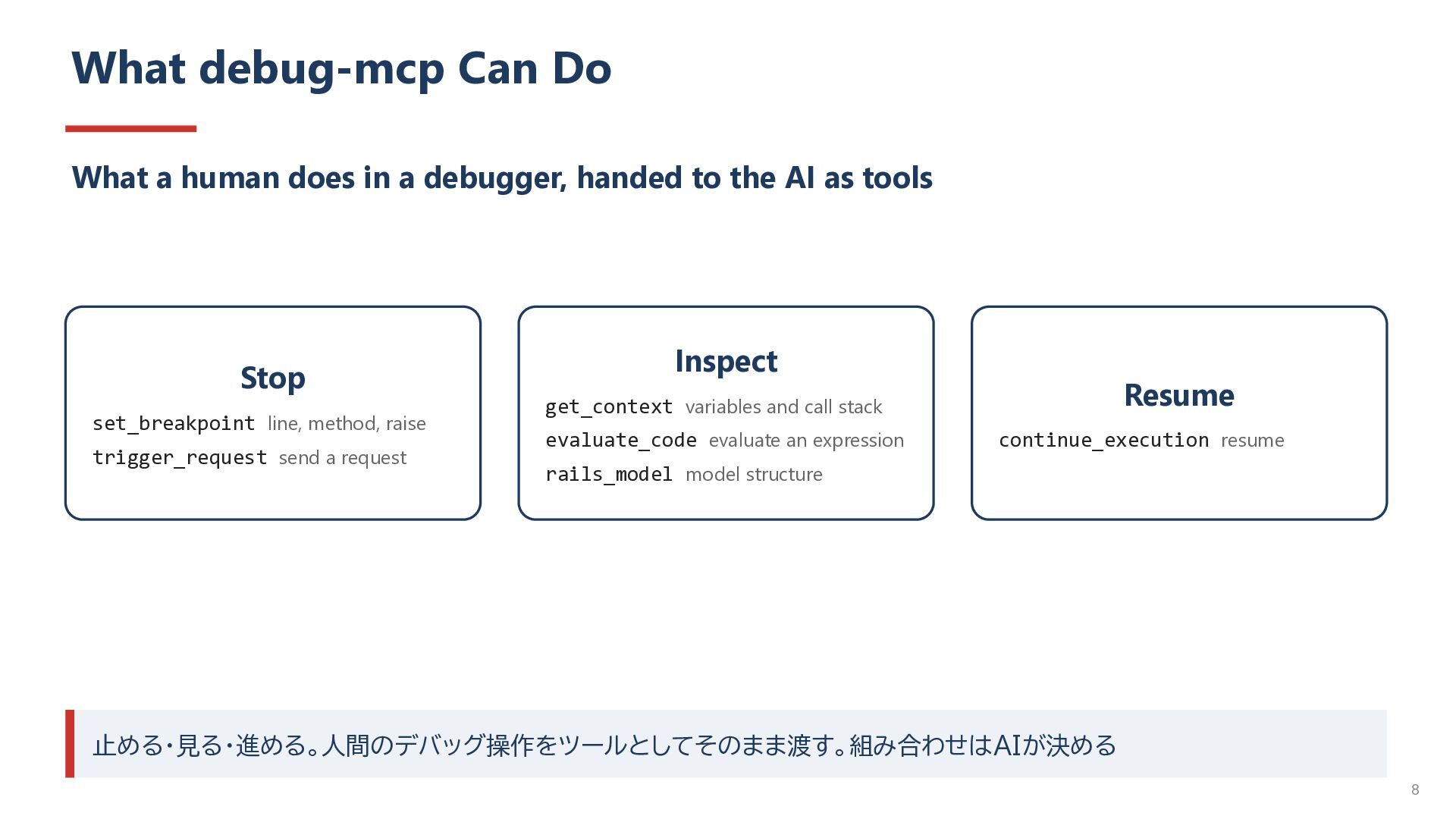
debugger, handed to the AI as tools Stop set_breakpoint line, method, raise trigger_request send a request Inspect Resume get_context variables and call stack evaluate_code evaluate an expression continue_execution resume rails_model model structure 止める・見る・進める。人間のデバッグ操作をツールとしてそのまま渡す。組み合わせはAIが決める 8
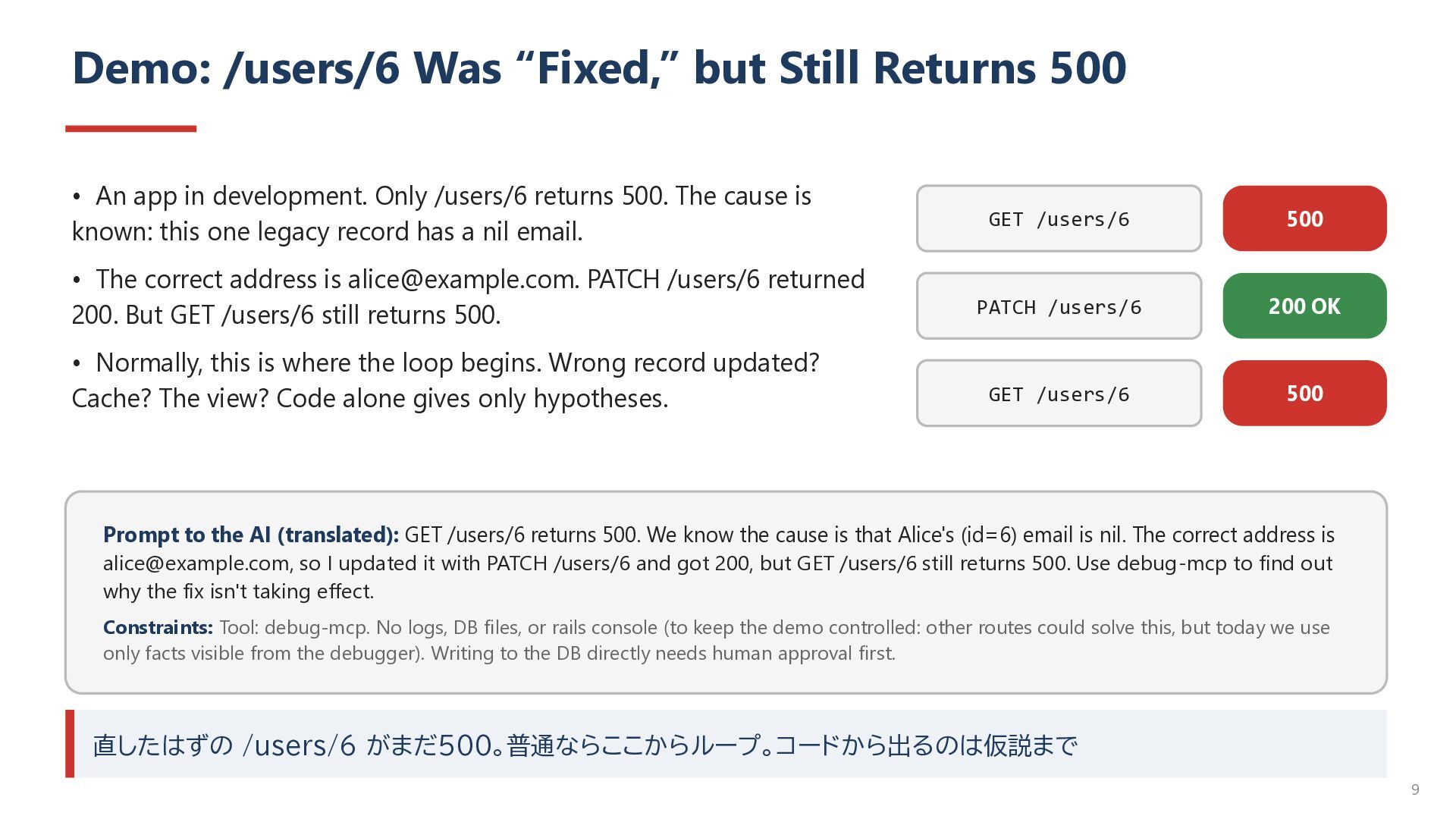
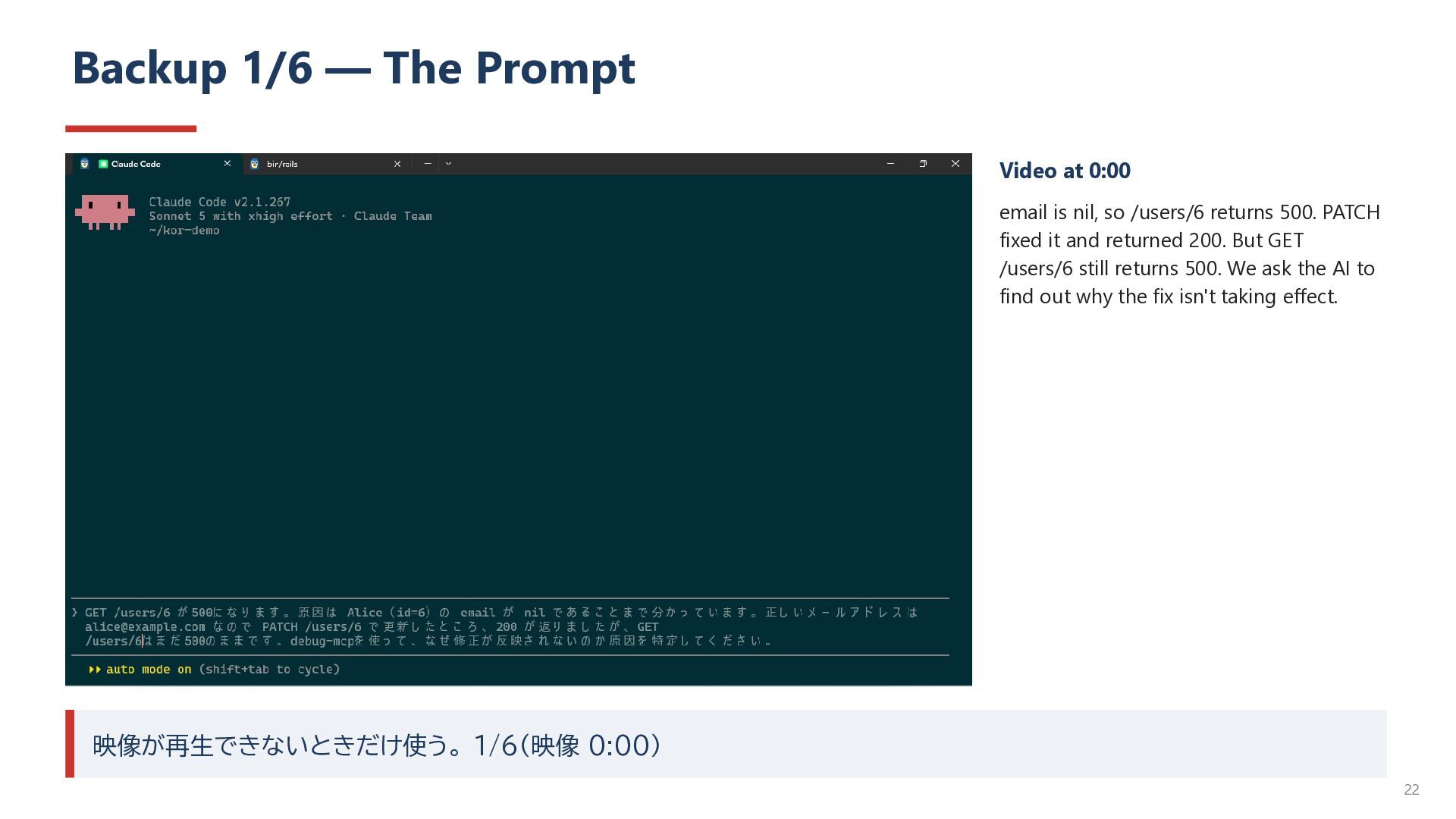
app in development. Only /users/6 returns 500. The cause is known: this one legacy record has a nil email. GET /users/6 500 • The correct address is [email protected]. PATCH /users/6 returned 200. But GET /users/6 still returns 500. PATCH /users/6 200 OK • Normally, this is where the loop begins. Wrong record updated? Cache? The view? Code alone gives only hypotheses. GET /users/6 500 Prompt to the AI (translated): GET /users/6 returns 500. We know the cause is that Alice's (id=6) email is nil. The correct address is [email protected], so I updated it with PATCH /users/6 and got 200, but GET /users/6 still returns 500. Use debug-mcp to find out why the fix isn't taking effect. Constraints: Tool: debug-mcp. No logs, DB files, or rails console (to keep the demo controlled: other routes could solve this, but today we use only facts visible from the debugger). Writing to the DB directly needs human approval first. 直したはずの /users/6 がまだ500。普通ならここからループ。コードから出るのは仮説まで 9
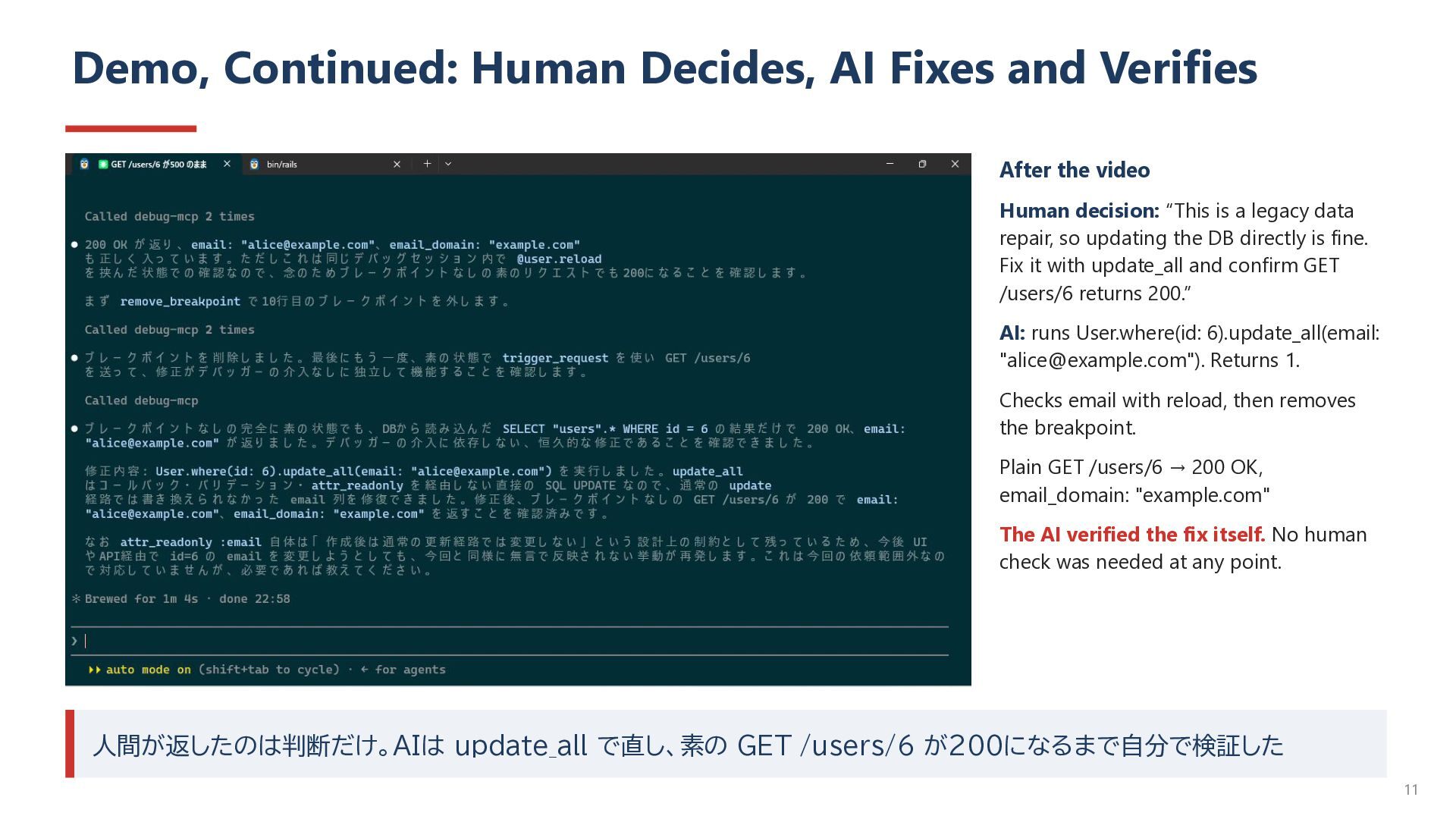
video Human decision: “This is a legacy data repair, so updating the DB directly is fine. Fix it with update_all and confirm GET /users/6 returns 200.” AI: runs User.where(id: 6).update_all(email: "[email protected]"). Returns 1. Checks email with reload, then removes the breakpoint. Plain GET /users/6 → 200 OK, email_domain: "example.com" The AI verified the fix itself. No human check was needed at any point. 人間が返したのは判断だけ。AIは update_all で直し、素の GET /users/6 が200になるまで自分で検証した 11
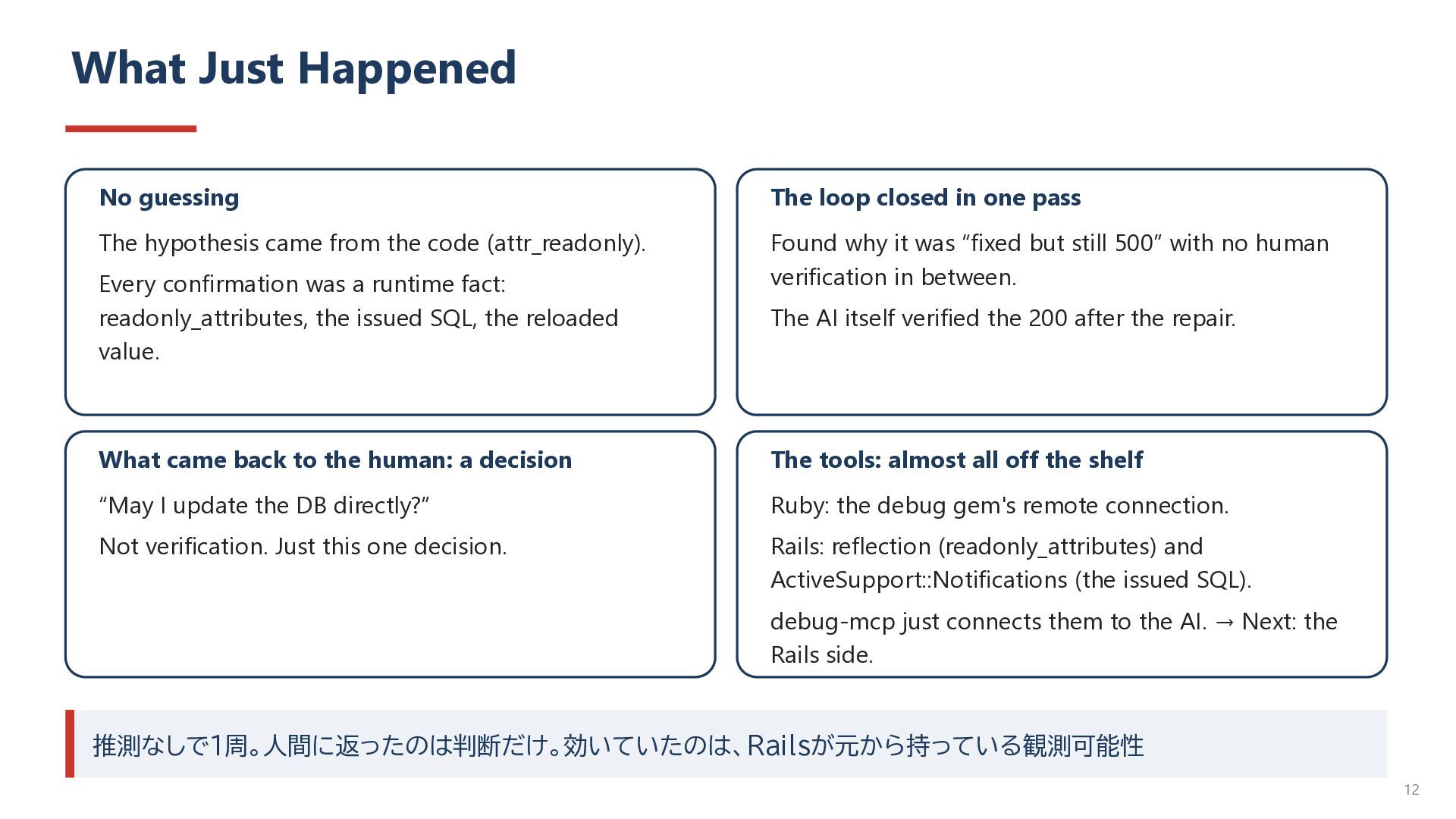
pass The hypothesis came from the code (attr_readonly). Found why it was “fixed but still 500” with no human verification in between. Every confirmation was a runtime fact: readonly_attributes, the issued SQL, the reloaded value. The AI itself verified the 200 after the repair. What came back to the human: a decision The tools: almost all off the shelf “May I update the DB directly?” Ruby: the debug gem's remote connection. Not verification. Just this one decision. Rails: reflection (readonly_attributes) and ActiveSupport::Notifications (the issued SQL). debug-mcp just connects them to the AI. → Next: the Rails side. 推測なしで1周。人間に返ったのは判断だけ。効いていたのは、Railsが元から持っている観測可能性 12
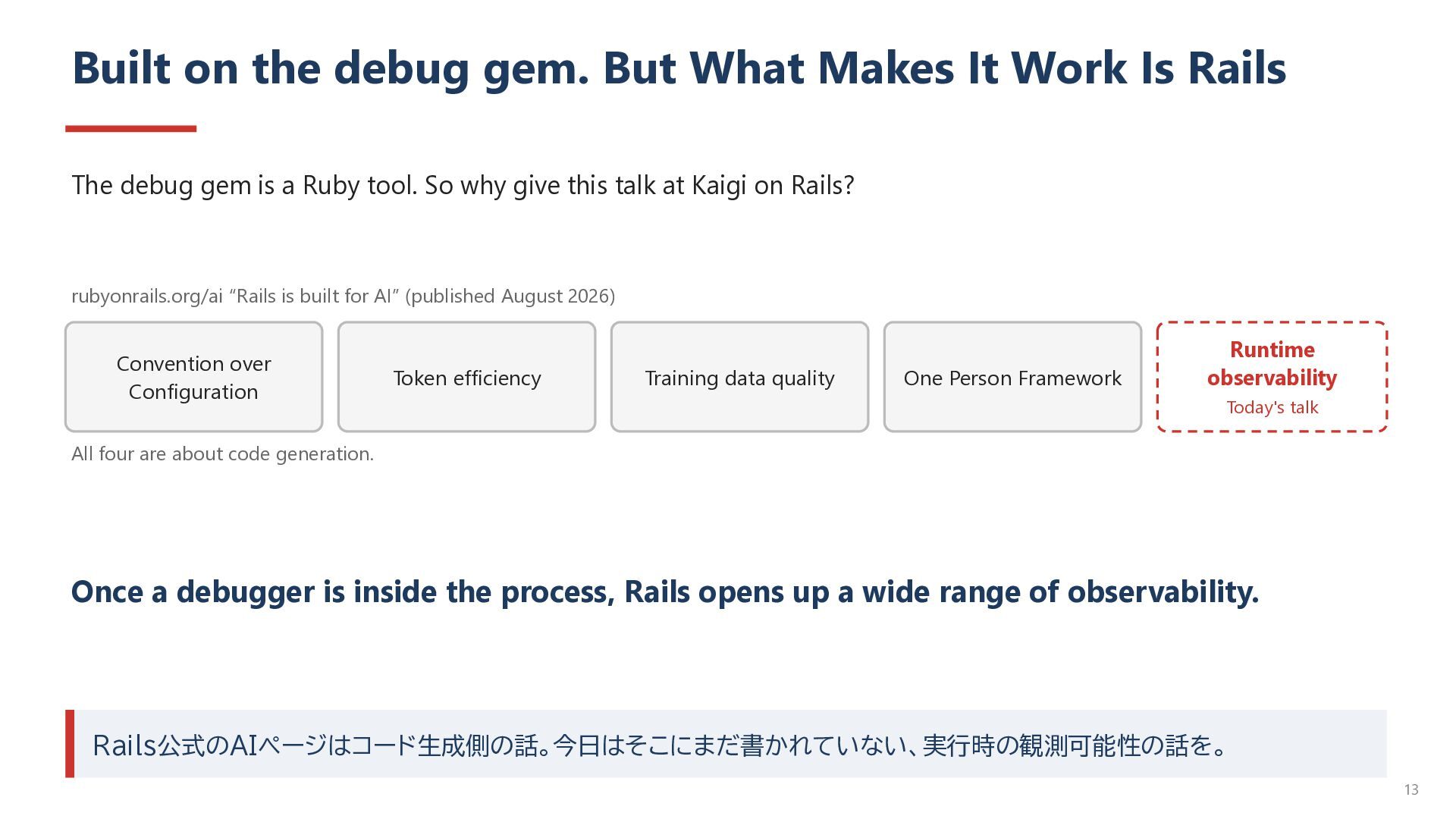
Is Rails The debug gem is a Ruby tool. So why give this talk at Kaigi on Rails? rubyonrails.org/ai “Rails is built for AI” (published August 2026) Convention over Configuration Token efficiency Training data quality One Person Framework Runtime observability Today's talk All four are about code generation. Once a debugger is inside the process, Rails opens up a wide range of observability. Rails公式のAIページはコード生成側の話。今日はそこにまだ書かれていない、実行時の観測可能性の話を。 13
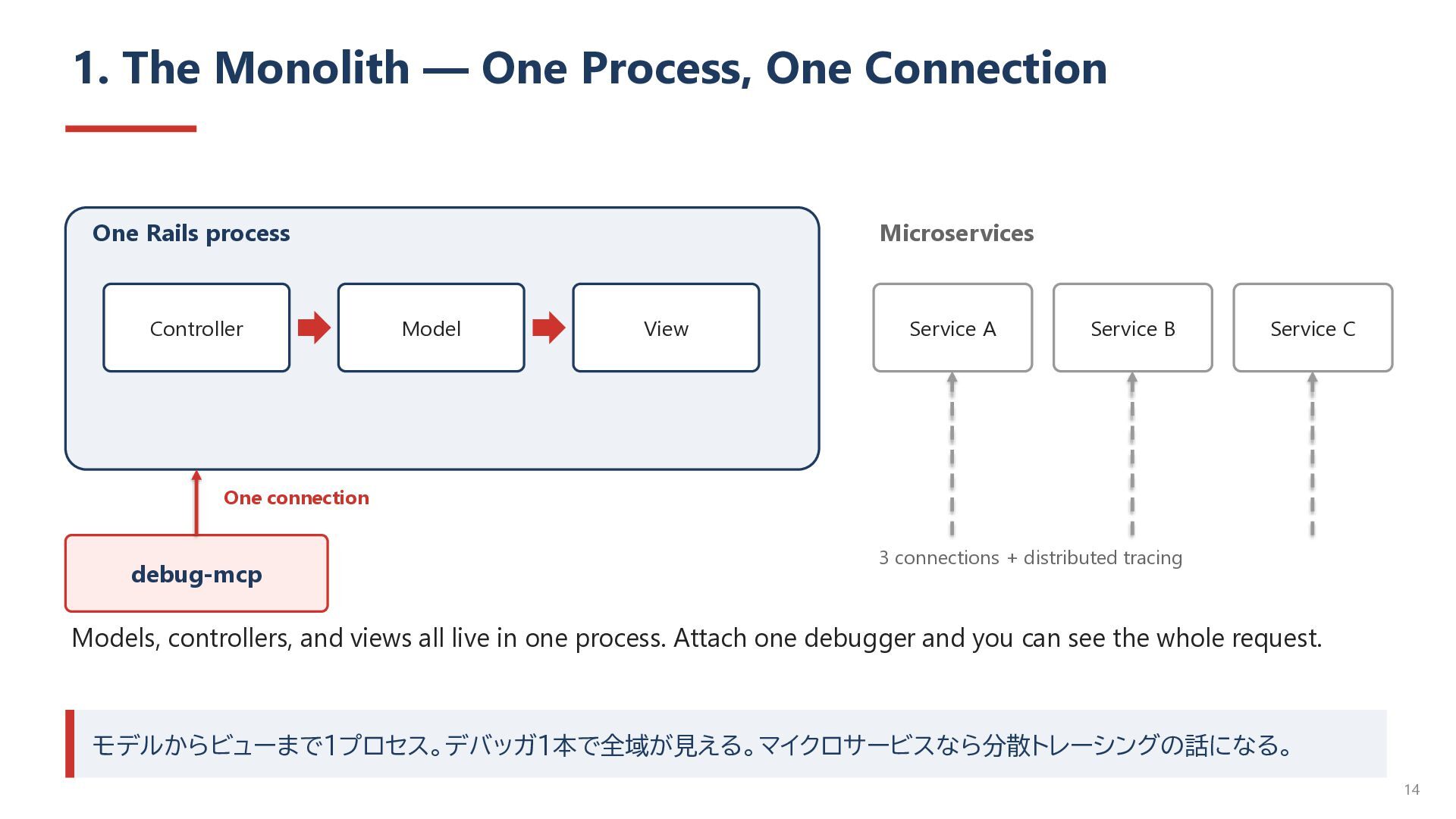
process Controller Microservices Model View Service A Service B Service C One connection debug-mcp 3 connections + distributed tracing Models, controllers, and views all live in one process. Attach one debugger and you can see the whole request. モデルからビューまで1プロセス。デバッガ1本で全域が見える。マイクロサービスなら分散トレーシングの話になる。 14
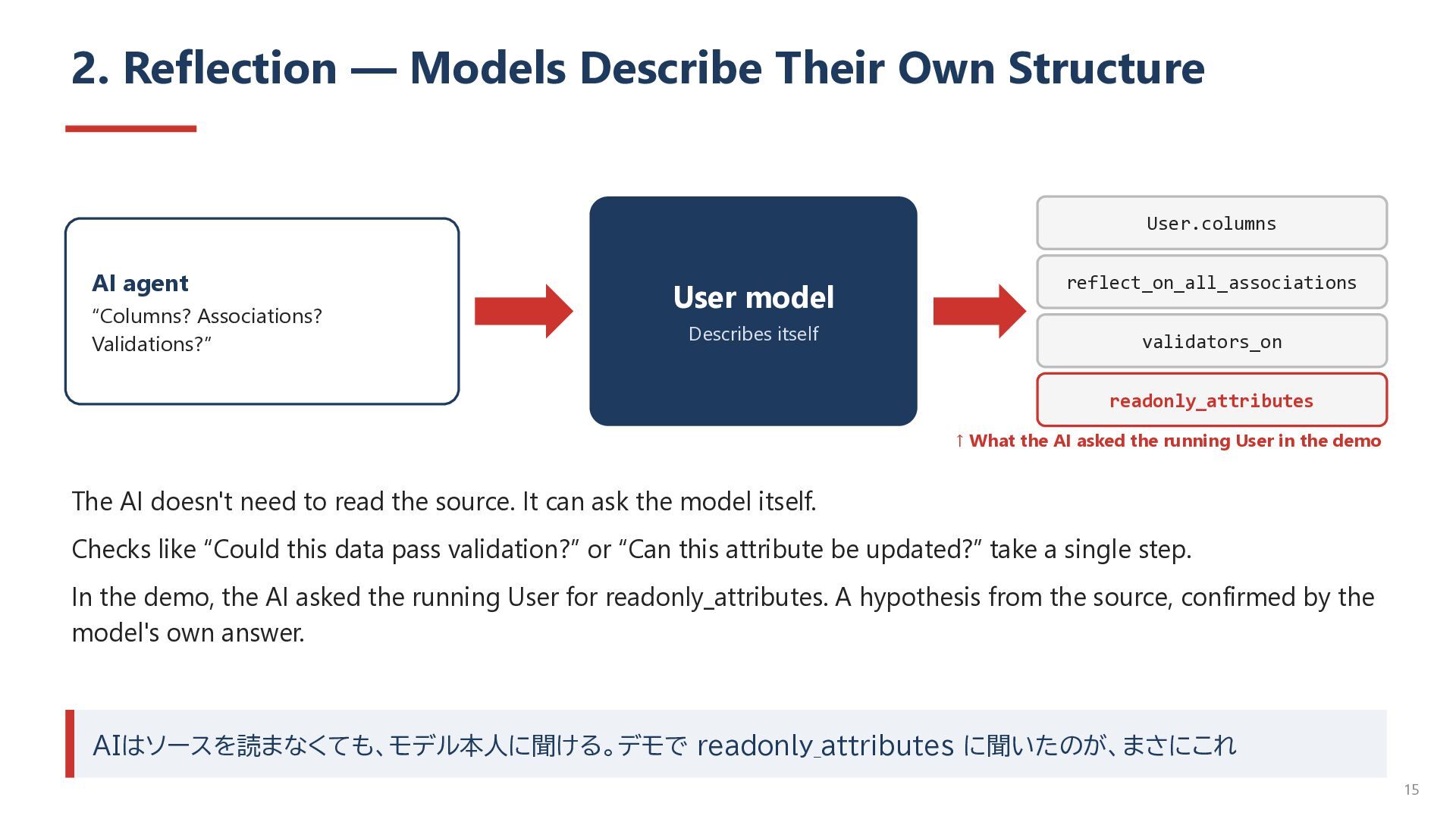
agent “Columns? Associations? Validations?” User model Describes itself reflect_on_all_associations validators_on readonly_attributes ↑ What the AI asked the running User in the demo The AI doesn't need to read the source. It can ask the model itself. Checks like “Could this data pass validation?” or “Can this attribute be updated?” take a single step. In the demo, the AI asked the running User for readonly_attributes. A hypothesis from the source, confirmed by the model's own answer. AIはソースを読まなくても、モデル本人に聞ける。デモで readonly_attributes に聞いたのが、まさにこれ 15
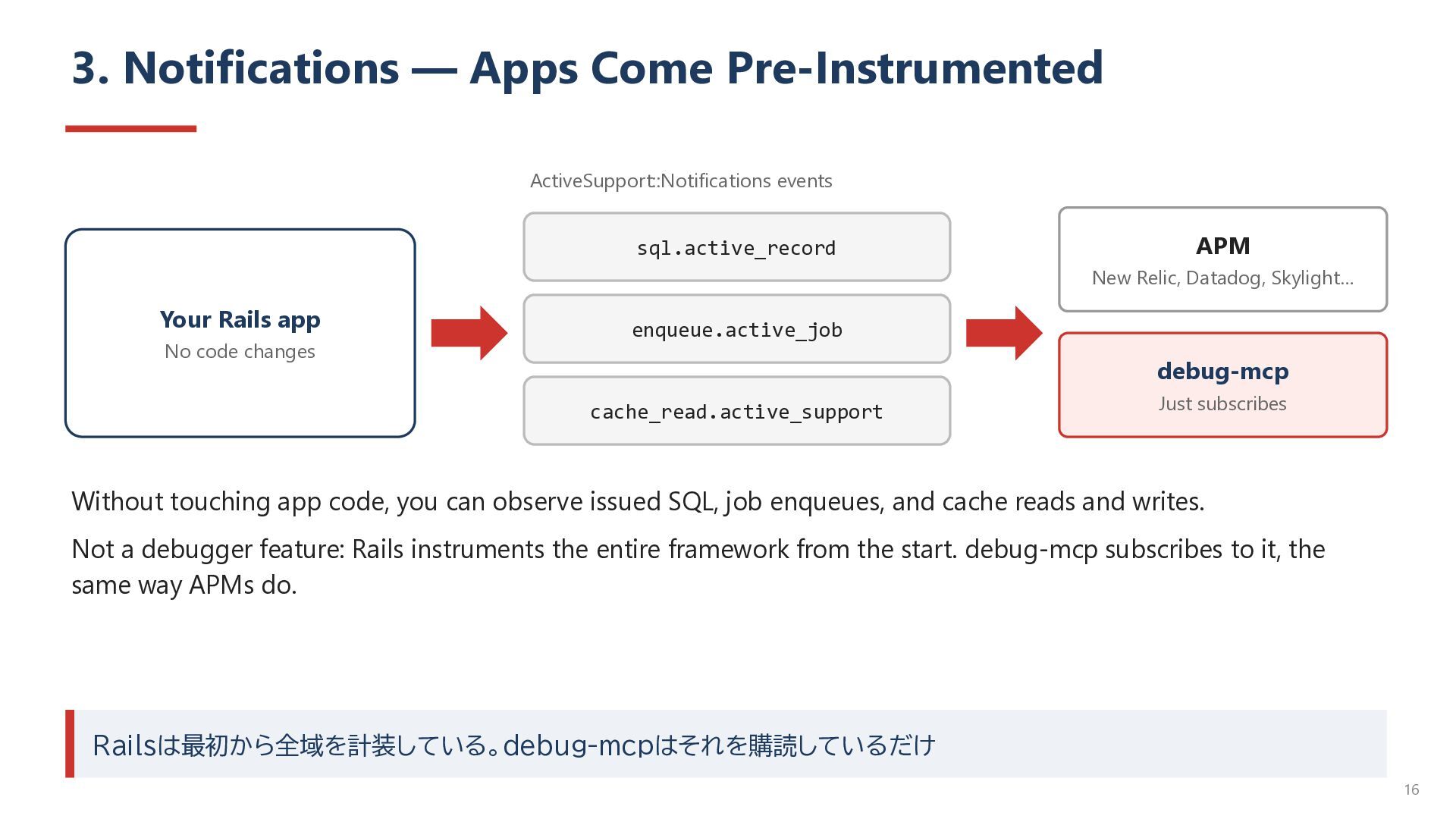
New Relic, Datadog, Skylight… Your Rails app No code changes enqueue.active_job debug-mcp cache_read.active_support Just subscribes Without touching app code, you can observe issued SQL, job enqueues, and cache reads and writes. Not a debugger feature: Rails instruments the entire framework from the start. debug-mcp subscribes to it, the same way APMs do. Railsは最初から全域を計装している。debug-mcpはそれを購読しているだけ 16
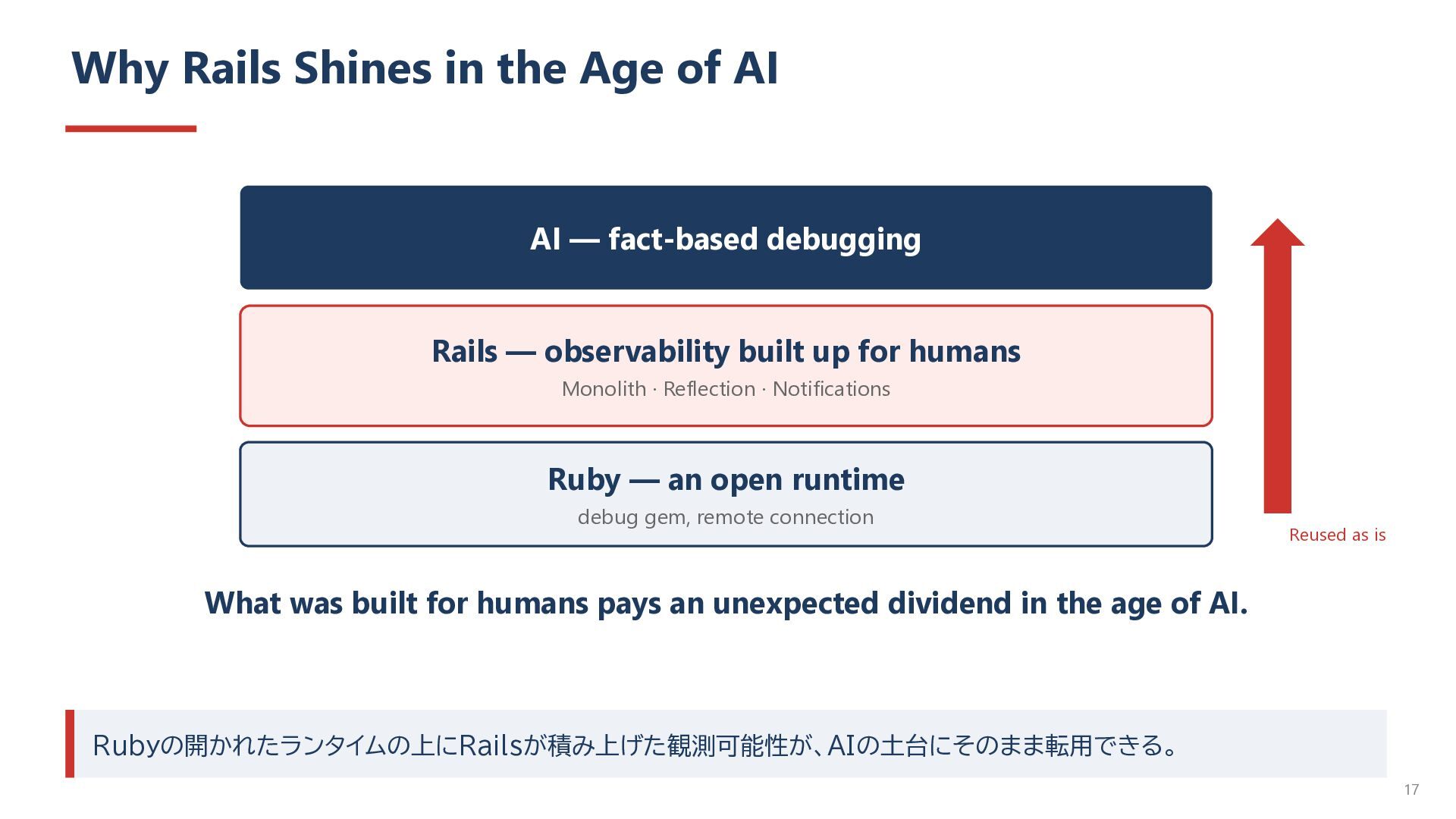
fact-based debugging Rails — observability built up for humans Monolith · Reflection · Notifications Ruby — an open runtime debug gem, remote connection Reused as is What was built for humans pays an unexpected dividend in the age of AI. Rubyの開かれたランタイムの上にRailsが積み上げた観測可能性が、AIの土台にそのまま転用できる。 17
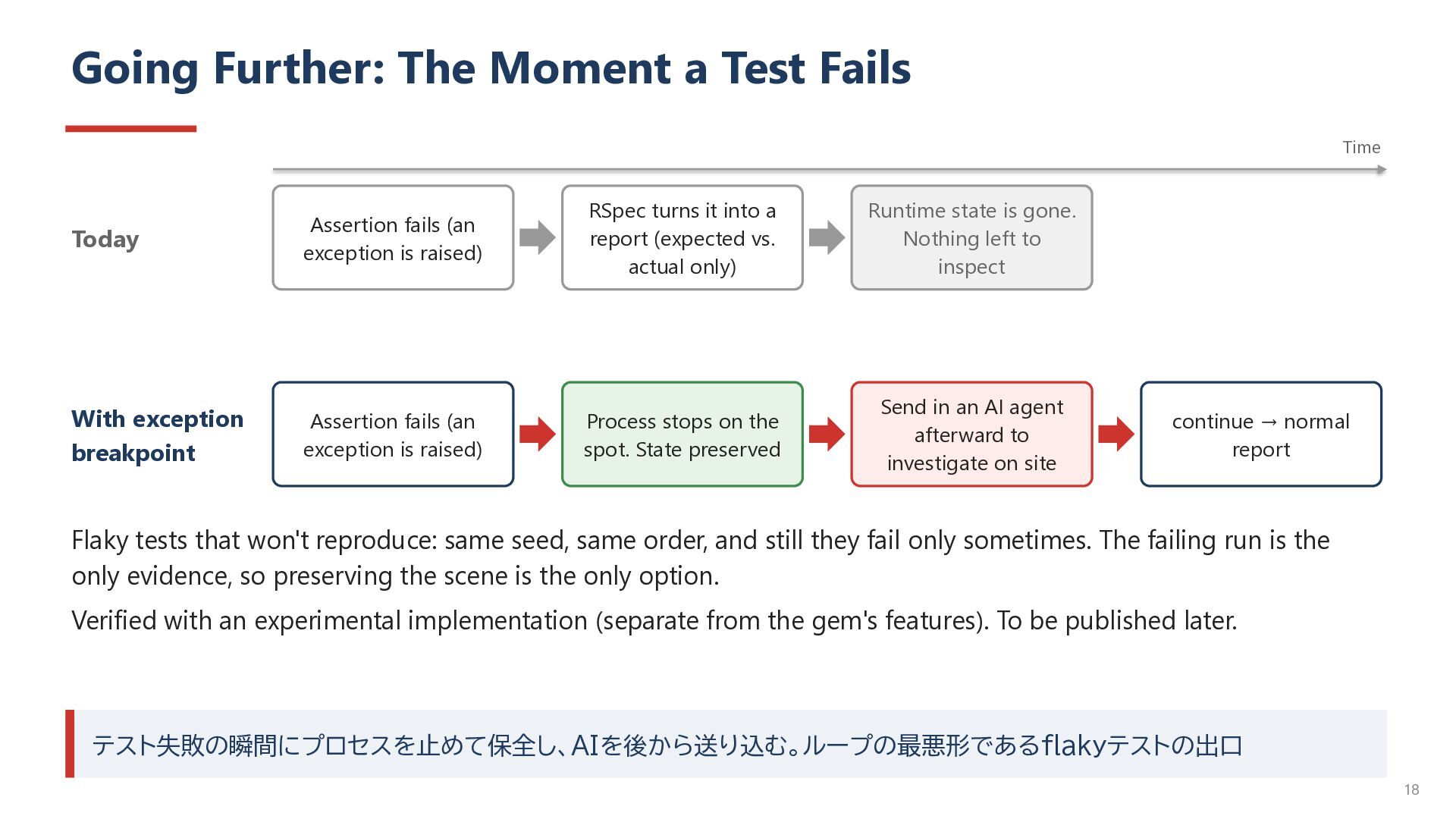
fails (an exception is raised) RSpec turns it into a report (expected vs. actual only) Runtime state is gone. Nothing left to inspect With exception breakpoint Assertion fails (an exception is raised) Process stops on the spot. State preserved Send in an AI agent afterward to investigate on site continue → normal report Flaky tests that won't reproduce: same seed, same order, and still they fail only sometimes. The failing run is the only evidence, so preserving the scene is the only option. Verified with an experimental implementation (separate from the gem's features). To be published later. テスト失敗の瞬間にプロセスを止めて保全し、AIを後から送り込む。ループの最悪形であるflakyテストの出口 18
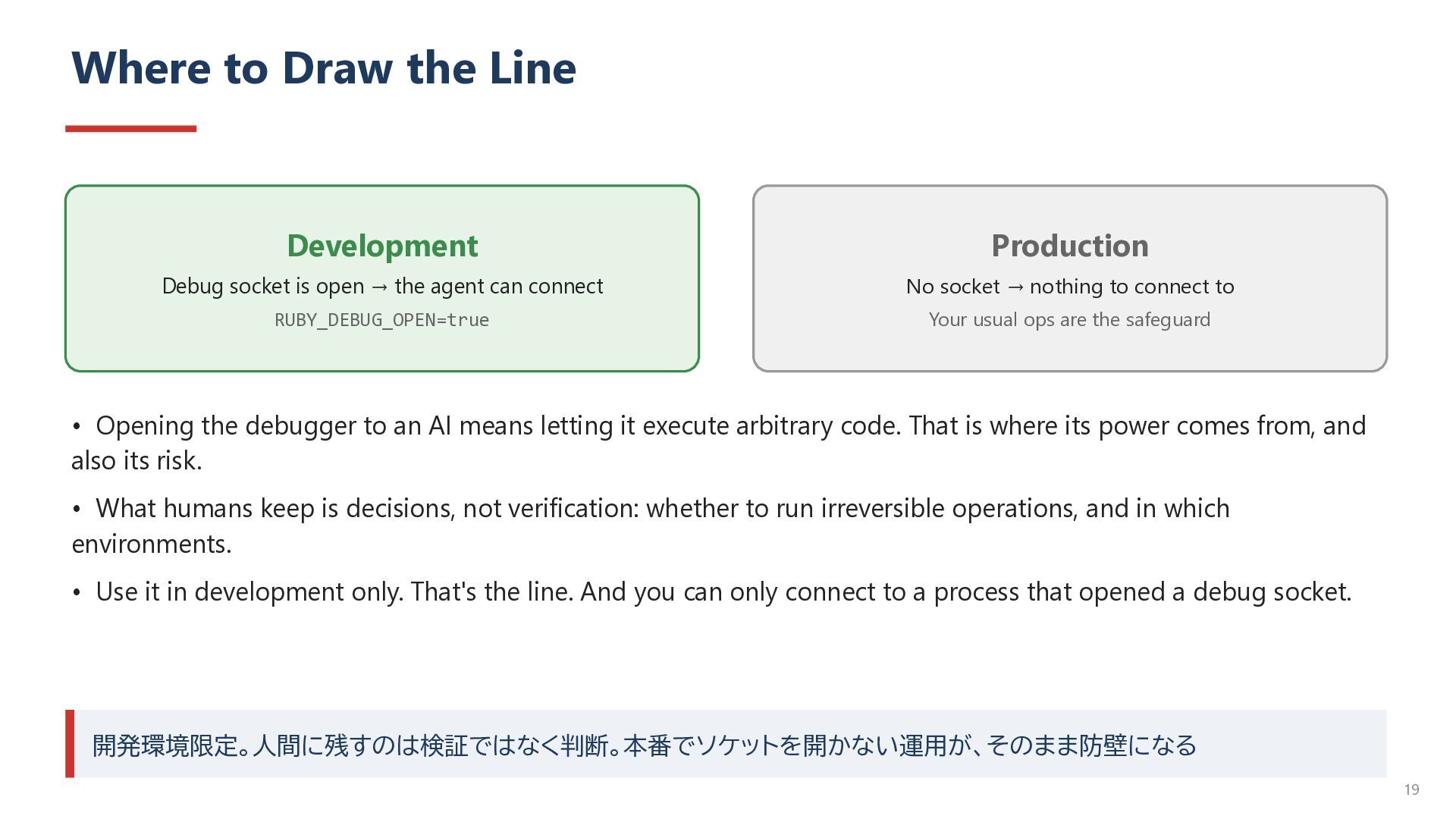
open → the agent can connect No socket → nothing to connect to RUBY_DEBUG_OPEN=true Your usual ops are the safeguard • Opening the debugger to an AI means letting it execute arbitrary code. That is where its power comes from, and also its risk. • What humans keep is decisions, not verification: whether to run irreversible operations, and in which environments. • Use it in development only. That's the line. And you can only connect to a process that opened a debug socket. 開発環境限定。人間に残すのは検証ではなく判断。本番でソケットを開かない運用が、そのまま防壁になる 19
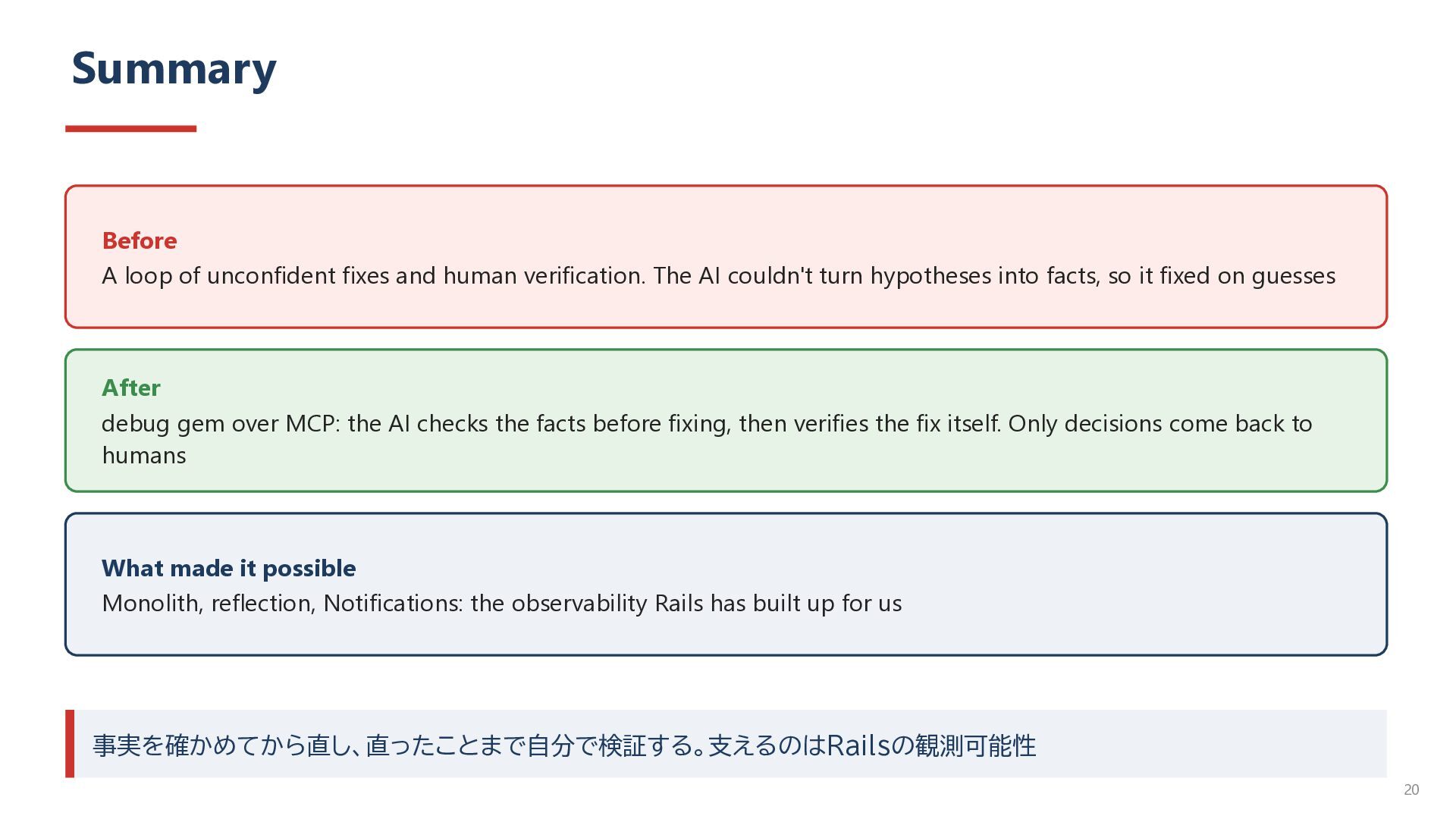
The AI couldn't turn hypotheses into facts, so it fixed on guesses After debug gem over MCP: the AI checks the facts before fixing, then verifies the fix itself. Only decisions come back to humans What made it possible Monolith, reflection, Notifications: the observability Rails has built up for us 事実を確かめてから直し、直ったことまで自分で検証する。支えるのはRailsの観測可能性 20
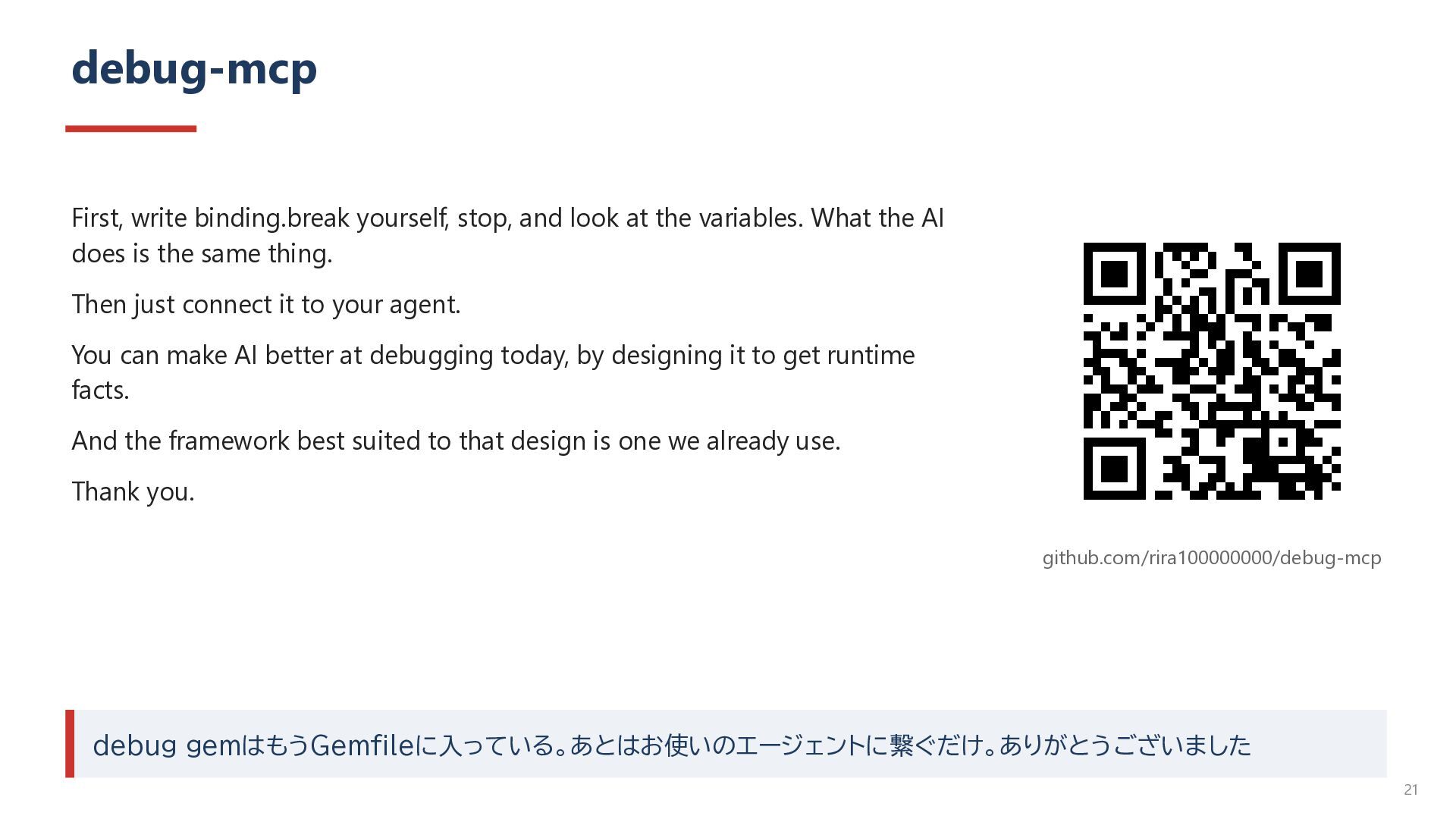
variables. What the AI does is the same thing. Then just connect it to your agent. You can make AI better at debugging today, by designing it to get runtime facts. And the framework best suited to that design is one we already use. Thank you. github.com/rira100000000/debug-mcp debug gemはもうGemfileに入っている。あとはお使いのエージェントに繋ぐだけ。ありがとうございました 21
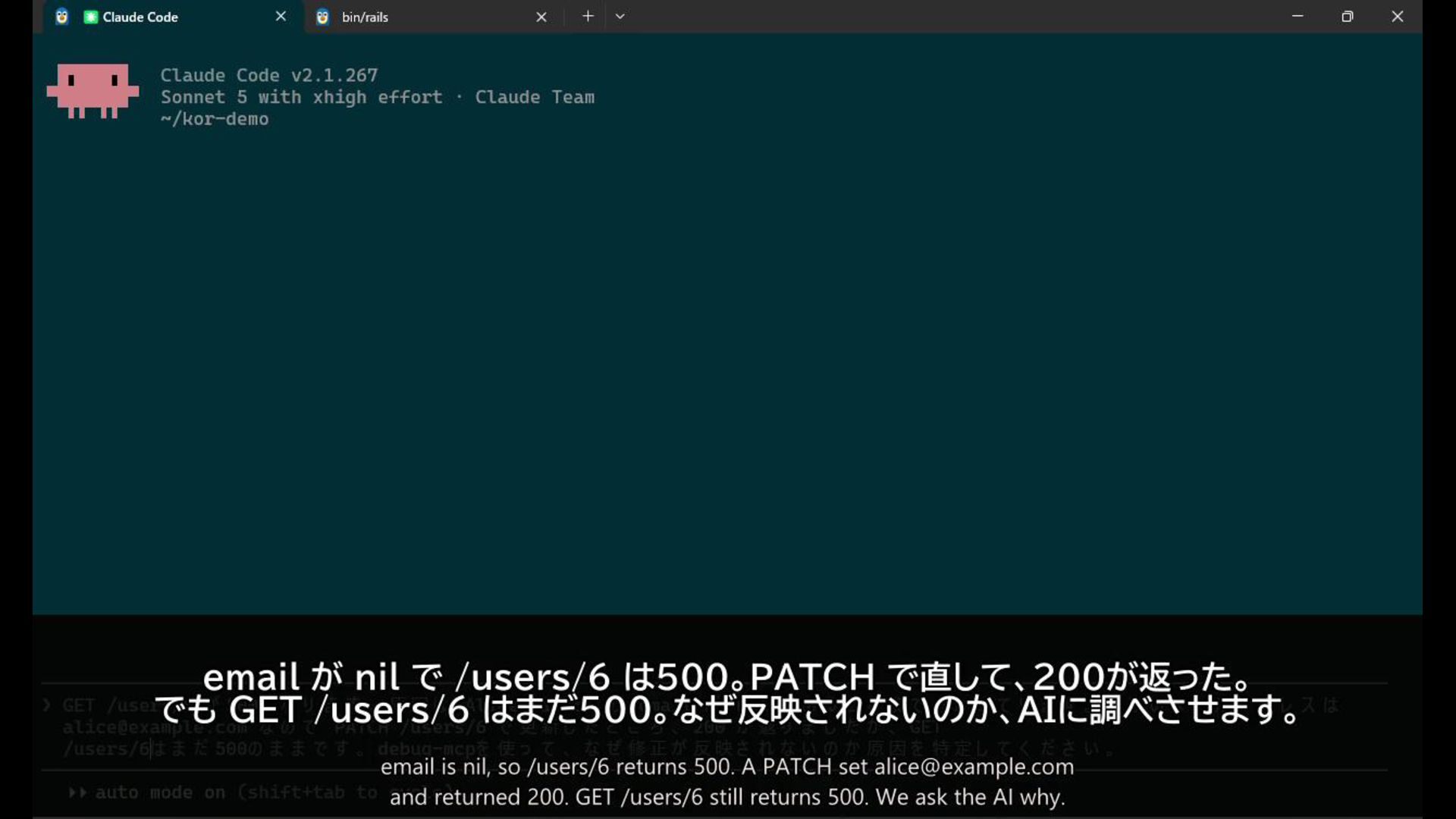
nil, so /users/6 returns 500. PATCH fixed it and returned 200. But GET /users/6 still returns 500. We ask the AI to find out why the fix isn't taking effect. 映像が再生できないときだけ使う。 1/6(映像 0:00) 22
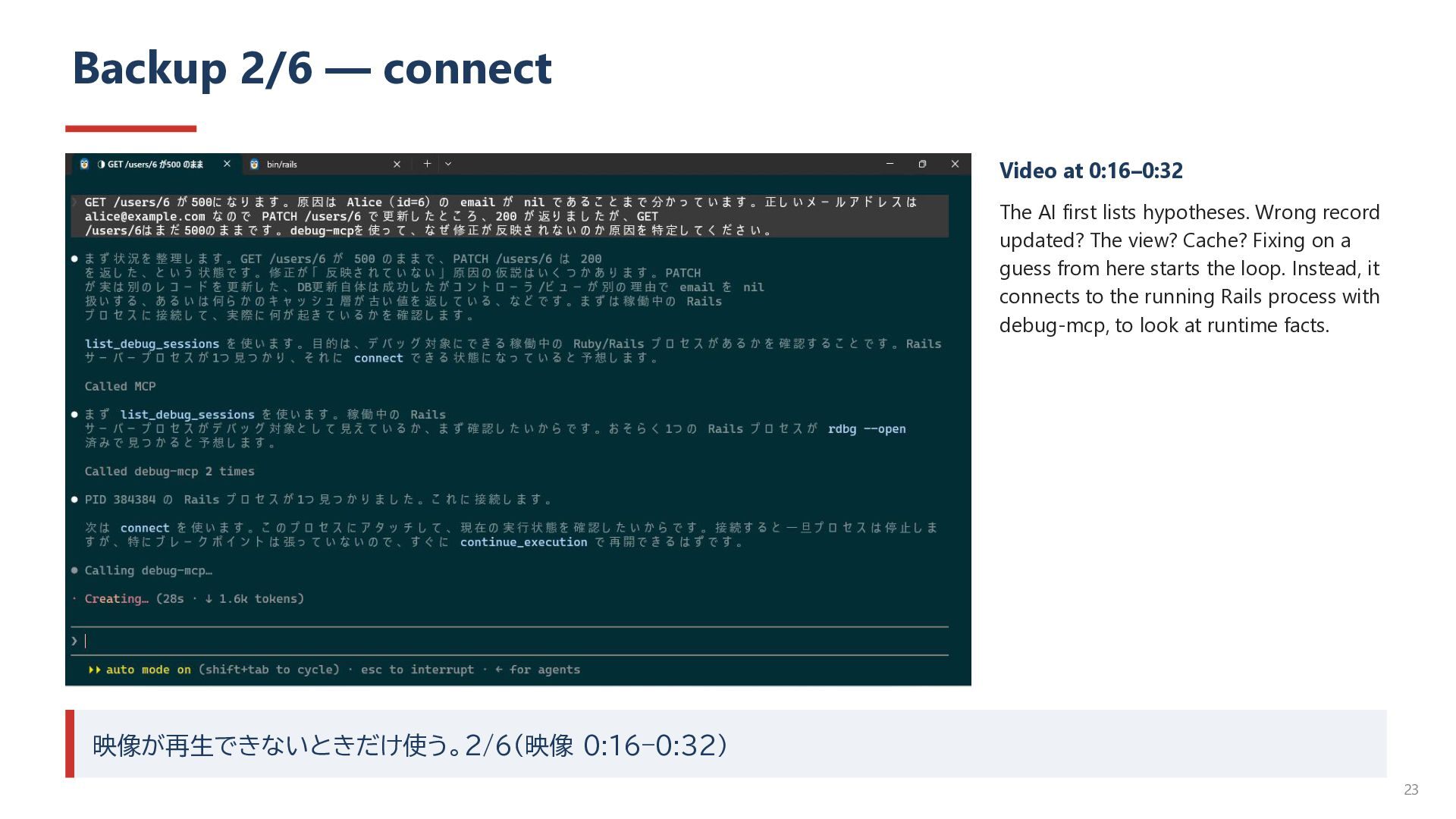
lists hypotheses. Wrong record updated? The view? Cache? Fixing on a guess from here starts the loop. Instead, it connects to the running Rails process with debug-mcp, to look at runtime facts. 映像が再生できないときだけ使う。2/6(映像 0:16–0:32) 23
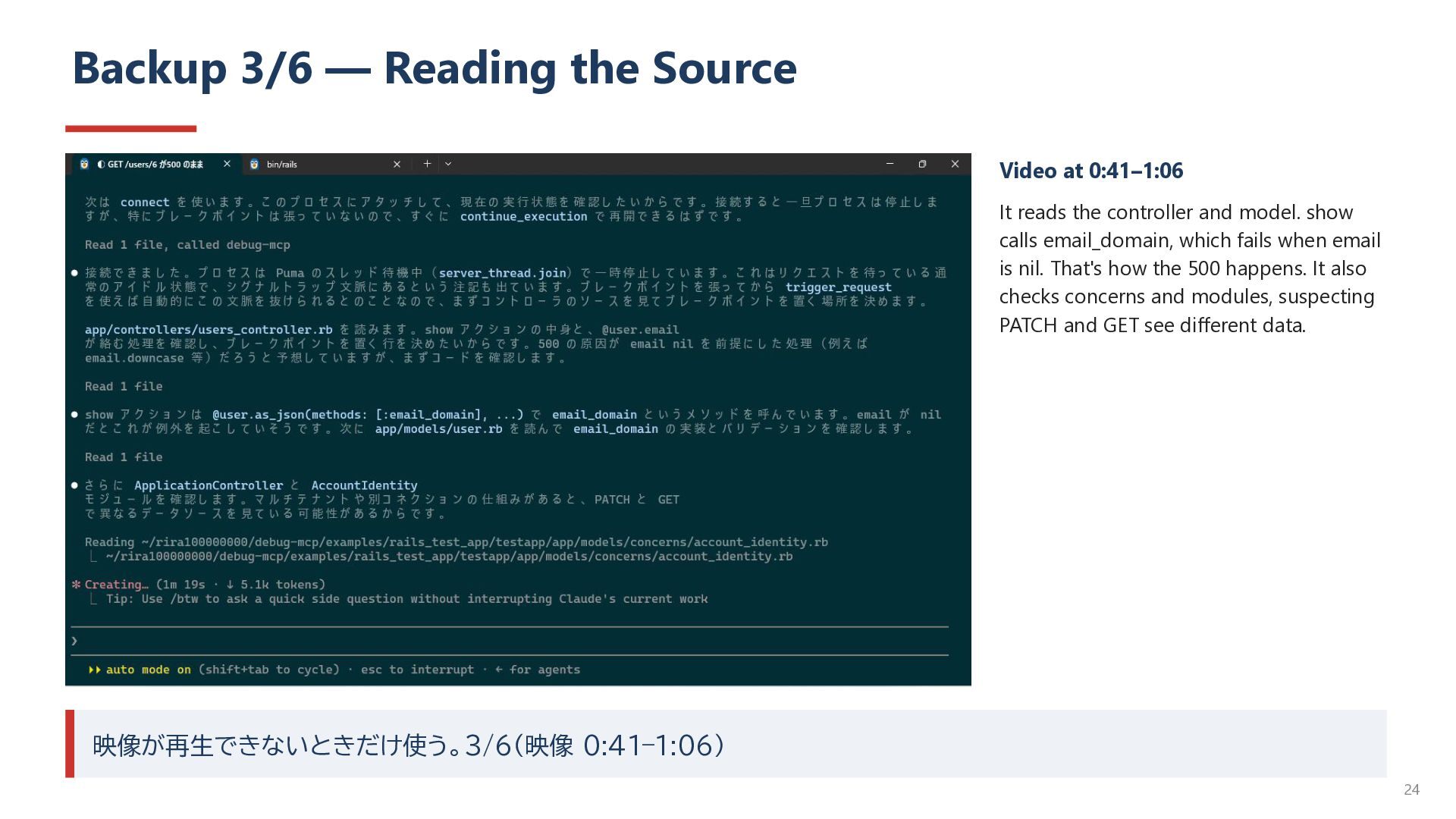
reads the controller and model. show calls email_domain, which fails when email is nil. That's how the 500 happens. It also checks concerns and modules, suspecting PATCH and GET see different data. 映像が再生できないときだけ使う。3/6(映像 0:41–1:06) 24
spots attr_readonly :email. A strong hypothesis. But the AI says: “This is only a hypothesis from the source. Rather than conclude, I'll check with rails_model.” User.readonly_attributes is ["email"]. The hypothesis became a runtime fact. Reflection, put to good use. 映像が再生できないときだけ使う。4/6(映像 1:22–1:50) 25
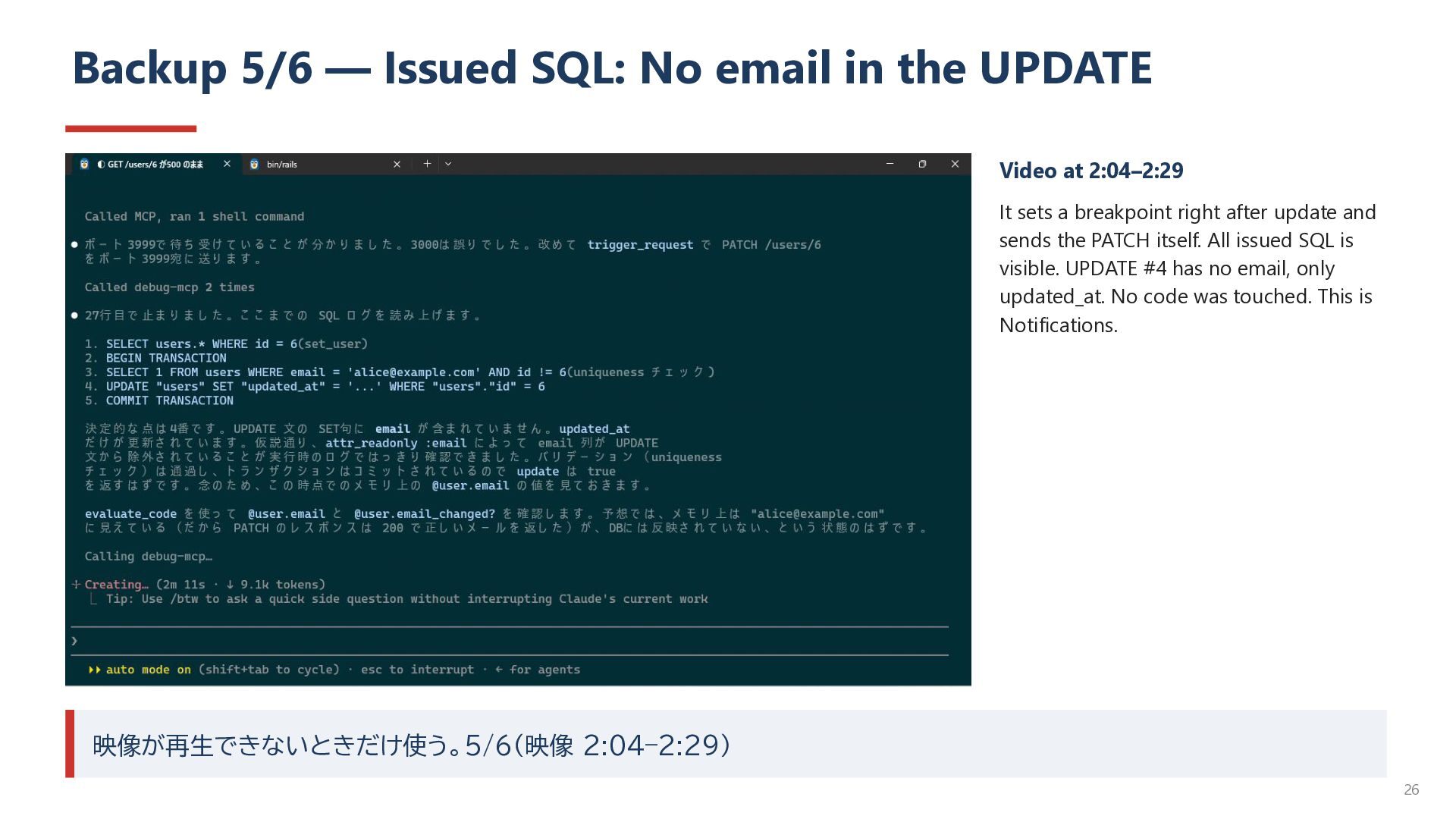
Video at 2:04–2:29 It sets a breakpoint right after update and sends the PATCH itself. All issued SQL is visible. UPDATE #4 has no email, only updated_at. No code was touched. This is Notifications. 映像が再生できないときだけ使う。5/6(映像 2:04–2:29) 26
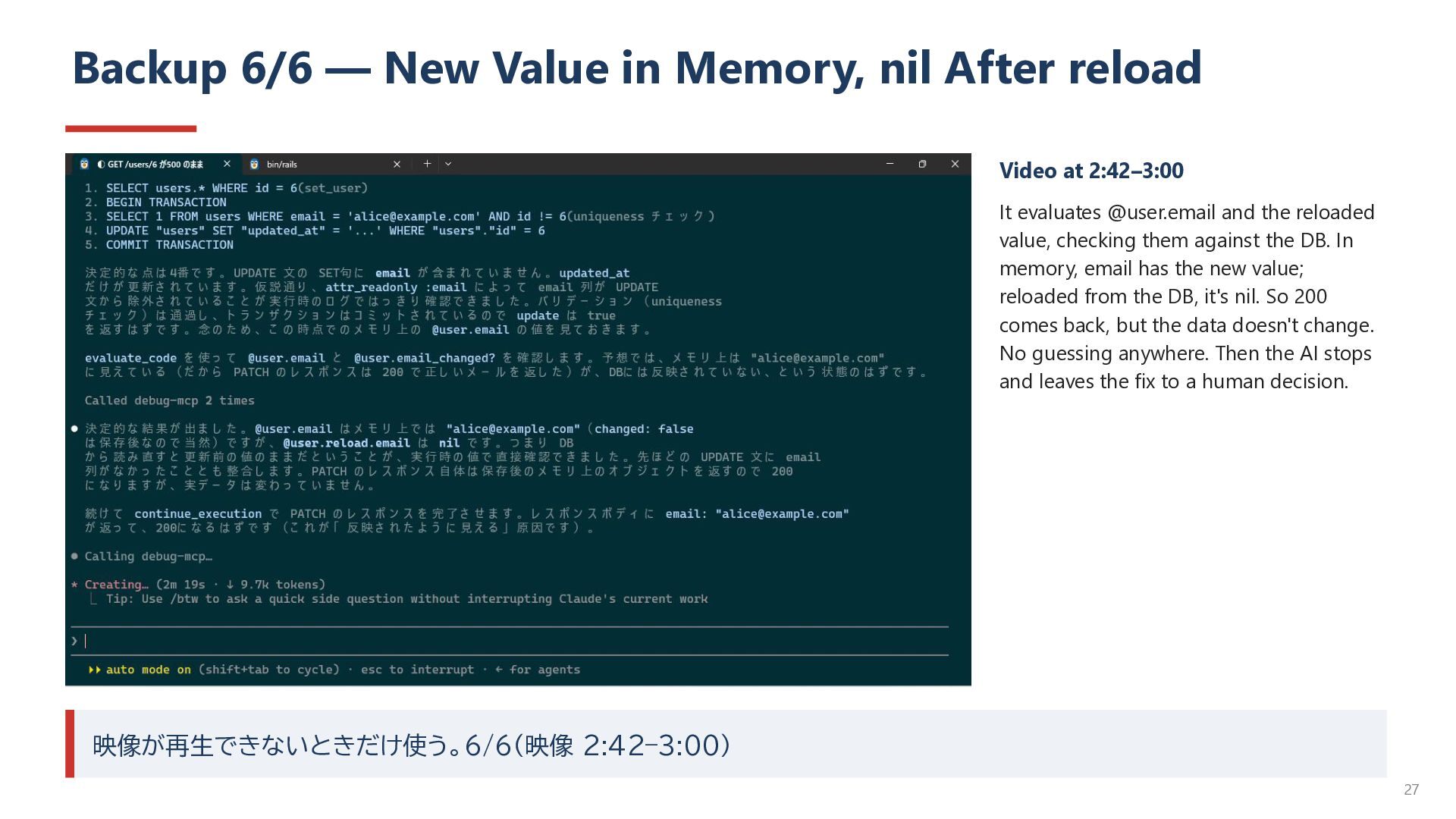
Video at 2:42–3:00 It evaluates @user.email and the reloaded value, checking them against the DB. In memory, email has the new value; reloaded from the DB, it's nil. So 200 comes back, but the data doesn't change. No guessing anywhere. Then the AI stops and leaves the fix to a human decision. 映像が再生できないときだけ使う。6/6(映像 2:42–3:00) 27


 rira100000000
 rasagy
 notwaldorf
 iamctodd
 marcoroth
 lara
lara
 quramy
 retrage
 tammielis
 inesmontani
 marktimemedia
 shlominoach
 reverentgeek
![Backup 4/6 — readonly_attributes → ["email"] Video at 1:22–1:50 It](https://files.speakerdeck.com/presentations/6f8a495050f2498ba17657dd611651e1/slide_24.jpg)