Share
Embed
Btrfsのsnapshotとランダム書き込み
以下動画のスライドです。
https://youtu.be/Fhxljh79REQ
Satoru Takeuchi PRO
November 15, 2026
Transcript
12 slides
-
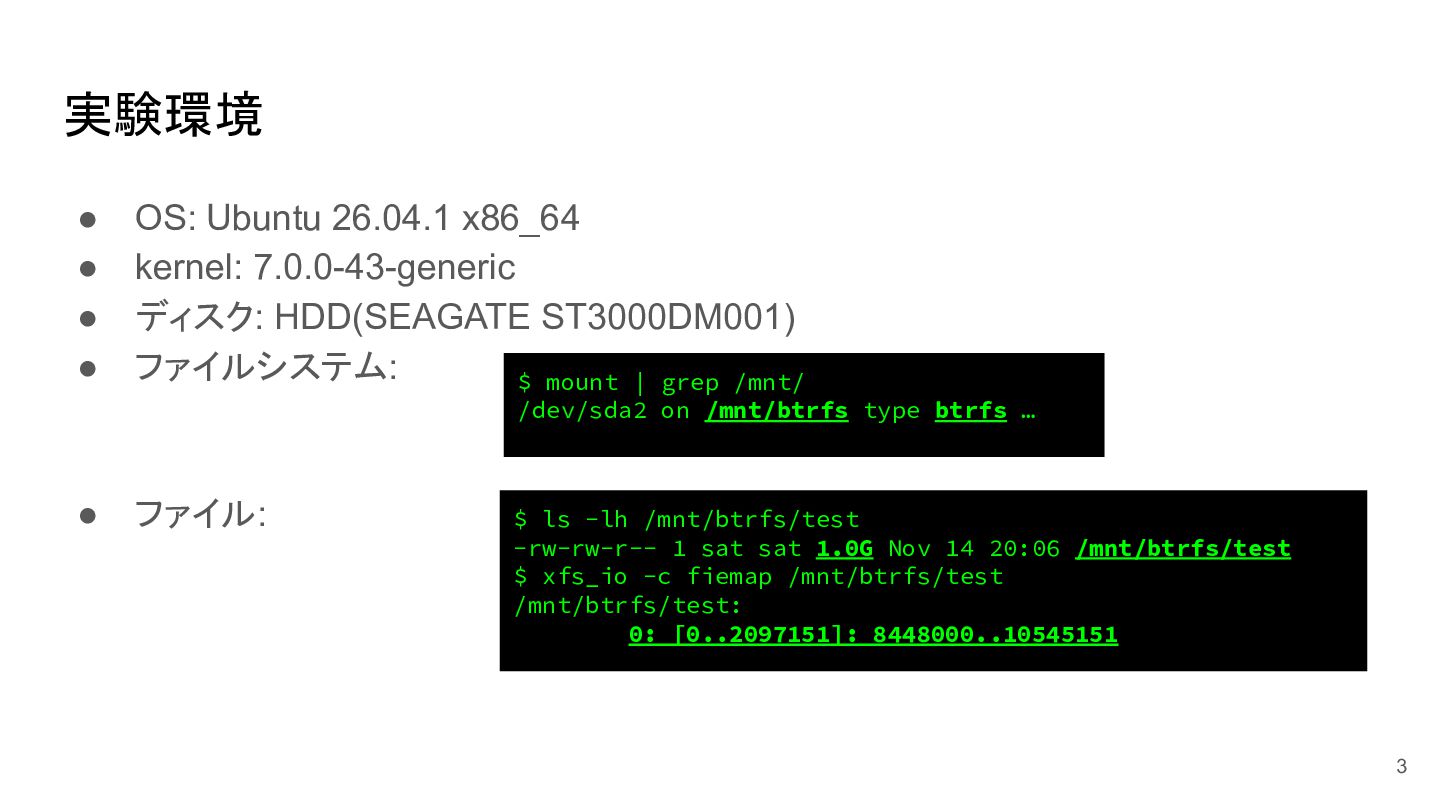
実験環境 • • • • OS: Ubuntu 26.04.1 x86_64 kernel:
7.0.0-43-generic ディスク: HDD(SEAGATE ST3000DM001) ファイルシステム: $ mount | grep /mnt/ /dev/sda2 on /mnt/btrfs type btrfs … • ファイル: $ ls -lh /mnt/btrfs/test -rw-rw-r-- 1 sat sat 1.0G Nov 14 20:06 /mnt/btrfs/test $ xfs_io -c fiemap /mnt/btrfs/test /mnt/btrfs/test: 0: [0..2097151]: 8448000..10545151 3 -
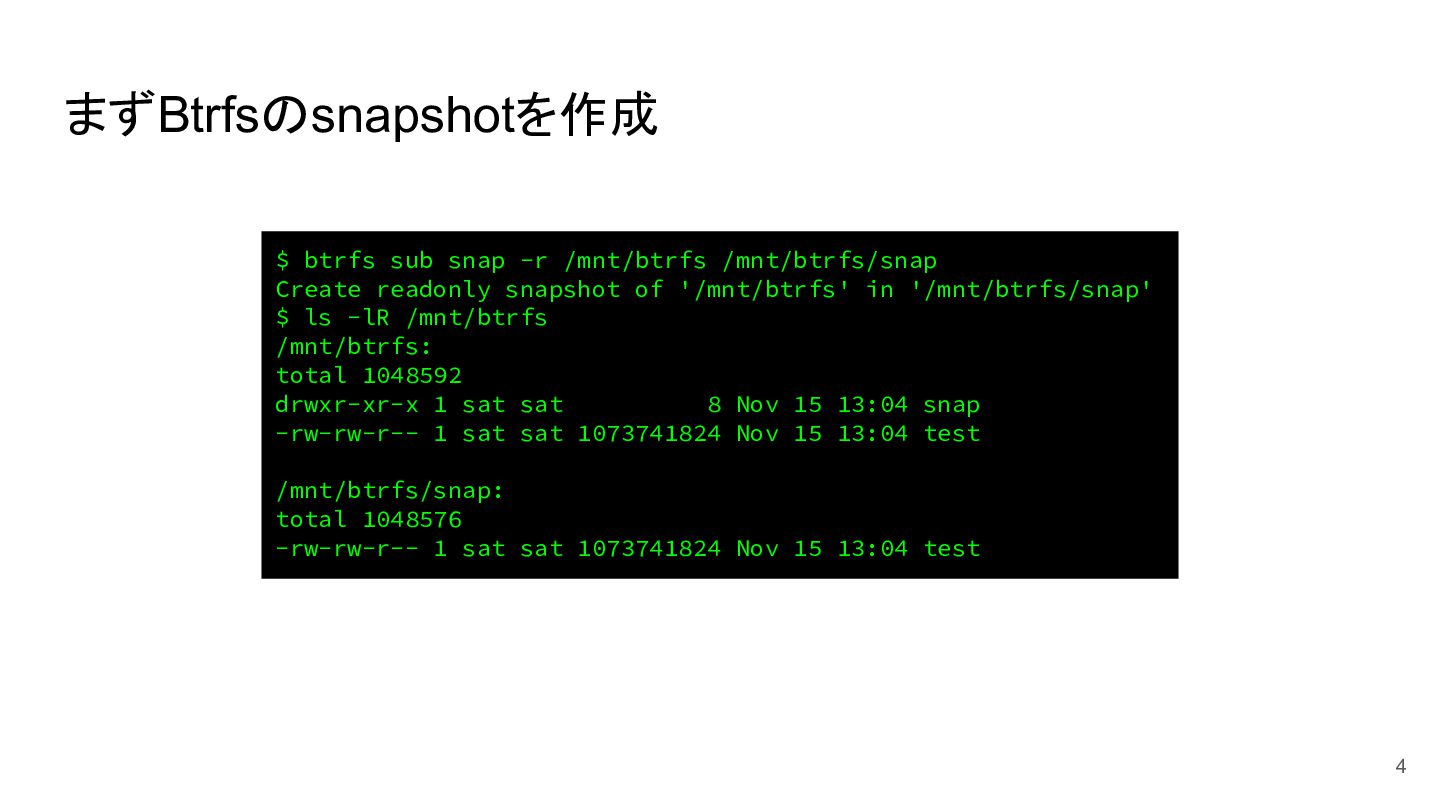
まずBtrfsのsnapshotを作成 $ btrfs sub snap -r /mnt/btrfs /mnt/btrfs/snap Create readonly
snapshot of '/mnt/btrfs' in '/mnt/btrfs/snap' $ ls -lR /mnt/btrfs /mnt/btrfs: total 1048592 drwxr-xr-x 1 sat sat 8 Nov 15 13:04 snap -rw-rw-r-- 1 sat sat 1073741824 Nov 15 13:04 test /mnt/btrfs/snap: total 1048576 -rw-rw-r-- 1 sat sat 1073741824 Nov 15 13:04 test 4 -
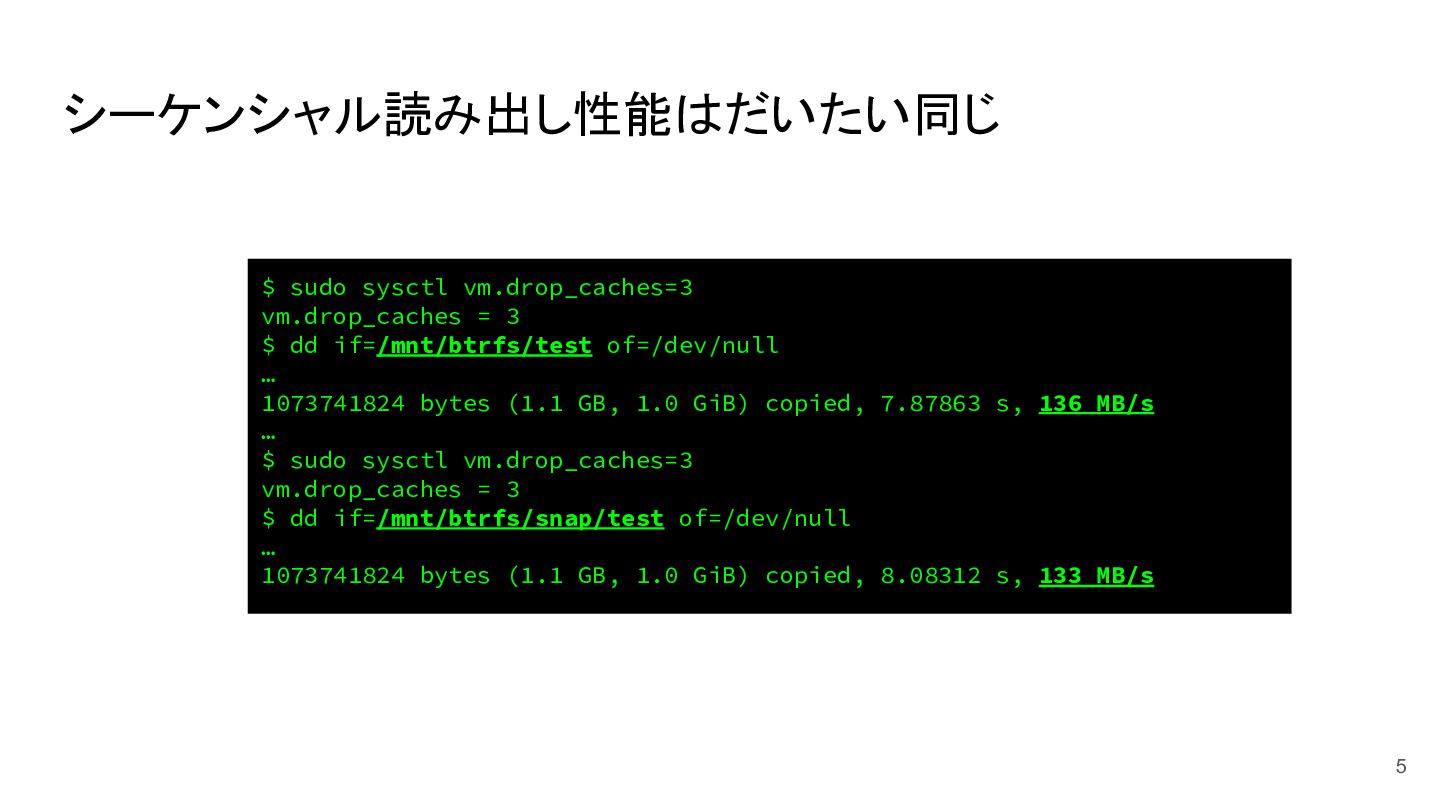
シーケンシャル読み出し性能はだいたい同じ $ sudo sysctl vm.drop_caches=3 vm.drop_caches = 3 $ dd
if=/mnt/btrfs/test of=/dev/null … 1073741824 bytes (1.1 GB, 1.0 GiB) copied, 7.87863 s, 136 MB/s … $ sudo sysctl vm.drop_caches=3 vm.drop_caches = 3 $ dd if=/mnt/btrfs/snap/test of=/dev/null … 1073741824 bytes (1.1 GB, 1.0 GiB) copied, 8.08312 s, 133 MB/s 5 -
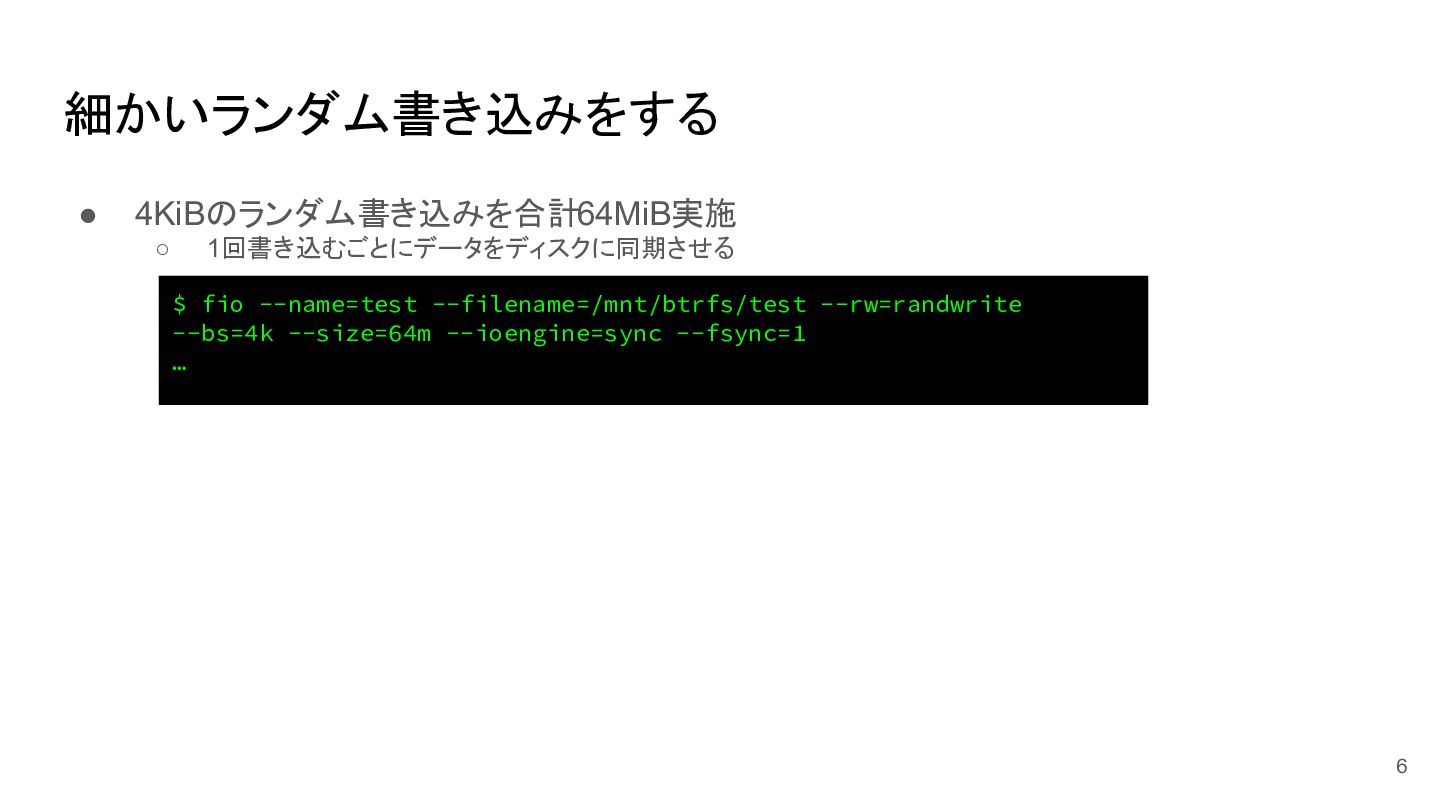
細かいランダム書き込みをする • 4KiBのランダム書き込みを合計64MiB実施 ◦ 1回書き込むごとにデータをディスクに同期させる $ fio --name=test --filename=/mnt/btrfs/test --rw=randwrite
--bs=4k --size=64m --ioengine=sync --fsync=1 … 6 -
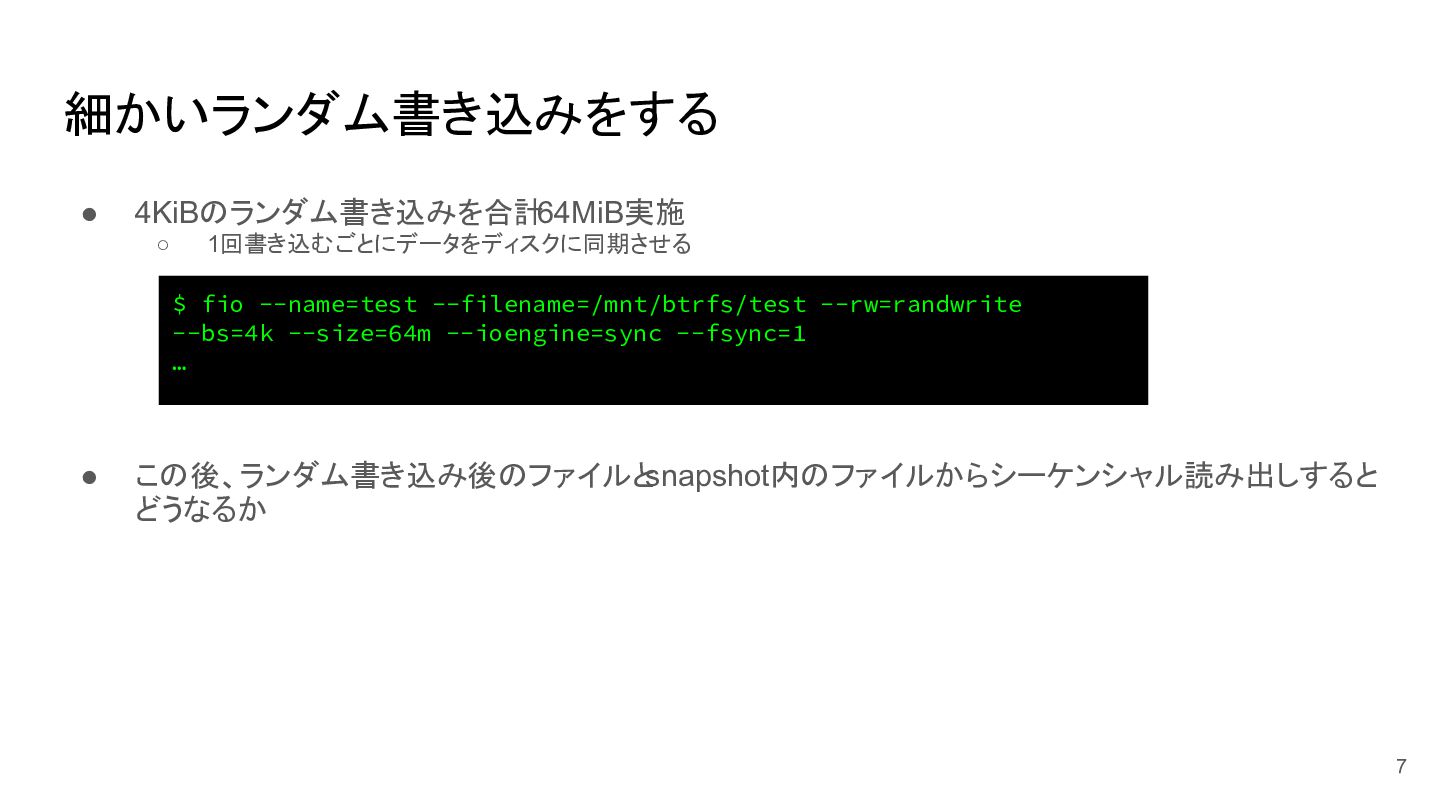
細かいランダム書き込みをする • 4KiBのランダム書き込みを合計64MiB実施 ◦ 1回書き込むごとにデータをディスクに同期させる $ fio --name=test --filename=/mnt/btrfs/test --rw=randwrite
--bs=4k --size=64m --ioengine=sync --fsync=1 … • この後、ランダム書き込み後のファイルとsnapshot内のファイルからシーケンシャル読み出しすると どうなるか 7 -
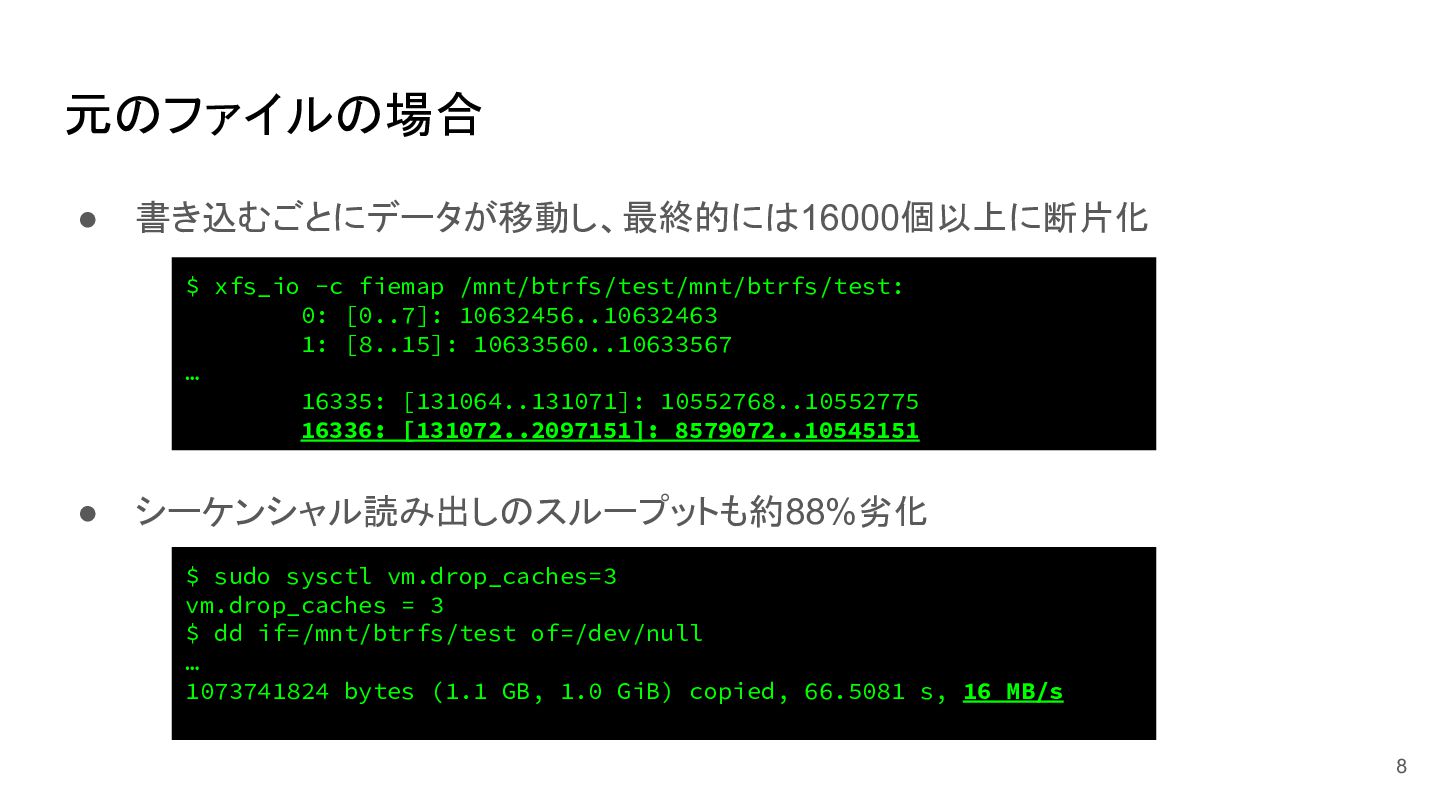
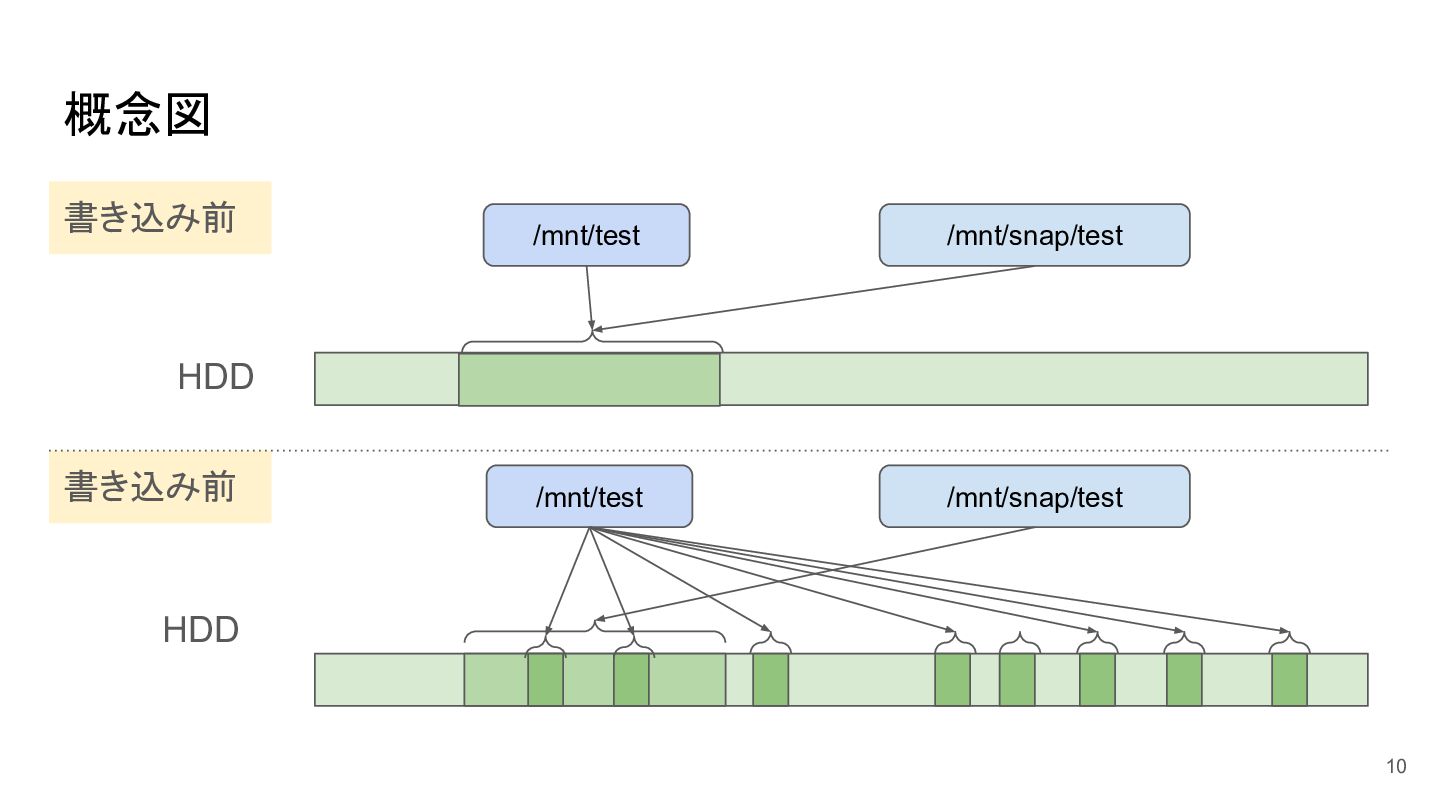
元のファイルの場合 • 書き込むごとにデータが移動し、最終的には16000個以上に断片化 $ xfs_io -c fiemap /mnt/btrfs/test/mnt/btrfs/test: 0: [0..7]:
10632456..10632463 1: [8..15]: 10633560..10633567 … 16335: [131064..131071]: 10552768..10552775 16336: [131072..2097151]: 8579072..10545151 • シーケンシャル読み出しのスループットも約88%劣化 $ sudo sysctl vm.drop_caches=3 vm.drop_caches = 3 $ dd if=/mnt/btrfs/test of=/dev/null … 1073741824 bytes (1.1 GB, 1.0 GiB) copied, 66.5081 s, 16 MB/s 8 -
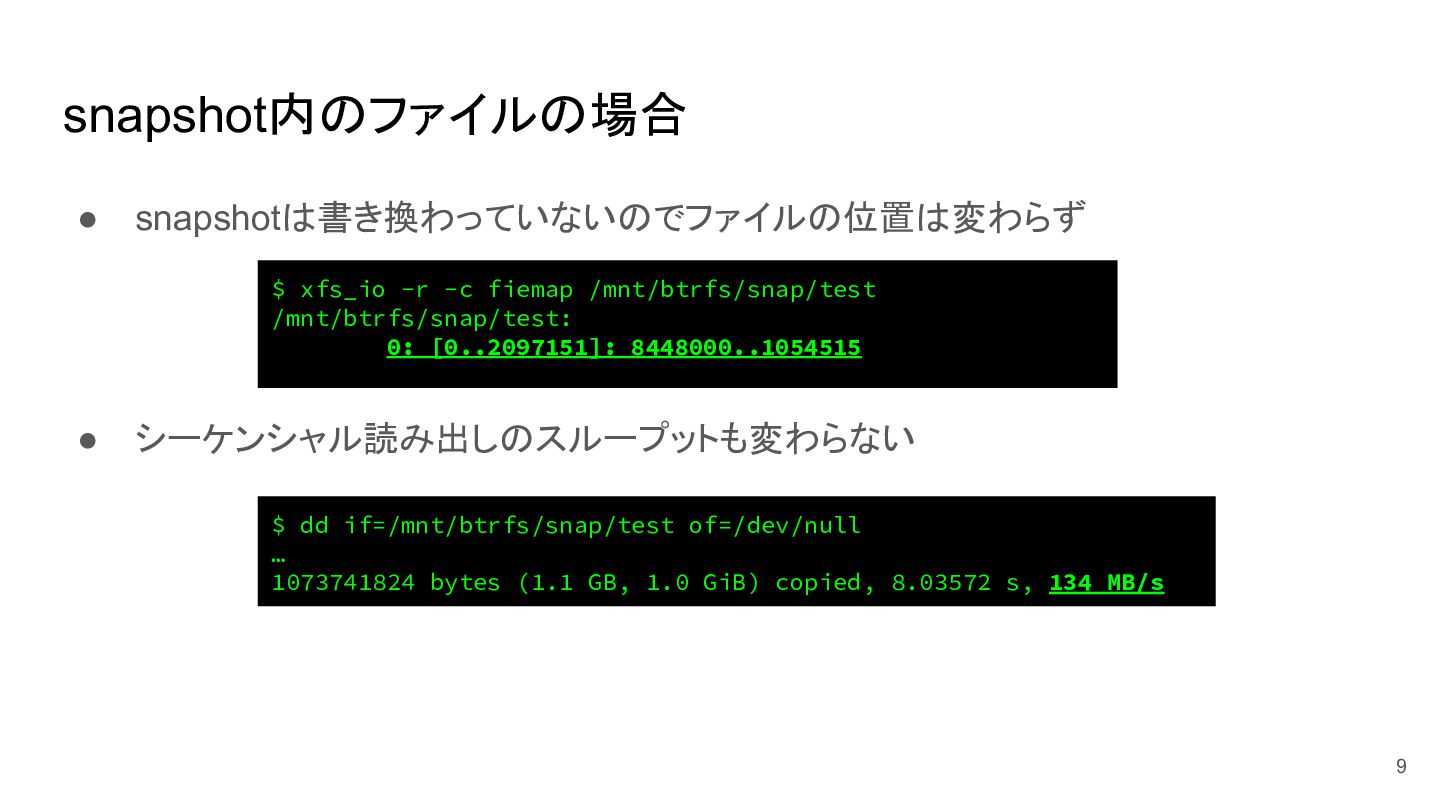
snapshot内のファイルの場合 • snapshotは書き換わっていないのでファイルの位置は変わらず $ xfs_io -r -c fiemap /mnt/btrfs/snap/test /mnt/btrfs/snap/test:
0: [0..2097151]: 8448000..1054515 • シーケンシャル読み出しのスループットも変わらない $ dd if=/mnt/btrfs/snap/test of=/dev/null … 1073741824 bytes (1.1 GB, 1.0 GiB) copied, 8.03572 s, 134 MB/s 9 -
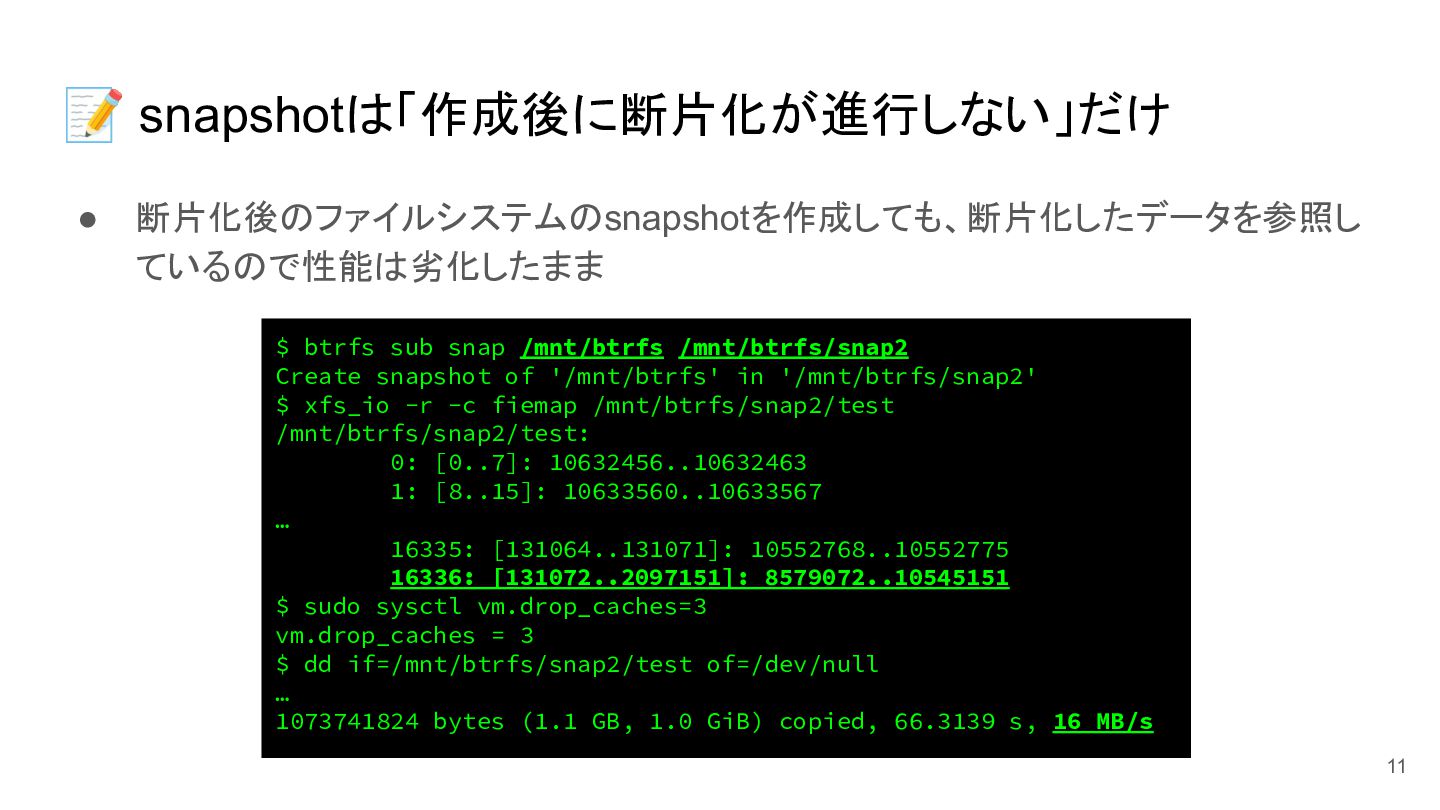
📝 snapshotは「作成後に断片化が進行しない」だけ • 断片化後のファイルシステムのsnapshotを作成しても、断片化したデータを参照し ているので性能は劣化したまま $ btrfs sub snap /mnt/btrfs
/mnt/btrfs/snap2 Create snapshot of '/mnt/btrfs' in '/mnt/btrfs/snap2' $ xfs_io -r -c fiemap /mnt/btrfs/snap2/test /mnt/btrfs/snap2/test: 0: [0..7]: 10632456..10632463 1: [8..15]: 10633560..10633567 … 16335: [131064..131071]: 10552768..10552775 16336: [131072..2097151]: 8579072..10545151 $ sudo sysctl vm.drop_caches=3 vm.drop_caches = 3 $ dd if=/mnt/btrfs/snap2/test of=/dev/null … 1073741824 bytes (1.1 GB, 1.0 GiB) copied, 66.3139 s, 16 MB/s 11