Upgrade to Pro — share decks privately, control downloads, hide ads and more …

Deployment

Sponsored · Your Podcast. Everywhere. Effortlessly. Share. Educate. Inspire. Entertain. You do you. We'll handle the rest. →

 Deployment

Presentation describing the steps for deploying a Web API using AWS.

Transcript

  1. How to create a stack on Elastic Beanstalk By: Scott

    Anderson Date: 10/26/2021 Deployment Final Project Step 01
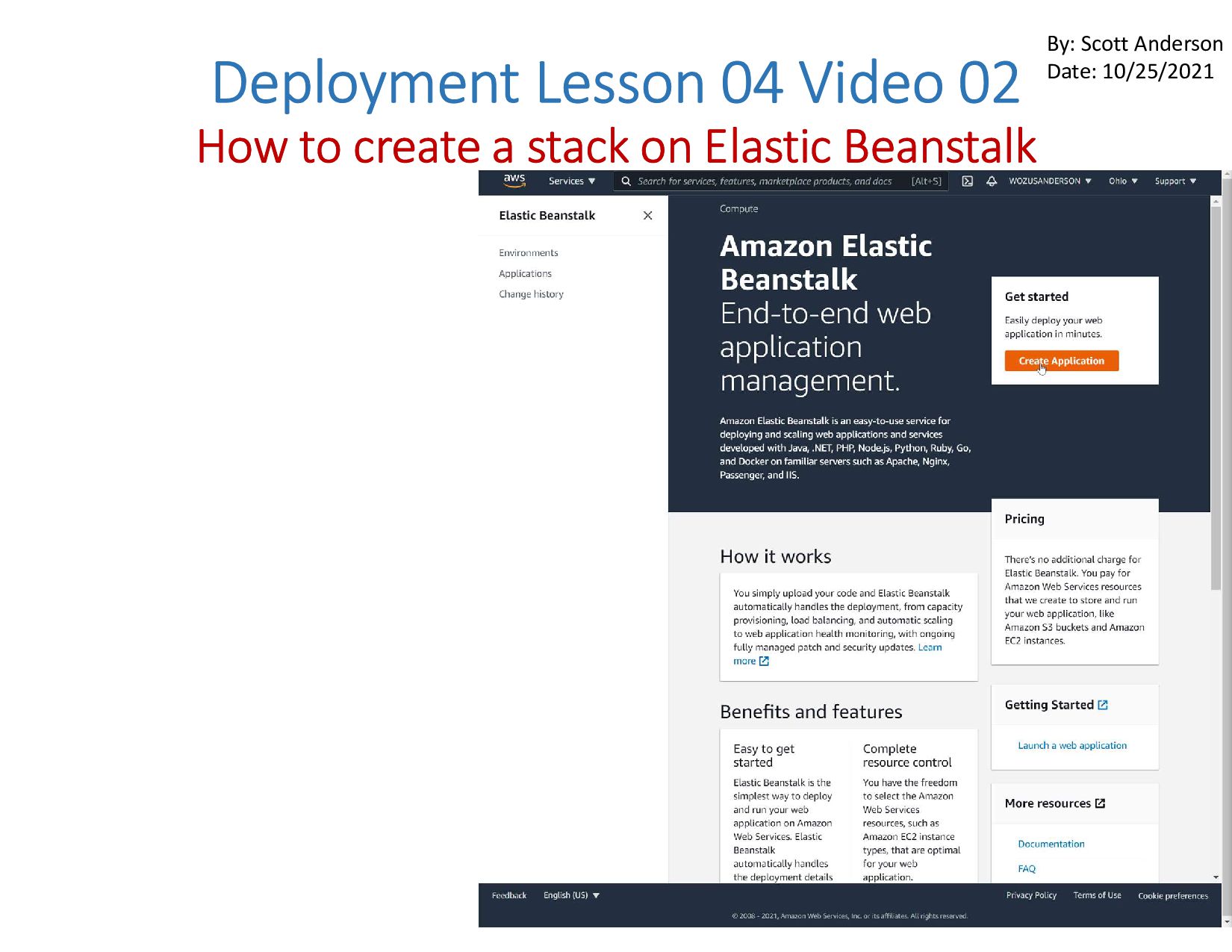
  2. Deployment Lesson 04 Video 02 How to create a stack

    on Elastic Beanstalk By: Scott Anderson Date: 10/25/2021
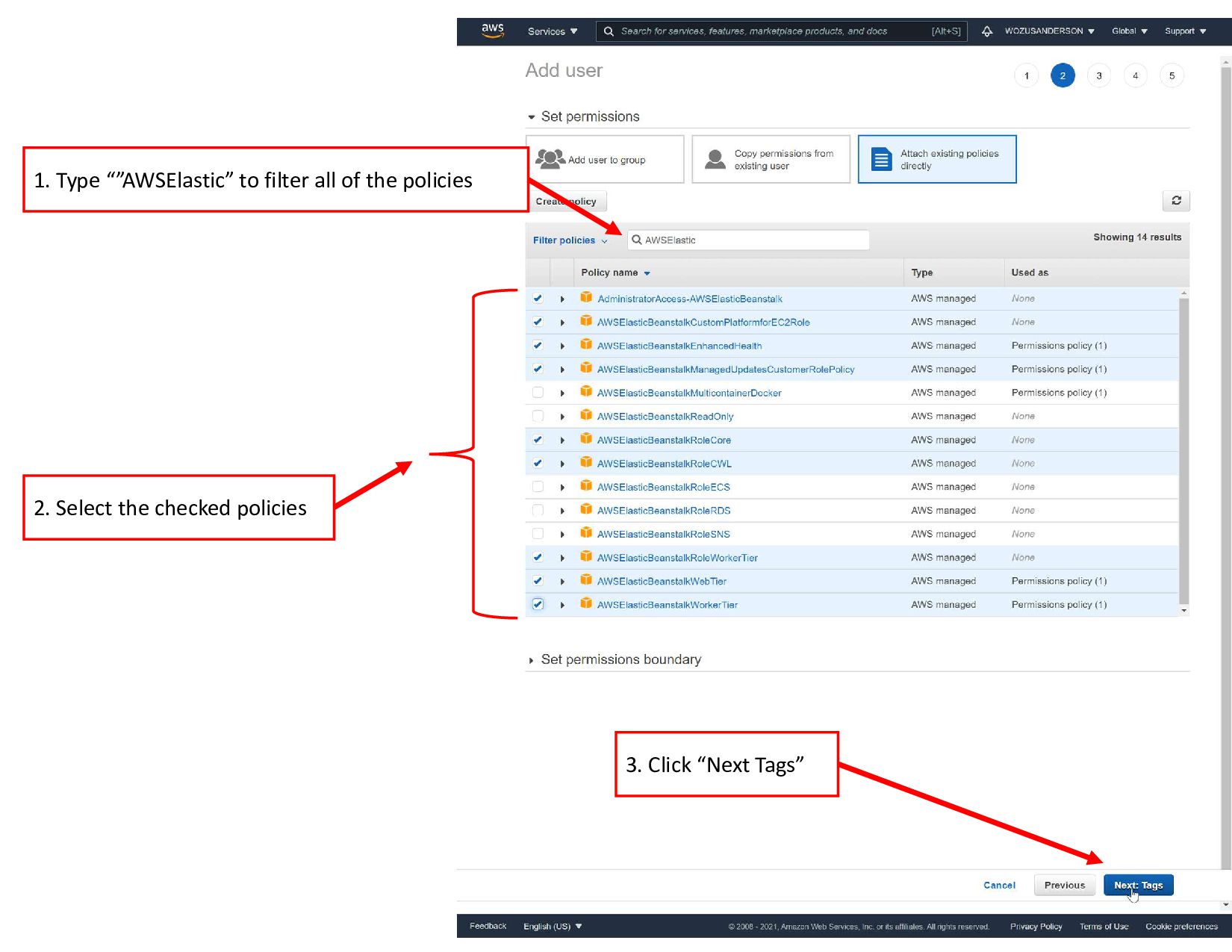
  3. 1. Type “”AWSElastic” to filter all of the policies 2.

    Select the checked policies 3. Click “Next Tags”
  4. Deployment Final Project Step 02 STS  GitHub  Travis

    CI  AWS Elastic Beanstalk By: Scott Anderson Date: 10/26/2021
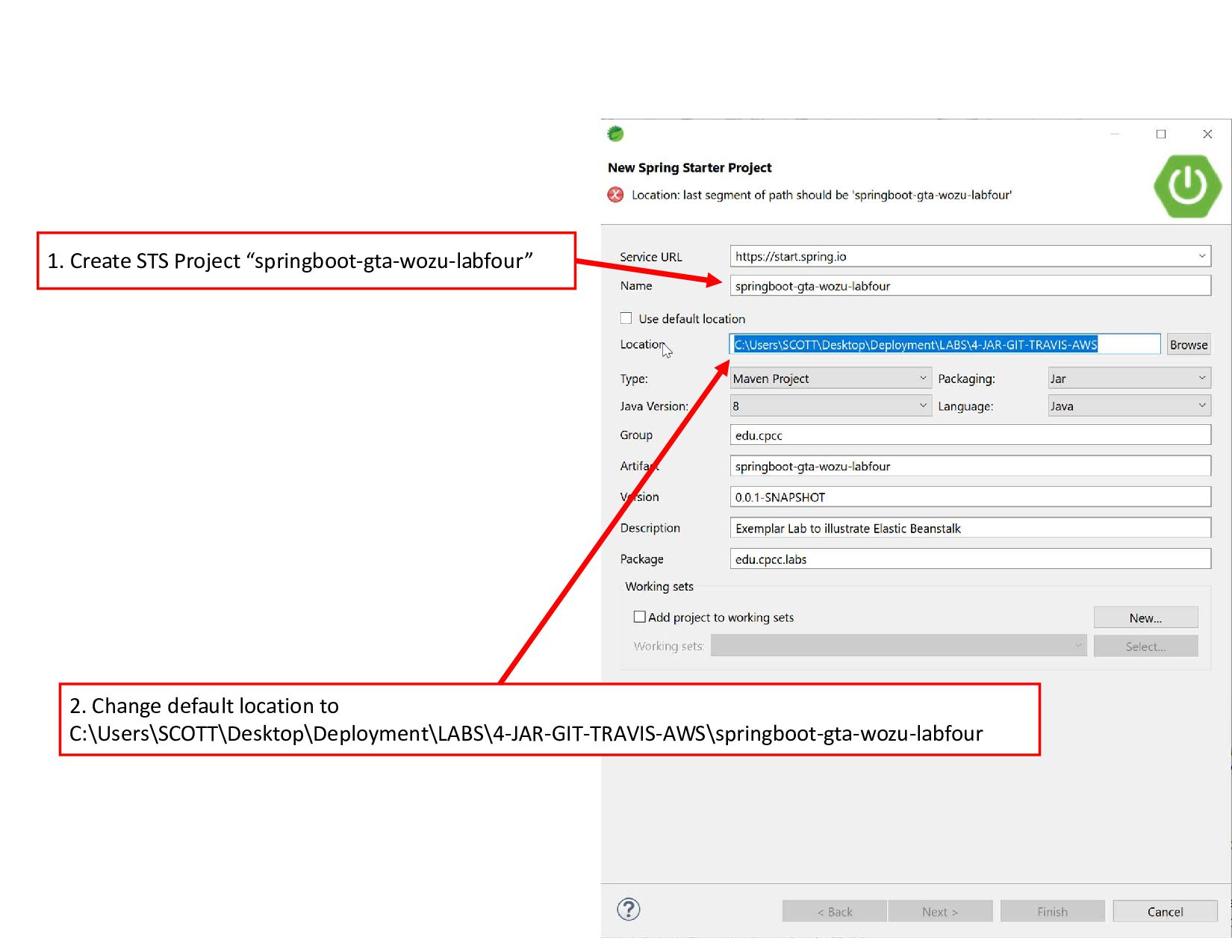
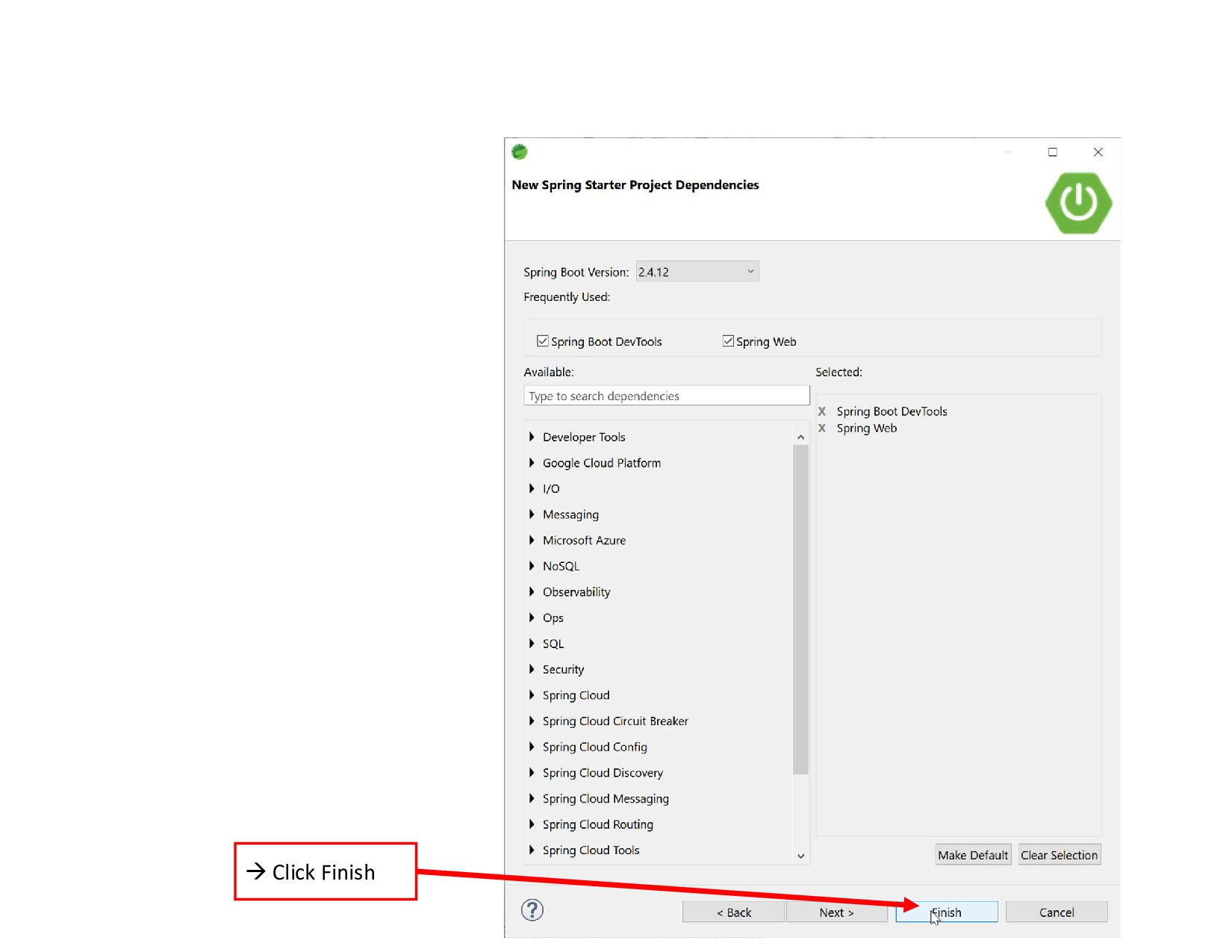
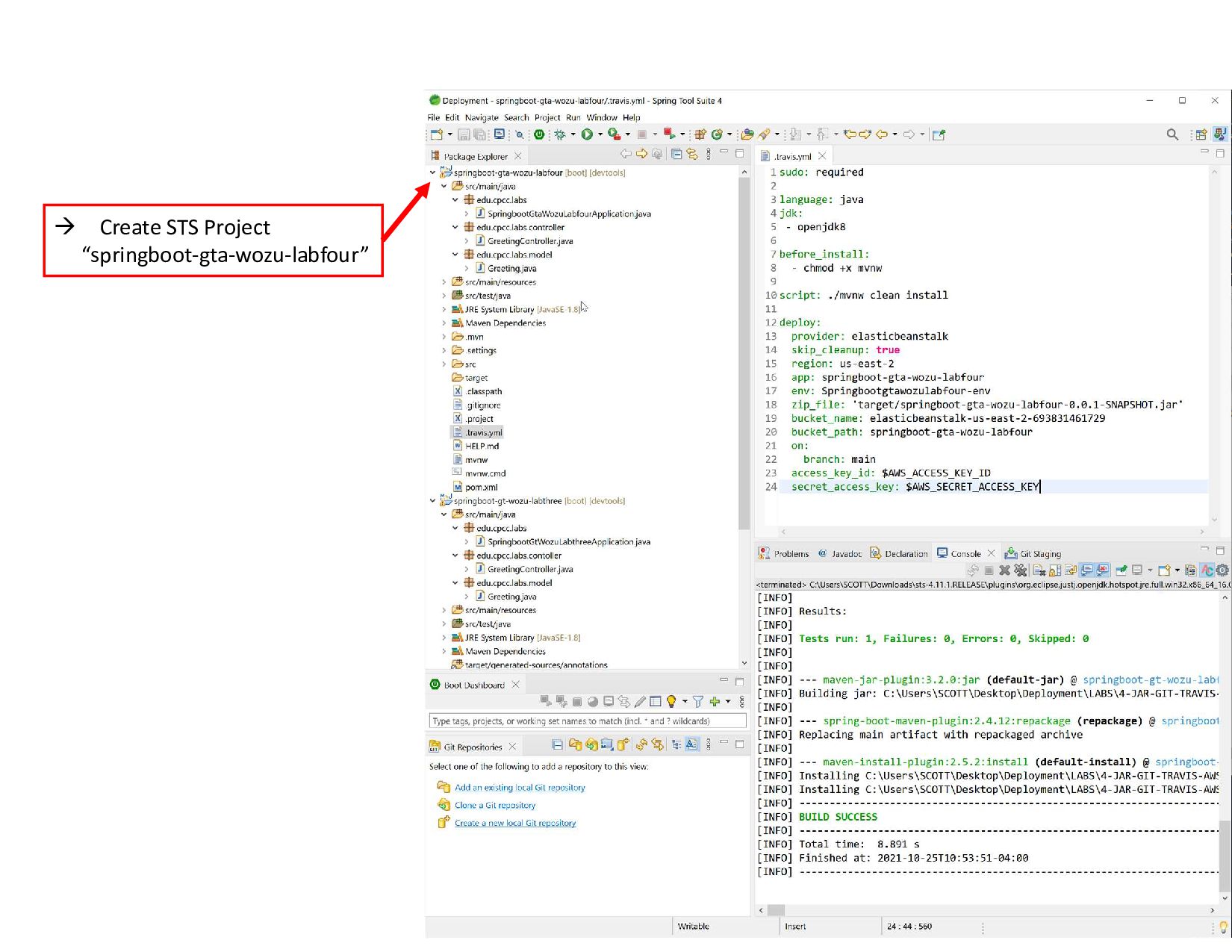
  5. 1. Create STS Project “springboot-gta-wozu-labfour” 2. Change default location to

    C:\Users\SCOTT\Desktop\Deployment\LABS\4-JAR-GIT-TRAVIS-AWS\springboot-gta-wozu-labfour
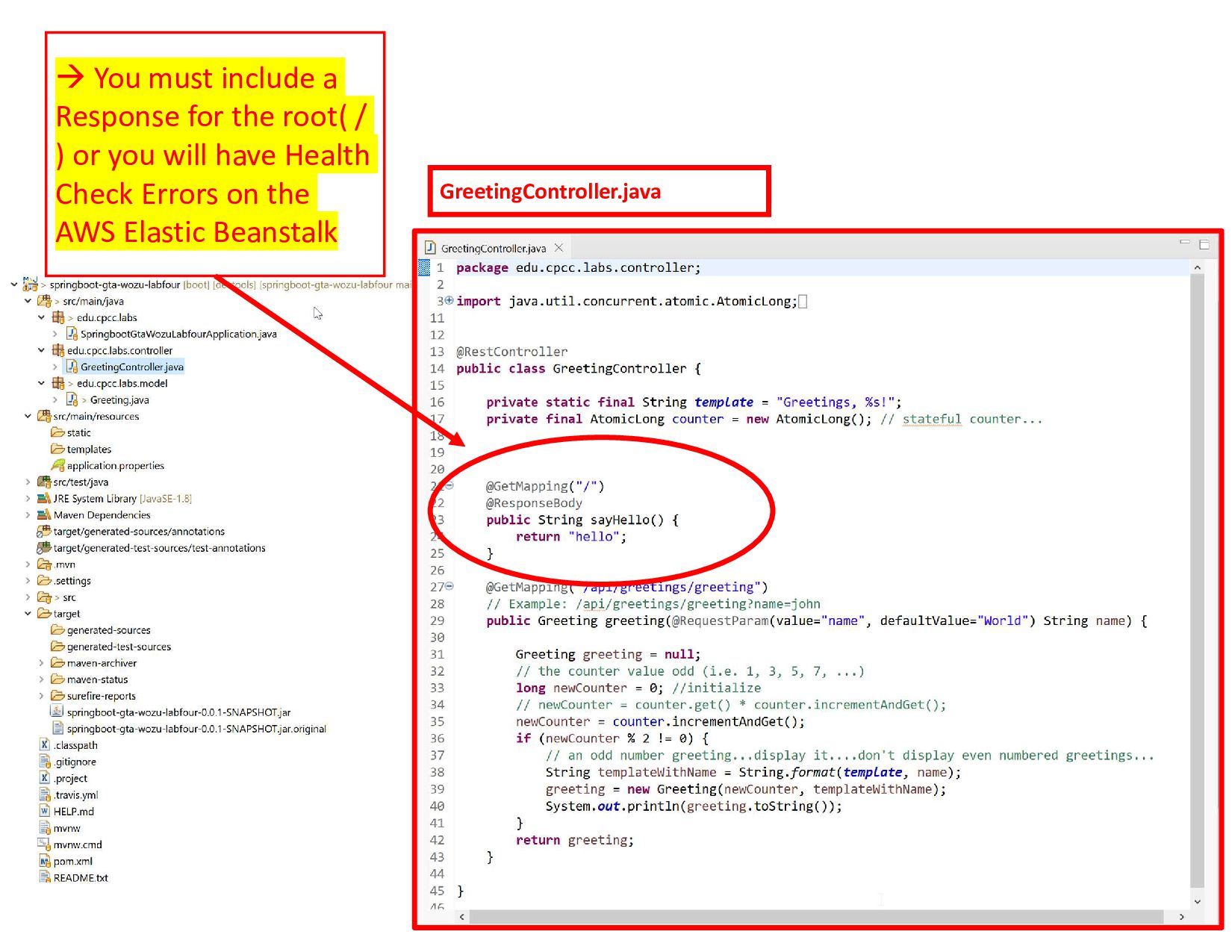
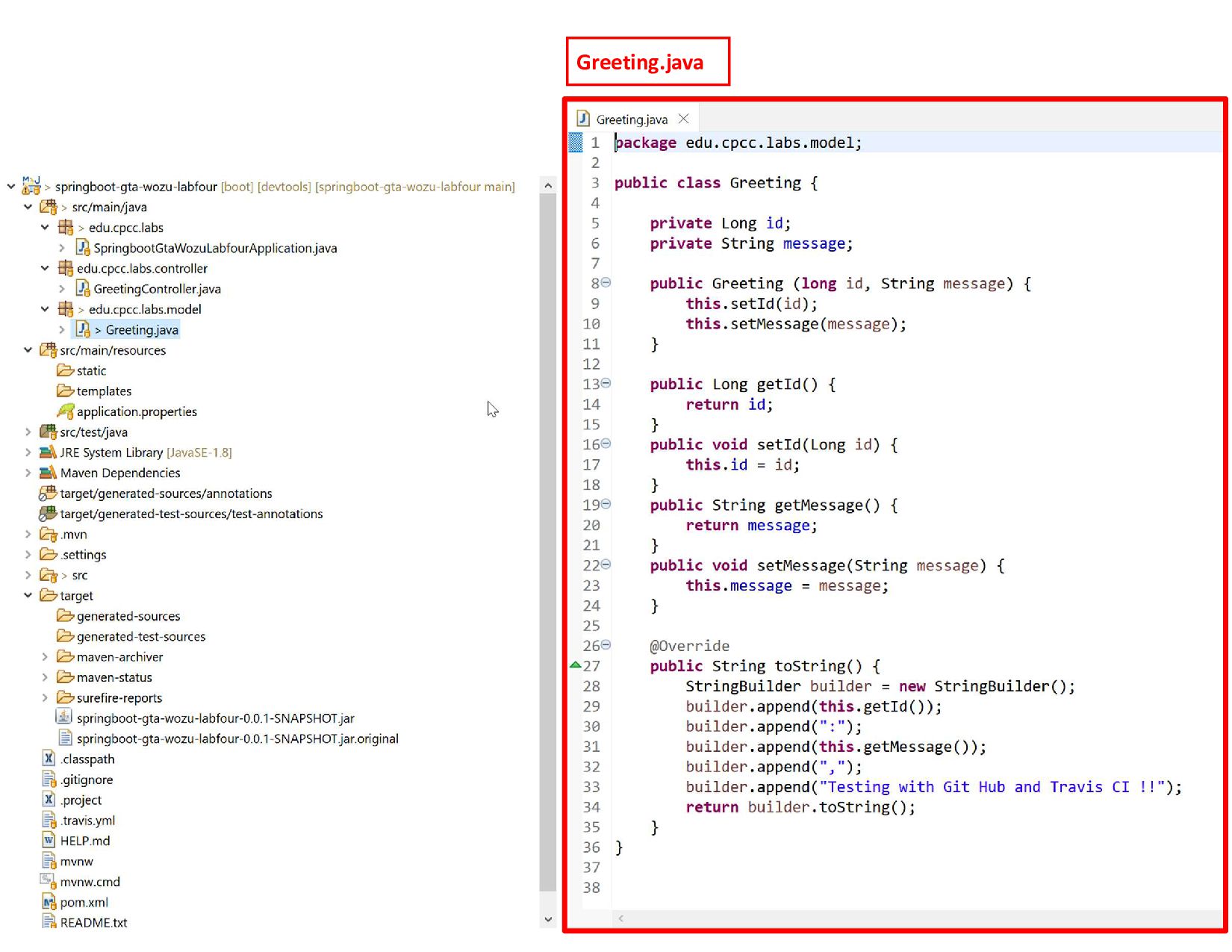
  6. GreetingController.java  You must include a Response for the root(

    / ) or you will have Health Check Errors on the AWS Elastic Beanstalk
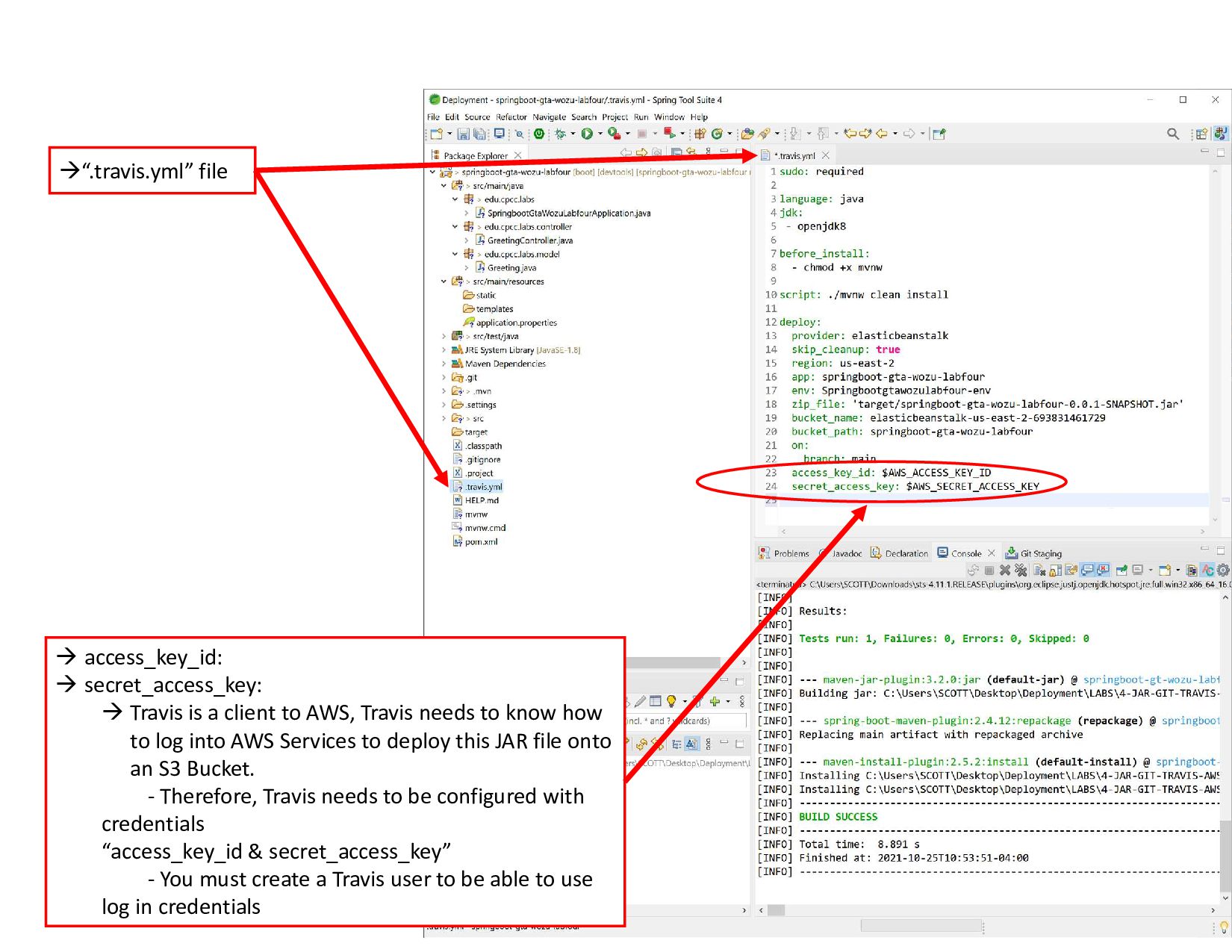
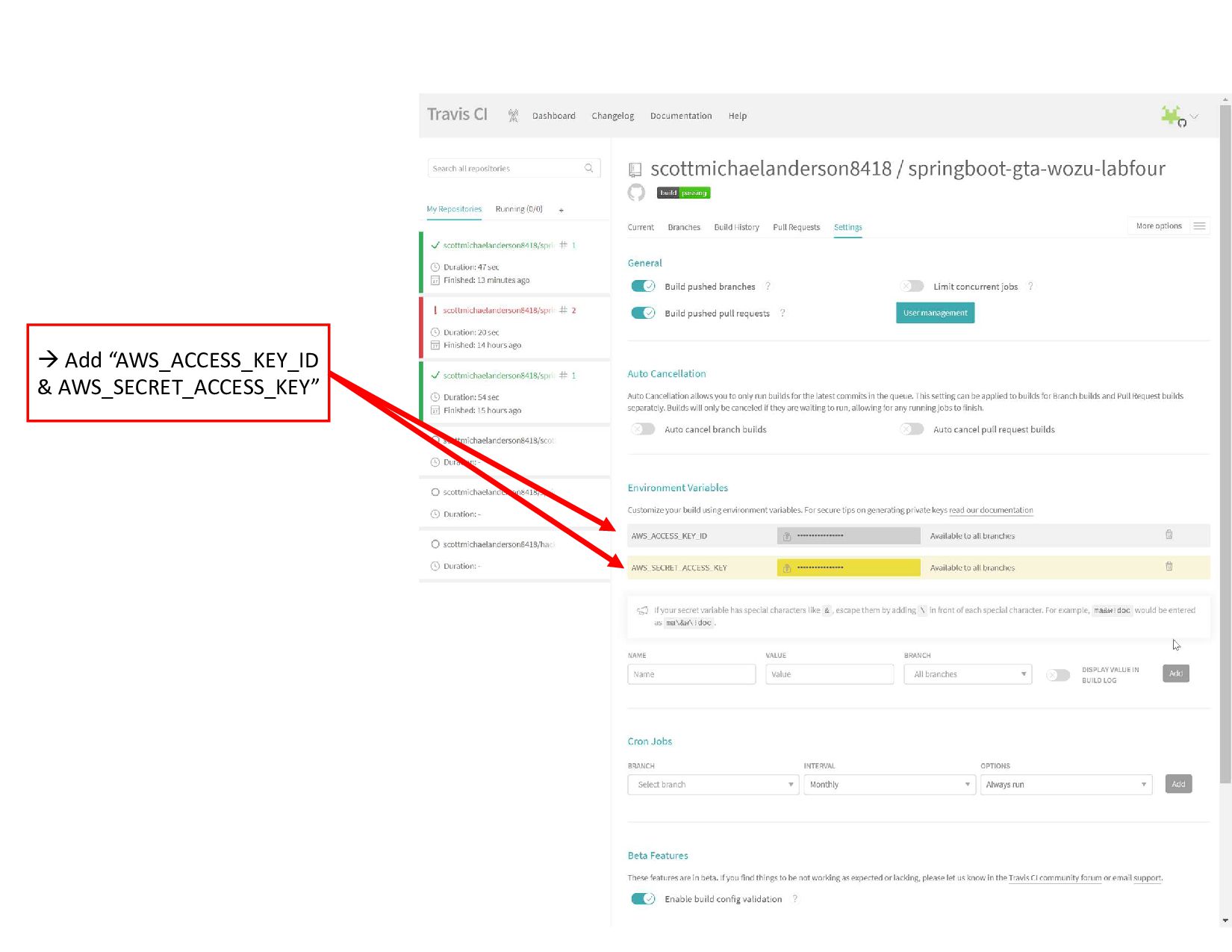
  7. “.travis.yml” file  access_key_id:  secret_access_key:  Travis is a

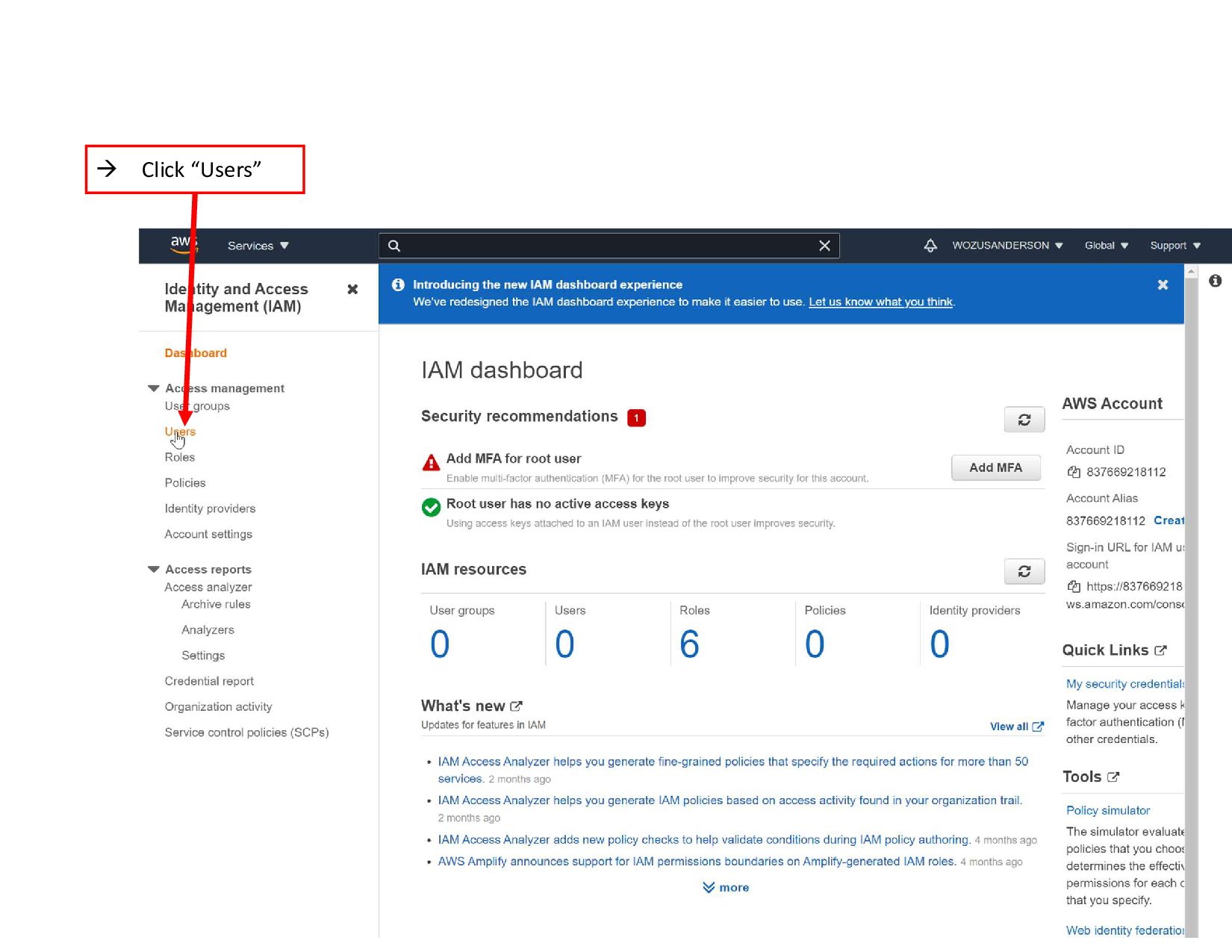
    client to AWS, Travis needs to know how to log into AWS Services to deploy this JAR file onto an S3 Bucket. - Therefore, Travis needs to be configured with credentials “access_key_id & secret_access_key” - You must create a Travis user to be able to use log in credentials
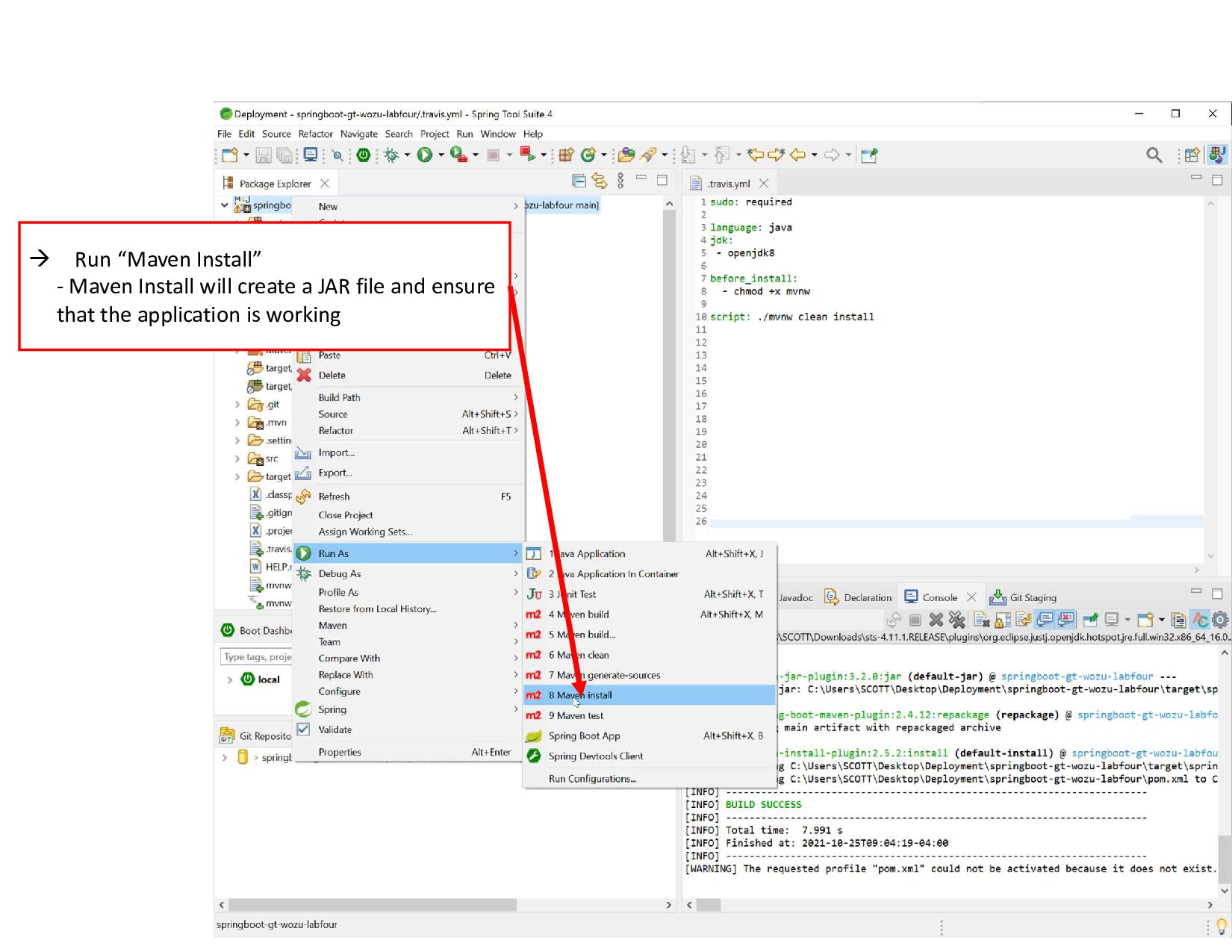
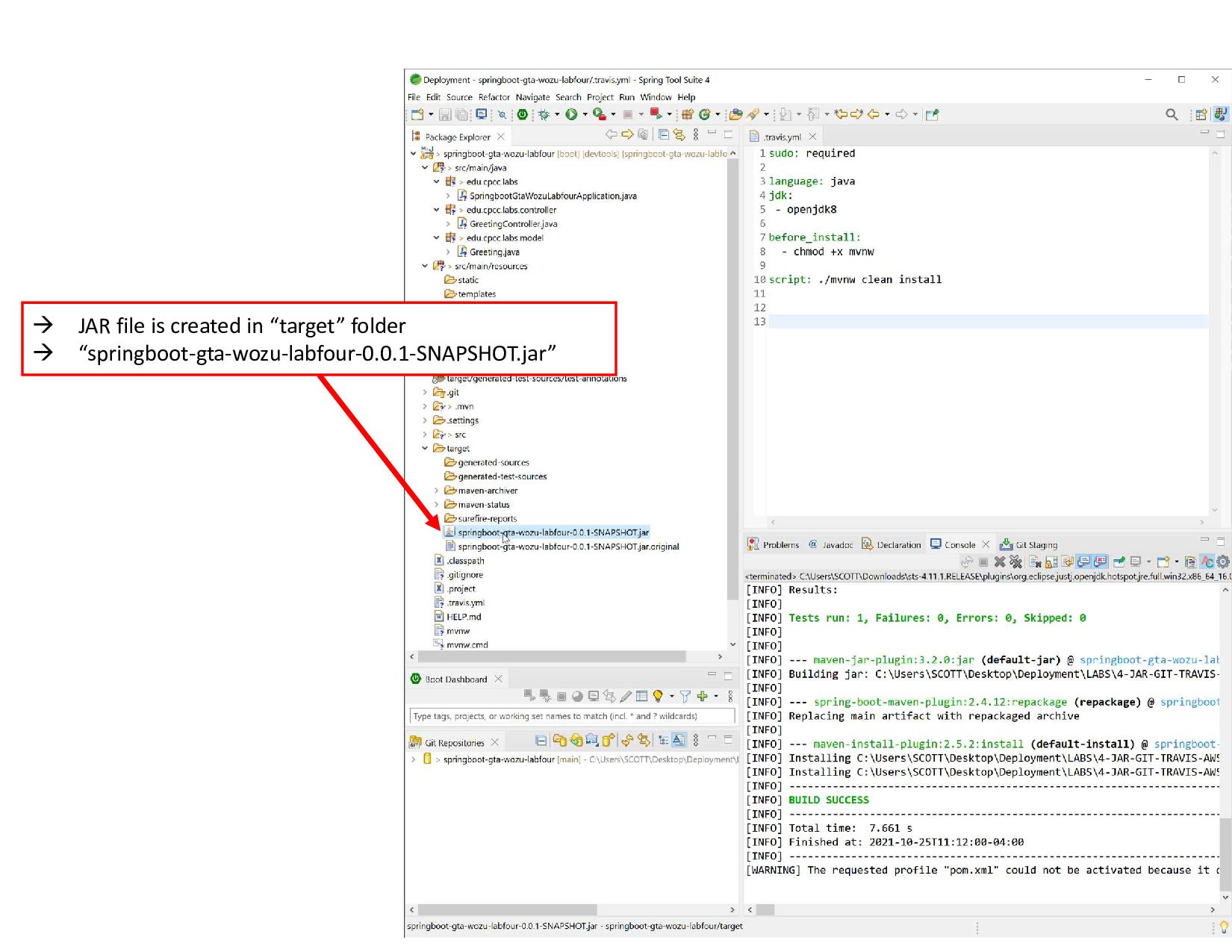
  8.  Run “Maven Install” - Maven Install will create a

    JAR file and ensure that the application is working
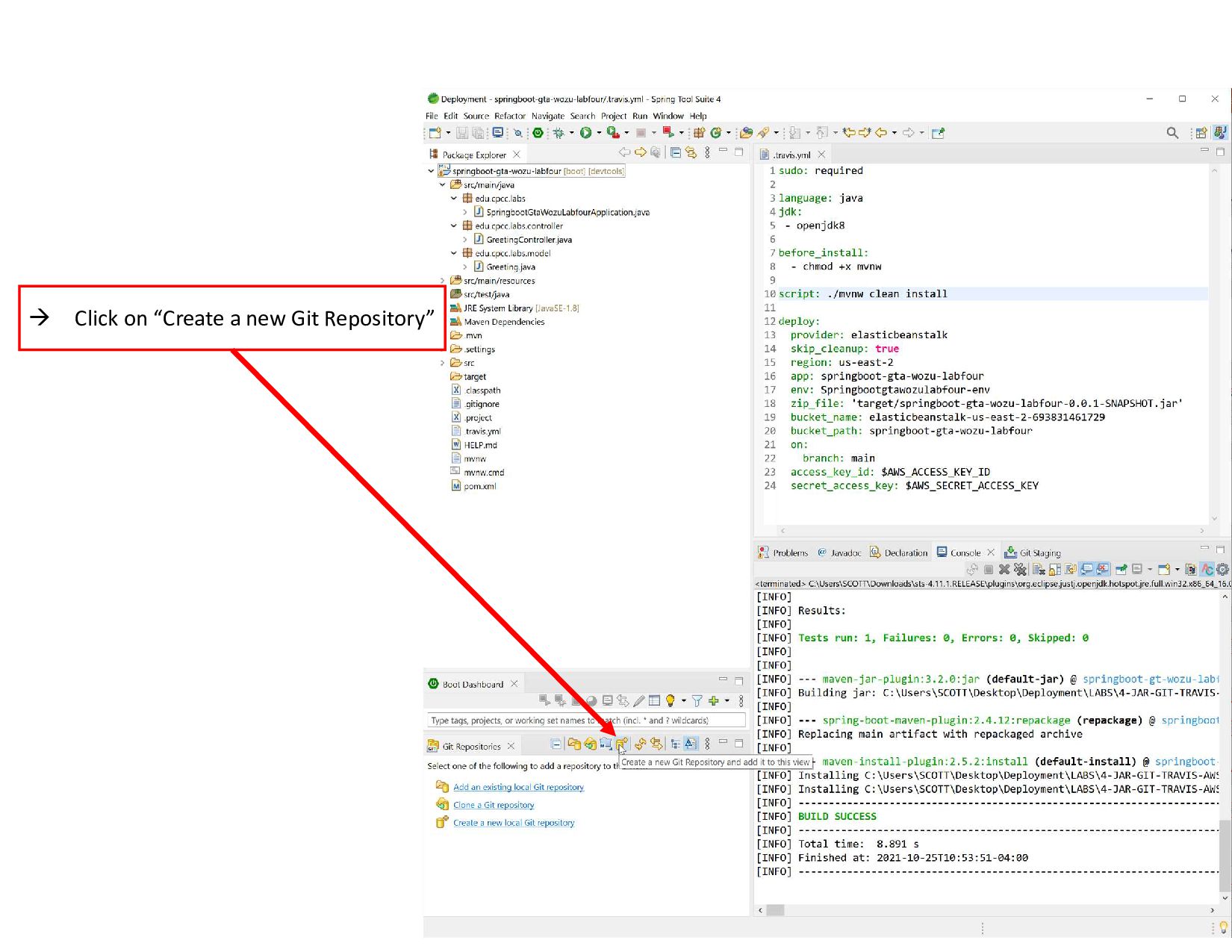
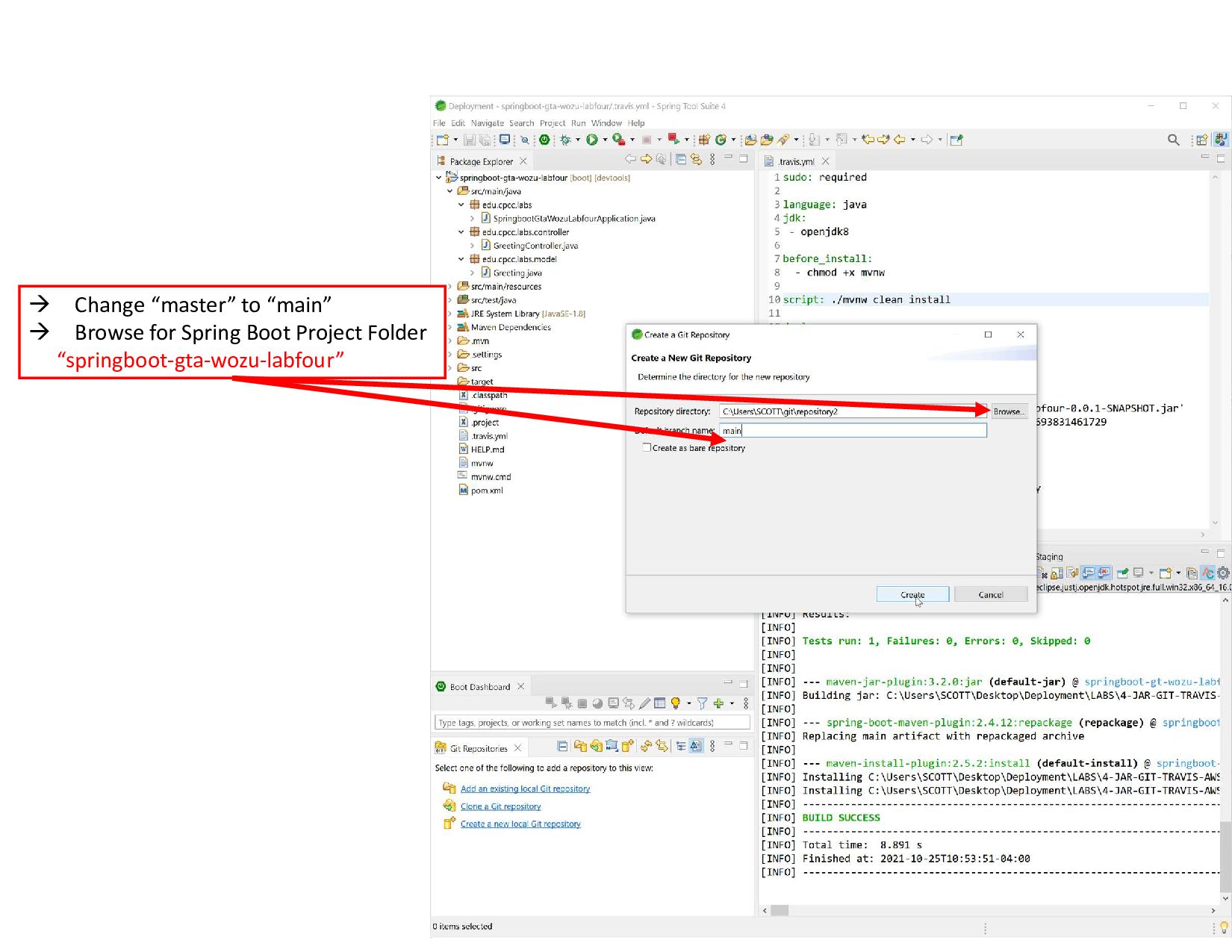
  9.  Change “master” to “main”  Browse for Spring Boot

    Project Folder “springboot-gta-wozu-labfour”
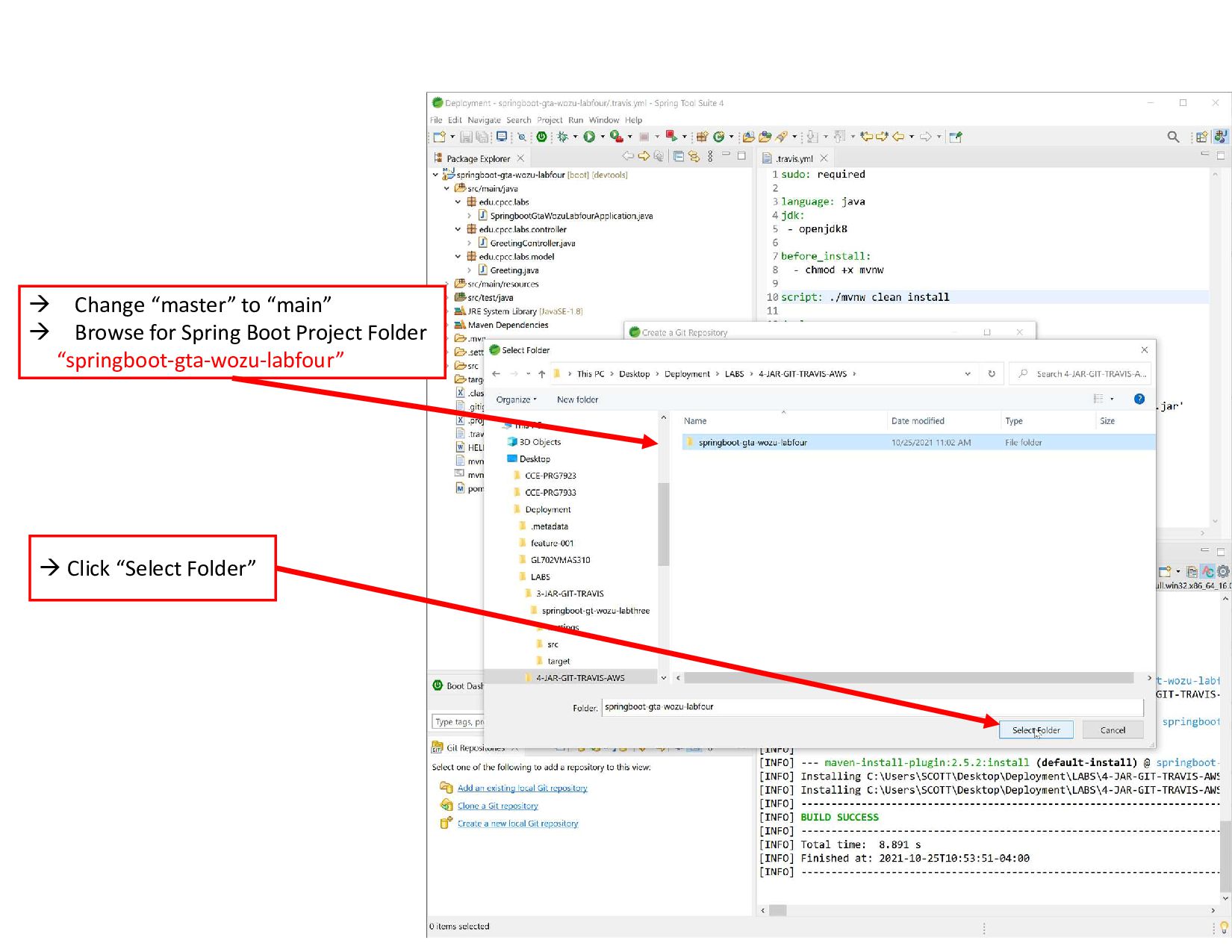
  10.  Change “master” to “main”  Browse for Spring Boot

    Project Folder “springboot-gta-wozu-labfour”  Click “Select Folder”
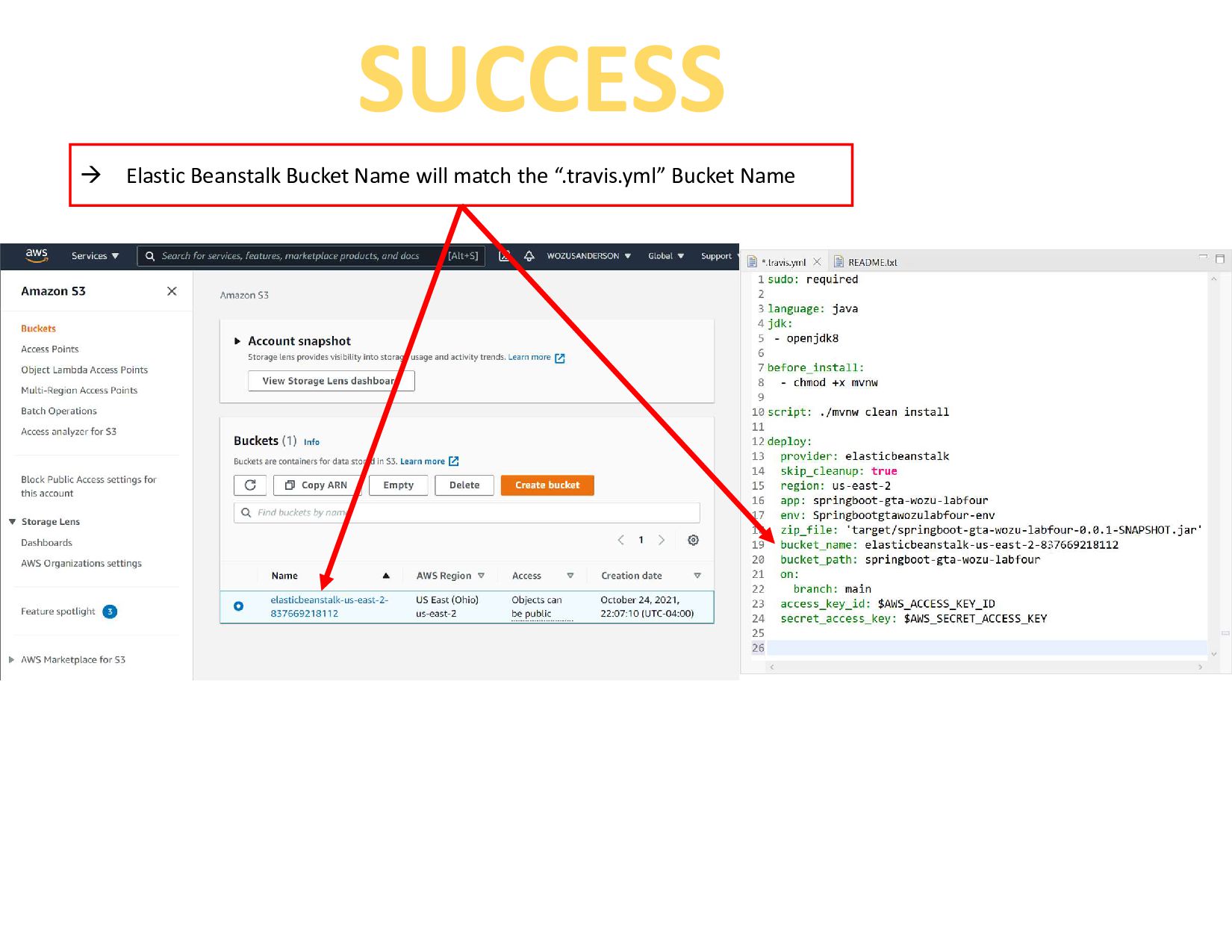
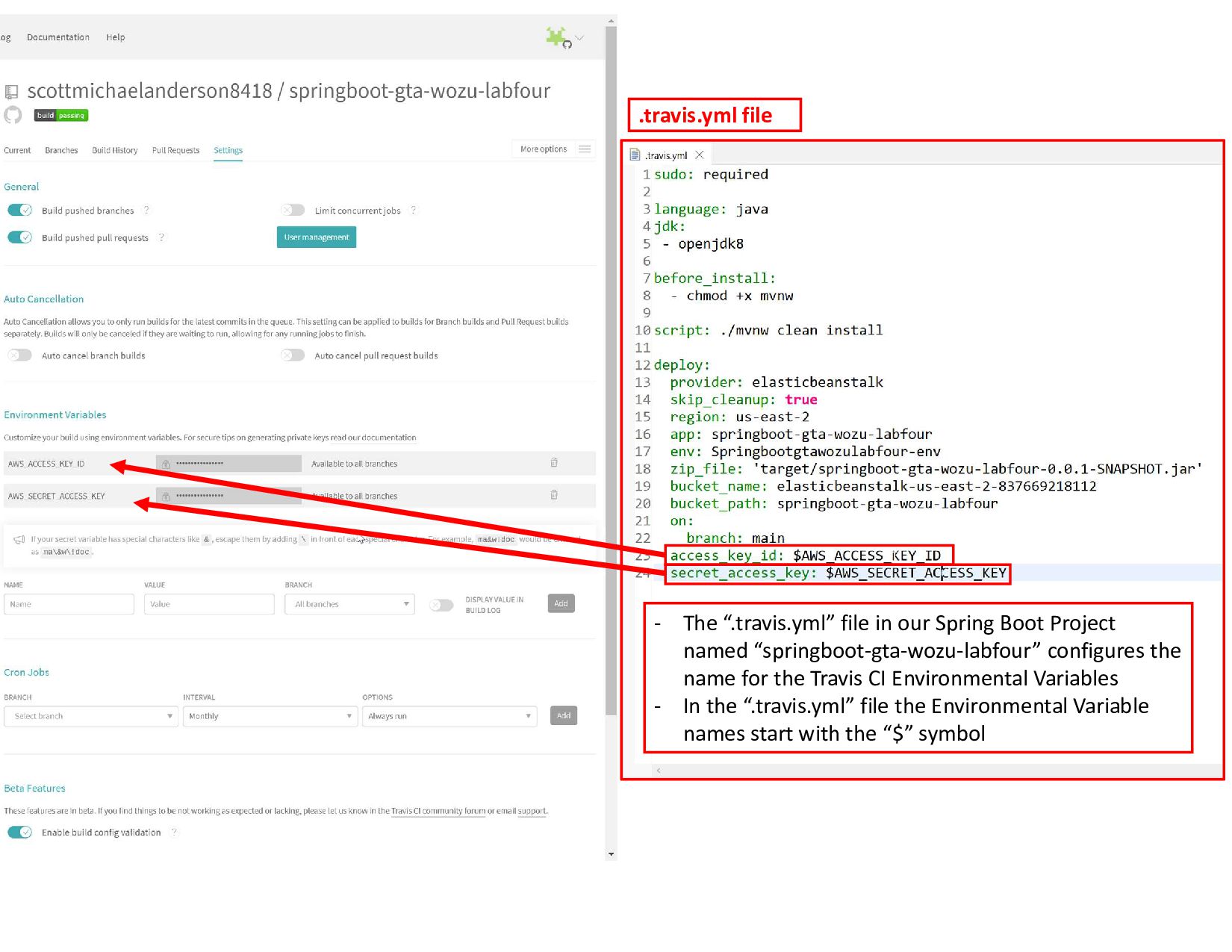
  11. - The “.travis.yml” file in our Spring Boot Project named

    “springboot-gta-wozu-labfour” configures the name for the Travis CI Environmental Variables - In the “.travis.yml” file the Environmental Variable names start with the “$” symbol .travis.yml file
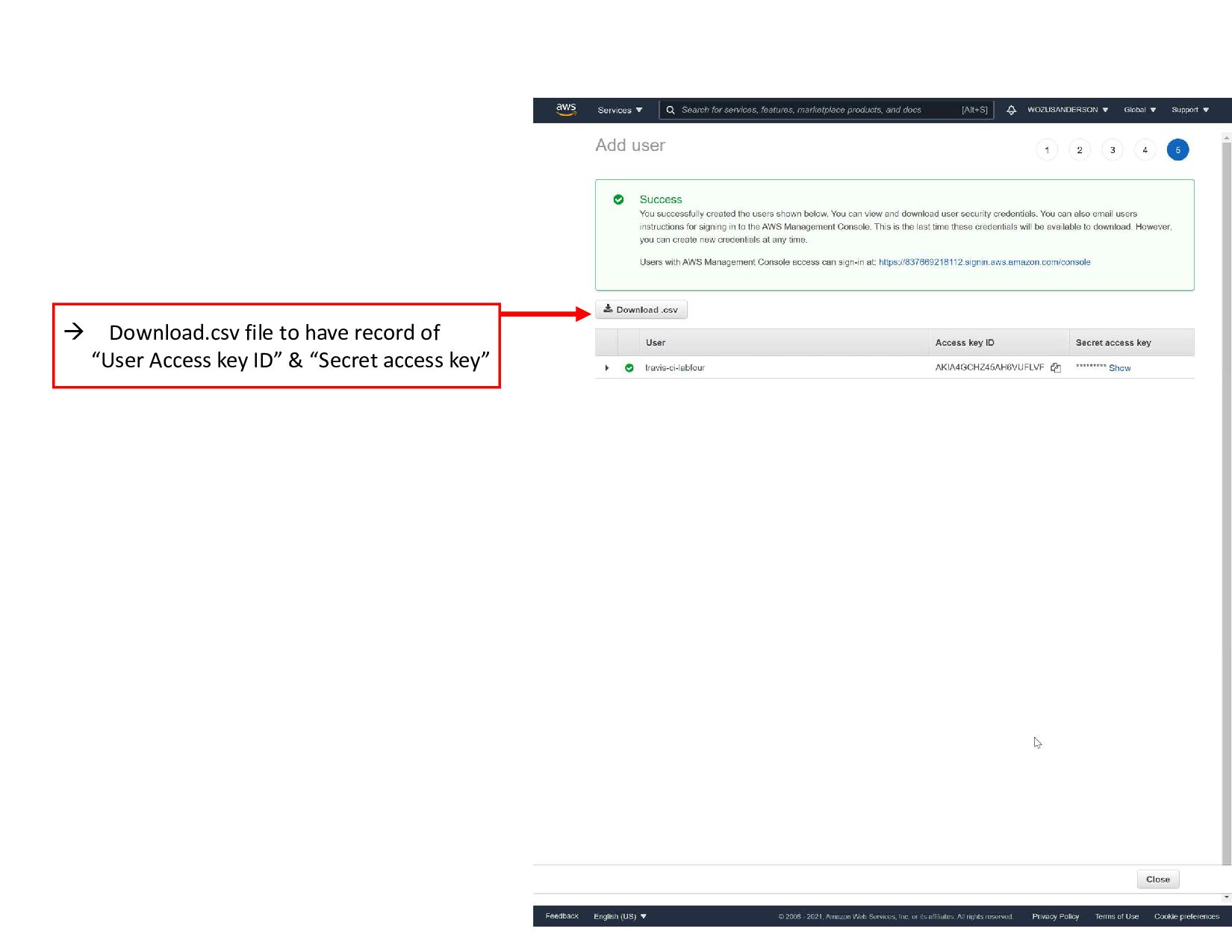
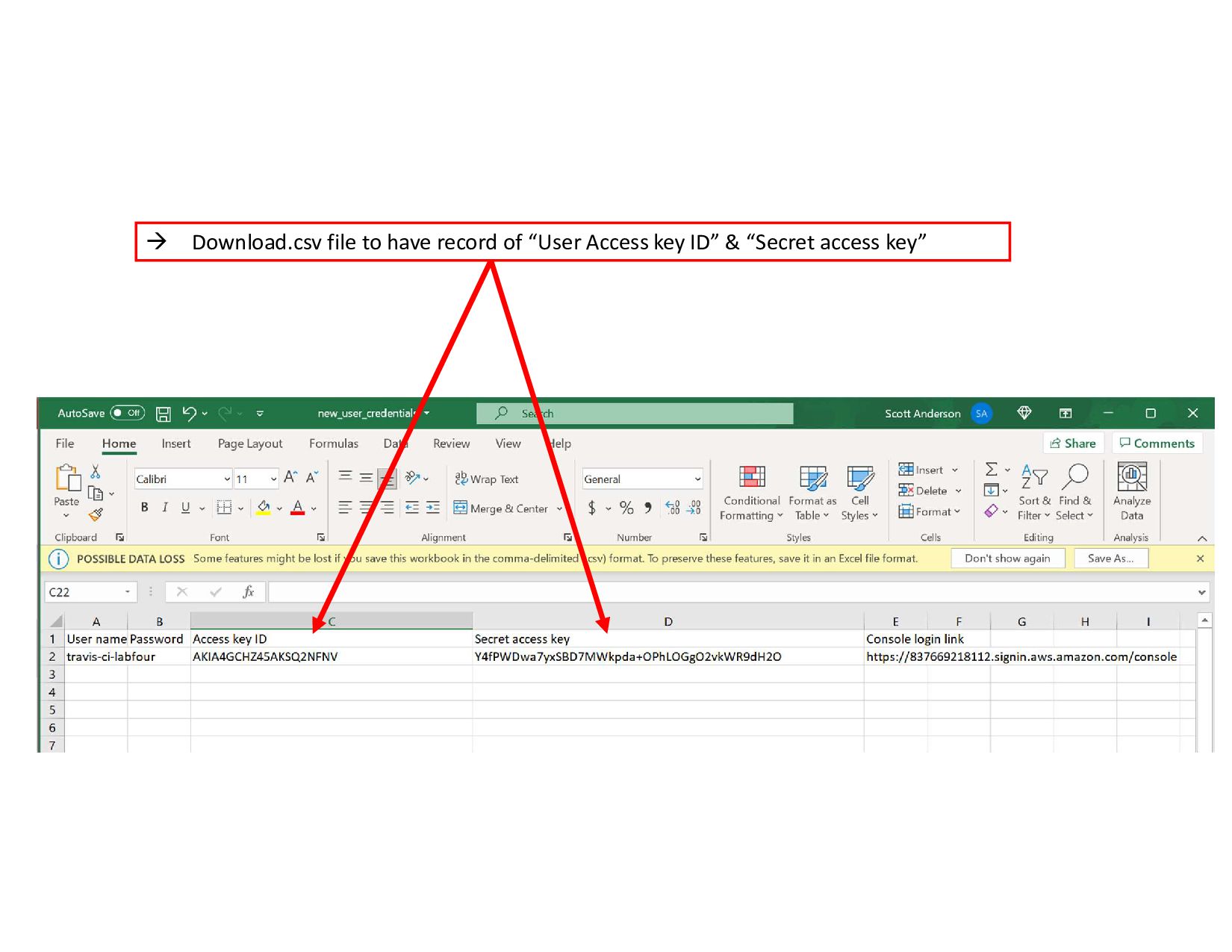
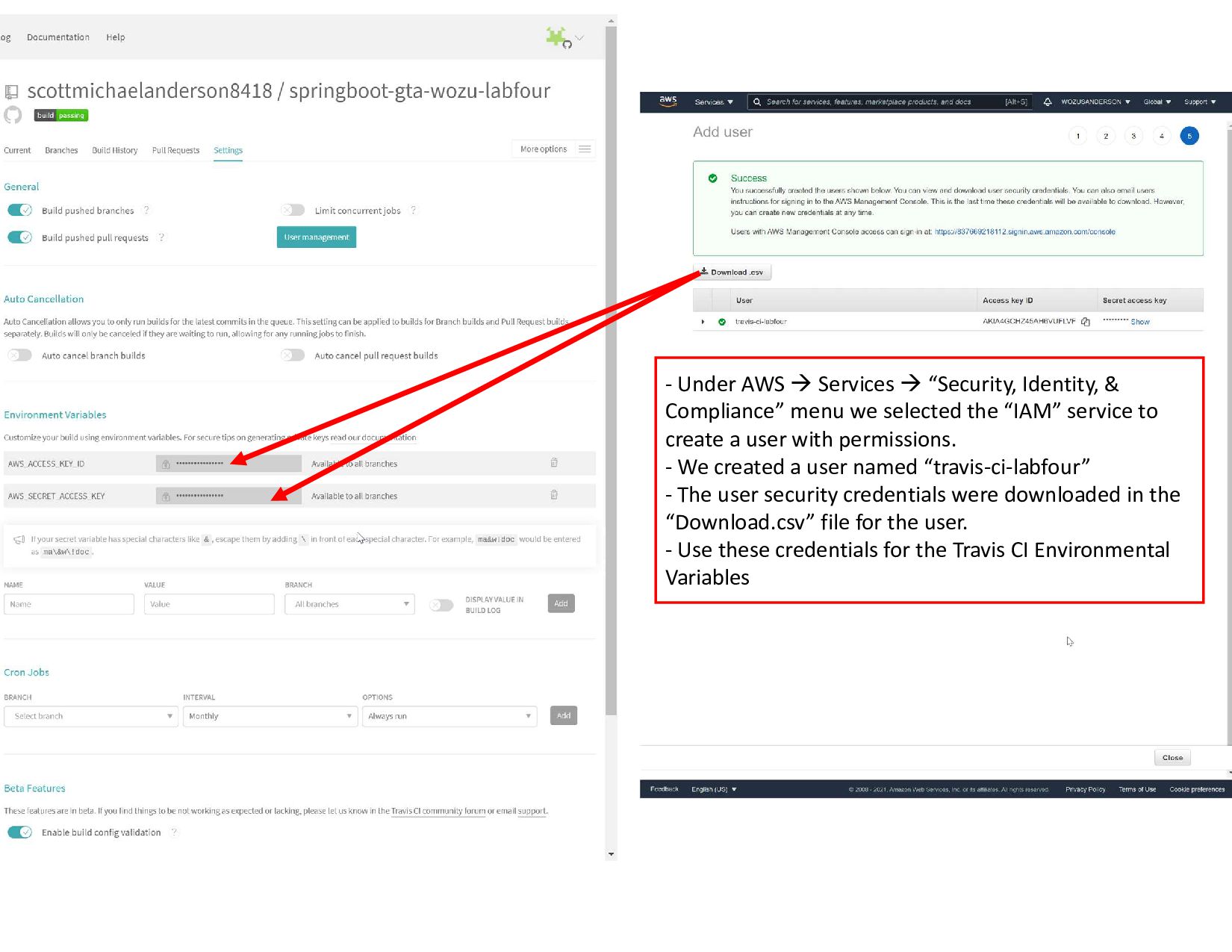
  12.  Download.csv file to have record of “User Access key

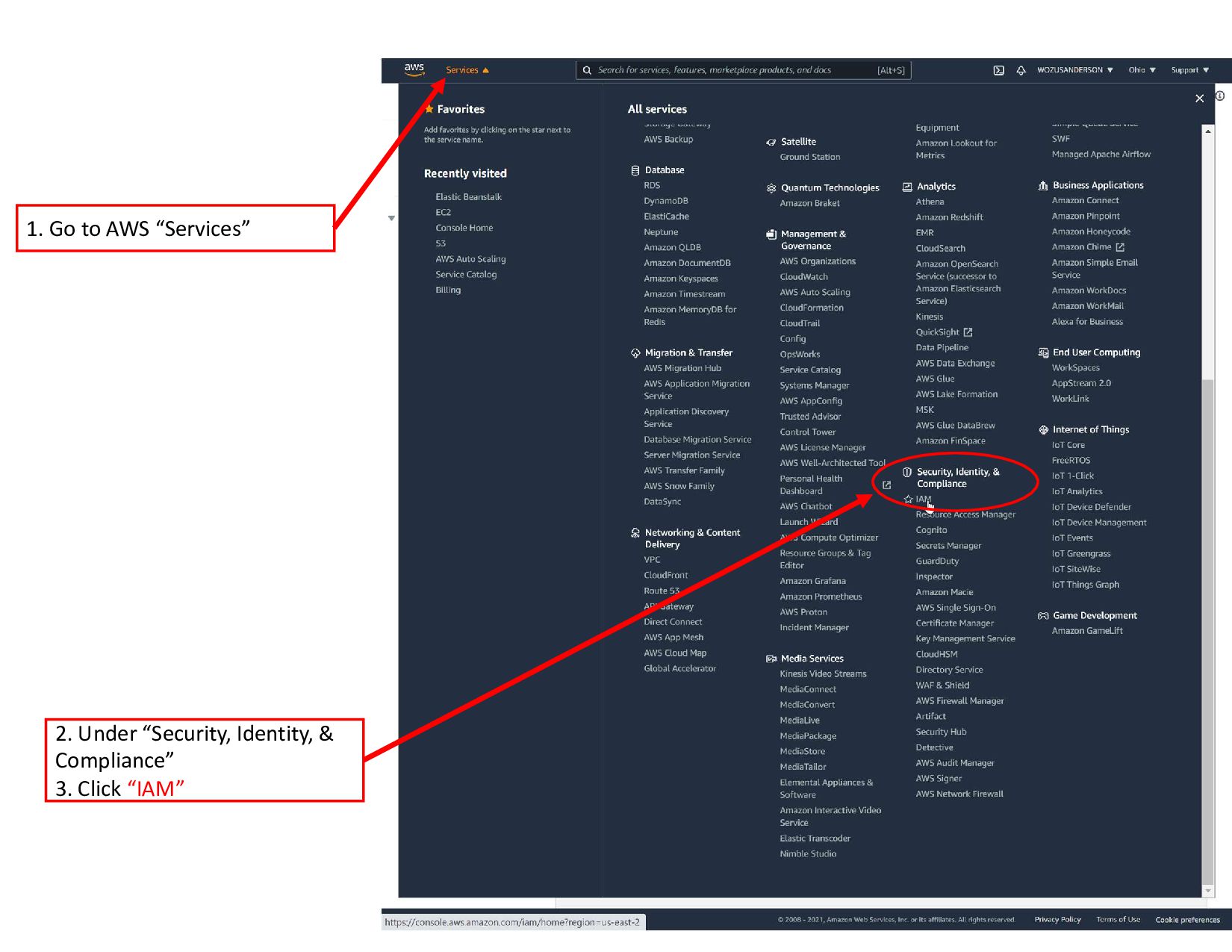
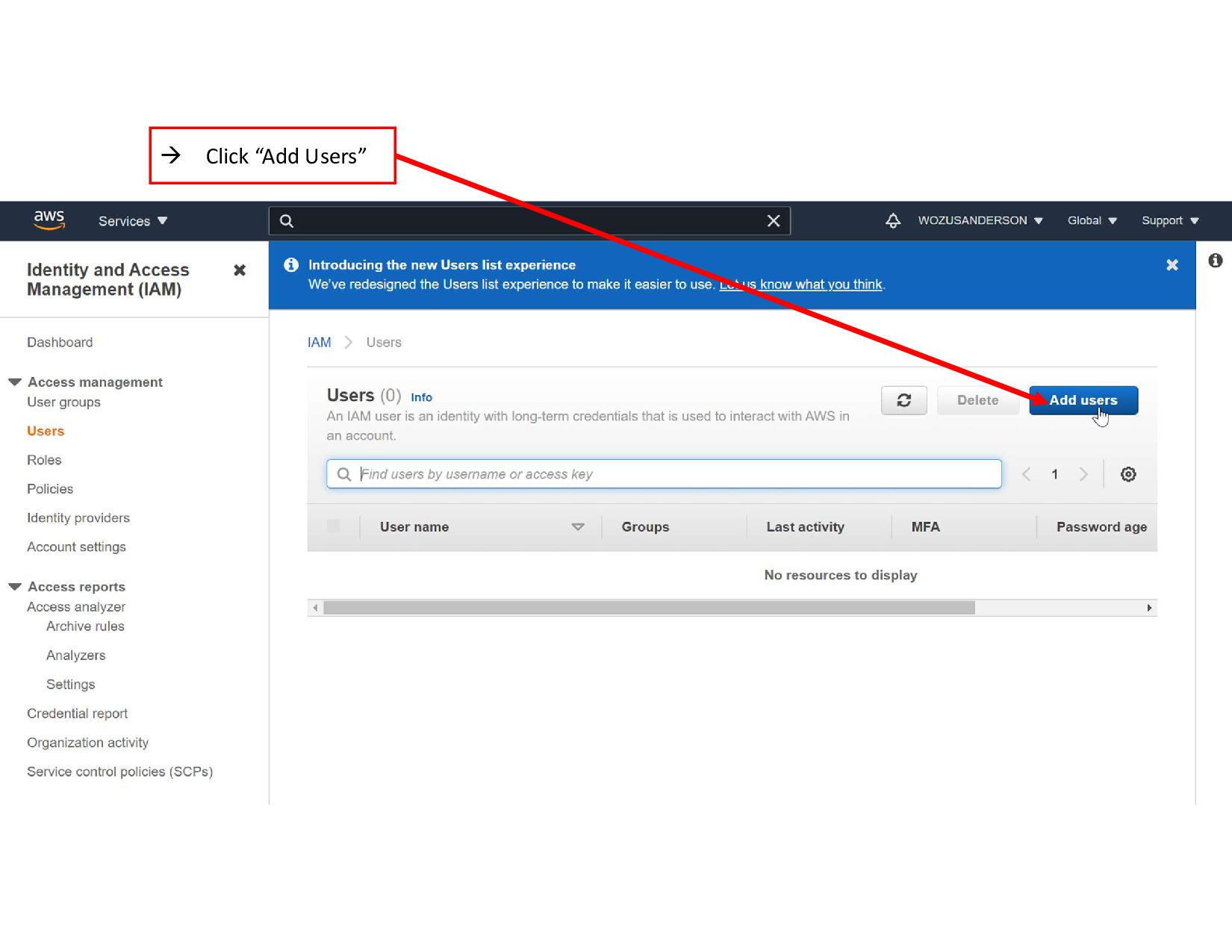
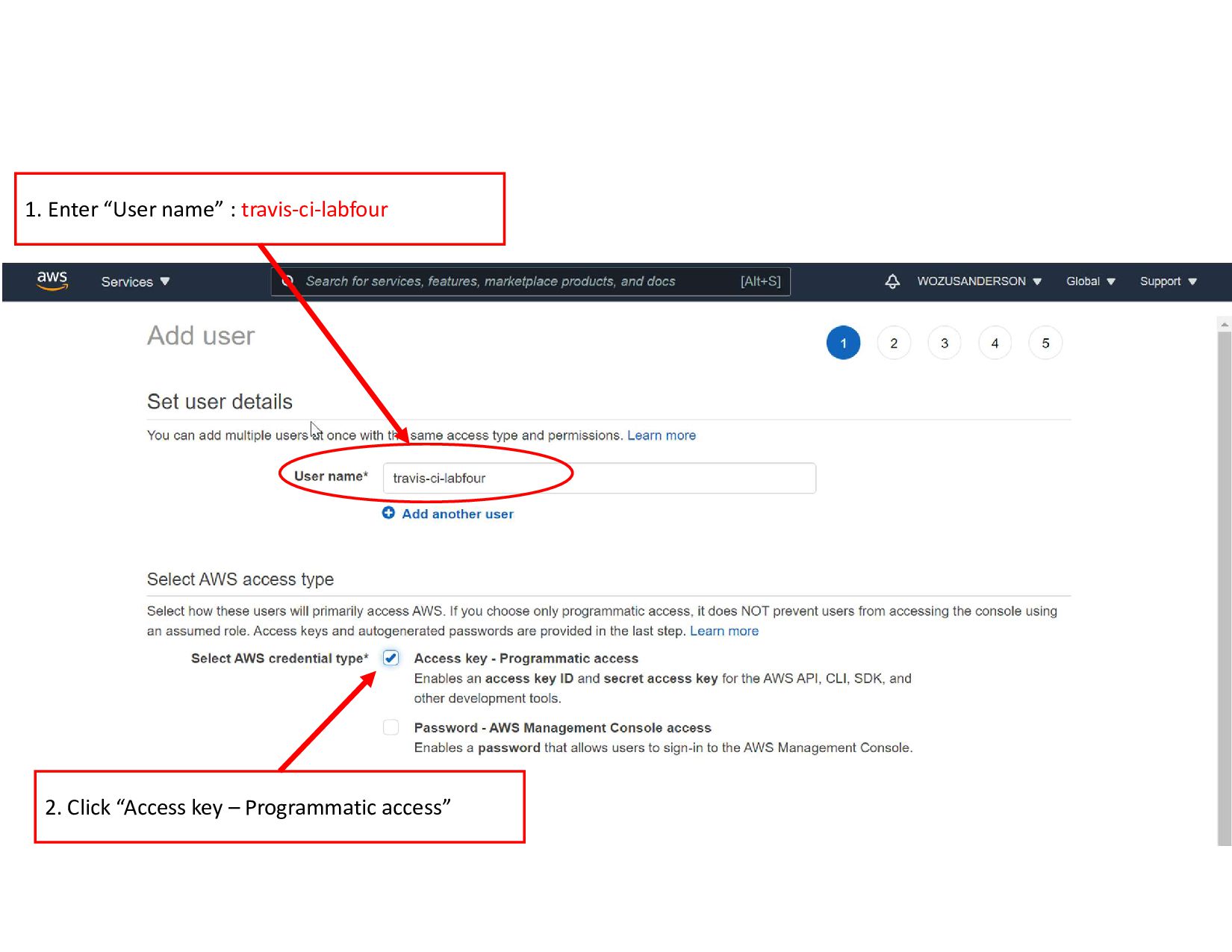
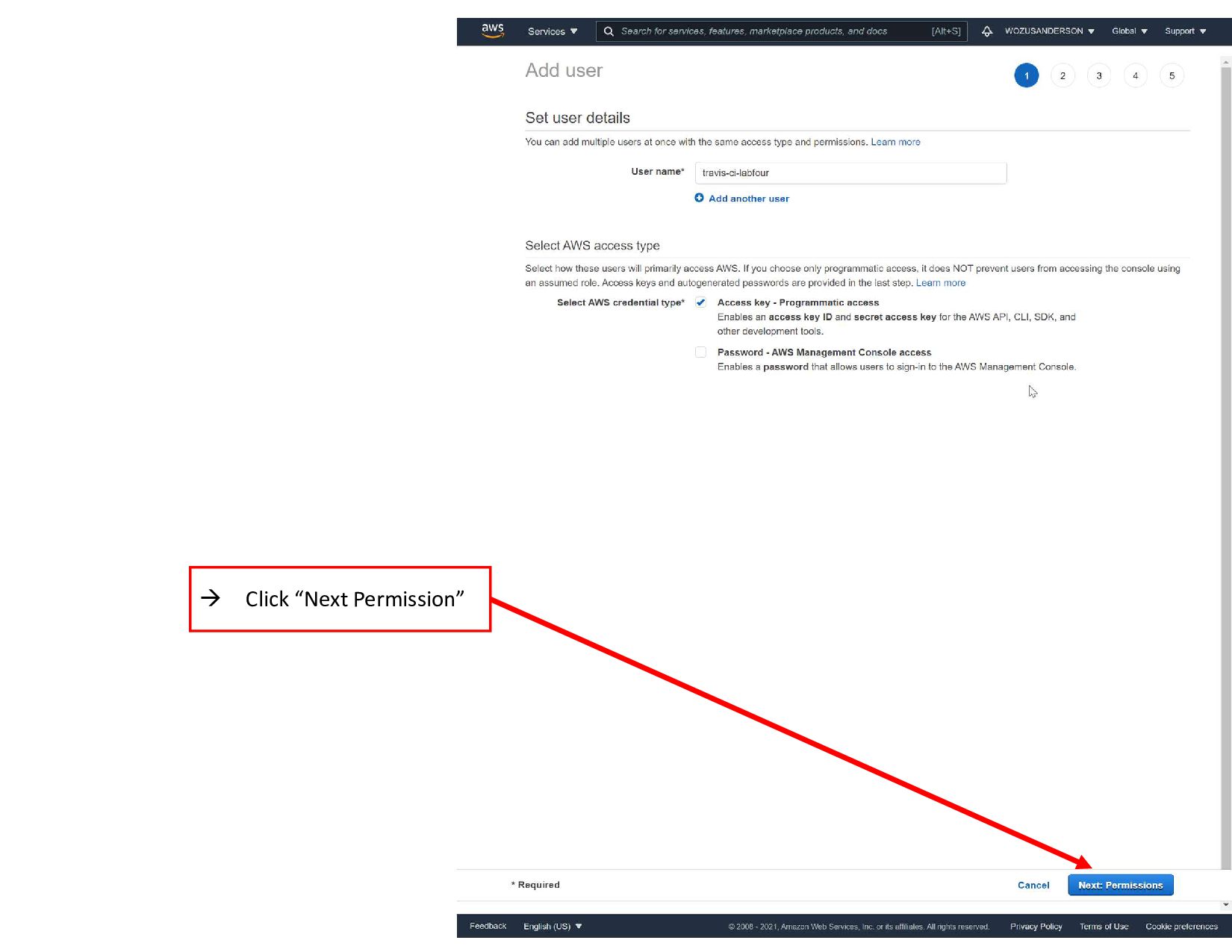
    ID” & “Secret access key” - Under AWS  Services  “Security, Identity, & Compliance” menu we selected the “IAM” service to create a user with permissions. - We created a user named “travis-ci-labfour” - The user security credentials were downloaded in the “Download.csv” file for the user. - Use these credentials for the Travis CI Environmental Variables
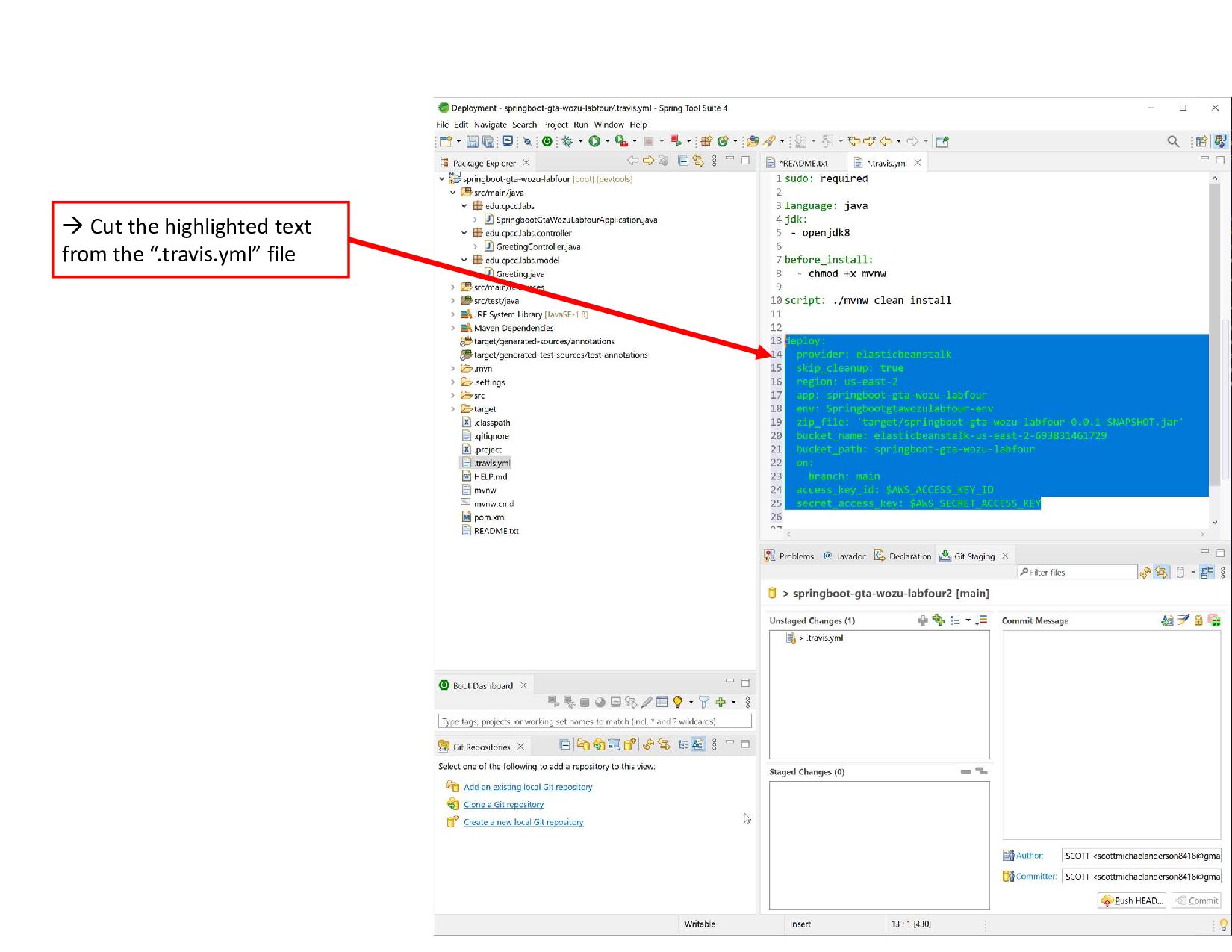
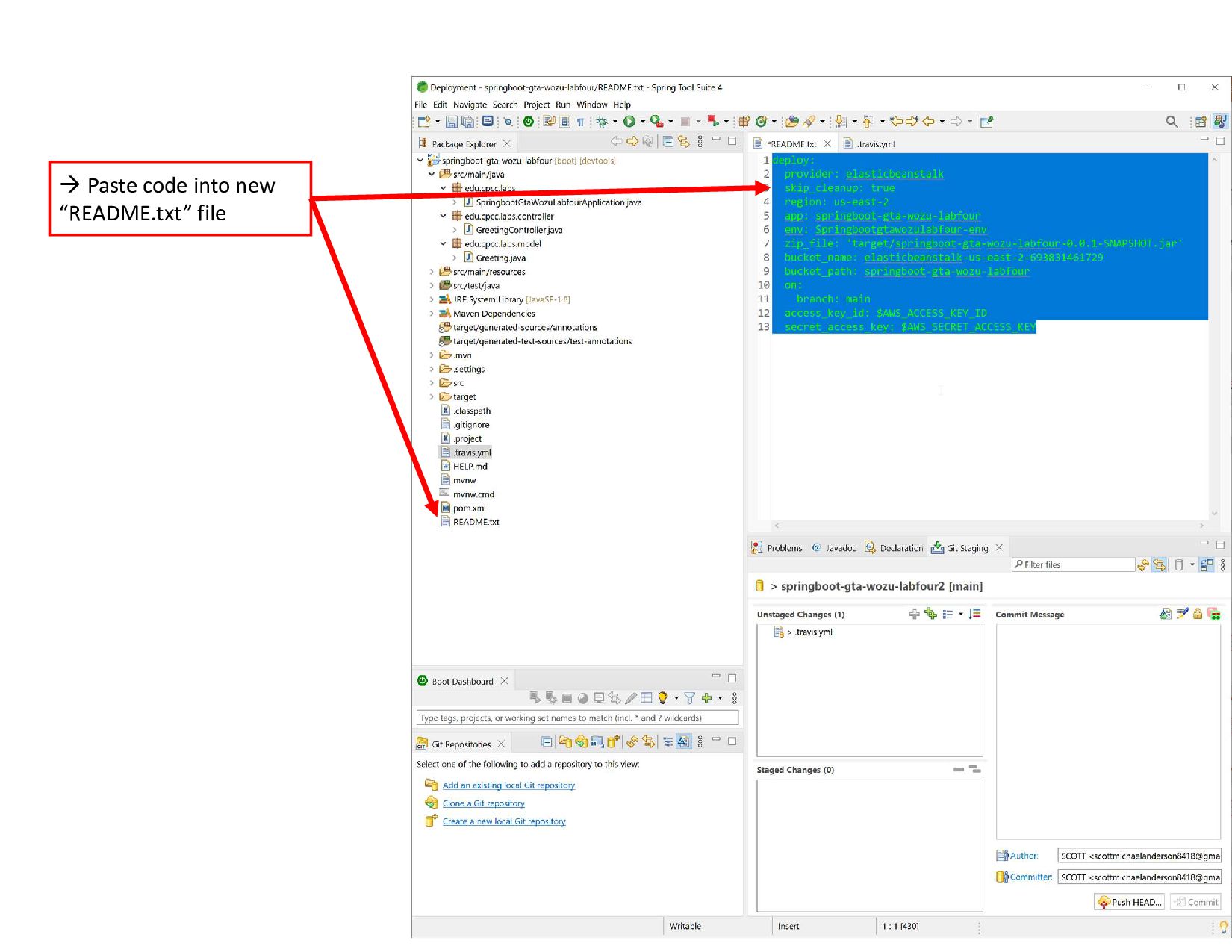
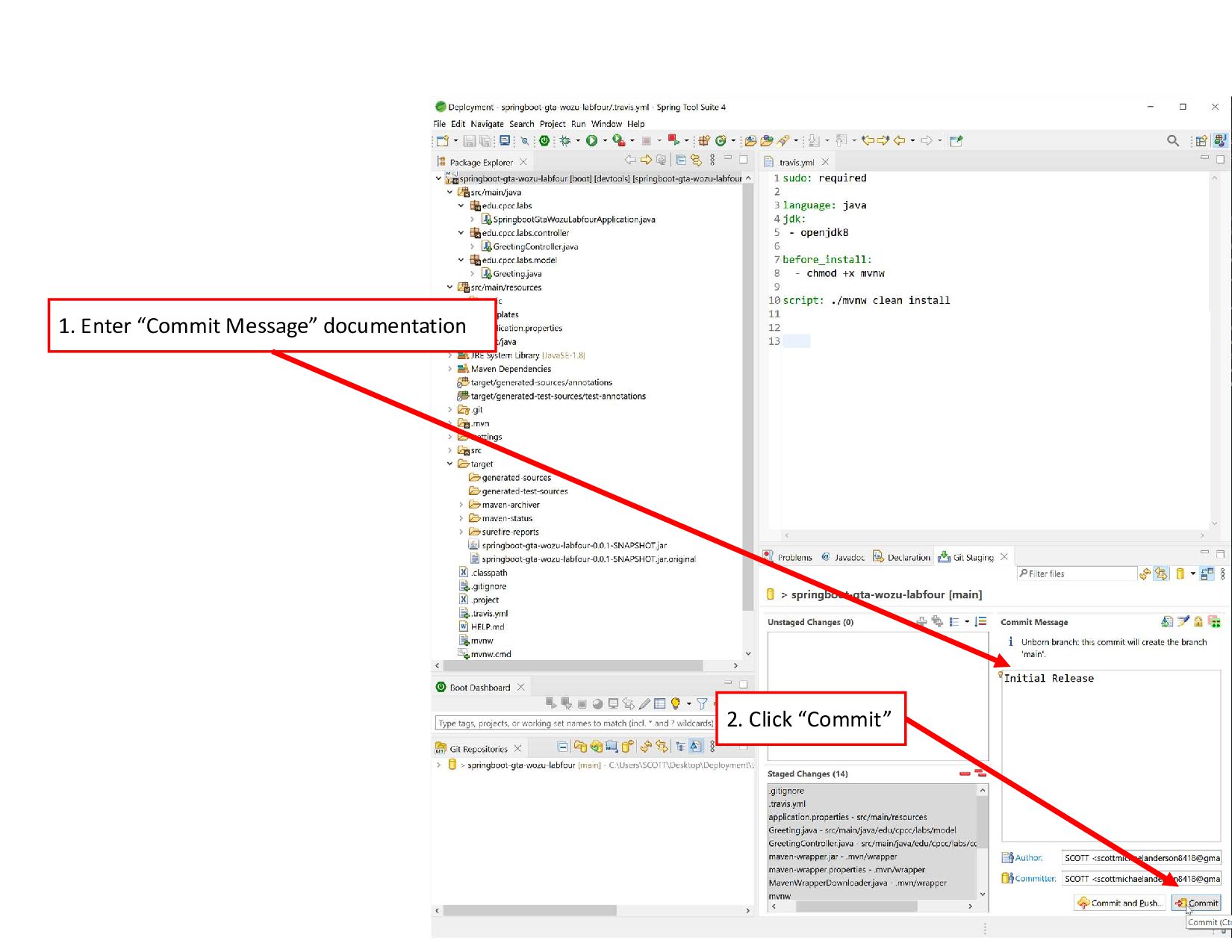
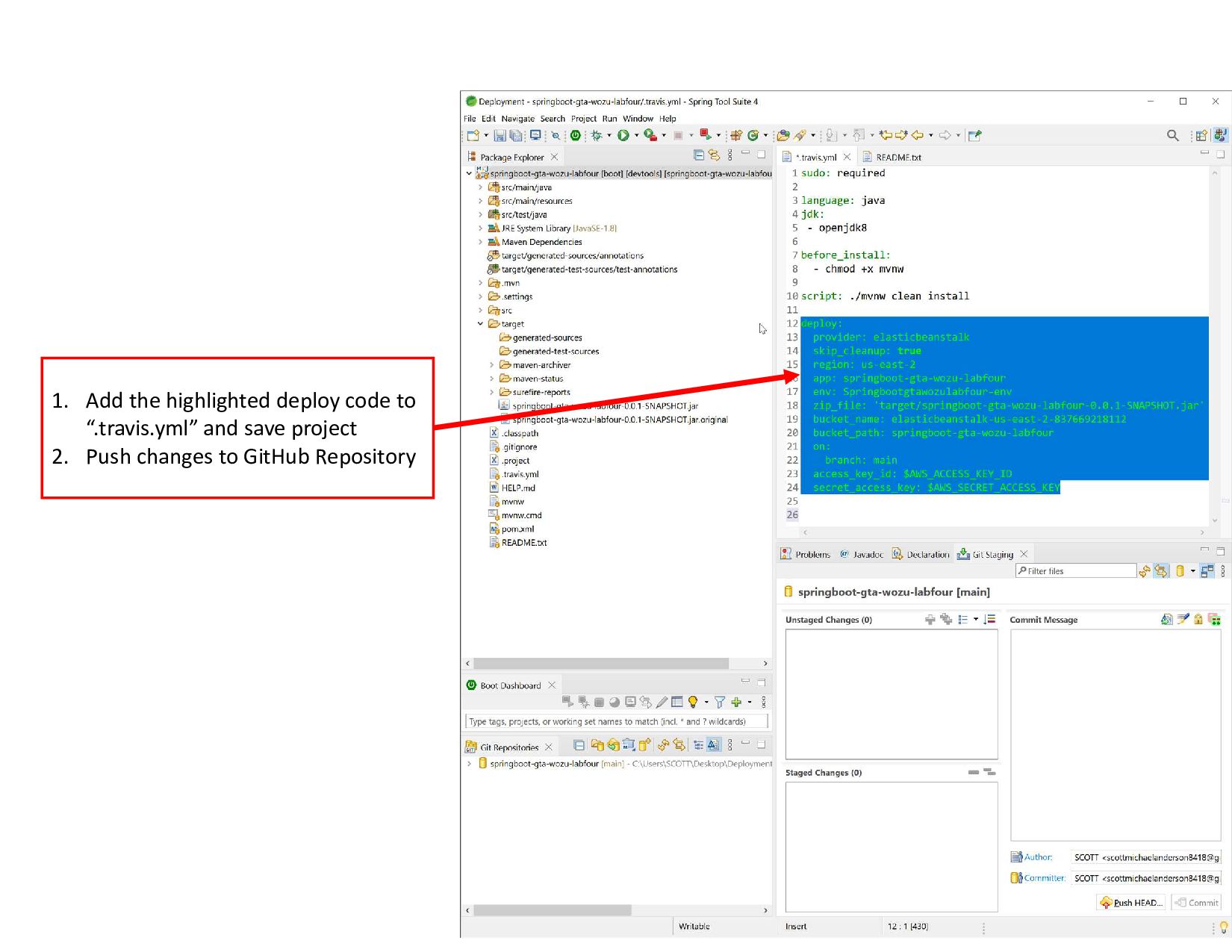
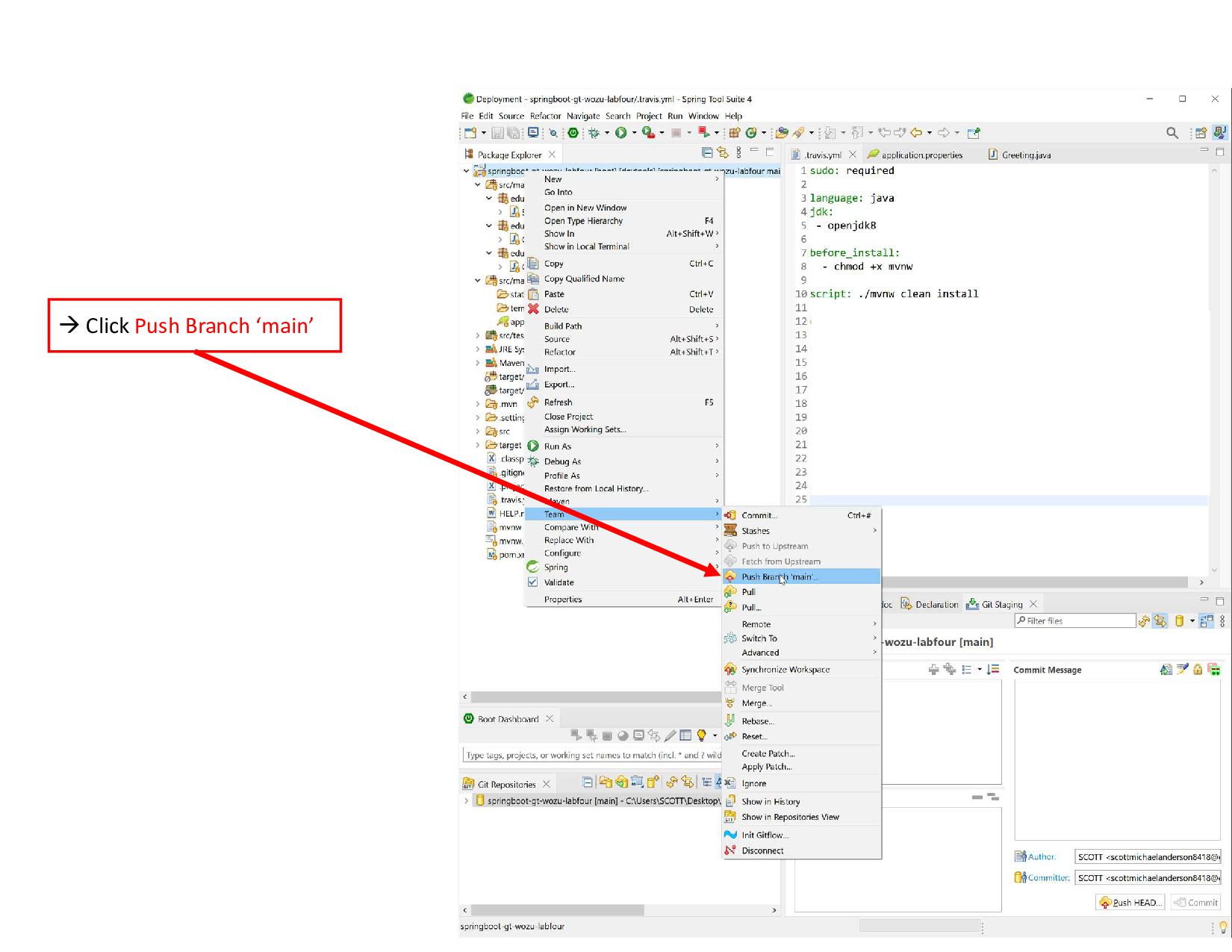
  13. 1. Add the highlighted deploy code to “.travis.yml” and save

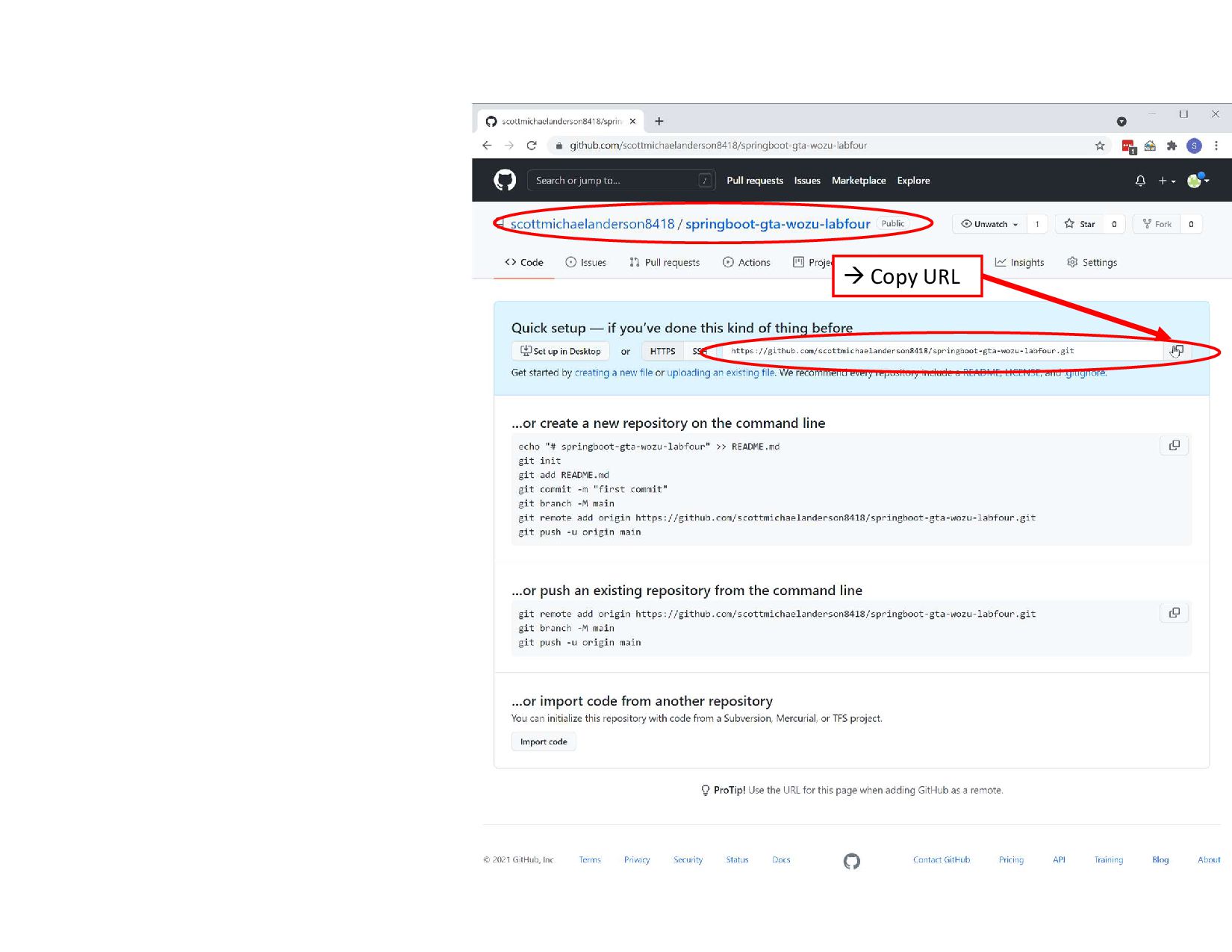
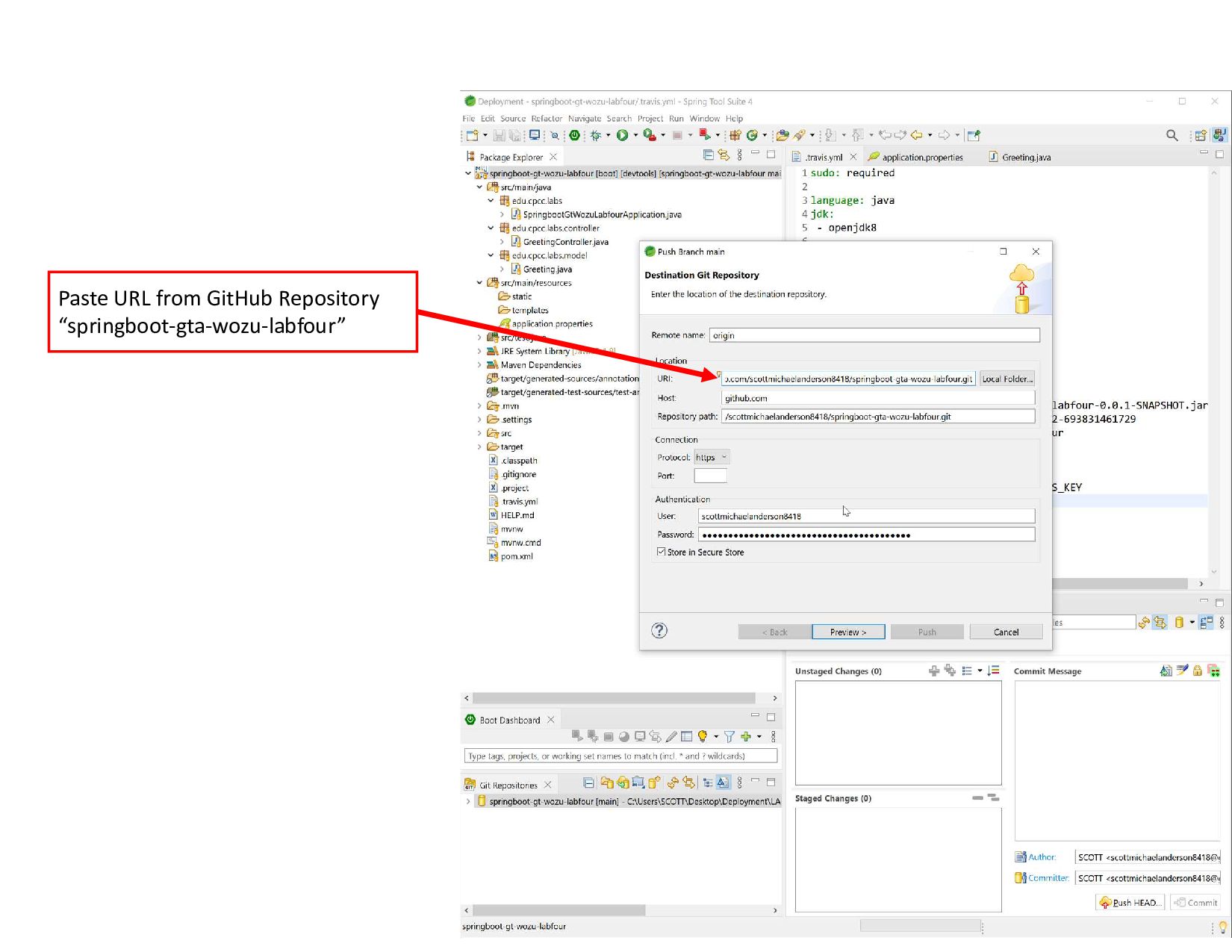
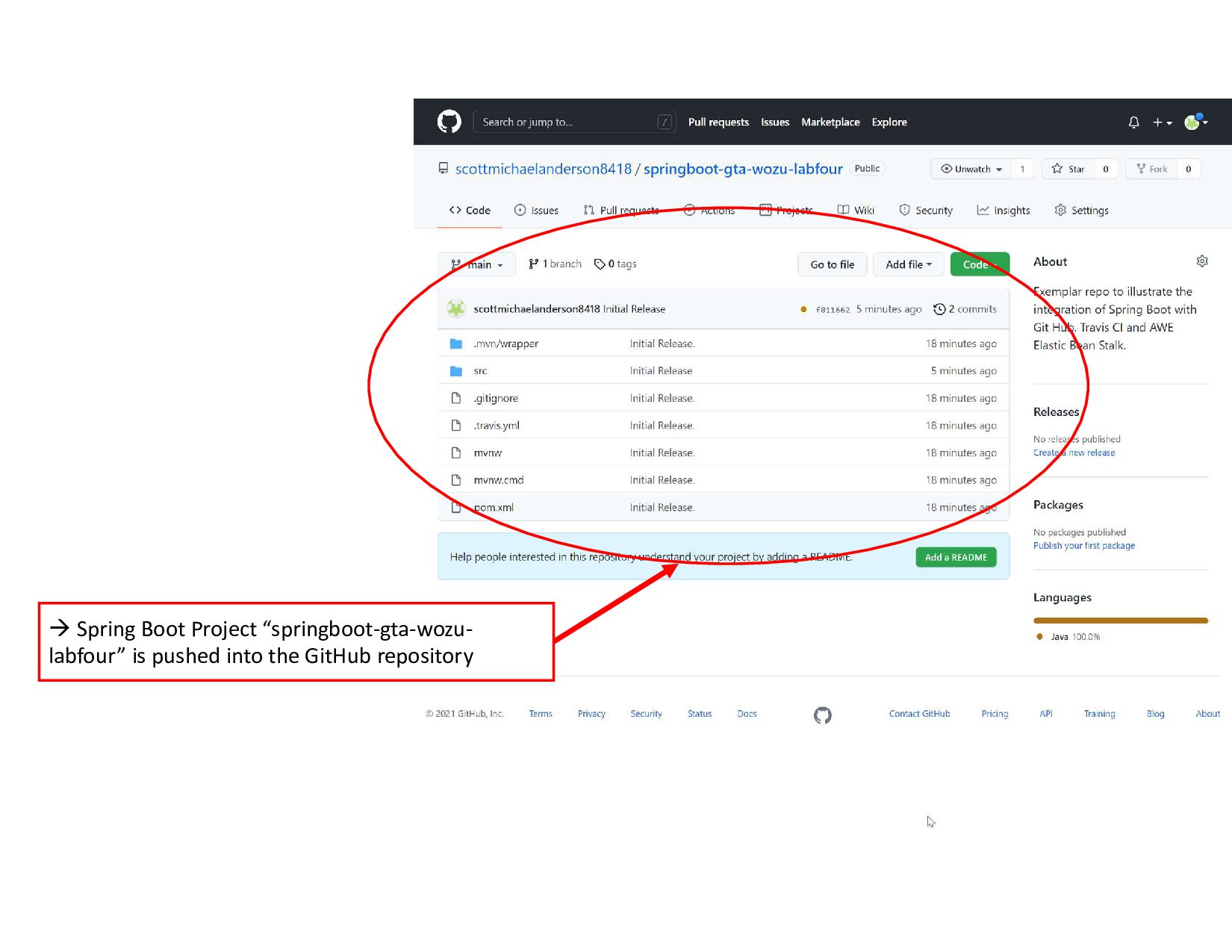
    project 2. Push changes to GitHub Repository
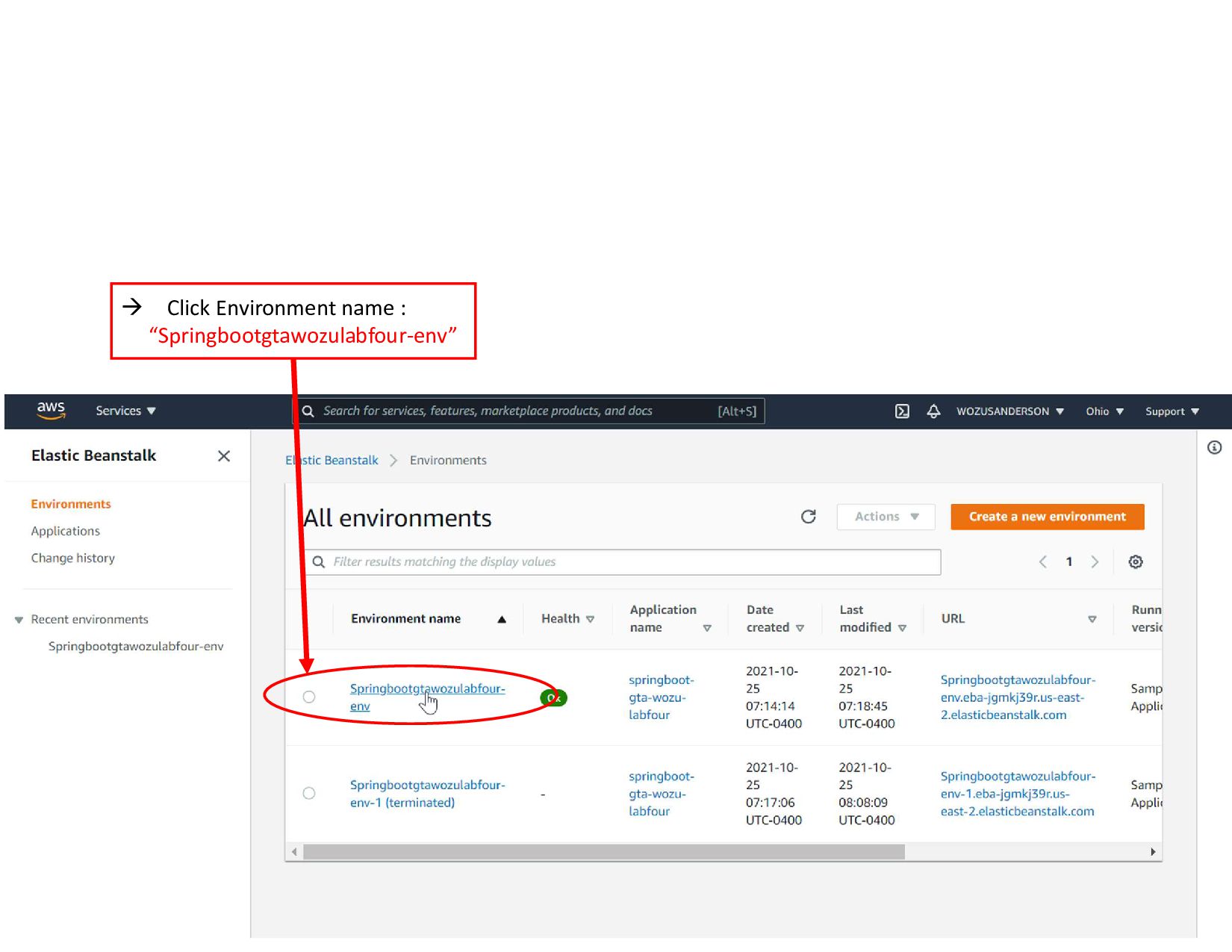
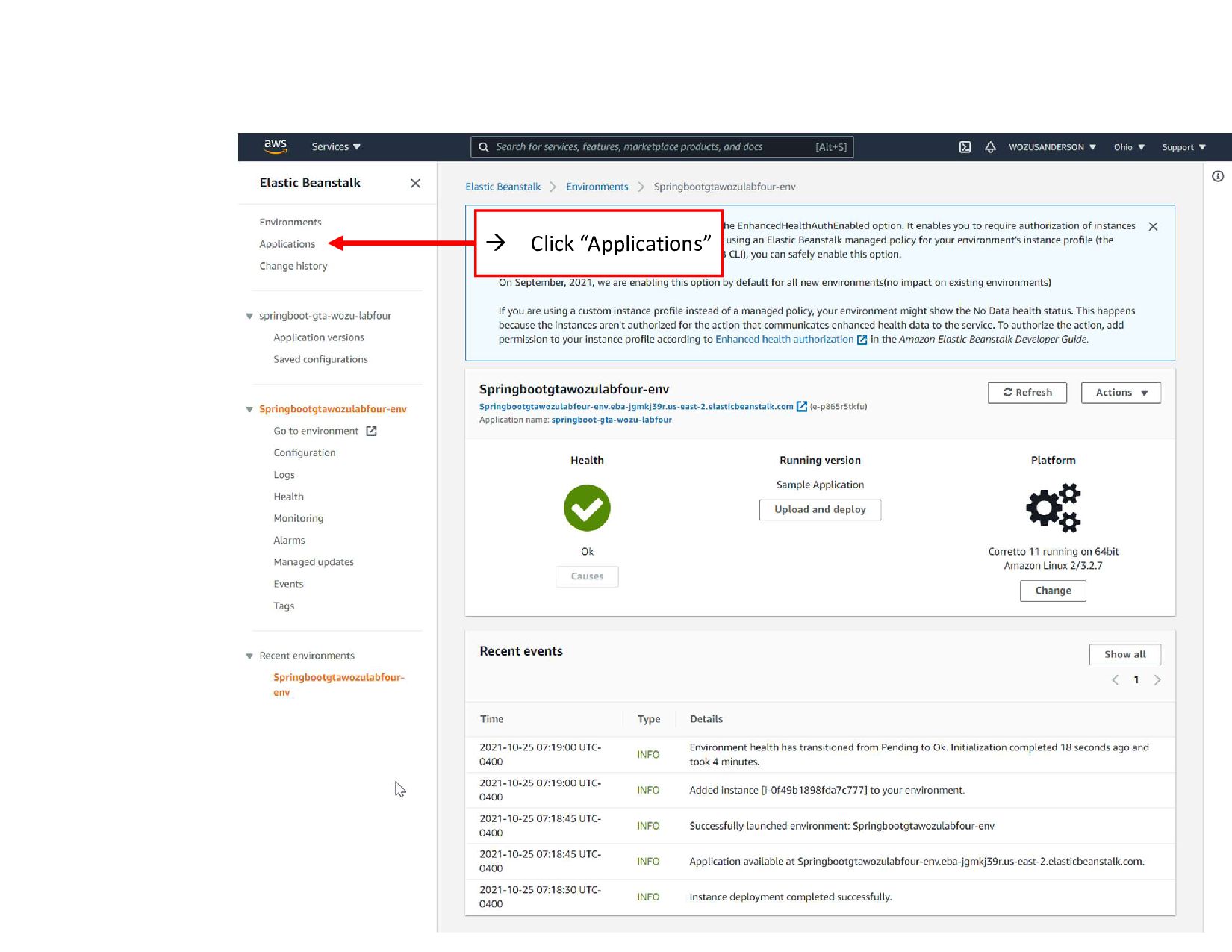
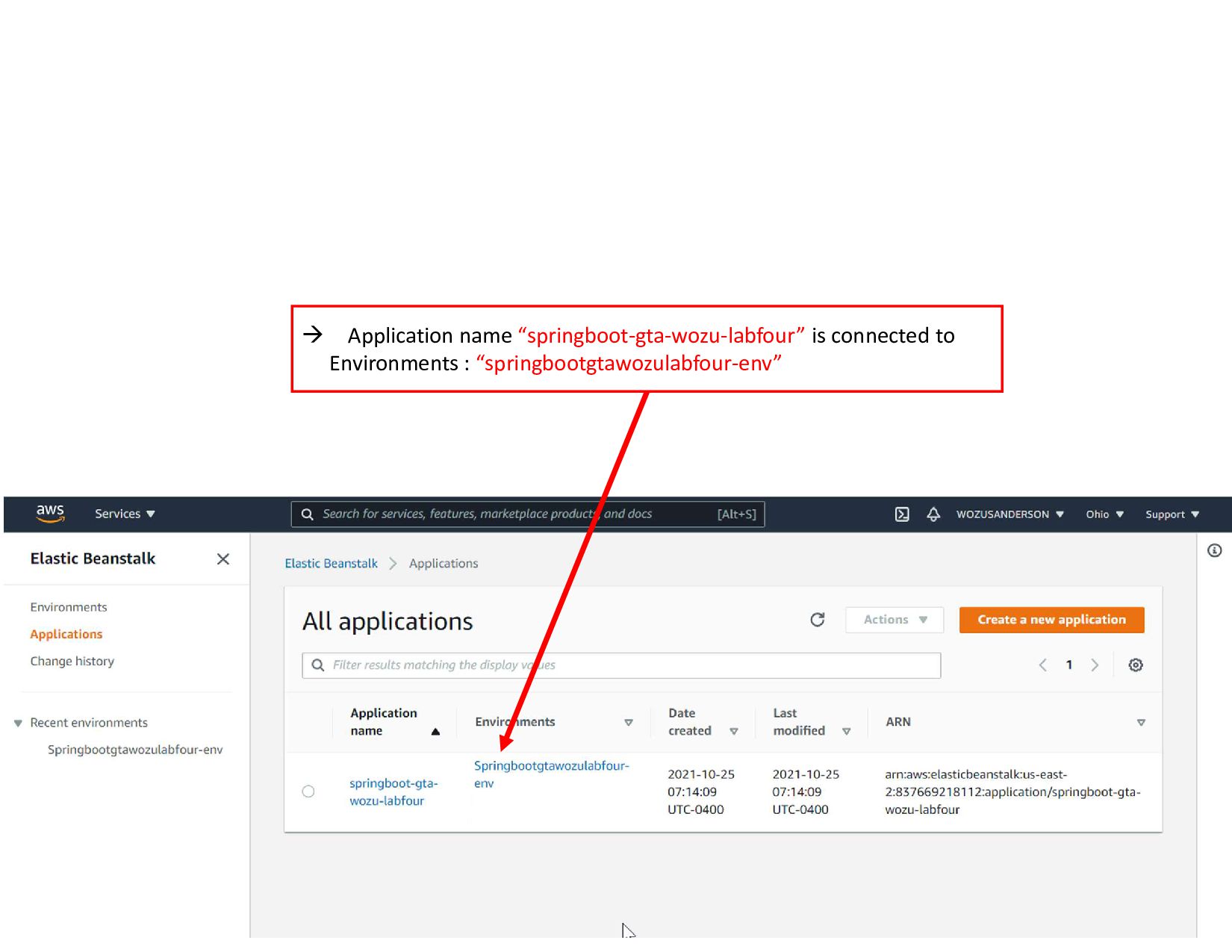
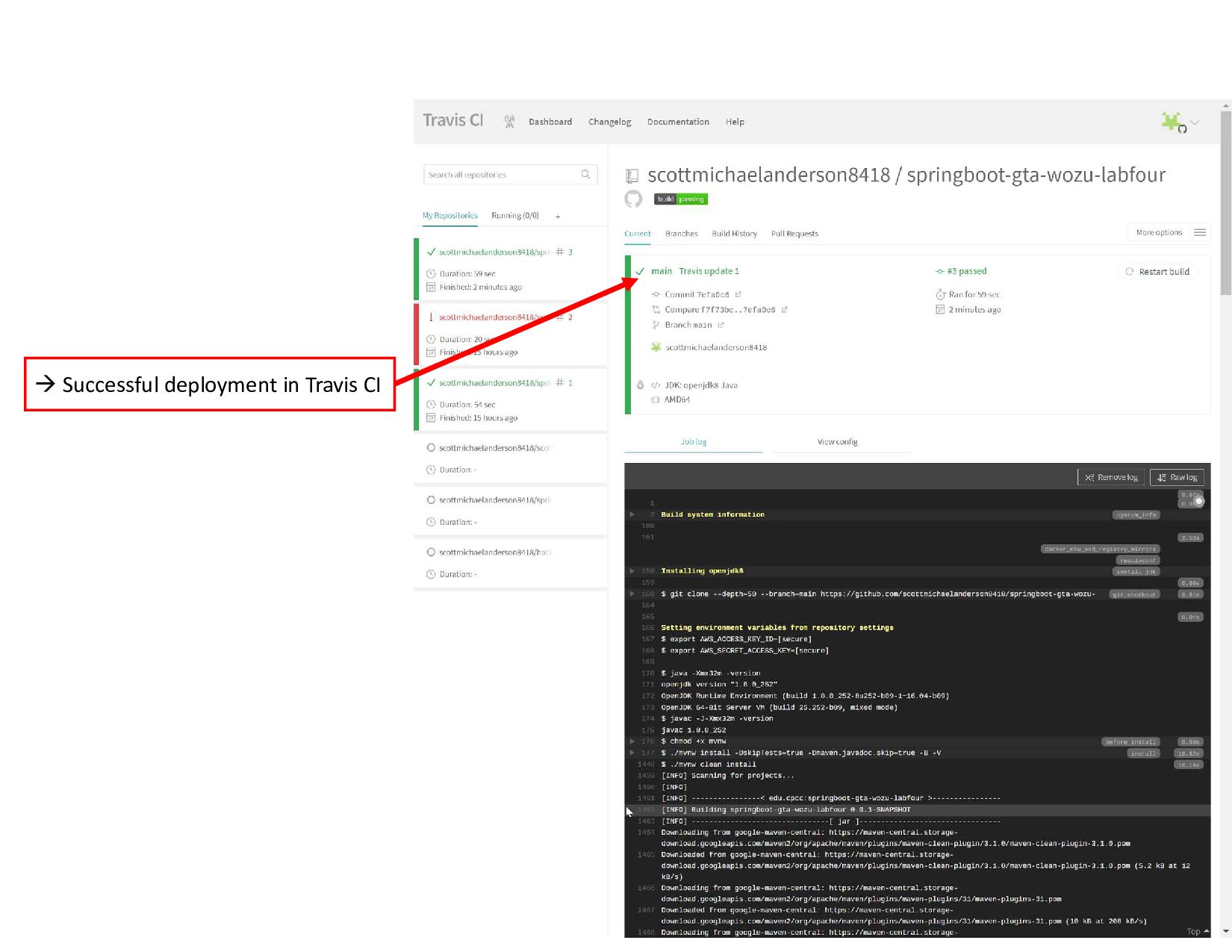
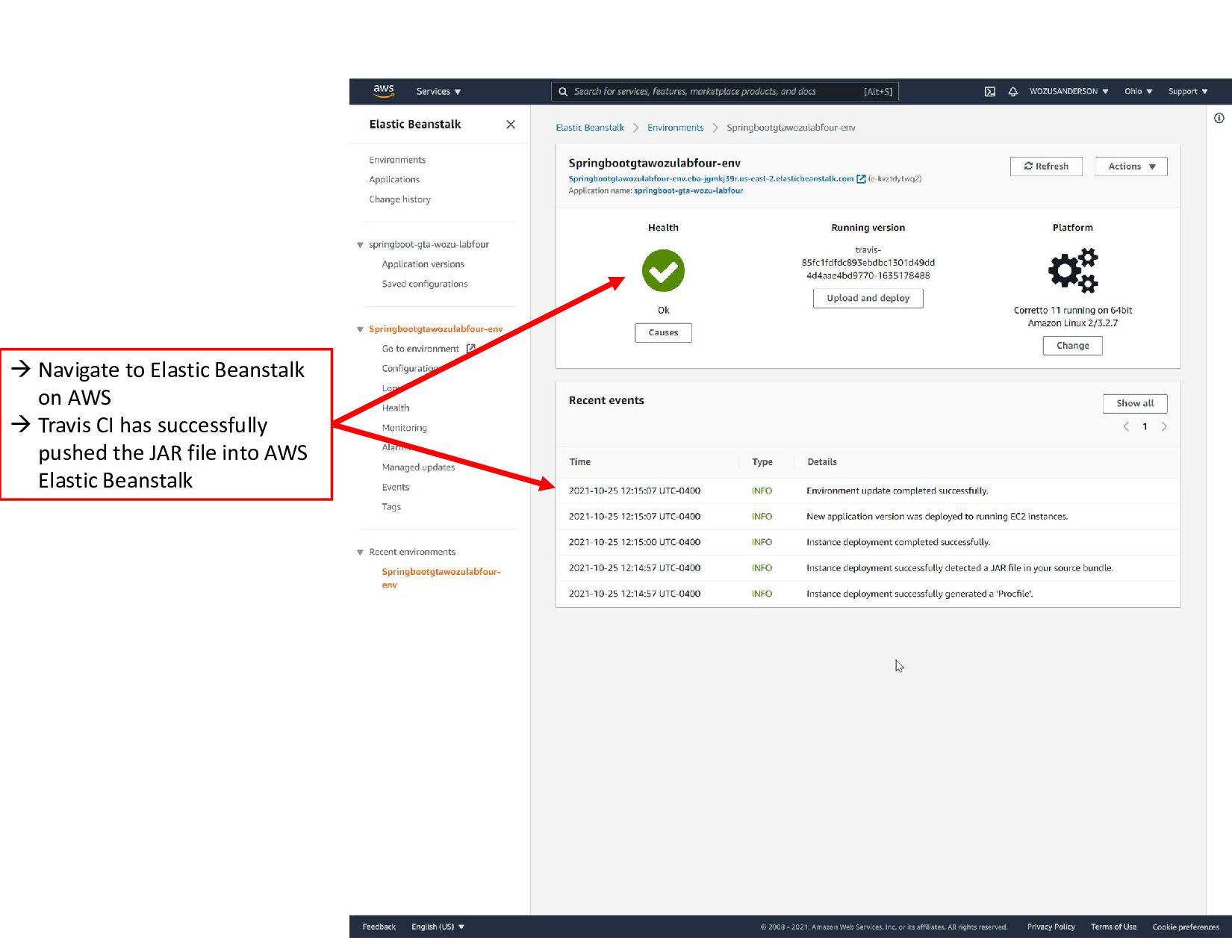
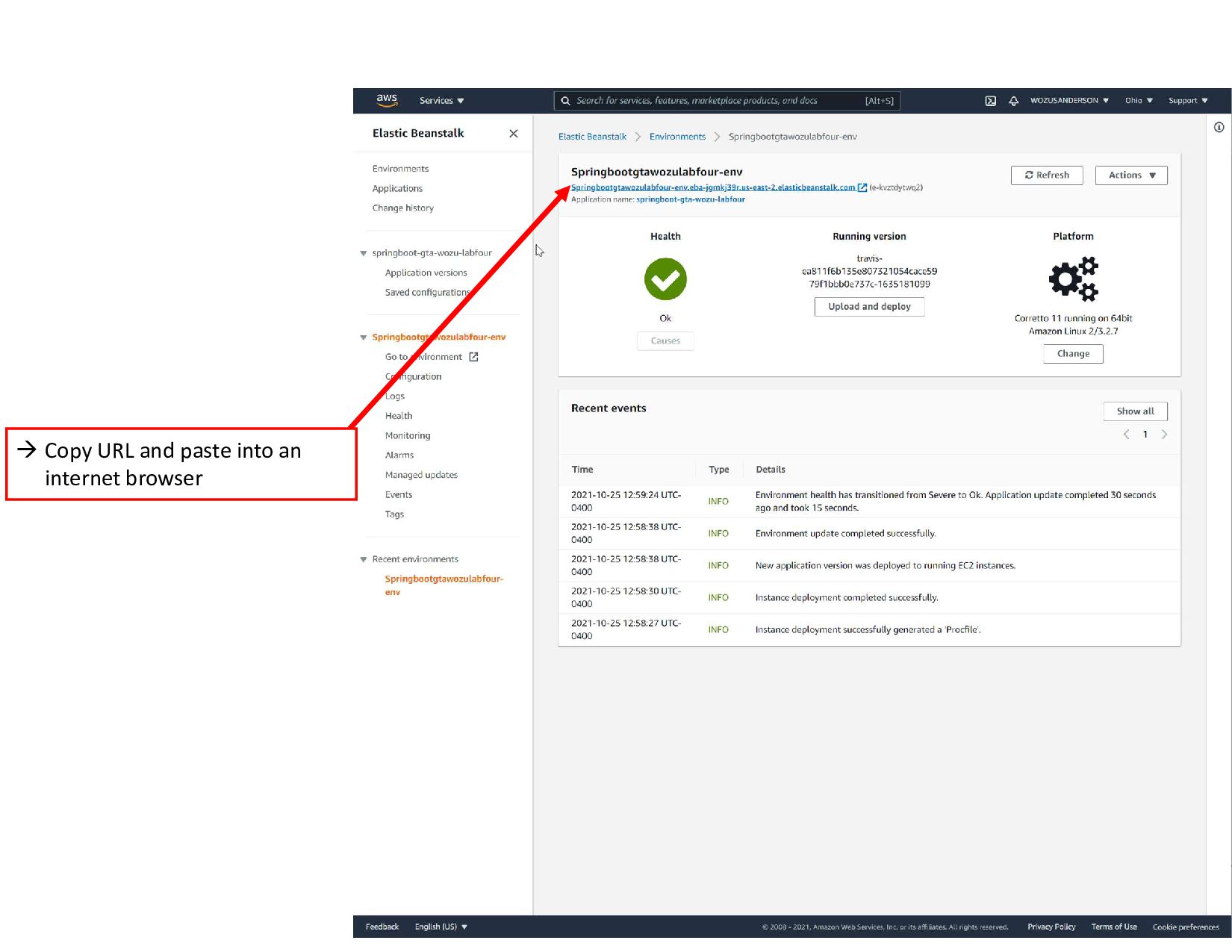
  14.  Navigate to Elastic Beanstalk on AWS  Travis CI
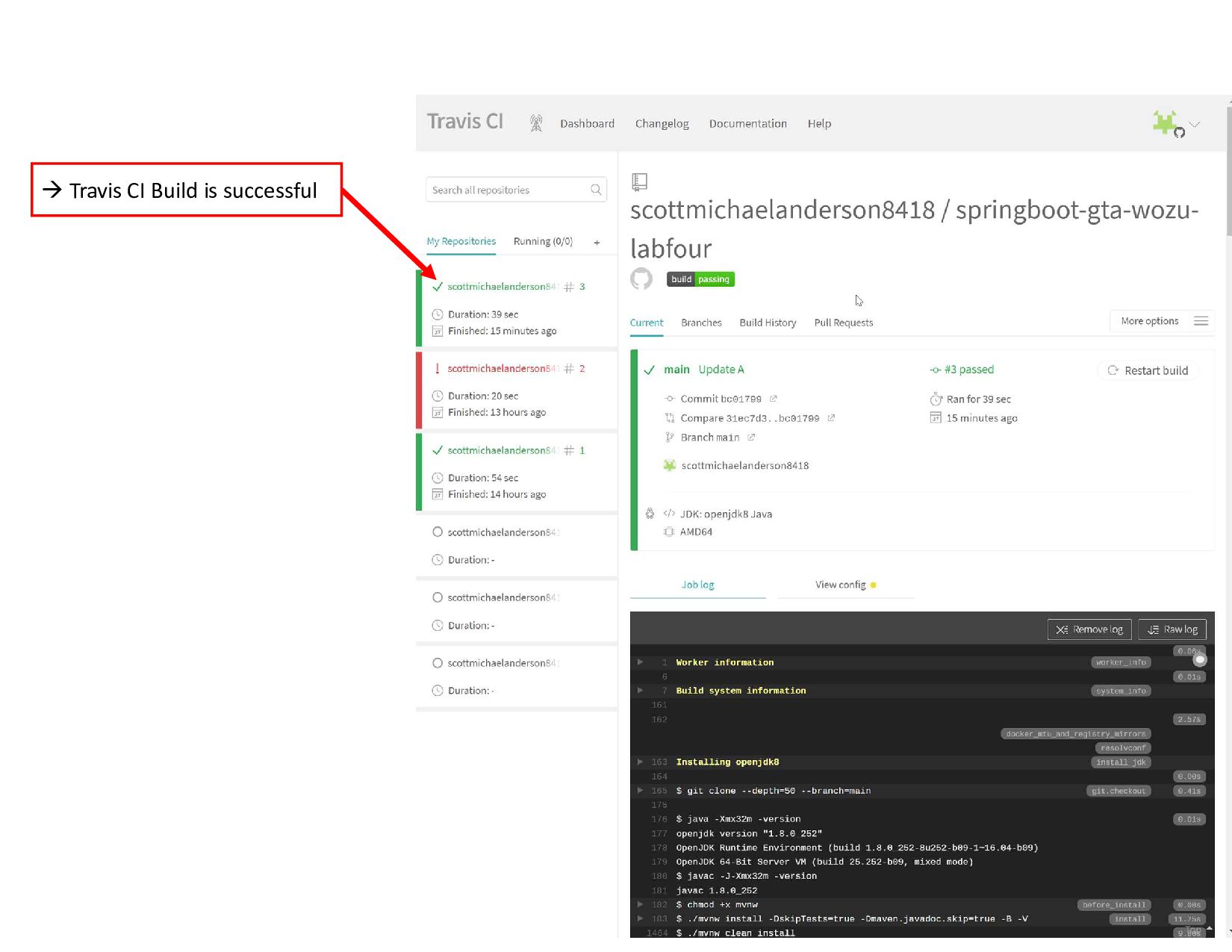
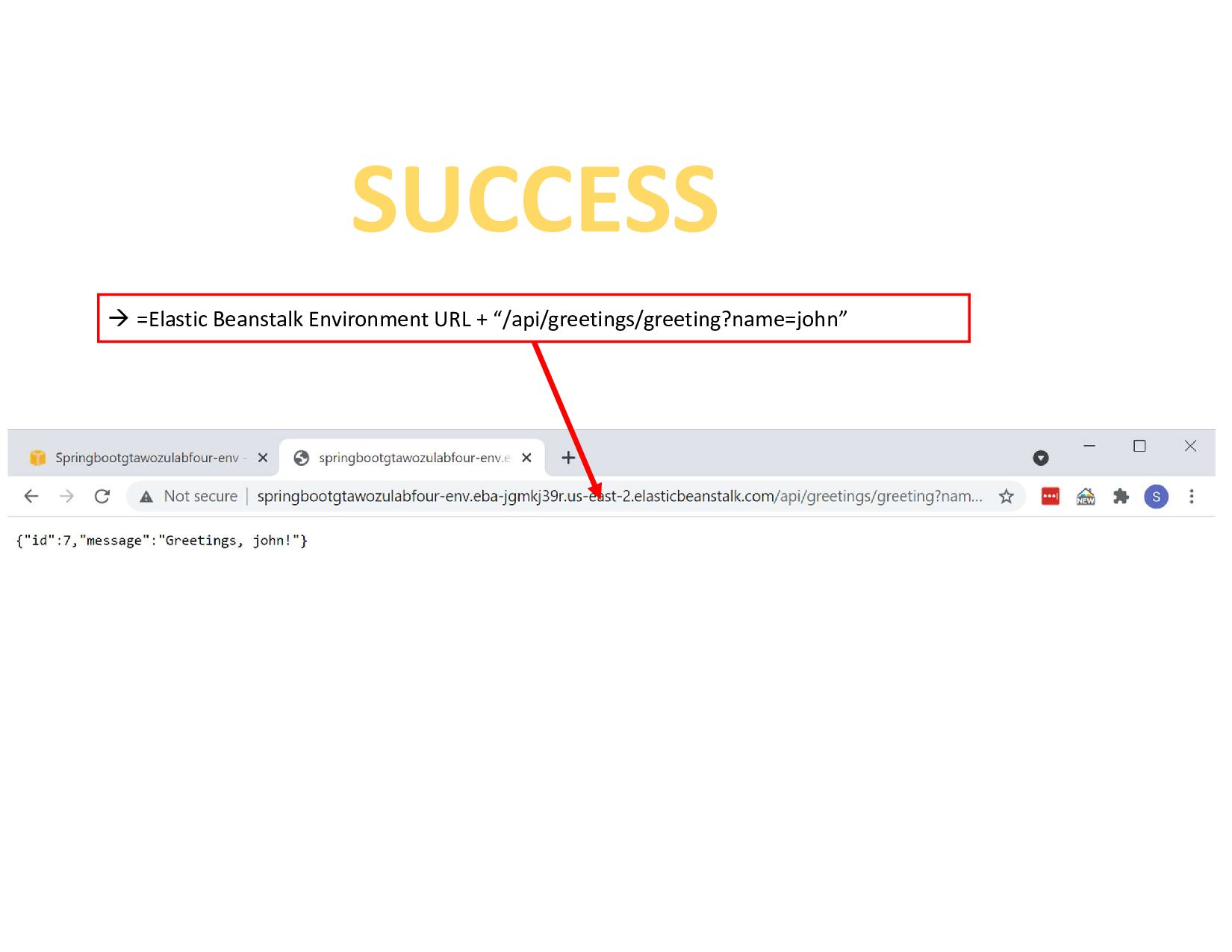
    has successfully pushed the JAR file into AWS Elastic Beanstalk