Upgrade to Pro
— share decks privately, control downloads, hide ads and more …
Speaker Deck
Sign up for free
Menu
Search
Features
All features
Private URLs
Password Protection
Custom URLS
Scheduled publishing
Remove Branding
Restrict embedding
Deck Collections
Notes
Features
All features
Private URLs
Password Protection
Custom URLS
Scheduled publishing
Remove Branding
Restrict embedding
Deck Collections
Notes
Explore
Featured decks
Featured speakers
Programming
Technology
Storyboards
Explore
Featured decks
Featured speakers
Programming
Technology
Storyboards
Pricing
Search
Sign in
Sign up for free
HTML5 Editor - LightningTalk at Paris JS
Search
sgruhier
January 25, 2012
Programming
120
3
Share
Embed
Copy iframe code
Copy JS code
Copy link
Start on current slide
HTML5 Editor - LightningTalk at Paris JS
How to make a simple HTML editor without TinyMCE
sgruhier
January 25, 2012
More Decks by sgruhier
See All by sgruhier
Maptimize - ElasticSearch
sgruhier
2
200
coffeescript.pdf
sgruhier
2
470
Other Decks in Programming
See All in Programming
The Rails Doctrine Decade
koic
2
440
KiroのSpecで「五目並べ」を作ってみる
satoshi256kbyte
1
320
仕様駆動開発による爆速プロダクト開発 / Bakusoku Spec Driven Development
kobakei
0
150
海上で動くGoサーバー: goroutineとchannelでさばく航行データストリーム
atsuki_seo
0
1k
Simple Storage Service(S3) is not simple
iwatsukayura
0
110
[ハンズオン]AIへの指示だけで「五目並べ」を作ってみよう
satoshi256kbyte
1
310
C#の現在地 進化の歴史と、AI時代の.NET Everywhere
neuecc
5
4.7k
Streamlitで実現する自然言語データアプリ開発
ayumu_yamaguchi
1
330
更なる可用性を求めて、5年間運用したKotlinのアプリケーションをGoでリプレイスする話
ken_tunc
0
420
技術的負債を組織課題として解く-増えすぎたマイクロサービスとの戦い-
reimaru
1
2.6k
市販E-Readerを乗っ取れ 〜Embedded Swiftで電子ペーパーガジェットを制御する〜
trickart
0
230
SREの越境 / SRE Collaboration
y0hgi
2
290
Featured
See All Featured
For a Future-Friendly Web
brad_frost
183
10k
What Being in a Rock Band Can Teach Us About Real World SEO
427marketing
0
1.1k
Responsive Adventures: Dirty Tricks From The Dark Corners of Front-End
smashingmag
254
22k
AI in Enterprises - Java and Open Source to the Rescue
ivargrimstad
0
1.5k
Paper Plane (Part 1)
katiecoart
PRO
2
11k
A Soul's Torment
seathinner
8
3.7k
Test your architecture with Archunit
thirion
2
2.4k
[RailsConf 2023 Opening Keynote] The Magic of Rails
eileencodes
31
10k
Why You Should Never Use an ORM
jnunemaker
PRO
61
10k
My Coaching Mixtape
mlcsv
0
330
Public Speaking Without Barfing On Your Shoes - THAT 2023
reverentgeek
1
580
sira's awesome portfolio website redesign presentation
elsirapls
0
430
Transcript
Editeur HTML(5) Sébastien Gruhier - xilinus.com 25/01/2012 Wednesday, January 25,
12
Solutions existantes Wednesday, January 25, 12
TinyMCE • 15000 lignes de code (sans les plugins) •
500 KO (200 KO minifié) Wednesday, January 25, 12
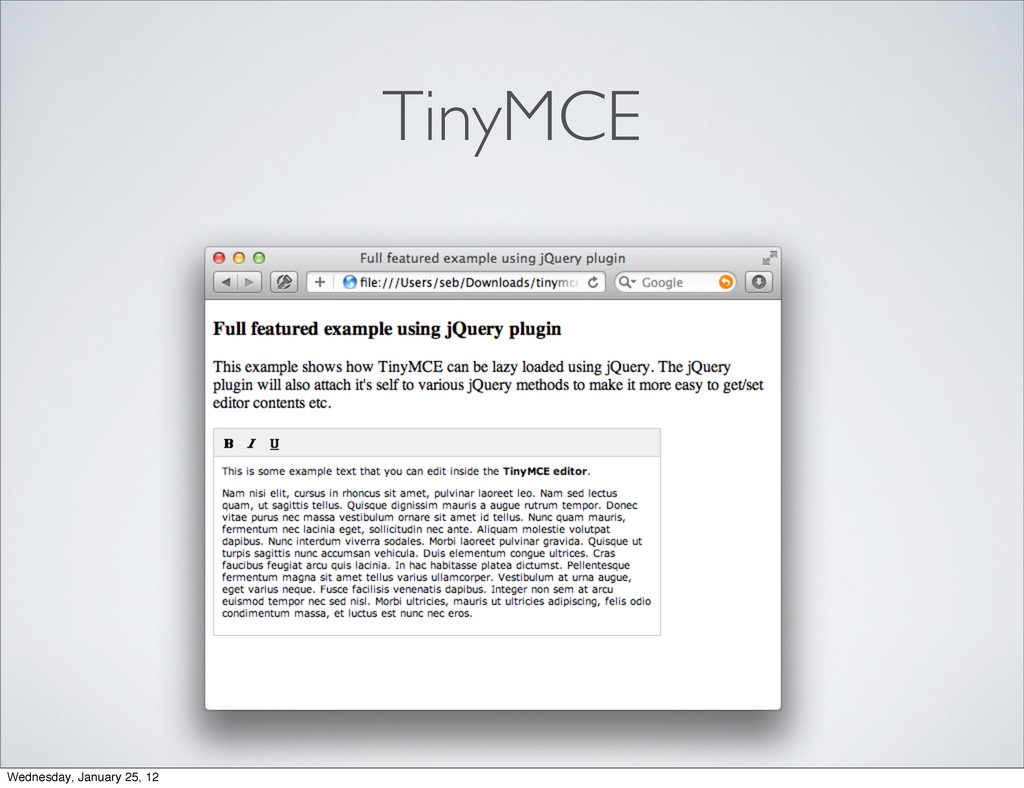
TinyMCE Wednesday, January 25, 12
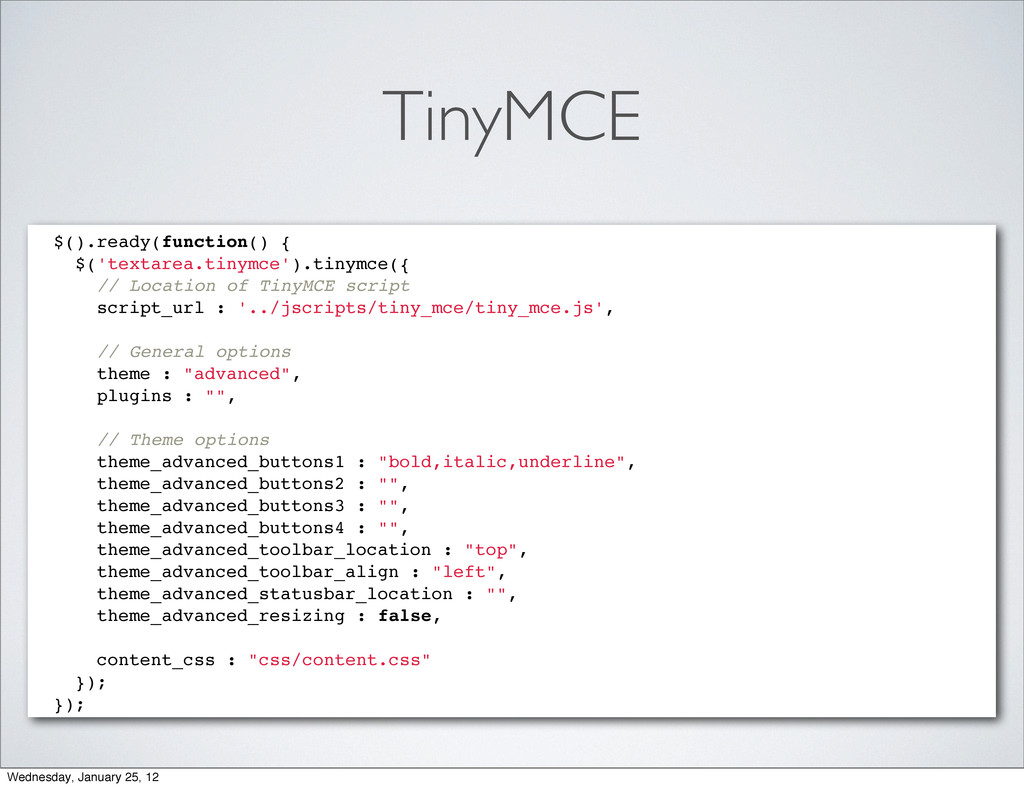
TinyMCE $().ready(function() { $('textarea.tinymce').tinymce({ // Location of TinyMCE script script_url
: '../jscripts/tiny_mce/tiny_mce.js', // General options theme : "advanced", plugins : "", // Theme options theme_advanced_buttons1 : "bold,italic,underline", theme_advanced_buttons2 : "", theme_advanced_buttons3 : "", theme_advanced_buttons4 : "", theme_advanced_toolbar_location : "top", theme_advanced_toolbar_align : "left", theme_advanced_statusbar_location : "", theme_advanced_resizing : false, content_css : "css/content.css" }); }); Wednesday, January 25, 12
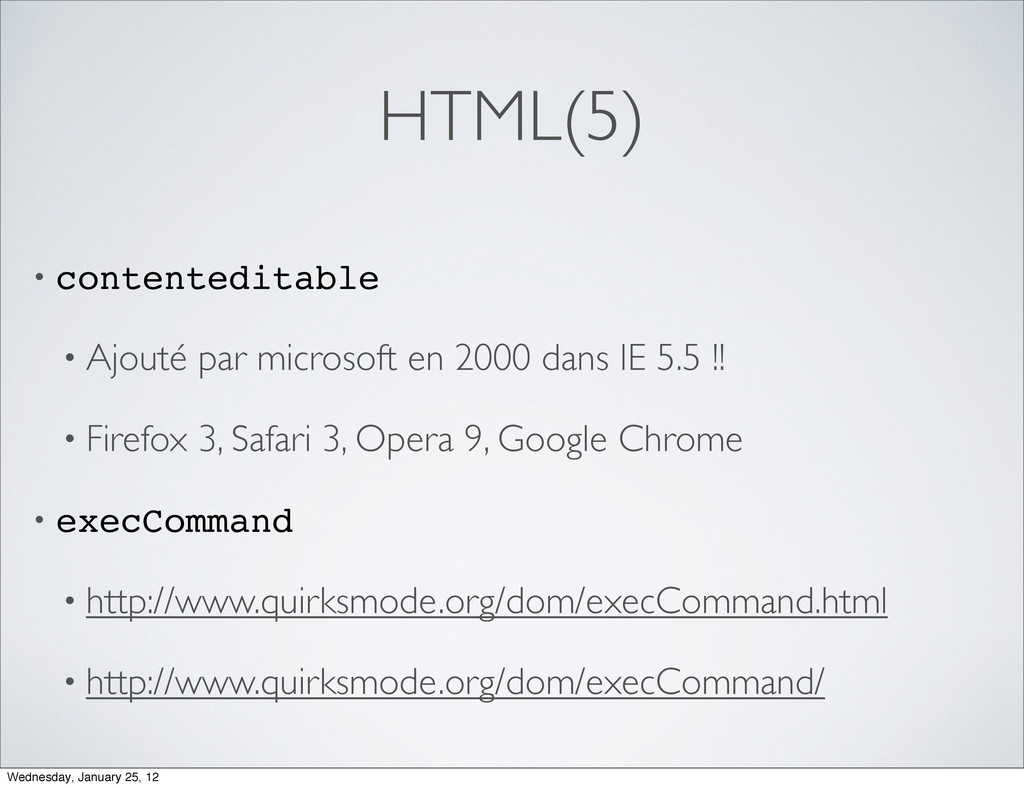
HTML(5) • contenteditable • Ajouté par microsoft en 2000 dans
IE 5.5 !! • Firefox 3, Safari 3, Opera 9, Google Chrome • execCommand • http://www.quirksmode.org/dom/execCommand.html • http://www.quirksmode.org/dom/execCommand/ Wednesday, January 25, 12
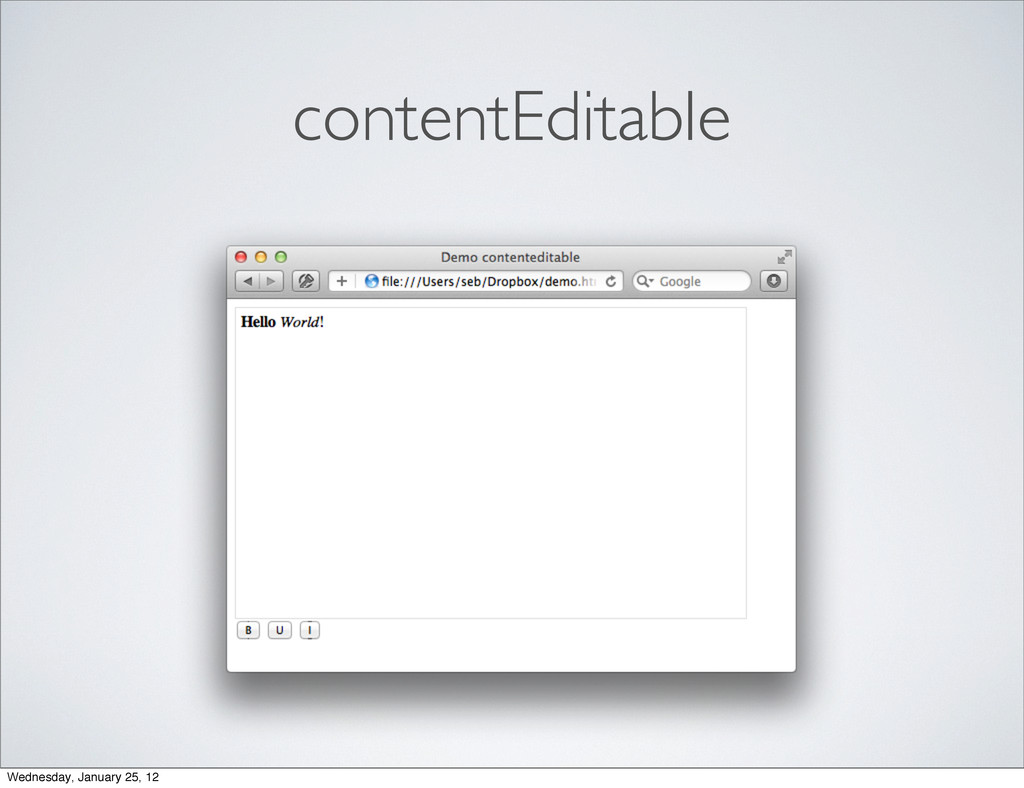
contentEditable Wednesday, January 25, 12
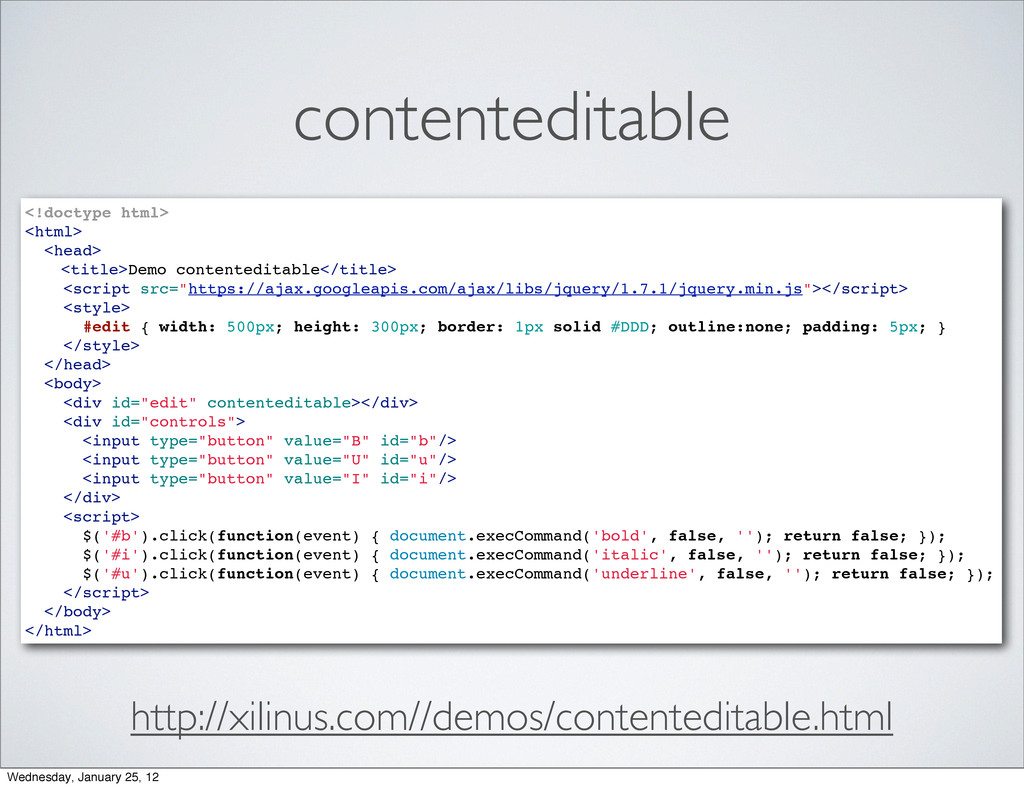
contenteditable <!doctype html> <html> <head> " <title>Demo contenteditable</title>" <script src="https://ajax.googleapis.com/ajax/libs/jquery/1.7.1/jquery.min.js"></script>
<style> #edit { width: 500px; height: 300px; border: 1px solid #DDD; outline:none; padding: 5px; } </style> </head> <body> <div id="edit" contenteditable></div> <div id="controls"> <input type="button" value="B" id="b"/> <input type="button" value="U" id="u"/> <input type="button" value="I" id="i"/> </div> <script> $('#b').click(function(event) { document.execCommand('bold', false, ''); return false; }); $('#i').click(function(event) { document.execCommand('italic', false, ''); return false; }); $('#u').click(function(event) { document.execCommand('underline', false, ''); return false; }); </script> </body> </html> http://xilinus.com//demos/contenteditable.html Wednesday, January 25, 12
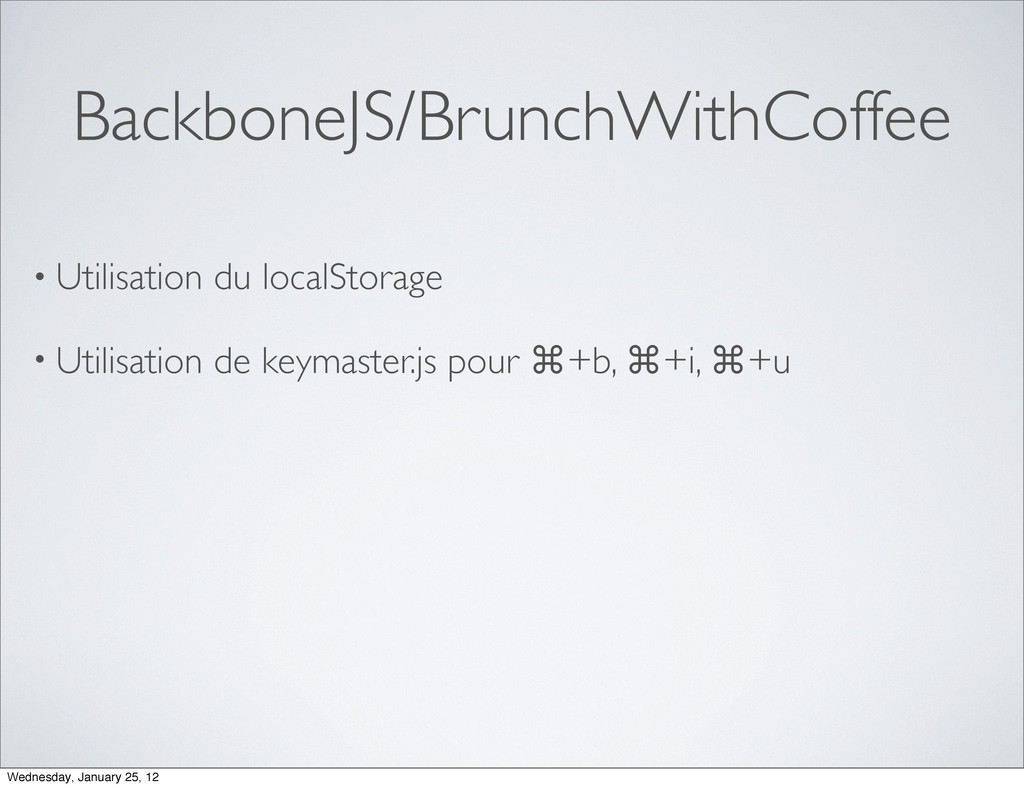
BackboneJS/BrunchWithCoffee • Utilisation du localStorage • Utilisation de keymaster.js pour
⌘+b, ⌘+i, ⌘+u Wednesday, January 25, 12
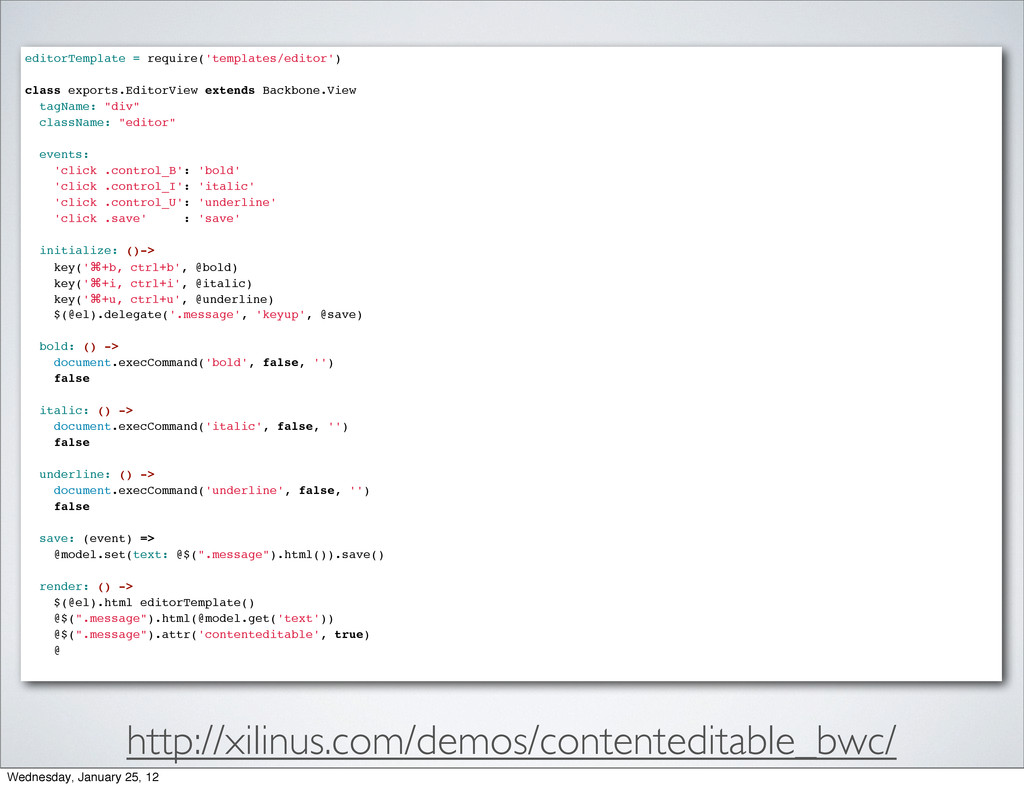
http://xilinus.com/demos/contenteditable_bwc/ editorTemplate = require('templates/editor') class exports.EditorView extends Backbone.View tagName: "div"
className: "editor" events: 'click .control_B': 'bold' 'click .control_I': 'italic' 'click .control_U': 'underline' 'click .save' : 'save' initialize: ()-> key('⌘+b, ctrl+b', @bold) key('⌘+i, ctrl+i', @italic) key('⌘+u, ctrl+u', @underline) $(@el).delegate('.message', 'keyup', @save) bold: () -> document.execCommand('bold', false, '') false italic: () -> document.execCommand('italic', false, '') false underline: () -> document.execCommand('underline', false, '') false save: (event) => @model.set(text: @$(".message").html()).save() render: () -> $(@el).html editorTemplate() @$(".message").html(@model.get('text')) @$(".message").attr('contenteditable', true) @ Wednesday, January 25, 12


 sgruhier
 koic
koic
 satoshi256kbyte
 kobakei
 atsuki_seo
 iwatsukayura
 neuecc
 ayumu_yamaguchi
 ken_tunc
 reimaru
 trickart
 y0hgi
y0hgi
 brad_frost
 427marketing
 smashingmag
 ivargrimstad
 katiecoart
 seathinner
 thirion
 eileencodes
 jnunemaker
 mlcsv
mlcsv
 reverentgeek
 elsirapls