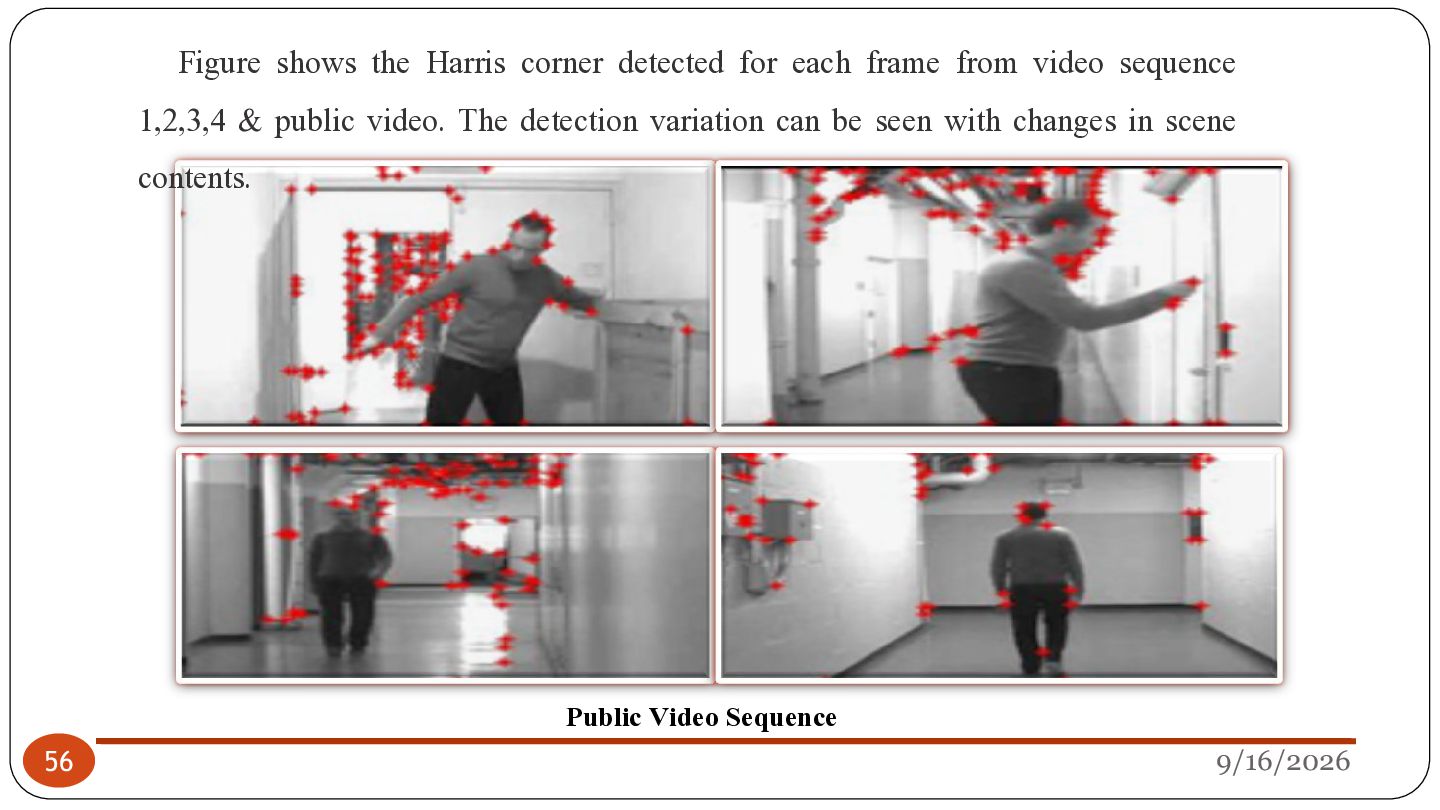
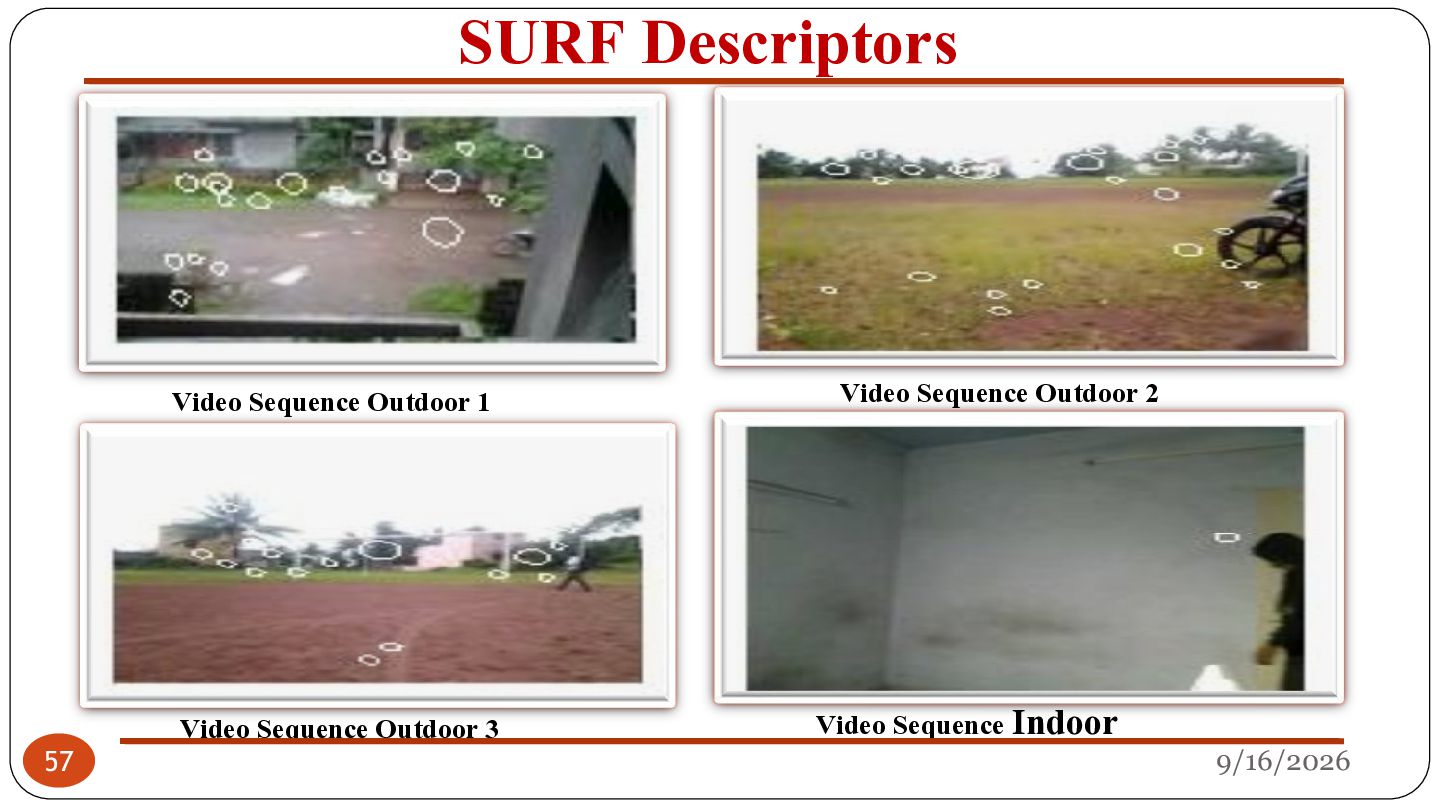
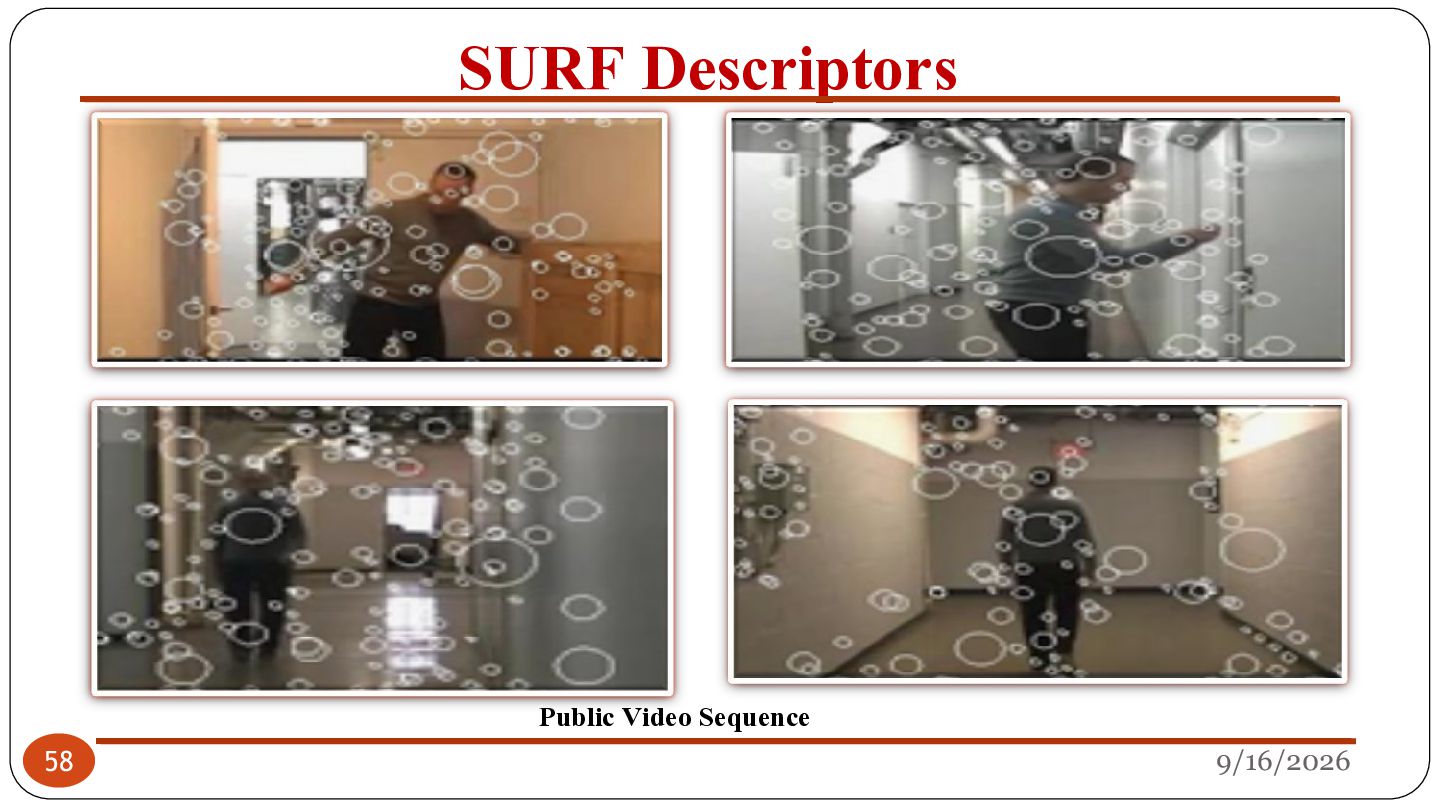
Digital Image Processing and study basic image processing operations. 2. To cover the basic analytical methods which are widely used in image processing; linear and nonlinear filtering; and image transformations for coding and restoration. 3. To design and implement algorithms for advanced image analysis. 4. To expose students to current applications in the field of digital image processing. 2 9/16/2026
a two-dimensional function x and y are spatial coordinates The amplitude of f is called intensity or gray level at the point (x, y) Digital Image Processing — process digital images by means of computer, it covers low-, mid-, and high-level processes low-level: inputs and outputs are images. mid-level: outputs are attributes extracted from input images. high-level: an ensemble of recognition of individual objects. Pixel — the elements of a digital image 9/16/2026
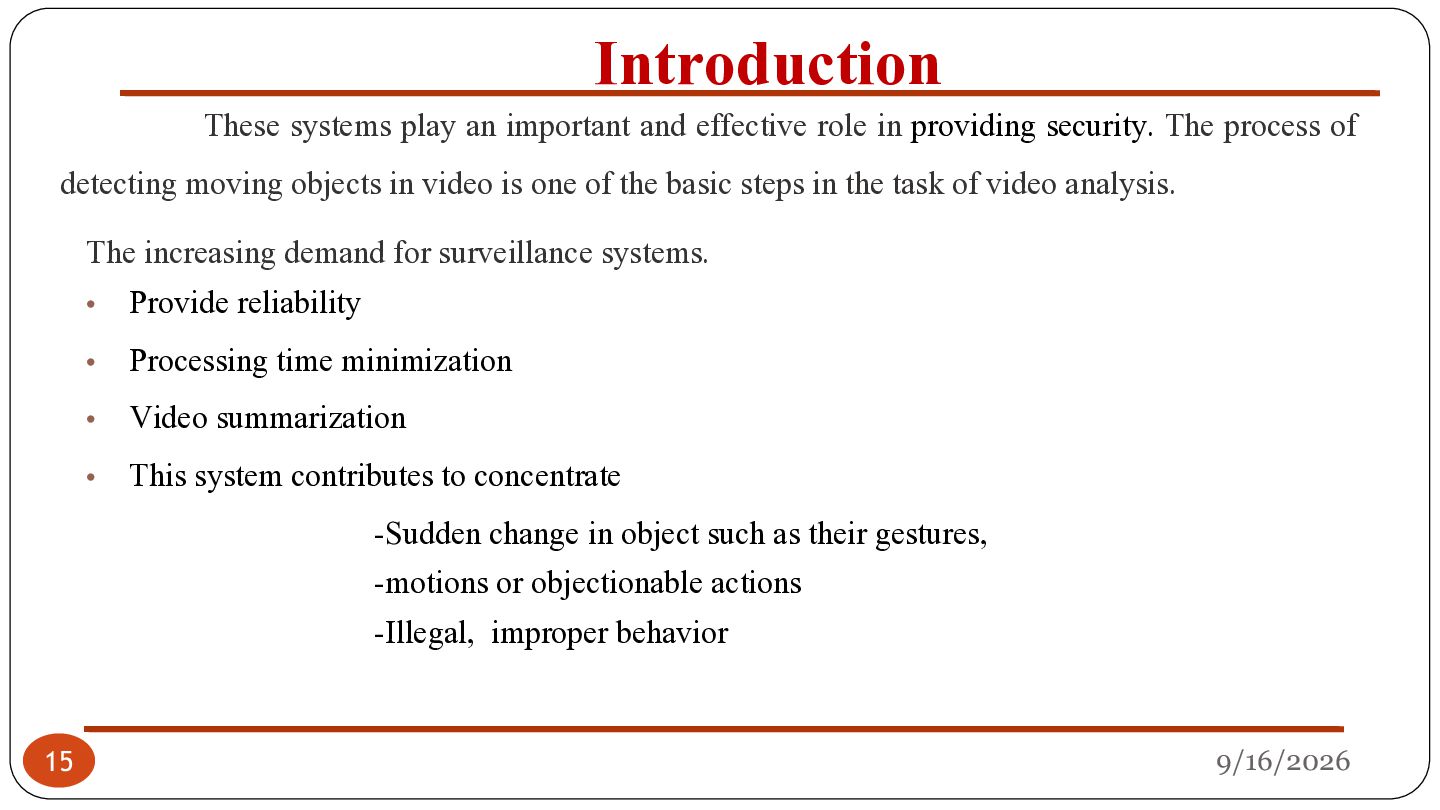
providing security. The process of detecting moving objects in video is one of the basic steps in the task of video analysis. The increasing demand for surveillance systems. • • • • Provide reliability Processing time minimization Video summarization This system contributes to concentrate -Sudden change in object such as their gestures, -motions or objectionable actions -Illegal, improper behavior 15 9/16/2026
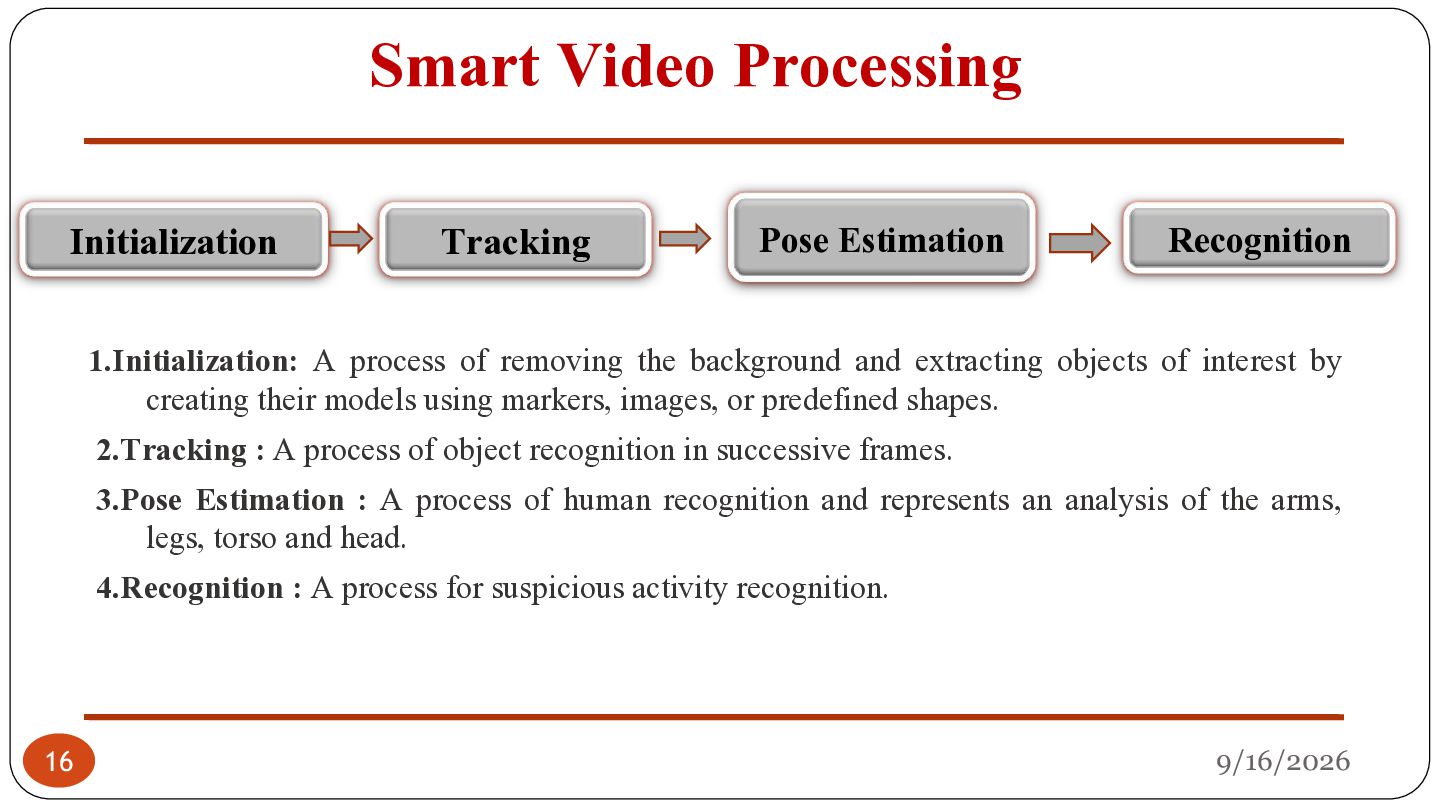
process of removing the background and extracting objects of interest by creating their models using markers, images, or predefined shapes. 2.Tracking : A process of object recognition in successive frames. 3.Pose Estimation : A process of human recognition and represents an analysis of the arms, legs, torso and head. 4.Recognition : A process for suspicious activity recognition. 16 9/16/2026
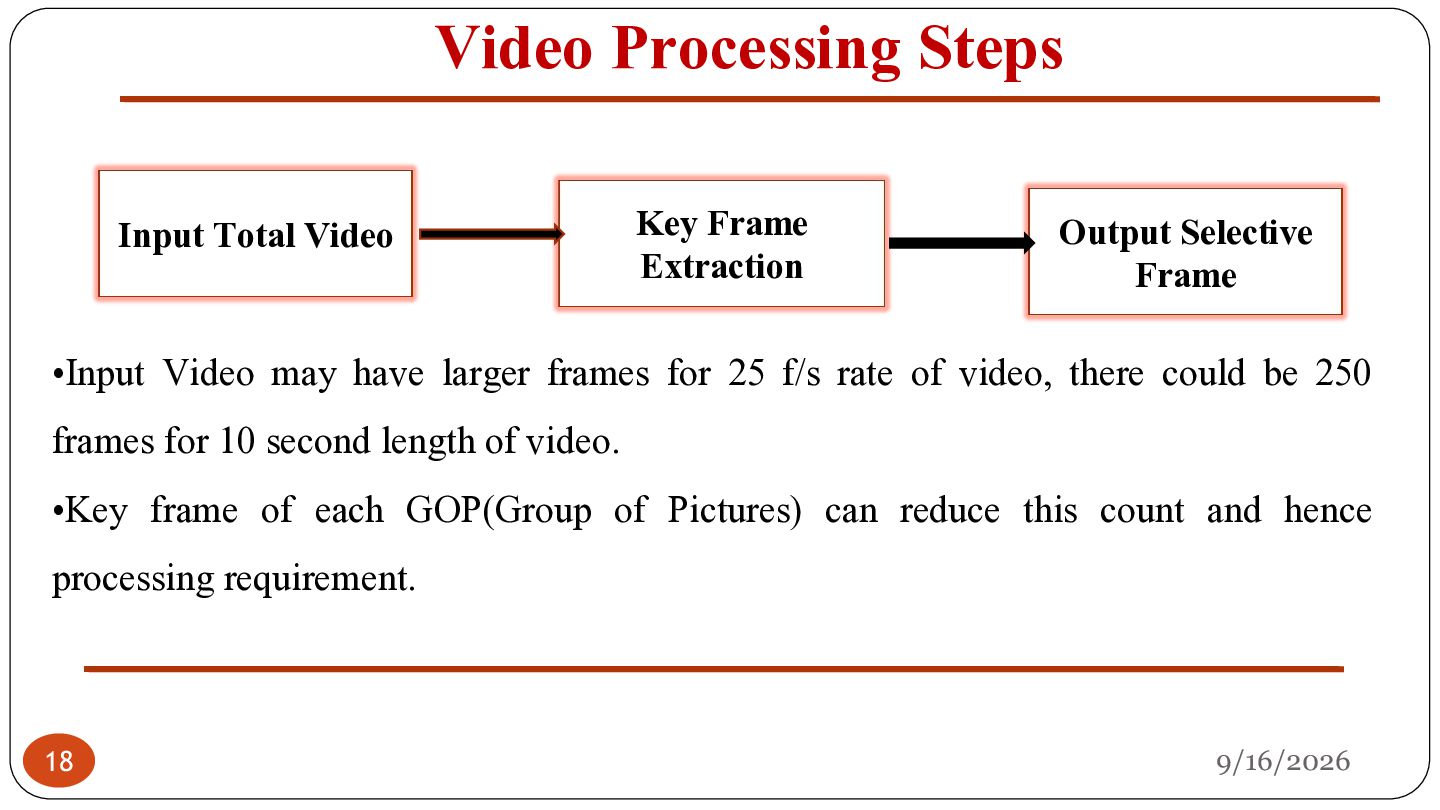
Selective Frame •Input Video may have larger frames for 25 f/s rate of video, there could be 250 frames for 10 second length of video. •Key frame of each GOP(Group of Pictures) can reduce this count and hence processing requirement. 18 9/16/2026
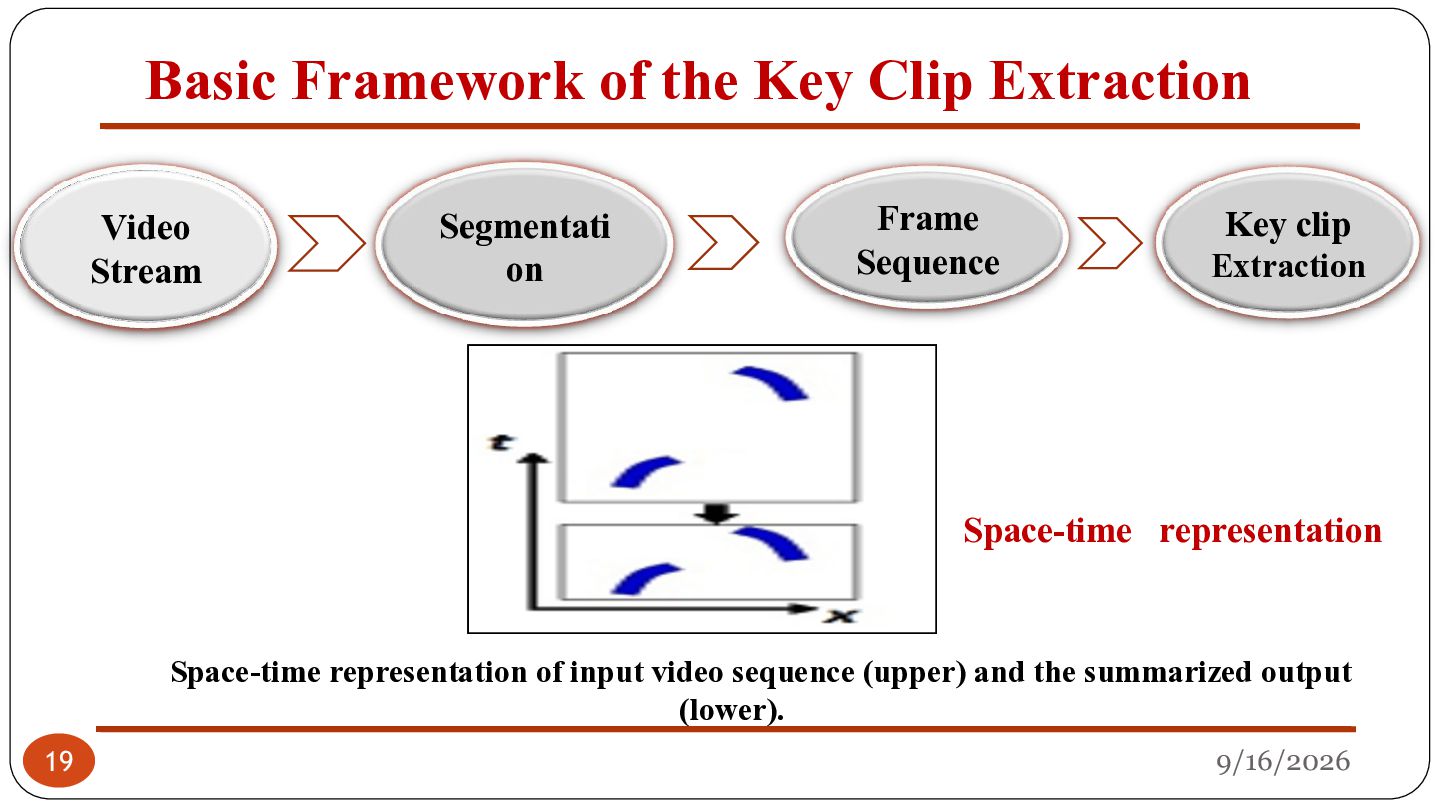
on Frame Sequence Key clip Extraction Space-time representation 19 Space-time representation of input video sequence (upper) and the summarized output (lower). 9/16/2026
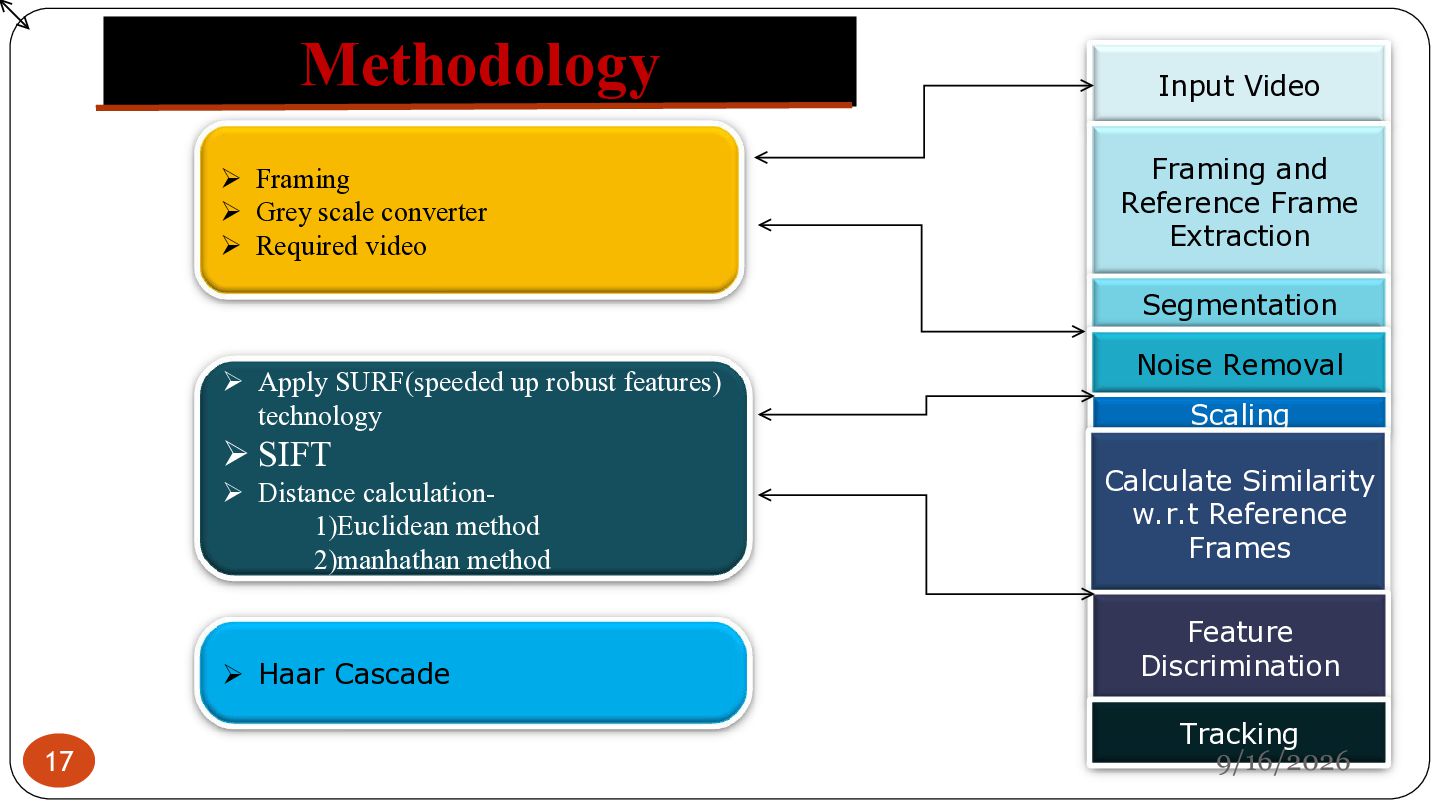
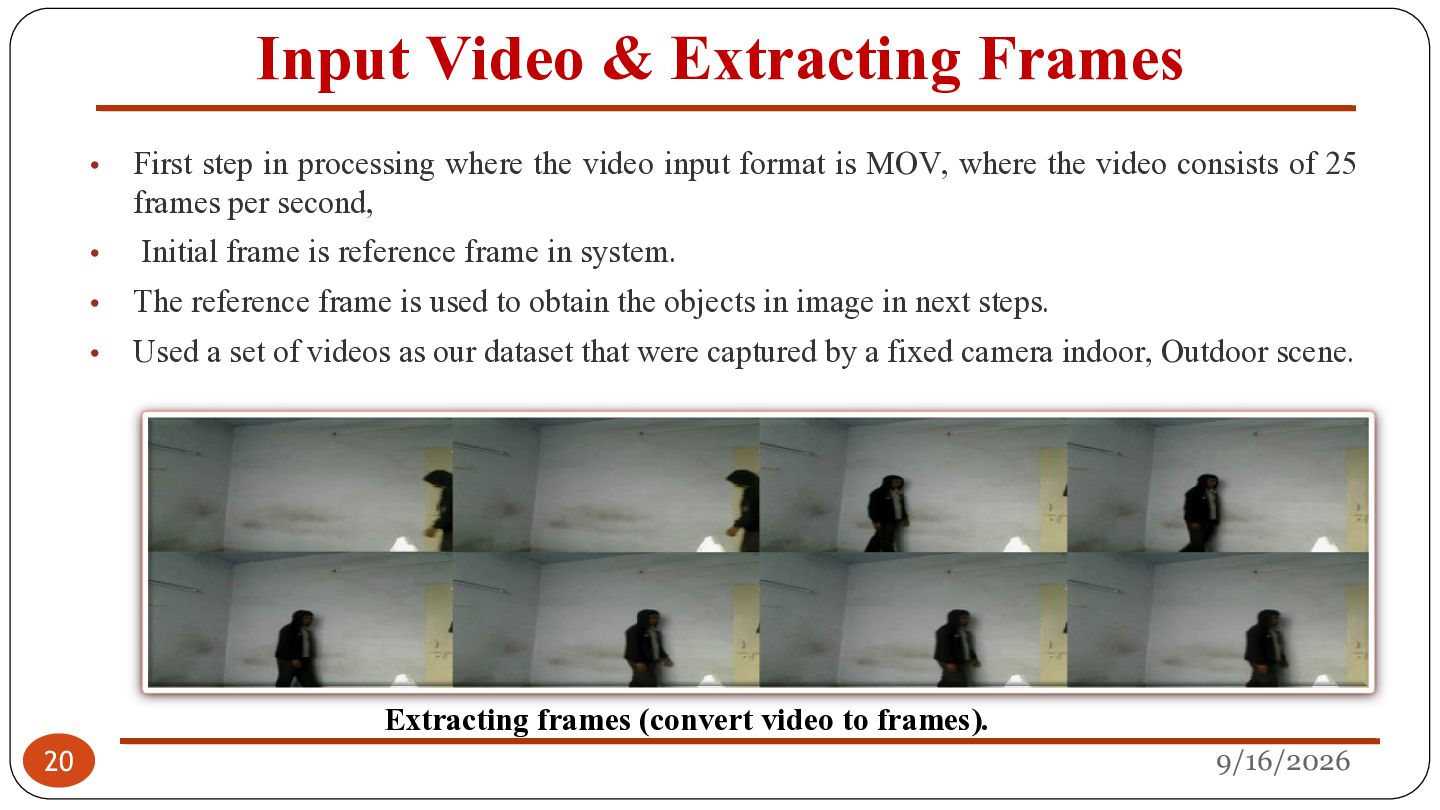
First step in processing where the video input format is MOV, where the video consists of 25 frames per second, Initial frame is reference frame in system. The reference frame is used to obtain the objects in image in next steps. Used a set of videos as our dataset that were captured by a fixed camera indoor, Outdoor scene. Extracting frames (convert video to frames). 9/16/2026
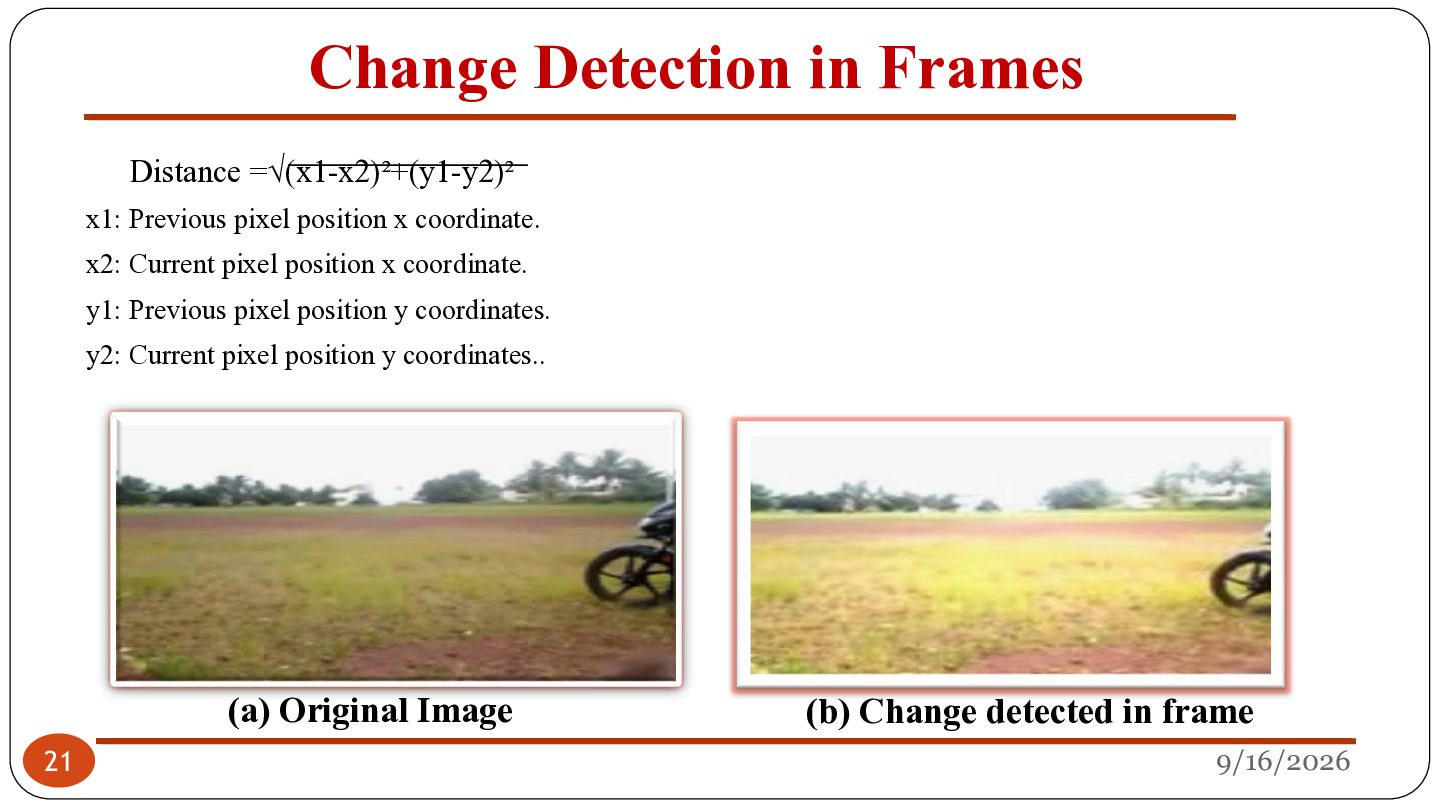
x coordinate. x2: Current pixel position x coordinate. y1: Previous pixel position y coordinates. y2: Current pixel position y coordinates.. 21 (a) Original Image (b) Change detected in frame 9/16/2026
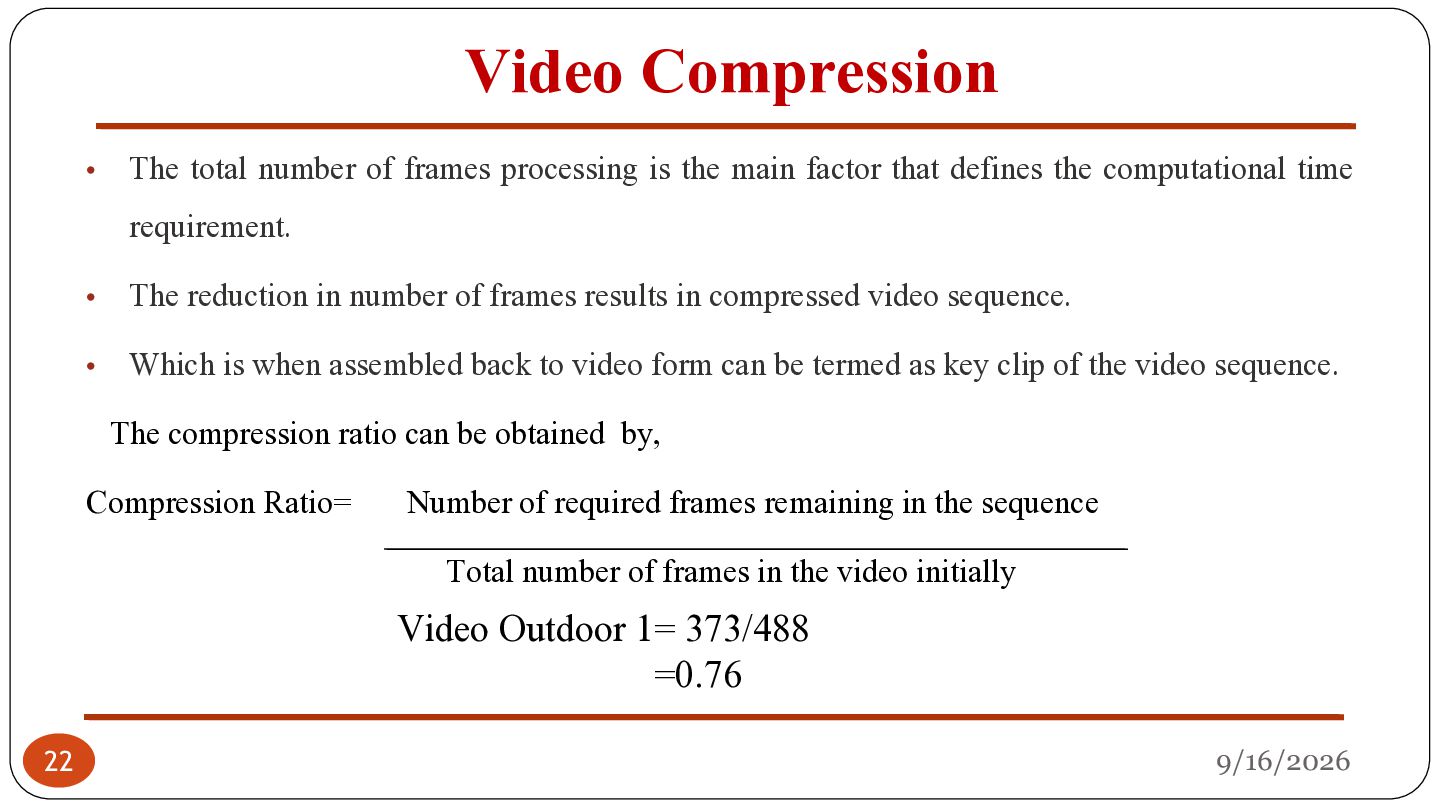
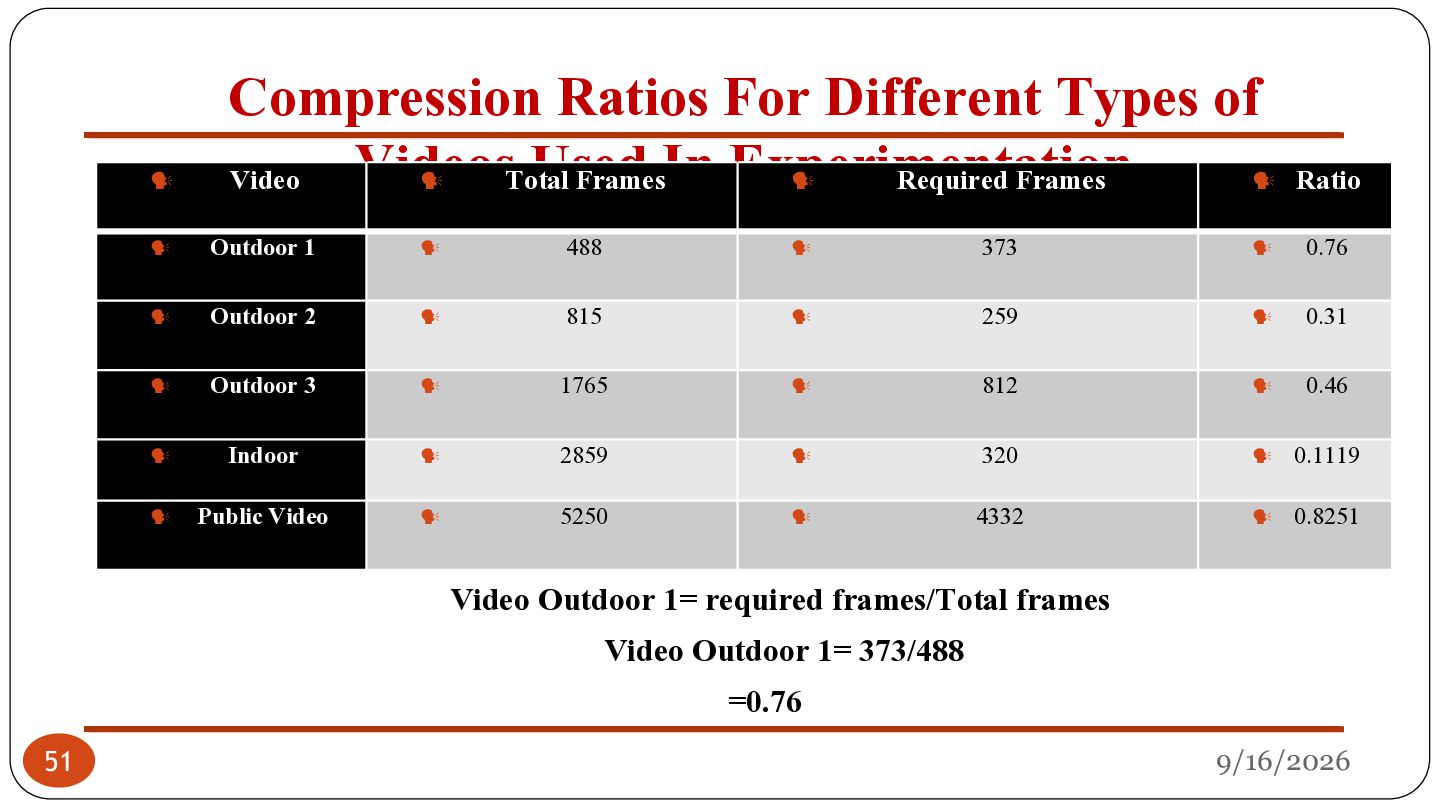
the main factor that defines the computational time requirement. • The reduction in number of frames results in compressed video sequence. • Which is when assembled back to video form can be termed as key clip of the video sequence. The compression ratio can be obtained by, Compression Ratio= Number of required frames remaining in the sequence Total number of frames in the video initially Video Outdoor 1= 373/488 =0.76 22 9/16/2026
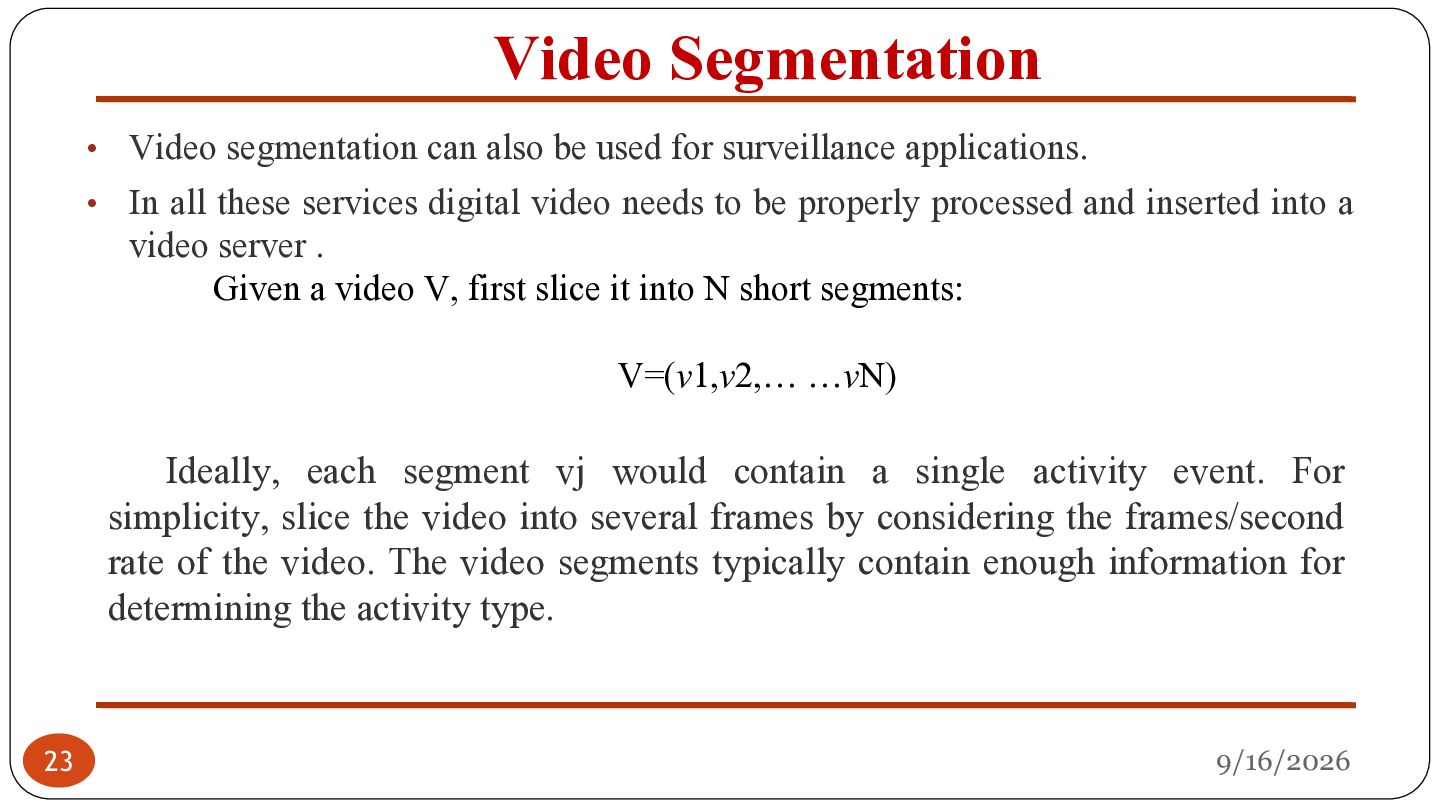
surveillance applications. • In all these services digital video needs to be properly processed and inserted into a video server . Given a video V, first slice it into N short segments: V=(v1,v2,… …vN) Ideally, each segment vj would contain a single activity event. For simplicity, slice the video into several frames by considering the frames/second rate of the video. The video segments typically contain enough information for determining the activity type. 23 9/16/2026
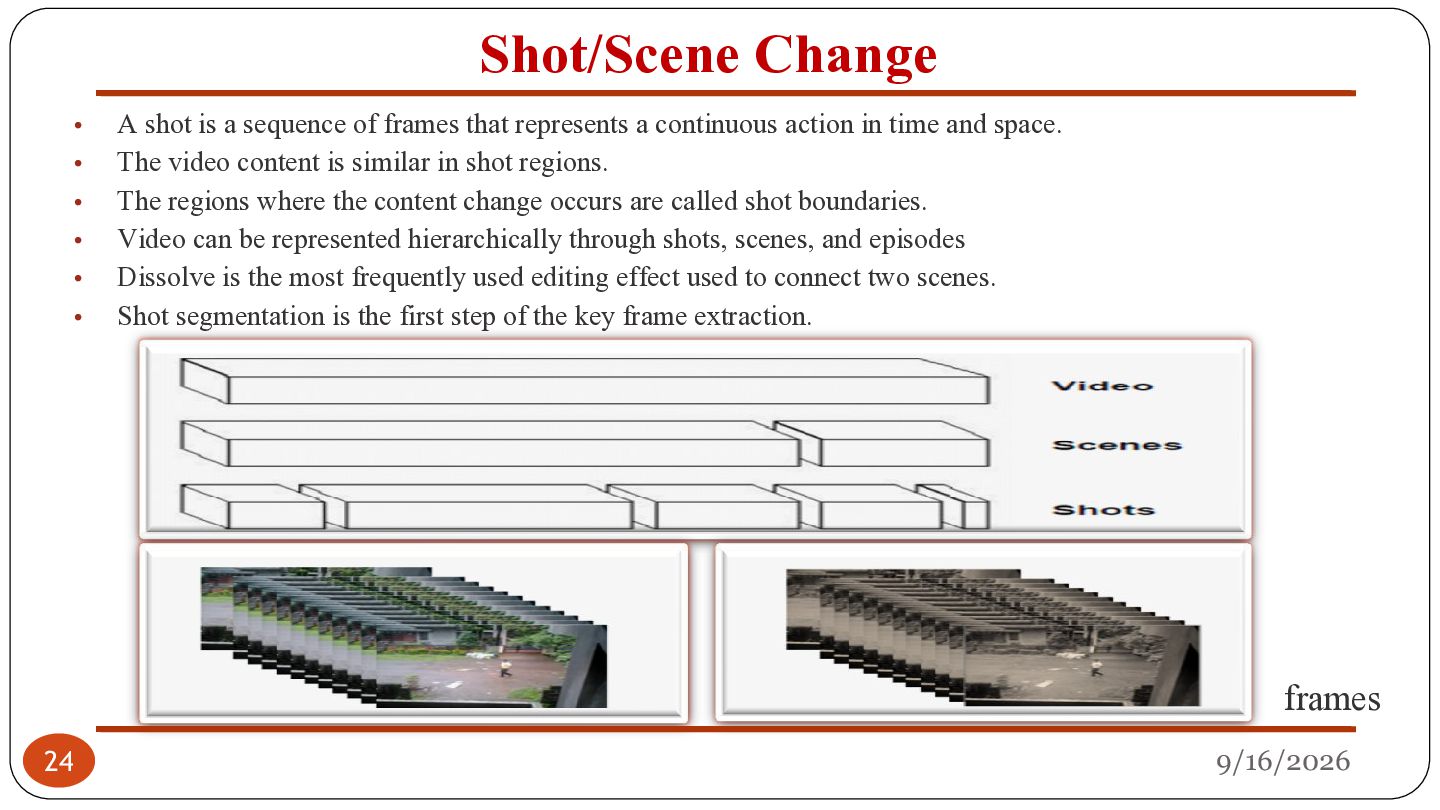
is a sequence of frames that represents a continuous action in time and space. The video content is similar in shot regions. The regions where the content change occurs are called shot boundaries. Video can be represented hierarchically through shots, scenes, and episodes Dissolve is the most frequently used editing effect used to connect two scenes. Shot segmentation is the first step of the key frame extraction. frames 24 9/16/2026
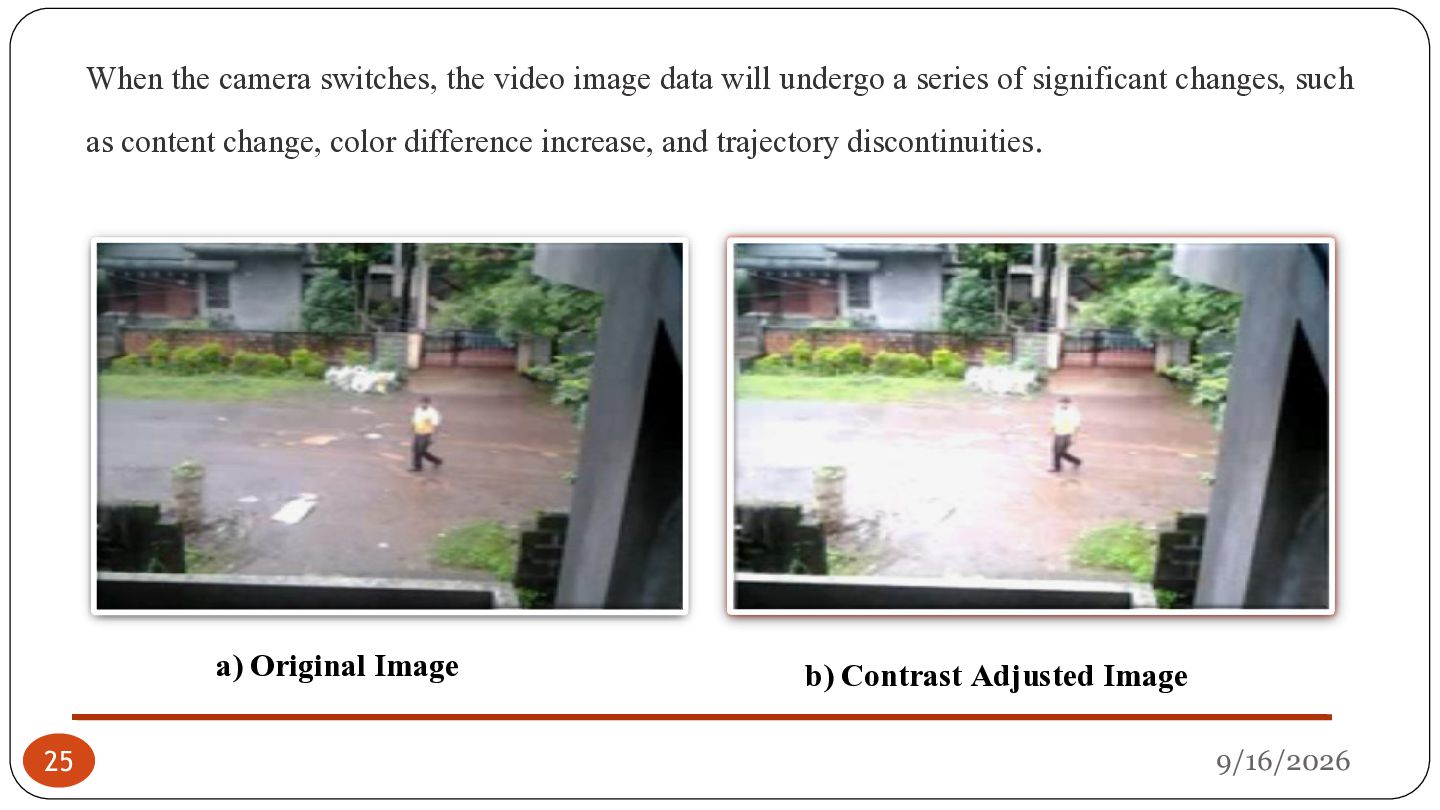
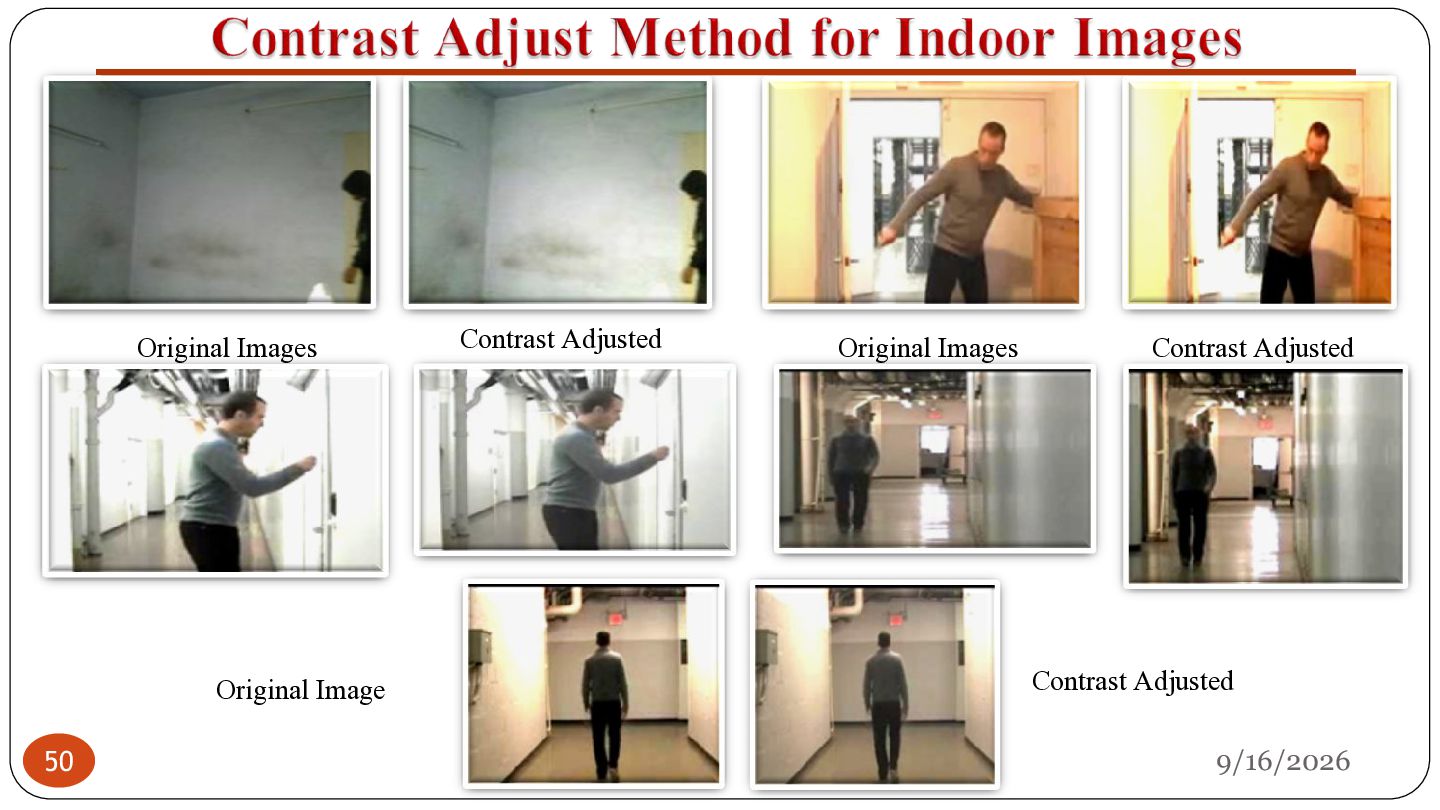
a series of significant changes, such as content change, color difference increase, and trajectory discontinuities. a) Original Image 25 b) Contrast Adjusted Image 9/16/2026
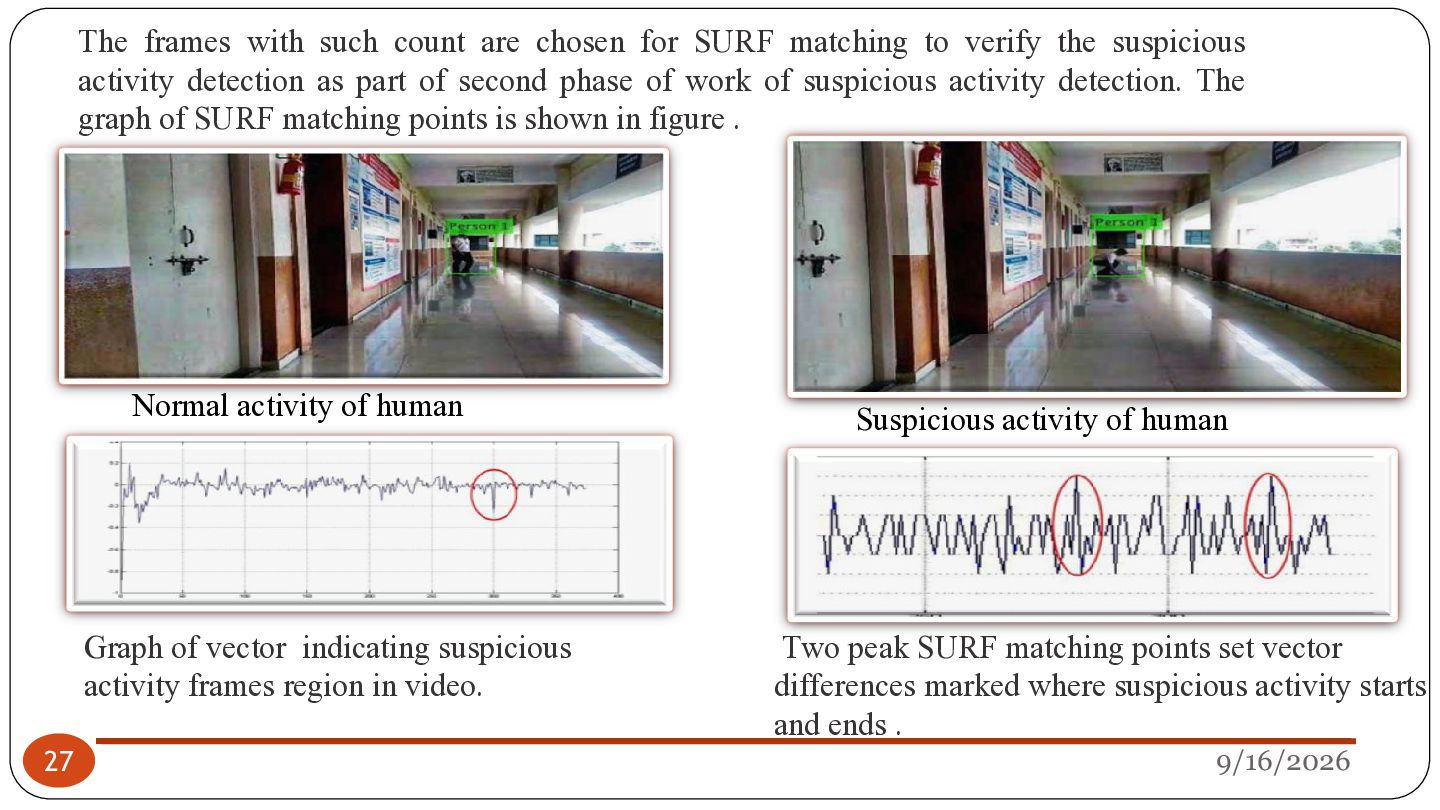
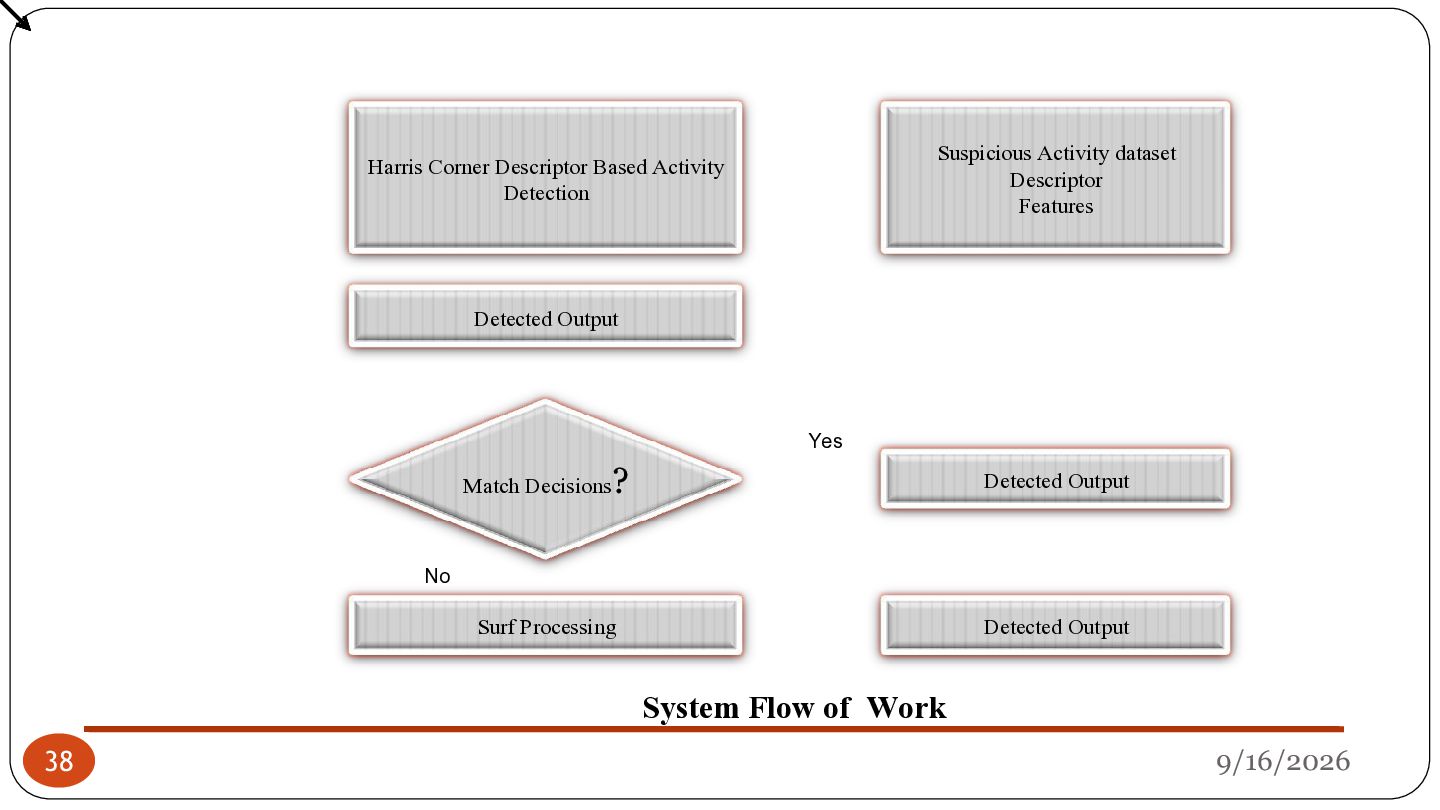
to verify the suspicious activity detection as part of second phase of work of suspicious activity detection. The graph of SURF matching points is shown in figure . Normal activity of human Graph of vector indicating suspicious activity frames region in video. 27 Suspicious activity of human Two peak SURF matching points set vector differences marked where suspicious activity starts and ends . 9/16/2026
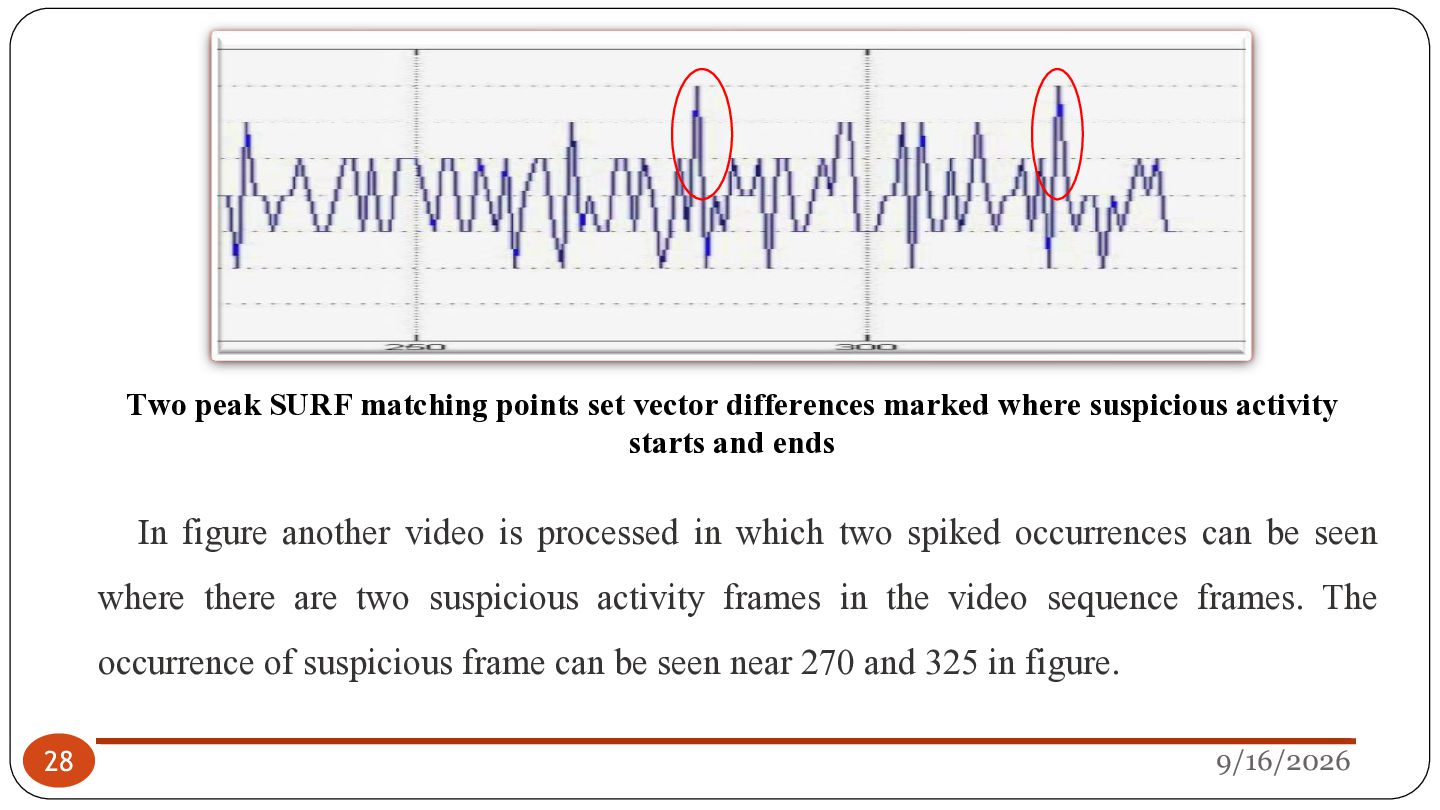
suspicious activity starts and ends In figure another video is processed in which two spiked occurrences can be seen where there are two suspicious activity frames in the video sequence frames. The occurrence of suspicious frame can be seen near 270 and 325 in figure. 28 9/16/2026
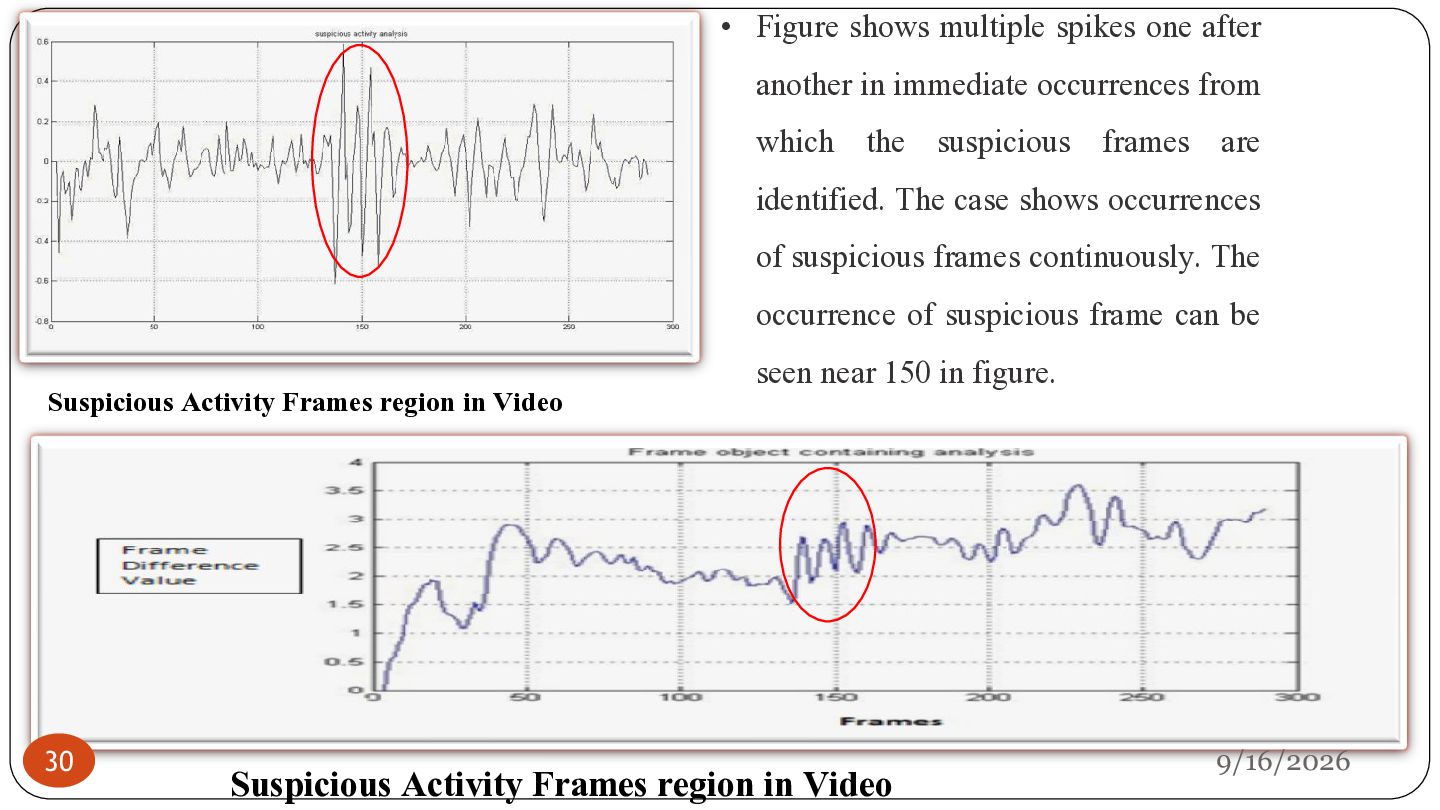
occurrences from which the suspicious frames are identified. The case shows occurrences of suspicious frames continuously. The occurrence of suspicious frame can be Suspicious Activity Frames region in Video 30 seen near 150 in figure. Suspicious Activity Frames region in Video 9/16/2026
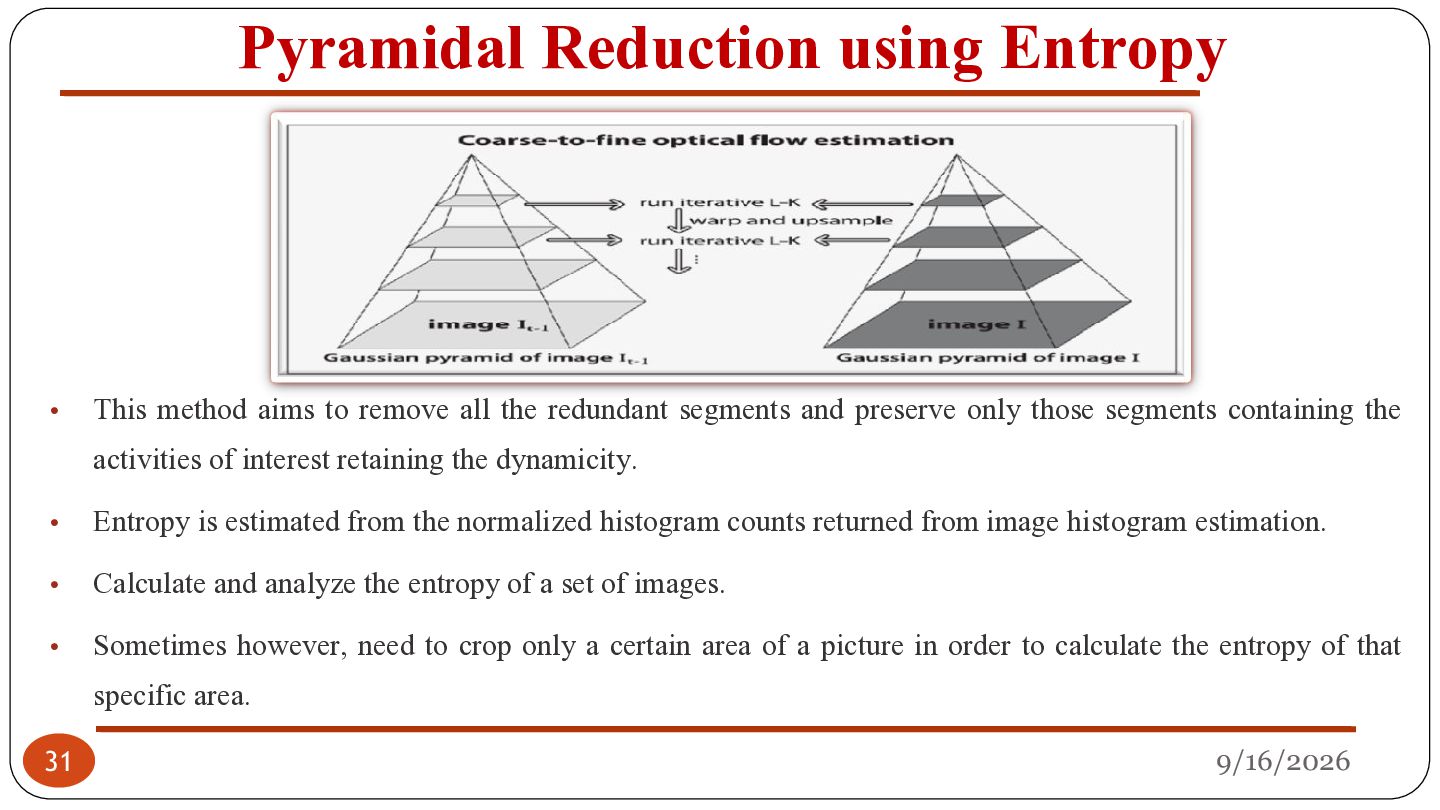
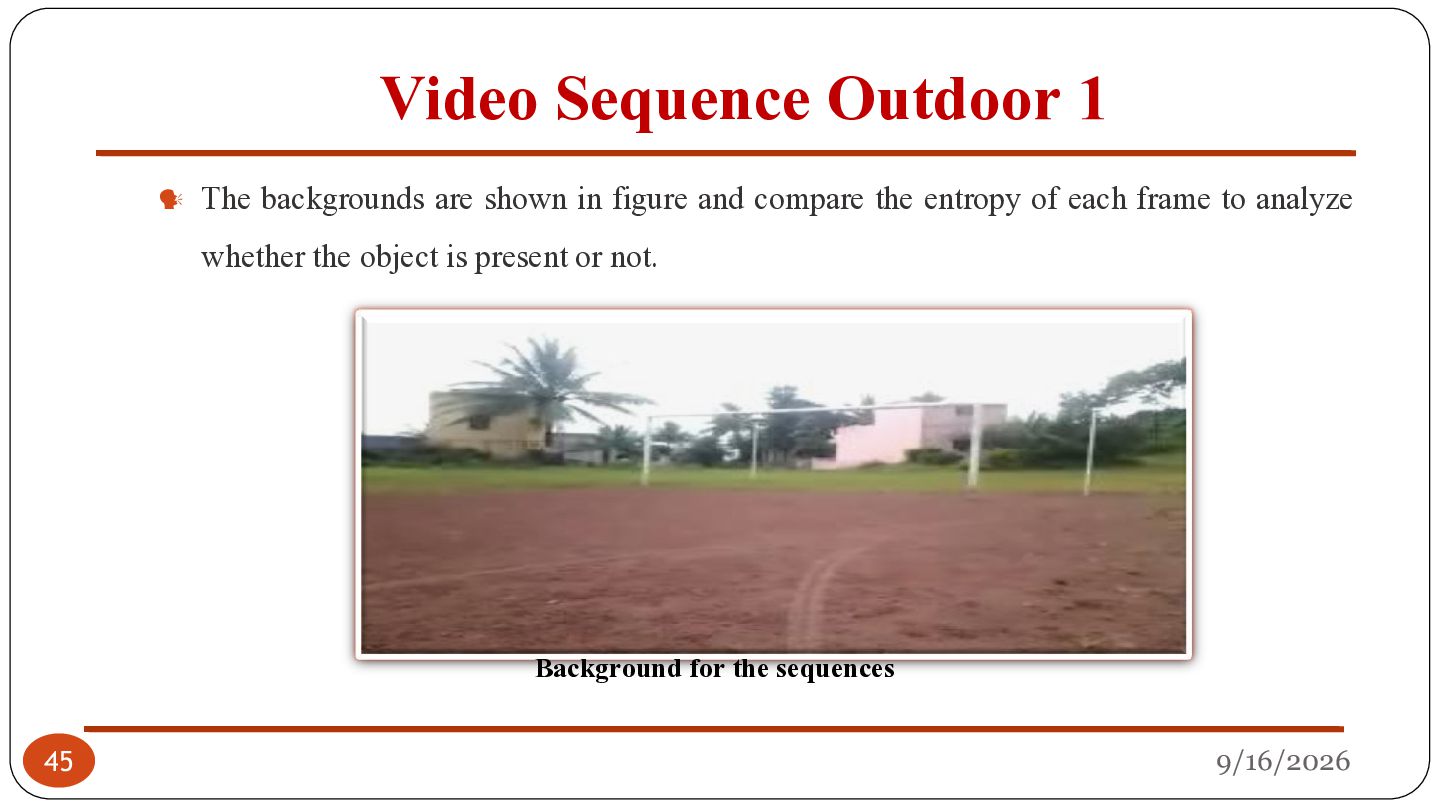
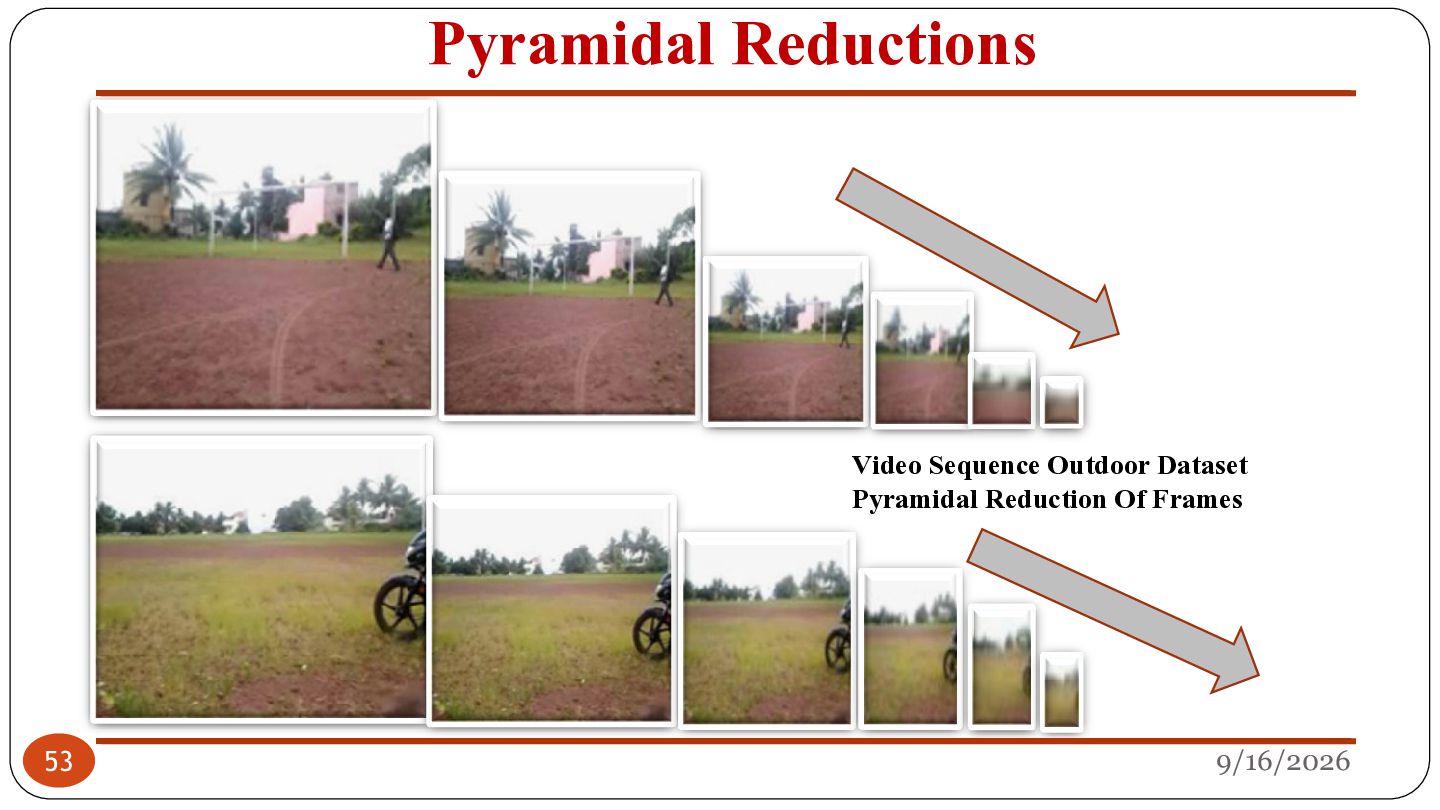
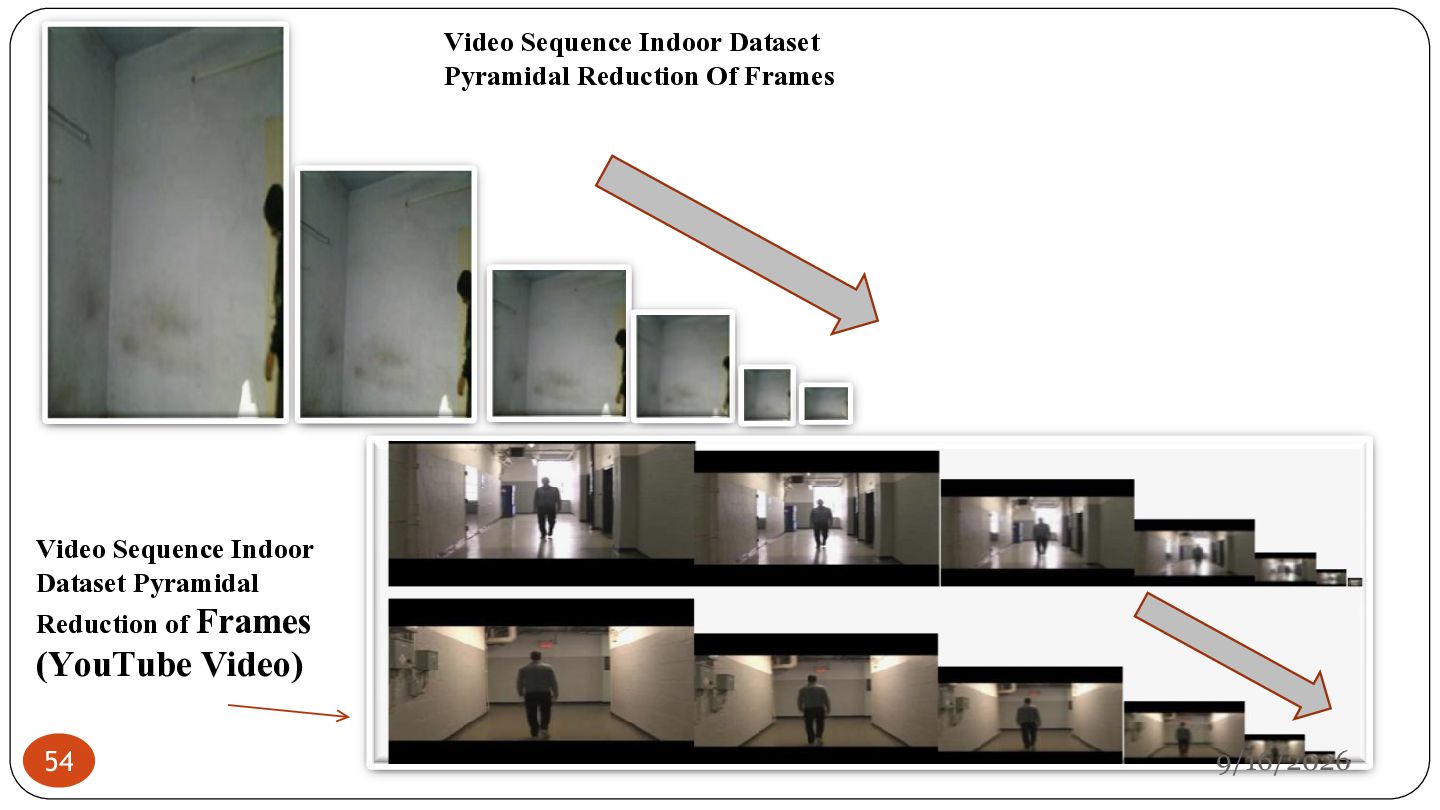
all the redundant segments and preserve only those segments containing the • Entropy is estimated from the normalized histogram counts returned from image histogram estimation. • Calculate and analyze the entropy of a set of images. • Sometimes however, need to crop only a certain area of a picture in order to calculate the entropy of that 31 activities of interest retaining the dynamicity. specific area. 9/16/2026
in each identified first before ese N/5 frames this, the video required to input be D to treat ted into human frames actual while processing. actly ction dzero reduce the number of frames in the such irst convert all ch havingwill frame rate as esent e iswhich nd. Let For be the set of matrices while dpixel from input video by 2). frame. lated (4). gM} … E , …36 , fN} C … (1) A PROPOSED METHOD 9/16/2026
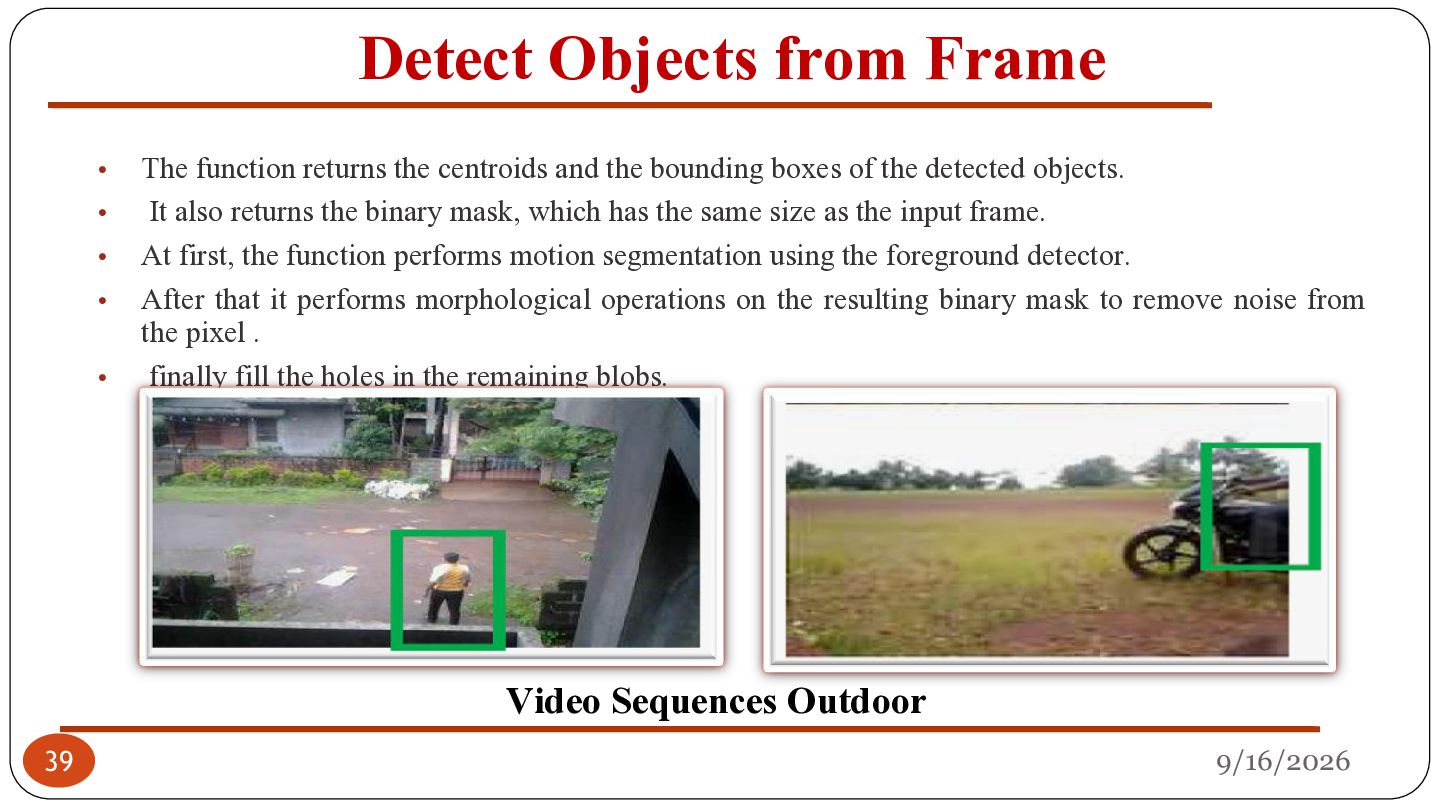
The function returns the centroids and the bounding boxes of the detected objects. It also returns the binary mask, which has the same size as the input frame. At first, the function performs motion segmentation using the foreground detector. After that it performs morphological operations on the resulting binary mask to remove noise from the pixel . finally fill the holes in the remaining blobs. Video Sequences Outdoor 9/16/2026
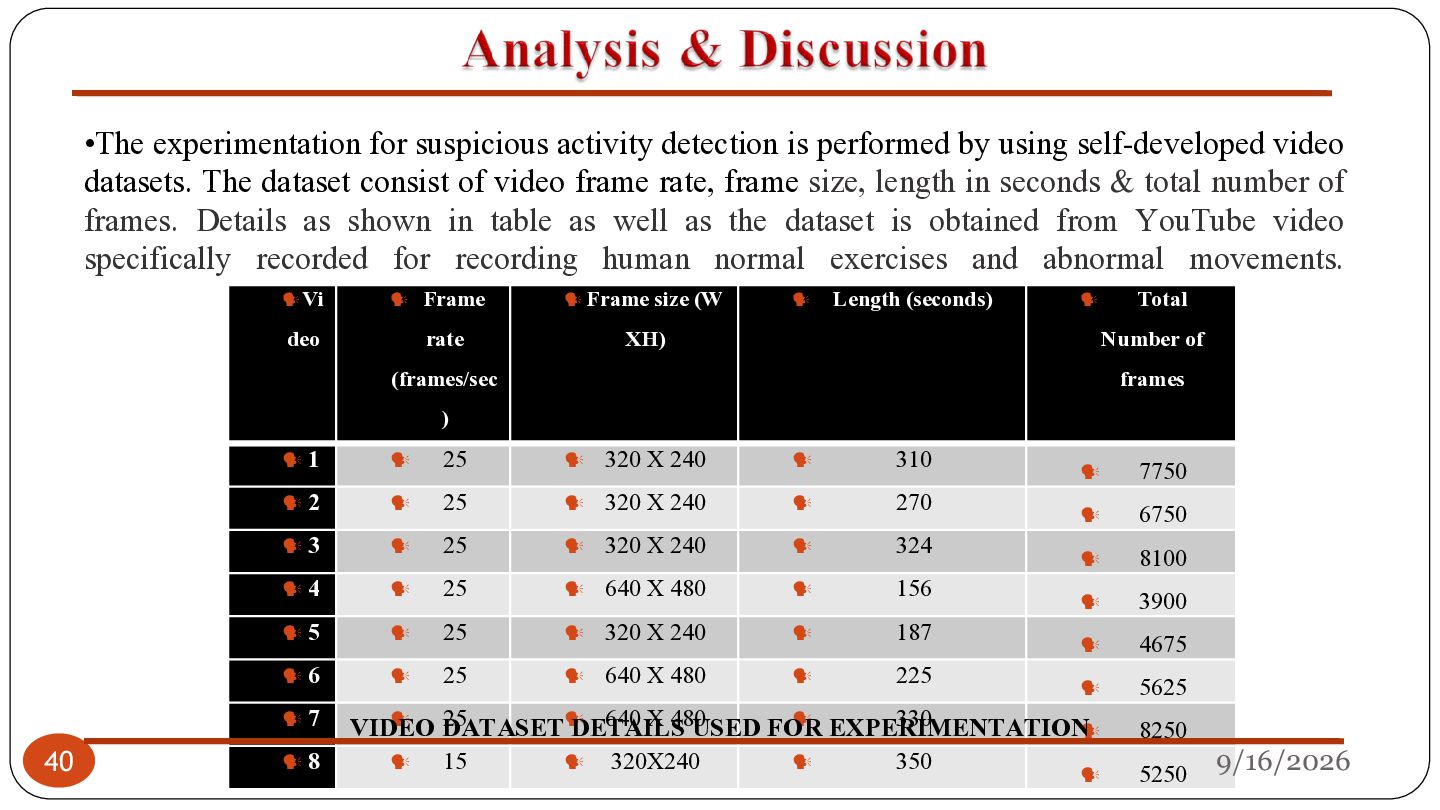
self-developed video datasets. The dataset consist of video frame rate, frame size, length in seconds & total number of frames. Details as shown in table as well as the dataset is obtained from YouTube video specifically recorded for recording human normal exercises and abnormal movements. Vi deo 1 2 rate 5 6 7 8 Frame size (W ) 25 25 25 25 25 25 XH) (frames/sec 3 4 40 Frame 320 X 240 320 X 240 320 X 240 640 X 480 Number of 310 270 324 156 187 225 25 640 X 480 EXPERIMENTATION 330 VIDEO DATASET DETAILS USED FOR 15 320X240 Total frames 320 X 240 640 X 480 Length (seconds) 350 7750 6750 8100 3900 4675 5625 8250 5250 9/16/2026
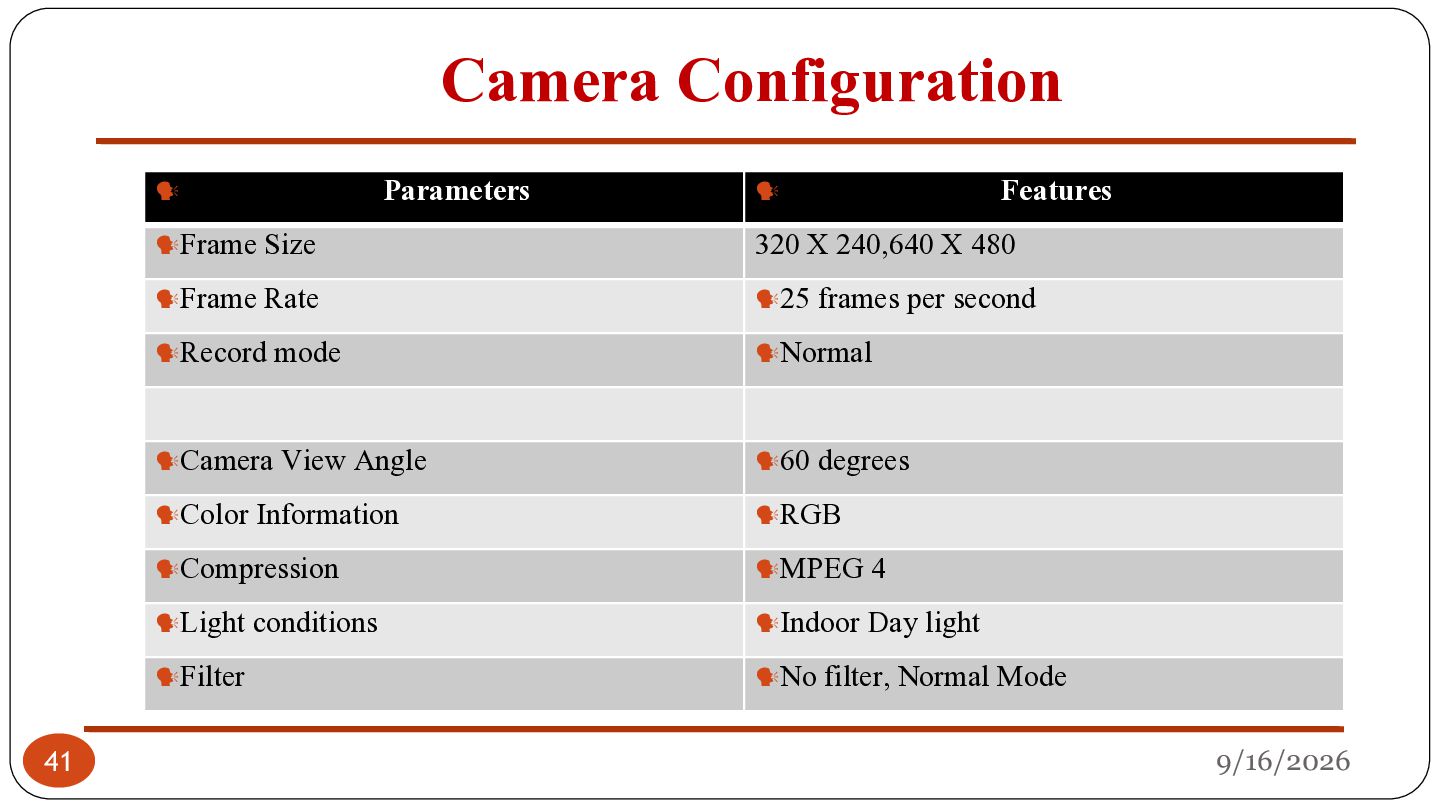
25 frames per second Normal 60 degrees Compression MPEG 4 Light conditions Filter Features 320 X 240,640 X 480 Camera View Angle Color Information 41 RGB Indoor Day light No filter, Normal Mode 9/16/2026
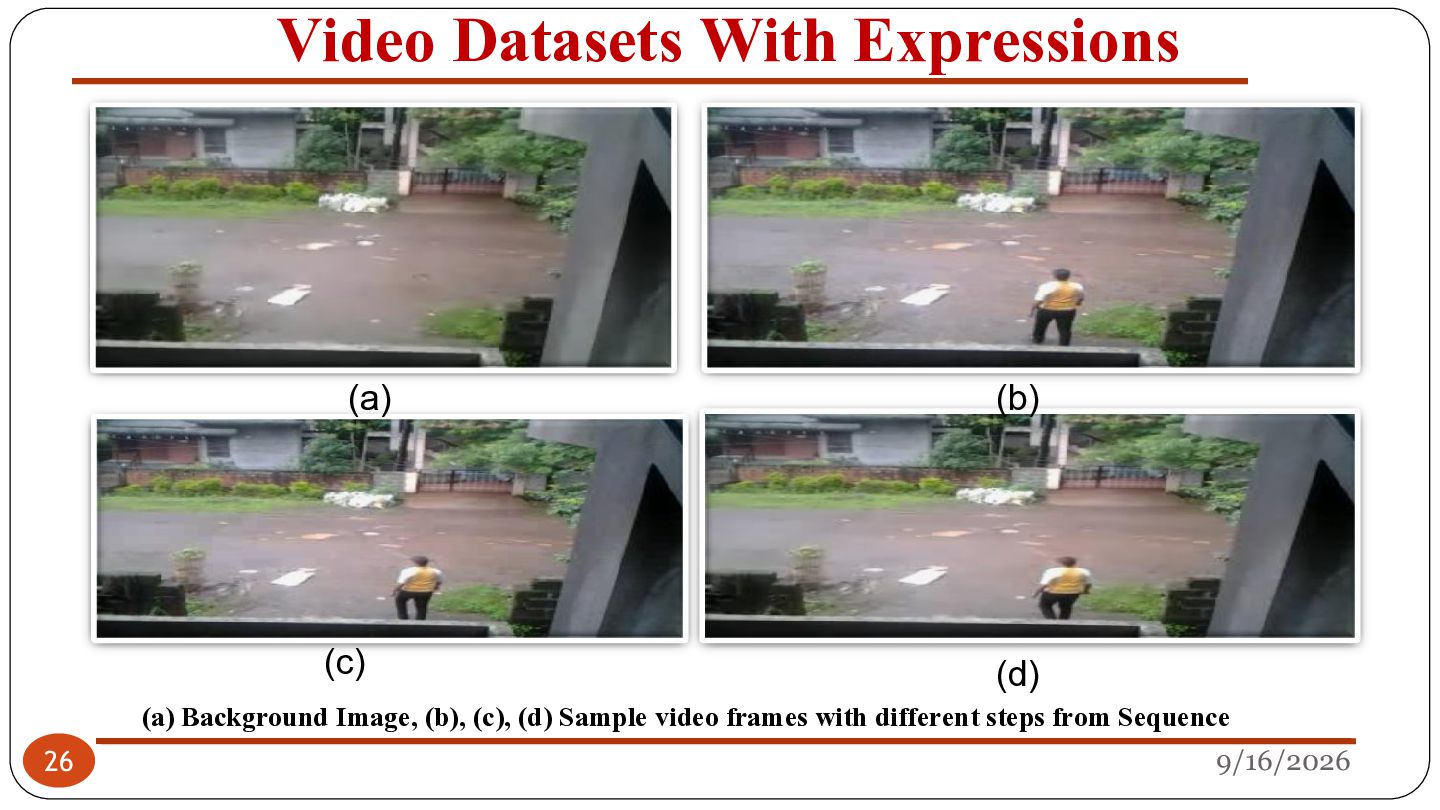
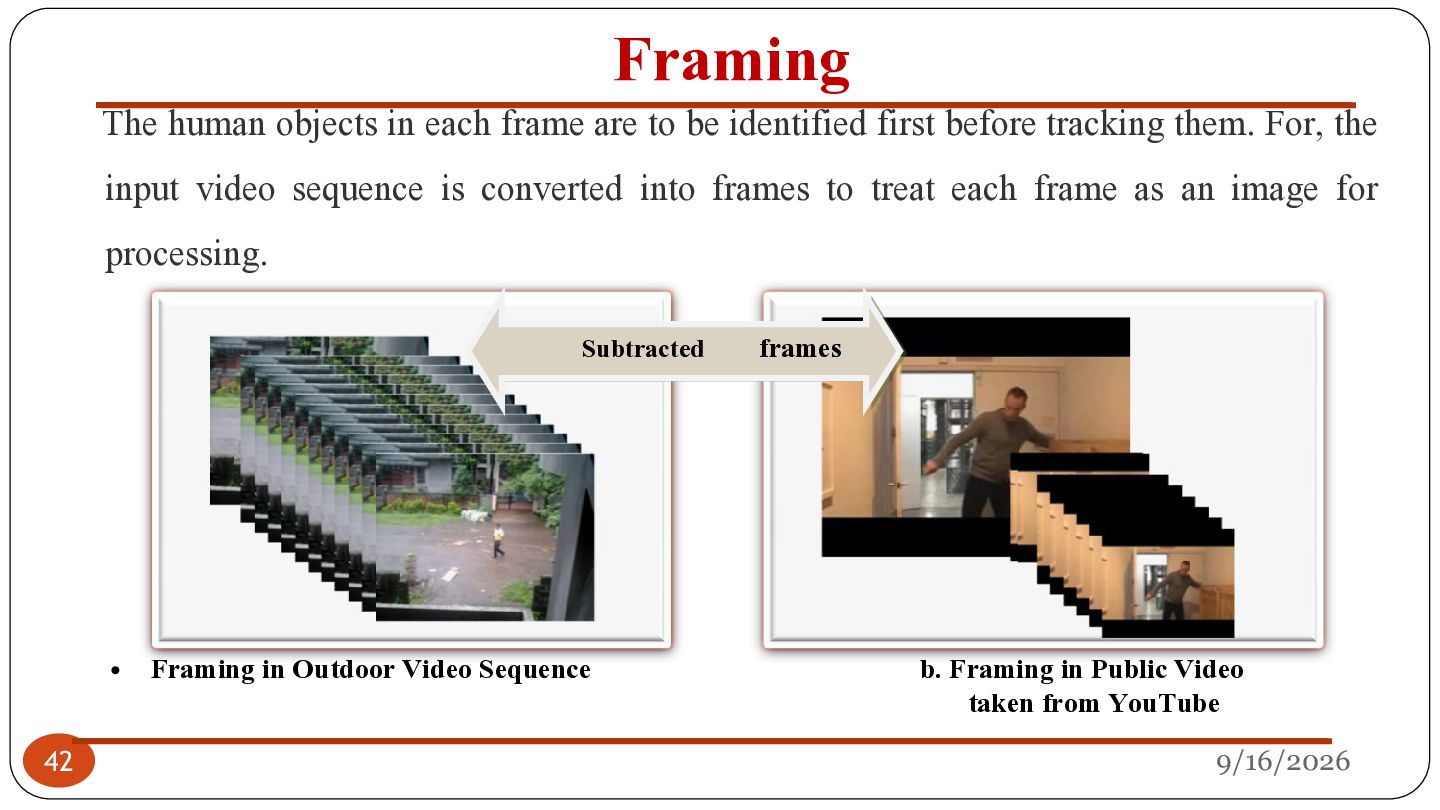
identified first before tracking them. For, the input video sequence is converted into frames to treat each frame as an image for processing. Subtracted • 42 Framing in Outdoor Video Sequence frames b. Framing in Public Video taken from YouTube 9/16/2026
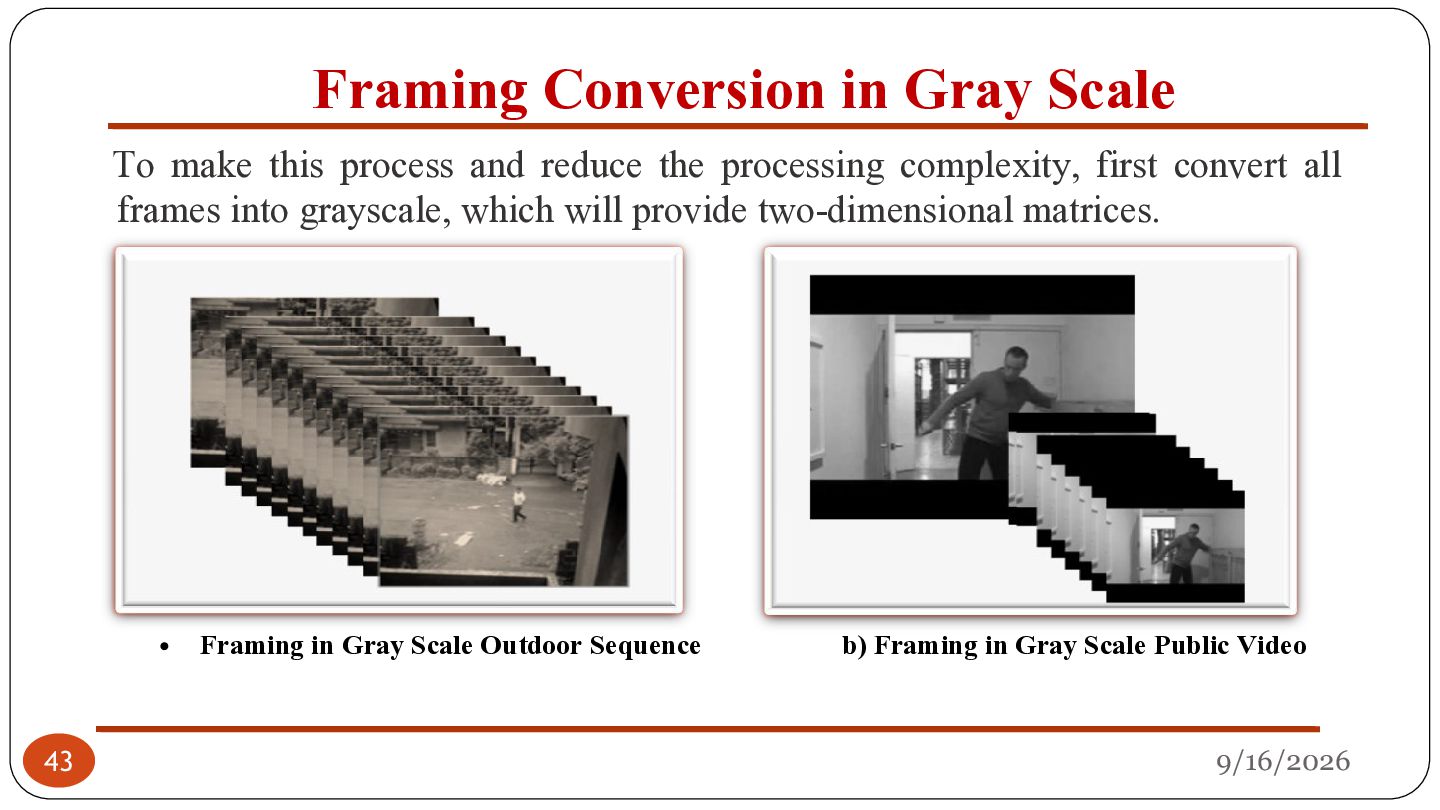
reduce the processing complexity, first convert all frames into grayscale, which will provide two-dimensional matrices. • 43 Framing in Gray Scale Outdoor Sequence b) Framing in Gray Scale Public Video 9/16/2026
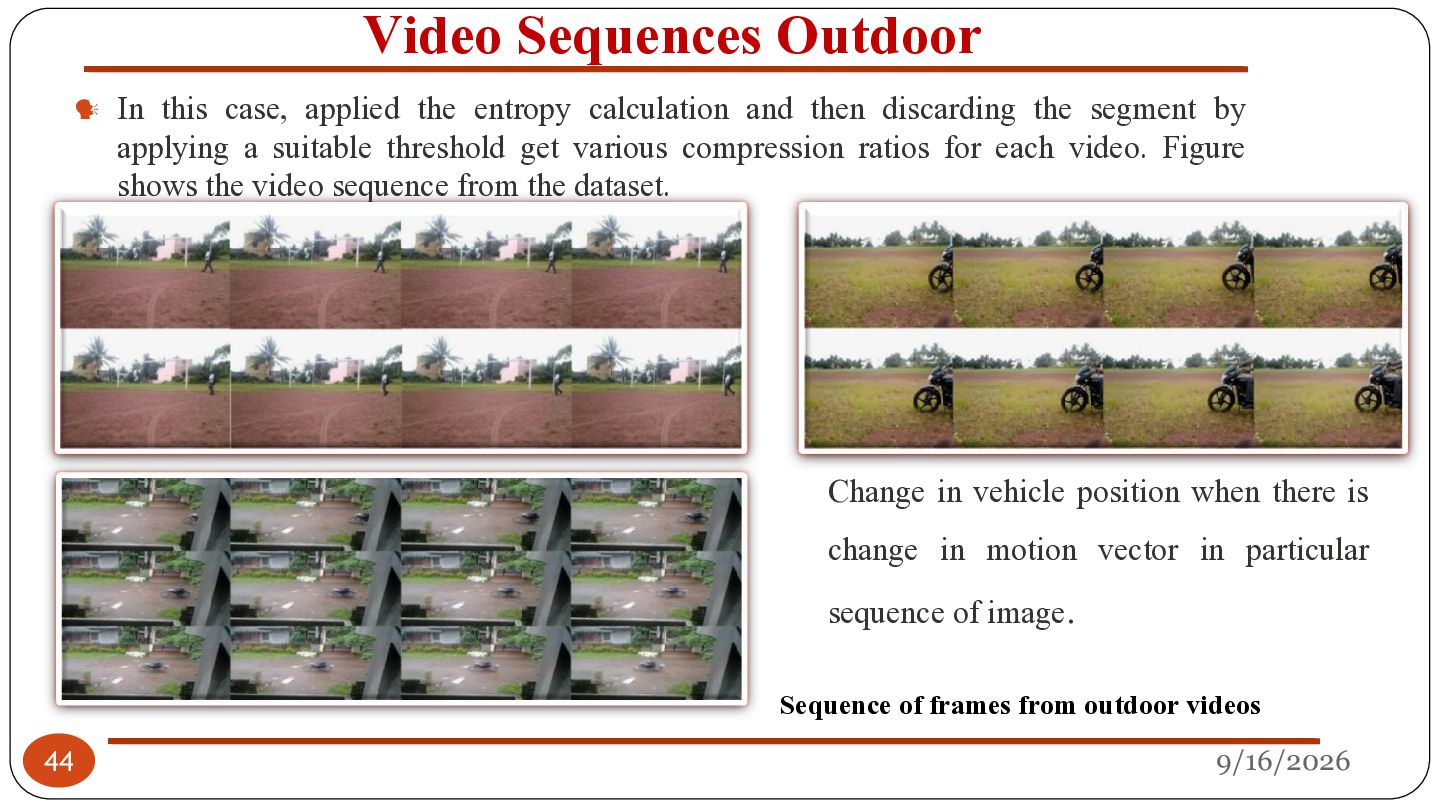
calculation and then discarding the segment by applying a suitable threshold get various compression ratios for each video. Figure shows the video sequence from the dataset. Change in vehicle position when there is change in motion vector in particular sequence of image. Sequence of frames from outdoor videos 44 9/16/2026
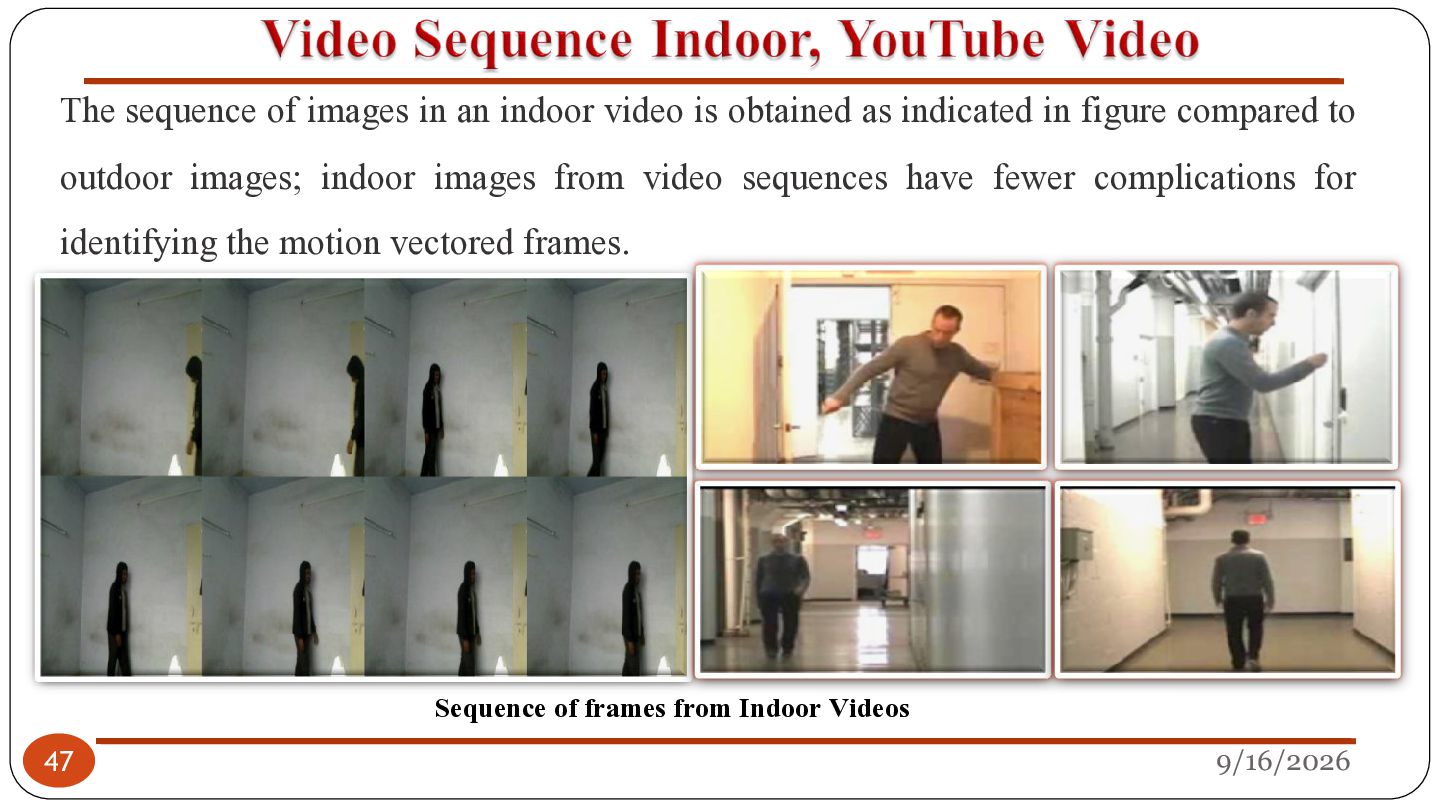
as indicated in figure compared to outdoor images; indoor images from video sequences have fewer complications for identifying the motion vectored frames. 47 Sequence of frames from Indoor Videos 9/16/2026
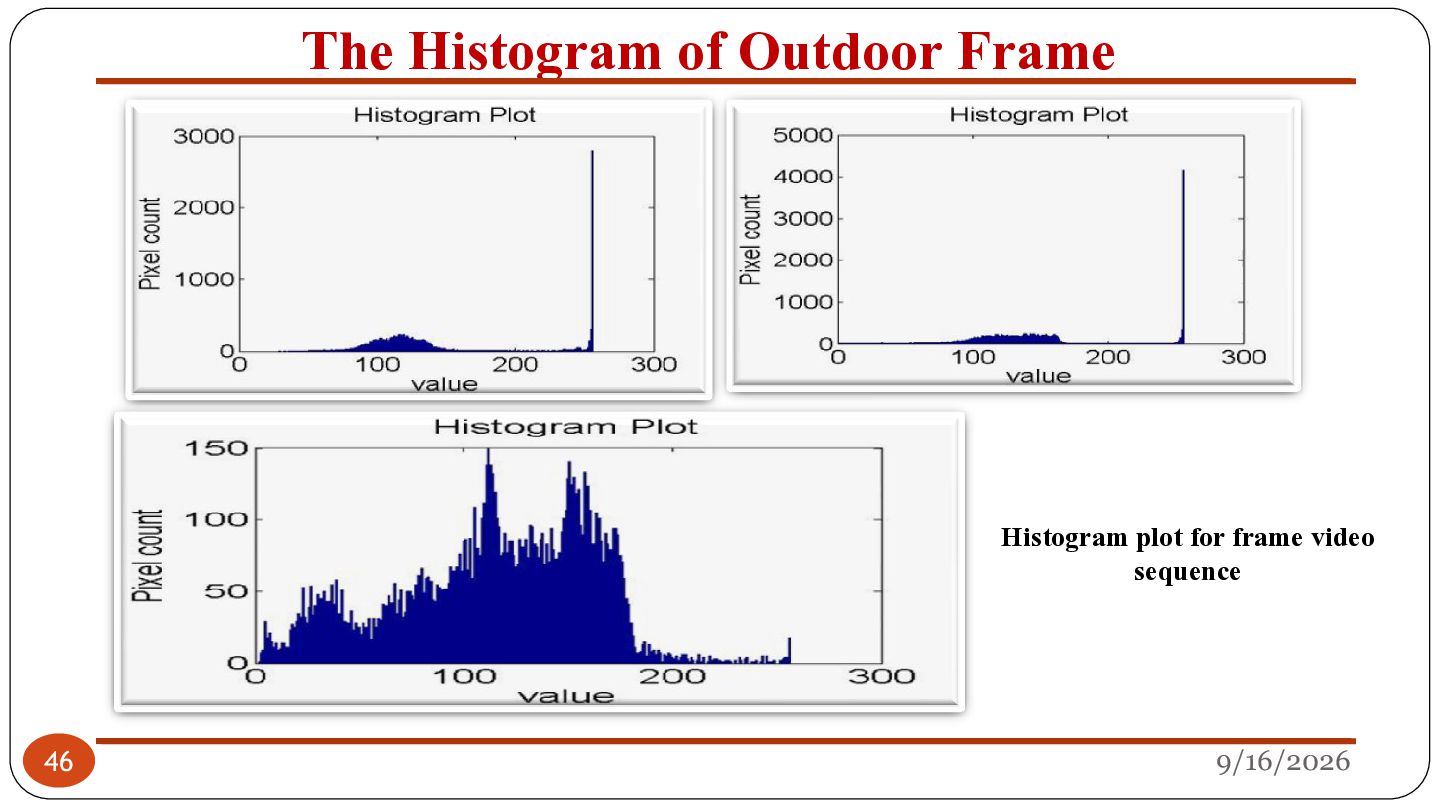
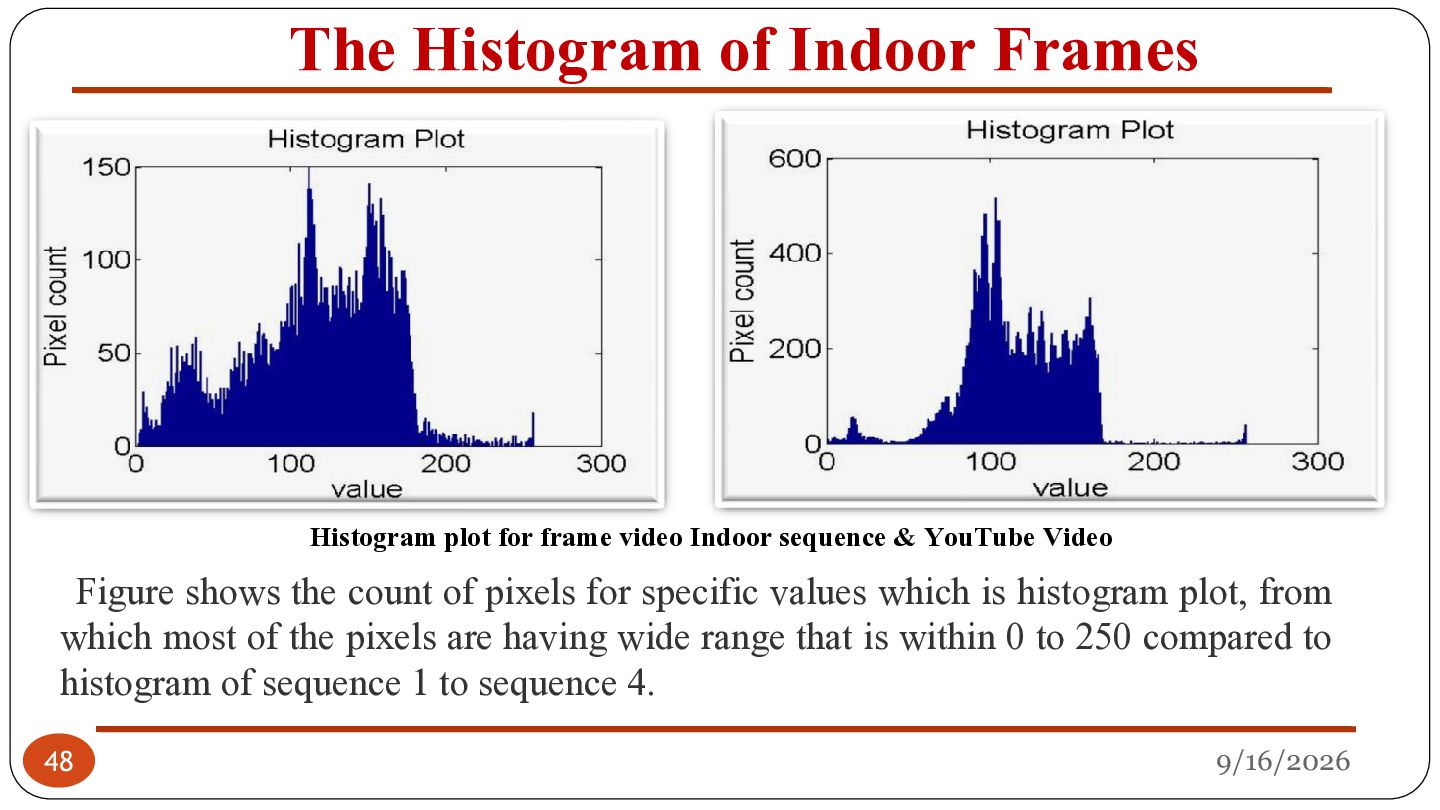
Indoor sequence & YouTube Video Figure shows the count of pixels for specific values which is histogram plot, from which most of the pixels are having wide range that is within 0 to 250 compared to histogram of sequence 1 to sequence 4. 48 9/16/2026
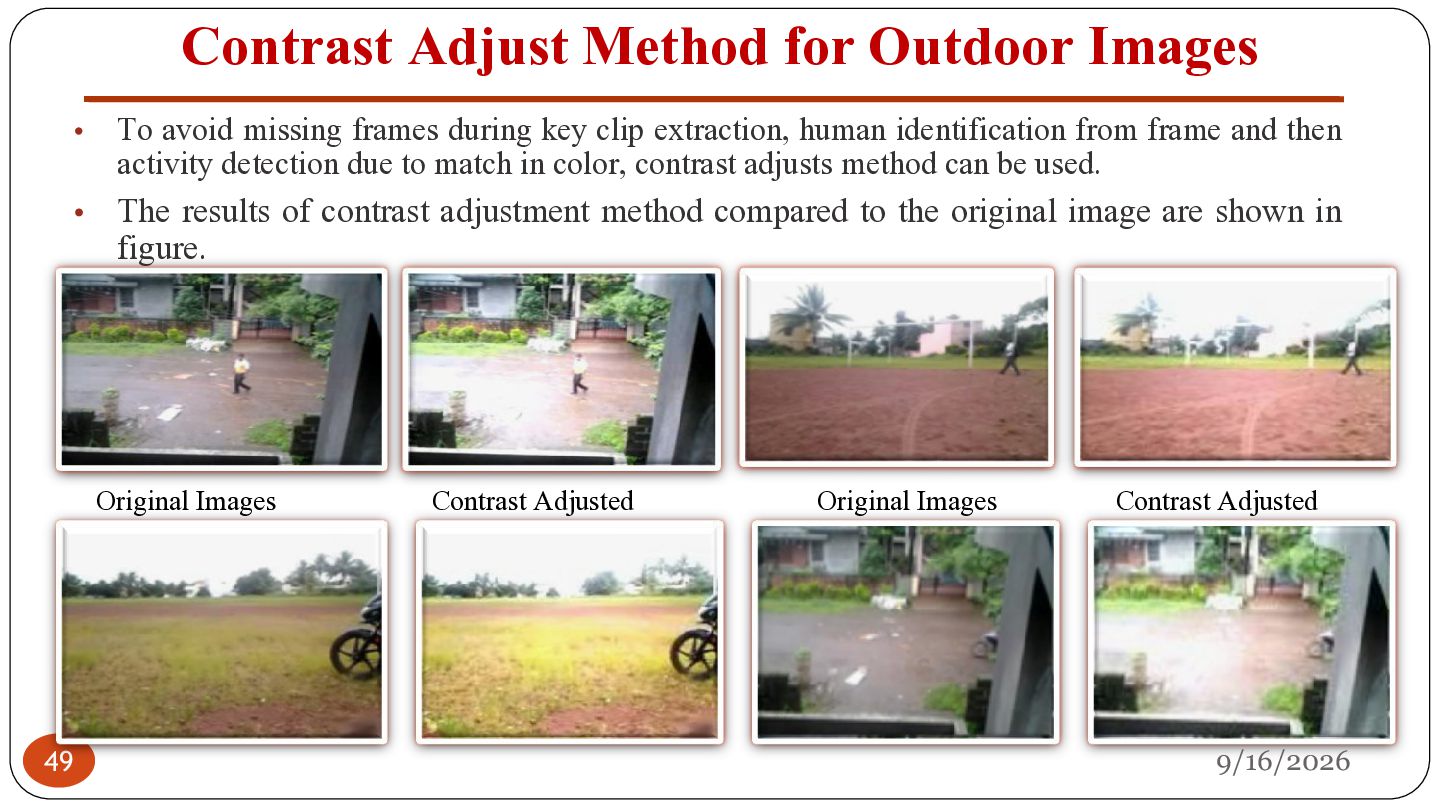
missing frames during key clip extraction, human identification from frame and then activity detection due to match in color, contrast adjusts method can be used. The results of contrast adjustment method compared to the original image are shown in figure. Original Images 49 Contrast Adjusted Original Images Contrast Adjusted 9/16/2026
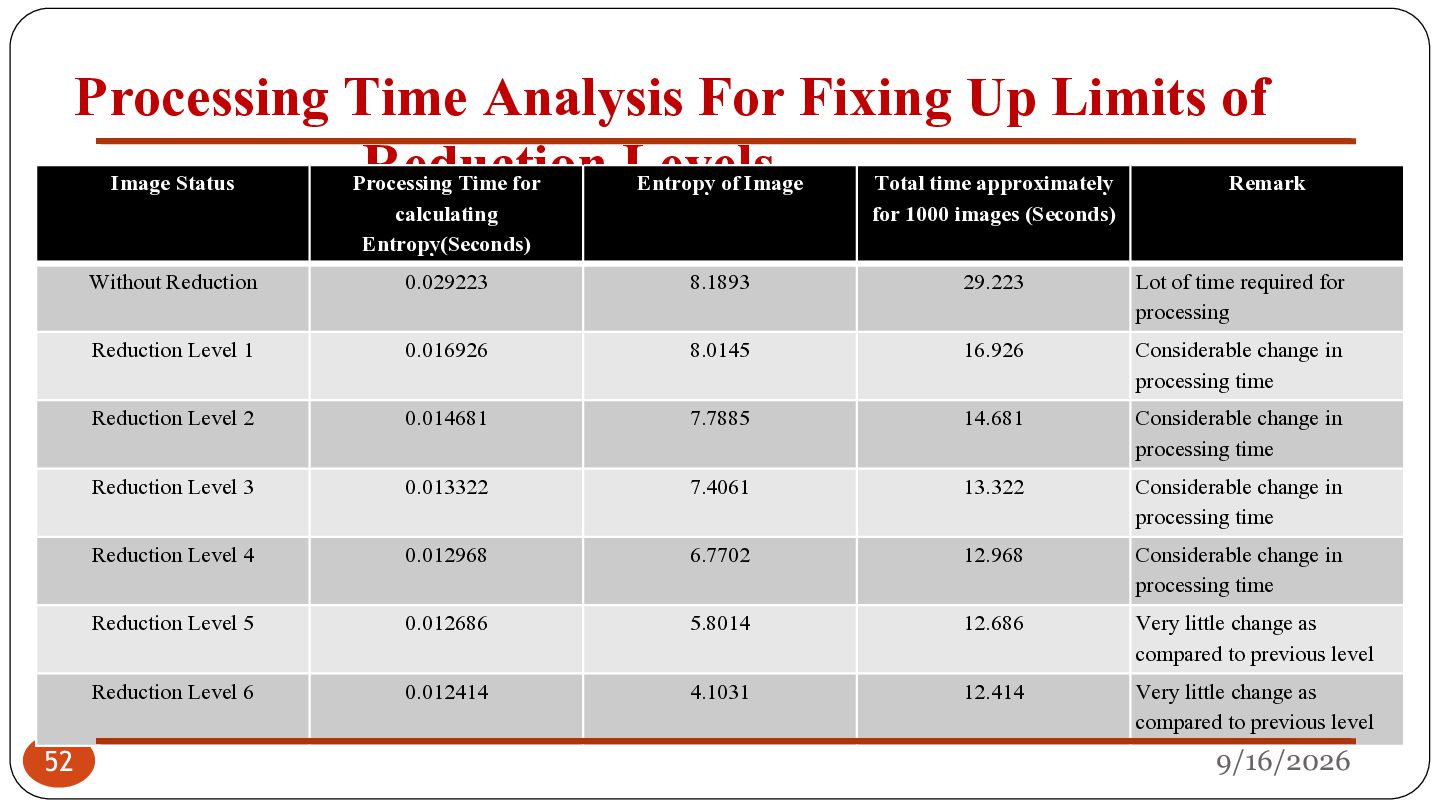
Image Status Processing Time for calculating Entropy(Seconds) Entropy of Image Total time approximately for 1000 images (Seconds) 0.029223 8.1893 29.223 Reduction Level 1 0.016926 8.0145 16.926 Reduction Level 2 0.014681 7.7885 14.681 Reduction Level 3 0.013322 7.4061 13.322 Reduction Level 4 0.012968 6.7702 12.968 Reduction Level 5 0.012686 5.8014 12.686 Reduction Level 6 0.012414 4.1031 12.414 Without Reduction 52 Remark Lot of time required for processing Considerable change in processing time Considerable change in processing time Considerable change in processing time Considerable change in processing time Very little change as compared to previous level Very little change as compared to previous level 9/16/2026
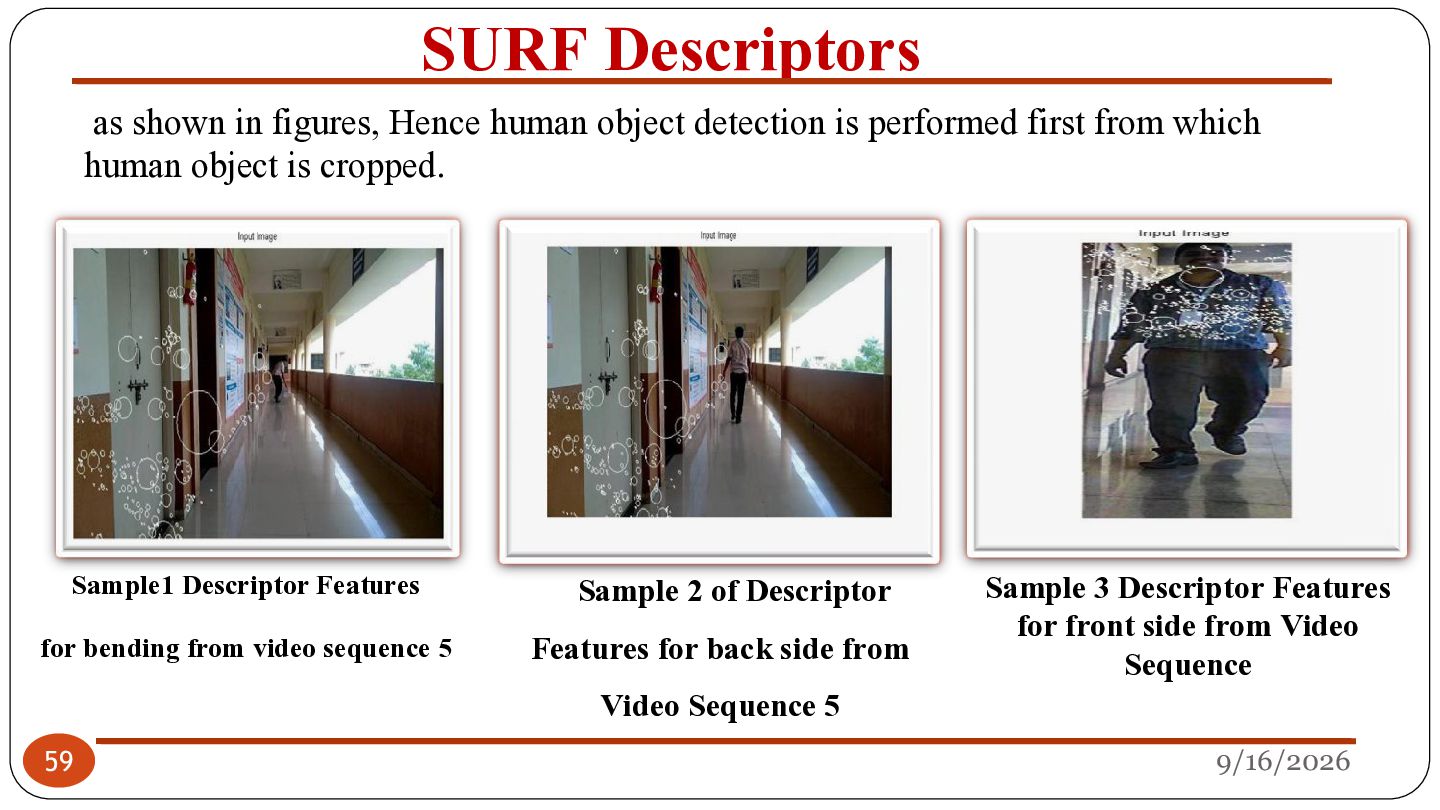
is performed first from which human object is cropped. Sample1 Descriptor Features for bending from video sequence 5 59 Sample 2 of Descriptor Features for back side from Video Sequence 5 Sample 3 Descriptor Features for front side from Video Sequence 9/16/2026
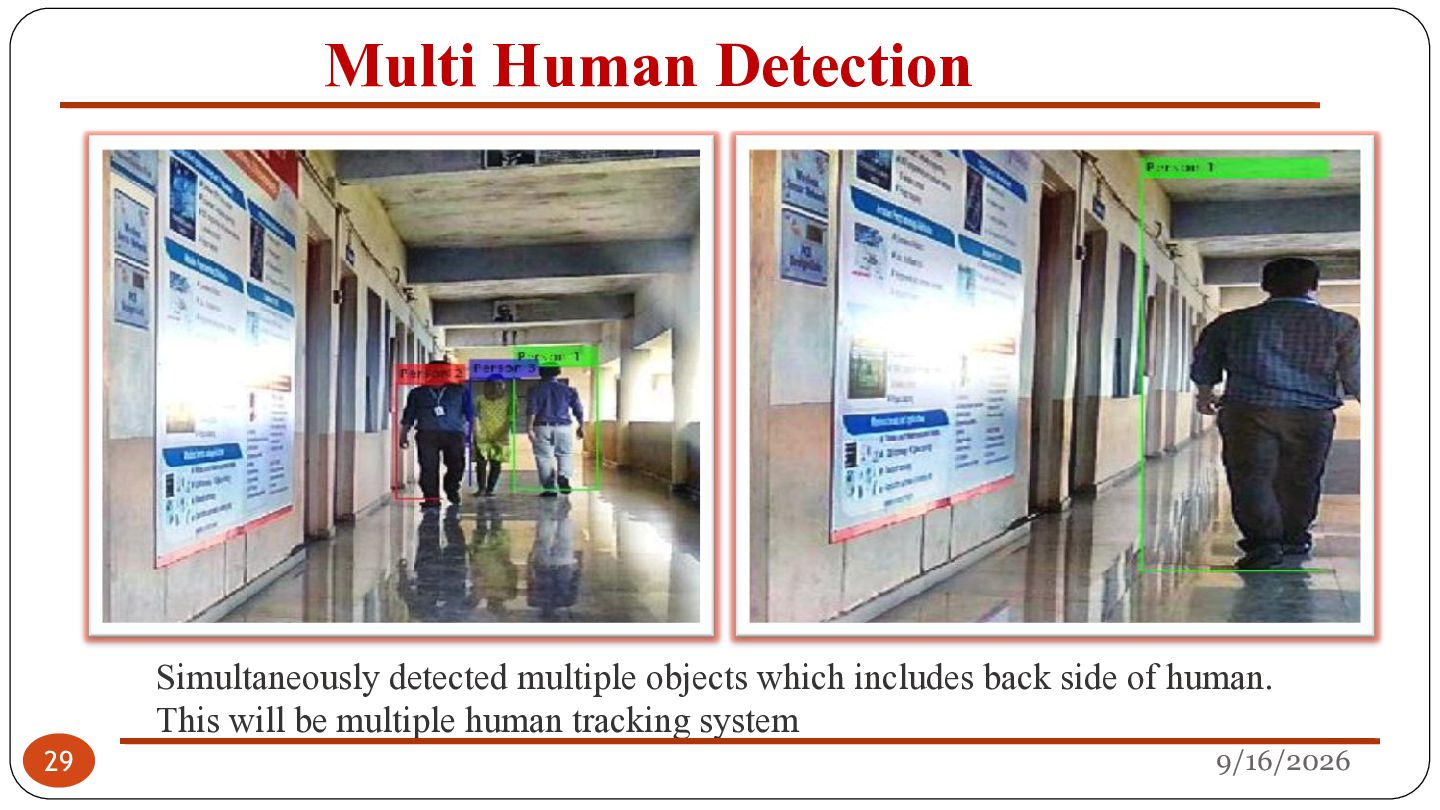
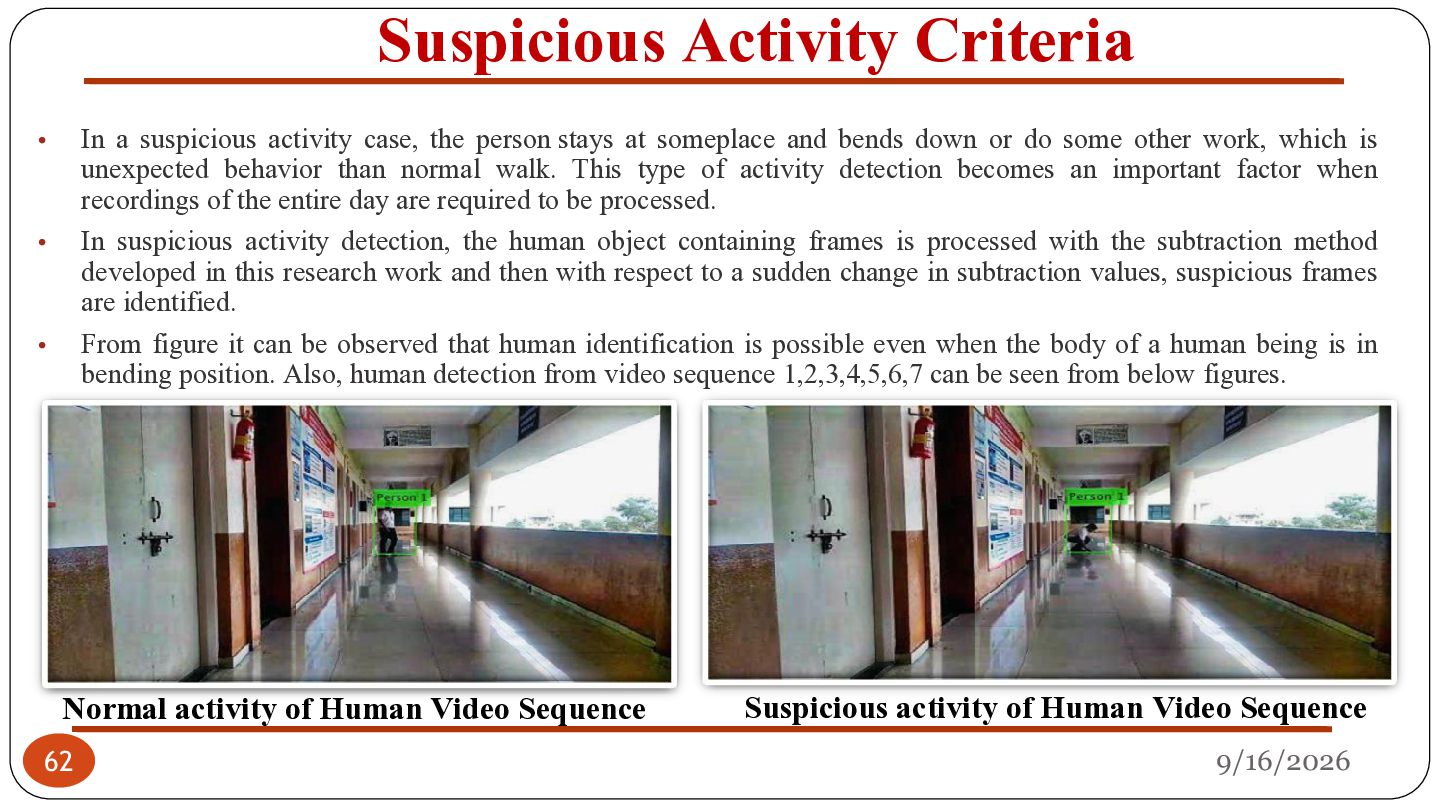
stays at someplace and bends down or do some other work, which is unexpected behavior than normal walk. This type of activity detection becomes an important factor when recordings of the entire day are required to be processed. In suspicious activity detection, the human object containing frames is processed with the subtraction method developed in this research work and then with respect to a sudden change in subtraction values, suspicious frames are identified. From figure it can be observed that human identification is possible even when the body of a human being is in bending position. Also, human detection from video sequence 1,2,3,4,5,6,7 can be seen from below figures. • • • Normal activity of Human Video Sequence 62 Suspicious activity of Human Video Sequence 9/16/2026
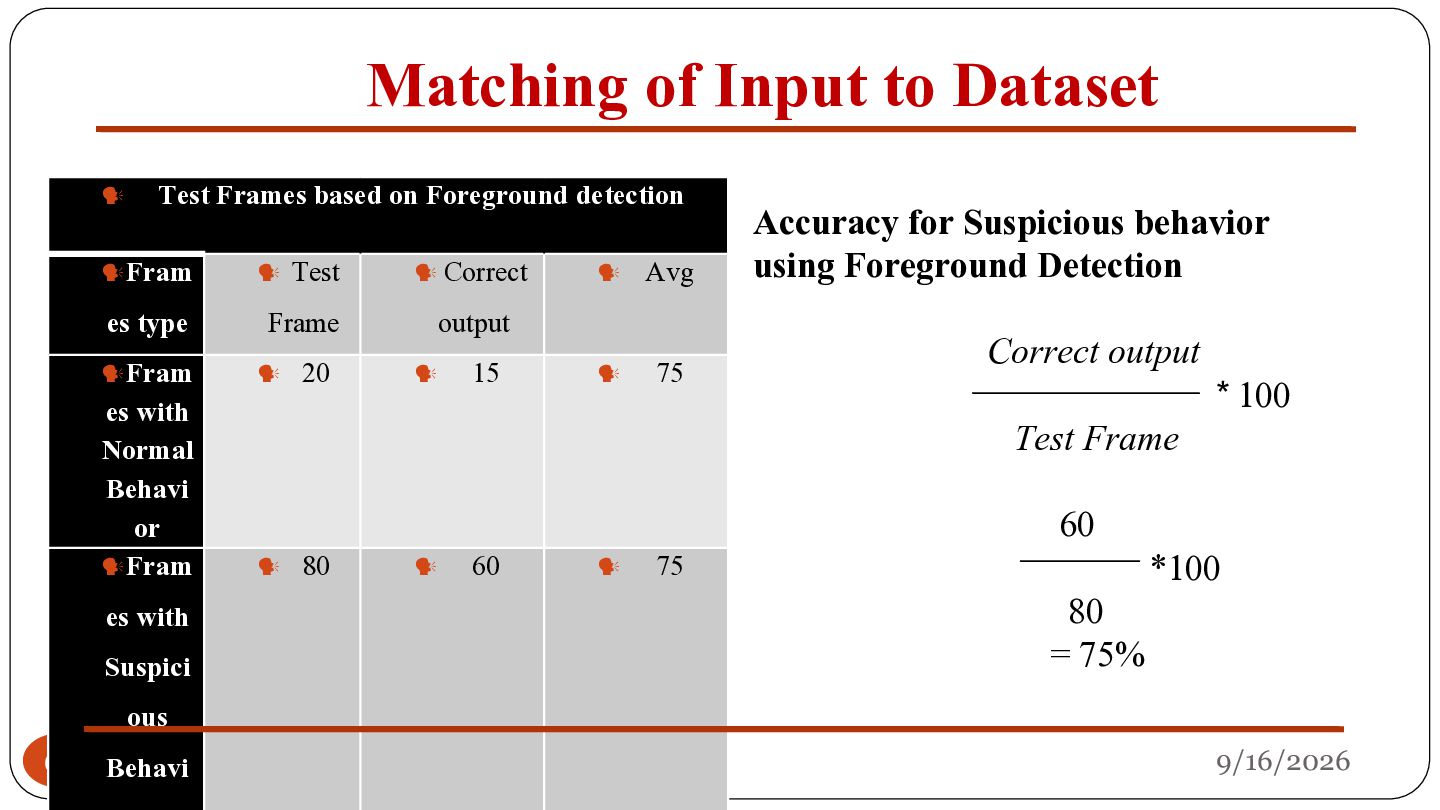
Foreground detection Fram Test Correct Avg Fram 20 15 75 es type es with Normal Behavi or Fram es with Suspici 65 ous Behavi Frame output Accuracy for Suspicious behavior using Foreground Detection Correct output Test Frame 80 60 75 60 80 = 75% * 100 *100 9/16/2026
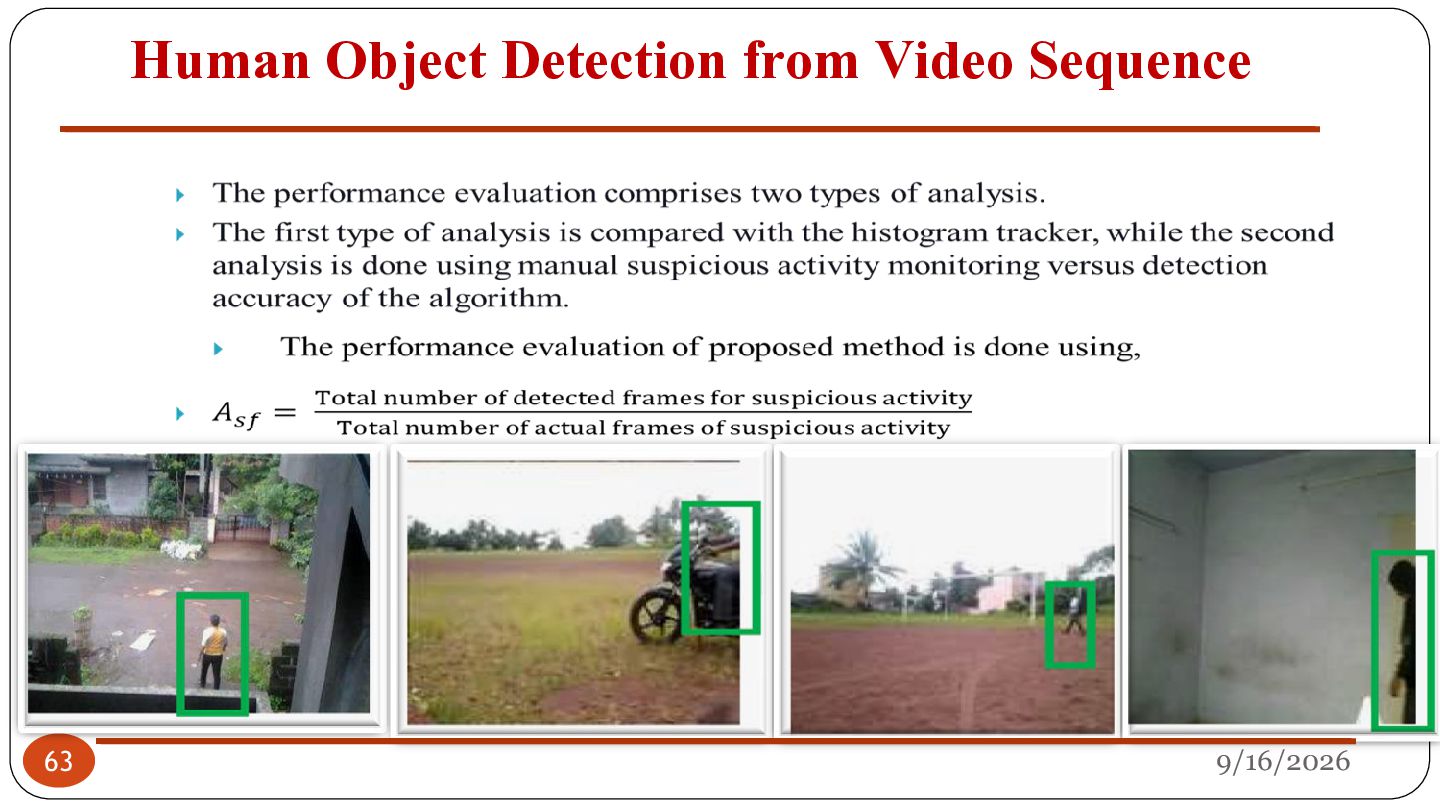
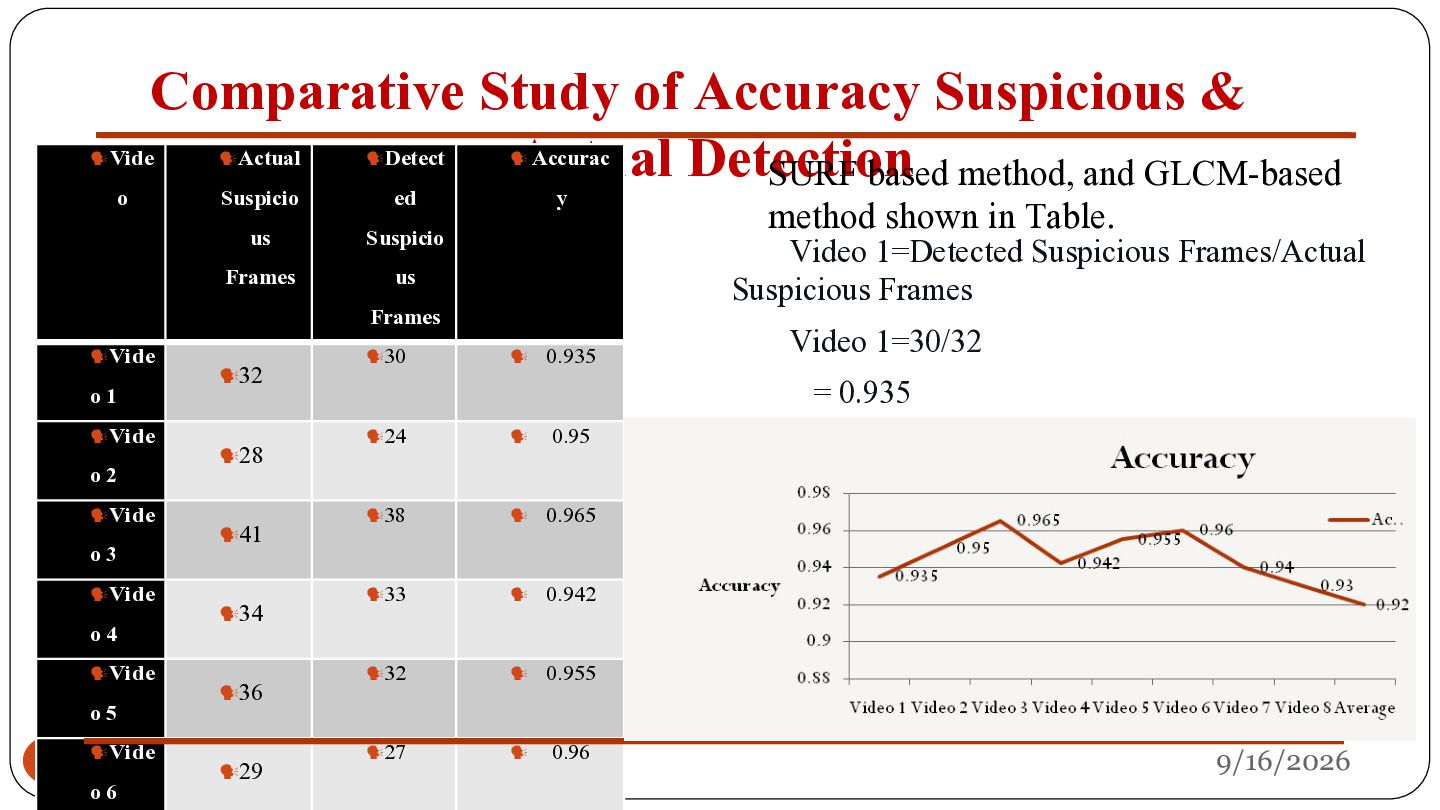
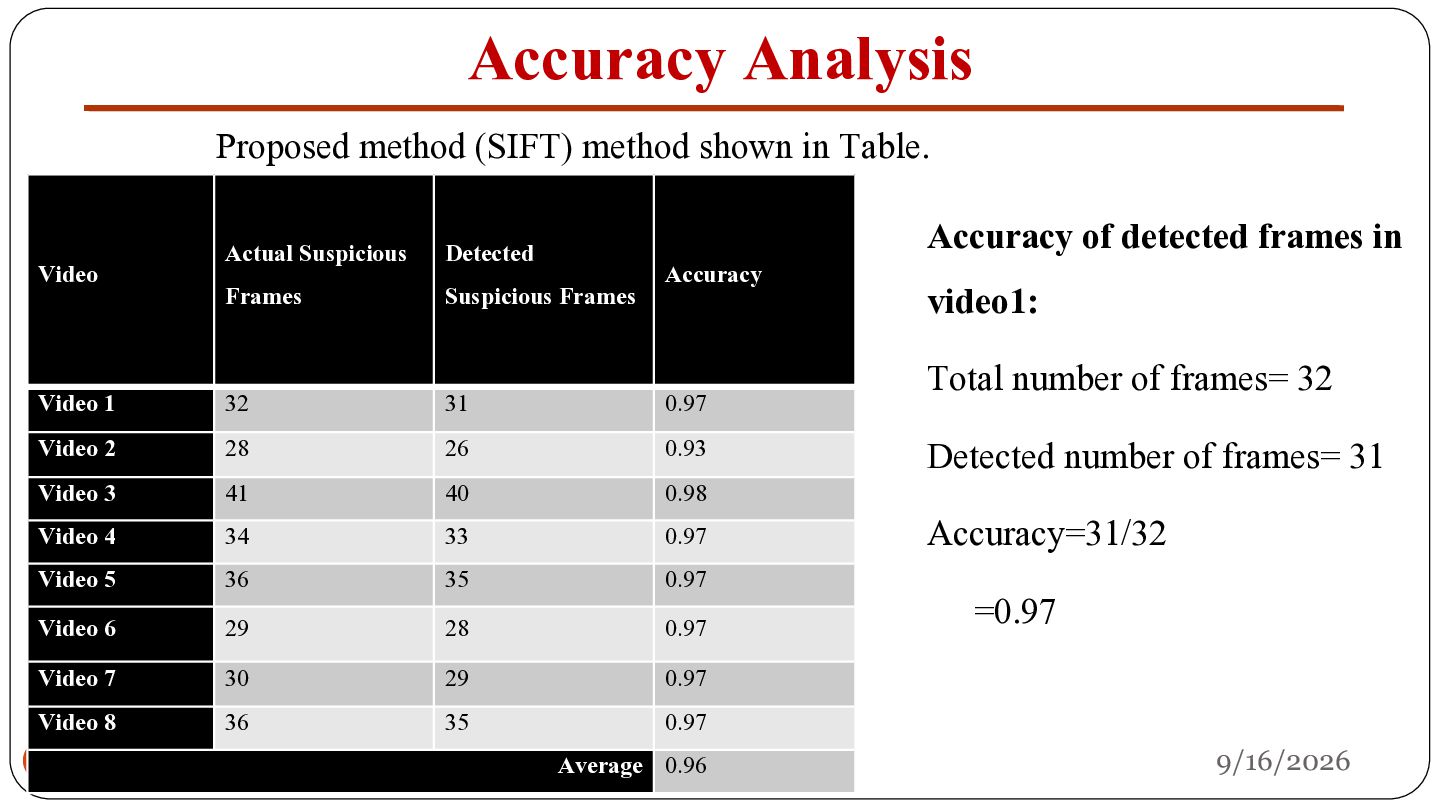
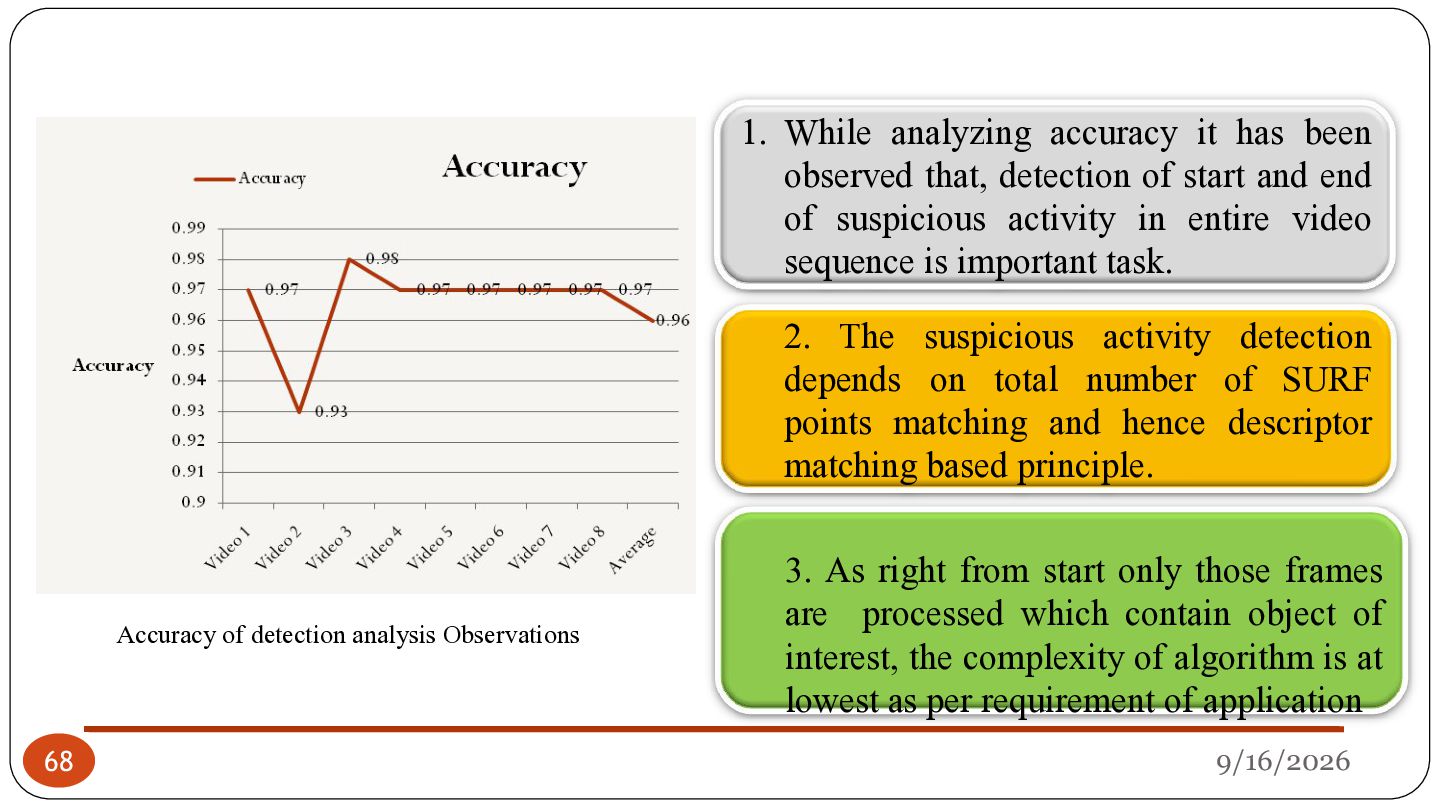
of detected frames in Actual Suspicious Detected Video 1 32 31 0.97 Video 2 28 26 0.93 Detected number of frames= 31 34 33 0.97 Accuracy=31/32 Video Frames Video 3 41 Video 5 36 Video 4 Suspicious Frames 40 35 Accuracy 0.98 0.97 Video 6 29 28 0.97 Video 7 30 29 0.97 Video 8 67 36 35 0.97 Average 0.96 video1: Total number of frames= 32 =0.97 9/16/2026
of start and end of suspicious activity in entire video sequence is important task. 2. The suspicious activity detection depends on total number of SURF points matching and hence descriptor matching based principle. Accuracy of detection analysis Observations 68 3. As right from start only those frames are processed which contain object of interest, the complexity of algorithm is at lowest as per requirement of application 9/16/2026
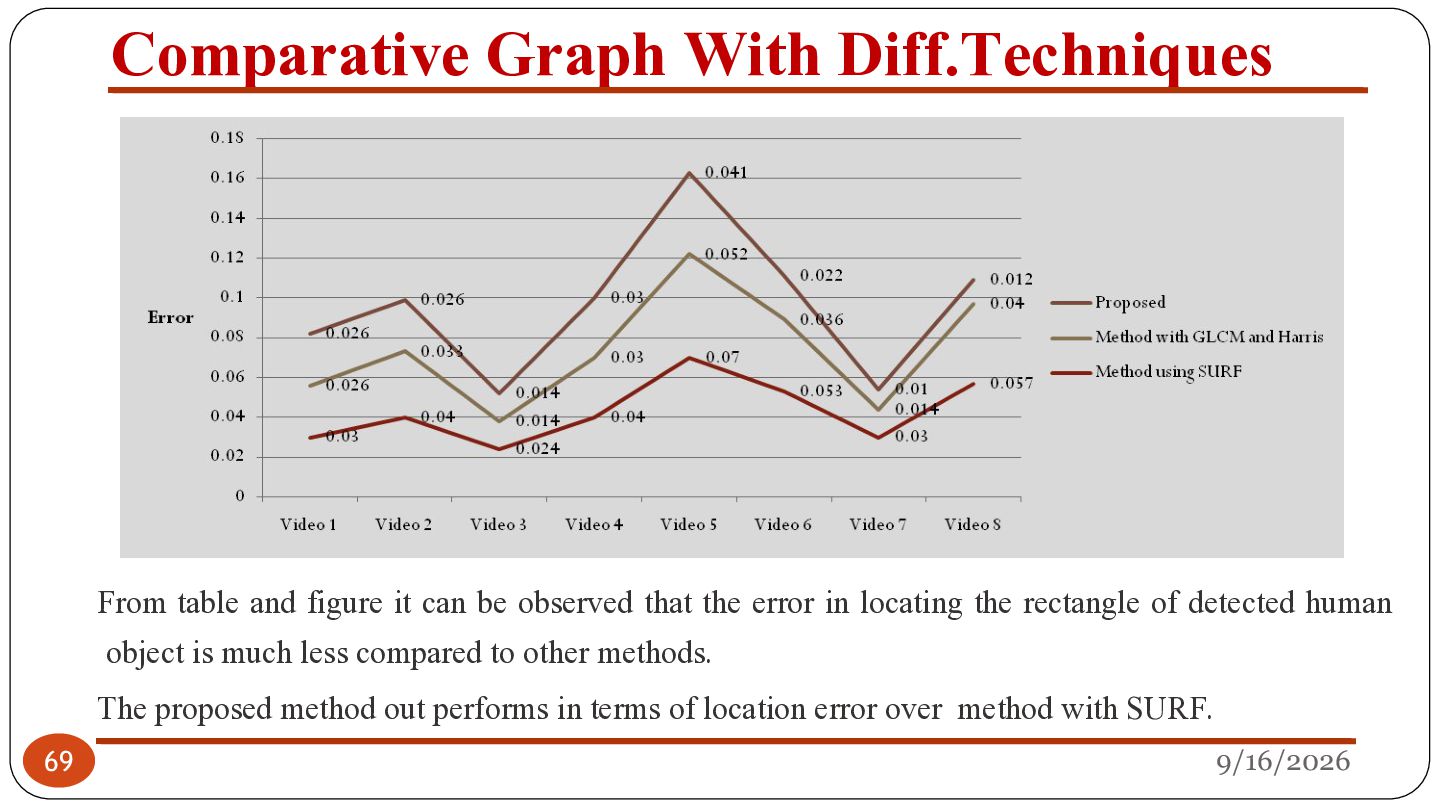
be observed that the error in locating the rectangle of detected human object is much less compared to other methods. 69 The proposed method out performs in terms of location error over method with SURF. 9/16/2026
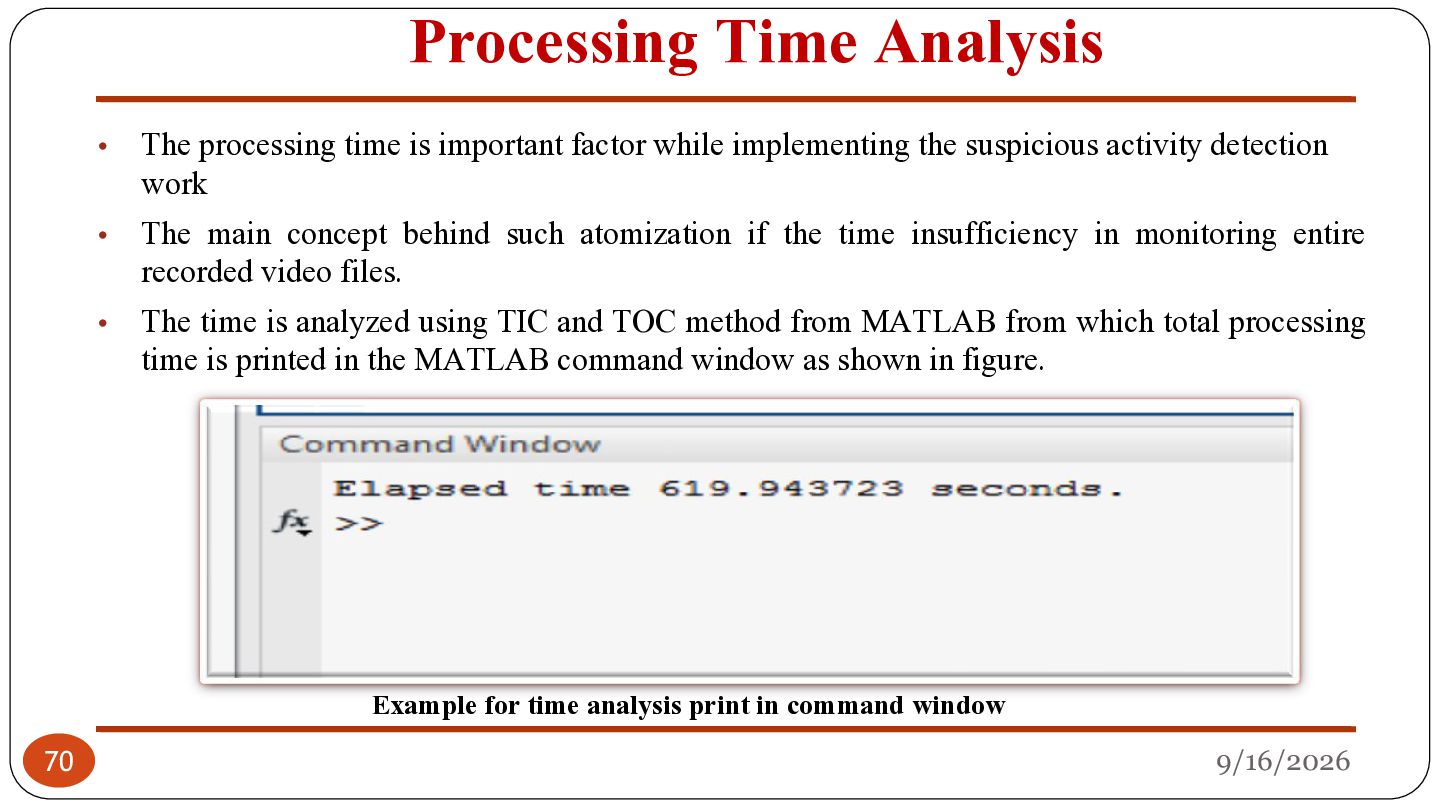
important factor while implementing the suspicious activity detection work The main concept behind such atomization if the time insufficiency in monitoring entire recorded video files. The time is analyzed using TIC and TOC method from MATLAB from which total processing time is printed in the MATLAB command window as shown in figure. Example for time analysis print in command window 70 9/16/2026
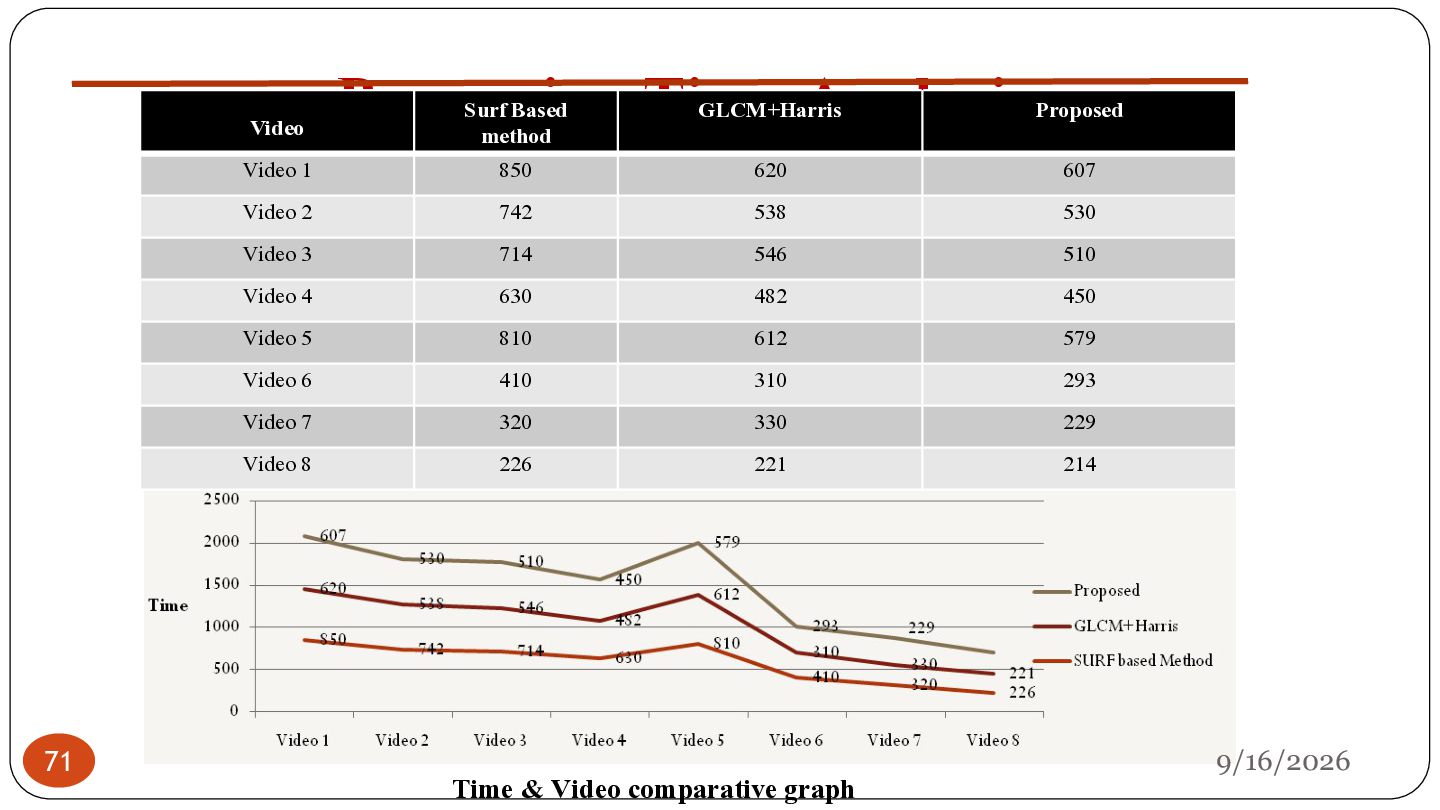
Video 3 714 546 510 Video 4 630 482 450 Video 5 810 612 579 Video 6 410 310 293 Video 7 320 330 229 Video 8 226 221 214 Video 1 71 Processing Time Analysis Surf Based method Video Time & Video comparative graph 9/16/2026
fixed camera. All videos were in MOV format, consists of 25 frames per second., where discussed most cases of running and walking (parallel with the camera” right to left/left to right”), applied all previous cases on one and two objects that was by using background subtraction , Thresholding, have faced many challenges such as reflection, shadows and lighting, these problems have been eliminated by using morphological operations like extraction, compression. • The experimental results show us that our system gives good results in detecting suspicious activities. The results are satisfactory for indoor and outdoor etc that is bending, contrast adjustment, sitting, shadows etc. 72 9/16/2026
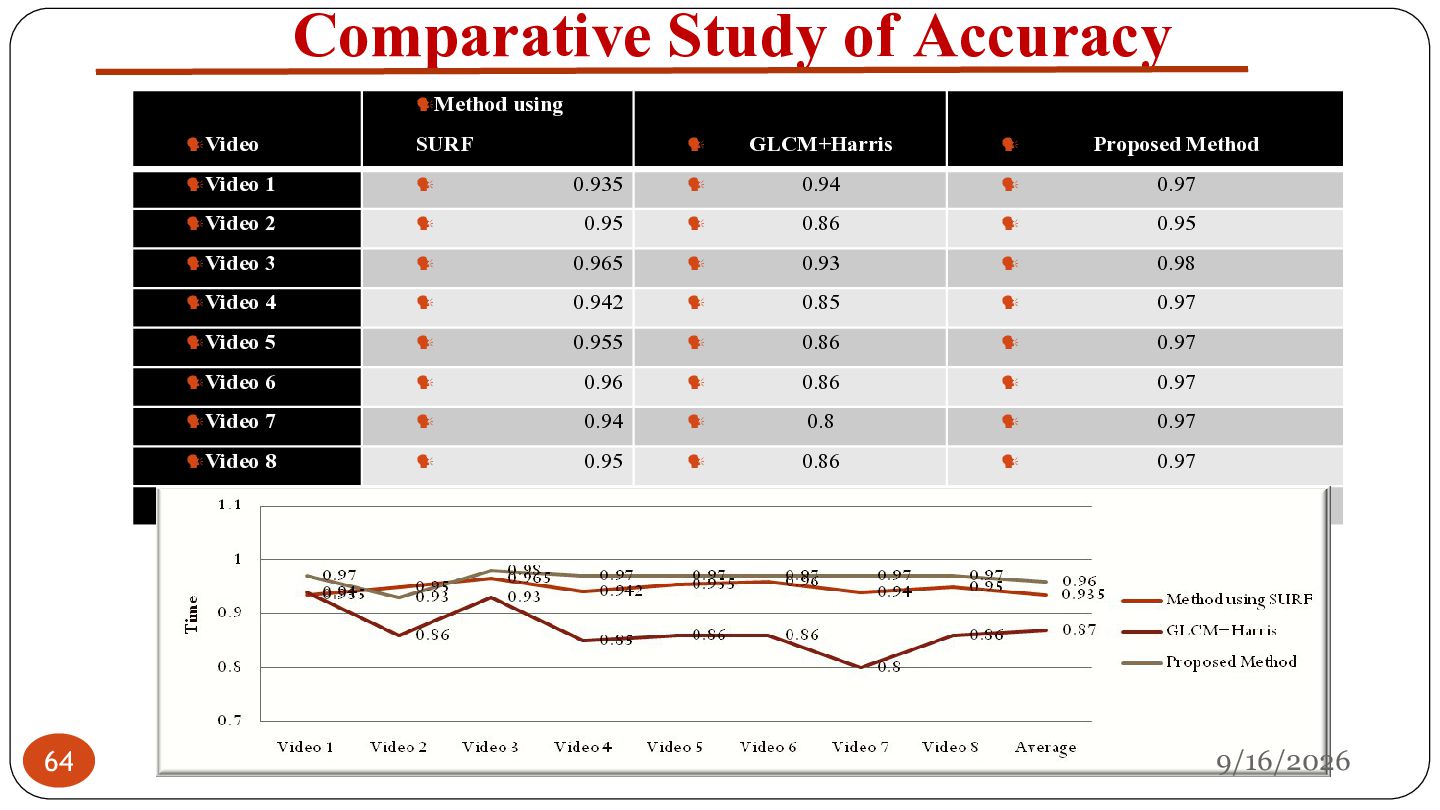
to • The required frames in terms of suspicious frames detection is obtained through frame difference method which is less complex and also gives better accuracy. • • • • 73 further reduce number of frames from key clip. The accuracy seen from experimentation is almost 96% for suspicious frames detection. The result obtained is satisfactory because suspicious activity never remains in single frame only and hence missing one of the frames does not alter the accuracy of suspicious activity detection. The research has attempted to exemplify and stimulate some further investigate paths in using contextual information to detect suspicious behavior. The attempt at using context is a fundamental step to a full understanding of human activity and can only be achieved when the context in which it occurs is considered. Despite the advancements achieved by this thesis, it should be seen as a step forward in the process of transforming smart surveillance system. 9/16/2026
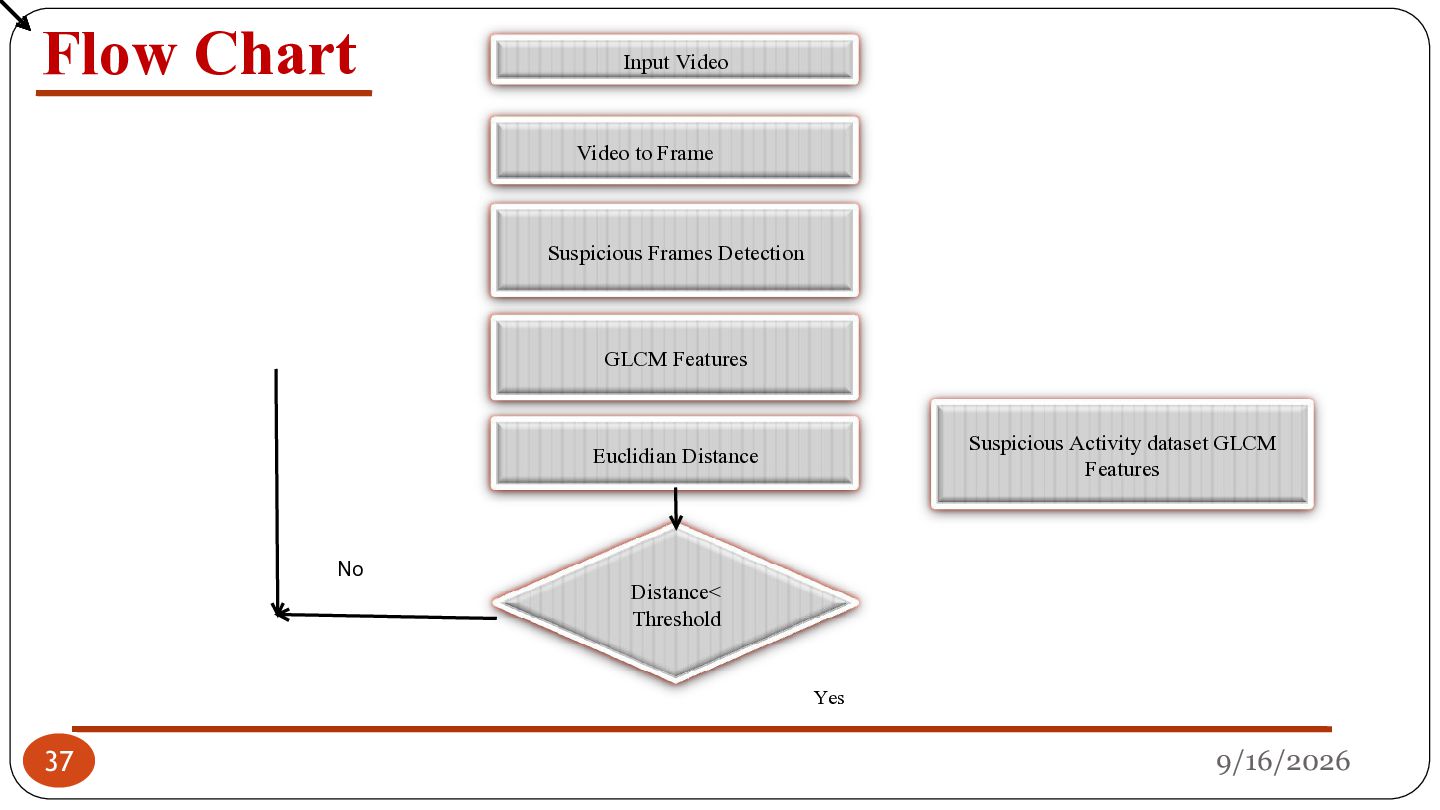
shows the simplistic approach for suspicious activity detection, which constitutes work from key clip extraction, suspicious frame detection, and then suspicious activity detection. The work further can be extended using a neural network-based approach in which either machine learning or deep learning-dependent suspicious activity detection can be implemented. In machine learning strategies, the handcrafted methods will be used for human object detection and then it is trained to classify as suspicious activity or normal activity using neural network classifiers. In a deep neural network-based approach, direct video processing is conveniently possible, in which human object tracking and simultaneously detecting suspicious activity is obtainable. Also, as far as processing complexity is concerned, the neural network based methods can be implemented using Graphical Processing Units (GPU) to further boost the processing speeds. 9/16/2026 74


 sgurav8849
 keeg
keeg
 gogutan
 kzkhykw1991
 sh_fk2
 akitoshiga
 daidaidai
 bitkey
 bgpat
bgpat
 persolserverworks
 tokuty
 occhi
occhi
 sansantech
 davidcarrasco
 greggifford
 brettharned
 emna__ayadi
 mclloyd
 vanstee
 rakko
rakko
 honzajavorek
 sabderemane
 nwiizo
 destraynor
 stephenakadiri