Upgrade to Pro
— share decks privately, control downloads, hide ads and more …
Speaker Deck
Sign up for free
Menu
Search
Features
All features
Private URLs
Password Protection
Custom URLS
Scheduled publishing
Remove Branding
Restrict embedding
Deck Collections
Notes
Features
All features
Private URLs
Password Protection
Custom URLS
Scheduled publishing
Remove Branding
Restrict embedding
Deck Collections
Notes
Explore
Featured decks
Featured speakers
Programming
Technology
Storyboards
Explore
Featured decks
Featured speakers
Programming
Technology
Storyboards
Pricing
Search
Sign in
Sign up for free
Validation
Search
shoyarun
June 20, 2018
30
0
Share
Embed
Copy iframe code
Copy JS code
Copy link
Start on current slide
Validation
shoyarun
June 20, 2018
More Decks by shoyarun
See All by shoyarun
tasking Manager
shoyarun
0
37
Featured
See All Featured
Side Projects
sachag
456
43k
Writing Fast Ruby
sferik
630
63k
CSS Pre-Processors: Stylus, Less & Sass
bermonpainter
360
31k
Save Time (by Creating Custom Rails Generators)
garrettdimon
PRO
33
5.2k
Raft: Consensus for Rubyists
vanstee
142
7.8k
The SEO Collaboration Effect
kristinabergwall1
1
590
Unsuck your backbone
ammeep
672
58k
Impact Scores and Hybrid Strategies: The future of link building
tamaranovitovic
0
460
Balancing Empowerment & Direction
lara
6
1.3k
Lightning Talk: Beautiful Slides for Beginners
inesmontani
PRO
2
730
Paper Plane (Part 1)
katiecoart
PRO
2
12k
Build The Right Thing And Hit Your Dates
maggiecrowley
39
3.5k
Transcript
Tasking Manager Validationの使い方 地球共生学部1A118126 早田祥也
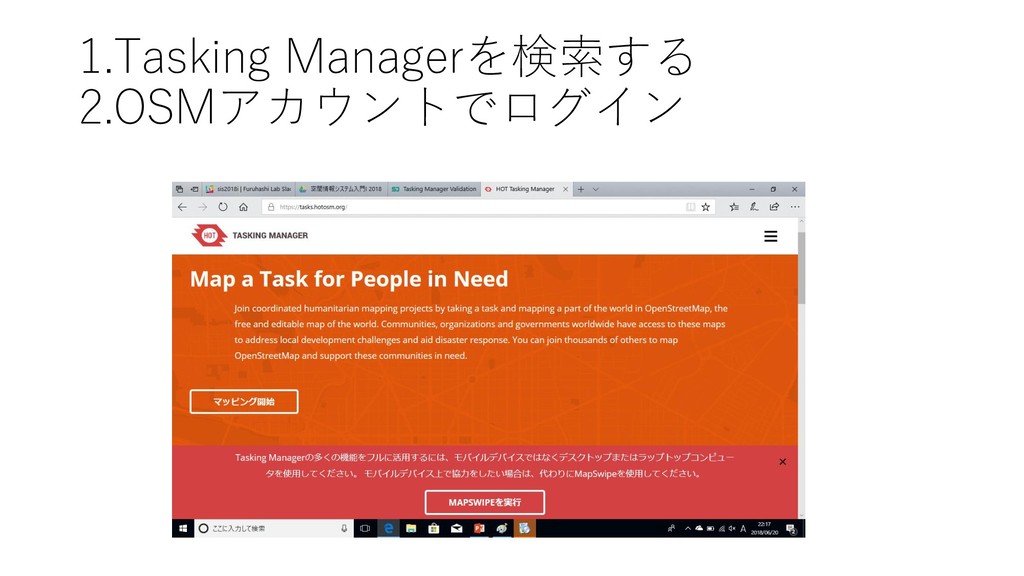
1.Tasking Managerを検索する 2.OSMアカウントでログイン
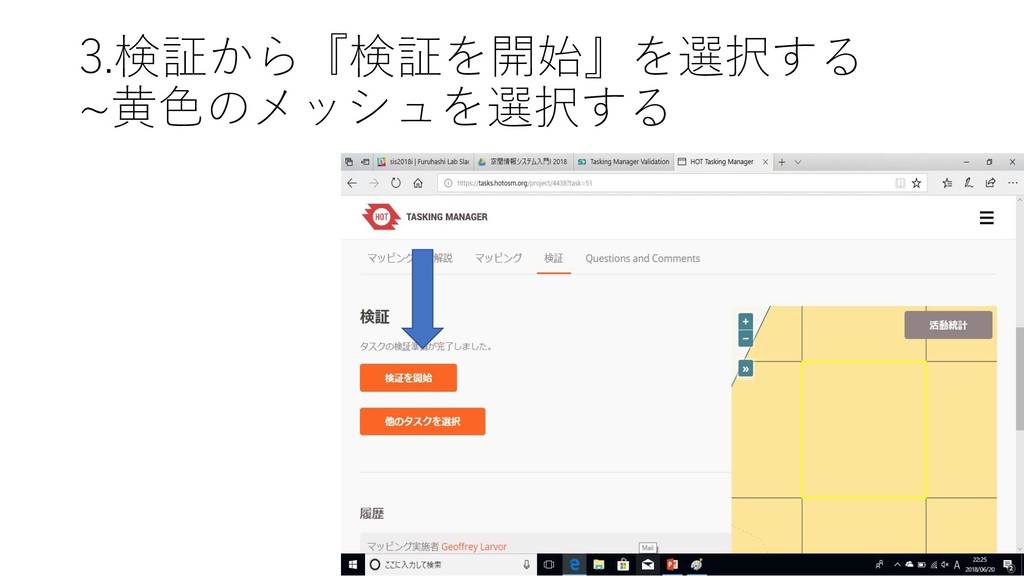
3.検証から『検証を開始』を選択する ~黄色のメッシュを選択する
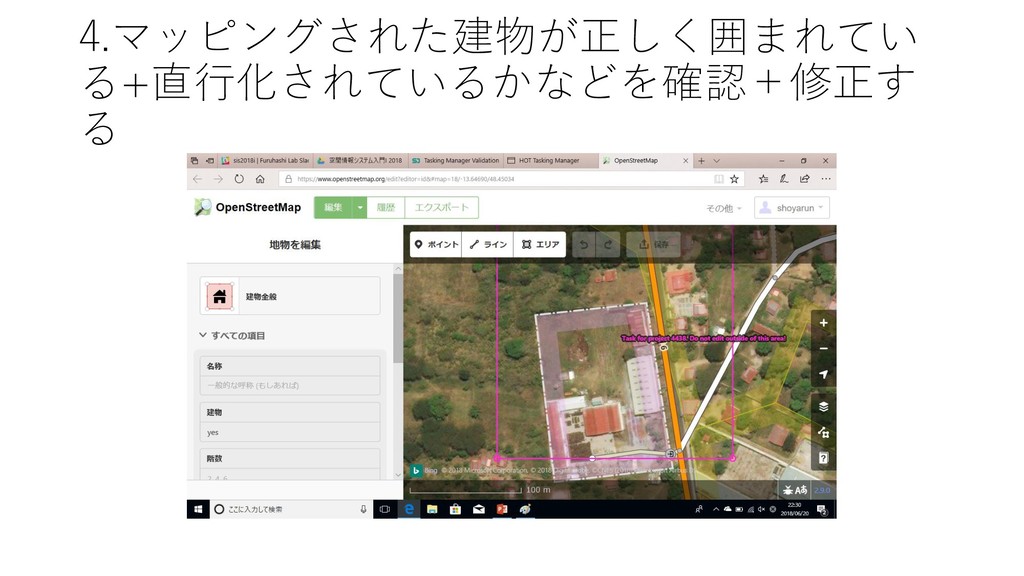
4.マッピングされた建物が正しく囲まれてい る+直行化されているかなどを確認+修正す る
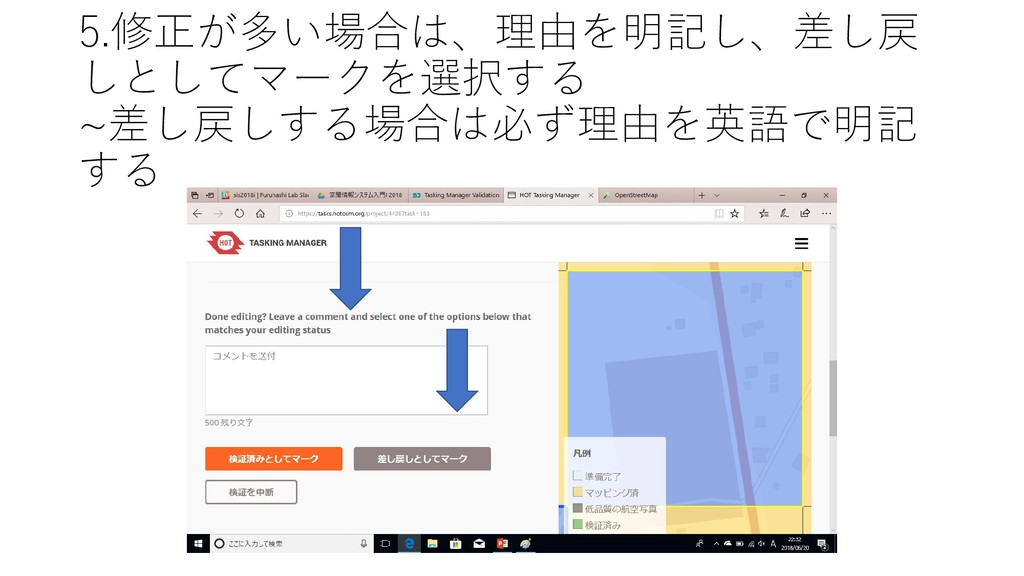
5.修正が多い場合は、理由を明記し、差し戻 しとしてマークを選択する ~差し戻しする場合は必ず理由を英語で明記 する
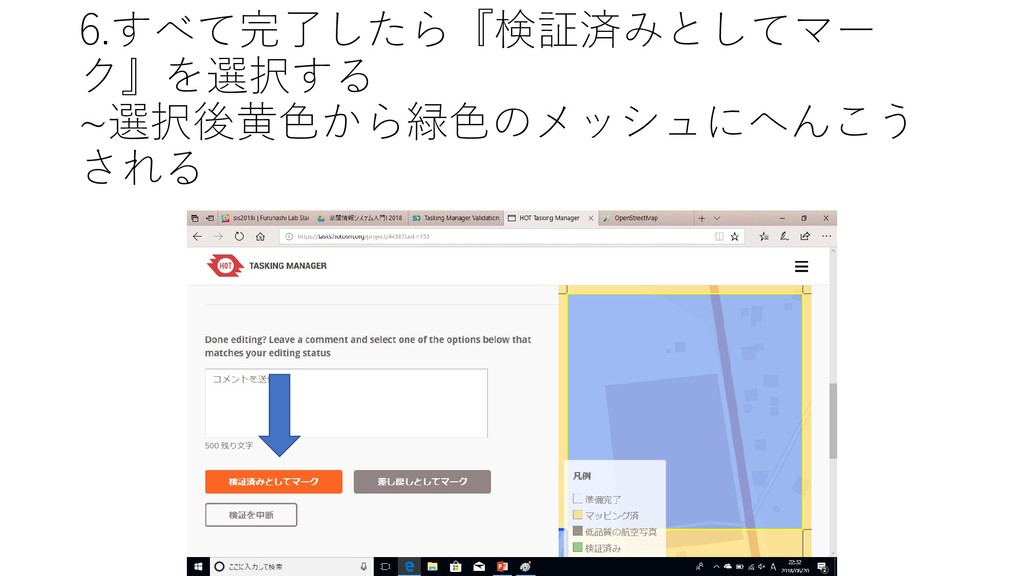
6.すべて完了したら『検証済みとしてマー ク』を選択する ~選択後黄色から緑色のメッシュにへんこう される
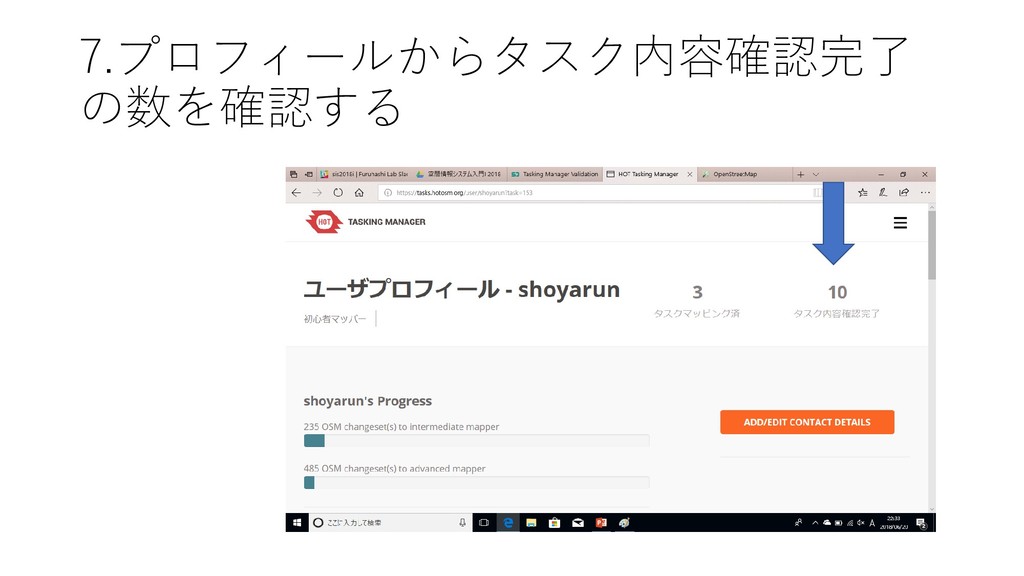
7.プロフィールからタスク内容確認完了 の数を確認する
終わり


 shoyarun
 sachag
 sferik
 bermonpainter
 garrettdimon
 vanstee
 kristinabergwall1
 ammeep
 tamaranovitovic
 lara
lara
 inesmontani
 katiecoart
 maggiecrowley