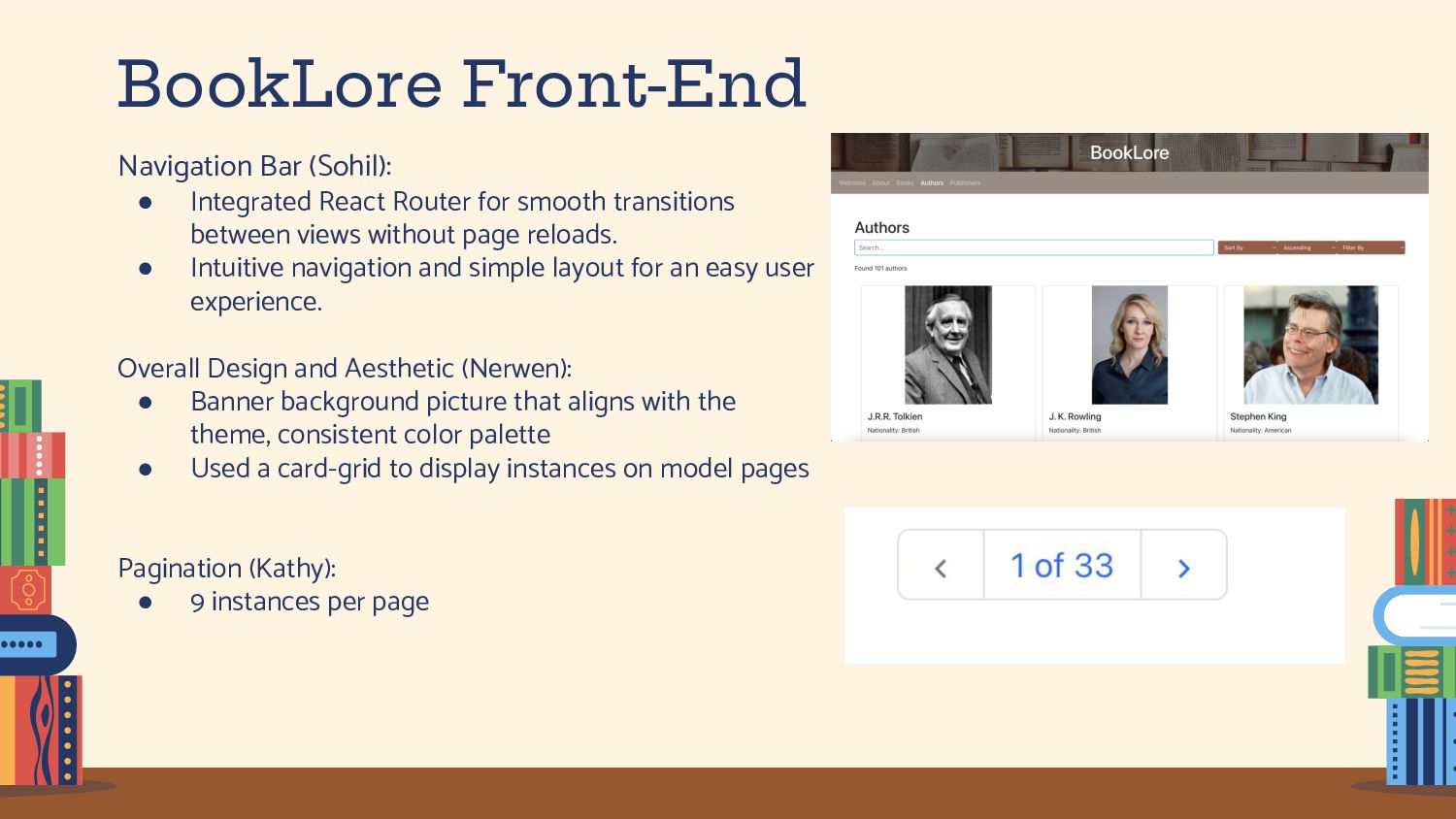
smooth transitions between views without page reloads. • Intuitive navigation and simple layout for an easy user experience. Overall Design and Aesthetic (Nerwen): • Banner background picture that aligns with the theme, consistent color palette • Used a card-grid to display instances on model pages Pagination (Kathy): • 9 instances per page
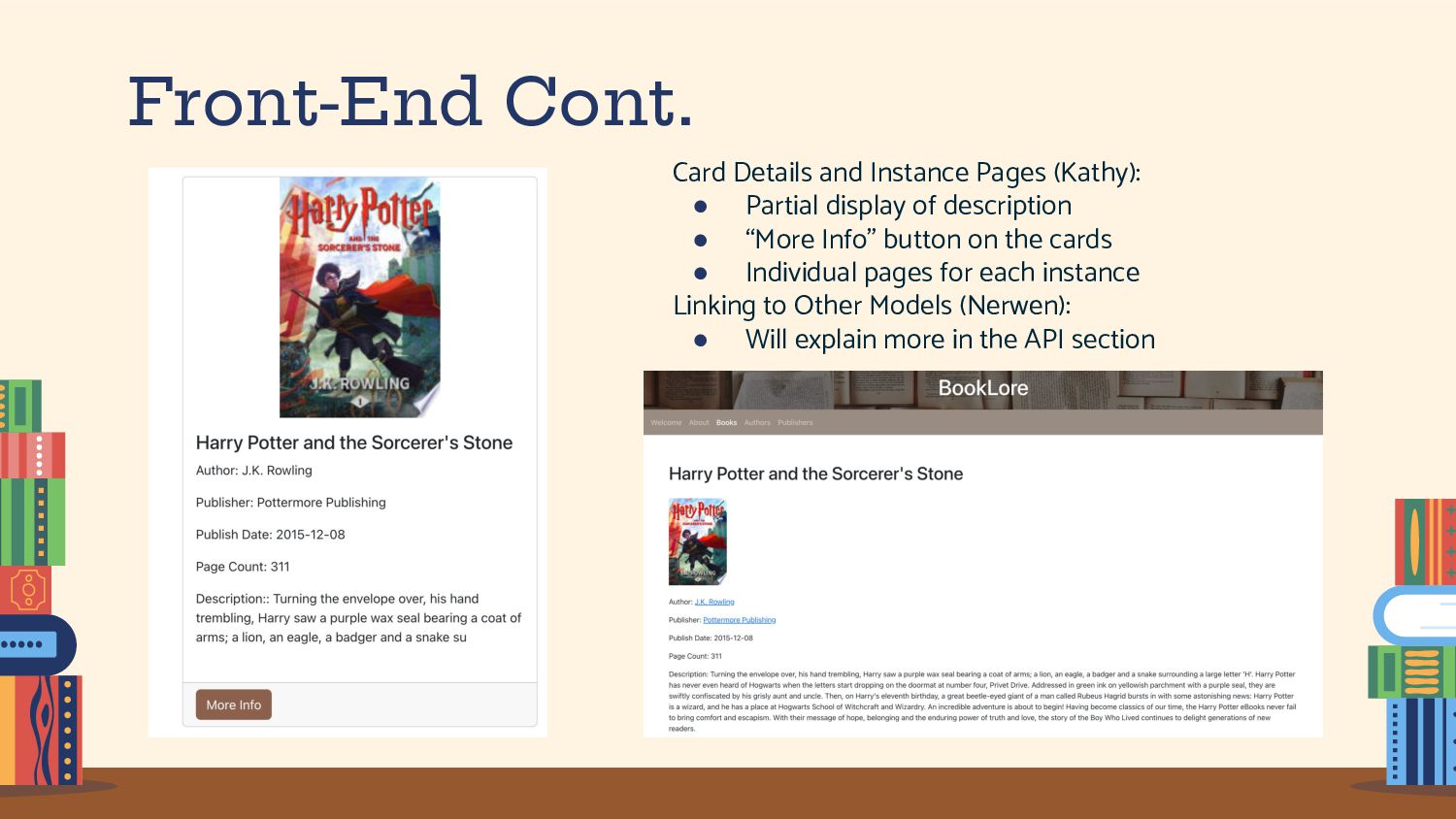
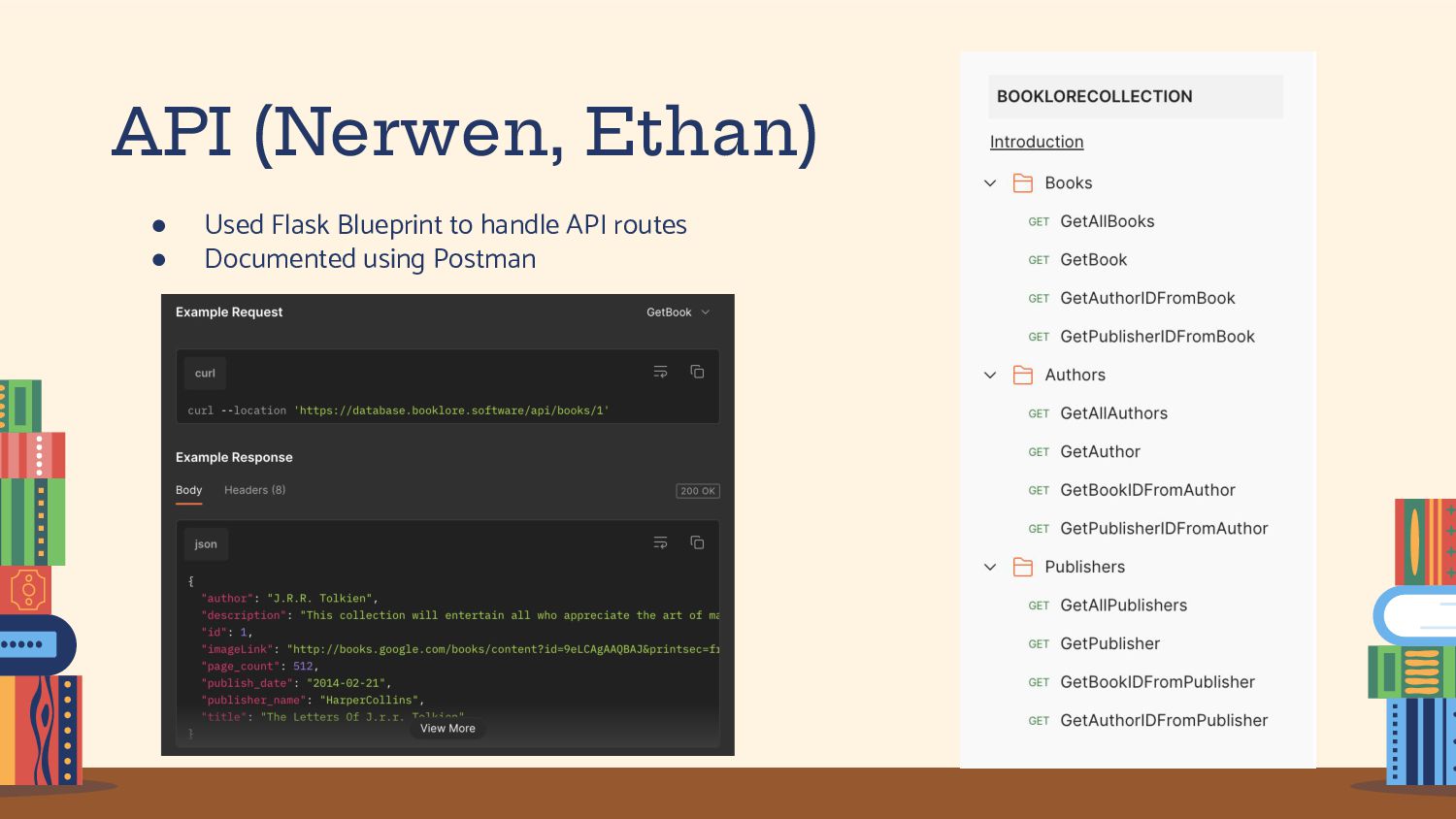
display of description • “More Info” button on the cards • Individual pages for each instance Linking to Other Models (Nerwen): • Will explain more in the API section
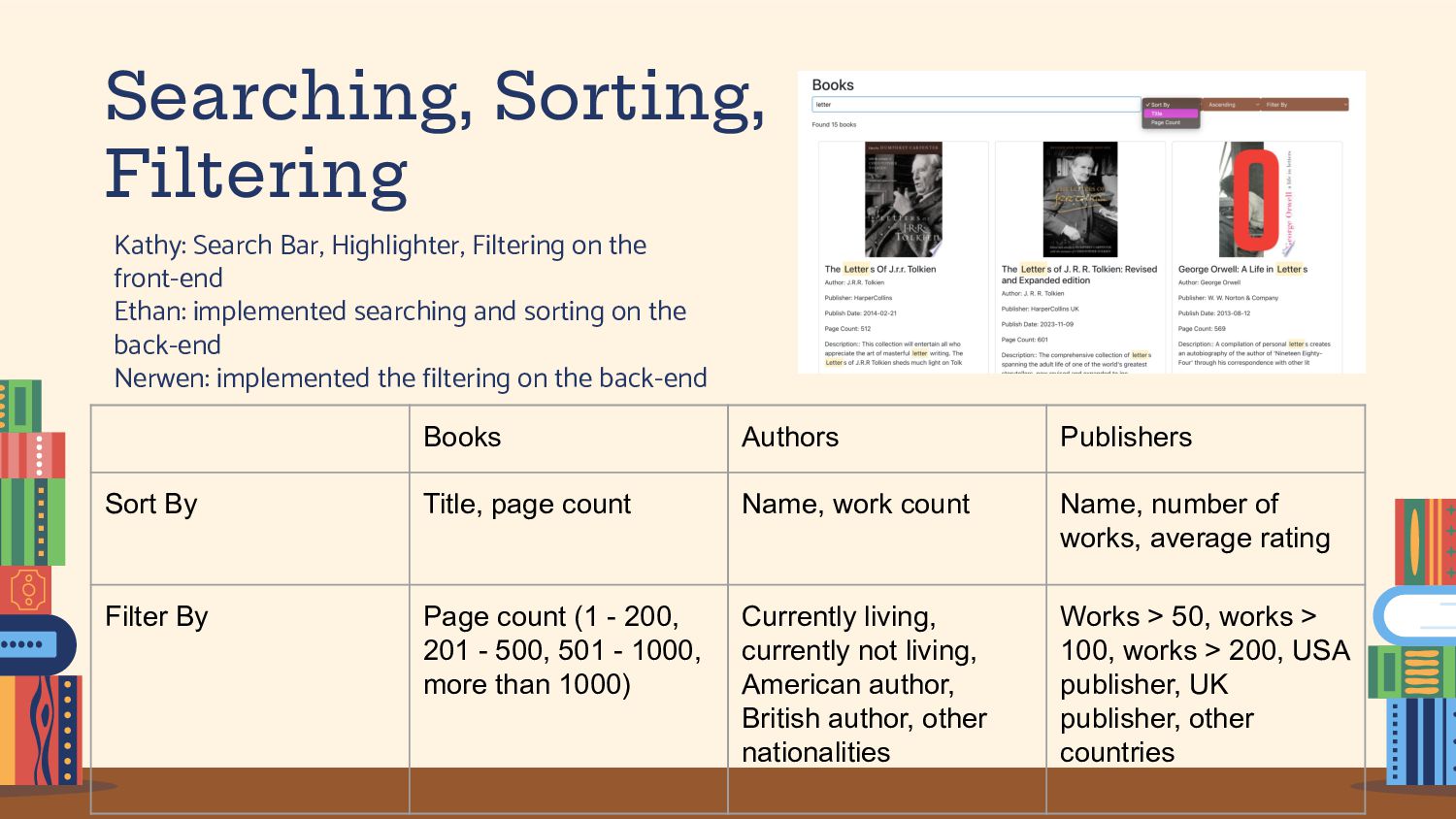
front-end Ethan: implemented searching and sorting on the back-end Nerwen: implemented the filtering on the back-end Books Authors Publishers Sort By Title, page count Name, work count Name, number of works, average rating Filter By Page count (1 - 200, 201 - 500, 501 - 1000, more than 1000) Currently living, currently not living, American author, British author, other nationalities Works > 50, works > 100, works > 200, USA publisher, UK publisher, other countries
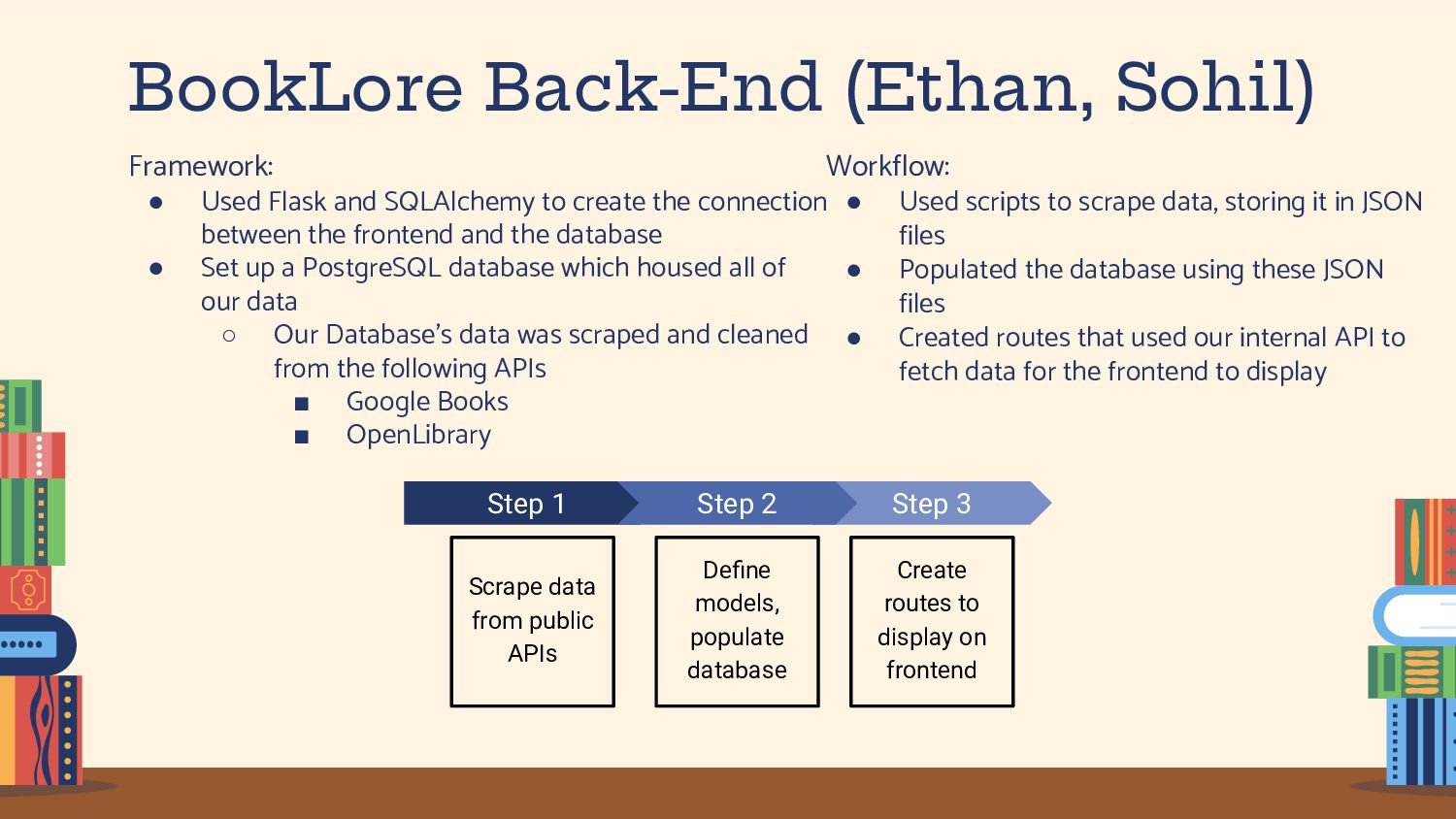
to create the connection between the frontend and the database • Set up a PostgreSQL database which housed all of our data ◦ Our Database’s data was scraped and cleaned from the following APIs ▪ Google Books ▪ OpenLibrary Step 3 Create routes to display on frontend Step 1 Scrape data from public APIs Step 2 Define models, populate database Workflow: • Used scripts to scrape data, storing it in JSON files • Populated the database using these JSON files • Created routes that used our internal API to fetch data for the frontend to display
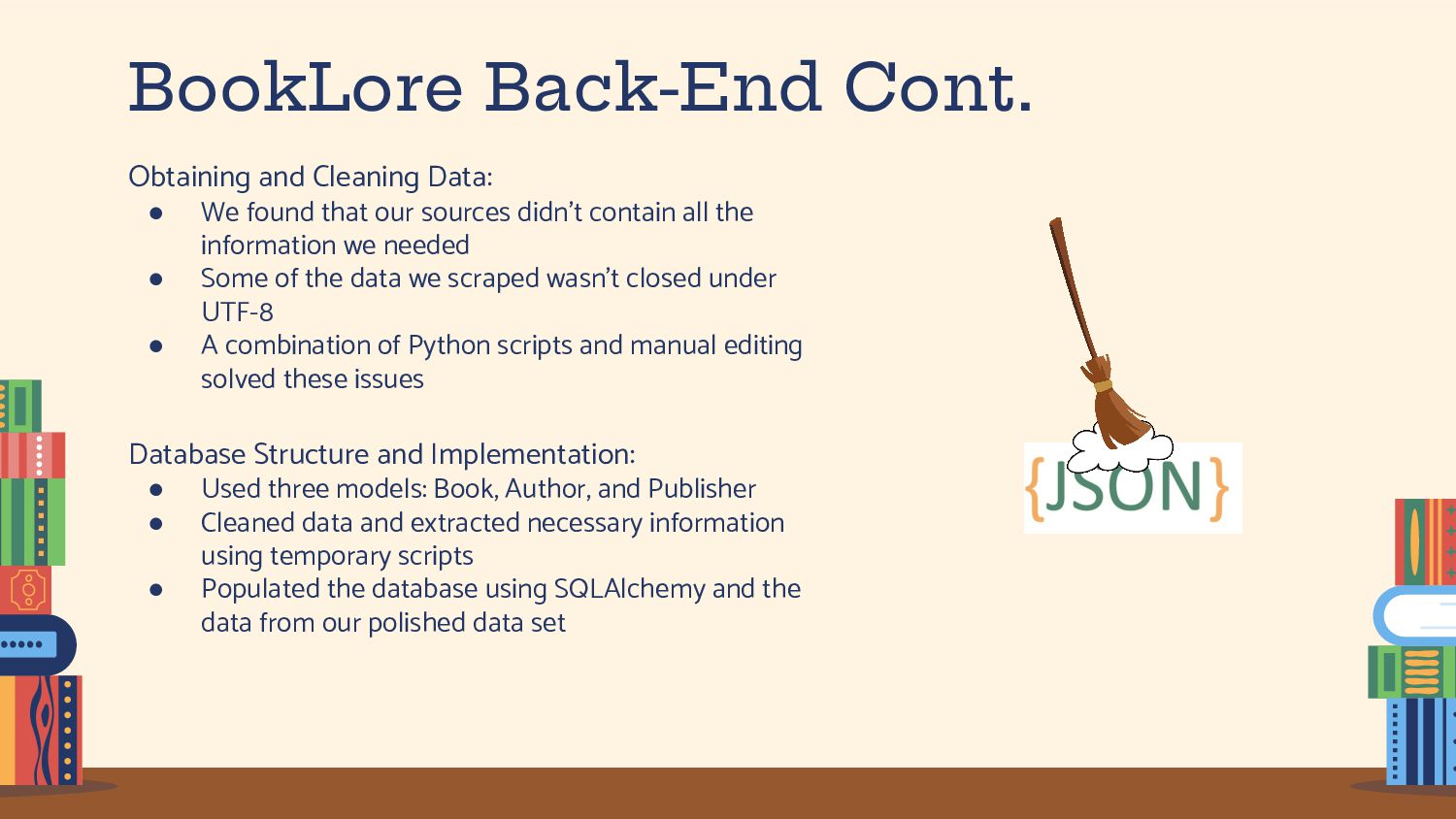
models: Book, Author, and Publisher • Cleaned data and extracted necessary information using temporary scripts • Populated the database using SQLAlchemy and the data from our polished data set Obtaining and Cleaning Data: • We found that our sources didn’t contain all the information we needed • Some of the data we scraped wasn’t closed under UTF-8 • A combination of Python scripts and manual editing solved these issues
on Google Cloud with App Engine • We ran into lots of errors during this deployment, such as ◦ Too many instances ◦ Account permissions Back End: • We implemented the backend on Google Cloud with App Engine and SQL • We ran into lots of errors with this deployment also, such as ◦ Database was not created by Google ◦ Difficulties correctly running the app from app.yaml General notes about Cloud Deployment: • We wish that Google Cloud had better error logs and more documentation • If we could do it over again, we would probably try out AWS as an alternative option
great at communicating and meeting often to meet our weekly goals and finish everything before the due dates. • Helped each other with all aspects of the project, front and back, ensuring everyone was involved and informed. What did we learn? • The importance of being flexible and open to changing plans to overcome obstacles. • Effective collaboration and the value of regular team meetings for progress tracking. What could we do better? / What puzzles us about our website? • We could have been better about testing deployment more frequently (but that takes forever) • Some models take long to load but it could be due to the way that the data for that model was scraped • We could have created a logo to on our website. • Might have been better off with different models to begin with • Could have benefitted from more sources of data
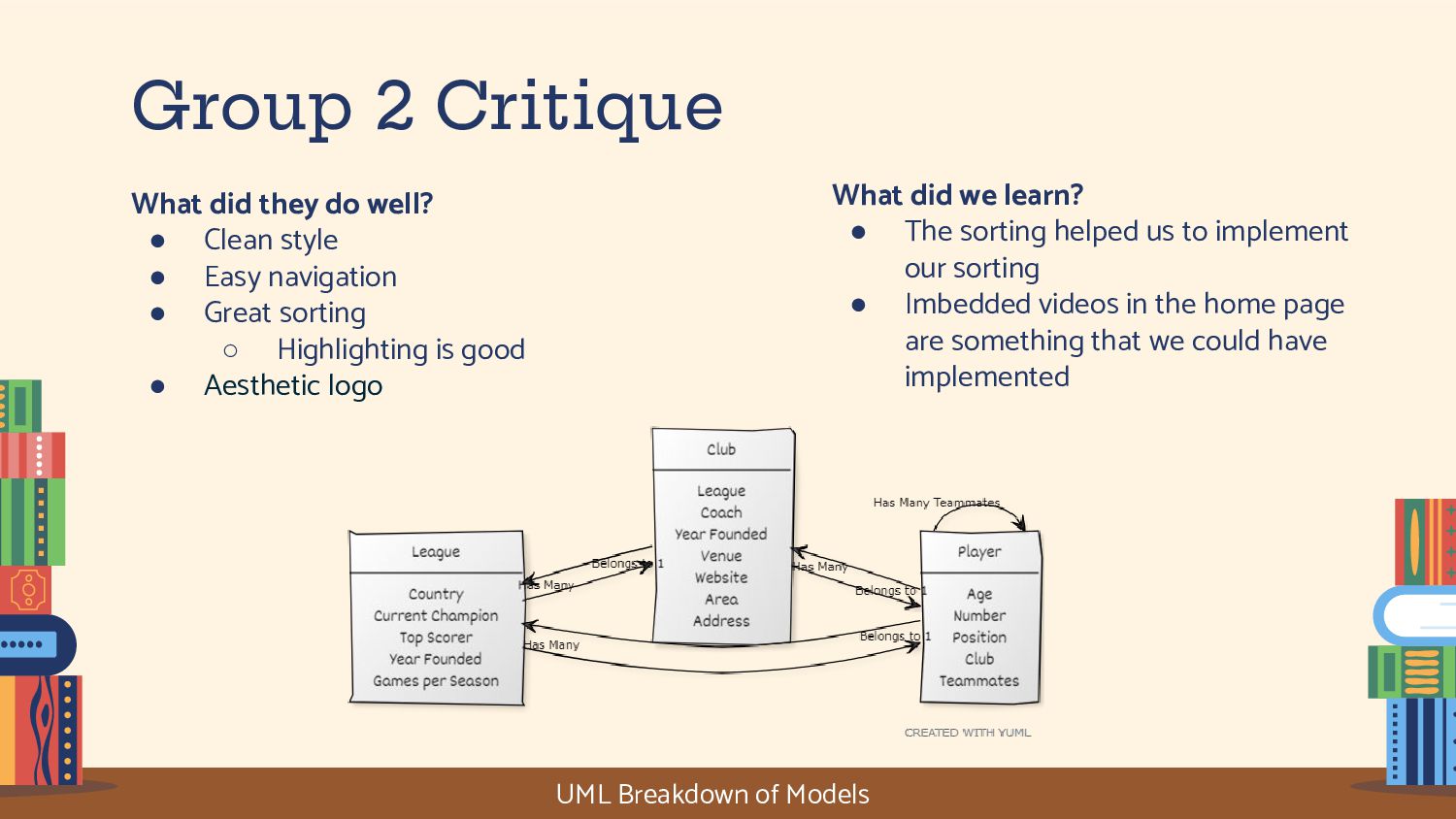
style • Easy navigation • Great sorting ◦ Highlighting is good • Aesthetic logo What did we learn? • The sorting helped us to implement our sorting • Imbedded videos in the home page are something that we could have implemented UML Breakdown of Models
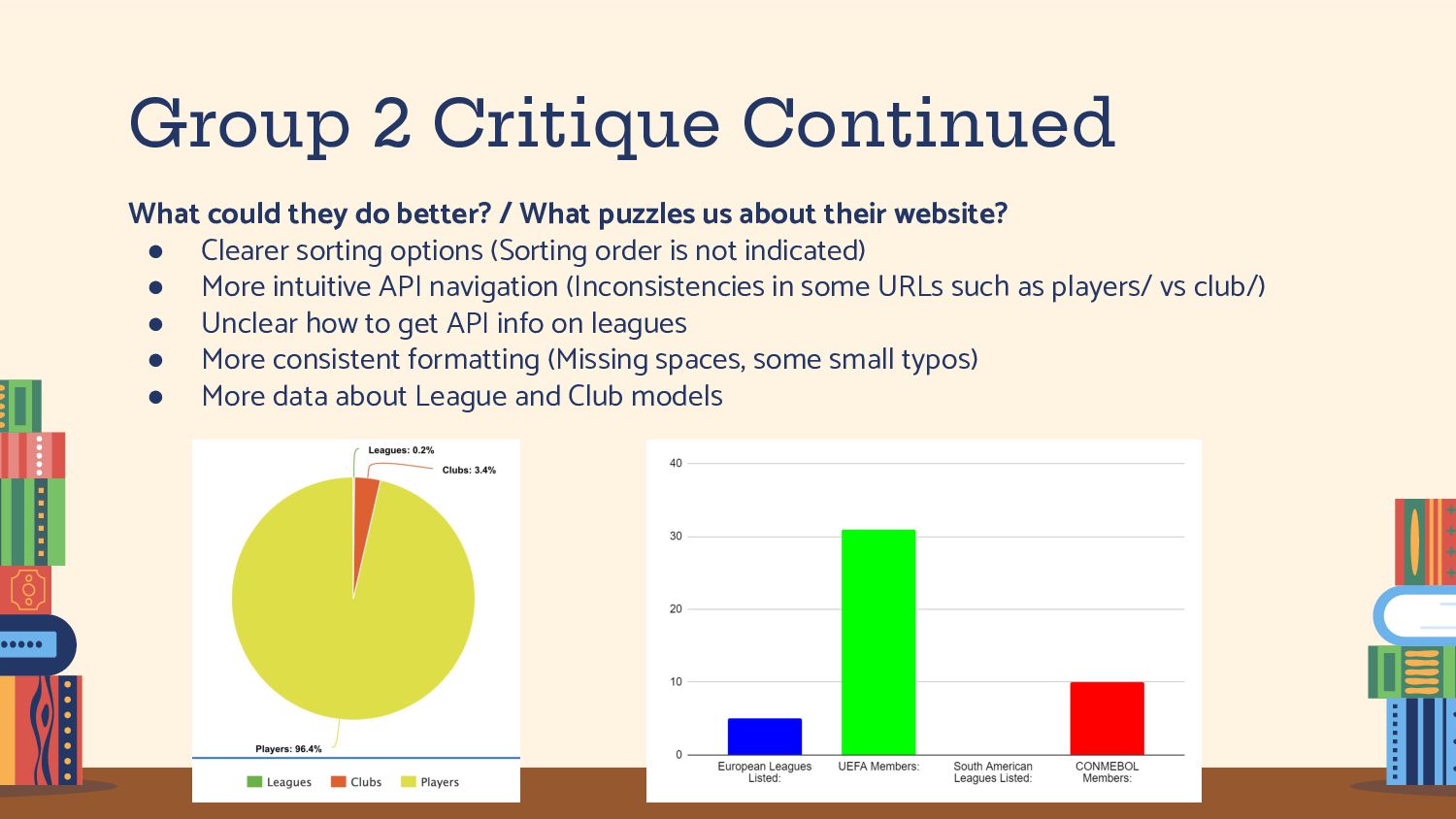
What puzzles us about their website? • Clearer sorting options (Sorting order is not indicated) • More intuitive API navigation (Inconsistencies in some URLs such as players/ vs club/) • Unclear how to get API info on leagues • More consistent formatting (Missing spaces, some small typos) • More data about League and Club models


 axbom
axbom
 chriscoyier
 akashhashmi
 mclloyd
 skipperchong
 marcoroth
 gurzu
gurzu
 scottboms
 bryan
bryan
 tammyeverts
.png) helenjbeal
helenjbeal
 kneath