Upgrade to Pro
— share decks privately, control downloads, hide ads and more …
Speaker Deck
Sign up for free
Menu
Search
Features
All features
Private URLs
Password Protection
Custom URLS
Scheduled publishing
Remove Branding
Restrict embedding
Deck Collections
Notes
Features
All features
Private URLs
Password Protection
Custom URLS
Scheduled publishing
Remove Branding
Restrict embedding
Deck Collections
Notes
Explore
Featured decks
Featured speakers
Programming
Technology
Storyboards
Explore
Featured decks
Featured speakers
Programming
Technology
Storyboards
Pricing
Search
Sign in
Sign up for free
Chromecast対応を始めてみる
Search
takathemax
June 26, 2023
Programming
300
0
Share
Embed
Copy iframe code
Copy JS code
Copy link
Start on current slide
Chromecast対応を始めてみる
takathemax
June 26, 2023
More Decks by takathemax
See All by takathemax
ComposeでのPicture in Picture
takathemax
0
280
Other Decks in Programming
See All in Programming
月間100万人のサービス刷新で、 技術選定をHonoに振り切った話
yutobara
8
6.7k
ソニーのクラウド共通基盤の変遷と AI時代の開発スタイルに合わせた進化 / The Journey of Sony’s Common Cloud Platform and Its Evolution for AI-Native Development
kenjiyoneyama
0
270
自サークルのIdPからログアウトできるようになるまで
taiseiue
1
140
Event is what happens
moro
2
850
カツオ、ご期待ください
suneo3476
0
190
Herb in Rails 8.2: Your ERB views, now HTML-aware @ Kaigi on Rails 2026, Tokyo, Japan
marcoroth
2
270
Verilogで学ぶCPU自作入門
uyuki234
8
4.1k
なぜCTOを降りてFDEを選んだのか?〜なぜプロダクト企業がFDEで顧客の現場に踏み込むのか〜
gonta
1
220
Vue Fes Japan の “作る側”に関わってみて
naokihaba
0
160
個人開発者よ、Honoを使え(おじさんver)
tanahiro2010
2
260
【加筆修正版】Laravel のアプリケーションをどこにデプロイするか #phpcon_ehime
akase244
0
150
Web Framework Benchmark Battle 2026, Any%
a_matsuda
2
2.3k
Featured
See All Featured
Bootstrapping a Software Product
garrettdimon
PRO
306
120k
Thoughts on Productivity
jonyablonski
76
5.4k
How to make the Groovebox
asonas
2
2.5k
My Coaching Mixtape
mlcsv
0
360
Accessibility Awareness
sabderemane
1
250
The Curse of the Amulet
leimatthew05
3
16k
Navigating the moral maze — ethical principles for Al-driven product design
skipperchong
2
630
Designing for Timeless Needs
cassininazir
1
530
ラッコキーワード サービス紹介資料
rakko
1
5.4M
DBのスキルで生き残る技術 - AI時代におけるテーブル設計の勘所
soudai
PRO
68
58k
Data-driven link building: lessons from a $708K investment (BrightonSEO talk)
szymonslowik
1
1.4k
Art, The Web, and Tiny UX
lynnandtonic
304
22k
Transcript
© DMM Chromecast対応を始めてみる #dmm_android勉強会
© DMM 自己紹介 正木清駿 2020年中途入社 動画配信事業部所属 Android歴四年目くらい
© DMM 目次 1. Chromecast対応の概要 2. Senderの簡単な実装 3. まとめ
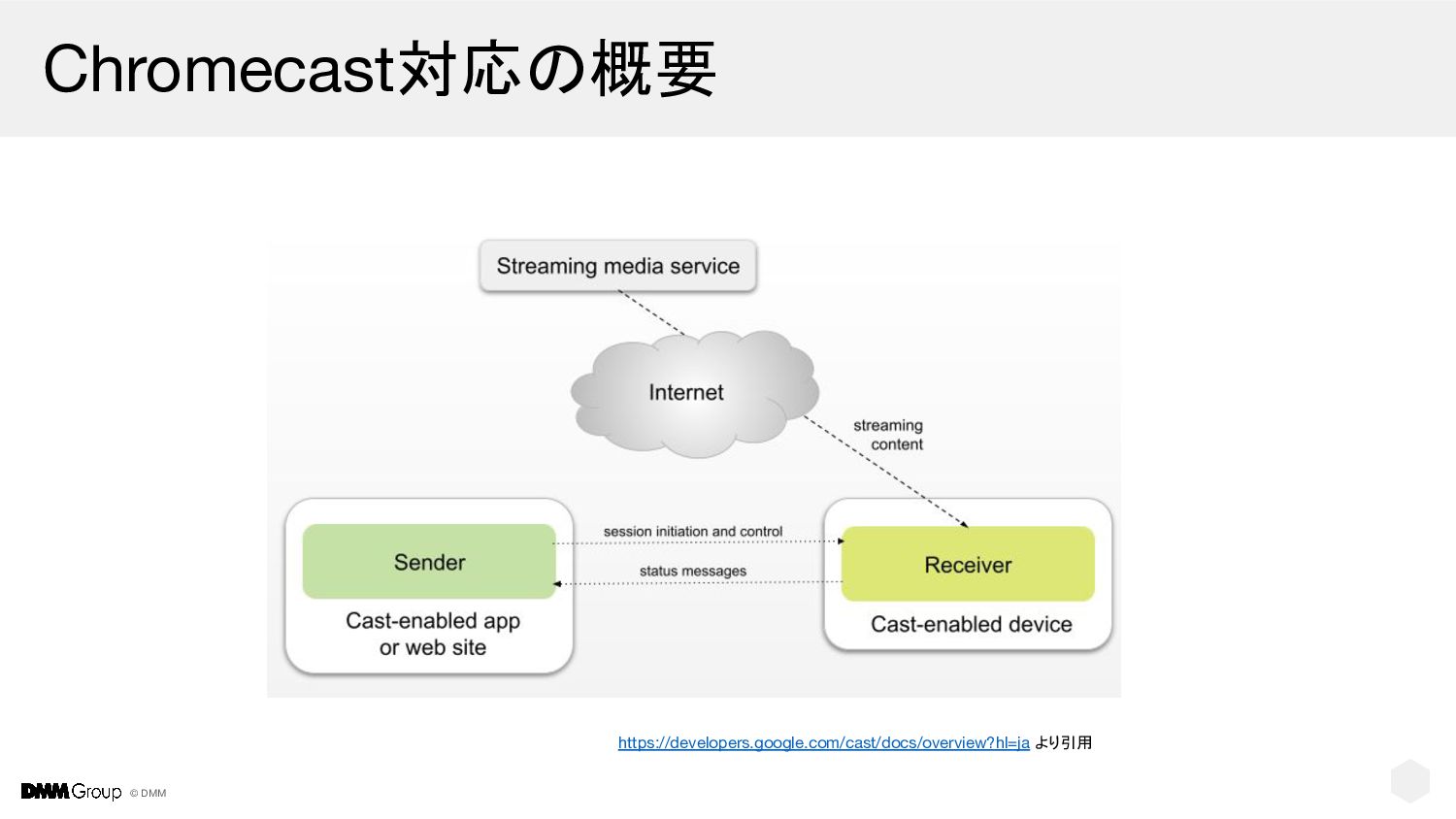
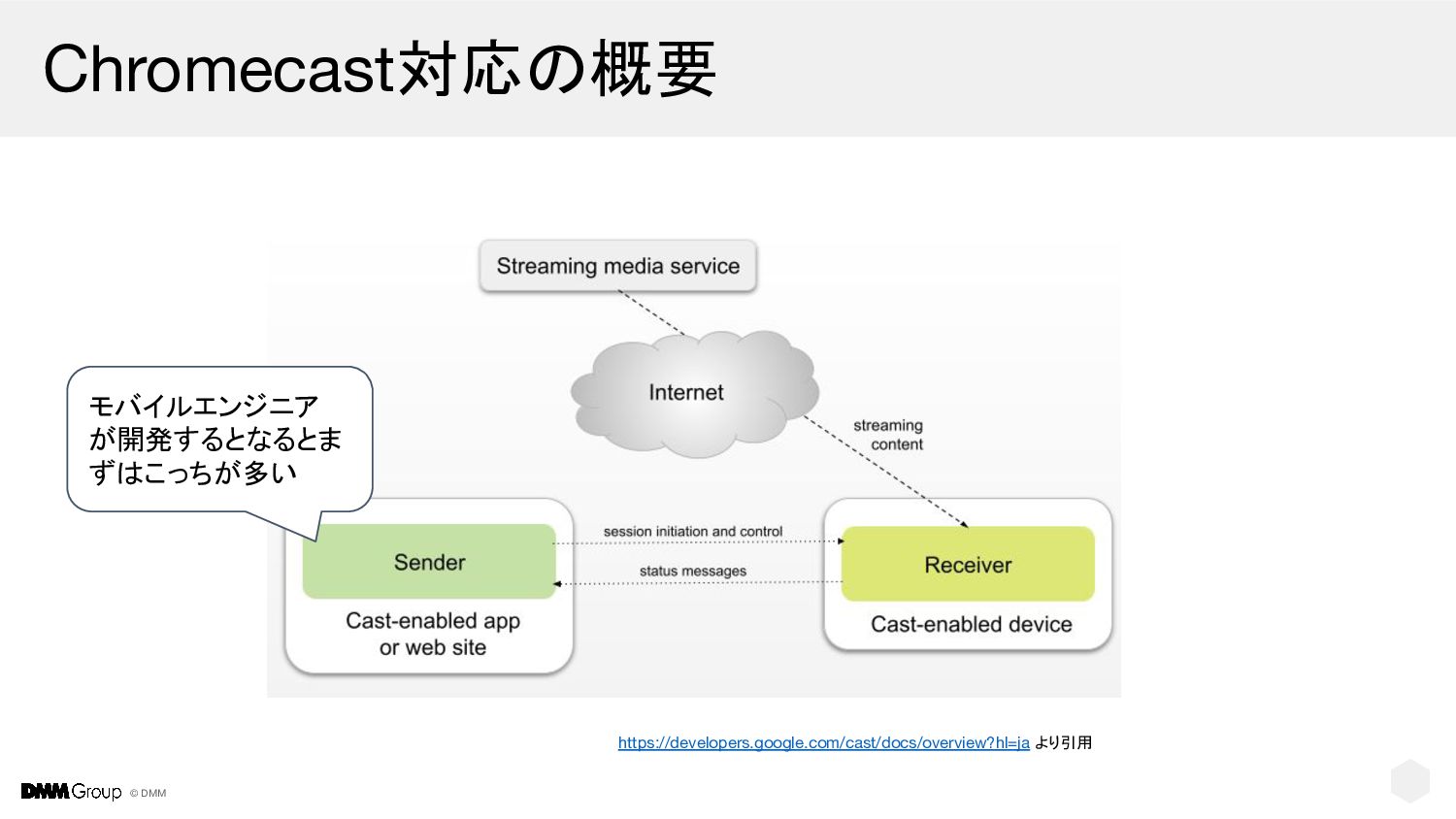
© DMM Chromecast対応の概要 https://developers.google.com/cast/docs/overview?hl=ja より引用
© DMM Chromecast対応の概要 モバイルエンジニア が開発するとなるとま ずはこっちが多い https://developers.google.com/cast/docs/overview?hl=ja より引用
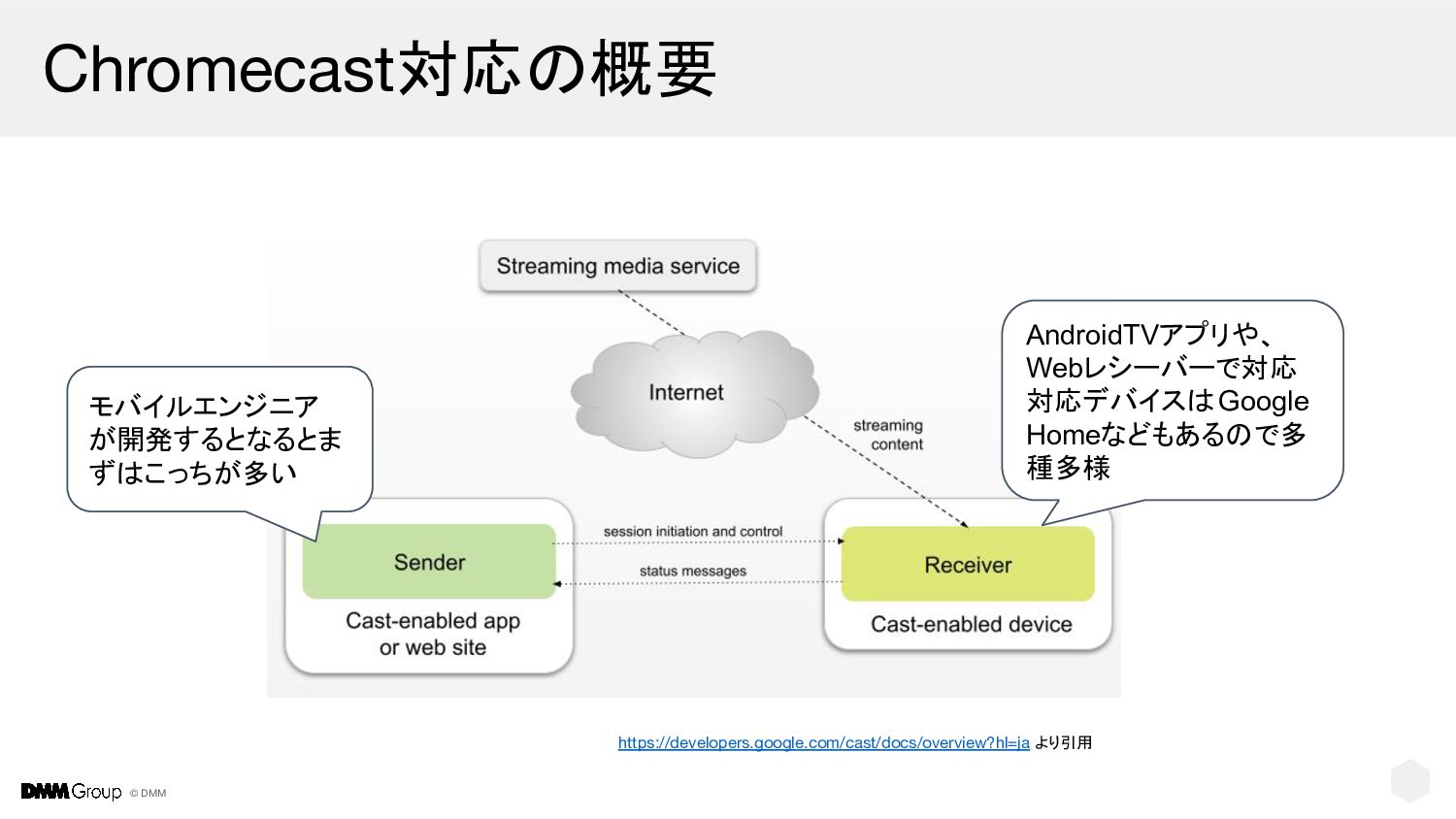
© DMM Chromecast対応の概要 モバイルエンジニア が開発するとなるとま ずはこっちが多い AndroidTVアプリや、 Webレシーバーで対応 対応デバイスはGoogle Homeなどもあるので多
種多様 https://developers.google.com/cast/docs/overview?hl=ja より引用
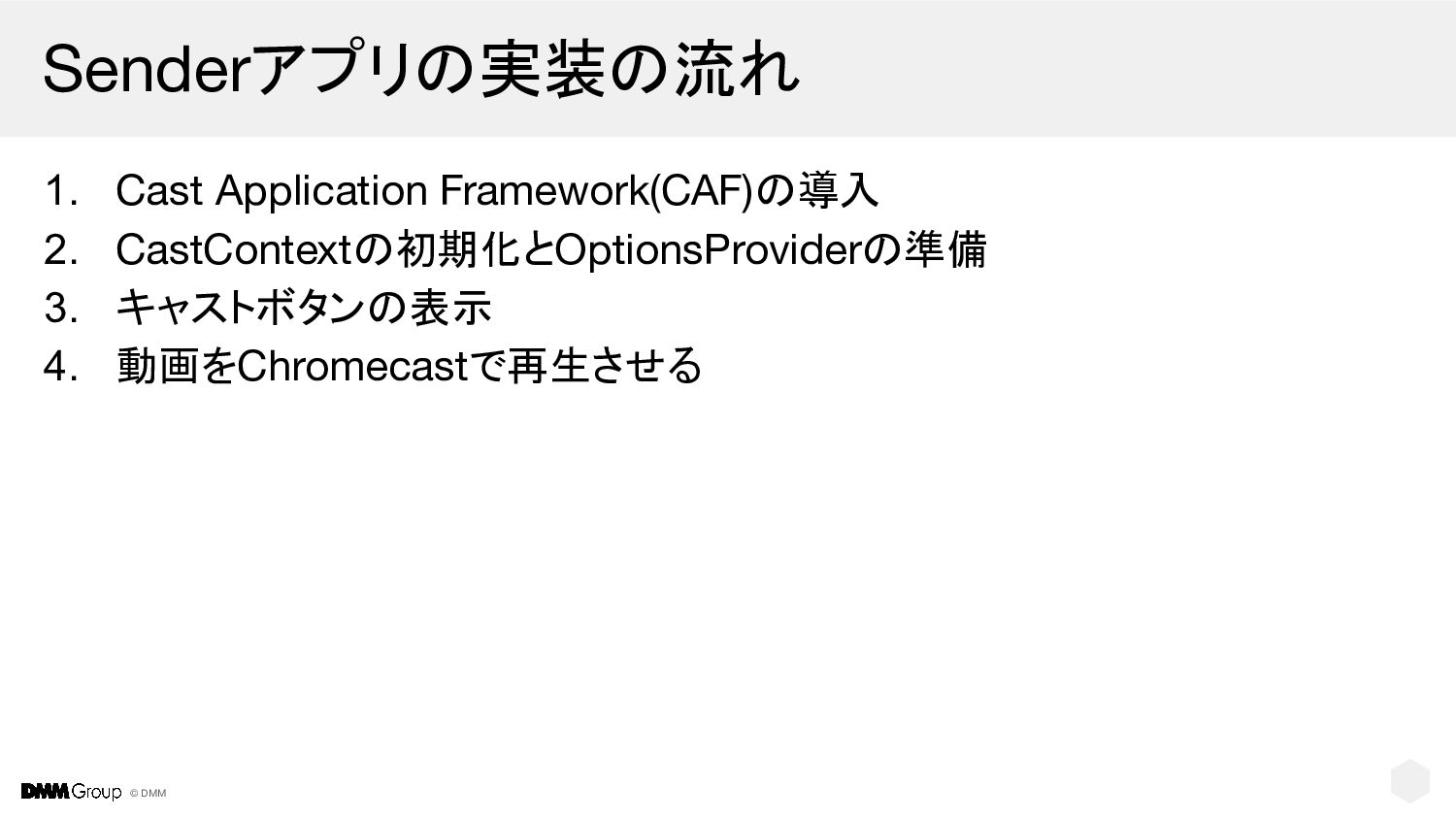
© DMM Senderアプリの実装の流れ 1. Cast Application Framework(CAF)の導入 2. CastContextの初期化とOptionsProviderの準備 3.
キャストボタンの表示 4. 動画をChromecastで再生させる
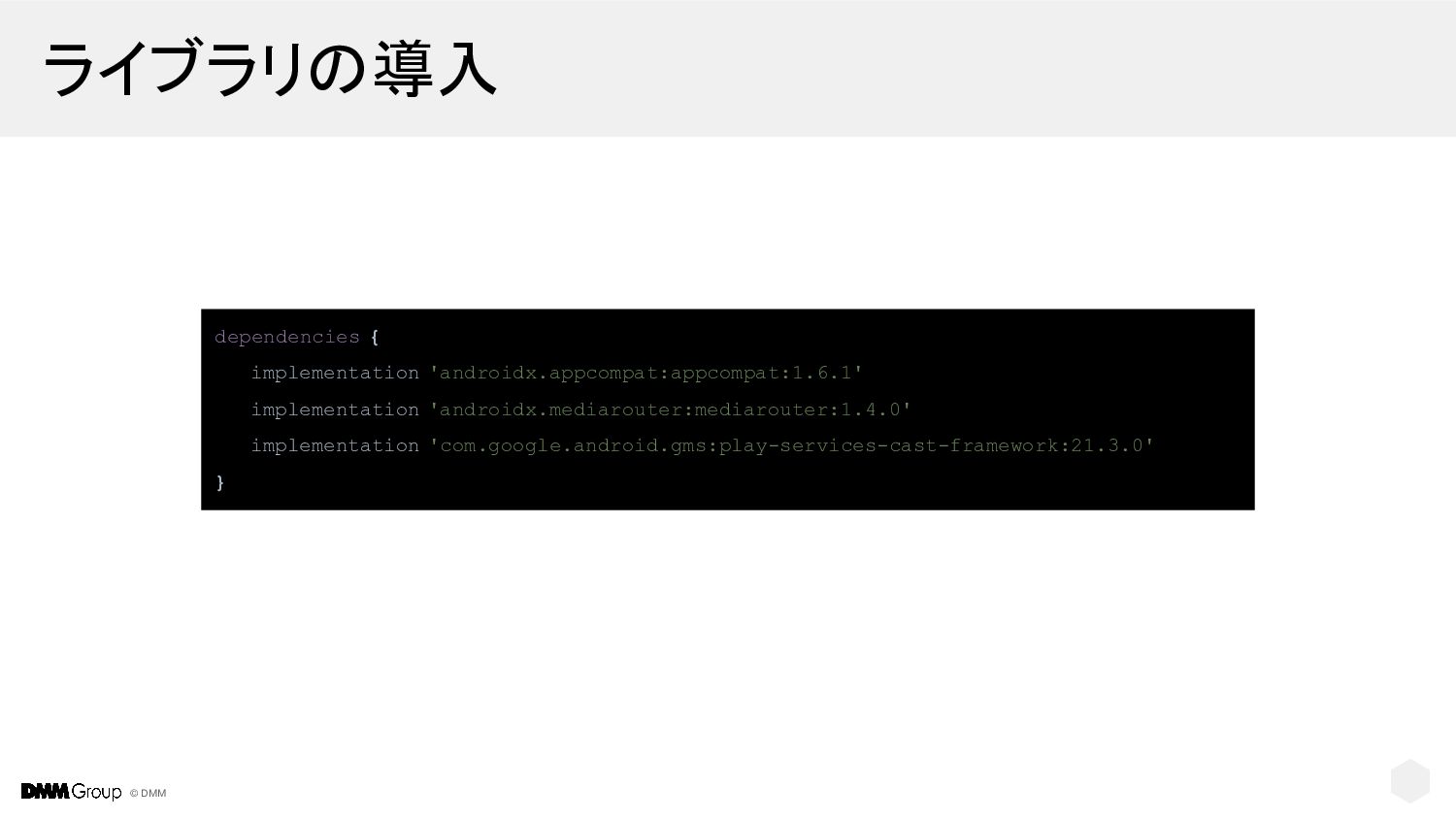
© DMM ライブラリの導入 dependencies { implementation 'androidx.appcompat:appcompat:1.6.1' implementation 'androidx.mediarouter:mediarouter:1.4.0' implementation
'com.google.android.gms:play-services-cast-framework:21.3.0' }
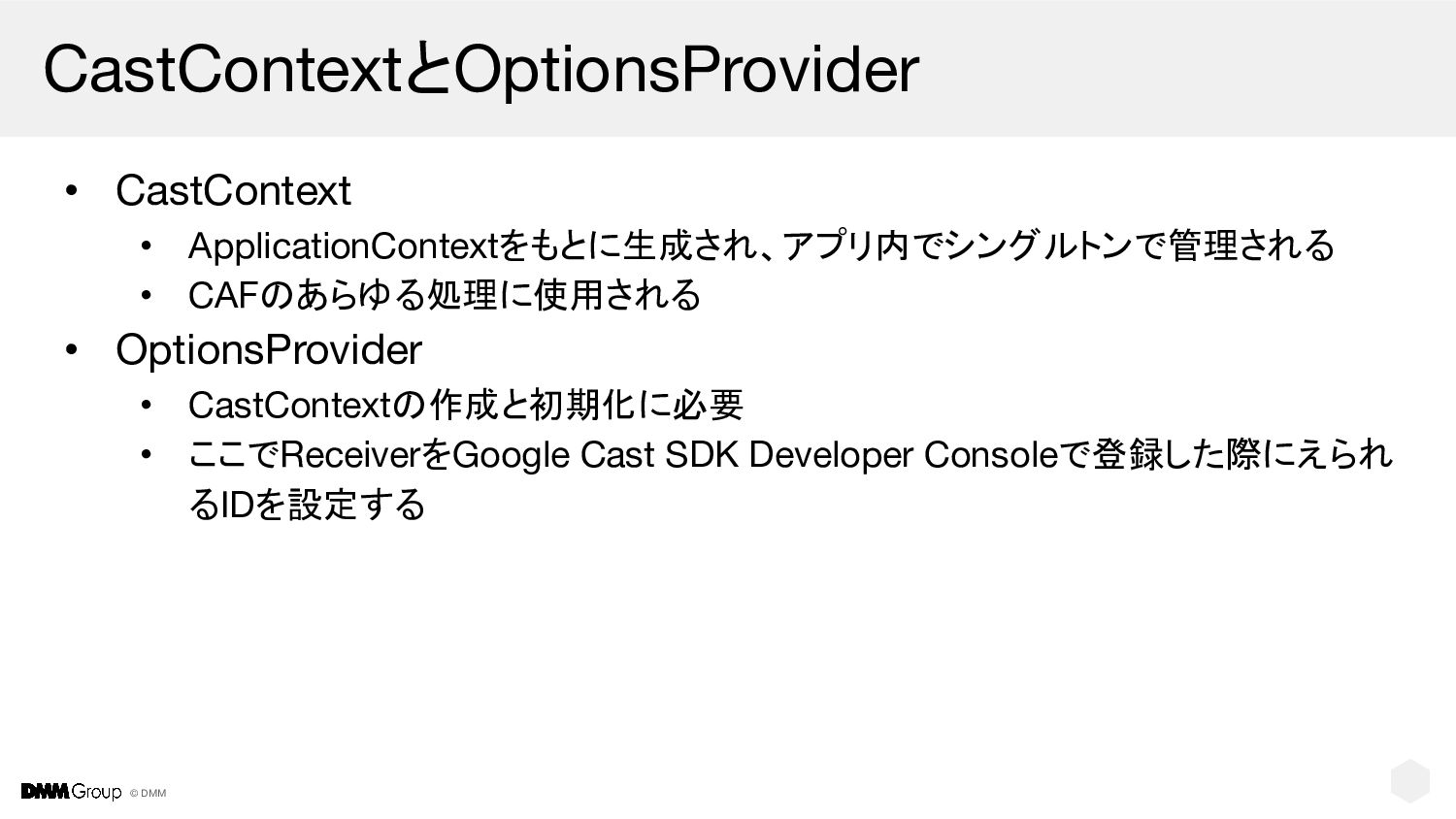
© DMM CastContextとOptionsProvider • CastContext • ApplicationContextをもとに生成され、アプリ内でシングルトンで管理される • CAFのあらゆる処理に使用される •
OptionsProvider • CastContextの作成と初期化に必要 • ここでReceiverをGoogle Cast SDK Developer Consoleで登録した際にえられ るIDを設定する
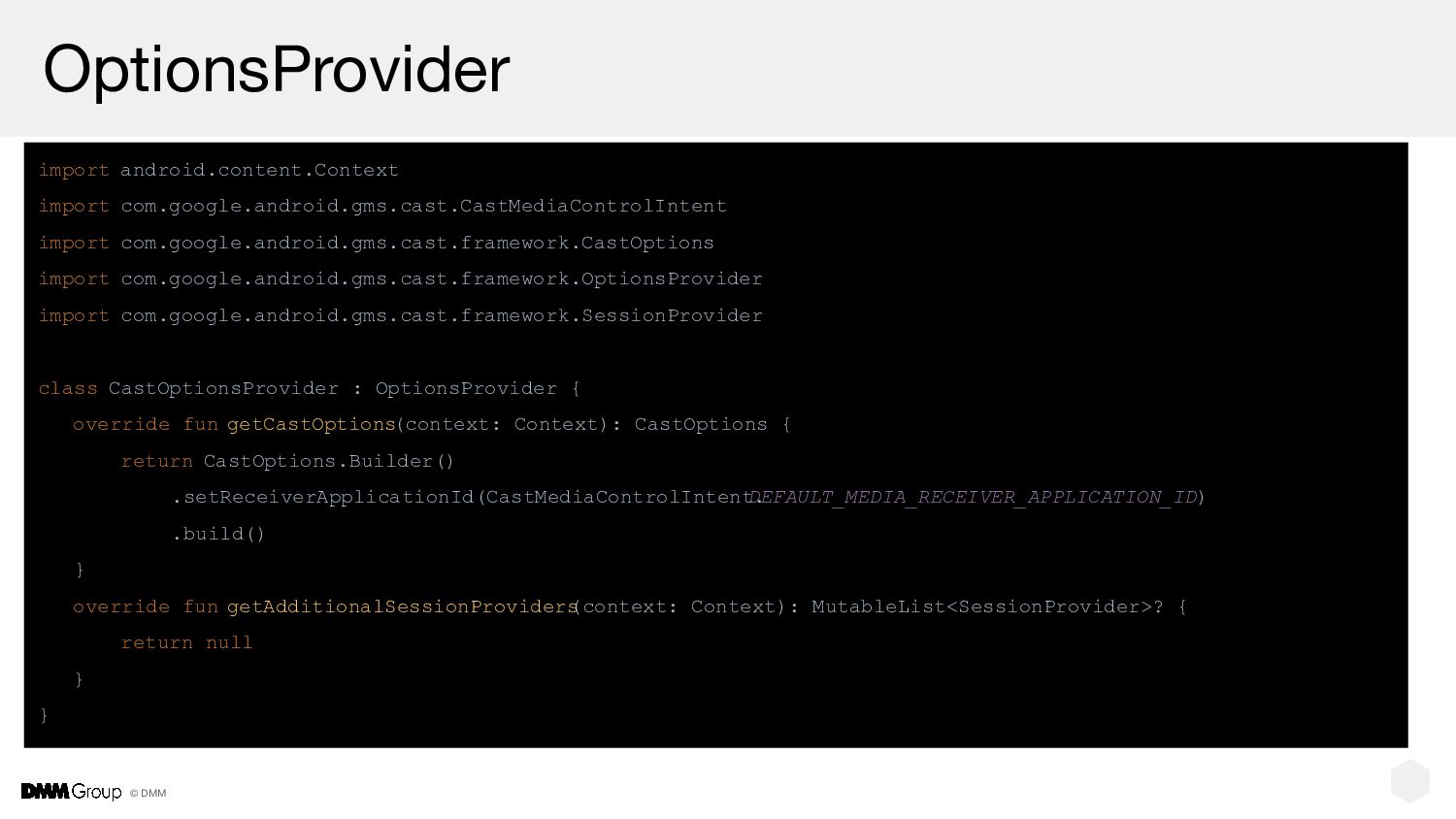
© DMM OptionsProvider import android.content.Context import com.google.android.gms.cast.CastMediaControlIntent import com.google.android.gms.cast.framework.CastOptions import
com.google.android.gms.cast.framework.OptionsProvider import com.google.android.gms.cast.framework.SessionProvider class CastOptionsProvider : OptionsProvider { override fun getCastOptions (context: Context): CastOptions { return CastOptions.Builder() .setReceiverApplicationId(CastMediaControlIntent. DEFAULT_MEDIA_RECEIVER_APPLICATION_ID) .build() } override fun getAdditionalSessionProviders (context: Context): MutableList<SessionProvider>? { return null } }
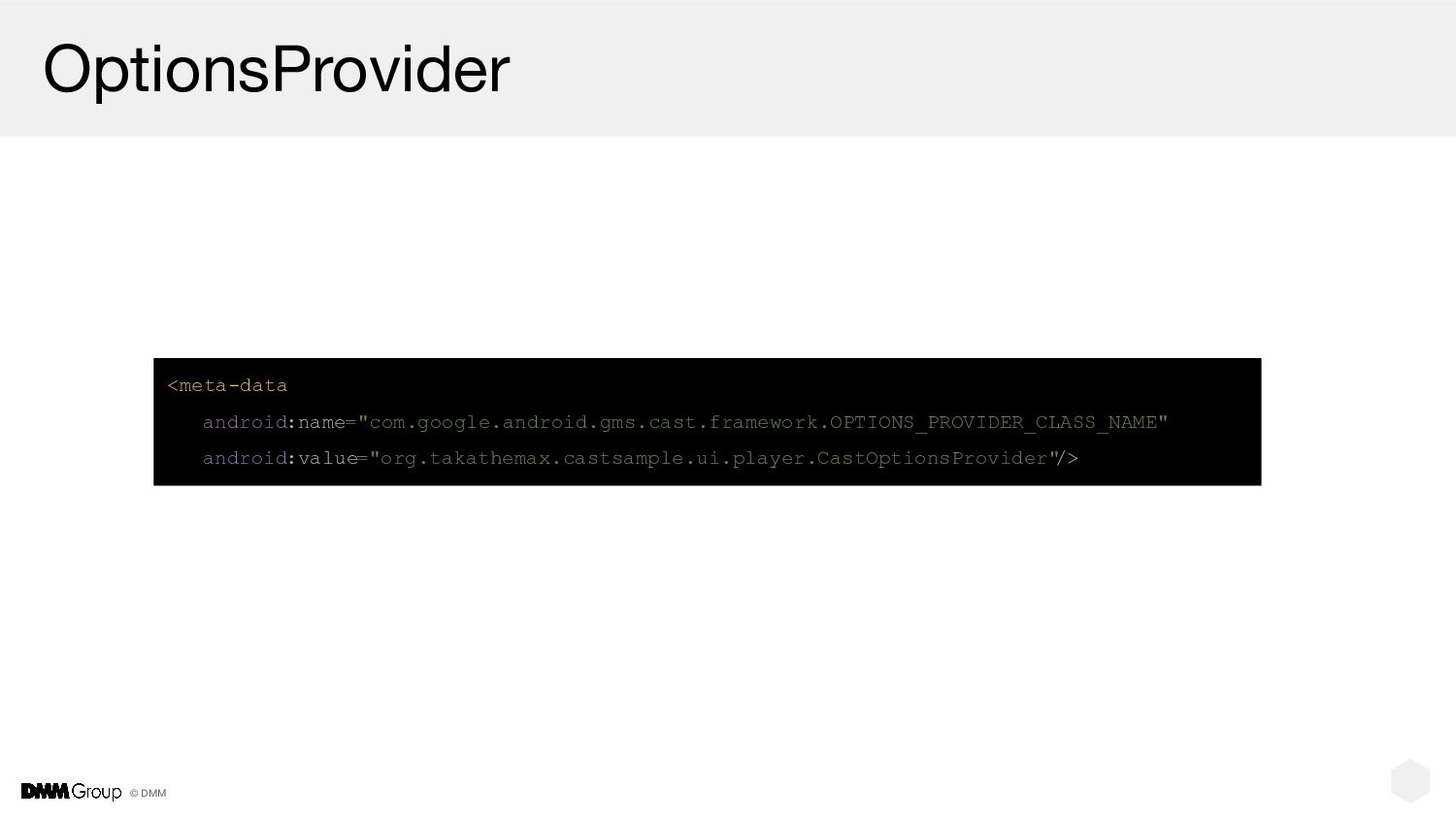
© DMM OptionsProvider <meta-data android:name="com.google.android.gms.cast.framework.OPTIONS_PROVIDER_CLASS_NAME" android:value="org.takathemax.castsample.ui.player.CastOptionsProvider" />
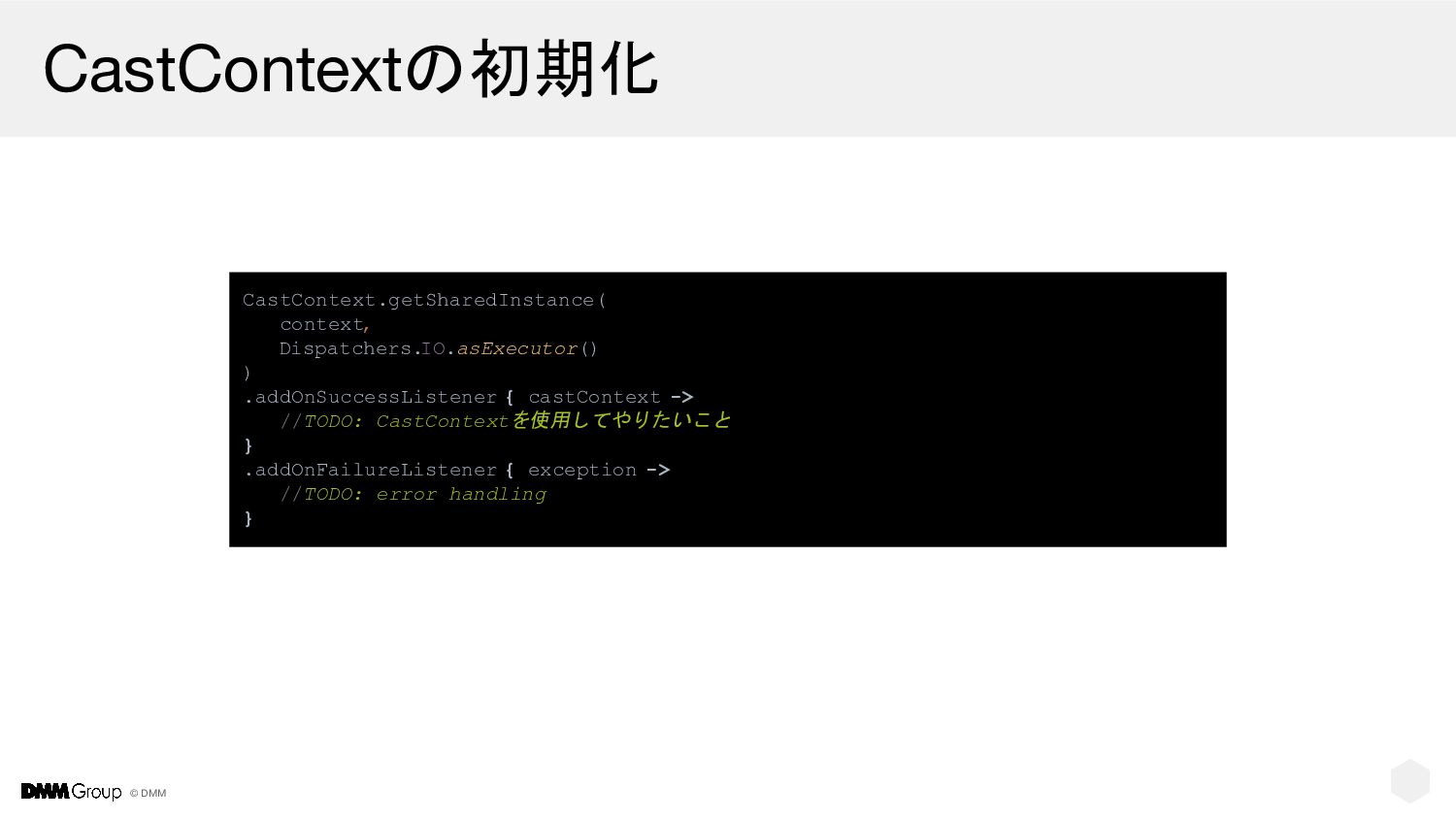
© DMM CastContextの初期化 CastContext.getSharedInstance( context, Dispatchers.IO.asExecutor() ) .addOnSuccessListener { castContext
-> //TODO: CastContextを使用してやりたいこと } .addOnFailureListener { exception -> //TODO: error handling }
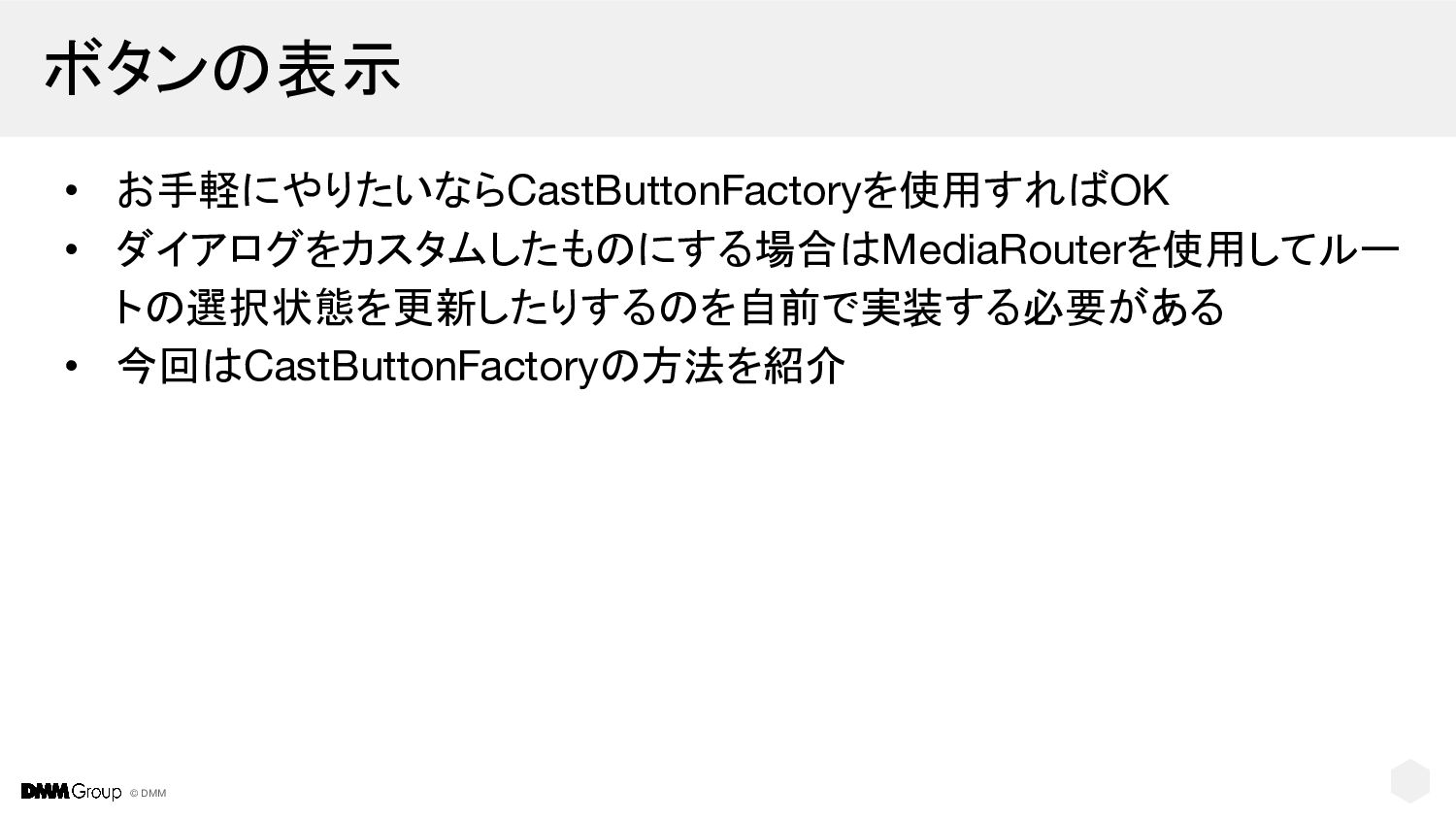
© DMM ボタンの表示 • お手軽にやりたいならCastButtonFactoryを使用すればOK • ダイアログをカスタムしたものにする場合はMediaRouterを使用してルー トの選択状態を更新したりするのを自前で実装する必要がある • 今回はCastButtonFactoryの方法を紹介
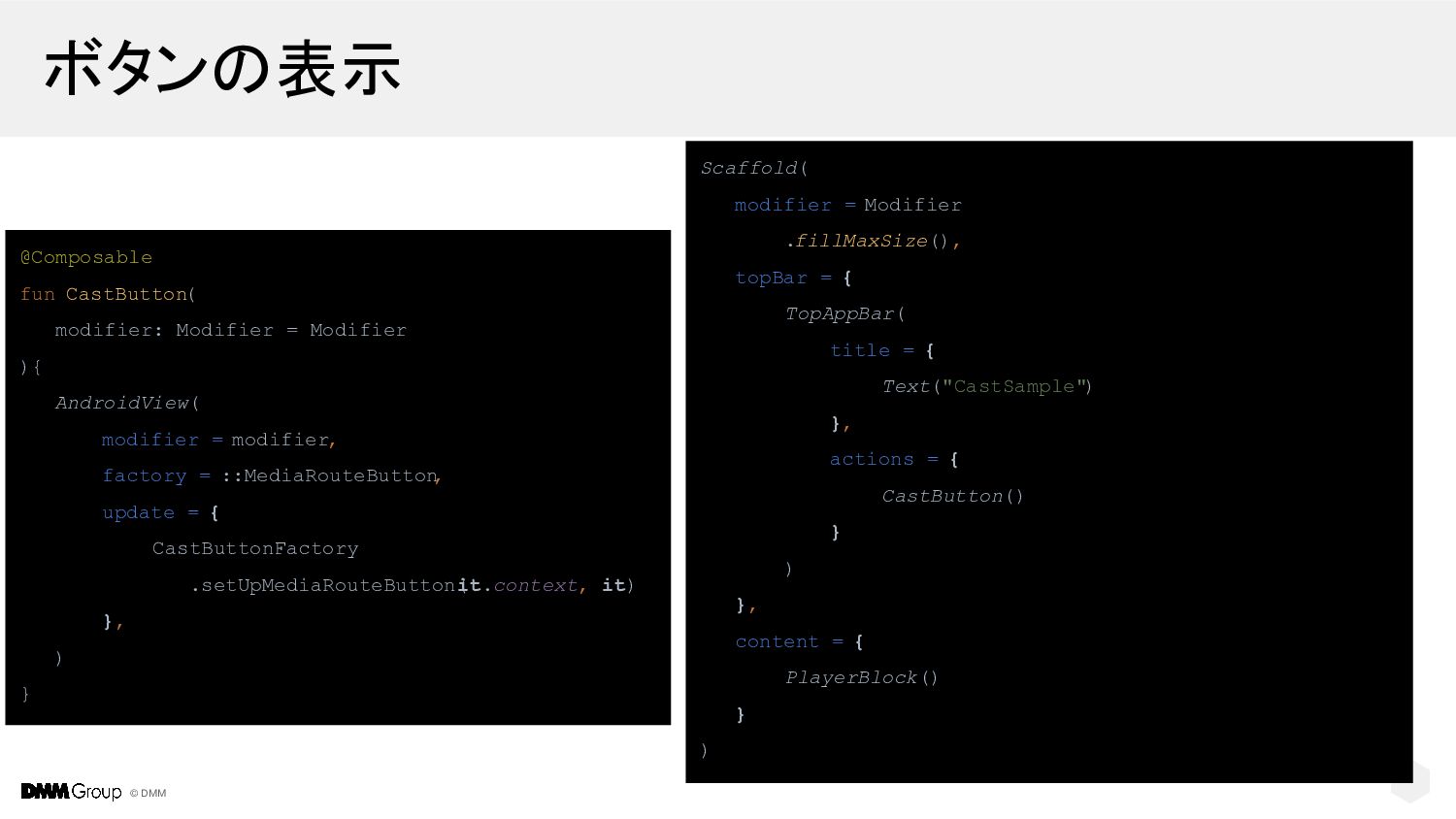
© DMM ボタンの表示 @Composable fun CastButton( modifier: Modifier = Modifier
){ AndroidView( modifier = modifier, factory = ::MediaRouteButton , update = { CastButtonFactory .setUpMediaRouteButton( it.context, it) }, ) } Scaffold( modifier = Modifier .fillMaxSize(), topBar = { TopAppBar( title = { Text("CastSample") }, actions = { CastButton() } ) }, content = { PlayerBlock() } )
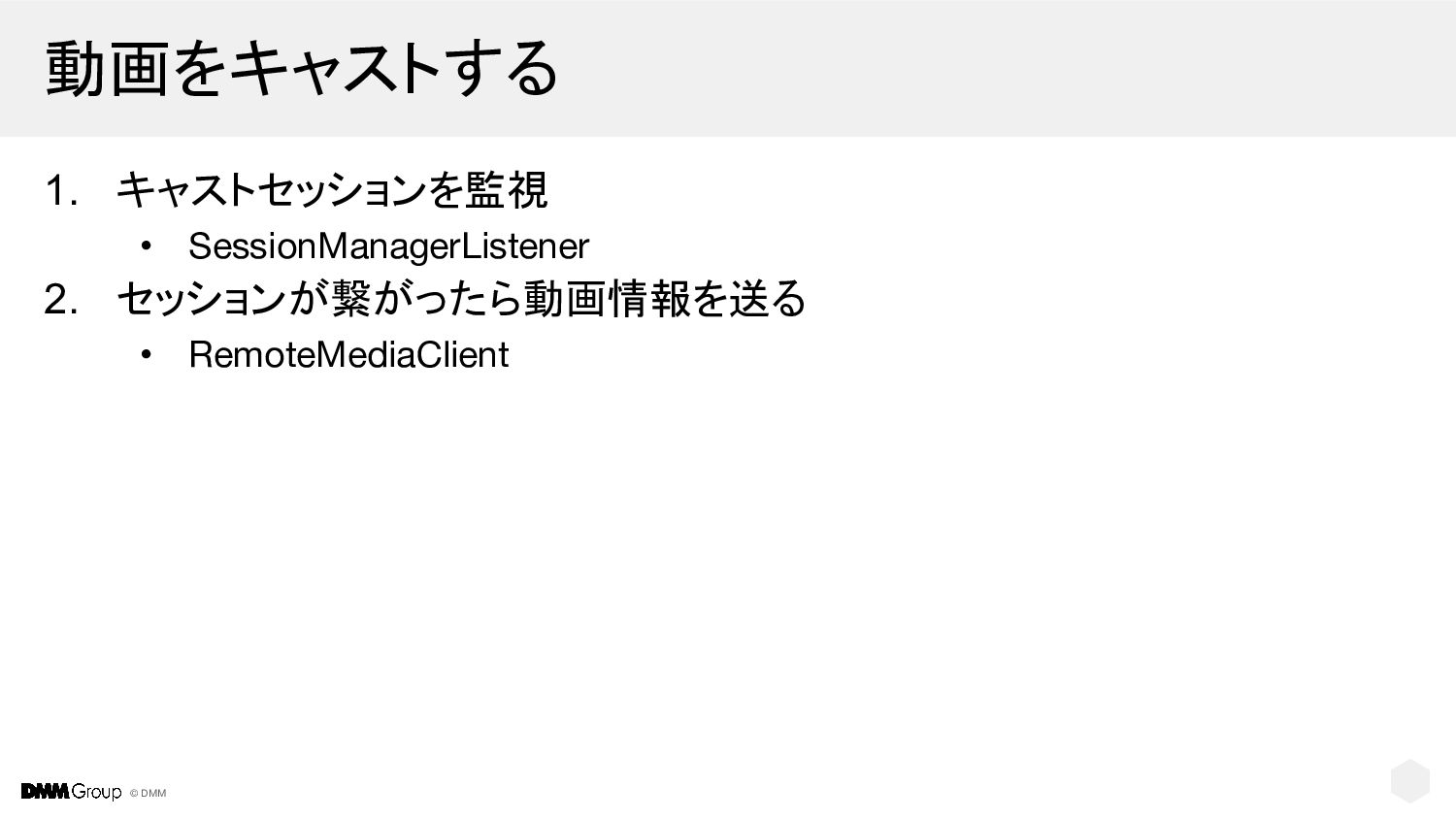
© DMM 動画をキャストする 1. キャストセッションを監視 • SessionManagerListener 2. セッションが繋がったら動画情報を送る •
RemoteMediaClient
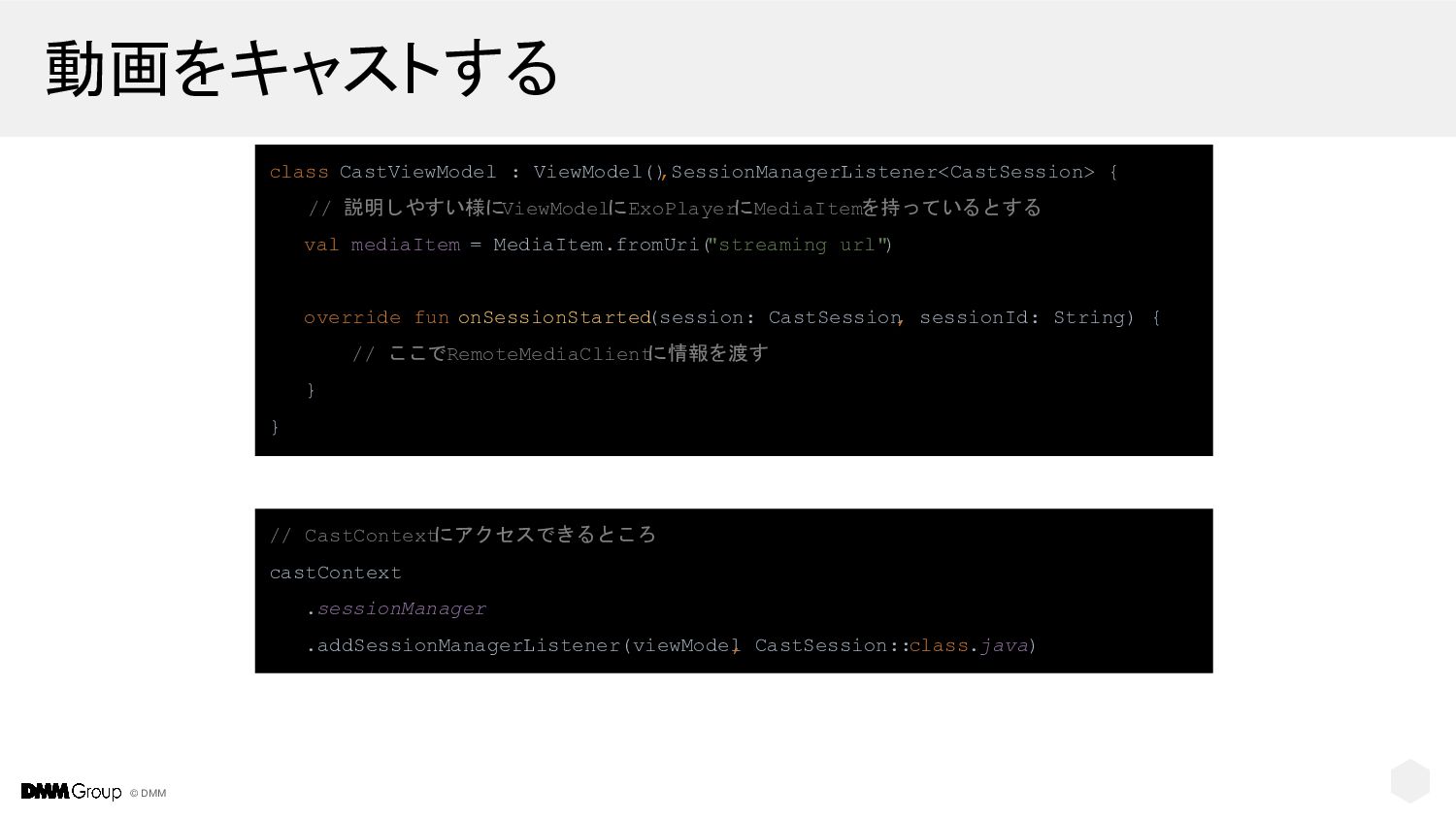
© DMM 動画をキャストする class CastViewModel : ViewModel() ,SessionManagerListener<CastSession> { //
説明しやすい様にViewModelにExoPlayerにMediaItemを持っているとする val mediaItem = MediaItem.fromUri( "streaming url" ) override fun onSessionStarted (session: CastSession , sessionId: String) { // ここでRemoteMediaClient に情報を渡す } } // CastContext にアクセスできるところ castContext .sessionManager .addSessionManagerListener(viewModel , CastSession::class.java)
© DMM 動画をキャストする class CastViewModel : ViewModel() ,SessionManagerListener<CastSession> { val
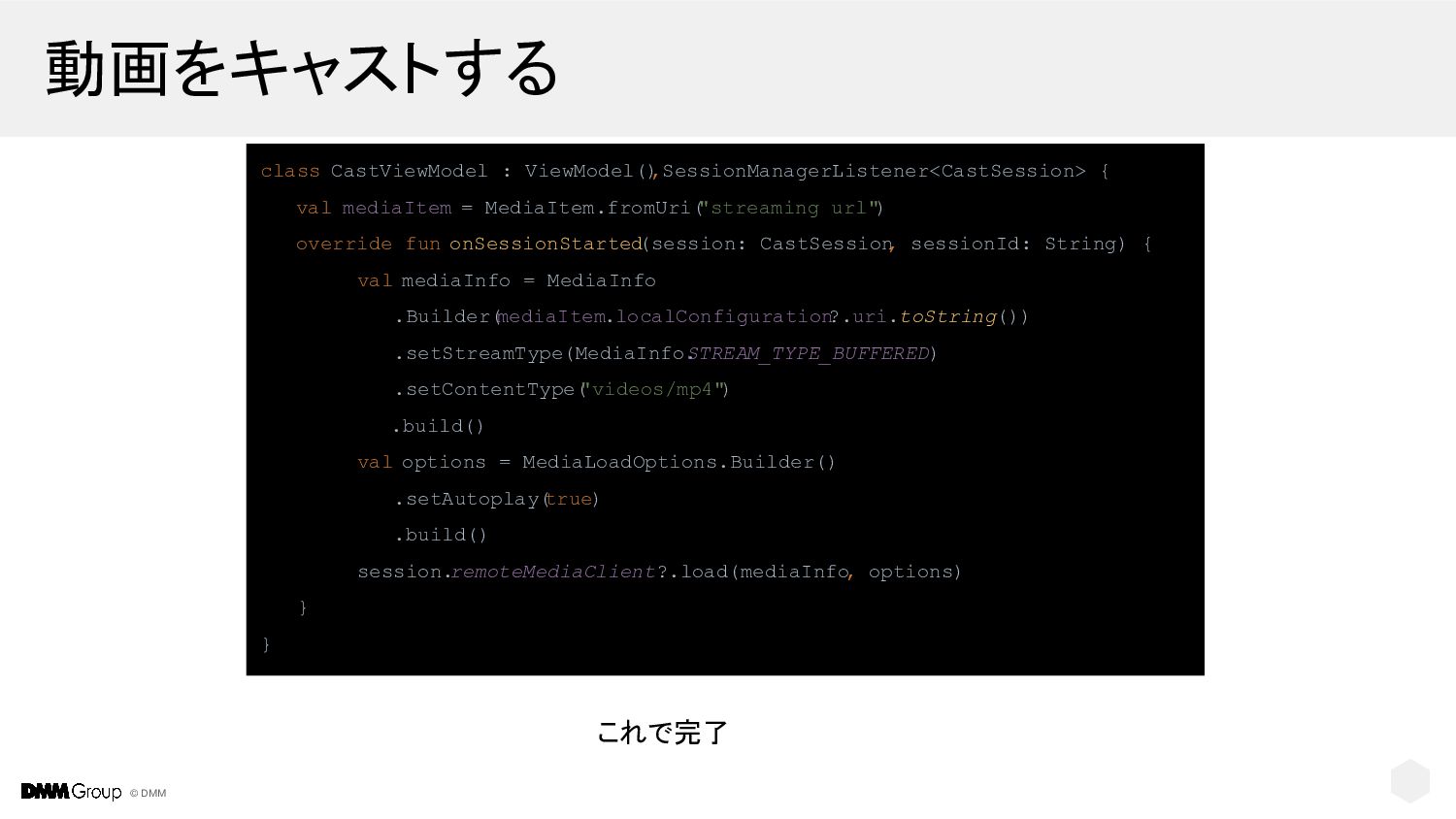
mediaItem = MediaItem.fromUri( "streaming url" ) override fun onSessionStarted (session: CastSession , sessionId: String) { val mediaInfo = MediaInfo .Builder( mediaItem.localConfiguration ?.uri.toString()) .setStreamType(MediaInfo. STREAM_TYPE_BUFFERED) .setContentType( "videos/mp4") .build() val options = MediaLoadOptions.Builder() .setAutoplay( true) .build() session. remoteMediaClient?.load(mediaInfo , options) } } これで完了
© DMM 動画をキャストする //再生 session.remoteMediaClient?.play() //一時停止 session.remoteMediaClient?.pause() //任意の場所にシーク val targetPosition
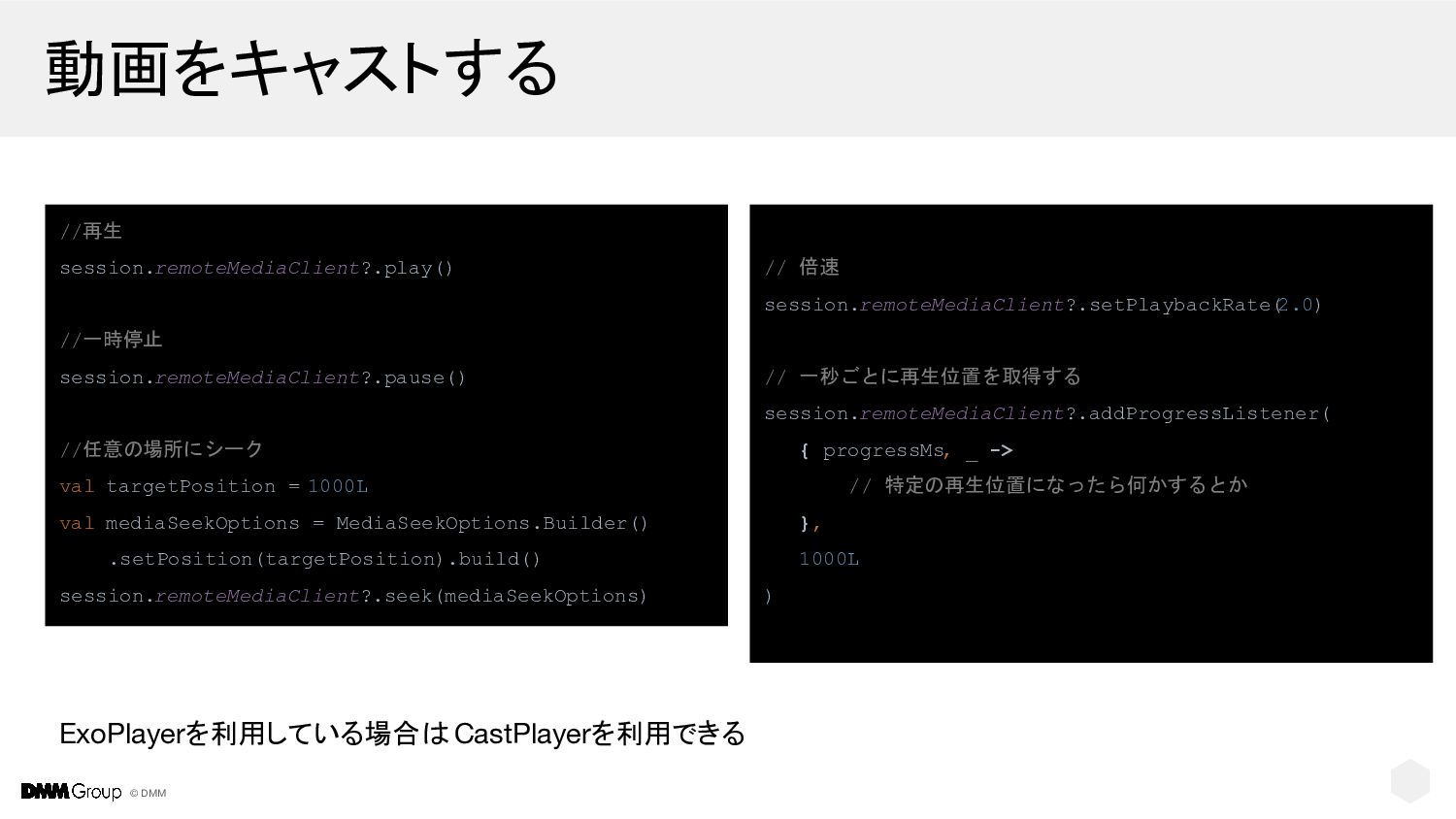
= 1000L val mediaSeekOptions = MediaSeekOptions.Builder() .setPosition(targetPosition).build() session.remoteMediaClient?.seek(mediaSeekOptions) // 倍速 session.remoteMediaClient?.setPlaybackRate( 2.0) // 一秒ごとに再生位置を取得する session.remoteMediaClient?.addProgressListener( { progressMs, _ -> // 特定の再生位置になったら何かするとか }, 1000L ) ExoPlayerを利用している場合は CastPlayerを利用できる
© DMM ご清聴ありがとうございました


 takathemax
 yutobara
 kenjiyoneyama
 taiseiue
 moro
moro
 suneo3476
 marcoroth
 uyuki234
 gonta
gonta
 naokihaba
 tanahiro2010
 akase244
 a_matsuda
 garrettdimon
 jonyablonski
 asonas
 mlcsv
mlcsv
 sabderemane
 leimatthew05
 skipperchong
 cassininazir
 rakko
rakko
 soudai
 szymonslowik
 lynnandtonic