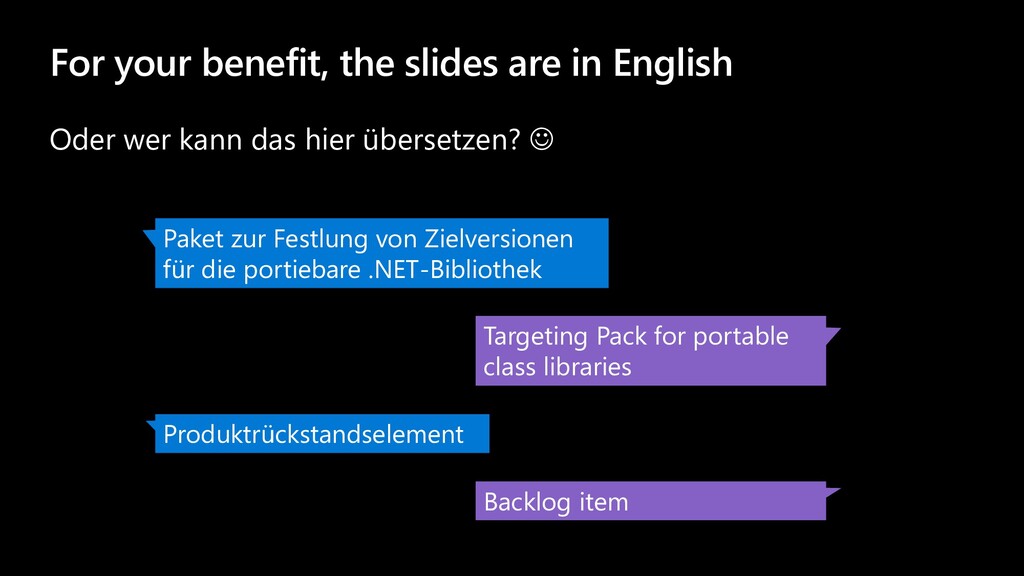
kann das hier übersetzen? ☺ Paket zur Festlung von Zielversionen für die portiebare .NET-Bibliothek Targeting Pack for portable class libraries Produktrückstandselement Backlog item
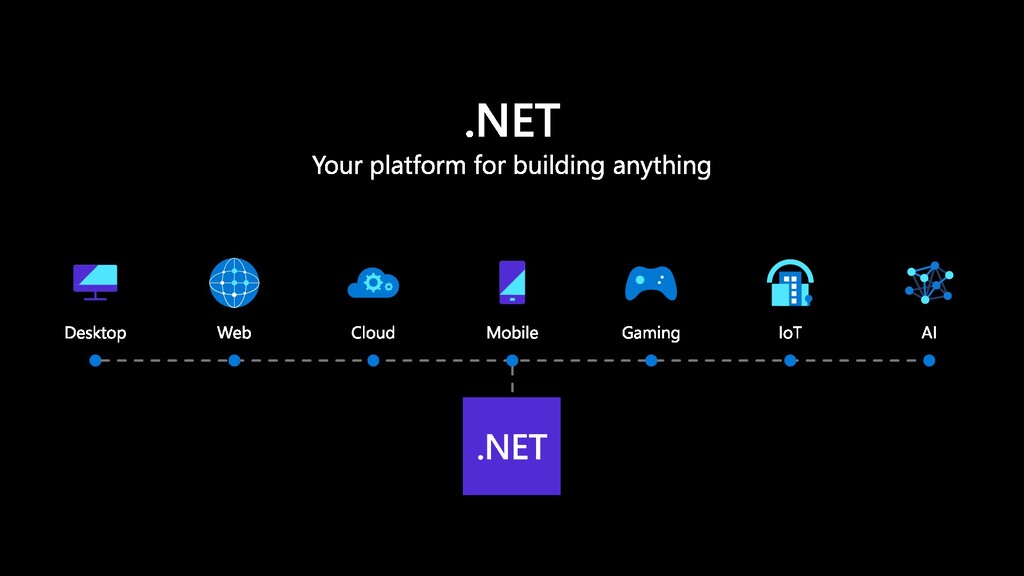
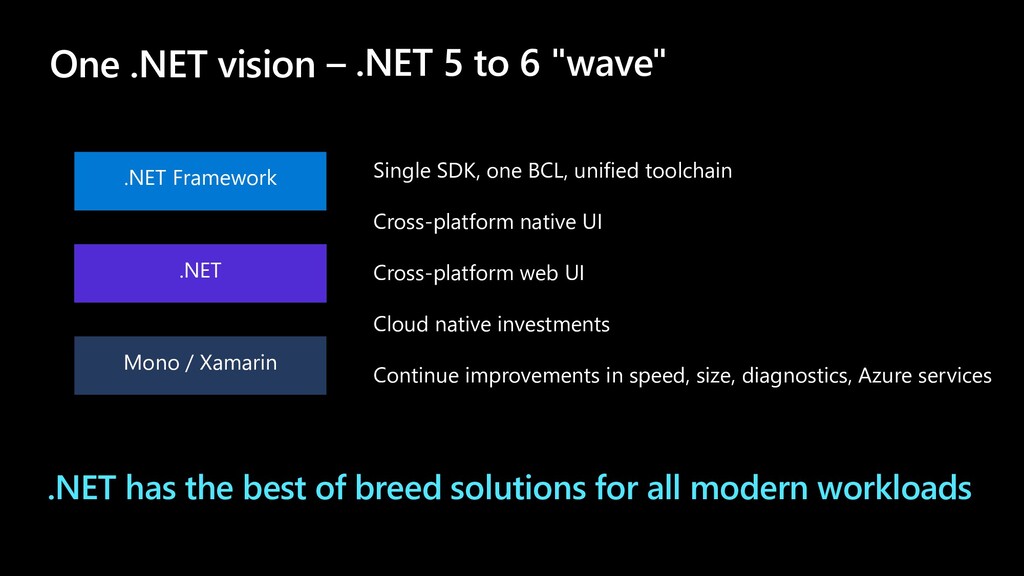
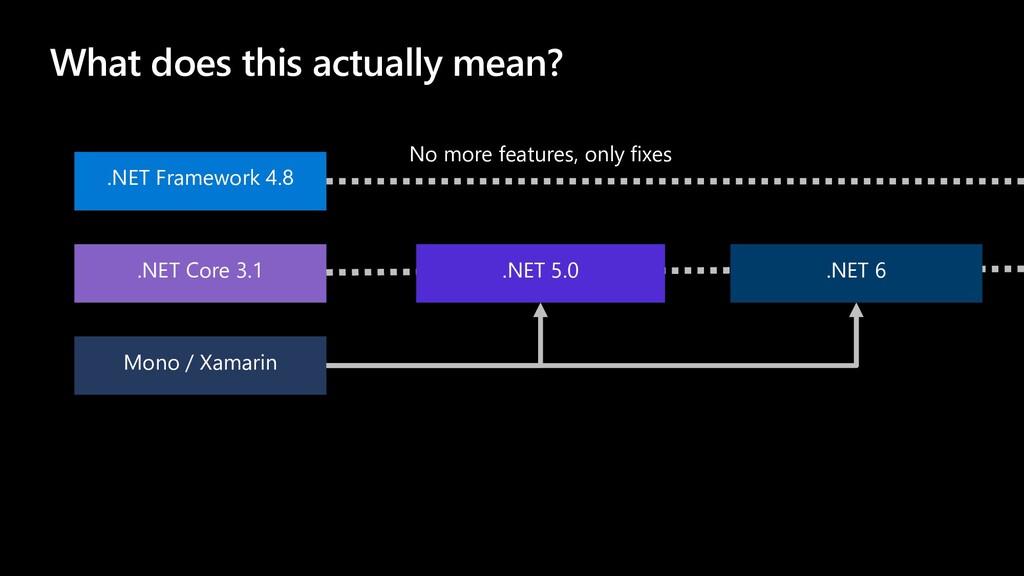
Xamarin .NET Core .NET Single SDK, one BCL, unified toolchain Cross-platform native UI Cross-platform web UI Cloud native investments Continue improvements in speed, size, diagnostics, Azure services .NET has the best of breed solutions for all modern workloads One .NET vision
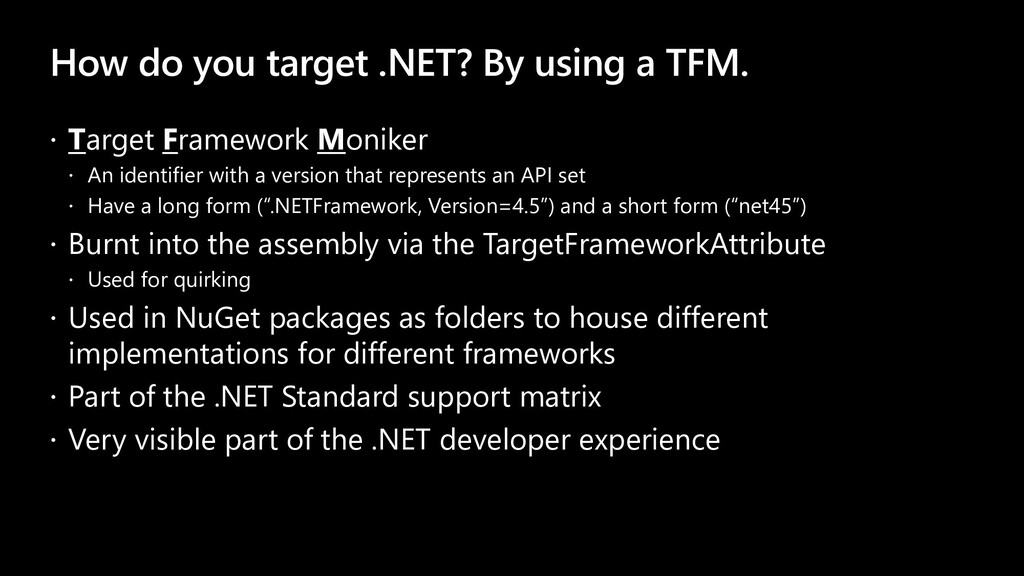
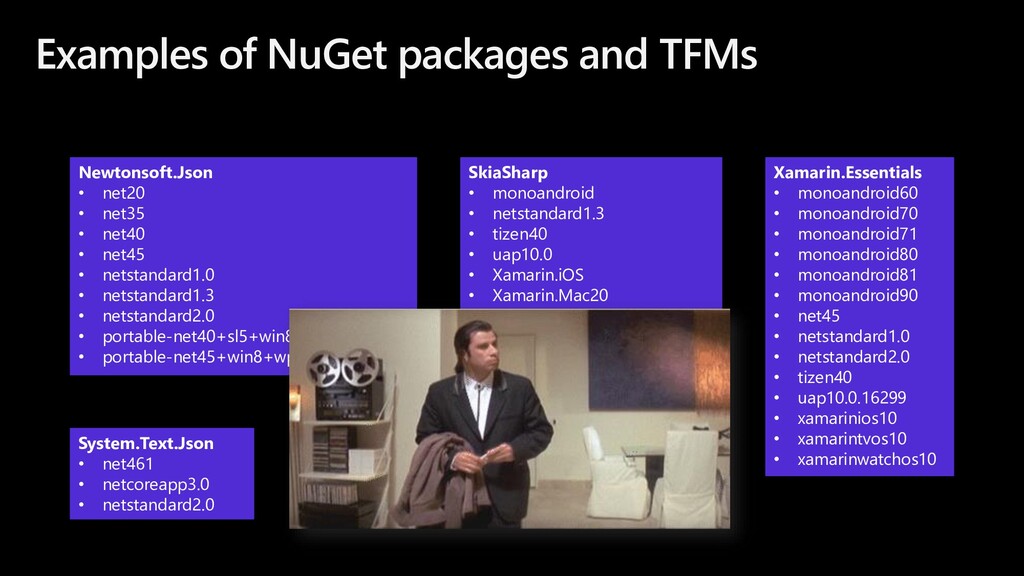
Target Framework Moniker An identifier with a version that represents an API set Have a long form (“.NETFramework, Version=4.5”) and a short form (“net45”) Burnt into the assembly via the TargetFrameworkAttribute Used for quirking Used in NuGet packages as folders to house different implementations for different frameworks Part of the .NET Standard support matrix Very visible part of the .NET developer experience
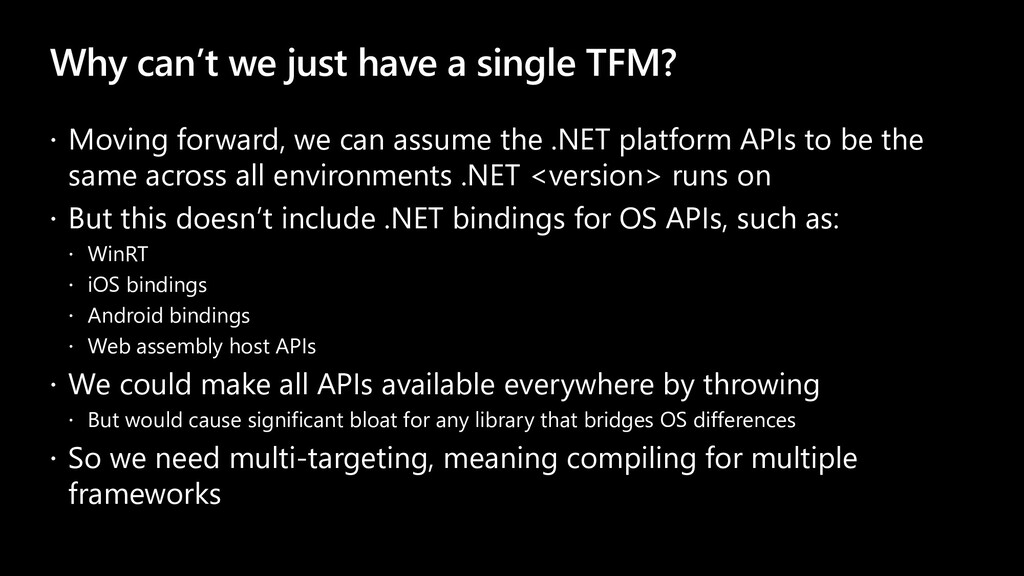
forward, we can assume the .NET platform APIs to be the same across all environments .NET <version> runs on But this doesn’t include .NET bindings for OS APIs, such as: WinRT iOS bindings Android bindings Web assembly host APIs We could make all APIs available everywhere by throwing But would cause significant bloat for any library that bridges OS differences So we need multi-targeting, meaning compiling for multiple frameworks
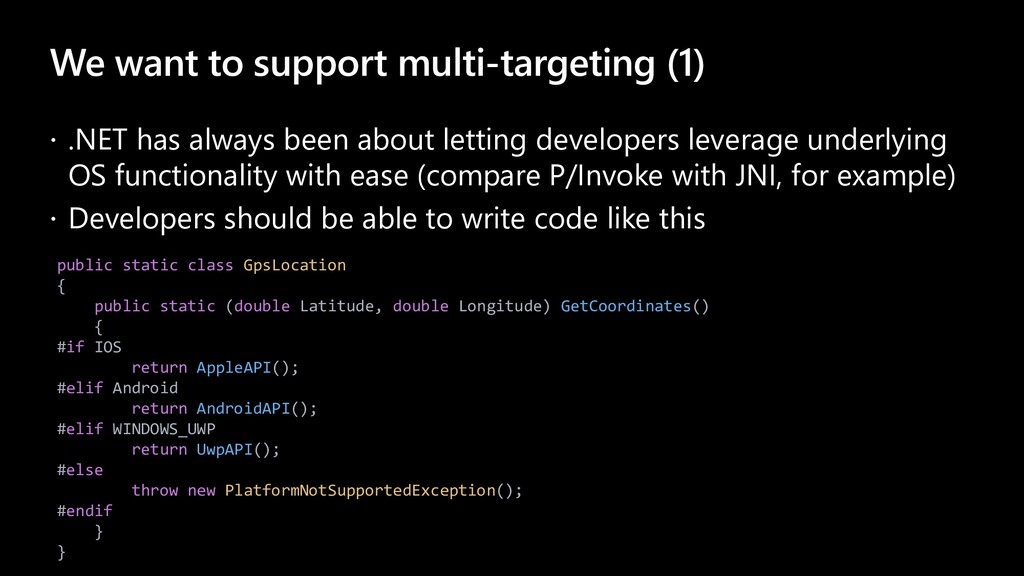
been about letting developers leverage underlying OS functionality with ease (compare P/Invoke with JNI, for example) Developers should be able to write code like this public static class GpsLocation { public static (double Latitude, double Longitude) GetCoordinates() { #if IOS return AppleAPI(); #elif Android return AndroidAPI(); #elif WINDOWS_UWP return UwpAPI(); #else throw new PlatformNotSupportedException(); #endif } }
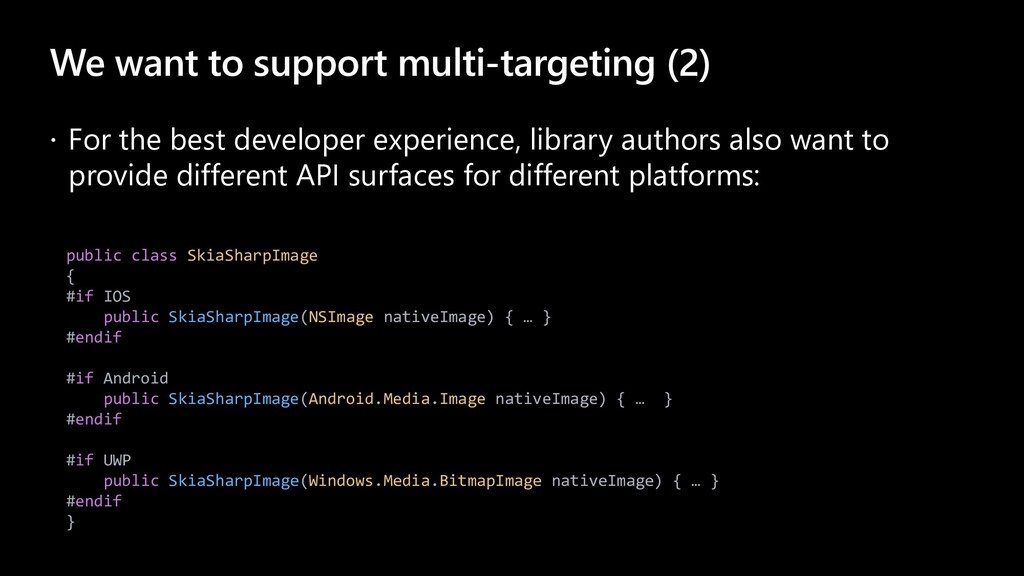
developer experience, library authors also want to provide different API surfaces for different platforms: public class SkiaSharpImage { #if IOS public SkiaSharpImage(NSImage nativeImage) { … } #endif #if Android public SkiaSharpImage(Android.Media.Image nativeImage) { … } #endif #if UWP public SkiaSharpImage(Windows.Media.BitmapImage nativeImage) { … } #endif }
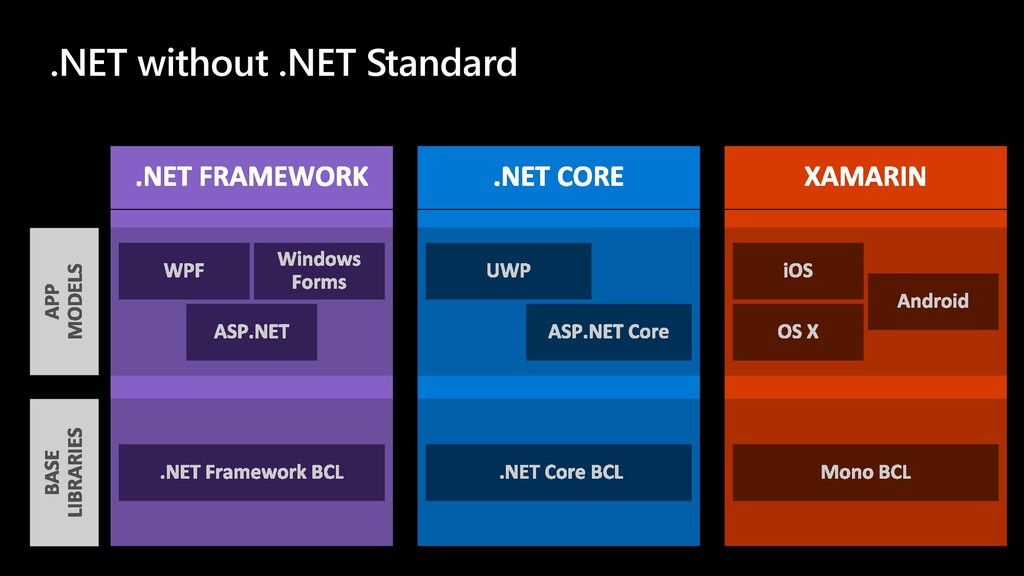
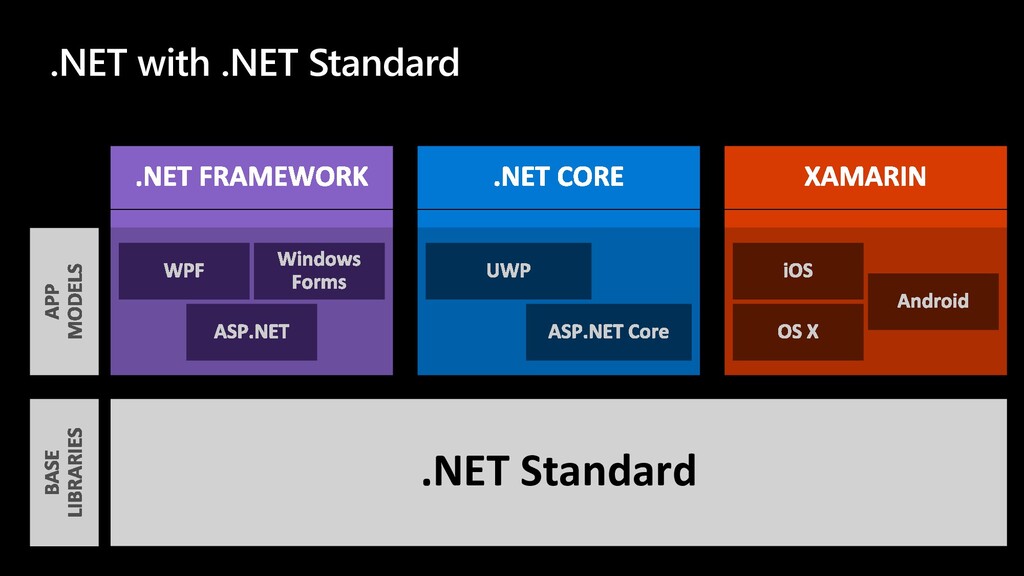
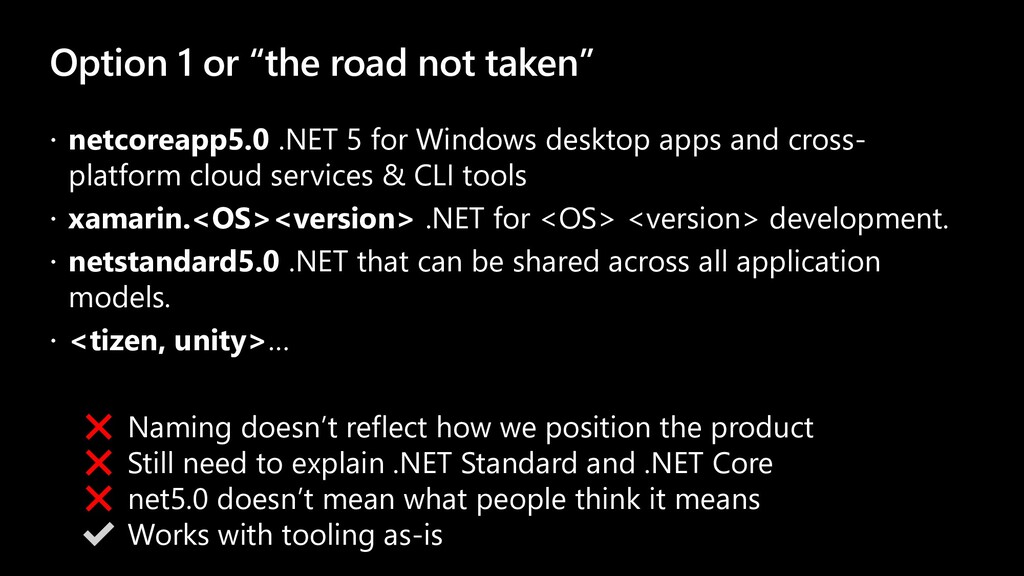
5 for Windows desktop apps and cross- platform cloud services & CLI tools xamarin.<OS><version> .NET for <OS> <version> development. netstandard5.0 .NET that can be shared across all application models. <tizen, unity>… ❌ Naming doesn’t reflect how we position the product ❌ Still need to explain .NET Standard and .NET Core ❌ net5.0 doesn’t mean what people think it means ✔ Works with tooling as-is
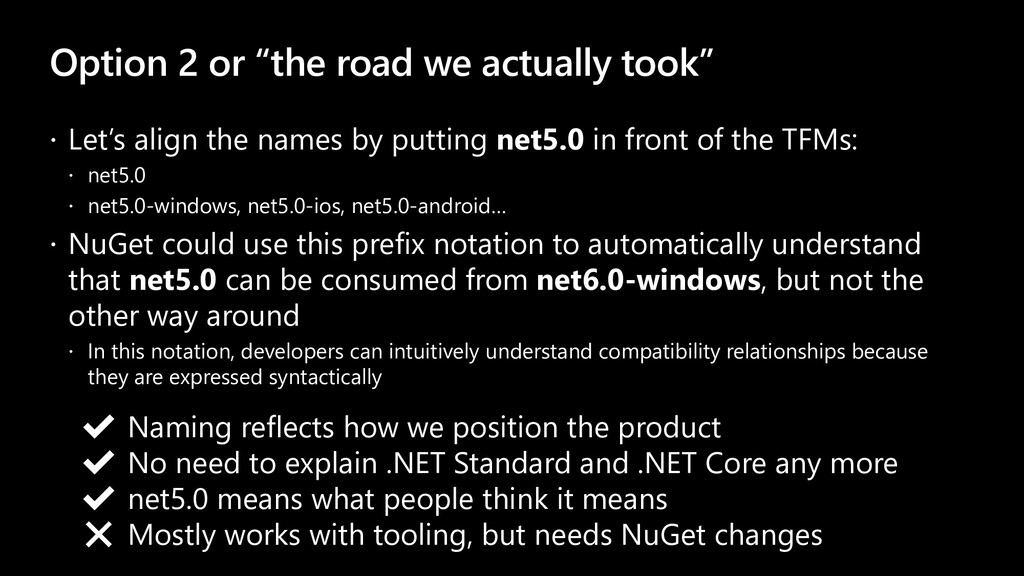
align the names by putting net5.0 in front of the TFMs: net5.0 net5.0-windows, net5.0-ios, net5.0-android… NuGet could use this prefix notation to automatically understand that net5.0 can be consumed from net6.0-windows, but not the other way around In this notation, developers can intuitively understand compatibility relationships because they are expressed syntactically ✔ Naming reflects how we position the product ✔ No need to explain .NET Standard and .NET Core any more ✔ net5.0 means what people think it means ❌ Mostly works with tooling, but needs NuGet changes
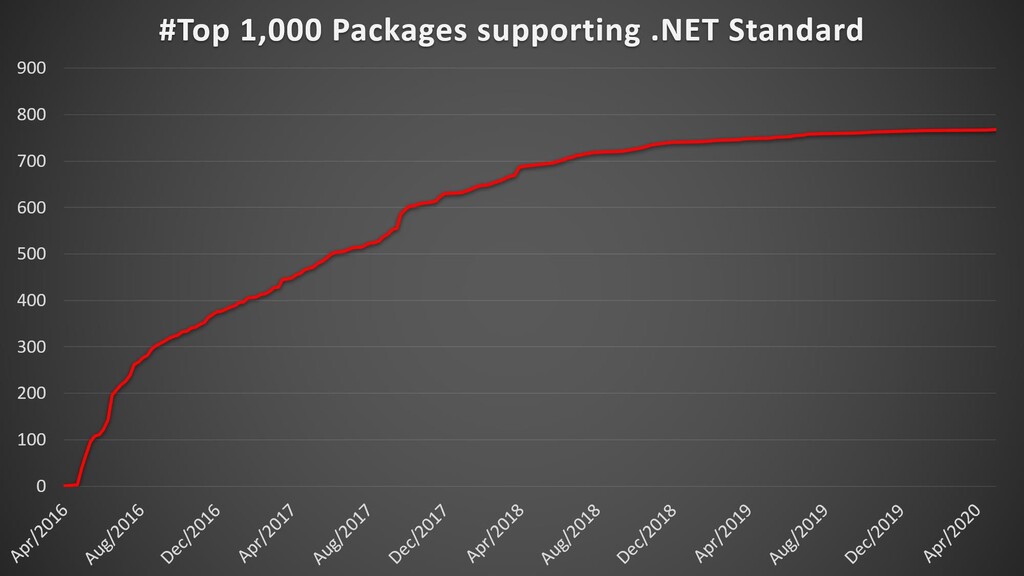
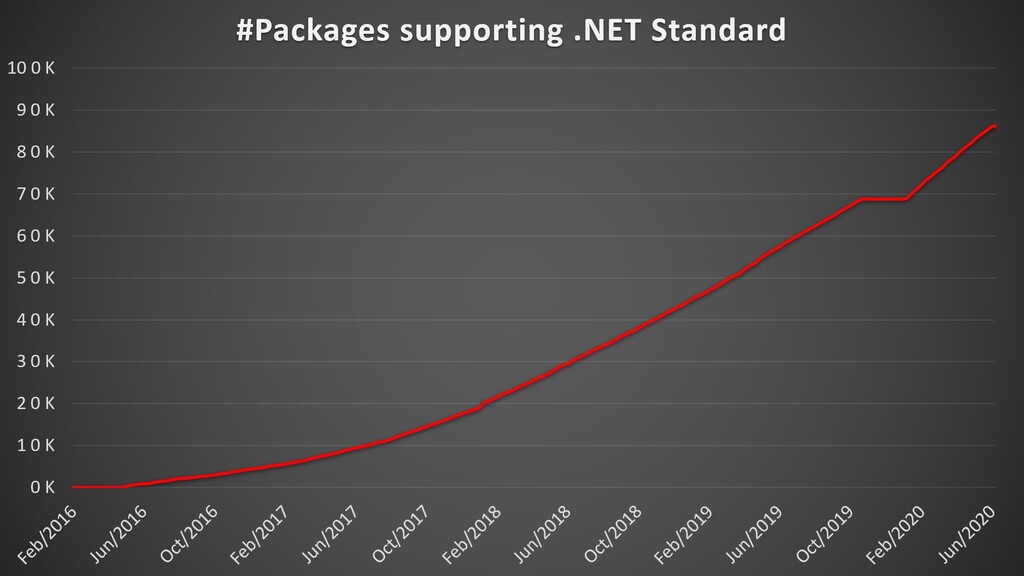
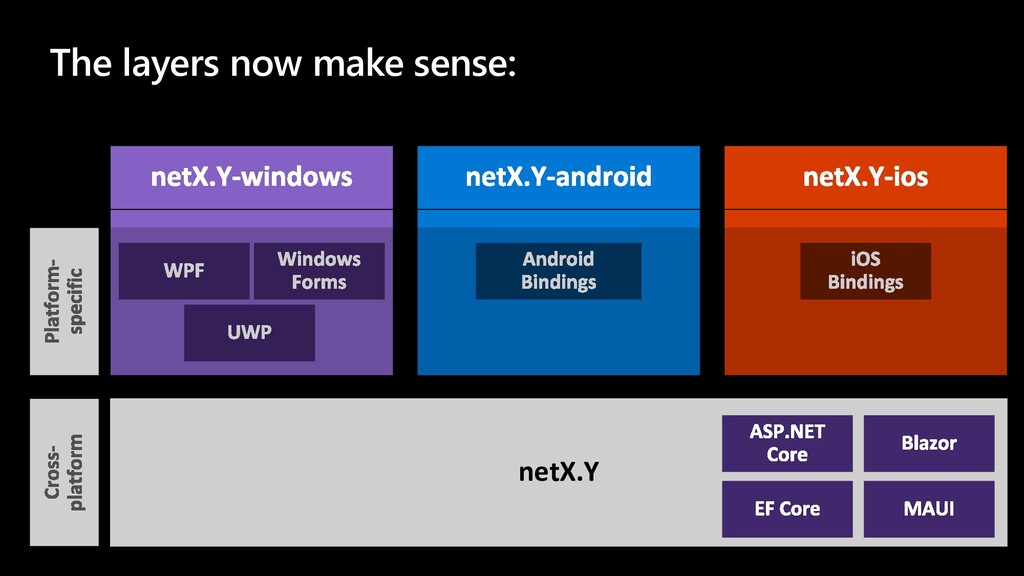
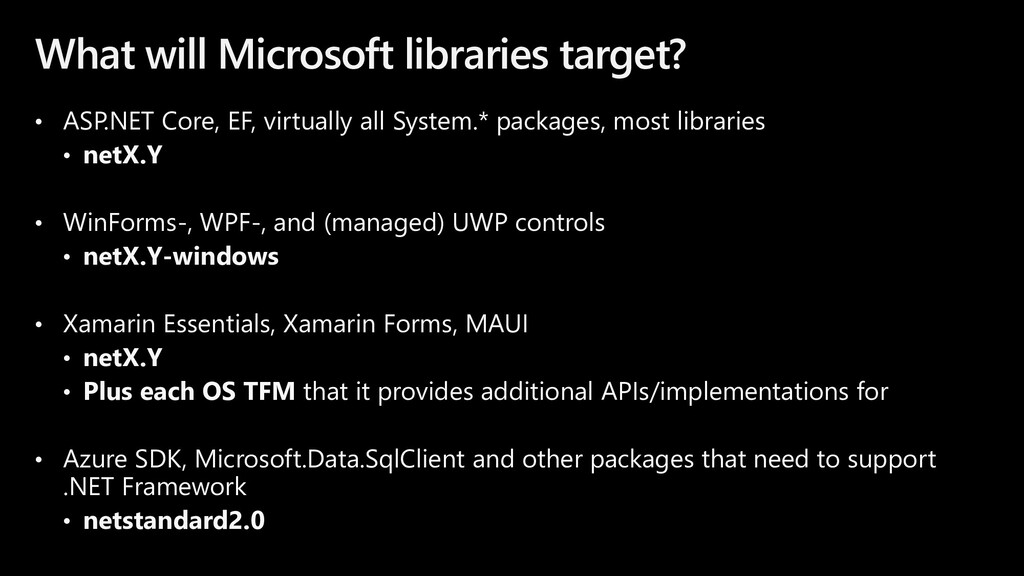
all System.* packages, most libraries • netX.Y • WinForms-, WPF-, and (managed) UWP controls • netX.Y-windows • Xamarin Essentials, Xamarin Forms, MAUI • netX.Y • Plus each OS TFM that it provides additional APIs/implementations for • Azure SDK, Microsoft.Data.SqlClient and other packages that need to support .NET Framework • netstandard2.0
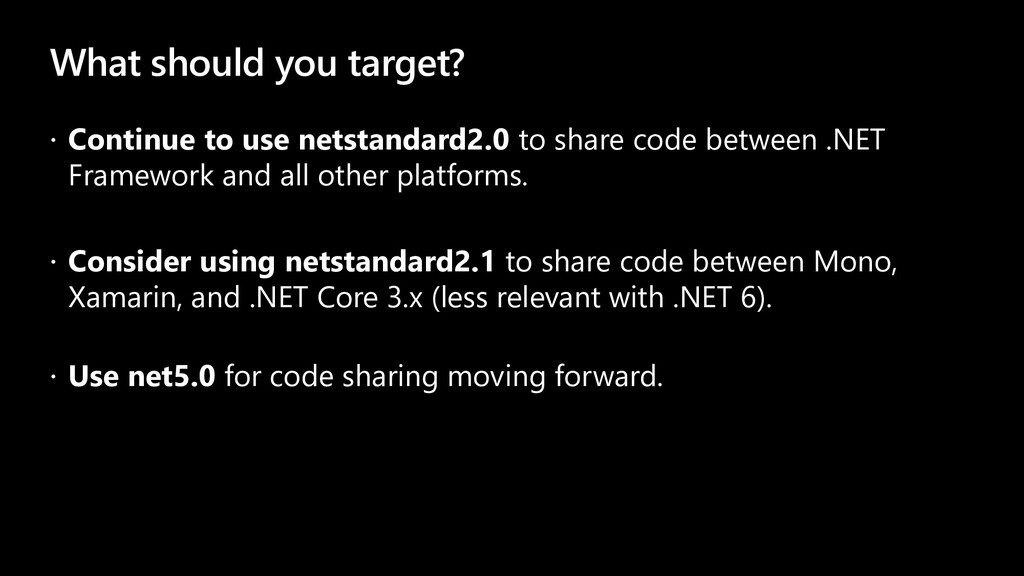
share code between .NET Framework and all other platforms. Consider using netstandard2.1 to share code between Mono, Xamarin, and .NET Core 3.x (less relevant with .NET 6). Use net5.0 for code sharing moving forward.
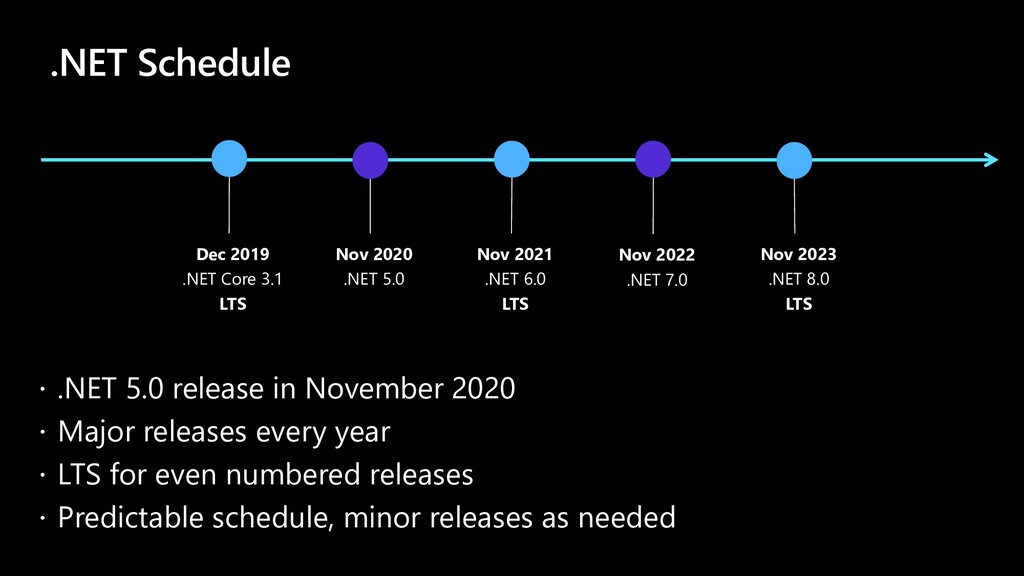
every year LTS for even numbered releases Predictable schedule, minor releases as needed .NET Schedule Dec 2019 .NET Core 3.1 LTS Nov 2020 .NET 5.0 Nov 2021 .NET 6.0 LTS Nov 2022 .NET 7.0 Nov 2023 .NET 8.0 LTS
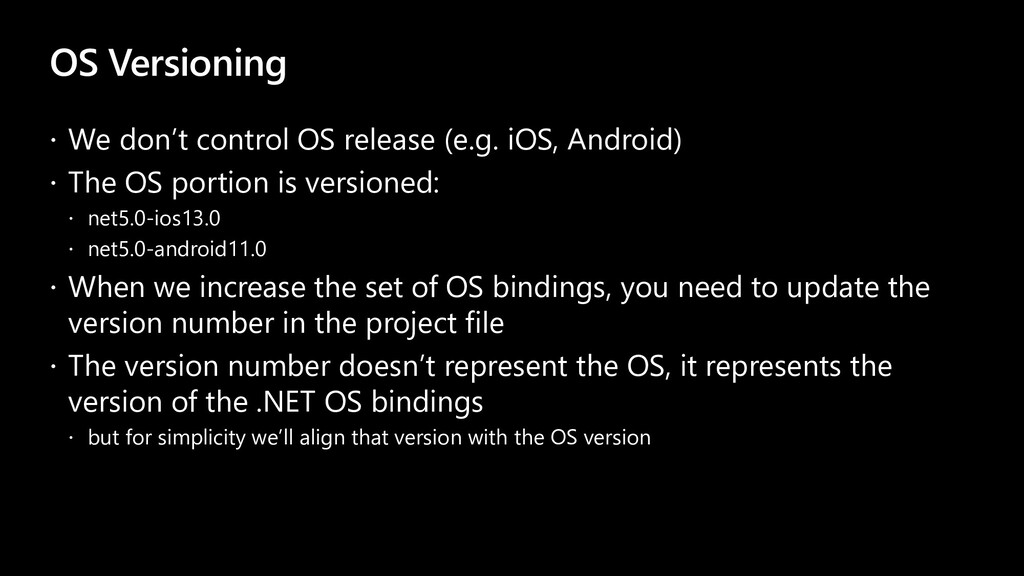
Android) The OS portion is versioned: net5.0-ios13.0 net5.0-android11.0 When we increase the set of OS bindings, you need to update the version number in the project file The version number doesn’t represent the OS, it represents the version of the .NET OS bindings but for simplicity we’ll align that version with the OS version
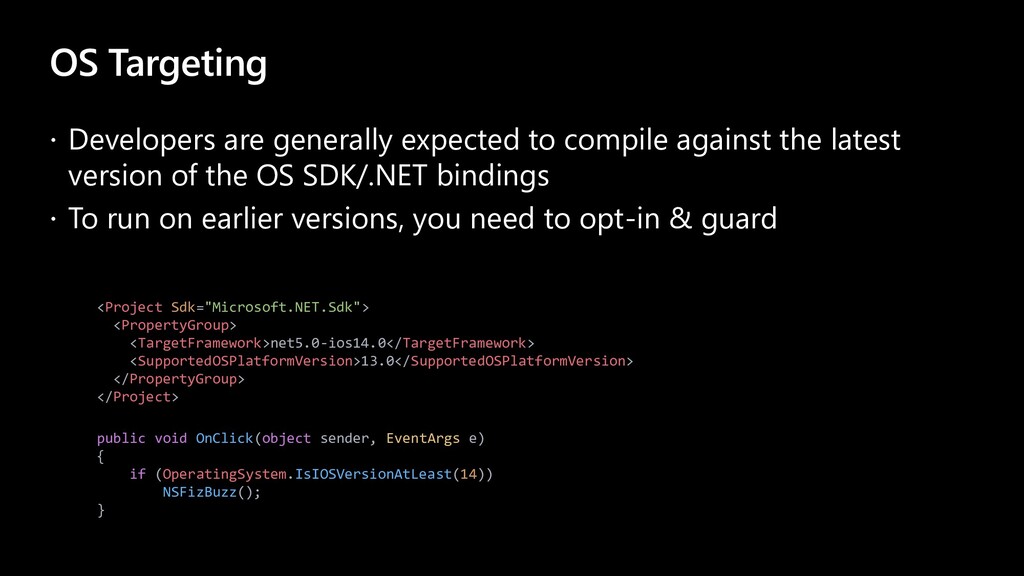
the latest version of the OS SDK/.NET bindings To run on earlier versions, you need to opt-in & guard public void OnClick(object sender, EventArgs e) { if (OperatingSystem.IsIOSVersionAtLeast(14)) NSFizBuzz(); } <Project Sdk="Microsoft.NET.Sdk"> <PropertyGroup> <TargetFramework>net5.0-ios14.0</TargetFramework> <SupportedOSPlatformVersion>13.0</SupportedOSPlatformVersion> </PropertyGroup> </Project>
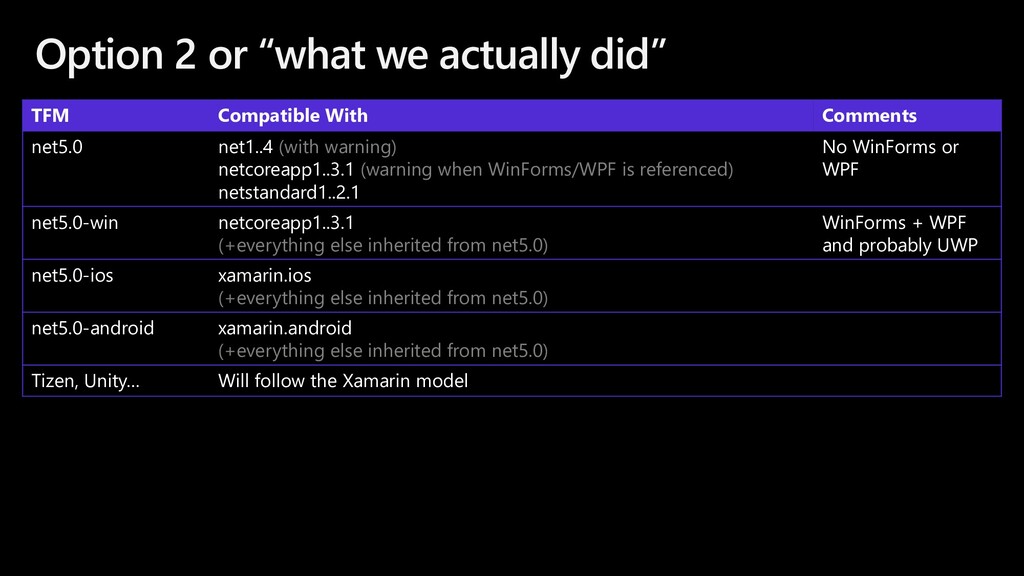
Comments net5.0 net1..4 (with warning) netcoreapp1..3.1 (warning when WinForms/WPF is referenced) netstandard1..2.1 No WinForms or WPF net5.0-win netcoreapp1..3.1 (+everything else inherited from net5.0) WinForms + WPF and probably UWP net5.0-ios xamarin.ios (+everything else inherited from net5.0) net5.0-android xamarin.android (+everything else inherited from net5.0) Tizen, Unity… Will follow the Xamarin model
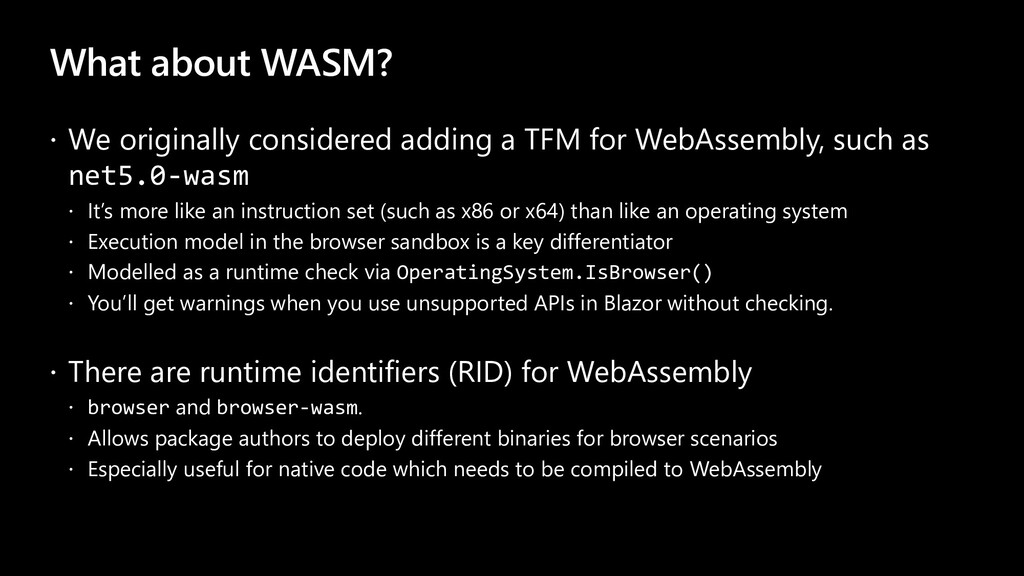
for WebAssembly, such as net5.0-wasm It’s more like an instruction set (such as x86 or x64) than like an operating system Execution model in the browser sandbox is a key differentiator Modelled as a runtime check via OperatingSystem.IsBrowser() You’ll get warnings when you use unsupported APIs in Blazor without checking. There are runtime identifiers (RID) for WebAssembly browser and browser-wasm. Allows package authors to deploy different binaries for browser scenarios Especially useful for native code which needs to be compiled to WebAssembly
ASP.NET, nor WinForms, WPF, or UWP get their own TFM? We need to build apps that combine app models, such as a WPF app that hosts a UWP browser control as well as ASP.NET Core web API We don’t want the complexity of having to define compatibility rules between net5.0-xxx and net5.0-yyyy We tried this with Portable Class Libraries (PCLs) and it doesn’t work Rather, sharing across is only possible via the net5.0 base TFM We’ll have one TFM per OS


 lynnswap
 eed3si9n
 sylph01
 ___akari11
 steliosf
 naokihaba
 findyinc
 ryu1013
 koic
koic
 seike460
 tosite
 nokomoro3
 lindahogenes
 gurzu
gurzu
 sarafernandez
 szymonslowik
 holman
 lara
lara
 mongodb
 sabderemane
 geshan
 tmiket
 dugsong
.jpg) cargoodrich
cargoodrich