you will repeat the same actions as Simon – The person making the decisions – says the phrase “Simon says…” and the players must comply and repeat it back. If Simon doesn’t say the phrase and the player makes that action, the player is eliminated from the game. It will continue until 1 last man standing. But we’re thinking about a sequence remembering game with 4 colours: Green, Red, Blue, Yellow.
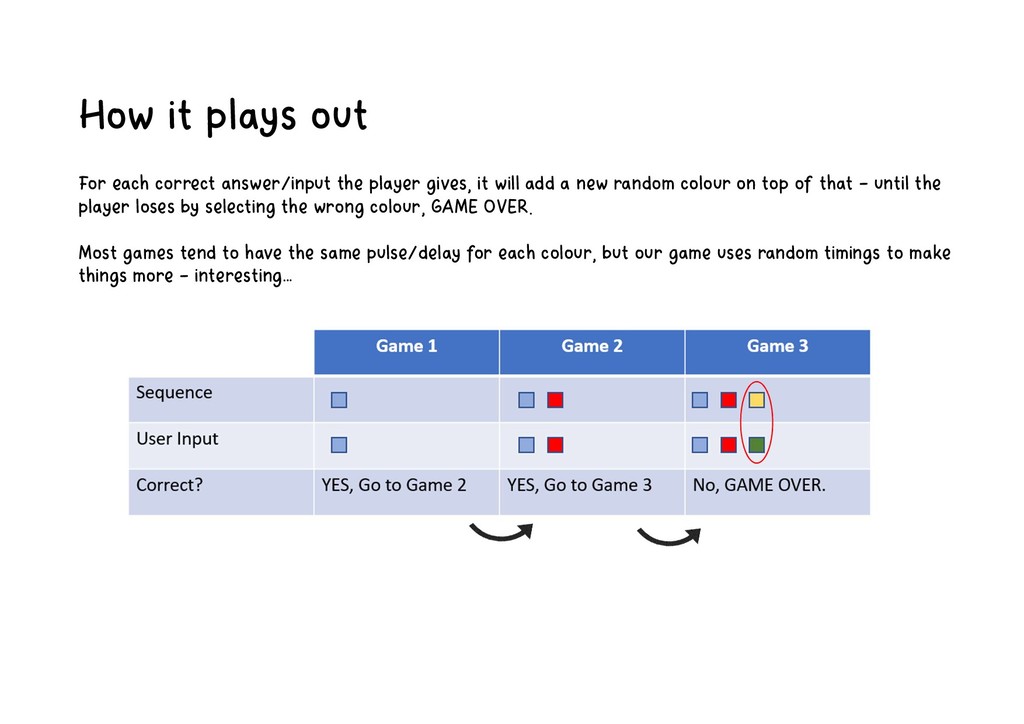
gives, it will add a new random colour on top of that – until the player loses by selecting the wrong colour, GAME OVER. Most games tend to have the same pulse/delay for each colour, but our game uses random timings to make things more – interesting…
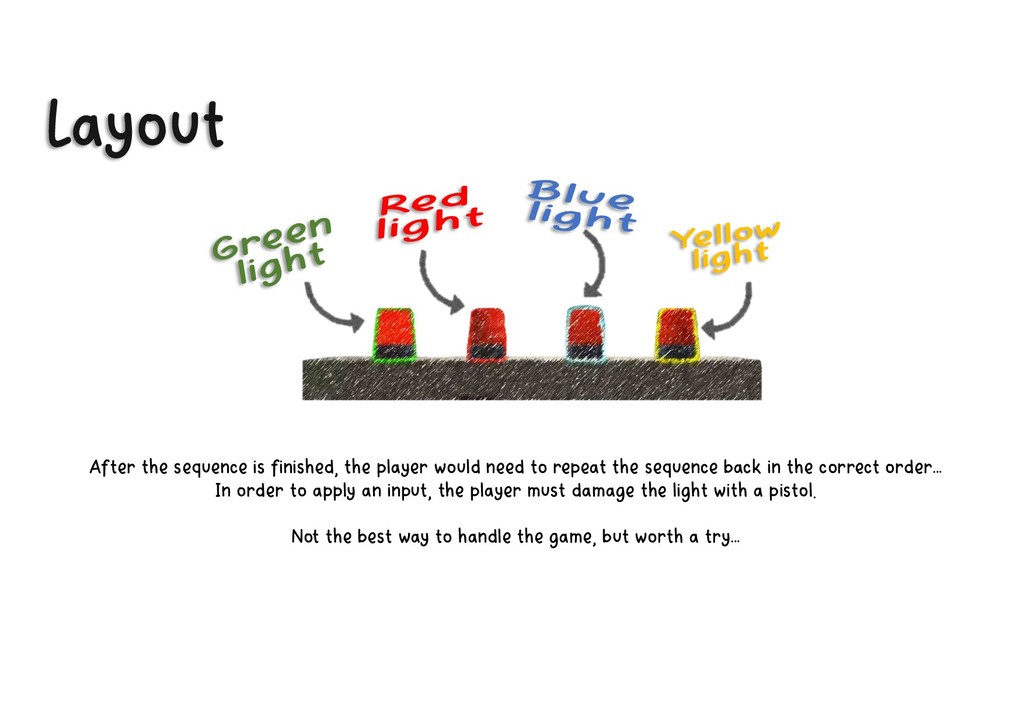
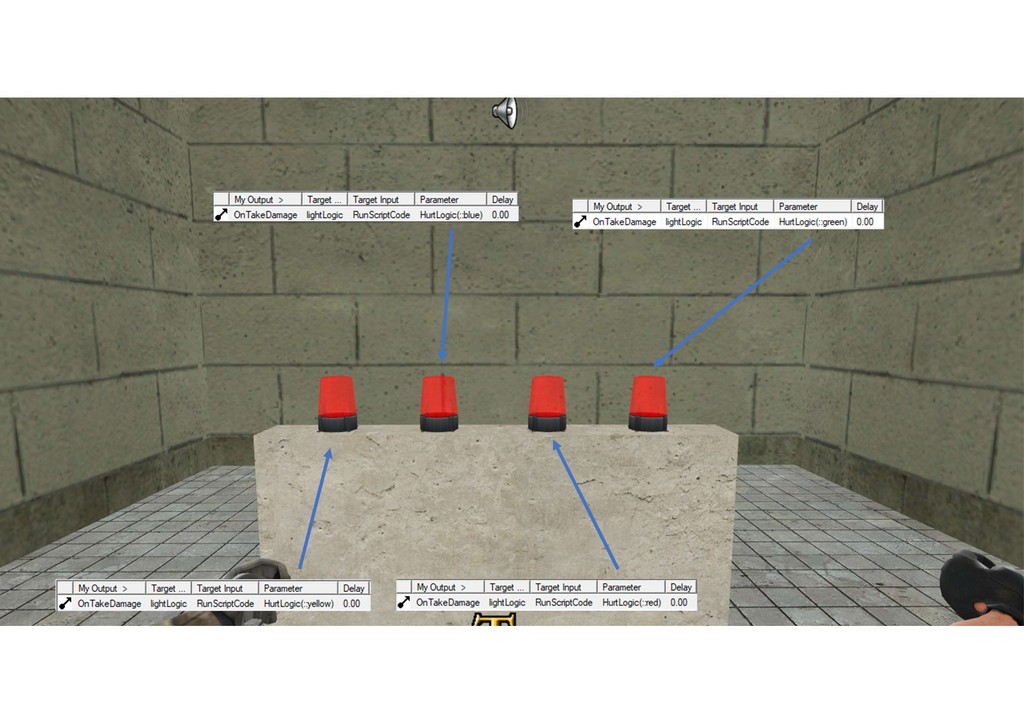
repeat the sequence back in the correct order… In order to apply an input, the player must damage the light with a pistol. Not the best way to handle the game, but worth a try…
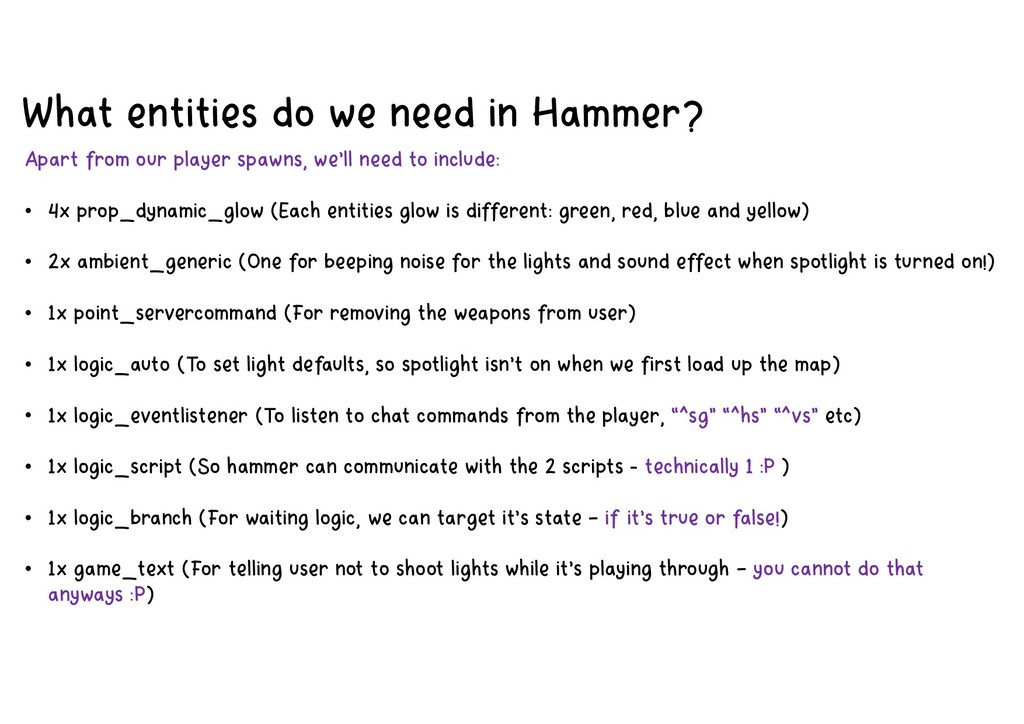
player spawns, we’ll need to include: • 4x prop_dynamic_glow (Each entities glow is different: green, red, blue and yellow) • 2x ambient_generic (One for beeping noise for the lights and sound effect when spotlight is turned on!) • 1x point_servercommand (For removing the weapons from user) • 1x logic_auto (To set light defaults, so spotlight isn’t on when we first load up the map) • 1x logic_eventlistener (To listen to chat commands from the player, “^sg” “^hs” “^vs” etc) • 1x logic_script (So hammer can communicate with the 2 scripts - technically 1 :P ) • 1x logic_branch (For waiting logic, we can target it’s state – if it’s true or false!) • 1x game_text (For telling user not to shoot lights while it’s playing through – you cannot do that anyways :P)
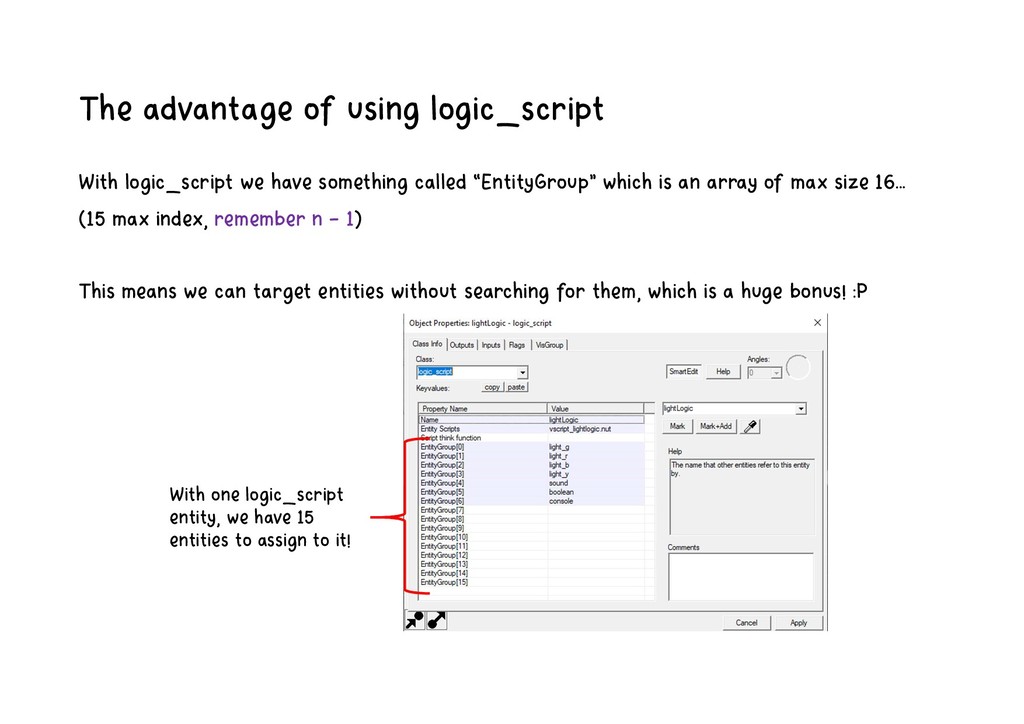
called “EntityGroup” which is an array of max size 16… (15 max index, remember n – 1) This means we can target entities without searching for them, which is a huge bonus! :P With one logic_script entity, we have 15 entities to assign to it!
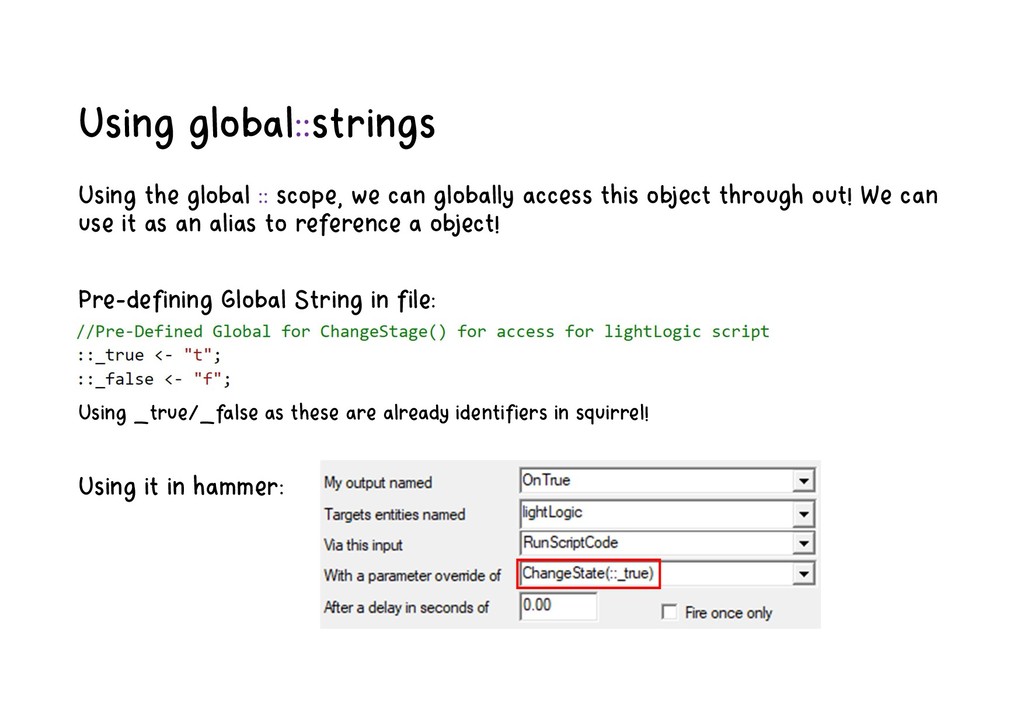
access this object through out! We can use it as an alias to reference a object! Pre-defining Global String in file: Using _true/_false as these are already identifiers in squirrel! Using it in hammer:
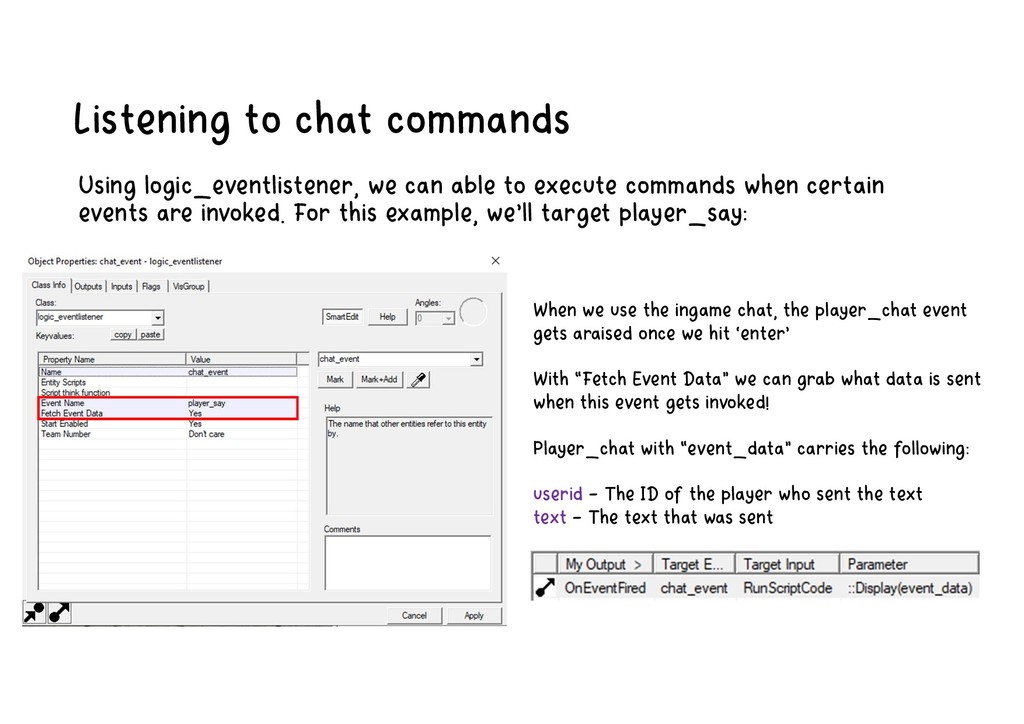
execute commands when certain events are invoked. For this example, we’ll target player_say: When we use the ingame chat, the player_chat event gets araised once we hit ‘enter’ With “Fetch Event Data” we can grab what data is sent when this event gets invoked! Player_chat with “event_data” carries the following: userid – The ID of the player who sent the text text – The text that was sent
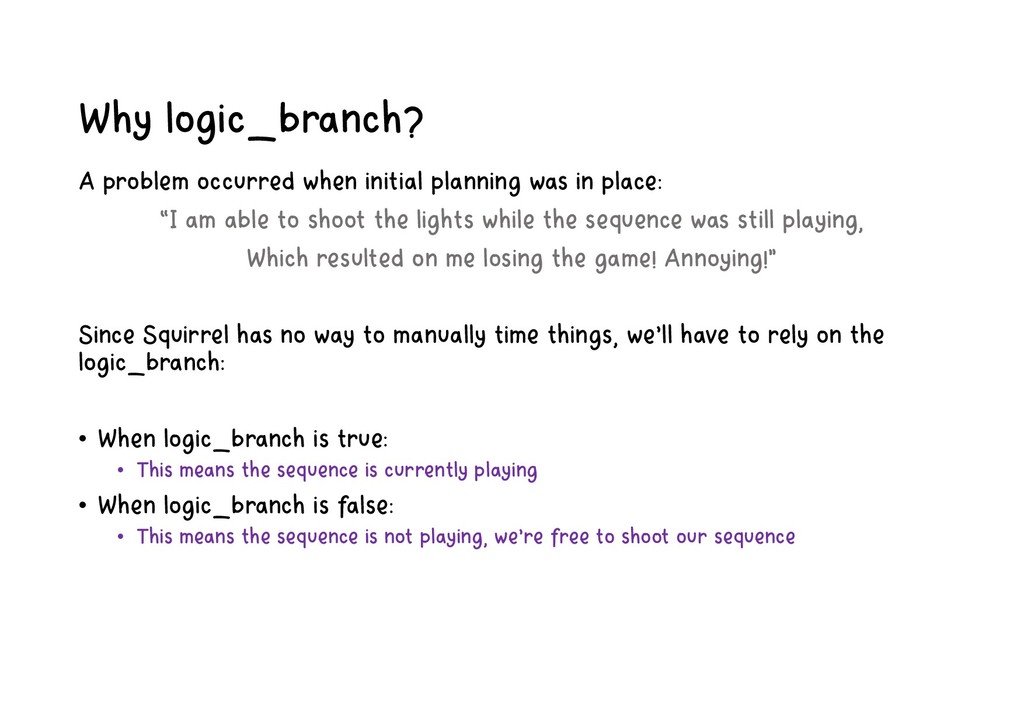
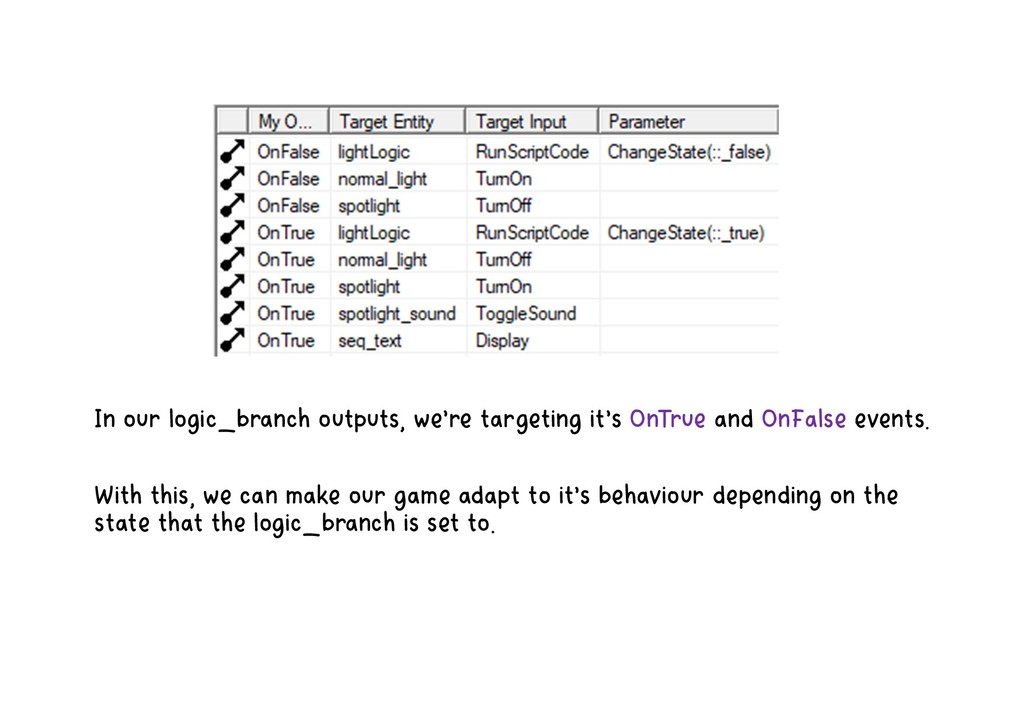
place: “I am able to shoot the lights while the sequence was still playing, Which resulted on me losing the game! Annoying!” Since Squirrel has no way to manually time things, we’ll have to rely on the logic_branch: • When logic_branch is true: • This means the sequence is currently playing • When logic_branch is false: • This means the sequence is not playing, we’re free to shoot our sequence
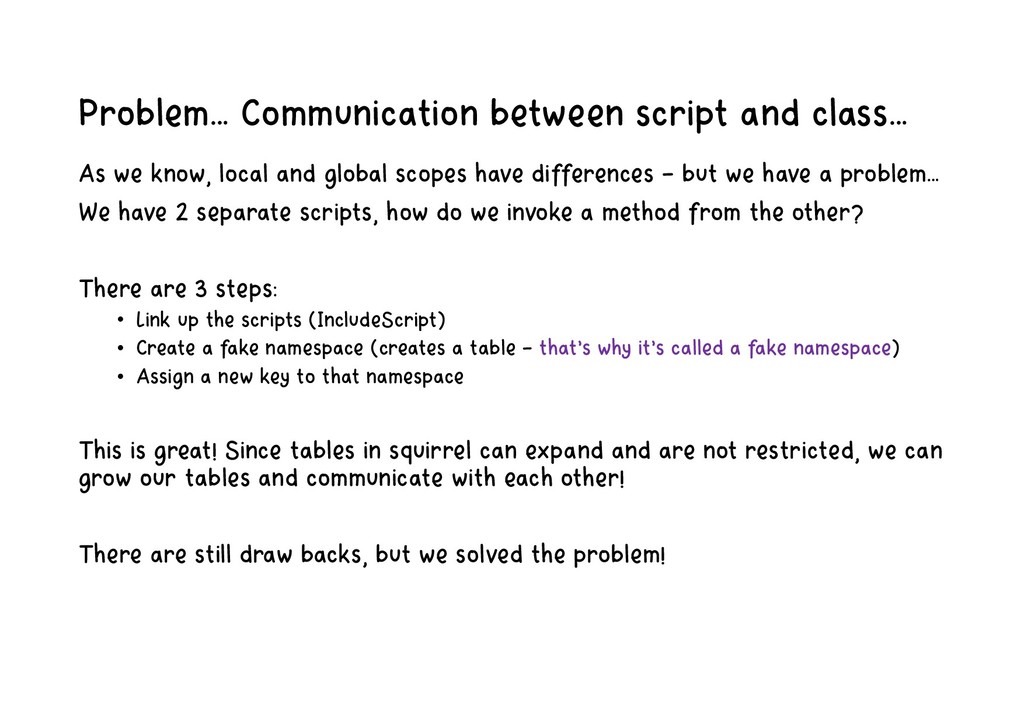
and global scopes have differences – but we have a problem… We have 2 separate scripts, how do we invoke a method from the other? There are 3 steps: • Link up the scripts (IncludeScript) • Create a fake namespace (creates a table – that’s why it’s called a fake namespace) • Assign a new key to that namespace This is great! Since tables in squirrel can expand and are not restricted, we can grow our tables and communicate with each other! There are still draw backs, but we solved the problem!
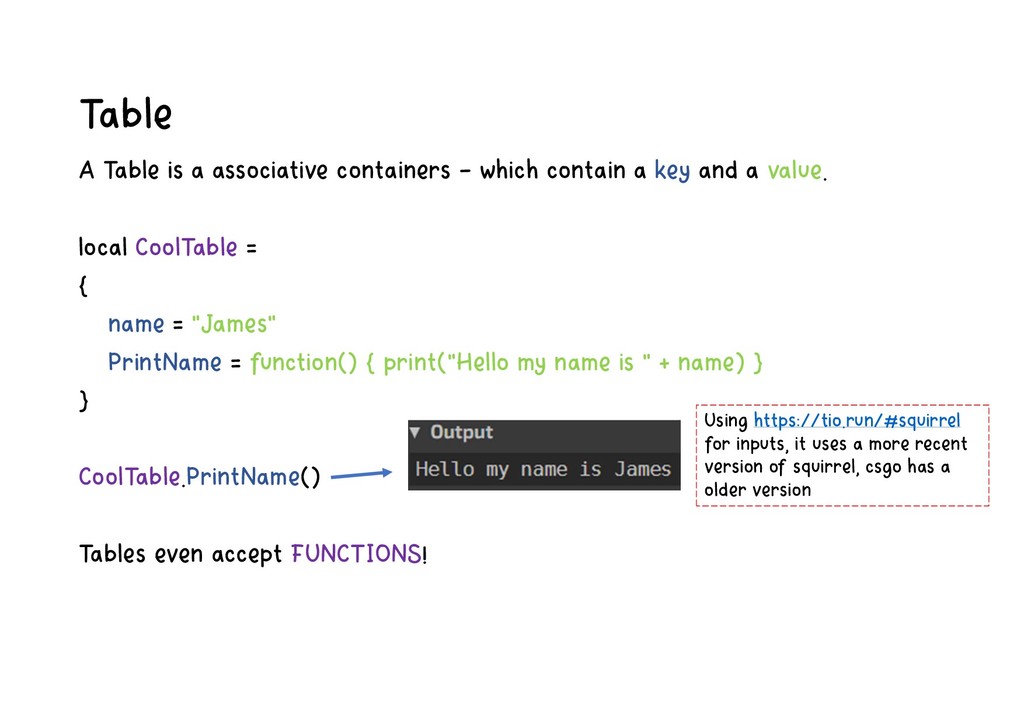
a key and a value. local CoolTable = { name = "James" PrintName = function() { print("Hello my name is " + name) } } CoolTable.PrintName() Tables even accept FUNCTIONS! Using https://tio.run/#squirrel for inputs, it uses a more recent version of squirrel, csgo has a older version
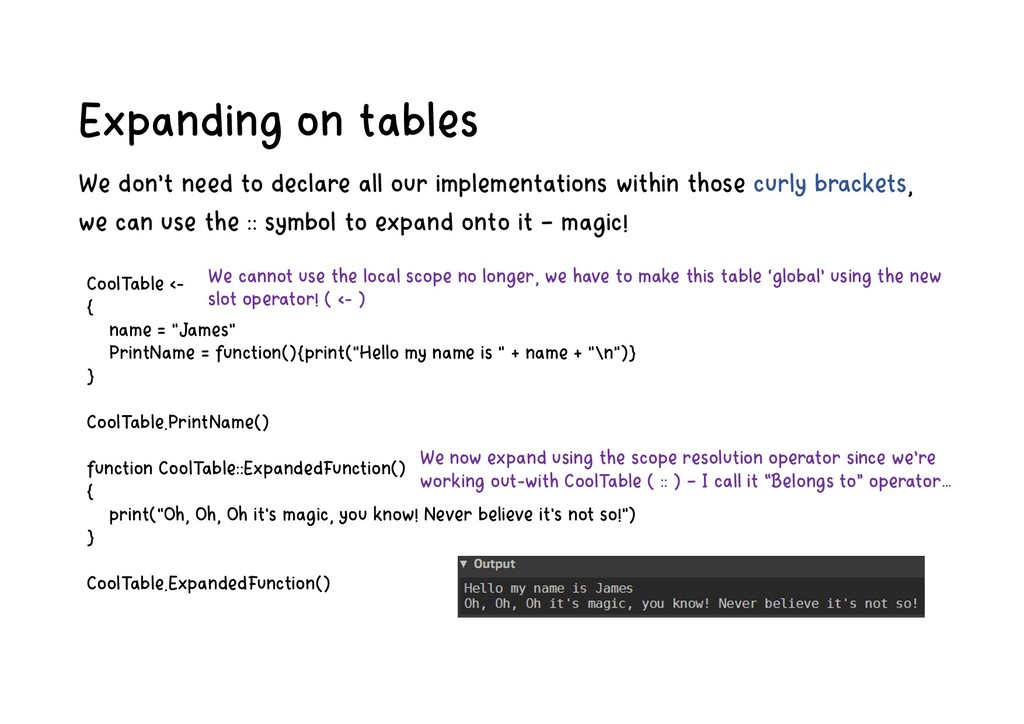
implementations within those curly brackets, we can use the :: symbol to expand onto it – magic! CoolTable <- { name = "James" PrintName = function(){print("Hello my name is " + name + "\n")} } CoolTable.PrintName() function CoolTable::ExpandedFunction() { print("Oh, Oh, Oh it's magic, you know! Never believe it's not so!") } CoolTable.ExpandedFunction() We cannot use the local scope no longer, we have to make this table ‘global’ using the new slot operator! ( <- ) We now expand using the scope resolution operator since we’re working out-with CoolTable ( :: ) – I call it “Belongs to” operator…
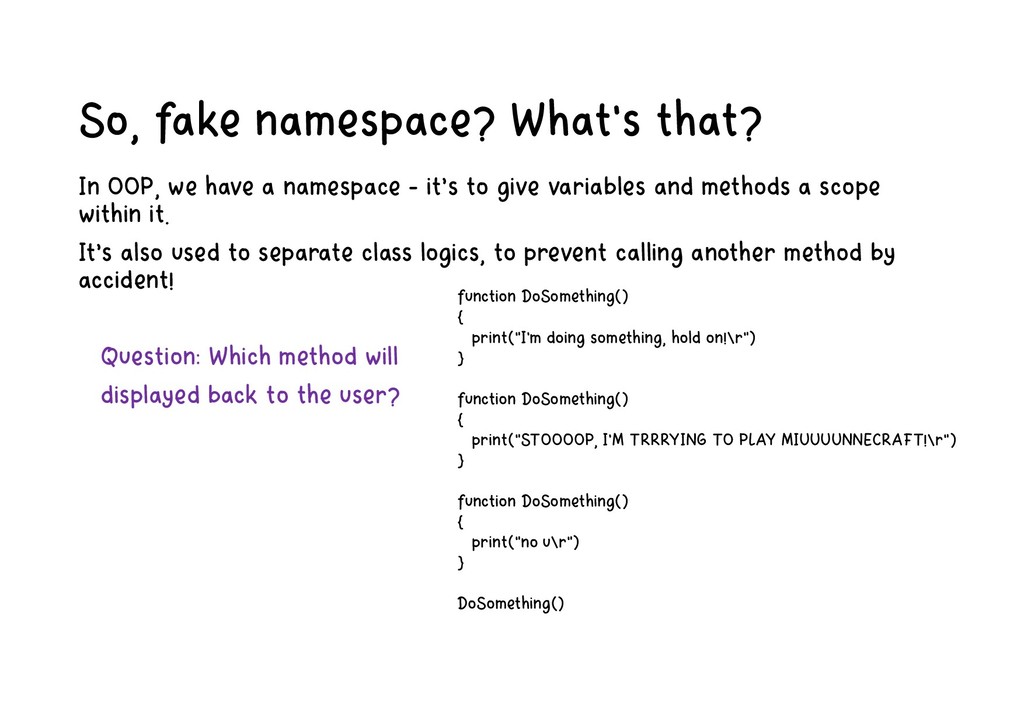
namespace - it’s to give variables and methods a scope within it. It’s also used to separate class logics, to prevent calling another method by accident! Question: Which method will displayed back to the user? function DoSomething() { print("I'm doing something, hold on!\r") } function DoSomething() { print("STOOOOP, I'M TRRRYING TO PLAY MIUUUUNNECRAFT!\r") } function DoSomething() { print("no u\r") } DoSomething()
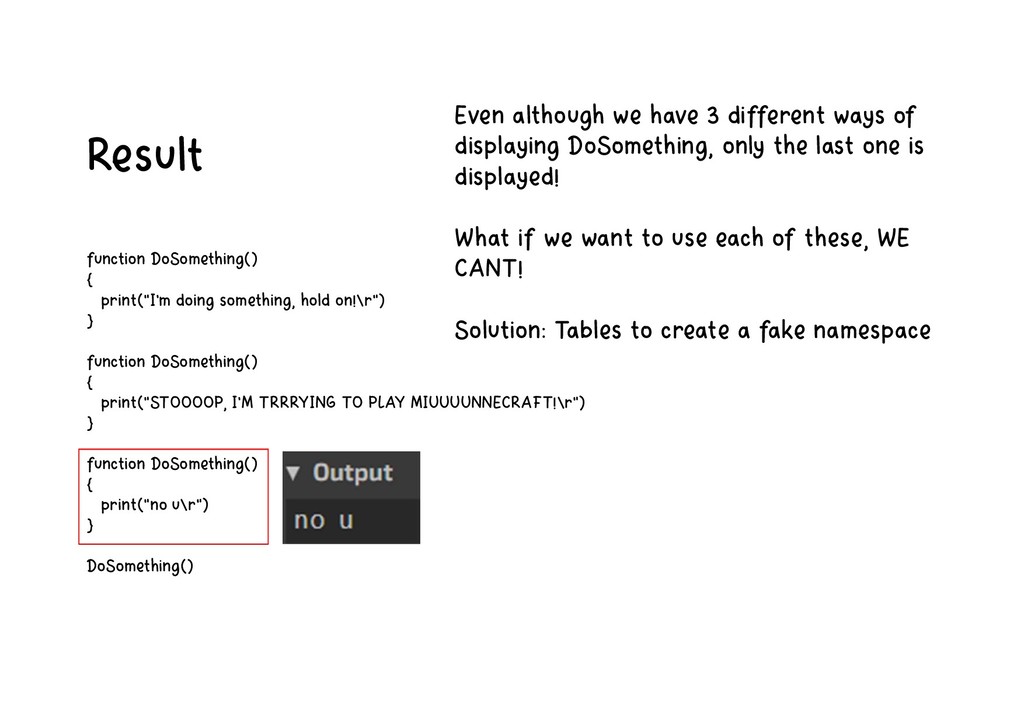
function DoSomething() { print("STOOOOP, I'M TRRRYING TO PLAY MIUUUUNNECRAFT!\r") } function DoSomething() { print("no u\r") } DoSomething() Even although we have 3 different ways of displaying DoSomething, only the last one is displayed! What if we want to use each of these, WE CANT! Solution: Tables to create a fake namespace
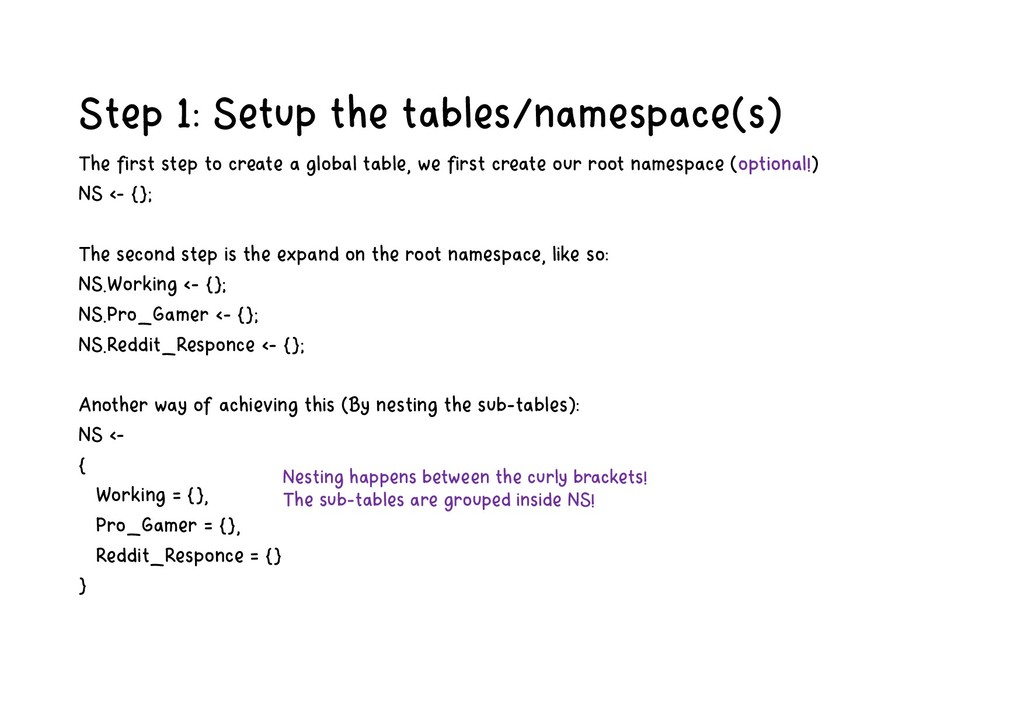
a global table, we first create our root namespace (optional!) NS <- {}; The second step is the expand on the root namespace, like so: NS.Working <- {}; NS.Pro_Gamer <- {}; NS.Reddit_Responce <- {}; Another way of achieving this (By nesting the sub-tables): NS <- { Working = {}, Pro_Gamer = {}, Reddit_Responce = {} } Nesting happens between the curly brackets! The sub-tables are grouped inside NS!
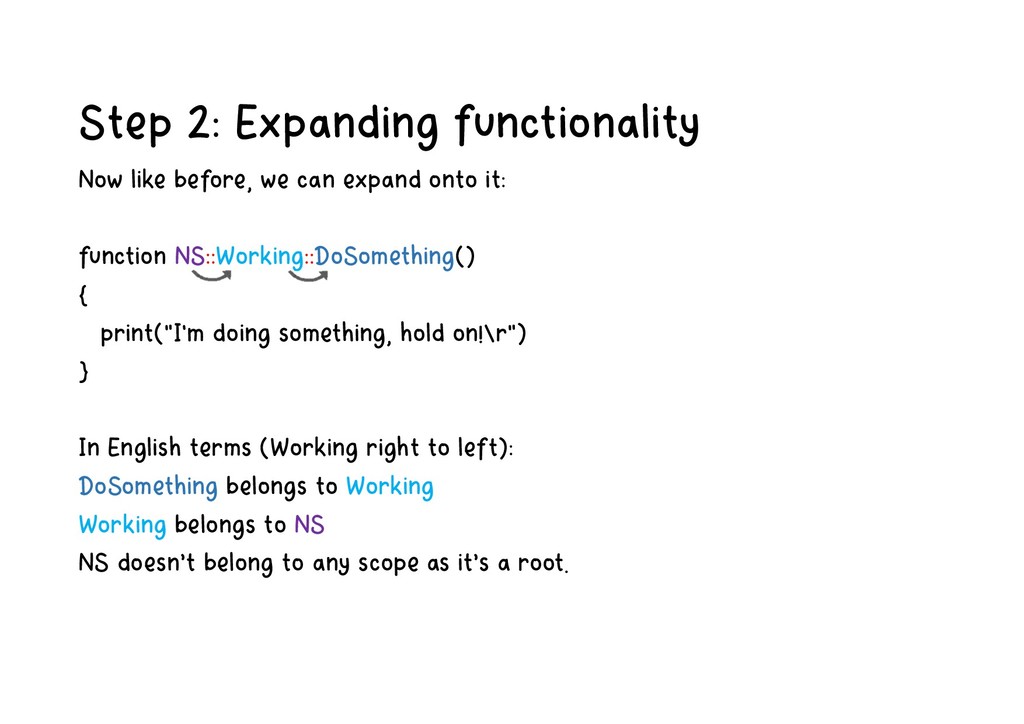
onto it: function NS::Working::DoSomething() { print("I'm doing something, hold on!\r") } In English terms (Working right to left): DoSomething belongs to Working Working belongs to NS NS doesn’t belong to any scope as it’s a root.
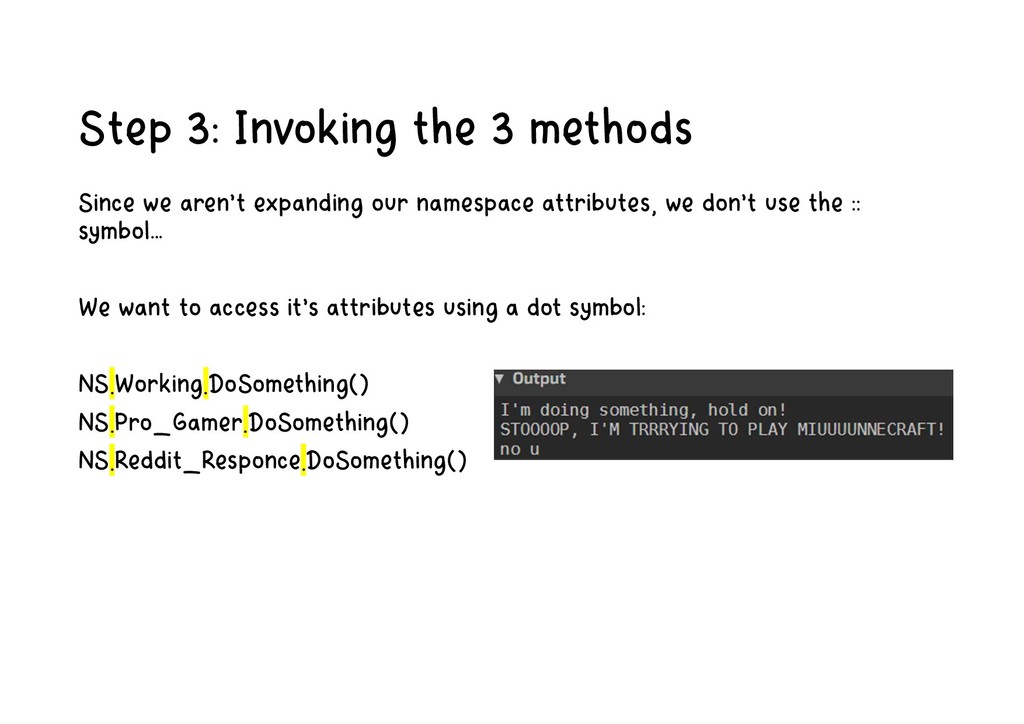
our namespace attributes, we don’t use the :: symbol… We want to access it’s attributes using a dot symbol: NS.Working.DoSomething() NS.Pro_Gamer.DoSomething() NS.Reddit_Responce.DoSomething()
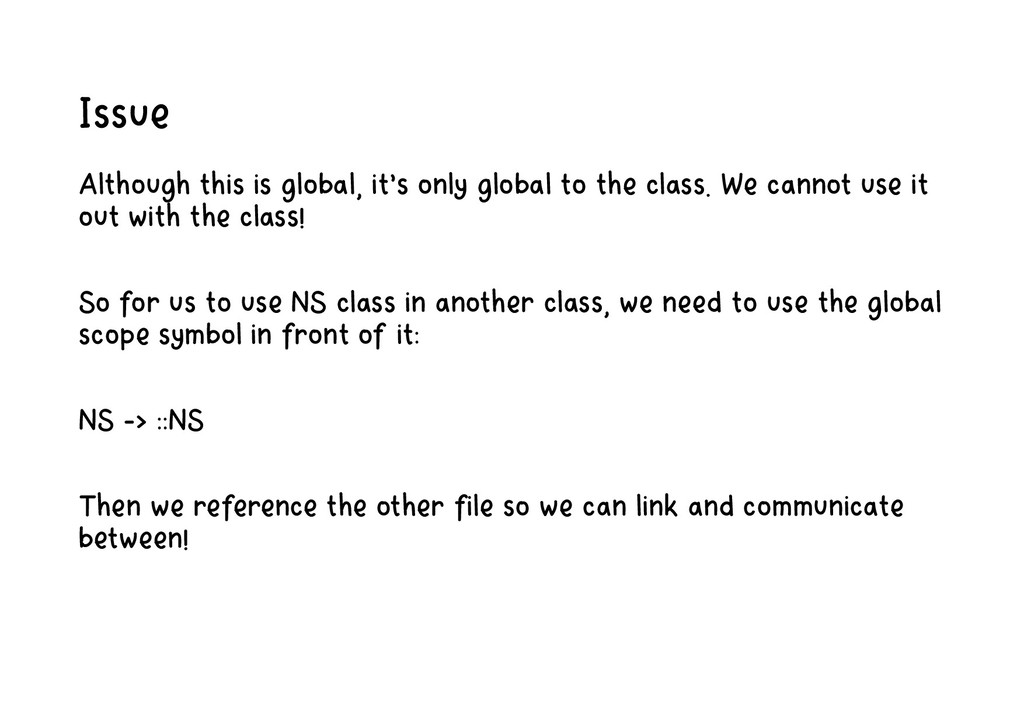
class. We cannot use it out with the class! So for us to use NS class in another class, we need to use the global scope symbol in front of it: NS -> ::NS Then we reference the other file so we can link and communicate between!
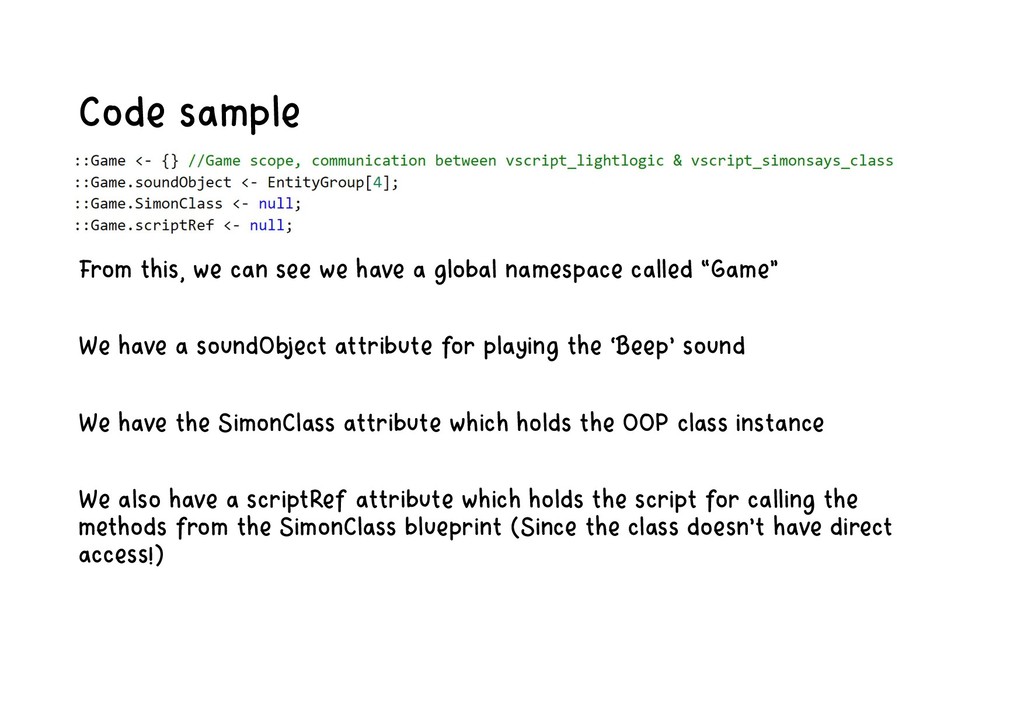
global namespace called “Game” We have a soundObject attribute for playing the ‘Beep’ sound We have the SimonClass attribute which holds the OOP class instance We also have a scriptRef attribute which holds the script for calling the methods from the SimonClass blueprint (Since the class doesn’t have direct access!)


 optim
optim
 jame2408
 yuta_onishi_97
 htkym
htkym
 yub0n
yub0n
 kenjiyoneyama
 siroemk
 hschwentner
 chobishiba
 nabondance
 takai
takai
 kasacchiful
 eileencodes
 lindahogenes
 chrislema
 codingconduct
 varn
varn
 deanohume
 chriscoyier
 vanstee
 ivargrimstad
 charlesmeaden
 joshbly
 sabderemane