Upgrade to Pro — share decks privately, control downloads, hide ads and more …

Real-Time Tracking with Postmates

Real-Time Tracking with Postmates

Have you ever wondered just how your favorite delivery or ride sharing app manages to keep you updated of your progress throughout the duration of your task? In this talk, we’ll cover Postmates’ approach to obtaining user location data and sending back real-time updates at every step of the way including the challenges of supporting various scenarios where a device is not connected to a power source throughout the duration of a job.

Avatar for torreyatcitty

torreyatcitty

January 25, 2017
Tweet

Other Decks in Technology

Transcript

  1. What is Postmates? • On-demand delivery company. • Get anything

    from anywhere, usually in under 30 minutes (depends on what is being delivered). • Available in 44 metropolitan markets
  2. Why is real-time tracking important? • We want our deliveries

    to be as fast as possible. • Food is perishable, no one wants cold french fries. • Customer wants to be kept informed at every step of the way. • Among other things, we want to match deliveries to the most well-located couriers with respect to the pickup.
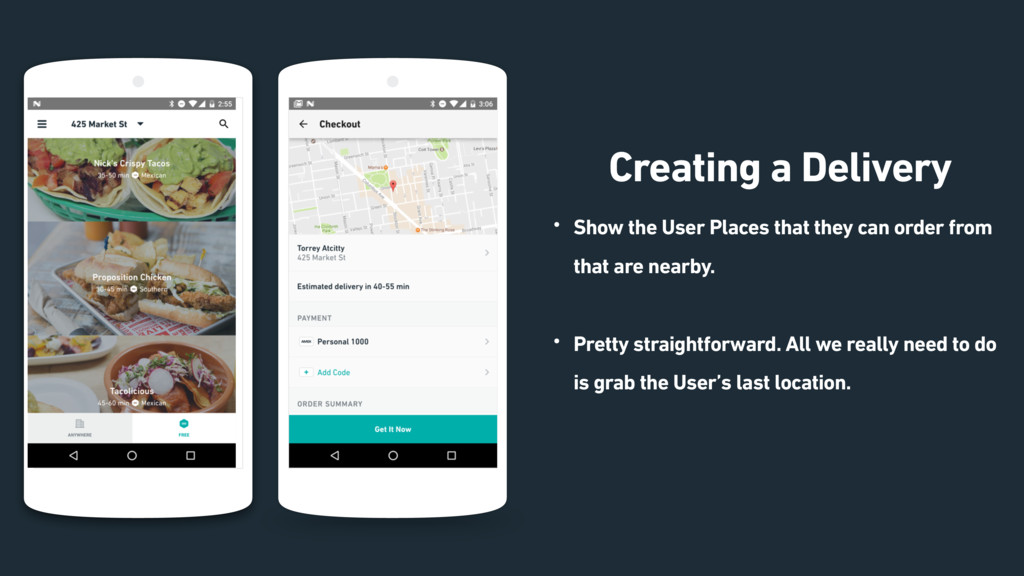
  3. Page 6 Creating a Delivery • Show the User Places

    that they can order from that are nearby. • Pretty straightforward. All we really need to do is grab the User’s last location.
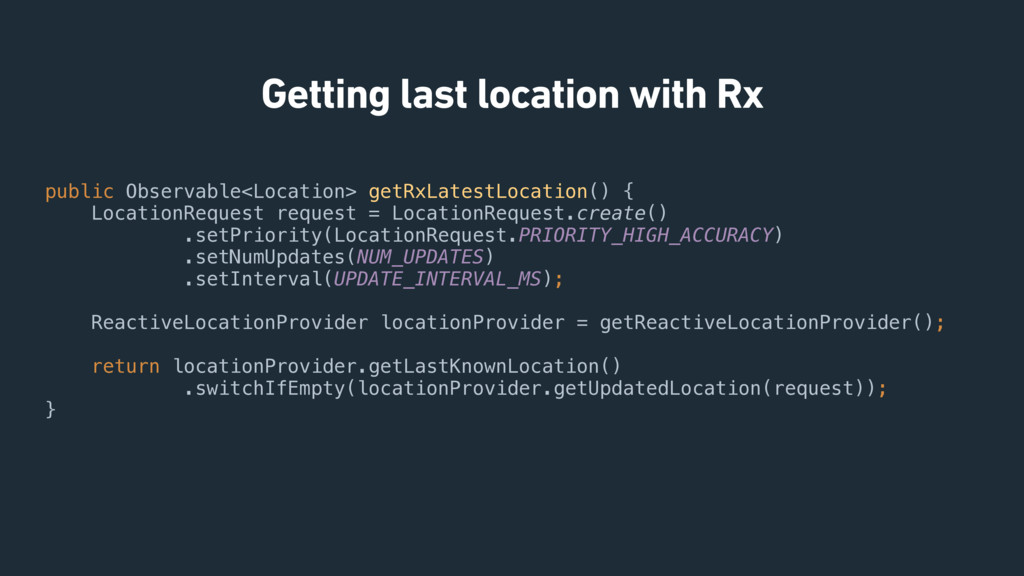
  4. Getting last location with Rx public Observable<Location> getRxLatestLocation() {
 LocationRequest

    request = LocationRequest.create()
 .setPriority(LocationRequest.PRIORITY_HIGH_ACCURACY)
 .setNumUpdates(NUM_UPDATES)
 .setInterval(UPDATE_INTERVAL_MS);
 
 ReactiveLocationProvider locationProvider = getReactiveLocationProvider();
 
 return locationProvider.getLastKnownLocation()
 .switchIfEmpty(locationProvider.getUpdatedLocation(request));
 }
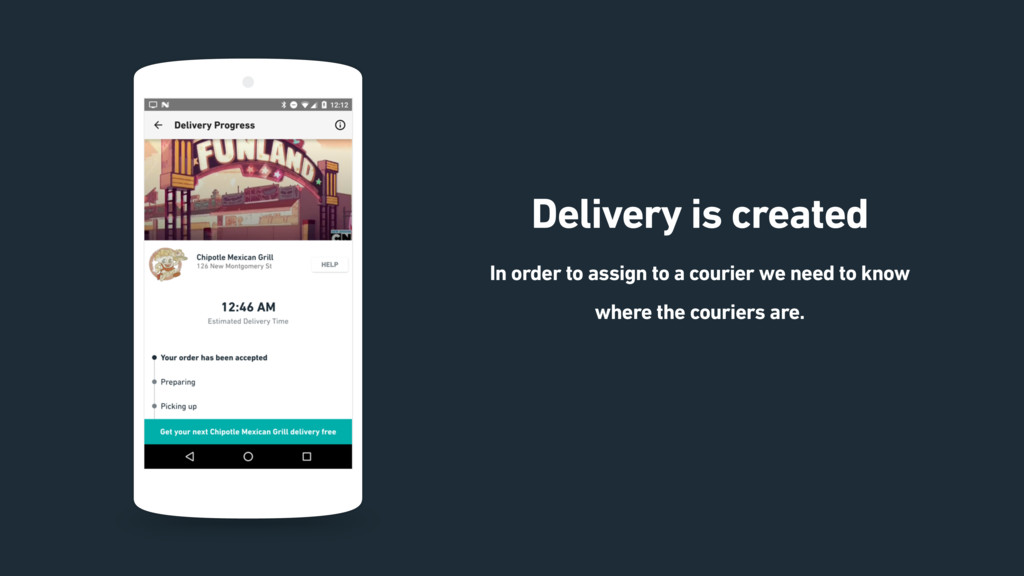
  5. Page Delivery is created In order to assign to a

    courier we need to know where the couriers are.
  6. First, we need to get location from the courier We

    need to be able to obtain location data while the app is also in the background. Easy, Background Service to the rescue!
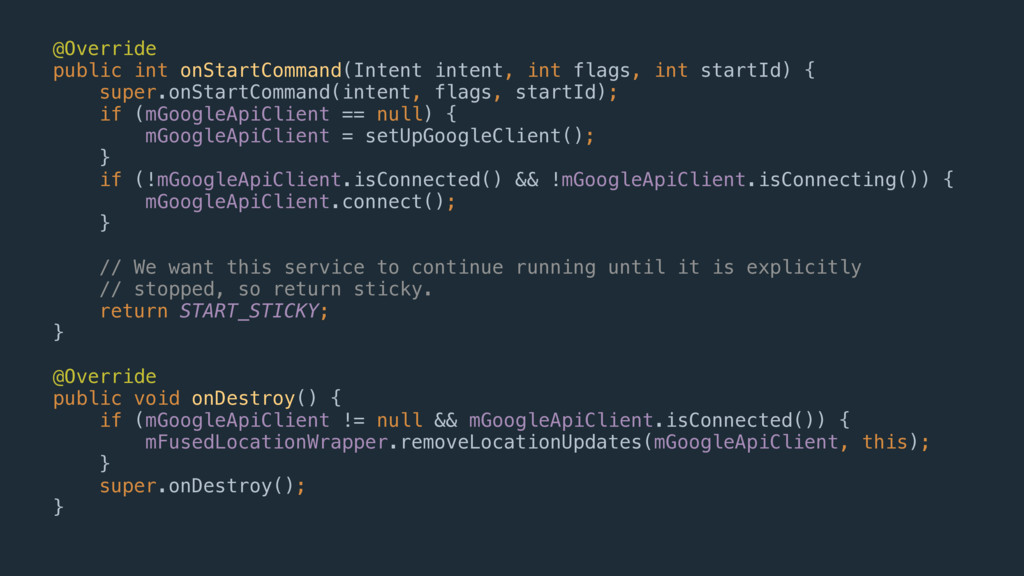
  7. @Override
 public int onStartCommand(Intent intent, int flags, int startId) {


    super.onStartCommand(intent, flags, startId);
 if (mGoogleApiClient == null) {
 mGoogleApiClient = setUpGoogleClient();
 }
 if (!mGoogleApiClient.isConnected() && !mGoogleApiClient.isConnecting()) {
 mGoogleApiClient.connect();
 }
 
 // We want this service to continue running until it is explicitly
 // stopped, so return sticky.
 return START_STICKY;
 }
 
 @Override
 public void onDestroy() {
 if (mGoogleApiClient != null && mGoogleApiClient.isConnected()) {
 mFusedLocationWrapper.removeLocationUpdates(mGoogleApiClient, this);
 }
 super.onDestroy();
 }
  8. Works great, except for KitKat… It turns out that START_STICKY

    was actually broken on certain versions of Kitkat. (4.4.1 and 4.4.2 to be exact) Need a workaround, but what should we do? Just use a repeating alarm to restart the service on KitKat.
  9. Alarm Manager as a Heartbeat Nice, simple way to send

    up data at regular intervals. AlarmManager.set() worked fairly well but its implementation changed in Kitkat! When running on Kitkat or later, AlarmManager.set() can be delayed by several minutes.
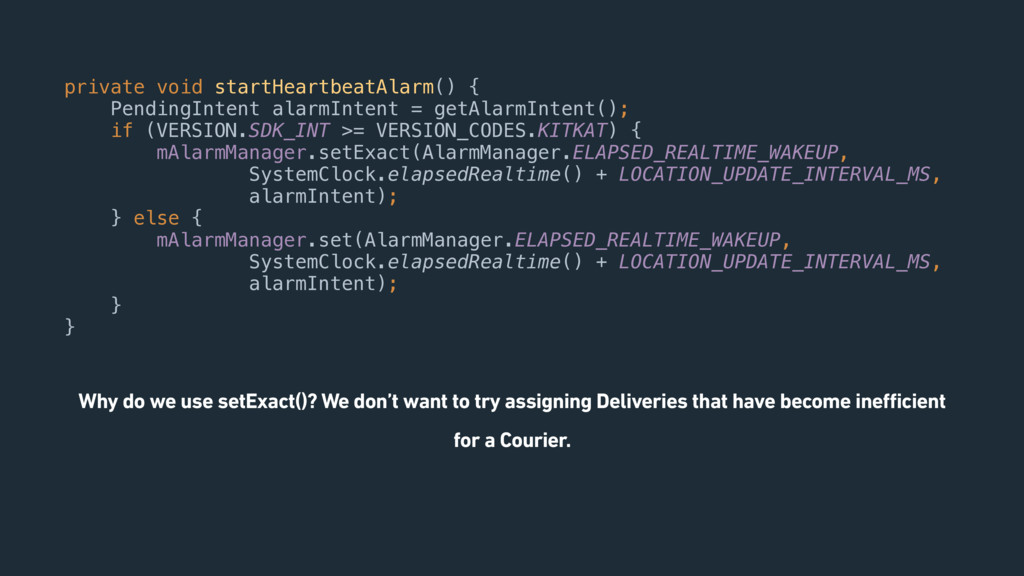
  10. private void startHeartbeatAlarm() {
 PendingIntent alarmIntent = getAlarmIntent();
 if (VERSION.SDK_INT

    >= VERSION_CODES.KITKAT) {
 mAlarmManager.setExact(AlarmManager.ELAPSED_REALTIME_WAKEUP,
 SystemClock.elapsedRealtime() + LOCATION_UPDATE_INTERVAL_MS,
 alarmIntent);
 } else {
 mAlarmManager.set(AlarmManager.ELAPSED_REALTIME_WAKEUP,
 SystemClock.elapsedRealtime() + LOCATION_UPDATE_INTERVAL_MS,
 alarmIntent);
 }
 } Why do we use setExact()? We don’t want to try assigning Deliveries that have become inefficient for a Courier.
  11. Doze and App Standby Introduced in Android 6.0 (API level

    23) Automatically is active even if your app doesn’t target level 23! Next step after inexact alarms introduced in API level 19 and JobScheduler in API 21. Android 7.0 added even more aggressive scheduling of Doze mode. Both take effect while a device is not connected to a power source.
  12. Handling Doze & App Standby 1. Ask the User to

    plug their phone in. 2. Optimize app to function within the “Maintenance Windows”. 3. Use Google/Firebase Cloud Messaging to push sync messages to Users. OR….
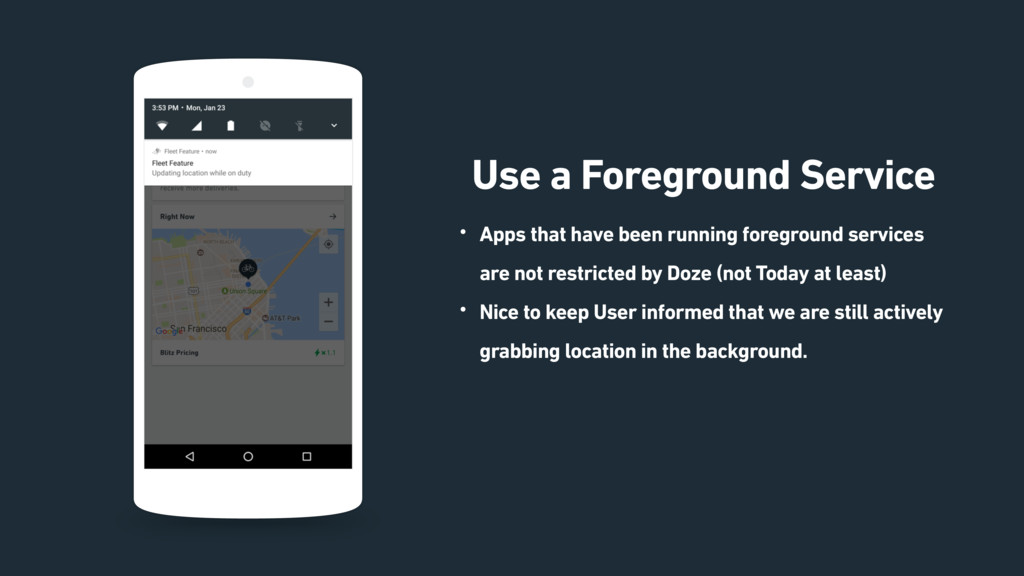
  13. Page Use a Foreground Service • Apps that have been

    running foreground services are not restricted by Doze (not Today at least) • Nice to keep User informed that we are still actively grabbing location in the background.
  14. Handling Issues with Ongoing Deliveries So many things can go

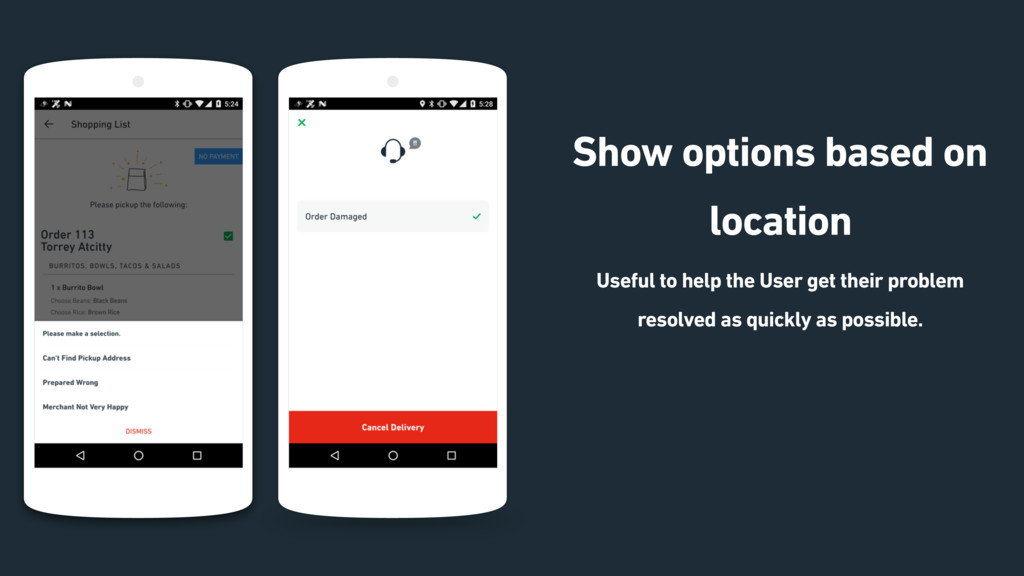
    wrong: Flat tires, something spilled, place just closed, etc… Can be stressful to encounter an issue for an ongoing delivery. Need only show options that are relevant.
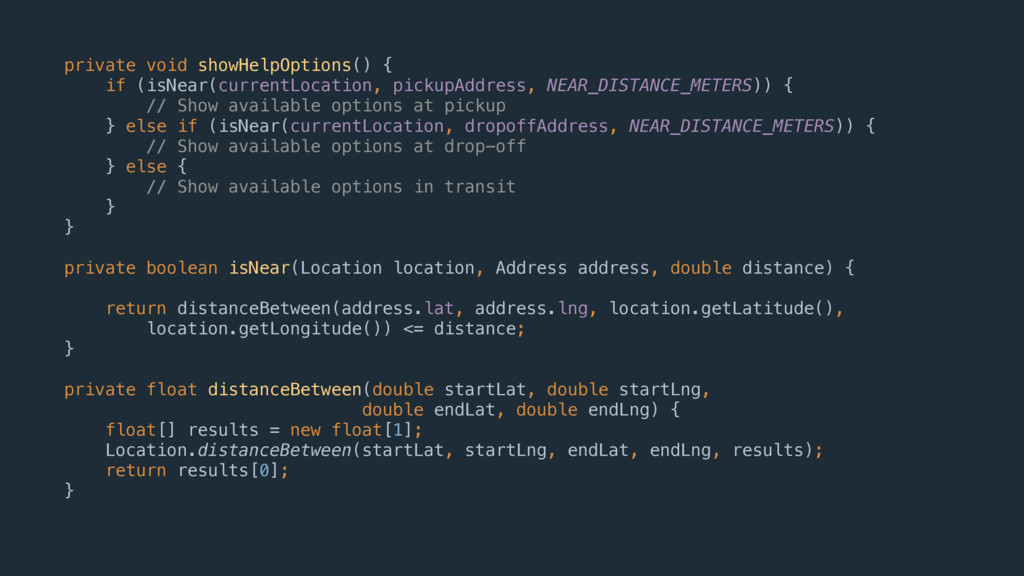
  15. Page Show options based on location Useful to help the

    User get their problem resolved as quickly as possible. 19
  16. private void showHelpOptions() {
 if (isNear(currentLocation, pickupAddress, NEAR_DISTANCE_METERS)) {
 //

    Show available options at pickup
 } else if (isNear(currentLocation, dropoffAddress, NEAR_DISTANCE_METERS)) {
 // Show available options at drop-off
 } else { // Show available options in transit }
 } private boolean isNear(Location location, Address address, double distance) {
 
 return distanceBetween(address.lat, address.lng, location.getLatitude(),
 location.getLongitude()) <= distance;
 }
 
 private float distanceBetween(double startLat, double startLng,
 double endLat, double endLng) {
 float[] results = new float[1];
 Location.distanceBetween(startLat, startLng, endLat, endLng, results);
 return results[0];
 }
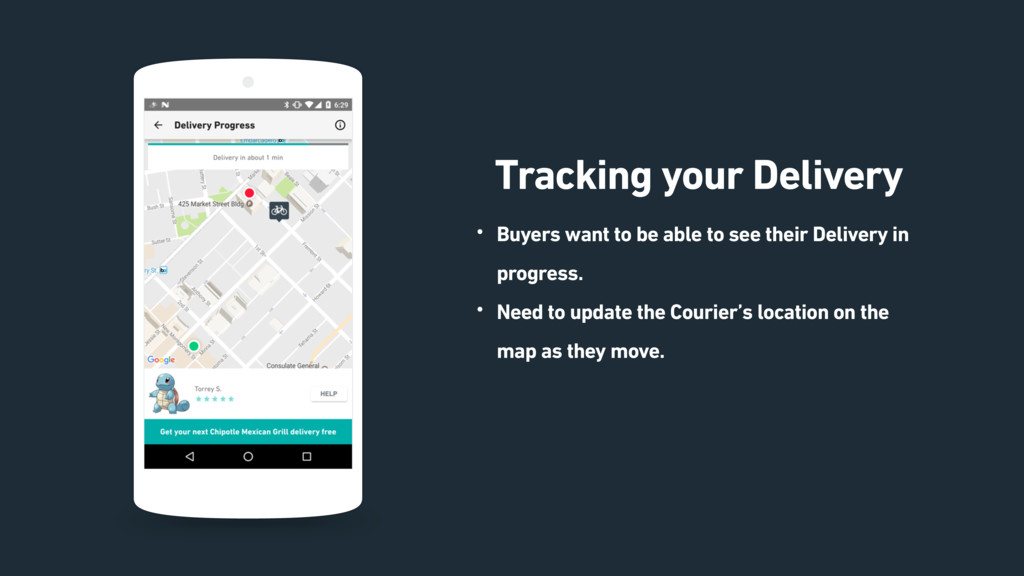
  17. Page Tracking your Delivery • Buyers want to be able

    to see their Delivery in progress. • Need to update the Courier’s location on the map as they move.
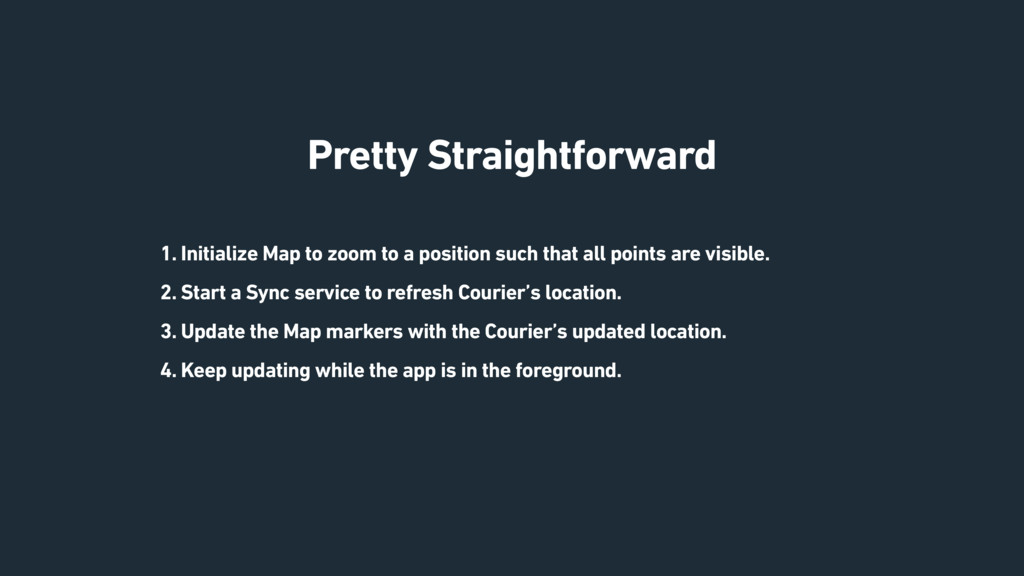
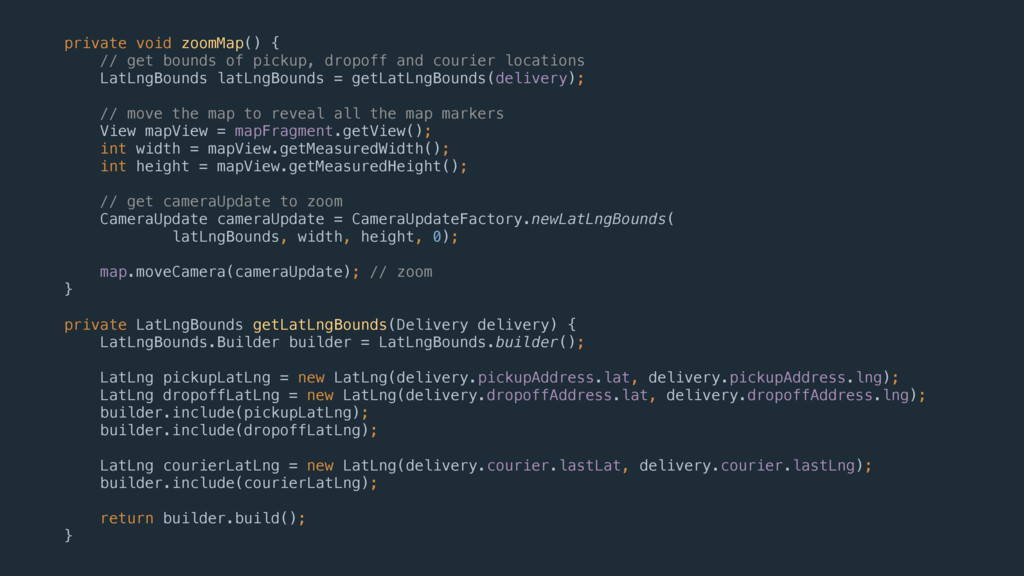
  18. Pretty Straightforward 1. Initialize Map to zoom to a position

    such that all points are visible. 2. Start a Sync service to refresh Courier’s location. 3. Update the Map markers with the Courier’s updated location. 4. Keep updating while the app is in the foreground.
  19. private void zoomMap() {
 // get bounds of pickup, dropoff

    and courier locations
 LatLngBounds latLngBounds = getLatLngBounds(delivery);
 
 // move the map to reveal all the map markers
 View mapView = mapFragment.getView();
 int width = mapView.getMeasuredWidth();
 int height = mapView.getMeasuredHeight();
 
 // get cameraUpdate to zoom
 CameraUpdate cameraUpdate = CameraUpdateFactory.newLatLngBounds(
 latLngBounds, width, height, 0);
 
 map.moveCamera(cameraUpdate); // zoom
 }
 
 private LatLngBounds getLatLngBounds(Delivery delivery) {
 LatLngBounds.Builder builder = LatLngBounds.builder();
 
 LatLng pickupLatLng = new LatLng(delivery.pickupAddress.lat, delivery.pickupAddress.lng);
 LatLng dropoffLatLng = new LatLng(delivery.dropoffAddress.lat, delivery.dropoffAddress.lng);
 builder.include(pickupLatLng);
 builder.include(dropoffLatLng);
 
 LatLng courierLatLng = new LatLng(delivery.courier.lastLat, delivery.courier.lastLng);
 builder.include(courierLatLng);
 
 return builder.build();
 }
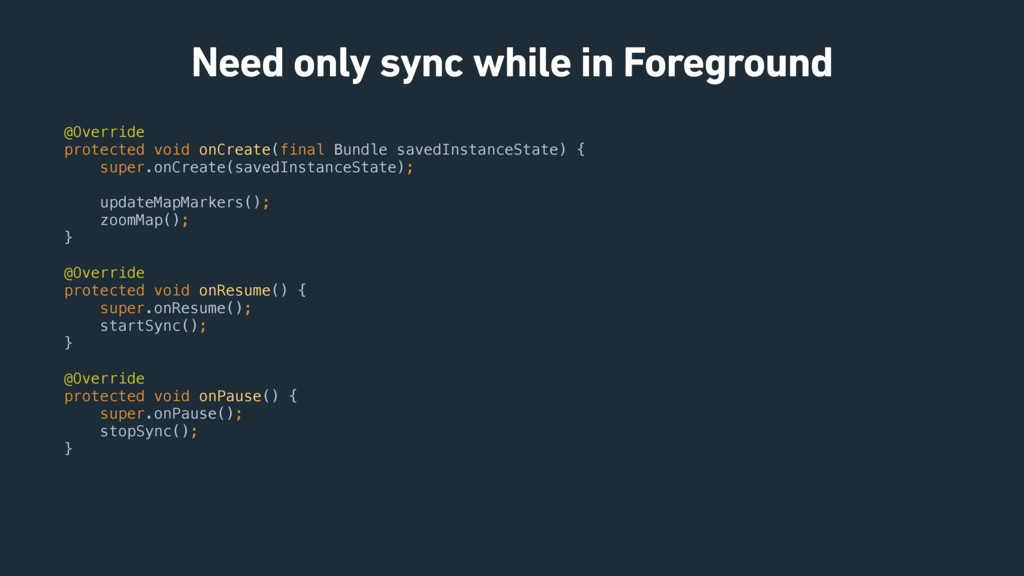
  20. Need only sync while in Foreground @Override
 protected void onCreate(final

    Bundle savedInstanceState) {
 super.onCreate(savedInstanceState);
 
 updateMapMarkers();
 zoomMap();
 } @Override
 protected void onResume() {
 super.onResume();
 startSync();
 }
 
 @Override
 protected void onPause() {
 super.onPause();
 stopSync();
 }
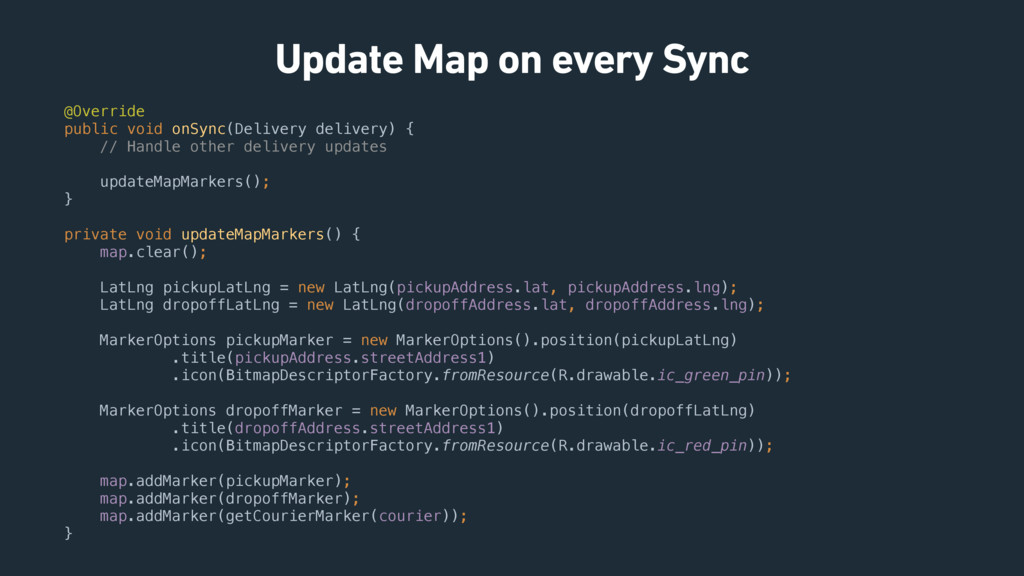
  21. Update Map on every Sync @Override
 public void onSync(Delivery delivery)

    {
 // Handle other delivery updates
 
 updateMapMarkers();
 } private void updateMapMarkers() {
 map.clear();
 
 LatLng pickupLatLng = new LatLng(pickupAddress.lat, pickupAddress.lng);
 LatLng dropoffLatLng = new LatLng(dropoffAddress.lat, dropoffAddress.lng);
 
 MarkerOptions pickupMarker = new MarkerOptions().position(pickupLatLng)
 .title(pickupAddress.streetAddress1)
 .icon(BitmapDescriptorFactory.fromResource(R.drawable.ic_green_pin));
 
 MarkerOptions dropoffMarker = new MarkerOptions().position(dropoffLatLng)
 .title(dropoffAddress.streetAddress1)
 .icon(BitmapDescriptorFactory.fromResource(R.drawable.ic_red_pin));
 
 map.addMarker(pickupMarker);
 map.addMarker(dropoffMarker);
 map.addMarker(getCourierMarker(courier));
 }