Upgrade to Pro
— share decks privately, control downloads, hide ads and more …
Speaker Deck
Sign up for free
Menu
Search
Features
All features
Private URLs
Password Protection
Custom URLS
Scheduled publishing
Remove Branding
Restrict embedding
Deck Collections
Notes
Features
All features
Private URLs
Password Protection
Custom URLS
Scheduled publishing
Remove Branding
Restrict embedding
Deck Collections
Notes
Explore
Featured decks
Featured speakers
Programming
Technology
Storyboards
Explore
Featured decks
Featured speakers
Programming
Technology
Storyboards
Pricing
Search
Sign in
Sign up for free
空間情報システム入門Ⅰ#02 2016/06/16
Search
ugajinmana
June 16, 2016
49
0
Share
Embed
Copy iframe code
Copy JS code
Copy link
Start on current slide
空間情報システム入門Ⅰ#02 2016/06/16
ugajinmana
June 16, 2016
More Decks by ugajinmana
See All by ugajinmana
空間情報.pdf
ugjnmn
0
180
Featured
See All Featured
Why Our Code Smells
bkeepers
PRO
340
58k
Designing Experiences People Love
moore
143
24k
Sam Torres - BigQuery for SEOs
techseoconnect
PRO
0
580
The Curious Case for Waylosing
cassininazir
1
570
Building Better People: How to give real-time feedback that sticks.
wjessup
370
20k
WCS-LA-2024
lcolladotor
0
890
Accessibility Awareness
sabderemane
1
250
Learning to Love Humans: Emotional Interface Design
aarron
275
41k
Between Models and Reality
mayunak
4
500
GitHub's CSS Performance
jonrohan
1033
470k
Paper Plane
katiecoart
PRO
5
54k
The Mindset for Success: Future Career Progression
greggifford
PRO
0
540
Transcript
Tasking Manager マッピング作業のマニュアル
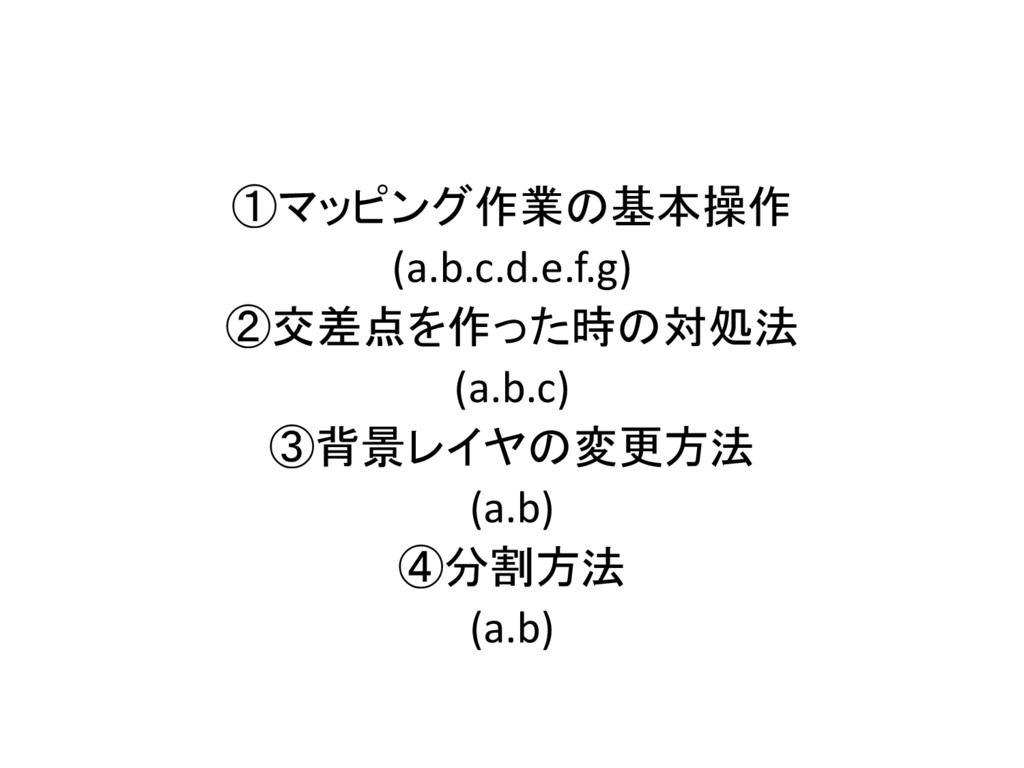
①マッピング作業の基本操作 (a.b.c.d.e.f.g) ②交差点を作った時の対処法 (a.b.c) ③背景レイヤの変更方法 (a.b) ④分割方法 (a.b)
①マッピング作業の基本動作
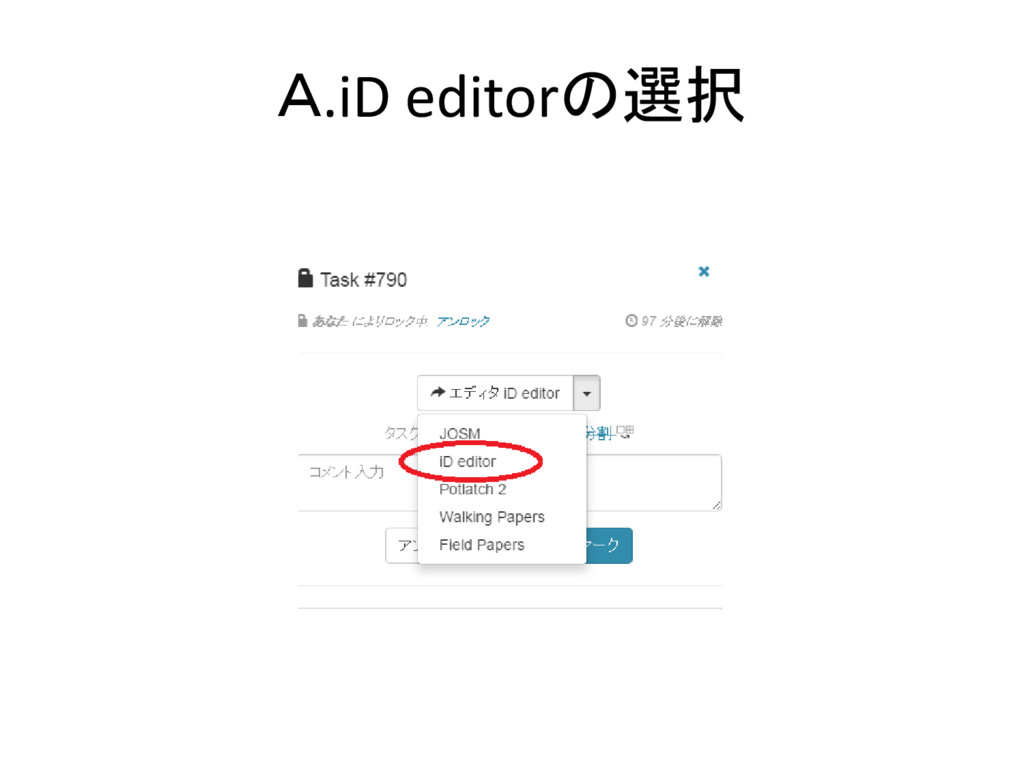
A.iD editorの選択
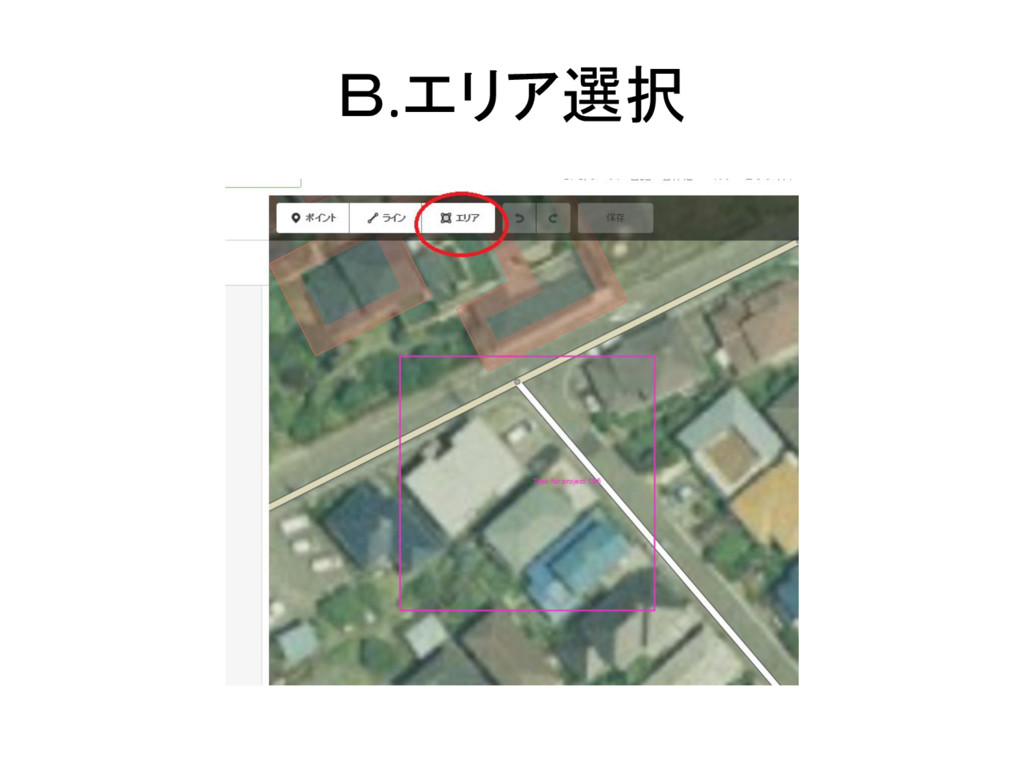
B.エリア選択
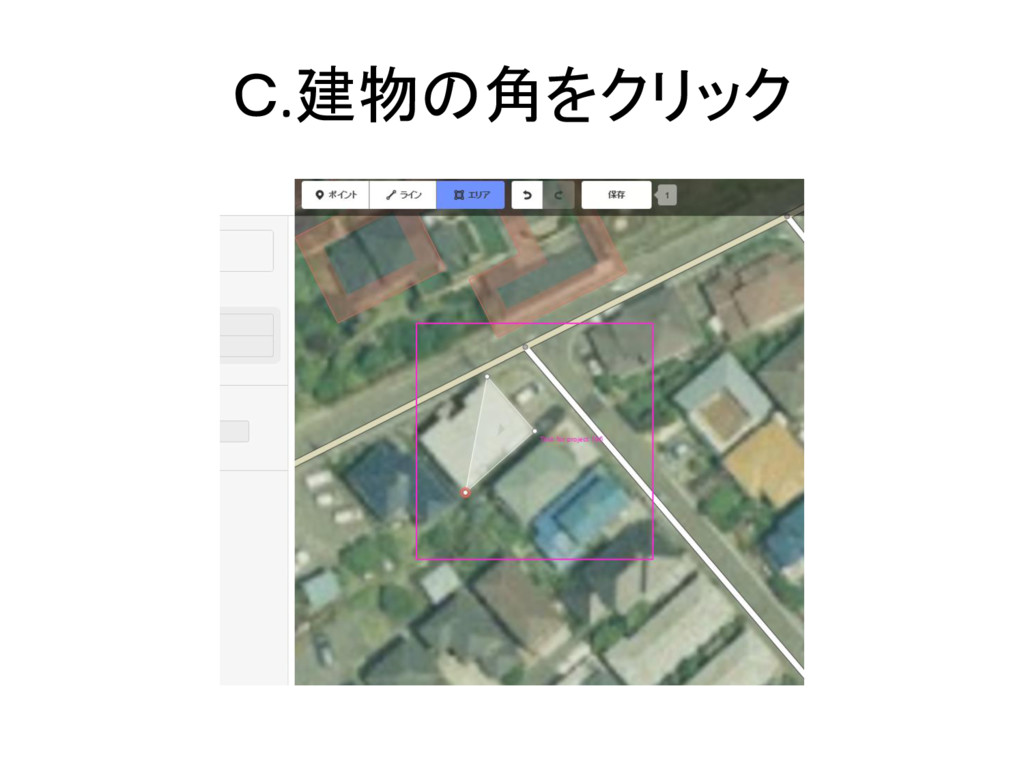
C.建物の角をクリック
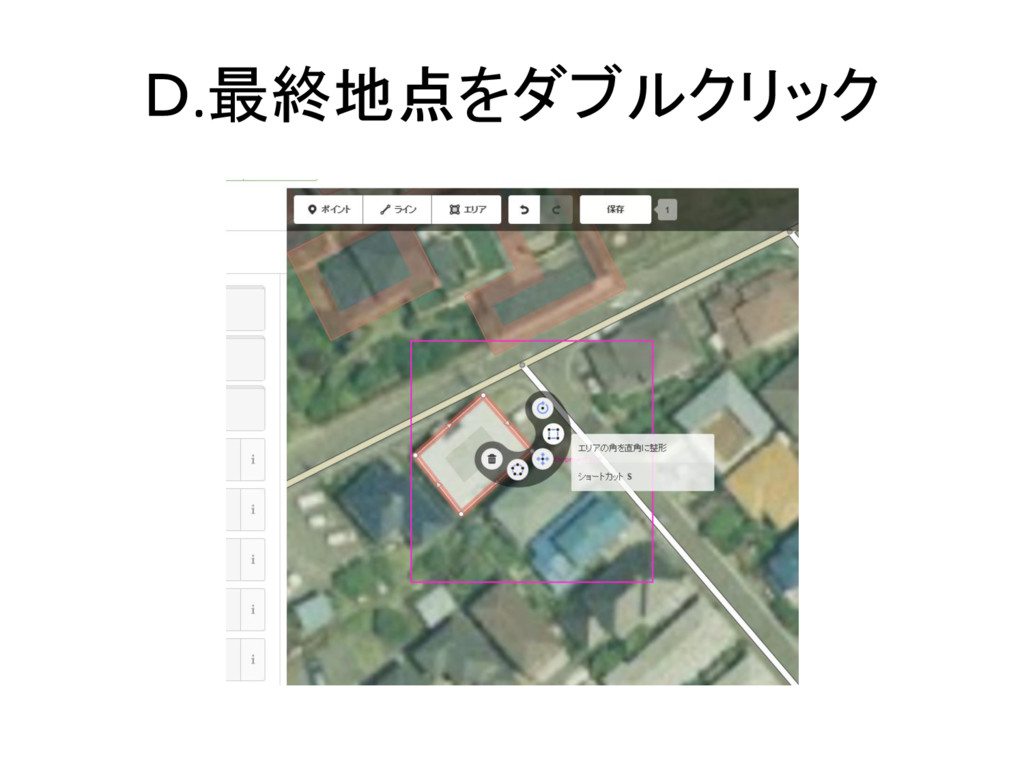
D.最終地点をダブルクリック
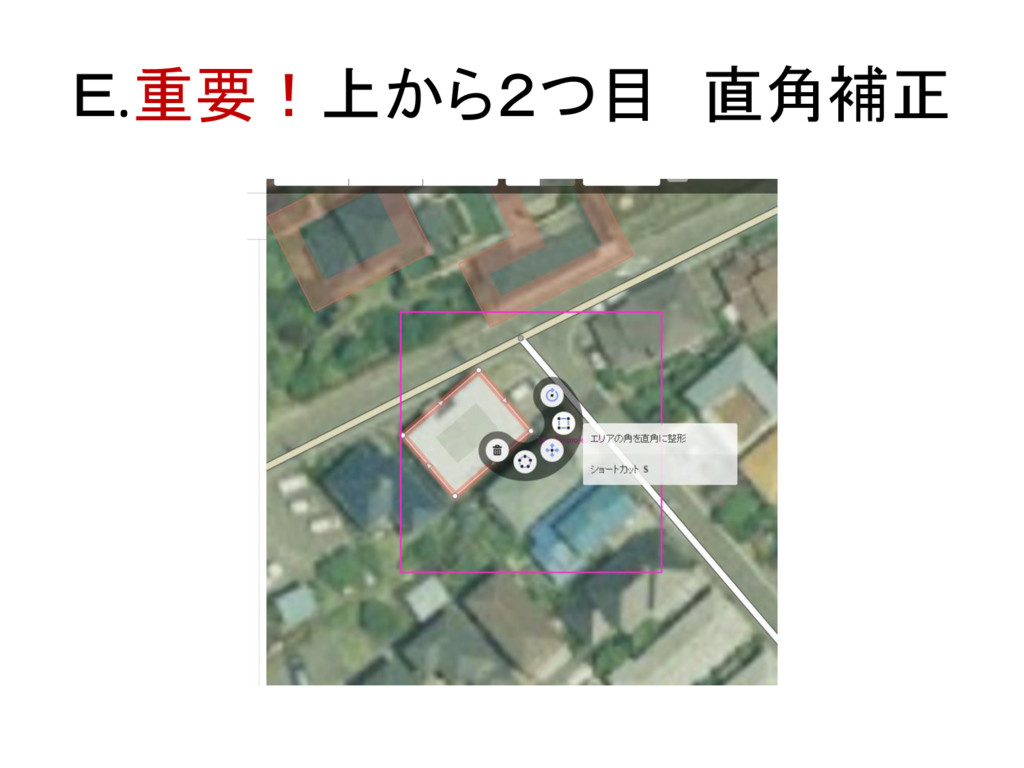
E.重要!上から2つ目 直角補正
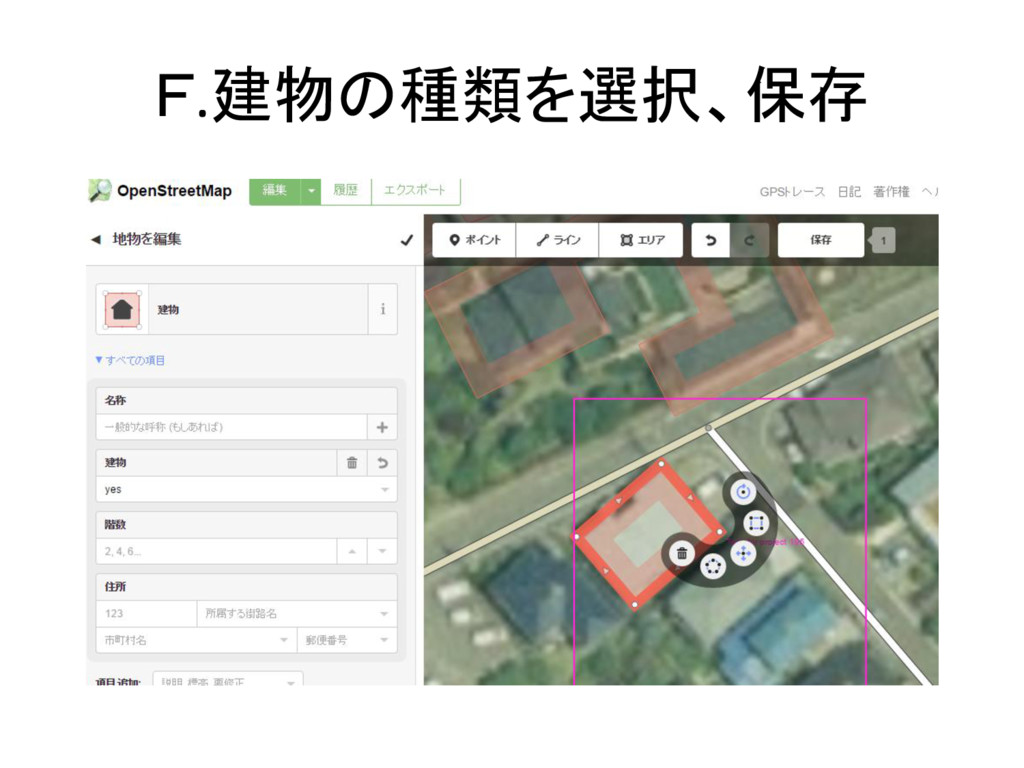
F.建物の種類を選択、保存
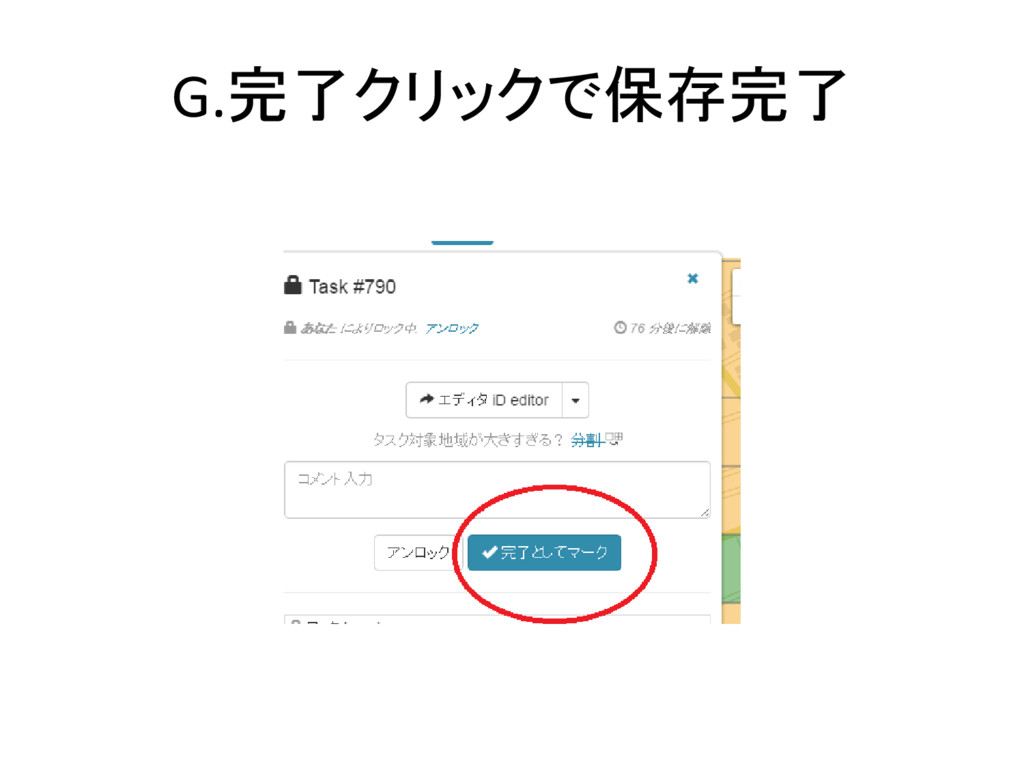
G.完了クリックで保存完了
②交差点を作った時の対処法
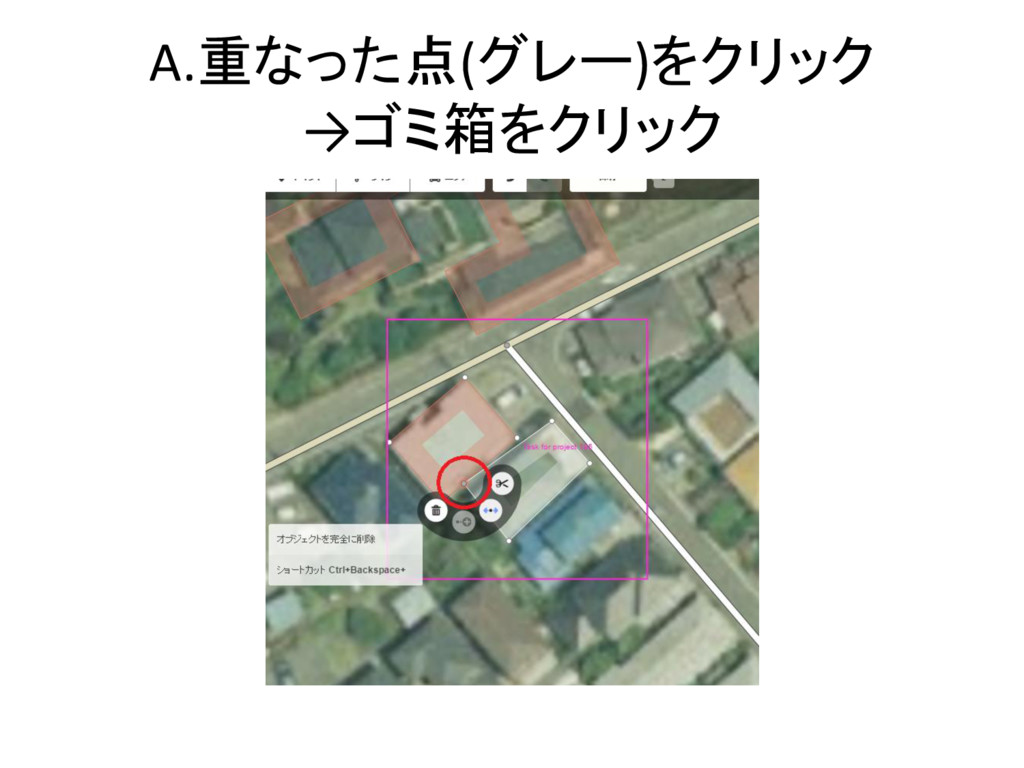
A.重なった点(グレー)をクリック →ゴミ箱をクリック
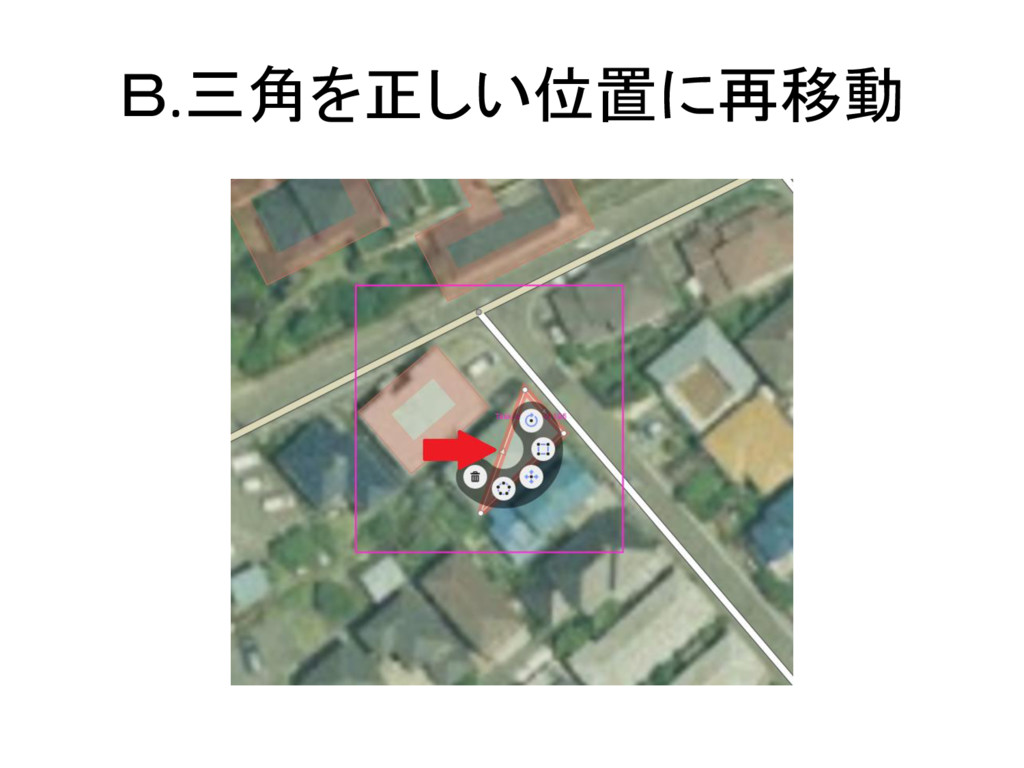
B.三角を正しい位置に再移動
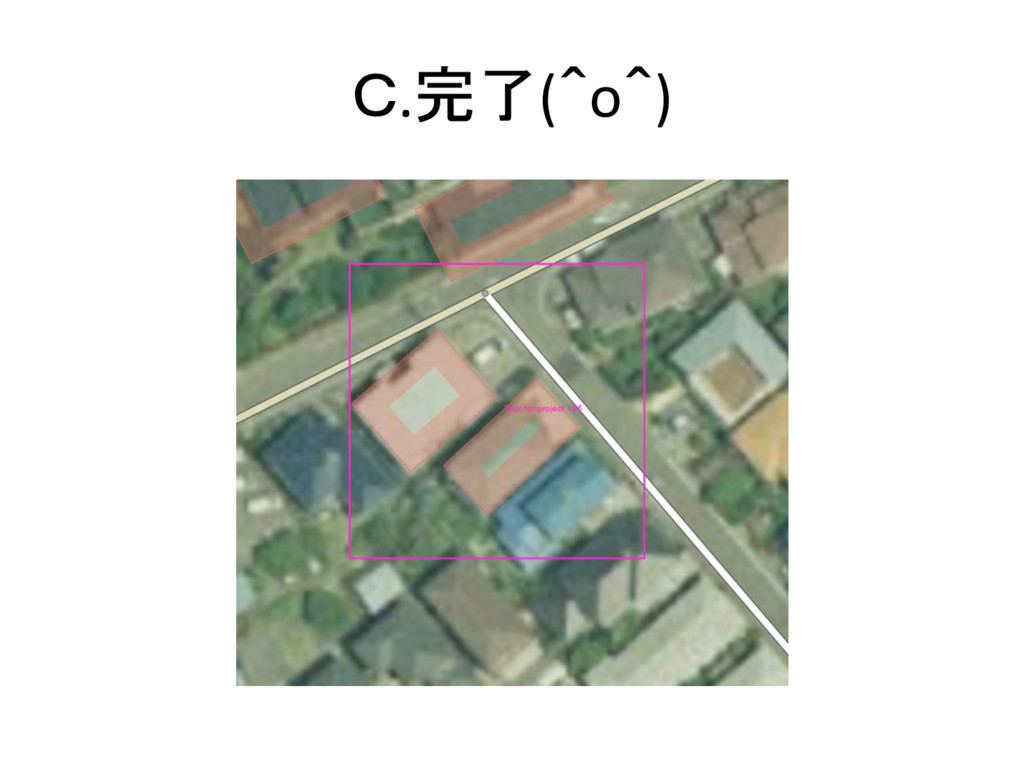
C.完了(^o^)
③背景レイヤの変更方法
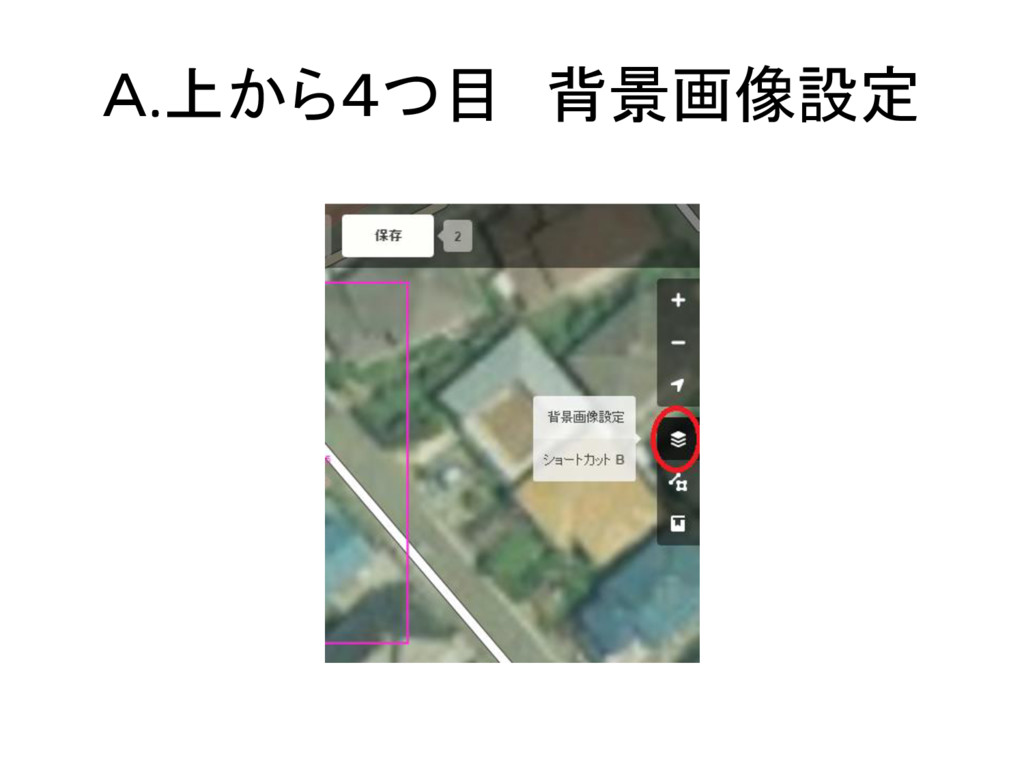
A.上から4つ目 背景画像設定
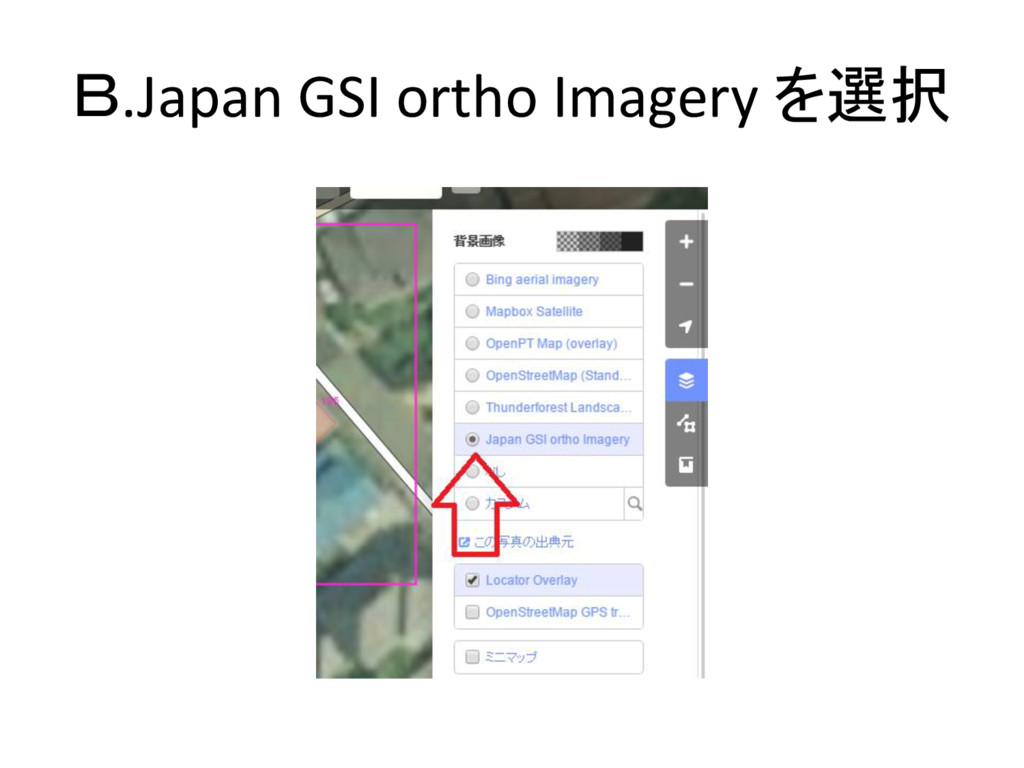
B.Japan GSI ortho Imagery を選択
④分割方法
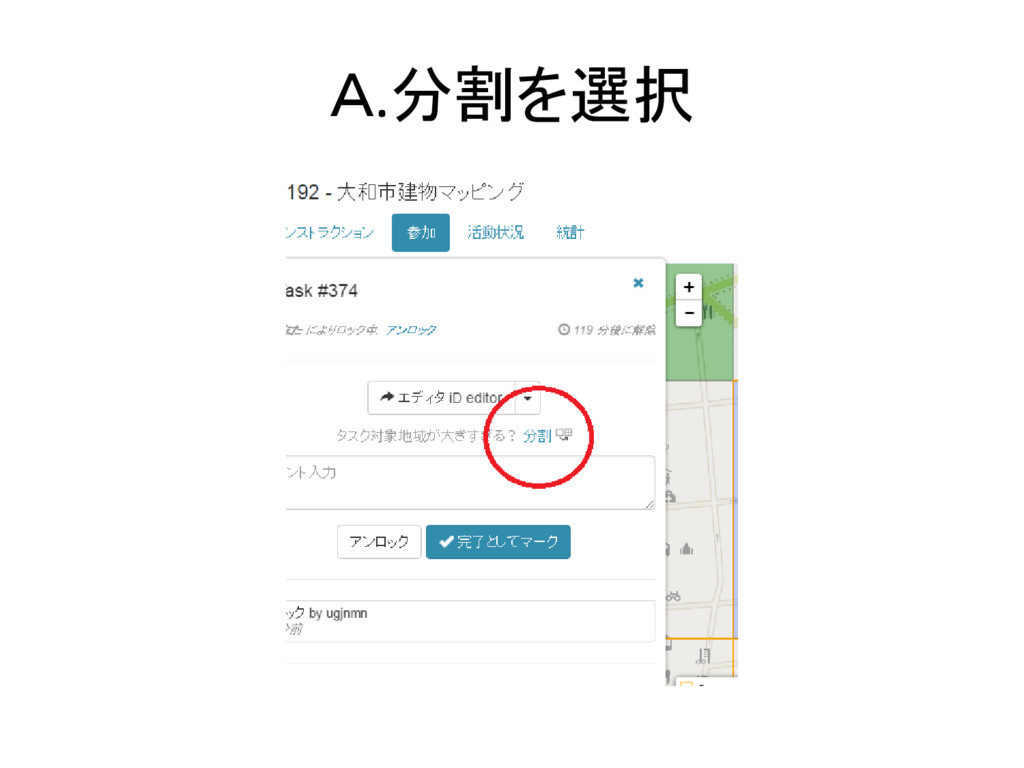
A.分割を選択
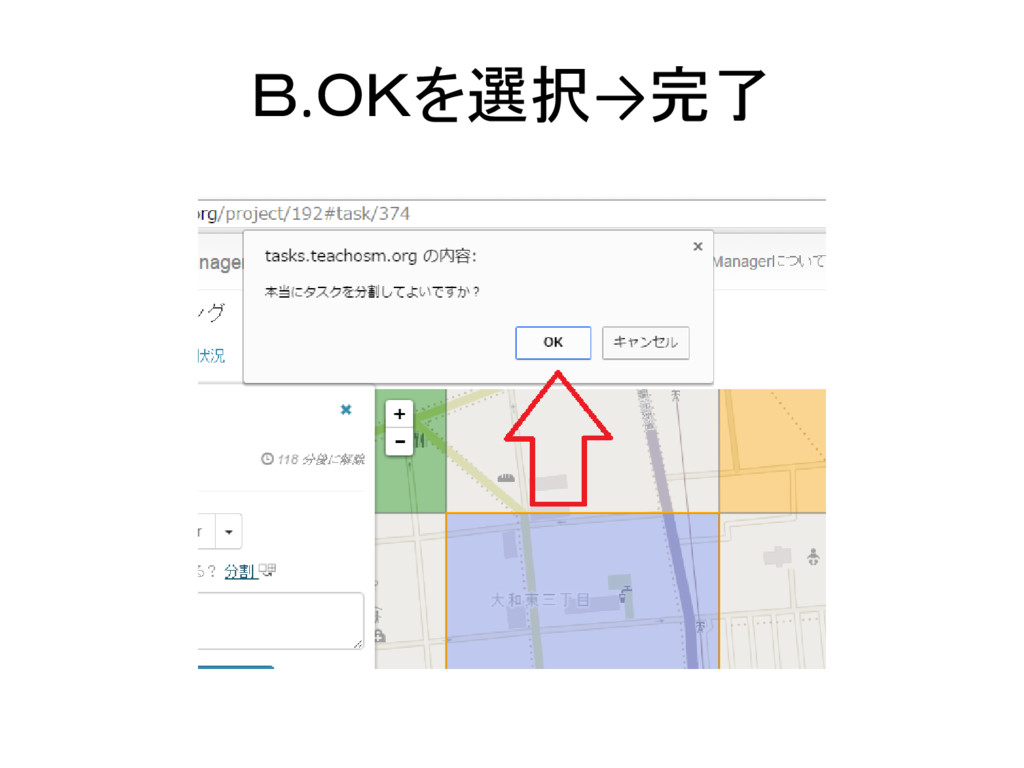
B.OKを選択→完了


 ugjnmn
 bkeepers
 moore
moore
 techseoconnect
 cassininazir
 wjessup
 lcolladotor
 sabderemane
 aarron
 mayunak
 jonrohan
 katiecoart
 greggifford