Build Modern Applications with Amazon Aurora DS...
Sponsored
·
 Ship Features Fearlessly
Turn features on and off without deploys. Used by thousands of Ruby developers.
→
Ship Features Fearlessly
Turn features on and off without deploys. Used by thousands of Ruby developers.
→

Share
Embed
Build Modern Applications with Amazon Aurora DSQL at AWS Community Day Italy 2026
Amazon Aurora DSQL is a serverless distributed SQL database with virtually unlimited scale, highest availability, and zero infrastructure management. In this talk we’ll use a sample serverless application that uses Amazon API Gateway, AWS Lambda and Aurora DSQL to explore the architecture and features of this database. We'll explore the scaling behaviour of DSQL, measure performance including cold starts, deep dive into its pricing and current limitations.
We'll wrap up with some suggestions when currently to use DSQL comparing to DynamoDB, RDS and Aurora (Serverless) and what to pay attention to when migrating your existing application to Aurora DSQL.

Vadym Kazulkin
October 11, 2026
Transcript
62 slides
-
TRACK 2 · 11:30–12:00 Build modern applications with Amazon Aurora
DSQL Vadym Kazulkin Head of Development @ ip.labs — AWS Serverless Hero -
Thank You to Our Sponsors GOLD SPONSOR SILVER SPONSOR BRONZE
SPONSOR TECH PARTNER -
Contact Vadym Kazulkin ip.labs GmbH Bonn, Germany Co-Organizer of the
Java User Group Bonn [email protected] https://vkazulkin.com https://www.linkedin.com/in/vadymkazulkin @VKazulkin https://dev.to/vkazulkin https://github.com/Vadym79/ https://de.slideshare.net/VadymKazulkin/ https://www.iplabs.de/ -
Serverless applications with Aurora DSQL as a database of choice
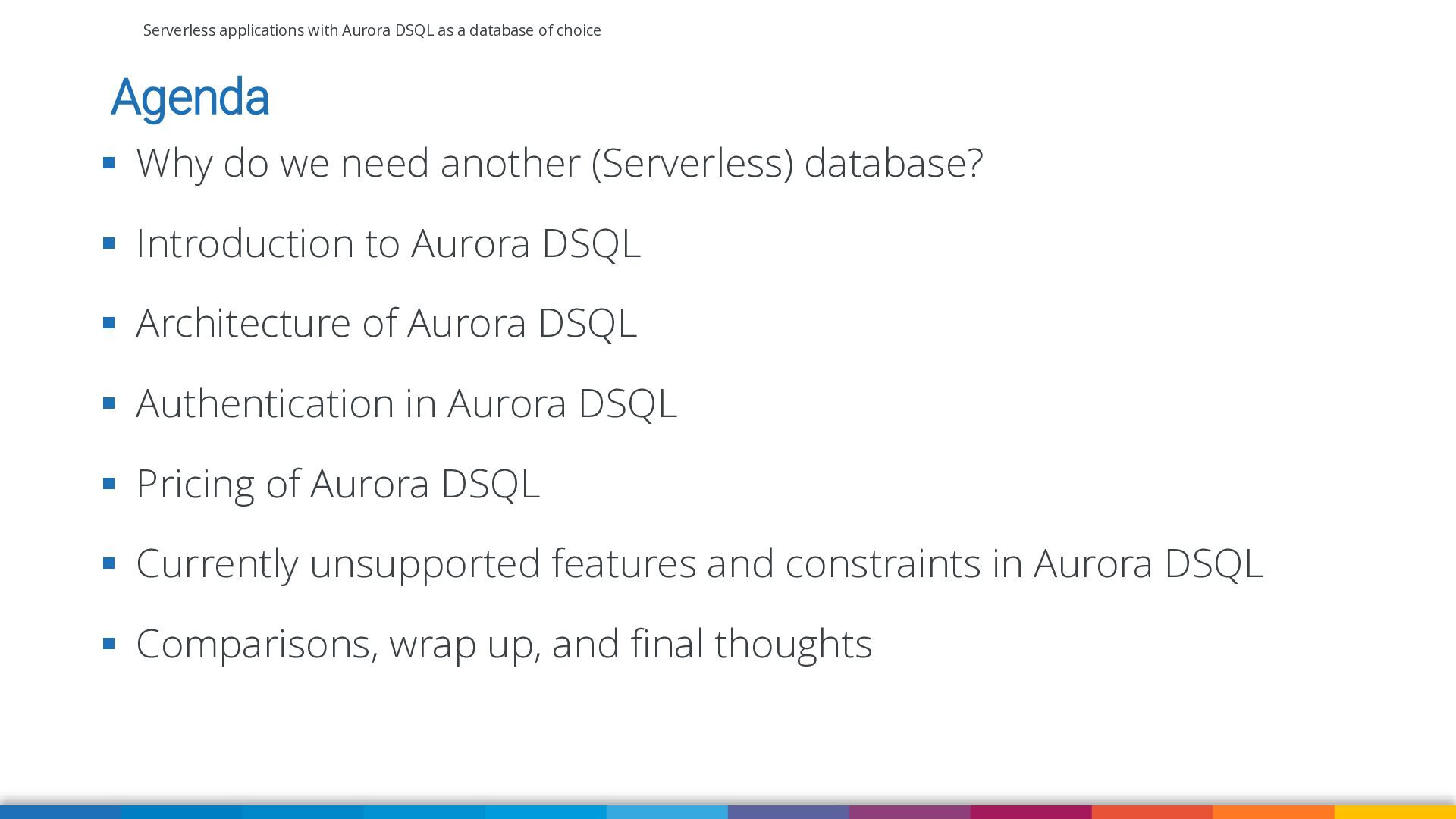
Agenda ▪ Why do we need another (Serverless) database? ▪ Introduction to Aurora DSQL ▪ Architecture of Aurora DSQL ▪ Authentication in Aurora DSQL ▪ Pricing of Aurora DSQL ▪ Currently unsupported features and constraints in Aurora DSQL ▪ Comparisons, wrap up, and final thoughts -
Serverless applications with Aurora DSQL as a database of choice
Why do we need another (Serverless) database? -
Serverless applications with Aurora DSQL as a database of choice
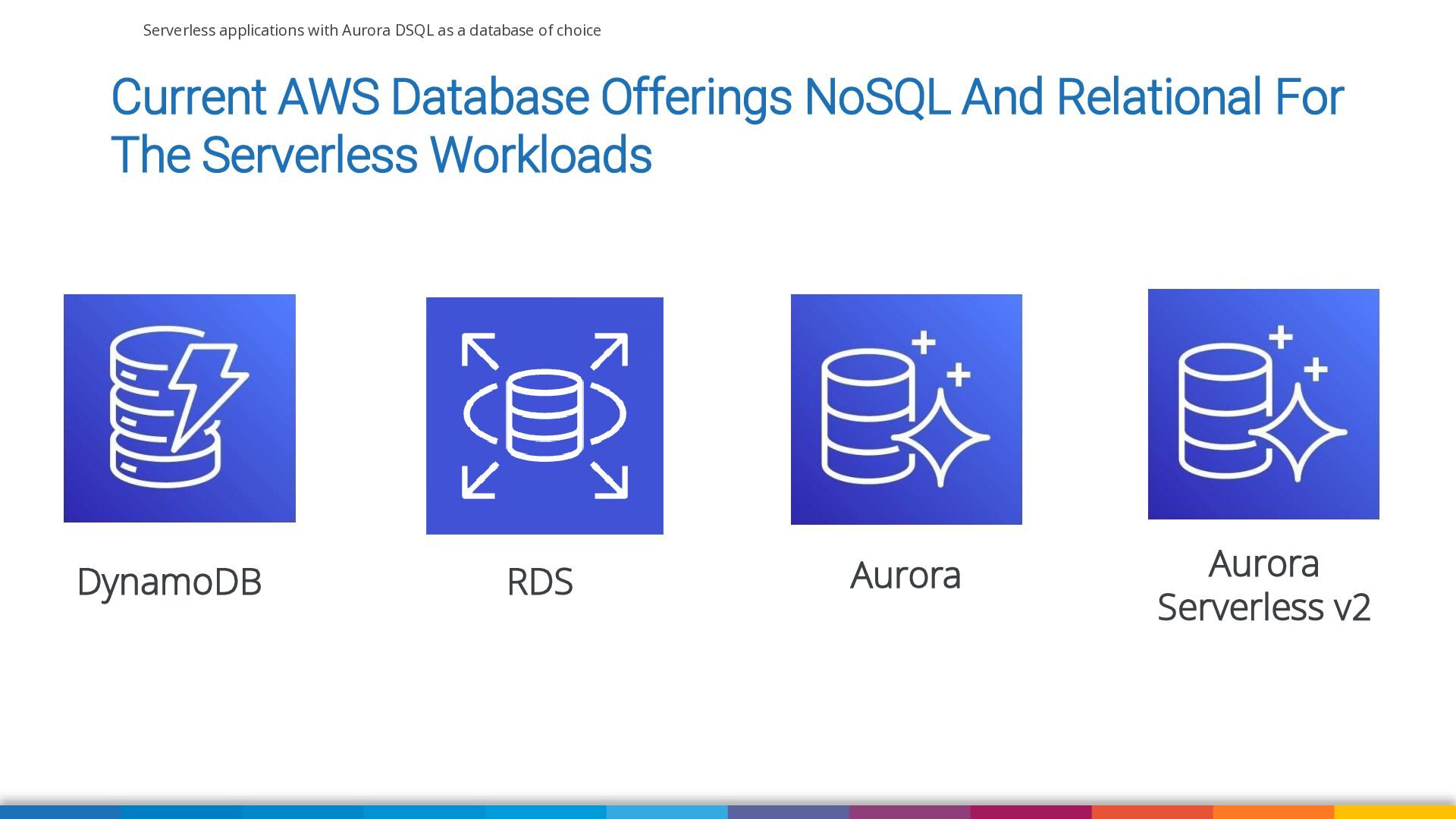
Current AWS Database Offerings NoSQL And Relational For The Serverless Workloads DynamoDB RDS Aurora Aurora Serverless v2 -
Serverless applications with Aurora DSQL as a database of choice
Strengths and weaknesses of these Amazon databases when using in the Serverless architectures (especially connecting from AWS Lambda) -
Serverless applications with Aurora DSQL as a database of choice
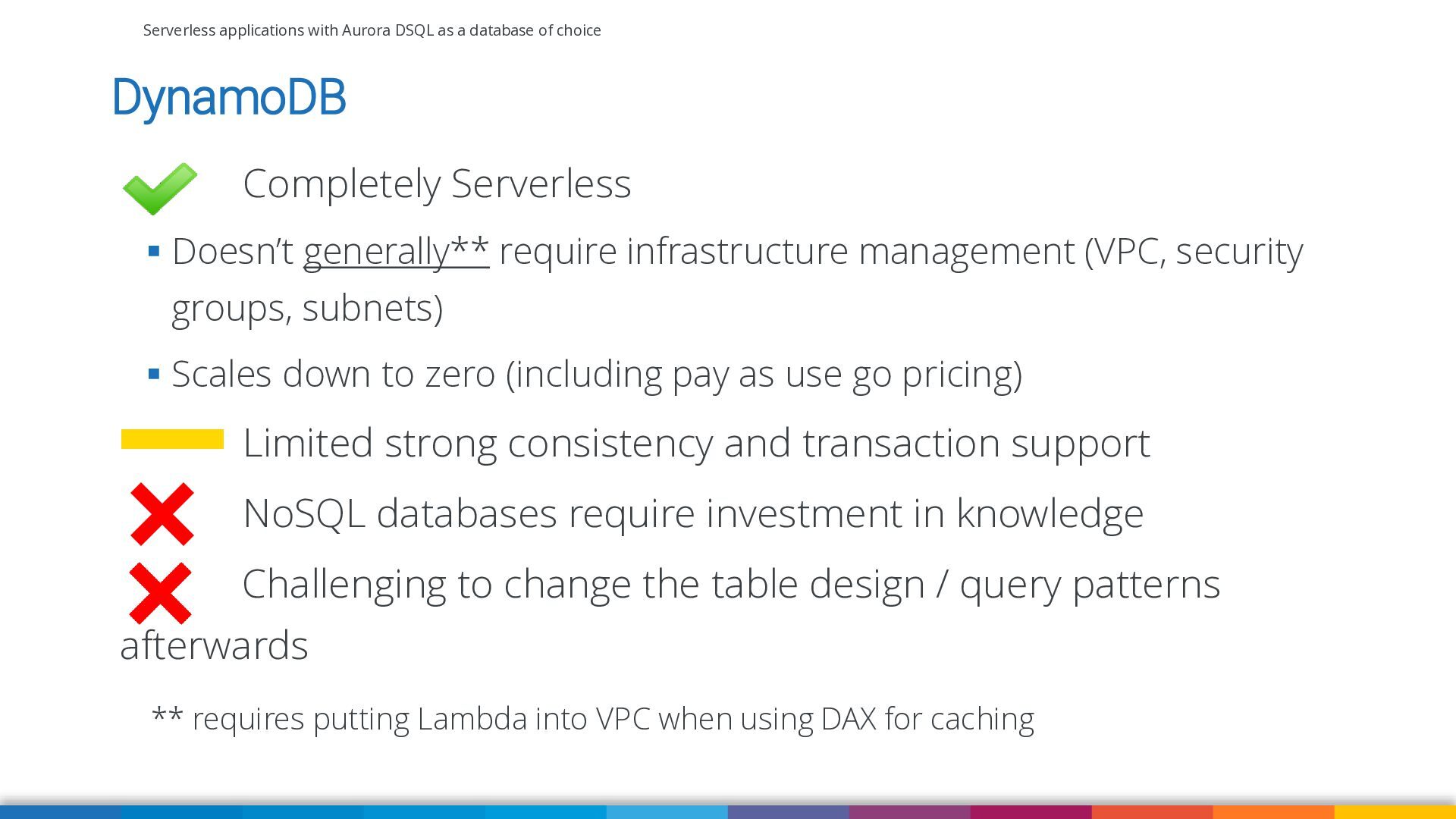
DynamoDB Completely Serverless ▪ Doesn’t generally** require infrastructure management (VPC, security groups, subnets) ▪ Scales down to zero (including pay as use go pricing) Limited strong consistency and transaction support NoSQL databases require investment in knowledge Challenging to change the table design / query patterns afterwards ** requires putting Lambda into VPC when using DAX for caching -
Serverless applications with Aurora DSQL as a database of choice
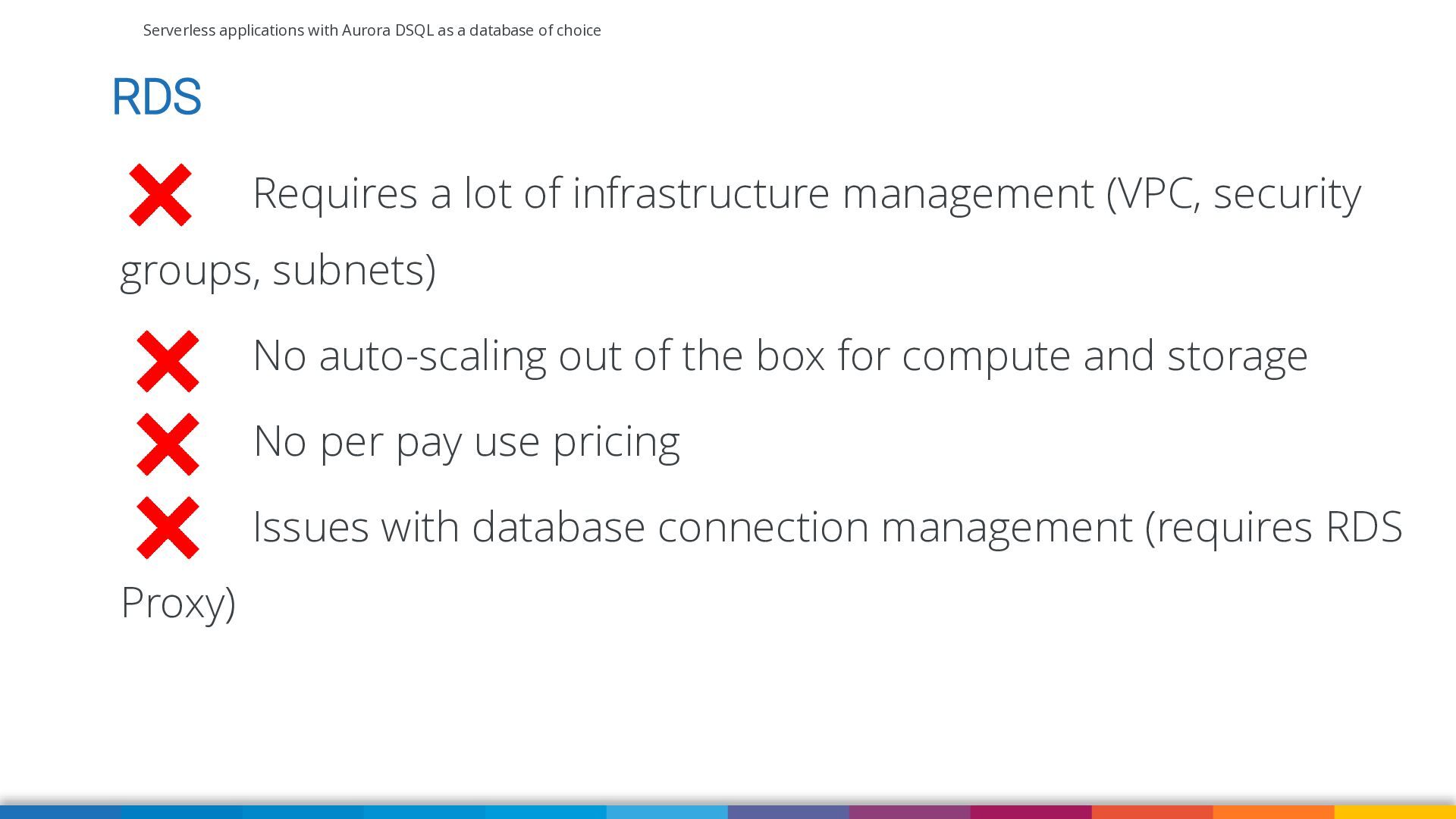
RDS Requires a lot of infrastructure management (VPC, security groups, subnets) No auto-scaling out of the box for compute and storage No per pay use pricing Issues with database connection management (requires RDS Proxy) -
Serverless applications with Aurora DSQL as a database of choice
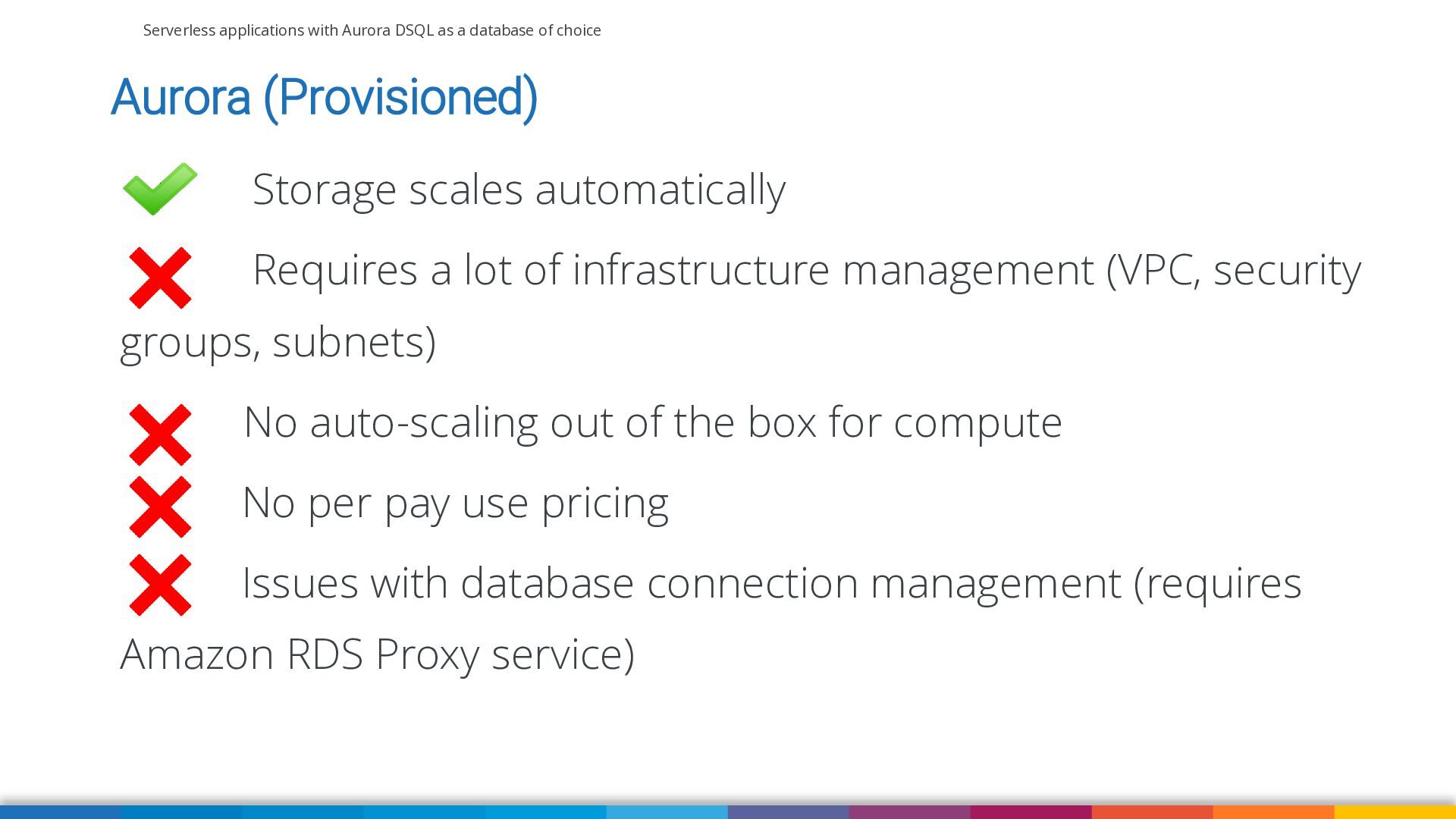
Aurora (Provisioned) Storage scales automatically Requires a lot of infrastructure management (VPC, security groups, subnets) No auto-scaling out of the box for compute No per pay use pricing Issues with database connection management (requires Amazon RDS Proxy service) -
Serverless applications with Aurora DSQL as a database of choice
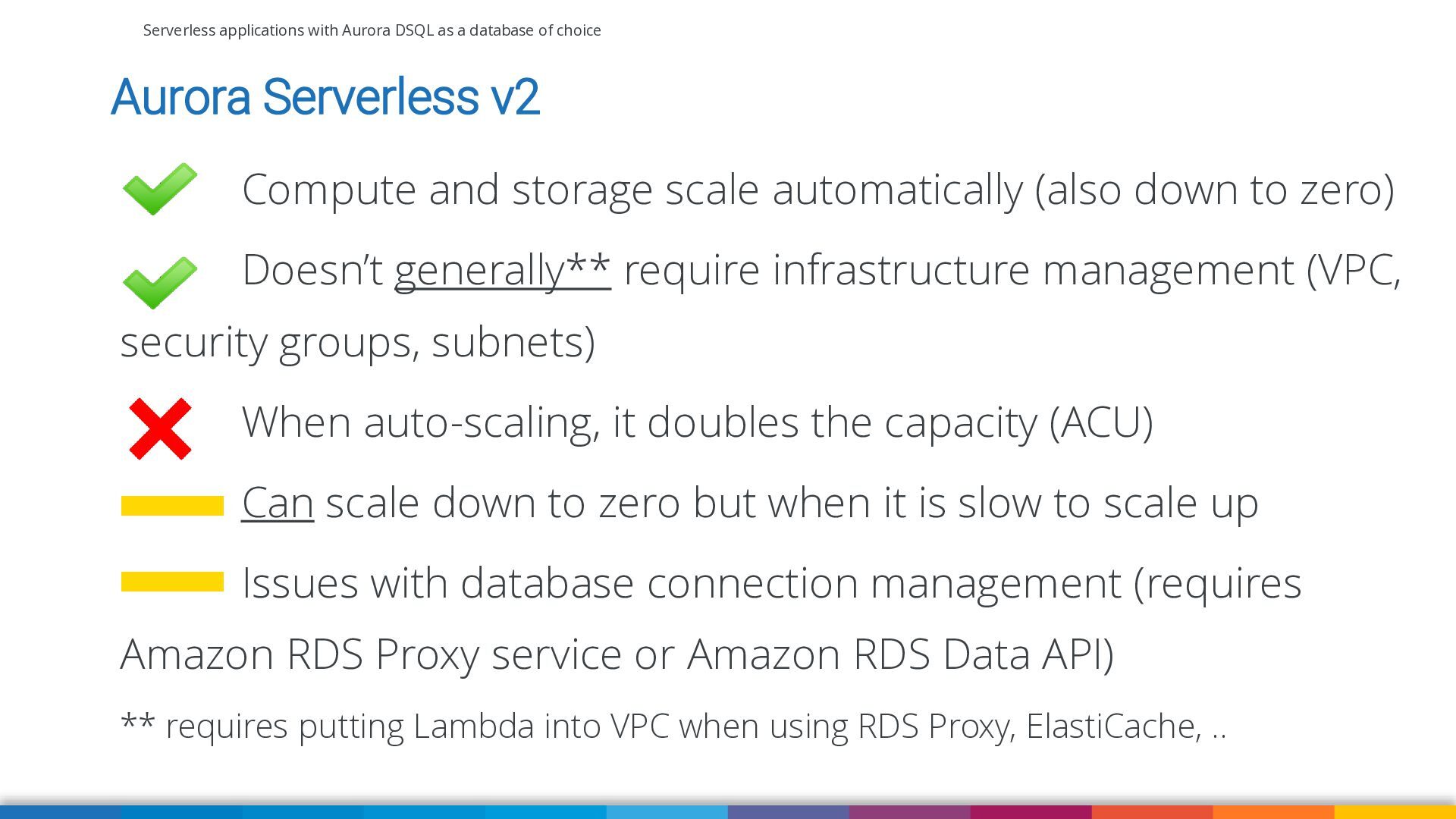
Aurora Serverless v2 Compute and storage scale automatically (also down to zero) Doesn’t generally** require infrastructure management (VPC, security groups, subnets) When auto-scaling, it doubles the capacity (ACU) Can scale down to zero but when it is slow to scale up Issues with database connection management (requires Amazon RDS Proxy service or Amazon RDS Data API) ** requires putting Lambda into VPC when using RDS Proxy, ElastiCache, .. -
Serverless applications with Aurora DSQL as a database of choice
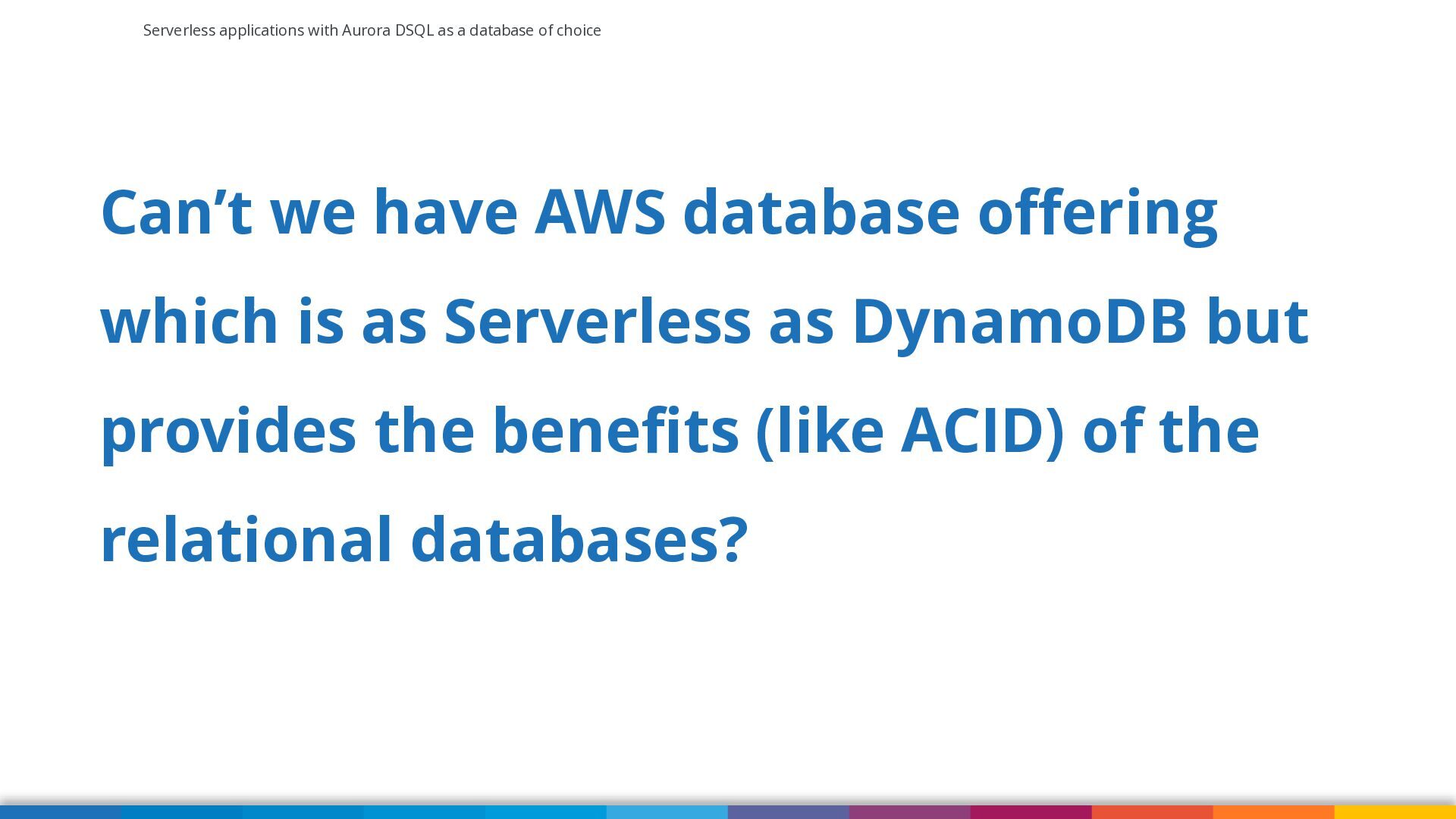
Can’t we have AWS database offering which is as Serverless as DynamoDB but provides the benefits (like ACID) of the relational databases? -
Serverless applications with Aurora DSQL as a database of choice
Introducing Aurora DSQL https://aws.amazon.com/rds/aurora/dsql/?nc1=h_ls -
Serverless applications with Aurora DSQL as a database of choice
What Is Aurora DSQL? ▪ Aurora DSQL is a serverless, distributed relational database service optimized for transactional workloads ▪ Aurora DSQL offers virtually unlimited scale and doesn't require you to manage infrastructure ▪ The active-active highly available architecture ▪ Strongly consistent at any scale and in multi-region configuration https://docs.aws.amazon.com/aurora-dsql/latest/userguide/what-is-aurora-dsql.html -
Serverless applications with Aurora DSQL as a database of choice
When To Use Aurora DSQL? ▪ Aurora DSQL is optimized for transactional workloads that benefit from ACID transactions and a relational data model. ▪ Because it's serverless, Aurora DSQL is ideal for application patterns of microservice, serverless, and event-driven architectures. ▪ Aurora DSQL is PostgreSQL-compatible, so you can use familiar drivers, object-relational mappings (ORMs), frameworks, SQL features and tools (like PSQL and DBeaver). https://docs.aws.amazon.com/aurora-dsql/latest/userguide/what-is-aurora-dsql.html -
Serverless applications with Aurora DSQL as a database of choice
Architecture of Aurora DSQL https://brooker.co.za/blog/2024/12/05/inside-dsql-writes.html -
Serverless applications with Aurora DSQL as a database of choice
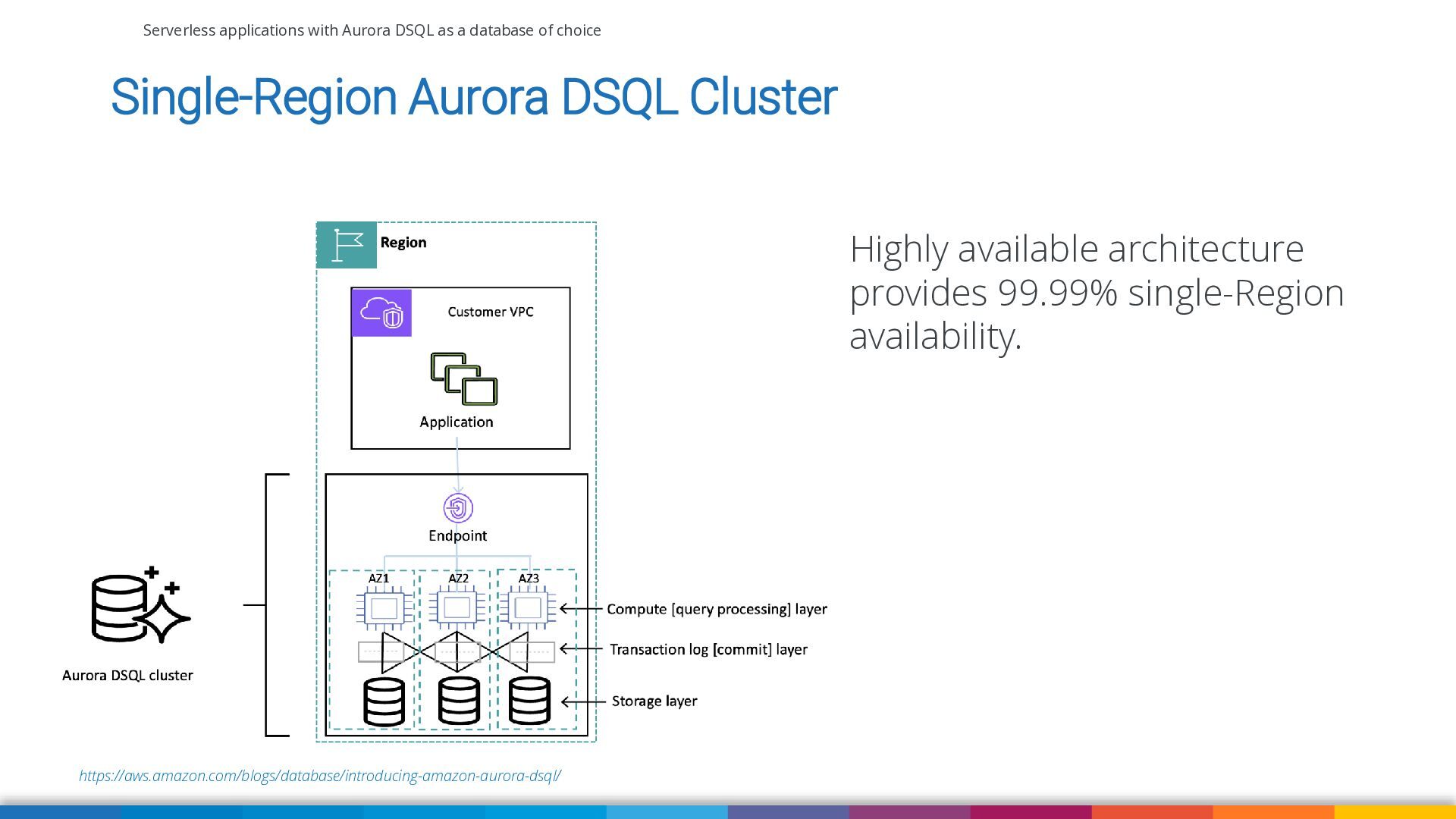
Single-Region Aurora DSQL Cluster Highly available architecture provides 99.99% single-Region availability. https://aws.amazon.com/blogs/database/introducing-amazon-aurora-dsql/ -
Serverless applications with Aurora DSQL as a database of choice
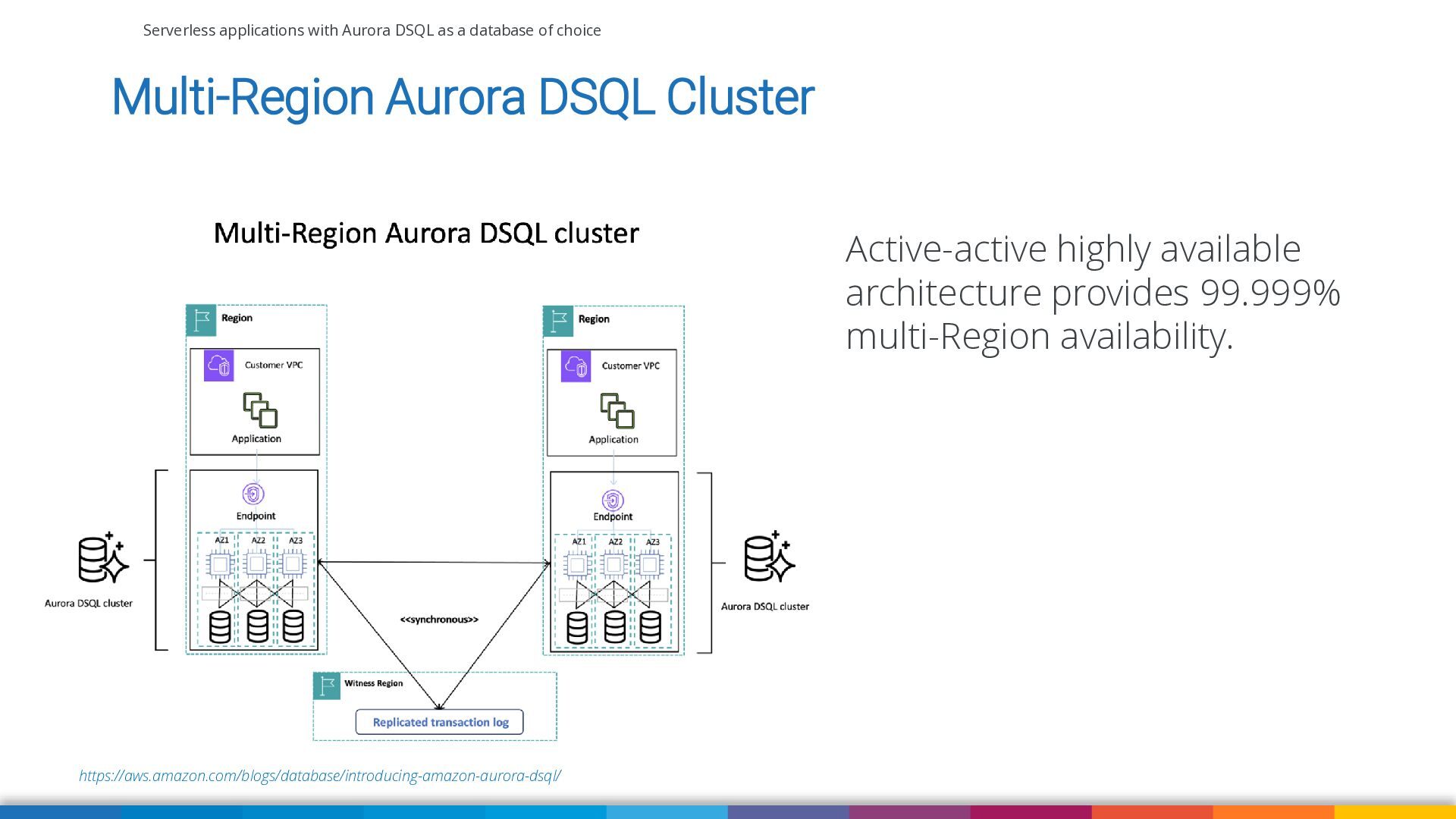
Multi-Region Aurora DSQL Cluster Active-active highly available architecture provides 99.999% multi-Region availability. https://aws.amazon.com/blogs/database/introducing-amazon-aurora-dsql/ -
Serverless applications with Aurora DSQL as a database of choice
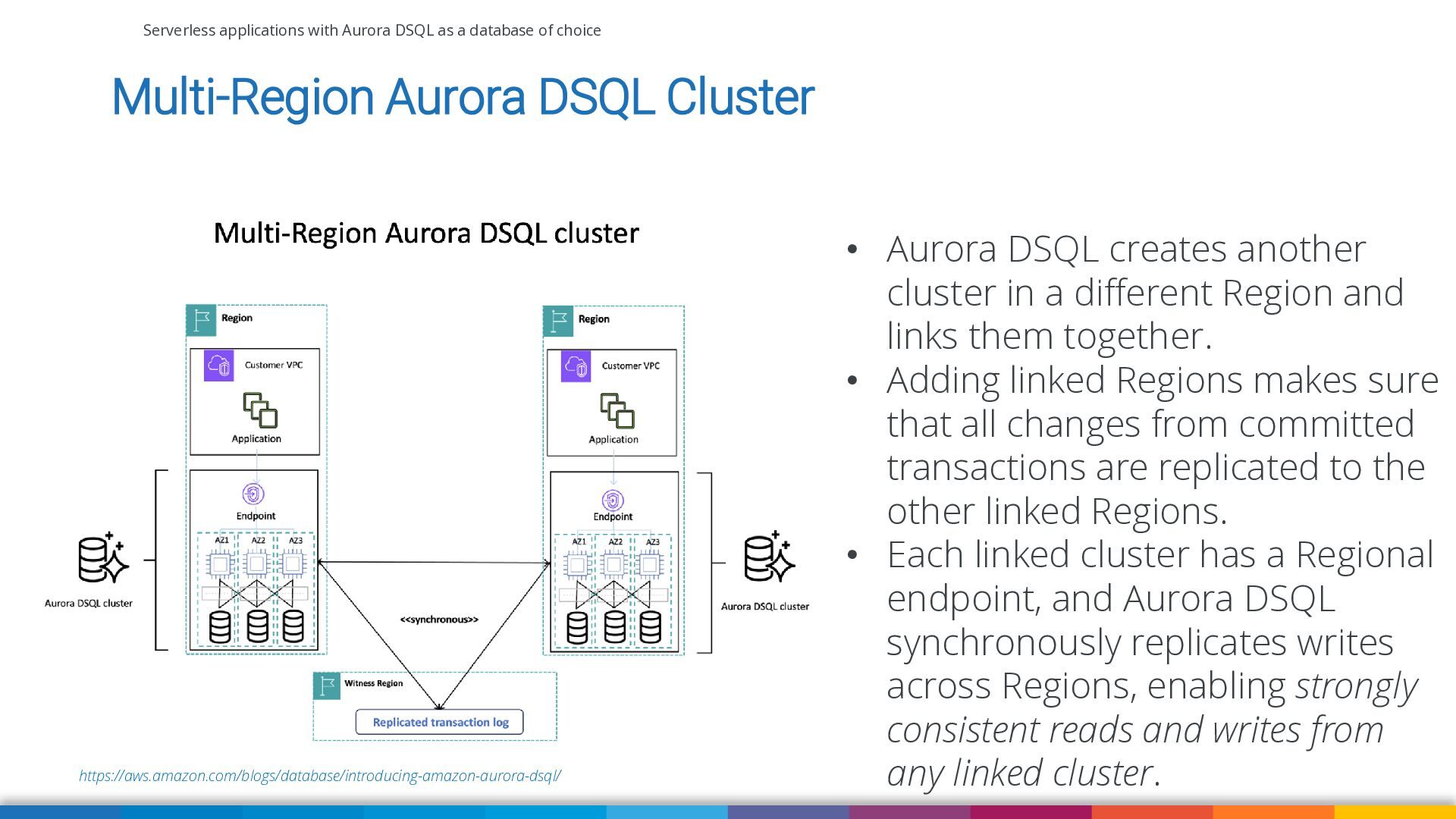
Multi-Region Aurora DSQL Cluster https://aws.amazon.com/blogs/database/introducing-amazon-aurora-dsql/ • Aurora DSQL creates another cluster in a different Region and links them together. • Adding linked Regions makes sure that all changes from committed transactions are replicated to the other linked Regions. • Each linked cluster has a Regional endpoint, and Aurora DSQL synchronously replicates writes across Regions, enabling strongly consistent reads and writes from any linked cluster. -
Serverless applications with Aurora DSQL as a database of choice
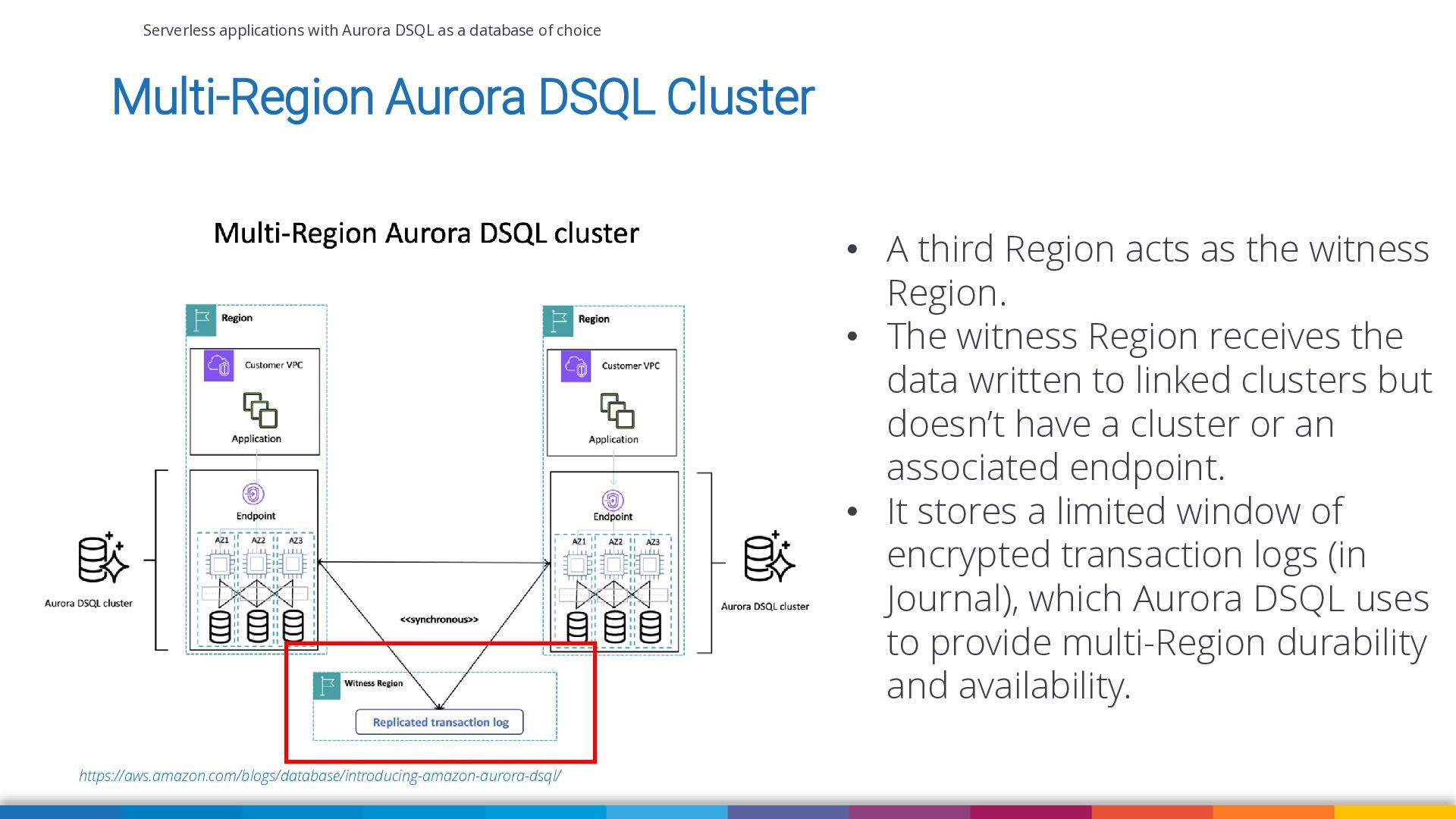
Multi-Region Aurora DSQL Cluster • A third Region acts as the witness Region. • The witness Region receives the data written to linked clusters but doesn’t have a cluster or an associated endpoint. • It stores a limited window of encrypted transaction logs (in Journal), which Aurora DSQL uses to provide multi-Region durability and availability. https://aws.amazon.com/blogs/database/introducing-amazon-aurora-dsql/ -
Serverless applications with Aurora DSQL as a database of choice
Aurora DSQL Optimistic Concurrency Control (OCC) ▪ OCC is a concurrency control method that assumes conflicts between transactions are rare and avoids using locks to manage access to data. ▪ Instead, it allows transactions to proceed without locking, and checks for conflicts only at the time of commit. ▪ Snapshot isolation used in Aurora DSQL (equivalent to PostgreSQL’s REPEATABLE READ) is a form of OCC that provides each transaction with a consistent snapshot of the database at the time the transaction started. ▪ If a conflict is detected the transaction is rolled back but can be retried. ▪ At snapshot isolation level, OCC aborts will only occur when two or more concurrent transactions attempt to write the same keys. https://brooker.co.za/blog/2024/12/05/inside-dsql-writes.html -
Serverless applications with Aurora DSQL as a database of choice
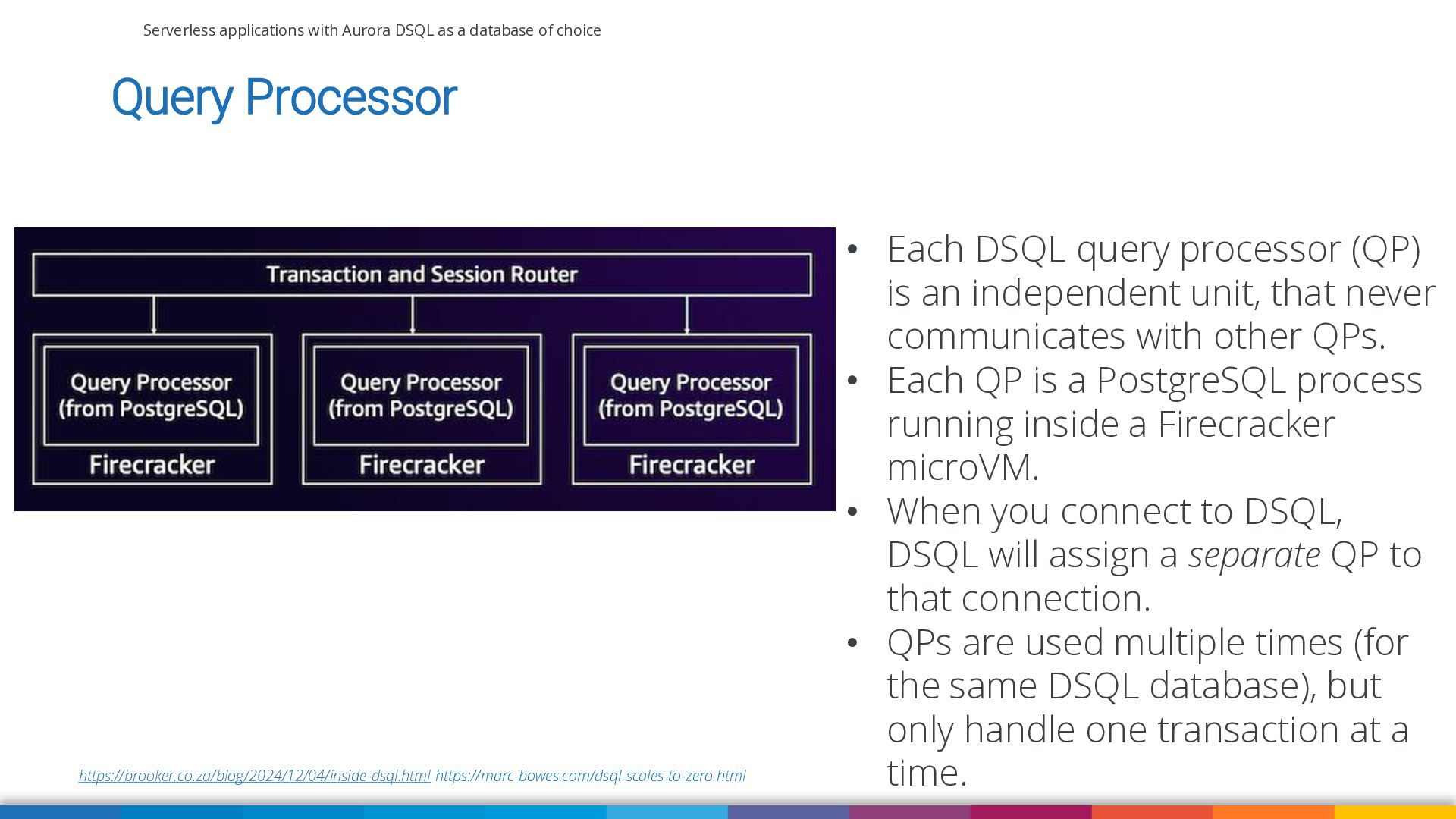
Query Processor https://brooker.co.za/blog/2024/12/04/inside-dsql.html https://marc-bowes.com/dsql-scales-to-zero.html • Each DSQL query processor (QP) is an independent unit, that never communicates with other QPs. • Each QP is a PostgreSQL process running inside a Firecracker microVM. • When you connect to DSQL, DSQL will assign a separate QP to that connection. • QPs are used multiple times (for the same DSQL database), but only handle one transaction at a time. -
Serverless applications with Aurora DSQL as a database of choice
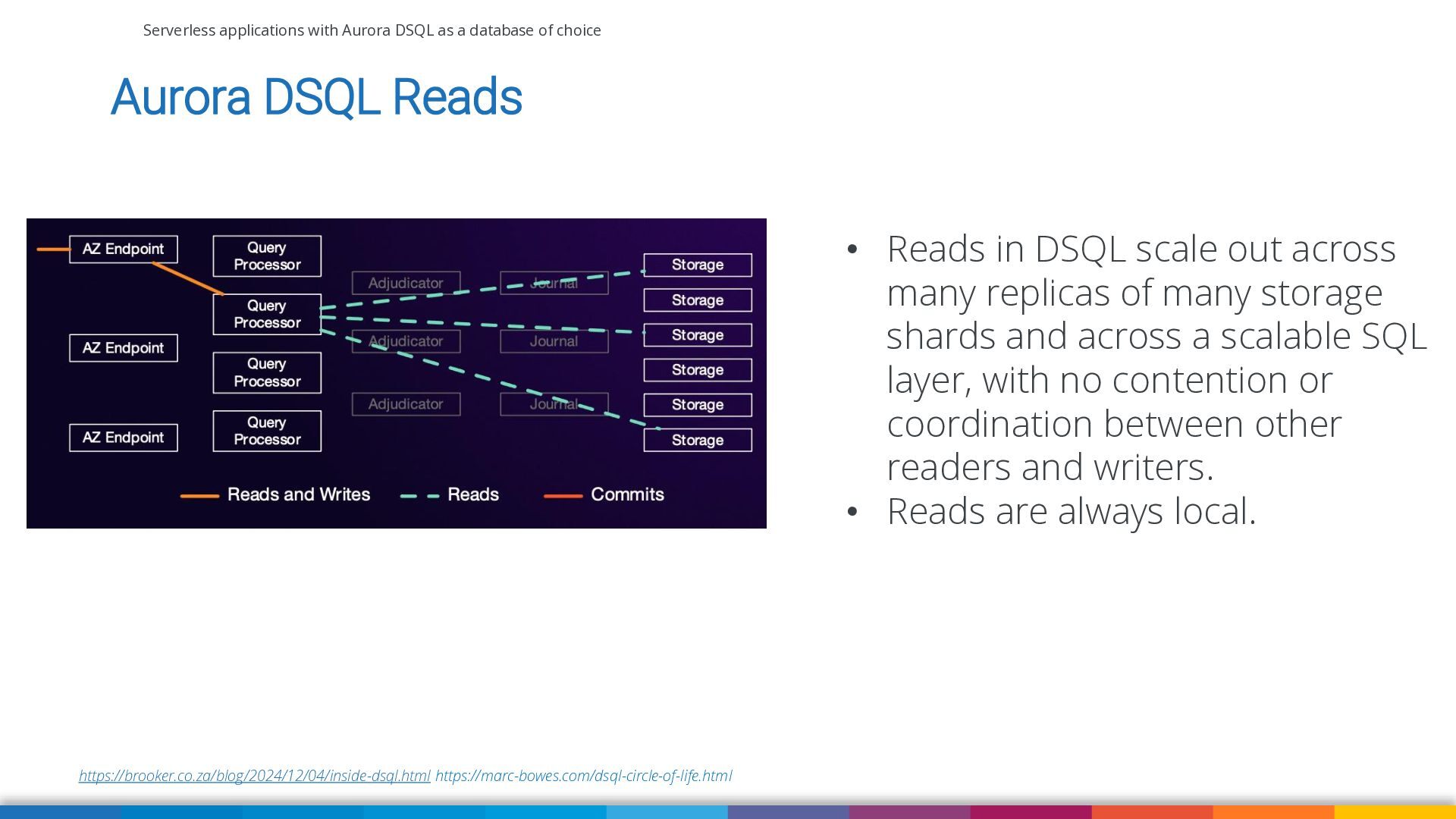
Aurora DSQL Reads • Reads in DSQL scale out across many replicas of many storage shards and across a scalable SQL layer, with no contention or coordination between other readers and writers. • Reads are always local. https://brooker.co.za/blog/2024/12/04/inside-dsql.html https://marc-bowes.com/dsql-circle-of-life.html -
Serverless applications with Aurora DSQL as a database of choice
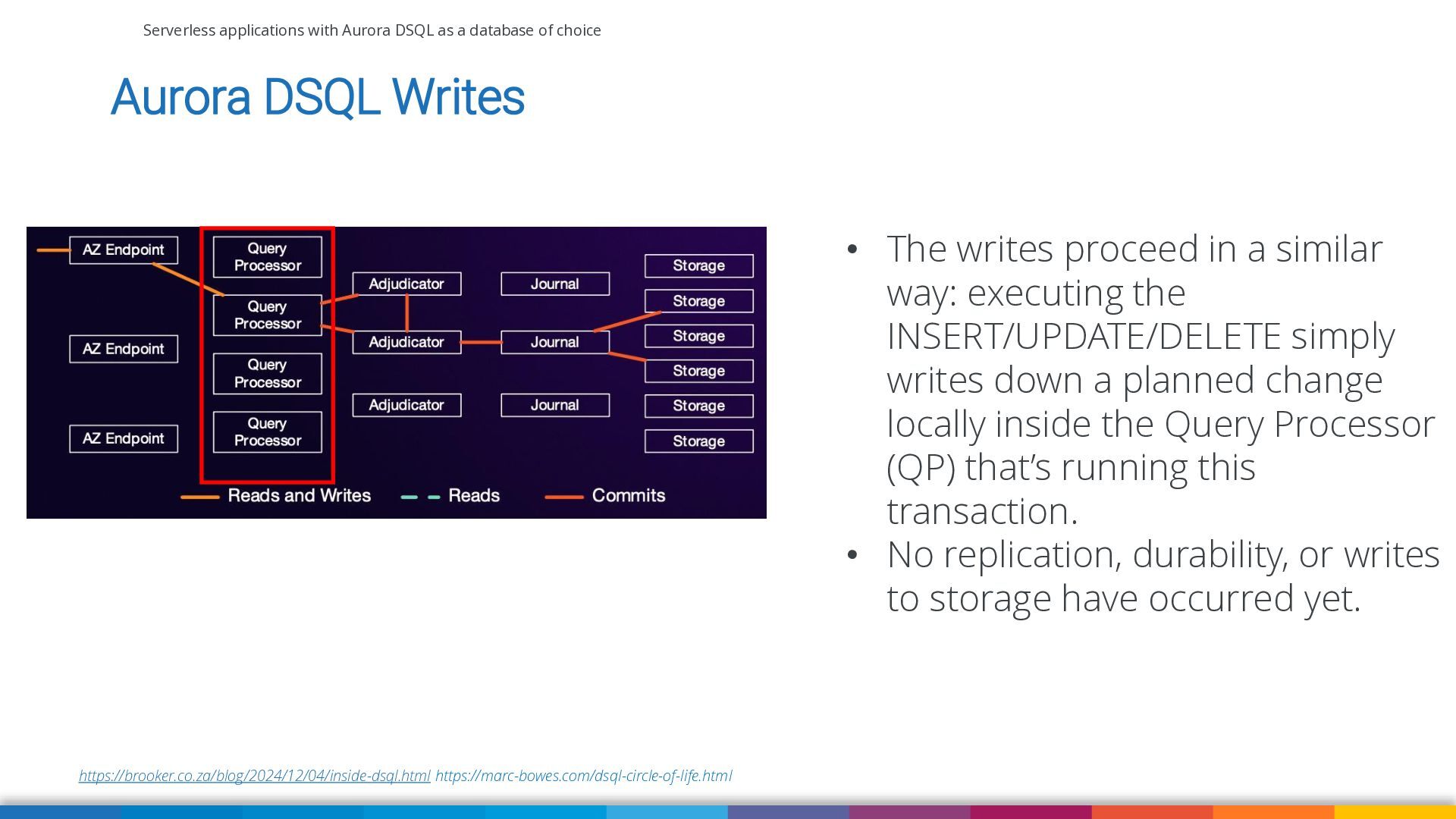
Aurora DSQL Writes • The writes proceed in a similar way: executing the INSERT/UPDATE/DELETE simply writes down a planned change locally inside the Query Processor (QP) that’s running this transaction. • No replication, durability, or writes to storage have occurred yet. https://brooker.co.za/blog/2024/12/04/inside-dsql.html https://marc-bowes.com/dsql-circle-of-life.html -
Serverless applications with Aurora DSQL as a database of choice
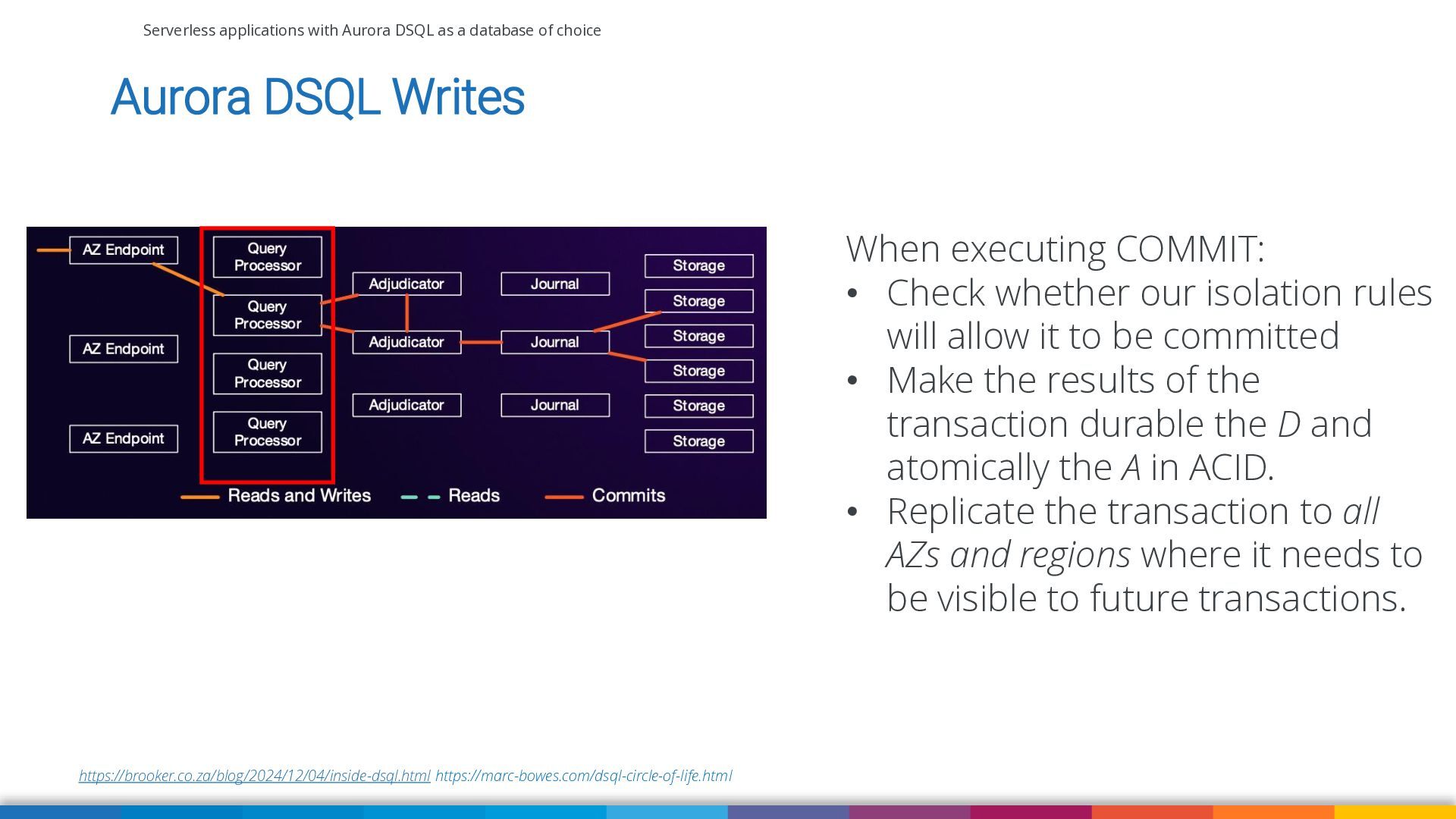
Aurora DSQL Writes When executing COMMIT: • Check whether our isolation rules will allow it to be committed • Make the results of the transaction durable the D and atomically the A in ACID. • Replicate the transaction to all AZs and regions where it needs to be visible to future transactions. https://brooker.co.za/blog/2024/12/04/inside-dsql.html https://marc-bowes.com/dsql-circle-of-life.html -
Serverless applications with Aurora DSQL as a database of choice
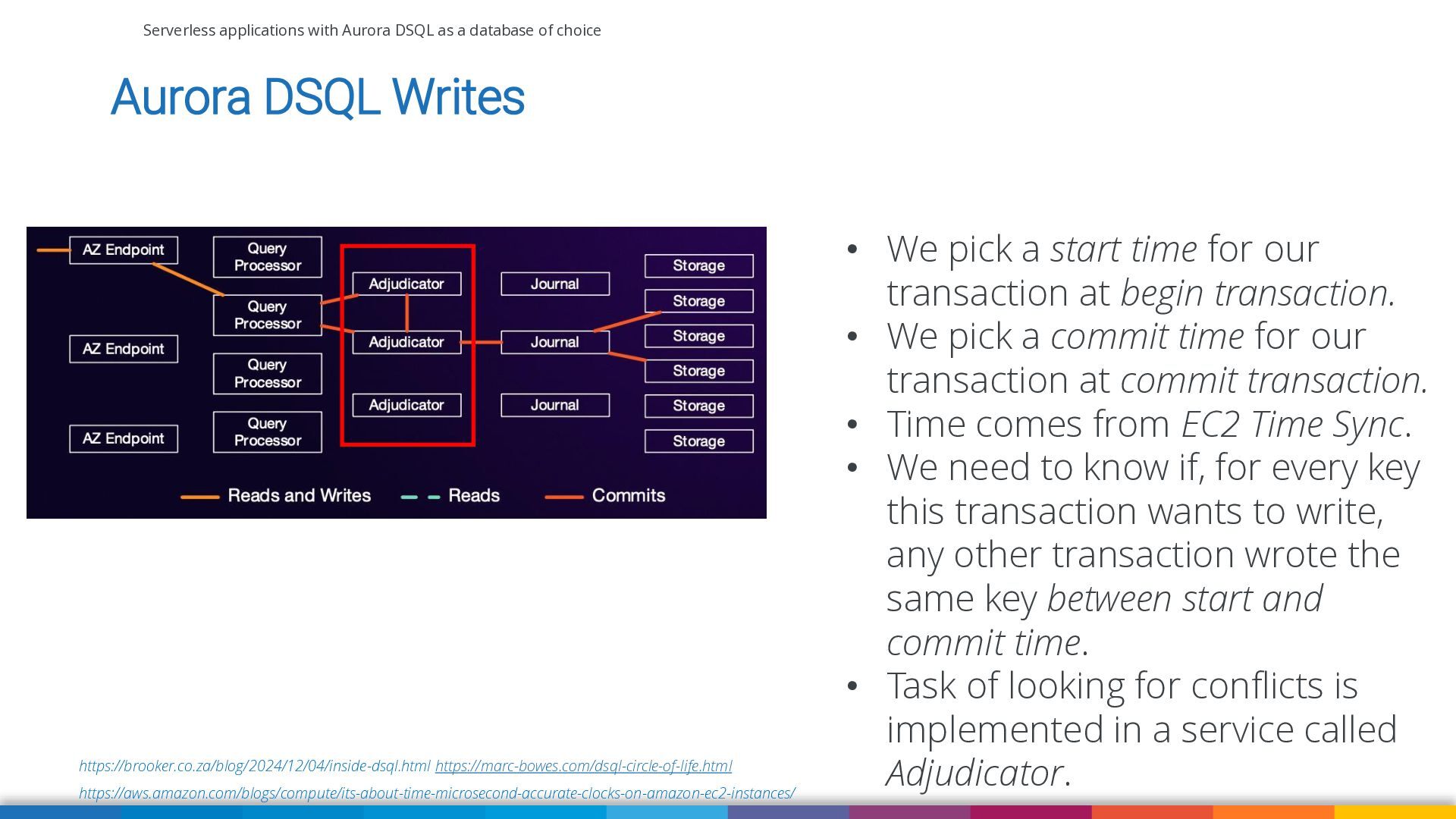
Aurora DSQL Writes https://brooker.co.za/blog/2024/12/04/inside-dsql.html https://marc-bowes.com/dsql-circle-of-life.html https://aws.amazon.com/blogs/compute/its-about-time-microsecond-accurate-clocks-on-amazon-ec2-instances/ • We pick a start time for our transaction at begin transaction. • We pick a commit time for our transaction at commit transaction. • Time comes from EC2 Time Sync. • We need to know if, for every key this transaction wants to write, any other transaction wrote the same key between start and commit time. • Task of looking for conflicts is implemented in a service called Adjudicator. -
Serverless applications with Aurora DSQL as a database of choice
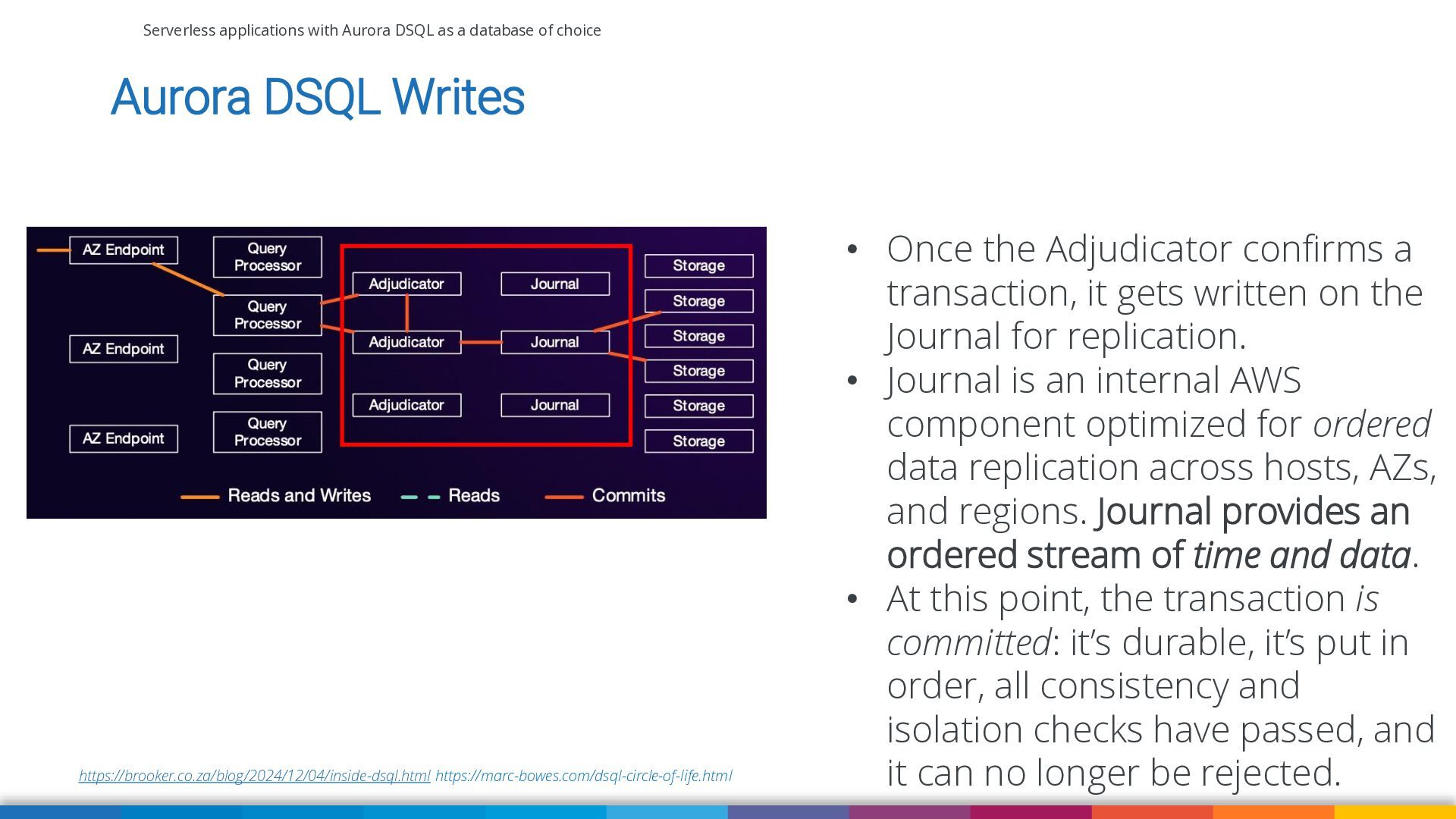
Aurora DSQL Writes https://brooker.co.za/blog/2024/12/04/inside-dsql.html https://marc-bowes.com/dsql-circle-of-life.html • Once the Adjudicator confirms a transaction, it gets written on the Journal for replication. • Journal is an internal AWS component optimized for ordered data replication across hosts, AZs, and regions. Journal provides an ordered stream of time and data. • At this point, the transaction is committed: it’s durable, it’s put in order, all consistency and isolation checks have passed, and it can no longer be rejected. -
Serverless applications with Aurora DSQL as a database of choice
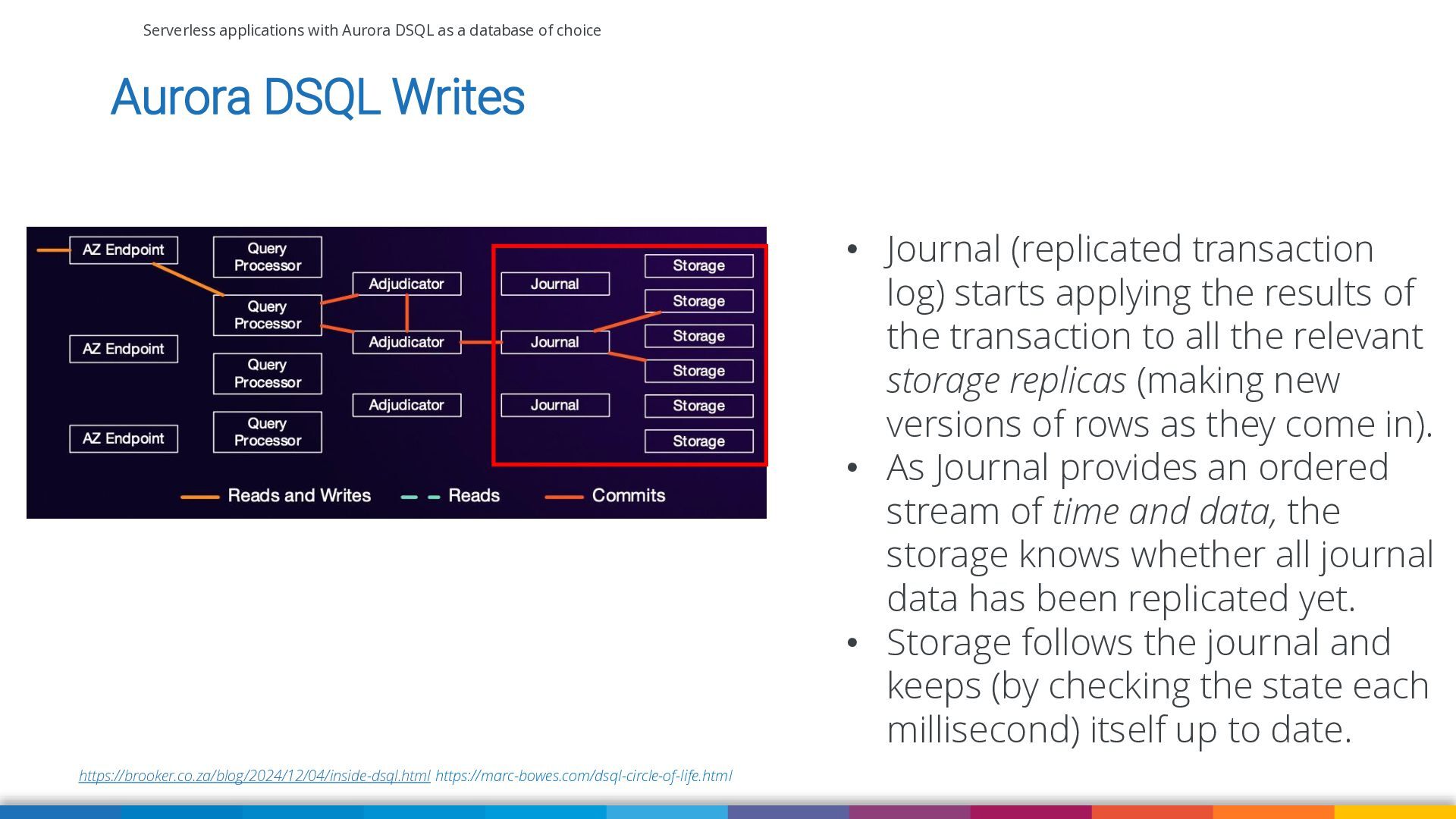
Aurora DSQL Writes • Journal (replicated transaction log) starts applying the results of the transaction to all the relevant storage replicas (making new versions of rows as they come in). • As Journal provides an ordered stream of time and data, the storage knows whether all journal data has been replicated yet. • Storage follows the journal and keeps (by checking the state each millisecond) itself up to date. https://brooker.co.za/blog/2024/12/04/inside-dsql.html https://marc-bowes.com/dsql-circle-of-life.html -
Serverless applications with Aurora DSQL as a database of choice
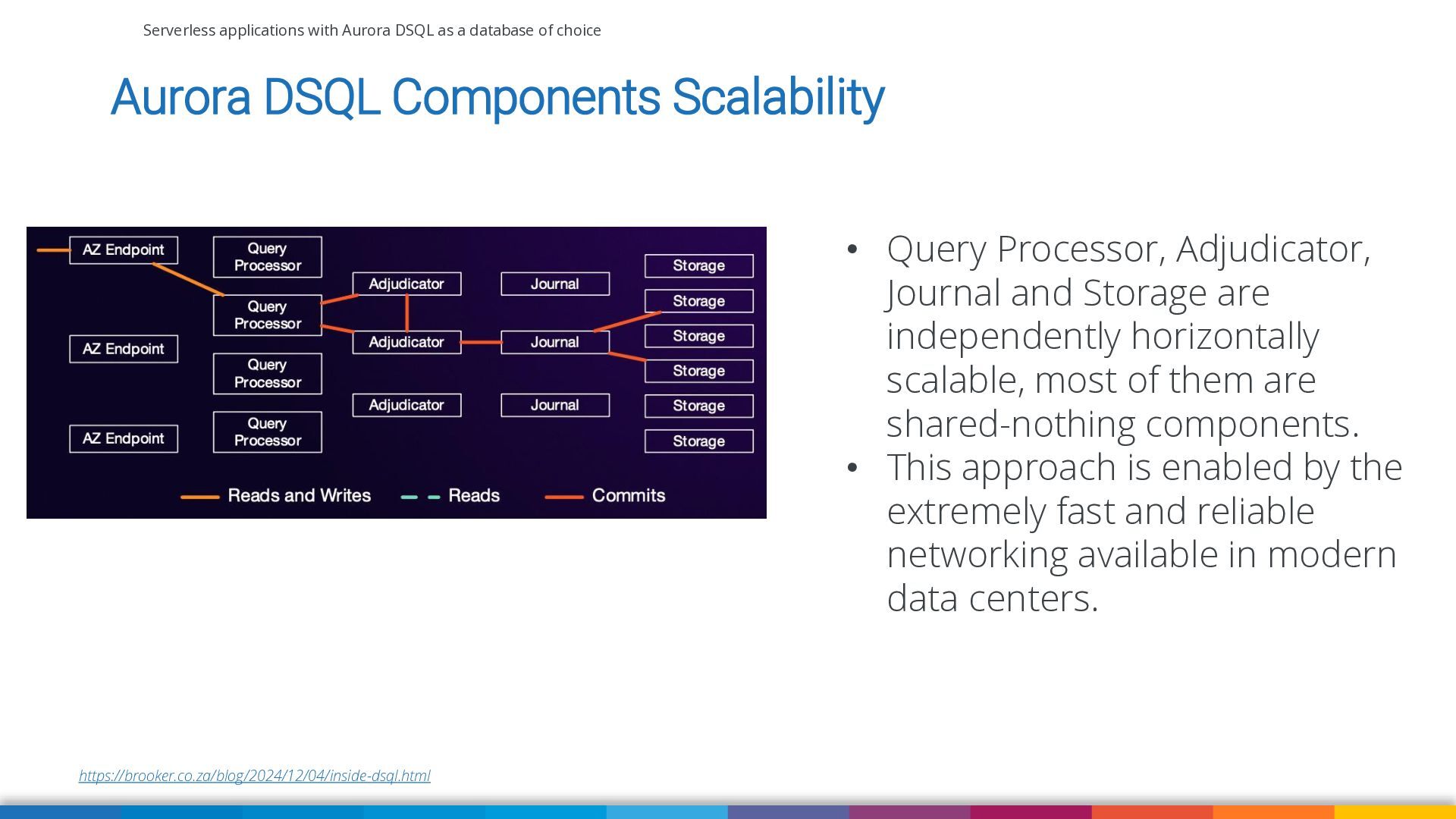
Aurora DSQL Components Scalability • Query Processor, Adjudicator, Journal and Storage are independently horizontally scalable, most of them are shared-nothing components. • This approach is enabled by the extremely fast and reliable networking available in modern data centers. https://brooker.co.za/blog/2024/12/04/inside-dsql.html -
Serverless applications with Aurora DSQL as a database of choice
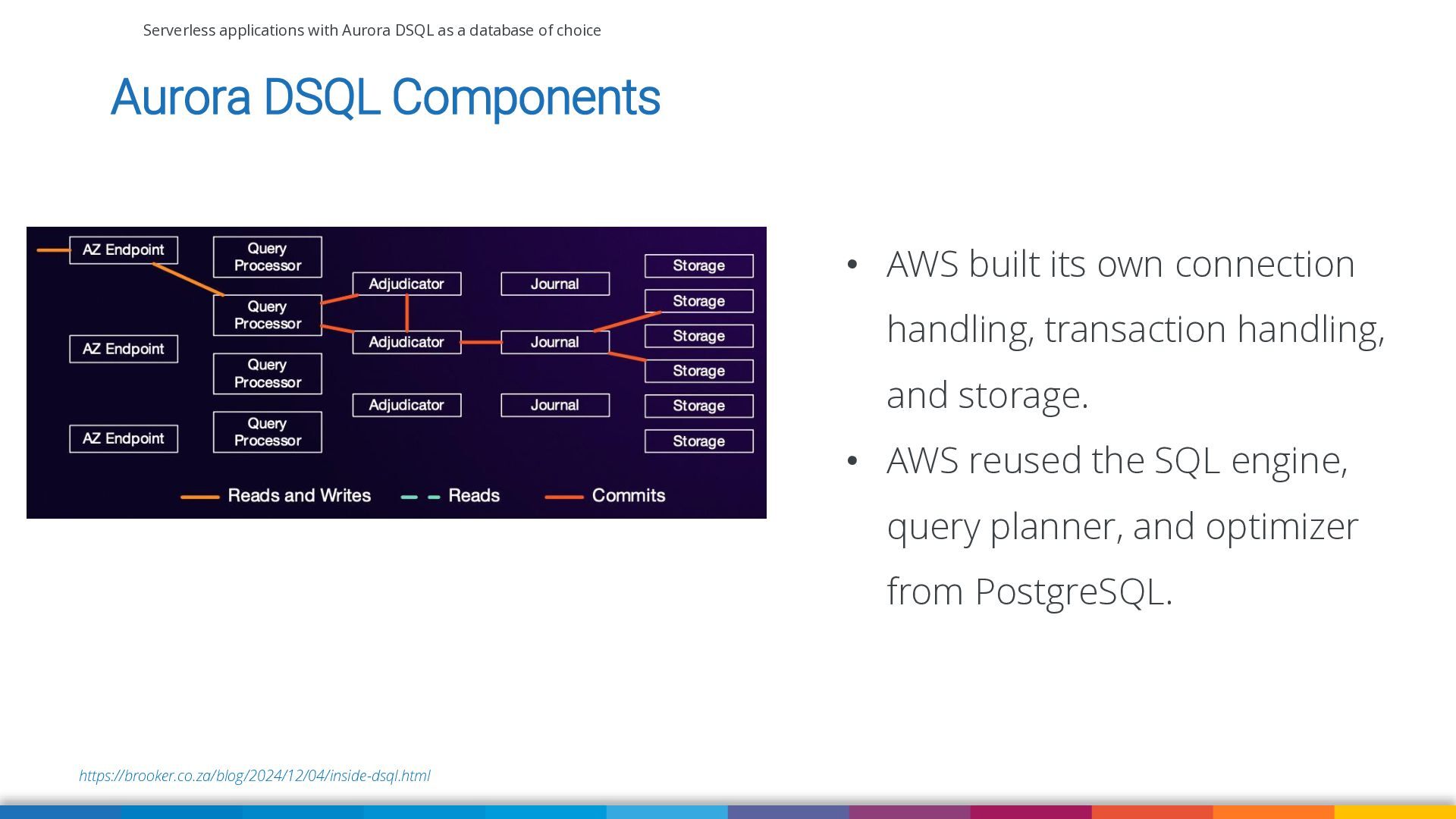
Aurora DSQL Components • AWS built its own connection handling, transaction handling, and storage. • AWS reused the SQL engine, query planner, and optimizer from PostgreSQL. https://brooker.co.za/blog/2024/12/04/inside-dsql.html -
Serverless applications with Aurora DSQL as a database of choice
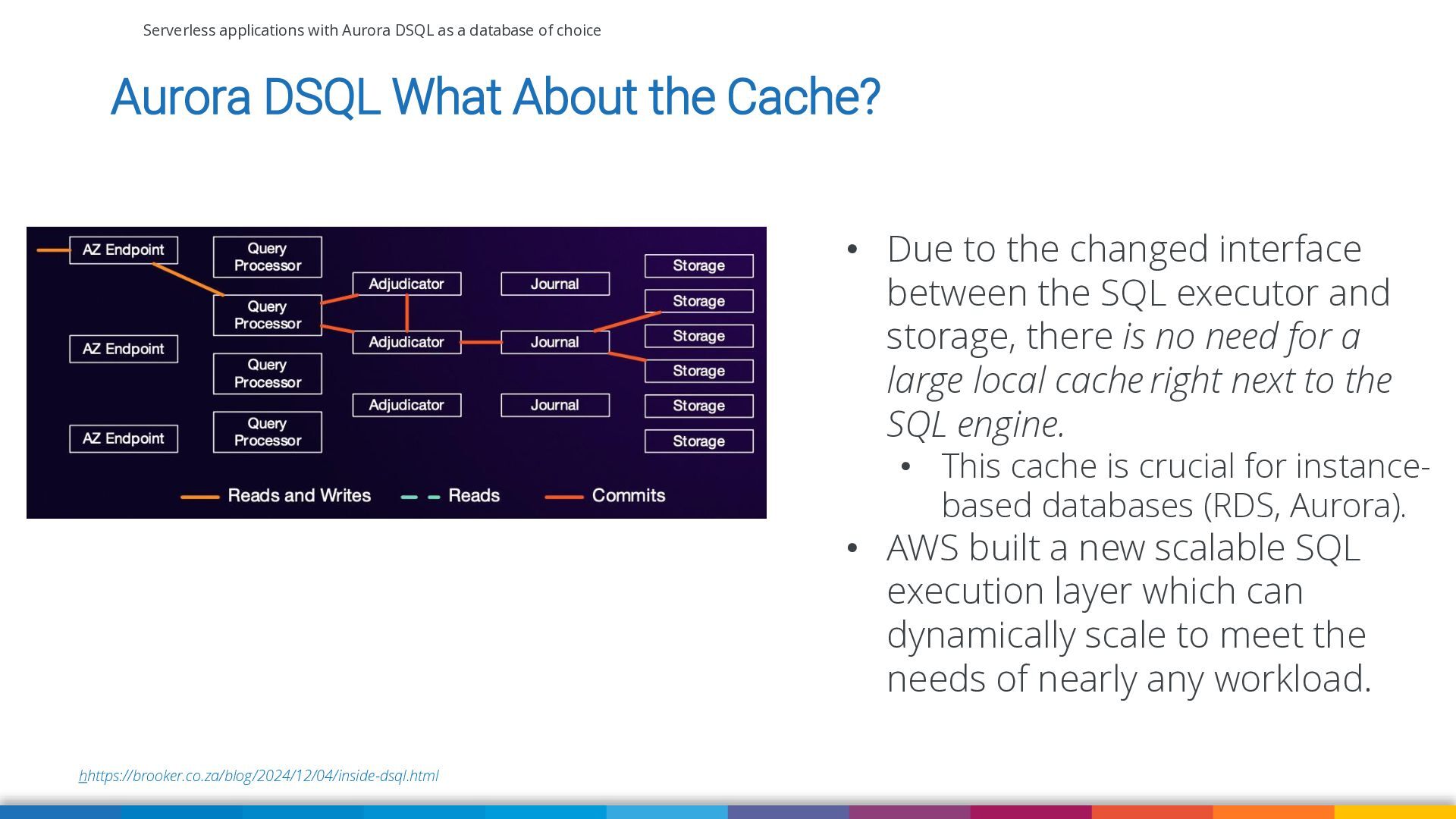
Aurora DSQL What About the Cache? • Due to the changed interface between the SQL executor and storage, there is no need for a large local cache right next to the SQL engine. • This cache is crucial for instancebased databases (RDS, Aurora). • AWS built a new scalable SQL execution layer which can dynamically scale to meet the needs of nearly any workload. hhttps://brooker.co.za/blog/2024/12/04/inside-dsql.html -
Serverless applications with Aurora DSQL as a database of choice
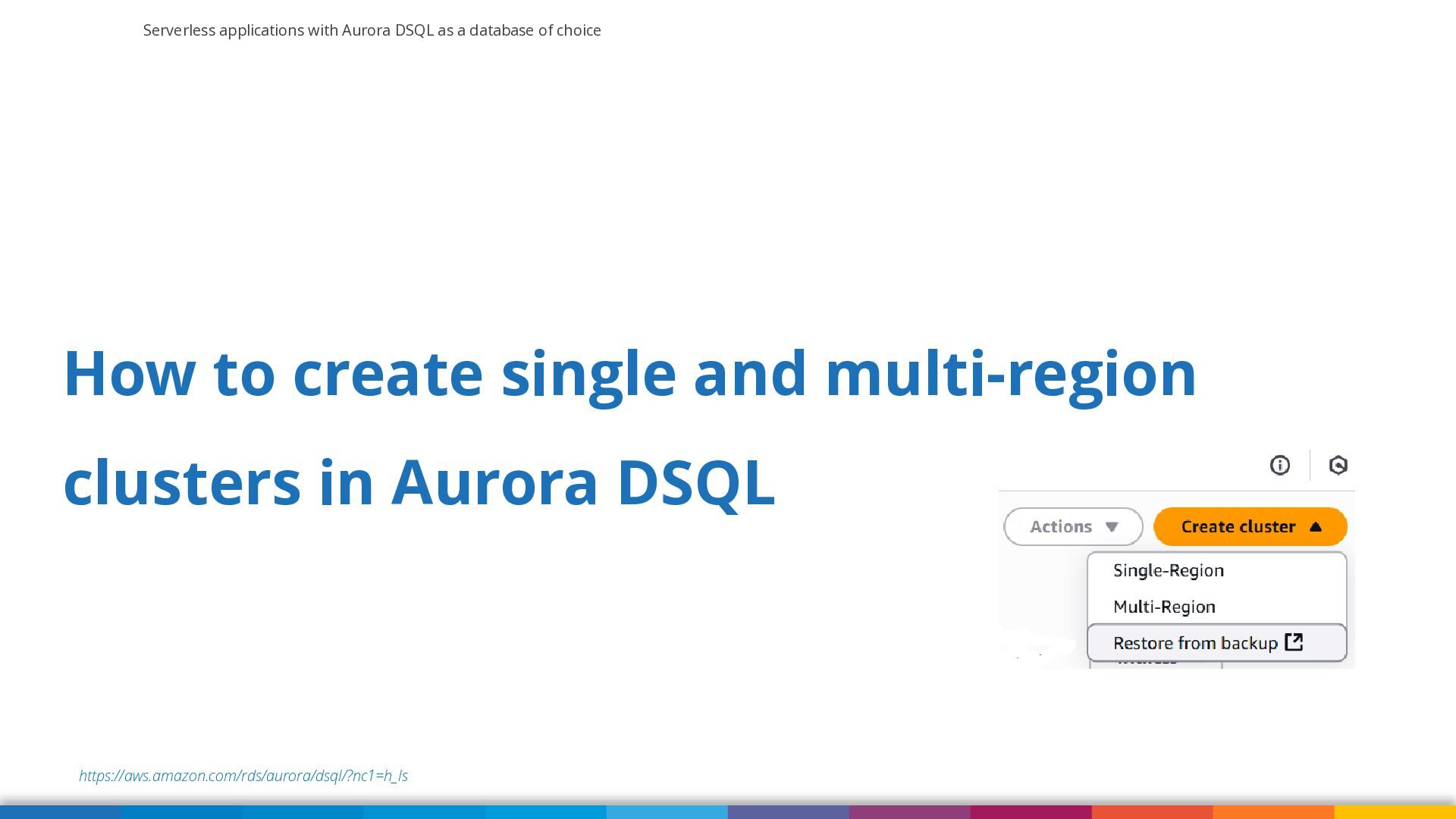
How to create single and multi-region clusters in Aurora DSQL https://aws.amazon.com/rds/aurora/dsql/?nc1=h_ls -
Serverless applications with Aurora DSQL as a database of choice
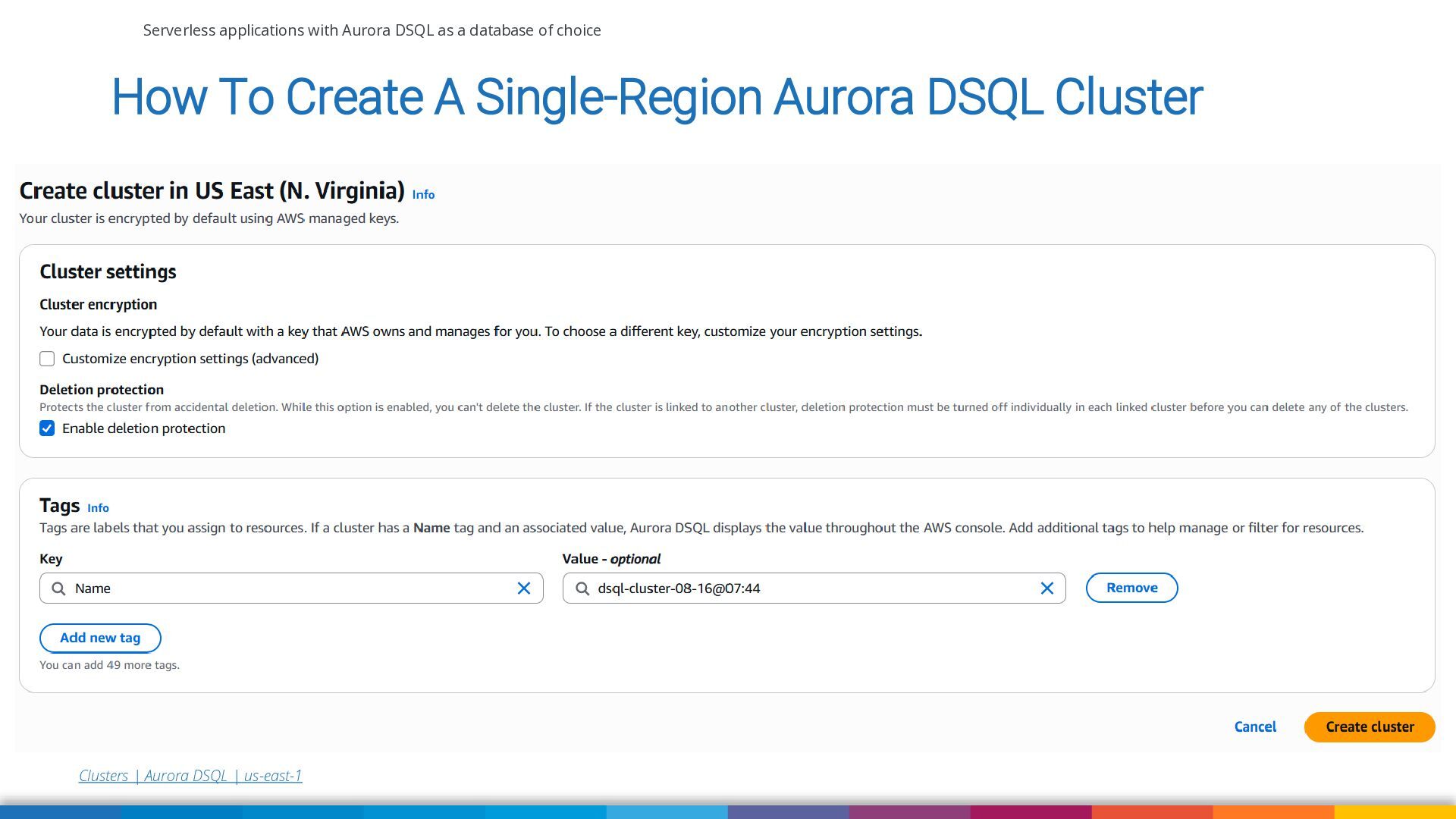
How To Create A Single-Region Aurora DSQL Cluster Clusters | Aurora DSQL | us-east-1 -
Serverless applications with Aurora DSQL as a database of choice
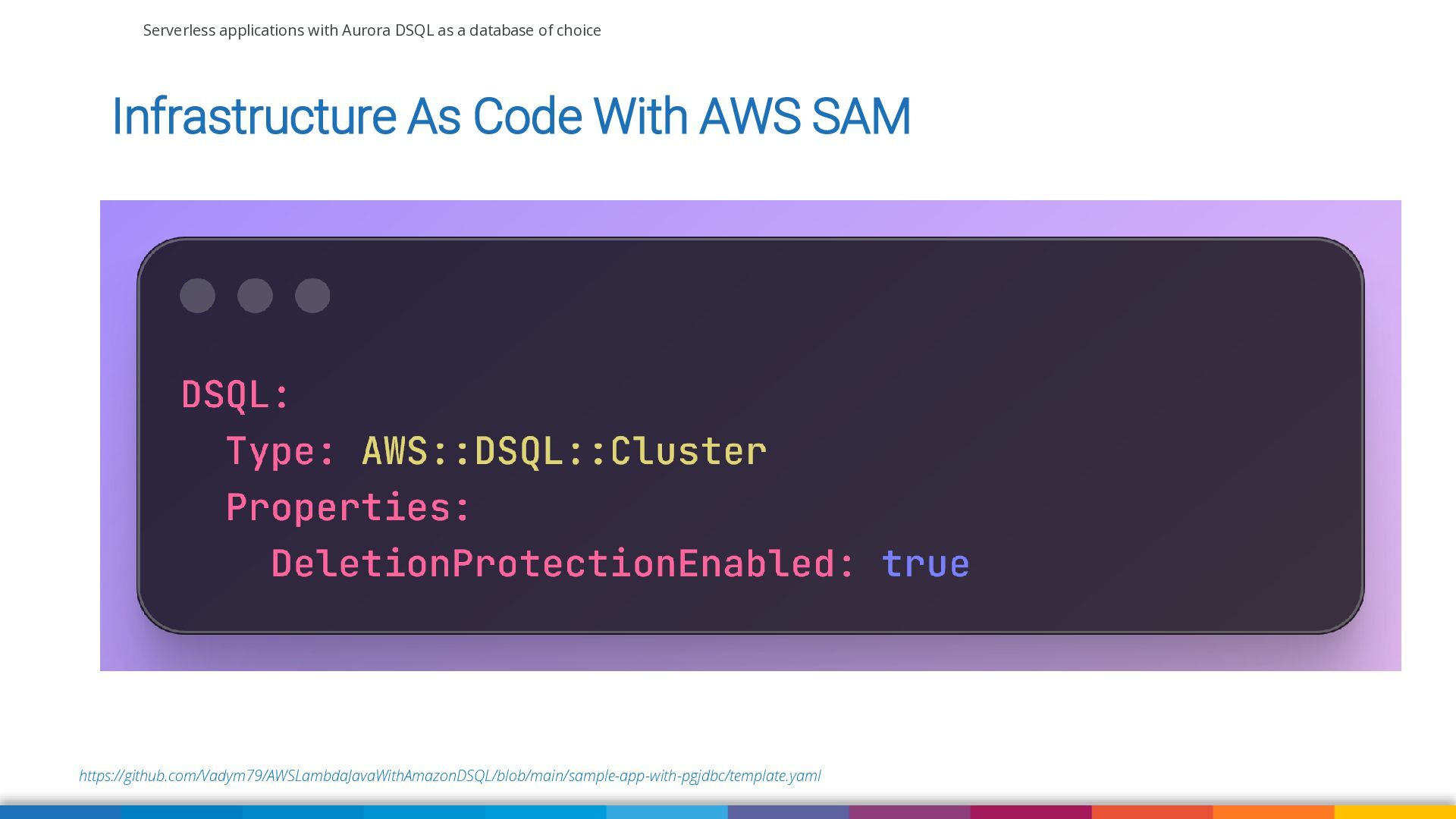
Infrastructure As Code With AWS SAM https://github.com/Vadym79/AWSLambdaJavaWithAmazonDSQL/blob/main/sample-app-with-pgjdbc/template.yaml -
Serverless applications with Aurora DSQL as a database of choice
Authentication in Aurora DSQL https://aws.amazon.com/rds/aurora/dsql/?nc1=h_ls -
Serverless applications with Aurora DSQL as a database of choice
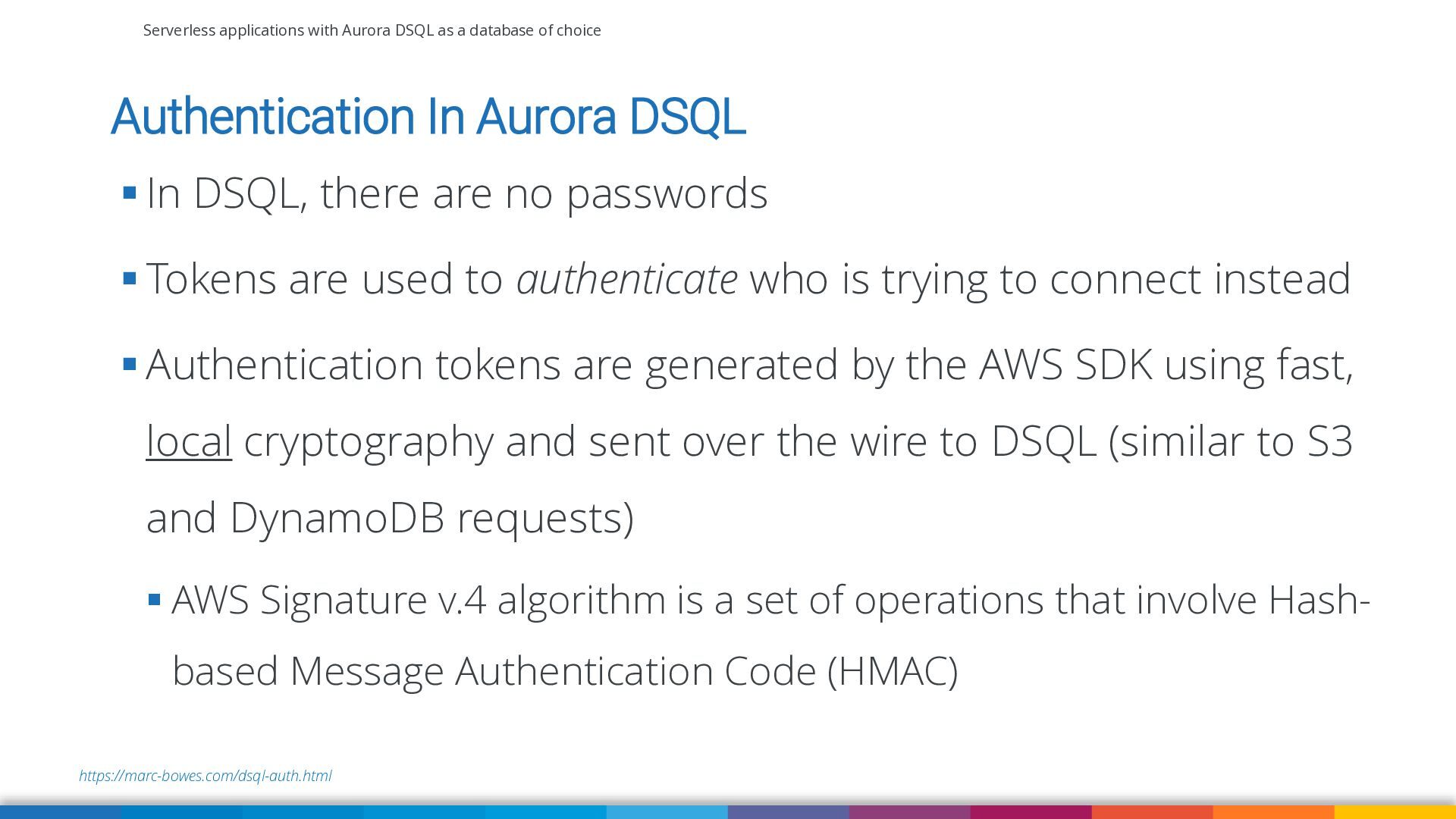
Authentication In Aurora DSQL ▪ In DSQL, there are no passwords ▪ Tokens are used to authenticate who is trying to connect instead ▪ Authentication tokens are generated by the AWS SDK using fast, local cryptography and sent over the wire to DSQL (similar to S3 and DynamoDB requests) ▪ AWS Signature v.4 algorithm is a set of operations that involve Hashbased Message Authentication Code (HMAC) https://marc-bowes.com/dsql-auth.html -
Serverless applications with Aurora DSQL as a database of choice
Code examples of how to connect Aurora DSQL from Lambda https://github.com/Vadym79/AWSLambdaJavaWithAmazonDSQL/tree/main/sample-app-with-pgjdbc -
Serverless applications with Aurora DSQL as a database of choice
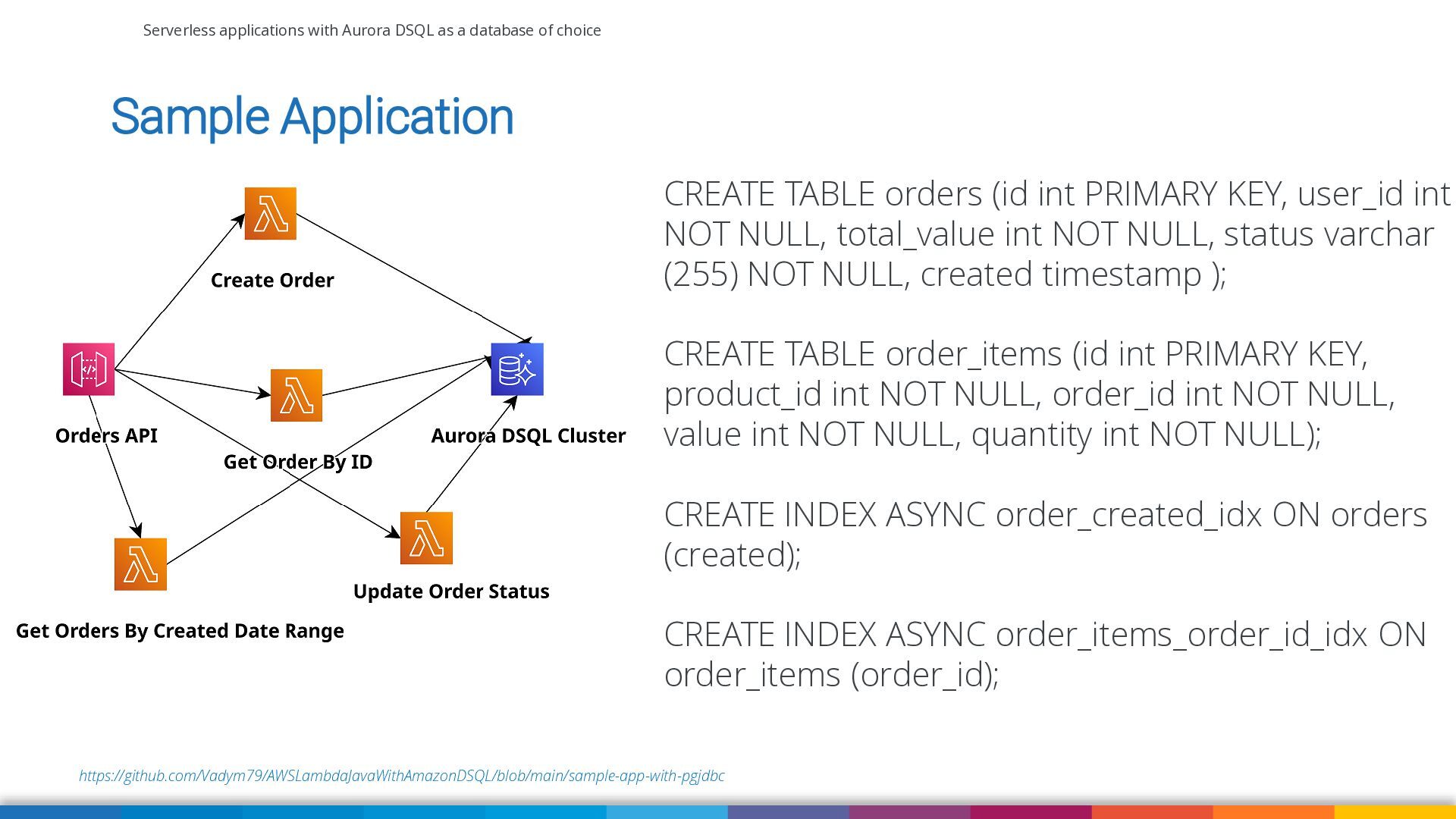
Sample Application CREATE TABLE orders (id int PRIMARY KEY, user_id int NOT NULL, total_value int NOT NULL, status varchar (255) NOT NULL, created timestamp ); CREATE TABLE order_items (id int PRIMARY KEY, product_id int NOT NULL, order_id int NOT NULL, value int NOT NULL, quantity int NOT NULL); CREATE INDEX ASYNC order_created_idx ON orders (created); CREATE INDEX ASYNC order_items_order_id_idx ON order_items (order_id); https://github.com/Vadym79/AWSLambdaJavaWithAmazonDSQL/blob/main/sample-app-with-pgjdbc -
Serverless applications with Aurora DSQL as a database of choice
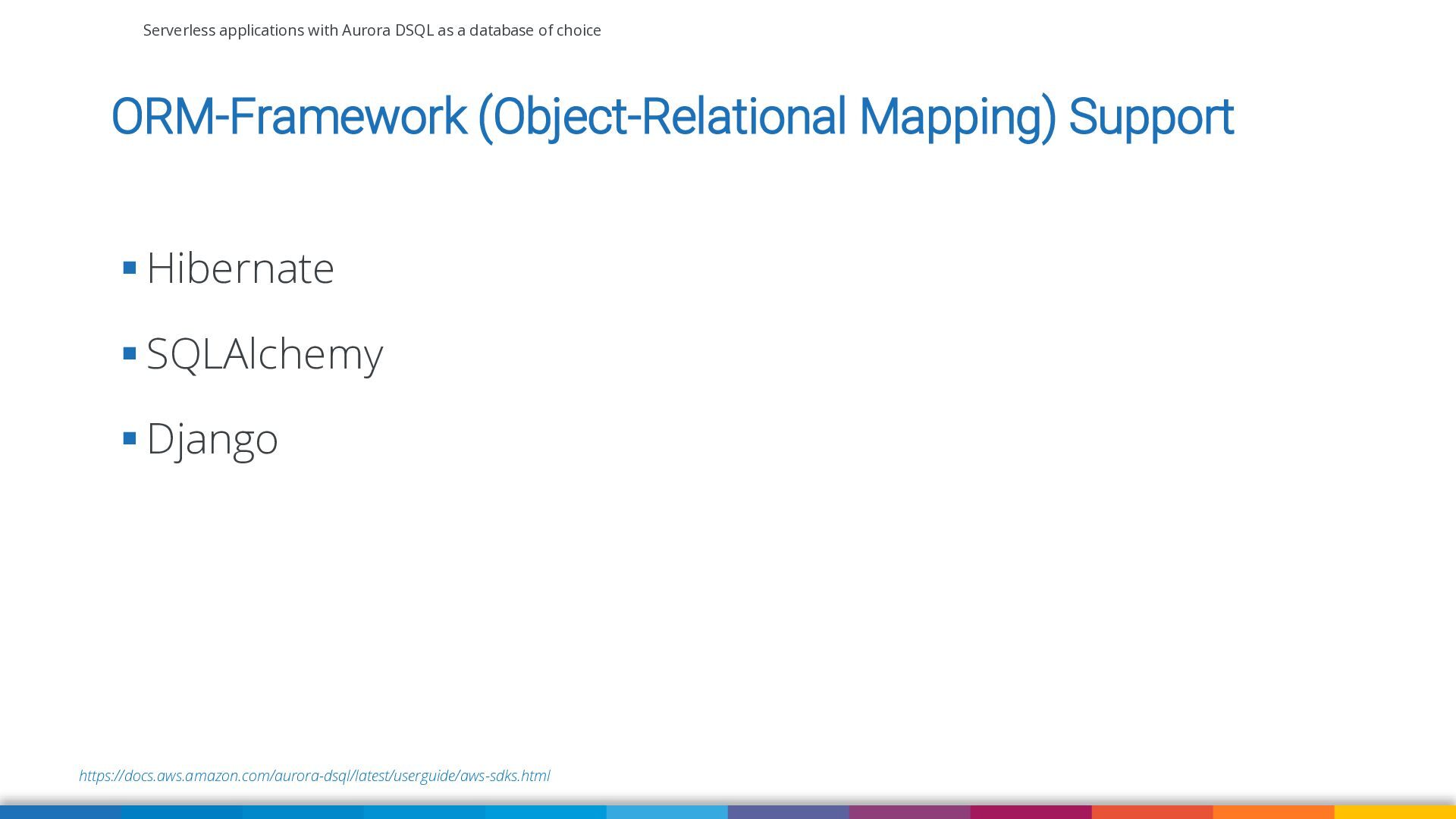
ORM-Framework (Object-Relational Mapping) Support ▪ Hibernate ▪ SQLAlchemy ▪ Django https://docs.aws.amazon.com/aurora-dsql/latest/userguide/aws-sdks.html -
Serverless applications with Aurora DSQL as a database of choice
Performance measurements of CRUD operations in Aurora DSQL -
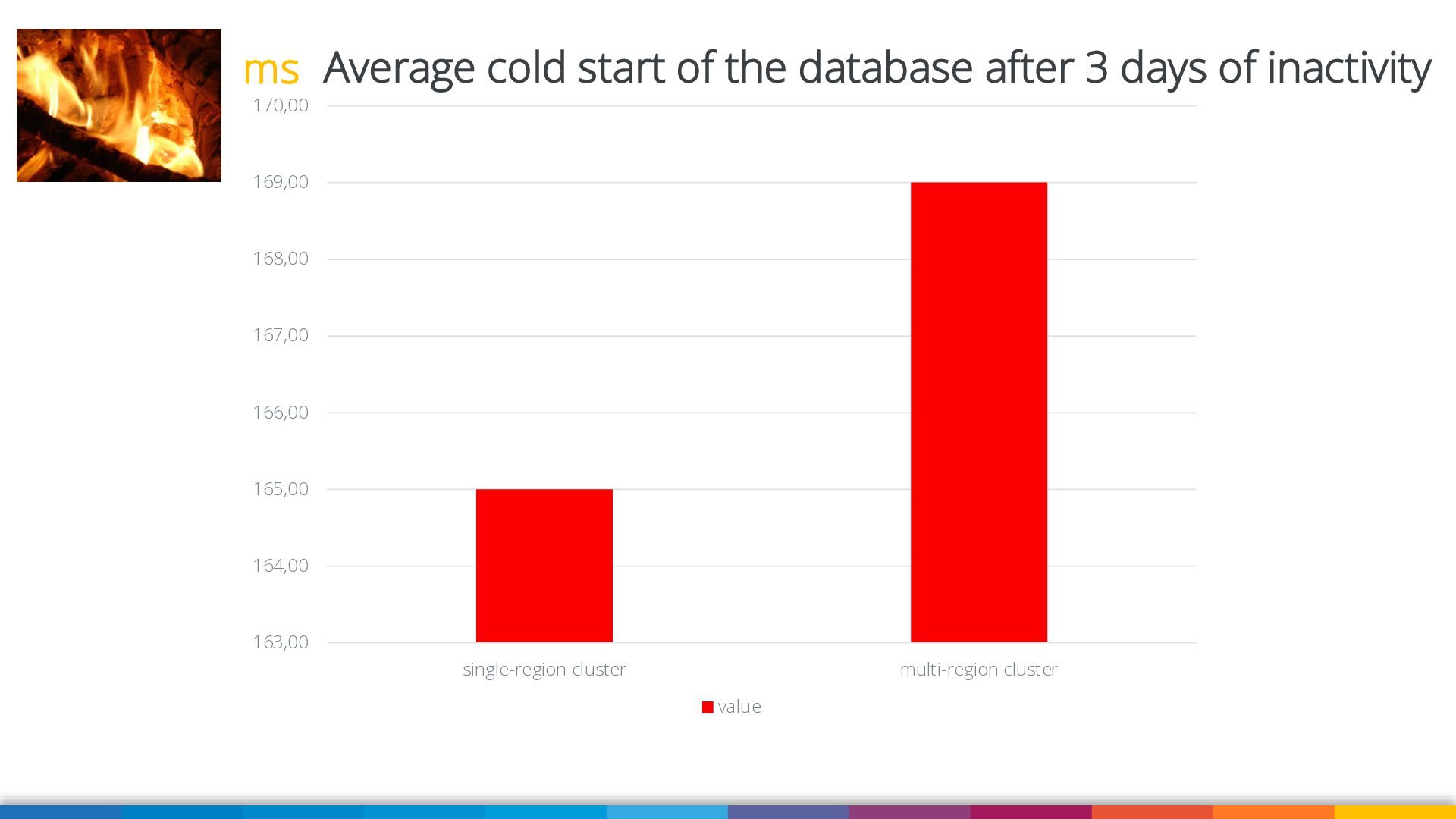
ms Average cold start of the database after 3 days
of inactivity 170,00 169,00 168,00 167,00 166,00 165,00 164,00 163,00 single-region cluster multi-region cluster value -
Serverless applications with Aurora DSQL as a database of choice
Pricing of Aurora DSQL https://aws.amazon.com/rds/aurora/dsql/?nc1=h_ls https://marc-bowes.com/dsql-how-to-spend-a-dollar.html -
Serverless applications with Aurora DSQL as a database of choice
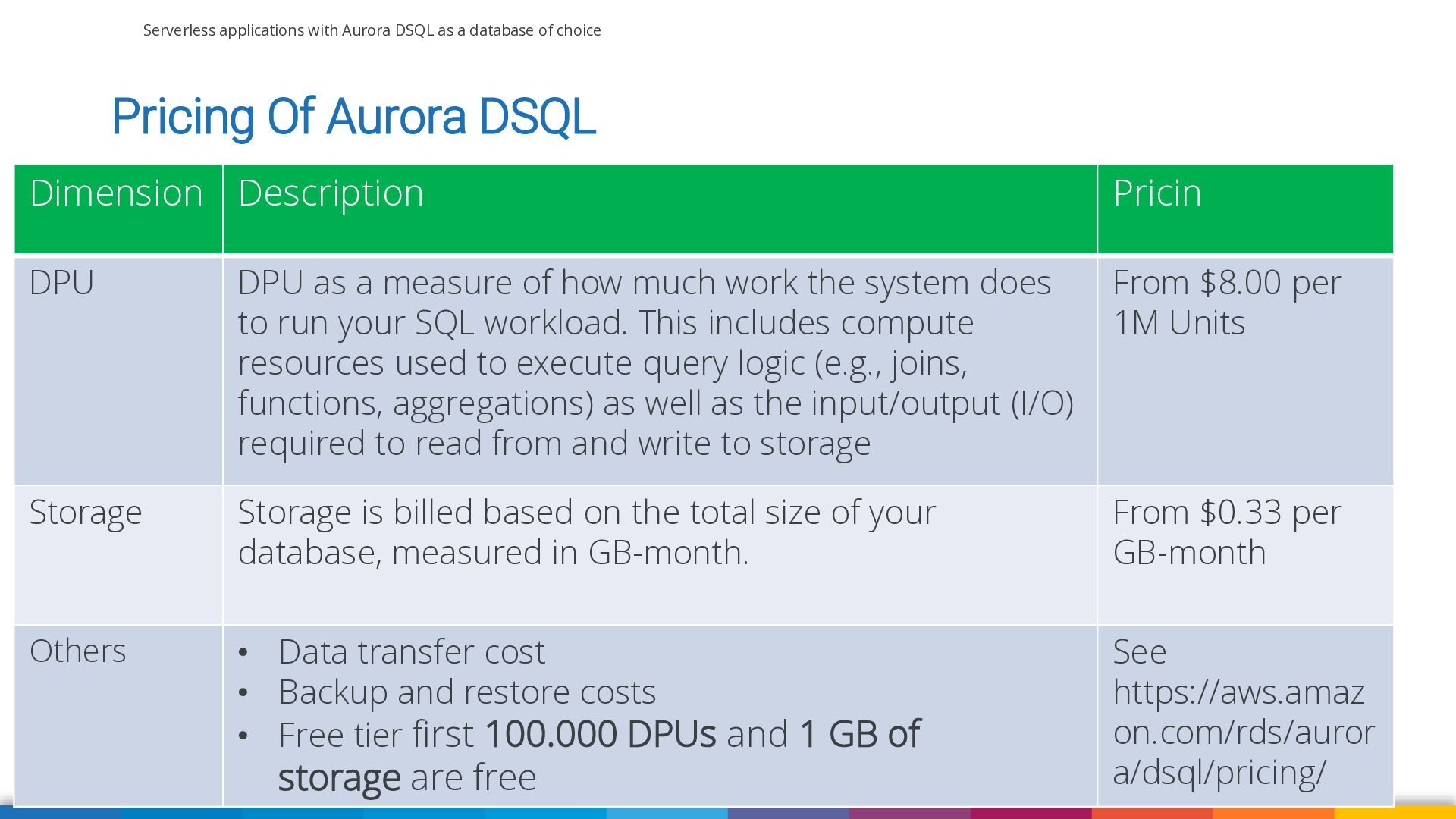
Pricing Of Aurora DSQL Dimension Description Pricin DPU DPU as a measure of how much work the system does to run your SQL workload. This includes compute resources used to execute query logic (e.g., joins, functions, aggregations) as well as the input/output (I/O) required to read from and write to storage From $8.00 per 1M Units Storage Storage is billed based on the total size of your database, measured in GB-month. From $0.33 per GB-month Others • Data transfer cost • Backup and restore costs • Free tier first 100.000 DPUs and 1 GB of See https://aws.amaz on.com/rds/auror a/dsql/pricing/ storage are free https://aws.amazon.com/rds/aurora/dsql/pricing/ -
Serverless applications with Aurora DSQL as a database of choice
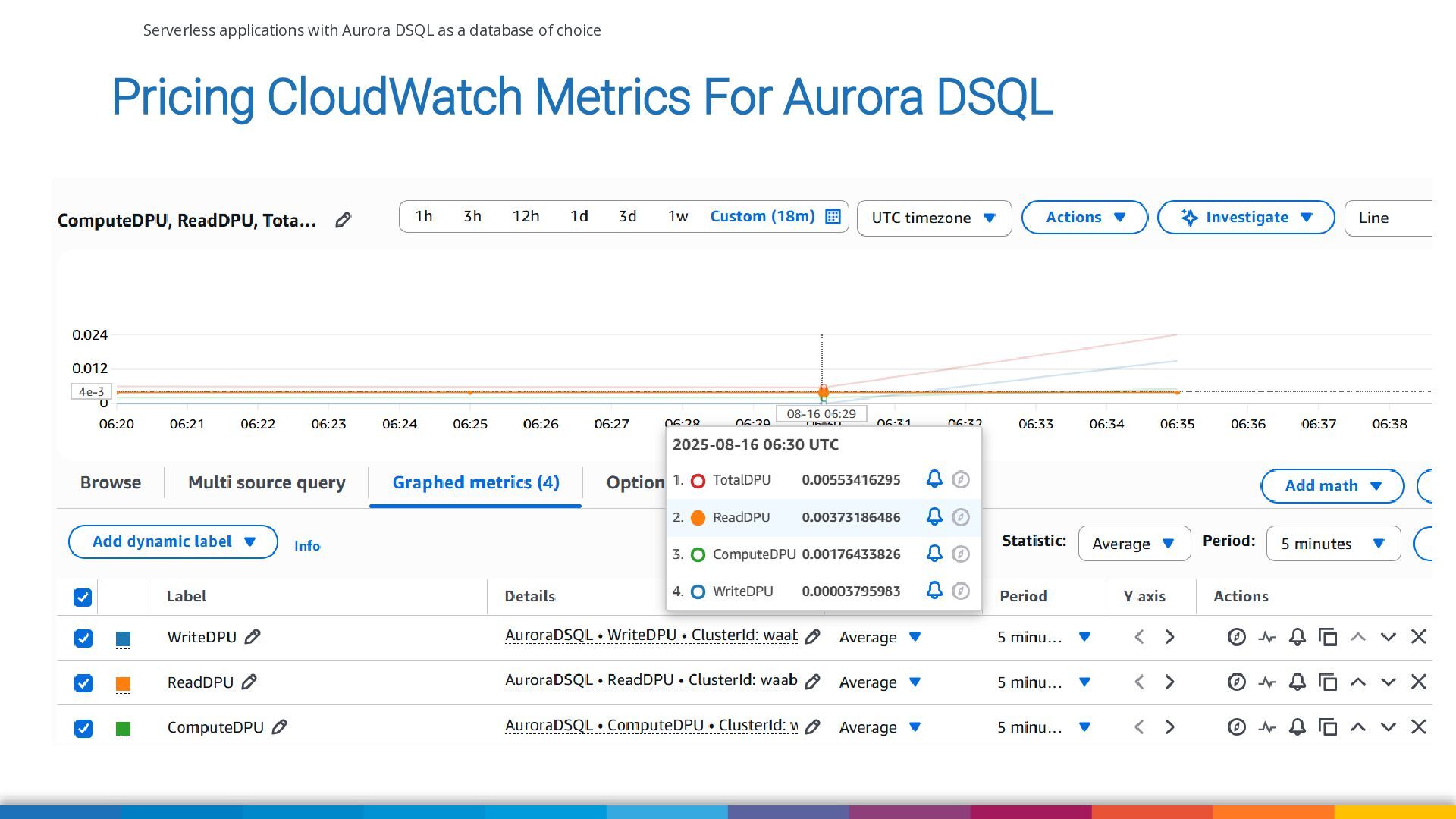
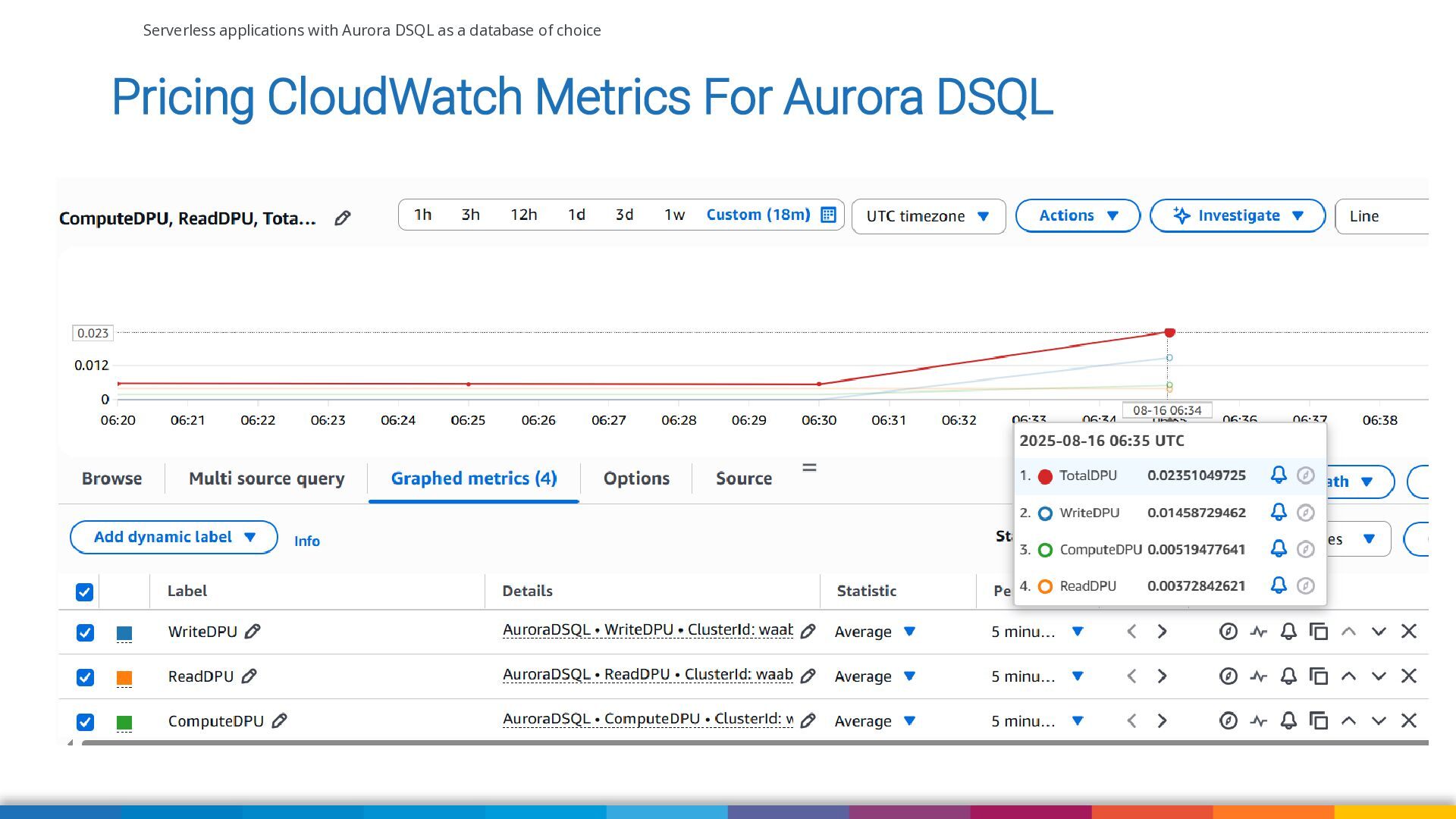
Pricing CloudWatch Metrics For Aurora DSQL -
Serverless applications with Aurora DSQL as a database of choice
Pricing CloudWatch Metrics For Aurora DSQL -
Serverless applications with Aurora DSQL as a database of choice
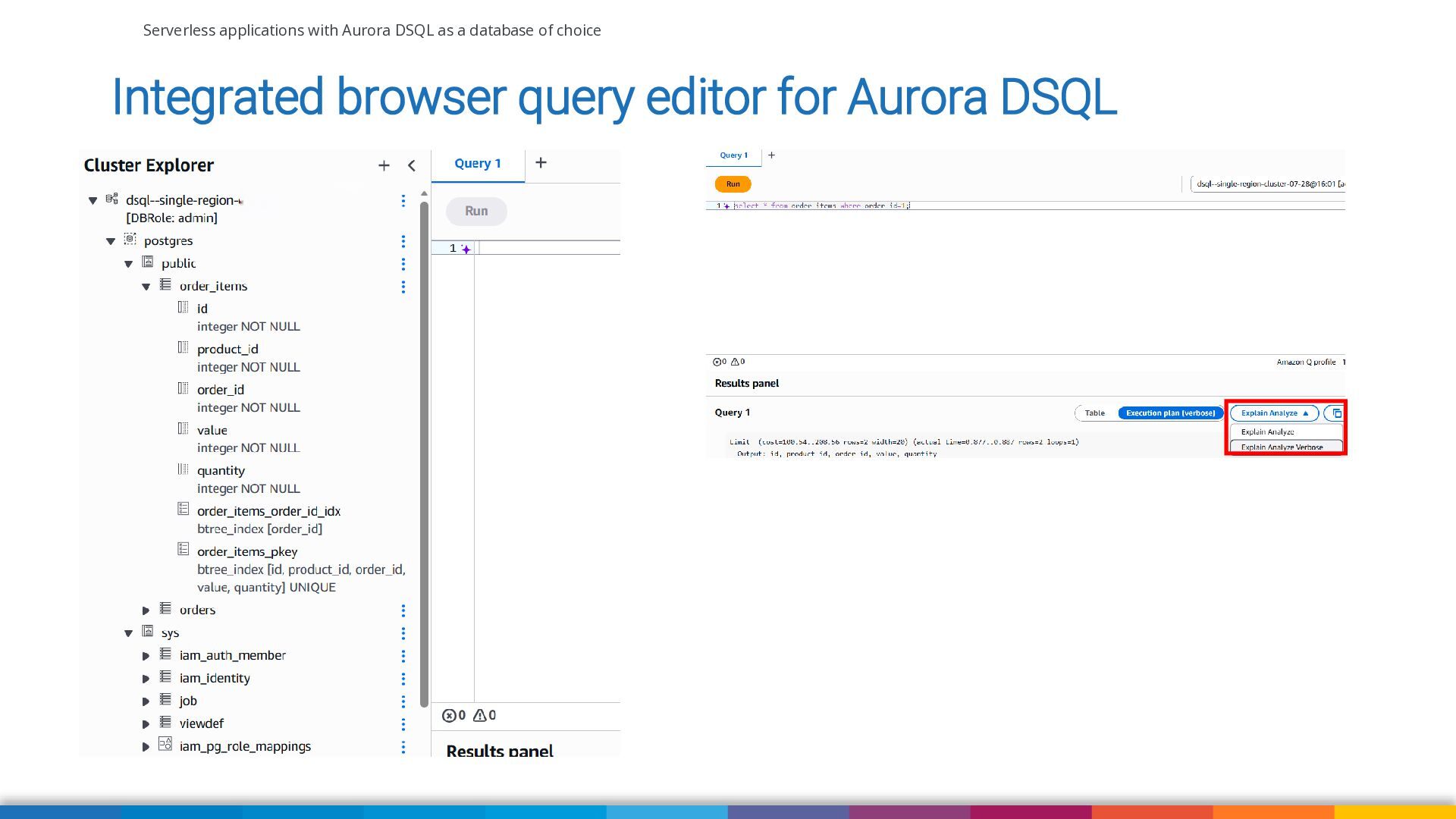
Integrated browser query editor for Aurora DSQL -
Serverless applications with Aurora DSQL as a database of choice
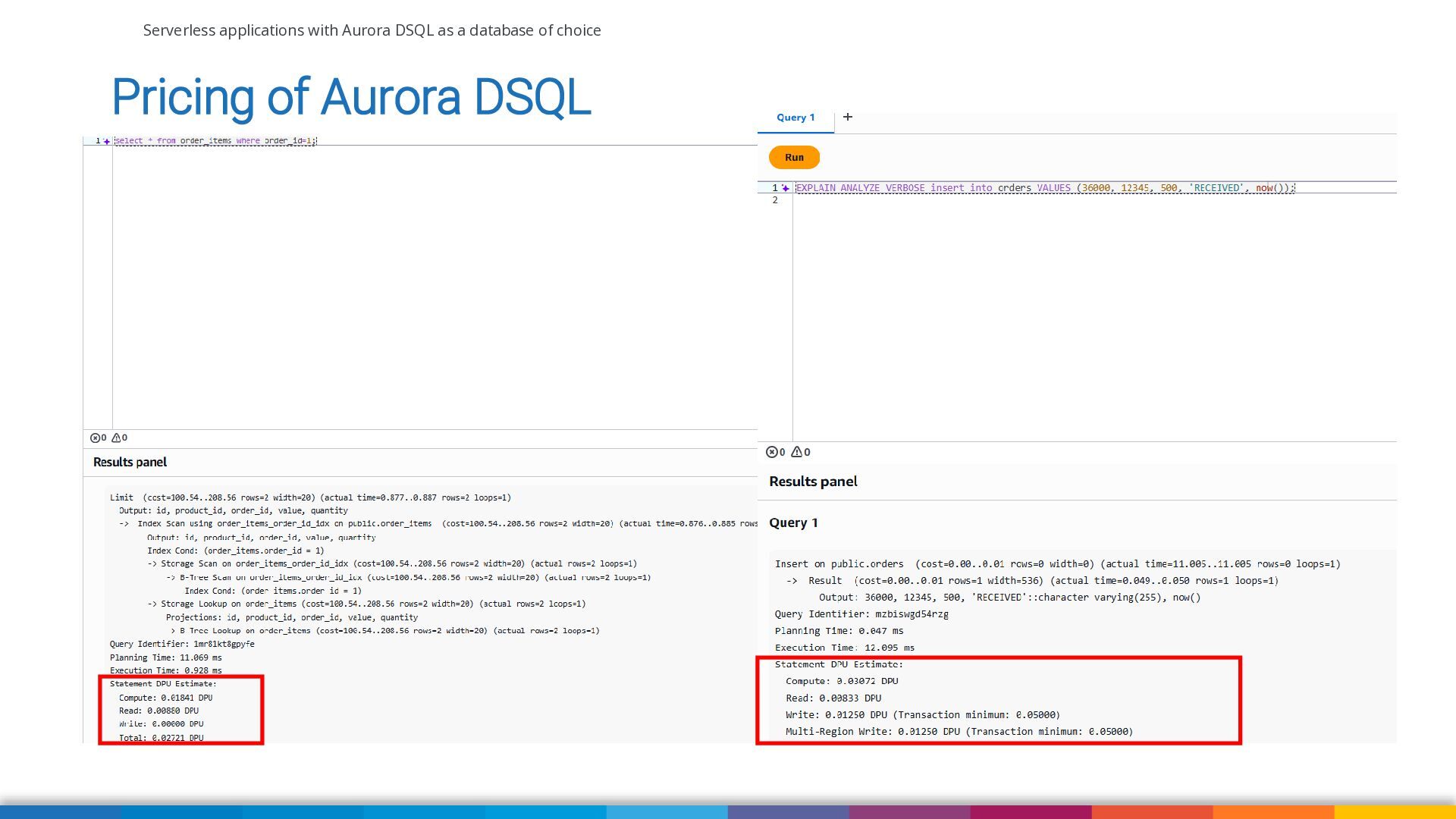
Pricing of Aurora DSQL -
Serverless applications with Aurora DSQL as a database of choice
Currently unsupported features and constraints in Aurora DSQL https://docs.aws.amazon.com/aurora-dsql/latest/userguide/working-with-postgresql-compatibility.html https://docs.aws.amazon.com/aurora-dsql/latest/userguide/working-with-postgresql-compatibility-unsupported-features.html -
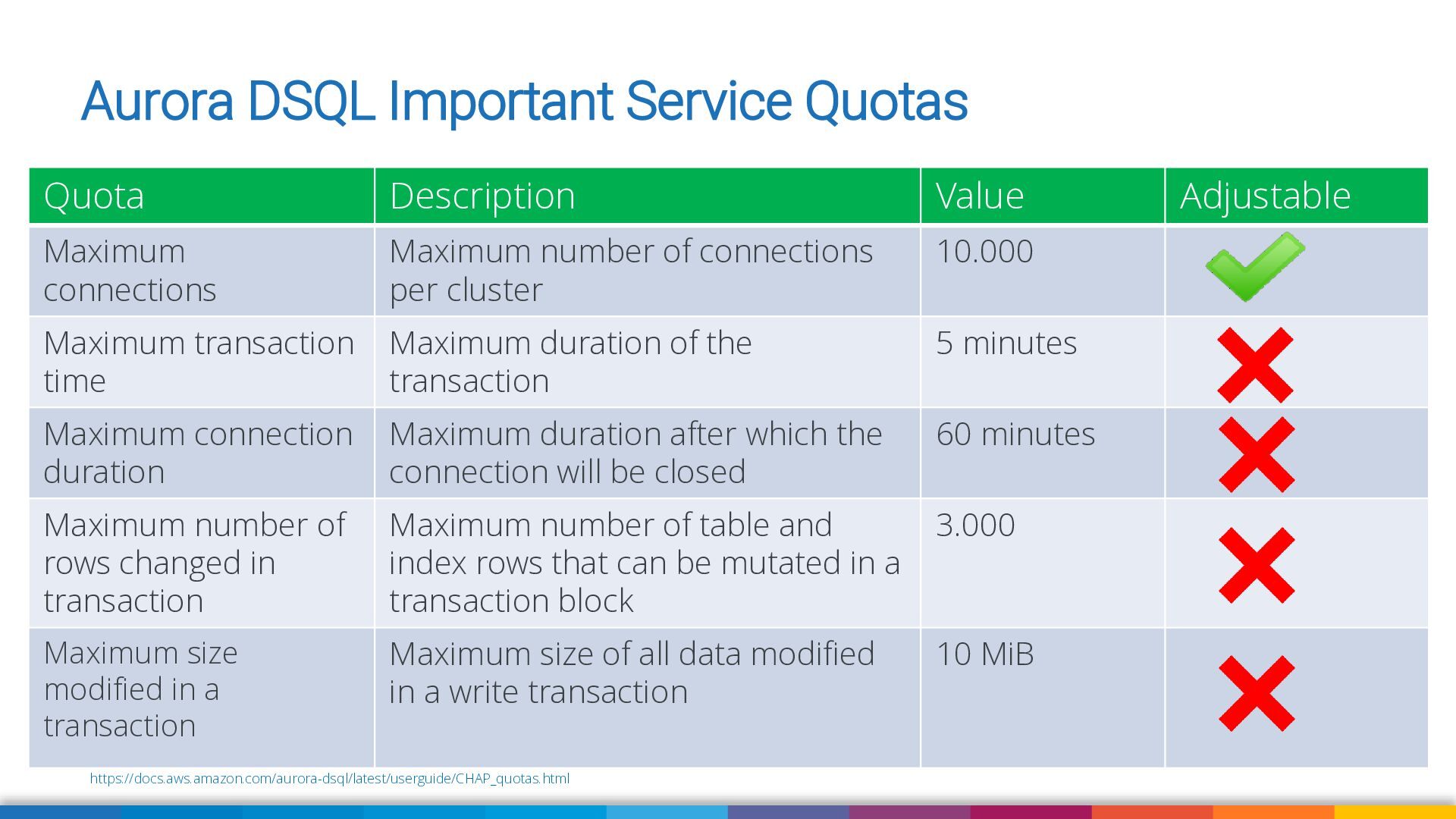
Aurora DSQL Important Service Quotas Quota Description Value Maximum connections
Maximum number of connections per cluster 10.000 Maximum transaction time Maximum duration of the transaction 5 minutes Maximum connection duration Maximum duration after which the connection will be closed 60 minutes Maximum number of rows changed in transaction Maximum number of table and index rows that can be mutated in a transaction block 3.000 Maximum size modified in a transaction Maximum size of all data modified in a write transaction 10 MiB https://docs.aws.amazon.com/aurora-dsql/latest/userguide/CHAP_quotas.html Adjustable -
Serverless applications with Aurora DSQL as a database of choice
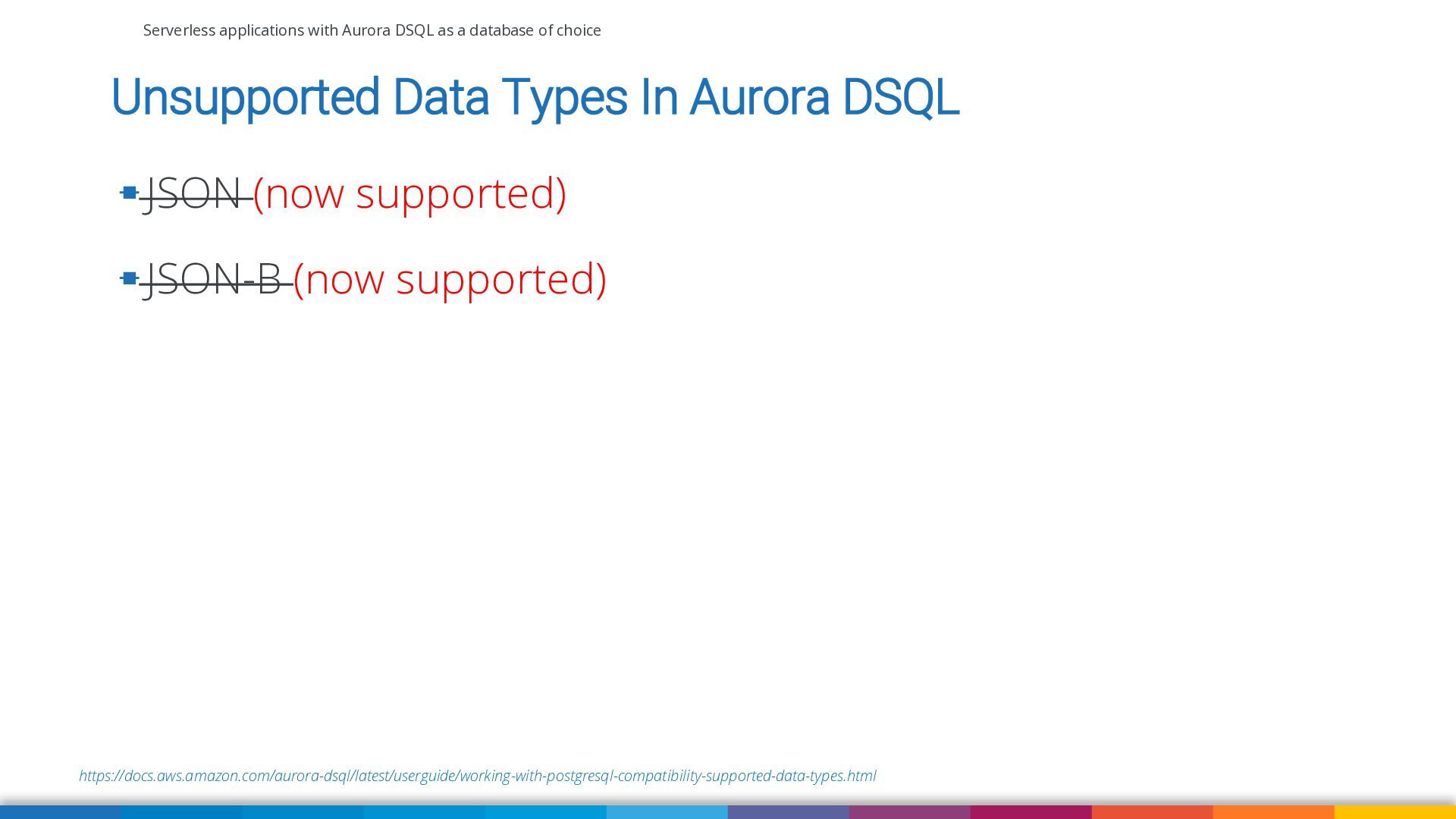
Unsupported Data Types In Aurora DSQL ▪ JSON (now supported) ▪ JSON-B (now supported) https://docs.aws.amazon.com/aurora-dsql/latest/userguide/working-with-postgresql-compatibility-supported-data-types.html -
Serverless applications with Aurora DSQL as a database of choice
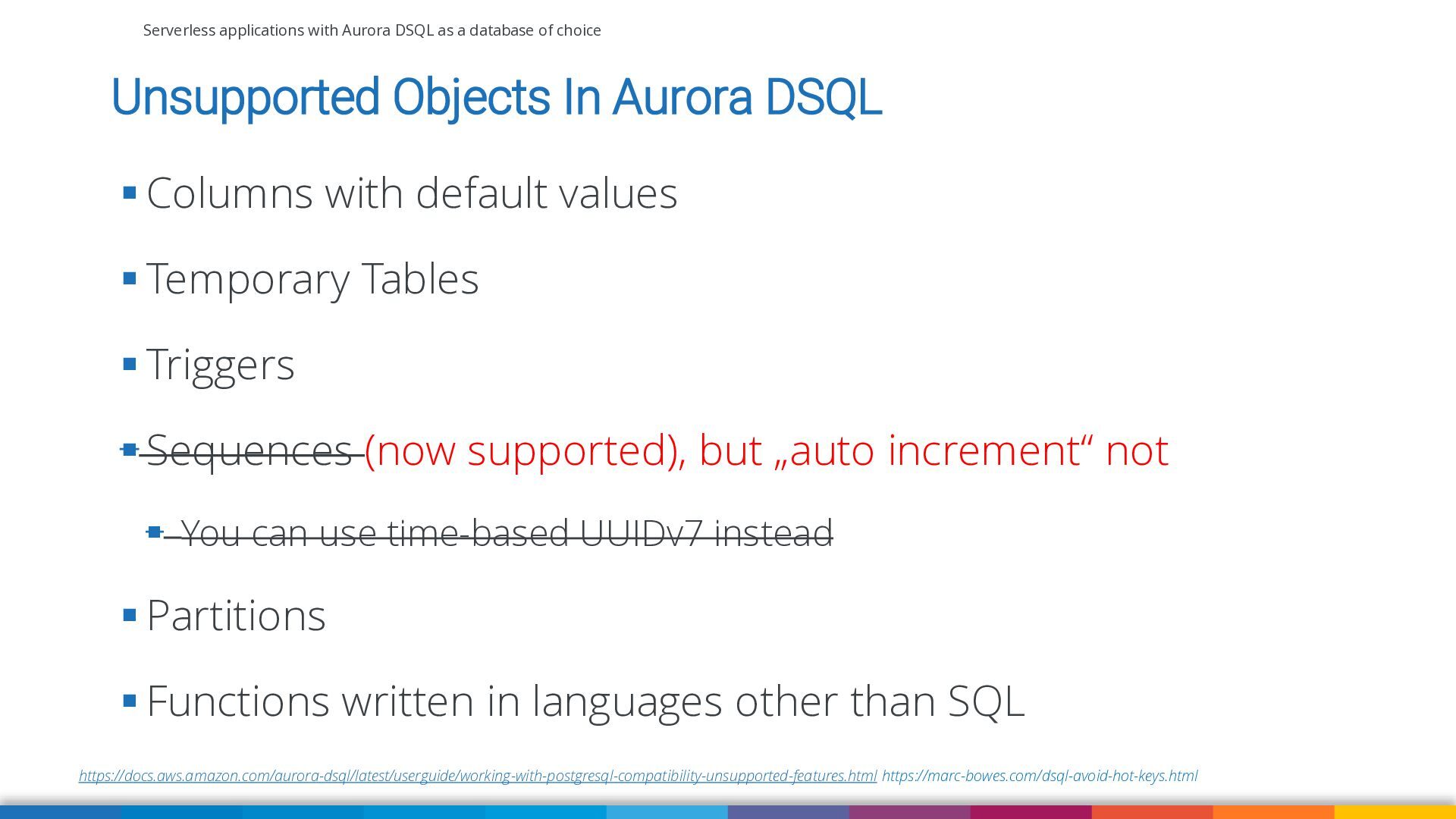
Unsupported Objects In Aurora DSQL ▪ Columns with default values ▪ Temporary Tables ▪ Triggers ▪ Sequences (now supported), but „auto increment“ not ▪ You can use time-based UUIDv7 instead ▪ Partitions ▪ Functions written in languages other than SQL https://docs.aws.amazon.com/aurora-dsql/latest/userguide/working-with-postgresql-compatibility-unsupported-features.html https://marc-bowes.com/dsql-avoid-hot-keys.html -
Serverless applications with Aurora DSQL as a database of choice
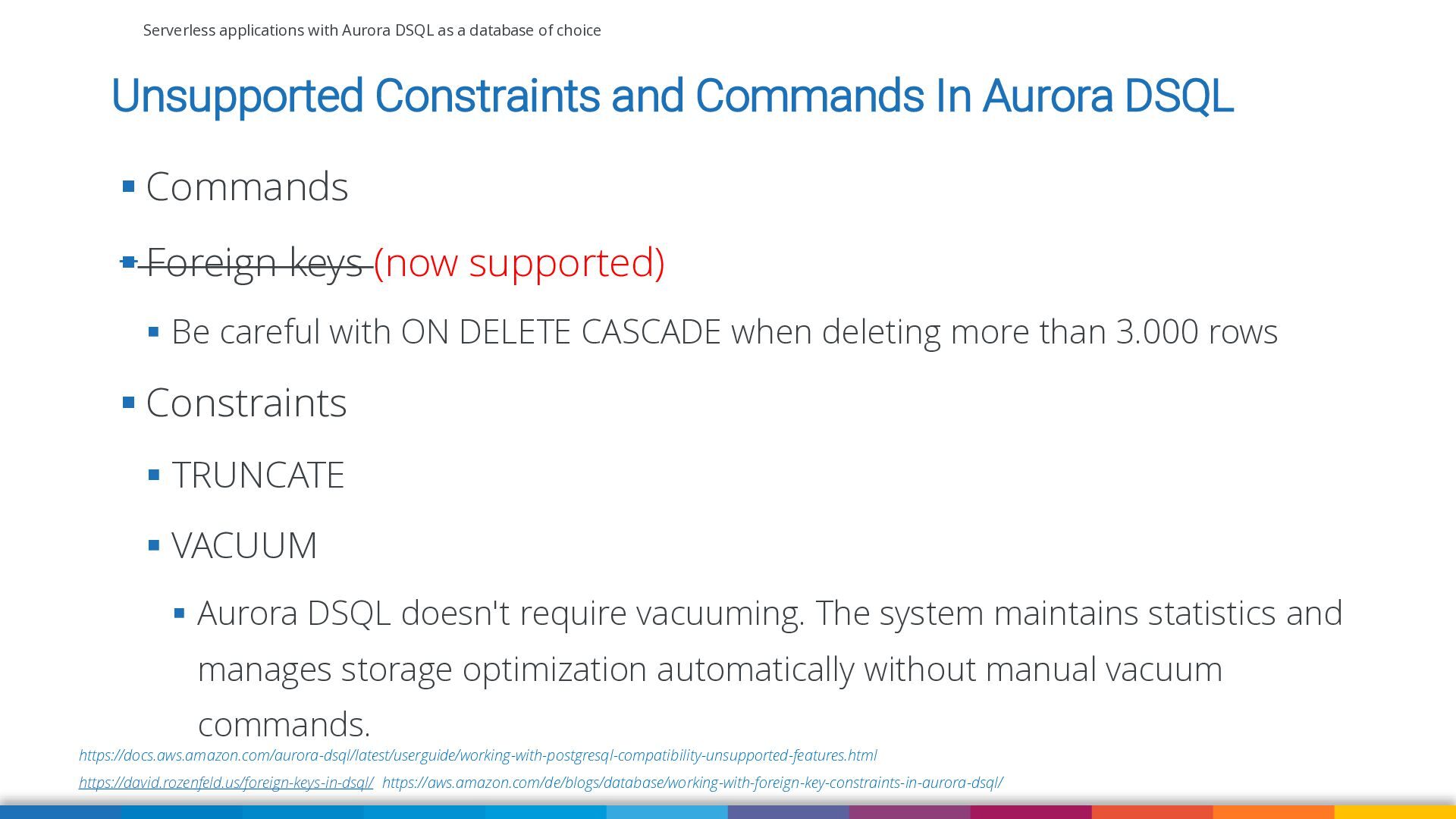
Unsupported Constraints and Commands In Aurora DSQL ▪ Commands ▪ Foreign keys (now supported) ▪ Be careful with ON DELETE CASCADE when deleting more than 3.000 rows ▪ Constraints ▪ TRUNCATE ▪ VACUUM ▪ Aurora DSQL doesn't require vacuuming. The system maintains statistics and manages storage optimization automatically without manual vacuum commands. https://docs.aws.amazon.com/aurora-dsql/latest/userguide/working-with-postgresql-compatibility-unsupported-features.html https://david.rozenfeld.us/foreign-keys-in-dsql/ https://aws.amazon.com/de/blogs/database/working-with-foreign-key-constraints-in-aurora-dsql/ -
Serverless applications with Aurora DSQL as a database of choice
Unsupported Extensions In Aurora DSQL ▪ PGVector ▪ PGAudit ▪ pg_stat_statements https://docs.aws.amazon.com/aurora-dsql/latest/userguide/working-with-postgresql-compatibility-unsupported-features.html -
Serverless applications with Aurora DSQL as a database of choice
Final thoughts and wrap up -
Serverless applications with Aurora DSQL as a database of choice
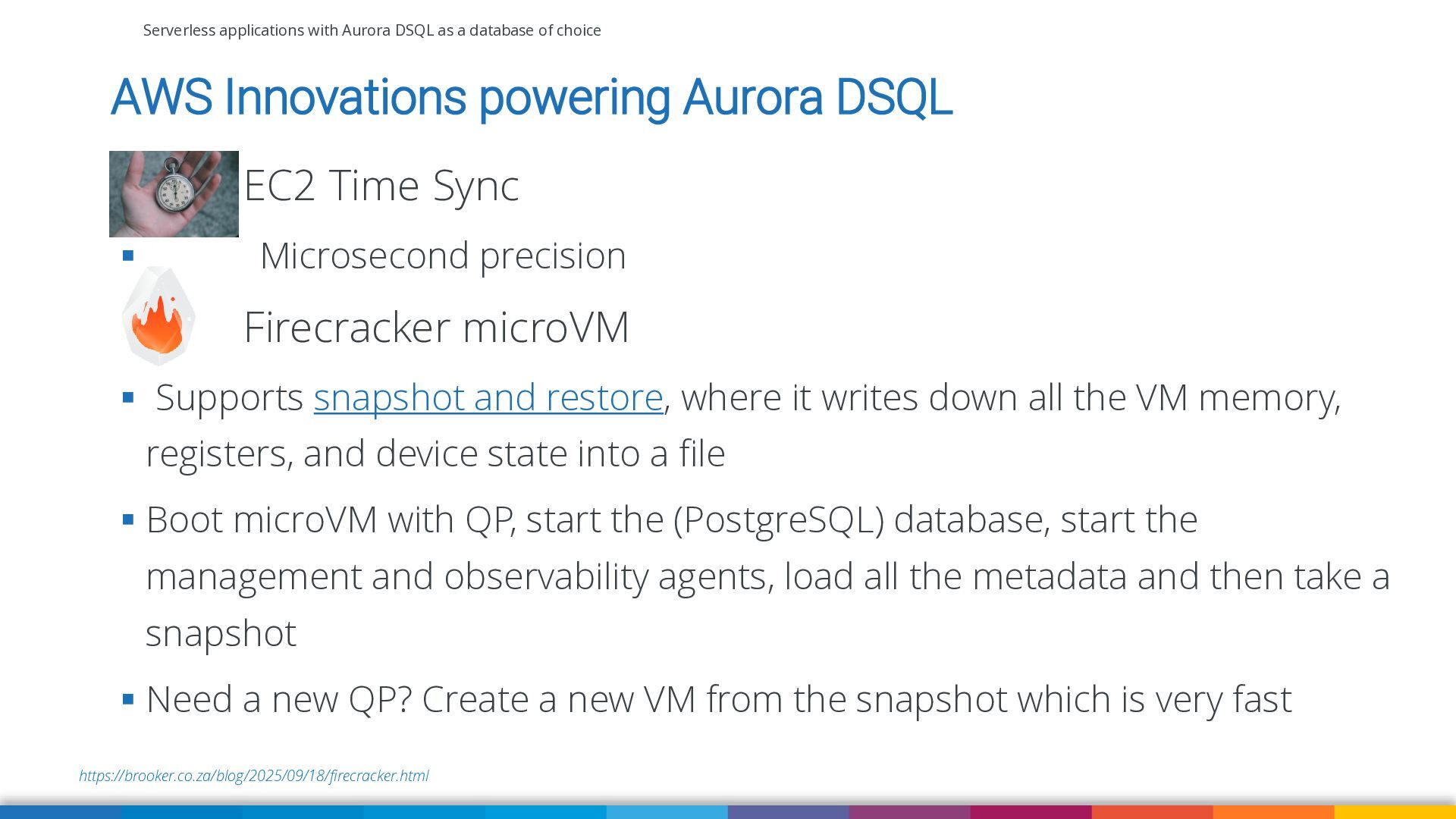
AWS Innovations powering Aurora DSQL EC2 Time Sync ▪ Microsecond precision Firecracker microVM ▪ Supports snapshot and restore, where it writes down all the VM memory, registers, and device state into a file ▪ Boot microVM with QP, start the (PostgreSQL) database, start the management and observability agents, load all the metadata and then take a snapshot ▪ Need a new QP? Create a new VM from the snapshot which is very fast https://brooker.co.za/blog/2025/09/18/firecracker.html -
Serverless applications with Aurora DSQL as a database of choice
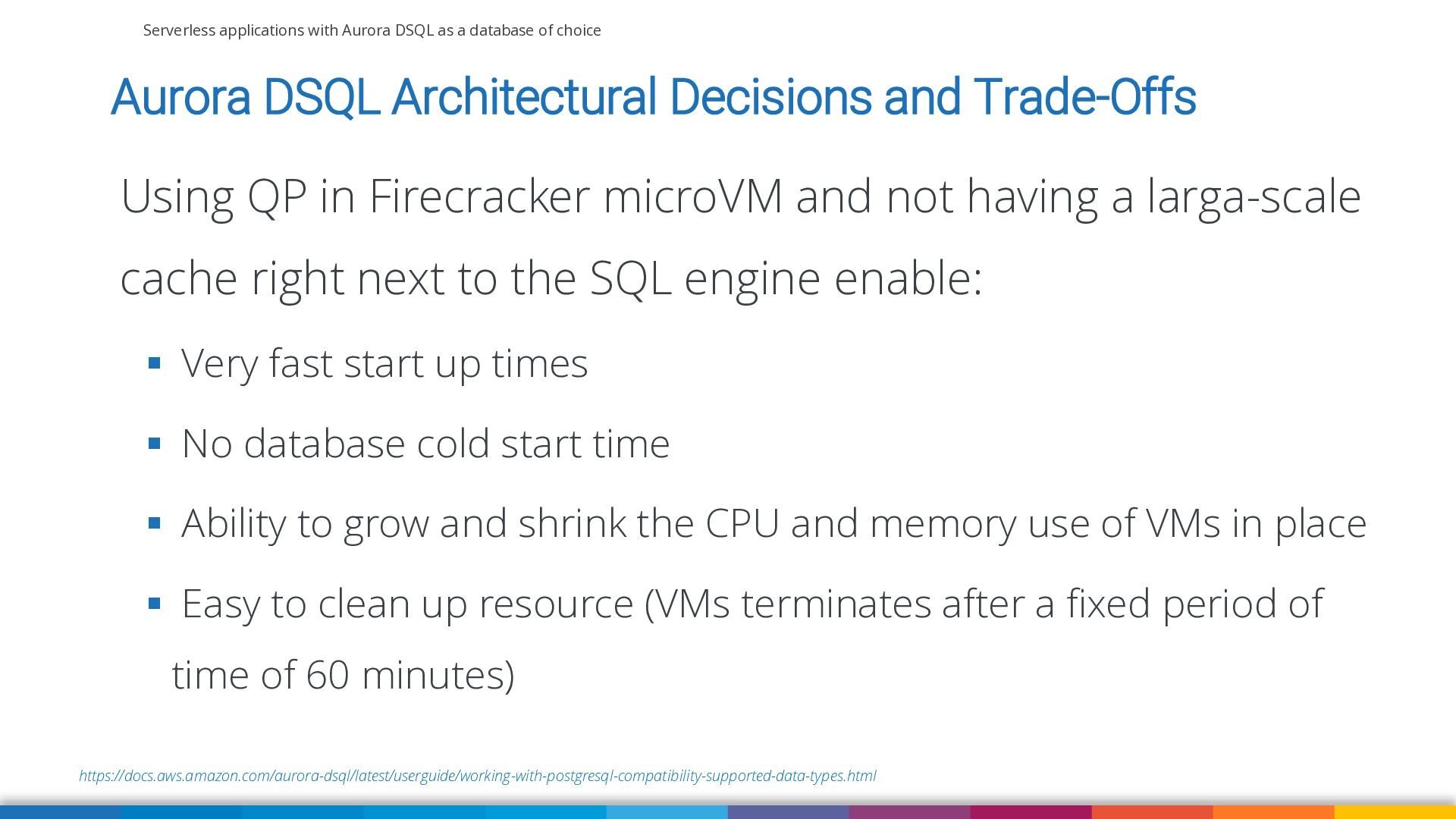
Aurora DSQL Architectural Decisions and Trade-Offs Using QP in Firecracker microVM and not having a larga-scale cache right next to the SQL engine enable: ▪ Very fast start up times ▪ No database cold start time ▪ Ability to grow and shrink the CPU and memory use of VMs in place ▪ Easy to clean up resource (VMs terminates after a fixed period of time of 60 minutes) https://docs.aws.amazon.com/aurora-dsql/latest/userguide/working-with-postgresql-compatibility-supported-data-types.html -
Serverless applications with Aurora DSQL as a database of choice
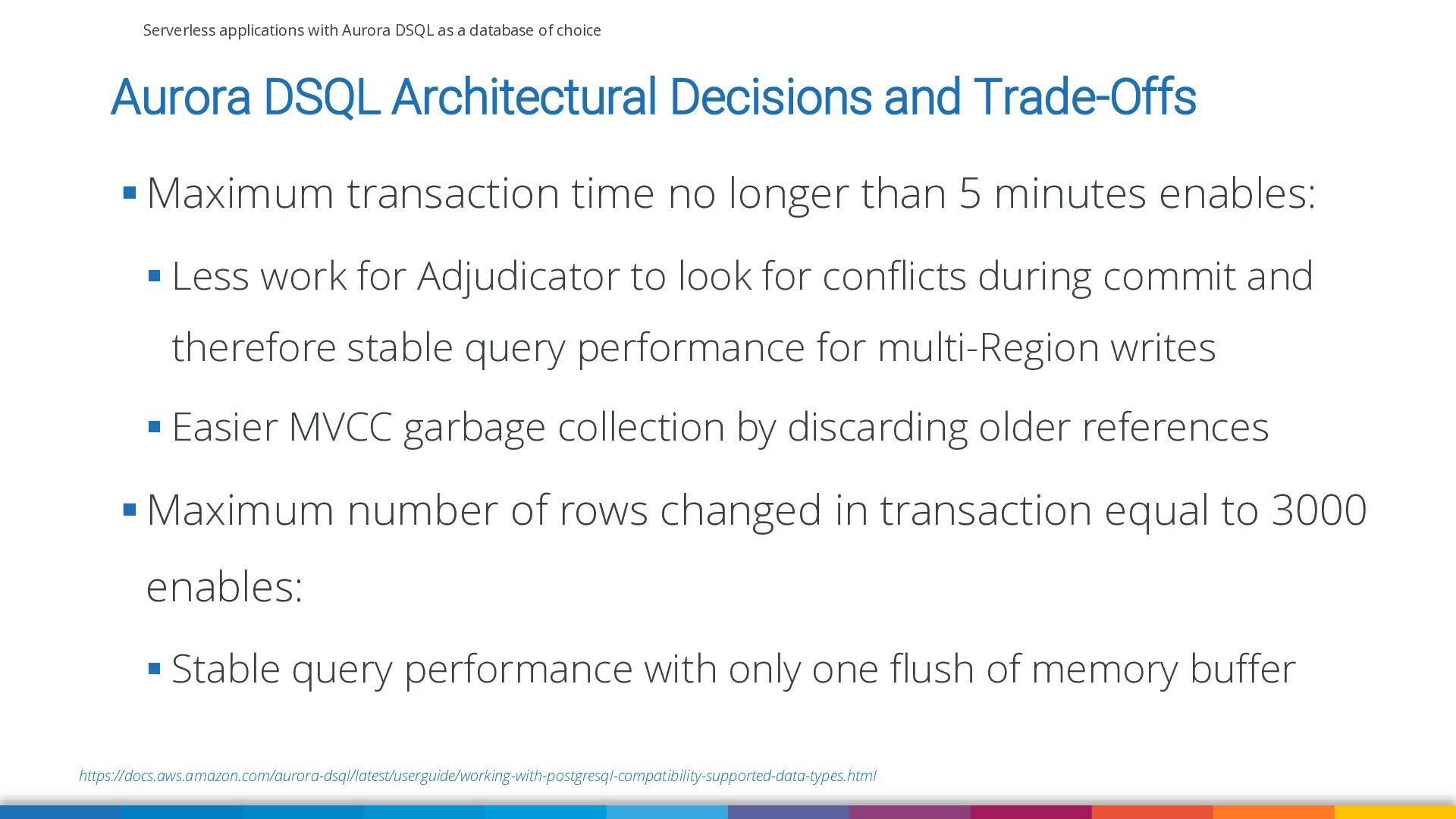
Aurora DSQL Architectural Decisions and Trade-Offs ▪ Maximum transaction time no longer than 5 minutes enables: ▪ Less work for Adjudicator to look for conflicts during commit and therefore stable query performance for multi-Region writes ▪ Easier MVCC garbage collection by discarding older references ▪ Maximum number of rows changed in transaction equal to 3000 enables: ▪ Stable query performance with only one flush of memory buffer https://docs.aws.amazon.com/aurora-dsql/latest/userguide/working-with-postgresql-compatibility-supported-data-types.html -
Serverless applications with Aurora DSQL as a database of choice
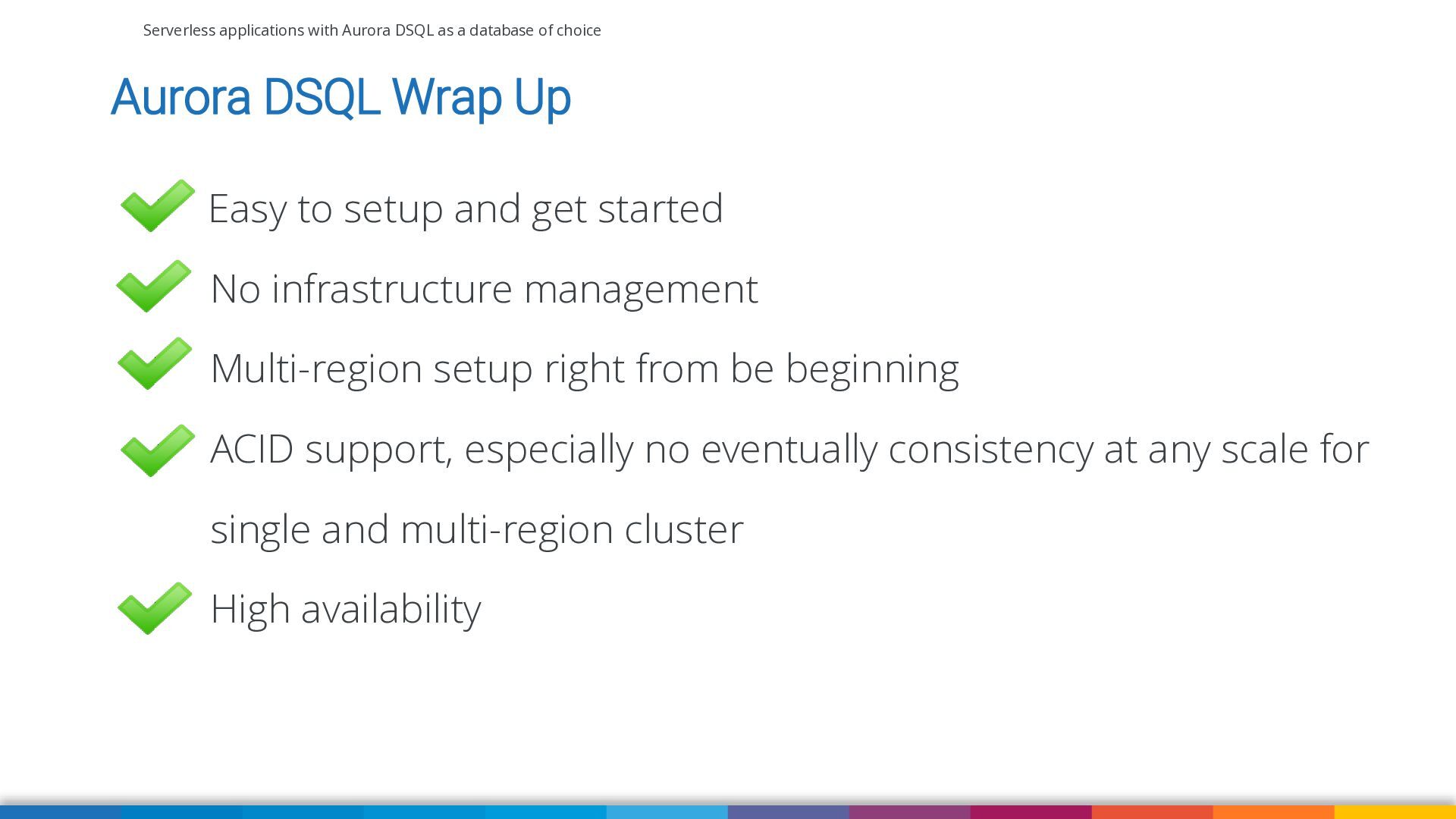
Aurora DSQL Wrap Up Easy to setup and get started No infrastructure management Multi-region setup right from be beginning ACID support, especially no eventually consistency at any scale for single and multi-region cluster High availability -
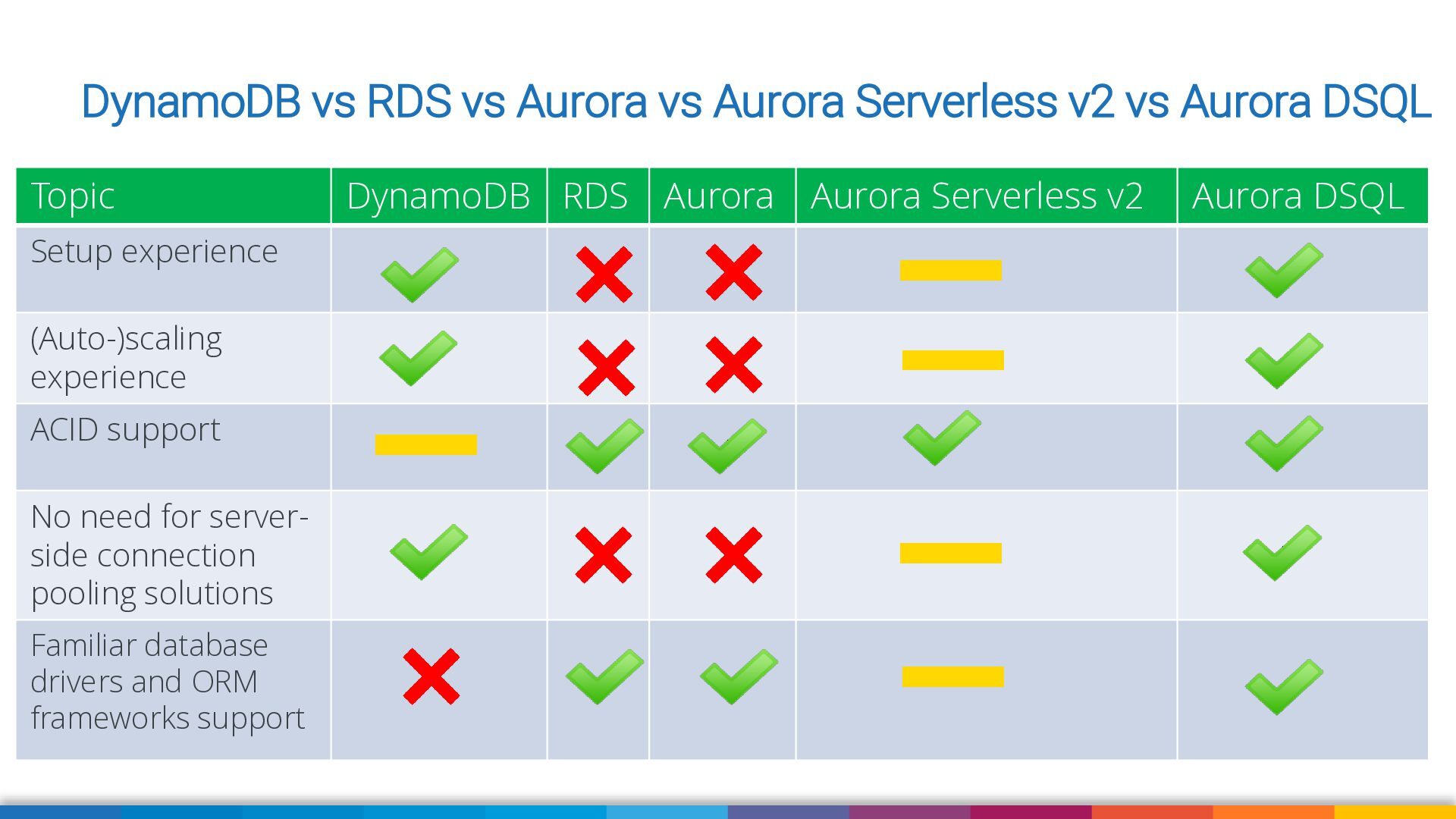
DynamoDB vs RDS vs Aurora vs Aurora Serverless v2 vs
Aurora DSQL Topic Setup experience (Auto-)scaling experience ACID support No need for serverside connection pooling solutions Familiar database drivers and ORM frameworks support DynamoDB RDS Aurora Aurora Serverless v2 Aurora DSQL -
Serverless applications with Aurora DSQL as a database of choice
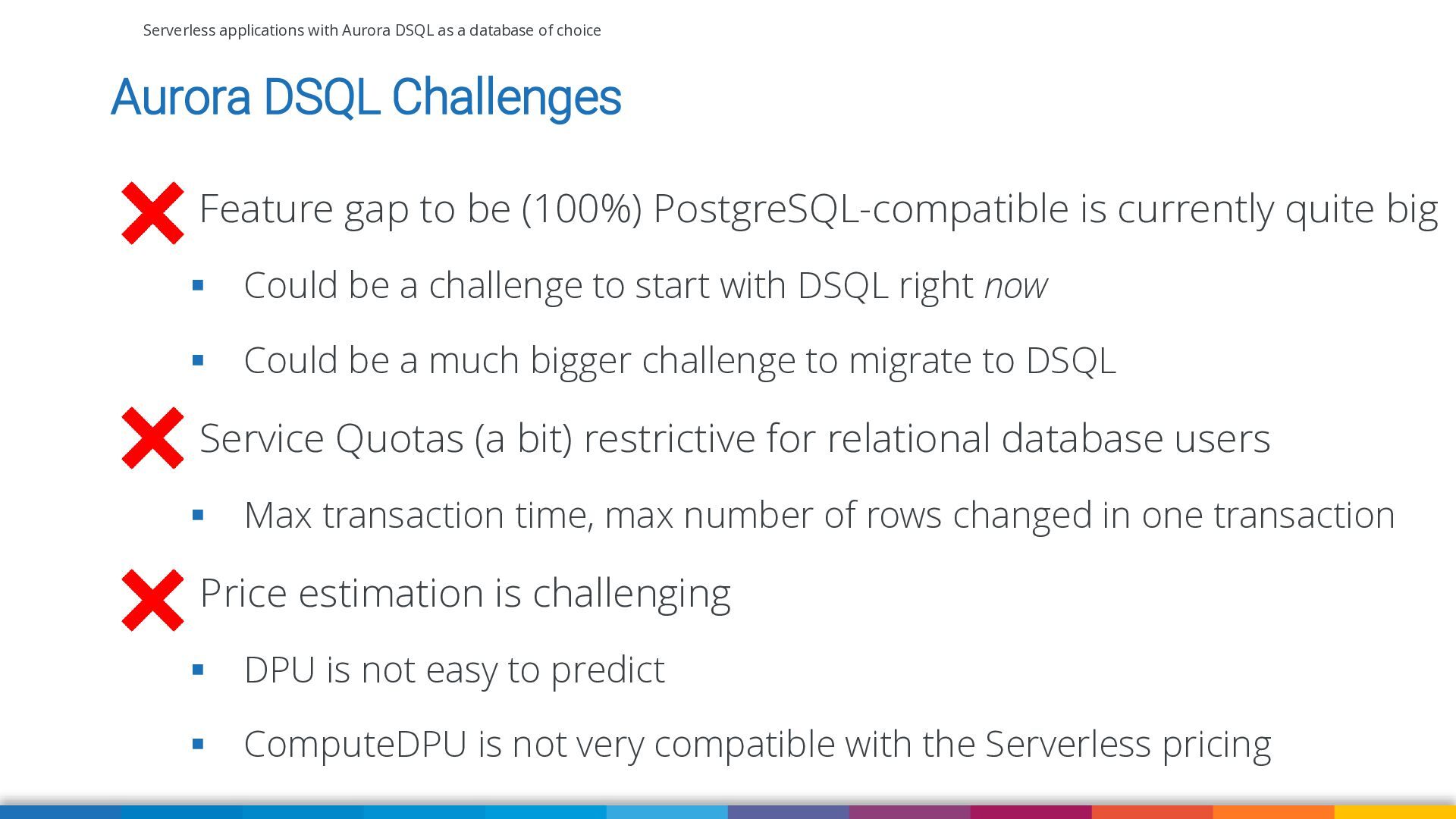
Aurora DSQL Challenges Feature gap to be (100%) PostgreSQL-compatible is currently quite big ▪ Could be a challenge to start with DSQL right now ▪ Could be a much bigger challenge to migrate to DSQL Service Quotas (a bit) restrictive for relational database users ▪ Max transaction time, max number of rows changed in one transaction Price estimation is challenging ▪ DPU is not easy to predict ▪ ComputeDPU is not very compatible with the Serverless pricing -
98 Serverless applications with Aurora DSQL as a database of
choice Ask Me Anything
 vkazulkin
 timakin
 dynamis
 kasada
 inariku
 ivry_presentationmaterials
 takaha4k
 legalontechnologies
 yosukeyoshida
 tammyeverts
 jcabot
 nejumi
 nsatoh
 csswizardry
 skoyamalab
 bluesmoon
 techseoconnect
 sabderemane
 bethany
 geoffreycrofte
 palkan
 jonoalderson
 greggifford
 codingconduct
 lemiorhan